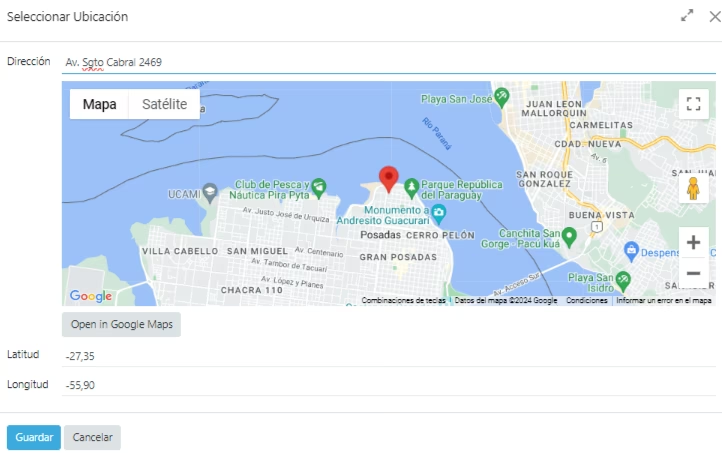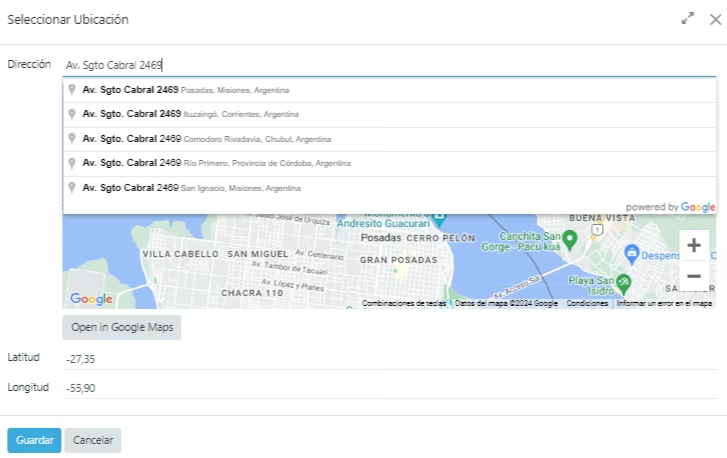
This module introduces an interactive Google Maps widget that can be embedded into form views using existing latitude and longitude fields. Users can search for a location and adjust it by dragging markers on the map, significantly improving geolocation accuracy and user experience. Ideal for managing customer addresses, field service entries, or warehouse locations, this widget enhances location-based workflows with intuitive visual mapping integration
Embed an interactive Google Map within form views using latitude and longitude fields
Allow users to search, select, and drag map markers to set accurate locations
Seamless mapping integration with minimal setup—leveraging existing fields
Lightweight UX enhancement for improved data input and usability
Enhances data entry accuracy with visual and interactive mapping controls
Reduces user errors by allowing direct location adjustments via map markers
Streamlines workflows for address, field service, and logistics-related data inputs
Offers a polished, user-friendly interface that elevates form interaction
Integrates gracefully without requiring complex configuration or additional modules
Google Maps Widget
Power your with perfectly designed Google Maps integration for hassle-free location management.


How to implement
Follow these simple steps to start using the widget on your system
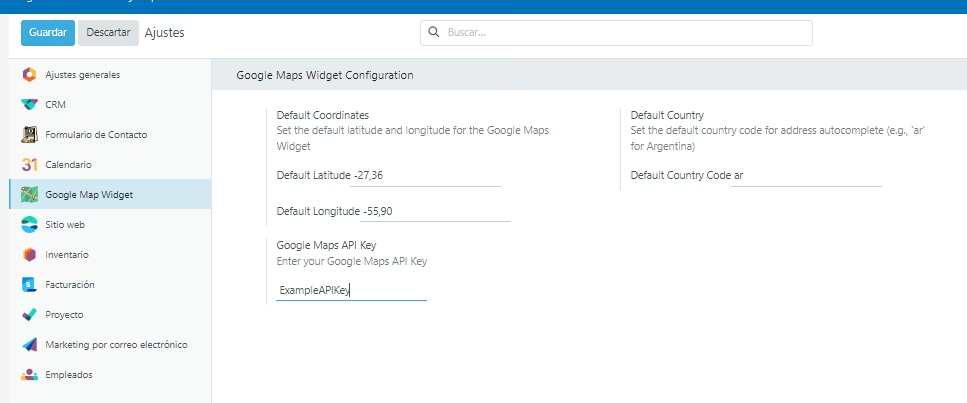
1. Initial Configuration
Configure your Google Maps API Key in the module settings to start using the widget. You can also add default parameters on it
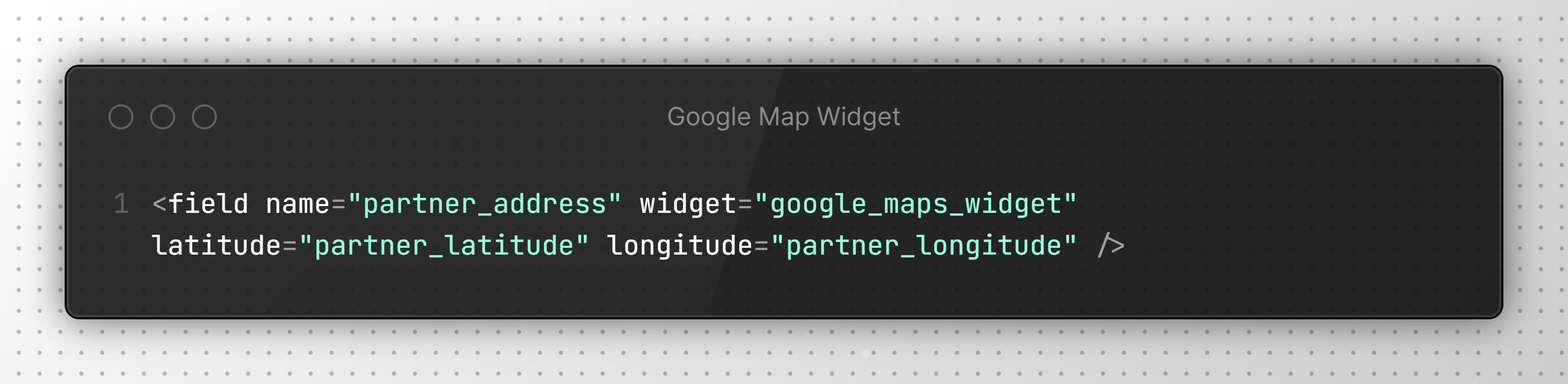
2. Implementation of the widget
Add the field type Char and customize it with latitude and longitude fields
The Widget in Action
Discover how our widget looks and works in different scenarios