uK REST API – Powerful Custom RESTful Integration
The uK REST API module enables a fully customizable RESTful API for your server, allowing external applications to authenticate, query, create, update, or delete data over HTTP with JSON payloads. It supports OAuth1, OAuth2 authentication as well as basic credentials, giving you secure and flexible access to your data.
🔑 Core Features
RESTful API Endpoints: Full REST API support to interact with Odoo models using standard HTTP calls.
Multiple Authentication Options: Authenticate via OAuth1, OAuth2, username/password or tokens for secure access management.
Custom Endpoints: Easily add tailored API routes in the backend without needing extra code – perfect for specific business logic.
Comprehensive Documentation: Auto-generated API docs based on OpenAPI specs make development and integration smoother.
Multi-Database Support: Use the API across multiple databases with configurable parameters.
📌 Benefits for Your Business
Seamless External Integrations: Connect with mobile apps, third-party CRMs, web portals, and analytics tools with ease.
Secure Data Access: OAuth2 support ensures secure interactions and access control across applications.
Developer-Friendly Framework: With detailed docs and flexible custom endpoints, developers can build integrations faster.
Scalable & Reliable: Built for both Community and Enterprise editions.
This module is ideal for businesses that need to expose their data to external systems, partners, or custom apps improving connectivity and automating workflows without manual interventions.
uK REST
A customizable RESTful API
uK IT GmbH
Overview
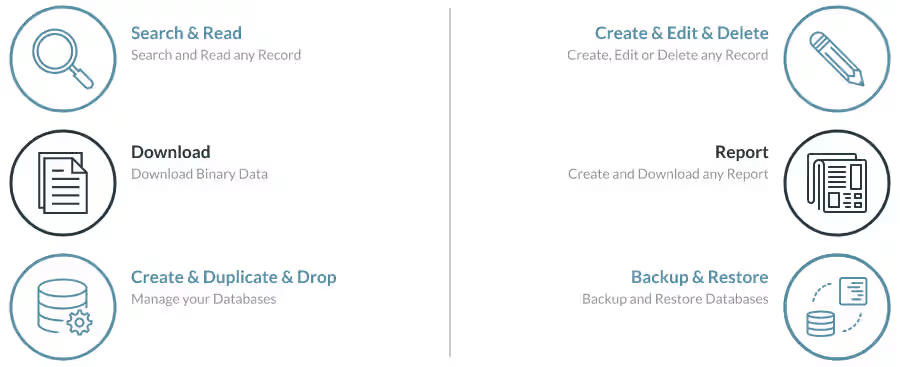
Enables a REST API for the server. The API has routes to authenticate and retrieve a token. Afterwards, a set of routes to interact with the server are provided. The API can be used by any language or framework which can make an HTTP requests and receive responses with JSON payloads and works with both the Community and the Enterprise Edition.
To activate the routes even if no database is selected the module should be loaded right at the server start. This can be done by editing the configuration file or passing a load parameter to the start script.
Parameter:
--load=web,muk_rest
To access the API in a multi database enviroment without a db filter,
the name of the database must be provided with each request via the
db parameter ?db=database_name.
Key Features
Documentation
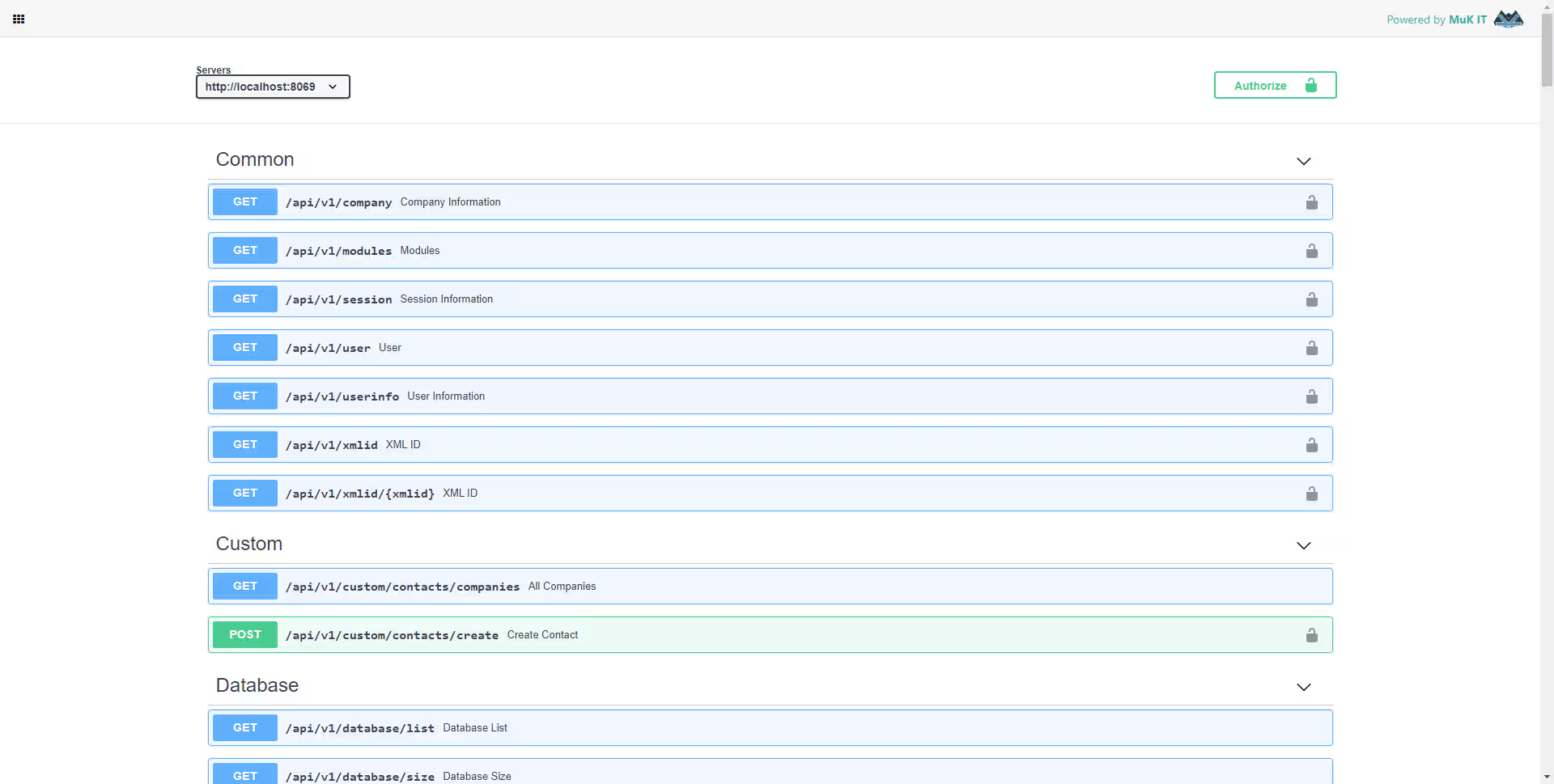
The API is documented based on the Open API specification. All endpoints are described in great detail and a number of defined schemas make it possible to keep a good overview of the required parameters as well as the returned results.
Furthermore, the documentation is automatically extended with the addition of another endpoint. Whether it was added as custom endpoint or via Python code does not matter.
Custom Endpoints
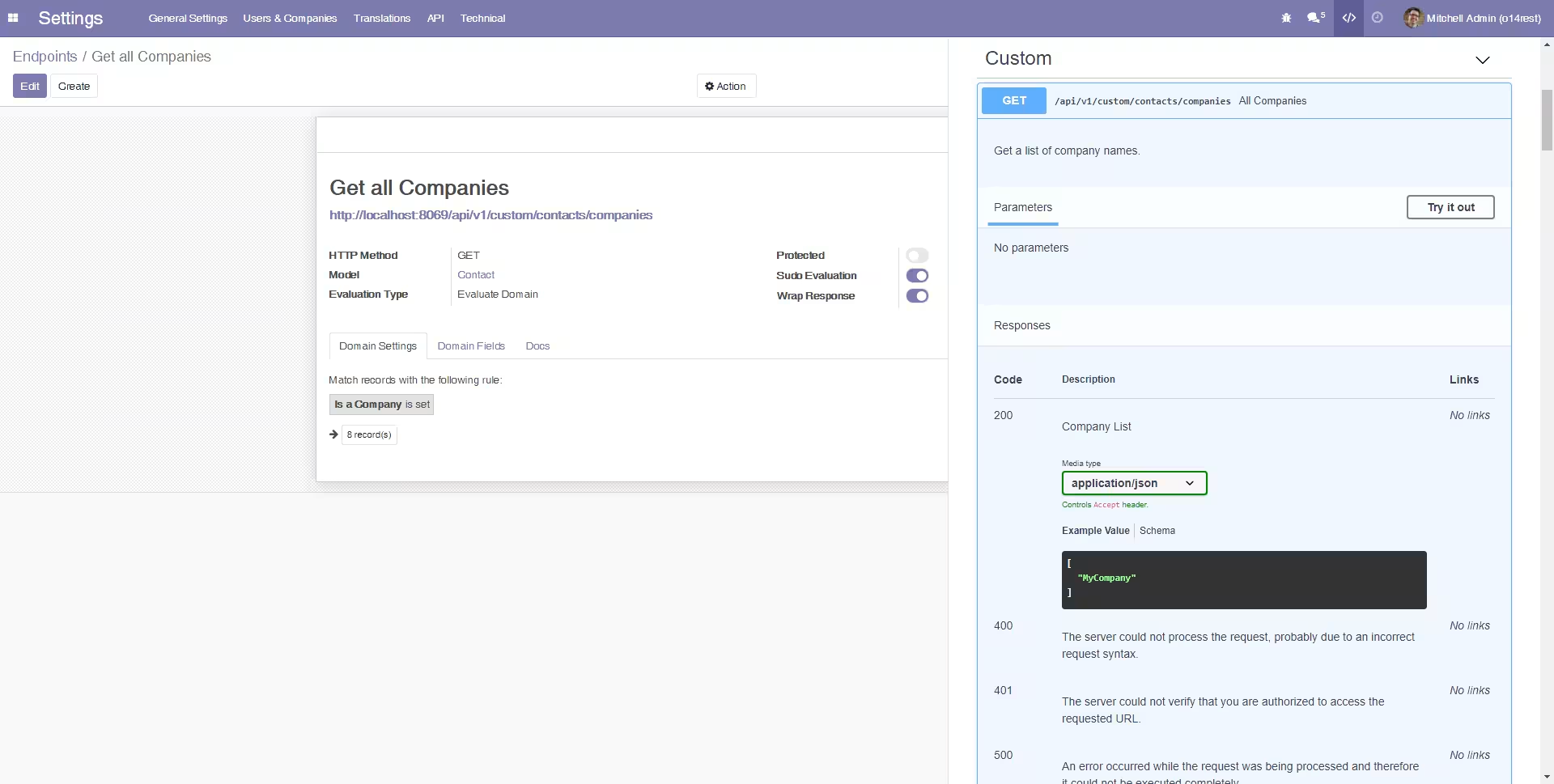
In addition to the existing API endpoints, more can easily be added. It is not necessary to write any kind of code. New endpoints can be created in the backend and are immediately available through the API.
Different types of endpoints can be created. For example the domain evaluation can be used to query certain data and return it via the API. While other option are to run a server action or execute custom Python code. Any custom routes are automatically added to the documentation and can be further customized to define parameters and return values.
Connect to the API
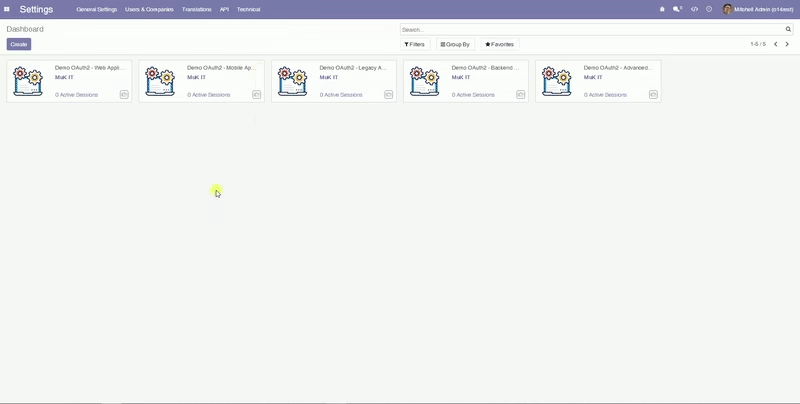
The API allows authentication via OAuth1 and OAuth2 as well as with username and password, although an access key can also be used instead of the password. The documentation only allows OAuth2 besides basic authentication. The API has OAuth2 support for all 4 grant types. For OAuth, advanced security can be enabled to allow only certain endpoints and parameters.
Code Example - OAuth2 Authentication
This example shows a login via OAuth2 and then some sample calls to the API.
The Python libraries
requests and
requests_oauthlib are used to connect to the API. Note that this is only
an example, the client and implementation can vary depending on the actual requirements.
import json
import requests

from pprint import pprint

from requests_oauthlib import OAuth2Session
from oauthlib.oauth2 import BackendApplicationClient

class RestAPI:
    def __init__(self):
        self.url = 'https://demo12.uKit.at'
        self.client_id = 'BackendApplicationFlowDemoClientKey'
        self.client_secret = 'BackendApplicationFlowDemoClientSecret'
        self.client = BackendApplicationClient(client_id=self.client_id)
        self.oauth = OAuth2Session(client=self.client)

    def route(self, url):
        if url.startswith('/'):
            url = "%s%s" % (self.url, url)
        return url

    def authenticate(self):
        self.oauth.fetch_token(
            token_url=self.route('/api/v1/authentication/oauth2/token'),
            client_id=self.client_id, client_secret=self.client_secret
        )

    def execute(self, enpoint, type="GET", data={}):
        if type == "POST":
            response = self.oauth.post(self.route(enpoint), data=data)
        elif type == "PUT":
            response = self.oauth.put(self.route(enpoint), data=data)
        elif type == "DELETE":
            response = self.oauth.delete(self.route(enpoint), data=data)
        else:
            response = self.oauth.get(self.route(enpoint), data=data)
        if response.status_code != 200:
            raise Exception(pprint(response.json()))
        else:
            return response.json()

# init API
api = RestAPI()
api.authenticate()

# test API
pprint(api.execute('/api/v1'))
pprint(api.execute('/api/v1/user'))

# sampel query
data = {
    'model': "res.partner",
    'domain': json.dumps([['parent_id.name', '=', "Azure Interior"]]),
    'fields': json.dumps(['name', 'image_small']),
}
response = api.execute('/api/v1/search_read', data=data)
for entry in response:
    entry['image_small'] = entry.get('image_small')[:5] + "..."
pprint(response)

# check customer
data = {
    'model': "res.partner",
    'domain': json.dumps([['name', '=', "Sample Customer"]]),
    'limit': 1
}
response = api.execute('/api/v1/search', data=data)
customer = next(iter(response), False)

# create customer
if not customer:
    values = {
        'name': "Sample Customer",
    }
    data = {
        'model': "res.partner",
        'values': json.dumps(values),
    }
    response = api.execute('/api/v1/create', type="POST", data=data)
    customer = next(iter(response))

# create product
values = {
    'name': "Sample Product",
}
data = {
    'model': "product.template",
    'values': json.dumps(values),
}
response = api.execute('/api/v1/create', type="POST", data=data)
product = next(iter(response))

# create order
values = {
    'partner_id': customer,
    'state': 'sale',
    'order_line': [(0, 0, {'product_id': product})],
}
data = {
    'model': "sale.order",
    'values': json.dumps(values),
}
response = api.execute('/api/v1/create', type="POST", data=data)
order = next(iter(response))
The API as a Framework
The REST API is also designed as a framework and can be used as a basis for
an extension to fit the individual requirements. This code example shows how
easy it is to define an endpoint. The parameters in the
@api_docs
annotation are optional. If no parameters are given, dynamic default values
are generated based on the function signature.
class CommonController(http.Controller):

	@core.http.rest_route(
	    routes=build_route('/user'),
	    methods=['GET'],
	    protected=True,
		docs=dict(
			tags=['Common'],
			summary='User',
			description='Returns the current user.',
			responses={
				'200': {
					'description': 'Current User',
					'content': {
						'application/json': {
							'schema': {
								'$ref': '#/components/schemas/CurrentUser'
							},
							'example': {
								'name': 'Admin',
								'uid': 2,
							}
						}
					}
				}
			},
			default_responses=['400', '401', '500'],
		),
	)
	def user(self, **kw):
	    return make_json_response({
	        'uid': request.session and request.session.uid,
	        'name': request.env.user and request.env.user.name
	    })
Clients
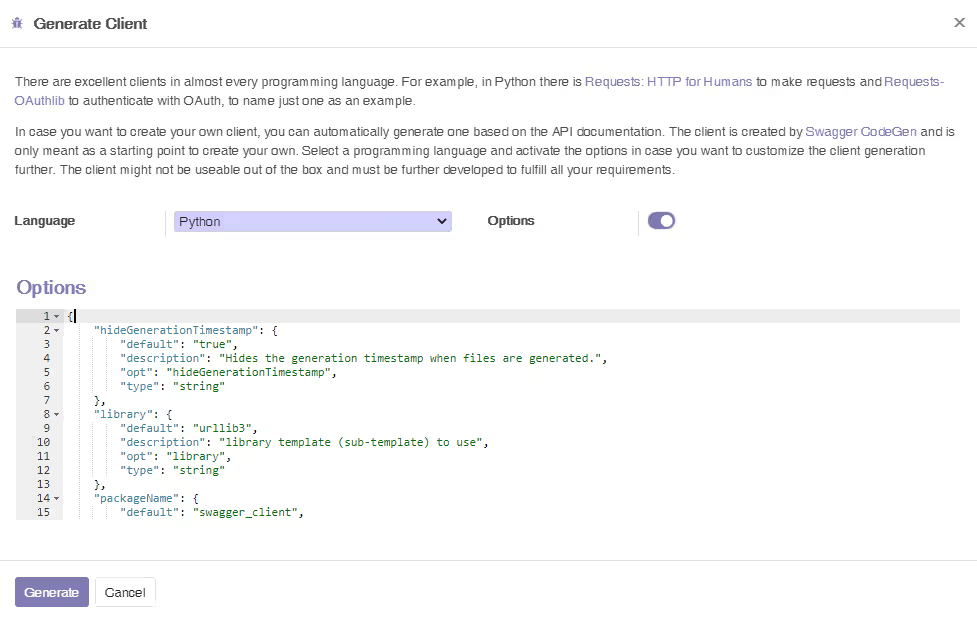
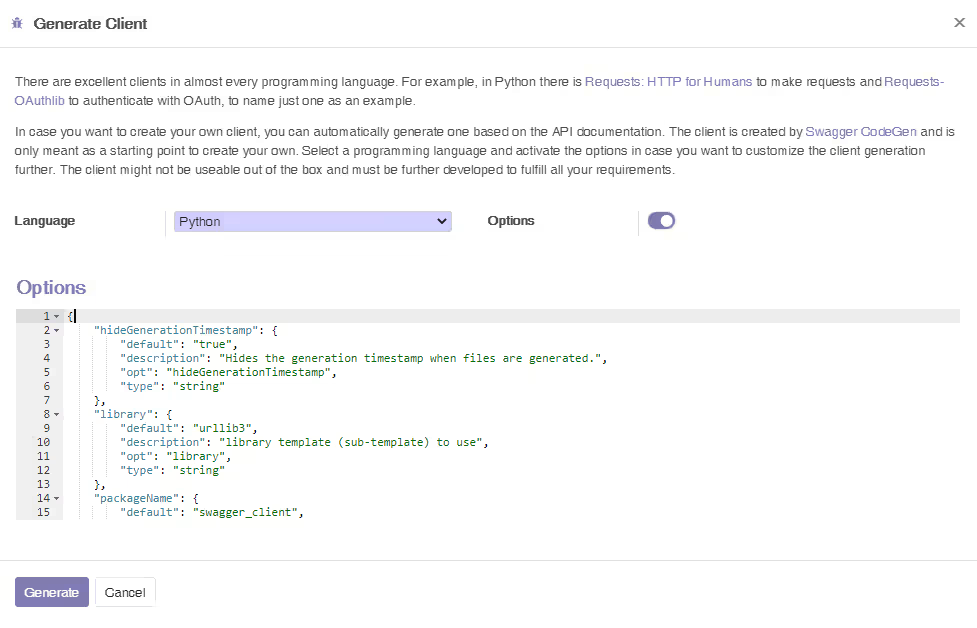
There are already very good REST clients in almost every programming language. For example, in Python there is the Requests library to make HTTP calls and Requests-OAuthlib to authenticate with OAuth, to name just one.
But in case you want to create your own client, you can automatically generate one based on the API documentation. The client is created by Swagger CodeGen and can serve as a good starting point.
Help and Support
Feel free to contact us, if you need any help with your
integration or additional features.
You will get 30 days of
support in case of any issues (except data recovery, migration or
training).
Our Services

Development

Integration

Infrastructure