The module for enhances your CRM workflow by allowing you to create and manage custom checklists for leads and opportunities. This module enables sales teams to ensure all necessary steps are completed before moving leads through the sales pipeline, improving consistency and efficiency in the sales process.
Custom Checklist Creation: Design checklists tailored to your sales process, ensuring all required steps are completed for each lead or opportunity.
Approval Workflow: Implement approval processes to ensure that leads and opportunities meet predefined criteria before advancing.
Progress Tracking: Monitor the completion status of checklists, providing visibility into the progress of each lead or opportunity.
CSV/XLS Import: Import checklist items in bulk using CSV or XLS files, saving time and reducing manual data entry.
Template Management: Create and manage checklist templates for consistent application across different leads and opportunities.
User Access Control: Define user roles and permissions to control access to checklist creation, editing, and approval processes.
Integration with CRM: Seamlessly integrates with CRM module, enhancing existing workflows without disrupting operations.
Real-Time Notifications: Receive notifications for pending approvals and checklist completions, ensuring timely actions.
Audit Trail: Maintain a record of all checklist activities, providing an audit trail for compliance and review purposes.
Mobile Access: Access and manage checklists on mobile devices, enabling sales teams to update statuses on the go.
Enhanced Sales Process: Standardize and streamline the sales process by ensuring all necessary steps are completed before advancing leads.
Improved Compliance: Maintain consistent practices and meet regulatory requirements through structured approval workflows.
Increased Efficiency: Reduce manual oversight and errors by automating checklist management and approval processes.
Better Collaboration: Facilitate communication among team members through shared checklists and approval statuses.
Data-Driven Decisions: Utilize checklist data to analyze and improve sales strategies and performance.
Scalability: Easily scale the checklist system to accommodate growing teams and expanding sales processes.
Customization: Tailor checklists and approval workflows to fit the specific needs of your business operations.
Real-Time Monitoring: Track the status of leads and opportunities in real-time, ensuring timely actions and follow-ups.
Seamless Integration: Integrate smoothly with existing CRM modules, enhancing functionality without disruption.
Cost Savings: Reduce administrative overhead and improve resource allocation through efficient checklist management.
Making a customer from an opportunity is the only goal of the CRM pipeline. To achieve that goal sales staff needs to undertake a specific sequence of actions. Each of those actions is important on a definite funnel stage. Efficient companies know that missing any step might result in a long-run failure. This is an Odoo tool to make sure such a failure will not happen. The app provides a checklist for each pipeline stage to control requirements' fulfillment and to make sure that each action is fully approved by responsible users.
Stage-specific CRM checklists
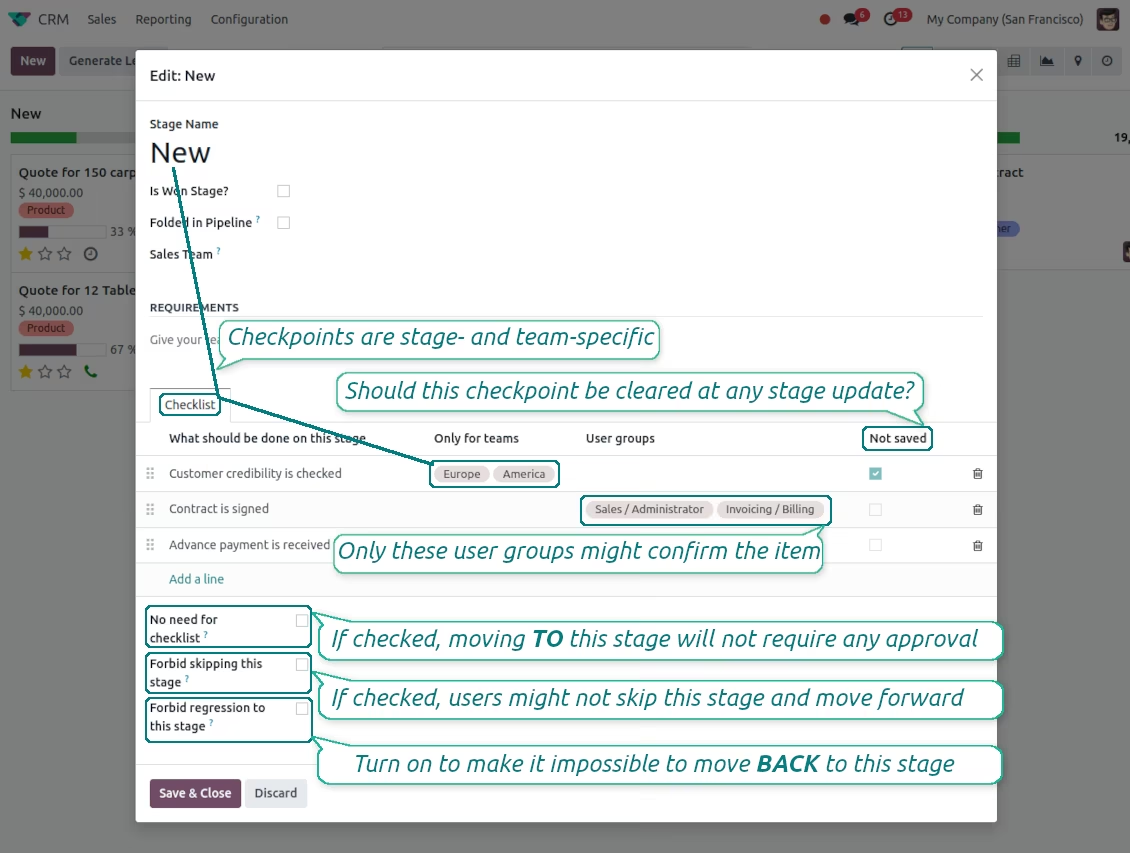
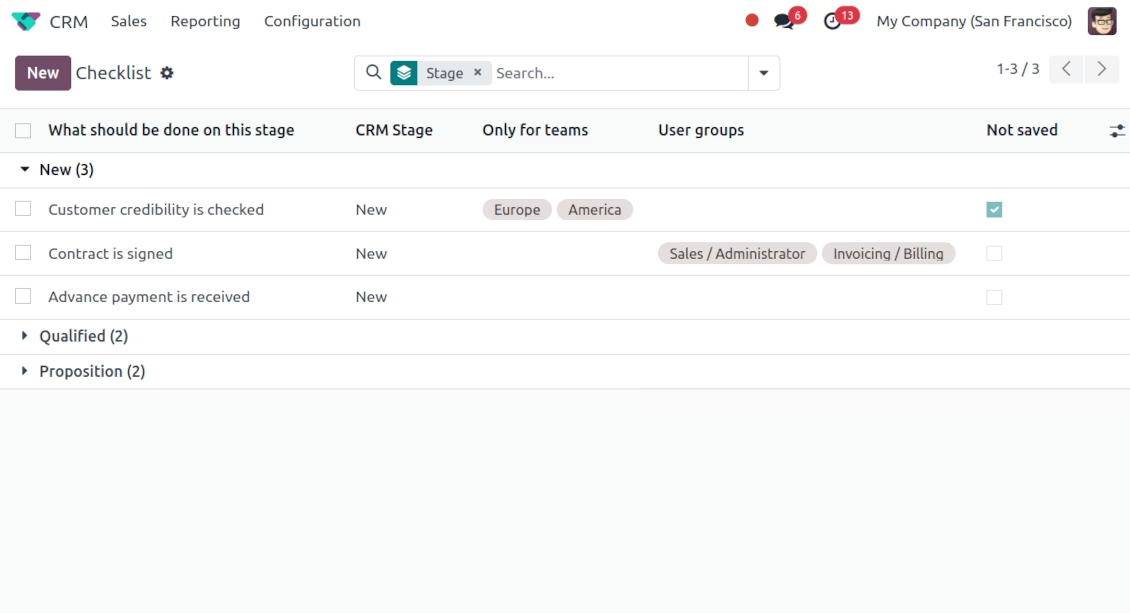
Checklists are assigned per each opportunity stage. For instance, actions for the 'new' and 'proposition' stages might be different. Prepare any number of checkpoints for each CRM stage
Team-specific checkpoints
Checklists might be optionally distinguished by sales teams. Thus, the set of actions per stage may be different for 'America' and 'Europe'
Actions ensured to be done
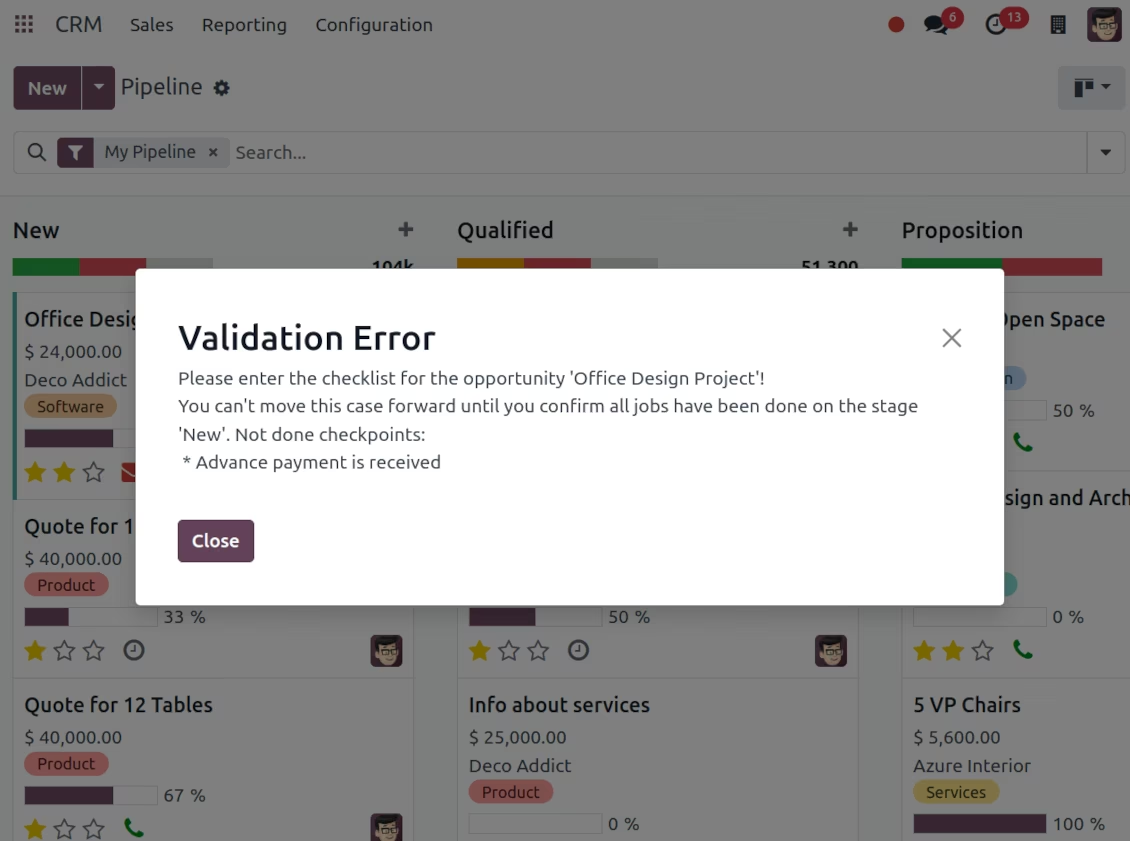
To move a CRM lead forward in your funnel, its checklist should be fully confirmed ('moving forward' implies any change of stage from a lesser to a bigger sequence). For certain stages - e.g. for 'Canceled' - you may want to avoid such restrictions. Then, mark this stage as 'No need for checklist'
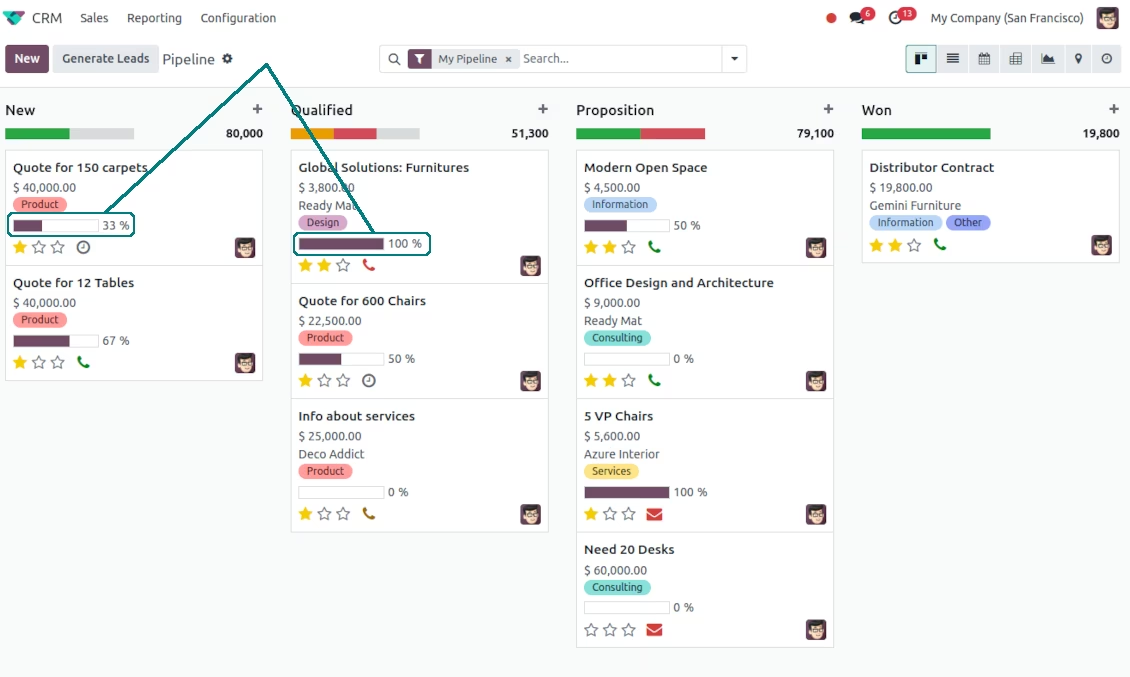
Highlighted opportunity progress
Fulfillment progress is shown on opportunities kanban and form views for instant overview
Approval history for managerial control
Checklist actions are saved in history. If an opportunity was moved back, already-done check items will be recovered. Turn on the setting 'not saved' to avoid that behavior for specific approval points
Multiple CRM checklist roles
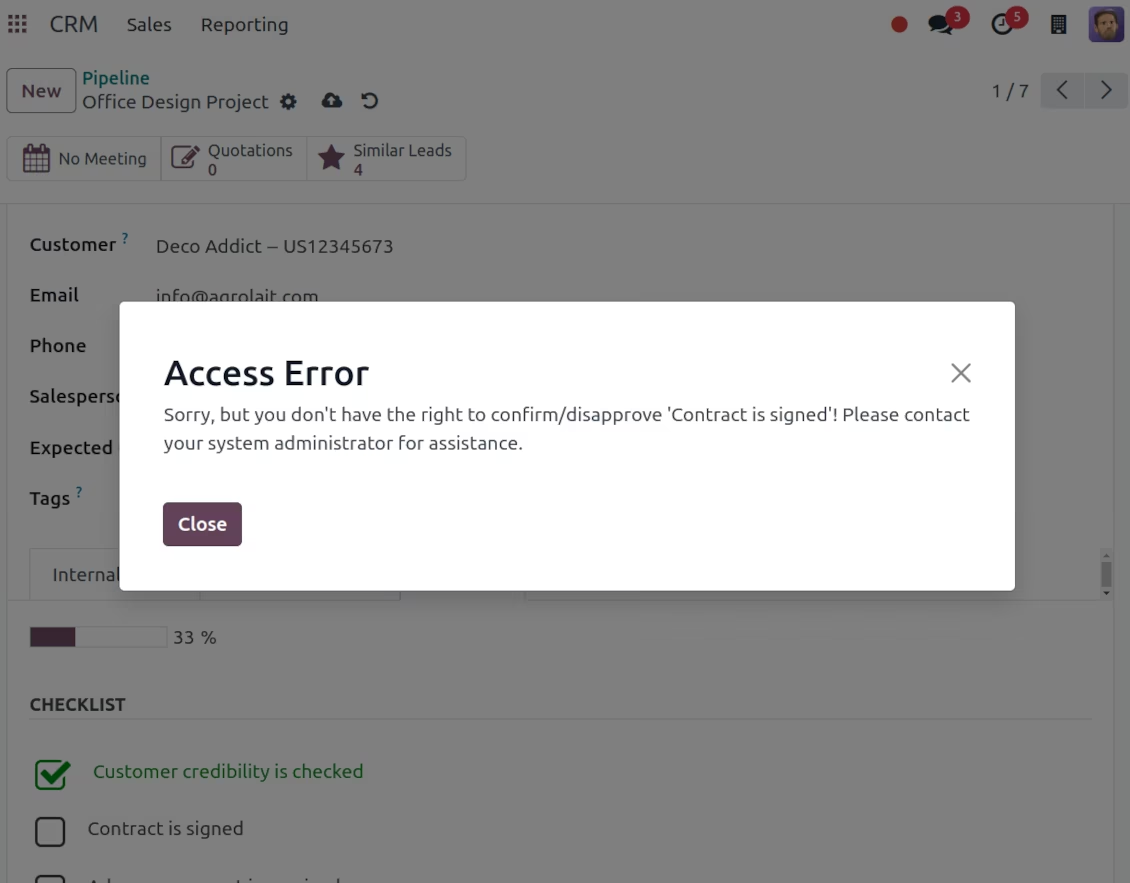
The app lets assign security groups for each checklist point. In such a case, only users from those groups will be able to confirm a related item
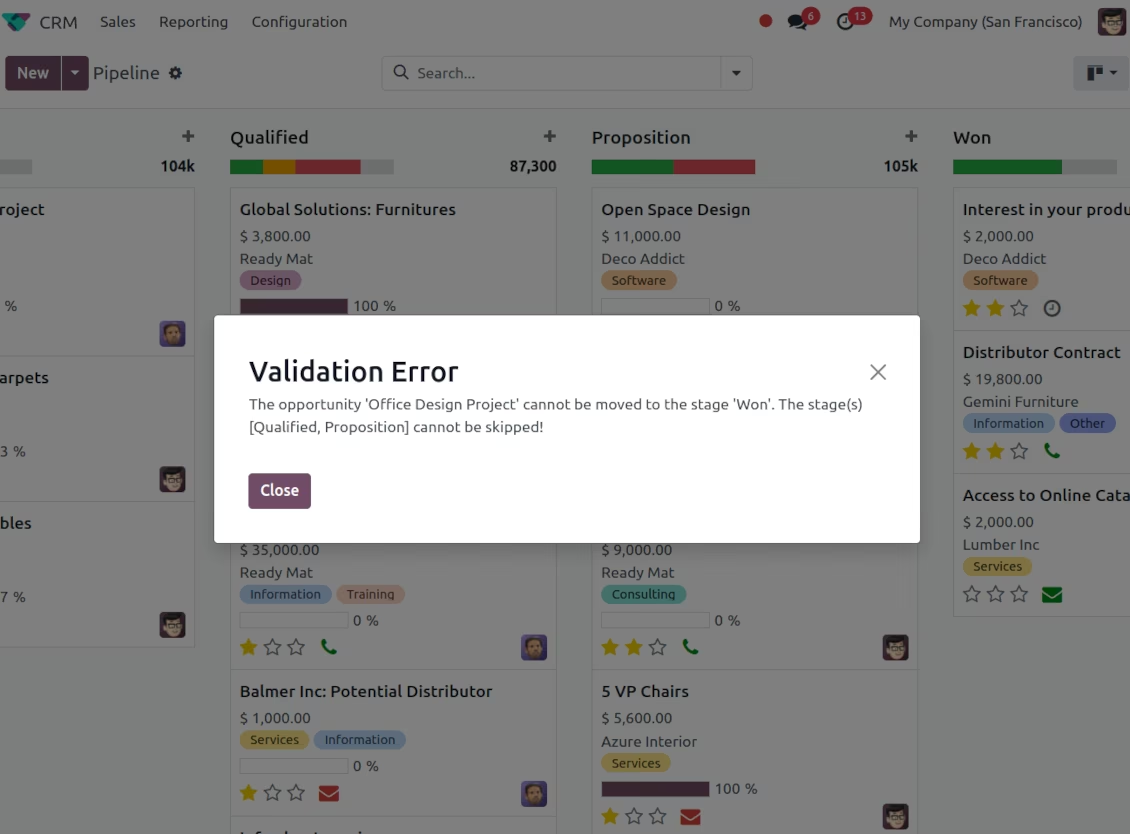
Prohibit stage skipping
Configure specific stages as required, so salespersons would not be able to skip those. Then, the stages with the 'Forbid skipping this stage' option will be always visited and their checklists will be fulfilled. The setting does not influence 'No need for checklist', for example, when you cancel a case
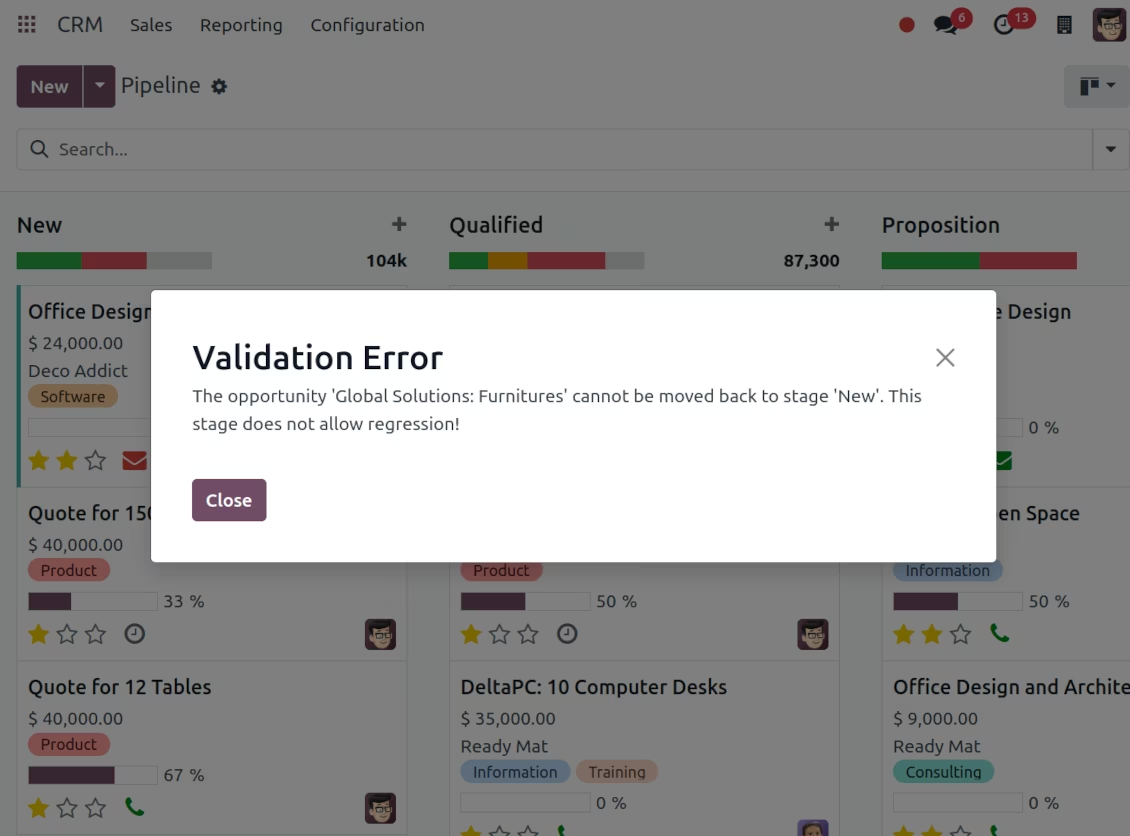
Forbid opportunity regression
With the tool, configure the CRM pipeline to disallow moving opportunities back. To that goal, turn on the option 'Forbid regression to this stage' for particular states. For example, to make sure no leads become 'New' again
Super approval admins
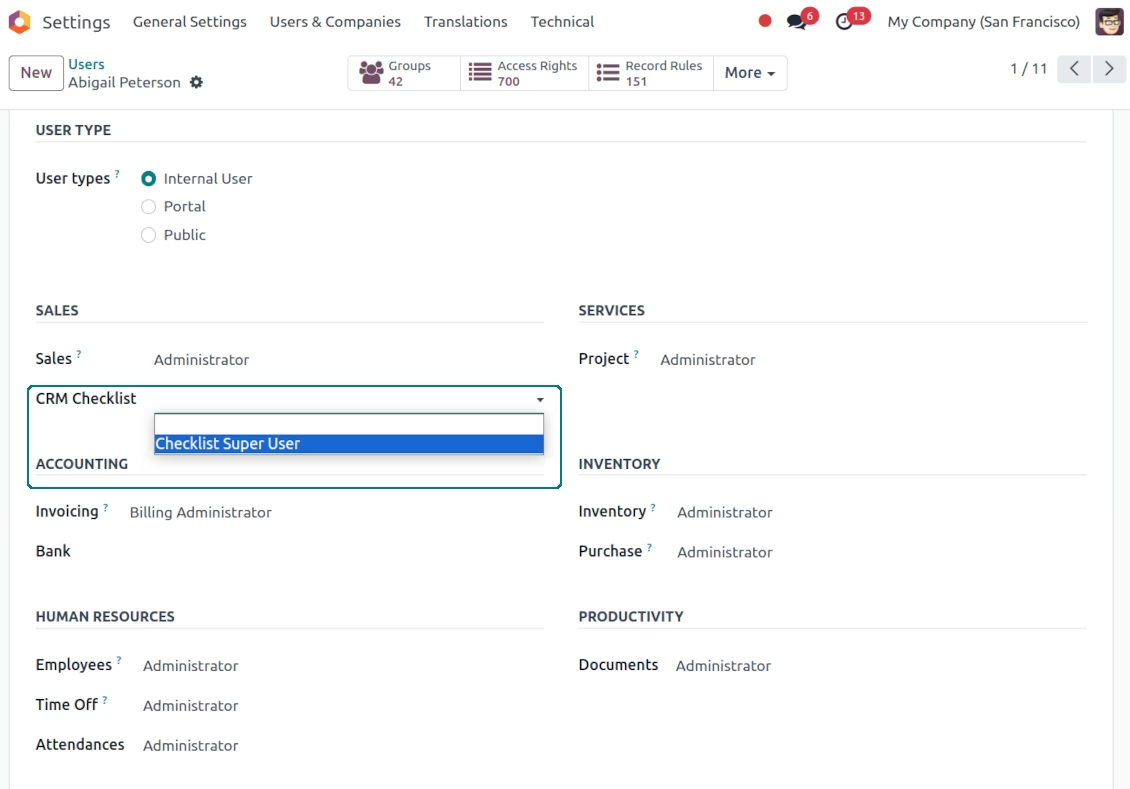
The role 'Checklist Super User' allows (a) to confirm any checkpoints disregarding defined security groups; (b) to move any opportunity further (progress) without fulfilling checklists; (c) skip any states; (d) to move any opportunity back (regress) even a new stage does not allow that.
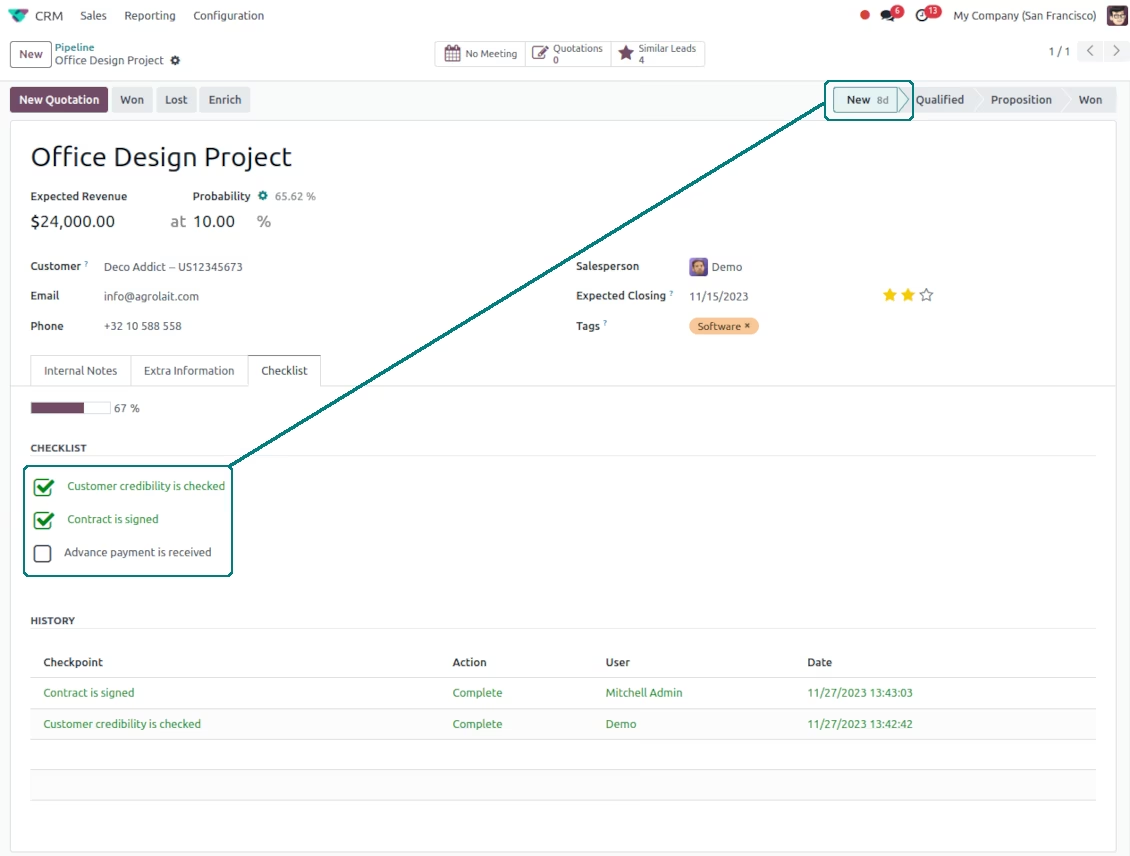
Opportunity checklist per CRM stage and team
CRM stage checklist settings
The checklist should be confirmed before going further
Approval is shared among various user roles
Opportunities checklist progress: Odoo kanban view
Optionally prohibit skipping stages
Optionally forbid opportunity regression
Odoo opportunity checklist: tree view
The super rights to approve any check items and move opportunities