The module for adds the capability to search for multiple records in one operation using comma-separated values. This functionality enhances productivity by letting users enter many search terms at once ideal for bulk queries across large datasets like products, customers, or orders without manually searching each entry.
Accepts comma-separated input in search bar for batch searching.
Supports bulk record retrieval across any module or dataset.
Works seamlessly across standard apps Sales, Inventory, Contacts, etc.
Improves search speed by consolidating multiple lookups into one action.
Simple to use with familiar comma-delimited syntax.
Loads multiple records in a single search operation.
Drastically reduces repetitive manual search steps.
Enhances user efficiency when working with large volumes of data.
Streamlines workflows in areas like quoting, inventory, vendor follow-up.
Supports better decision-making with faster data access.
Simplifies routine tasks like updating or reviewing multiple records.
Minimizes cognitive load by reducing clicks and typing.
Accelerates onboarding with intuitive search interface enhancements.
Works consistently across the ecosystem without special configuration.
Ideal for power users needing bulk record recall.
Bulk Search with comma separated
-
 This module will help to Search for records in bulks on any page/model easily.
-
You can search in bulk/multiple records in any apps/module of odd by giving a comma separator.
-
By using it you can search in bulk and/or in specific things by using multiple searches.
Search for records in bulks on any page/model easily with Bulk Search Records with comma separated module in Odoo.
-
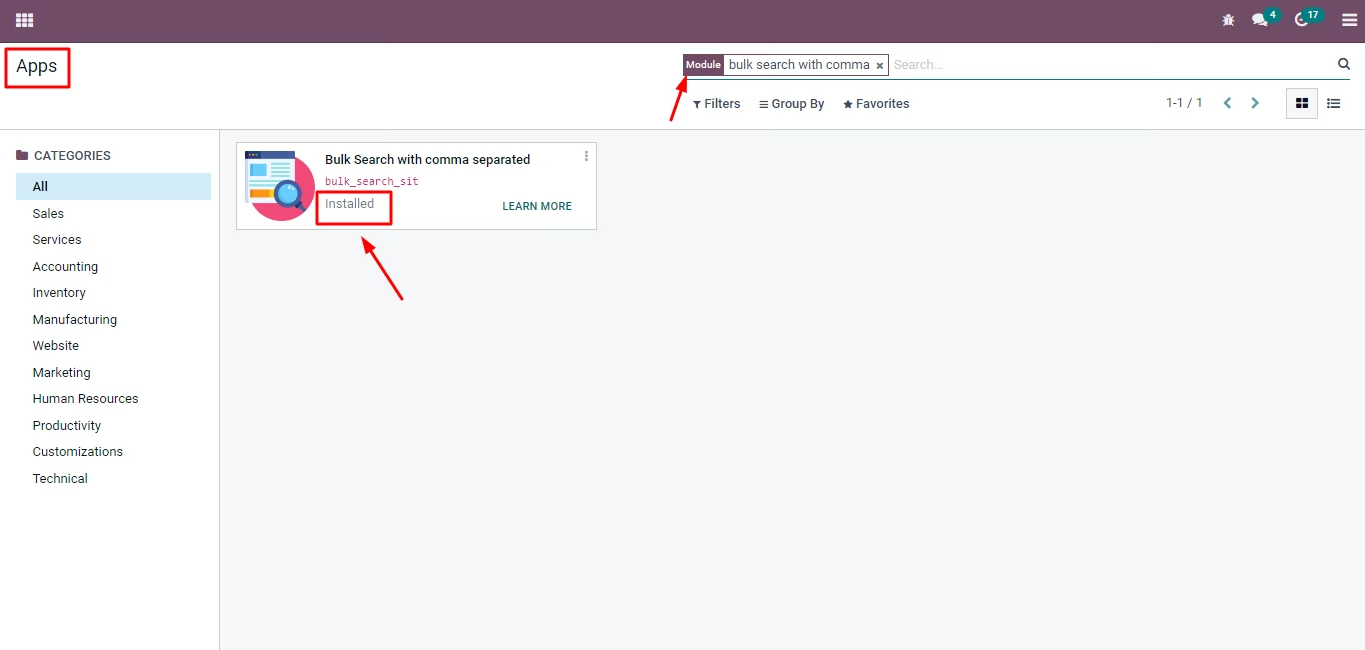
For Installation - Go to apps >> Remove my app >> Search >> Bulk Search with Comma separated >> Install.
-
There are no any pre-requirements for using this module, such as Activate the developer mode or any specific settings. Just install this module and Bulk Search with comma separated is on.
Pre-Requisites
-
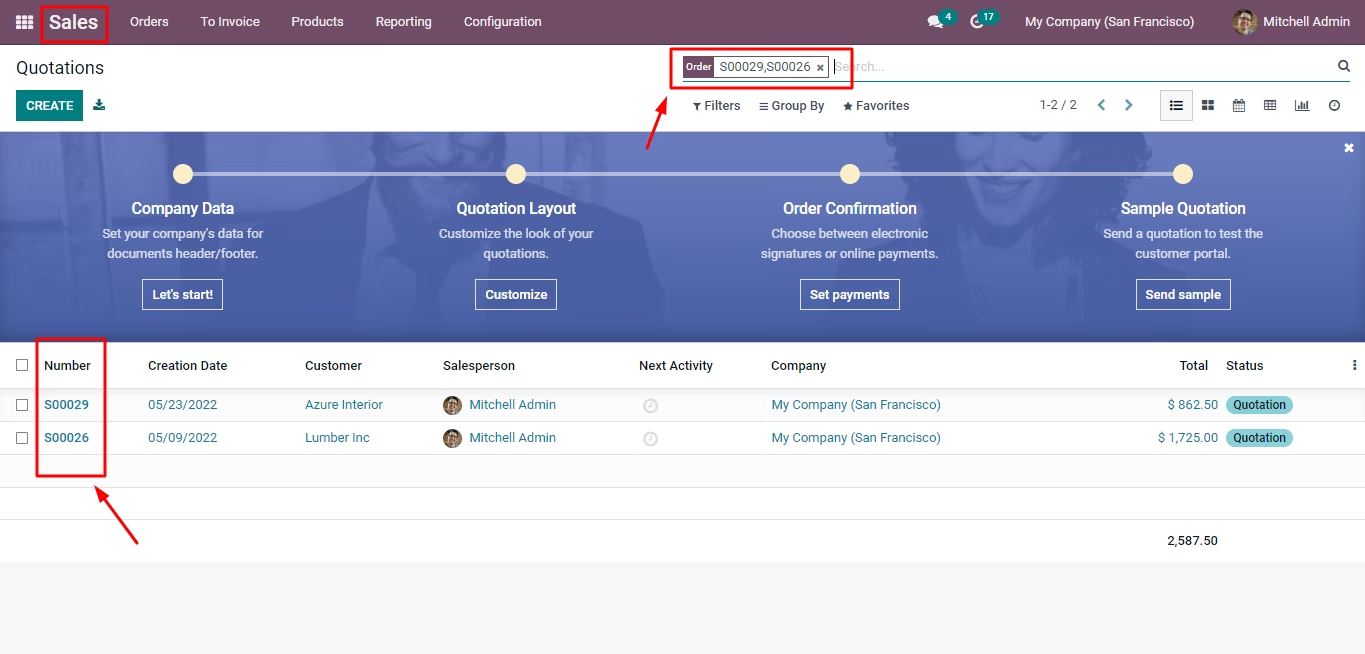
Bulk Search quotations with a comma separator.
Search in bulk with comma separated at any app of odoo
Let's see into the Sales apps:
-
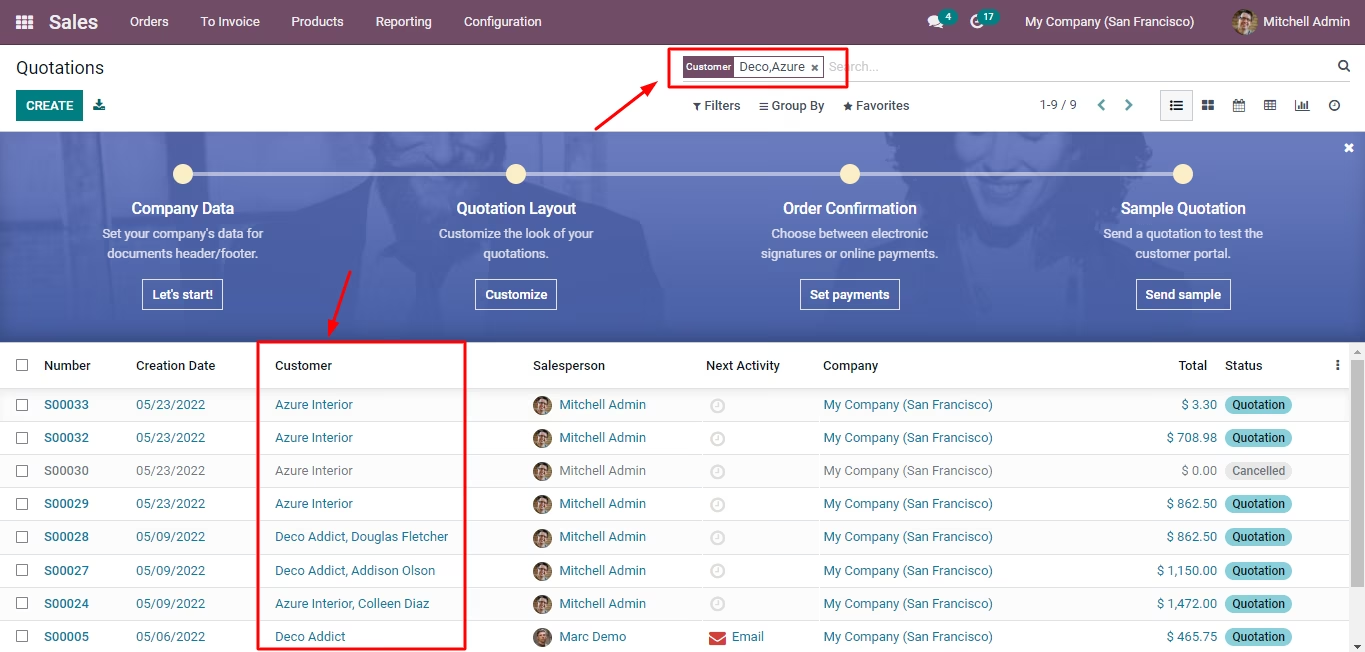
Let's search the bulk customer's name and get the result.
-
Now let's, goto Employees app; bulk search based on Job positions.
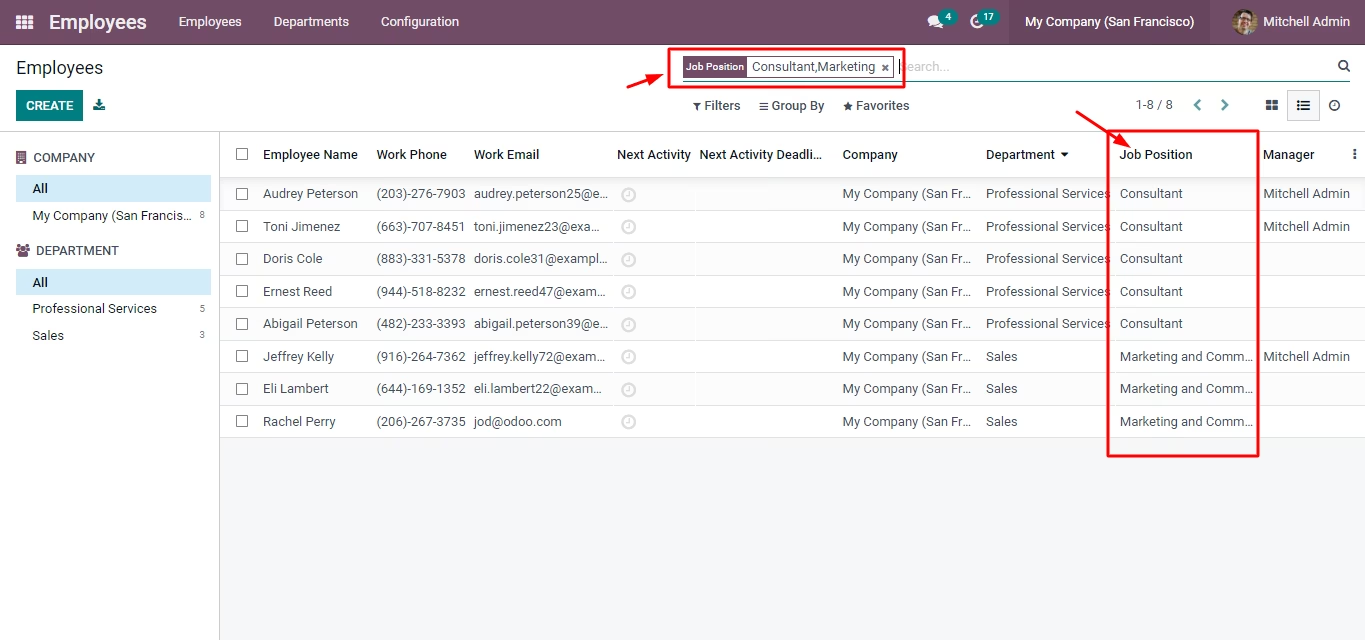
-
Now let's check with the Purchase app.
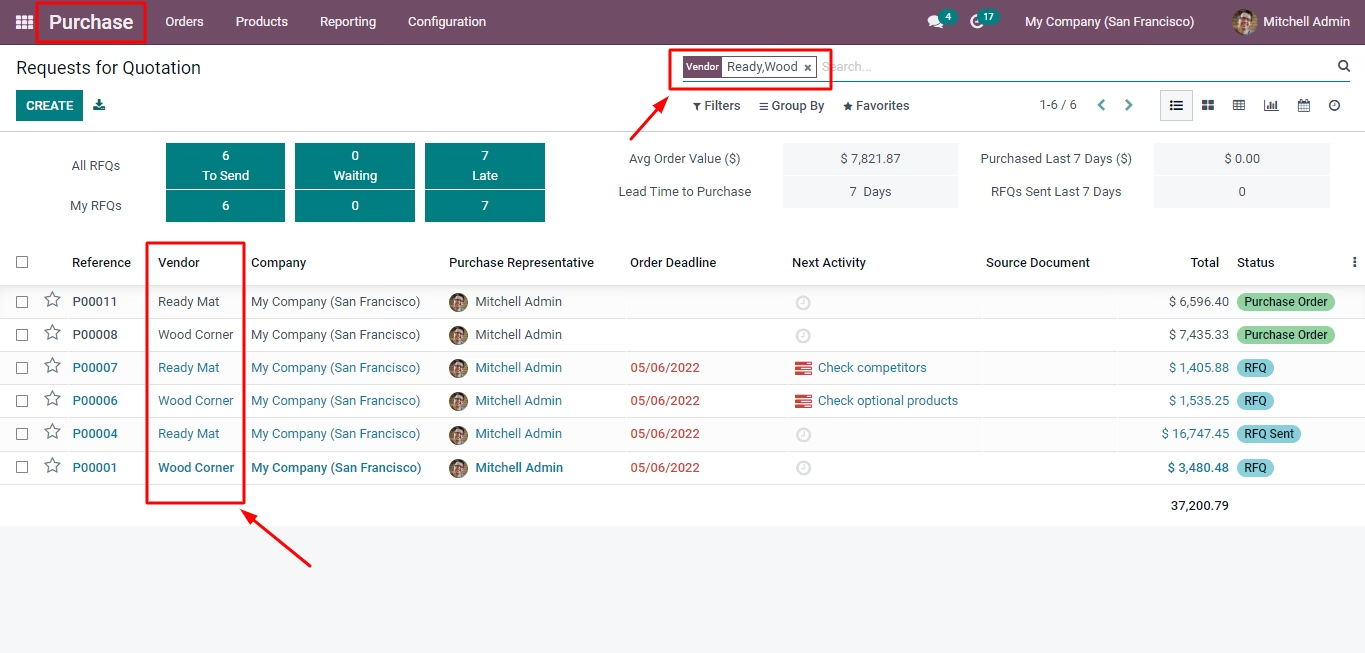
If you have any query related to this module, you can simply click on the icon shown below and reach out to our support team.