The module for enables businesses to consolidate multiple purchase orders from the same supplier into a single order. This functionality simplifies procurement processes, reduces administrative overhead, and enhances order management efficiency. By streamlining the purchasing workflow, companies can achieve better organization and control over their procurement activities.
Merge multiple purchase orders from the same supplier into a single order.
Create a new consolidated order while canceling the original orders.
Merge selected orders into an existing order, with options to cancel or delete the others.
Maintain clear traceability with source references in the merged order.
Simplify order management by reducing the number of active purchase orders.
Streamlines procurement processes by consolidating multiple orders.
Reduces administrative workload and potential errors in order management.
Enhances clarity and control over purchase orders.
Improves supplier relationship management through organized ordering.
Increases operational efficiency and reduces procurement cycle time.
One Click Merge for Bulk Purchase Orders
Track Merged Orders with Source References
Merge Multiple Purchase Orders by Vendor
Smart Purchase Order Consolidation for Same Supplier
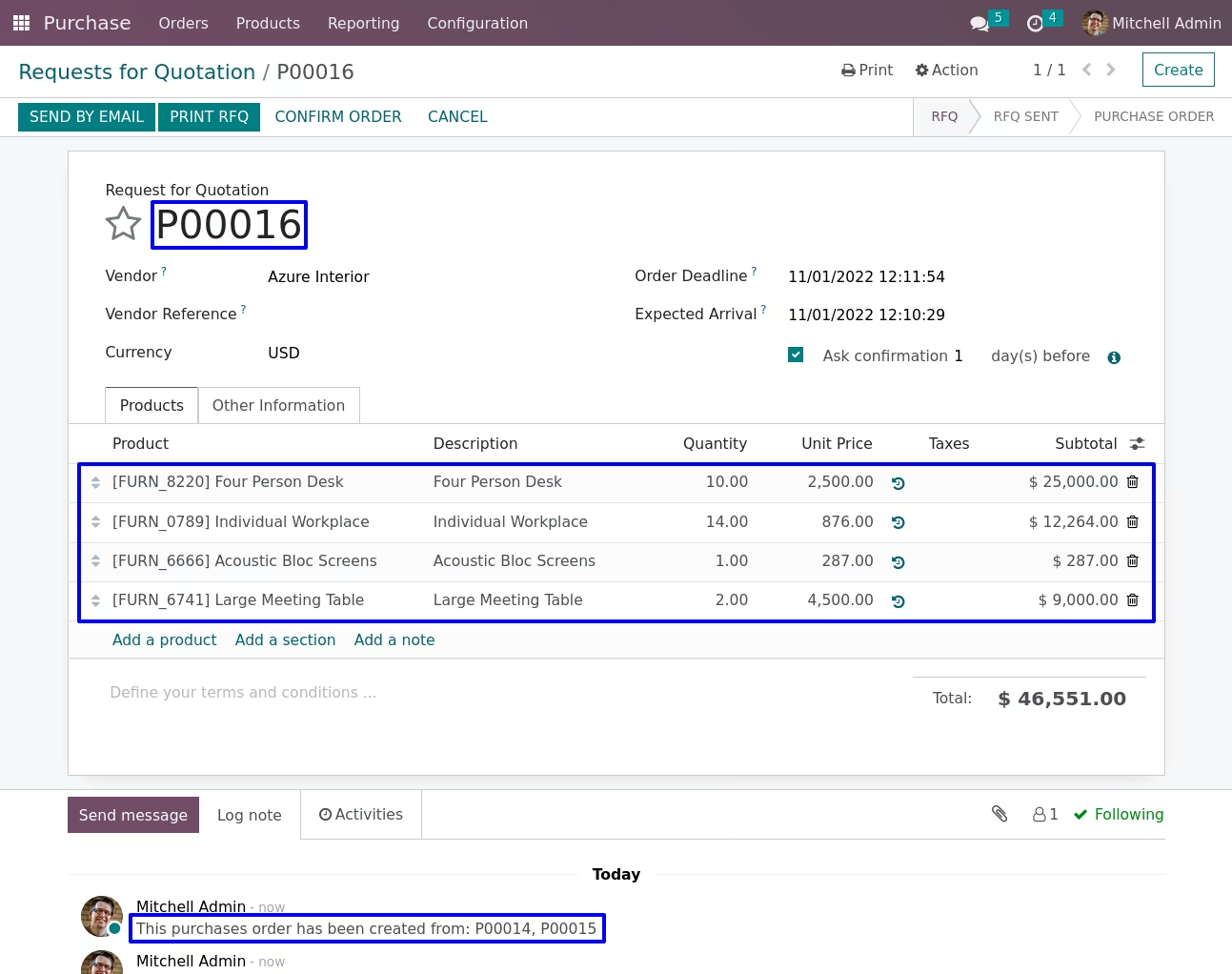
When there are large number of purchase orders for same vendor its hard to manage them. Purchase users need process them one by one. Here we provide option to reduce your work, after installing Merge multiple purchase Orders Apps you can easily merge purchase orders in one click for same suppliers. Just need to select them from tree view (you can use group by partner for easily filter) and merge them. Most important things you can still see different lines for different order on merged orders .Purchase order merge wizard provide different option to merge order in new order and cancel rest other orders and merge with selected order and cancel others orders. Also purchase user can see the order number on source document fields in merged order so user can easily get idea from where this new order get created and merge from which orders.
Merge Purchase Orders
Merge Purchase Orders Wizard
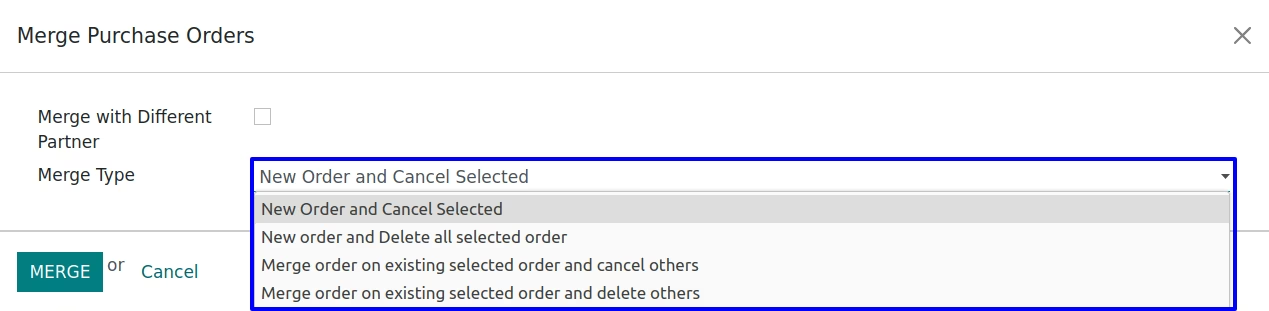
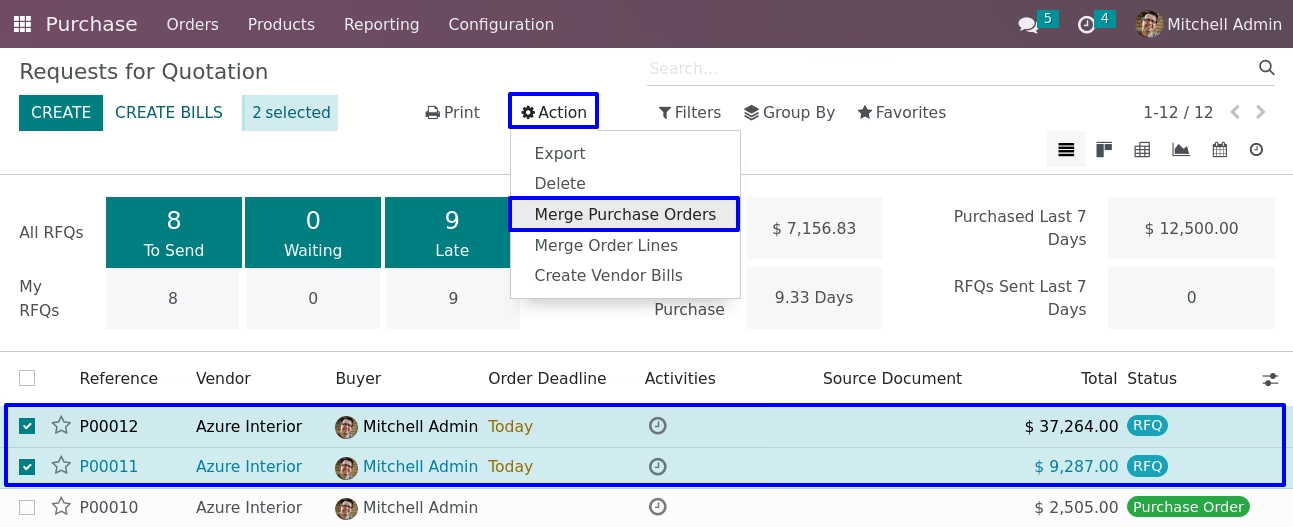
Here you can select orders which you want to merge, In merge order wizard you can see type for merging order.
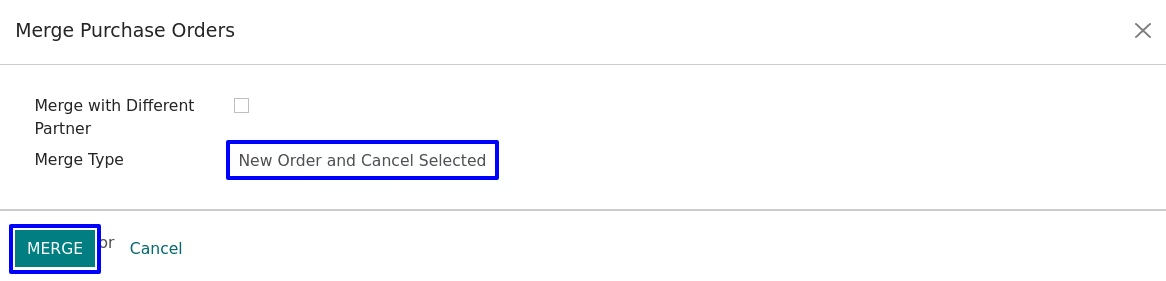
New order and cancel selected
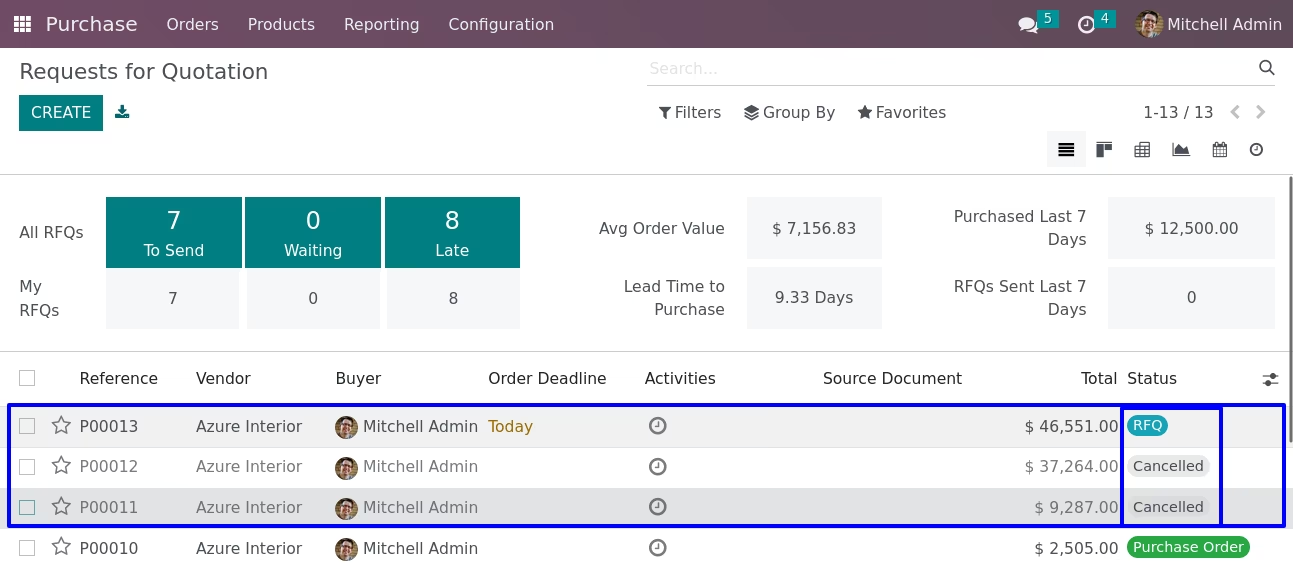
If you selected first option 'New order and cancel selected'.After click on Merge button, You can see a new order will be created and other selected order will be cancelled.
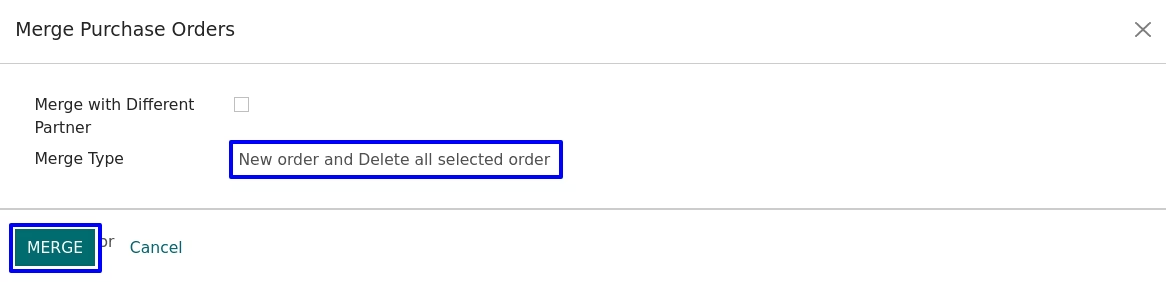
New order and Delete all selected order
If we go with second type option.After click on Merge button,with second option You can see a new order will be created and other selected order will be deleted.
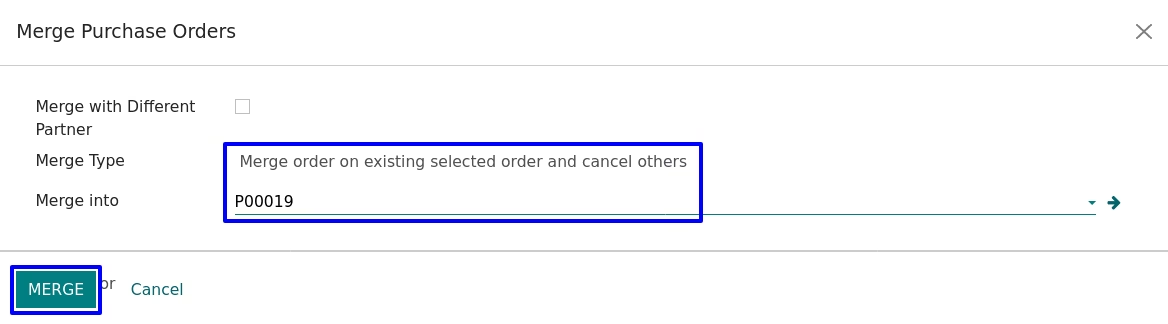
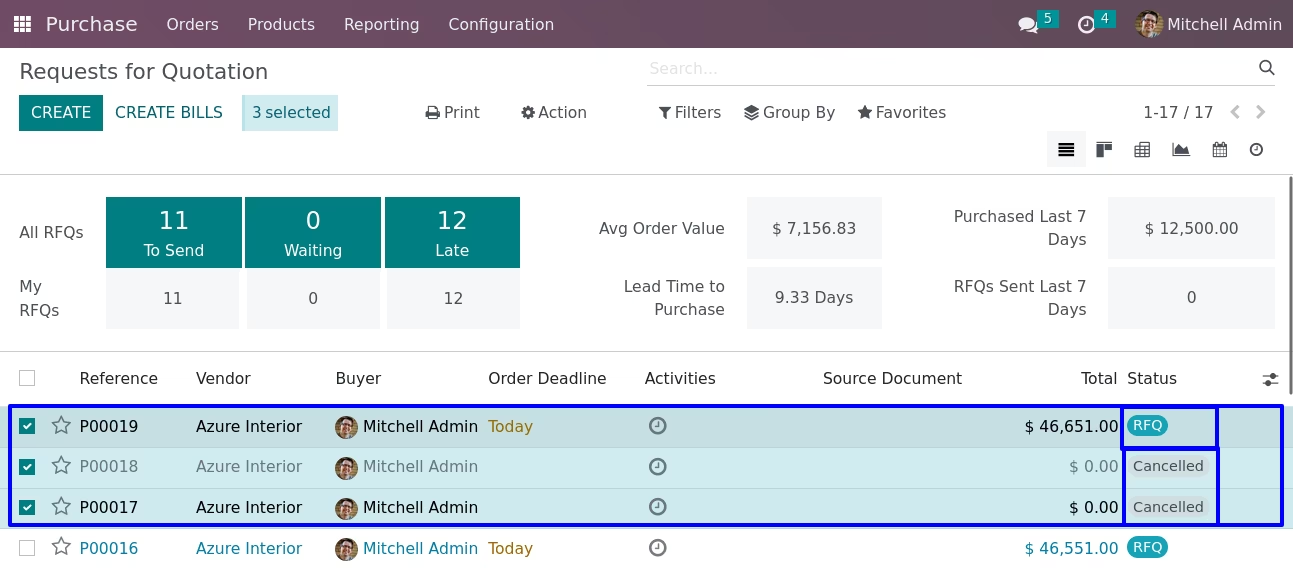
Merge order on existing selected order and cancel others
If we go with third type option.You can see a 'Merge With' field, In this you can select an existing order in which you want to add another selected orders.After click on Merge button, You can see an orders merge with selected existing order rest of all selected orders will be cancelled.
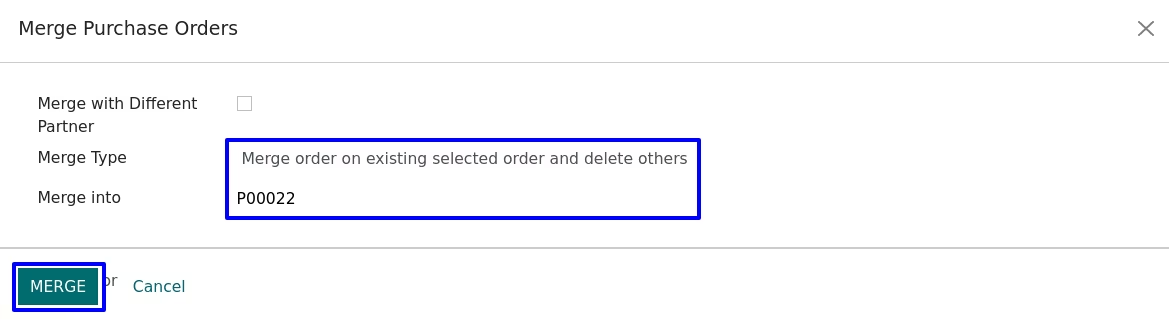
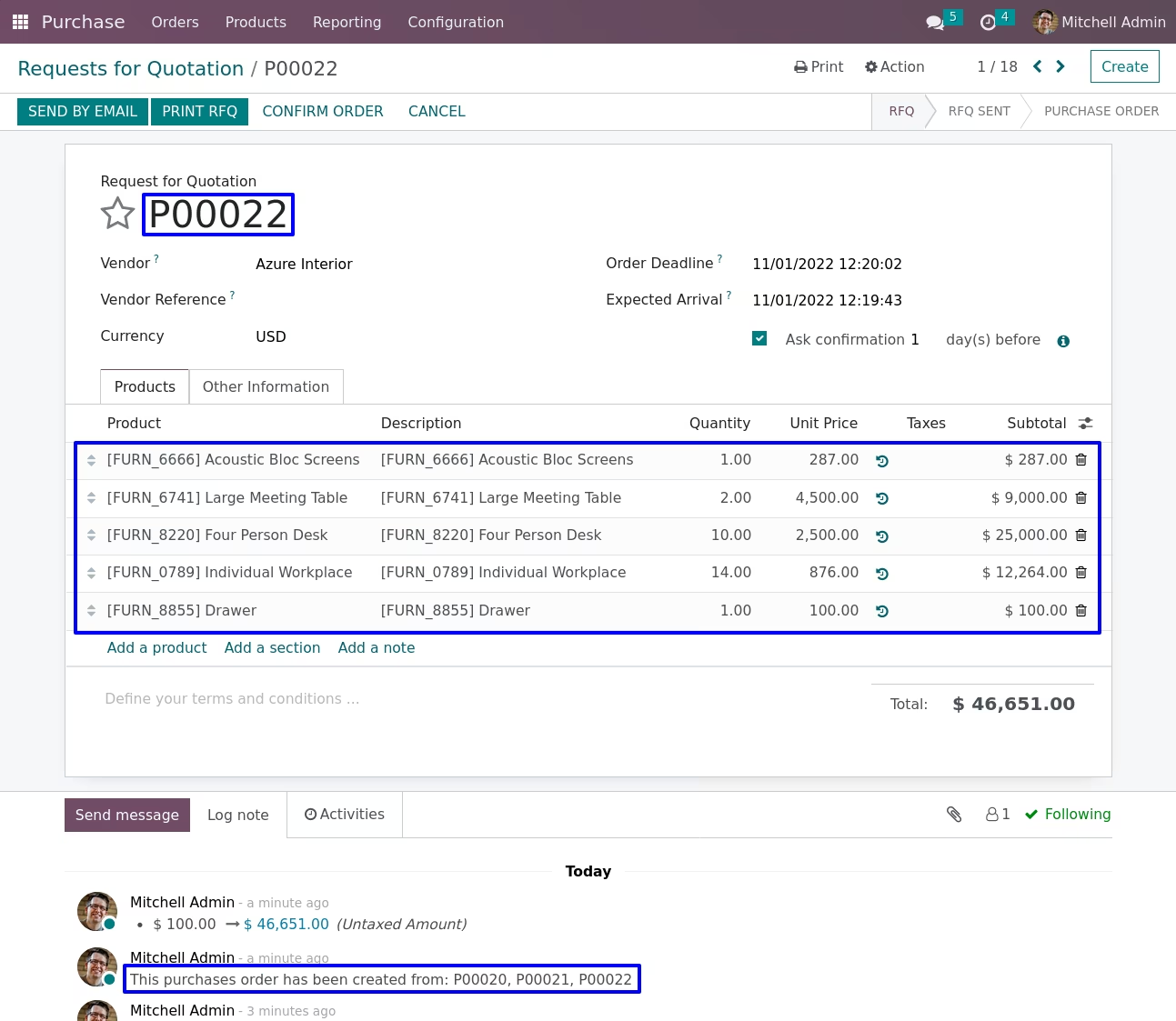
Merge order on existing selected order and delete others
If we go with the fourth type option. You can see a 'Merge With' field, In this, you can select an existing order in which you want to add another selected order. After clicking on the Merge button, You can see another orders merge with a selected existing order rest of all selected orders will be deleted.
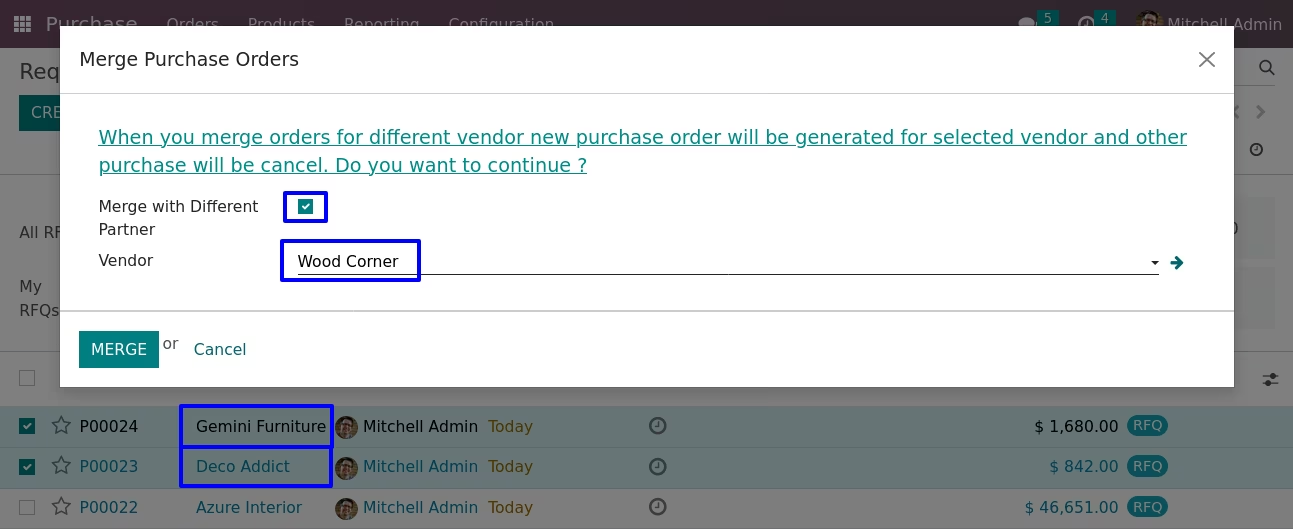
Merge with Different Partner
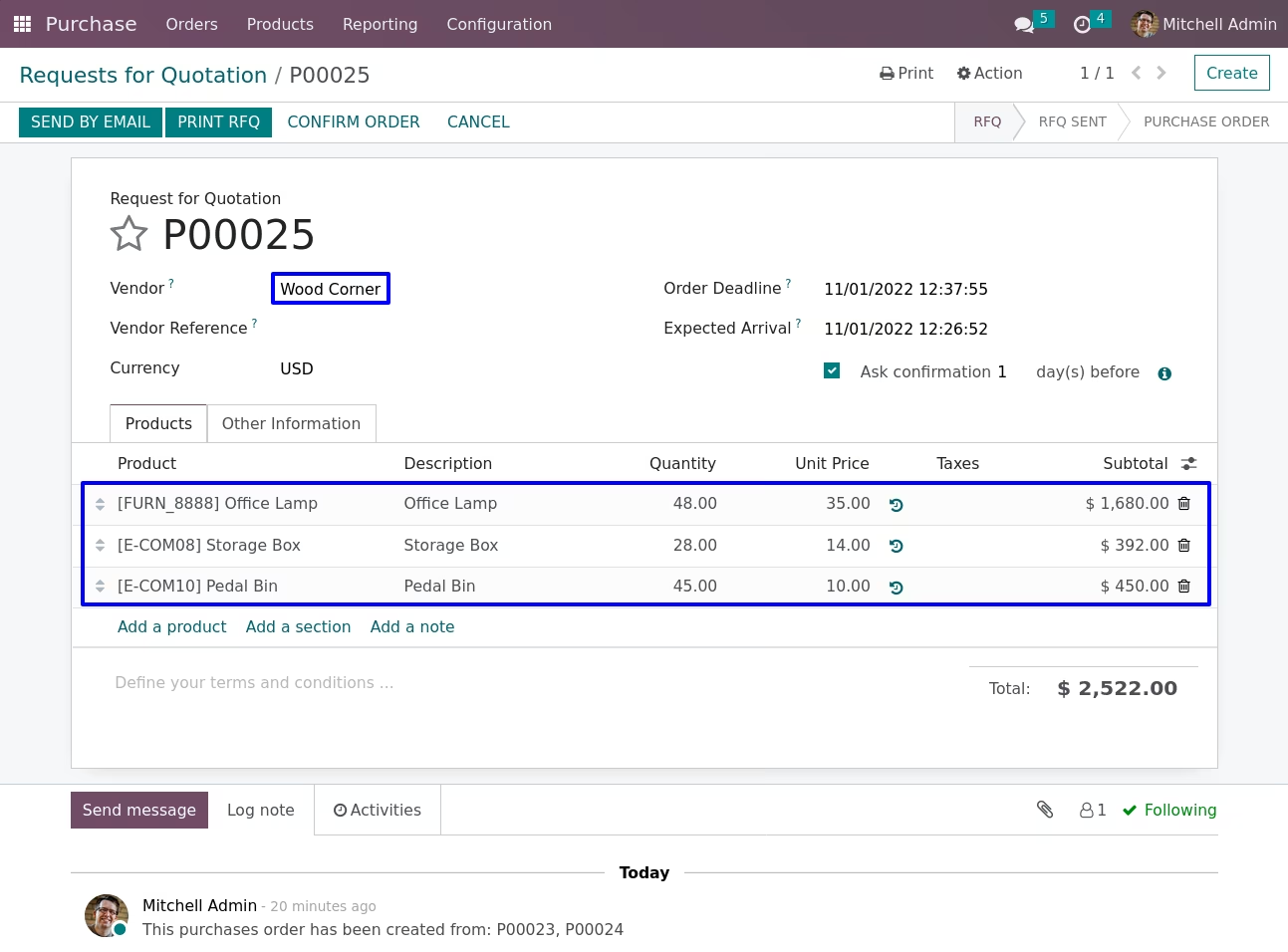
If we ticked 'Merge with Different Partner' checkbox. You can see a 'Vendor' field, In this you can select a vendor in which you want to add another selected orders.After click on Merge button, You can see a another orders merge with new order rest of all selected orders will be cancelled.
Done and Processed order Error
We can not merge already done orders and also those orders which are in confirm sale. It will be raise Error.

Same Partner Error
We can not merge different partners orders, You should same partner's orders.Otherwise, it will be raise Error.

Merge Purchase for Same Vendor
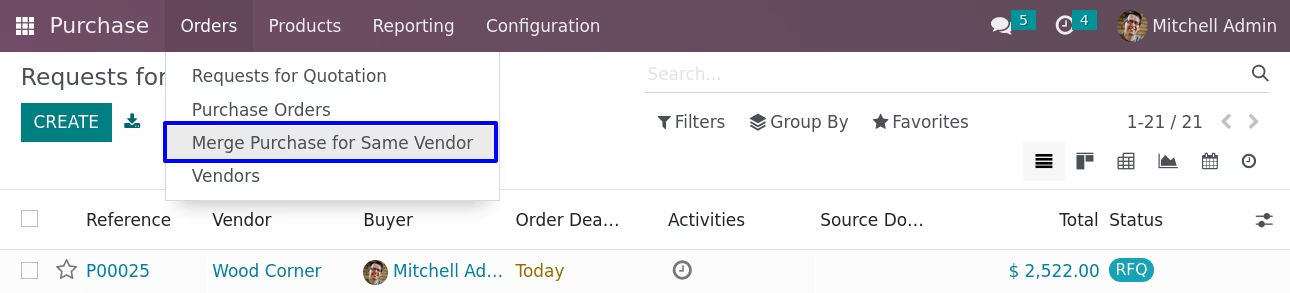
Merge Purchase for Same Vendor Menu
Purchase -> Orders -> Merge Purchase for Same Vendor menu.
Merge Purchase Orders Wizard
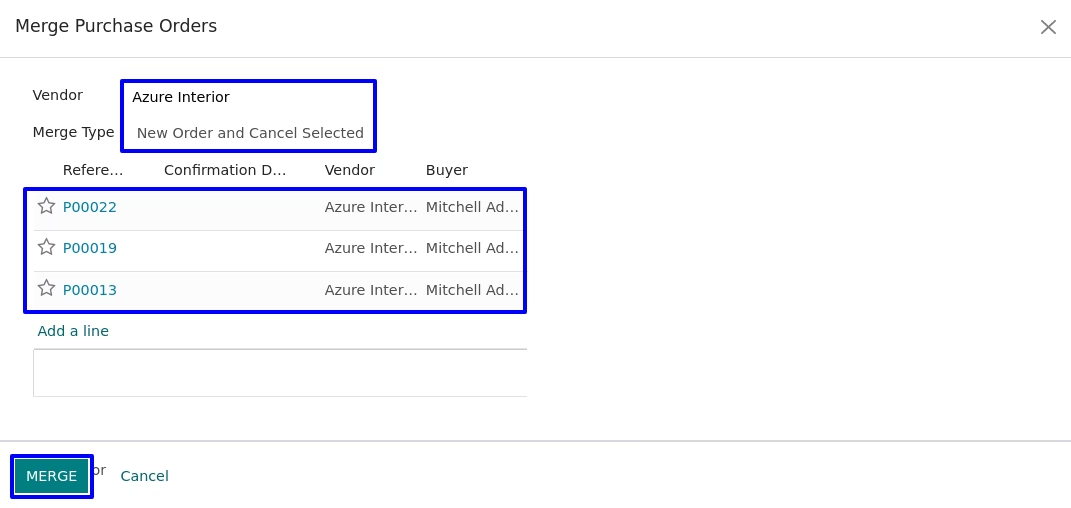
Here you can select orders which you want to merge, In merge purchase orders wizard you can see type for merging order.
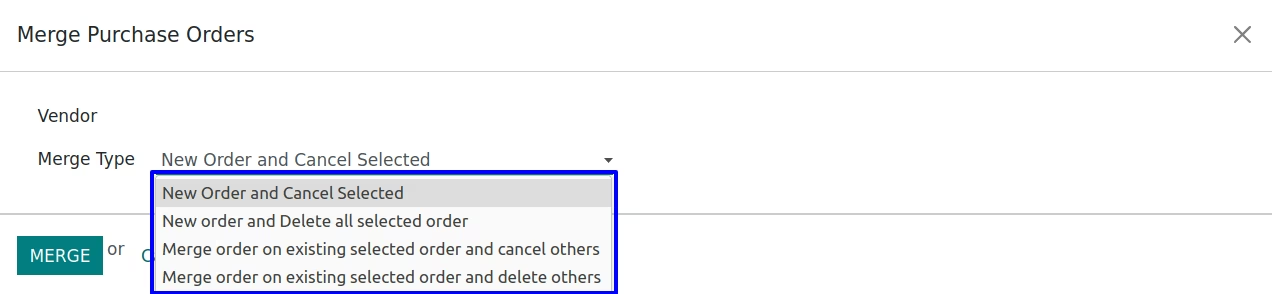
New Order and Cancel Selected
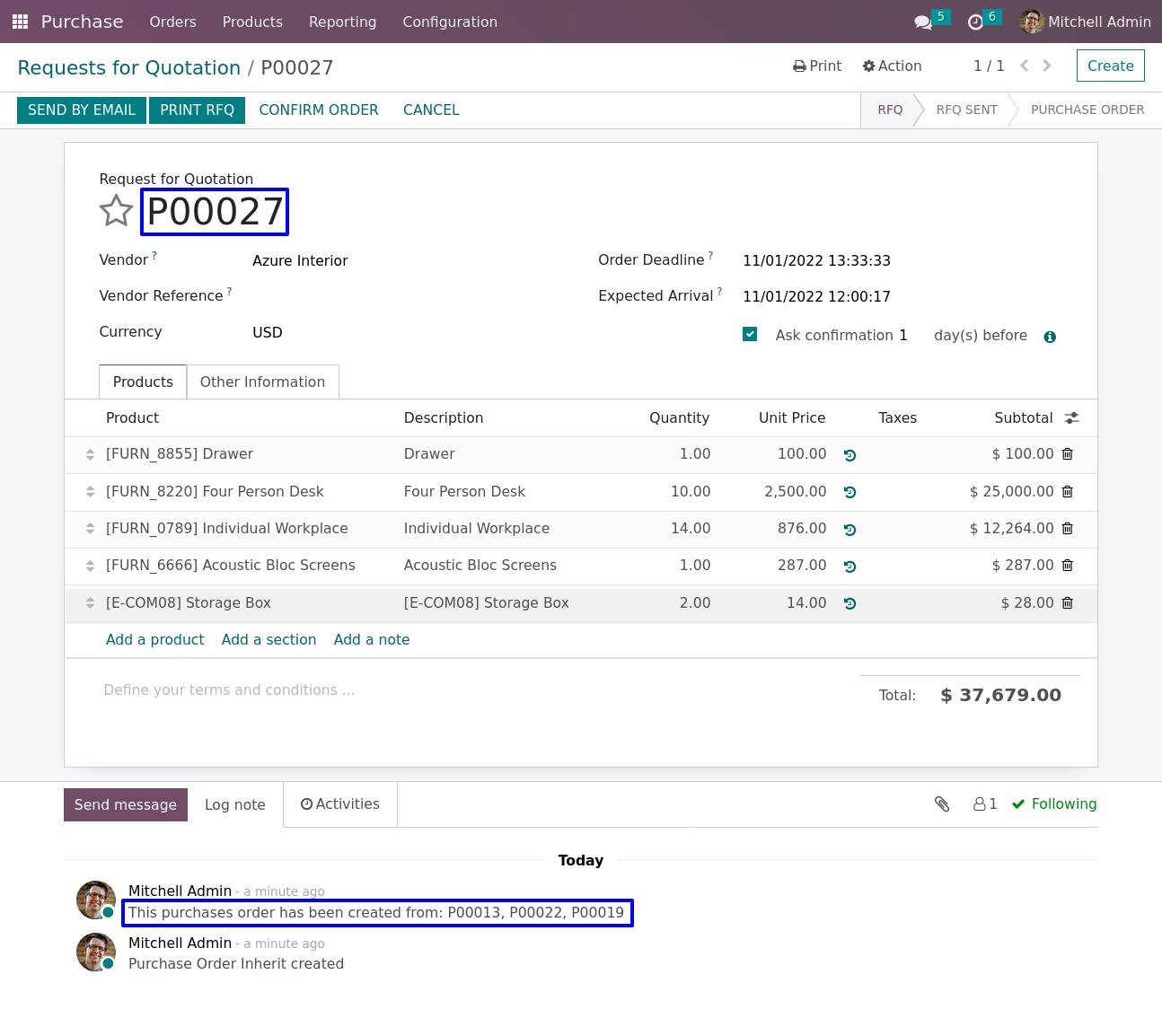
If you selected first option 'New order and cancel selected'.You can see a 'Vendor' field, based on selected vendor all the draft purchase orders will become automatically. After click on Merge button, You can see a new order will be created and other selected order will be cancelled.
Merge Order Lines
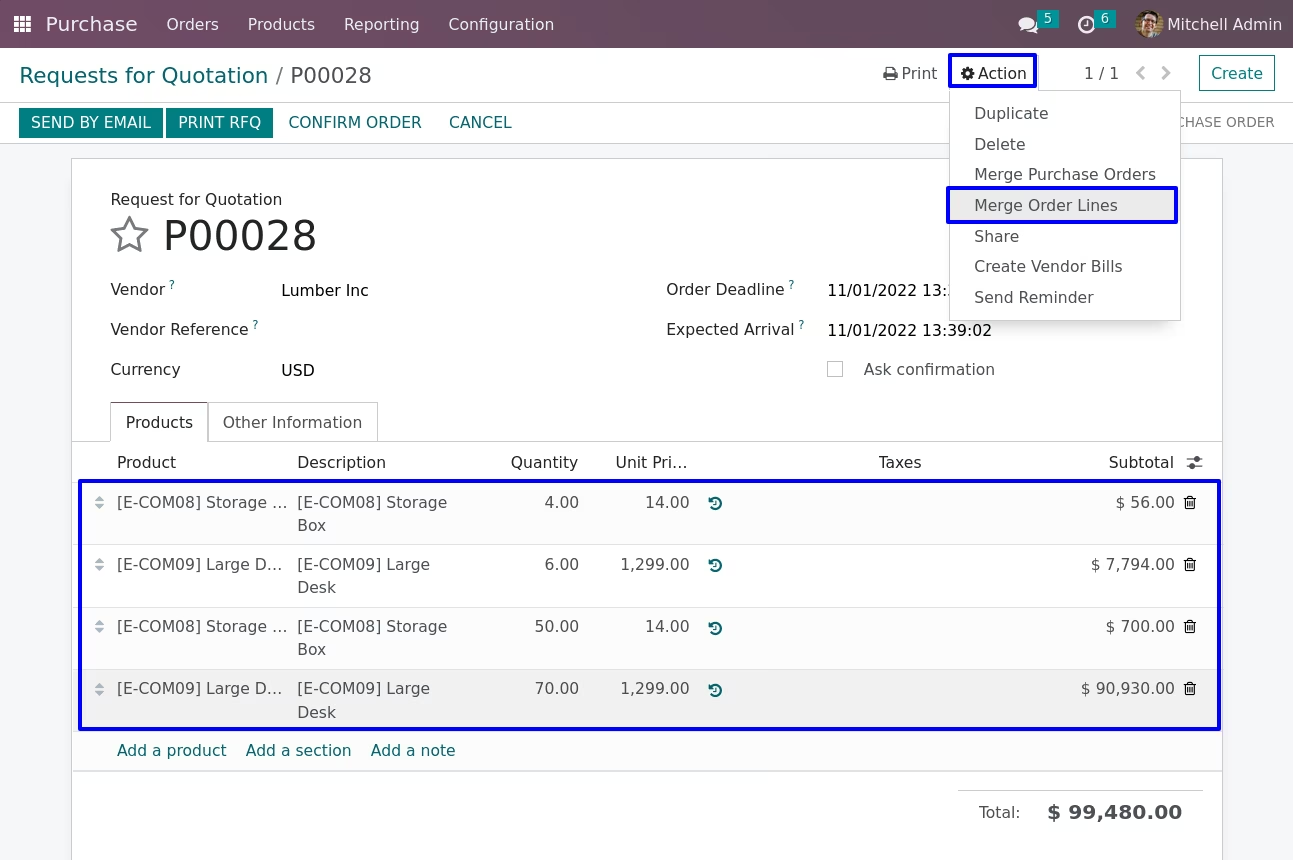
Merge Order Lines Menu
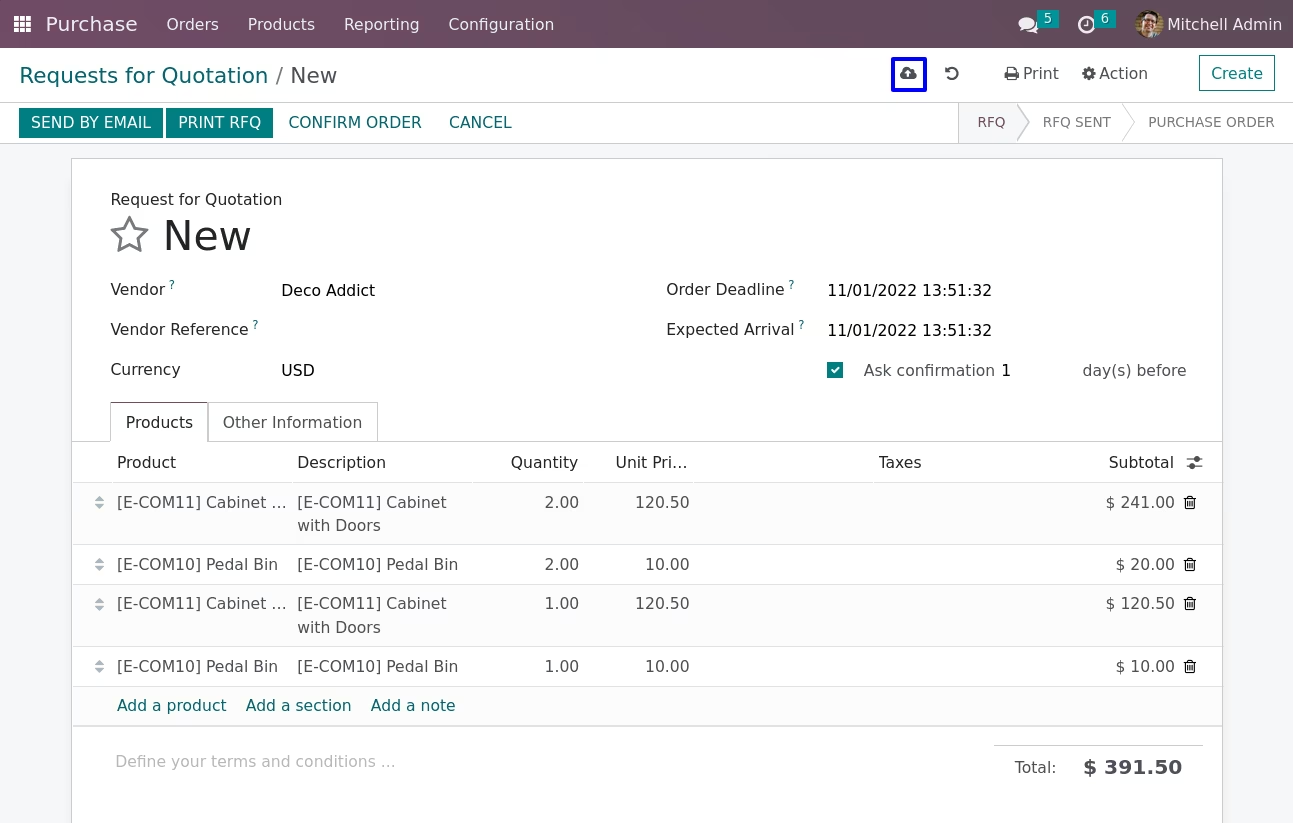
Under purchase order in Action menu user can see "Merge Order Lines" menu.
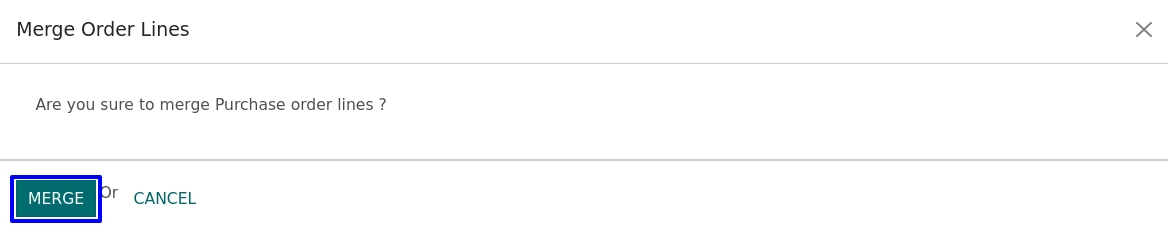
Merge Order Lines Wizard
When you click on 'Merge Order Lines' menu new wizard will be open for confirm merge operation.
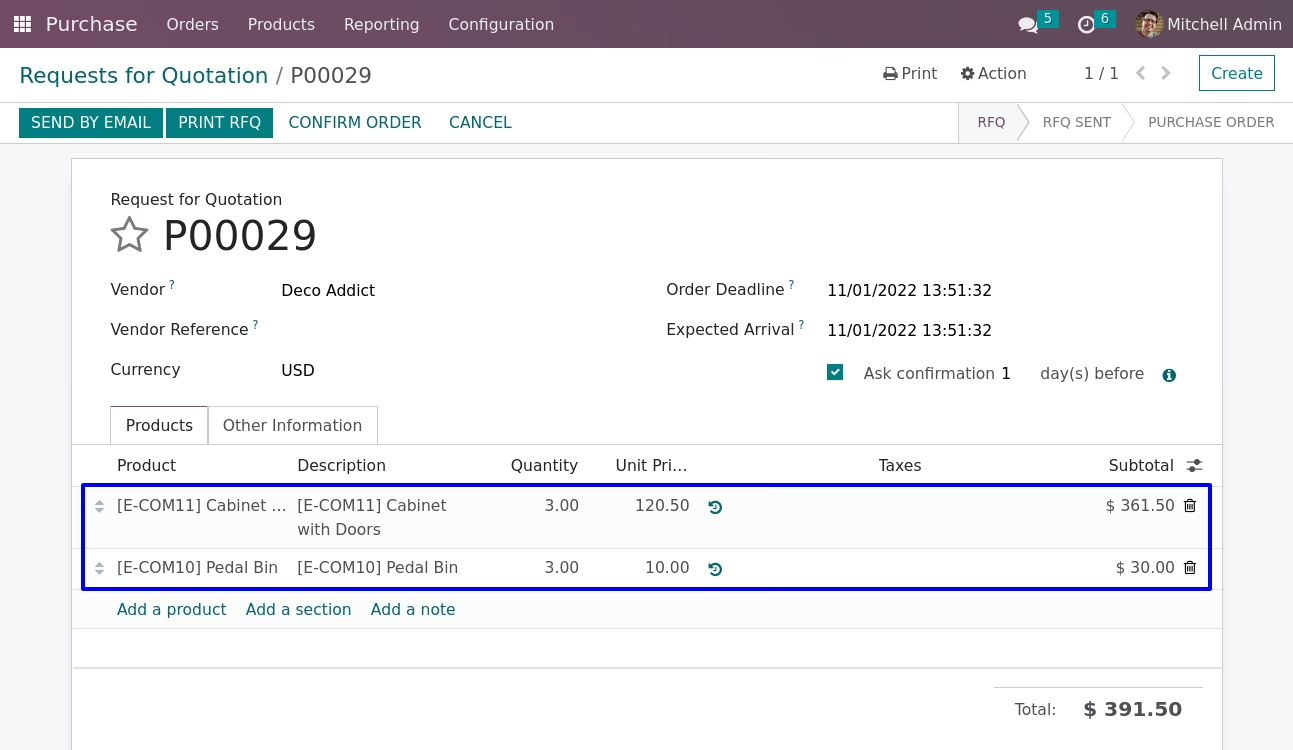
Merged Purchase Order Lines
You can see all same product line on purchase order will merge with ordered quantity.
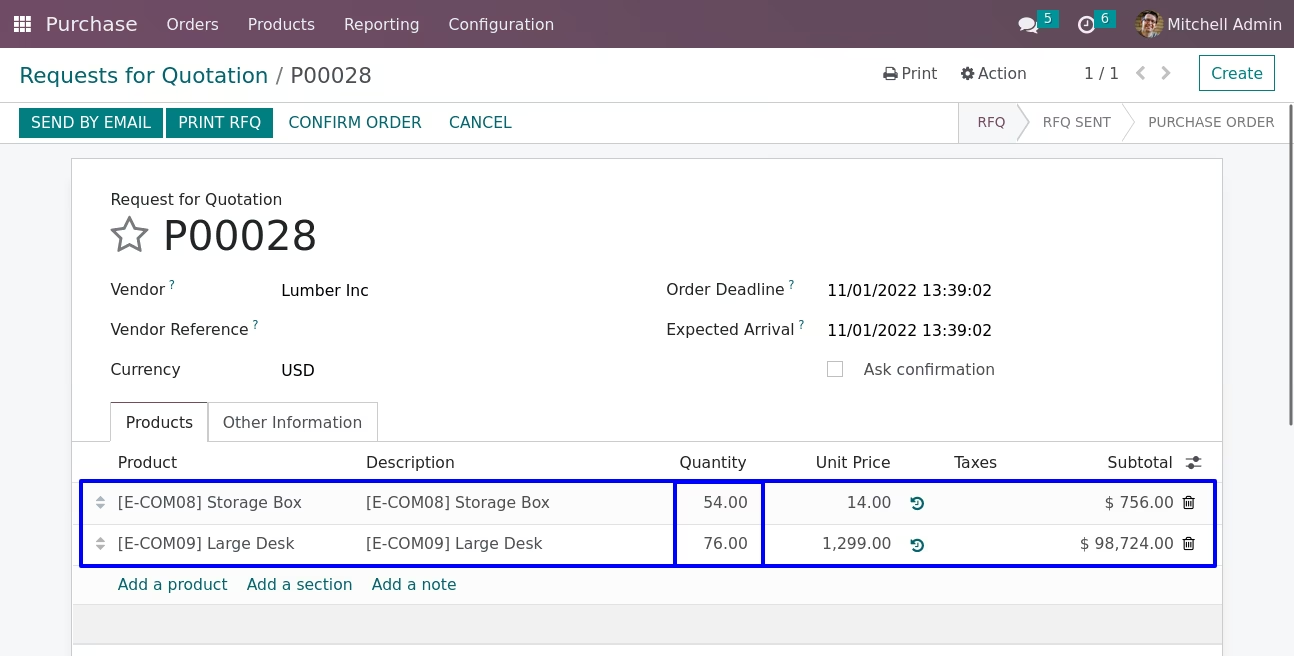
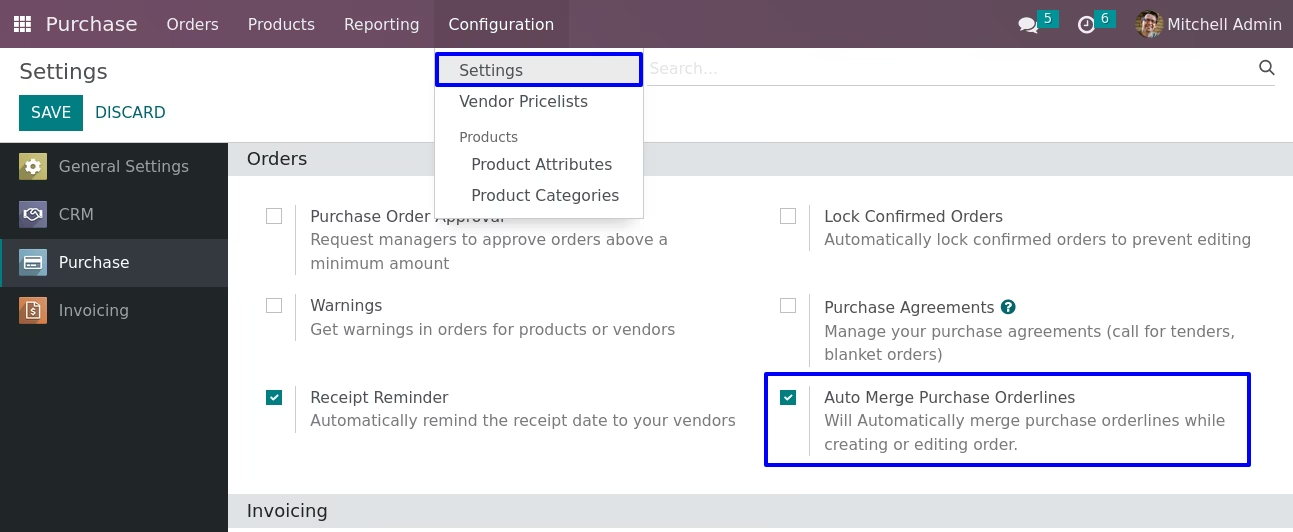
Configuration for Auto Merge Purchase Orderlines
Under Purchase > Configuration > Settings menu enable "Auto Merge Purchase Orderlines".
When you create a new order or edit an existing order all same product and quantity will be merged automatically.