
The Advanced Multiple Write-Off module is a powerful accounting tool that provides enhanced flexibility when registering customer and vendor payments. While standard allows for a single write-off account, this module enables you to distribute a payment difference across multiple accounts. This is essential for accurately recording various types of deductions, such as bank fees, small adjustments, or other charges, without creating complex journal entries. It simplifies the reconciliation process, improves the accuracy of your financial records, and provides a more granular view of your write-offs.
Multiple Write-Off Accounts: Allocate a single payment difference to multiple write-off accounts during payment registration.
Flexible Allocation Methods: Distribute the write-off amount by either a fixed amount or a percentage of the invoice total for each account.
Works for Customers and Vendors: The functionality is available for both customer invoices and vendor bills.
Handles Multiple Invoices: Apply a single payment with multiple write-offs to several invoices from the same partner at once.
Automatic Amount Adjustment: The payment amount is automatically adjusted as you add and define the write-off lines.
Built-in Validation: The system ensures that the total write-off amount matches the payment difference before allowing validation.
Seamless Integration: Integrates directly into the standard "Register Payment" screen for an intuitive user experience.
Increased Accounting Accuracy: Provides a more precise way to record various types of payment deductions and write-offs.
Streamlined Reconciliation: Simplifies the process of reconciling invoices with partial payments or deductions.
Improved Financial Visibility: Offers a clearer and more detailed breakdown of write-offs in your journal entries.
Enhanced Efficiency: Saves time by allowing you to handle complex write-off scenarios directly from the payment screen.
Greater Flexibility: Accommodates a wider range of accounting situations and business needs.
Reduces Manual Journal Entries: Eliminates the need to create separate journal entries to account for multiple types of deductions on a single payment.
Multiple Write Off Lines in Register Payments
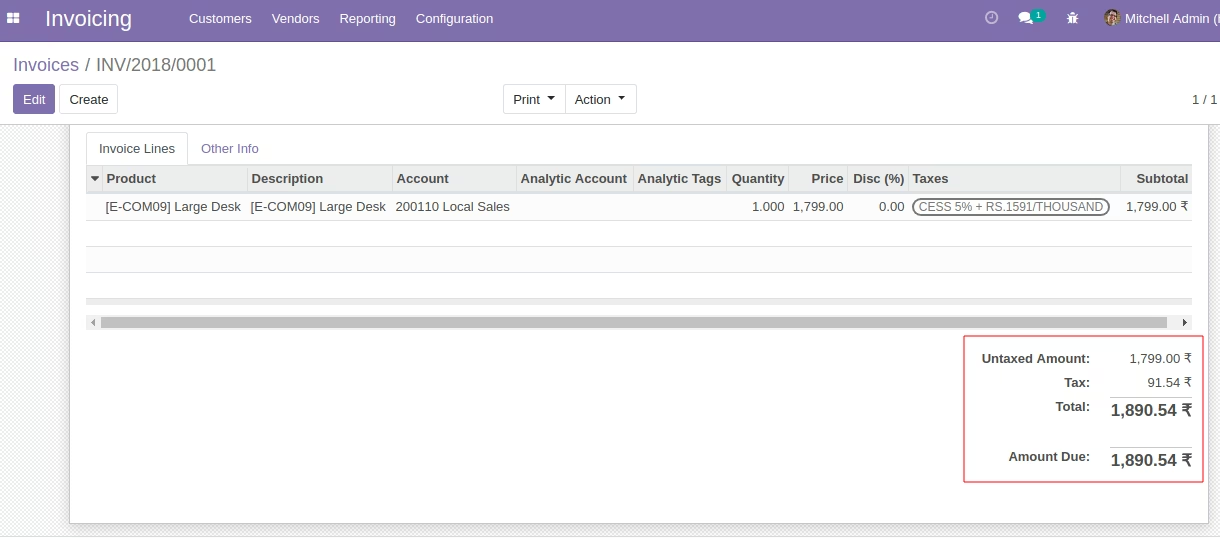
A validate customer invoice with due amount.
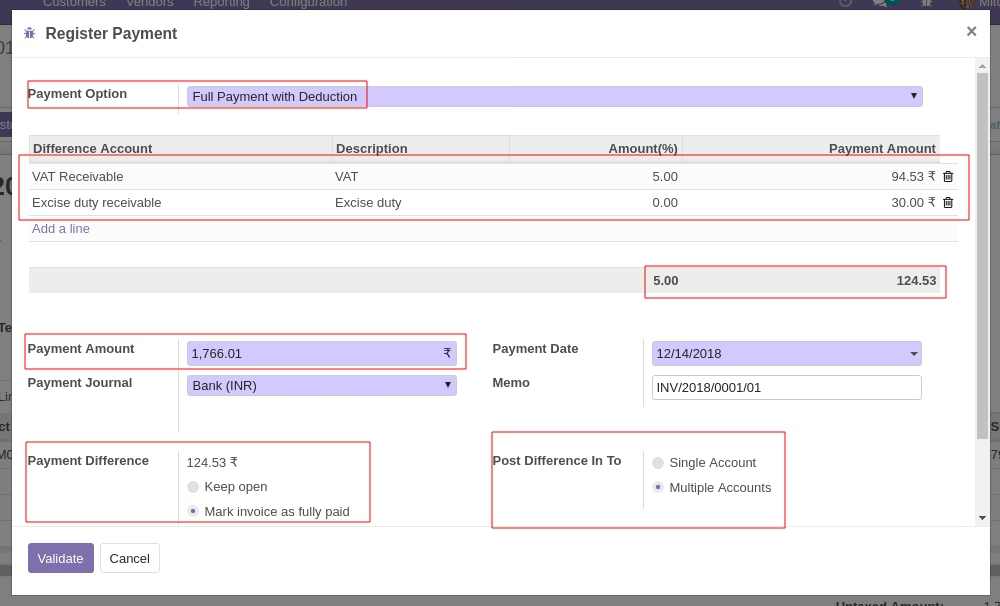
Register payment screen. Here we have option to choose deduction(write off) or not at payment. If we select deduction,
then we have option to choose single or multiple write off.
- Single write off provides option to choose single account.
- In single write off, the payment difference will consider to write off account.
- In multi write off option, we can allocate the payment difference to multiple accounts.
- In multi write off, each line have option to set percentage and it automatically compute the percentage based on invoice total
- In multi write off, User have option to manual input some number rather than percentage.
- When we add lines to multiple write off, the payment amount will be adjusted automatically based on the write off amounts
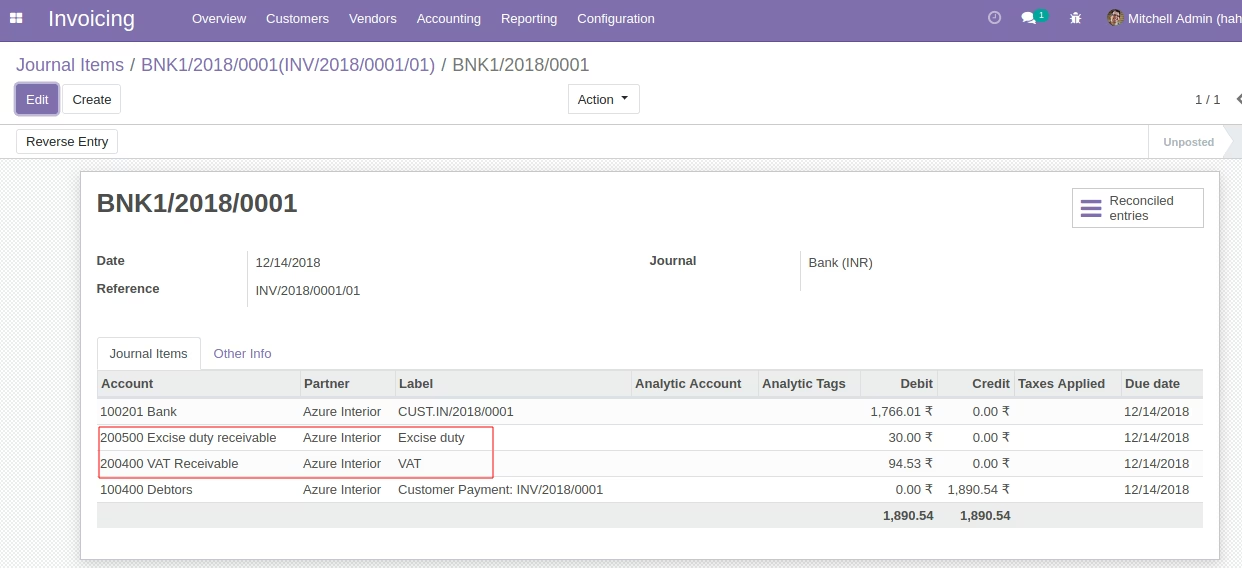
Journal entry showing the write off accounts and its amounts.
Multiple Write Off Accounts for Multiple Invoice Payment
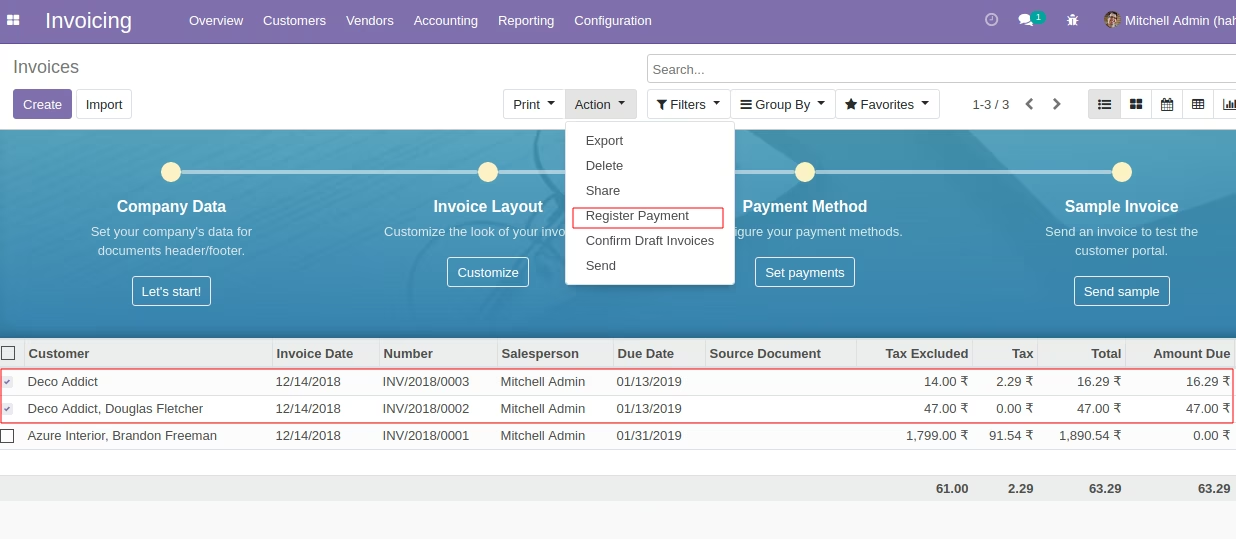
Select the unpaid invoices/ Partial paid invoices of same customer or vendor.
Select 'Register Payment' from the 'Actions' drop down menu.
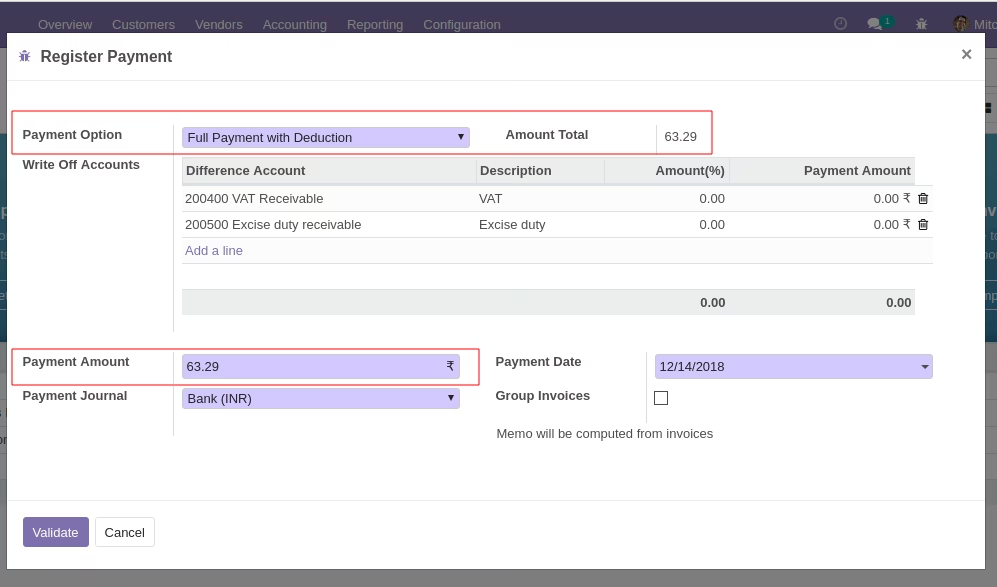
- This pop up have the flexibility to do single or multiple write off from the same screen.
- Each line have option to set percentage and it automatically compute the percentage based on invoice total
- User have option to manual input some number rather than percentage.
- When we add lines to multiple write off, the payment amount will be adjusted automatically based on the write off amounts
Validating the Amounts
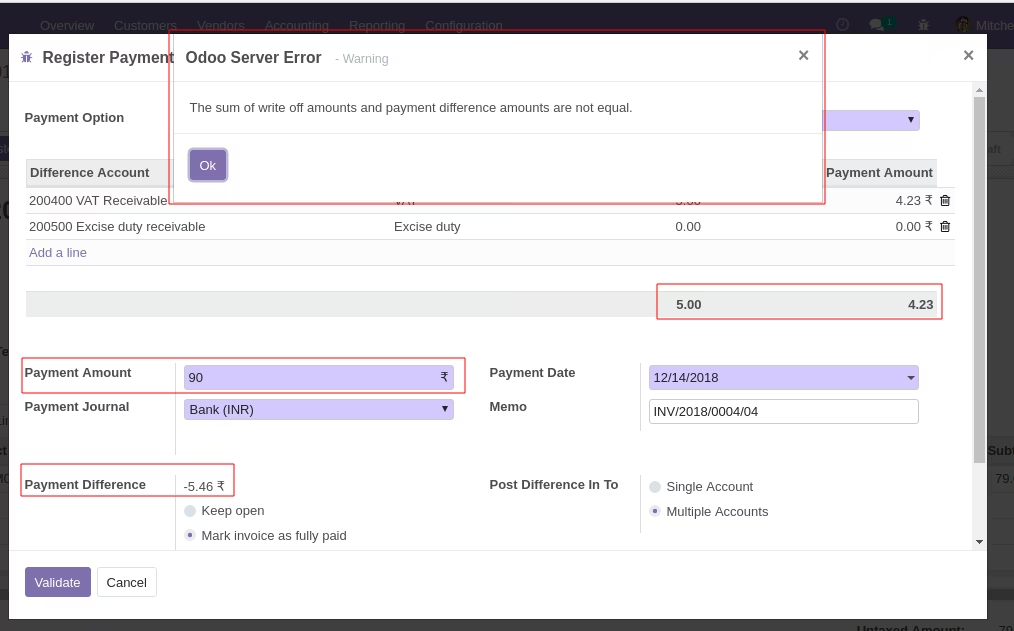
When you validate it checks that the payment difference amount and the sum of amounts in write off lines are equal or not.
If not, you cannot move forward and system gives you the warning.