The Multi-Branch Operations module provides a comprehensive framework for managing businesses with multiple branches or operational units within a single company. This powerful tool eliminates the complexity of a multi-company setup by allowing you to segregate and manage your data on a per-branch basis. From sales and purchasing to inventory and accounting, this module ensures that each branch can operate as a distinct entity while maintaining centralized control and reporting. It is the ideal solution for businesses looking to scale their operations, improve efficiency, and gain clear visibility into the performance of each individual branch.
Centralized Branch Management: Create and configure an unlimited number of branches for a single company from a centralized interface.
User Access Control: Assign users to specific branches and define their access rights, ensuring data security and segregation.
Branch-Specific Workflows: Apply the multi-branch concept to all major Odoo applications, including Sales, Purchase, Inventory, and Accounting.
Automated Branch Assignment: The system automatically assigns the user's current branch to new transactions like sales orders, purchase orders, and invoices.
Warehouse and Location Integration: Link warehouses and stock locations to specific branches for accurate, branch-level inventory management.
Comprehensive Reporting: Generate and filter all standard reports, including sales analysis, purchase analysis, and financial statements, on a per-branch basis.
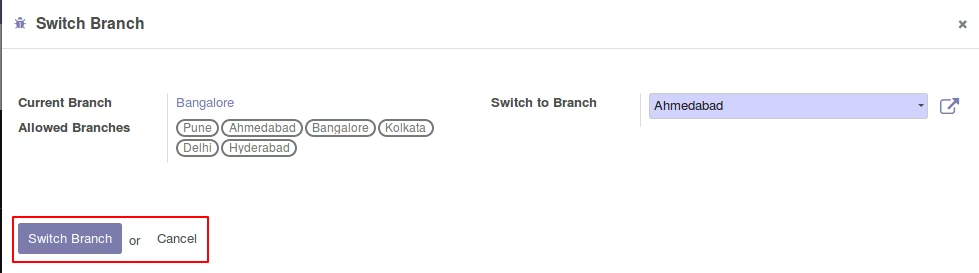
Multi-Branch Widget: A user-friendly widget in the interface allows users to easily switch between their allowed branches, filtering data accordingly.
Simplified Management: Manage all your business units from a single company environment, avoiding the complexities of multi-company configurations.
Improved Organization: Streamline your operations by segregating all data and transactions by branch, leading to better clarity and control.
Enhanced Data Security: Restrict user access to specific branches, ensuring that sensitive information is only visible to authorized personnel.
Increased Efficiency: Automate the flow of information across your branches, reducing manual data entry and the potential for errors.
Greater Visibility: Gain a clear and accurate overview of the performance and activities of each individual branch.
Scalable Solution: Easily add new branches as your business grows without disrupting your existing operations.
Better Decision-Making: Use branch-specific reports to make more informed and strategic decisions for each of your business units.
Multi Branches App
Multiple Branches/Units Operations by Company
Multiple Branches/Units Operations Management
This module all to have multi branch concept by company. So you can set up multiple branches per company. The concept of multi-branch operates the same as multi-company environment works in standard.
This app support Branch/Unit features on Sale Order, Purchase Order, Invoice/Payments, and Warehouse.
Main Features:
- Allow you to create and manage multiple branches/units of your companies.
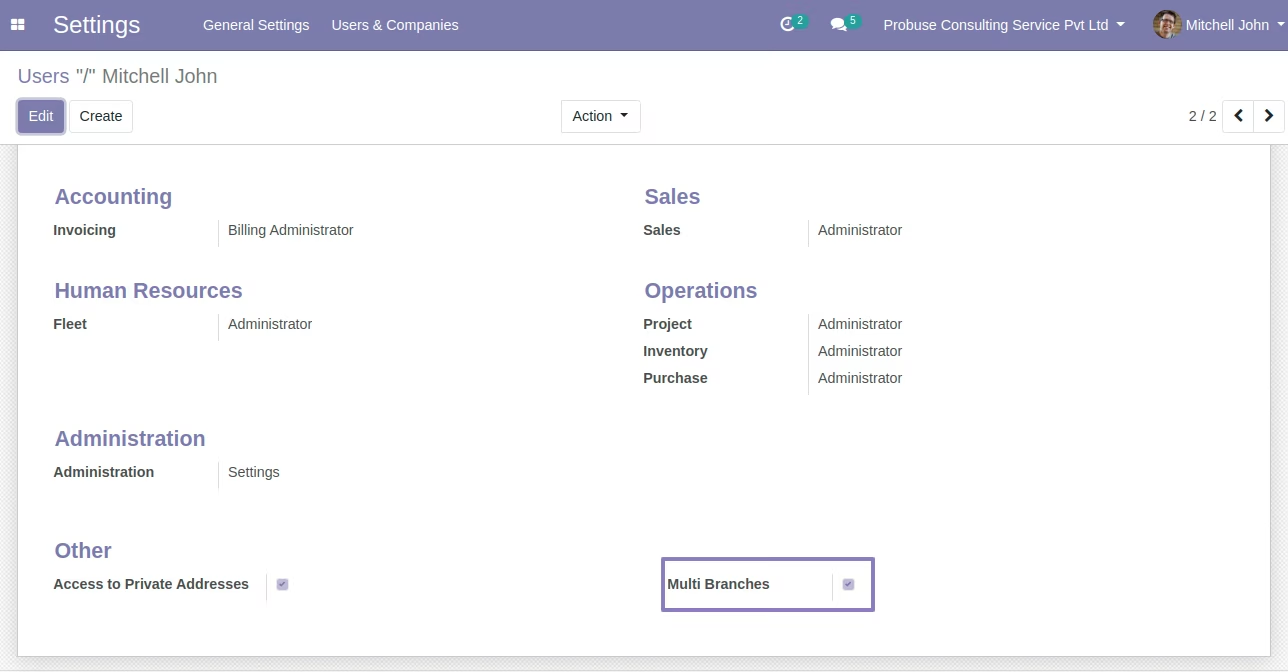
- Access group created for multi-branch similar like the multi-company group in standard/base.
- Access records/security of its specific branch access of data to the user.
- Working as a multi-branch concept same as multi-company environment.
- Branch functionality added to Sales, Purchase, Invoice, Warehouse.
- Note: Single chart of accounts for all branches by the company so the branch will share a single chart / common chart of the account which is configured for the company.
- Users can see current branch records only (not all branch records where he/she is allowed to see). So the user has to switch to the current branch to view records for a branch.
- Complete business workflow for branches i.e Sales order to Invoice and Delivery. Same for Purchase to Vendor bill and Vendor payments.
- This app will compatible with community and Enterprise both editions.
- For more details see the video and check the below screenshots. You can contact us if you have any queries.
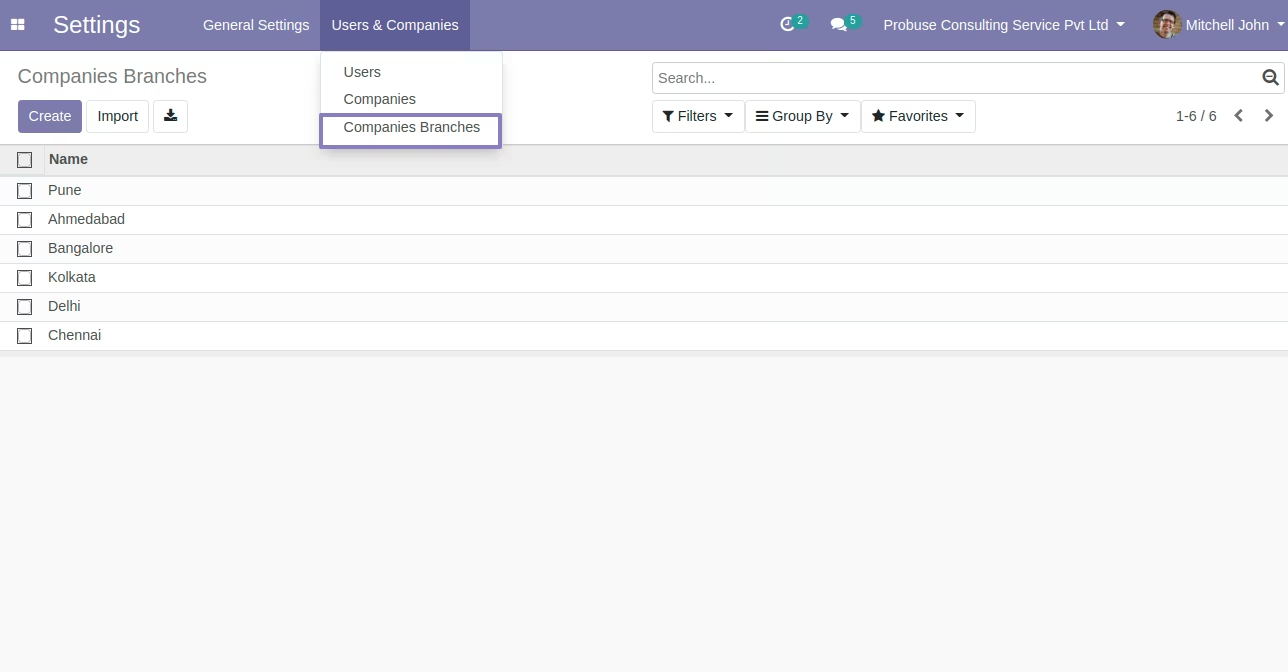
Setup of Branches / Units for Company
You can go to Settings/Users & Companies/Companies Branches.
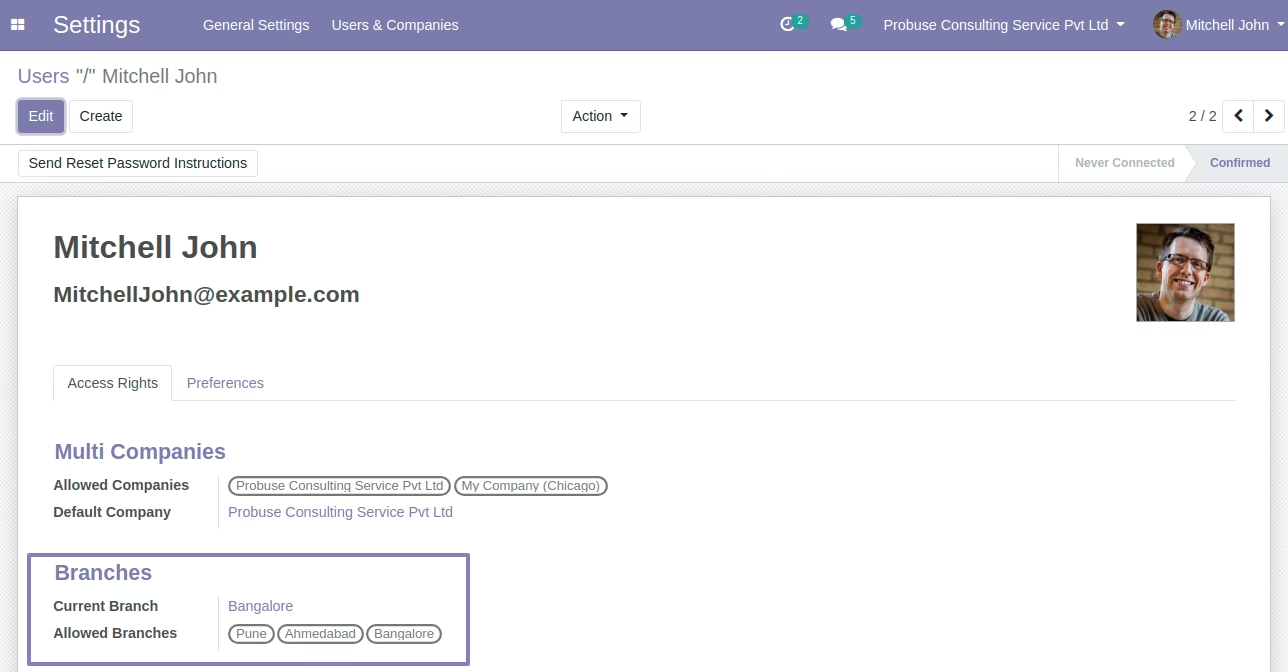
User form Allocate / Assign Branch to User
On user form you are allowed to assigned branch to that user.
Set Multi Branch Group on User
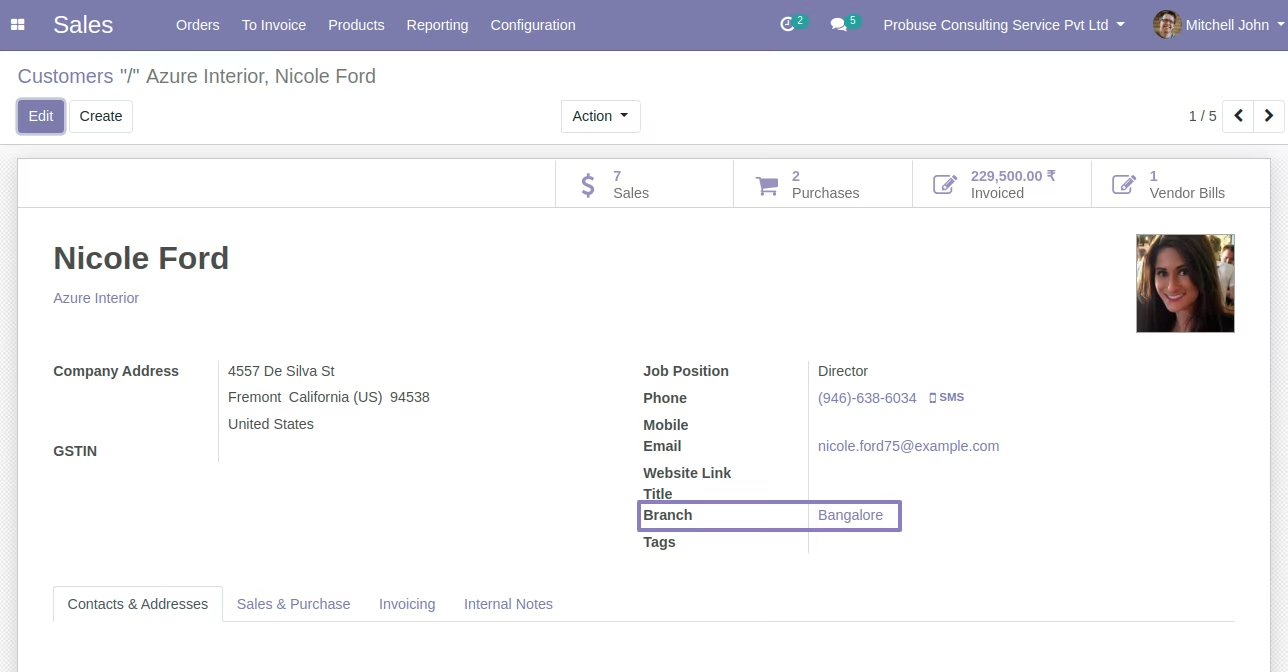
Branch on Customer / Supplier / Partner Form
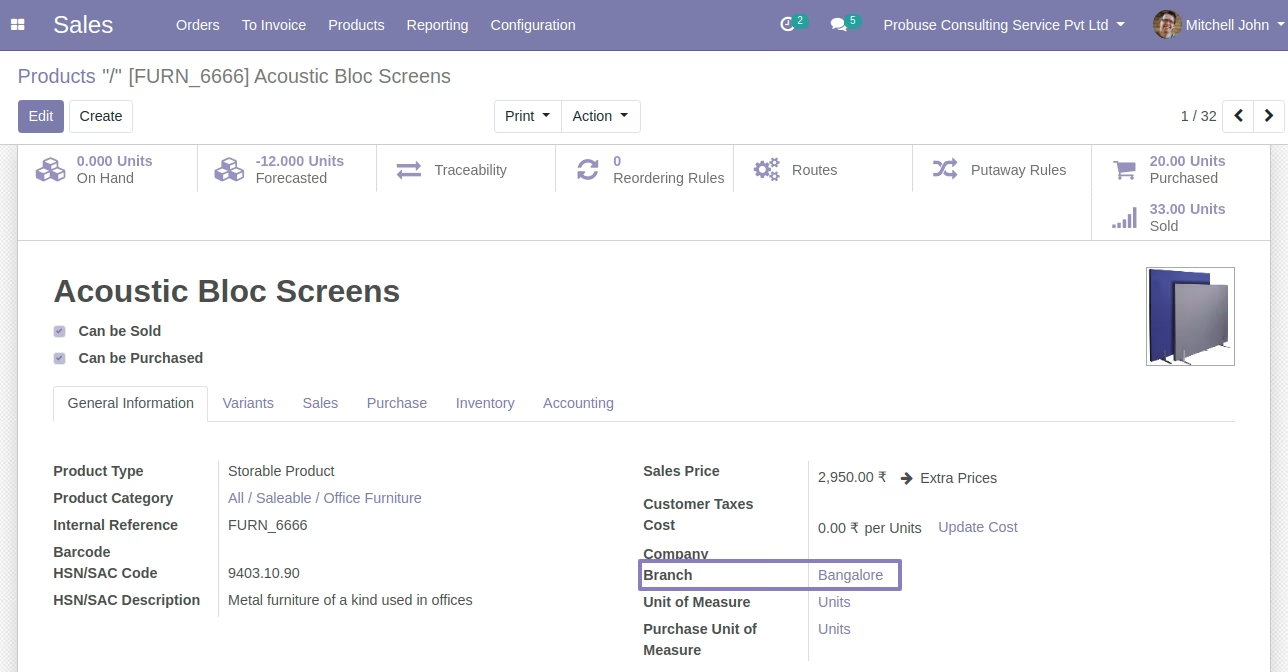
Branch on Product Form
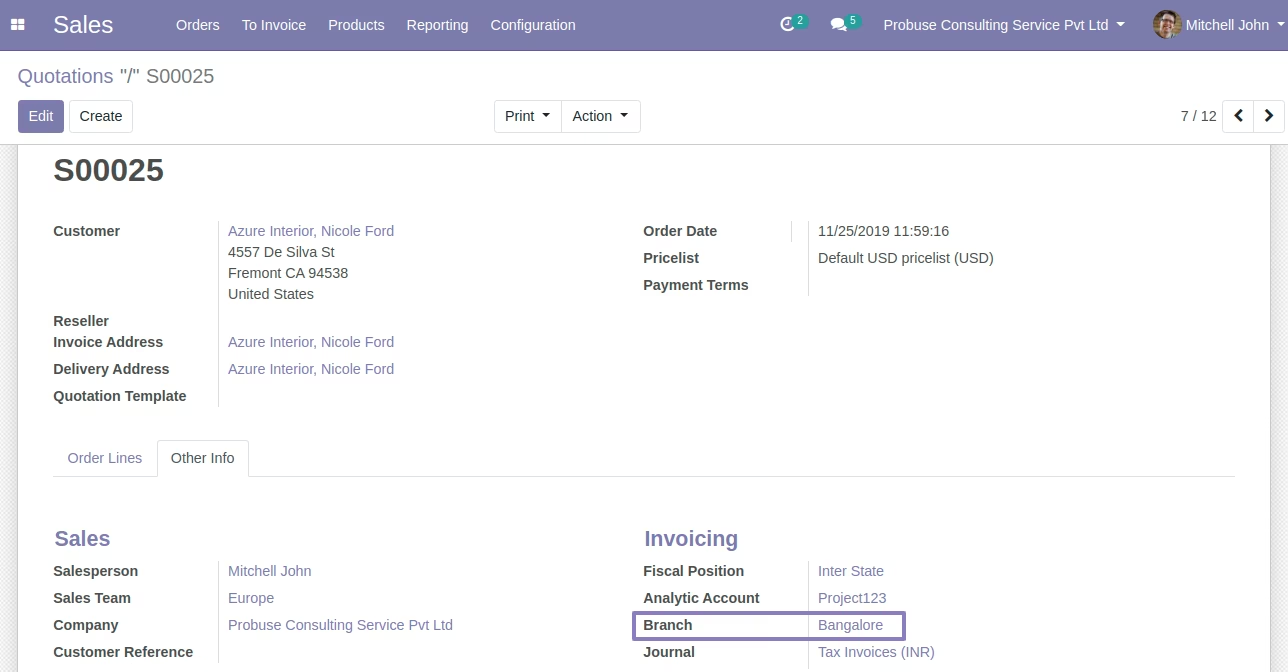
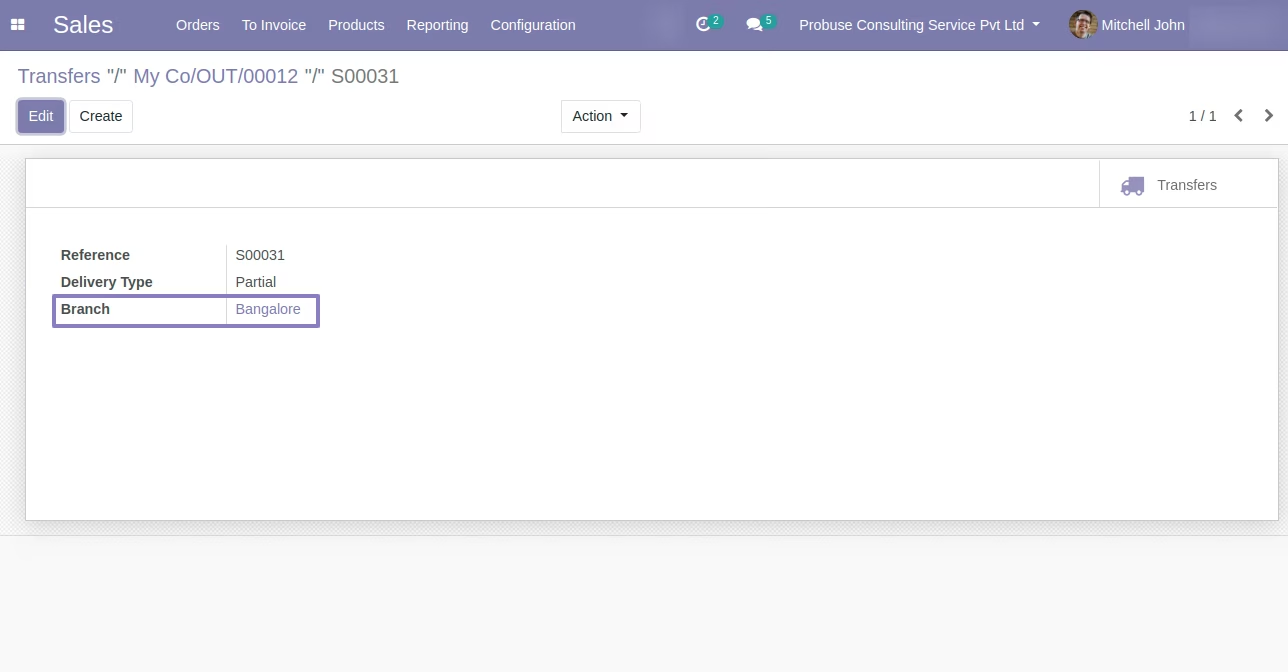
Branch On Sales Order Workflow.
You can create sales order by branch you are working on and that will be pass to invoices and delivery orders. Default branch will be current user branch.
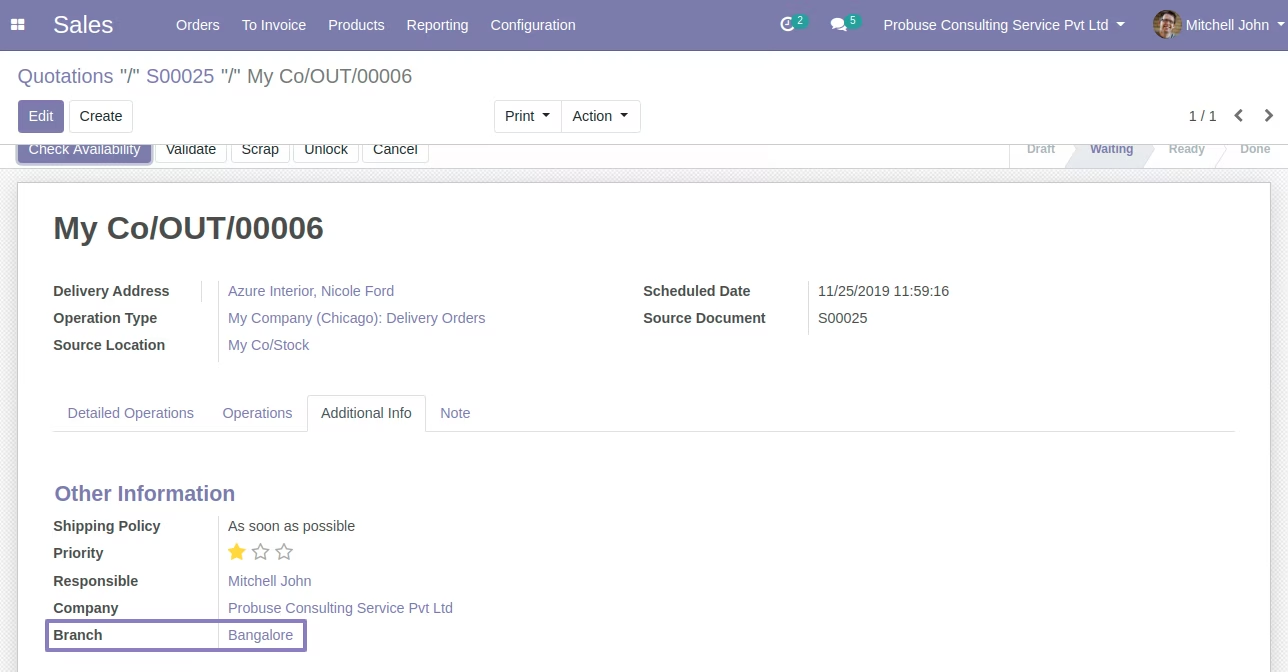
Branch on Delivery Order Form
After Quotation confirmed and it generate picking / delivery will have same branch automatically set based on Sales Order.
Branch On Customer Invoices
When invoice created from sales order workflow then branch of the sales order will automatically set on invoice form. And system will also supporting creating manual invoice so log in user branch will be set to the customer invoice.
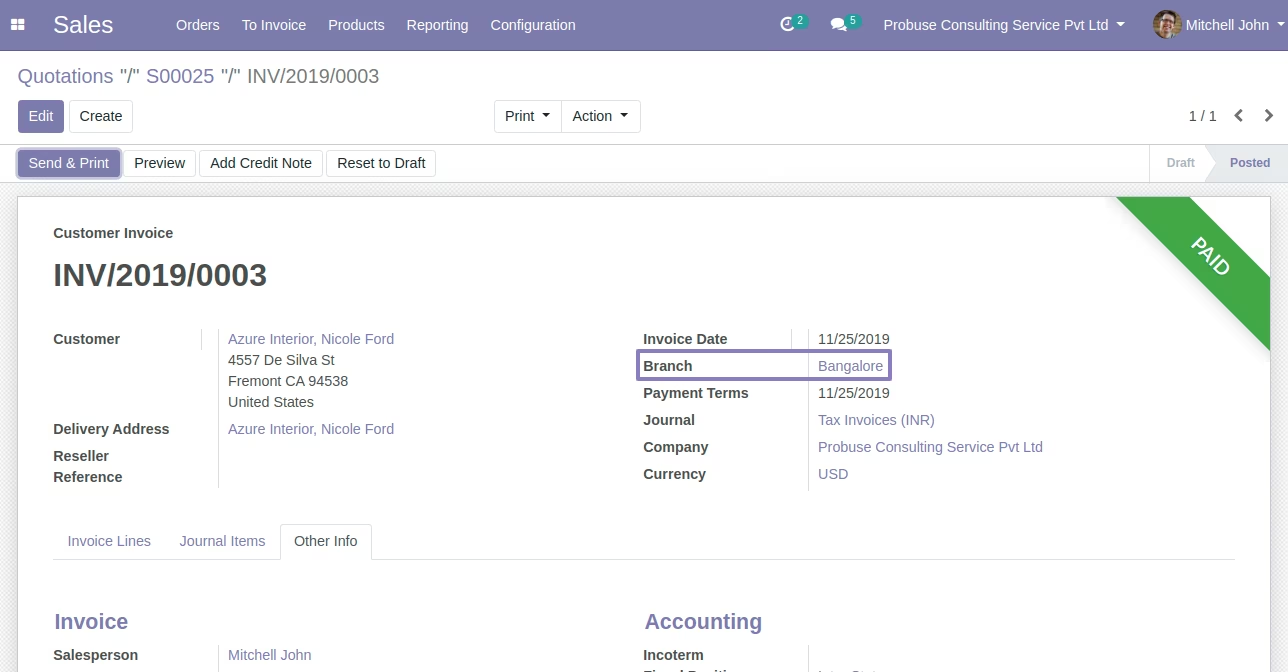
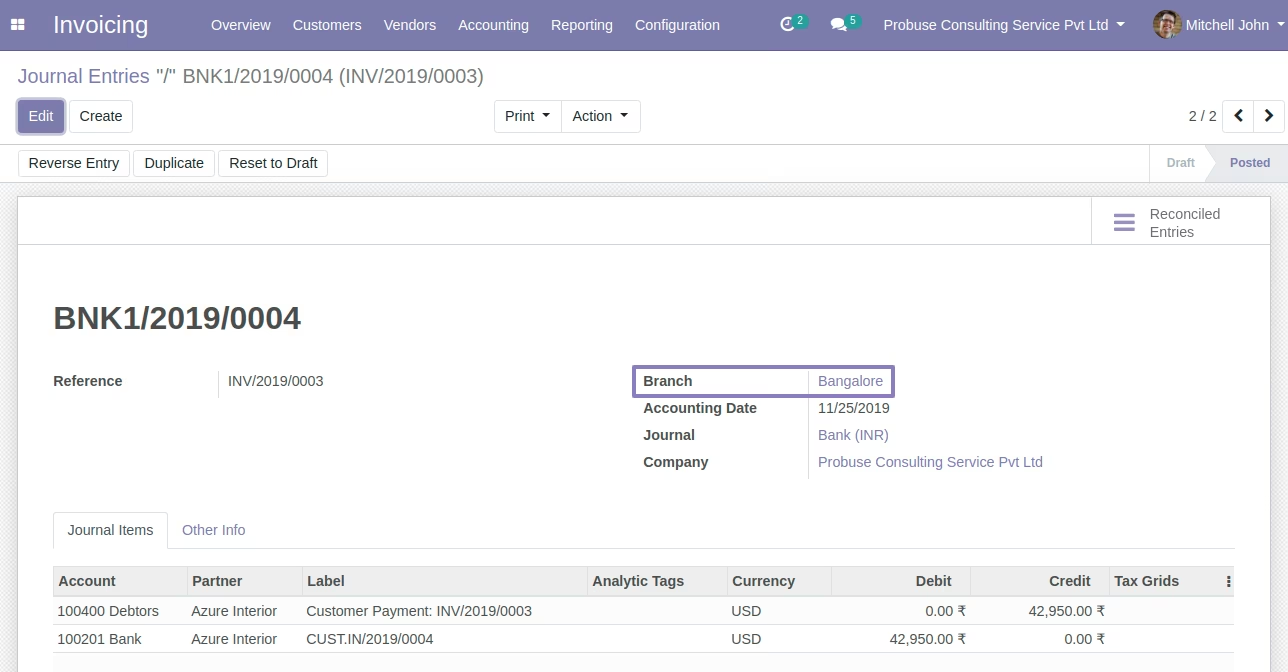
Journal Entry and Journal Items with Branch/Unit
Once you Validate invoice then selected branch of the invoice will pass and set on Journal Entry and journal items of accounting.
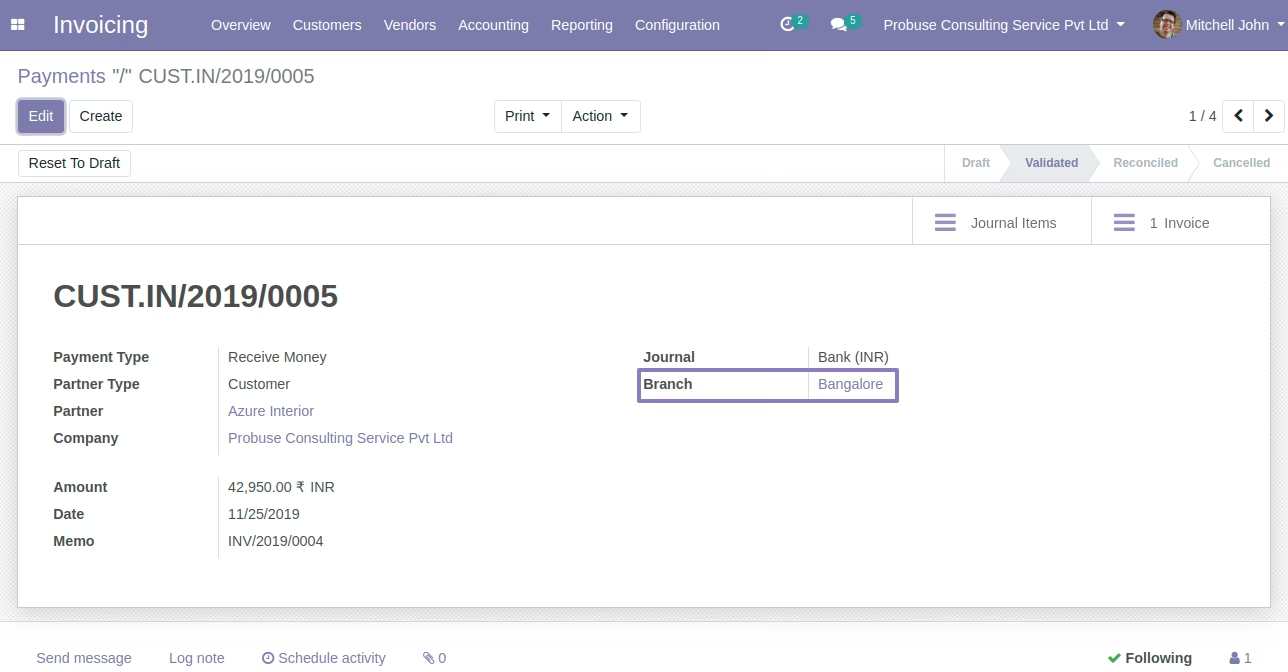
Customer Payment Screen
Customer Invoice to Payment workflow will respect branch information. And also payment entry after validation of payment use branch.
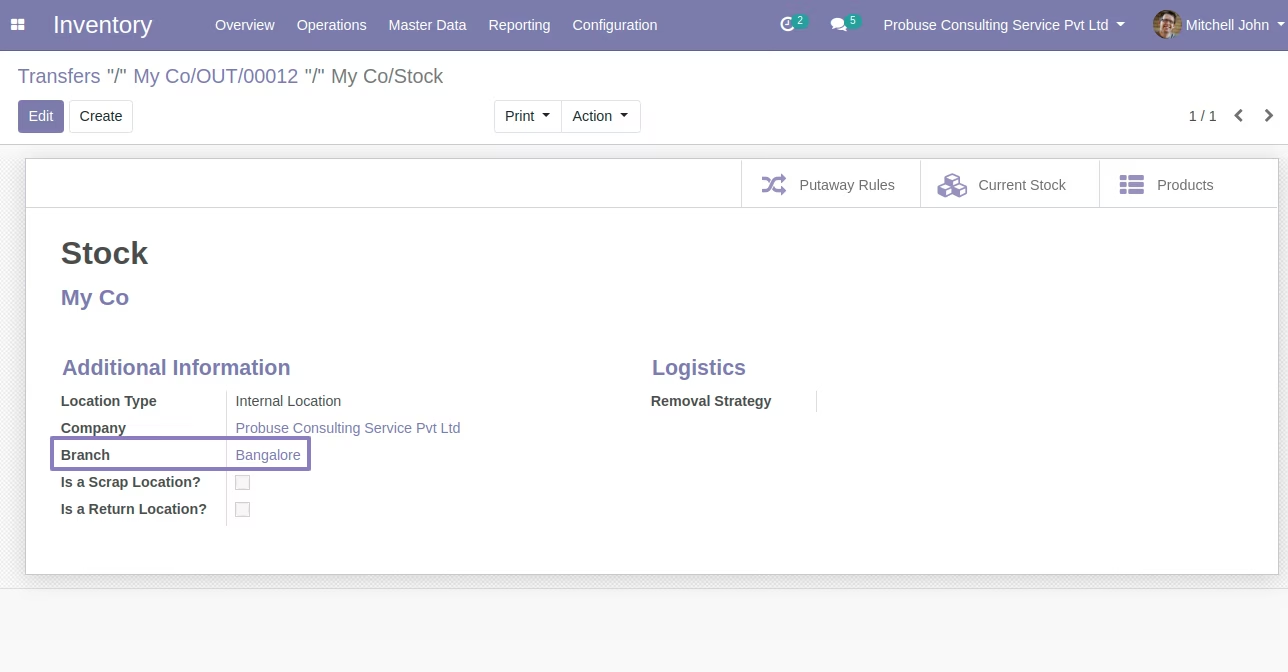
Configure Branch on Warehouse Stock Location
Allow you to have branch wise stock locations.
Set Branch on Procurement Group
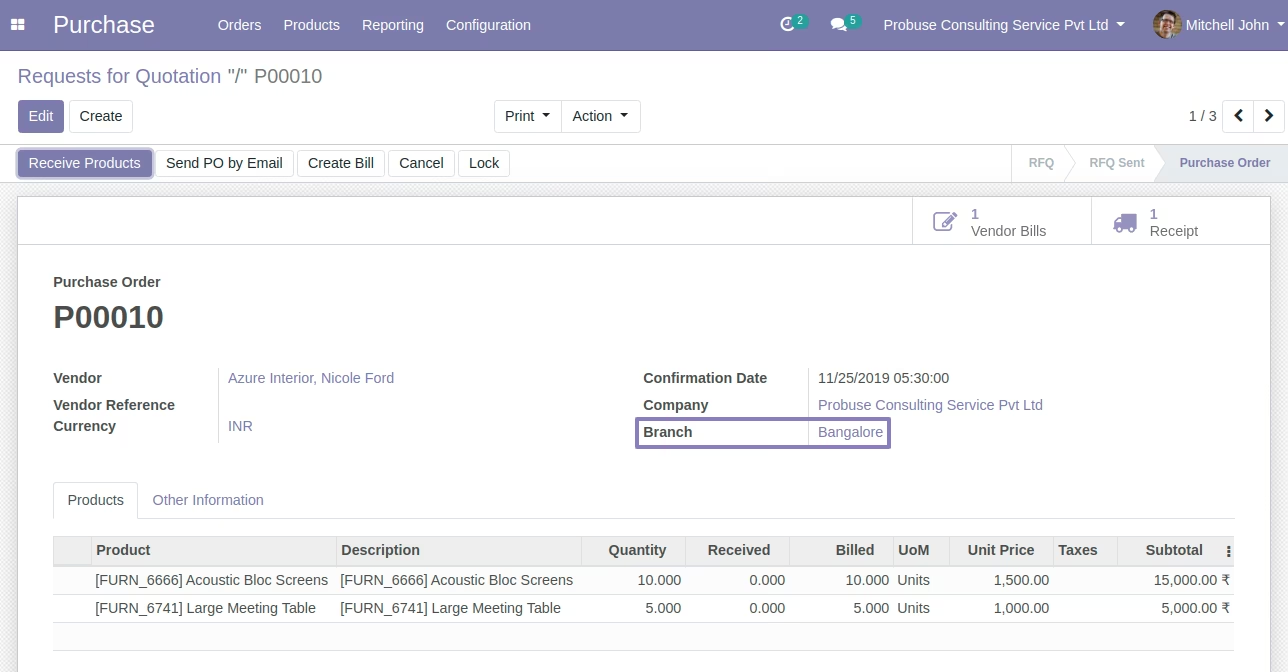
Branch On Purchase Order Workflow
Purchase Order to Vendor bill and Purchse order to Incoming shipment Branch will be pass automatically.
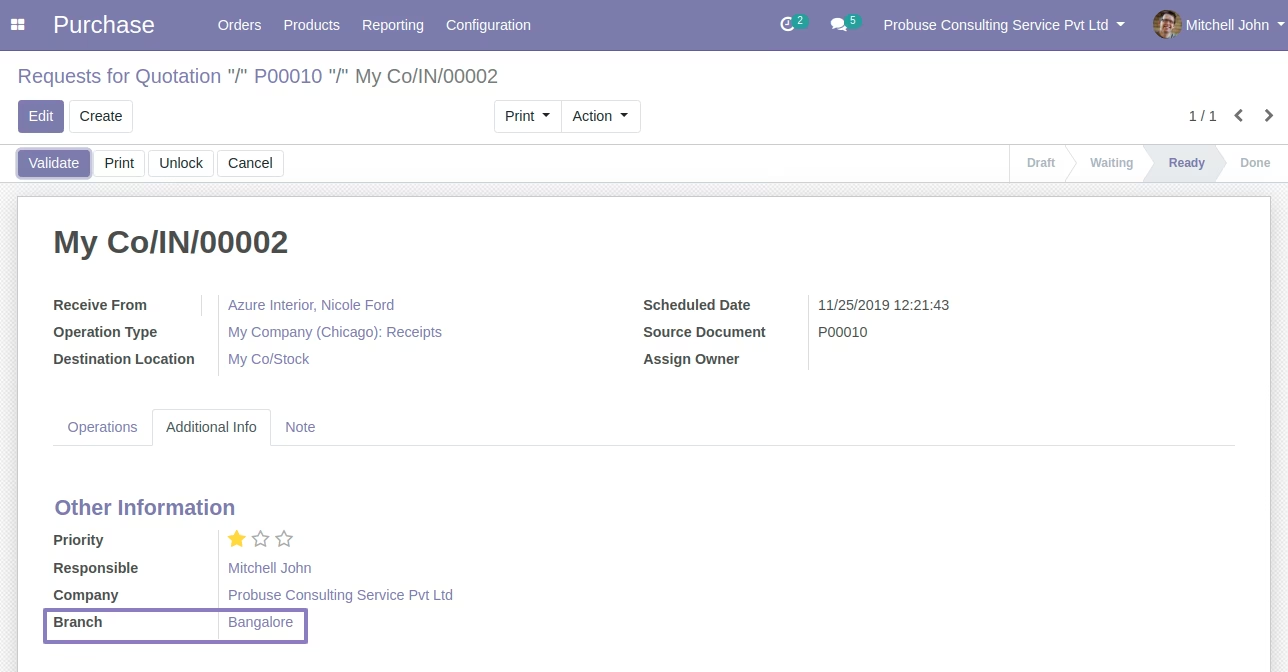
Branch on Incoming Picking / Incoming Shipment
PO to Incoming shipment flow.
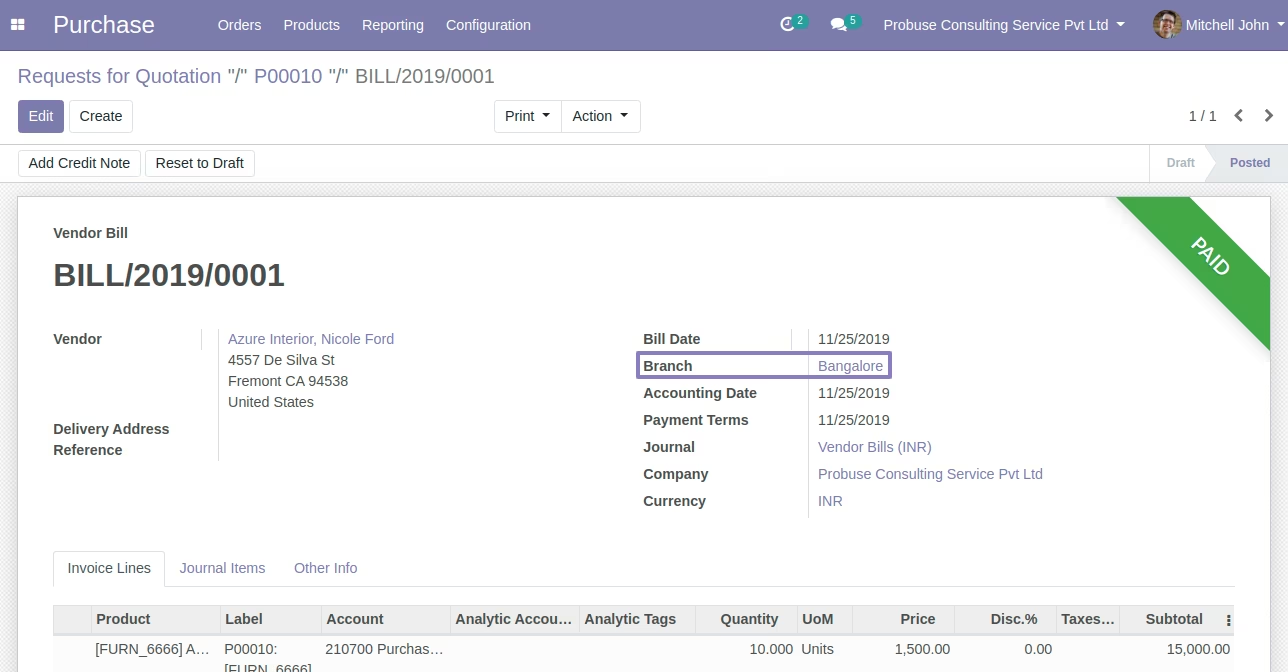
Branch On Vendor Bill
PO to Vendor bill Flow.
Branch On Vendor / Supplier Payment
Vendor Bill to Supplier Payment and then to Payment Journal entry.
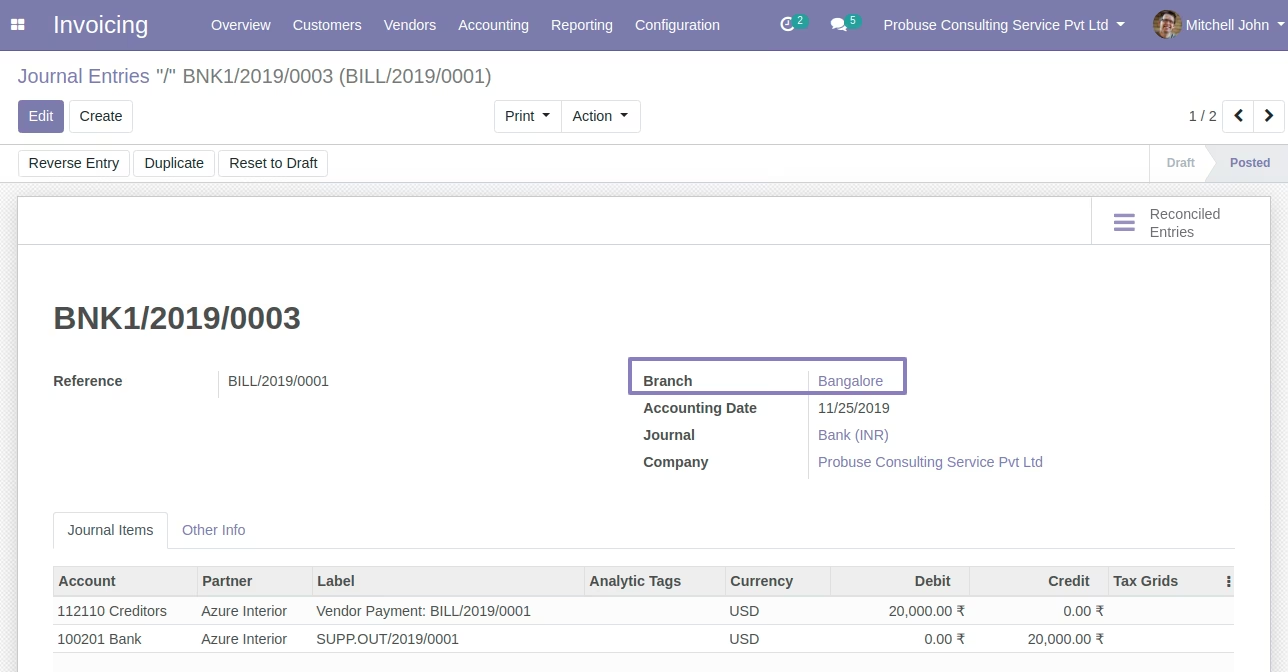
Branch On Analytic Account / Cost Center
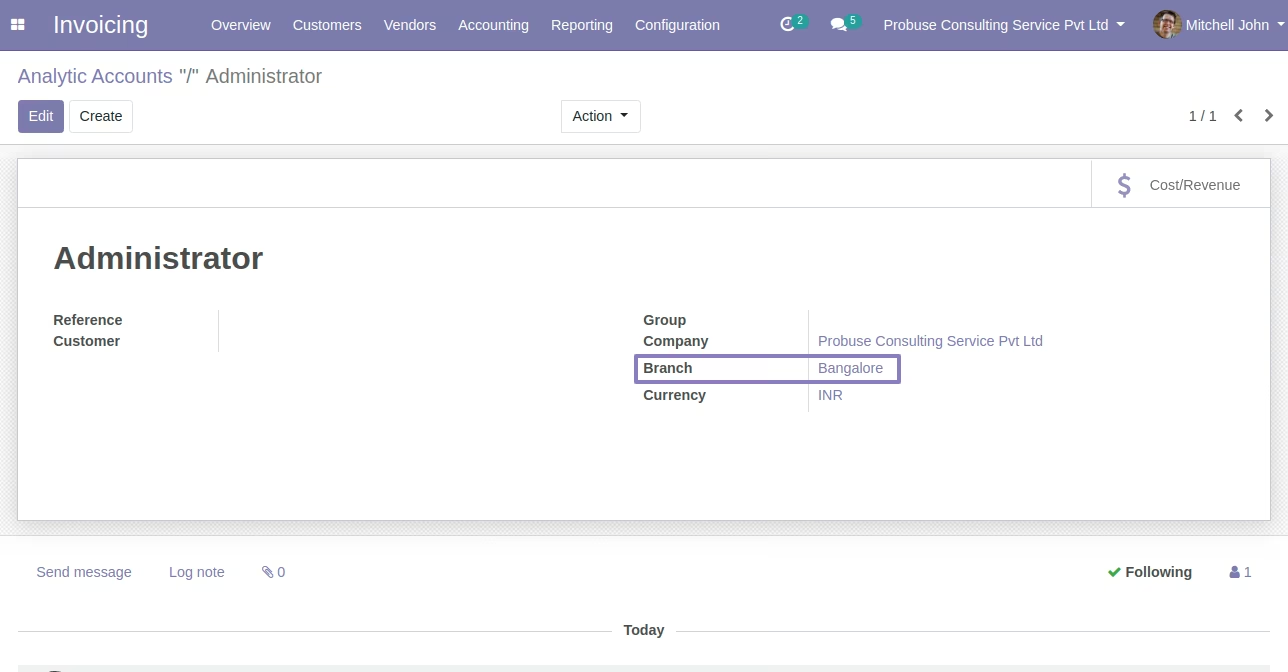
Branch On Analytic Entry / Anlaytic Lines
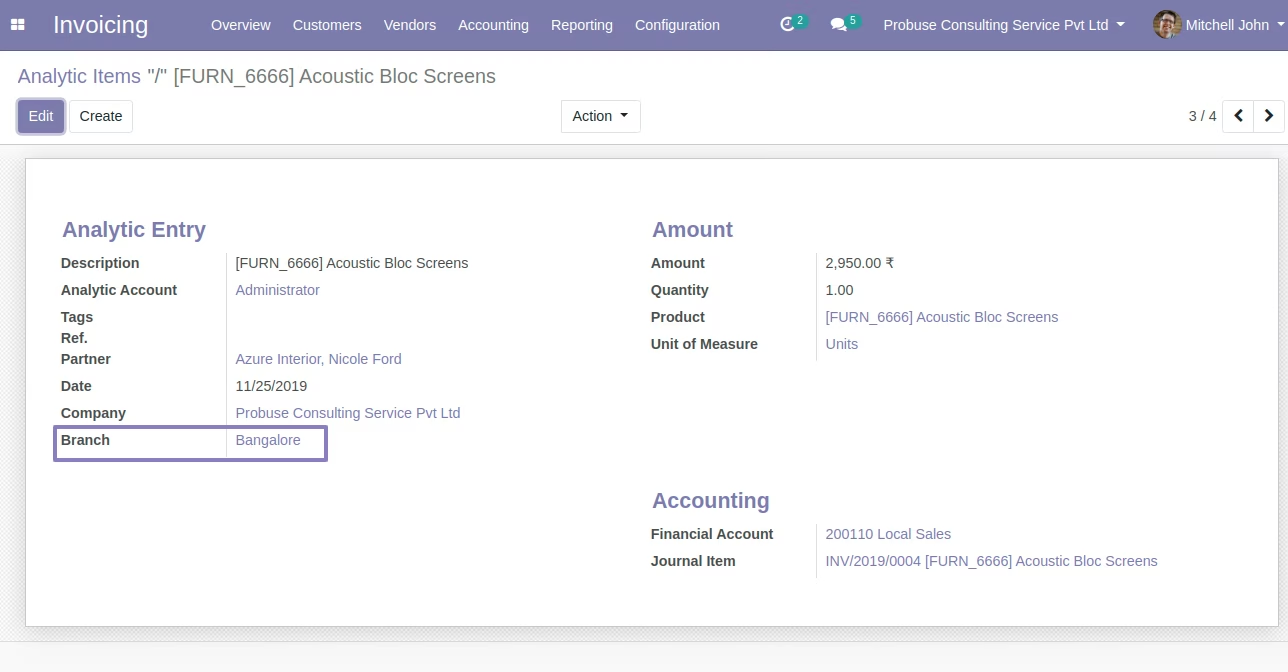
Branch On Inventory Adjustment - to Product Move
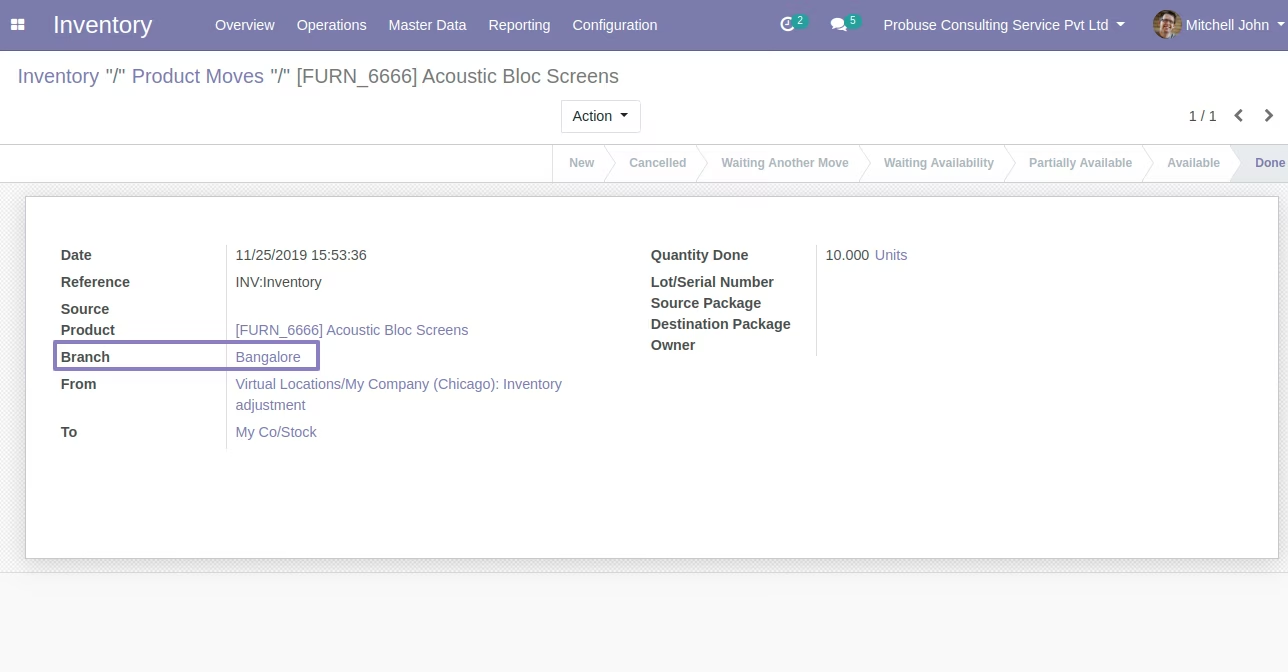
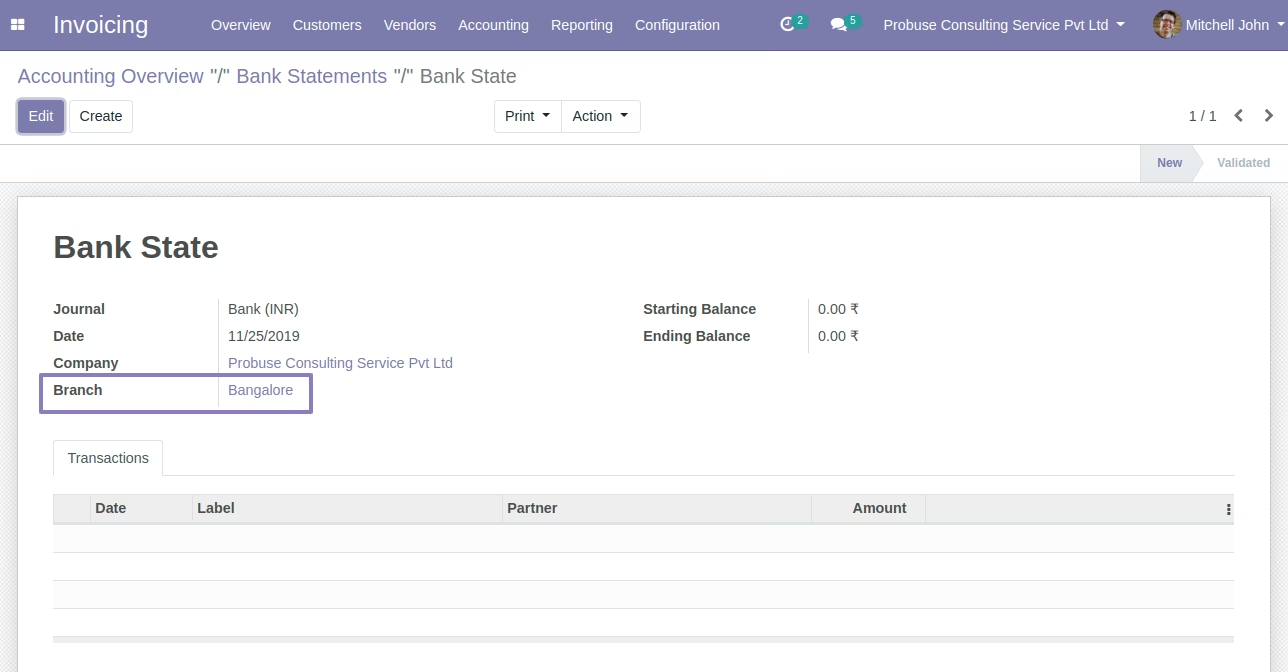
Branch On Account Bank Statements
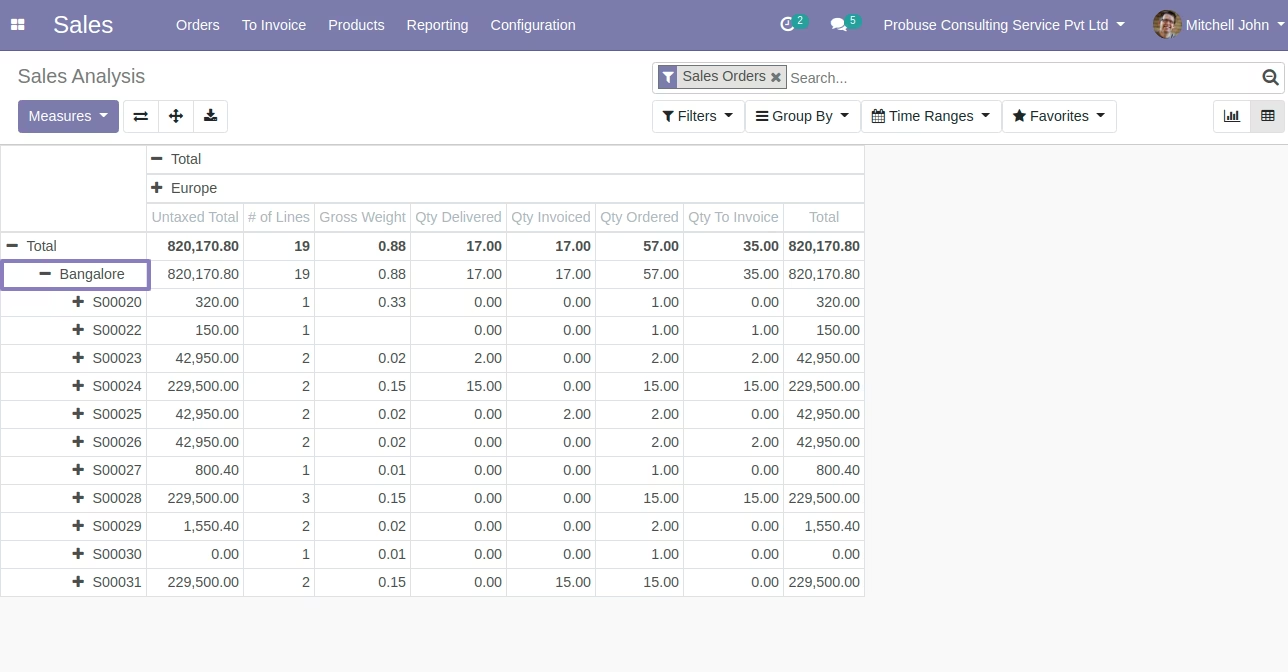
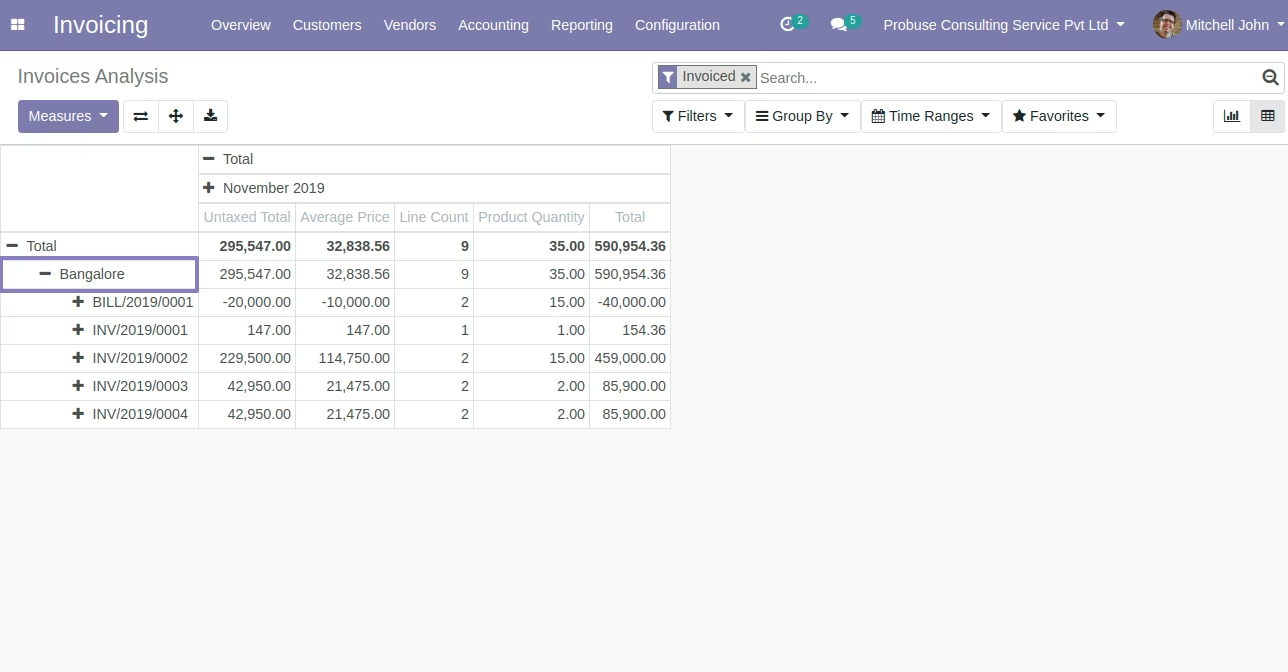
Branch Wise Analysis Report
Sales Analysis.
Invoice Analysis
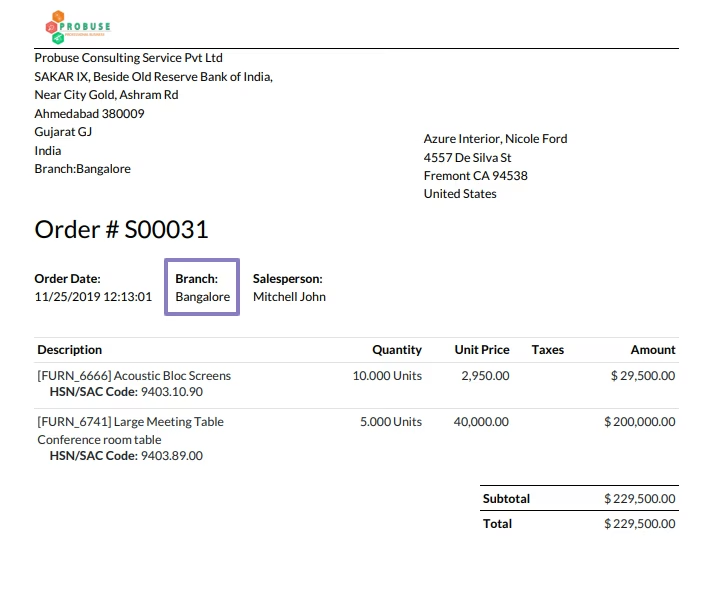
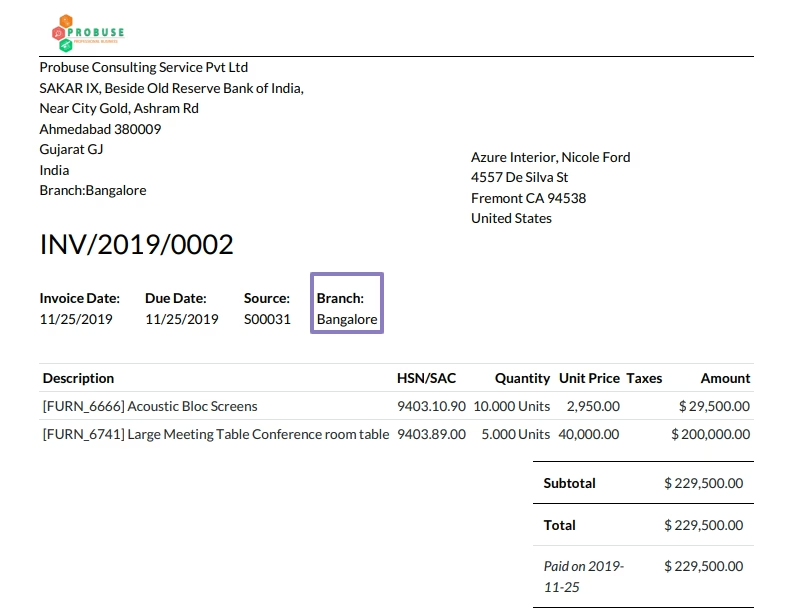
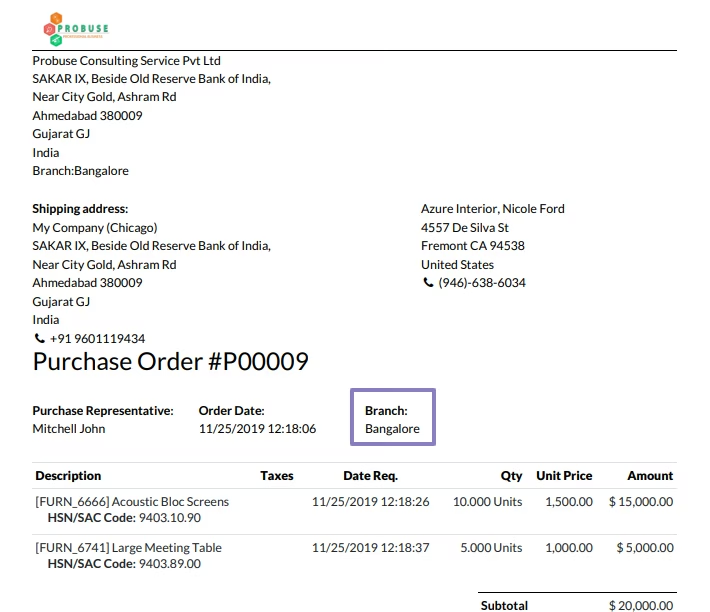
Branch Wise PDF Report
Sales Order
Invoice
Purchase Order
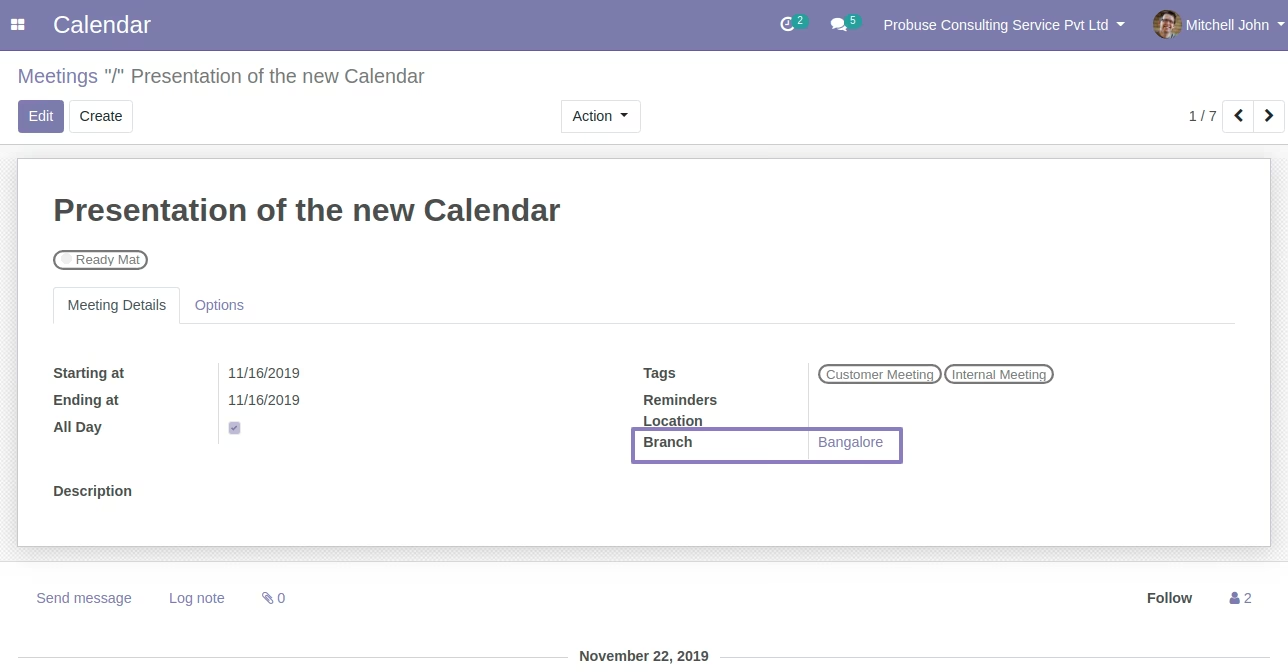
Branch On Calendar / Meetings
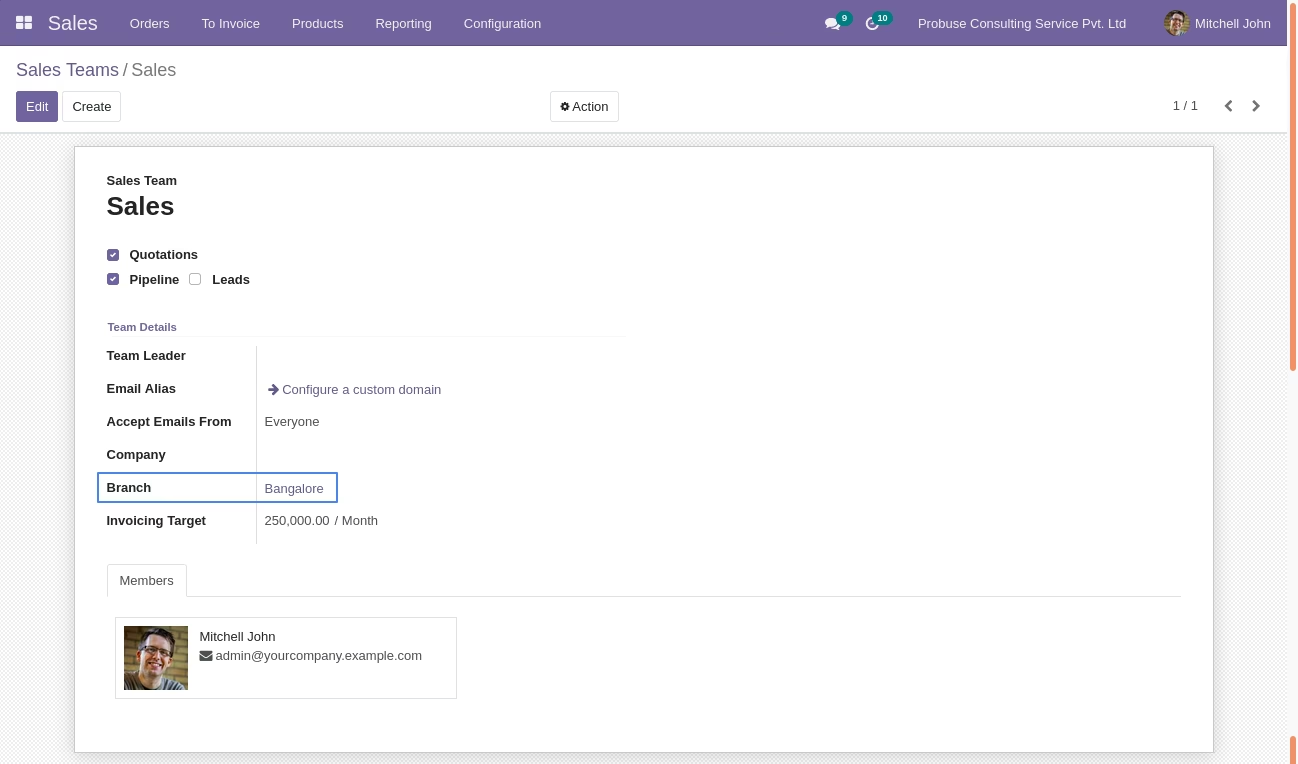
Branch on Sales Team Form
Branch Wise Analysis Report
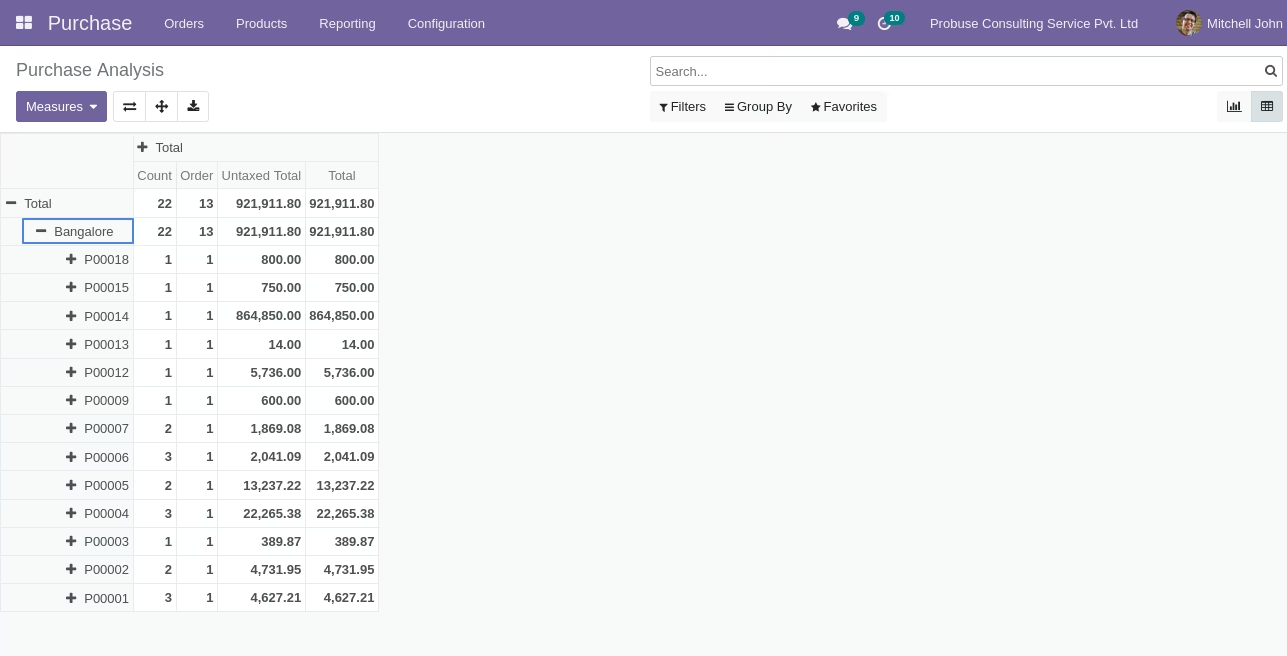
Purchase Analysis
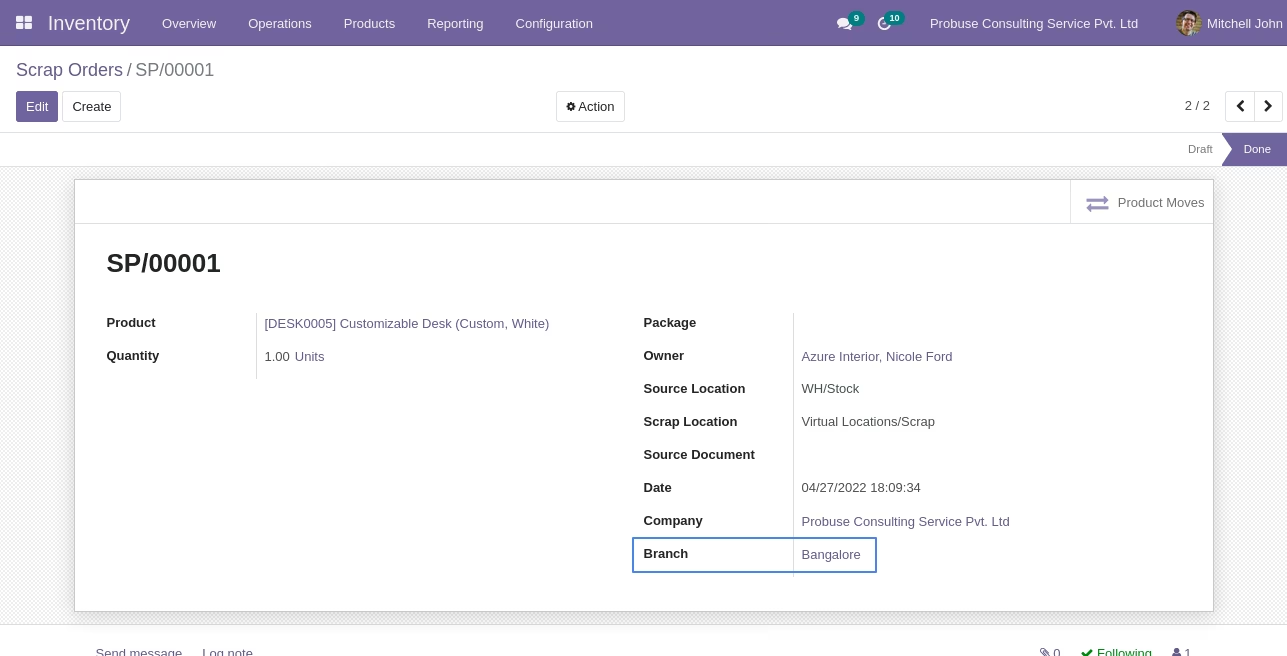
Branch on Scrap Form
Switch Branch Menu
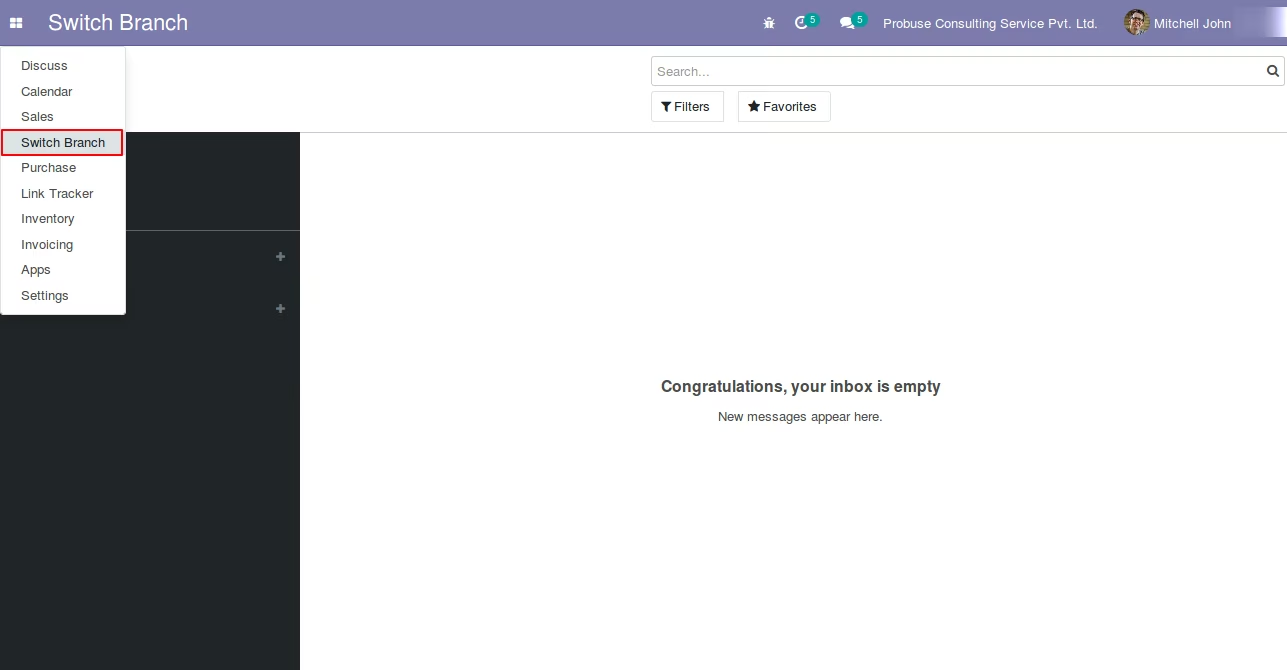
Switch Current Branch