Introduction
The module is an essential tool for businesses that operate with multiple branches or units under a single company. This module extends core purchasing functionality, allowing you to manage purchase requisitions and tender processes on a per-branch basis. It provides a structured and segregated workflow, enabling each branch to handle its procurement needs independently while maintaining centralized oversight. By bringing the same level of control and organization as multi-company environment to a multi-branch setup, this solution simplifies complex procurement scenarios, enhances security, and improves overall operational efficiency.
Key Features
Branch-Specific Procurement: Create and manage purchase requisitions and tenders for individual branches.
User Access Control: Assign users to specific branches, ensuring they can only access and manage the records relevant to their branch.
Seamless Integration: Works in conjunction with a base multi-branch module to extend branch functionality across contacts, products, sales, and accounting.
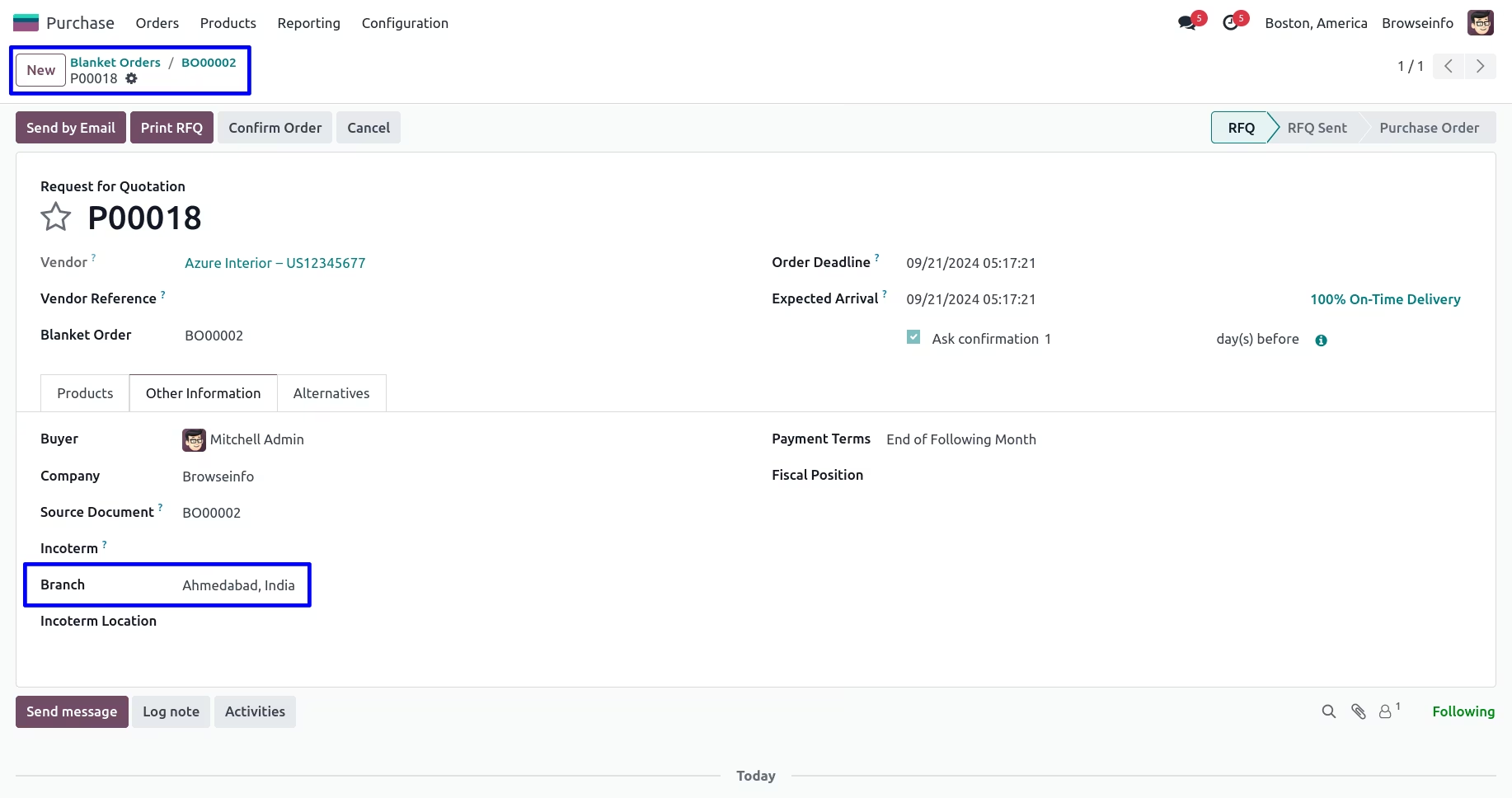
Automated Branch Assignment: The branch from the purchase agreement or requisition is automatically carried over to the corresponding purchase orders.
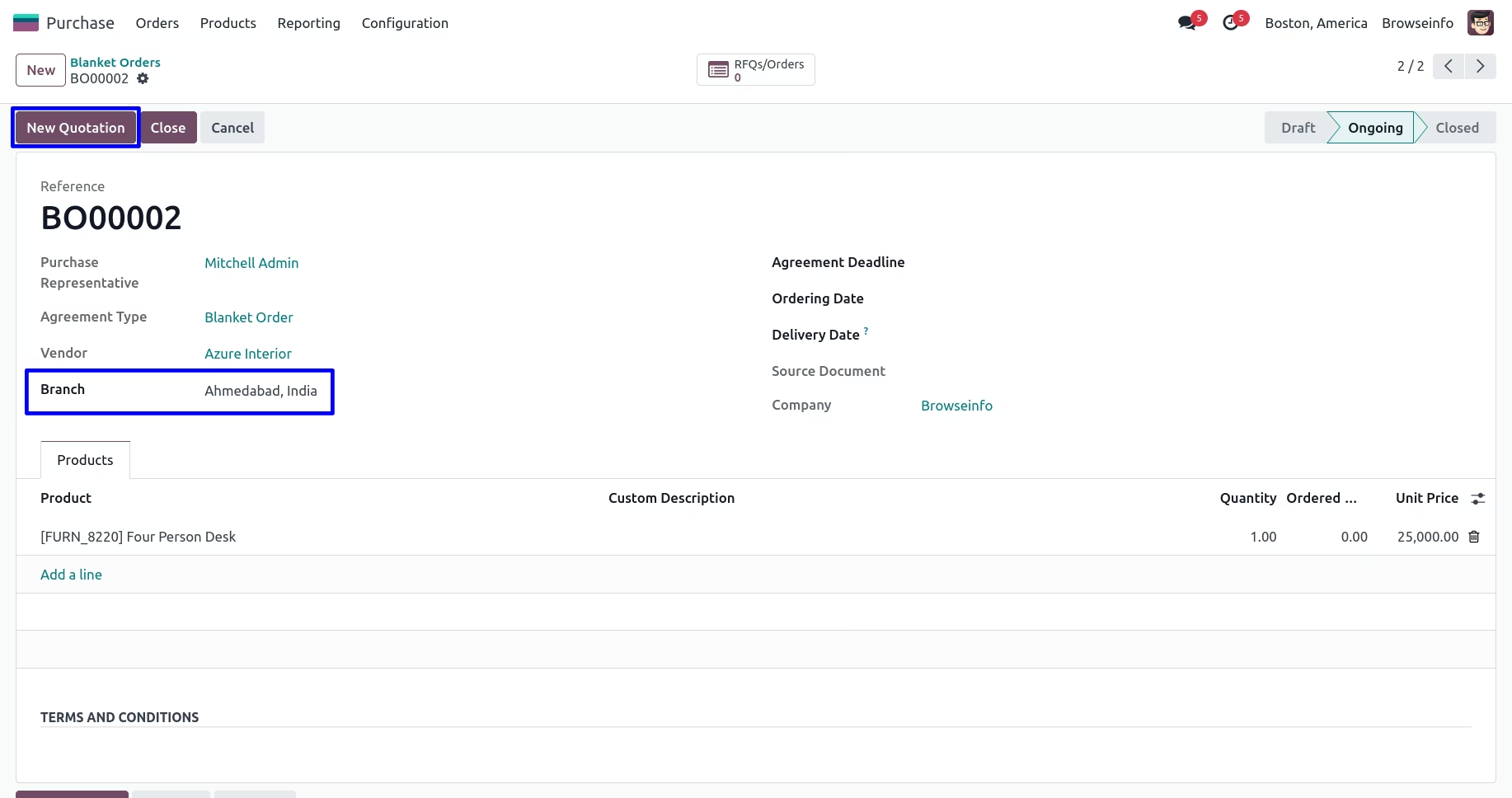
Clear Visibility: The assigned branch is clearly visible on all related documents, including purchase agreements and purchase orders.
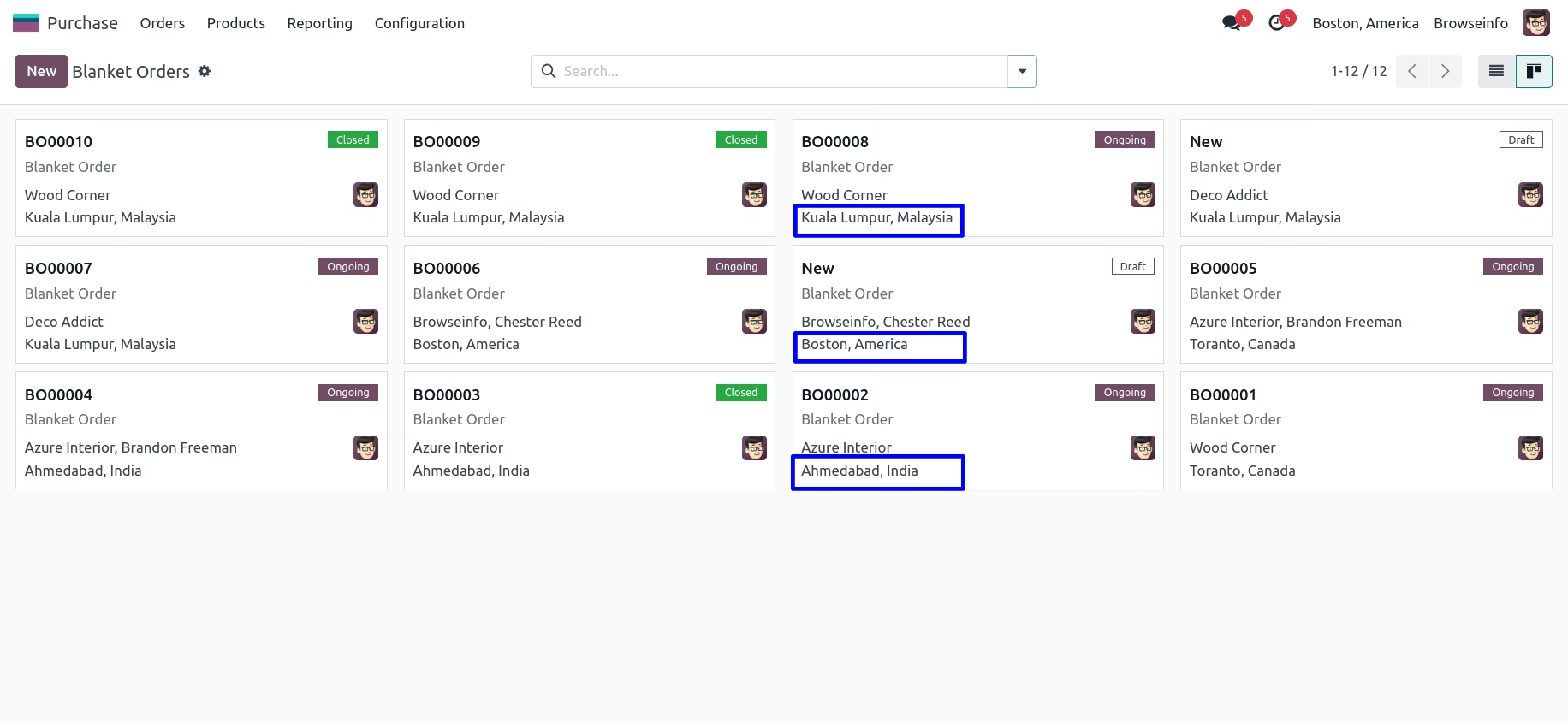
Kanban View: Easily track and manage the status of purchase agreements for each branch through an intuitive kanban view.
Centralized Branch Management: Create and configure all your business branches from a single, centralized settings menu.
Benefits
Improved Organization: Streamline your procurement process by segregating purchase requisitions and tenders by branch.
Enhanced Security: Control data access with branch-specific user rights, ensuring that sensitive information is only visible to authorized personnel.
Increased Efficiency: Automate the flow of information between purchase agreements and purchase orders, reducing manual data entry.
Better Control: Gain a clearer overview of the procurement activities and performance of each individual branch.
Simplified Management: Manage all your branch operations from within a single company environment, avoiding the complexity of a multi-company setup.
Greater Transparency: Easily track the origin and status of all purchase-related documents for each branch.
Purchase Requisition/Tendor Multiple Branches/Units Operations Setup Apps for Single Company.
Branch-Wise Tender Management
Multi-Branch Purchase Requisition
Single Company Multi-Branch Purchase
Streamlined Multi-Unit Purchase Requisition Setup
Do you want to manage multiple branch units of Purchase Requisition and Tendor management for single company? here you go, this apps helps users to make different branch for single company and use that branch for Purchase Requisition and Purchase Tendor management with multi-branch concept which works same as multi-company environment.This apps is depends on multiple branch apps which works for all generic application i.e Contact, Products, Sales,Purchase, Billing, Warehouse, Accounting , Point of Sale etc.
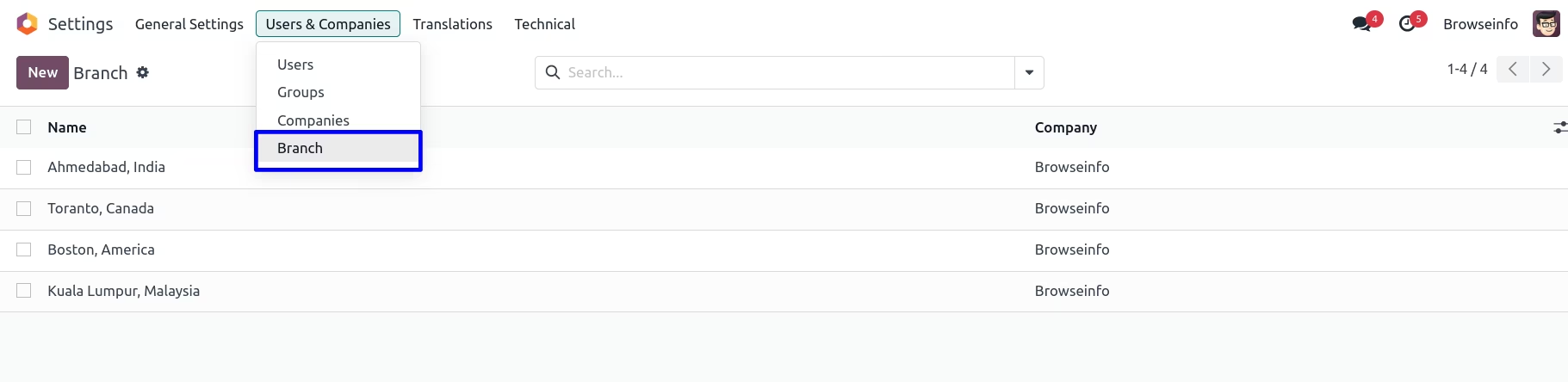
Create Multiple Branch
You can create Multiple Branch go to Settings > Users > Branch.
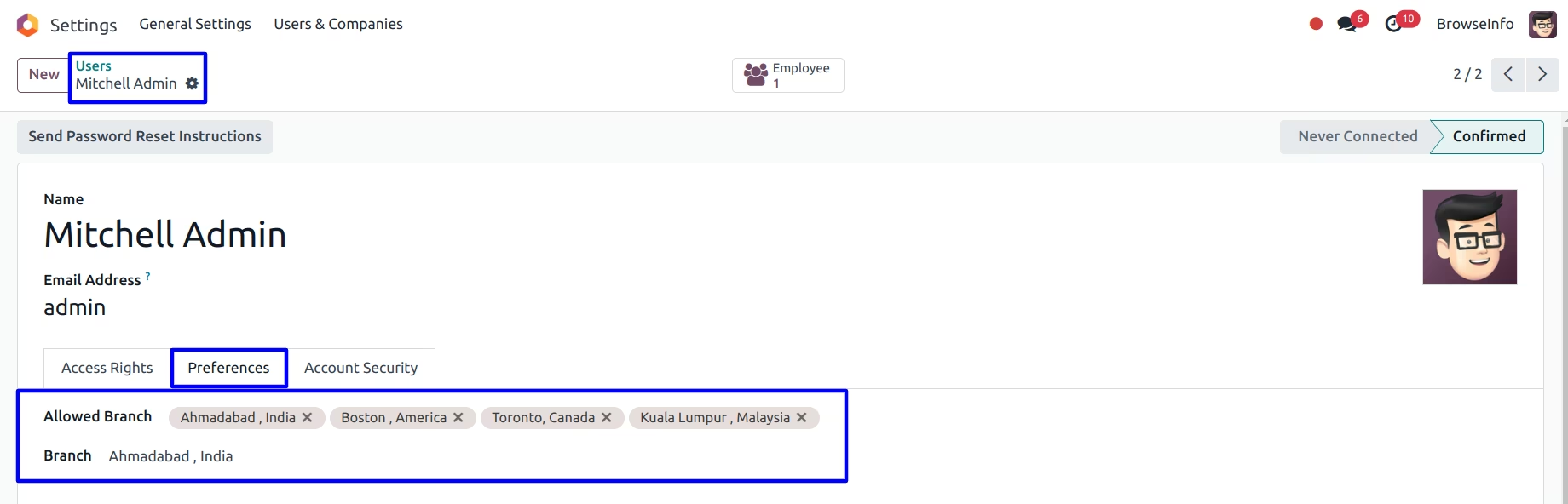
Assigning Branch
You can assign a branch for which specific user is belongs.
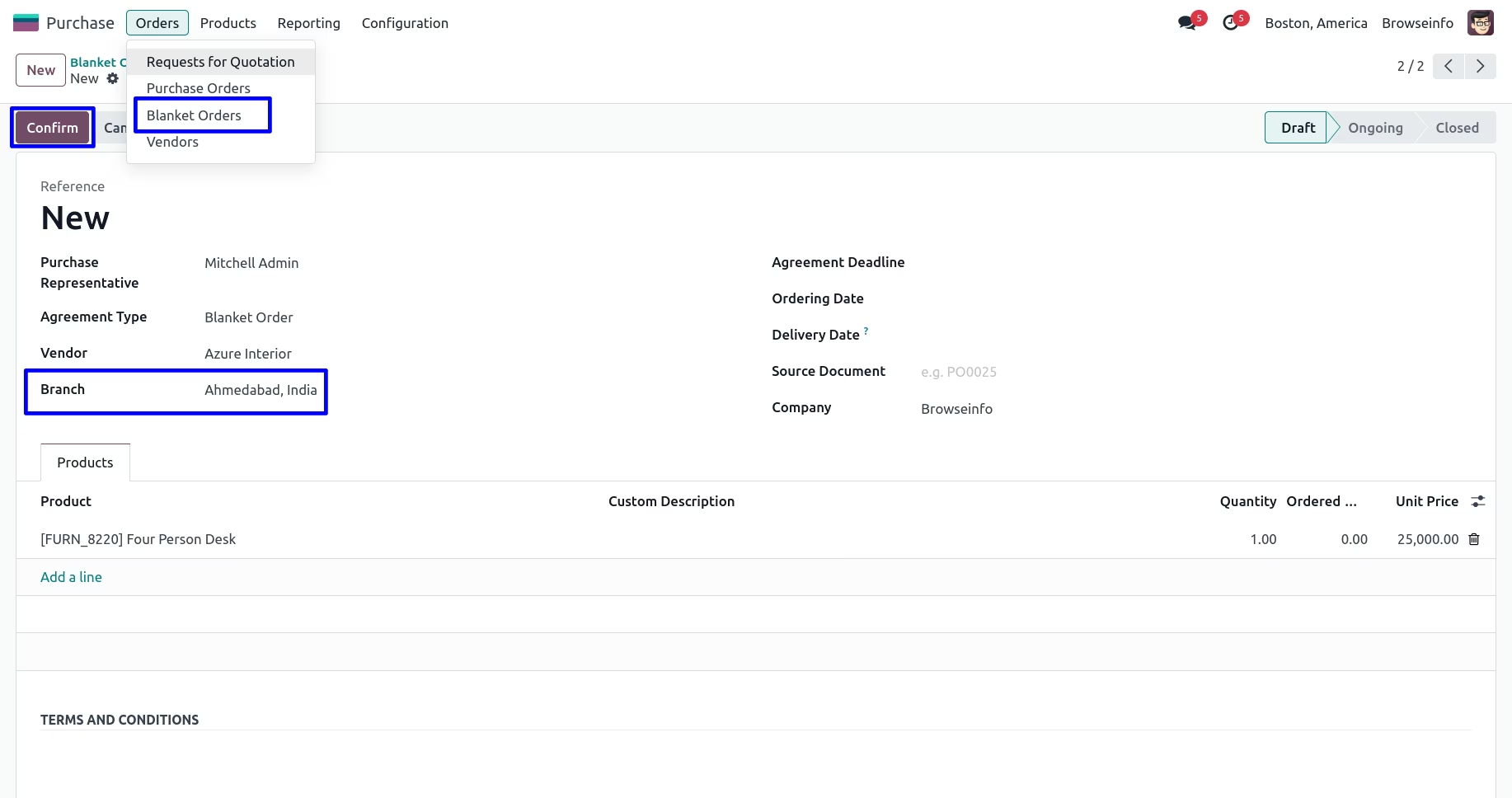
Branch On Purchase Agreements
Manager can set branch in purchase agreements/applications form.
Branch On Purchase Order
When you create purchase order from purchase agreements then selected branch will be passed on purchase order.
Purchase Agreements Kanban View
You can see branch on purchase agreements kanban view.