The module for enables businesses to manage production processes across multiple branches within a single company. This functionality allows for better control, segmentation, and reporting of manufacturing activities, ensuring each branch operates efficiently while maintaining centralized oversight.
Branch-Specific Manufacturing Orders: Assign manufacturing orders to specific branches, ensuring that production is tracked and managed at the branch level.
Branch-Specific Bill of Materials (BOM): Define and assign BOMs to individual branches, allowing for tailored production processes and material requirements.
Work Orders by Branch: Generate and manage work orders specific to each branch, facilitating localized production workflows.
Inventory Management per Branch: Track and manage inventory levels separately for each branch, ensuring accurate stock levels and efficient resource allocation.
Branch-Based Reporting: Generate reports that provide insights into manufacturing activities, inventory levels, and production efficiency by branch.
User Access Control: Assign users to specific branches, restricting access to data and operations pertinent to their assigned branch.
Enhanced Operational Efficiency: Streamline production processes by managing them at the branch level, reducing bottlenecks and improving throughput.
Improved Inventory Accuracy: Maintain accurate inventory records for each branch, minimizing stock discrepancies and optimizing resource utilization.
Tailored Production Processes: Customize BOMs and work orders to suit the specific needs and capabilities of each branch, enhancing product quality and consistency.
Centralized Oversight: Maintain centralized control over all branches while allowing for localized management, facilitating better decision-making and strategic planning.
Scalable Operations: Easily scale operations by adding new branches and integrating them into the existing manufacturing framework within.
Manufacturing Multiple Branch(Unit) Operation Setup Apps for Single company.
Manage Manufacturing by Branch
Branch-Wise MRP Management in Easily
Multi-Branch MRP Support for Single Company
Manufacturing with Branch Wise Operations
Do you want to manage multiple branch units of MRP for single company? here you go, this apps helps users to make different branch for single company and use that branch for Manufacturing application with multi-branch concept which works same as multi-company environment.This apps is depends on multiple branch apps which works for all generic application i.e Contact, Products, Sales,Purchase, Billing, Warehouse, Accounting , Point of Sale etc.
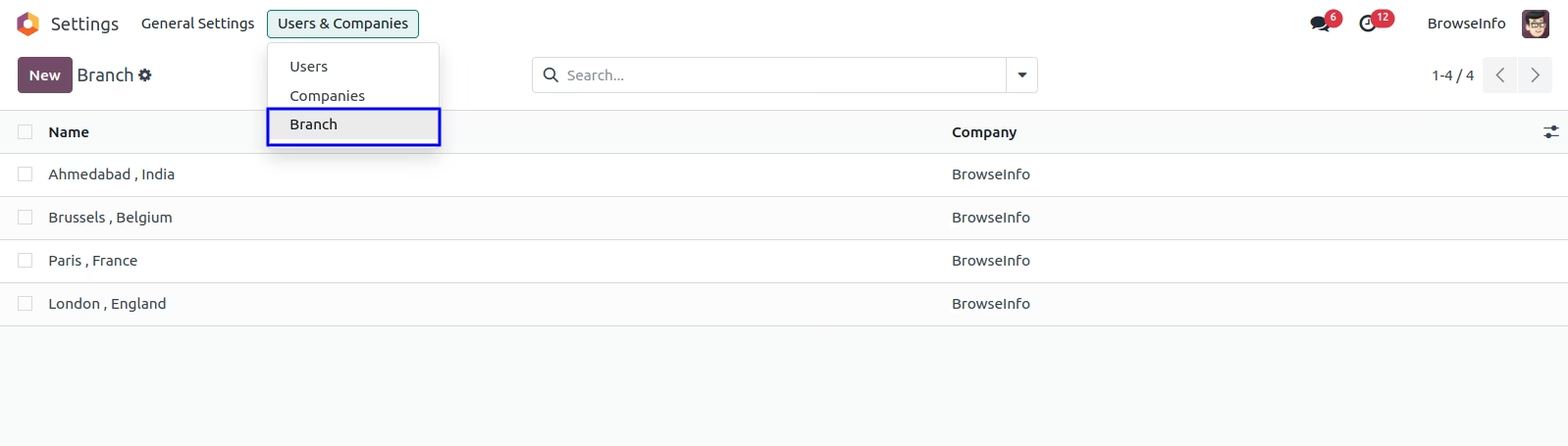
Create Multiple Branch
You can create Multiple Branch goto Settings > Users > Branch.
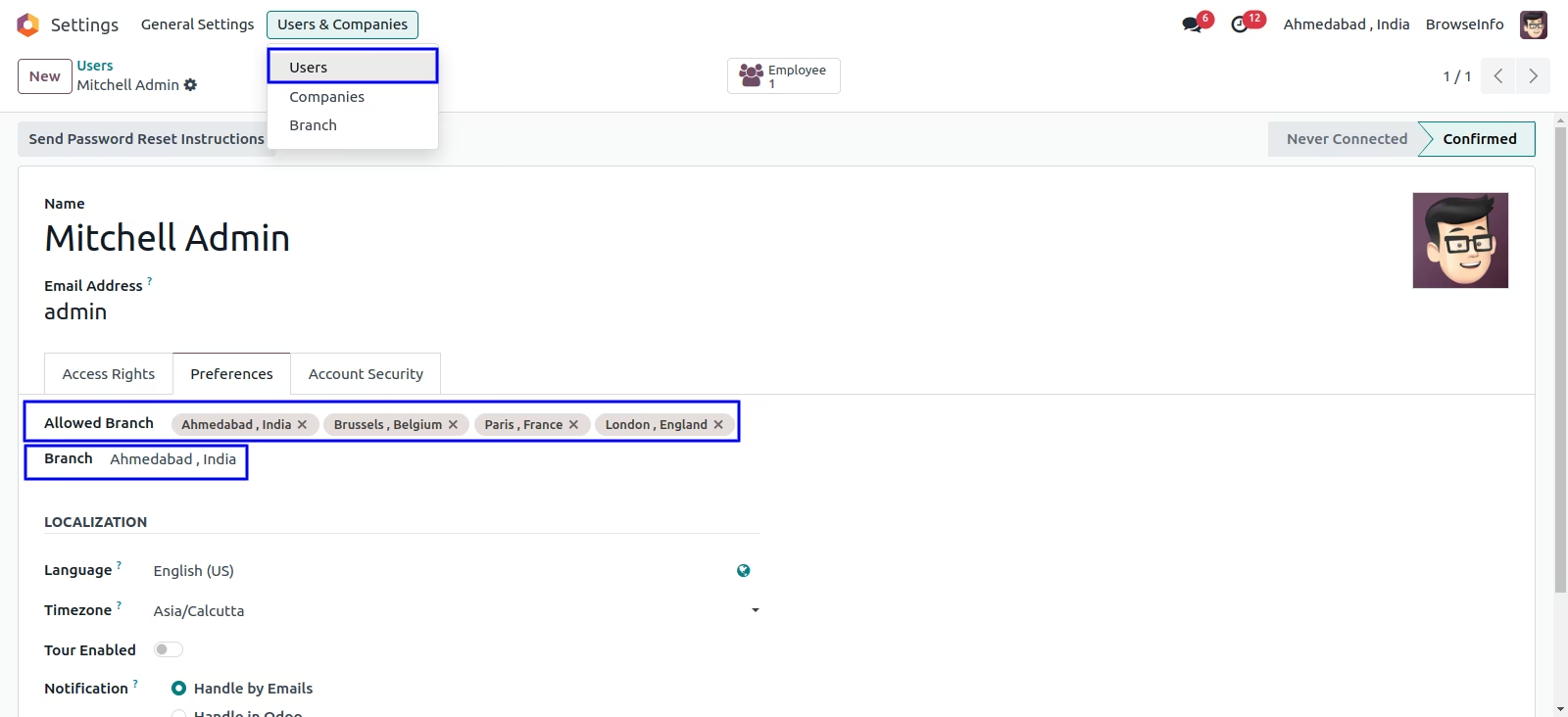
Assigning Branch
You can assign a branch for which specific user is belongs
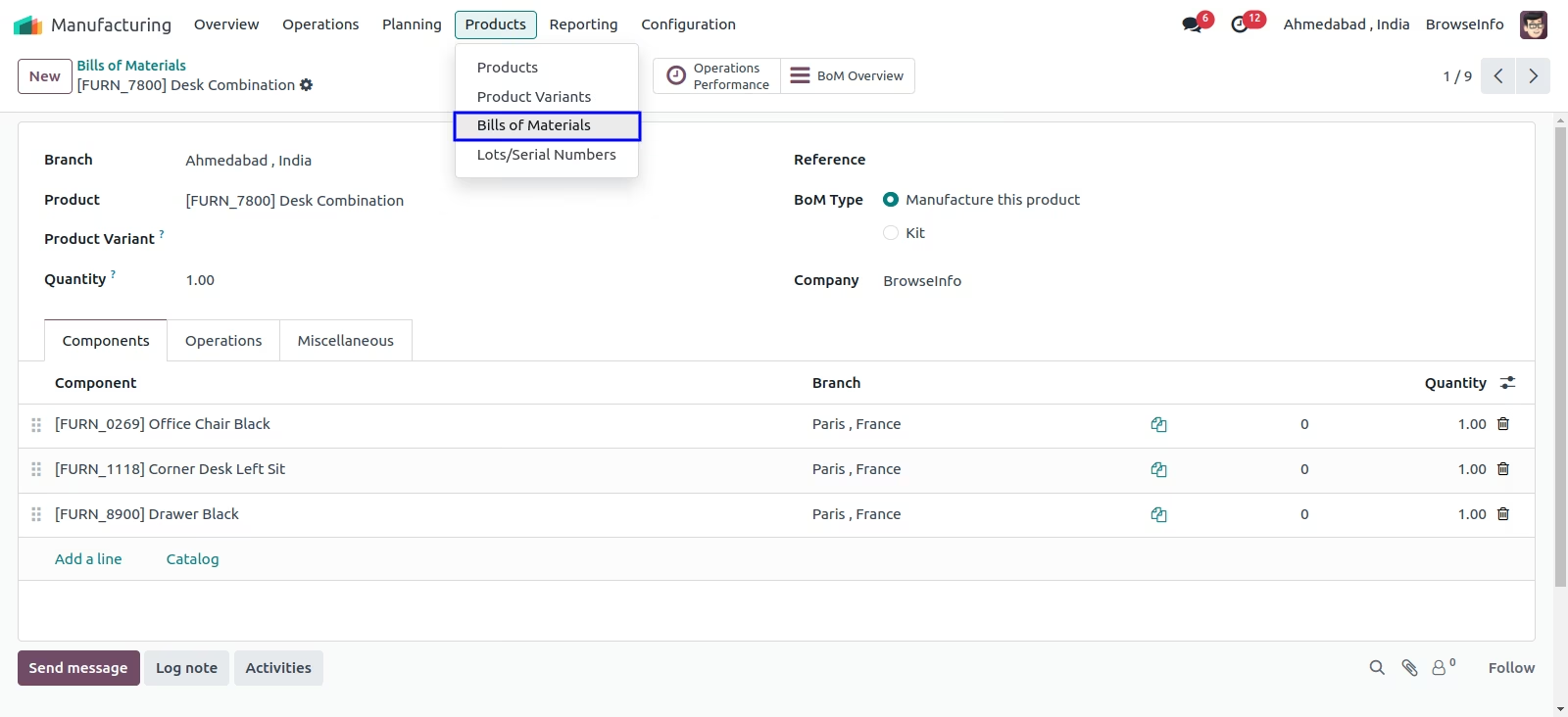
Branch On Bill of Material
In BOM default branch will be set from login user's branch also manager can set branch in Bill of Material
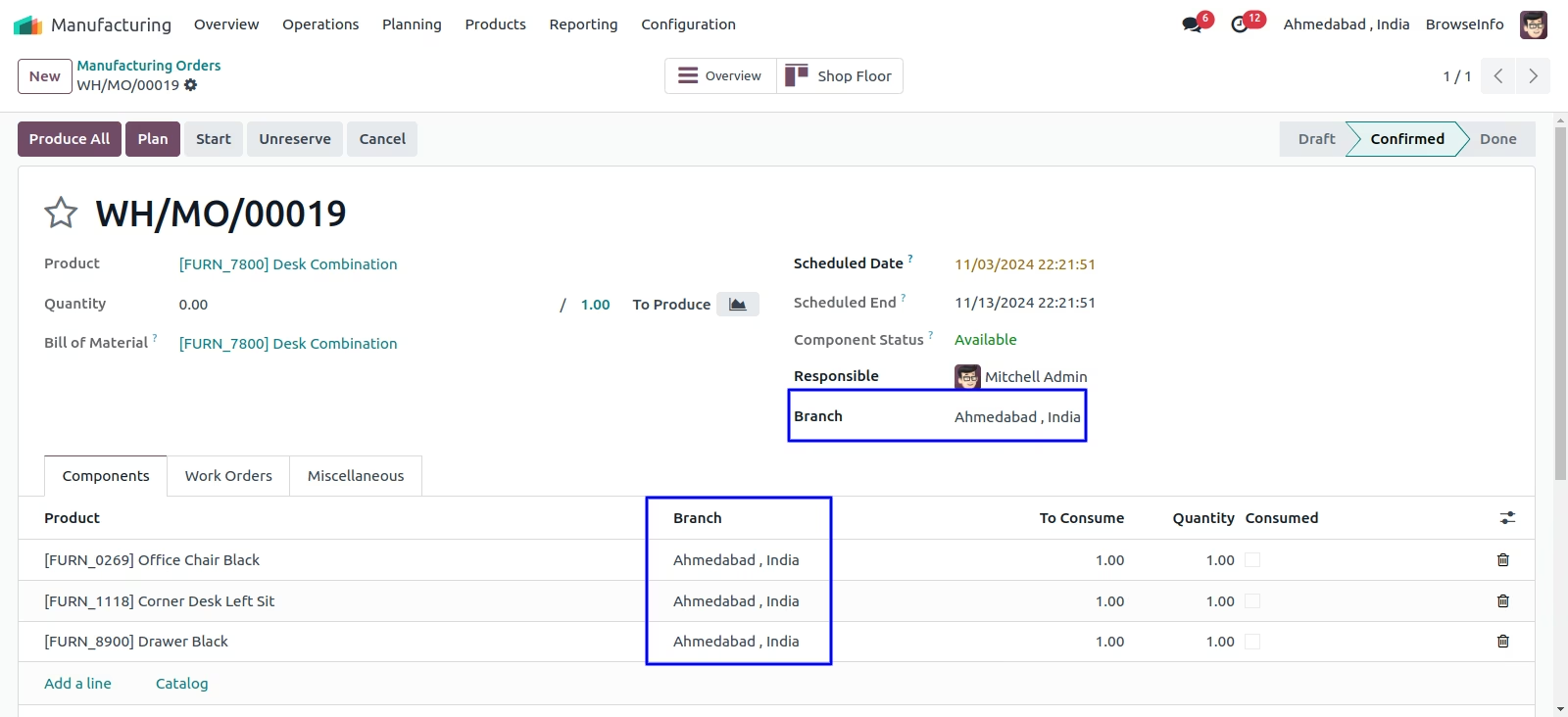
Branch On Manufacturing Order
In manufacturing orders branch is set based on selected bom products.
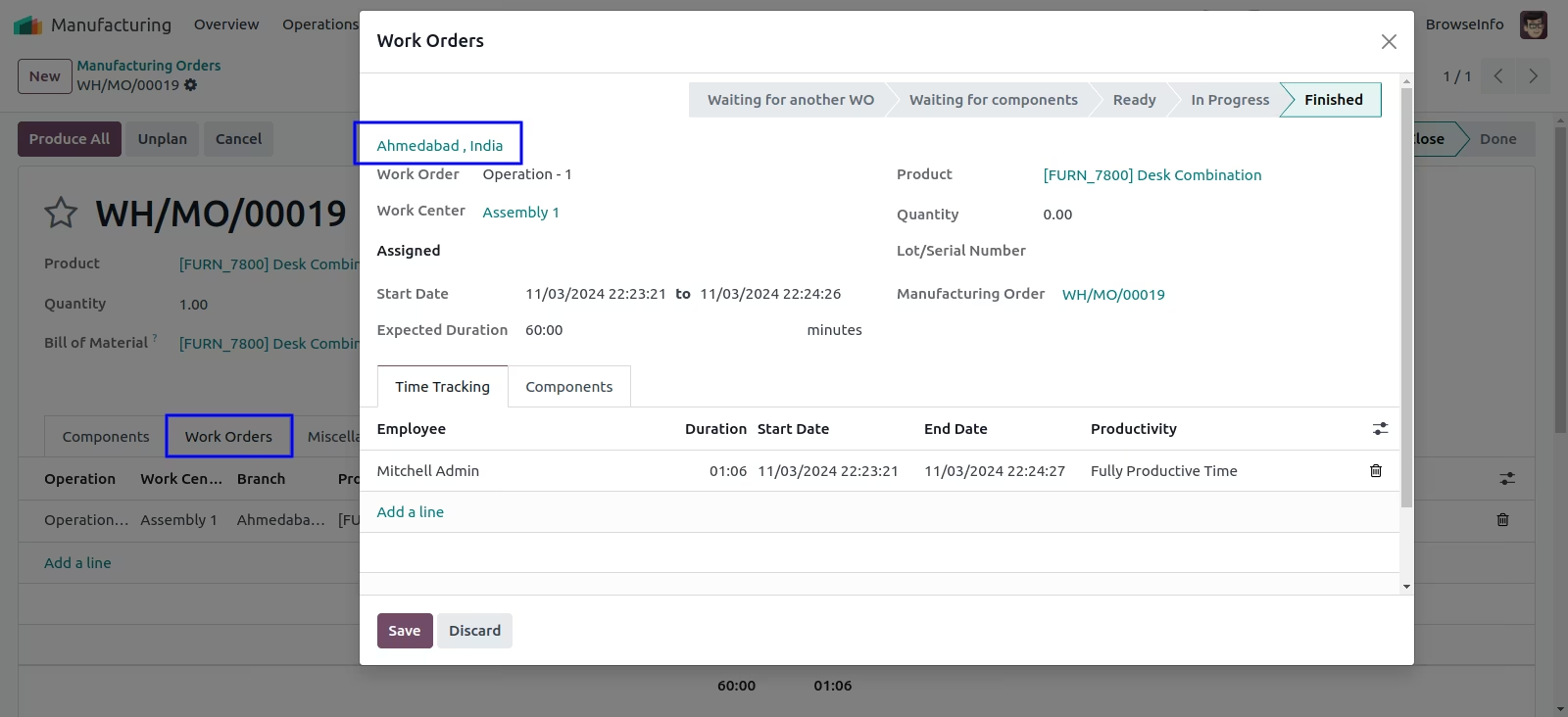
Branch On Workorder
In Workorder branch is set based on manufacturing orders.
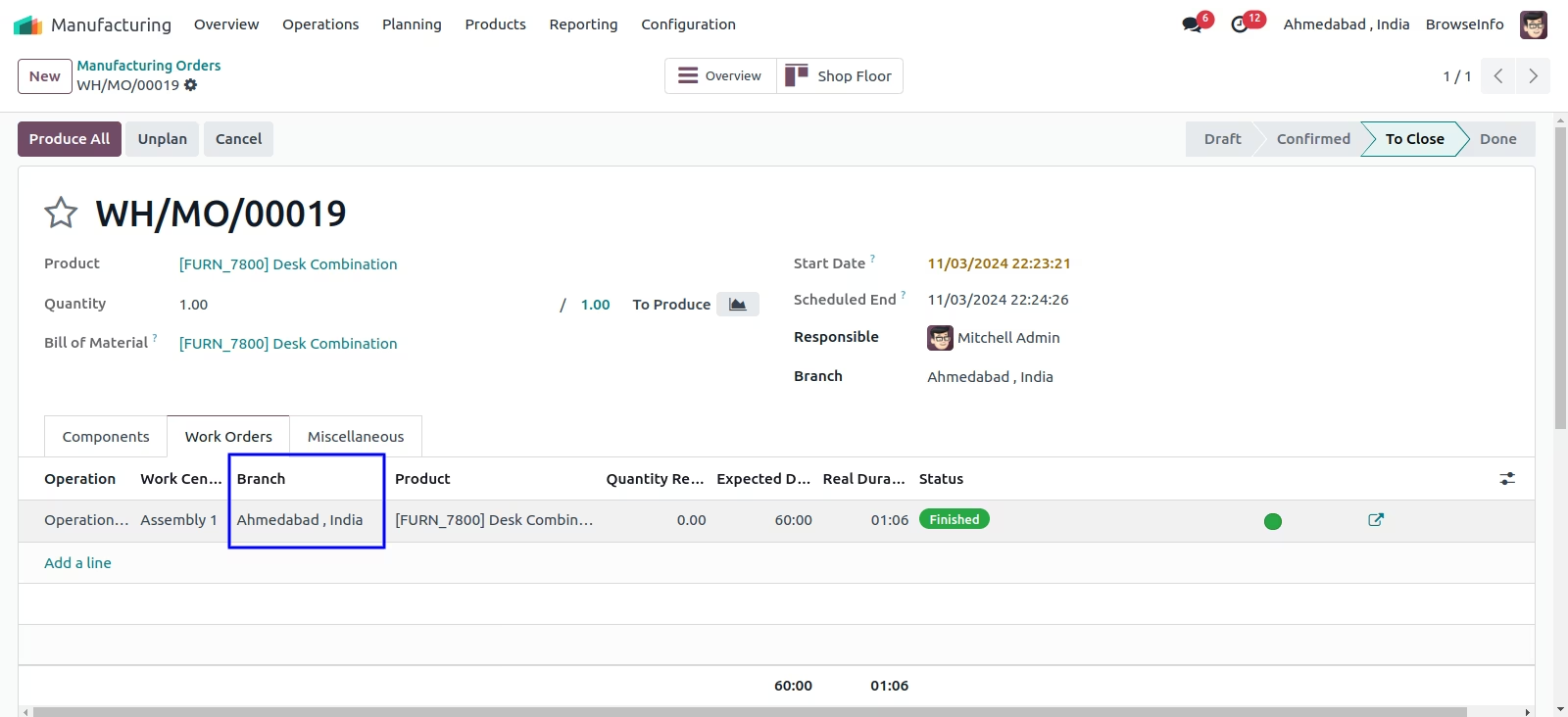
Branch Passed to the Finished Products
When you done workorder then selected branch will be set on finished products
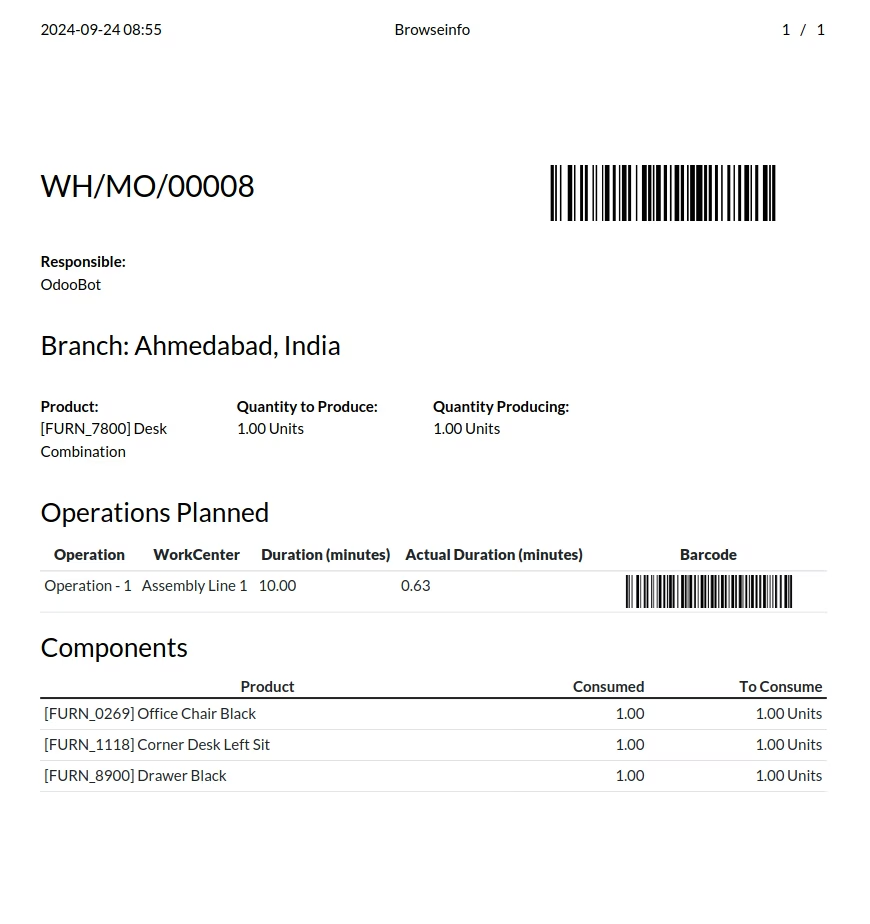
Manufacturing Order Report
You can aslo view branch on report of manufacturing order