The Multi-Branch POS module is a comprehensive solution for businesses that operate multiple retail stores or branches under a single company. This module extends powerful Point of Sale system to a multi-branch environment, allowing you to manage each location as a separate entity while maintaining centralized control. From configuring branch-specific POS settings to tracking sales, payments, and inventory for each location, this module provides a streamlined and efficient way to manage your entire retail network. It eliminates the complexity of a multi-company setup, offering a more intuitive and integrated approach to multi-branch retail management.
Branch-Specific POS: Configure and operate separate Point of Sale sessions for each of your company's branches.
User and Branch Association: Assign users to specific branches, ensuring they can only access the POS and data relevant to their location.
Seamless Integration: Works in conjunction with a base multi-branch module to extend branch functionality across sales, purchasing, inventory, and accounting.
Automated Branch Tagging: The branch is automatically assigned to all POS orders, payments, and related stock moves.
Branch-Specific Reporting: Generate and view POS analysis reports on a per-branch basis to track the performance of each location.
Customizable Receipts: Print branch-specific details, such as address and logo, on POS receipts.
Centralized Management: Create and manage all your branches and their POS configurations from a single, centralized interface.
Improved Organization: Streamline your retail operations by segregating all POS data and activities by branch.
Enhanced Control: Gain better control over your multi-location retail business with branch-specific management of sales and inventory.
Increased Efficiency: Automate the flow of information from your POS to your accounting and inventory systems, reducing manual data entry.
Greater Visibility: Get a clear overview of the sales performance and stock levels of each individual branch.
Simplified Management: Manage all your retail operations from within a single company environment, avoiding the complexities of a multi-company setup.
Better Data Security: Control access to sensitive sales and inventory information with branch-specific user rights.
Multiple Branch/Unit(operation) Management with POS Apps for Single Company
Multi-Branch App with Access Control
Multi-Branch Support for Sales, POS, Accounting
Manage Multiple Branches in One Company
Separate Branch Records in Single Environment
Do you have multiple unit for single company? Do you want them to works as separate entity inside the company? Here you go, This multiple branch management apps helps users to make different branches for single company with multi branch concept which works same as multi-company environment. Also Don't worry about the access rights too, We have added branch user/manager roles inside the module, Branch user can only access records of its specific branch and Branch manager can see records of all Branches. Branch functionality added to Sale Order, Purchase Order, Invoice/Billing, Accounting, Warehouse, Products and Point Of Sale etc.
You can also manage multiple branch with multi company environment. For each company you can add several branches also multi company rules is already applied on branch object, so if user don't have access of company then that user can't have access of branch of that specific company.
Multi branch apps works for both community and enterprise edition with all generic application like contact, product, sales, purchase, warehouse,billing, accounting , point of sale etc.We have other separate apps available for Manufacturing,Projects, Subscription, Helpdesk etc, you can see that on store and If you can't see it contact us, we will help you on that. If you are using enterprise edition and don't want to use specific application i.e POS , then don't worry we will simply remove that dependency for you without any extra cost.
Looking for Multiple Branch Accounting Enterprise Reports Apps, please check below module link
Looking for Multiple Branch Accounting Community Reports Apps,please check below module link
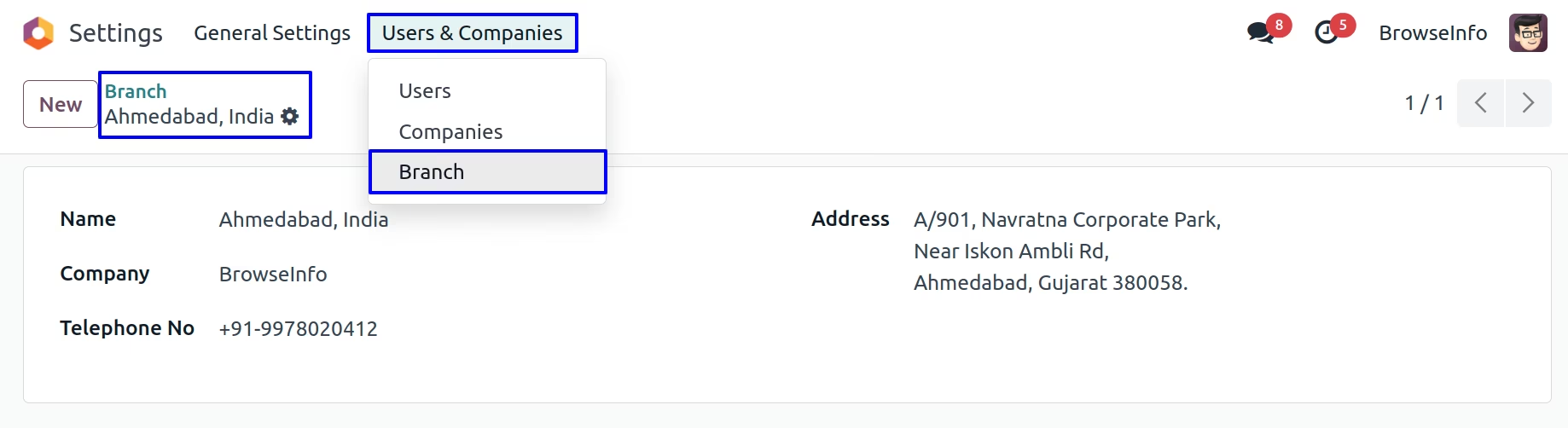
Create Multiple Branch
You can create multiple branch from Settings > Users > Branch
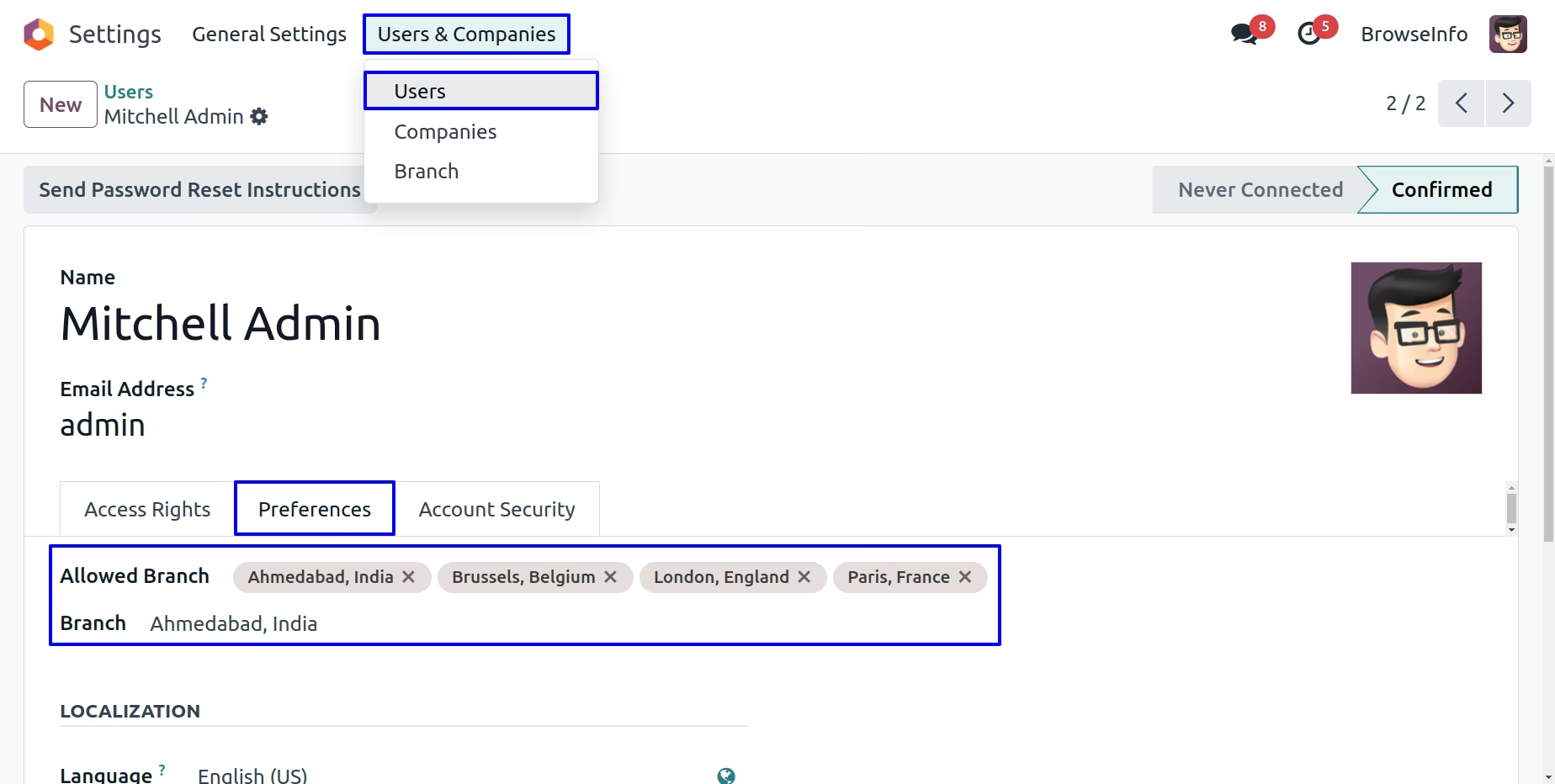
Assign Branch User
You can assign a branch for which specific user is belongs
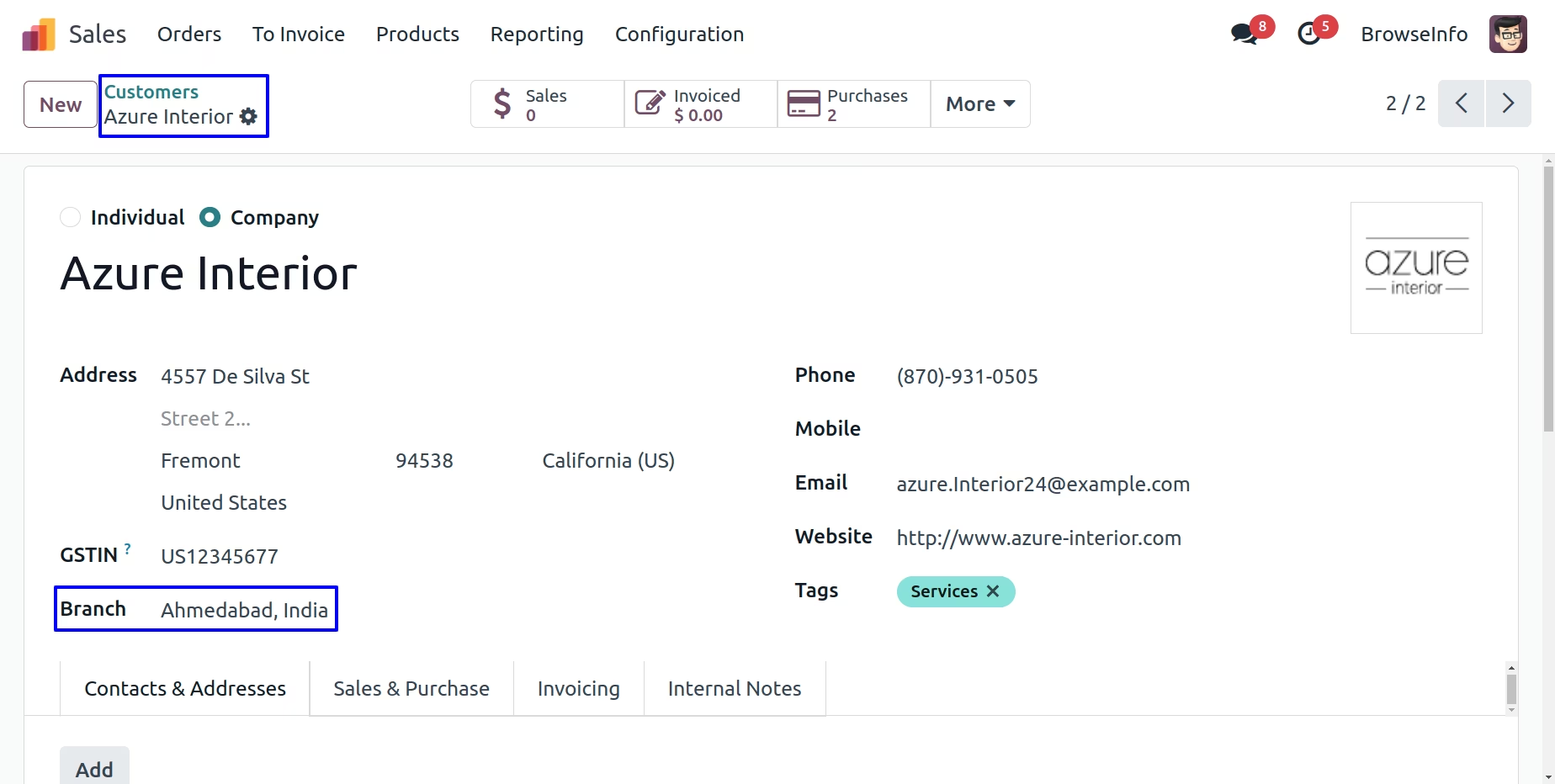
Branch On Customer
User can set customer for specific branch by selecting branch on customer
Branch On Product Template
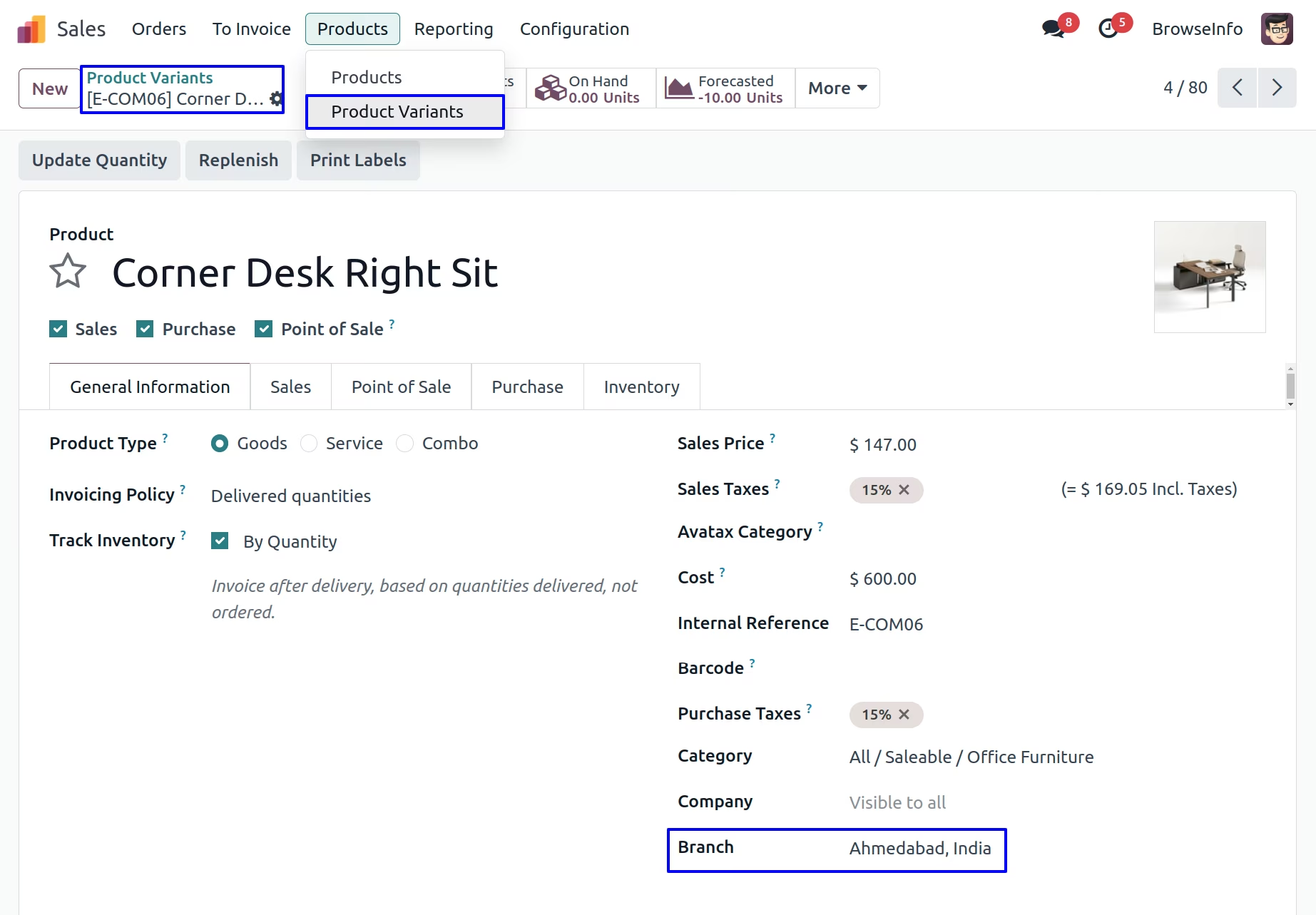
User can set branch on product template, selected branch on product template will automatically added to product variant
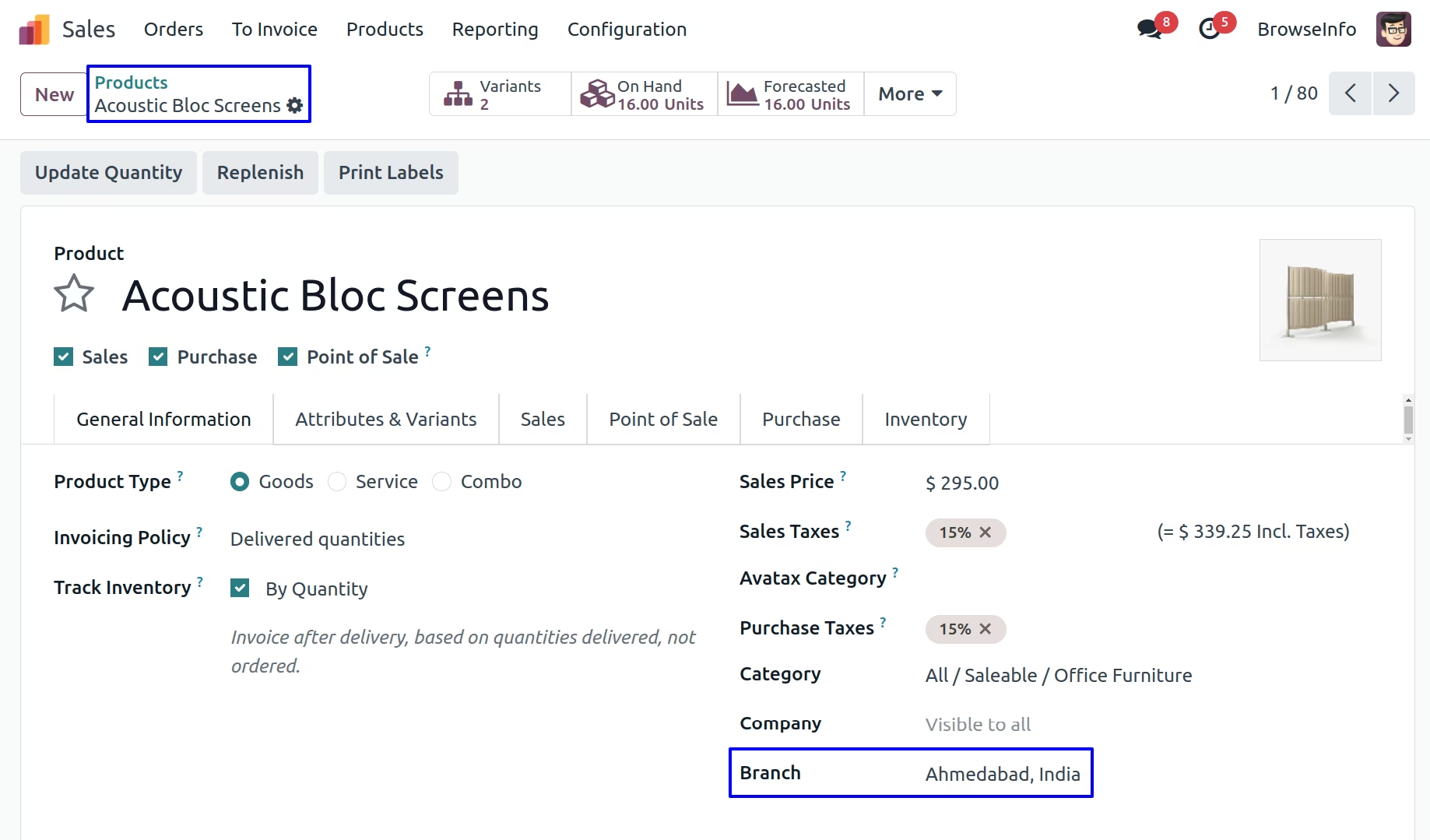
Branch On Product Variant
Branch on Point of Sale Flow
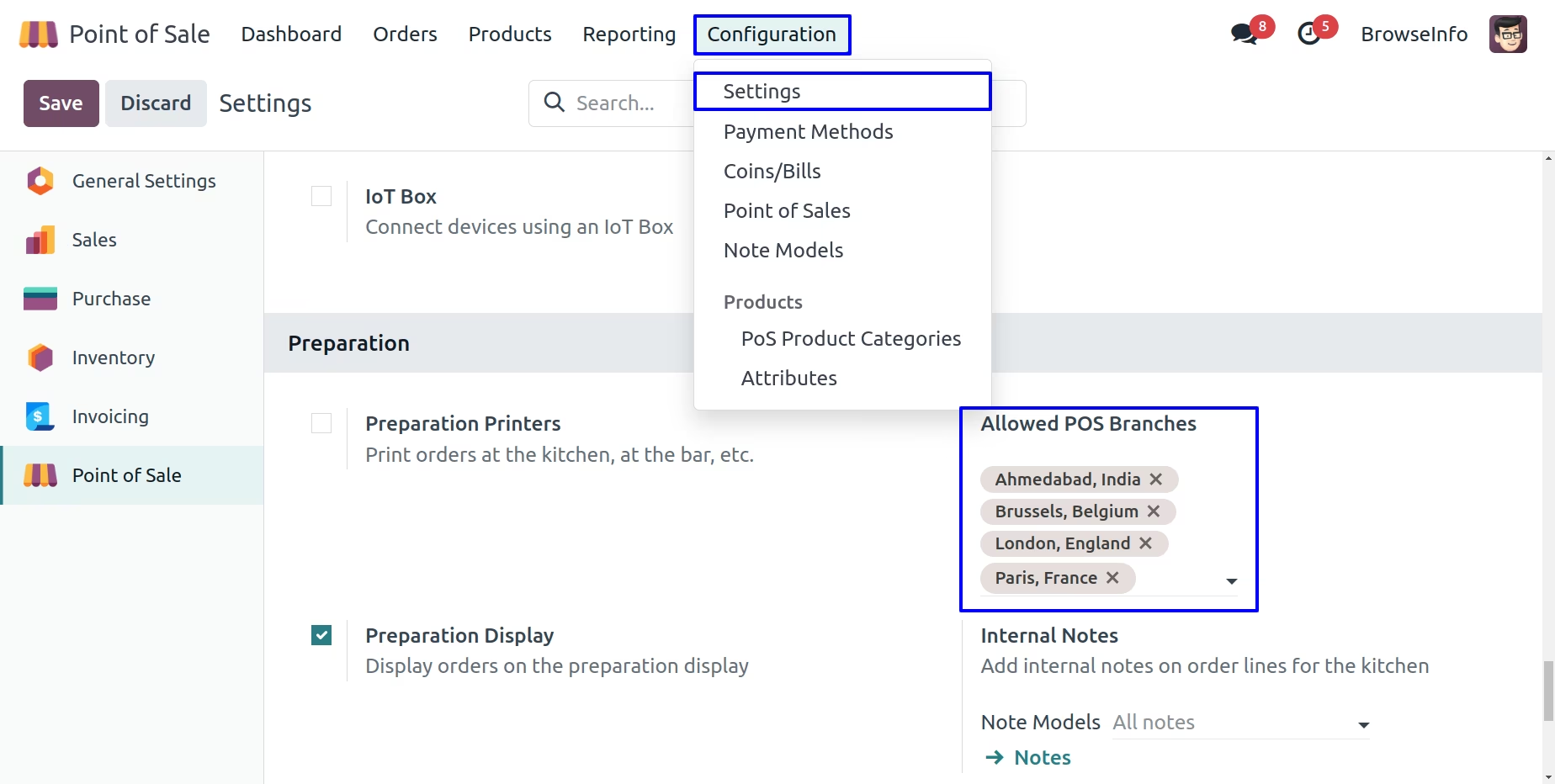
POS Branch Configuration
User can set allowed pos branches on Point of Sale > Configurations > Point of Sale menu and this allowed pos branches only available to select for pos.
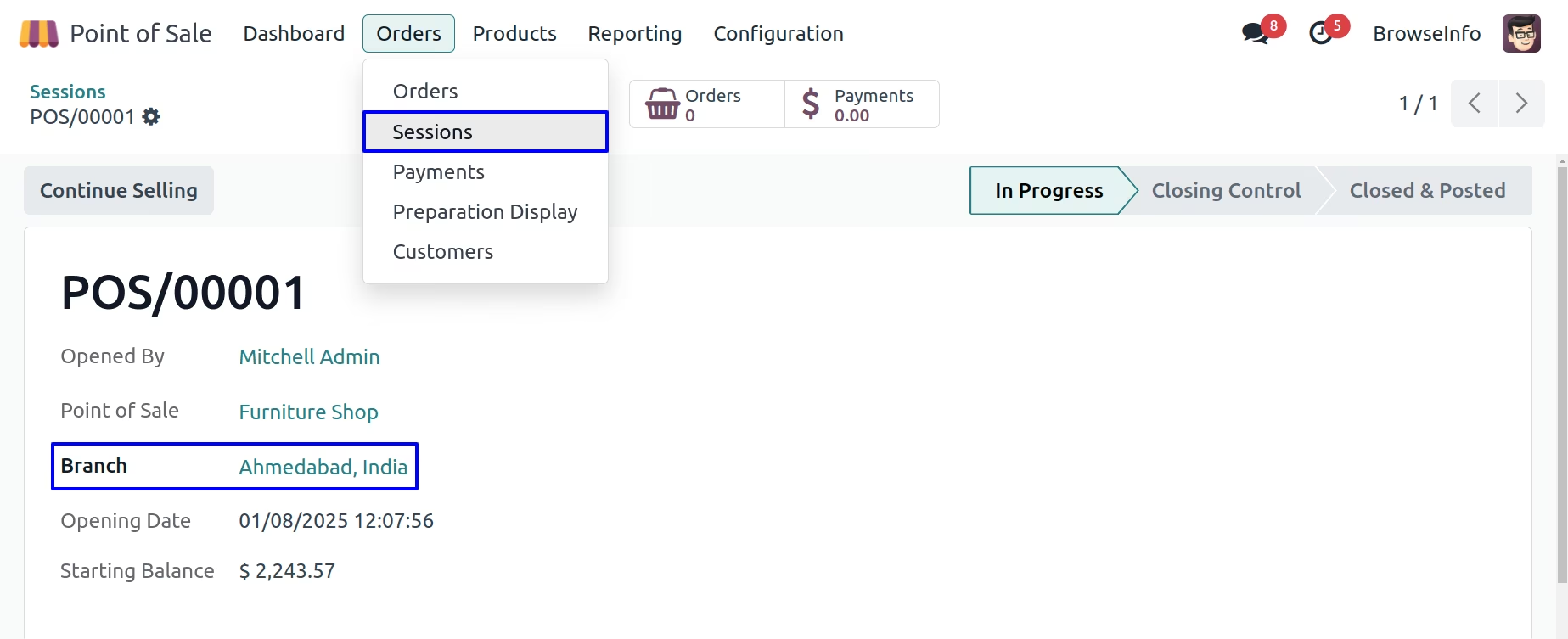
Branch on Session
On point of sale login user's branch will be pass in the POS session.
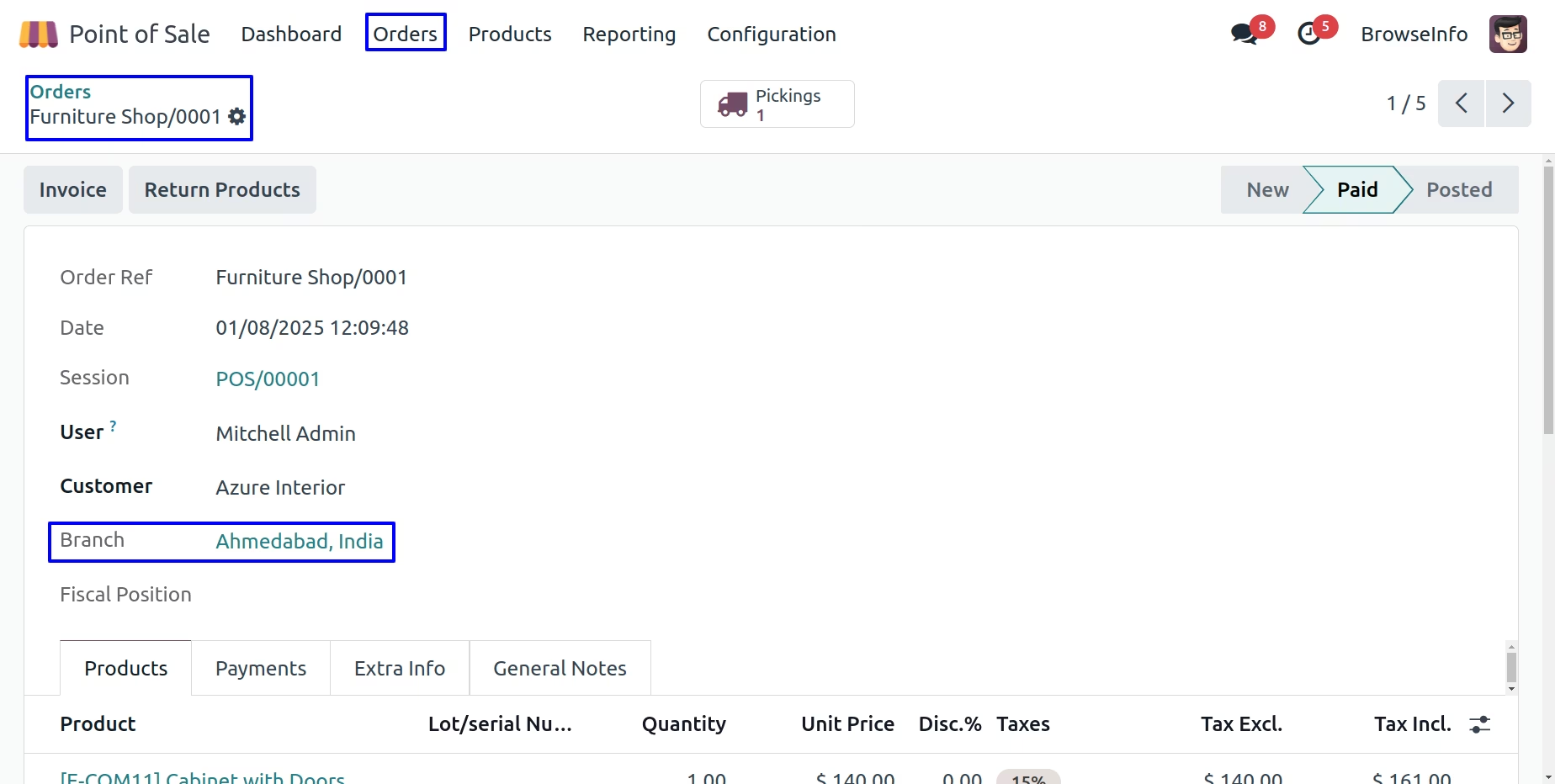
Branch on POS Order
On point of sale order branch will set based on session used to create pos order.
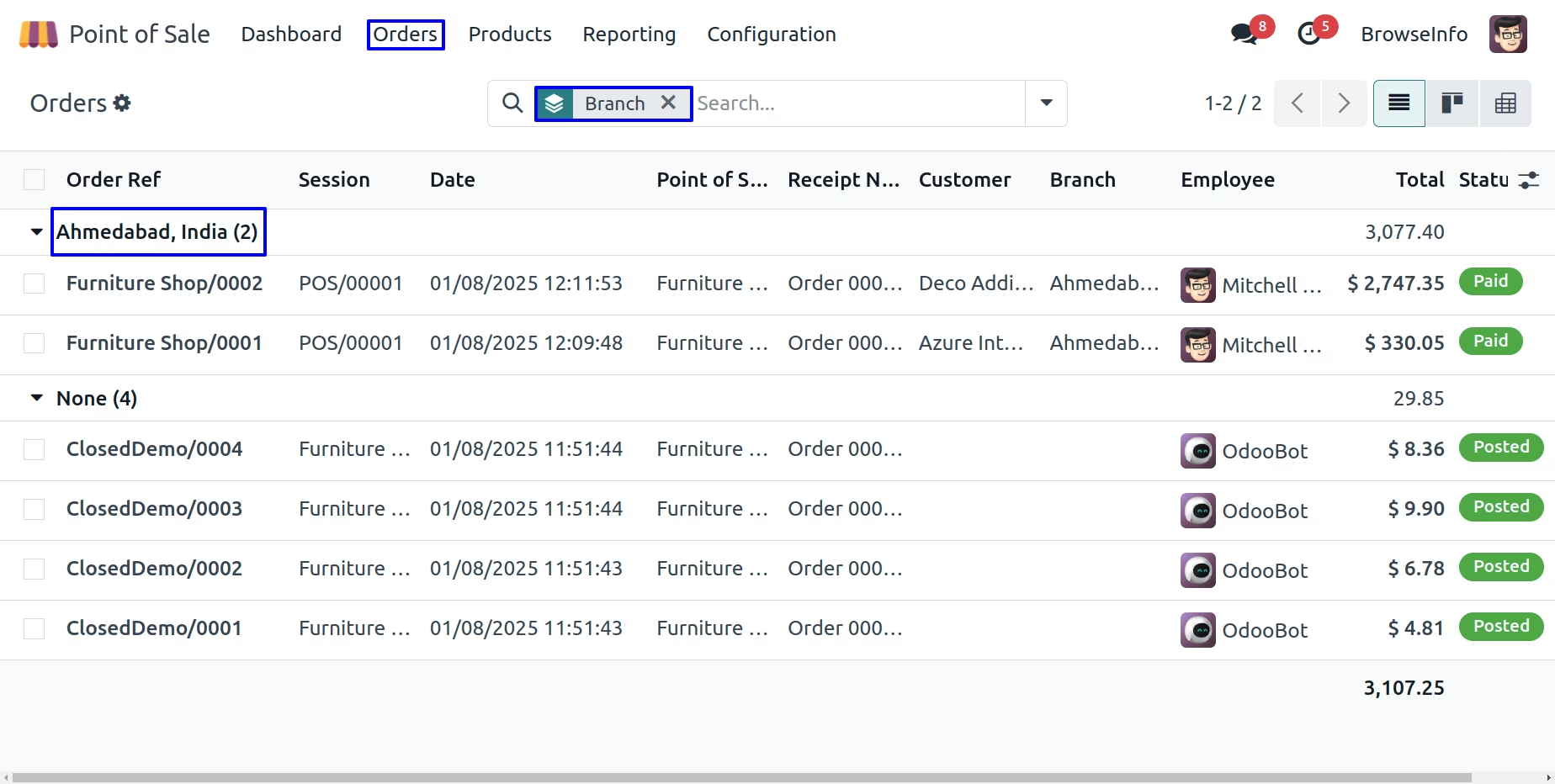
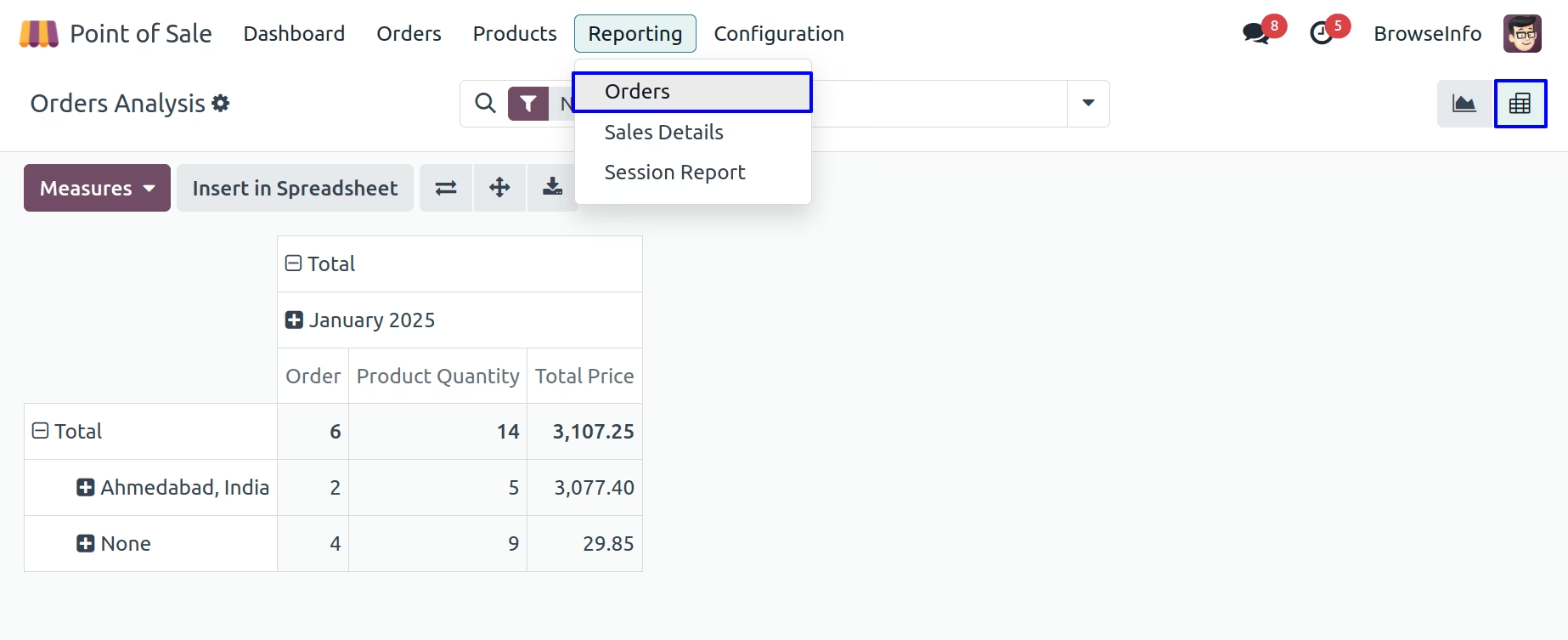
User can also group by point of sale order using "Branch" filter
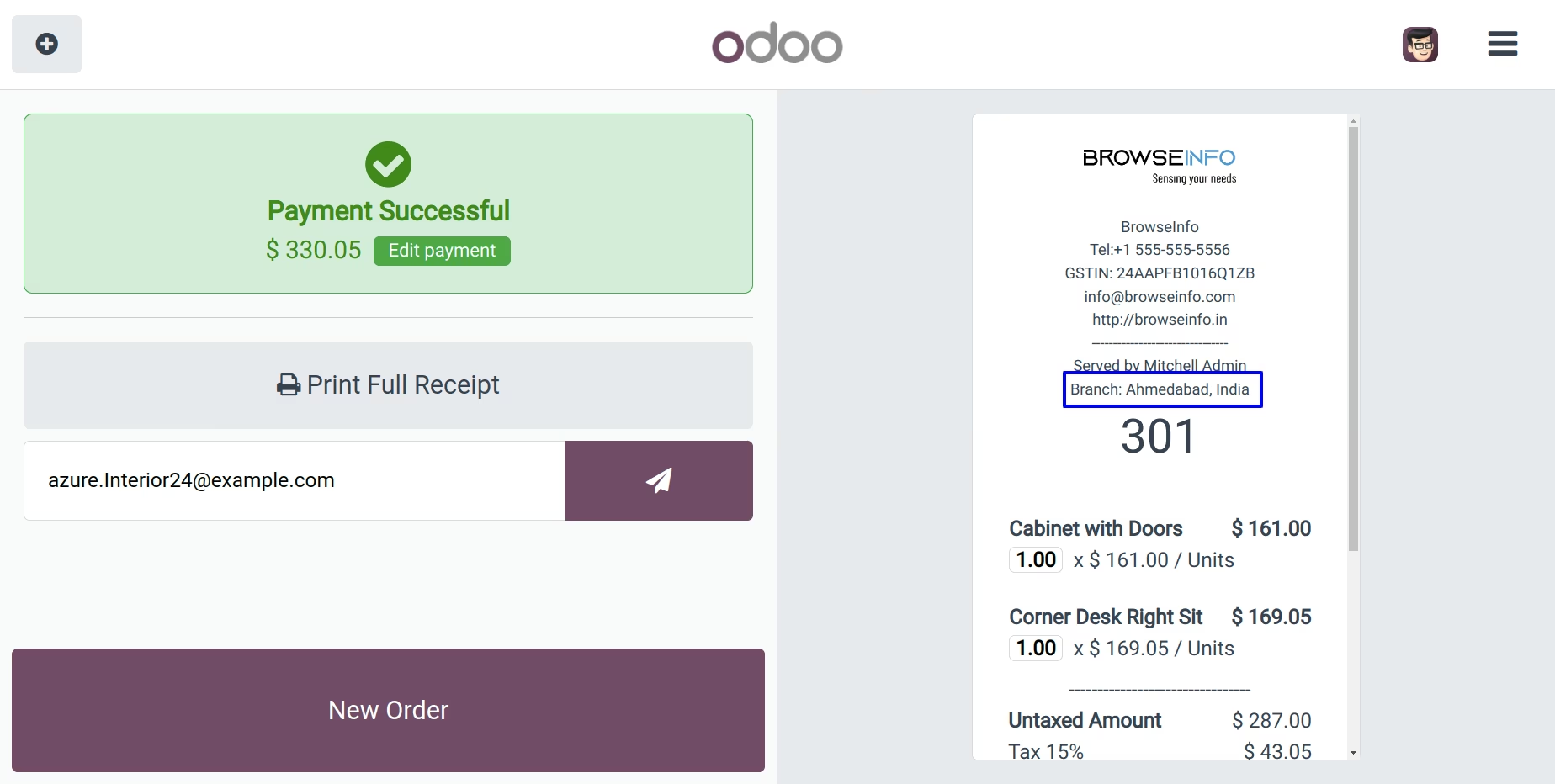
Branch on POS Receipt
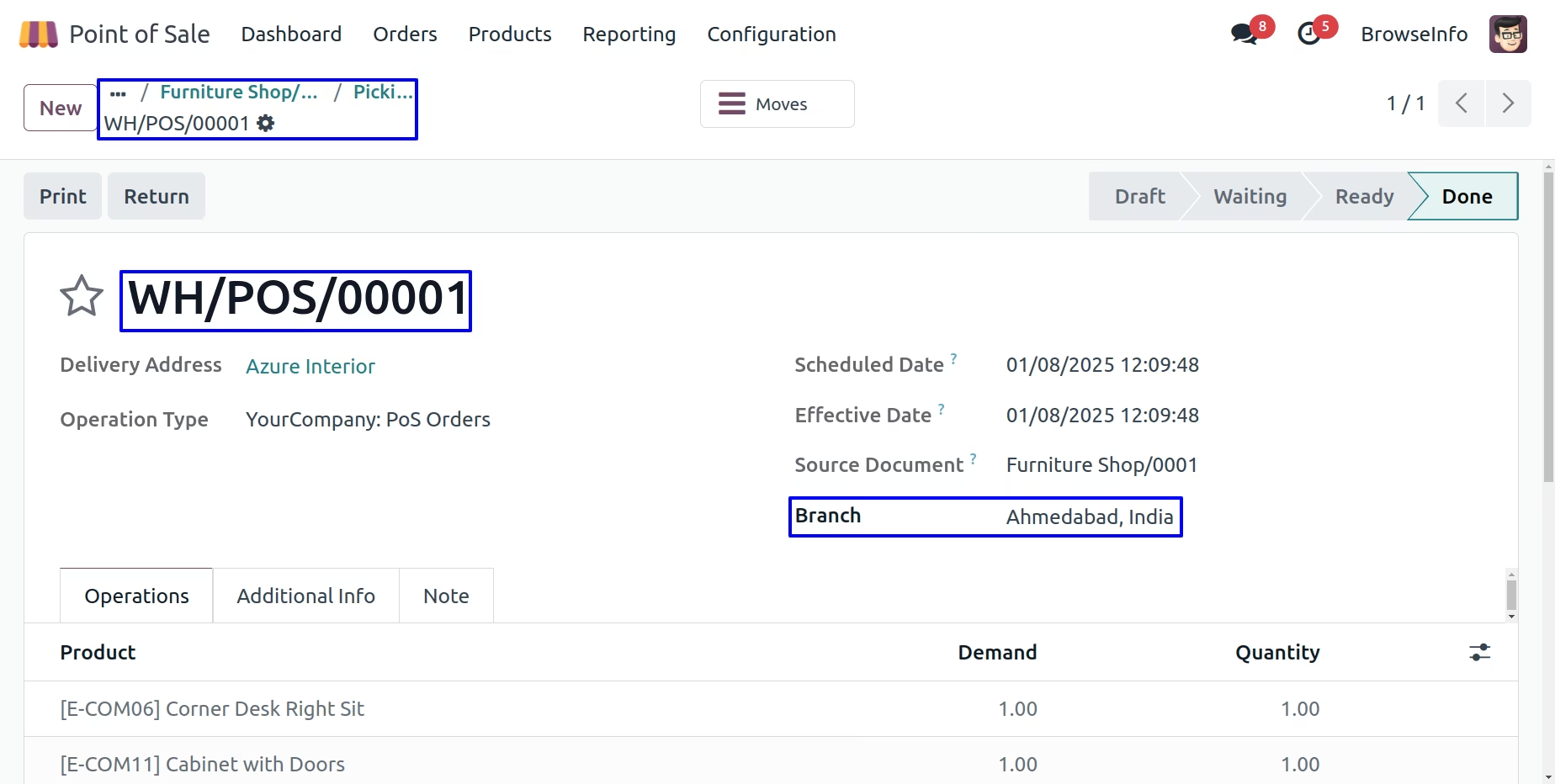
Branch on POS Picking
Branch on POS Analysis Report
Branch on Sales Flow
Branch on Sales Order
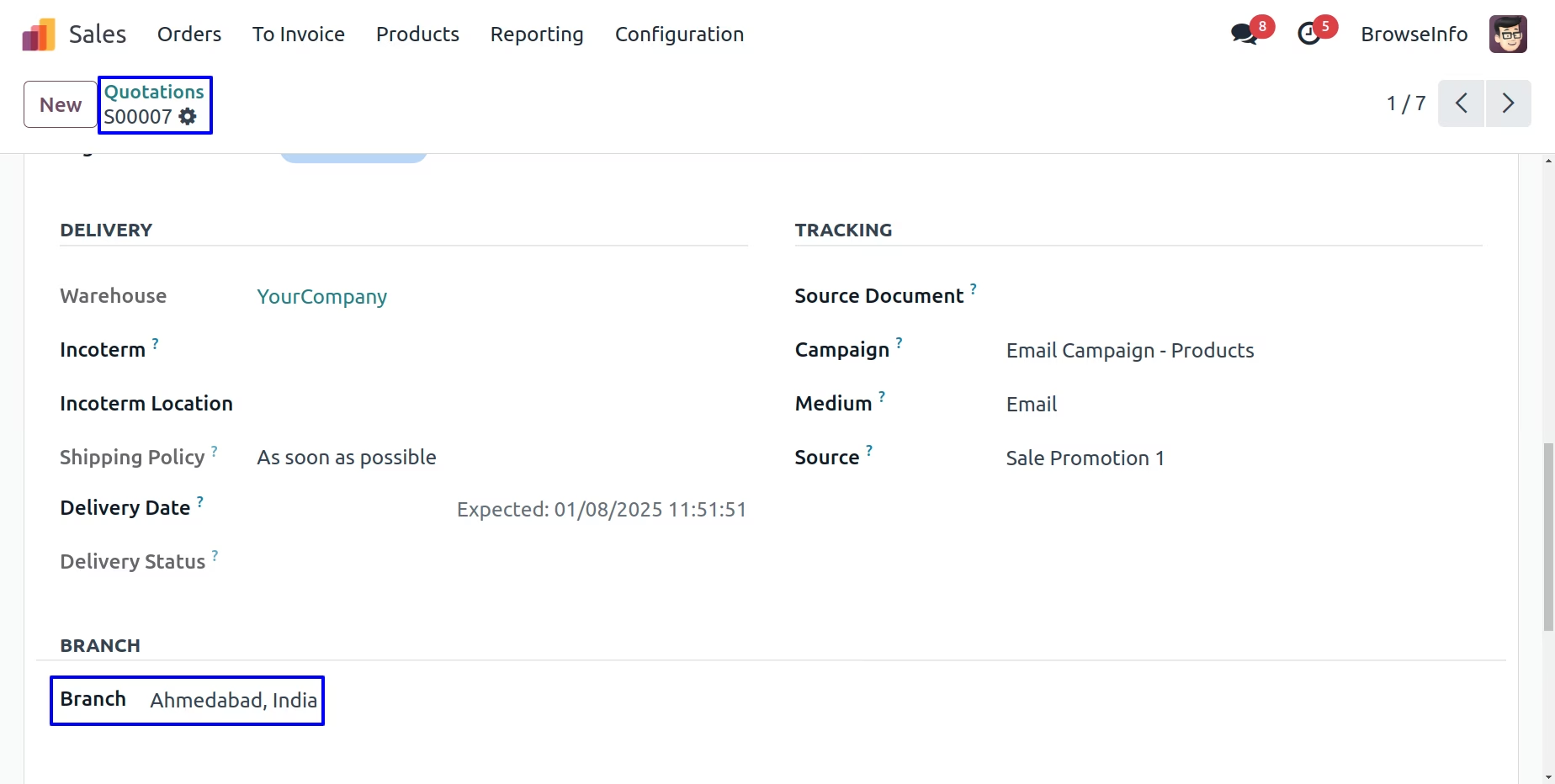
While creating sales order user who is currently login, branch of the user is set as branch to the sales order and warehouse shipment address is also set according to selected branch.
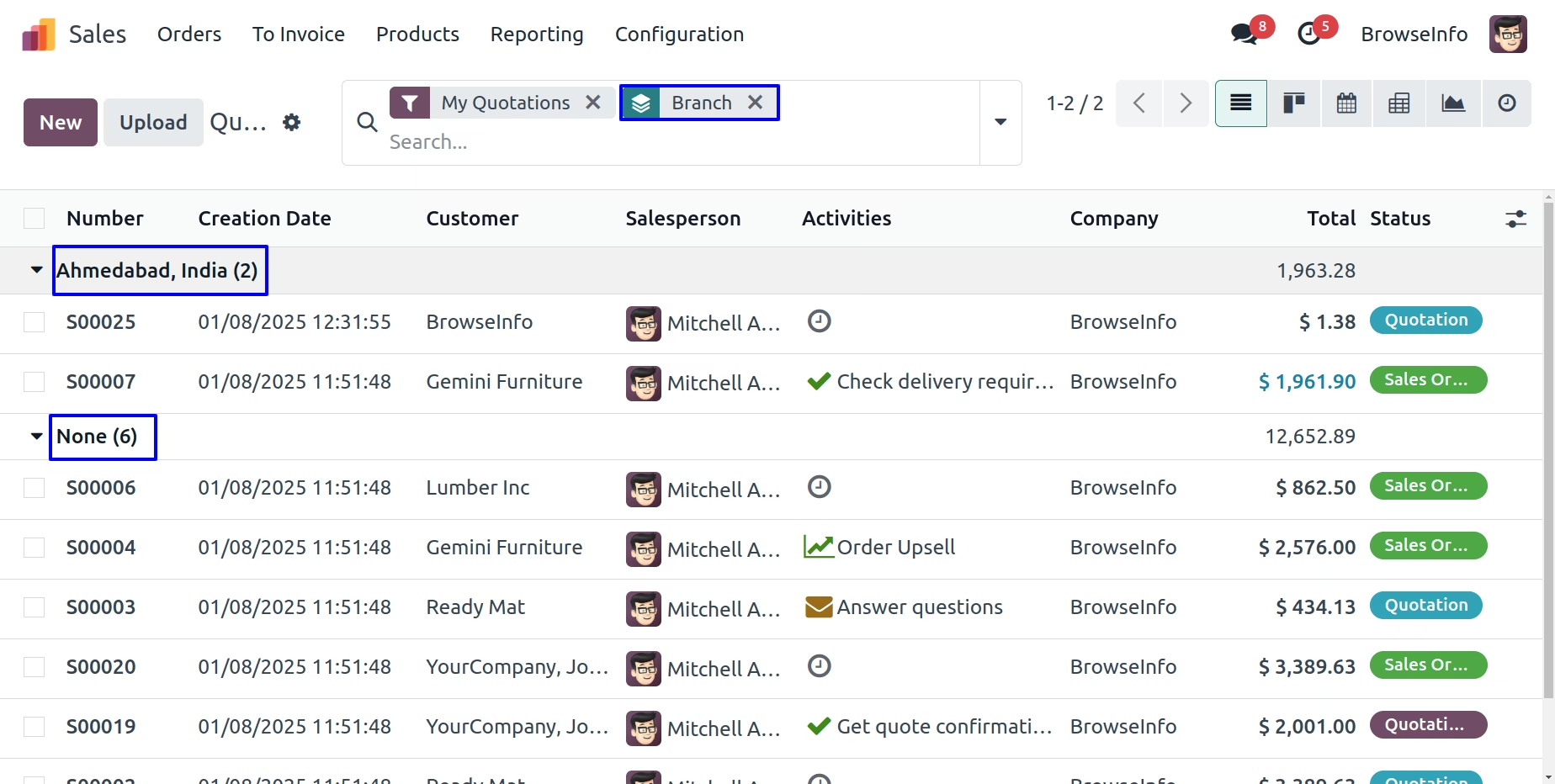
Group By Branch
User can see created records of sale order group by branch using "Branch" filter. User can also find this branch filter in Purchase Order, Invoice, Incoming Shipment/Delivery Order, Account Bank Statement, Account Payment and Point Of Sale.
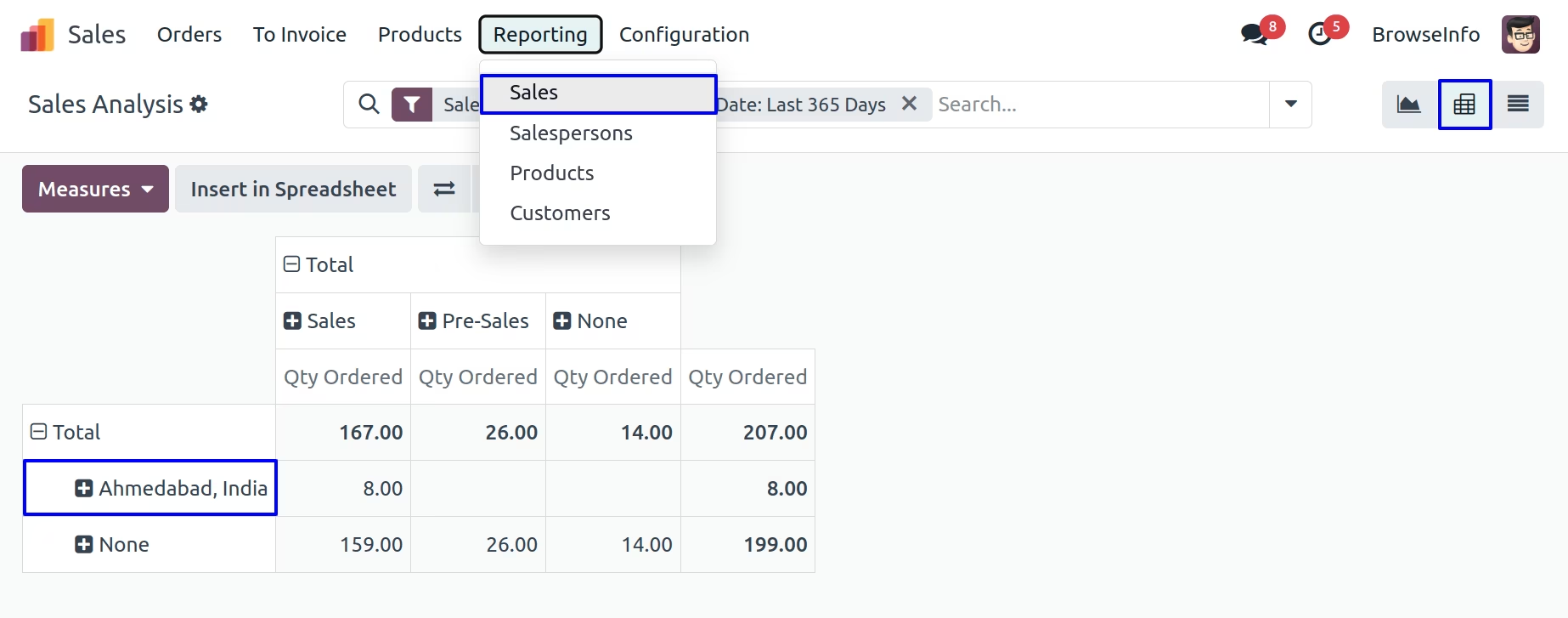
Branch Sales Analysis Report
User can see sales analysis report based on branch.
Branch on Delivery Order
While Quotation get confirmed generated picking(delivery) will have same branch automatically set based on Sales Order
User can set allowed pos branches on Point of Sale > Configurations > Point of Sale menu and this allowed pos branches only available to select for pos.
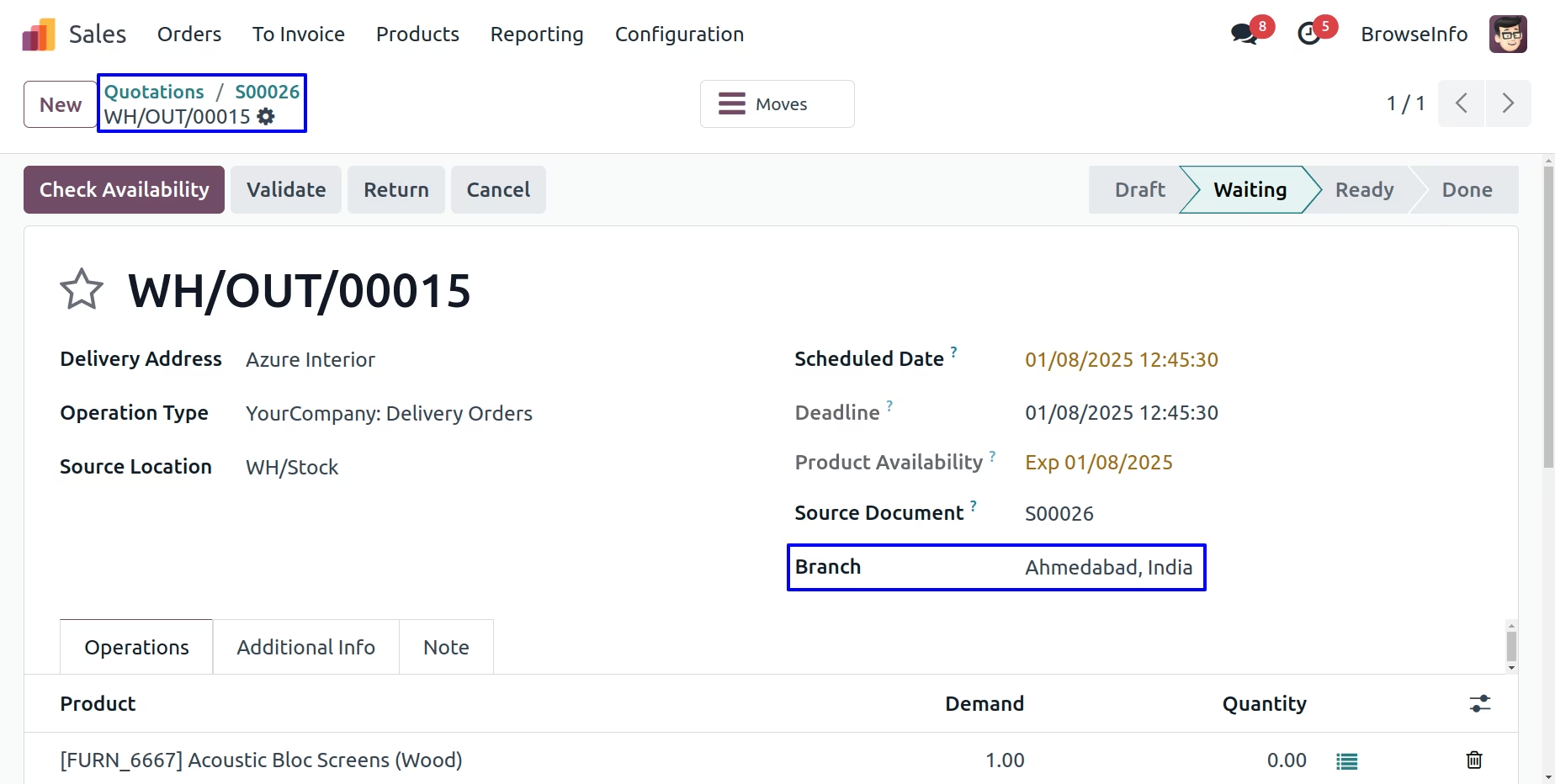
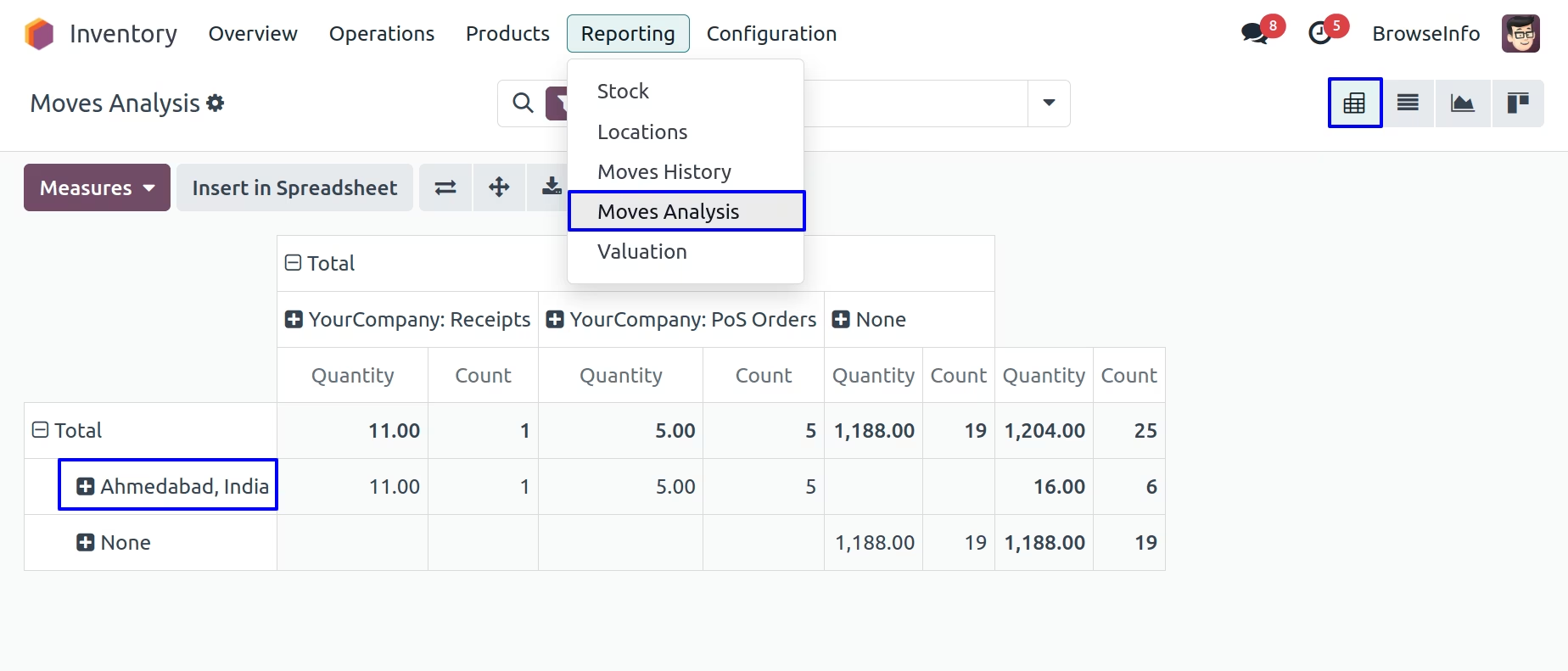
Branch on Stock Analysis Report
You can see stock move analysis report based on branch.
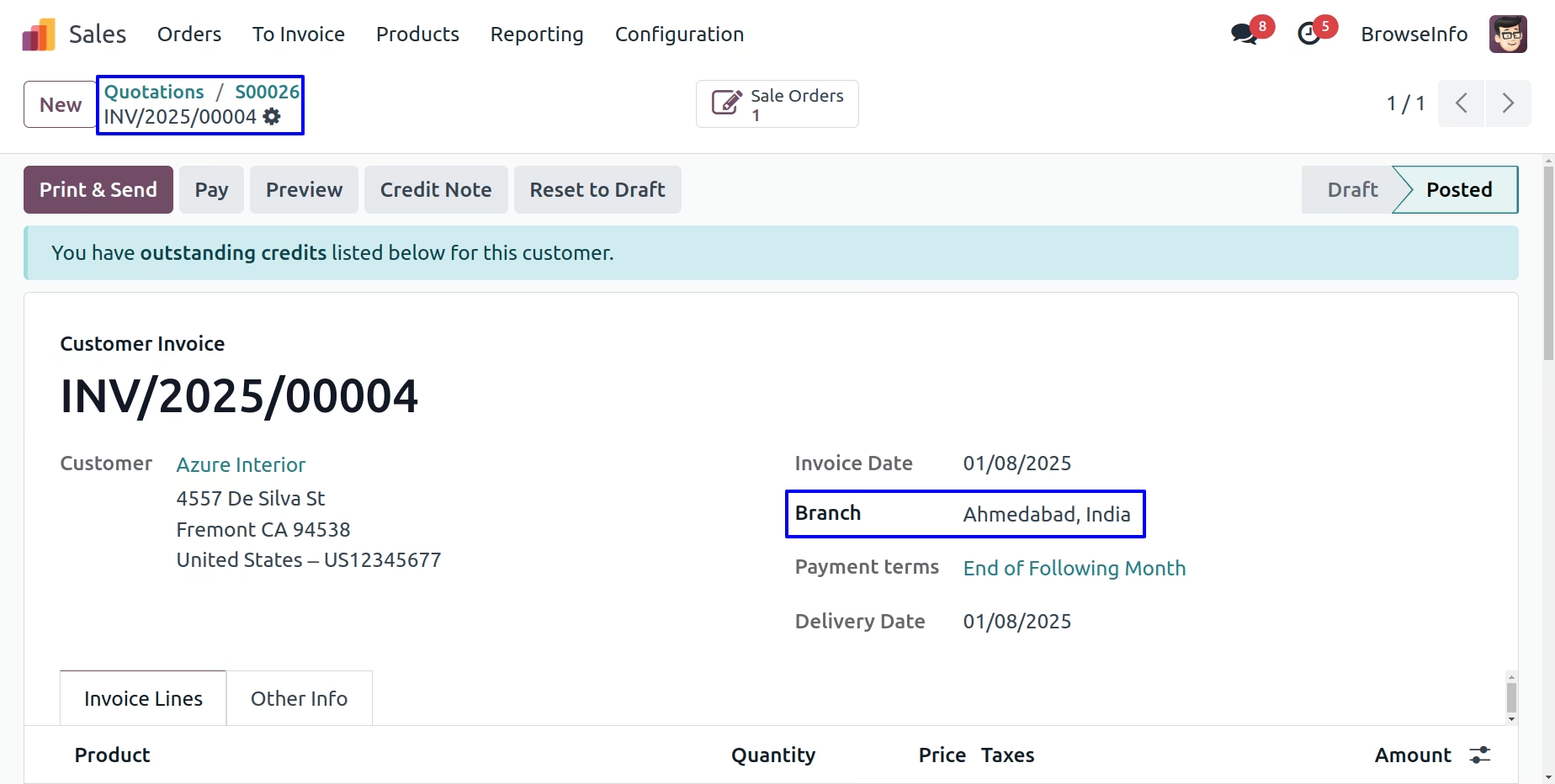
Branch on Invoices
While quotation get confirmed generated picking(delivery) will have same branch automatically set based on Sales Order.
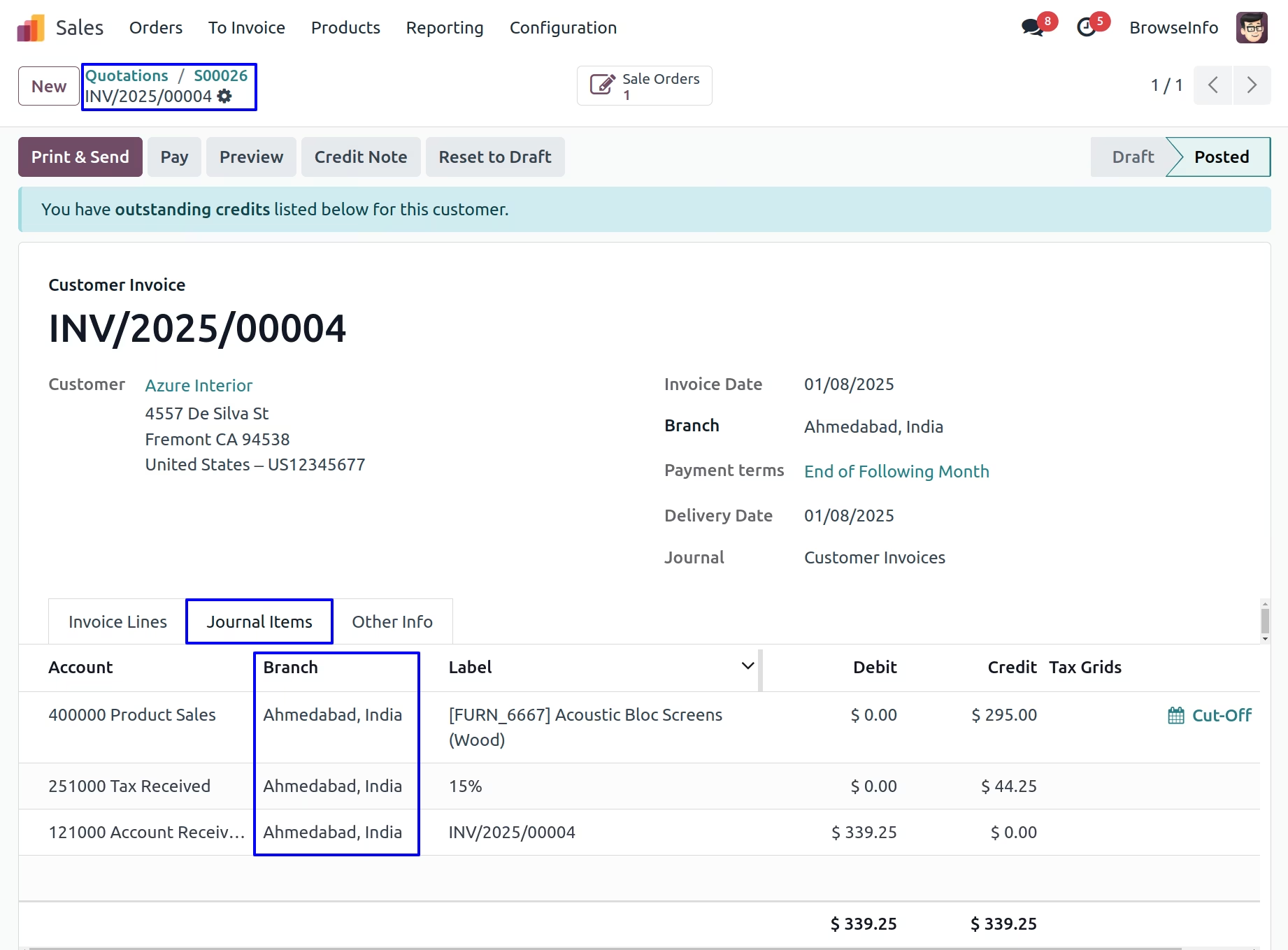
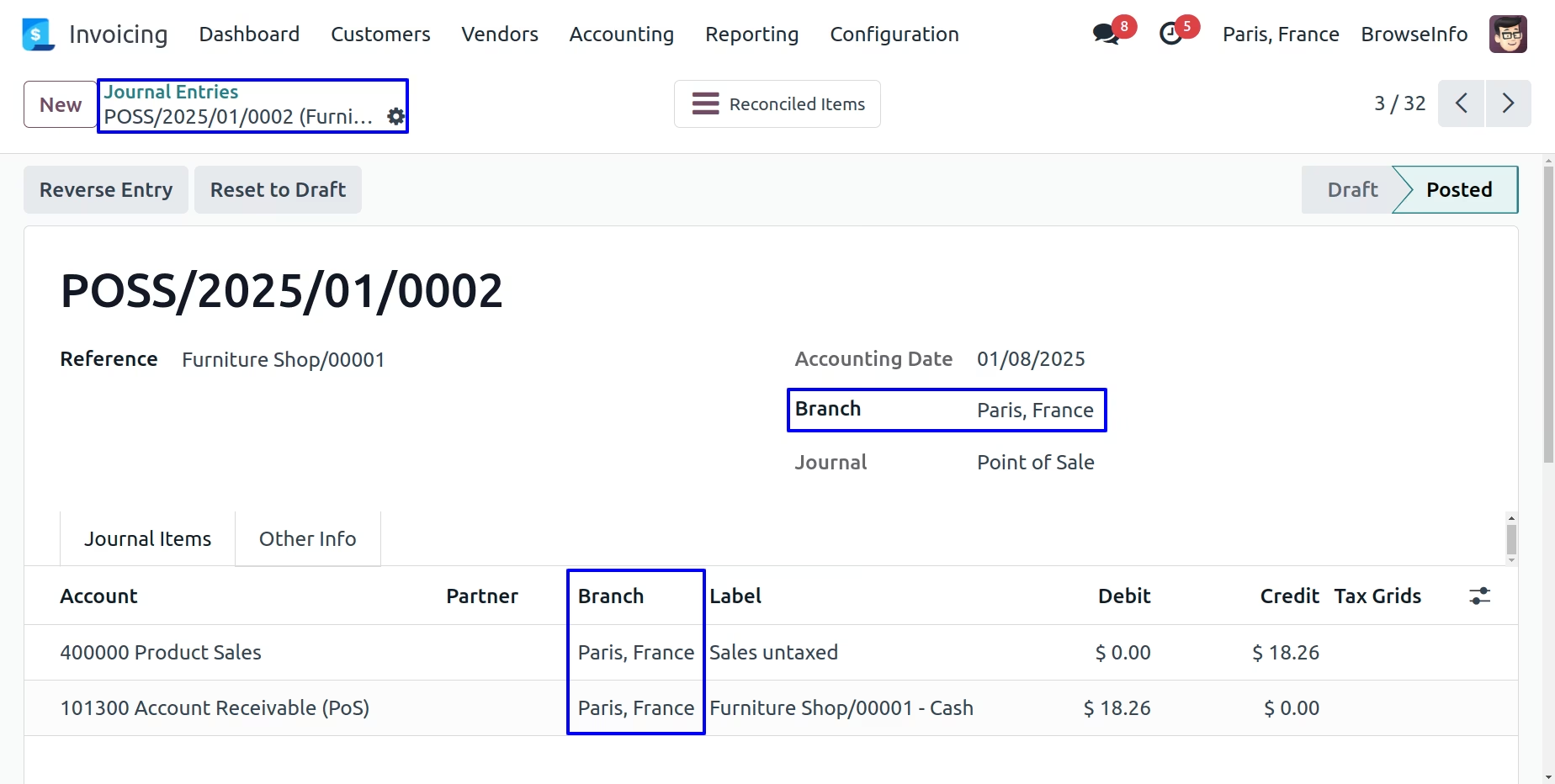
Branch on Journal Entry
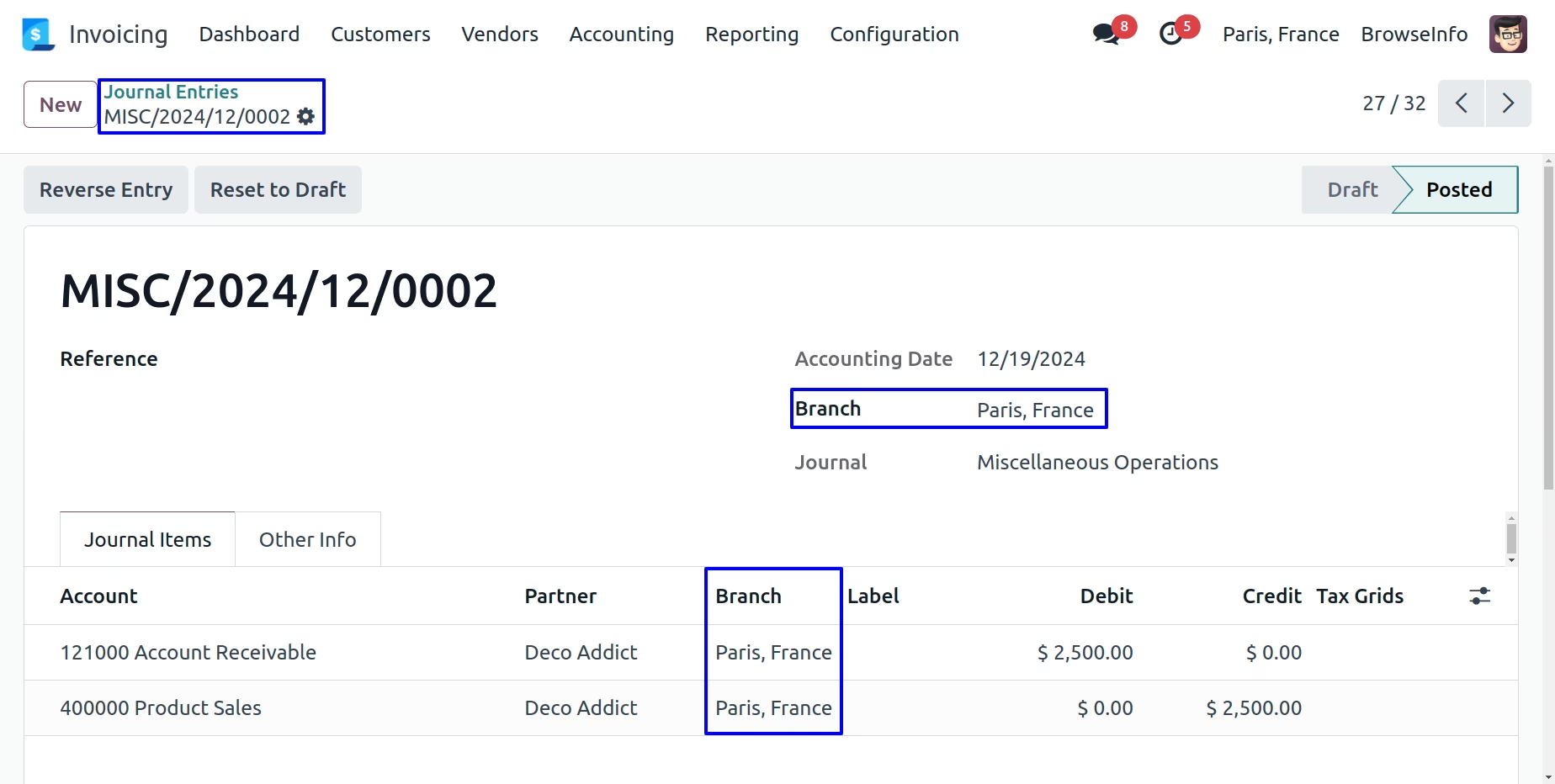
After Validate invoice, Selected branch of the invoice will automatically set on journal entry.
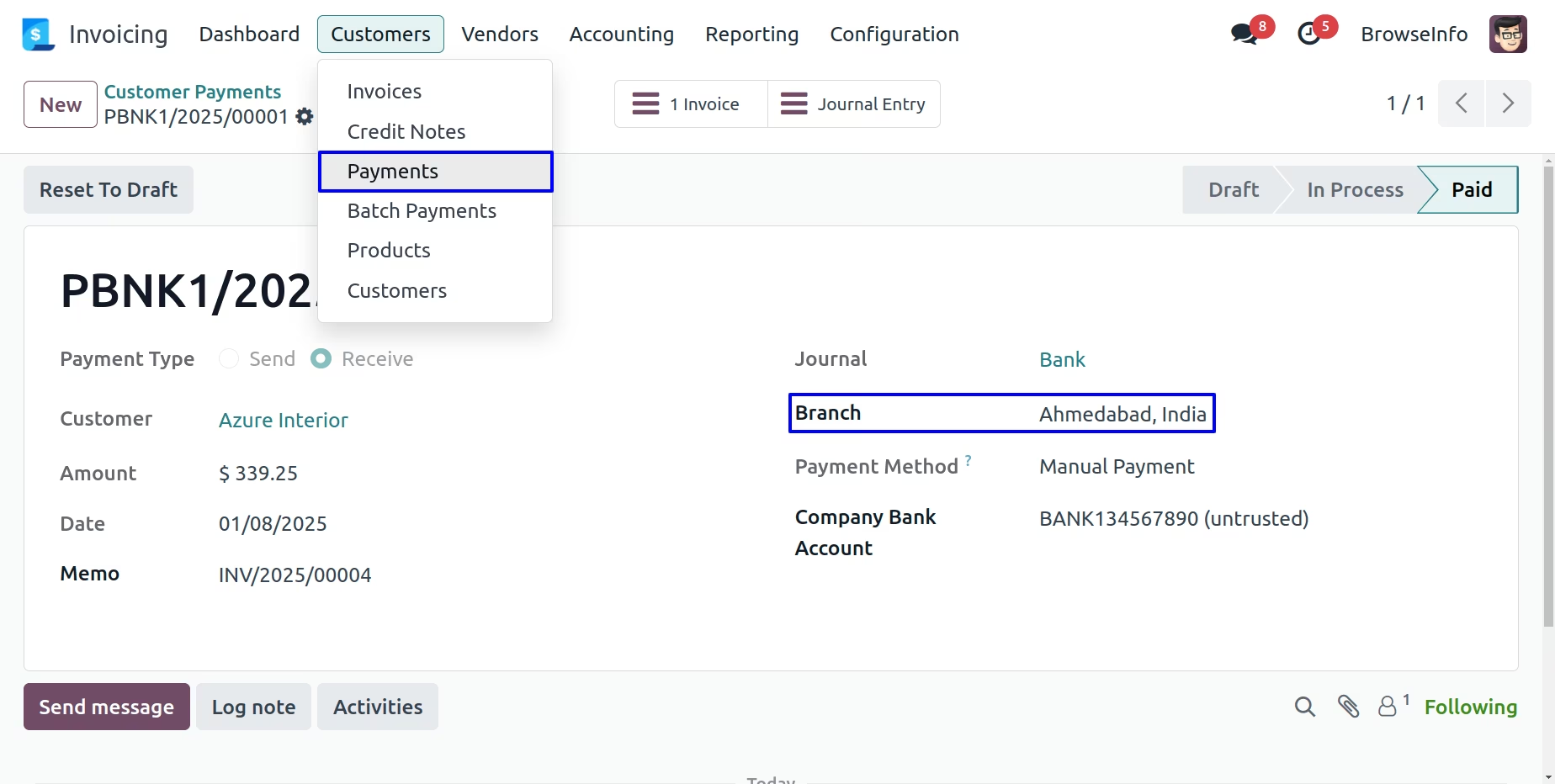
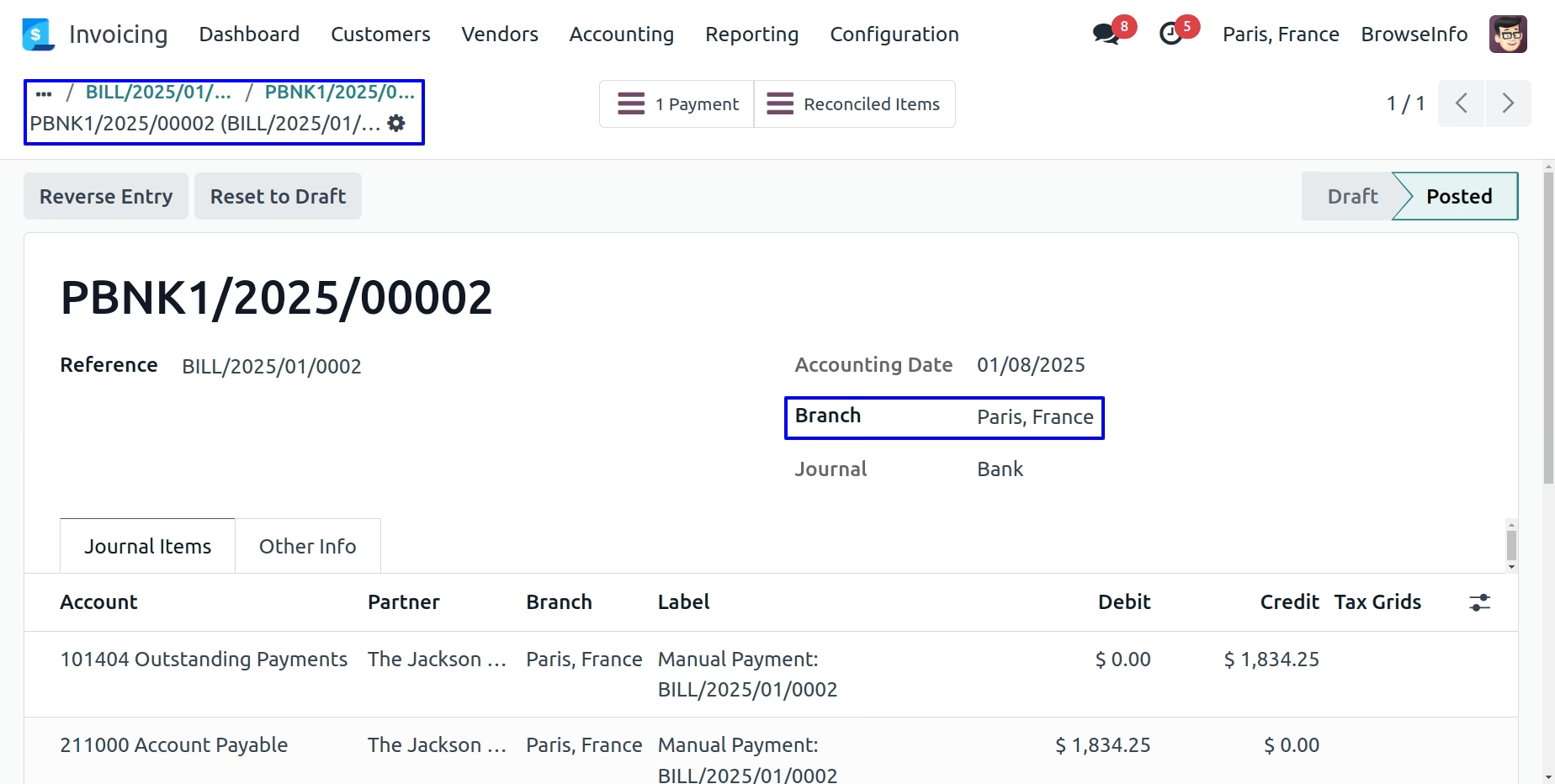
Branch on Account Payment
Selected branch of the invoice will automatically set on account payment.
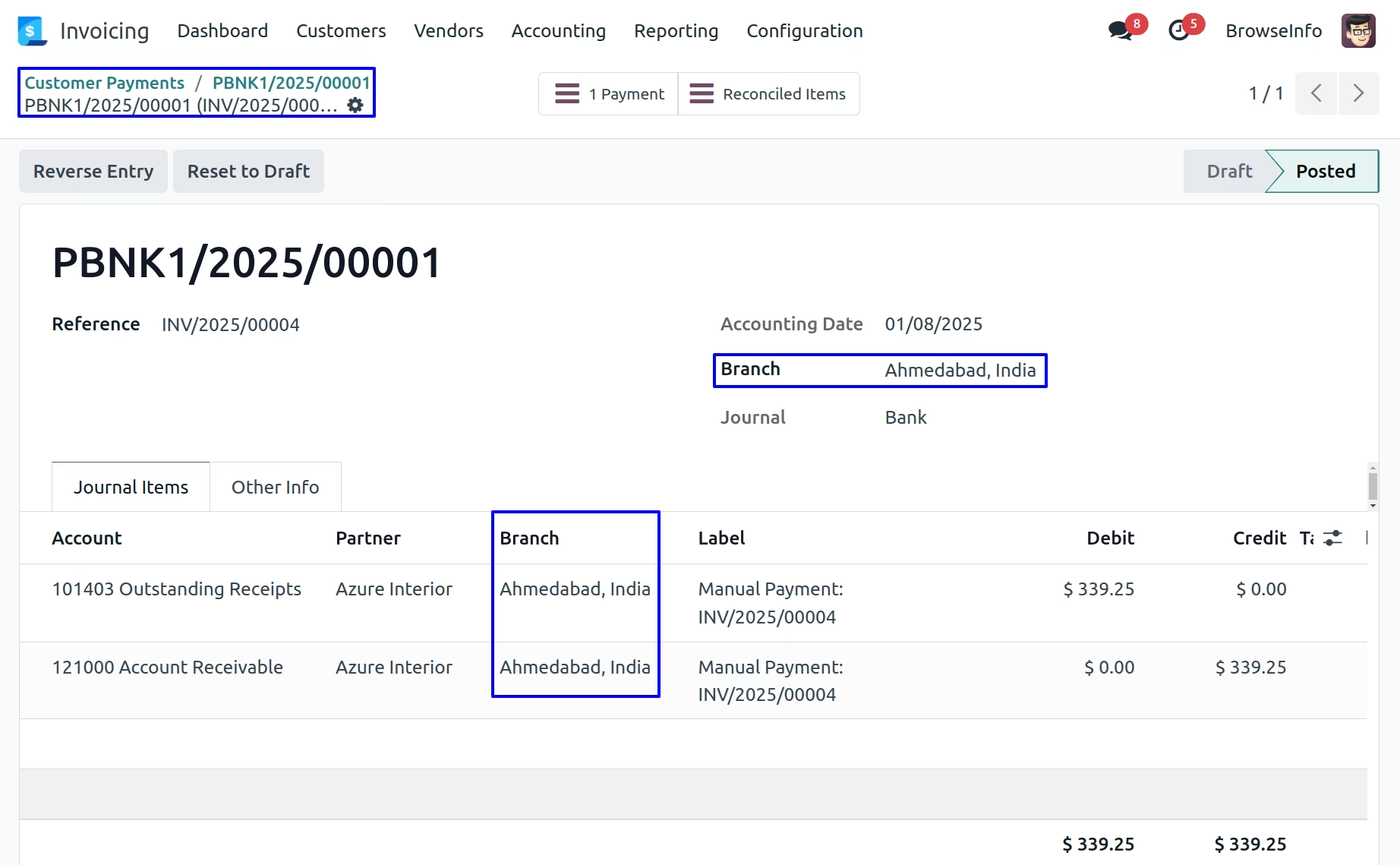
Branch on Journal Items
After clicking on journal items smart button, You can see journal items with automatically selected branch.
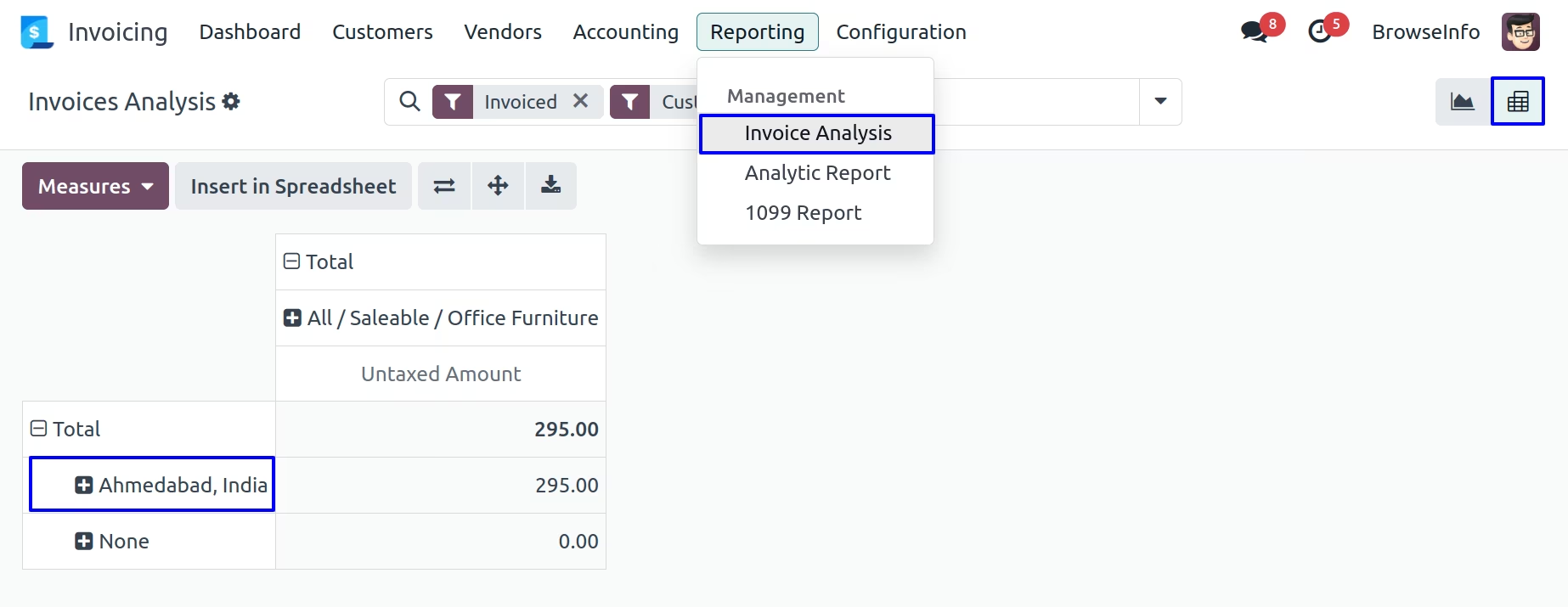
Branch Invoice Analysis Report
User can see invoice analysis report based on branch.
Branch on Purchase Flow
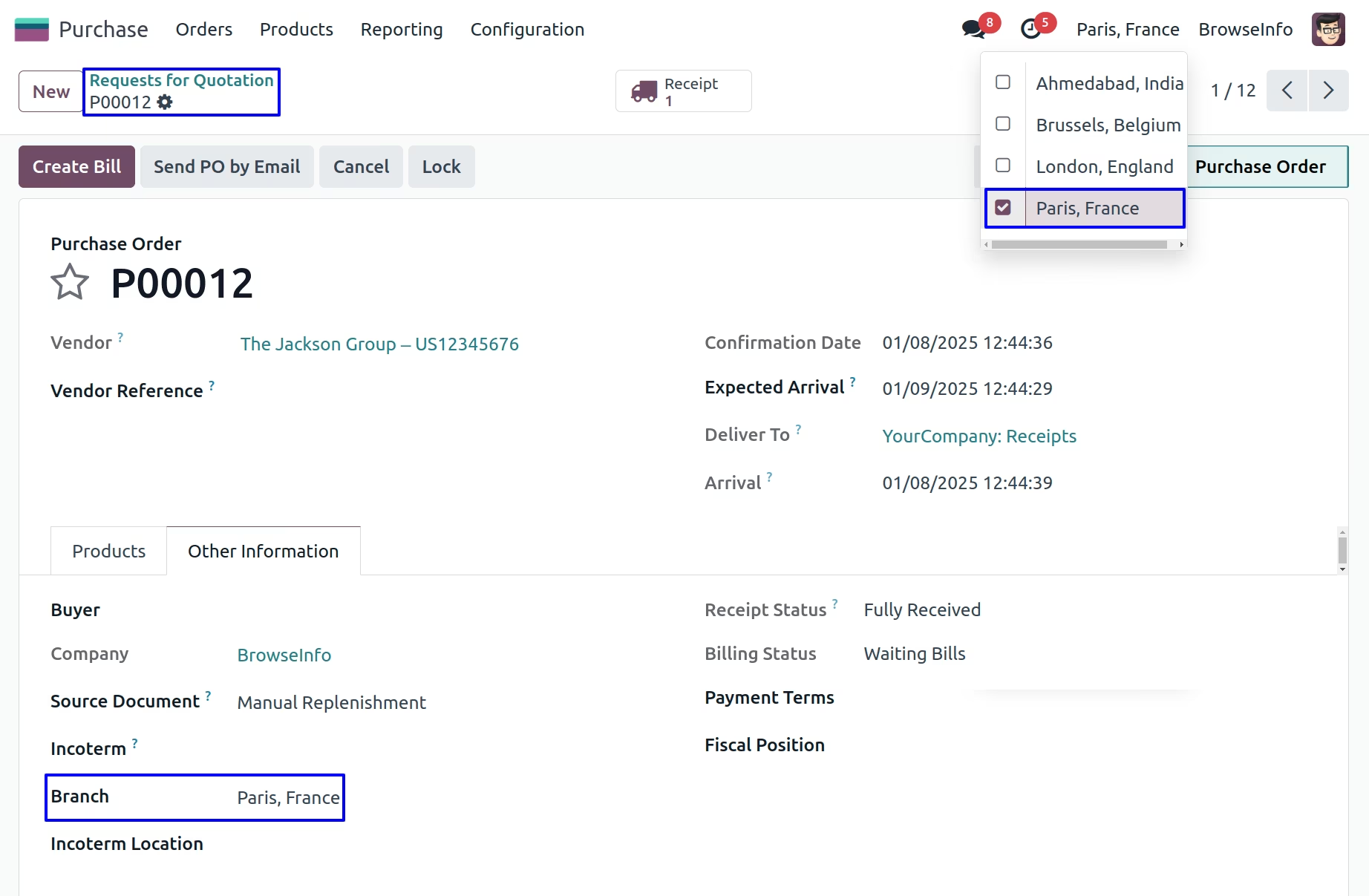
Branch on Purchase Order
While creating purchase order user who is currently login, branch of the user is set as branch to the purchase order.
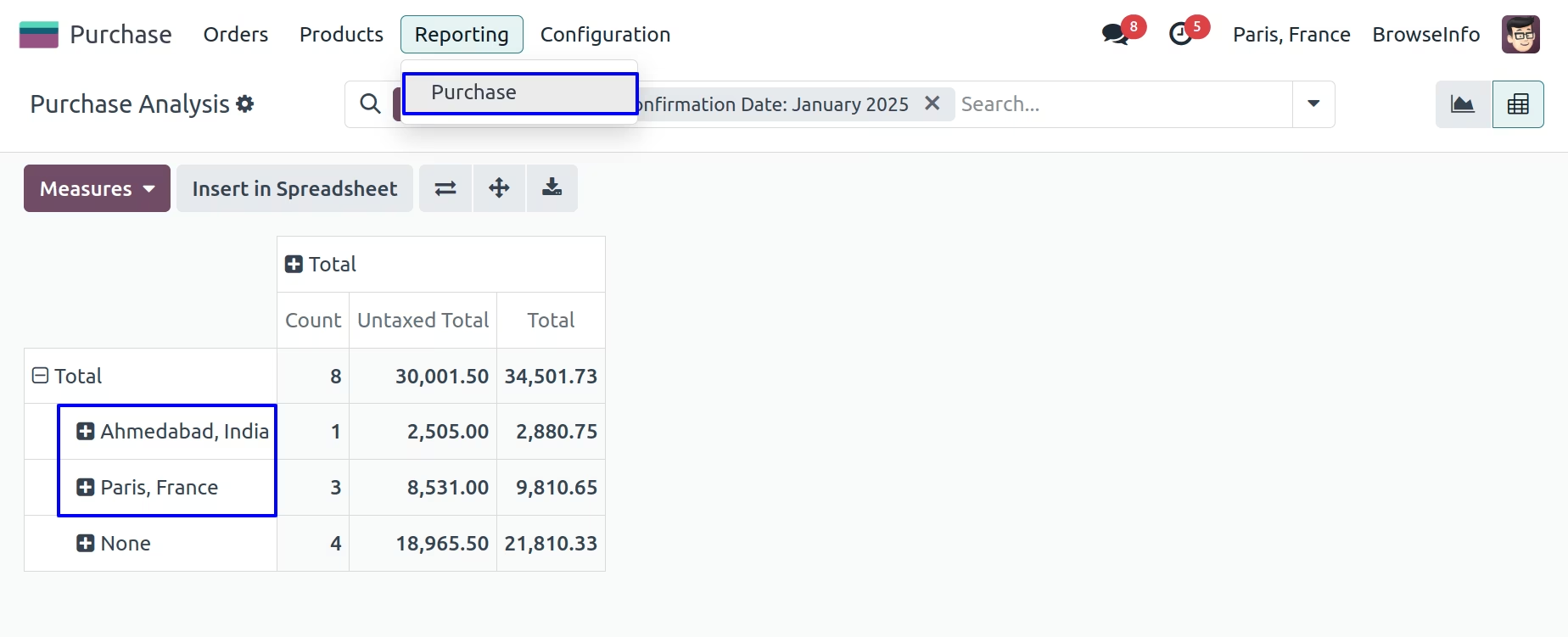
Branch Purchase Analysis Report
User can see purchase analysis report based on branch.
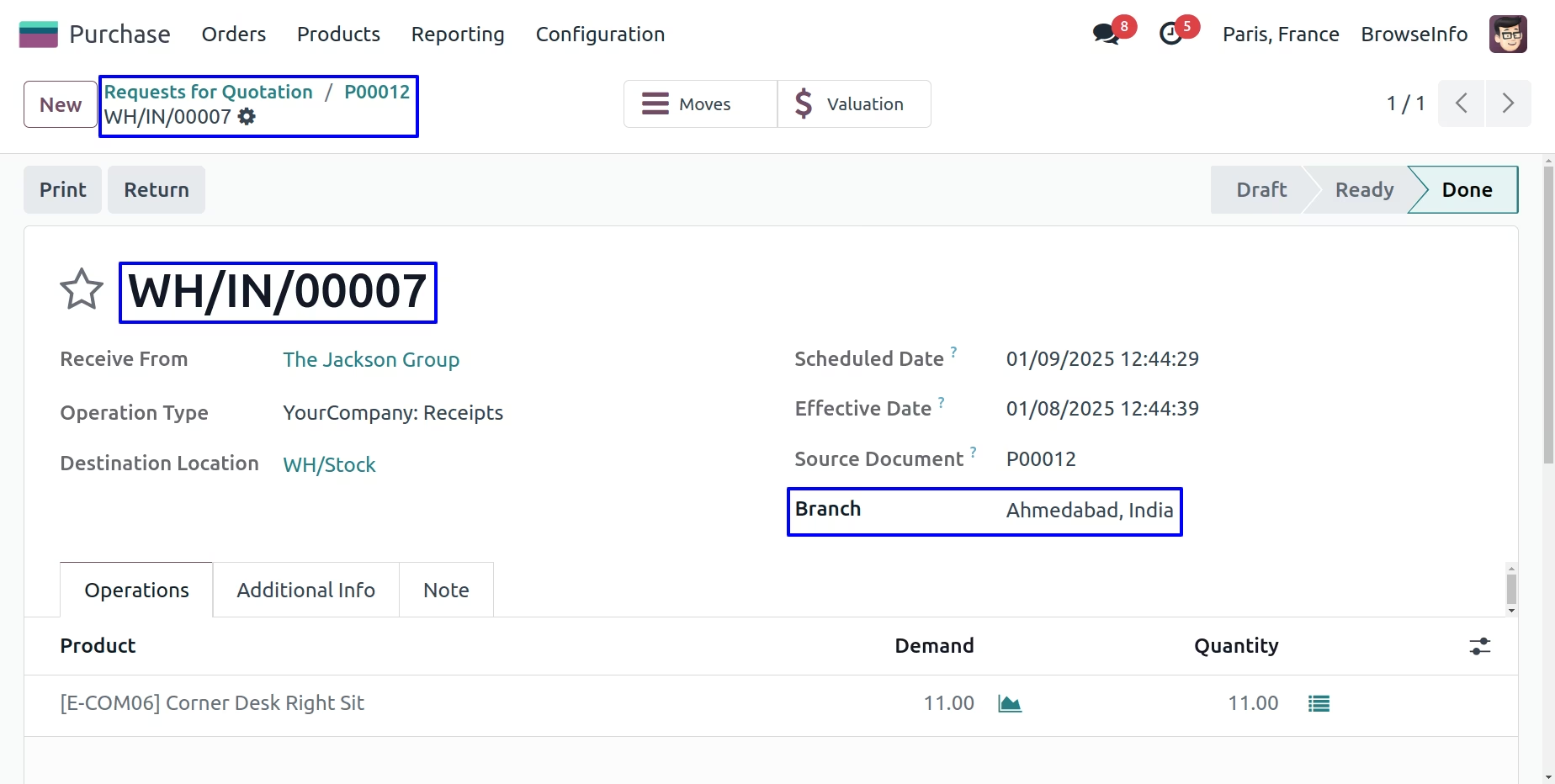
Branch on Picking
While RFQ(purchase) get confirmed generated picking(shipment) will have same branch automatically set based on RFQ.
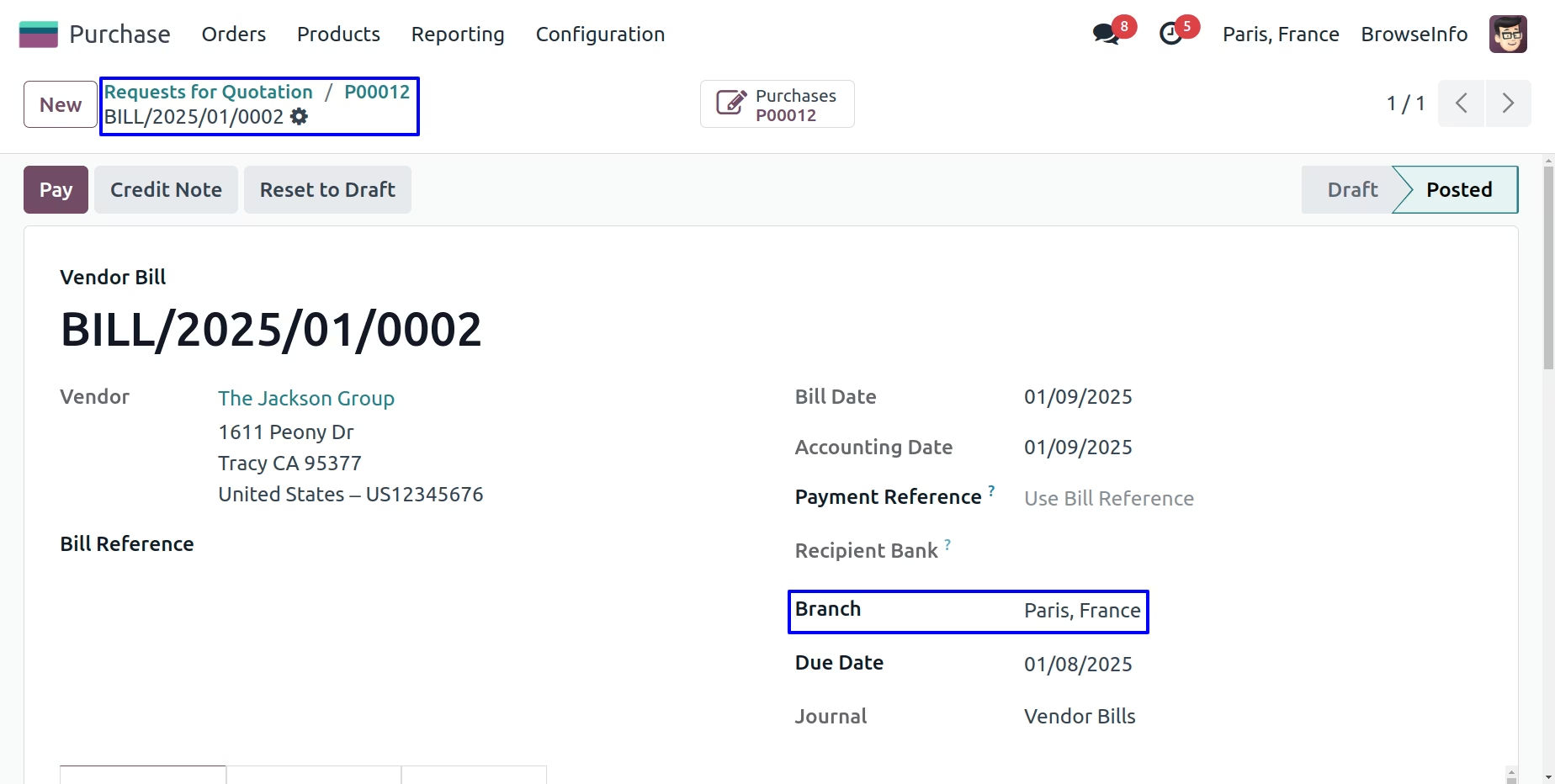
Branch On Vendor Bill
While bill created from the purchase order selected branch of the purchase order will automatically set on bill.
Branch on Journal Entry
After Validate vendor bill, Selected branch of the bill will automatically set on Journal Entry.
Branch on Account Payment
Selected branch of the bill will automatically set on Account Payment.
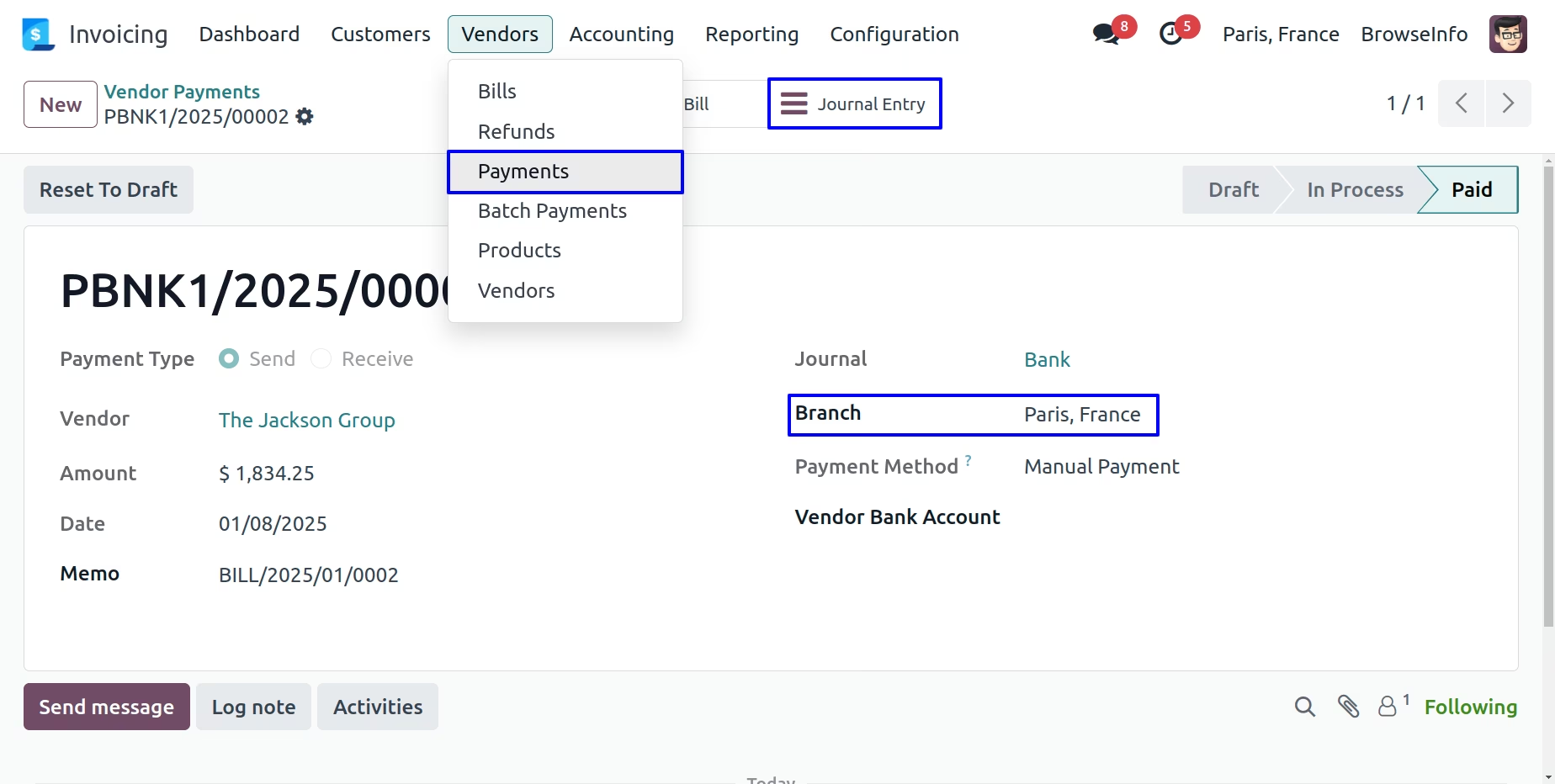
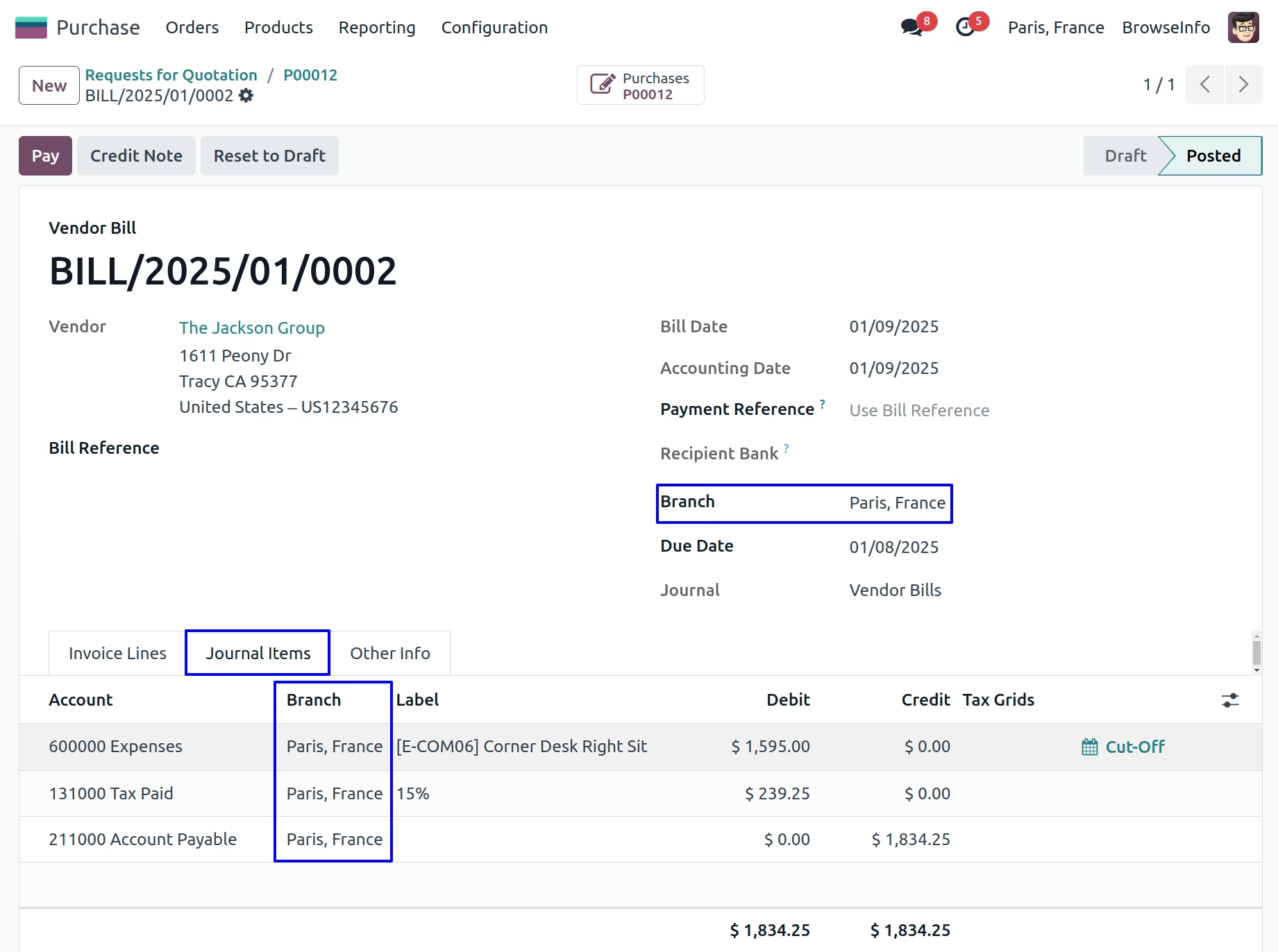
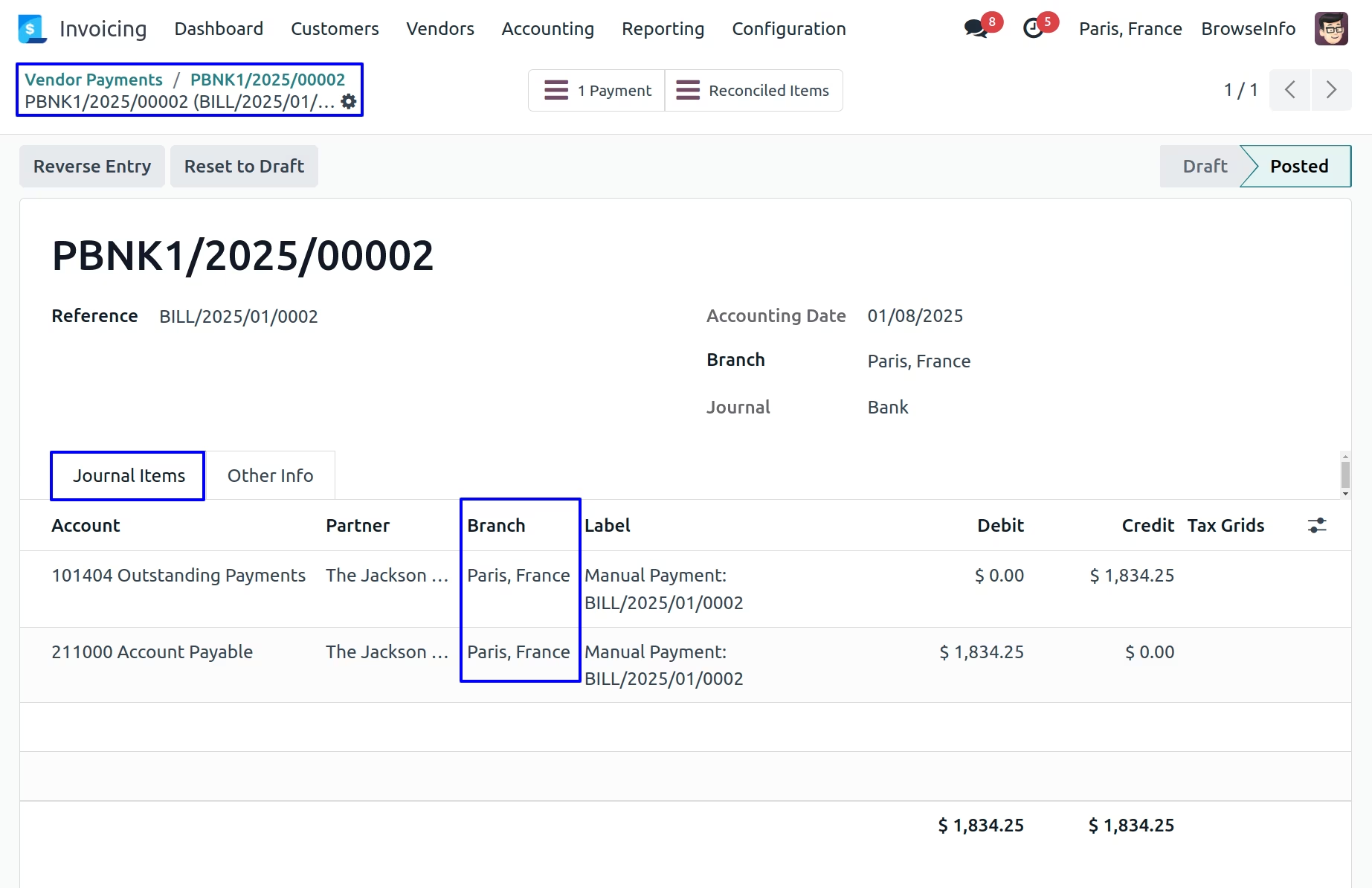
Branch on Journal Items
After clicking on Journal Items smart button, You can see Journal Items with automatically selected branch.
Branch on Warehouse Flow
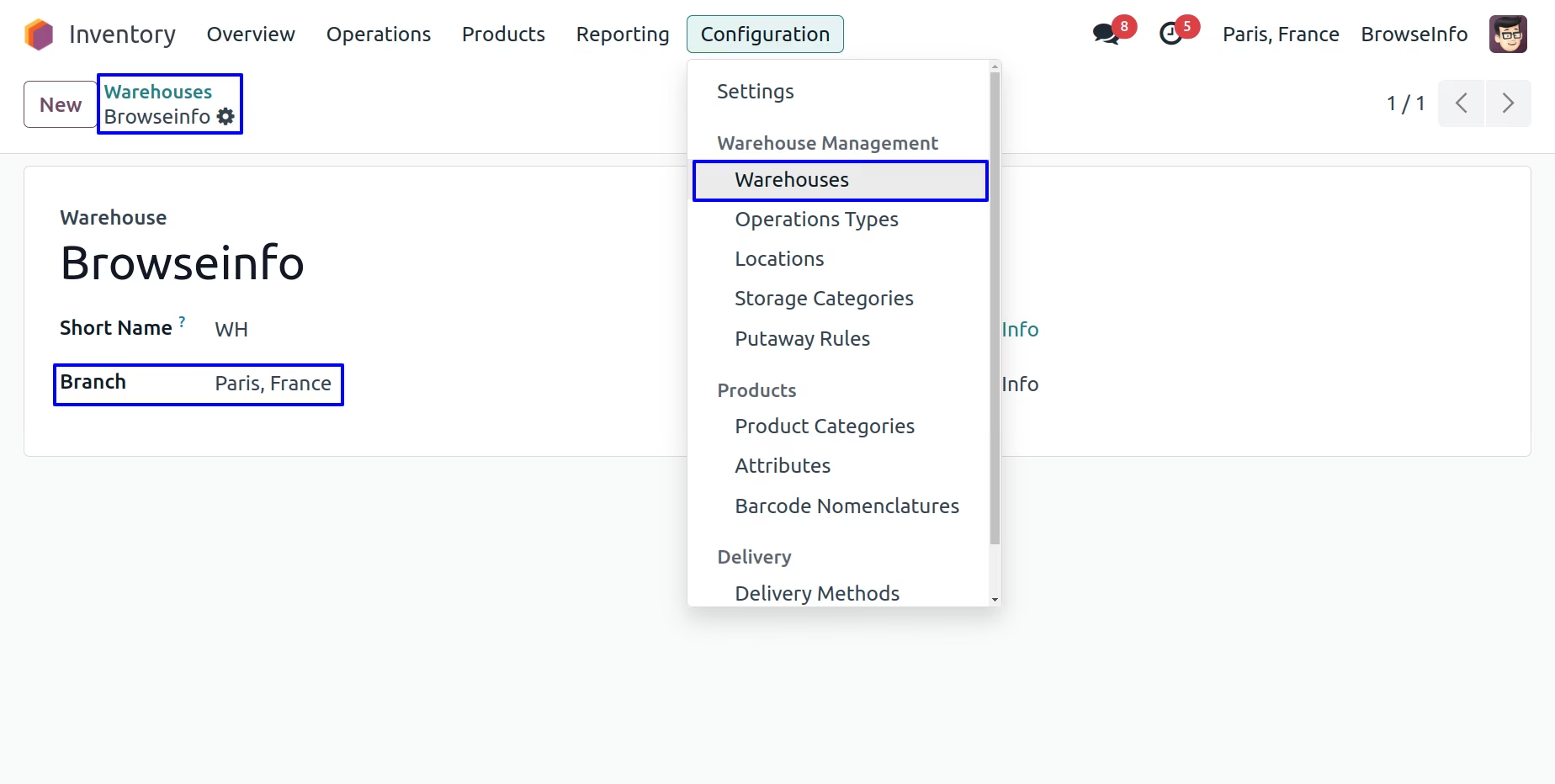
Branch on Warehouse
User can also define branch in the warehouse and all the technical fields are set according to the branch.
Branch on Warehouse Locations
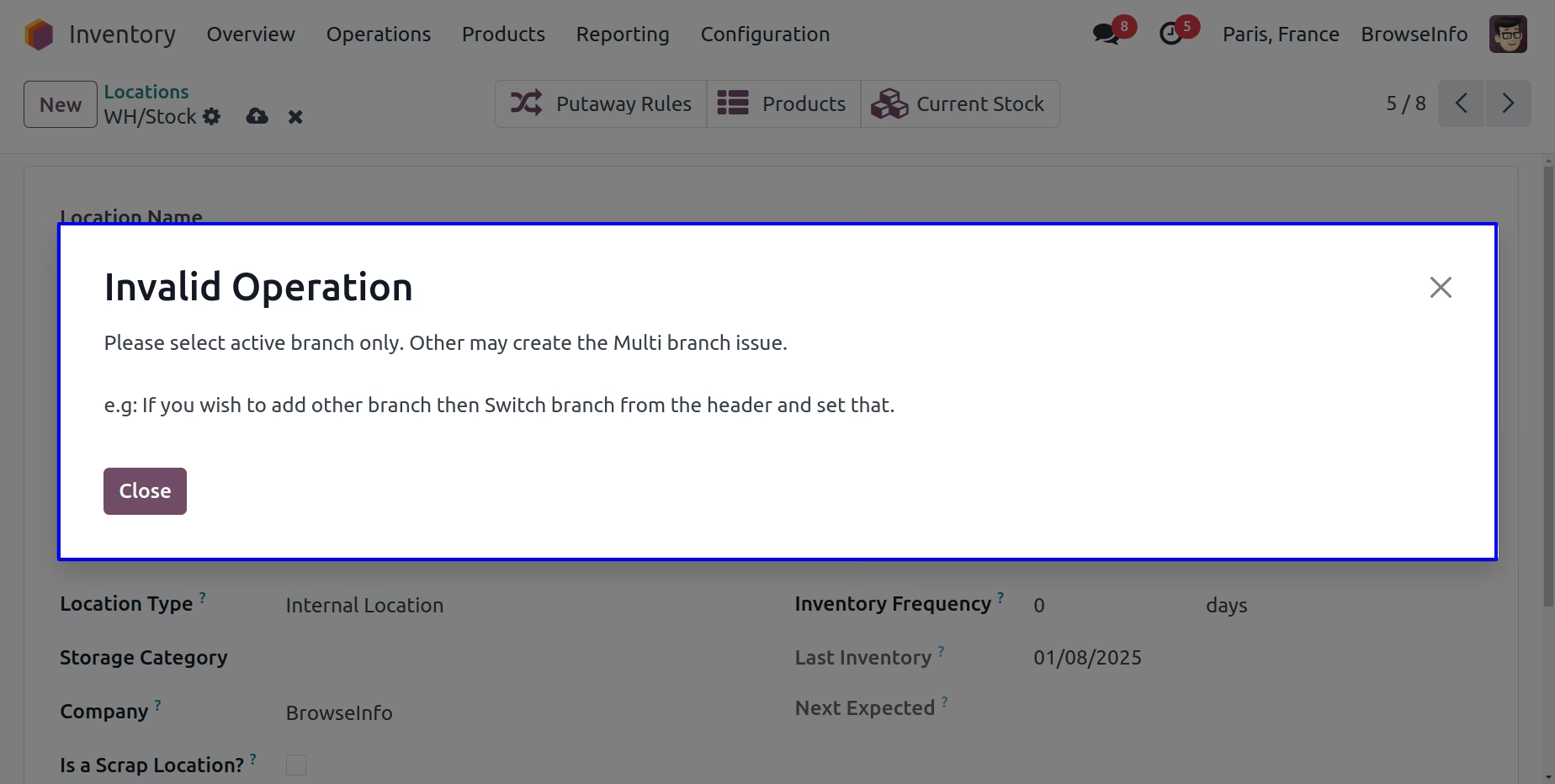
In warehouse locations you can also set branch.
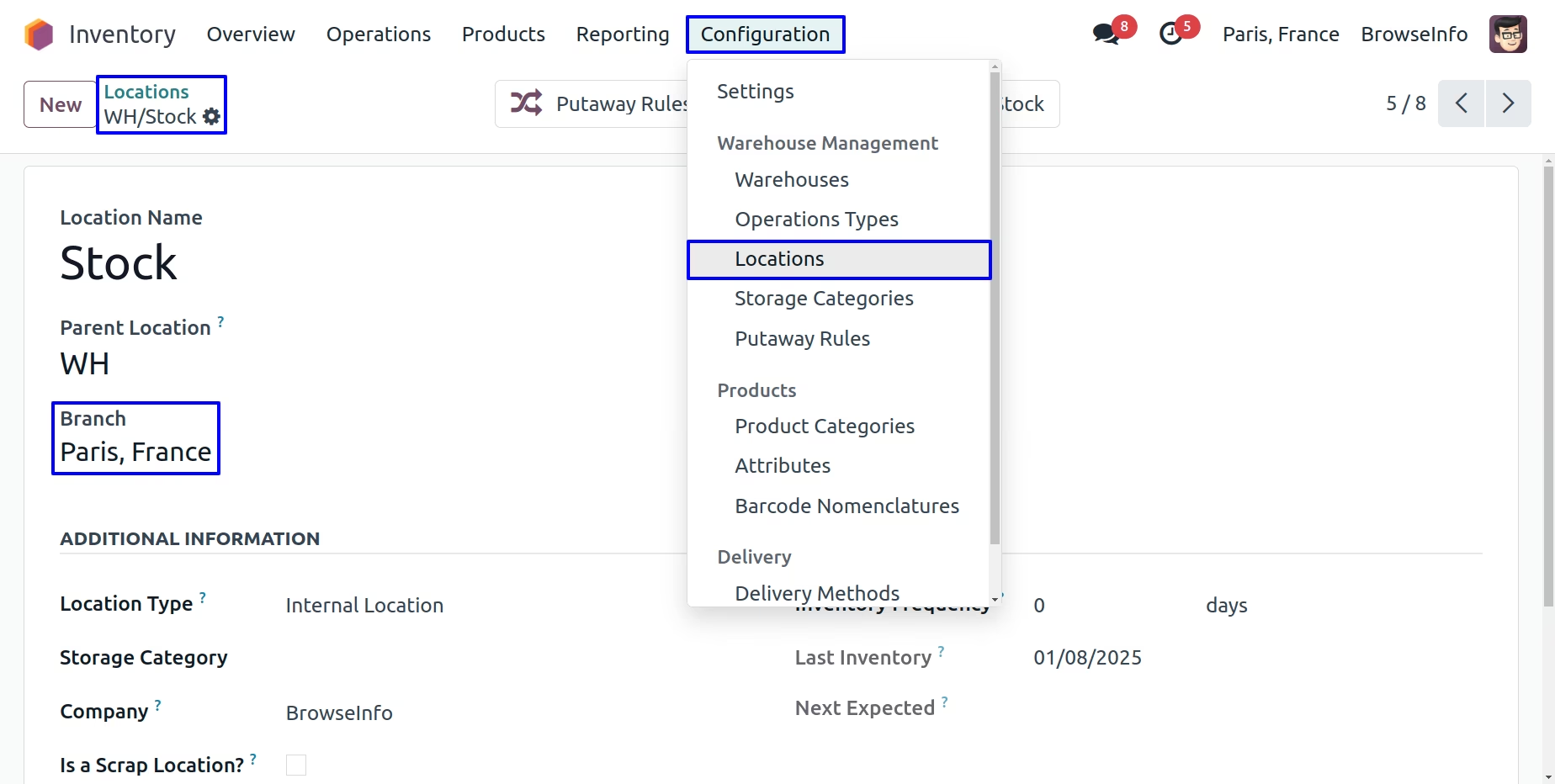
It display warning if you select different branch on location than warehouse.
Automated(Real Time) Inventory Valuation
If you set Automated(Real Time) Inventory valuation for your inventory setup then generated stock accounting entry will also have same branch will be linked which used to print financial statement properly with branch filter.
Branch On Bank Statements
While creating Bank Statements you can also show branch details in it.
Branch on Journal Entry
After validate Bank Statements you can also see branch details in the journal entry of it.