The Multi-Branch CRM module is a comprehensive solution for businesses that operate with multiple branches or sales teams under a single company. This module extends powerful CRM capabilities to a multi-branch environment, allowing you to manage and segregate all your sales and customer-related data on a per-branch basis. From leads and opportunities to sales teams and reporting, this module provides the same level of control and organization as multi-company setup, but with the simplicity of a single company structure. It is the ideal solution for businesses looking to streamline their multi-location sales operations, improve efficiency, and gain better visibility into each branch's performance.
Branch-Specific CRM: Create and manage leads, opportunities, and sales pipelines for each individual branch.
User Access Control: Assign users to specific branches, ensuring they can only access the CRM data and operations relevant to their branch.
Seamless Integration: Works in conjunction with a base multi-branch module to extend branch functionality across sales, purchasing, inventory, and accounting.
Automated Branch Assignment: The branch is automatically assigned to new leads and opportunities based on the user's branch.
Sales Team Management: Assign sales teams to specific branches for clear accountability and performance tracking.
Comprehensive Reporting: Generate and view CRM analysis reports, including lead and opportunity reports, on a per-branch basis.
Centralized Branch Management: Create and configure all your business branches from a single, centralized settings menu.
Improved Organization: Streamline your sales process by segregating all CRM data and activities by branch.
Enhanced Control: Gain better control over your multi-location sales operations with branch-specific management of leads and opportunities.
Increased Efficiency: Automate the flow of information within your sales teams, reducing manual data entry and potential errors.
Greater Visibility: Get a clear overview of the sales performance and pipeline of each individual branch.
Simplified Management: Manage all your sales operations from within a single company environment, avoiding the complexities of a multi-company setup.
Better Data Security: Control access to sensitive customer and sales information with branch-specific user rights.
CRM Multiple Branch(Unit) Operation Setup App For Single Company
Manage CRM by Branch
CRM with Branch Wise Access Control
Multi-Branch CRM Support for Single Company
Branch-Wise CRM Management in Made Easy
Do you want to manage multiple branch units of CRM management for single company? here you go, this apps helps users to make different branch for single company and use that branch for CRM management with multi-branch concept which works same as multi-company environment.This apps is depends on multiple branch apps which works for all generic application i.e Contact, Products, Sales,Purchase, Billing, Warehouse, Accounting , Point of Sale etc
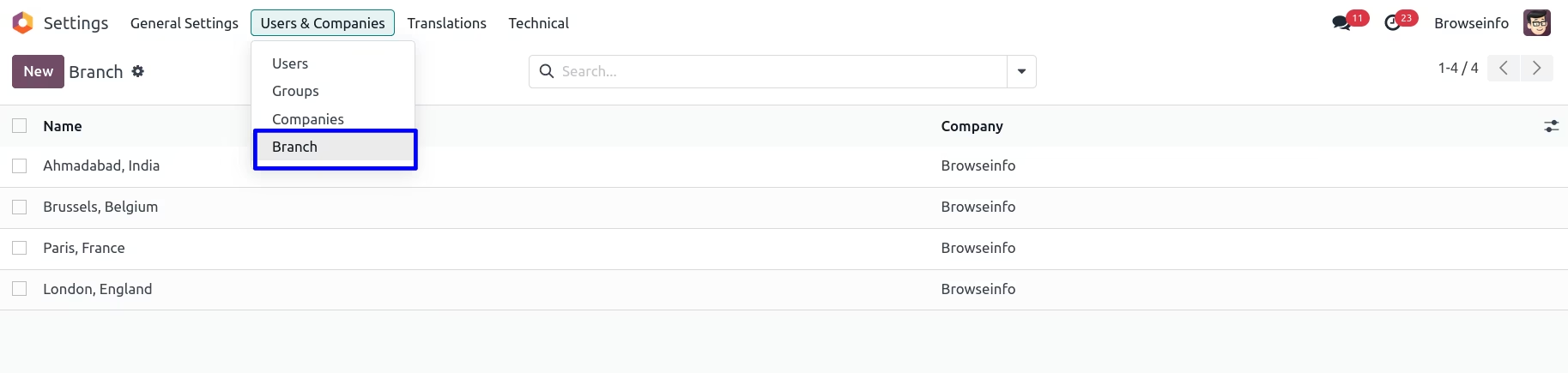
Create Multiple Branch
You can create Multiple Branch goto Settings > Users > Branch.
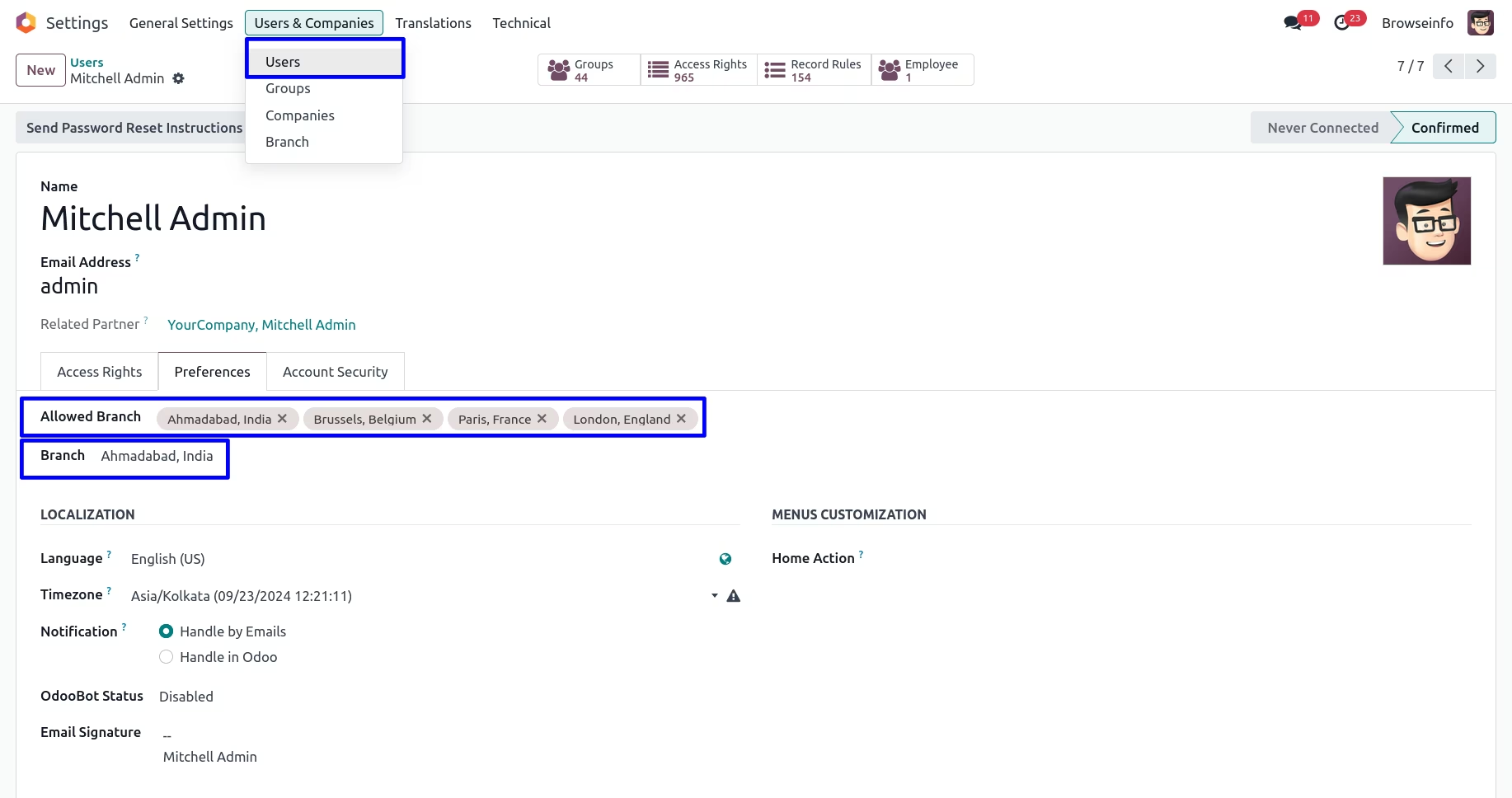
Assigning Branch
You can assign a branch for which specific user is belongs.
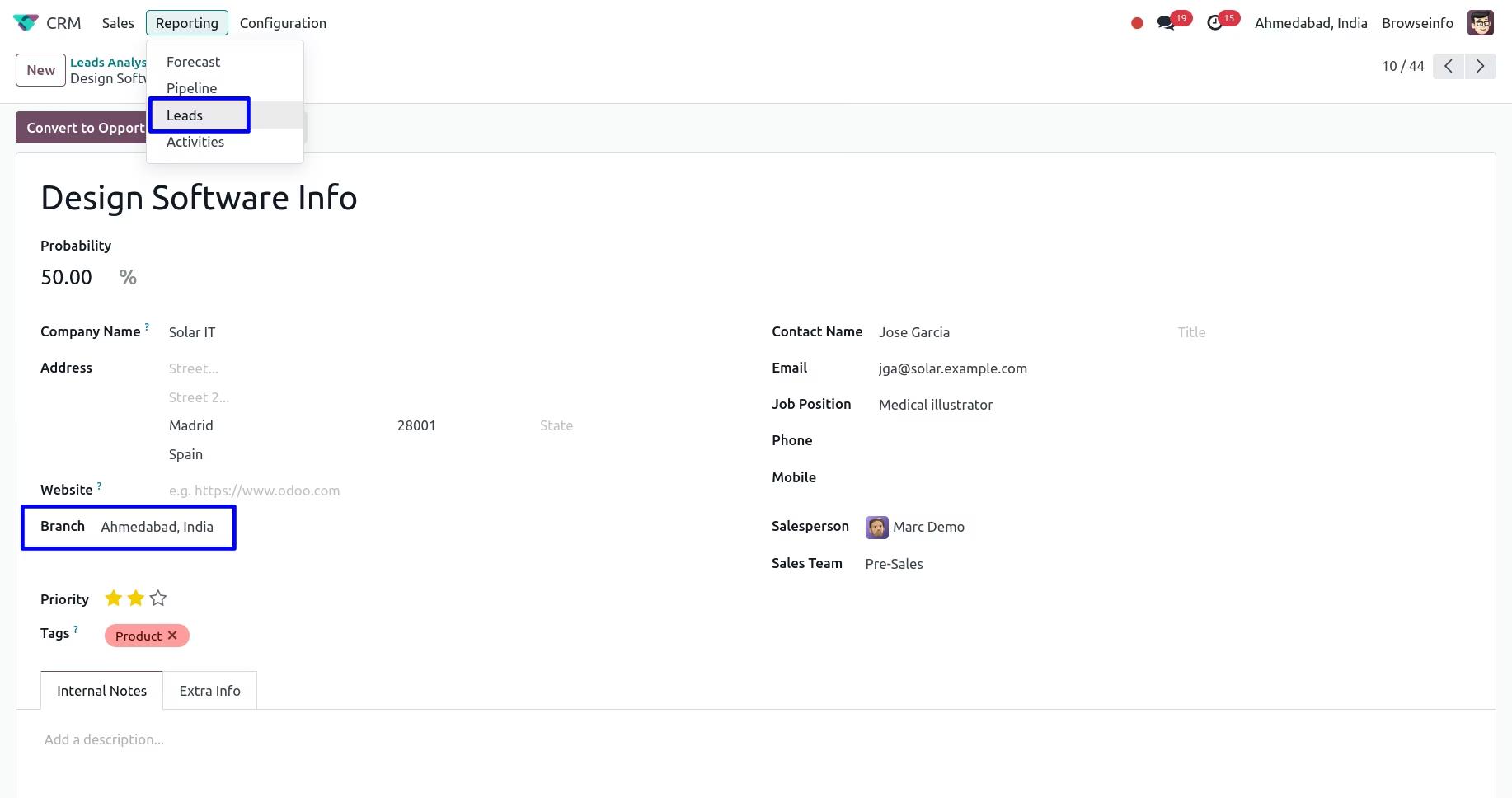
Branch On CRM Lead
In CRM lead default branch will be set from login user's branch. Also manager can set branch in CRM Lead.
Branch On Opportunity
In opportunity, Branch is set based on CRM Lead.
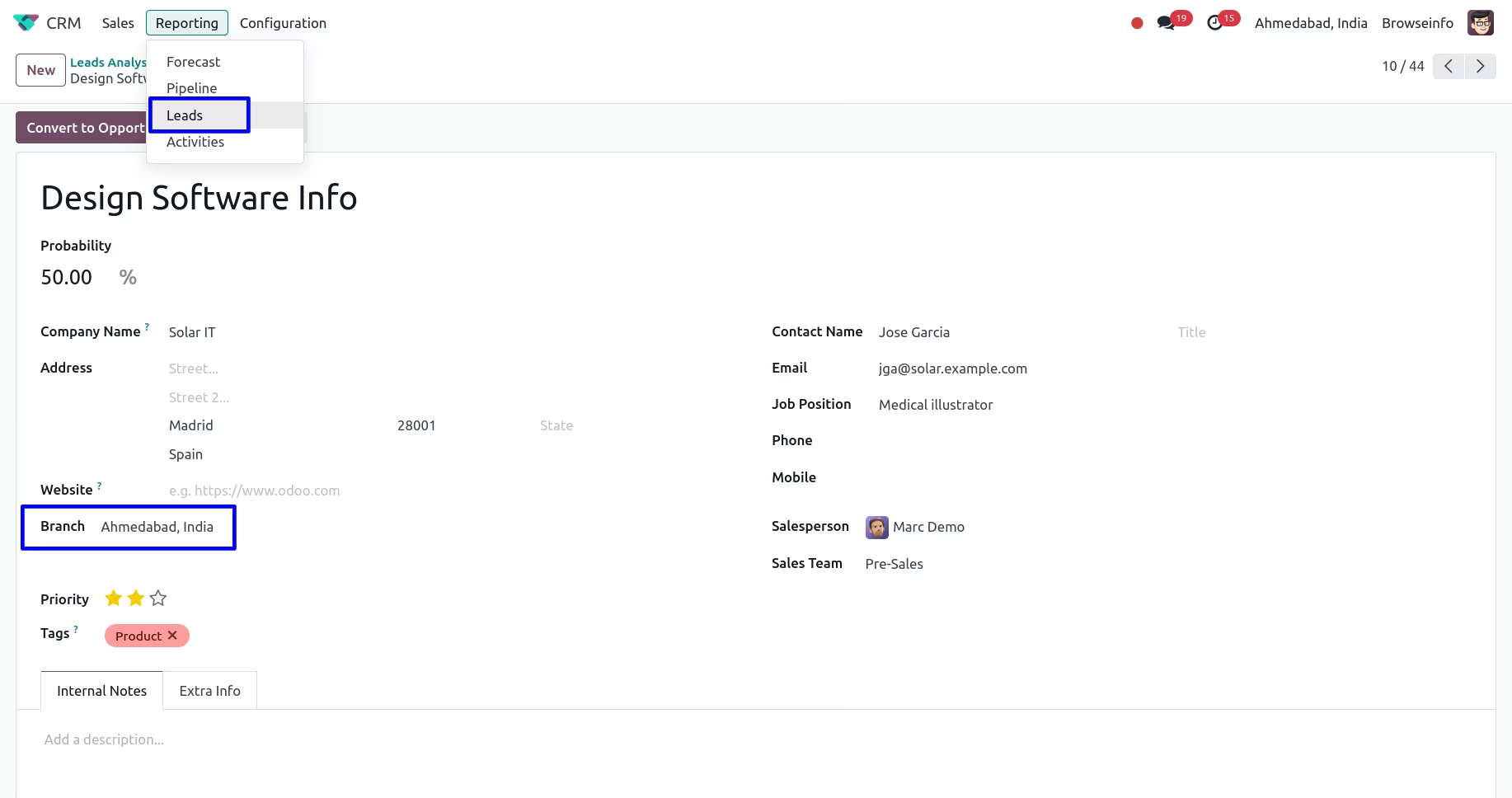
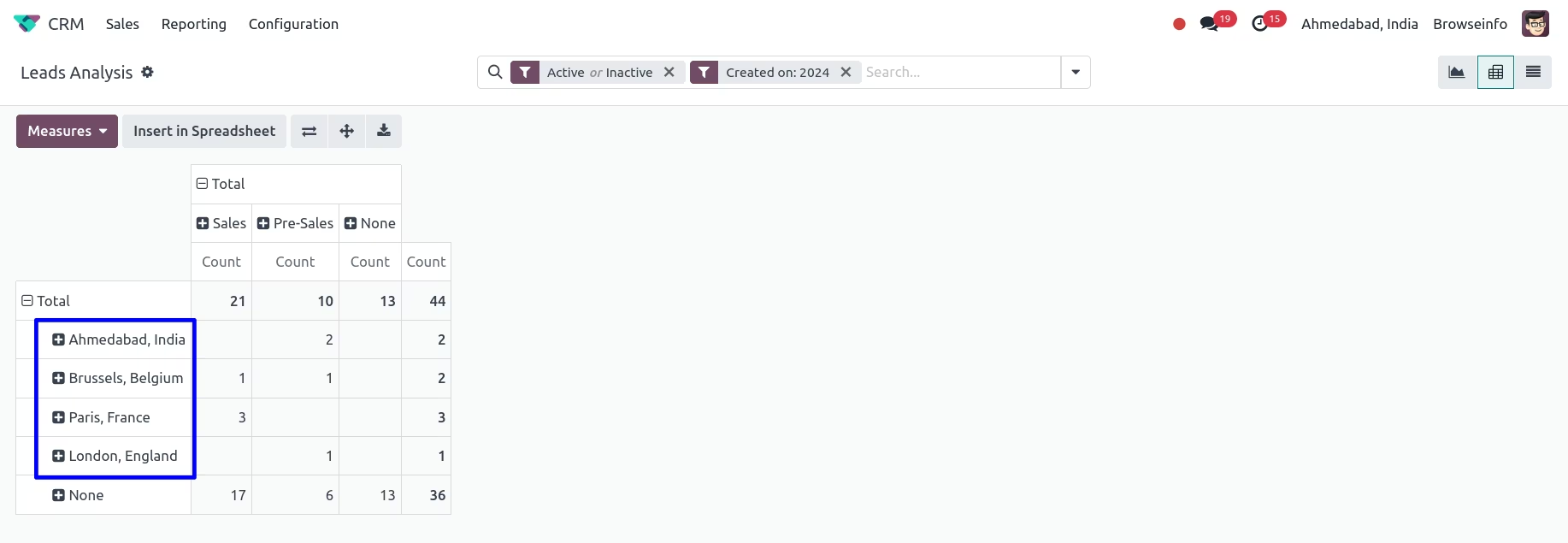
Branch on Lead Analysis Report
You can see branch on lead analysis report.