The Advanced Low Stock & Expiry Notification module is a comprehensive inventory management tool designed to help you avoid stockouts and minimize waste from expired products. This module enhances standard functionality by allowing you to set up sophisticated, automated notifications for both low stock levels and approaching expiration dates. You can configure alerts on a per-product, per-category, or global basis, ensuring that the right people are notified at the right time. This proactive approach to inventory control helps maintain optimal stock levels, improves fulfillment rates, and protects your bottom line.
Configurable Low Stock Rules: Set minimum stock quantities for individual products, product categories, or all products to trigger notifications.
Product Expiry Alerts: Receive notifications for products nearing their expiration, removal, best before, or alert dates.
Automated Email Notifications: Automatically send detailed low stock and expiry reports to designated users or user groups via email.
Multiple Location Support: Configure stock alerts for specific warehouse locations or across your entire inventory.
Customizable Notification Frequency: Schedule notifications to be sent out on a daily, weekly, or monthly basis to suit your operational needs.
Detailed Notification Reports: The email report includes crucial details such as product name, current stock, minimum quantity, and expiration dates.
User-Friendly Configuration: Easily set up and manage all notification rules from a simple and intuitive interface.
Prevent Stockouts: Proactive alerts ensure you can reorder products before you run out, preventing lost sales and customer dissatisfaction.
Reduce Waste: Minimize losses from expired goods by receiving timely notifications to prioritize the sale or use of products nearing their end-of-life.
Optimize Inventory Levels: Maintain a lean and efficient inventory by avoiding both overstocking and understocking.
Improve Cash Flow: Avoid tying up capital in excess inventory and reduce losses from unsellable expired products.
Save Administrative Time: Automate the process of monitoring stock levels and expiration dates, freeing up your team for more strategic tasks.
Enhanced Decision Making: Gain better visibility into your inventory health to make more informed purchasing and sales decisions.
Advance Product Low Stock Alert Notification App
Product Low Stock Alerts Based on Warehouse Apps
Multi Warehouse Product Low Stock Notification Apps
Product & Variant Specific Low Stock Email Alerts Apps
Automatic Low Stock Warning System for Inventory Management Apps
Advance Product Low Stock Alert Notification app helps users to get email notification for low stock product based on on hand or forecasted quantity. Users can also set notification mode based on global, individual, or reorder rule based. Users can set minimum quantity for product and product variant, Only configured users will get email notification for low stock products. It also allows generating stock alerts based on multi warehouses.
In warehouse management this Product Low Stock Notification apps is useful to give the user update of product's on hand quantity or forecast quantity via mail. User can get list of products with their current quantity and their required quantity in stock inventory as alert in email minimum stock Reminder.Easily define low stock level global for all products or individual product. On basis of type of mode either global or forecast it will generate email if any product low stock Reminder Notify for product inventory in warehouse app in ERP.
Company Configuration
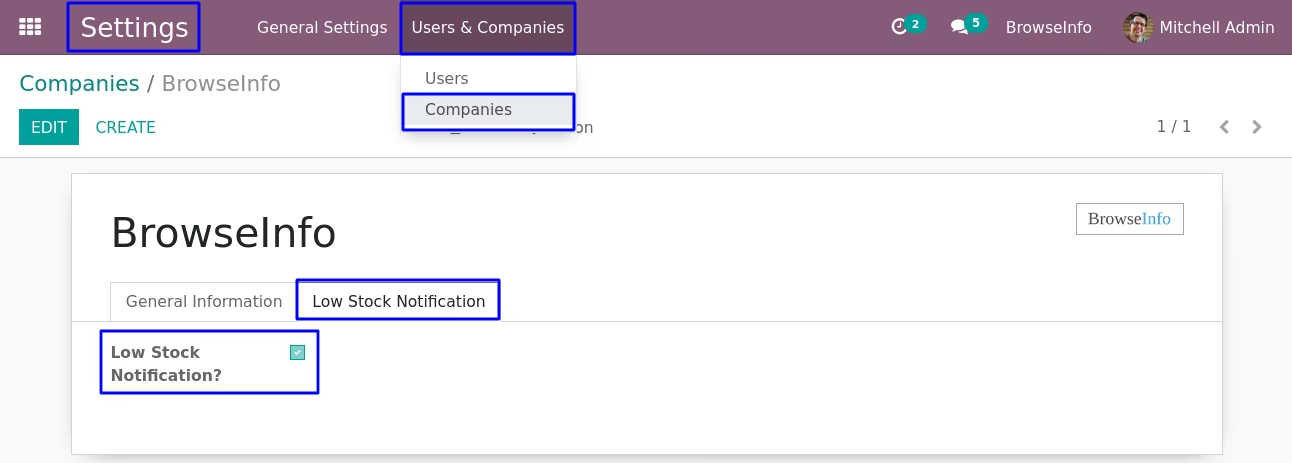
Under Settings > User & Companies > Companies menu user have enable "Low Stock Notification?" option under "Low Stock Notification" tab.
User Configuration
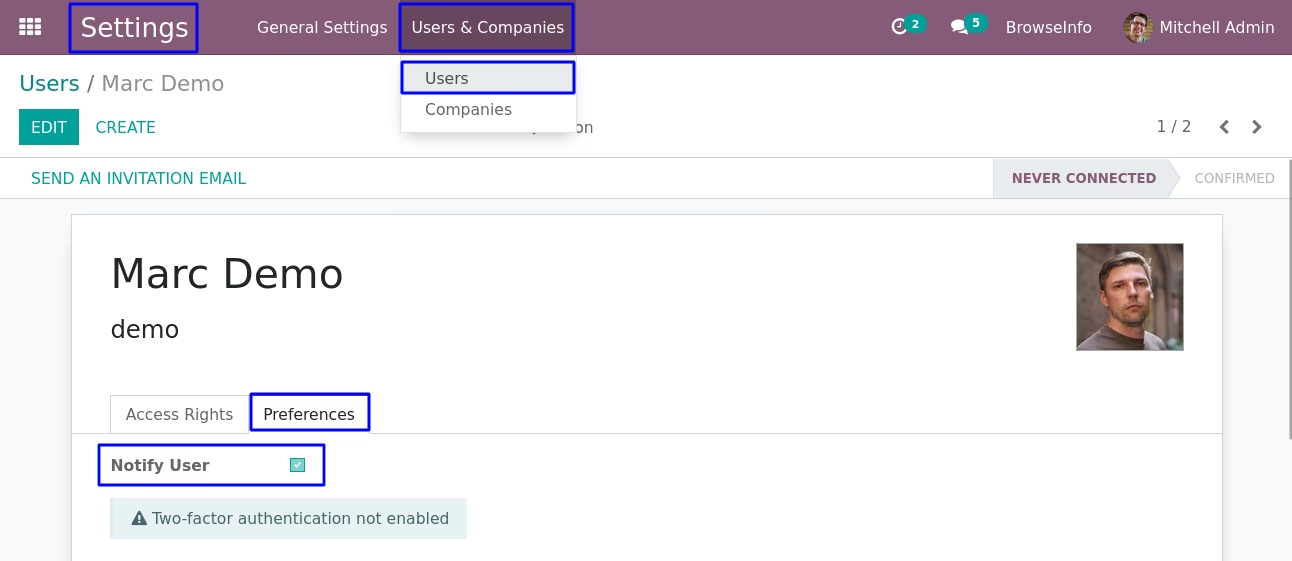
To get low stock product notification user have to enable "Notify User" under user preferences.
Global Product Stock Notification Configuration
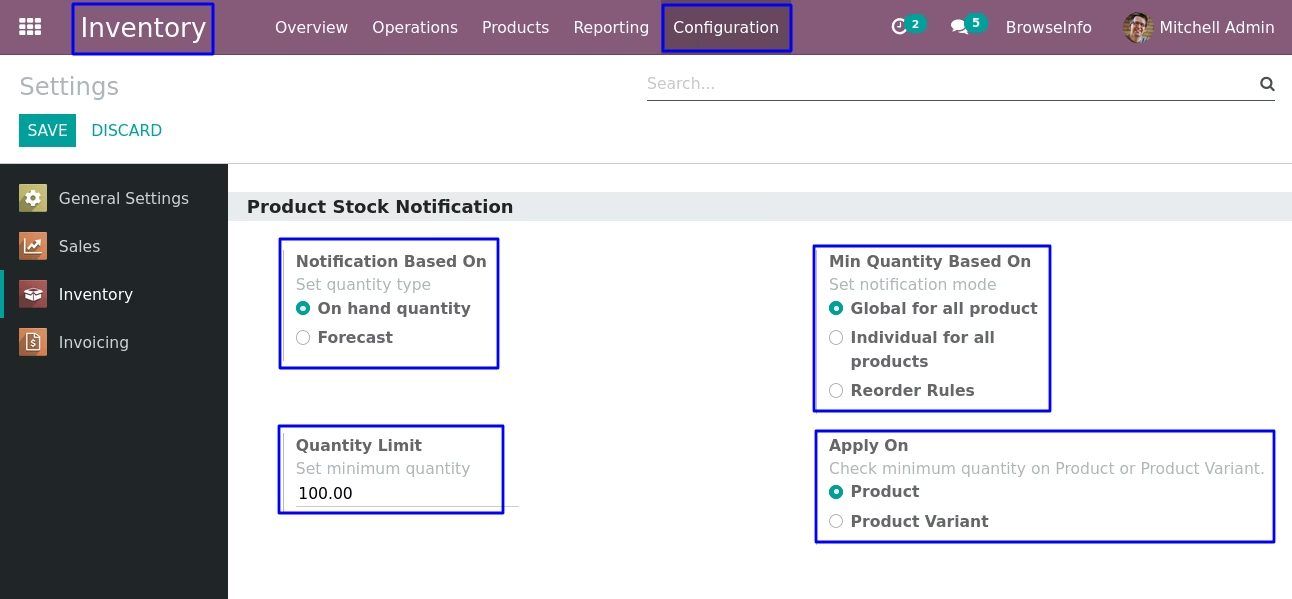
To get notification for global product on hand or forecasted minimum quantity user have to select "Min Quantity Based On - Global for all product" and "Apply On - Product".
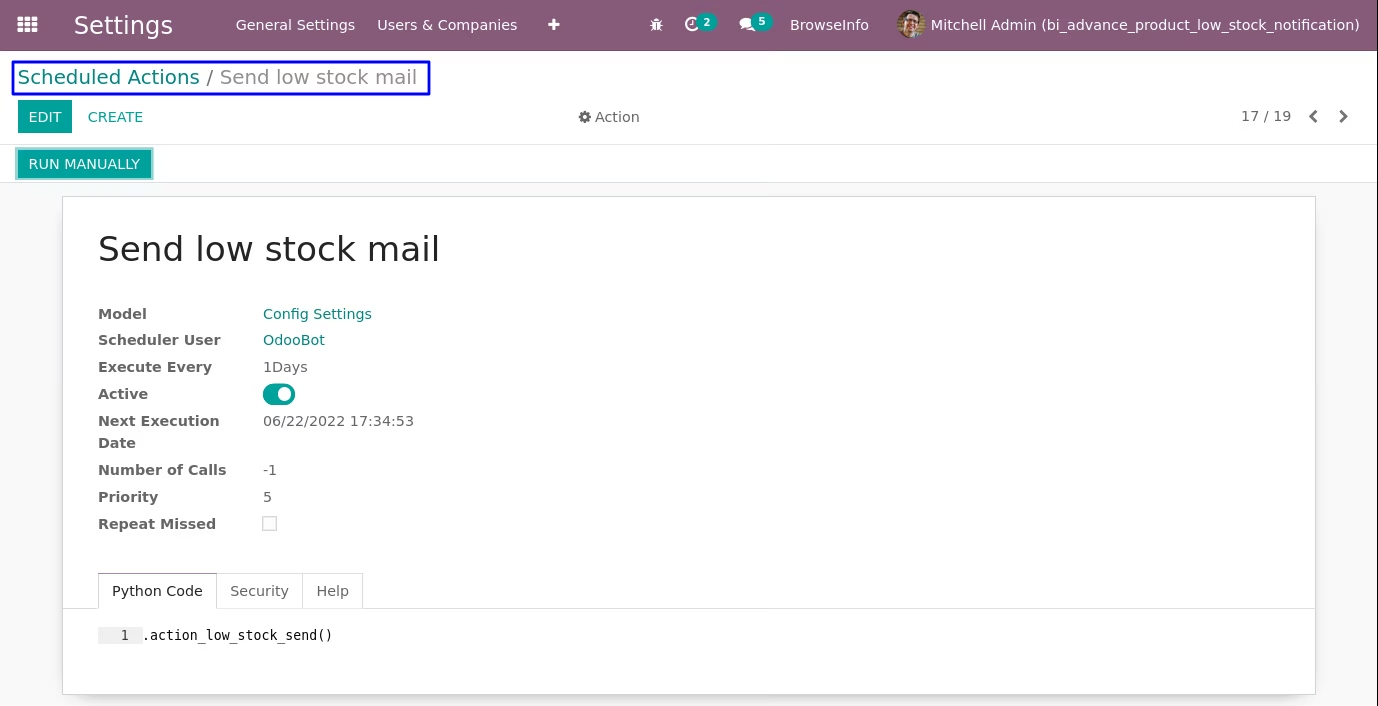
Additional Cron Features
User can set and run cron manually for email sending function.
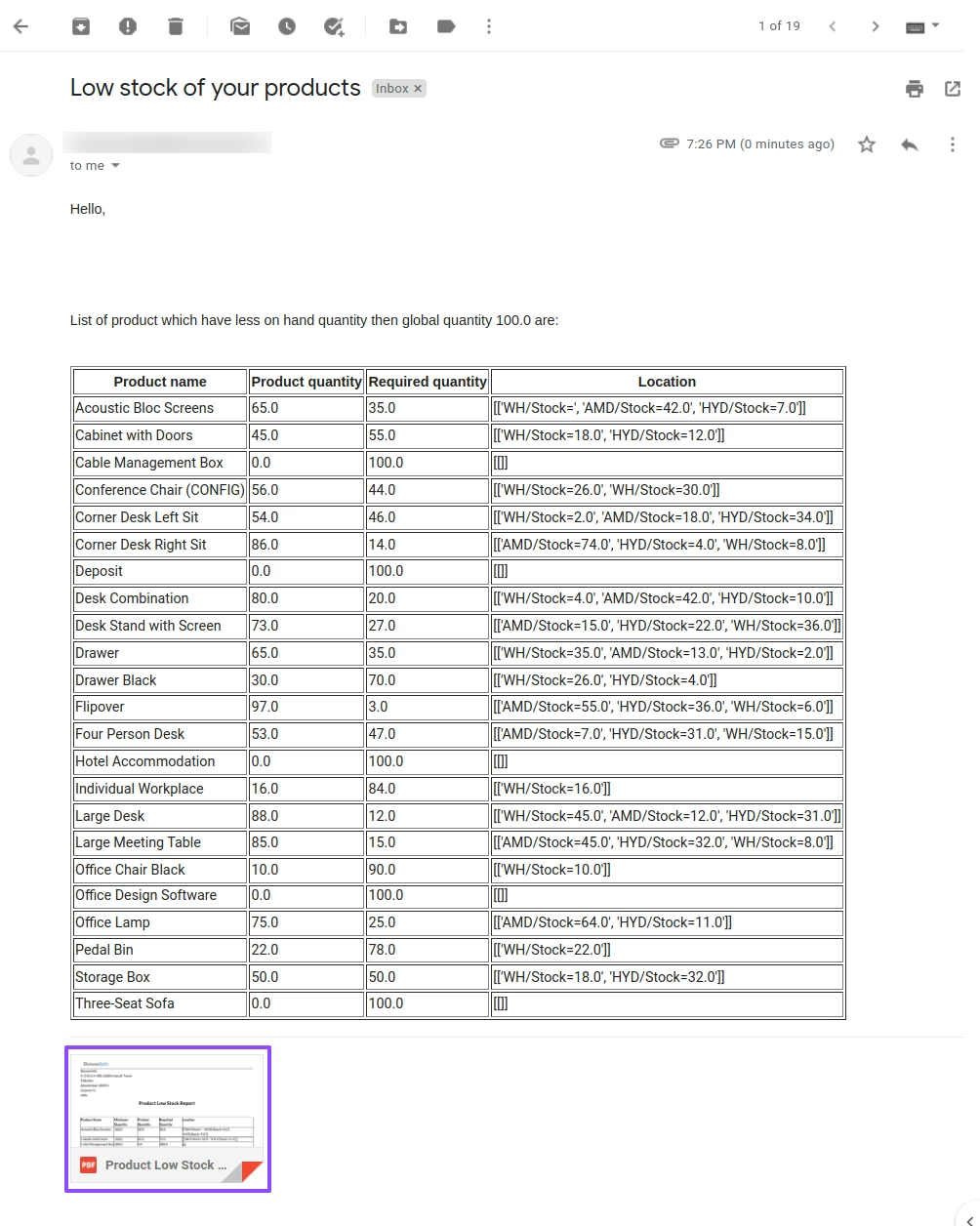
Low Stock Notification Email with Multi Warehouse
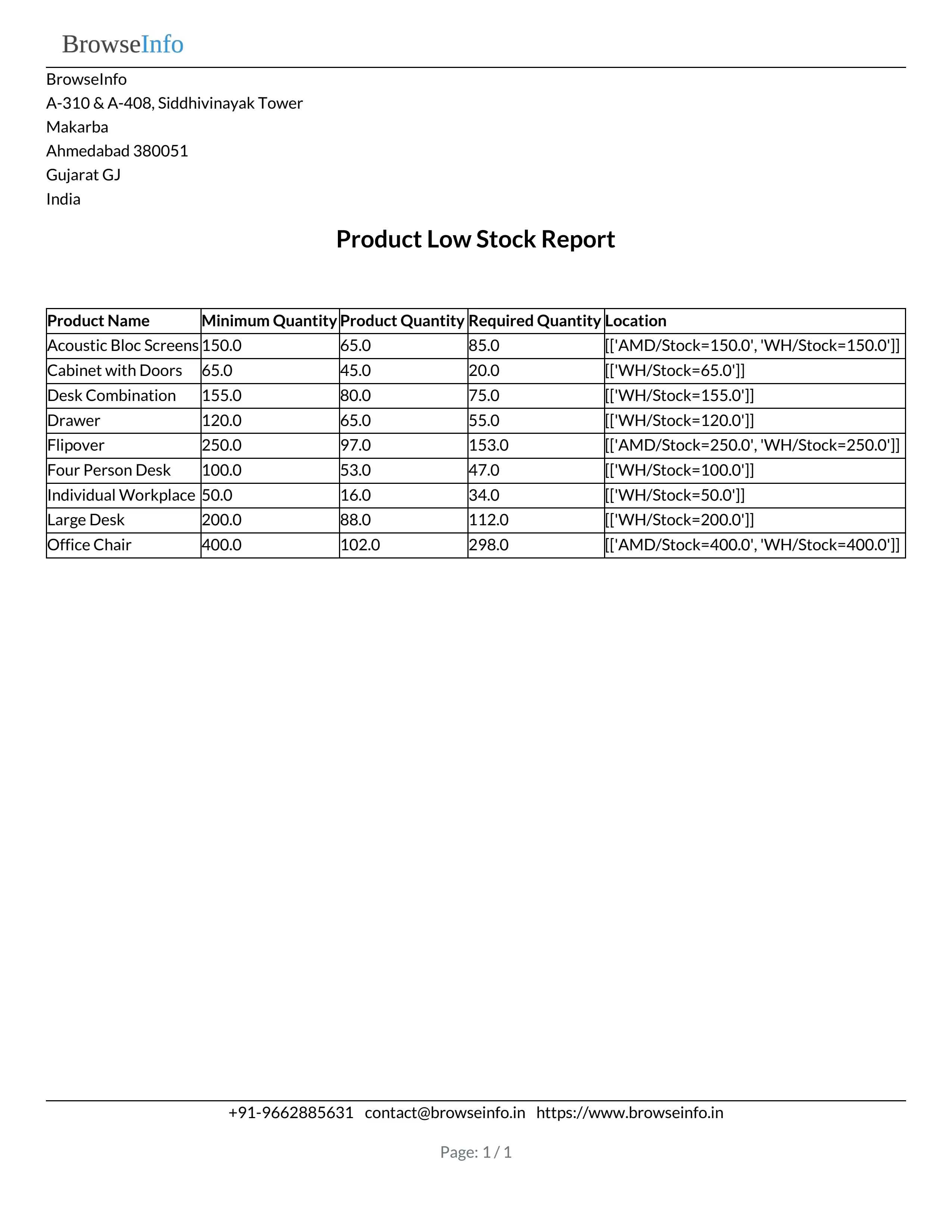
User can see low stock notification email reminder sent to user with product minimum quantity and warehouse wise quantity.
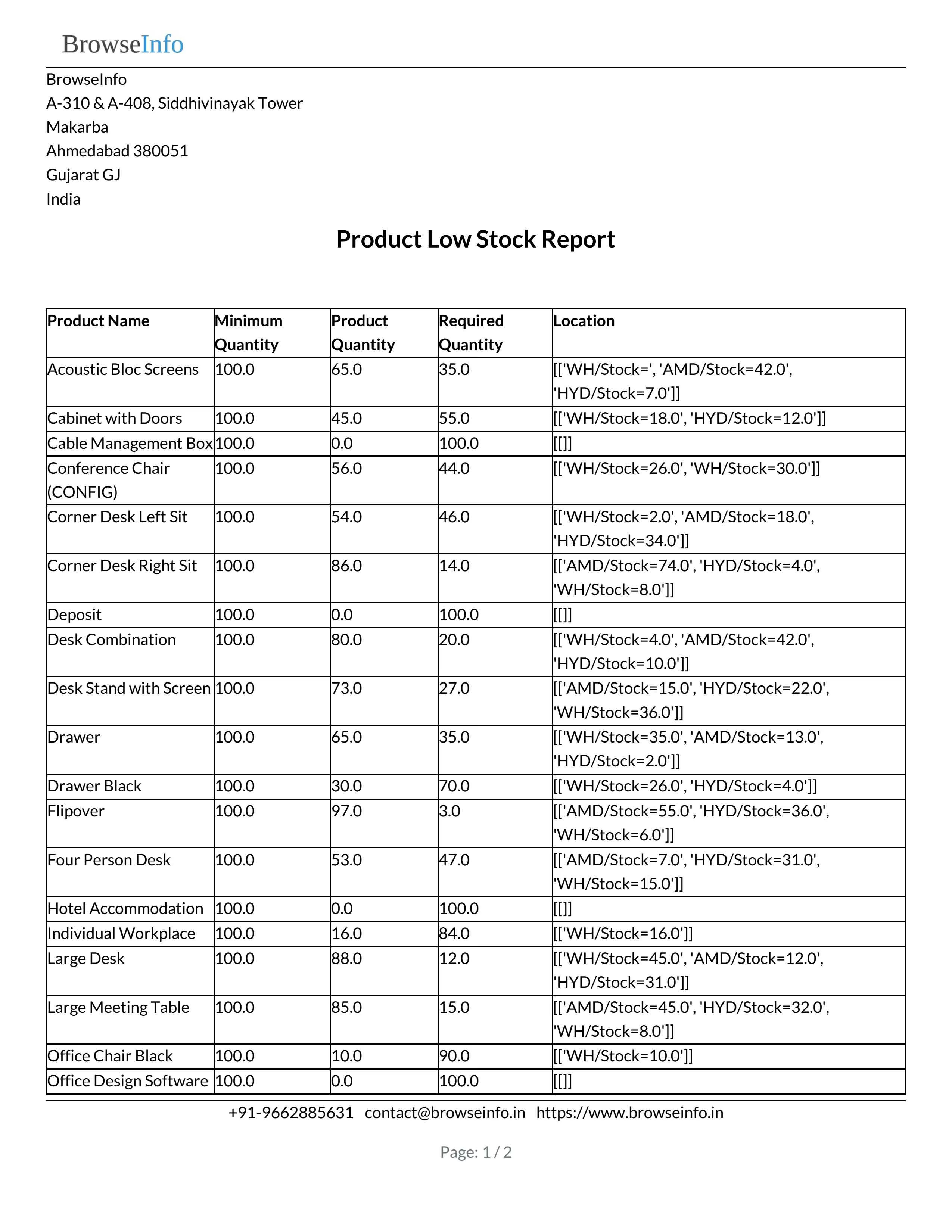
Low Stock Notification Email Attachment
User can see product variant minimum quantity low stock report attached with email.
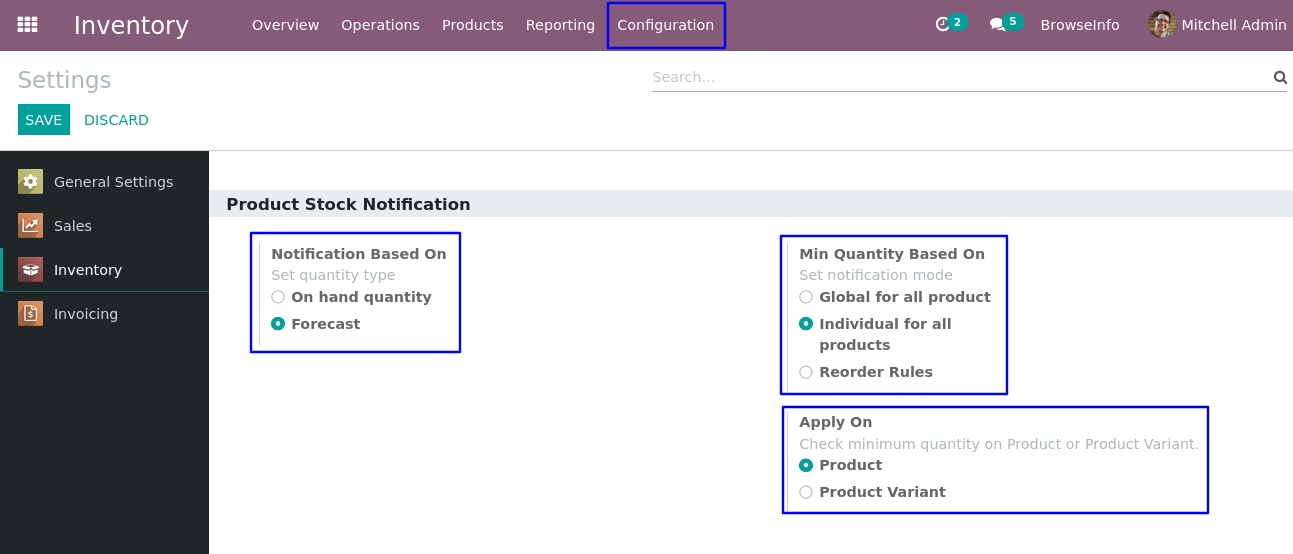
Individual Product Stock Notification Configuration
To get notification for global product on hand or forcast minimum quantity user have to select "Min Quantity Based On - Individual for all product" and "Apply On - Product".
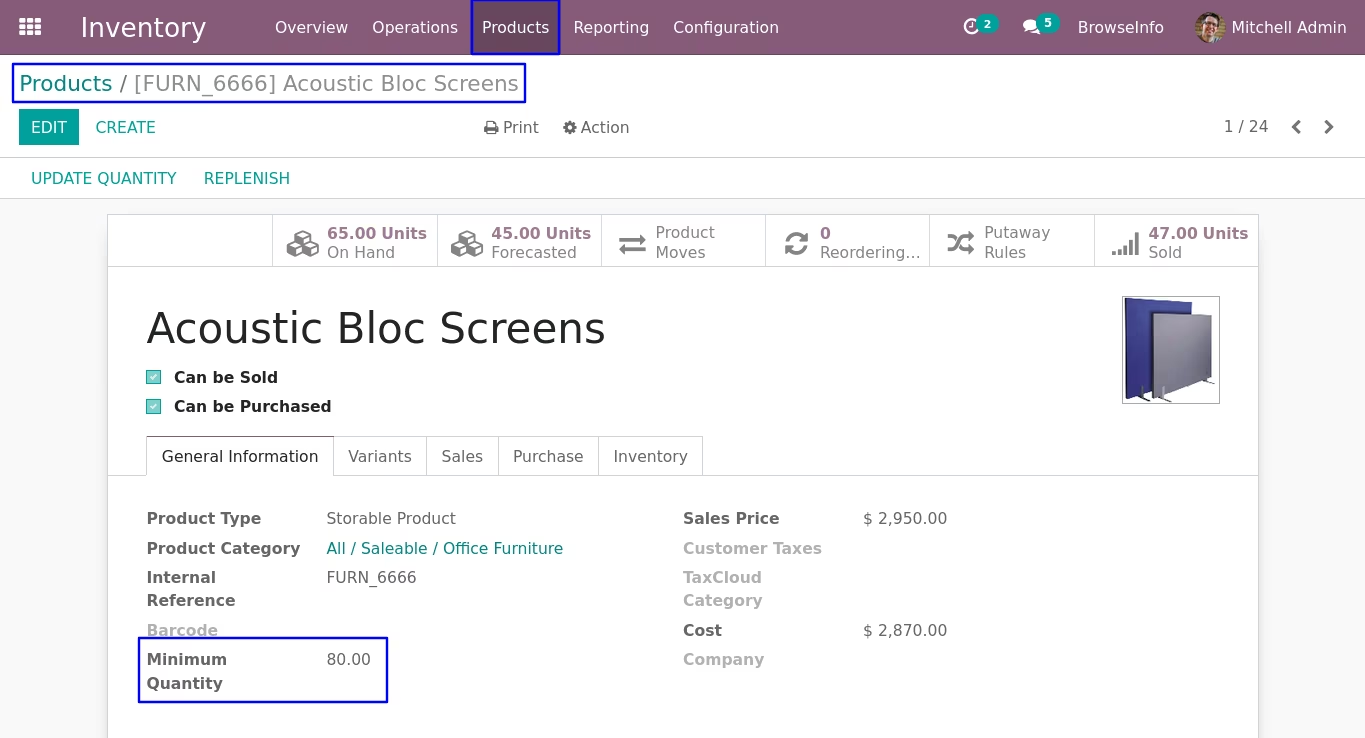
Set Product Min Quantity
On product form view user have to set minimum quantity for specific product.
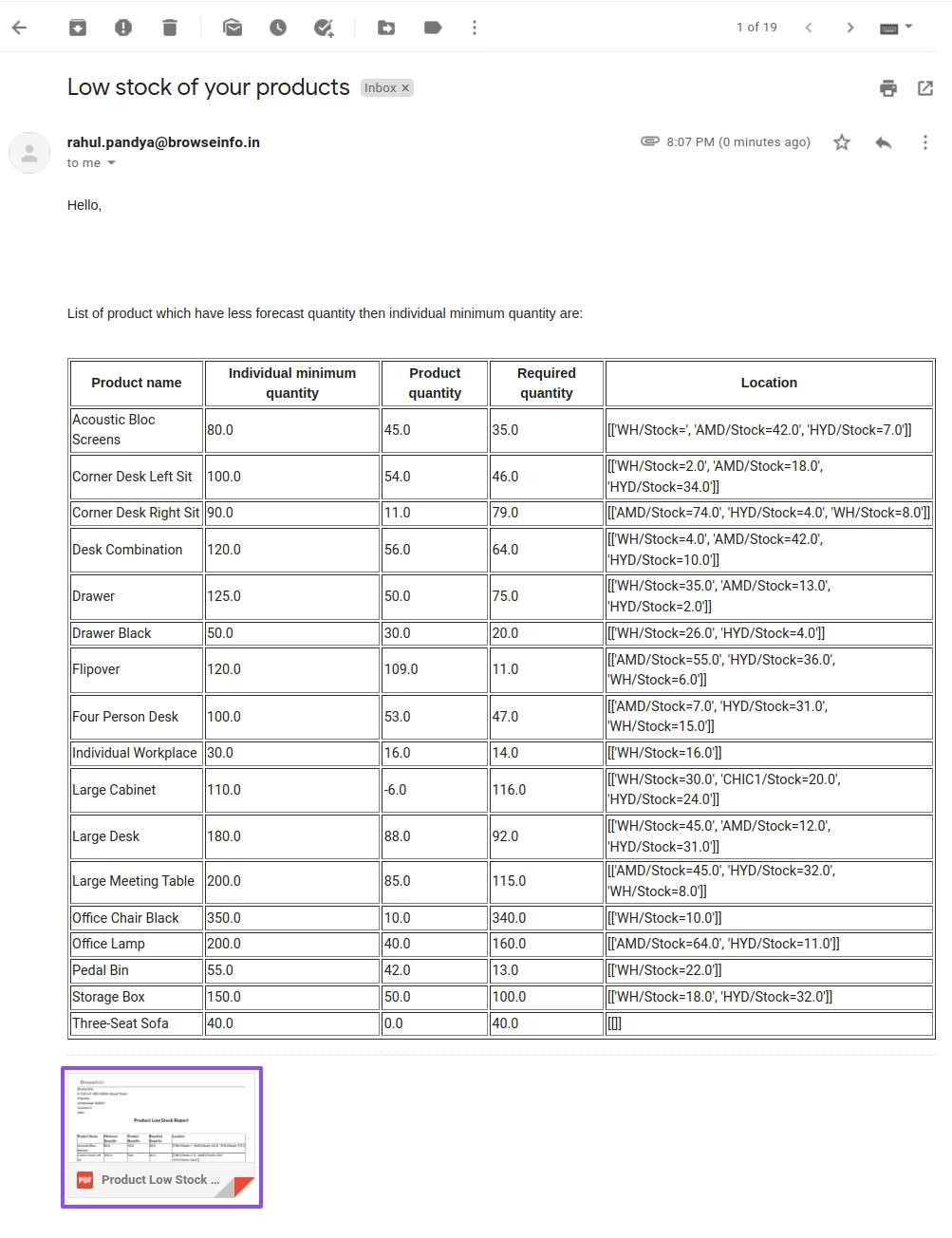
Low Stock Notification Email with Multi Warehouse
User can see product minimum quantity low stock notification email reminder to notify user with multiple warehouses.
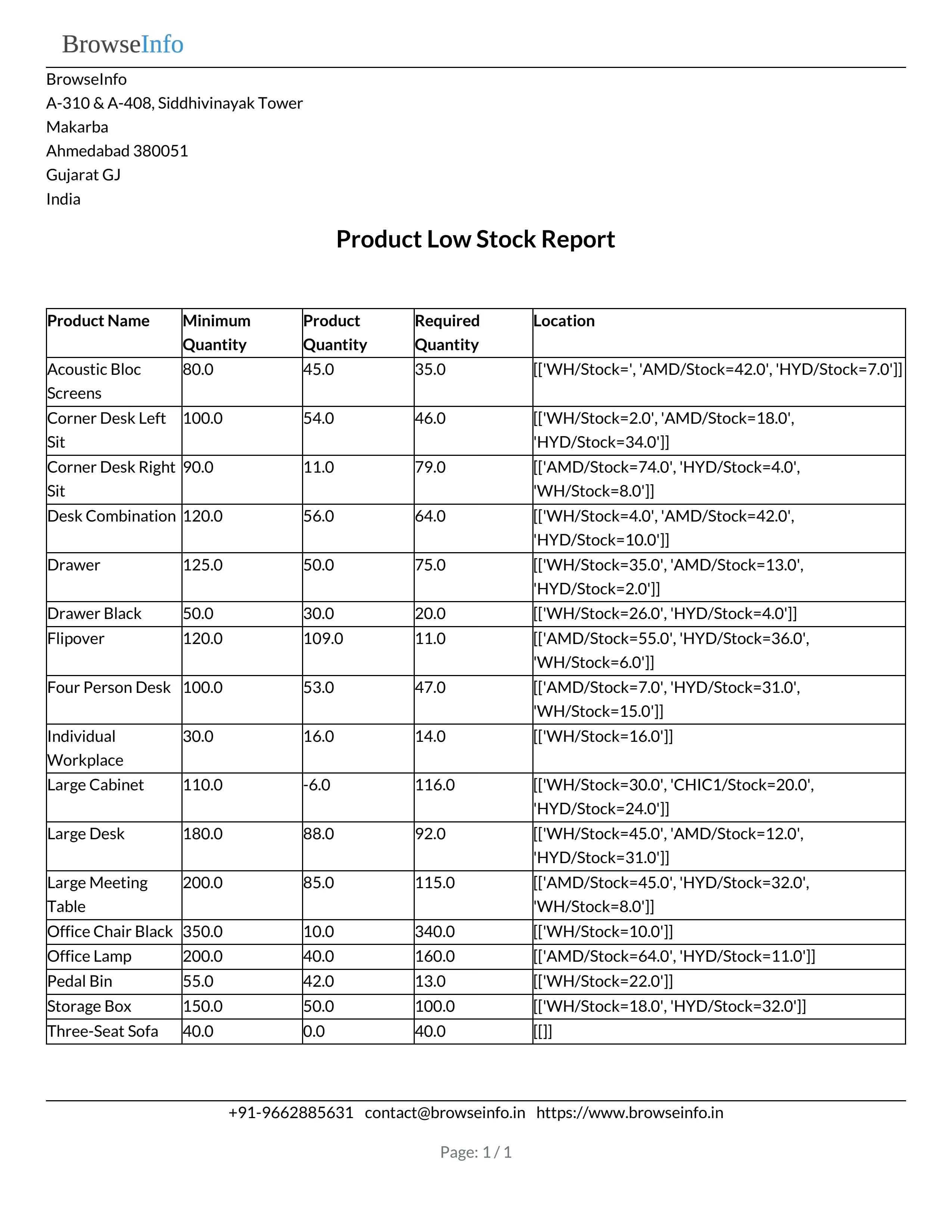
Low Stock Notification Email Attachment
User can see product minimum quantity with warehouse on low stock report attached with email.
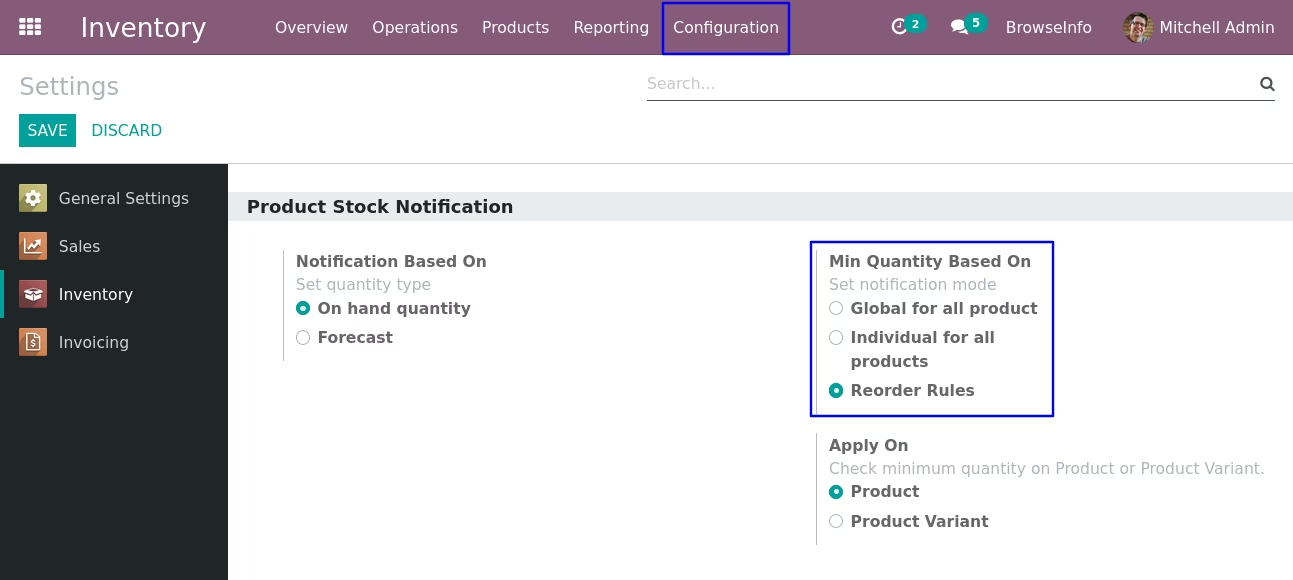
Reorder Rules Product Stock Notification Configuration
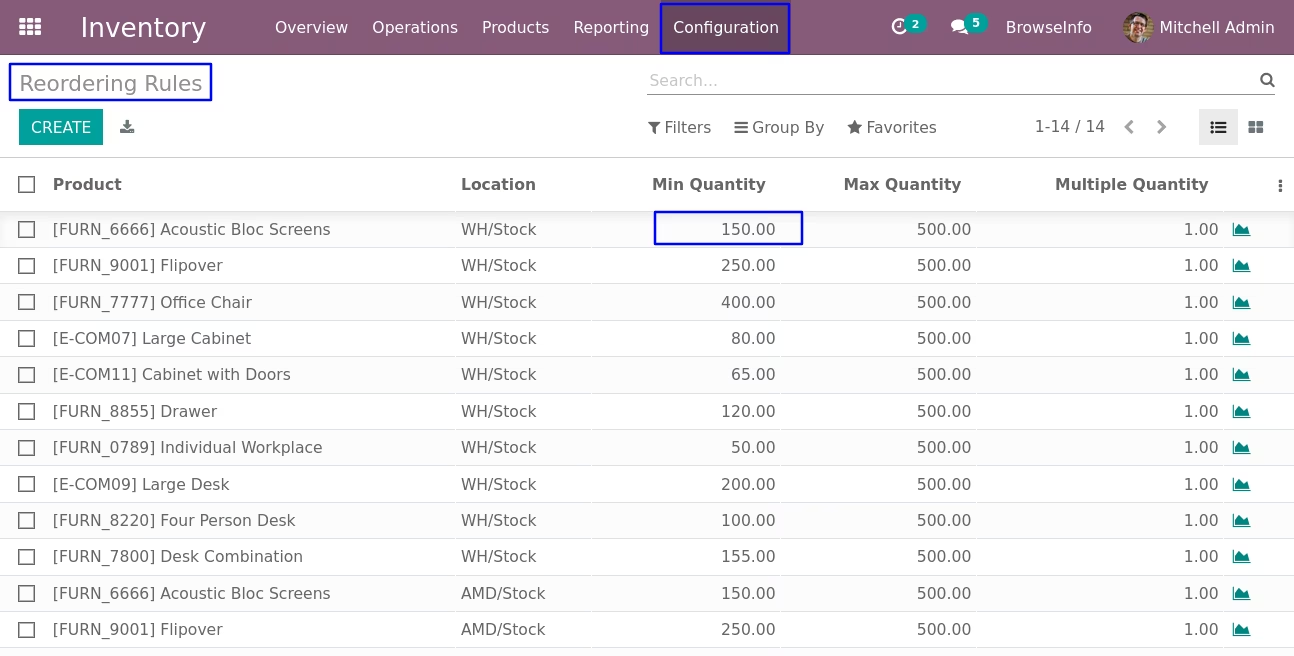
To get notification for product on hand or forcast minimum quantity based on reorder rules user have to select "Min Quantity Based On - Reorder Rules" and "Apply On - Product".
Replenishment
User have create replenishment for product and set "Minimum Quantity" for product.
Low Stock Notification Email with Multi Warehouse
User can see product minimum quantity low stock report with multi warehouse attached with email.
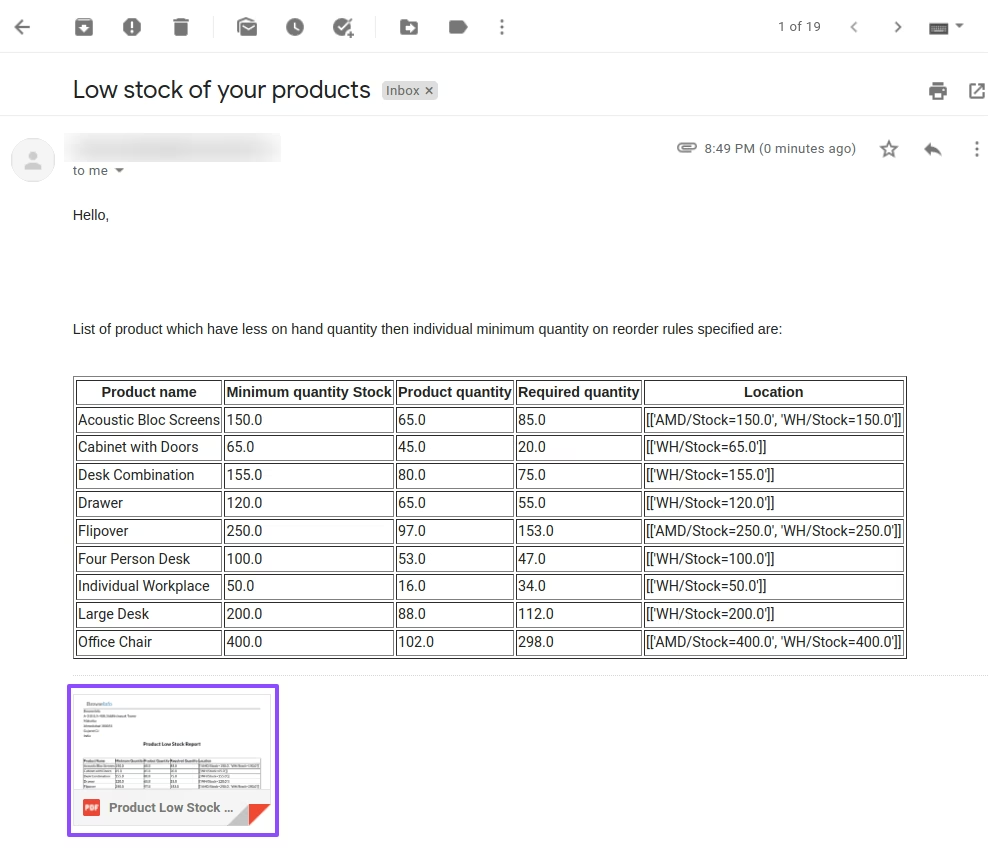
Low Stock Notification Email Attachment
User can see product minimum quantity low stock report attached with email.