The Multi-User Inventory Count module is a powerful tool designed to optimize and accelerate the stock-taking process. In a standard environment, only one person can work on an inventory adjustment at a time, which can be a significant bottleneck for businesses with large warehouses. This module solves that problem by enabling multiple users to collaborate on the same inventory count simultaneously. By allowing your team to work in parallel, you can complete physical inventories and cycle counts in a fraction of the time, leading to less downtime, more accurate stock data, and better overall warehouse management.
Simultaneous Inventory Counts: Allows multiple users to work on the same inventory adjustment at the same time.
Real-Time Data Sync: All user entries are synchronized in real-time, providing an up-to-date view of the counting progress.
User-Specific Task Assignment: While not explicitly stated, the nature of the module implies that different users can be assigned to count different products or locations within the same inventory adjustment.
Comprehensive Inventory Adjustments: Works with all standard inventory adjustment features, including counting by product, location, or lot/serial number.
Improved Accuracy: Reduces the likelihood of errors by allowing for a more organized and efficient counting process.
Seamless Integration: Integrates directly with core inventory module for a unified user experience.
Drastically Reduces Counting Time: Significantly shortens the time required for full physical inventories and cycle counts by allowing for parallel processing.
Minimizes Operational Downtime: Less time spent counting means your warehouse can return to normal operations more quickly.
Increases Accuracy and Reduces Errors: A more organized and collaborative counting process leads to fewer mistakes and more reliable stock data.
Boosts Team Productivity: Empowers your warehouse team to work more efficiently and collaboratively during stock takes.
Better Inventory Control: More frequent and efficient counting leads to better overall inventory control and management.
Streamlined Workflow: Simplifies the entire stock-taking process, from initiation to validation.

Inventory Count / Stock Take
In this fastest growing technology world, almost all Businesses with Multiple Products and Multiple Warehouses uses Inventory Management Solutions for Automating all processes to Manage Inventory but because of various reasons like physically damaged products, theft reasons, misplacement of products and many such real time incidencies, it is mandatory to compare and match What quantity of products do you have physically versus what your Stock count or Inventory Management Software says you should have?
Inventory Count Solution designed by us not only allows you to avoid such discrepancies and get rid of such Nightmares but manage various other processes too in Automated way while syncing up the Physical availability of products to the one with stock count in Inventory Management Software.
 Which employee will perform this process of Physical Stock Count?
- Which Manager will take analytical decisions?
- How much time does your employee spend to count inventories?
- Which employee will perform Inventory counting for which Warehouse and which location?
- How to analyze the accuracy and performance of employees?
- How to manage and synchronize multiple teams at multiple locations simultaneously for a large number of products and multiple Warehouses?
- How to analyze and decide which manager employees are involved in which Physical count task to plan and assign future work?
- Decide on approval or rejection of Inventory count by employee
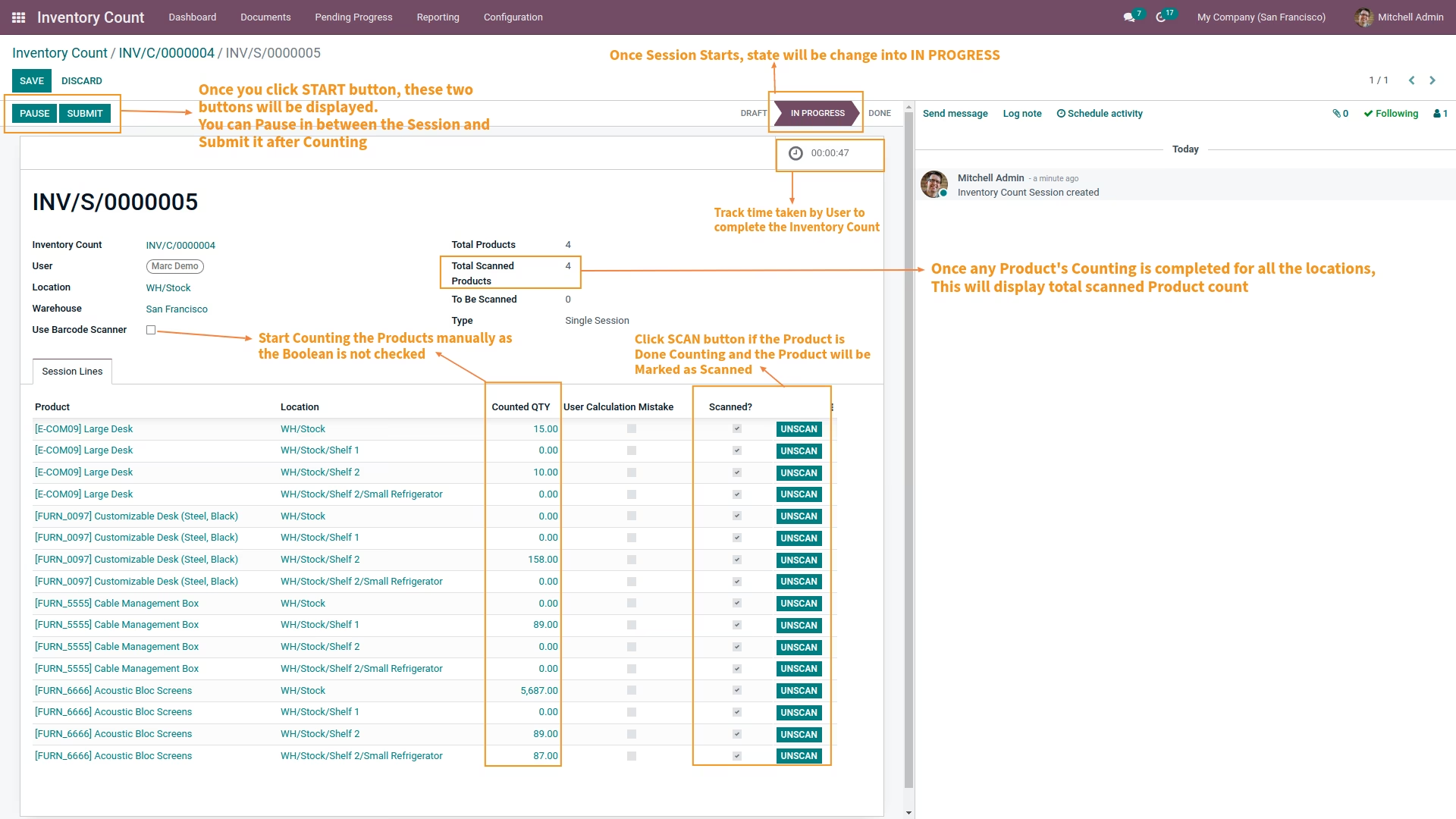
- Barcode scanning system feasibility also provided with this solution for counting products with Multiple Quantities avoiding manual count and thus error.
Set Plannar
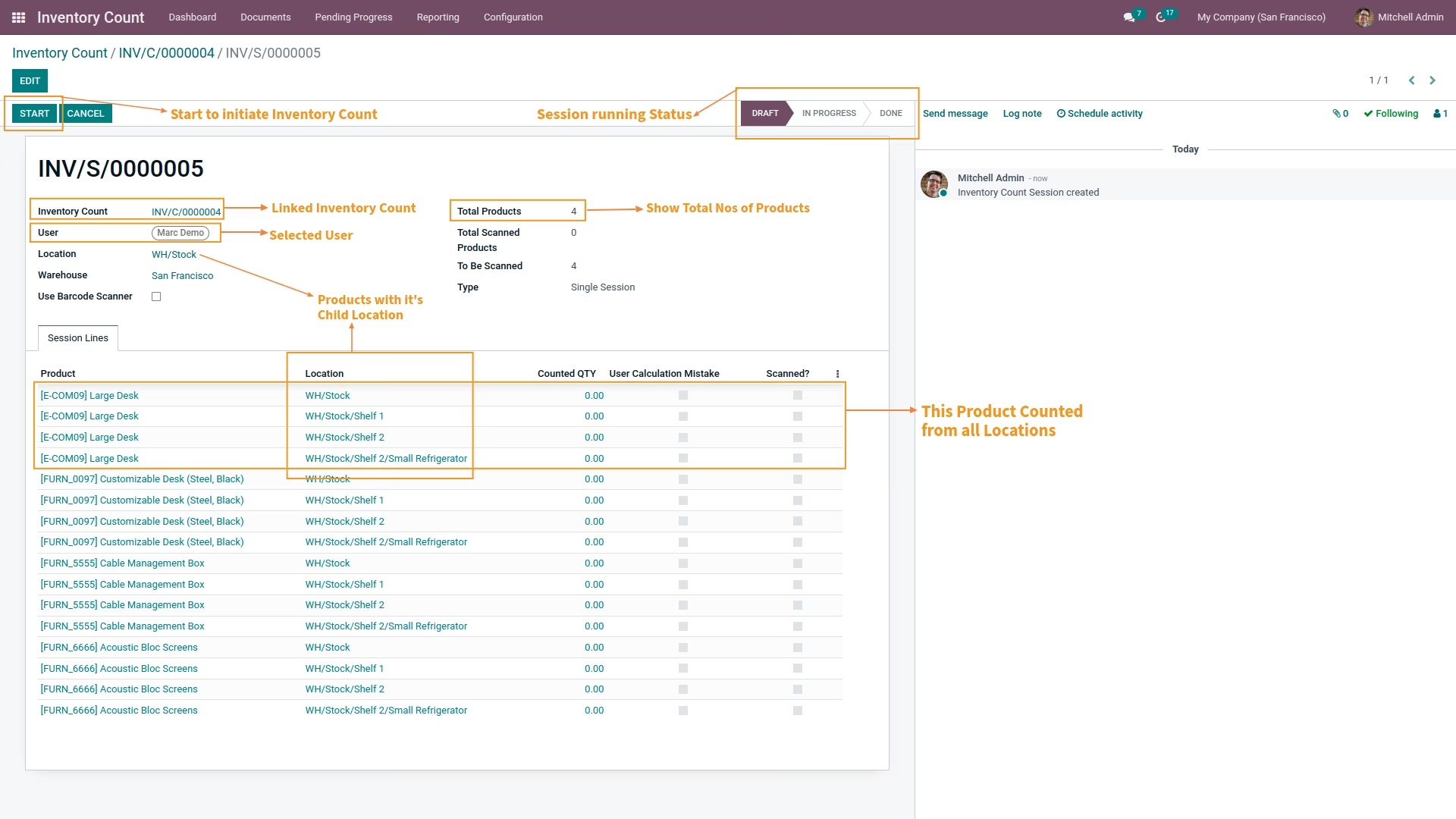
Planner of Inventory Counting can be set based on Users’ choice where user can
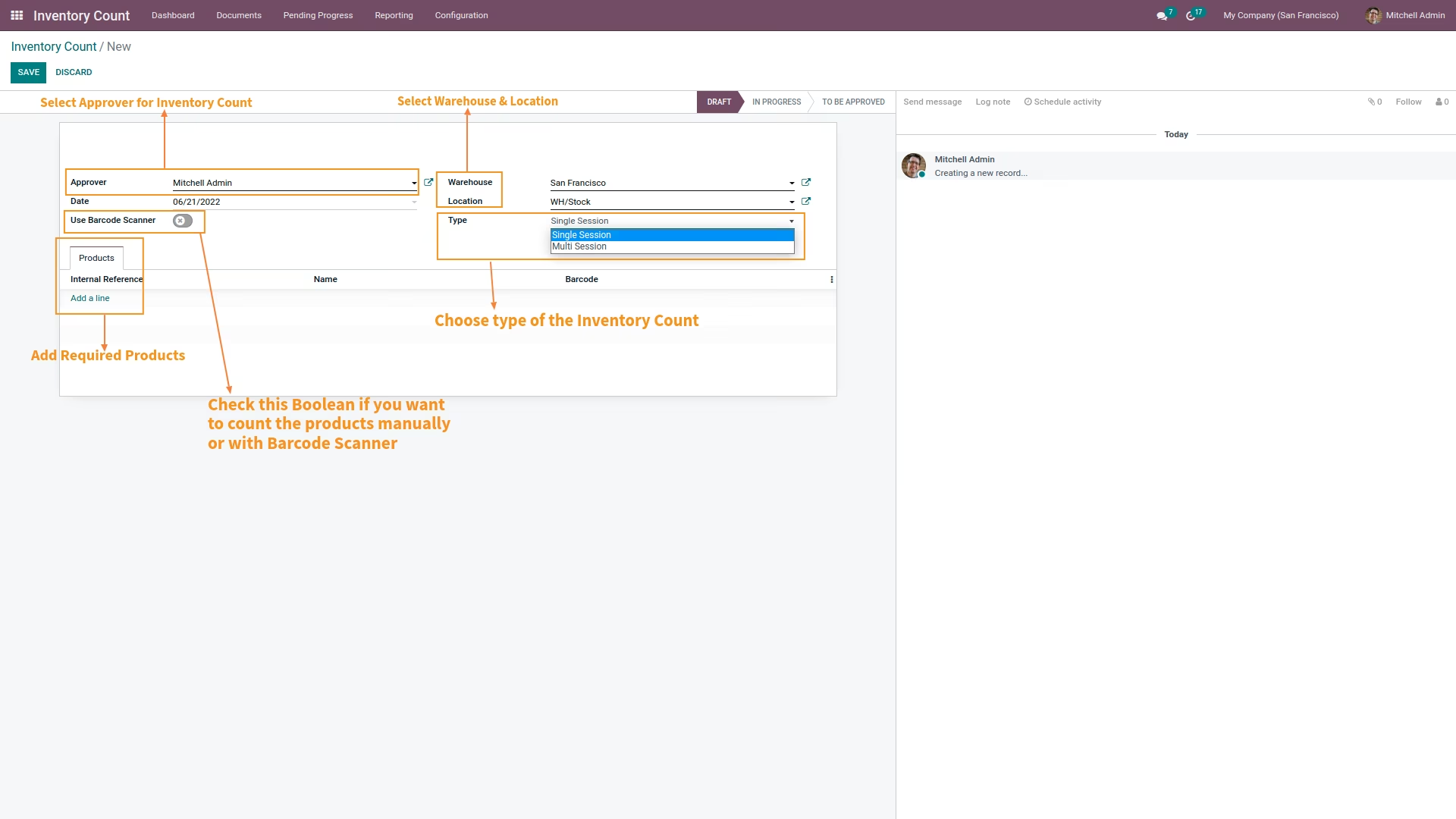
- Set Warehouse in which Inventory Count should be performed
- Set Frequency Day after which every time checking should be performed
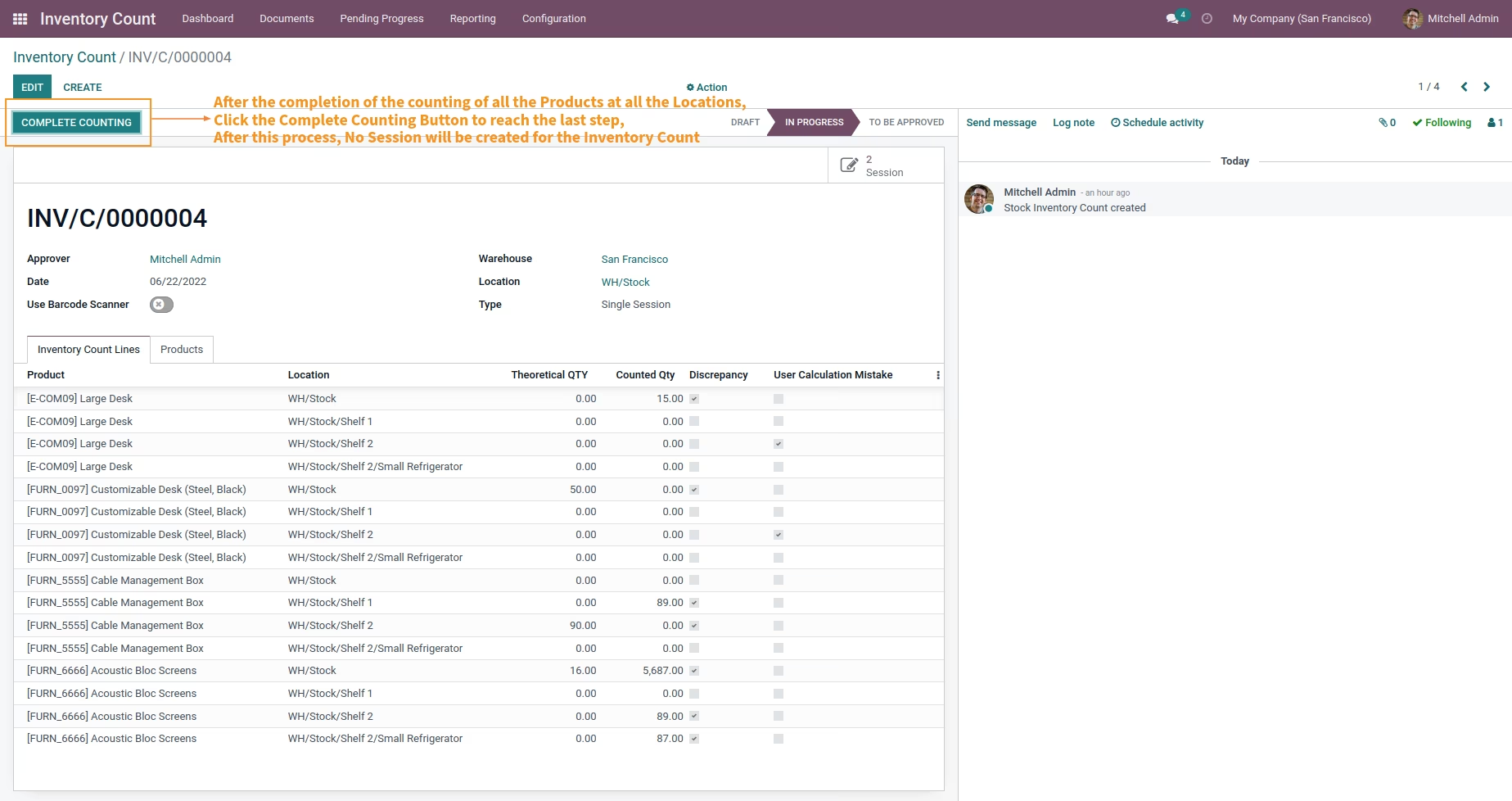
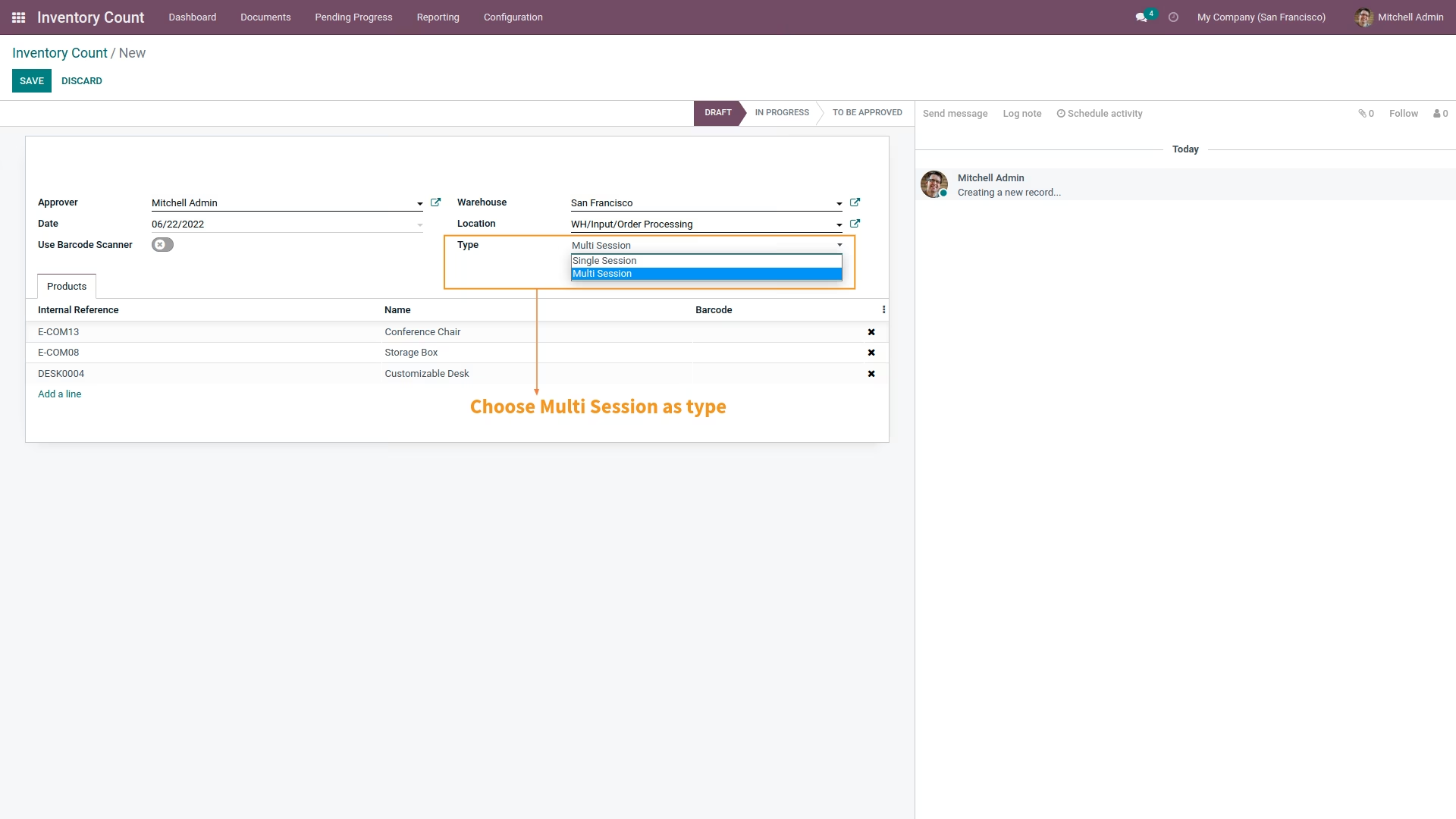
- Set type whether counting should be done for a single or Multiple session
- Select Products that should be checked
Track Records of Inventory Count
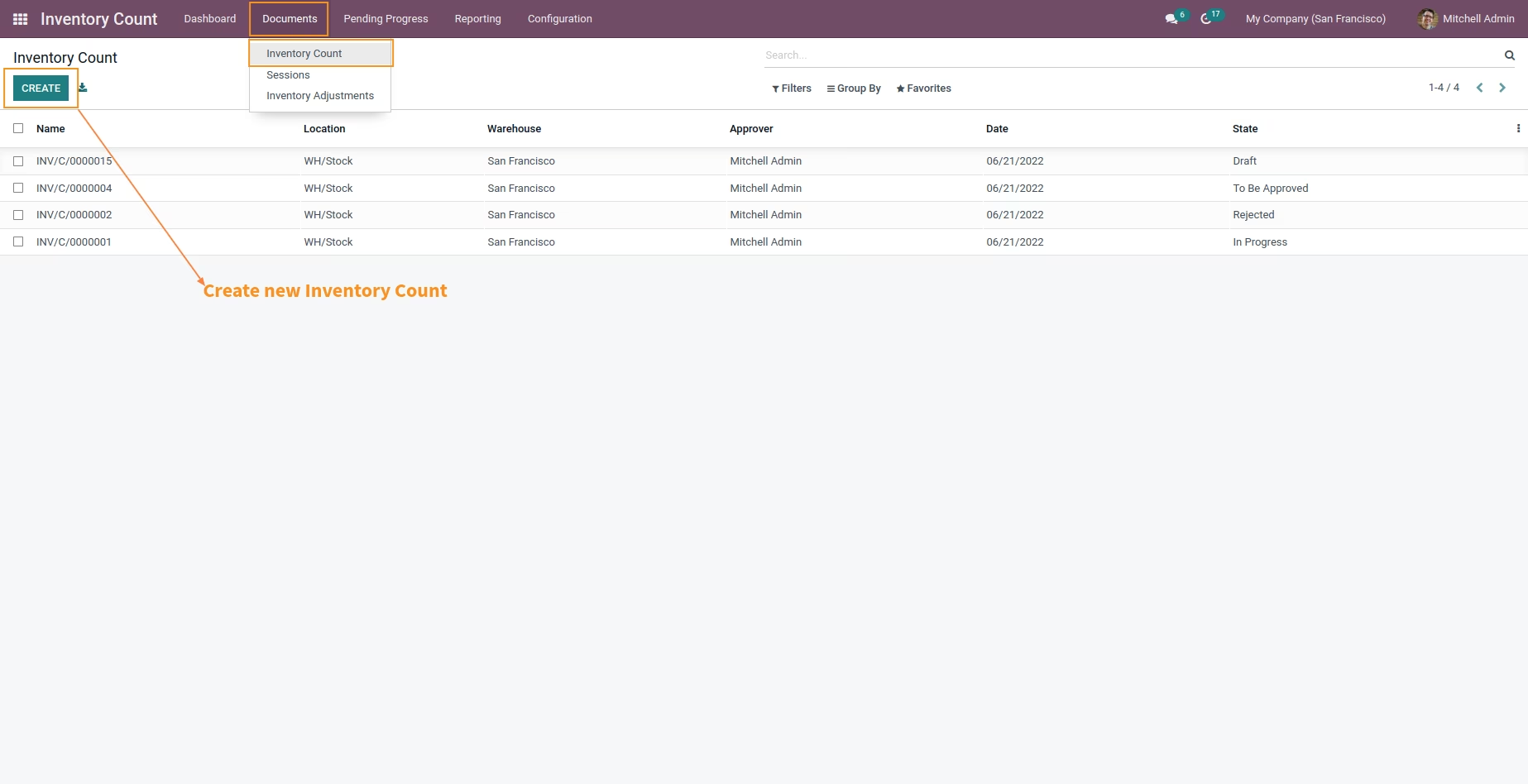
Users can track records and status of Inventory Count done based on Scheduled Action by setting planar of Inventory Count.
Manage multiple Session simultaneously
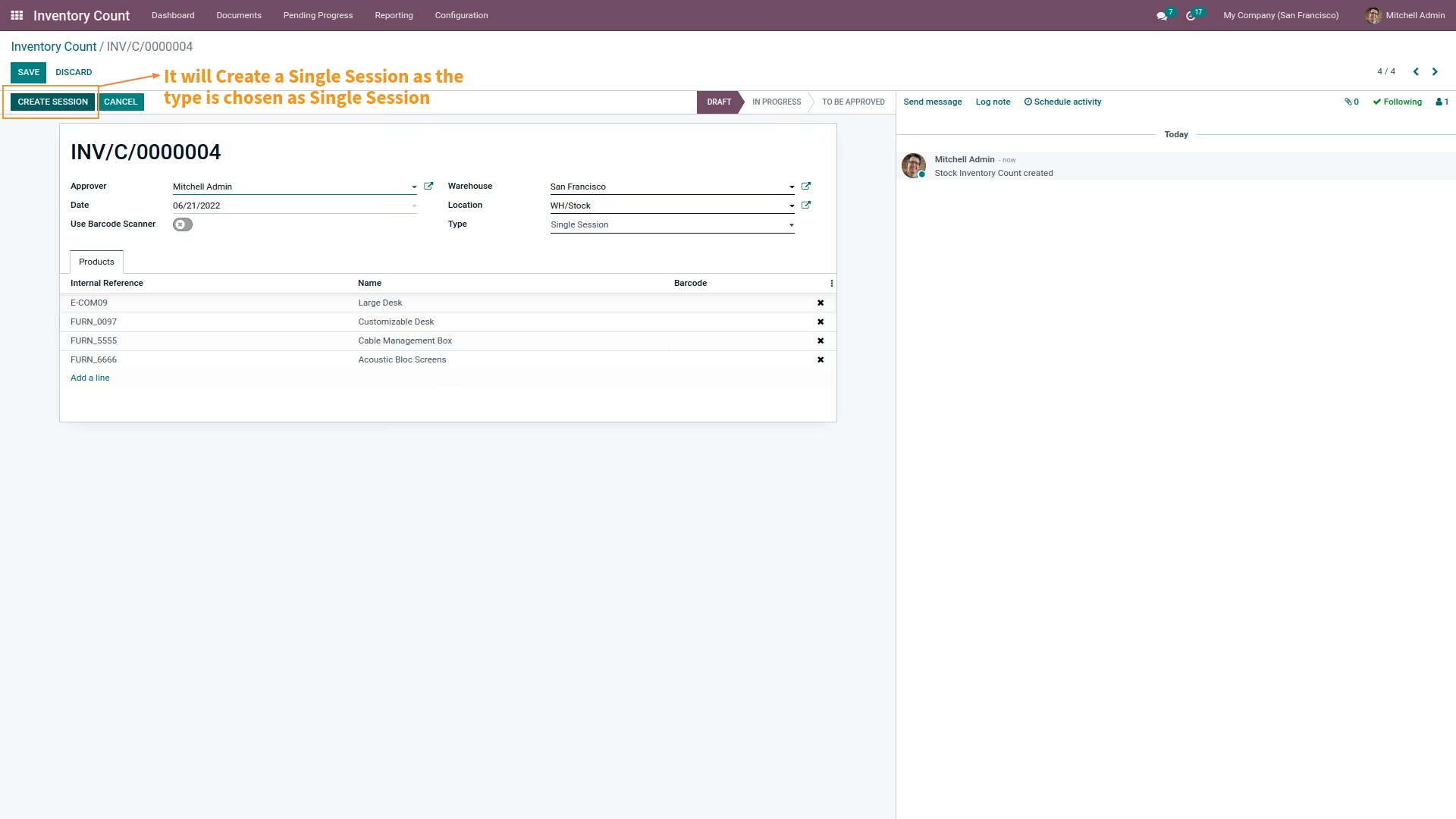
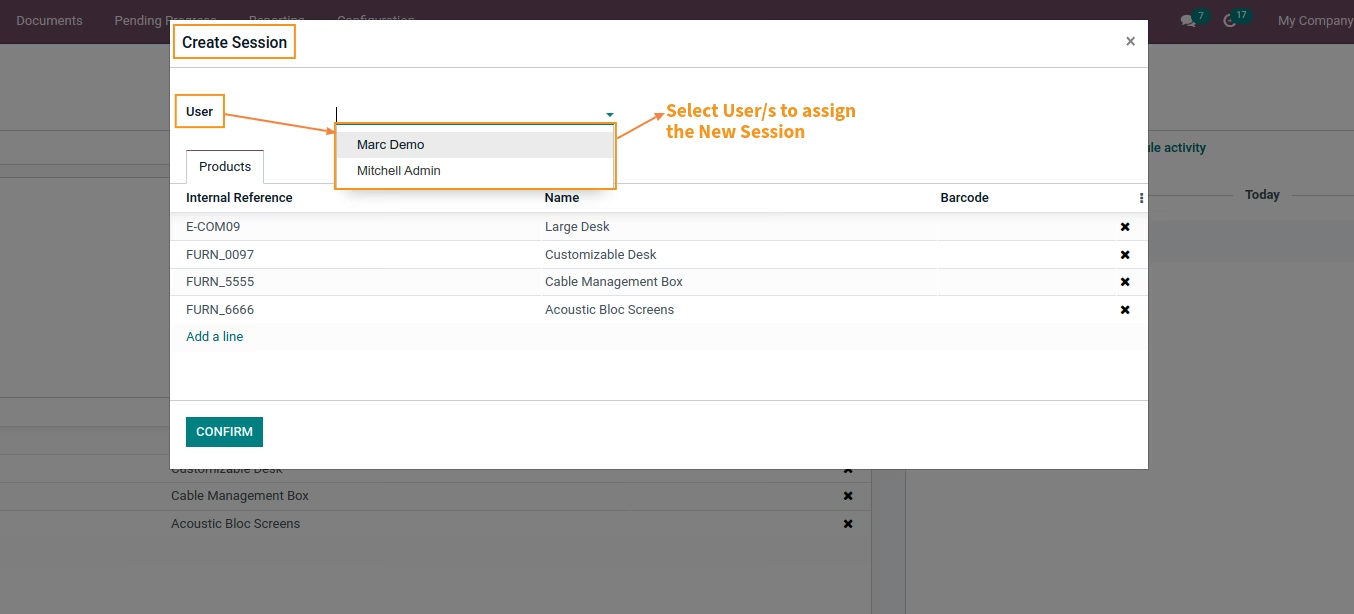
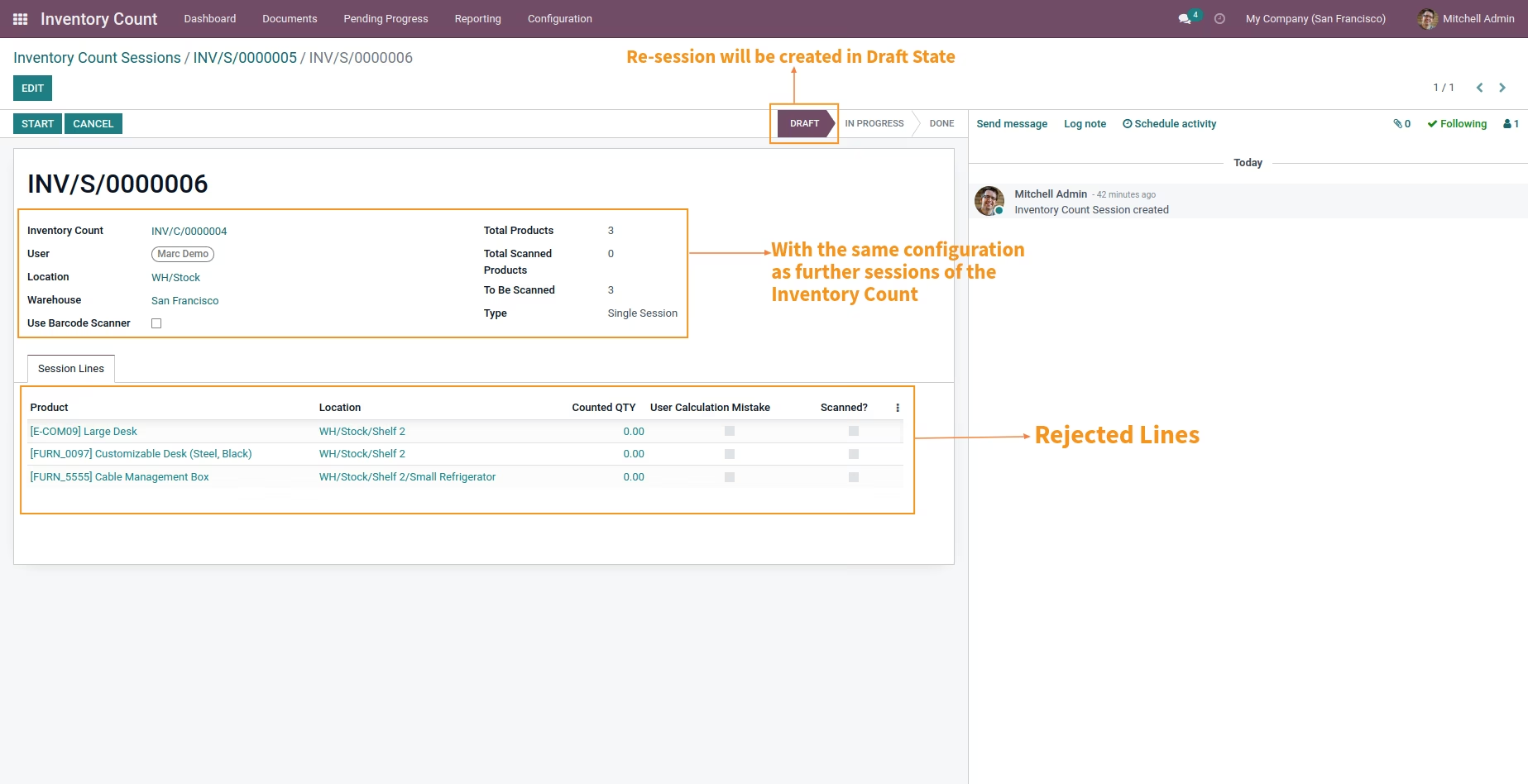
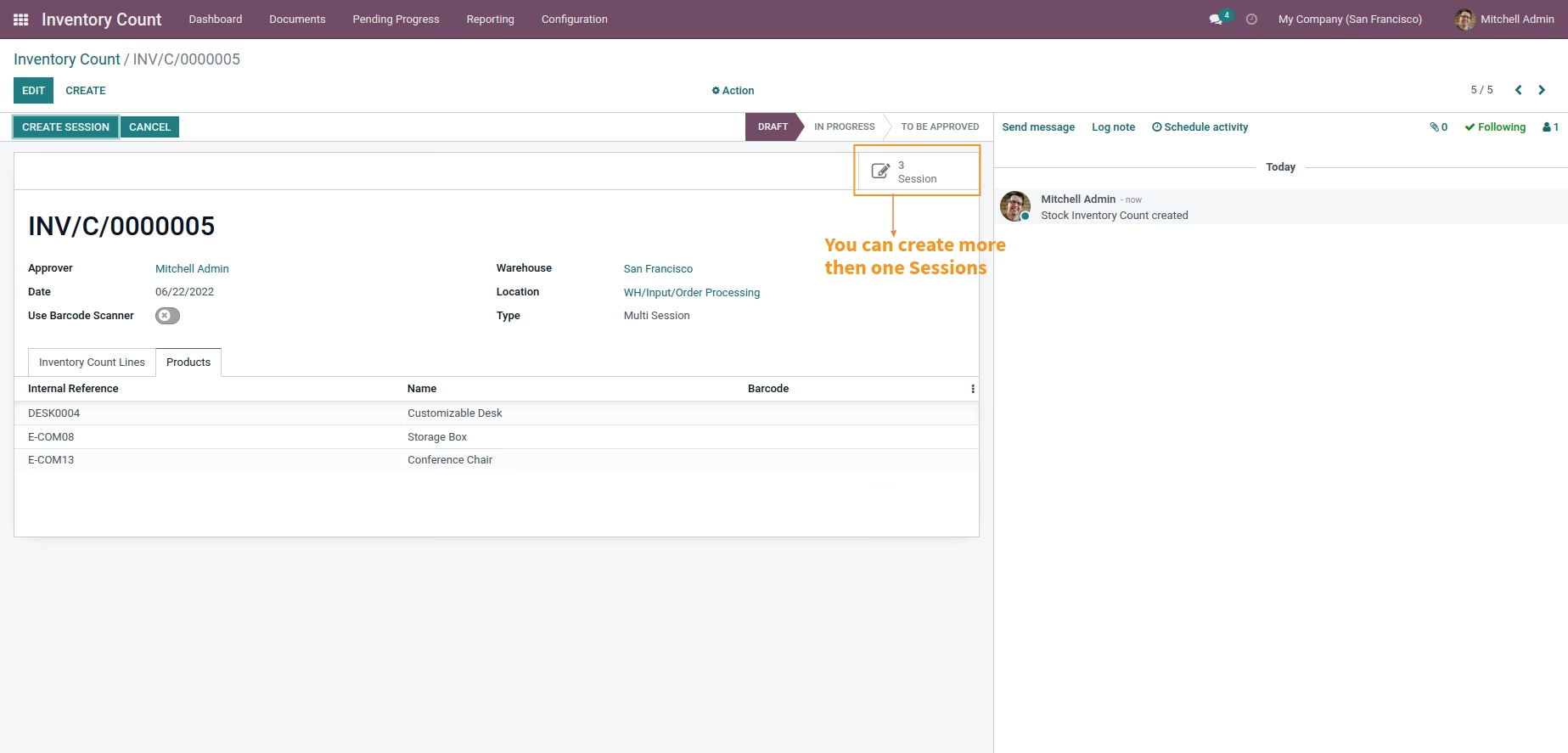
It allows you to set and manage multiple sessions to verify physical quantity of products when there are multiple Warehouses and Multiple locations where a single user performing a complete task becomes too time consuming and practically impossible.
Analysis over accuracy of work done by employee
Allows to analyze the performance throughput of employees and take necessary decisions by comparing the physical quantity counted by them and the one in the system.
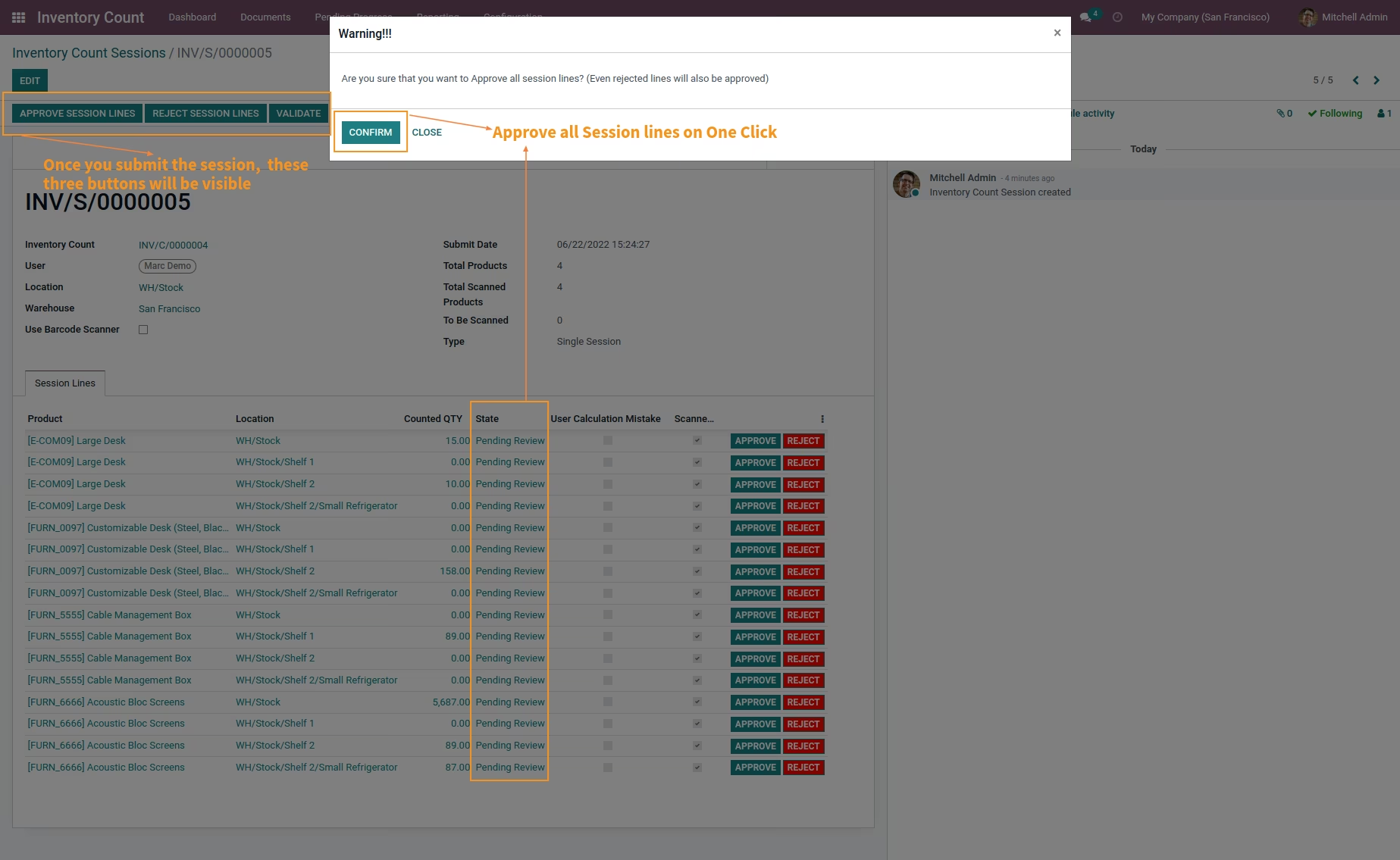
Approve/Reject based on discrepancy generated
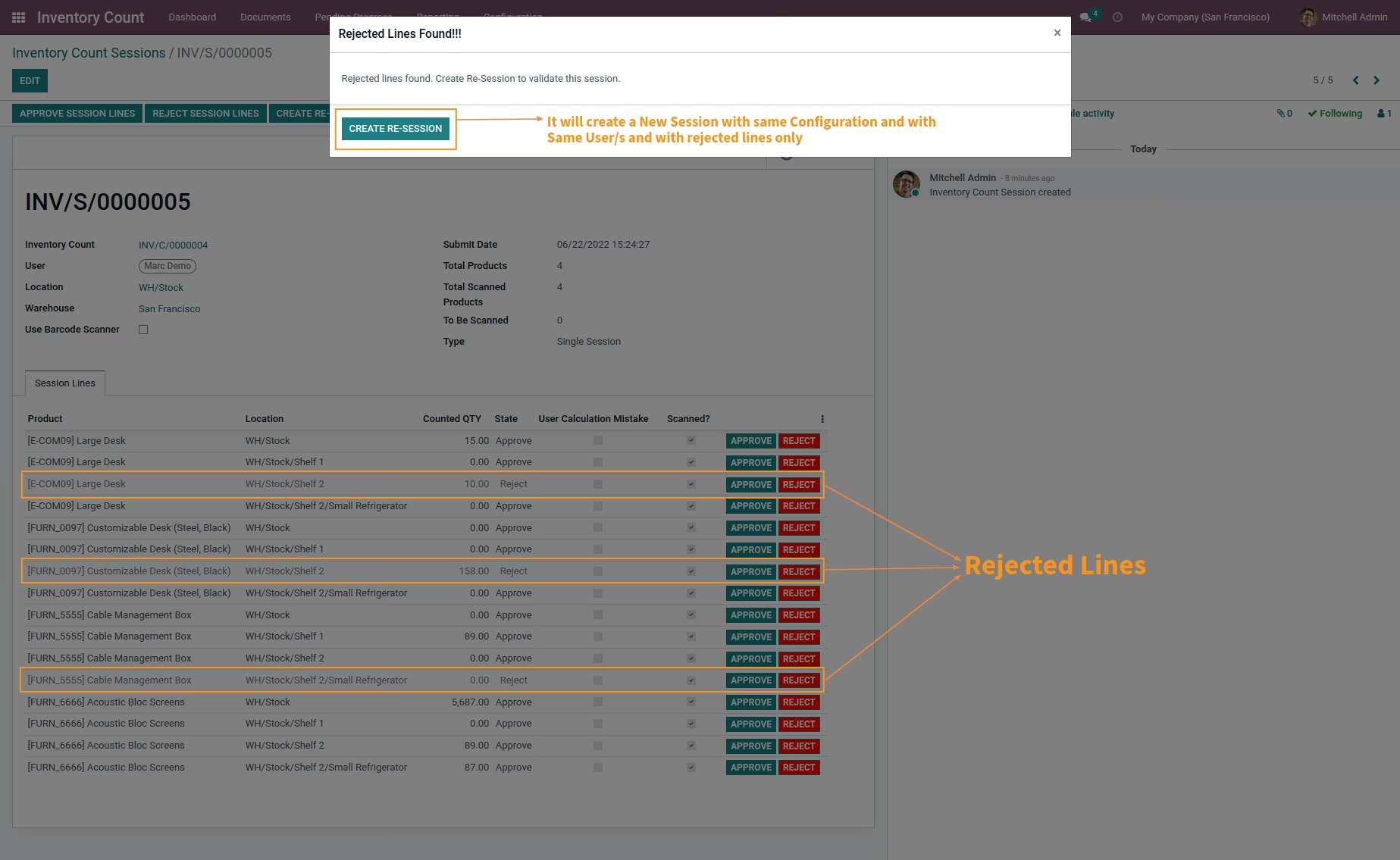
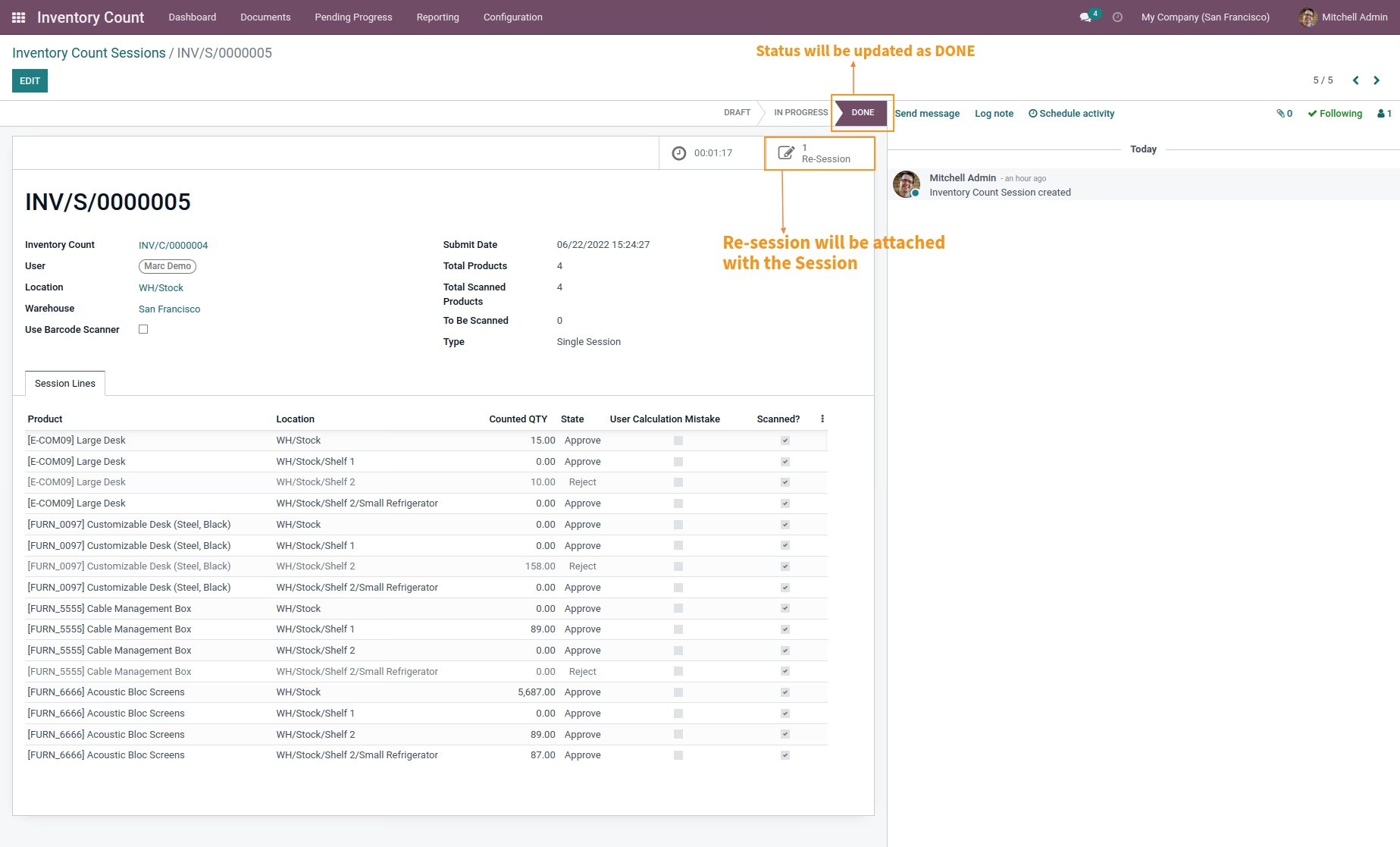
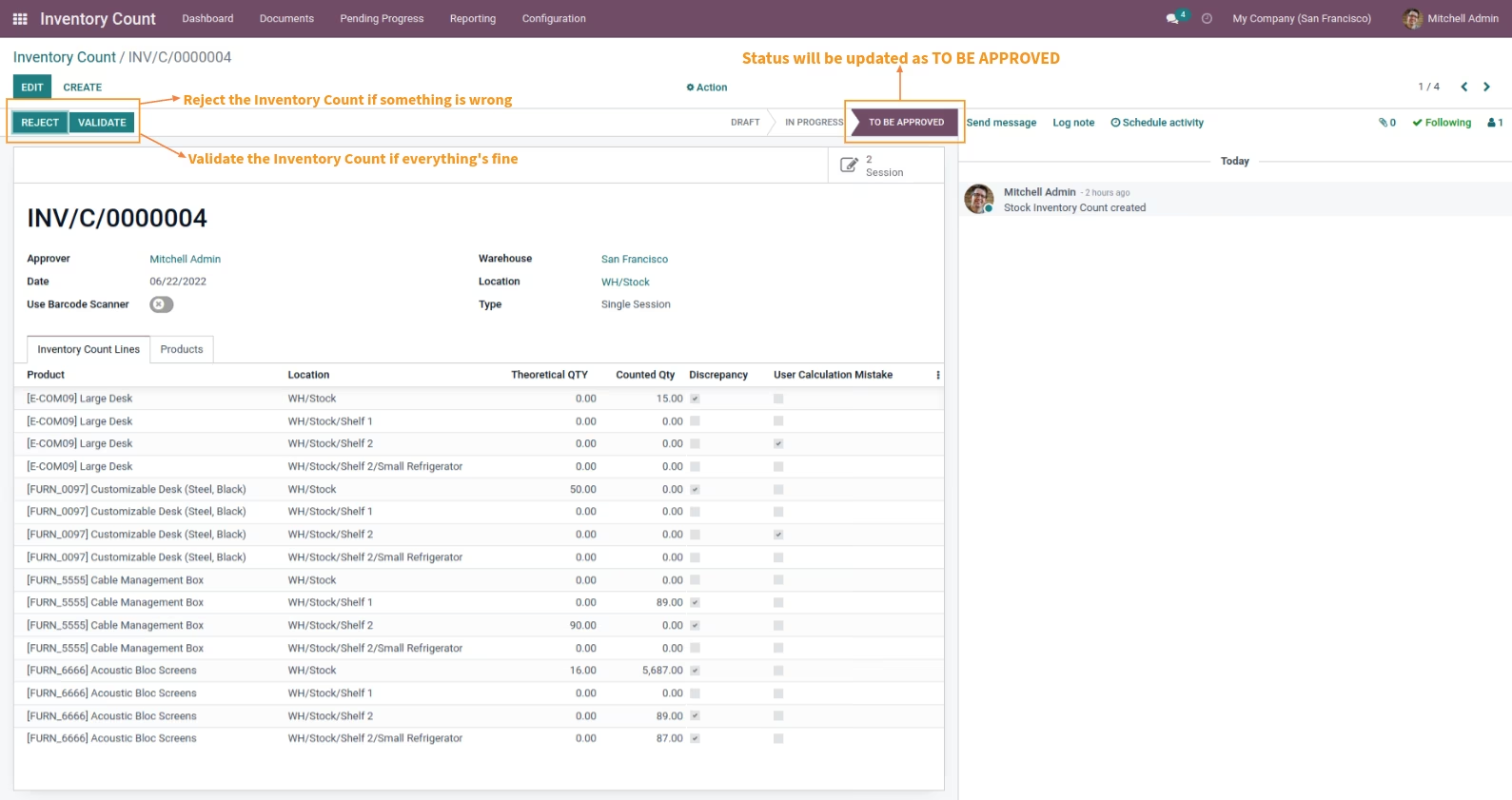
Allows manager to analyze and take action to either approve or reject the quantity counted by User based on real time analysis and discrepancies.
Inventory Count Report
This report allows you to track and analyze over the difference in quantity between the theoretical quantity in system and the counted quantity for the products belonging to which Warehouse at Which location.
Adjustment Report
This report allows you to track and identify that for which products of which Warehouse at which location
- The counted quantity is more than the one in system and what adjustment of quantity was done aiding to solve overstock Nightmare.
- The counted quantity is less than the one in system and what adjustment of quantity was done aiding to solve Out-of-Stock Nightmare.
User Statistic Report
This report allows you to analyze which user performed how many tasks and what percentage of calculative mistakes were done by the user and thus analyze over performance of the user.
Informative Dashboard
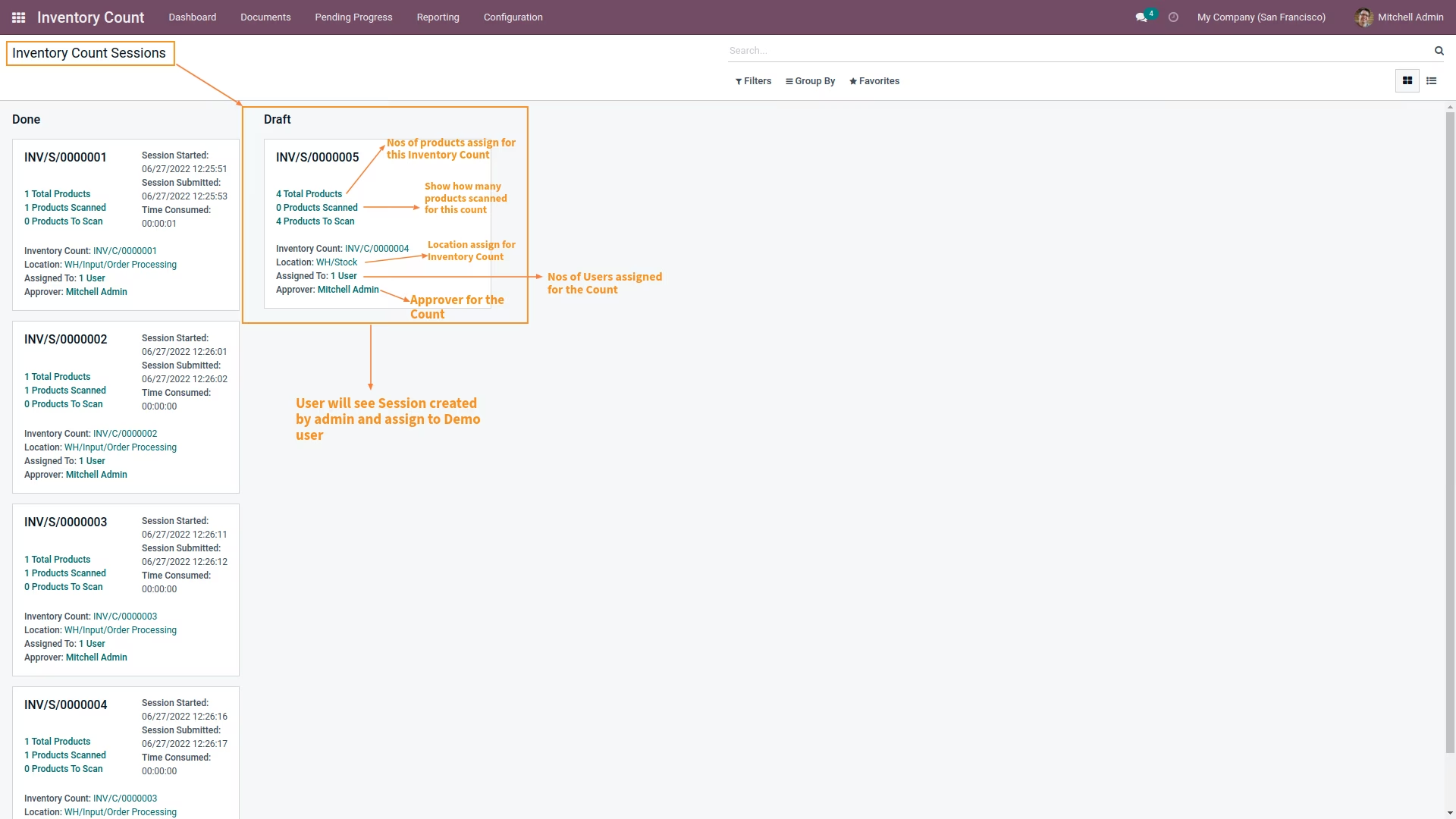
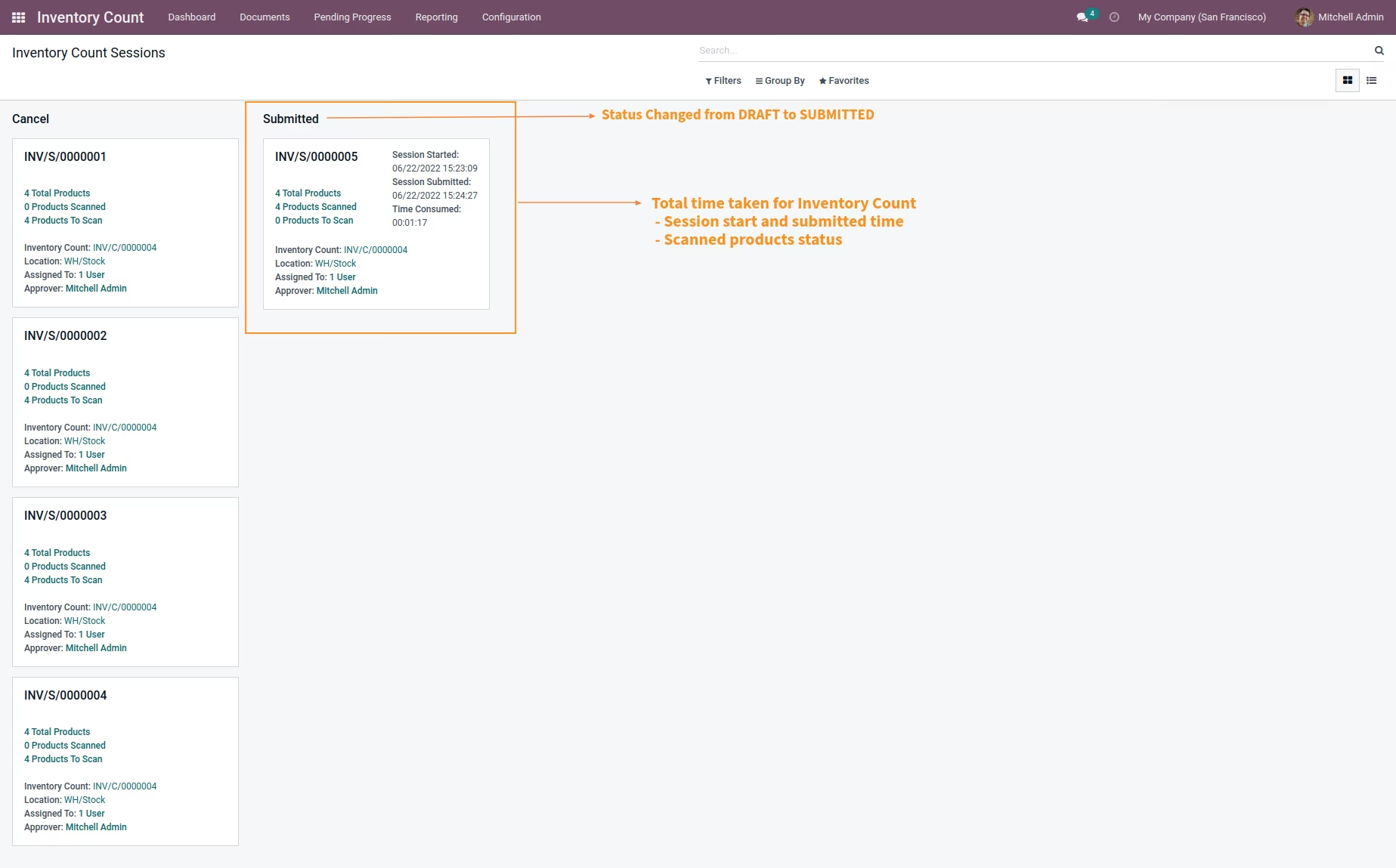
You can analyze and gather all information about current status of each Inventory Count session displaying all details about time, date, users assigned, manager assigned, total number of products with Warehouse Location under calculation, number of products scanned and number of products remaining to count and all such details in most user friendly manner.
Screenshots