The Invoice Payment Reconciliation module is a powerful tool designed to streamline the process of matching payments with their corresponding invoices or bills. This module provides a user-friendly interface that allows you to easily reconcile both full and partial payments against multiple outstanding documents from a single payment screen. By automatically picking up unpaid or partially paid invoices for a selected partner, it eliminates the need for manual searching and reduces the risk of errors. This is an essential solution for any business looking to improve the efficiency and accuracy of its accounts receivable and payable operations.
Reconcile from Payment Screen: Reconcile payments with multiple invoices or bills directly from the payment creation screen.
Partial and Full Reconciliation: Supports both partial and full payment reconciliation for maximum flexibility.
Automatic Invoice Fetching: The system automatically loads all unpaid or partially paid invoices for the selected customer or vendor.
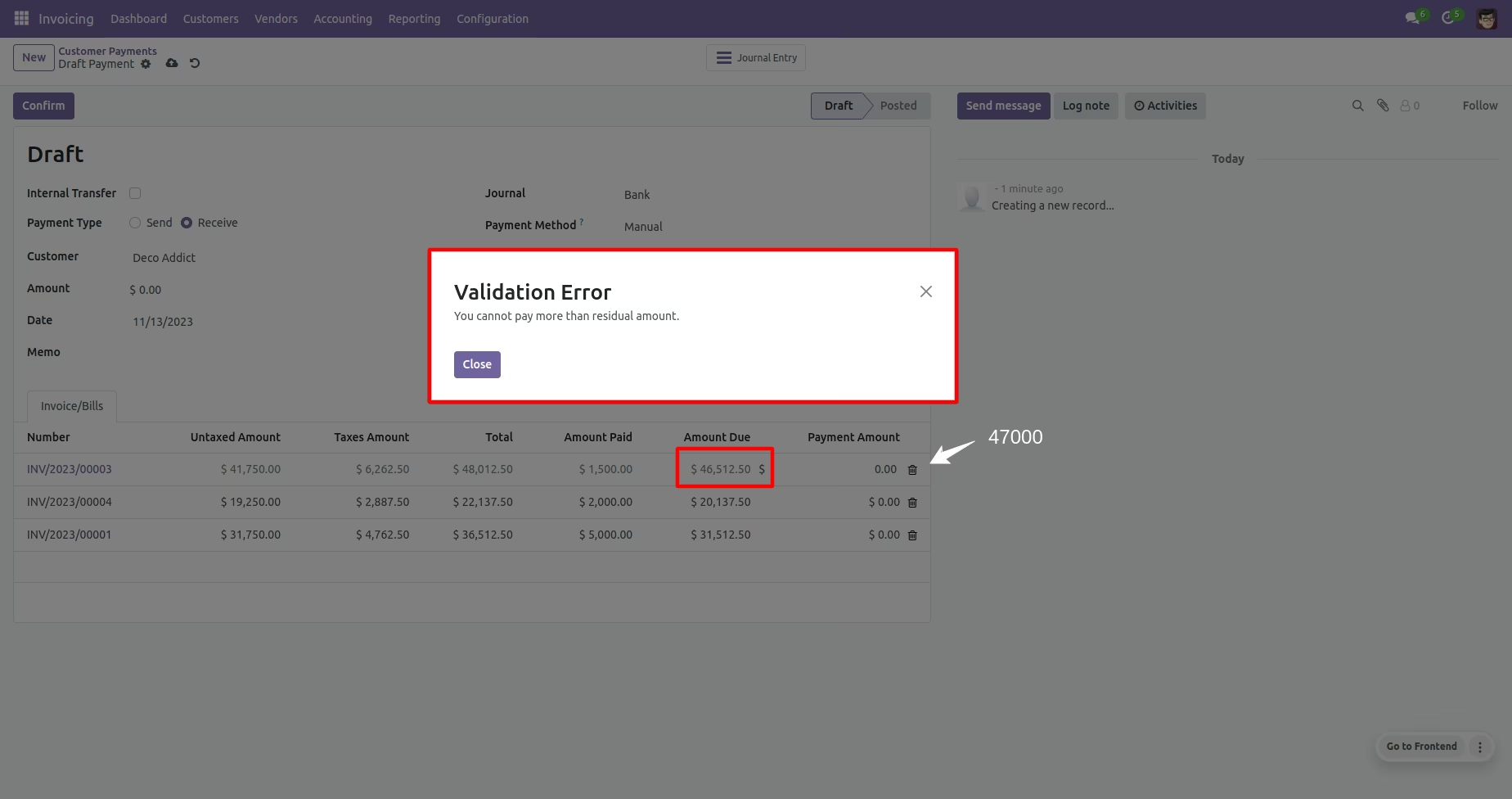
Payment Amount Validation: Prevents users from allocating more than the due amount for any given invoice.
Automatic Reconciliation: Once the payment is posted, the system automatically reconciles the payment with the selected invoices.
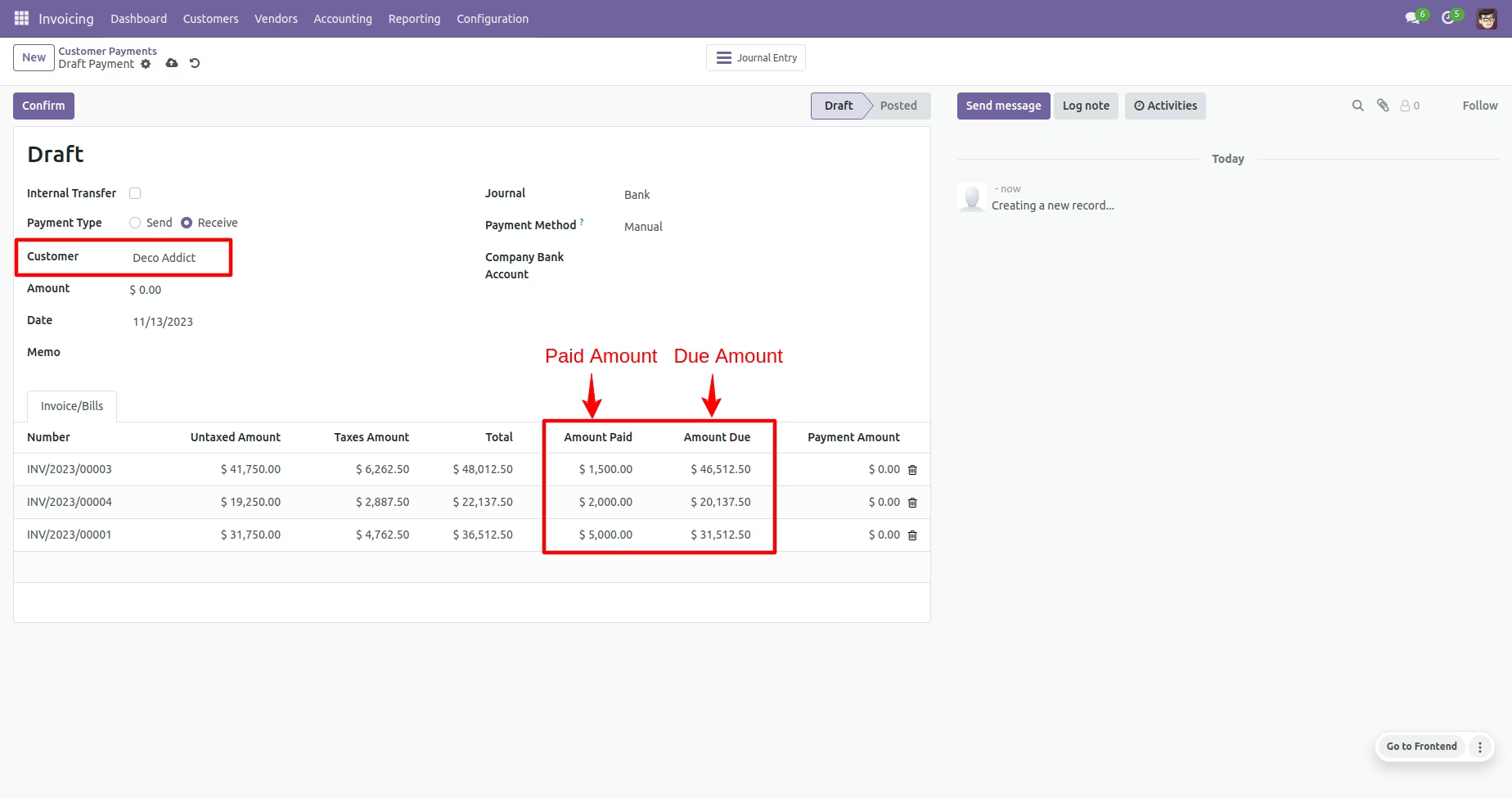
Clear Visibility: Provides a clear overview of the amount paid and the remaining due amount for each invoice.
Seamless Integration: Works seamlessly with the Accounting module for a unified workflow.
Increased Efficiency: Drastically speeds up the payment reconciliation process by allowing you to handle multiple invoices at once.
Improved Accuracy: Reduces the risk of manual errors by automating the invoice matching and reconciliation process.
Streamlined Workflow: Simplifies the entire reconciliation process with a single, intuitive interface.
Better Financial Control: Provides a clearer and more accurate view of your outstanding invoices and payment allocations.
Enhanced User Experience: Offers a simple and straightforward way to manage even complex payment scenarios.
Time-Saving: Eliminates the need to navigate to each individual invoice to register a payment, saving valuable administrative time.
Invoice Partial Payment Reconciliation
This module is allow you to reconcile payment partial/full with multiple invoice/bills on payment
- Reconcile Payment with multiple invoice/bills.
- Partial or Full Reconcile multiple invoices/bills with single payment.
- Paid Invoices/Bills from payment by partial/full reconciliation.
- Restrict to pay more than recidial amount.
- Compatible with community and enterprise
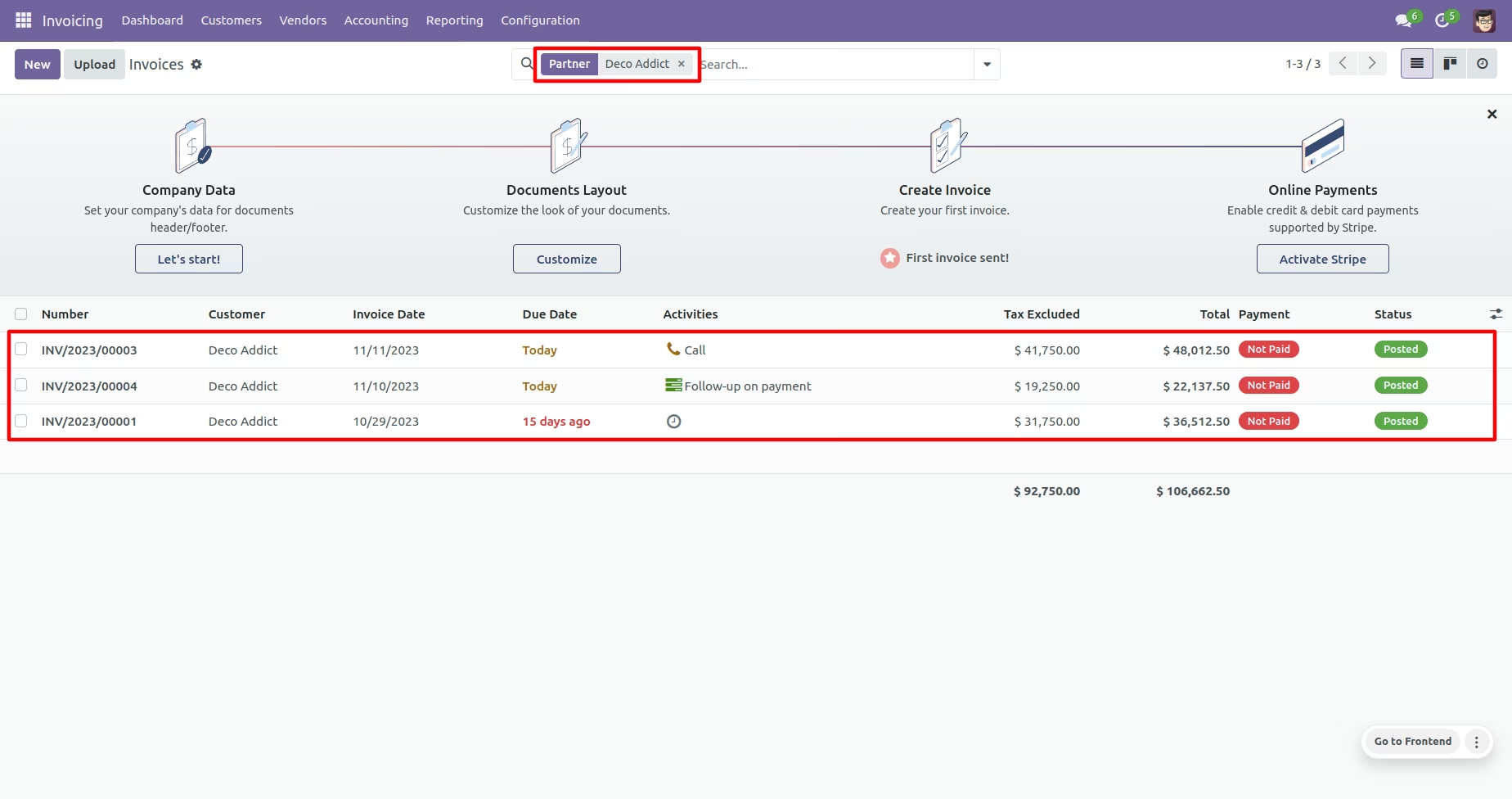
Posted customer invoices
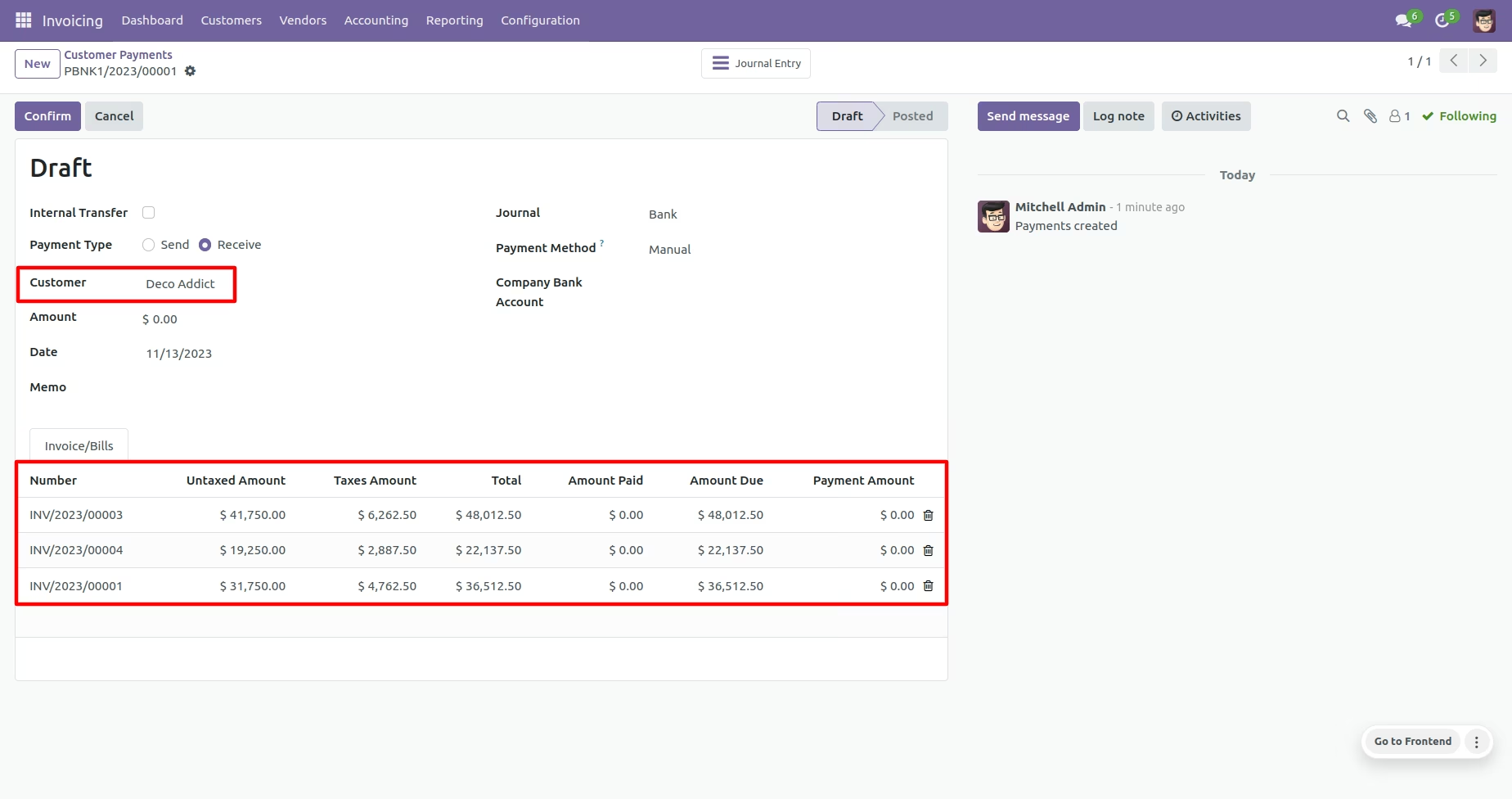
When you select customer then system will auto pick the invoices of the customer which are unpaid/partially paid with all the details
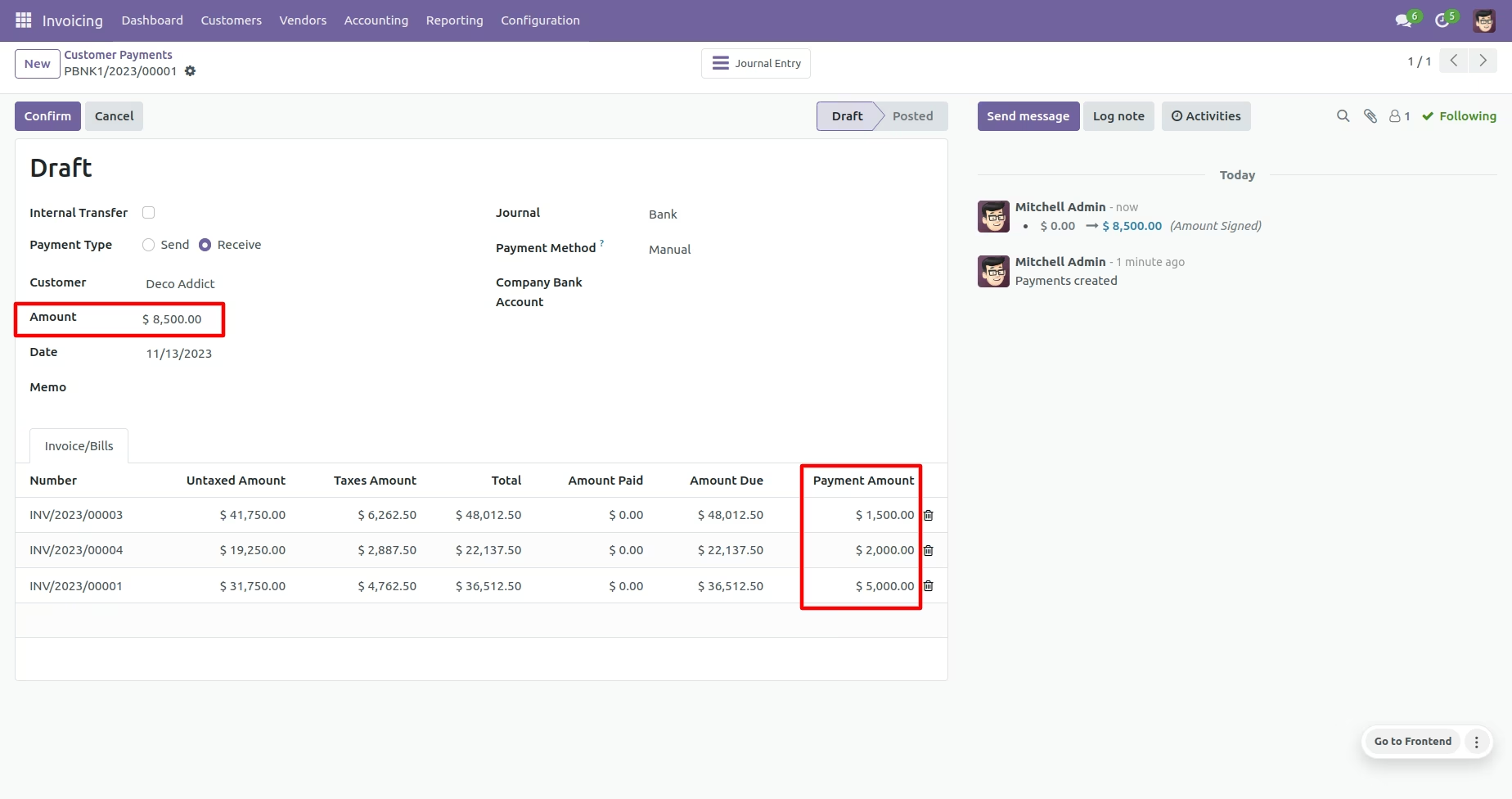
User can enter to amount (partial/full) to reconcile with the payment, Also you can see only Payment Amount is editable others are readonly fields
When you posted the payment then system will reconcile those invoices with this payment, you can see the invoices are linked to the payment.
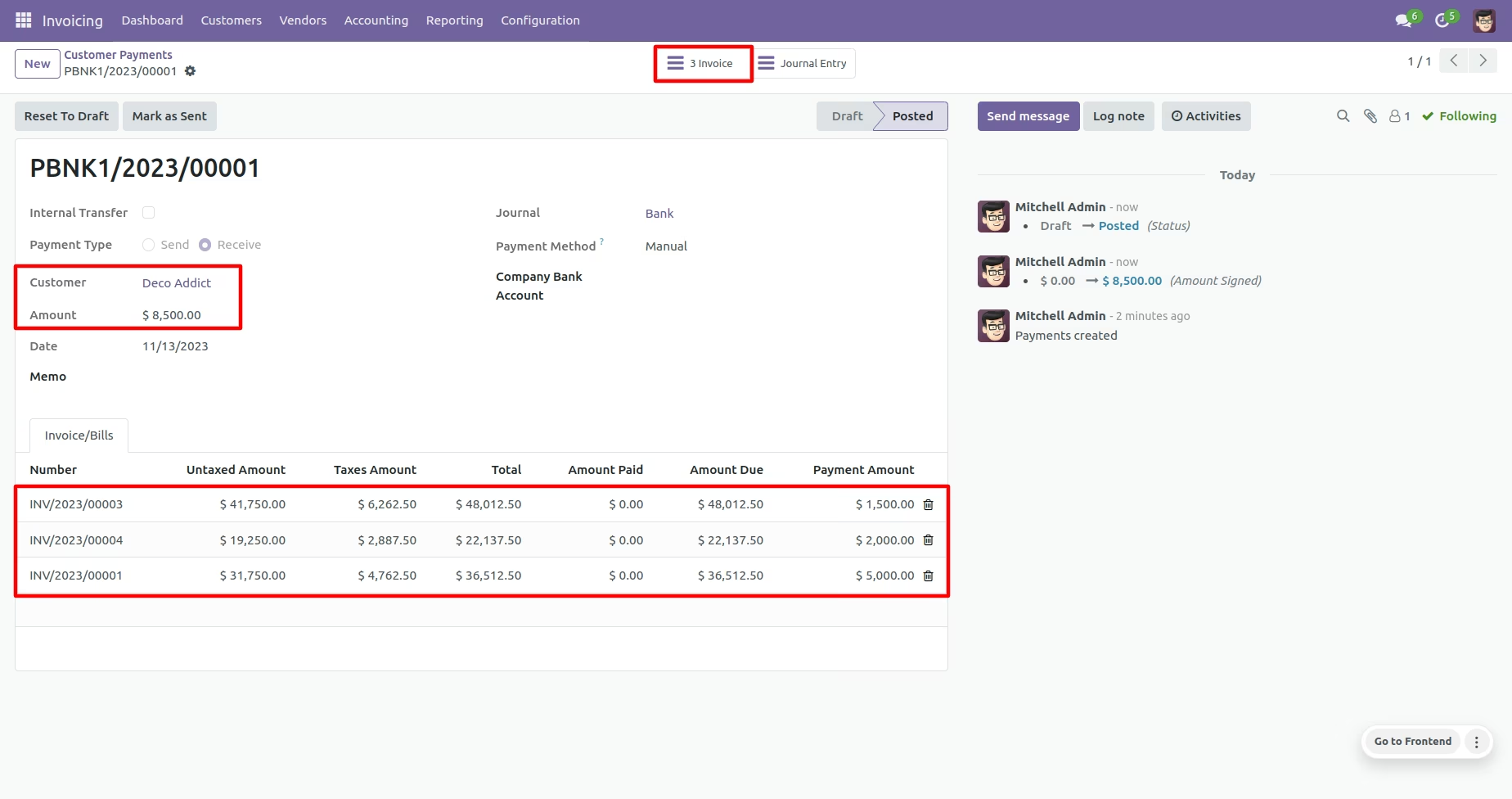
You can see invoices are partially paid
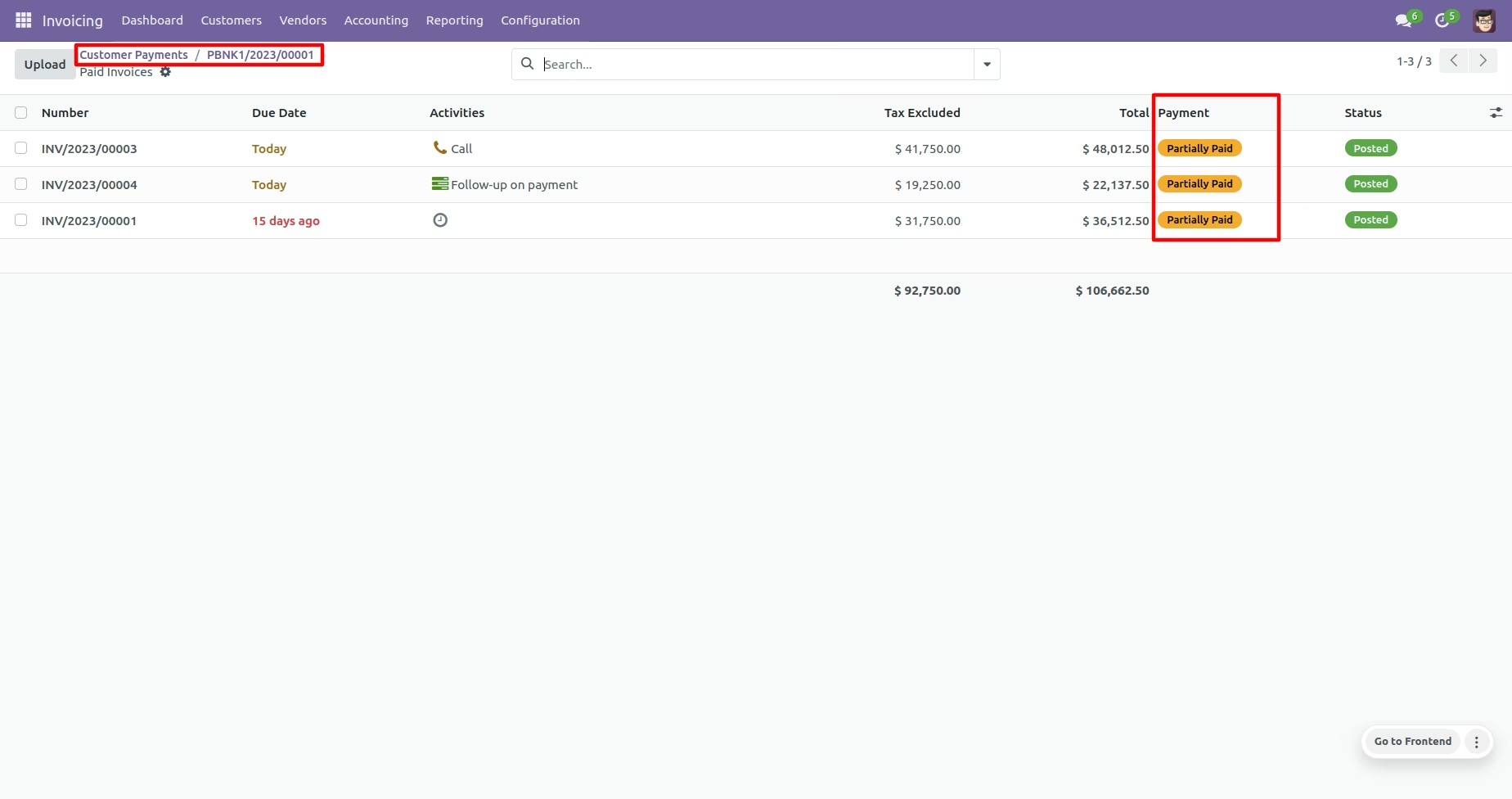
You can see the paid amount is reconciled on invoice with payment
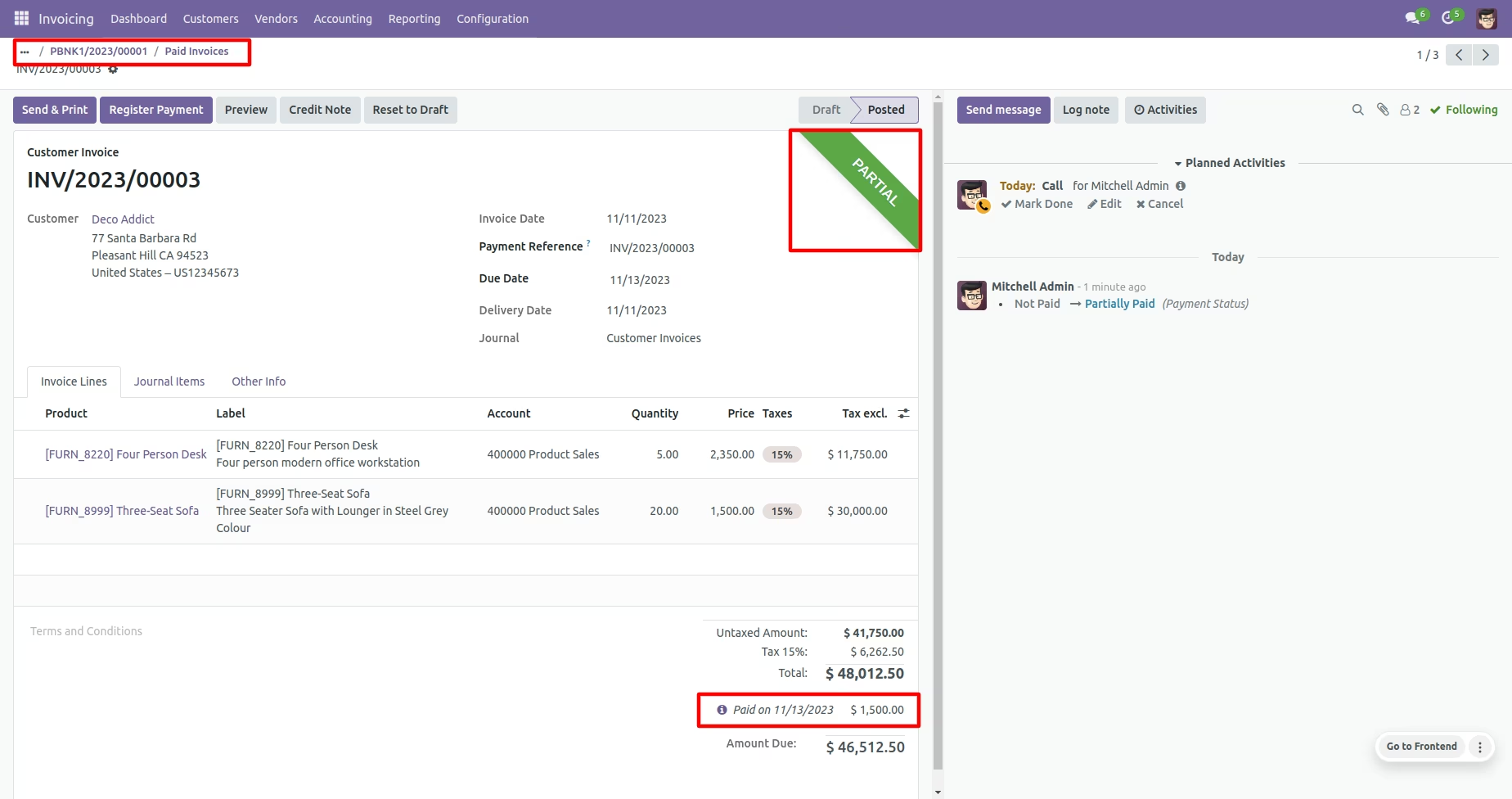
Another invoice is partially paid with amount entered on payment
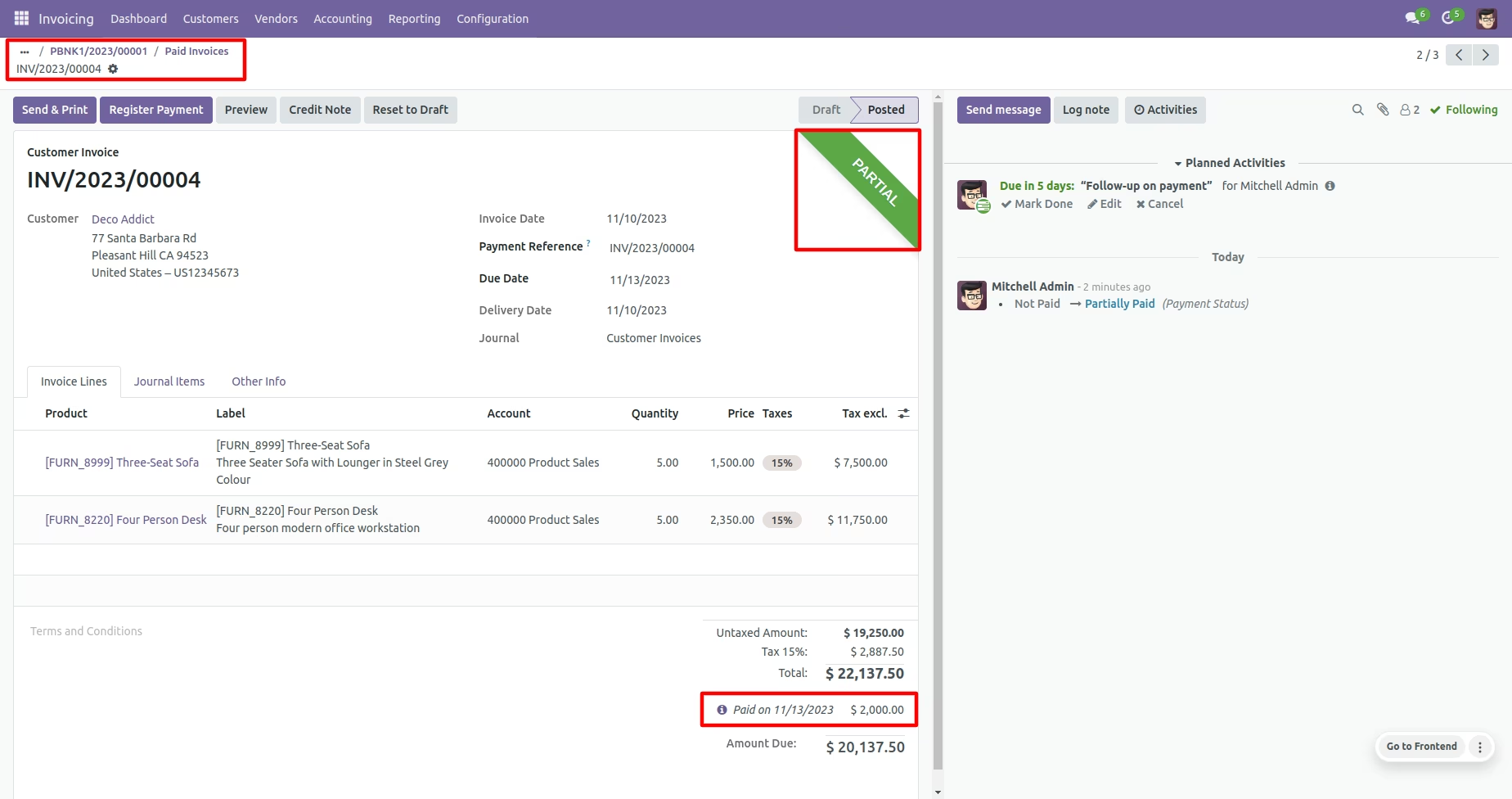
Another invoice is partially paid with amount entered on payment
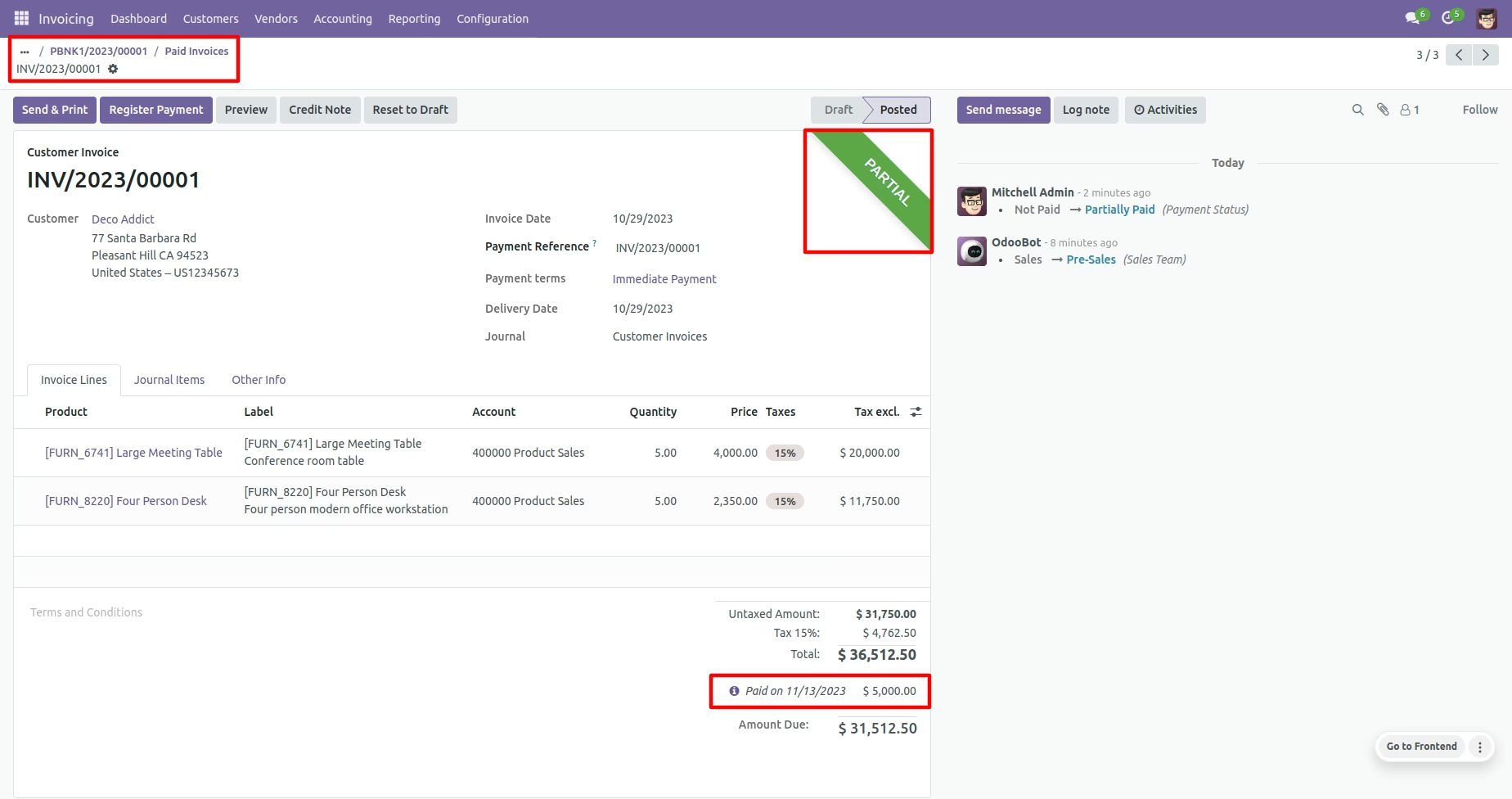
You can see the invoice details with Amount Paid that we have paid on previous payment and Due Amount
Validation is user enter payment amount more then due amount system will restrict. All the above flow is same for vendor bills with vendor payment