This module enhances Enterprise by enabling branch-specific filtering for financial reports. Users can generate accurate, branch-wise accounting insights such as Profit & Loss, Balance Sheet, Executive Summary, Cash Flow, Partner Ledger, General Ledger, Trial Balance, Consolidated Journals, Tax Reports, and Analytic Reports. It provides clarity and control for organizations managing multiple branches.
Add branch filters to Profit & Loss, Balance Sheet, and Executive Summary reports.
Generate branch-specific Cash Flow, Partner Ledger, and Analytic Reports.
Enable branch-filtered management and audit reports including General Ledger, Trial Balance, Consolidated Journals, and Tax Reports.
Designed for Enterprise to ensure advanced financial control.
Provides accurate financial visibility at the branch level.
Streamlines analysis by separating branch-specific accounting data.
Improves decision-making with precise and targeted reporting.
Enhances productivity by simplifying complex report generation.
Strengthens financial management for multi-branch organizations.
Multi Branch Enterprise Accounting Reporting
Only for Enterprise Edition
This app allow you to filter enterprise accounting reports by branch filter.
Main Features:
- This app allows you to below listed accounting reports by branches.
- Statement Reports
- Balance Sheet
- Profit and Loss
- Cash Flow Statement
- Executive Summary
- Tax Report
- Audit Reports
- General Ledger
- Trial Balance
- Journals Report
- Partner Reports
- Partner Ledger
- Aged Receivable
- Aged Payable
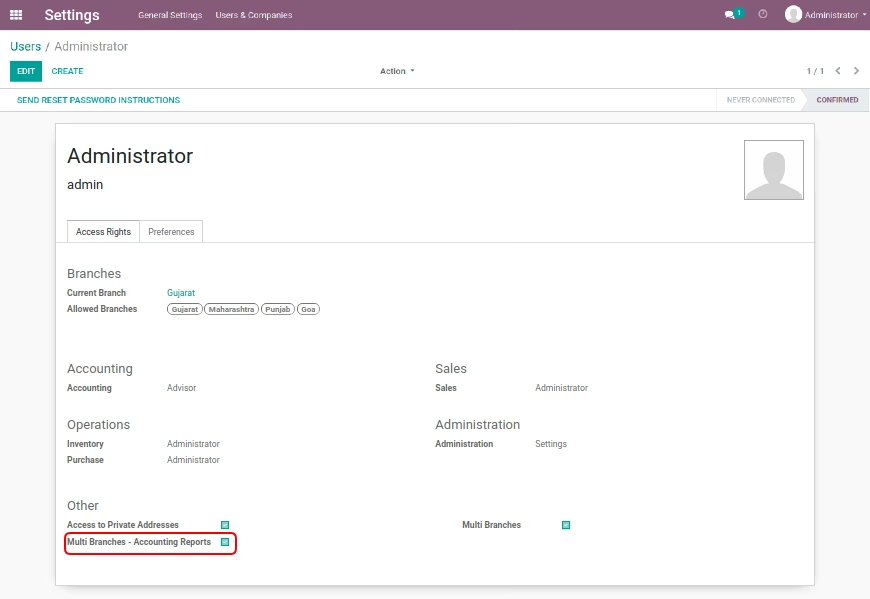
Multi Branches - Accounting Reports Group
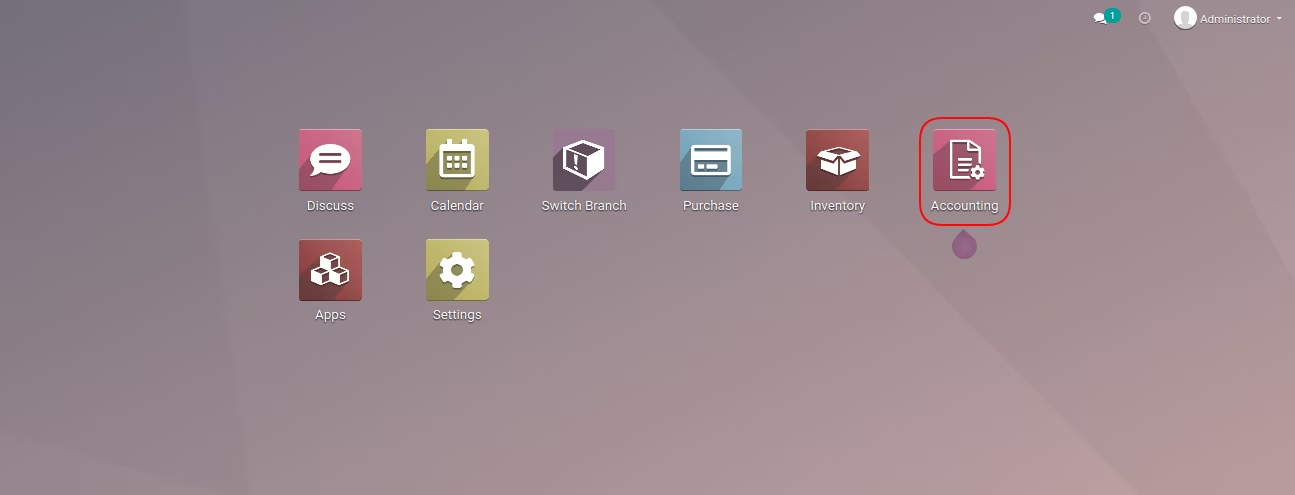
Accounting Menu
Below Accounting Reports Allow Branches Filter
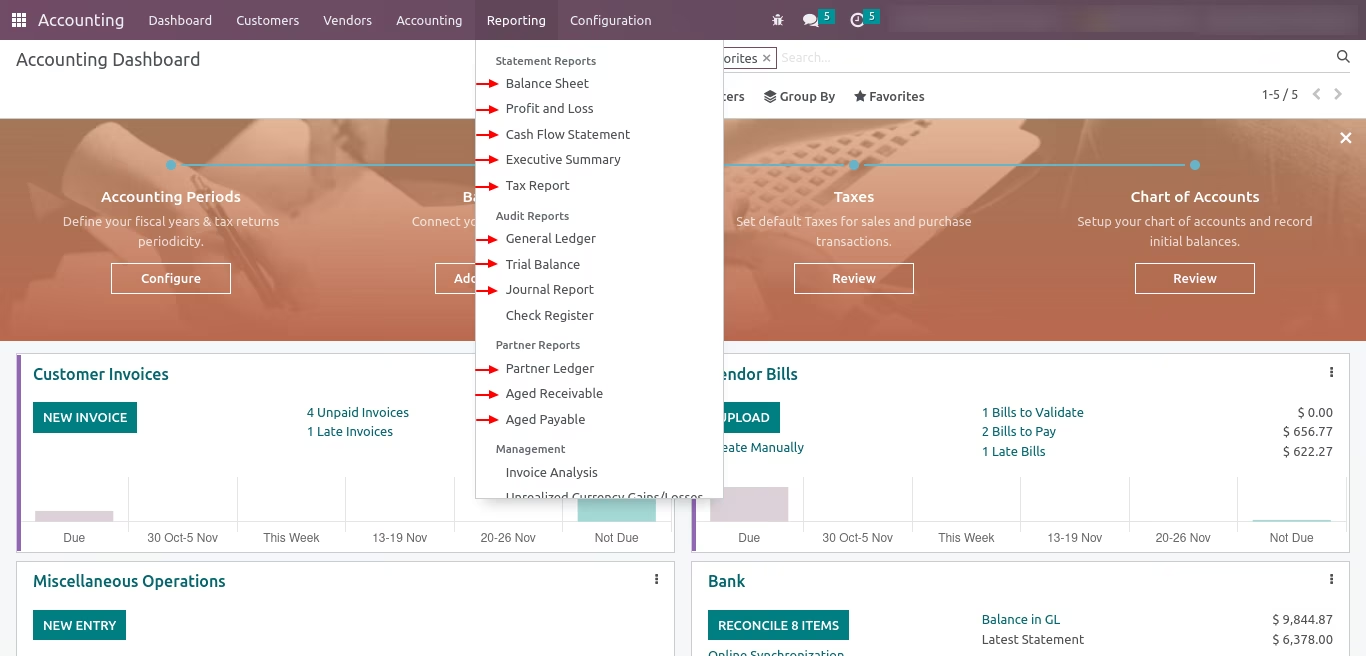
Report Branches Filter Option List
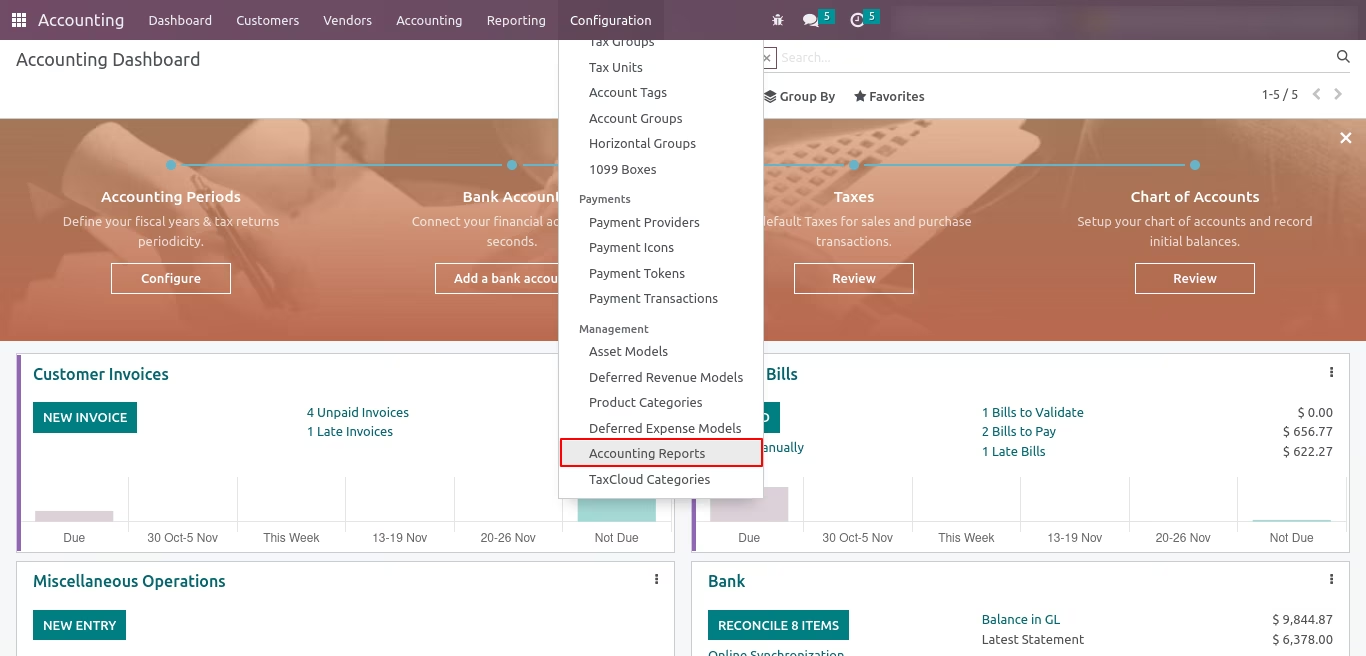
Accounting Reports Menu
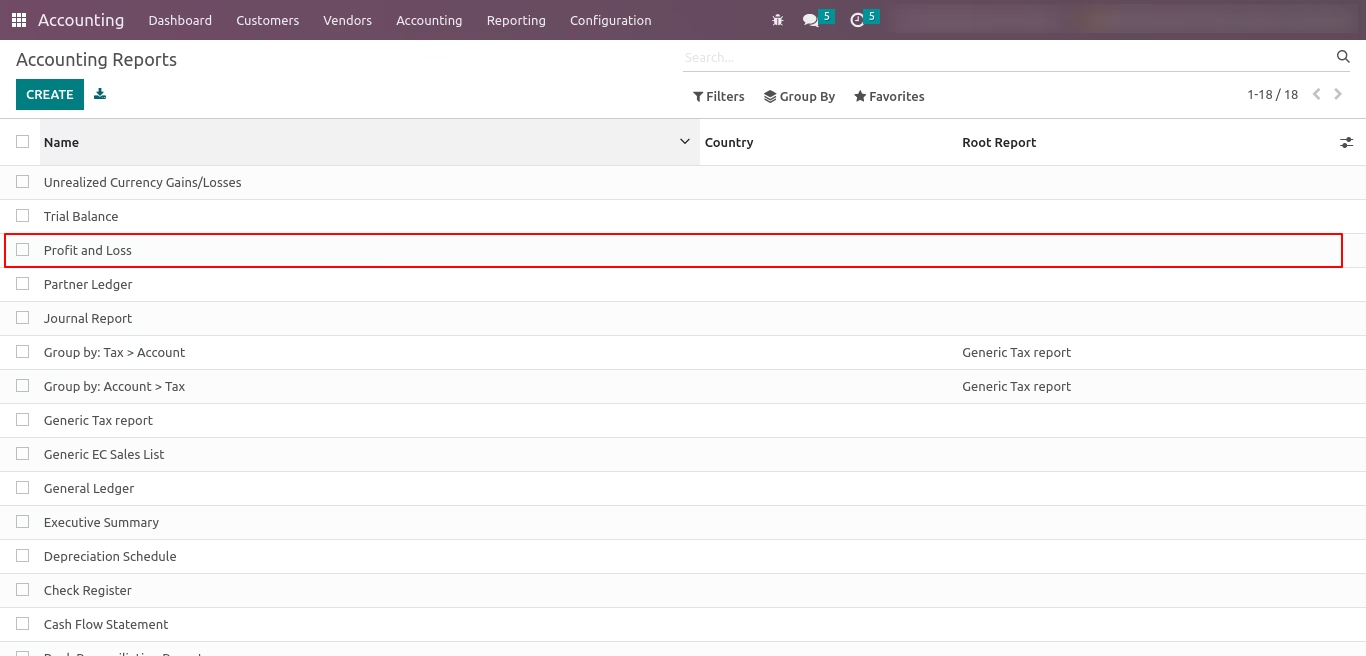
Accounting Reports List View
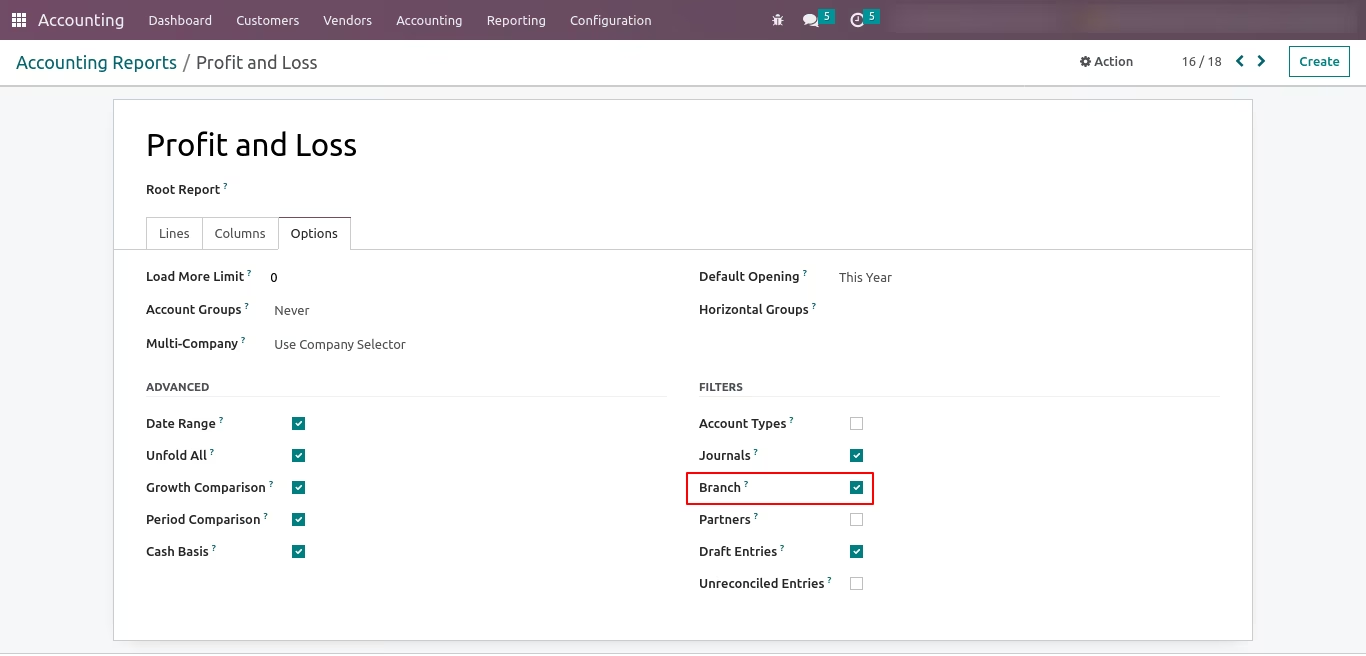
Allow filtering by branchs Boolean Field on Profit and Loss Record
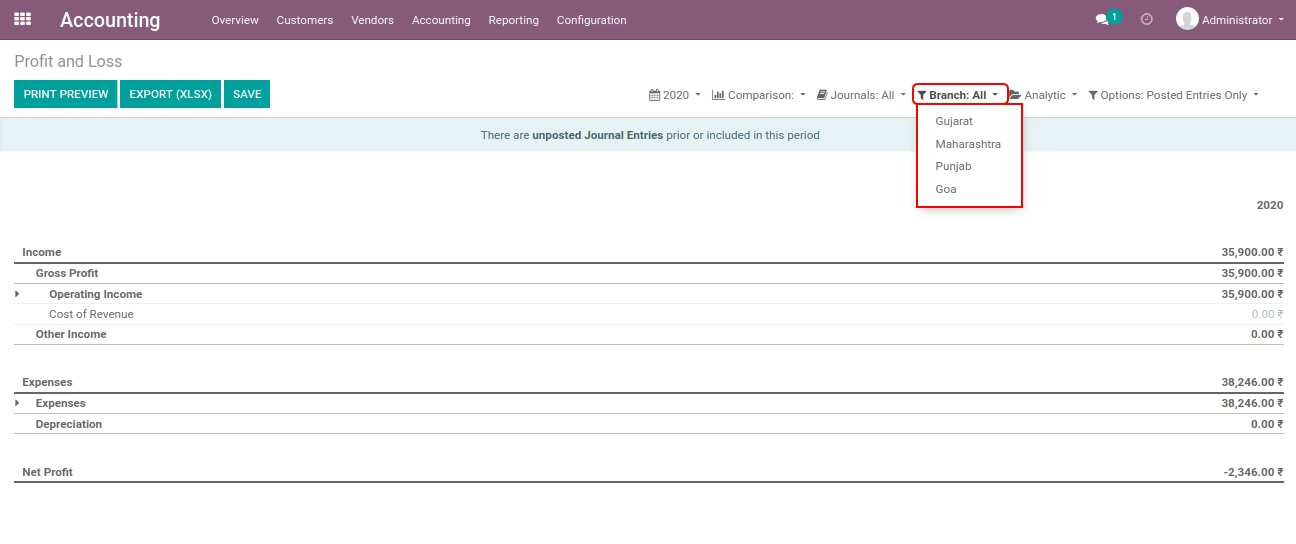
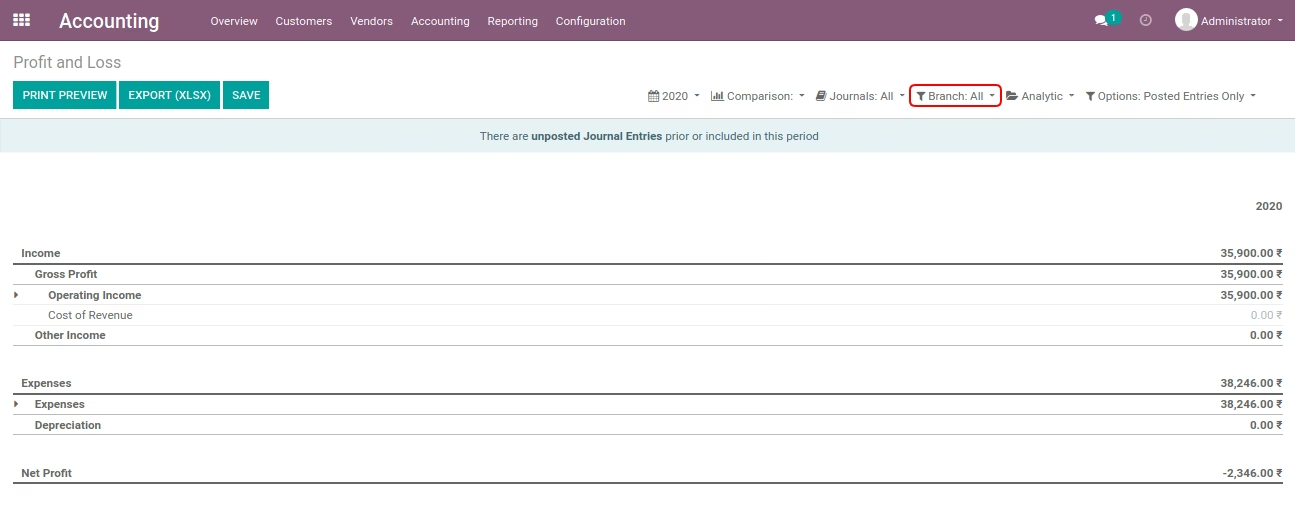
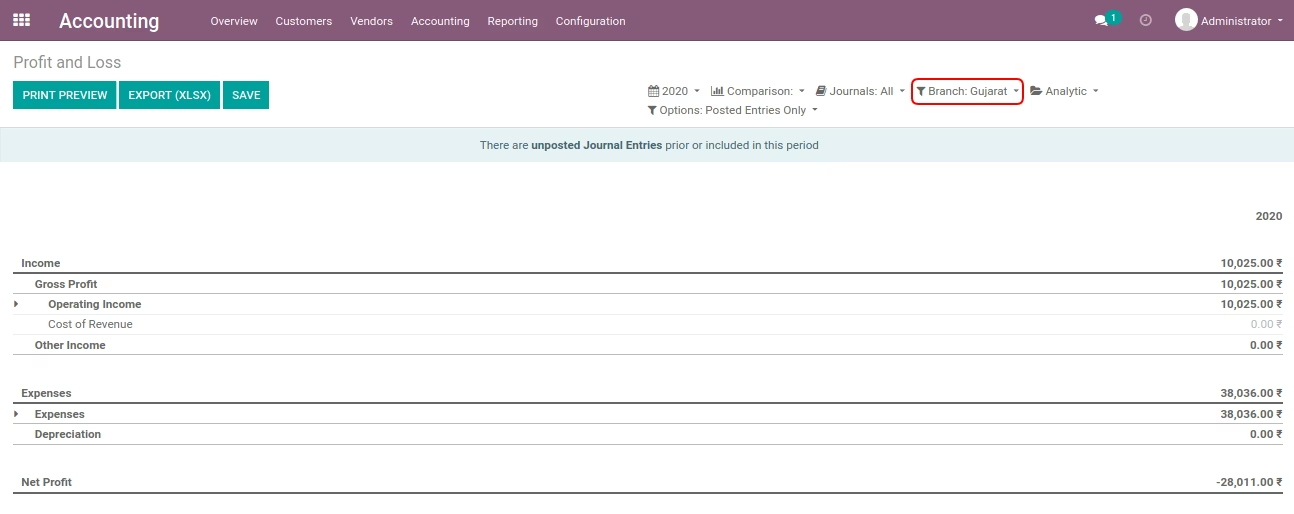
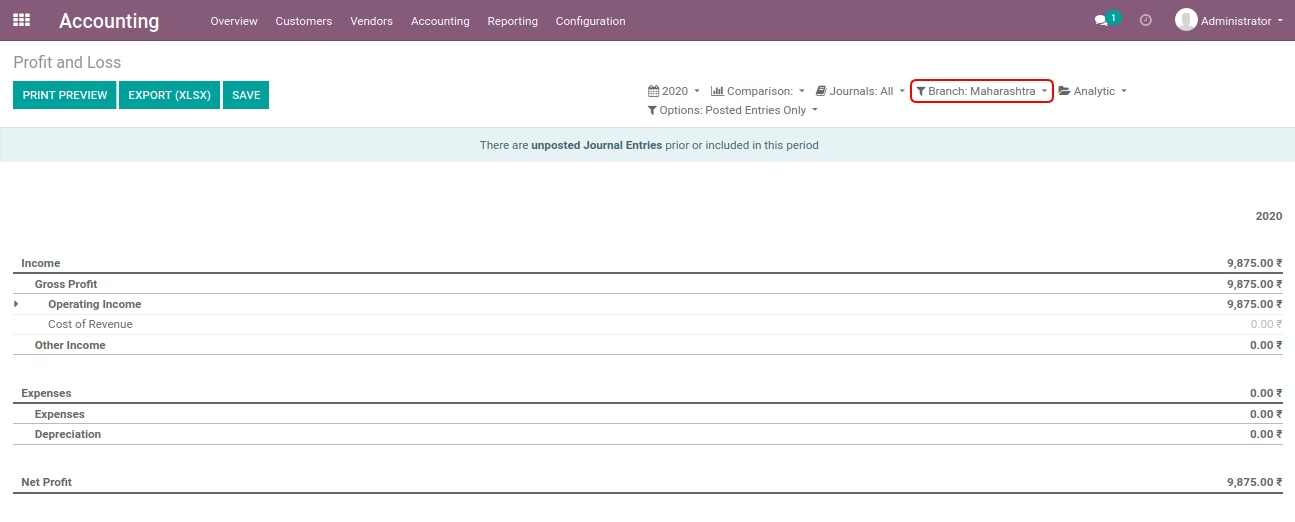
Profit and Loss Report
- Without select any branch.
- Select 'Gujarat' branch.
- Select 'Maharashtra' branch.
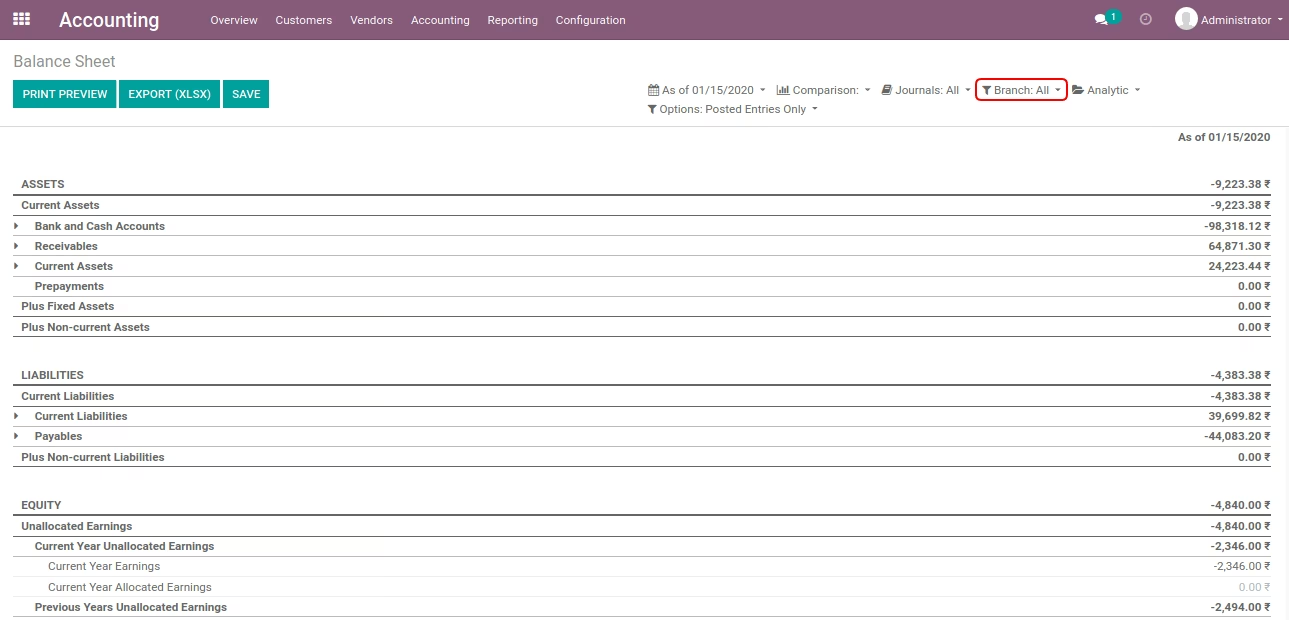
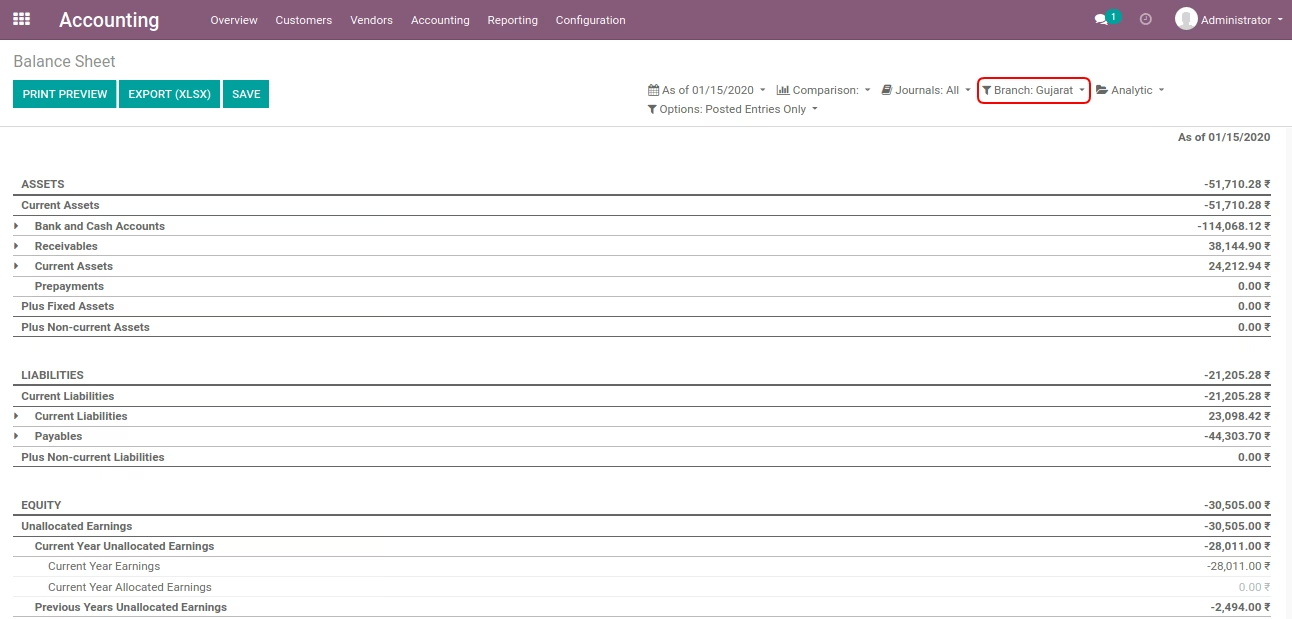
Allow filtering by branchs Boolean Field on Balance Sheet Record
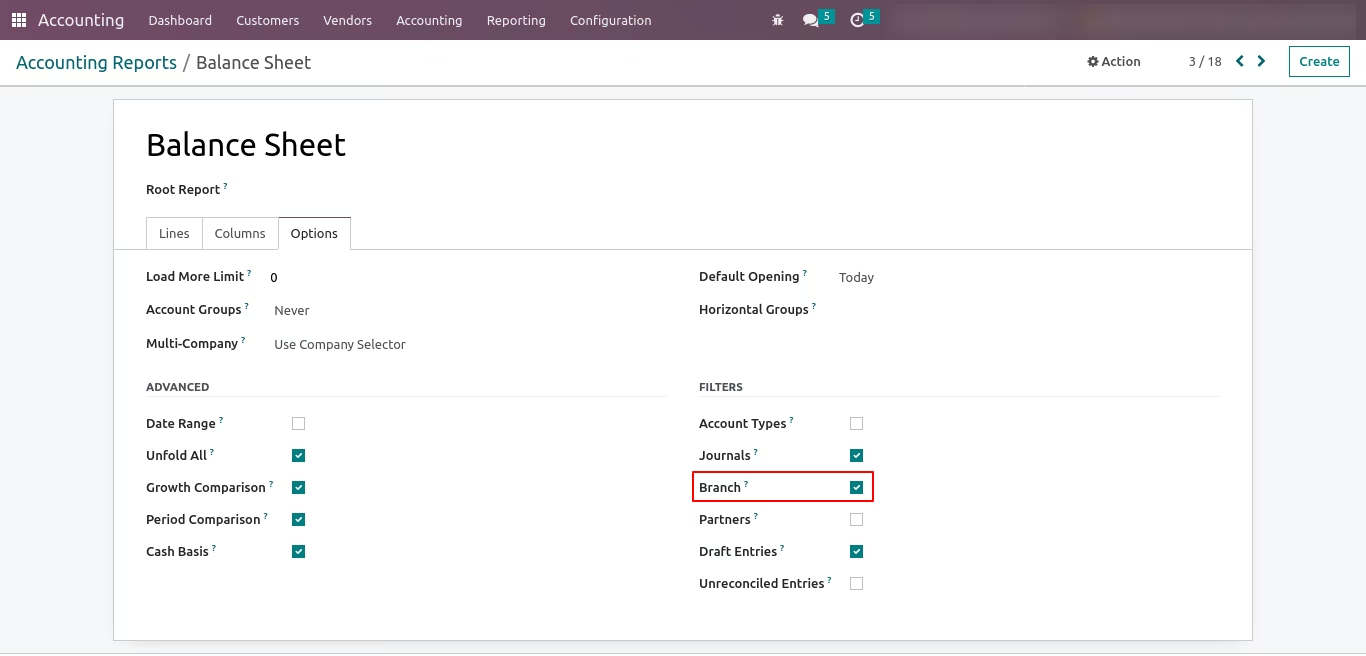
Balance Sheet
- Without select any branch.
- Select 'Gujarat' branch.
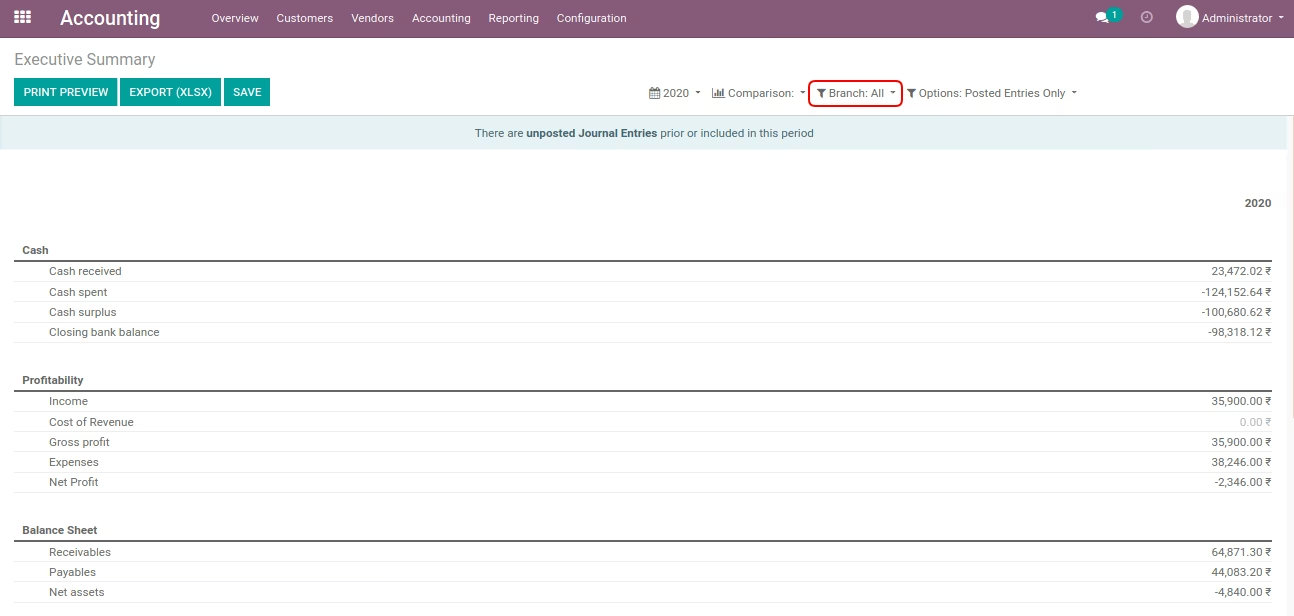
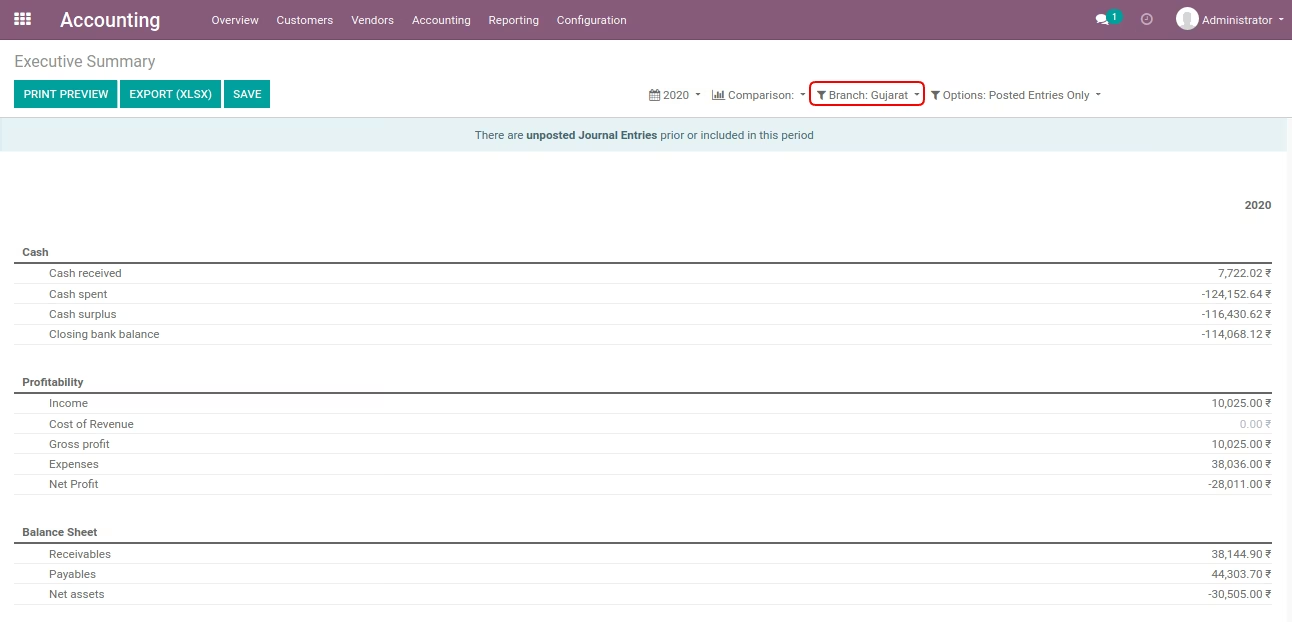
Allow filtering by branchs Boolean Field on Executive Summary Record
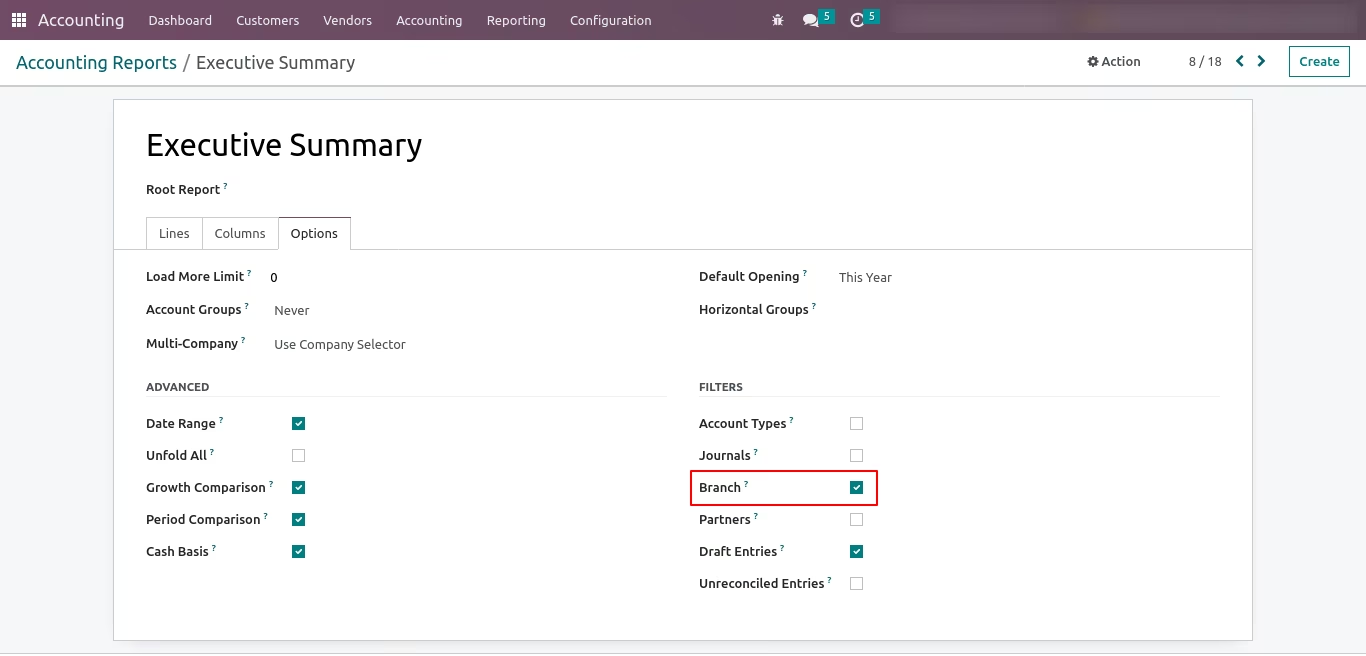
Executive Summary
- Without select any branch.
- Select 'Gujarat' branch.
Allow filtering by branchs Boolean Field on Cash Flow Statement Record
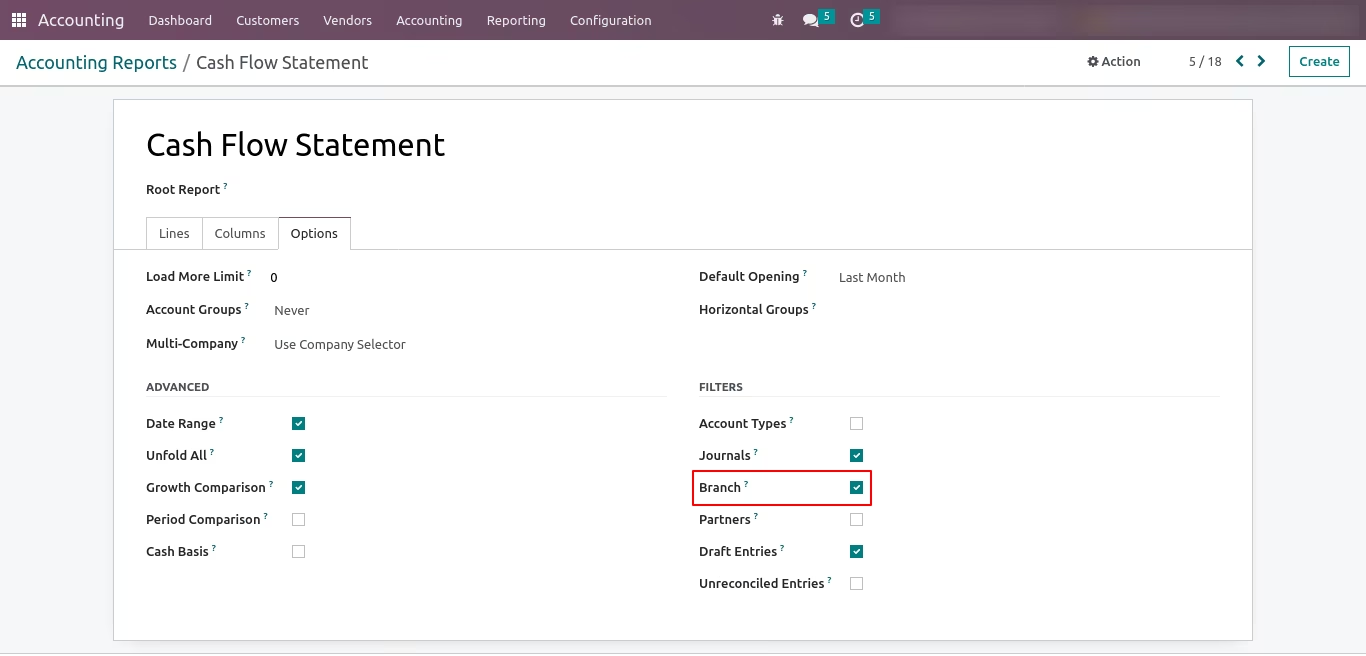
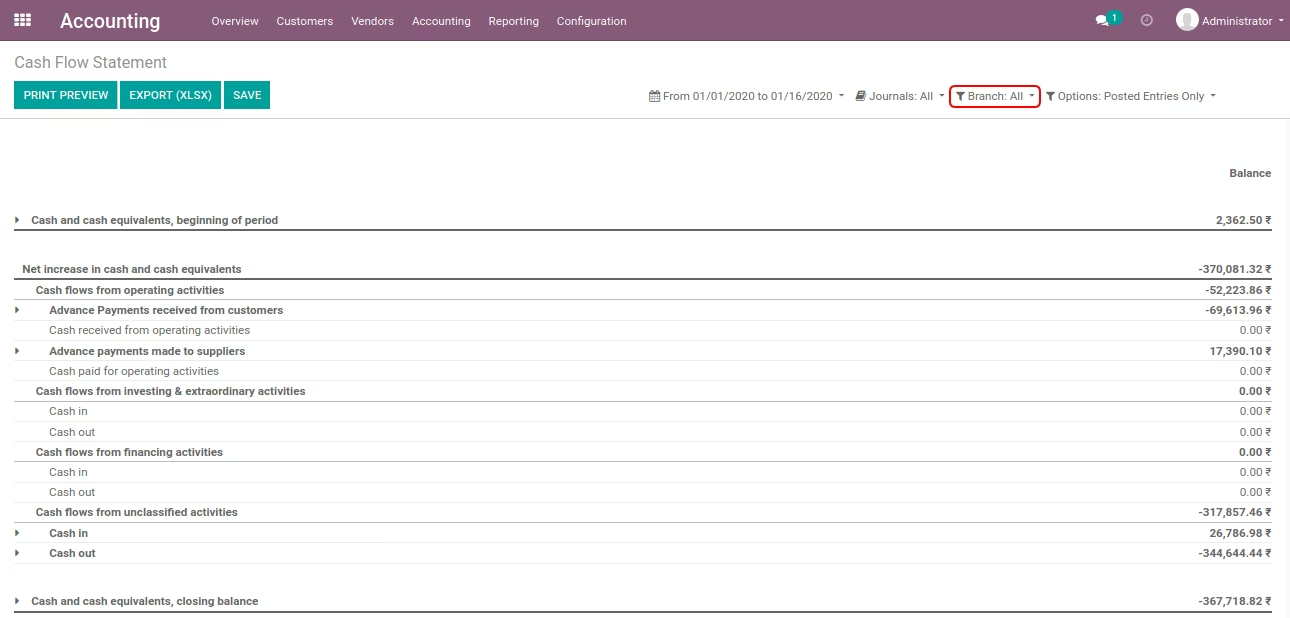
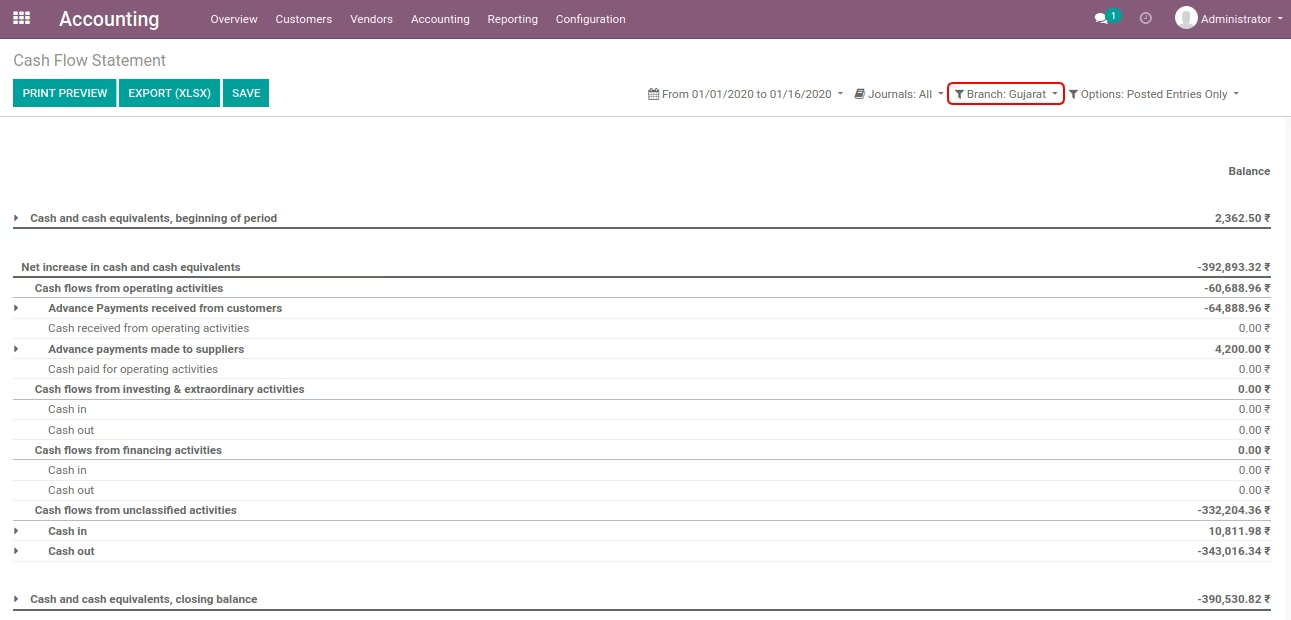
Cash Flow Statement
- Without select any branch.
- Select 'Gujarat' branch.
Allow filtering by branchs Boolean Field on Partner Ledger Record
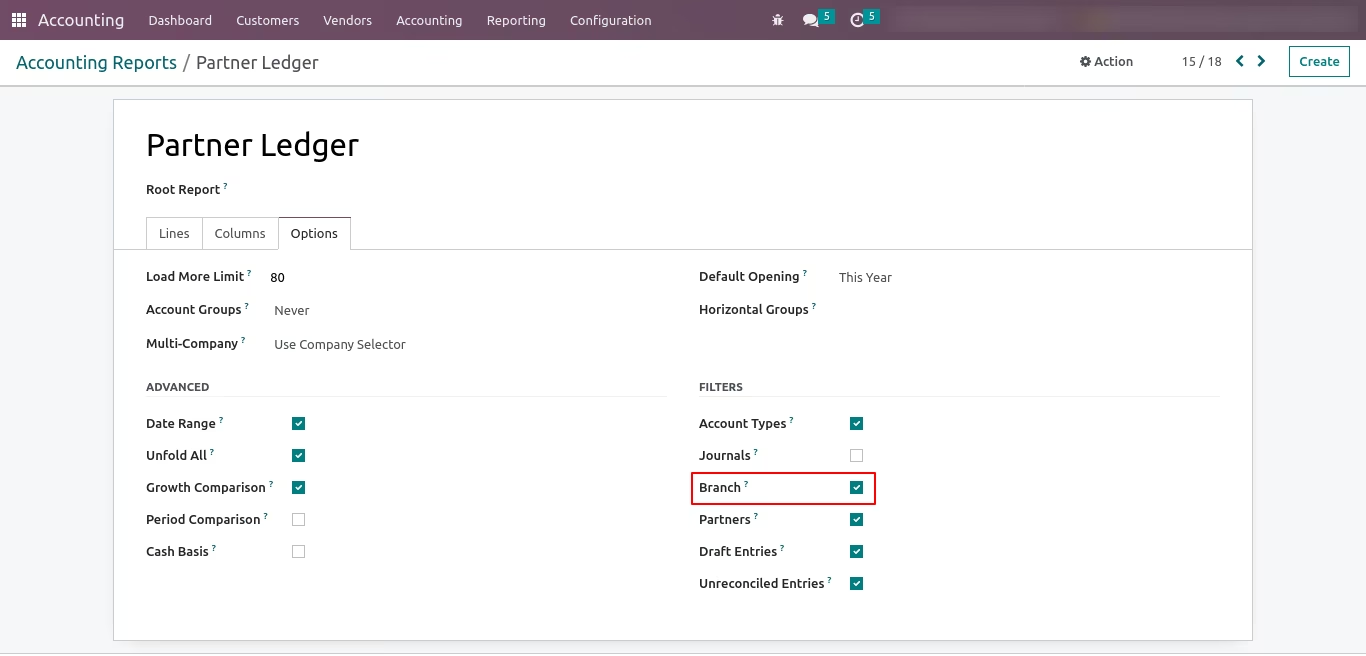
Partner Ledger
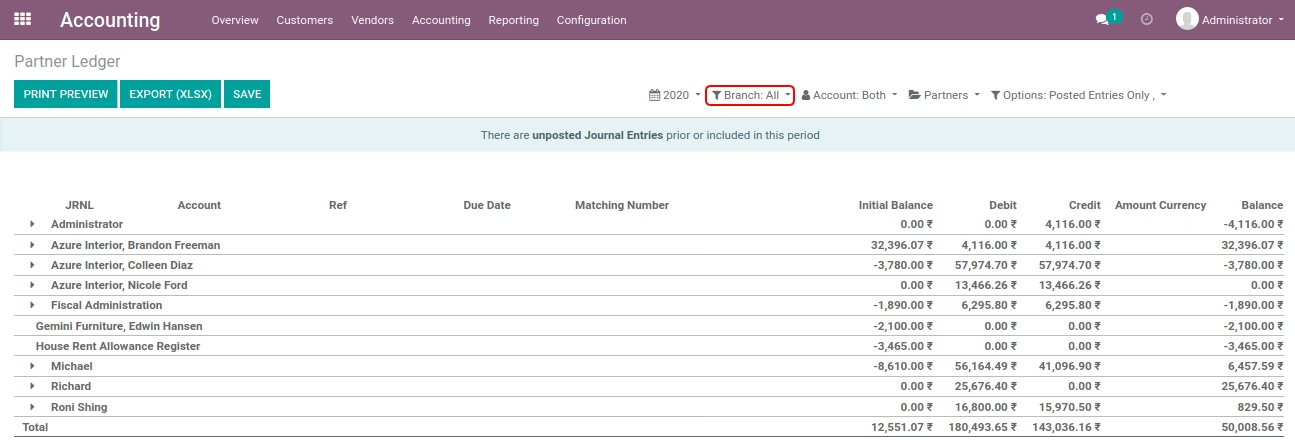
- Without select any branch.
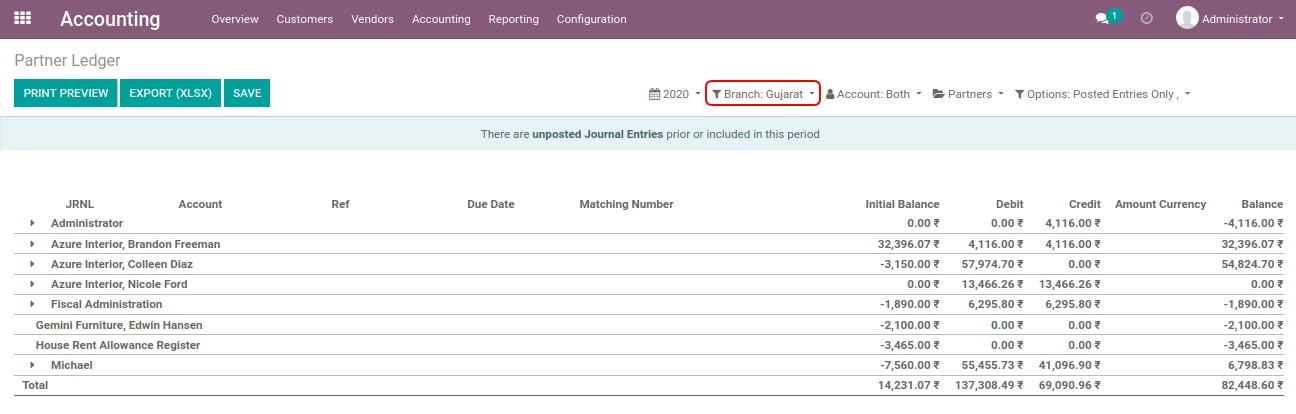
- Select 'Gujarat' branch.
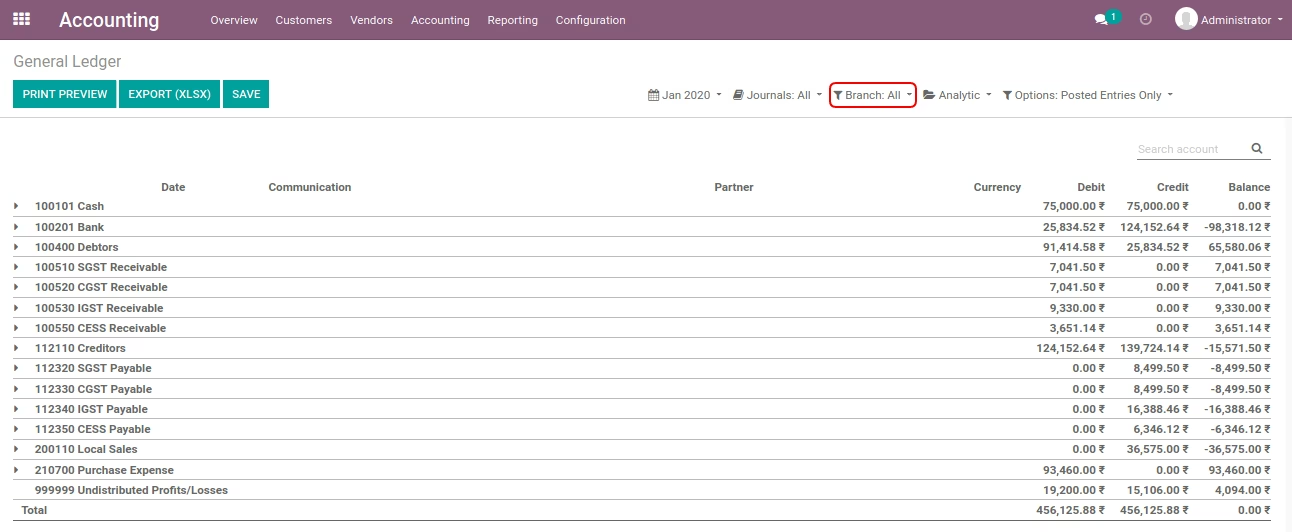
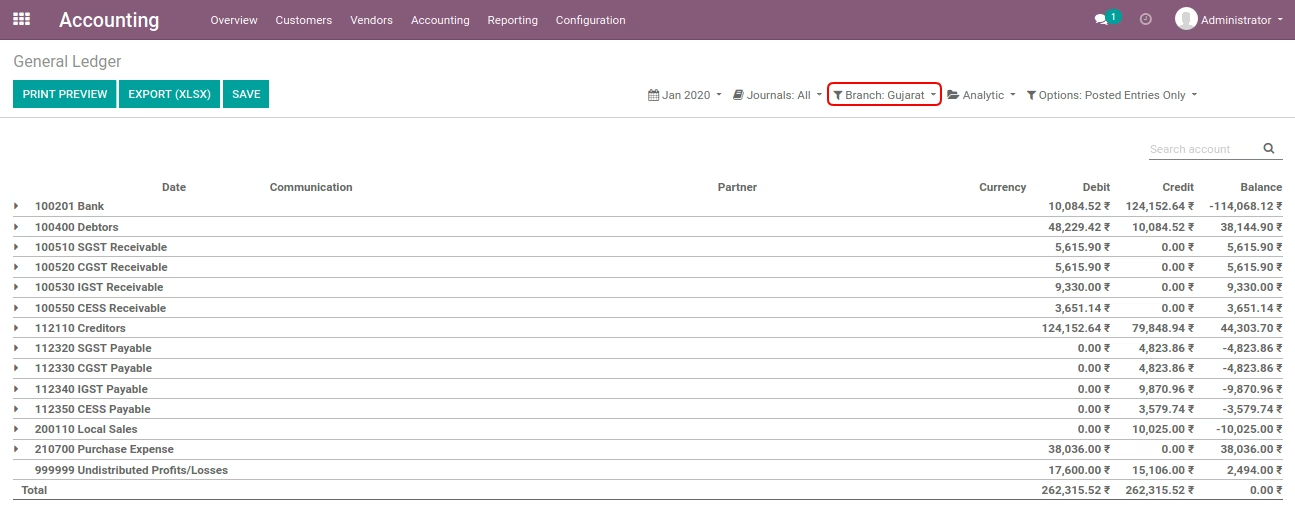
Allow filtering by branchs Boolean Field on General Ledger Record
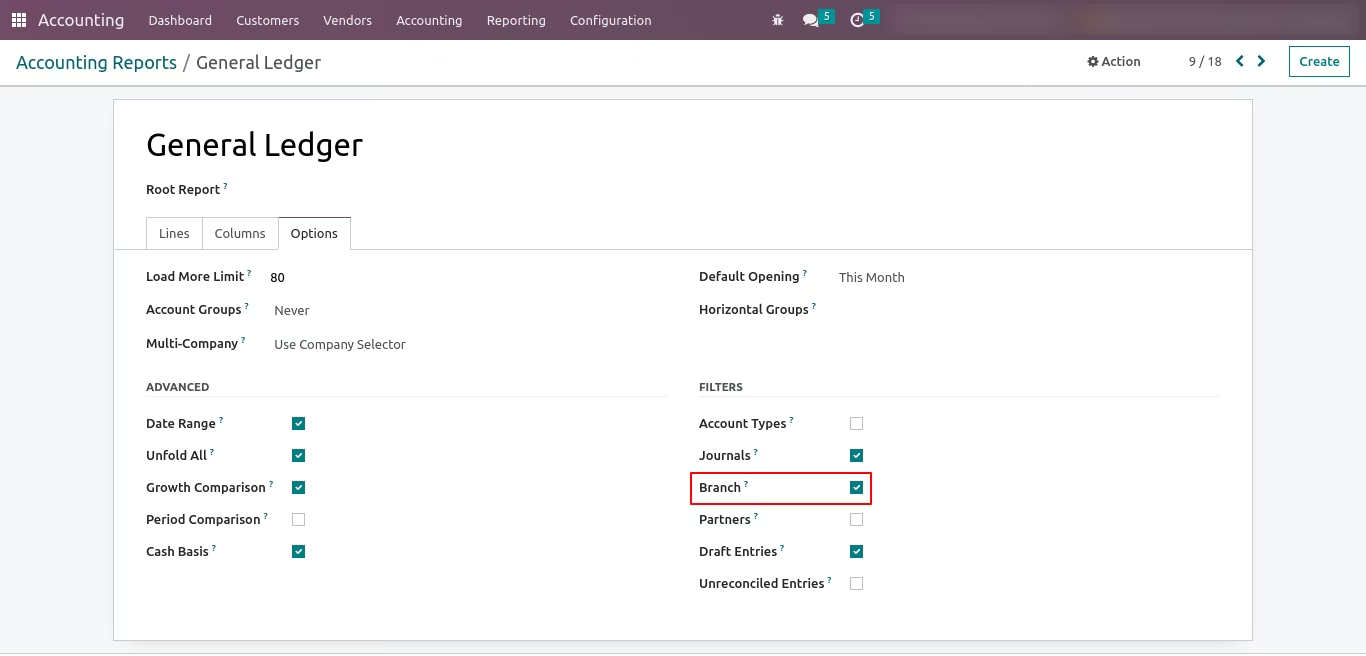
General Ledger
- Without select any branch.
- Select 'Gujarat' branch.
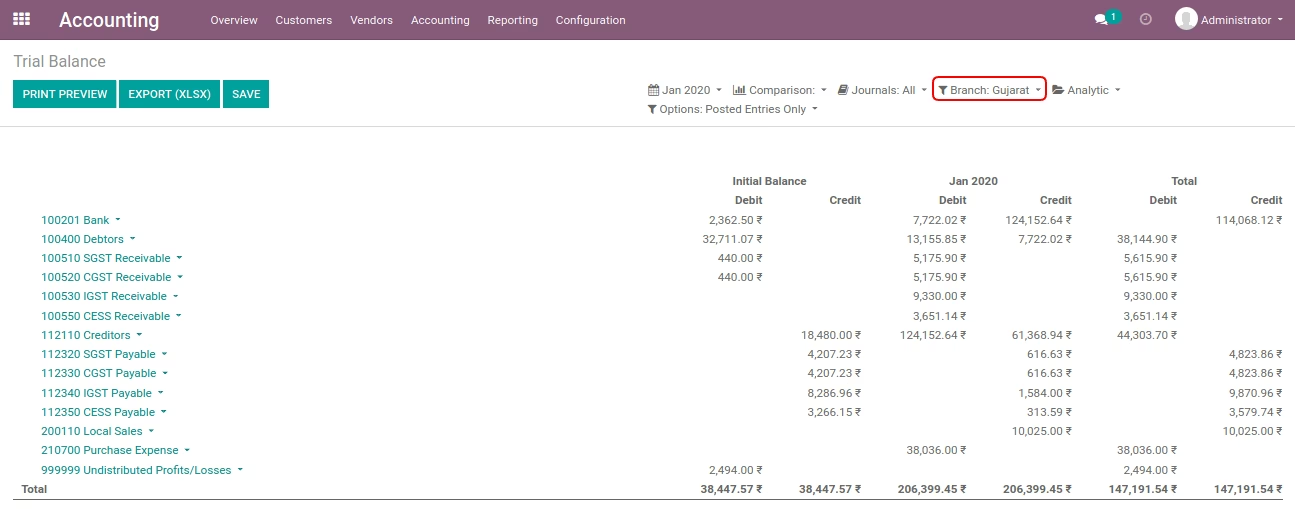
Allow filtering by branchs Boolean Field on Trial Balance Record
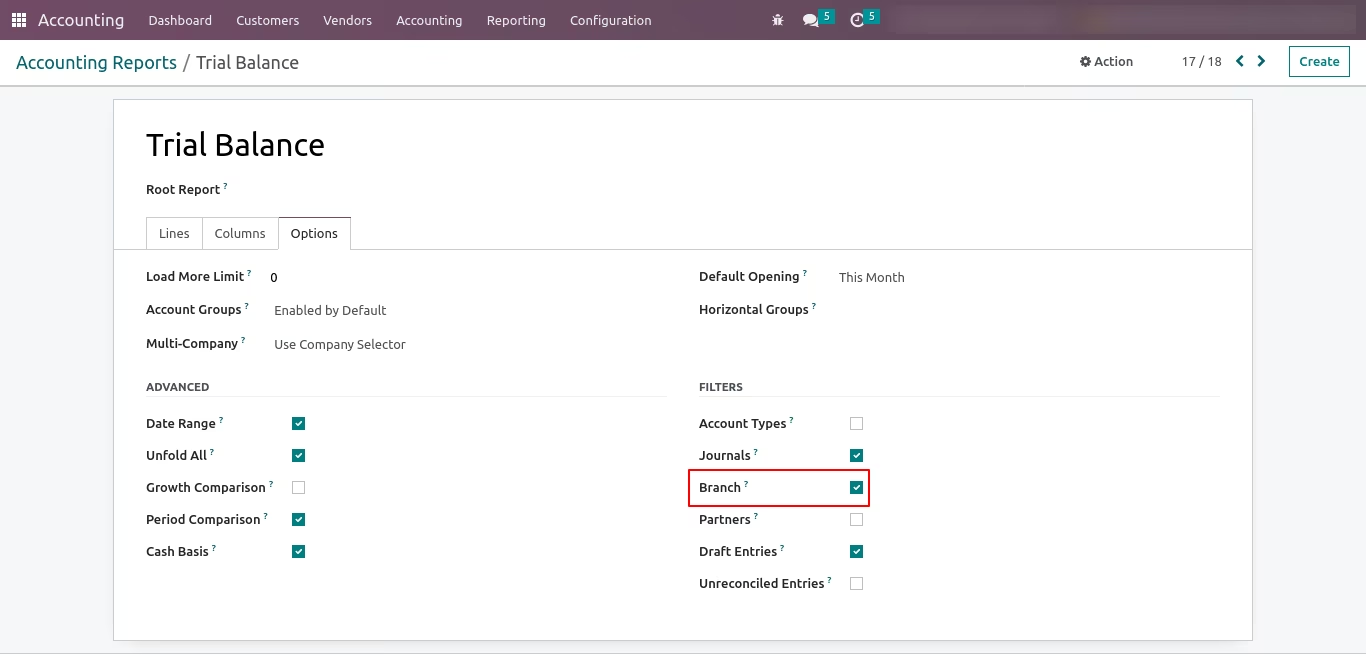
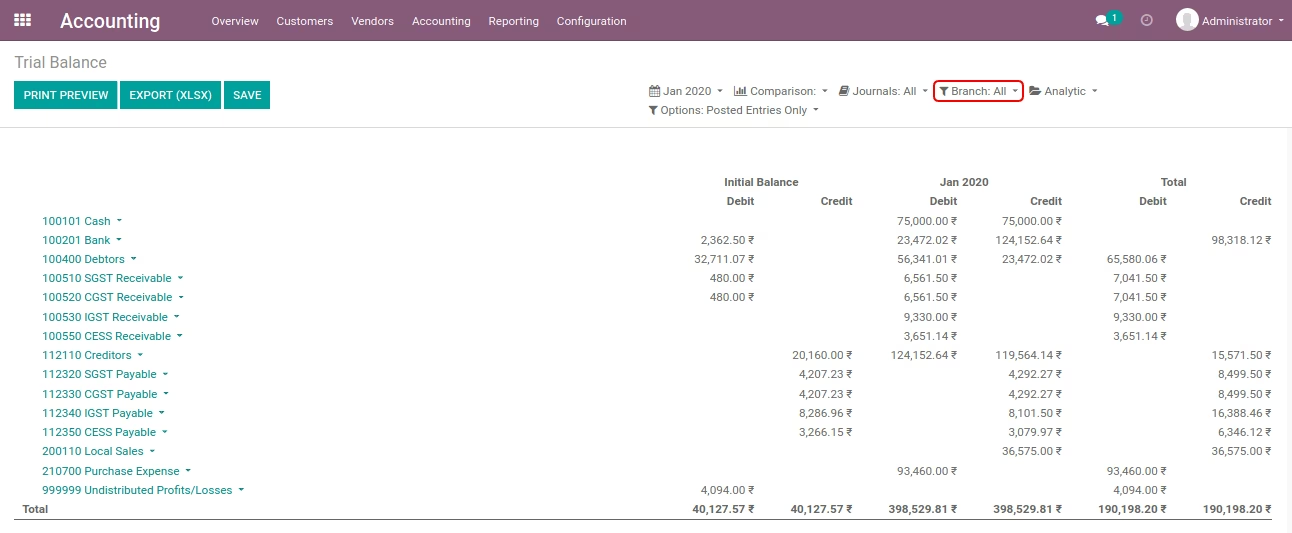
Trial Balance
- Without select any branch.
- Select 'Gujarat' branch.
Allow filtering by branchs Boolean Field on Journal Report Record
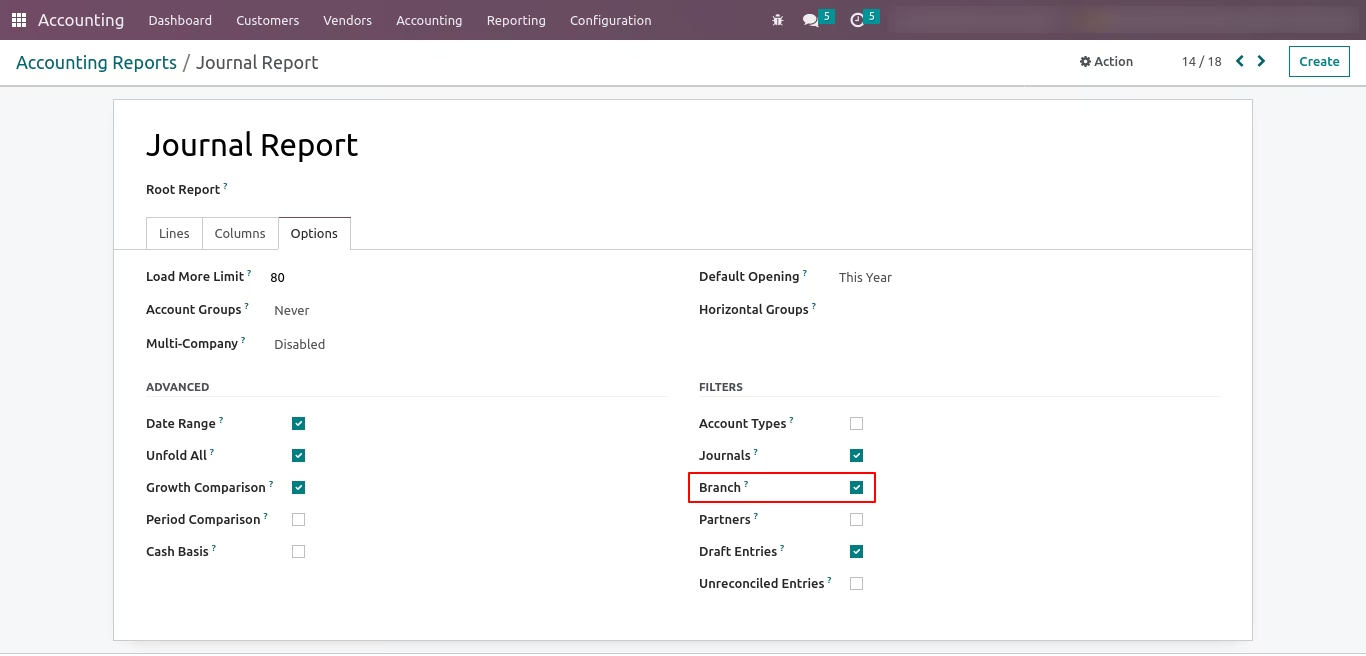
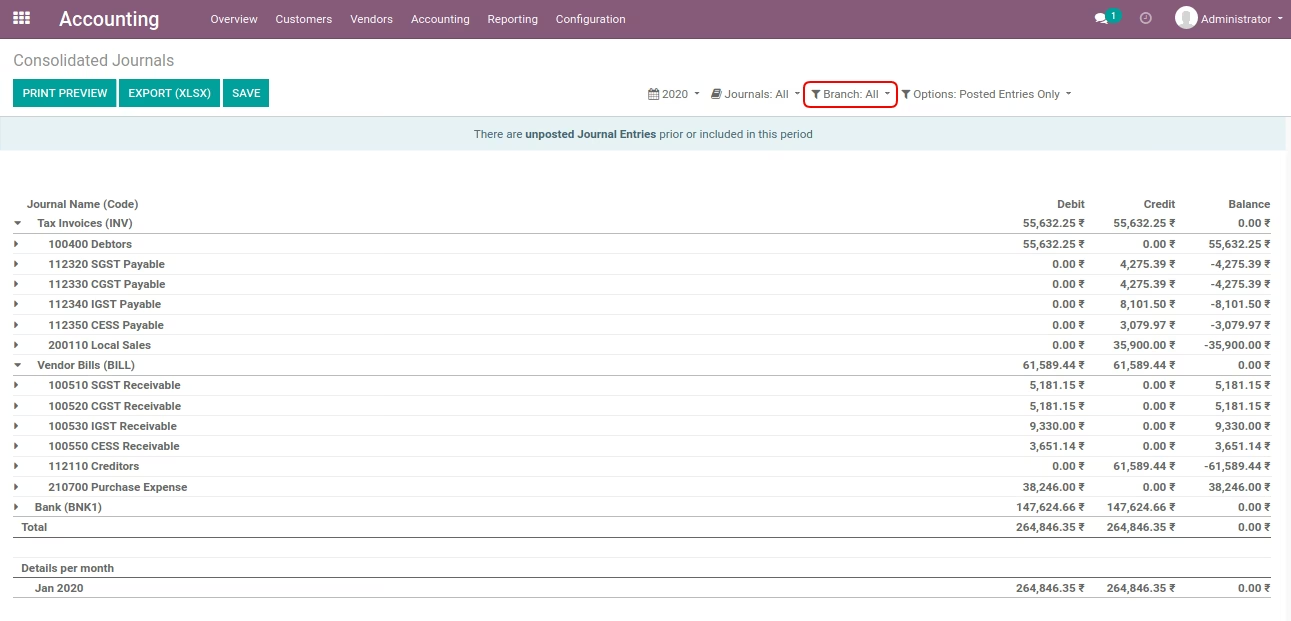
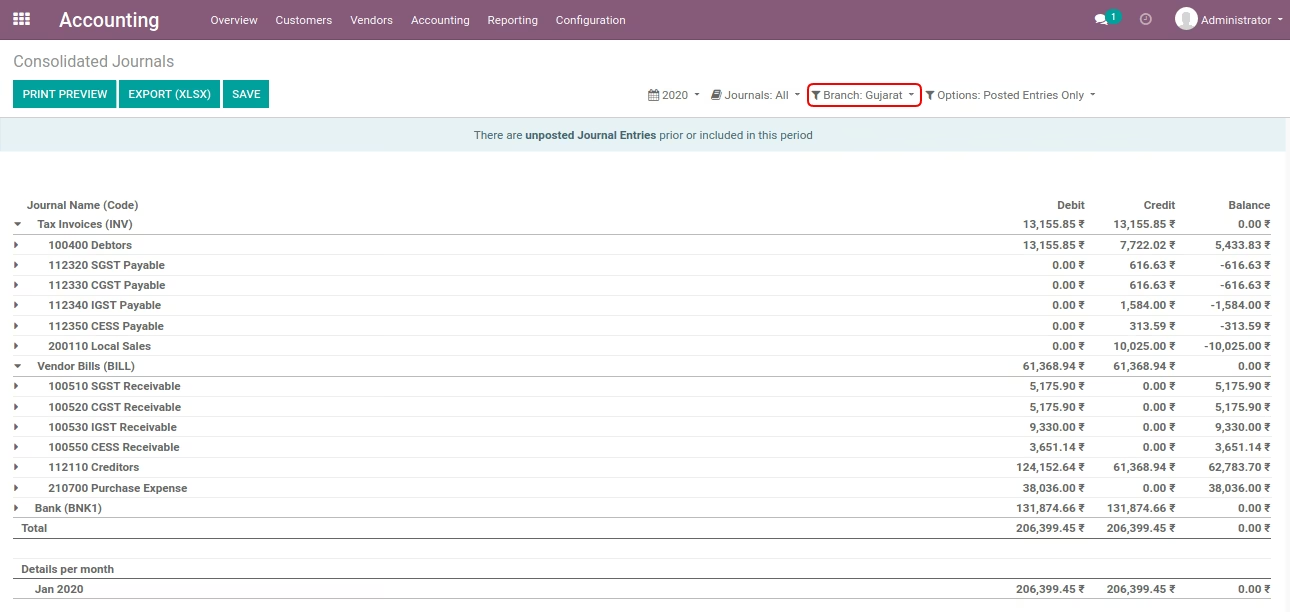
Journal Report
- Without select any branch.
- Select 'Gujarat' branch.
Allow filtering by branchs Boolean Field on Tax Report Record
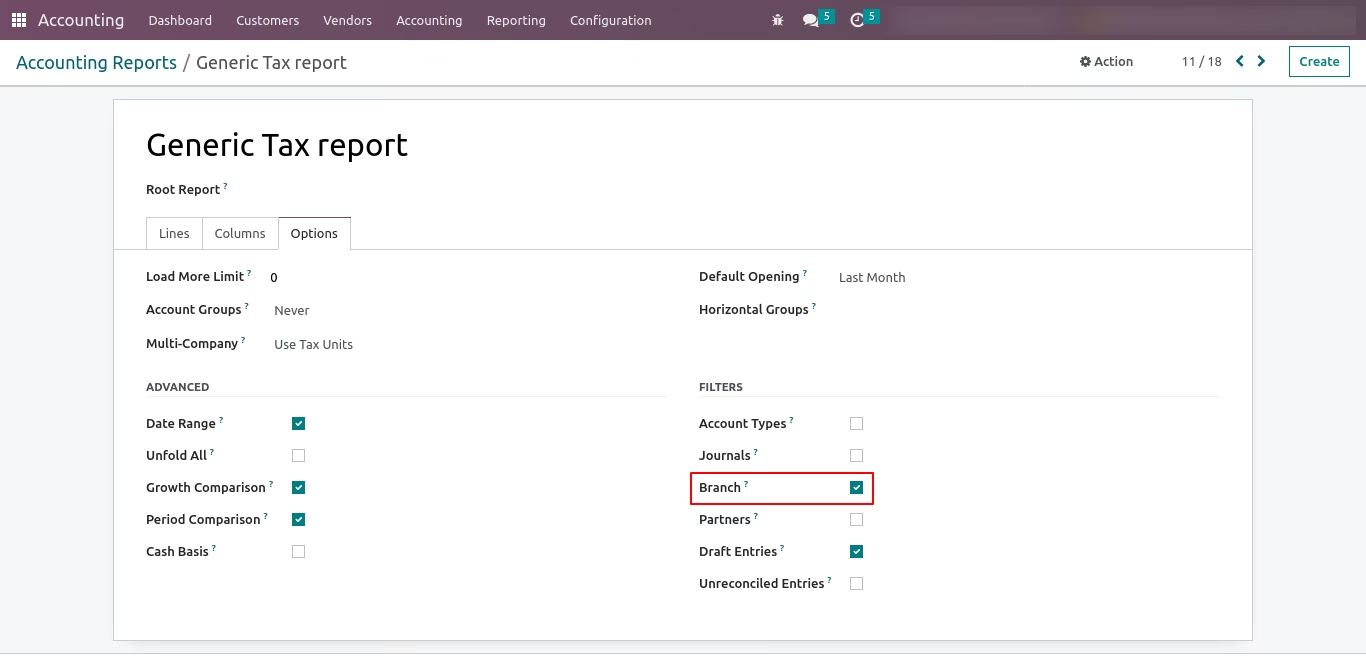
Tax Report
- Without select any branch.
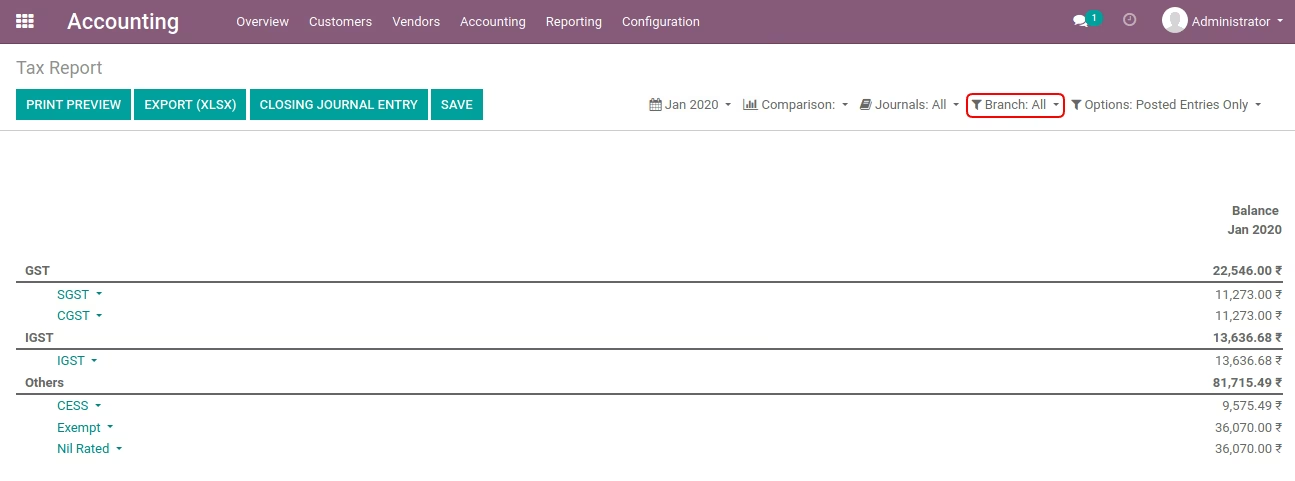
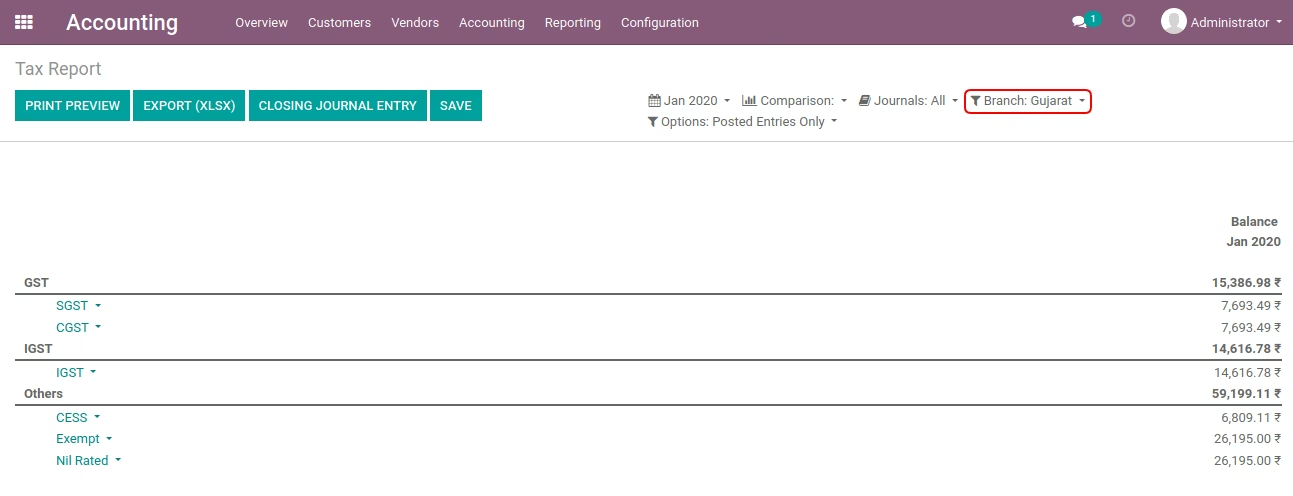
- Select 'Gujarat' branch.
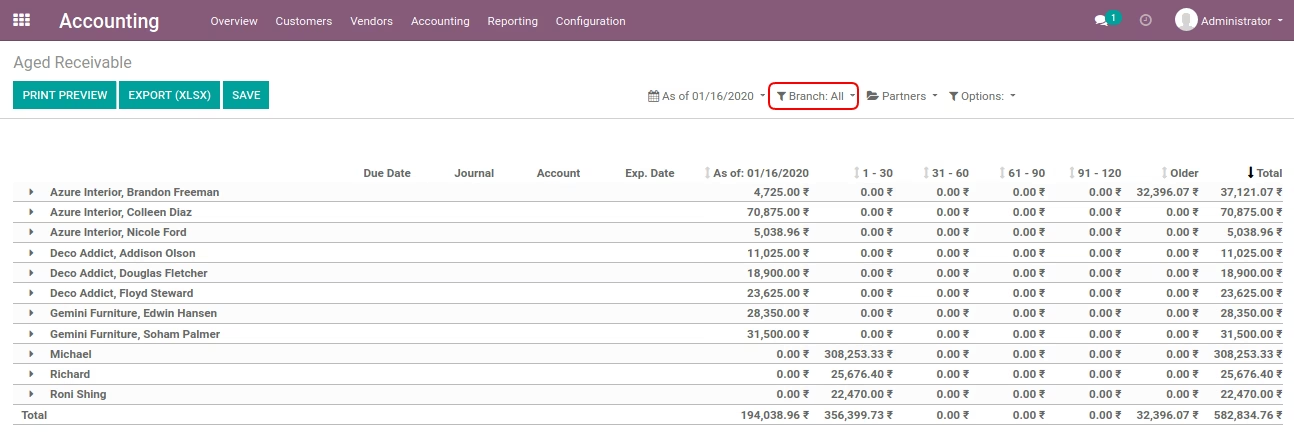
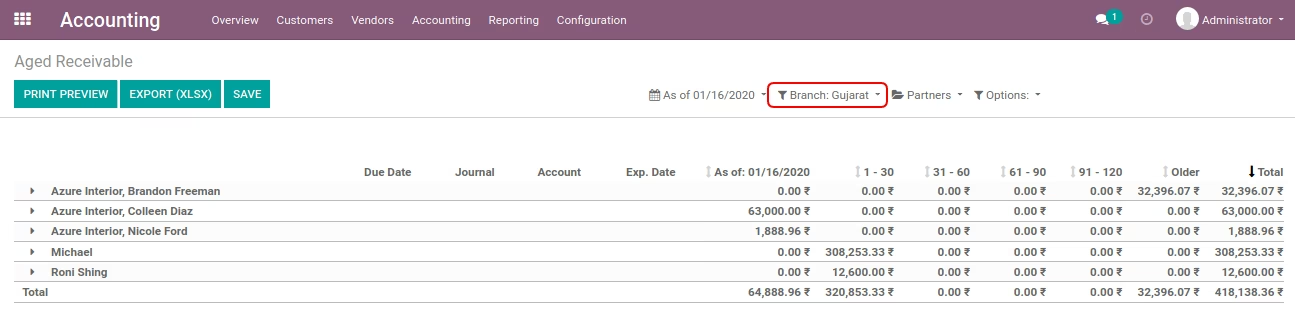
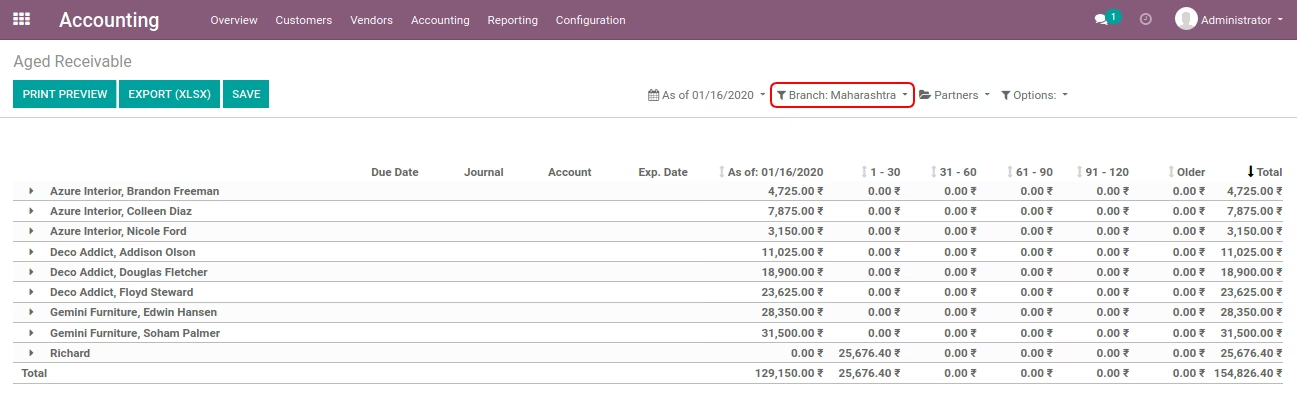
Allow filtering by branchs Boolean Field on Aged Receivable Record
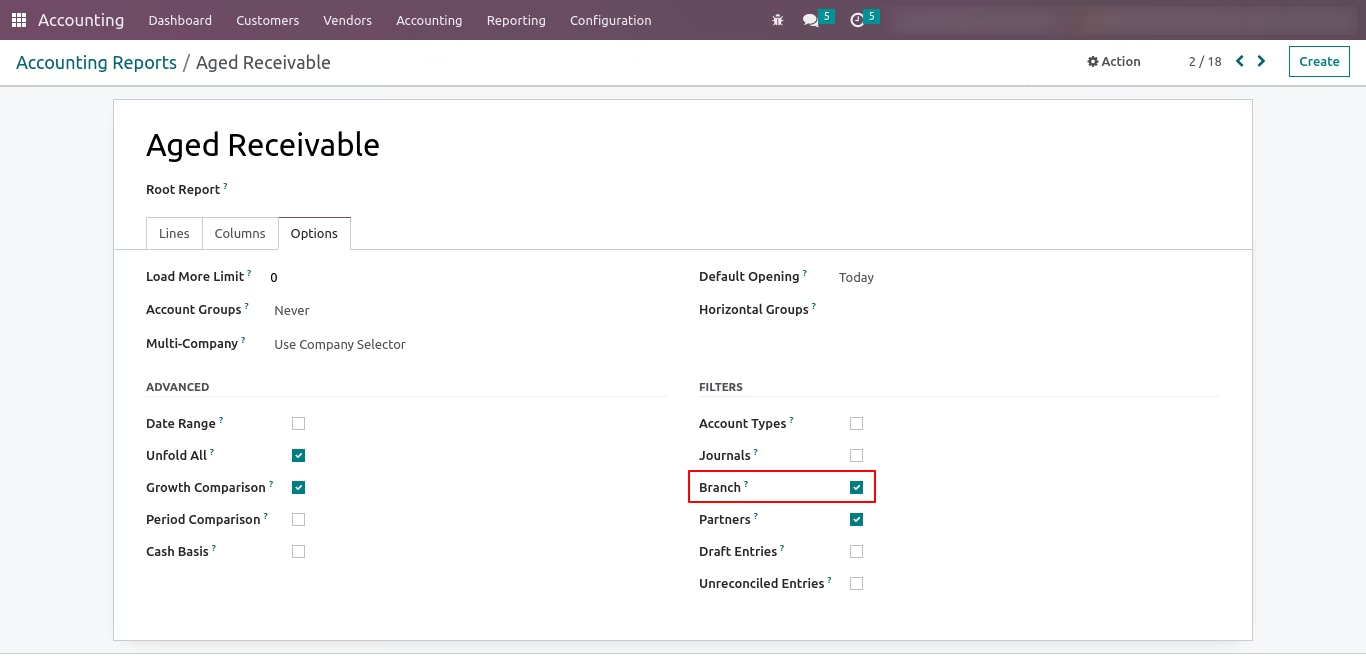
Aged Receivable Report
- Without select any branch.
- Select 'Gujarat' branch.
- Select 'Maharashtra' branch.
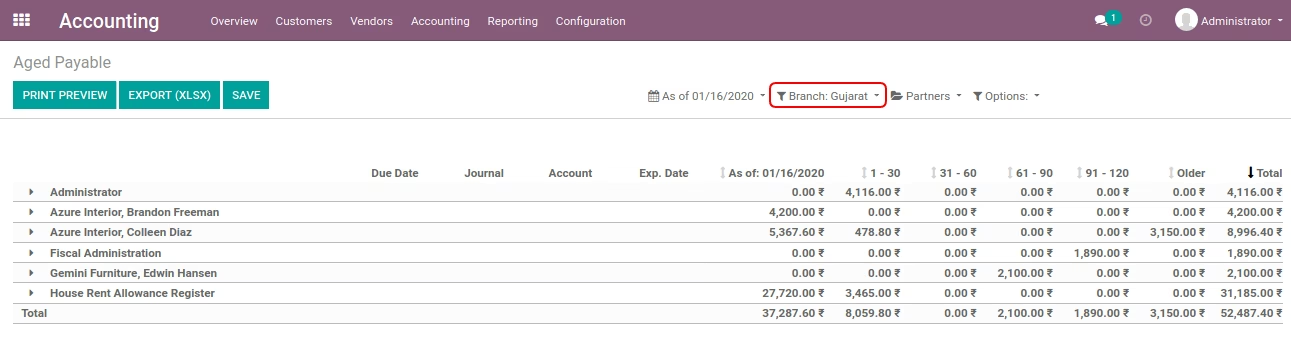
Allow filtering by branchs Boolean Field on Aged Payable Record
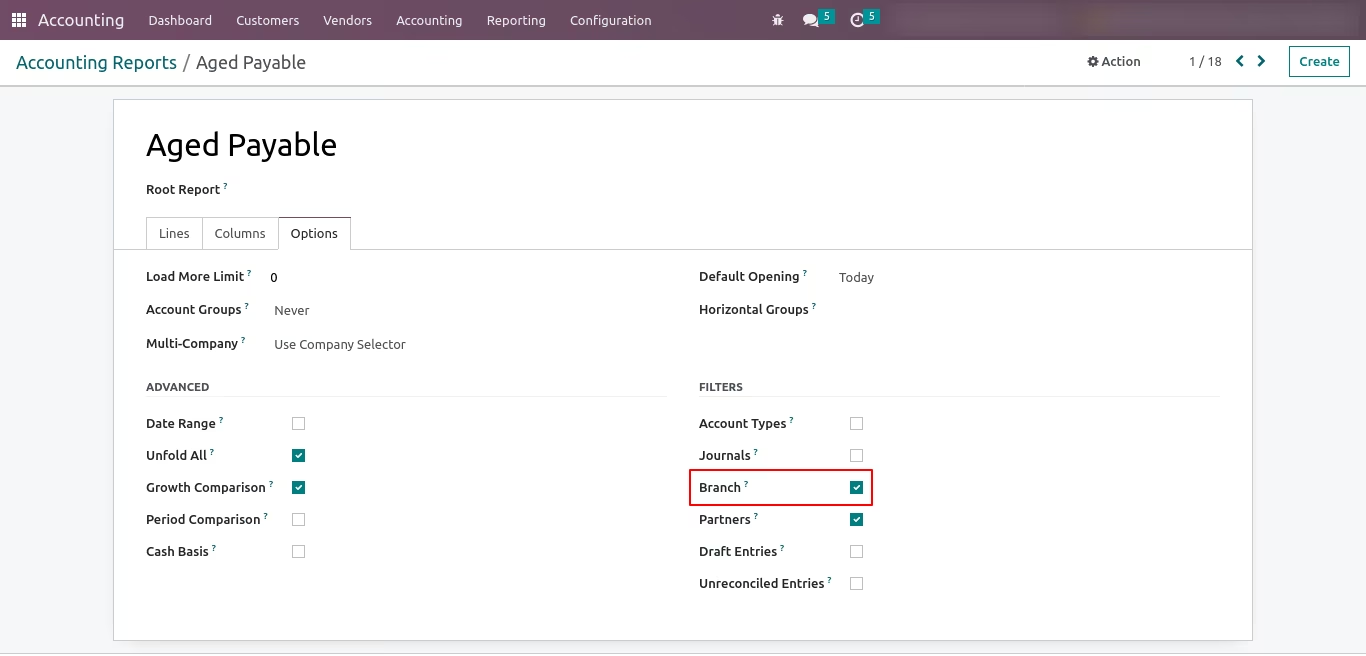
Aged Payable Report
- Without select any branch.
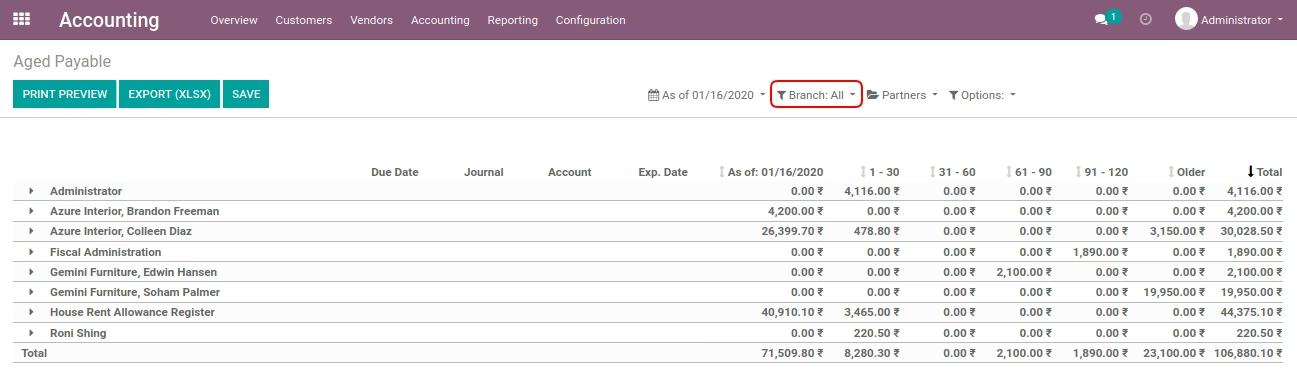
- Select 'Gujarat' branch.