The module empowers users to define and manage multiple operational units branches within a single company. It enables data isolation, user-based branch control, and structured workflows that mirror multi-company capabilities while retaining centralized oversight.
Create multiple branch or unit records per company.
Assign branches to users, with control over who can access which branch.
Enable users with branch access to switch context via the header interface.
Tag contacts (e.g., customers, suppliers) with branch association.
Branch-based data segregation ensures users see only relevant records.
Designed to act as a base module, enabling multi-branch logic for other extensions.
Operational clarity: Manage diverse branches while maintaining unified control.
Secure access: Branch-specific rights restrict user visibility to appropriate data.
Scalable setup: Branch context can be extended to various business operations.
User-friendly: Header switcher enables seamless branch context switching.
Multiple Branch/Unit(operation) Management Base Apps
Multi-Branch/Unit Base Setup
Branch & Unit Base Configuration
Base Multi Branch Unit Management App
Manage Different Branch Unit for single company Base App
Do you have multiple unit for single company? Do you want them to works as separate entity inside the company? Here you go, This multiple branch management apps helps users to make different branches for single company with multi branch concept which works same as multi-company environment
Also Don't worry about the access rights too, We have added branch user/manager roles inside the module, Branch user can only access records of its specific branch and Branch manager can see records of all Branches
You can also manage multiple branch with multi company environment. For each company you can add several branches also multi company rules is already applied on branch object, so if user don't have access of company then that user can't have access of branch of that specific company
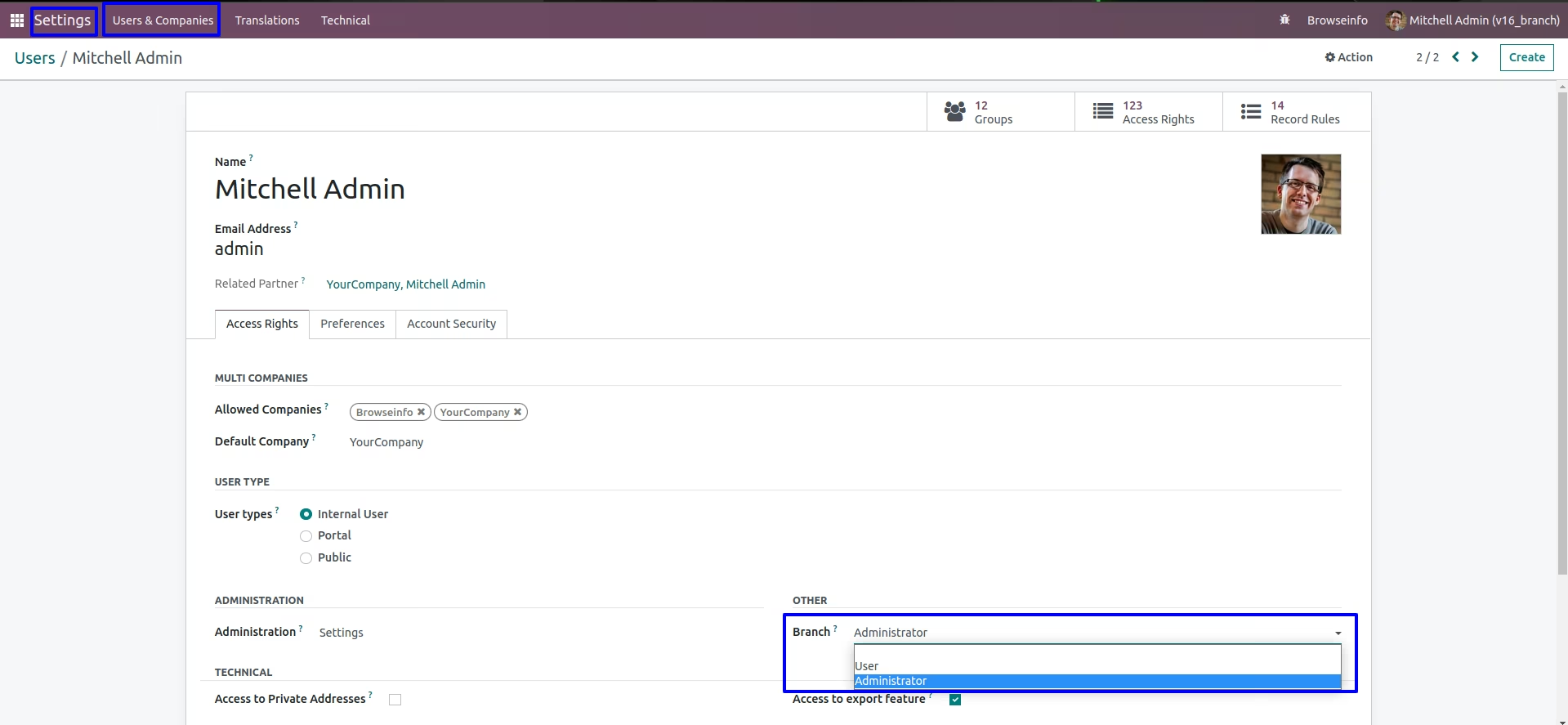
Branch Access Rights
User have to give branch access like User or Administrator, User have to "Multi Branches"
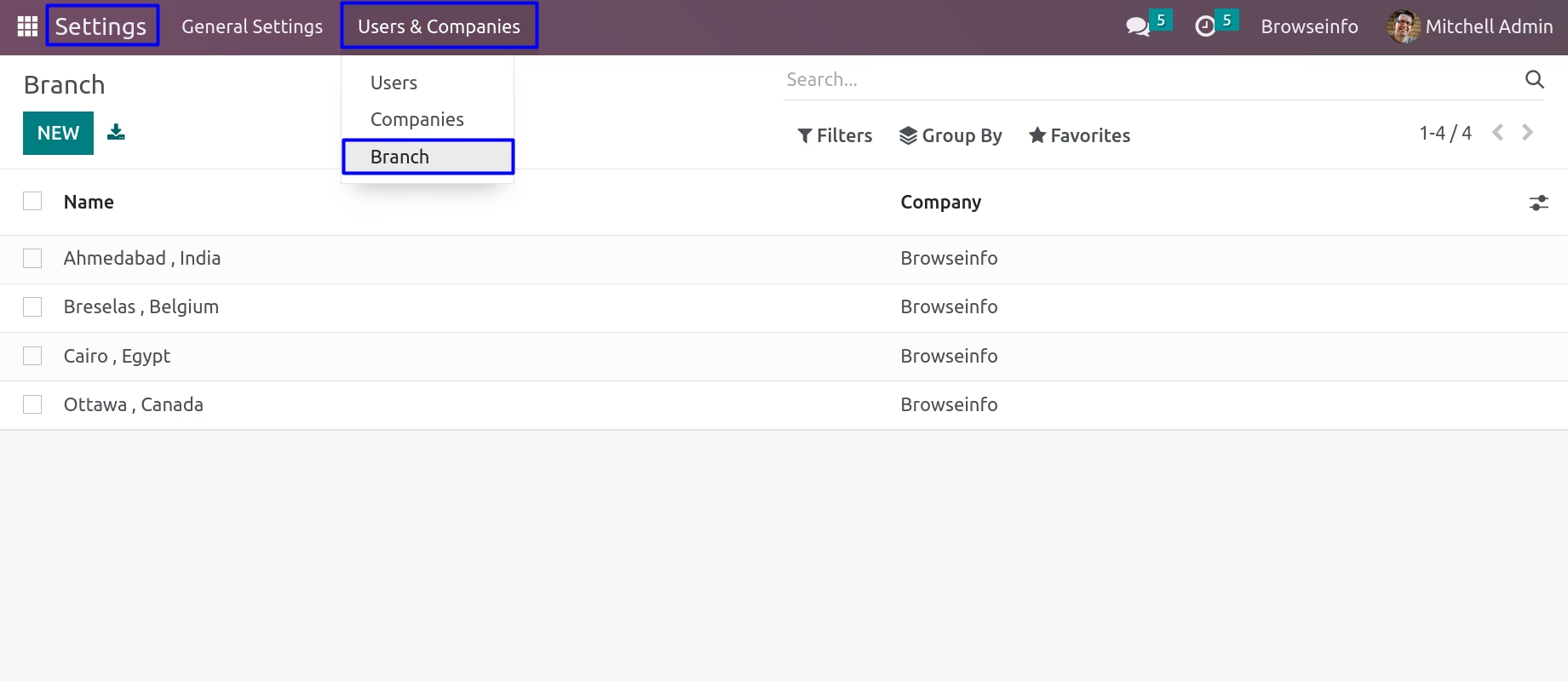
Create Multiple Branch
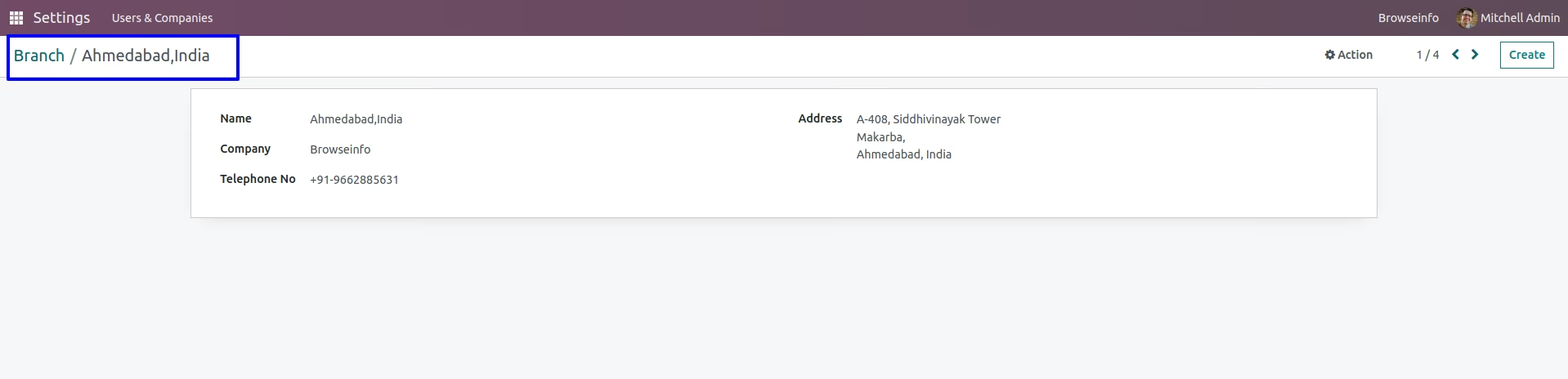
Branch Administrator can create multiple branch under Settings > Users & Companies > Branch menu, Branch administrator also can set branch details like address, phone, company.
Assign Branch User
Branch administrator can assign a branch for which specific user is belongs.
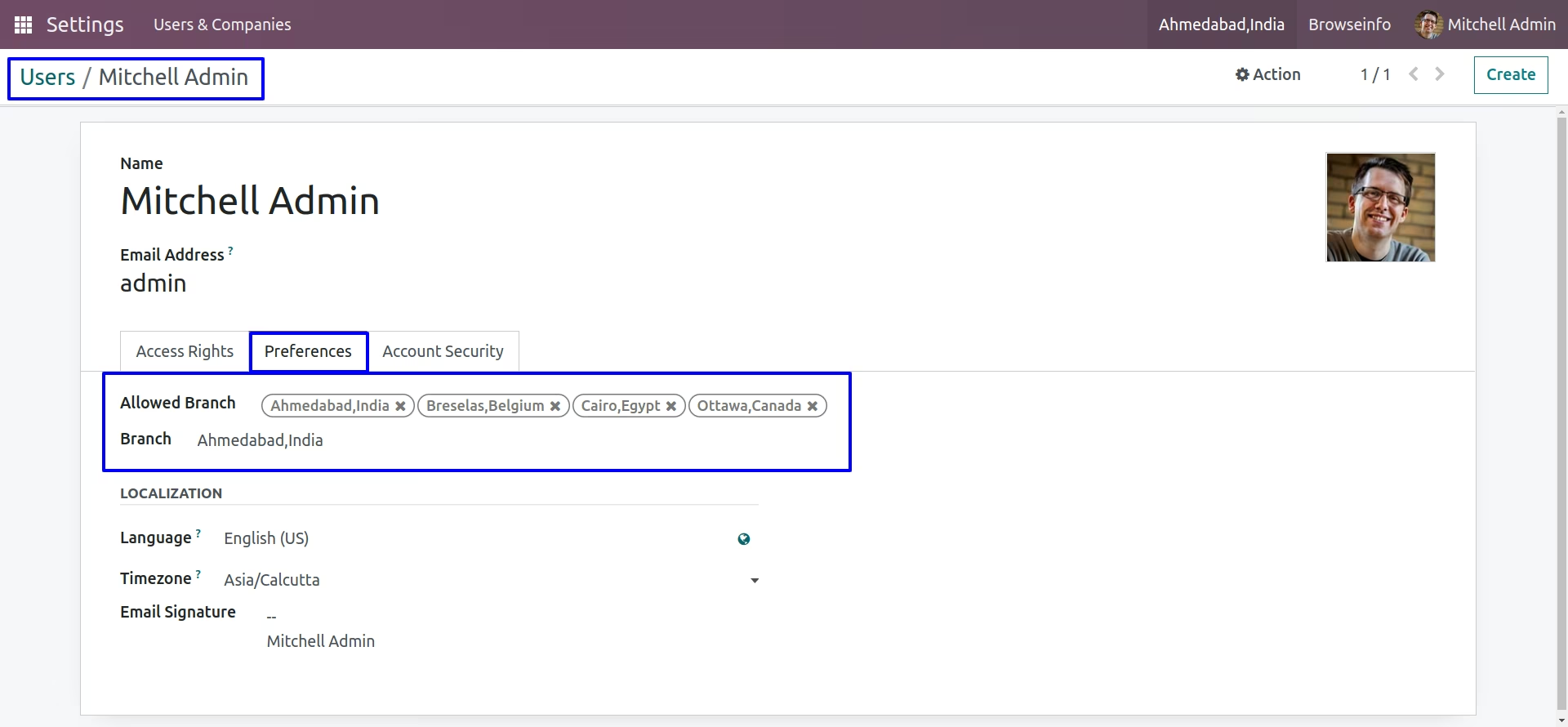
Multi Branch Feature
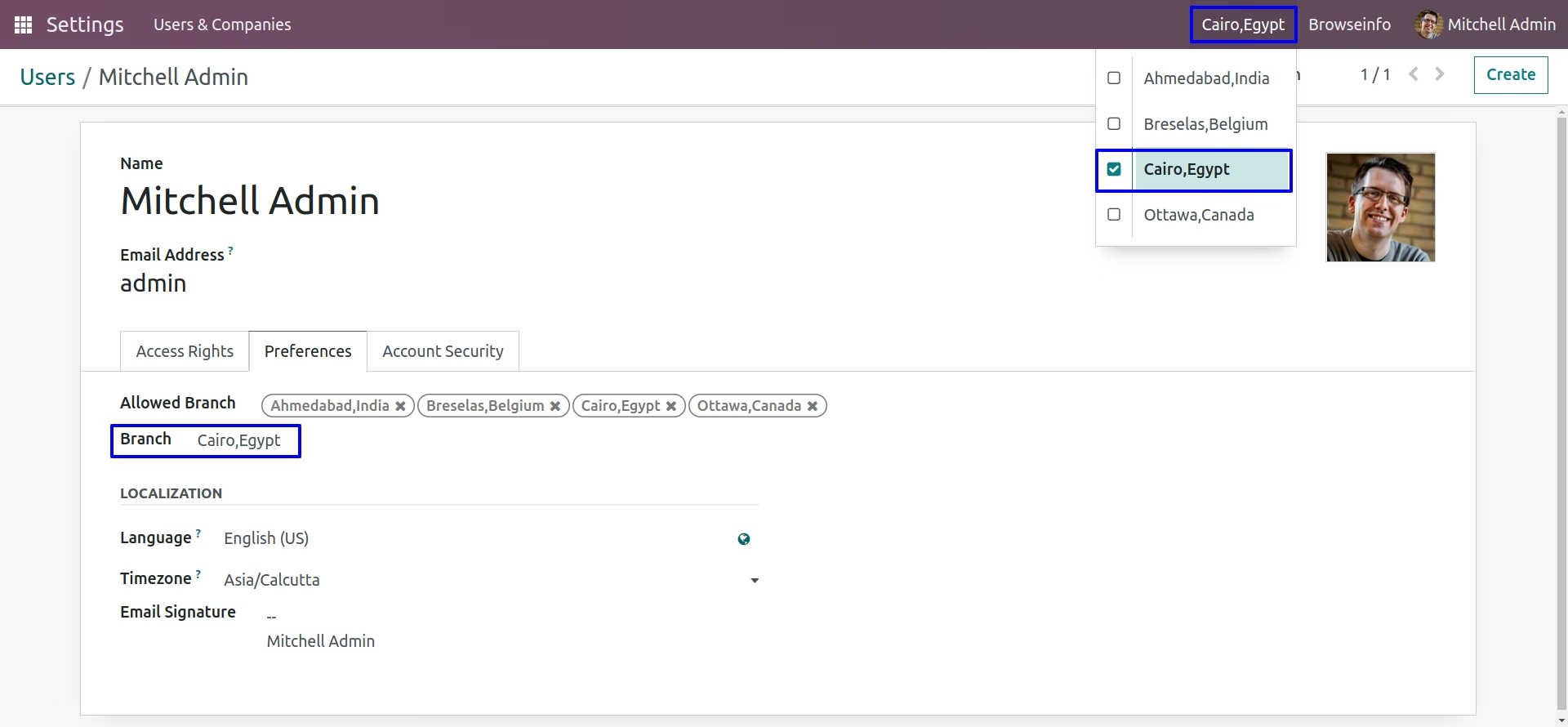
Users with "Multi Branches" access rights can see and change multiple branch from header.
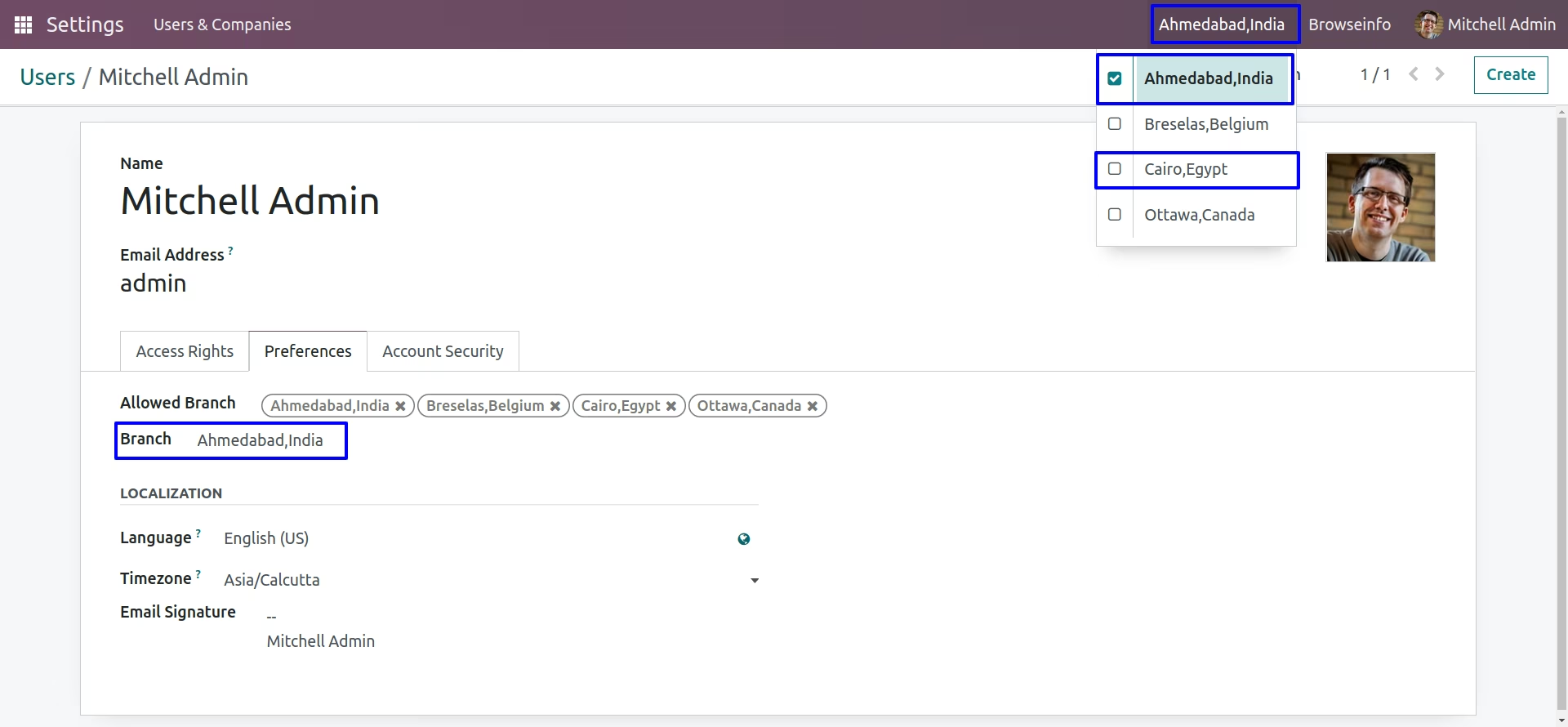
On clicking branch on header user can see allowed branches and can select one, on changing branch users branch will also changed under users settings.
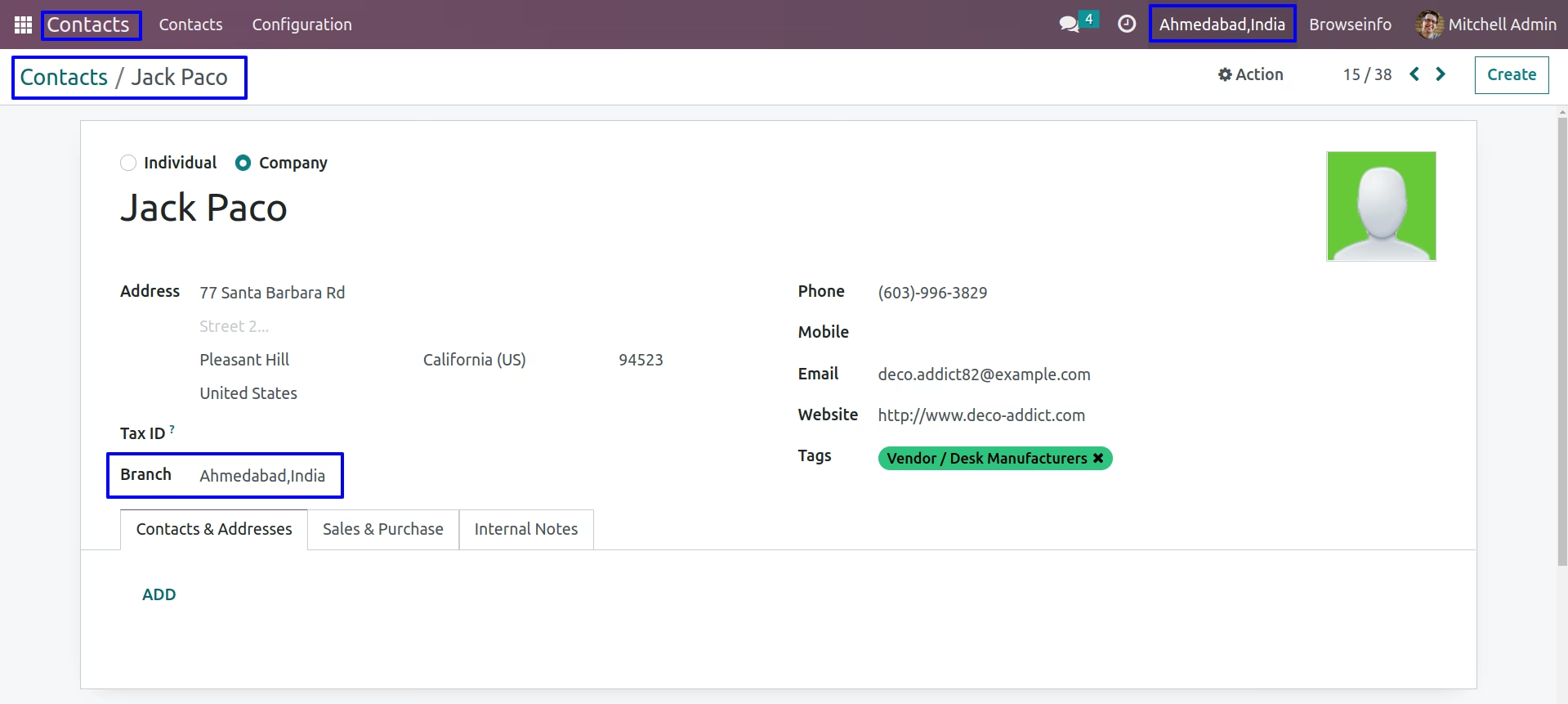
Branch On Contact.
Administrator can set contact for specific branch by selecting branch on contact.