
Refund module integrates the Moyasar payment gateway, enabling businesses to provide a seamless and secure checkout experience. It ensures encrypted transactions while allowing direct refund management. This solution helps businesses improve efficiency, enhance customer trust, and streamline payment operations.
Simple configuration of Moyasar as a payment provider with public and secret API keys.
Refund functionality directly integrated.
Support for multiple payment methods including cards, STC Pay, and Apple Pay.
Secure transaction processing with encrypted data handling.
Complete logging of transactions in the backend.
Delivers a smooth checkout experience to reduce cart abandonment.
Enables fast and efficient refund management within the system.
Enhances customer trust with secure, encrypted payments.
Simplifies financial tracking with clear backend transaction records.
Expands business reach with multiple supported payment methods.
The Moyasar Payment Provider app allows businesses to integrate the Moyasar payment gateway into their website, streamlining and securing online payment processes. As a leading fintech company in Saudi Arabia. This app includes robust refund capabilities, enabling admins to process customer refunds directly through the Moyasar platform.
Moyasar Payment Provider with Refund Benefits

Enhanced Payment Efficiency

Simplified Refund Management

Improved Customer Trust

Expanded Market Reach

Secure Transactions

Seamless Integration
Moyasar Payment Provider with Refund Features
Simplified Payment Integration:
- Embed Moyasar's payment methods directly into your website for easy setup and management of online transactions.
Comprehensive Payment Tools:
- Access a range of payment solutions, including invoicing and various payment gateways, tailored for eCommerce needs.
Refund Management:
- Admins can efficiently issue refunds directly through the Moyasar platform, simplifying customer service interactions.
User-Friendly Interface:
- Offers a seamless and intuitive checkout experience for customers, ensuring satisfaction and reducing cart abandonment rates.
Moyasar Payment Provider with Refund Workflow
- Go to Website -> Configuration -> Payment Providers.
- Select the Moyasar Payment Provider.
- Enter the Public Key and Secret Key in the configurations.
- Save the record.
- Moyasar payment acquirer should now be available on the website checkout.
Payment Providers
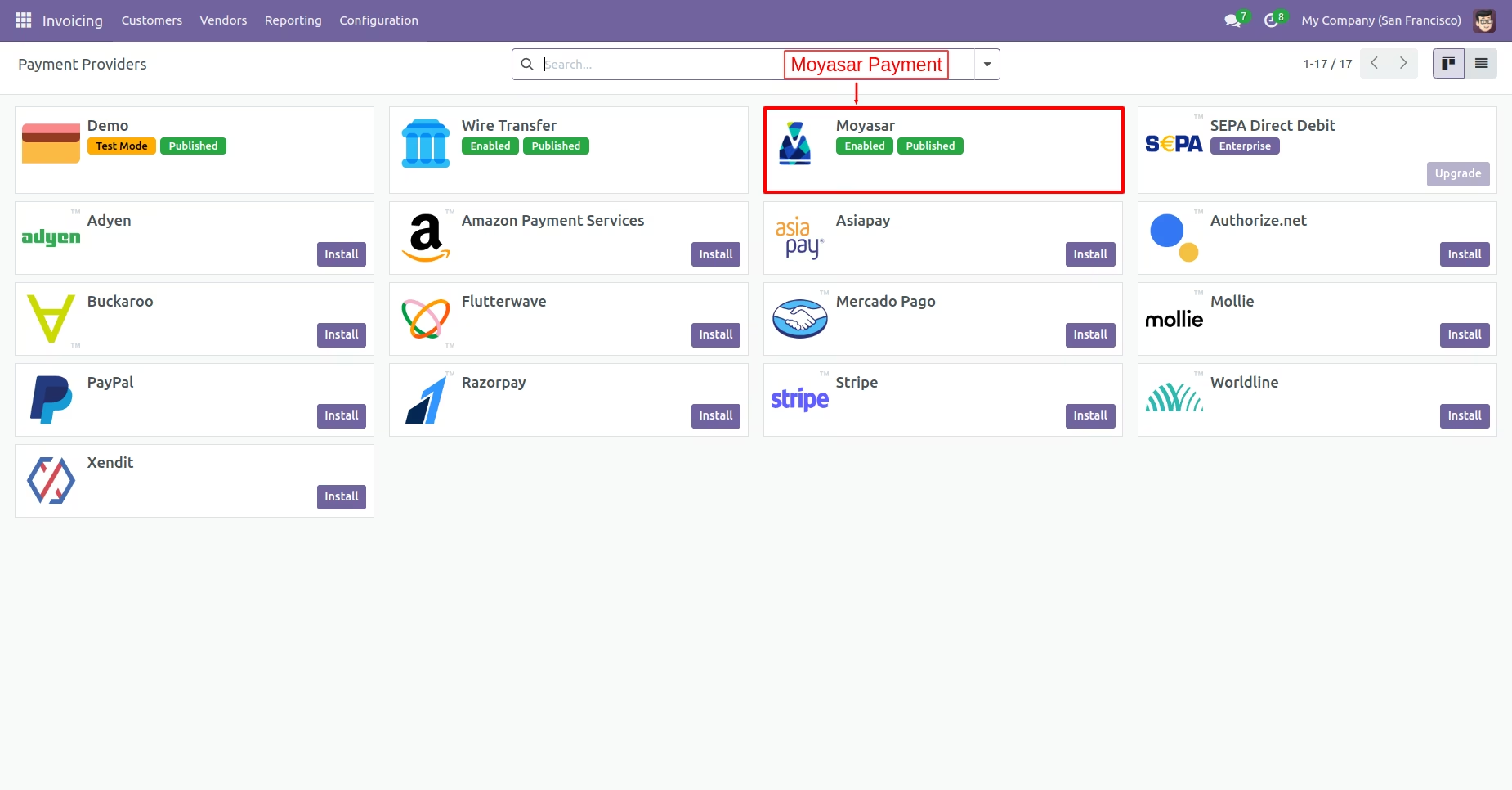
First, navigate to the website and select Configuration to configure payment options for online transactions. Next, click on payment providers to access the available payment methods. Finally, select the moyasar payment provider.
Enter The Credentials
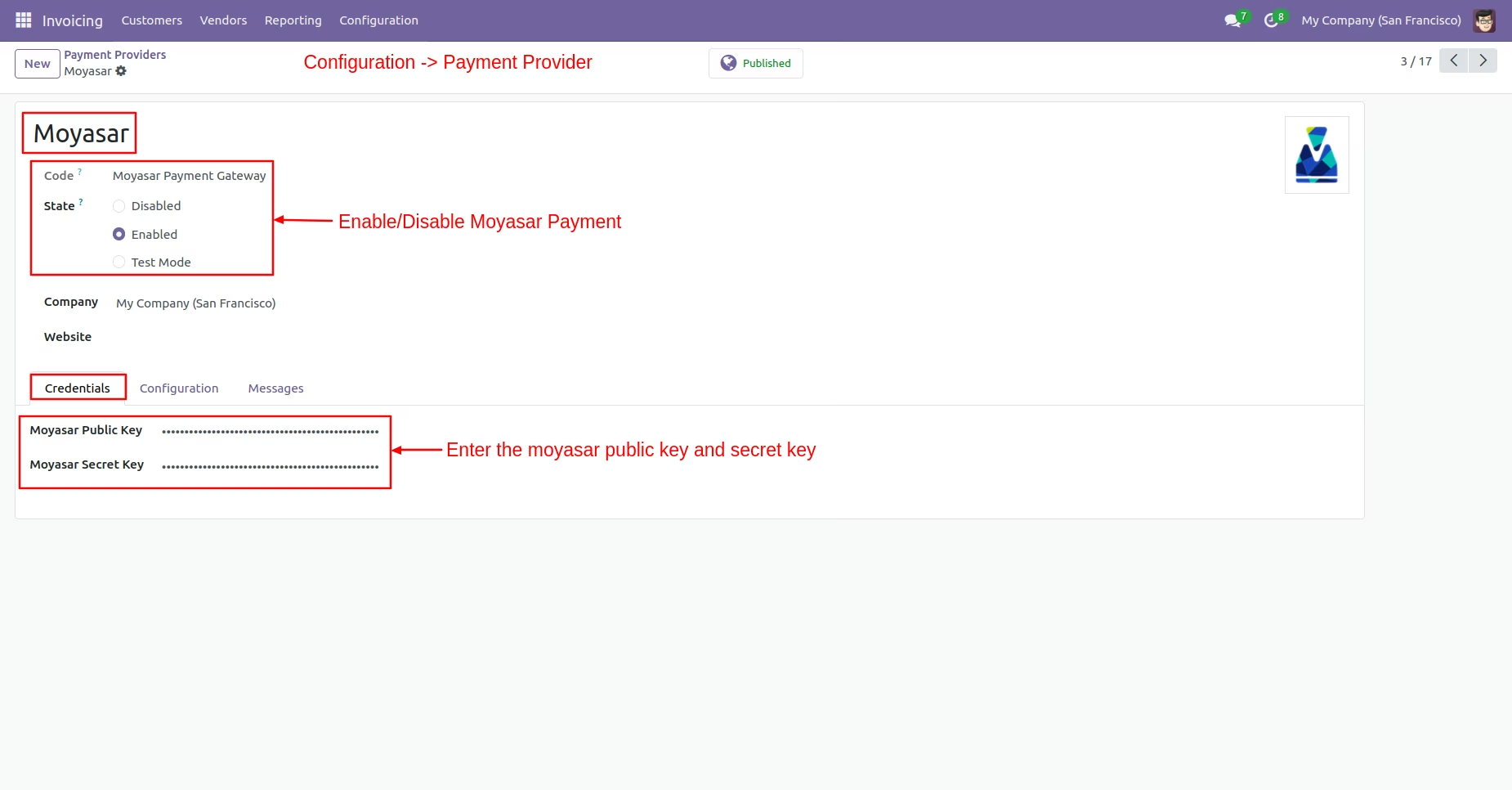
Select the Moyasar payment provider to enable Moyasar to process transactions. After enabling moyasar payment, enter the required credentials,moyasar public key, and secret key, on the payment providers page.
Enable Payment Method
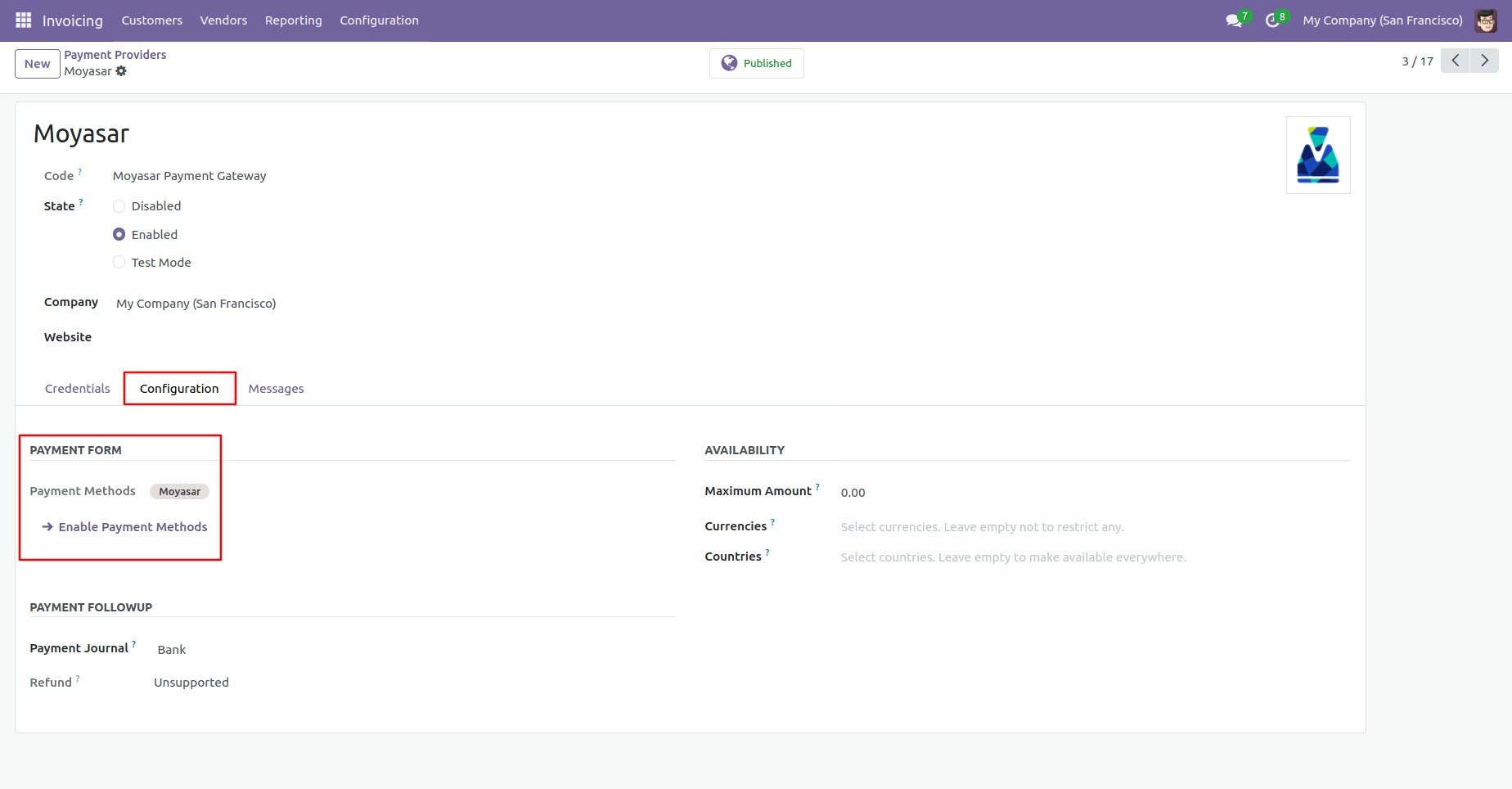
Navigate to the configuration tab and have the admin click on "Enable Payment Methods." Once the feature is enabled, the name of the selected payment method will appear in the payment form section.
Moyasar From Payment Method
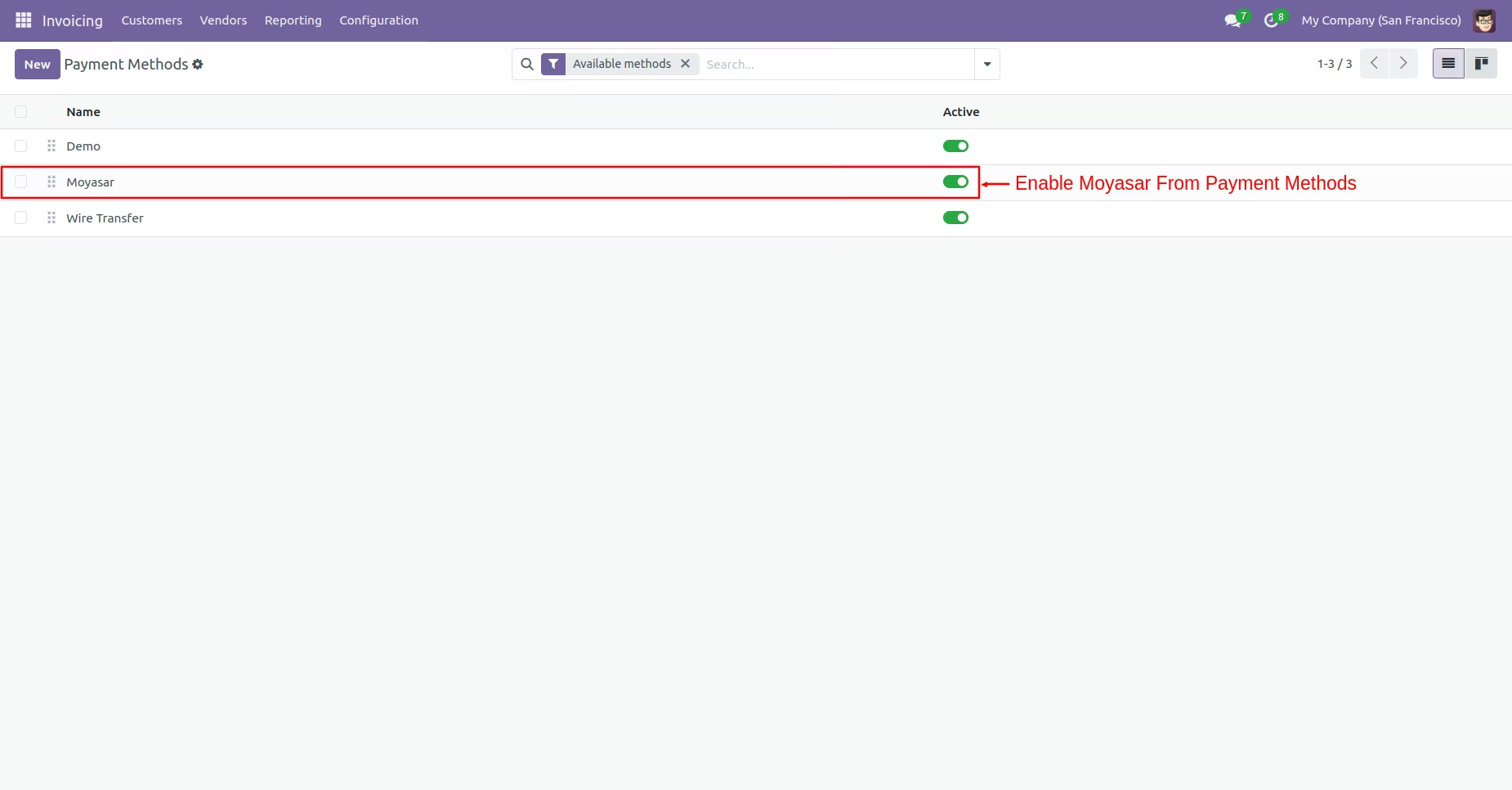
To proceed with online transactions, you must enable the Moyasar payment option in the payment method settings. This allows customers to make moyasar payments during the checkout process.
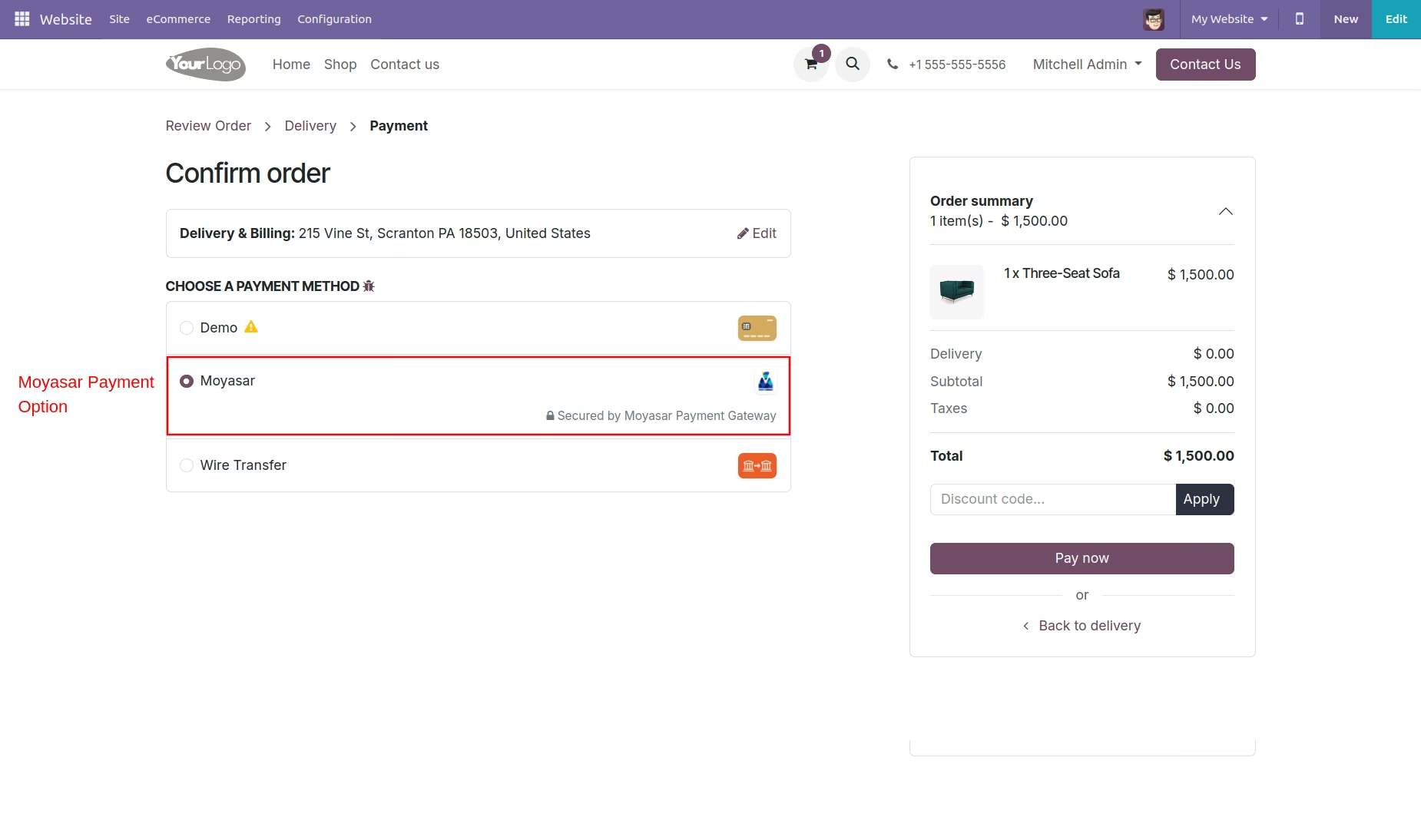
Moyasar Payment Option
After selecting the products during the checkout process, proceed to the payment section. Here, select the Moyasar payment method for processing your online transaction.
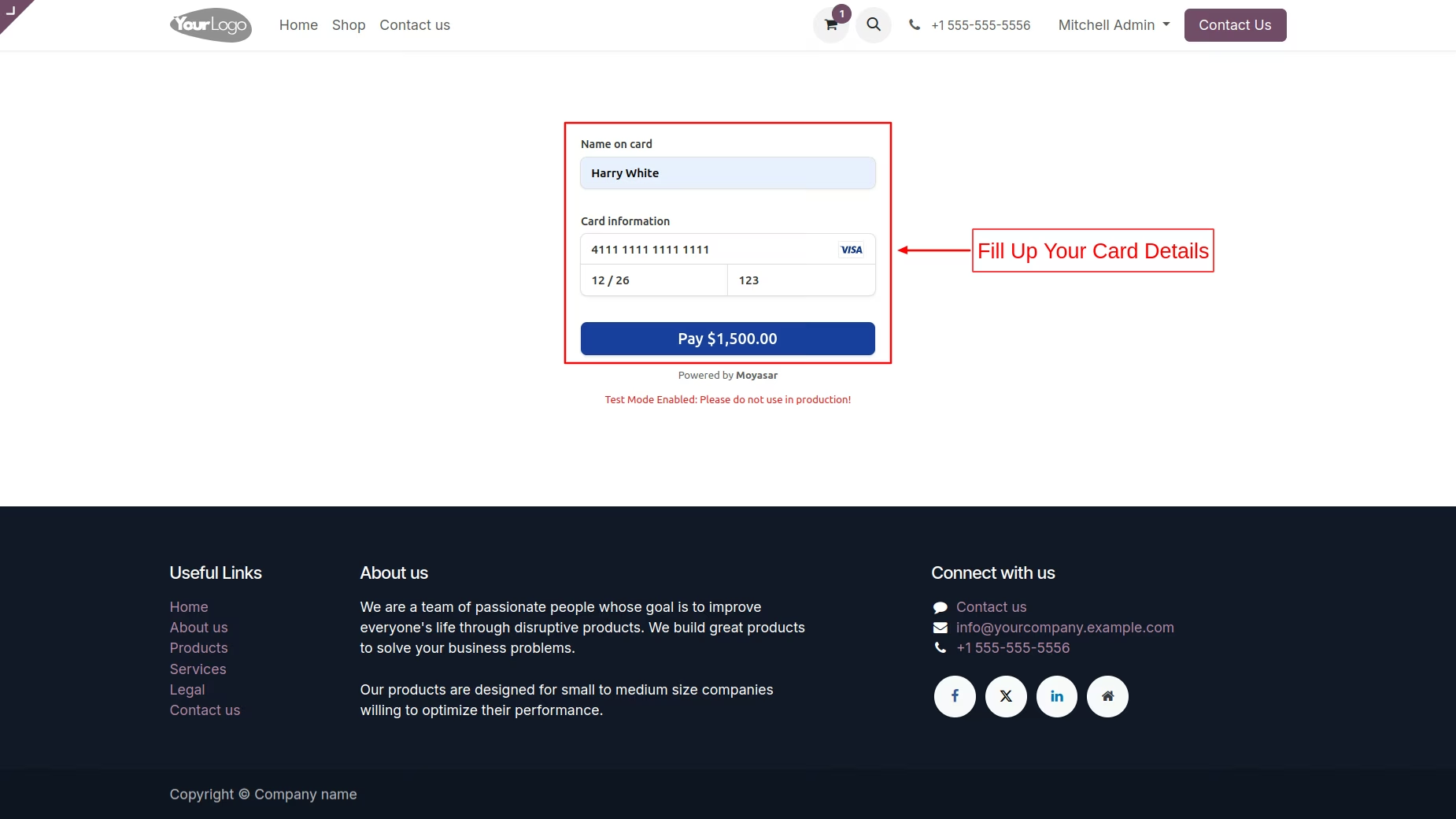
Moyasar Card Details
After selecting the payment option, input the card details, including the name on the card. Fill in the card number, expiration date, and CVC code as required. Ensure all information is accurate before proceeding to complete the payment.
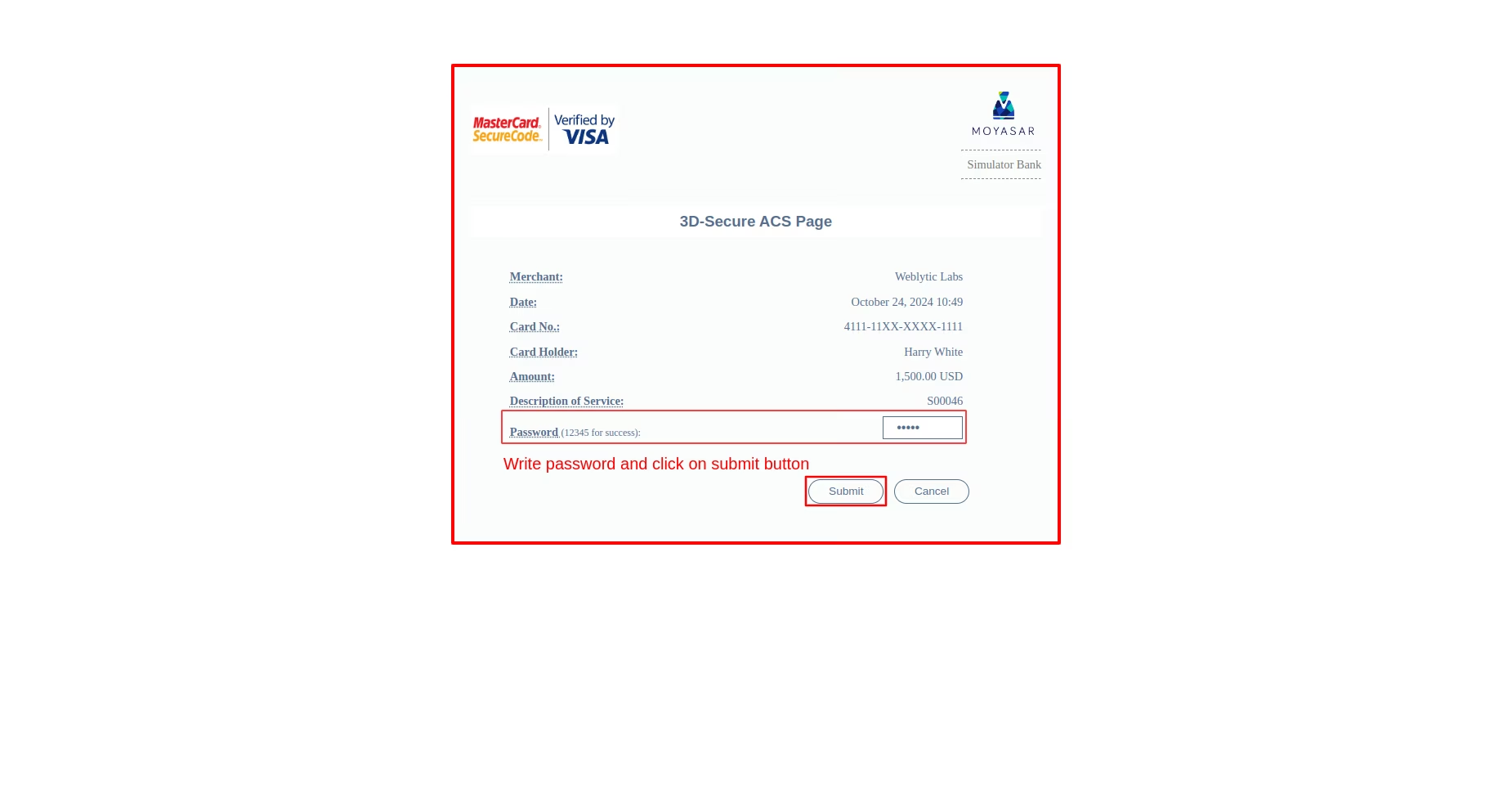
Enter OTP
On the 3D-Secure ACS page, enter your password for verification. After inputting your password, click the "Submit" button to proceed. This step ensures your transaction is authenticated securely before completion.
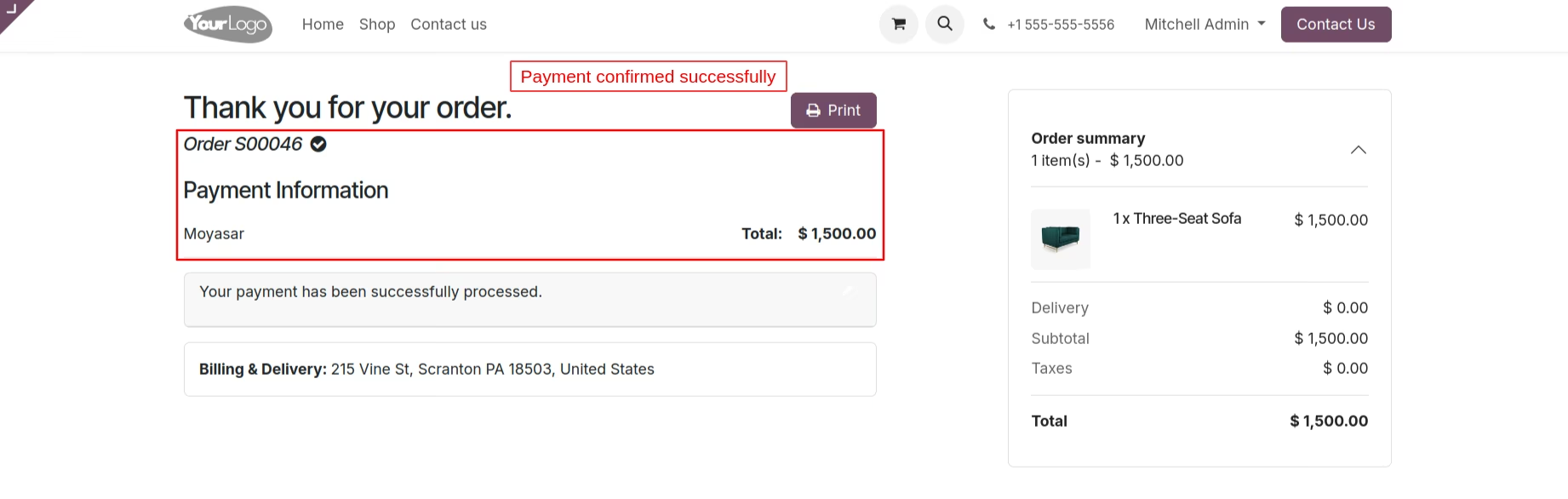
Payment Information
The payment confirmation is displayed successfully, indicating that the transaction has been processed. This message assures users that their payment was completed without errors.
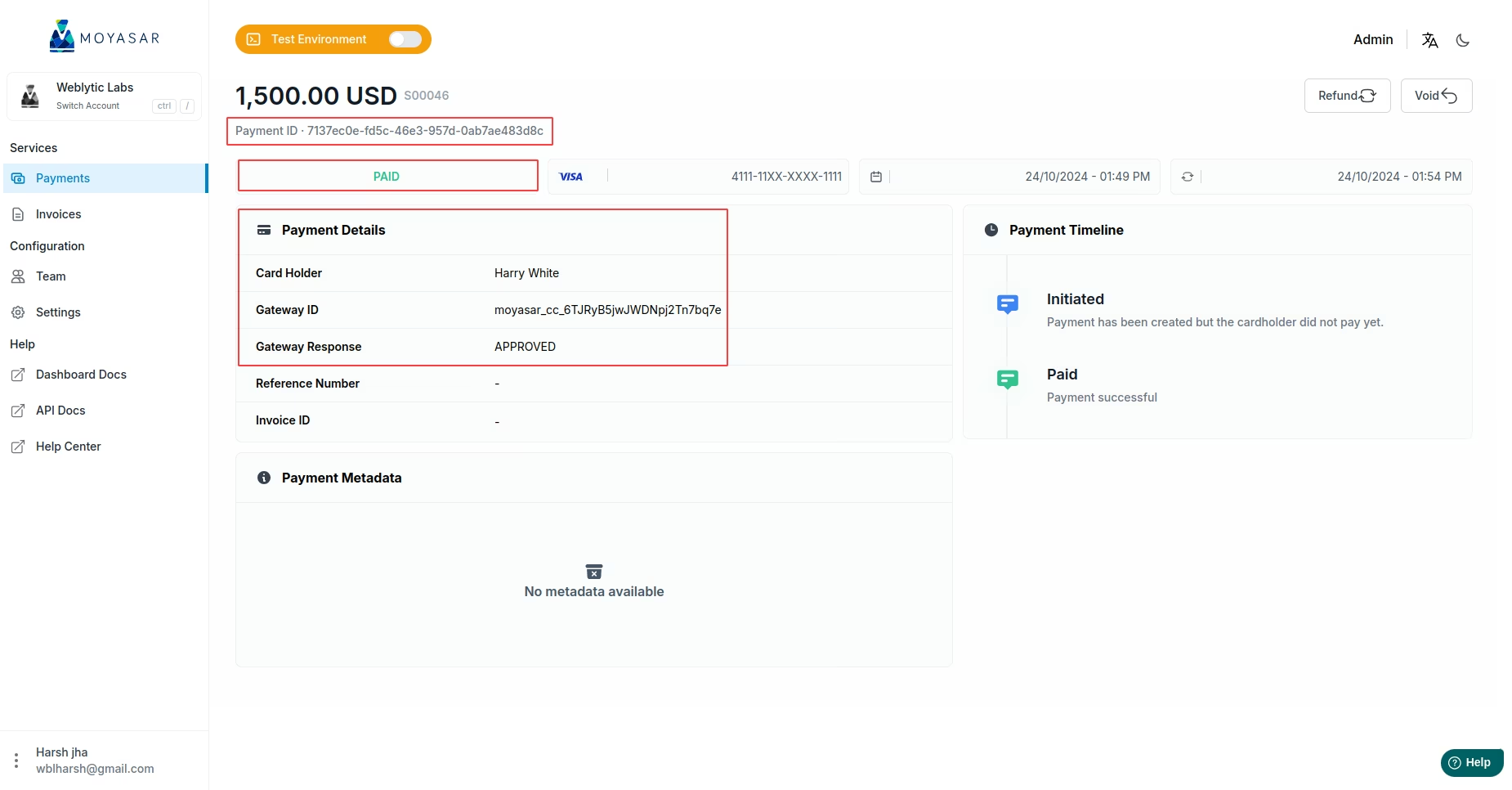
Moyasar Dashboard
Merchants can view transaction details in the Moyasar dashboard, including essential information such as the cardholder's name, gateway ID, gateway response, and payment status. This comprehensive overview allows for effective monitoring of all transactions. Accessing this information helps merchants.
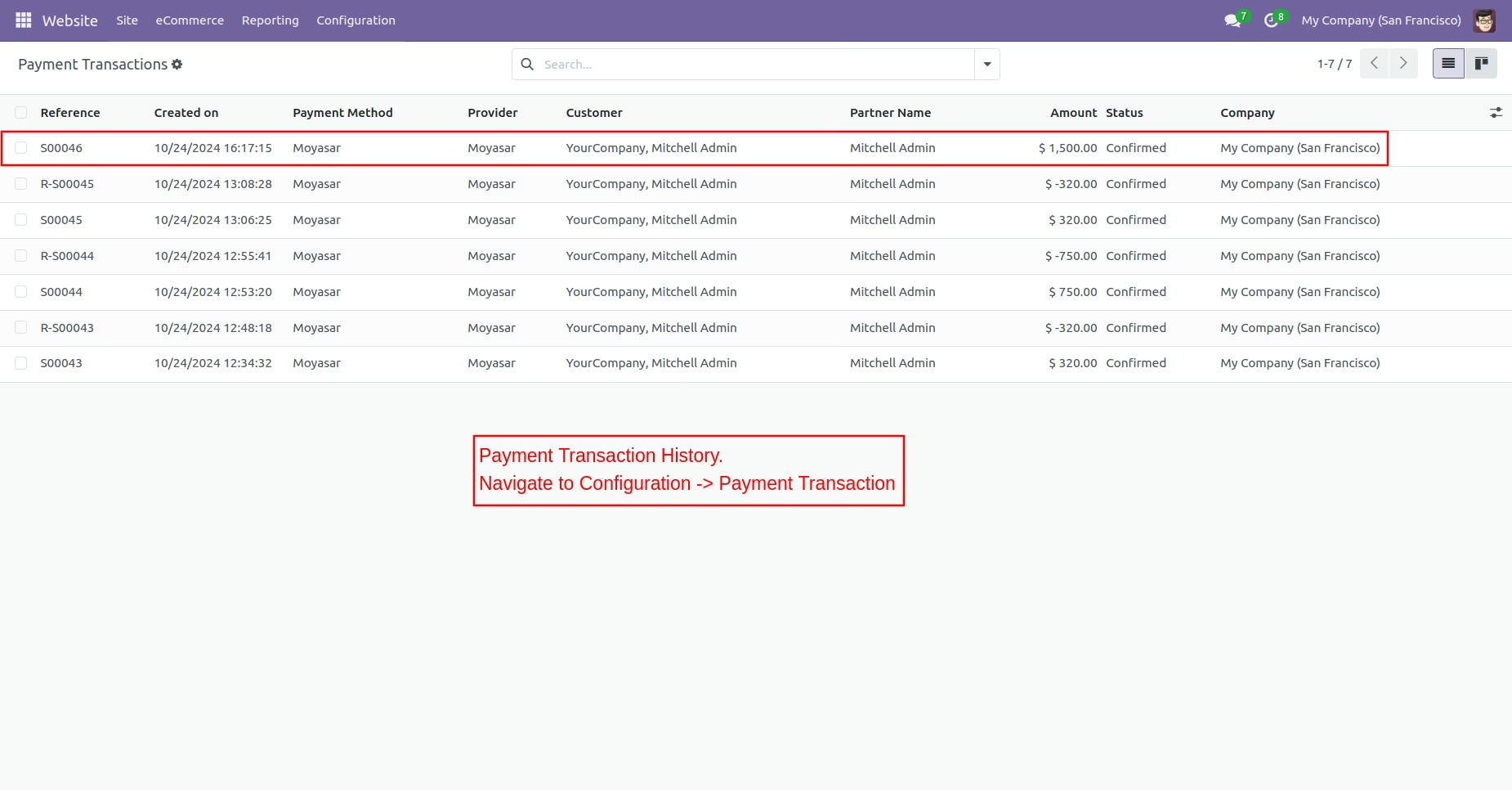
Payment Transaction History
Access the configuration settings and select payment transactions to view the payment transaction history. This section will display all transaction records along with their current status for easy monitoring.
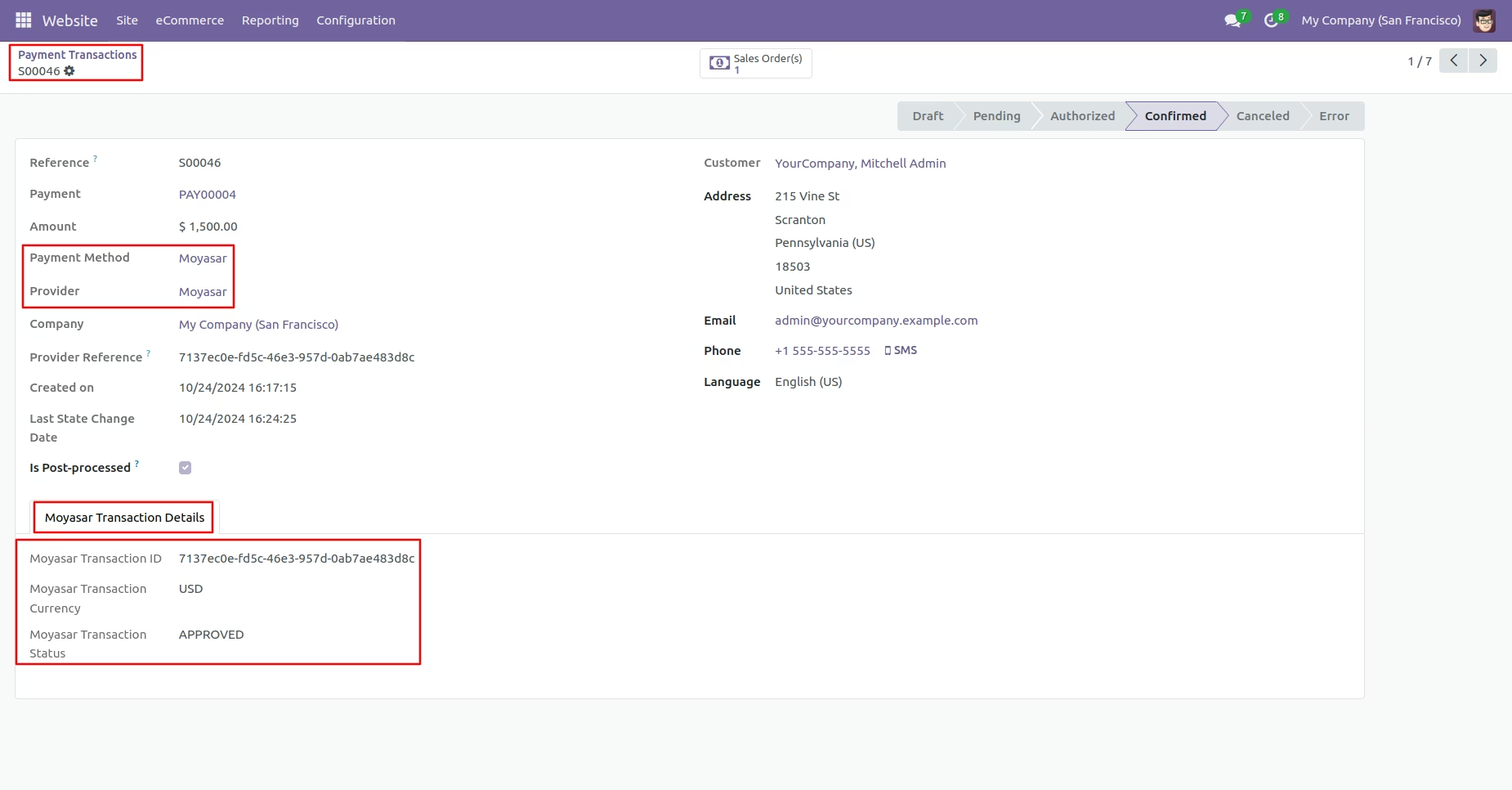
Transaction Details
View the complete payment transaction details, which include the moyasar transaction ID, moyasar transaction currency, and moyasar transaction status. This information provides a clear overview of the transaction for better tracking and management.
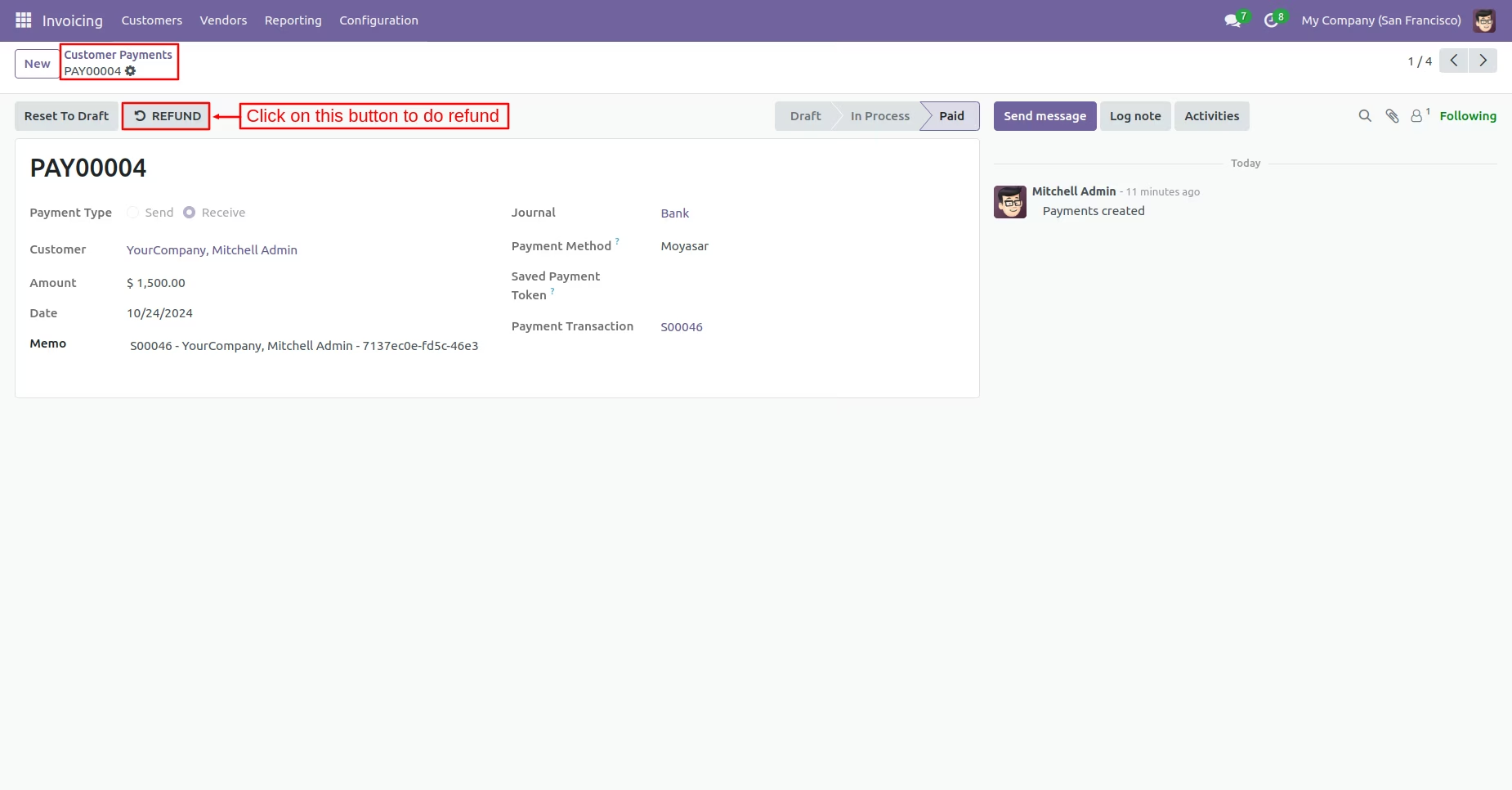
Refund Process
Navigate to the Invoicing section and click on Customers. Then, select Payments in the menu to view the list of customer transactions. Click the button to initiate the refund process for the selected payment.
Refund Popup
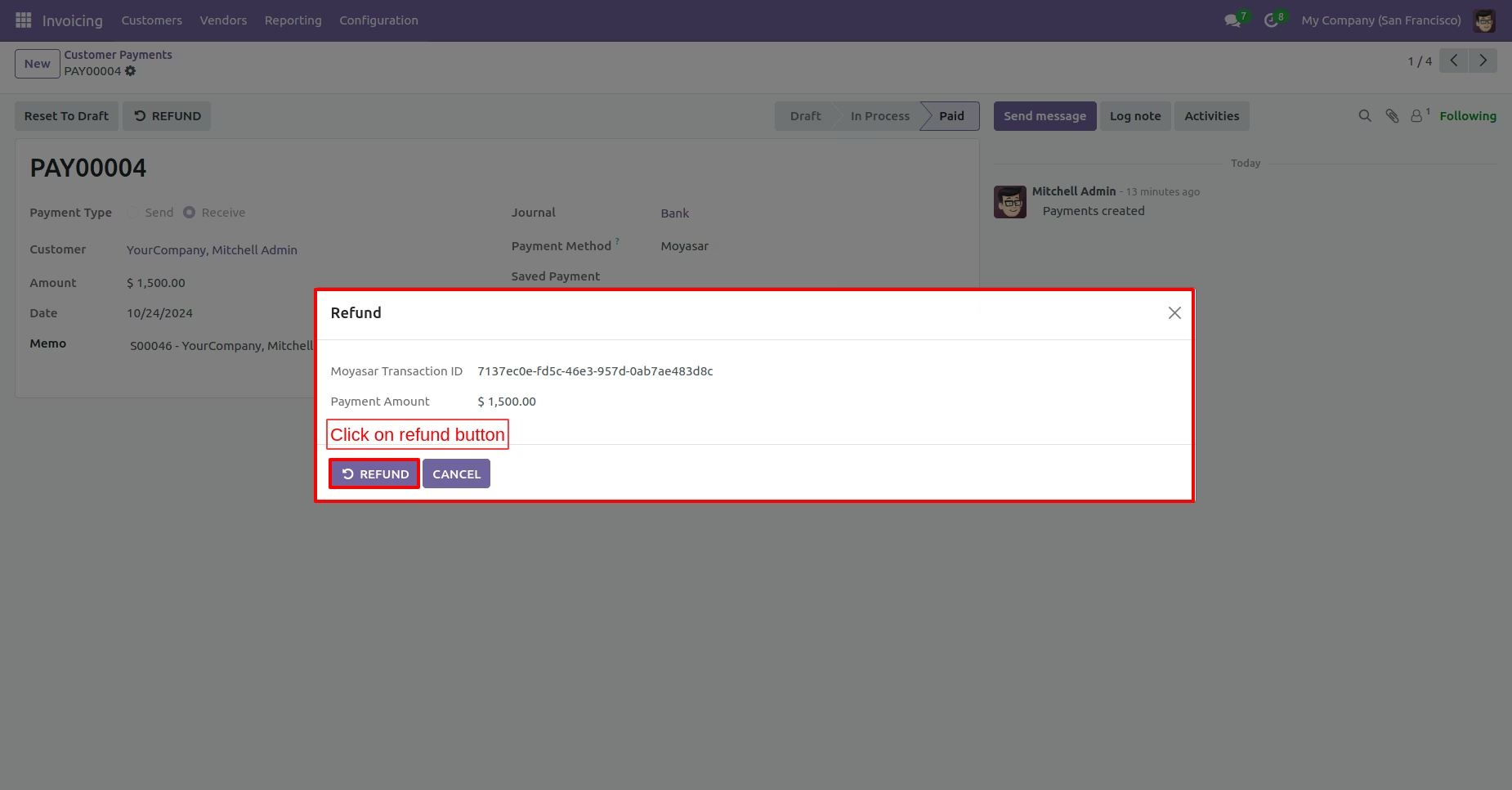
After clicking the refund button, a popup will show essential details, including the Moyasar transaction ID and payment amount. Review this information and click the refund button to process the transaction.
Refund Payment Transaction History
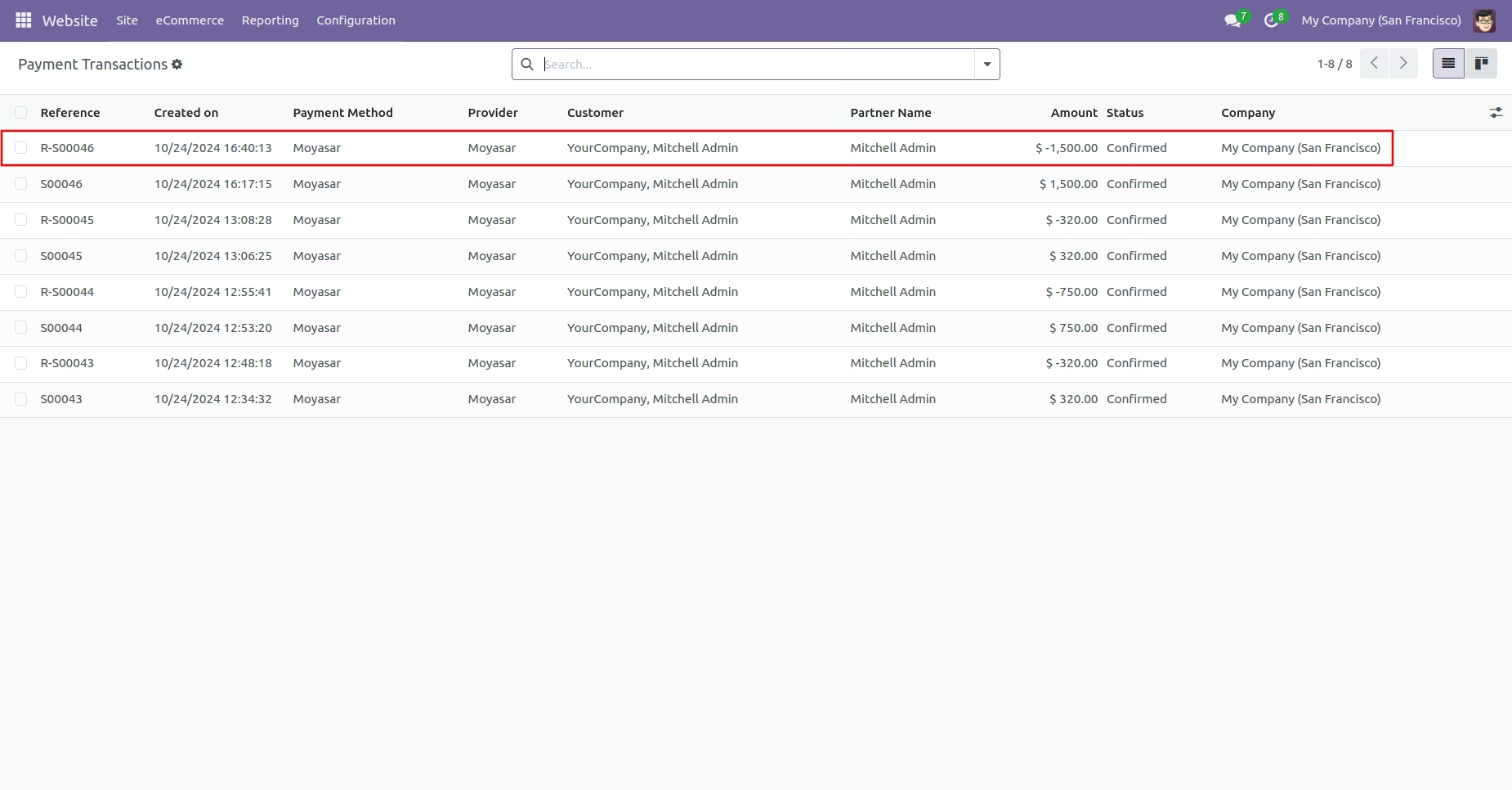
Show the refund payment transaction history along with their statuses on the payment transaction page. This information allows for efficient tracking of all refund transactions processed.
Refund Transaction Details
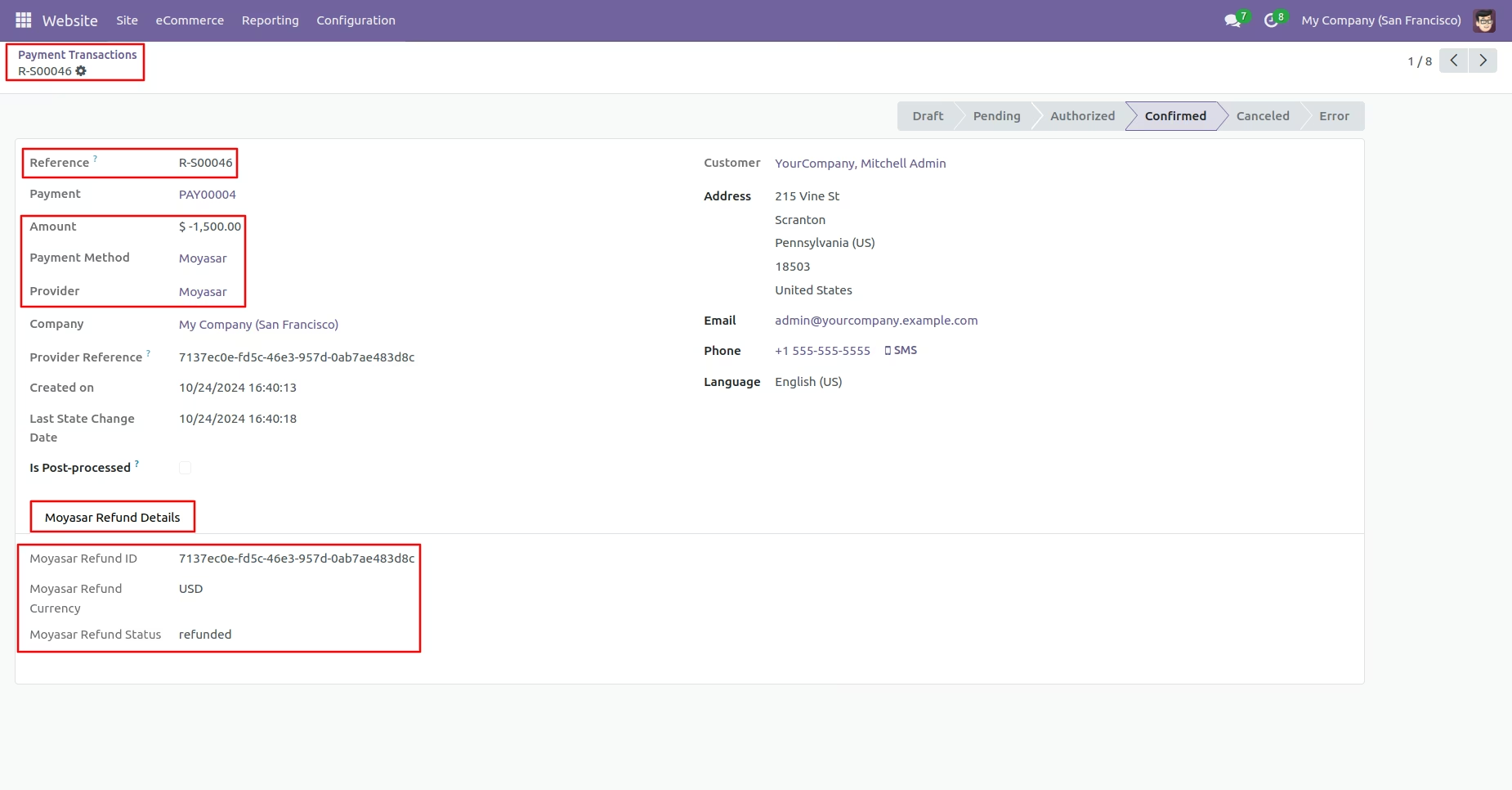
Display the full refund transaction details, including the refund amount. In the Moyasar refund details section, show the Moyasar refund ID, refund currency, and refund status. This comprehensive information is essential for tracking and managing refund transactions effectively.
Moyasar Dashboard
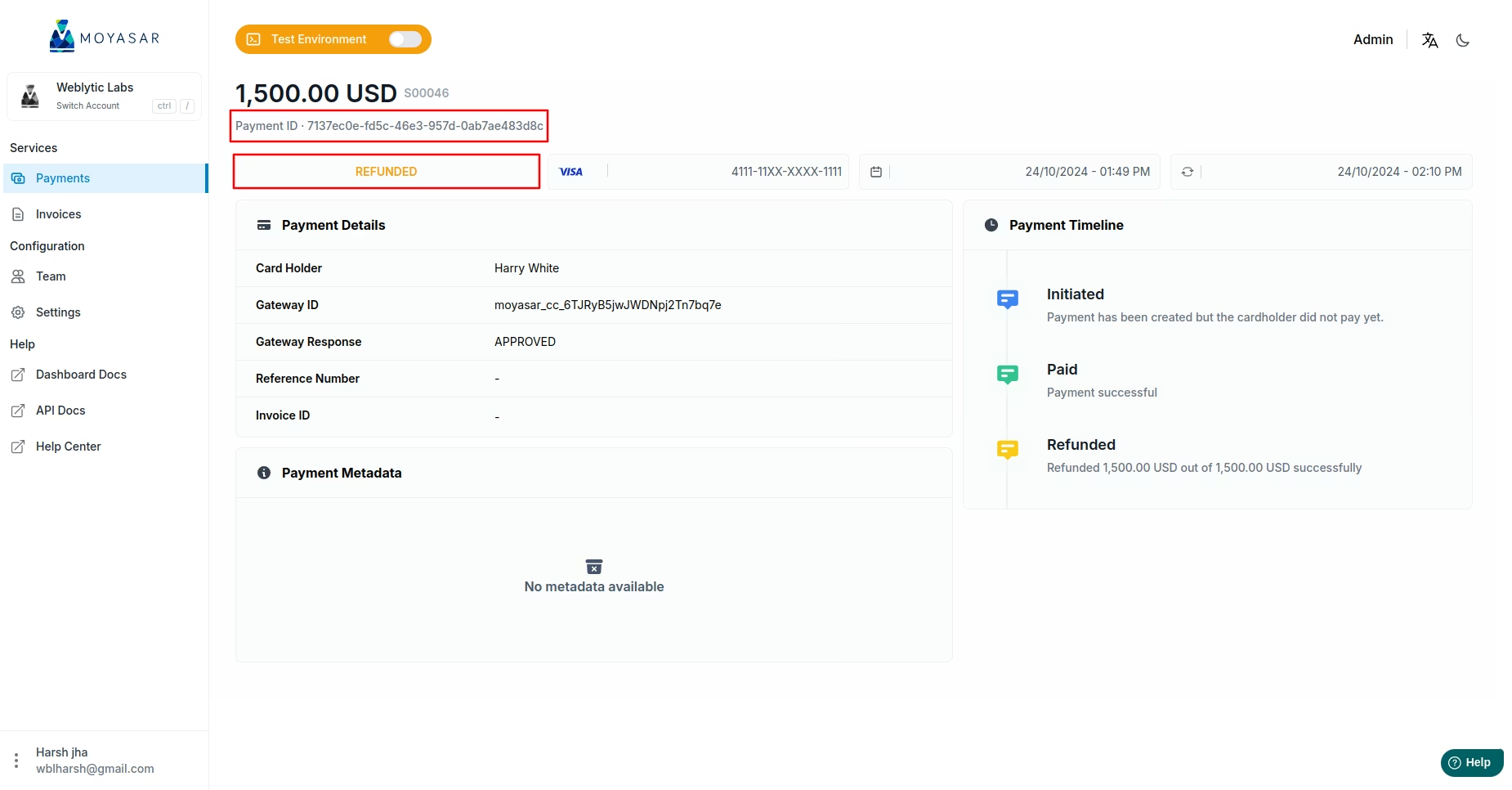
Merchants can view refund transactions directly in the Moyasar dashboard. This feature allows for easy monitoring and management of all refund activities.