The Mobile Service Management Pro module provides advanced tools for mobile service centers. It allows automatic device lookup through IMEI numbers, efficient service request handling, and detailed reporting. By improving tracking, documentation, and analysis, this module helps service providers streamline workflows, manage spare parts effectively, and deliver better customer service.
Device information lookup using IMEI number through paid API.
Customizable pivot reports for detailed analysis of service operations.
Generate structured service request reports in PDF and XLSX formats.
Parts usage reporting to monitor spare parts consumption.
Complaint type reporting for categorizing and analyzing issues.
Attach images to serviced devices for accurate record-keeping.
Configure complaint type visibility to customize workflows.
Faster operations with instant device identification via IMEI.
Better decision-making with tailored reports and analytics.
Improved spare parts and inventory management.
Enhanced service quality through complaint type tracking.
Stronger documentation with device image attachments.

Explore This Module


Overview
Access Rights
Manager
Manager has the complete access over the mobile shop management.
 Device details from IMEI number (Using the Paid API
ImeiDB).
Customized pivot report.
Mobile service request report.
Parts usage report.
Complaint Type report.
Image for service device.
Manage complaint type visibility.
Manage complaint type visibility.
Device details from IMEI number (Using the Paid API
ImeiDB).
Customized pivot report.
Mobile service request report.
Parts usage report.
Complaint Type report.
Image for service device.
Manage complaint type visibility.
Manage complaint type visibility.

Screenshots
Mobile Service Shop
When you install the module, an extra menu named Mobile Service is created. Here you can see the service requests and thereafter configure your mobile service shop.
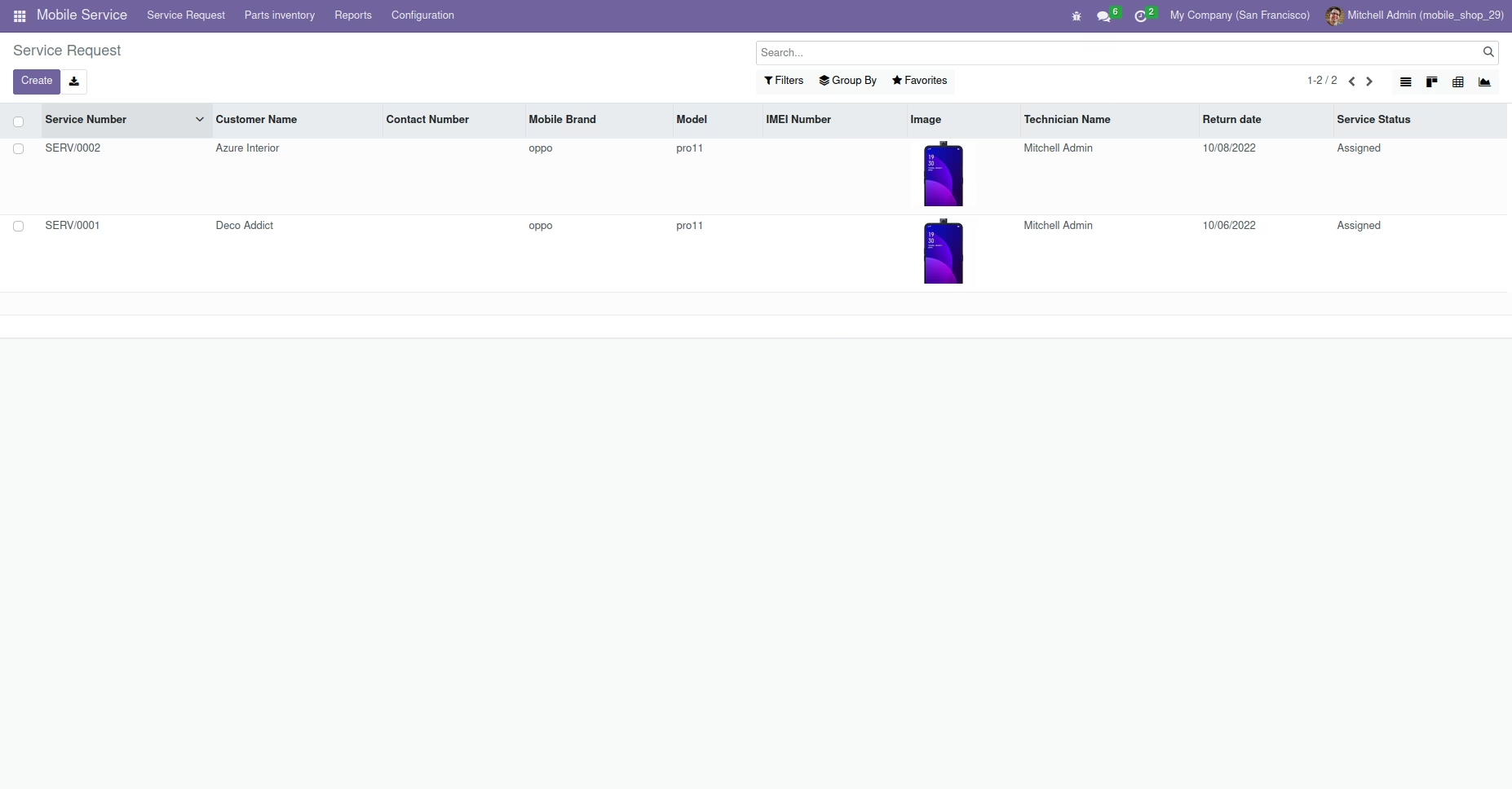
Mobile Service -> Service Request -> Create
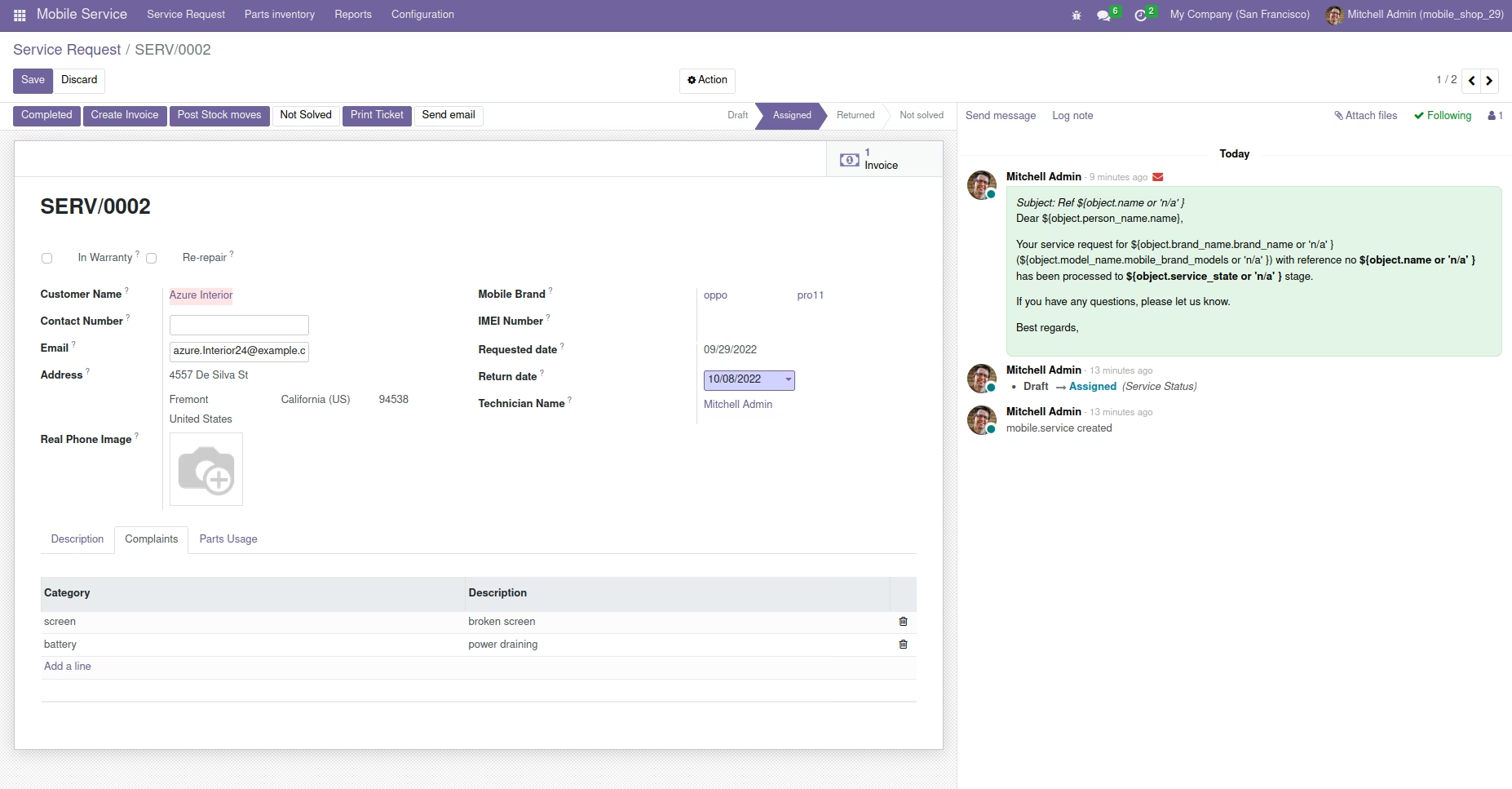
This is the service request creation form. Service request can be created according to the device brand and model. One can assign the technician, service request, provide with warranty details, customer details, IMEI no, request and return dates etc.
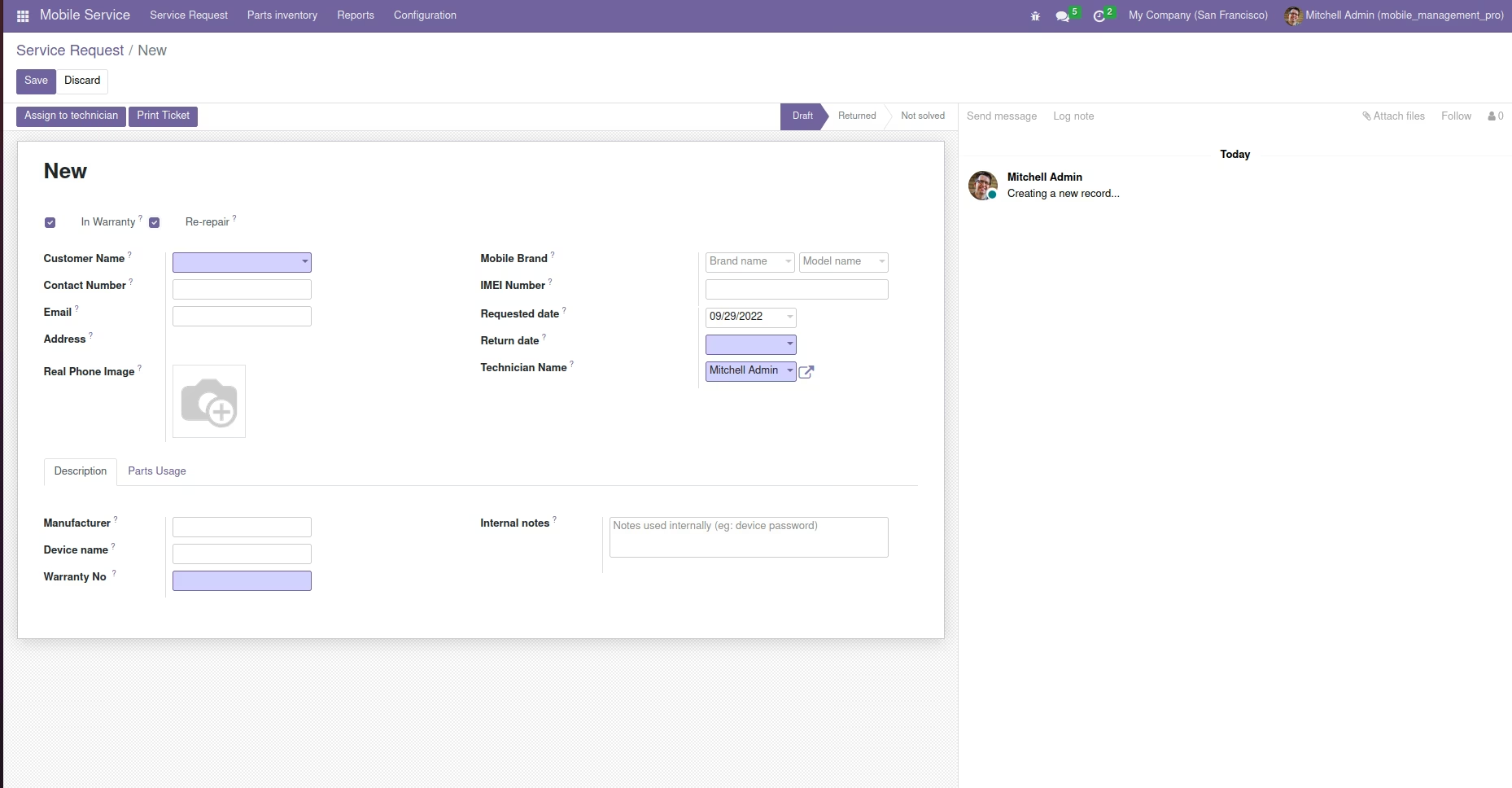
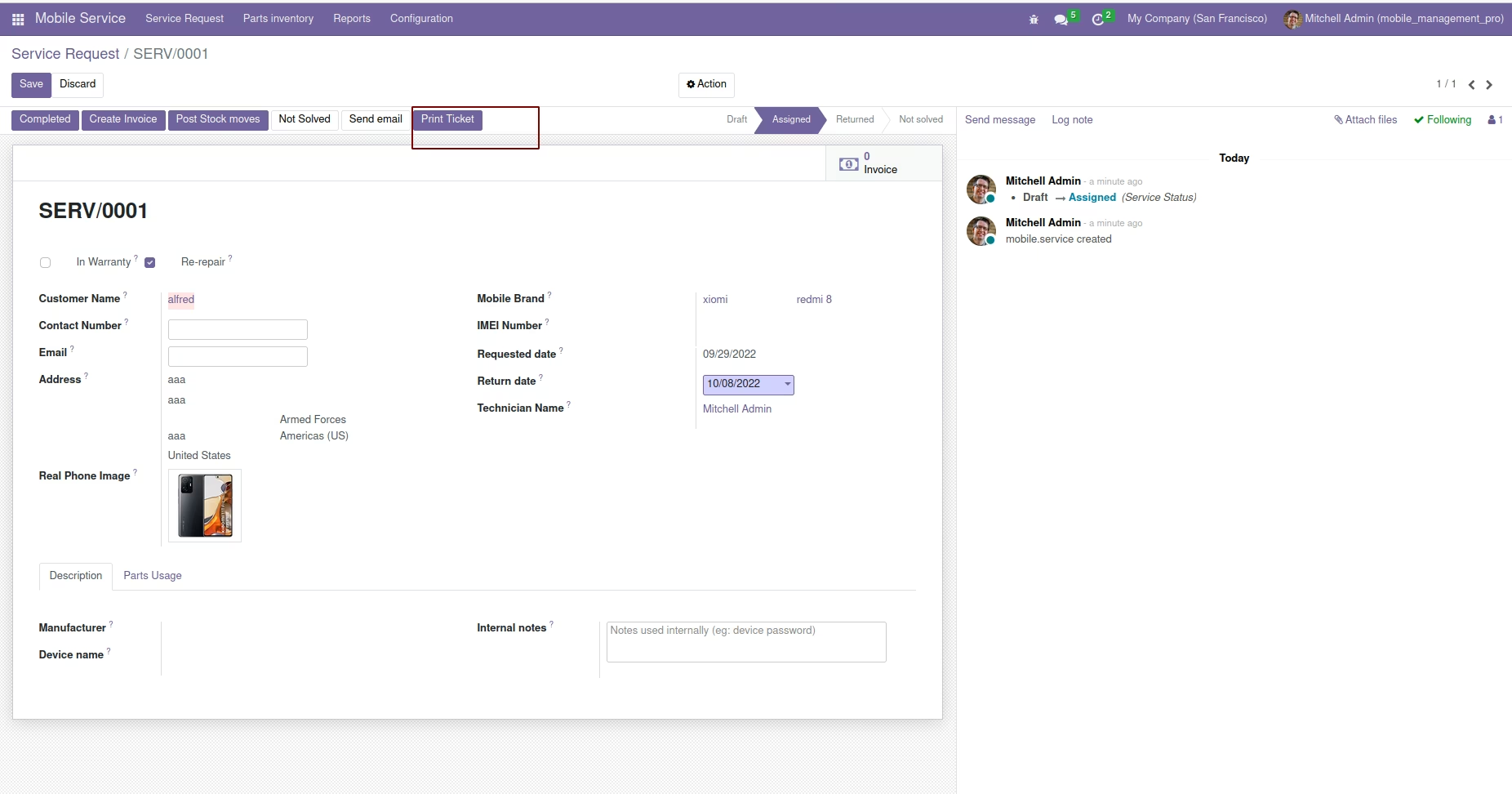
Generating tickets for service request.
Here you can create tickets for service requests by using the 'Print Ticket' button.
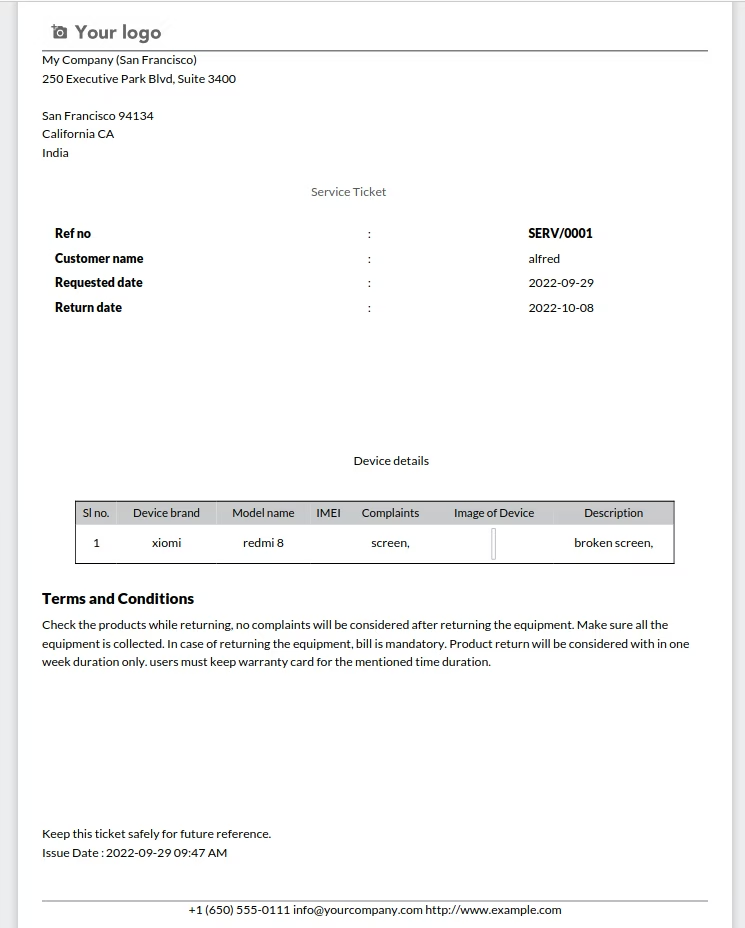
Service ticket will be generated as follows,
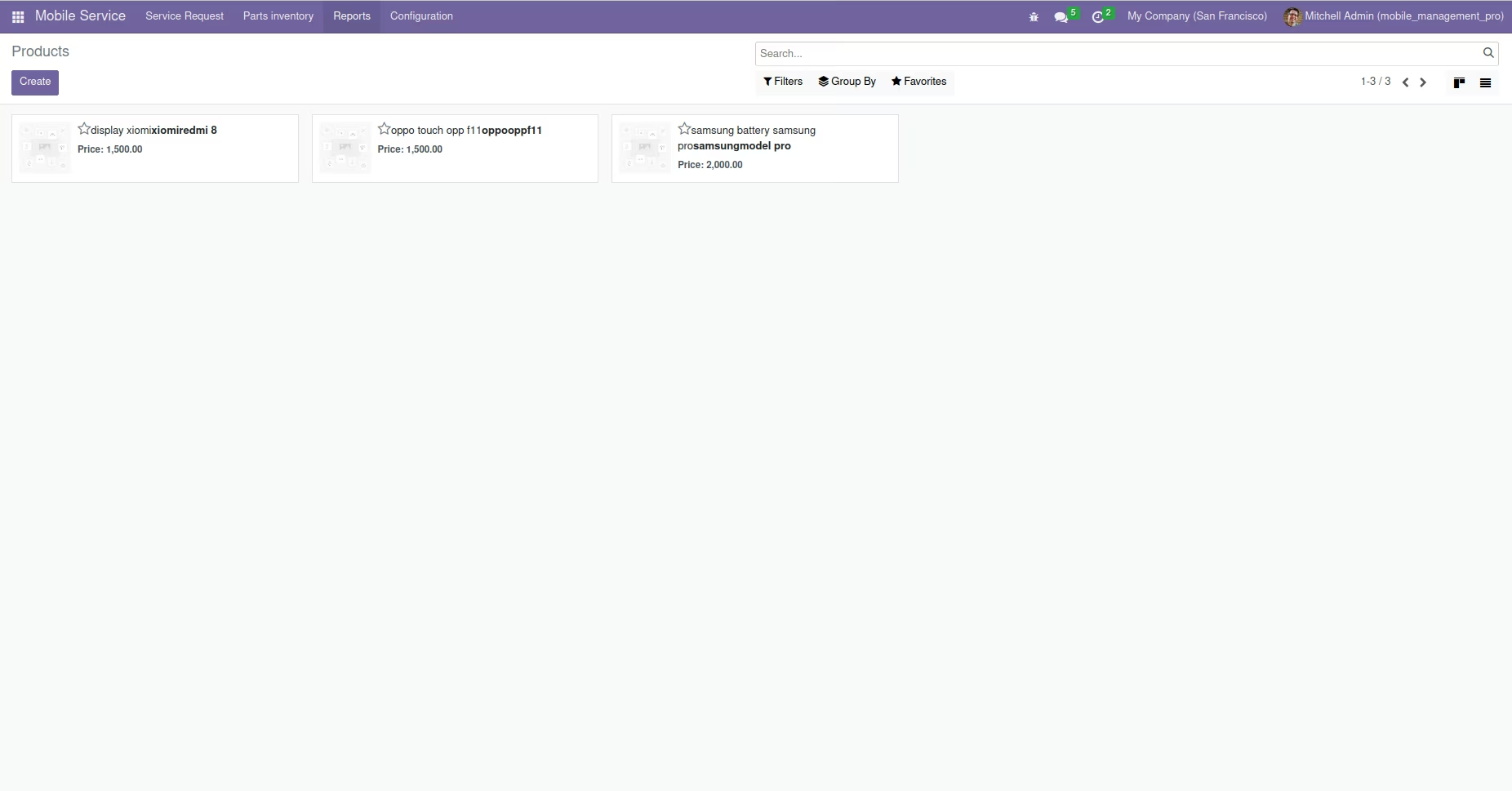
Mobile parts inventory
Here you see the mobile parts used for service processing.
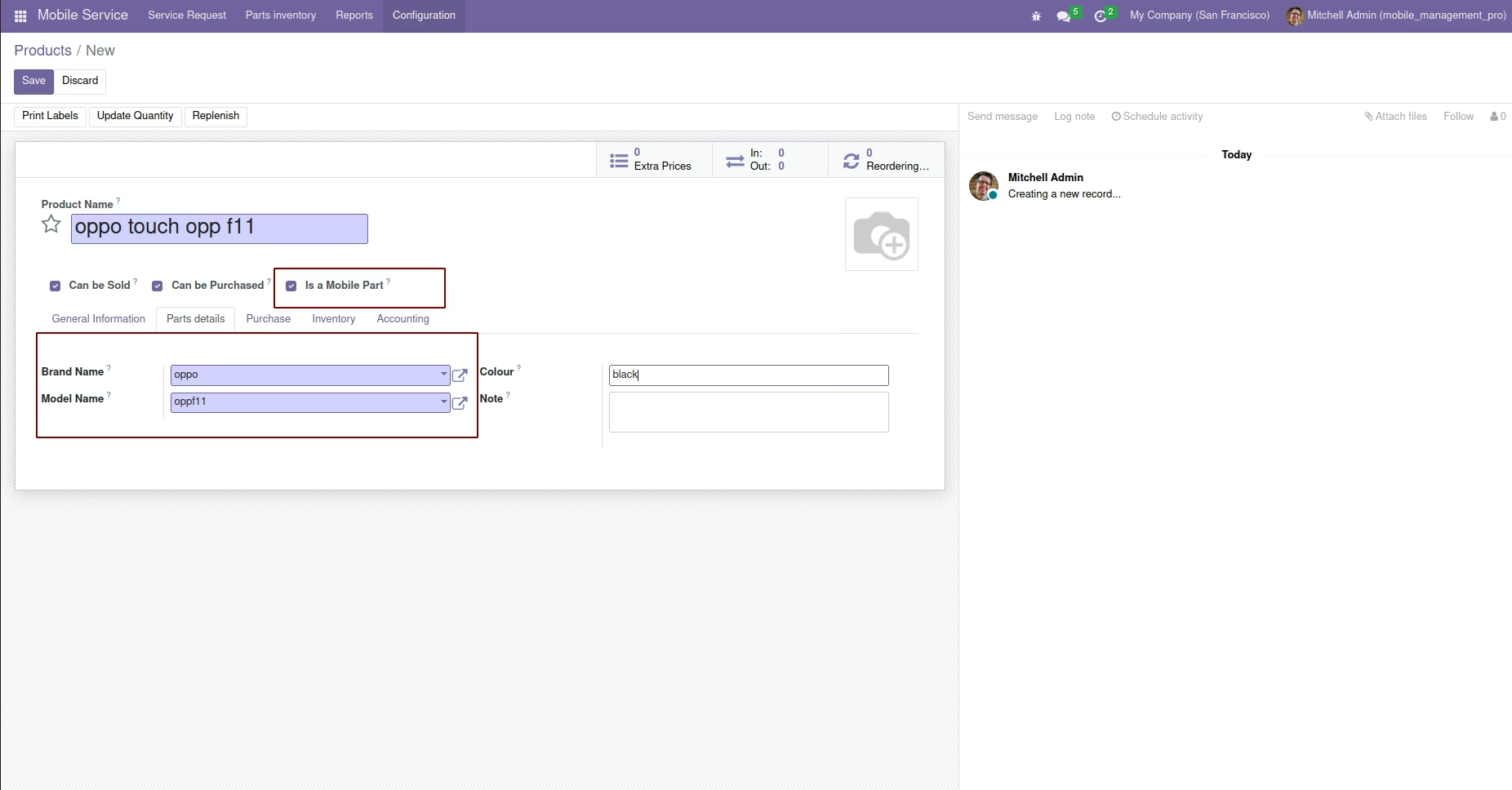
Product will be only visible in the parts inventory if 'is a mobile part' is checked. You can provide the brand, model and color details from here.
Invoice for service requests
Here you can create invoices for service requests.
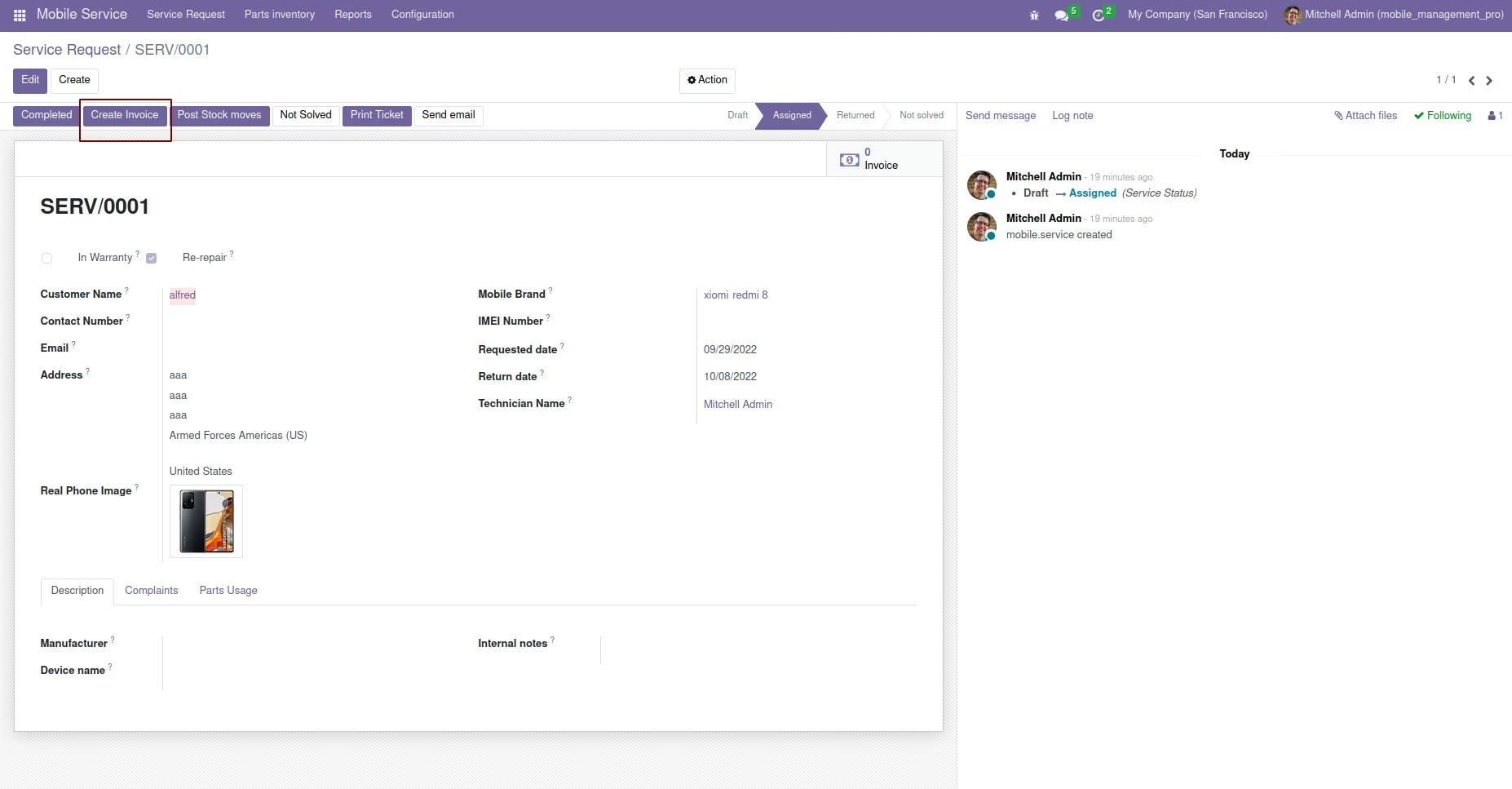
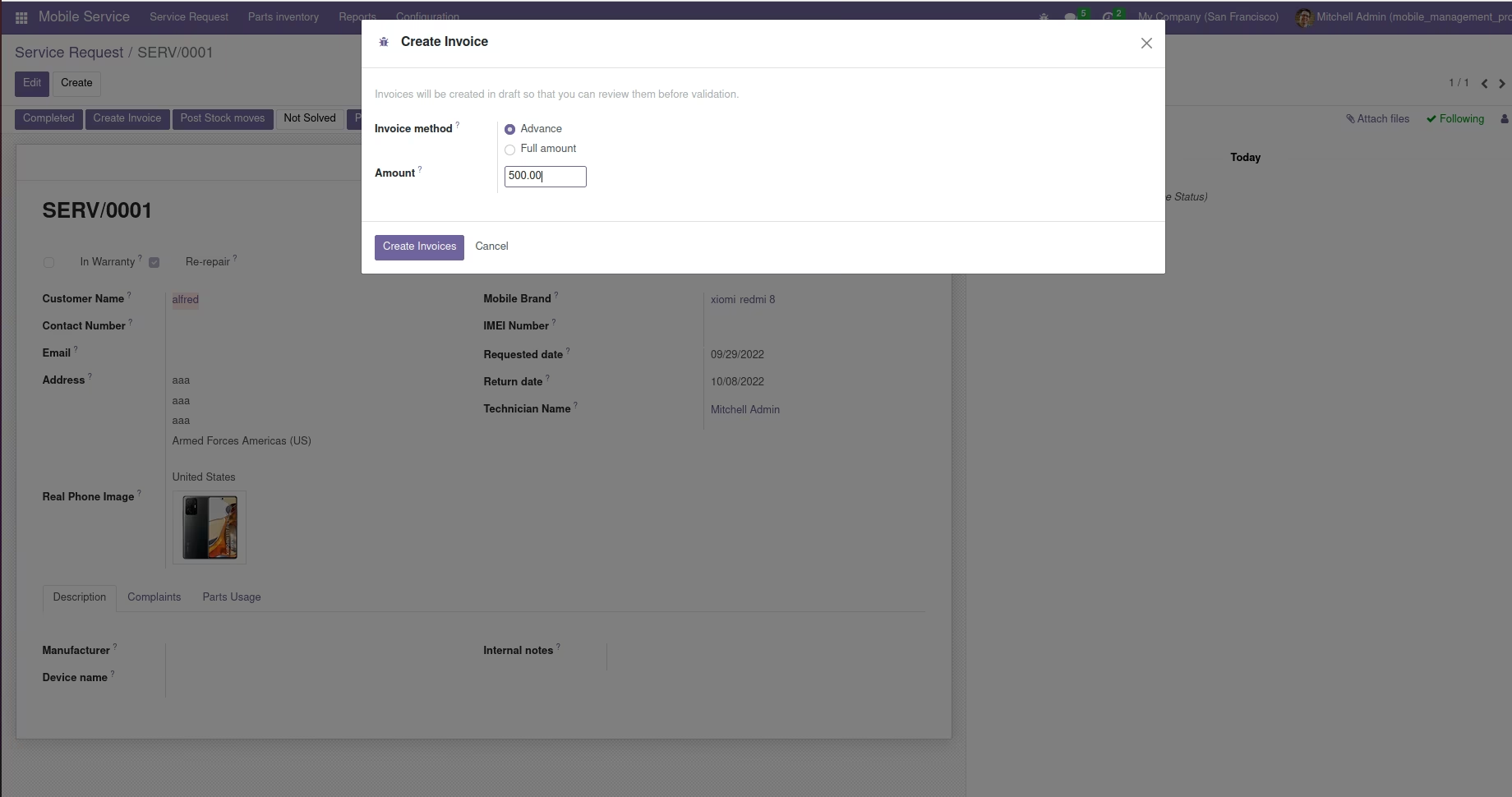
Invoice can be created based on advance or full amount.
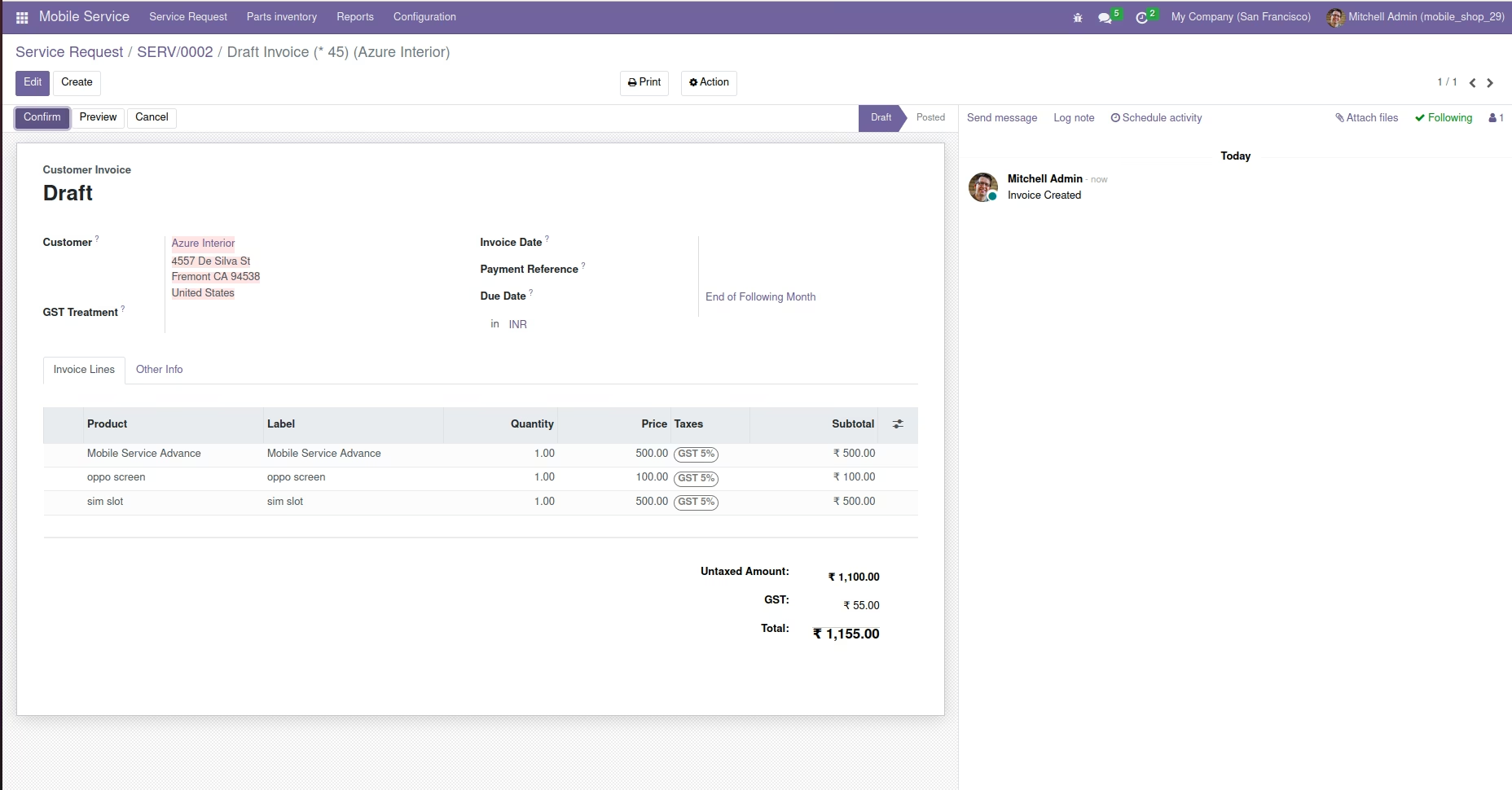
The parts used during the service process will be automatically added to the invoice line.
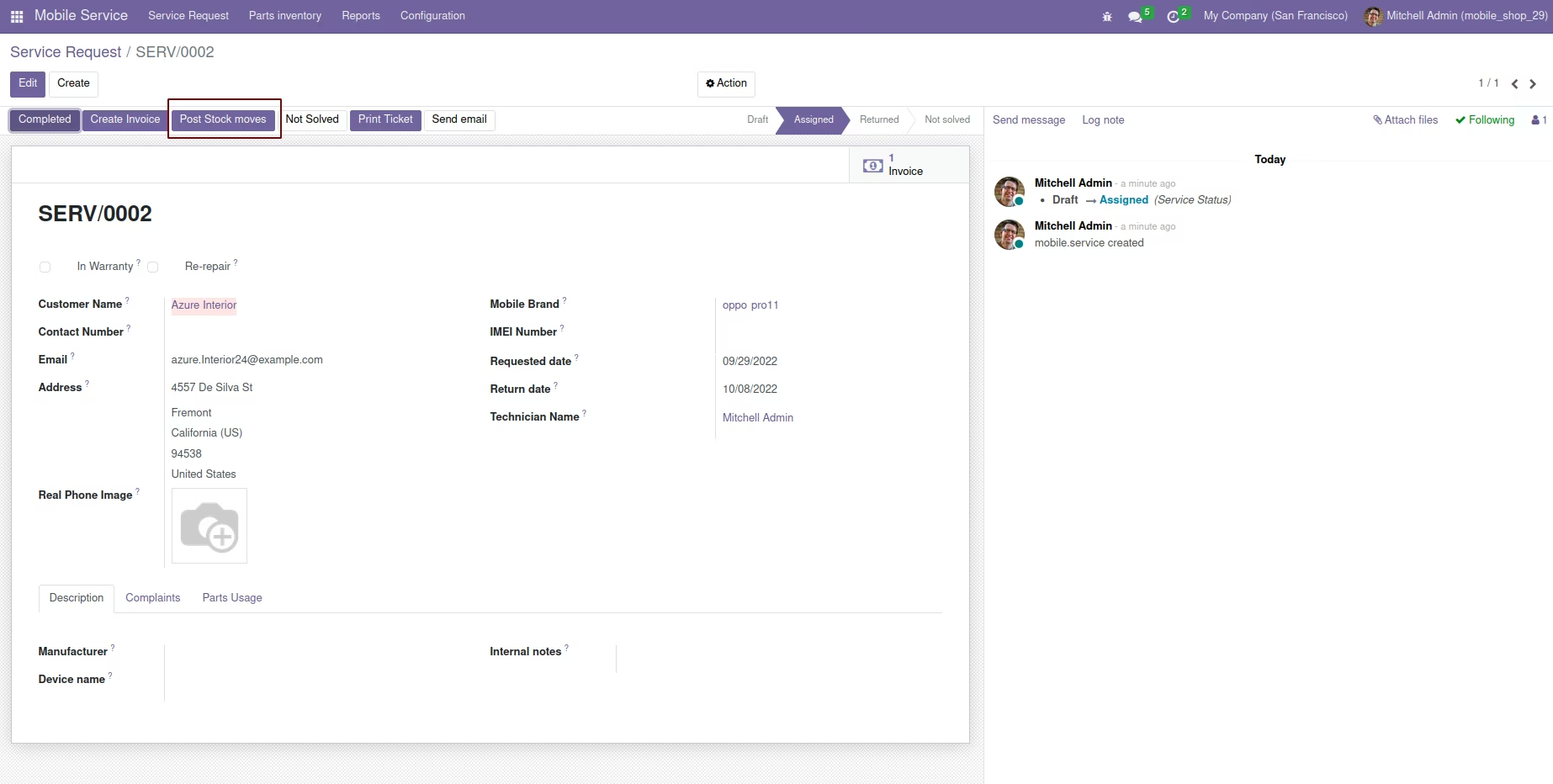
Post Stock moves
No need to create stock moves for parts usage manually. 'Post Stock Moves' will generate stock for the parts usage.
Email Notification
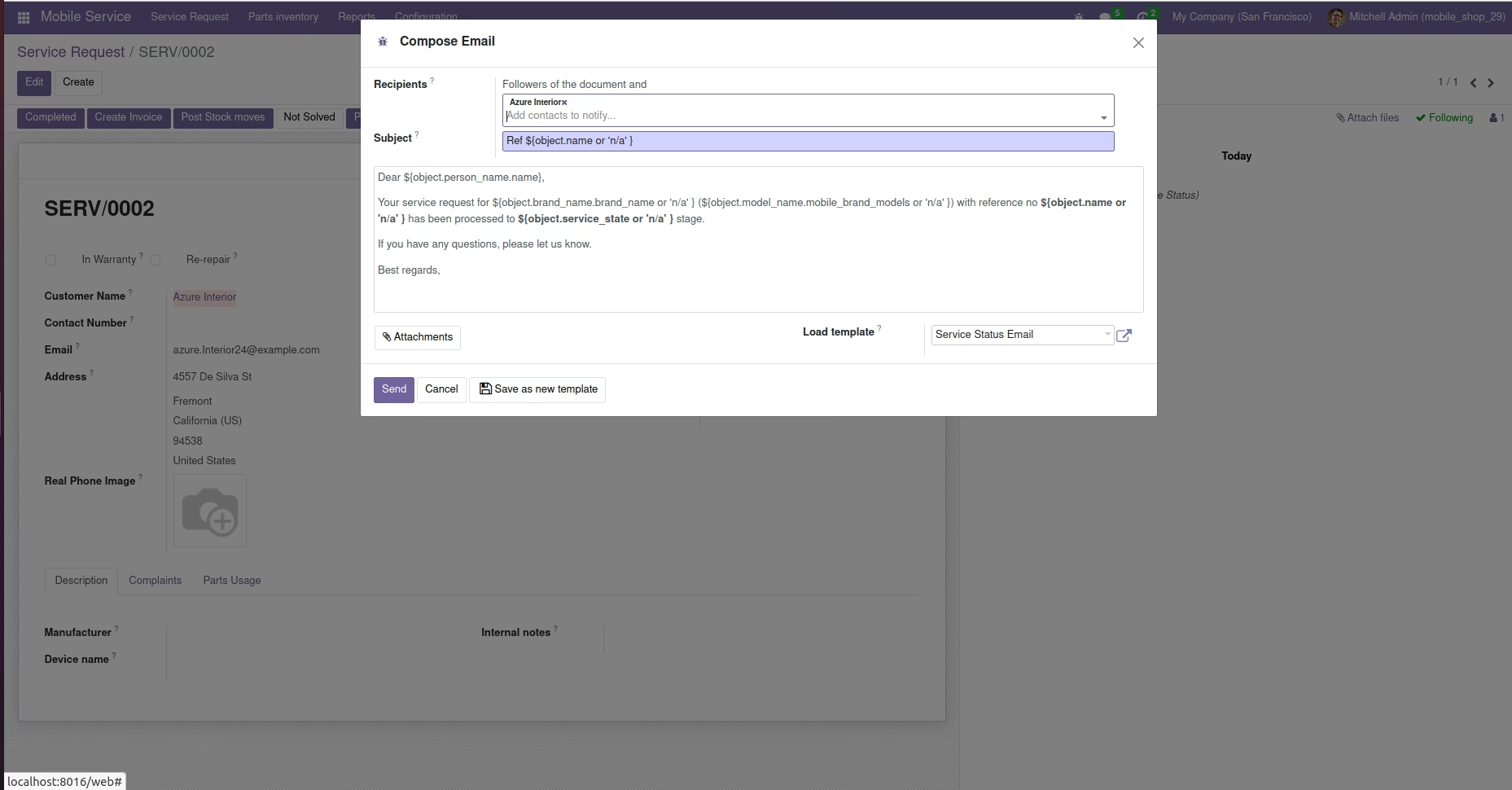
The system will send email notification to the customer for each stage in the service request. Note:- You should configure outgoing and incoming e-mail settings from your for email service.
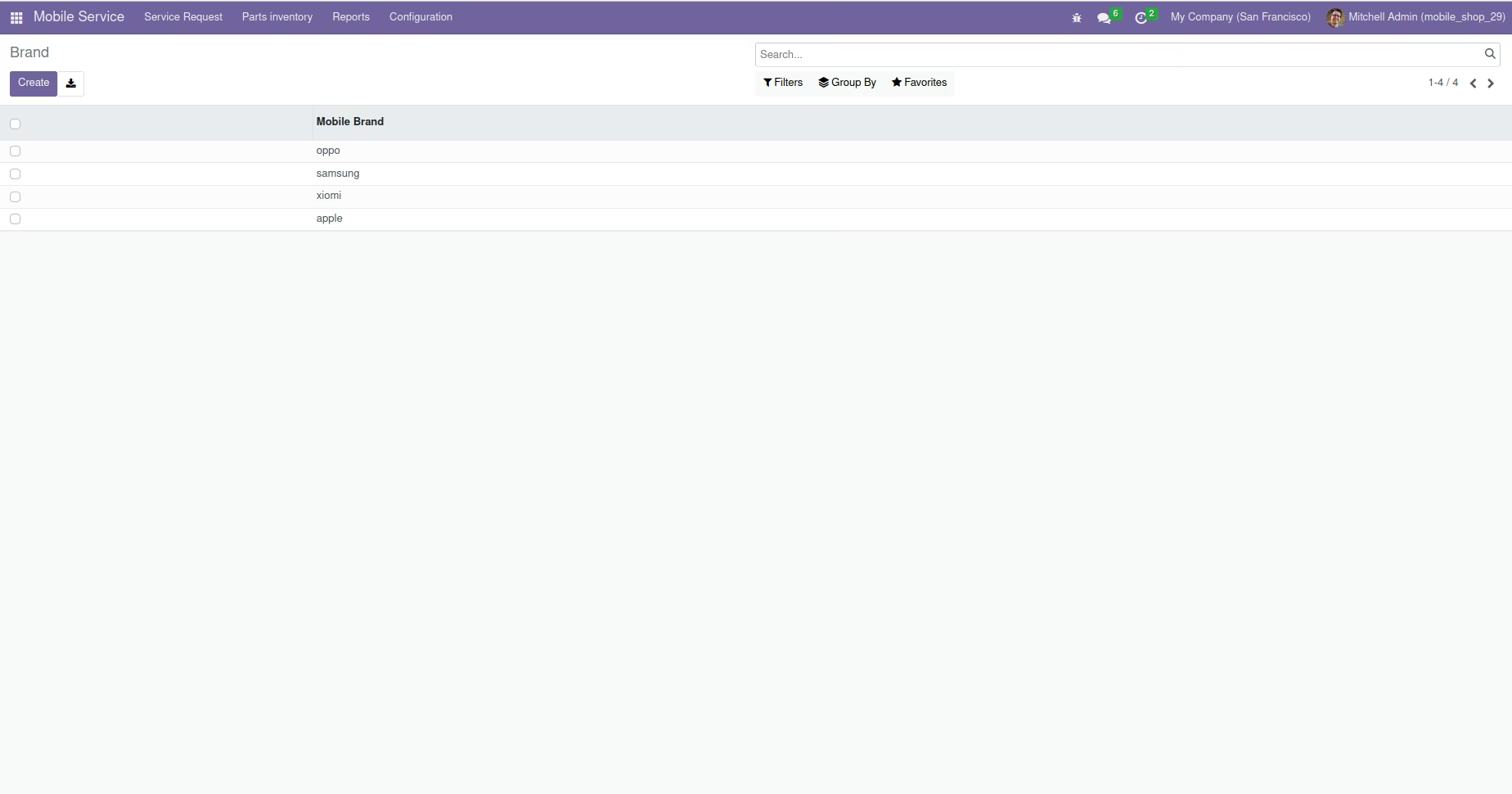
Brands Configuration
Create mobile brands which is used in service request creation. Mobile Service -> Configuration -> Brands
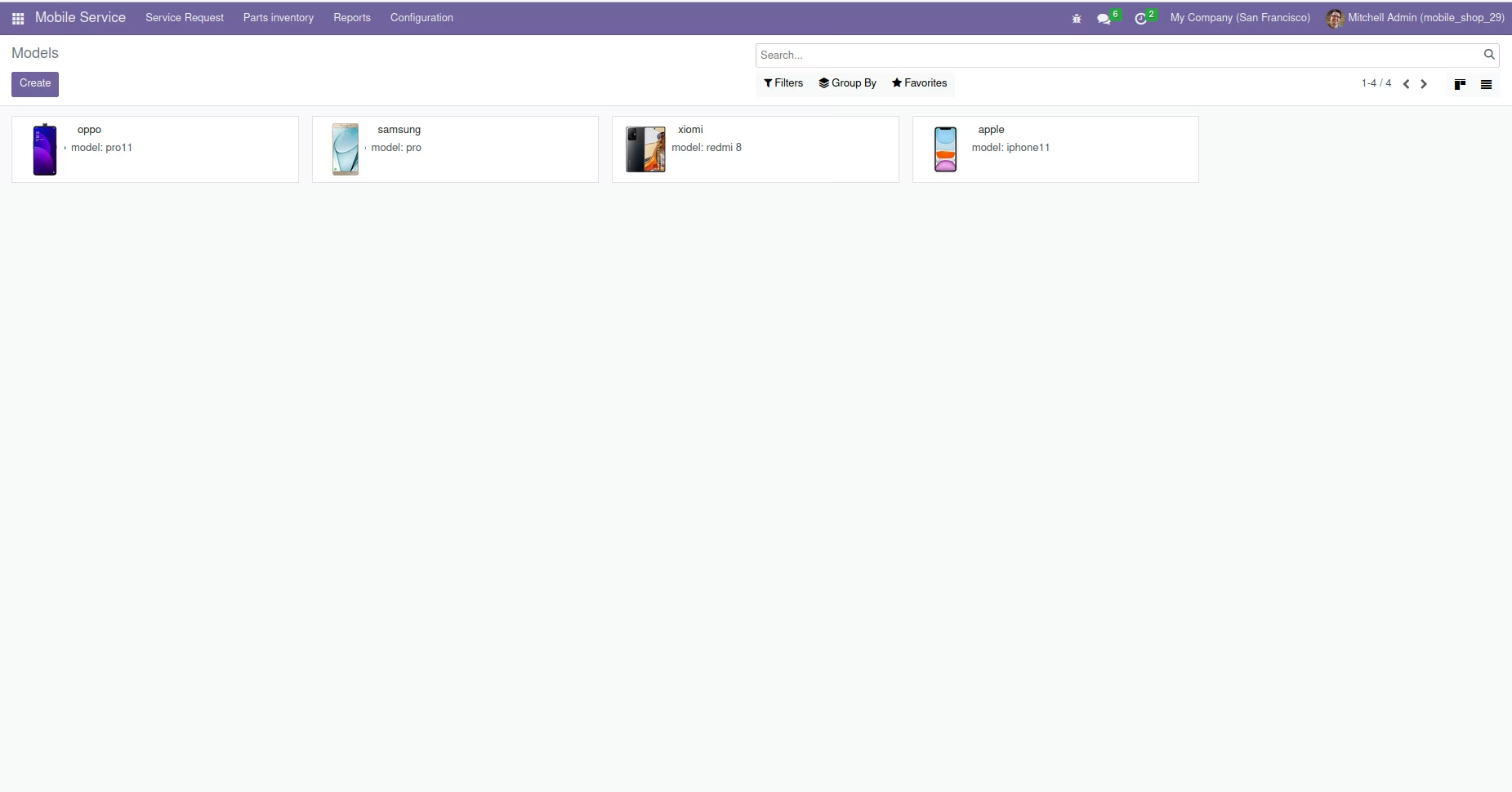
Models Configuration
You can also create models for different mobile brands from Mobile Service -> Configuration -> Models
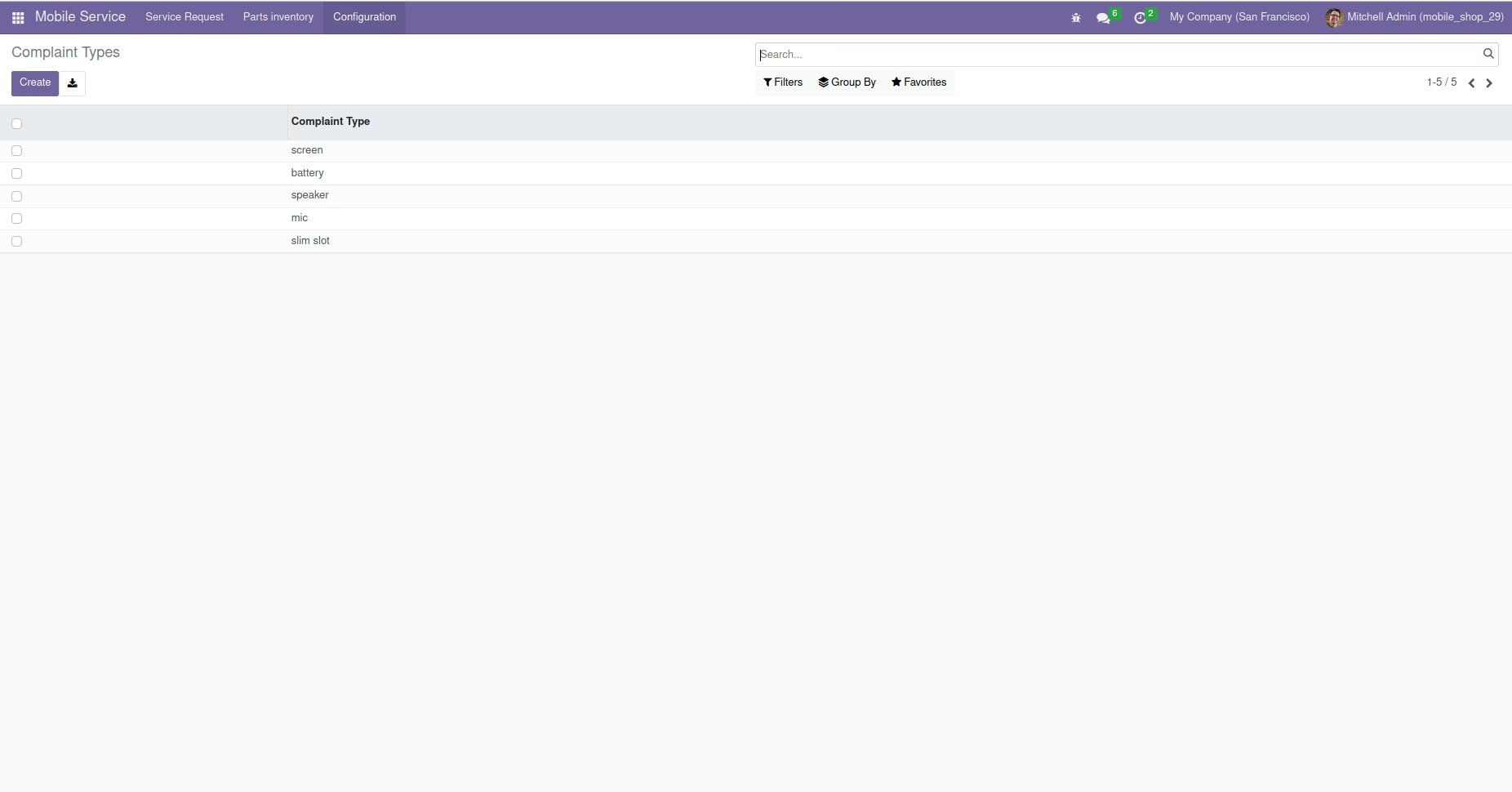
Complaint Types
You can create different complaint types from . Mobile Service -> Configuration -> Complaint Types
Complaint Templates
Complaint Templates can be created from . Mobile Service -> Configuration -> Complaint Templates
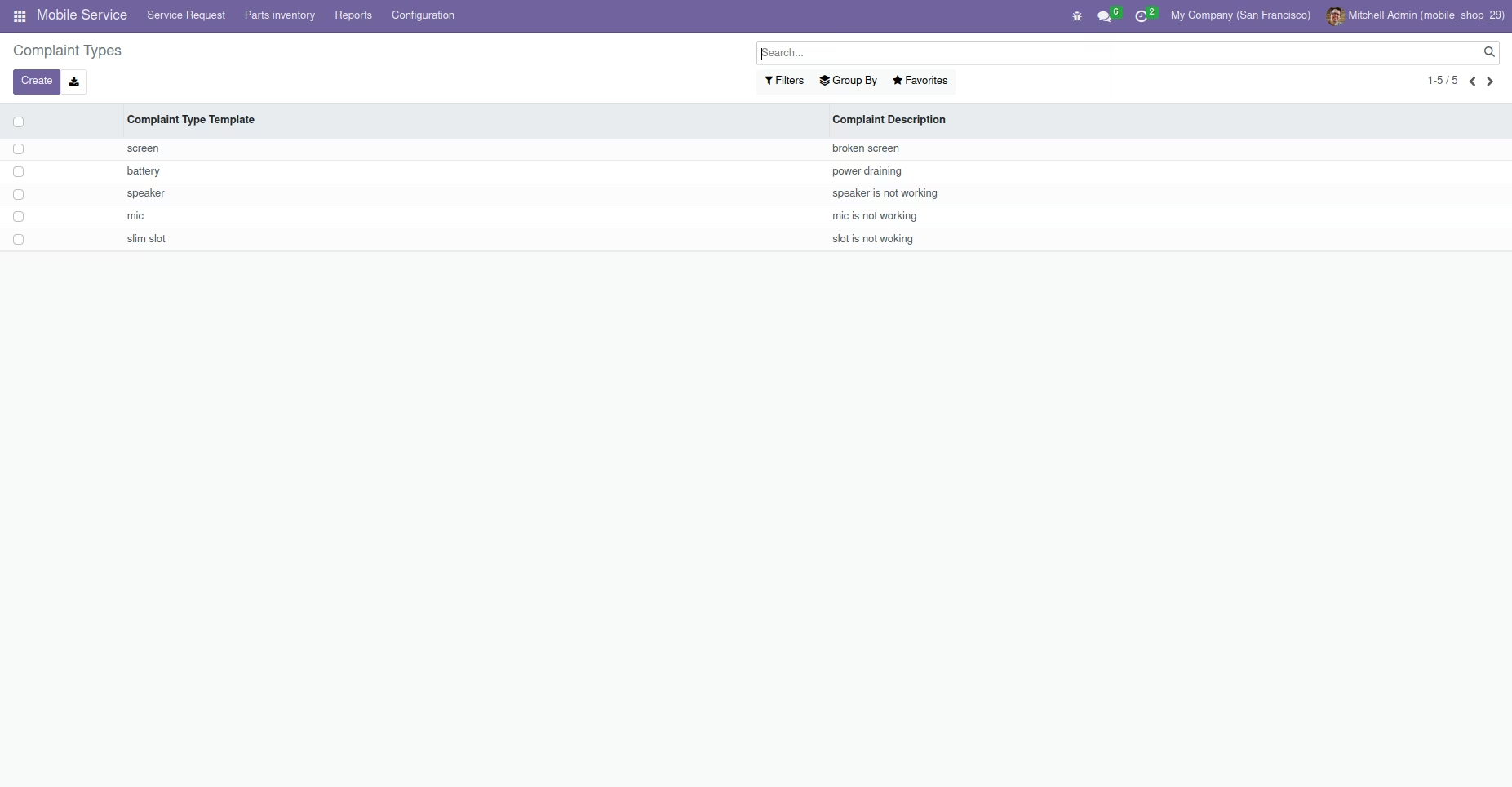
You can select different complaint templates from the 'Complaints' page while creating service requests.
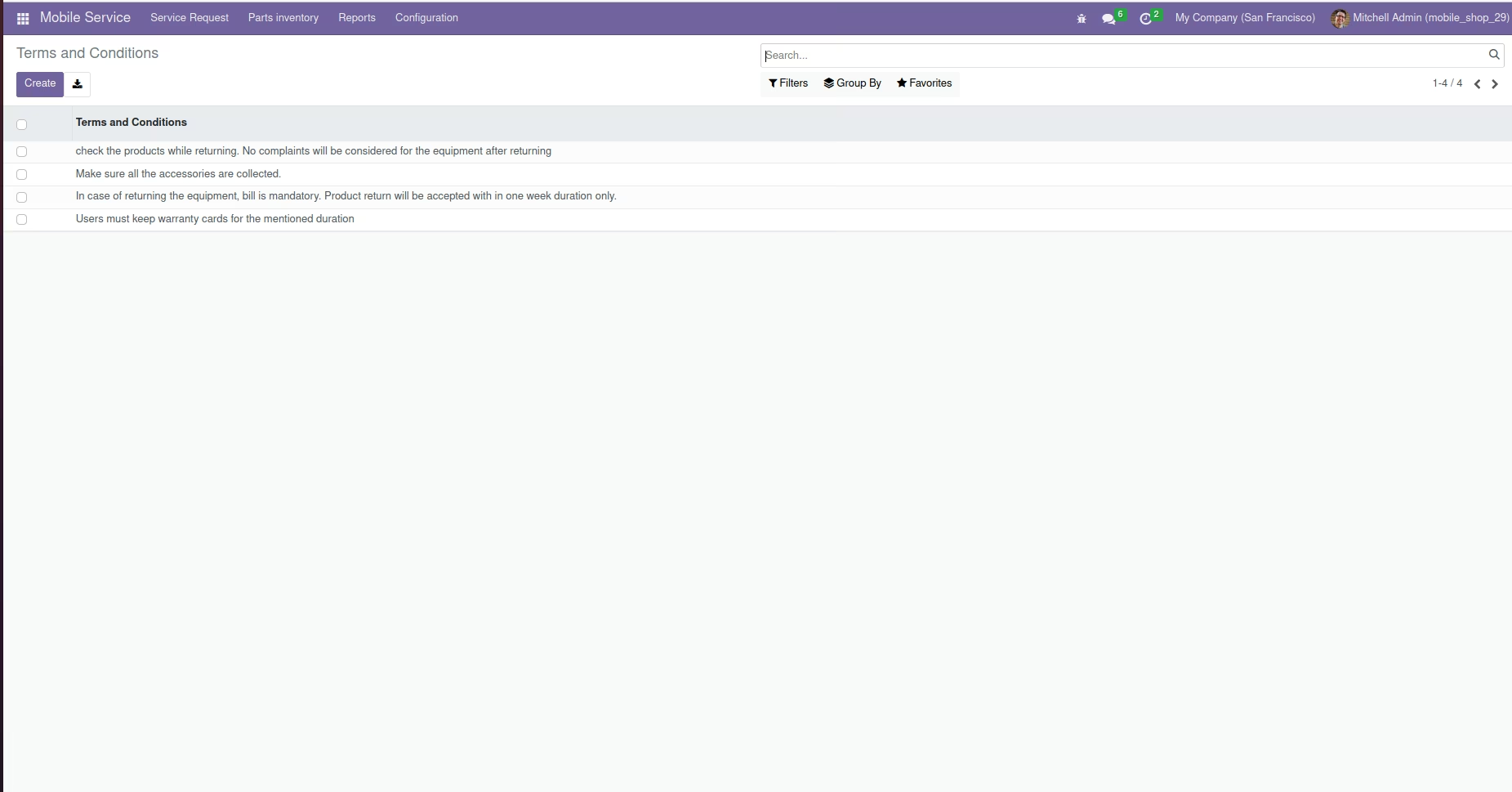
Terms and conditions
Terms and conditions for service request can be added from, Mobile Service -> Configuration -> Terms and Conditions which will be added to the service tickets.
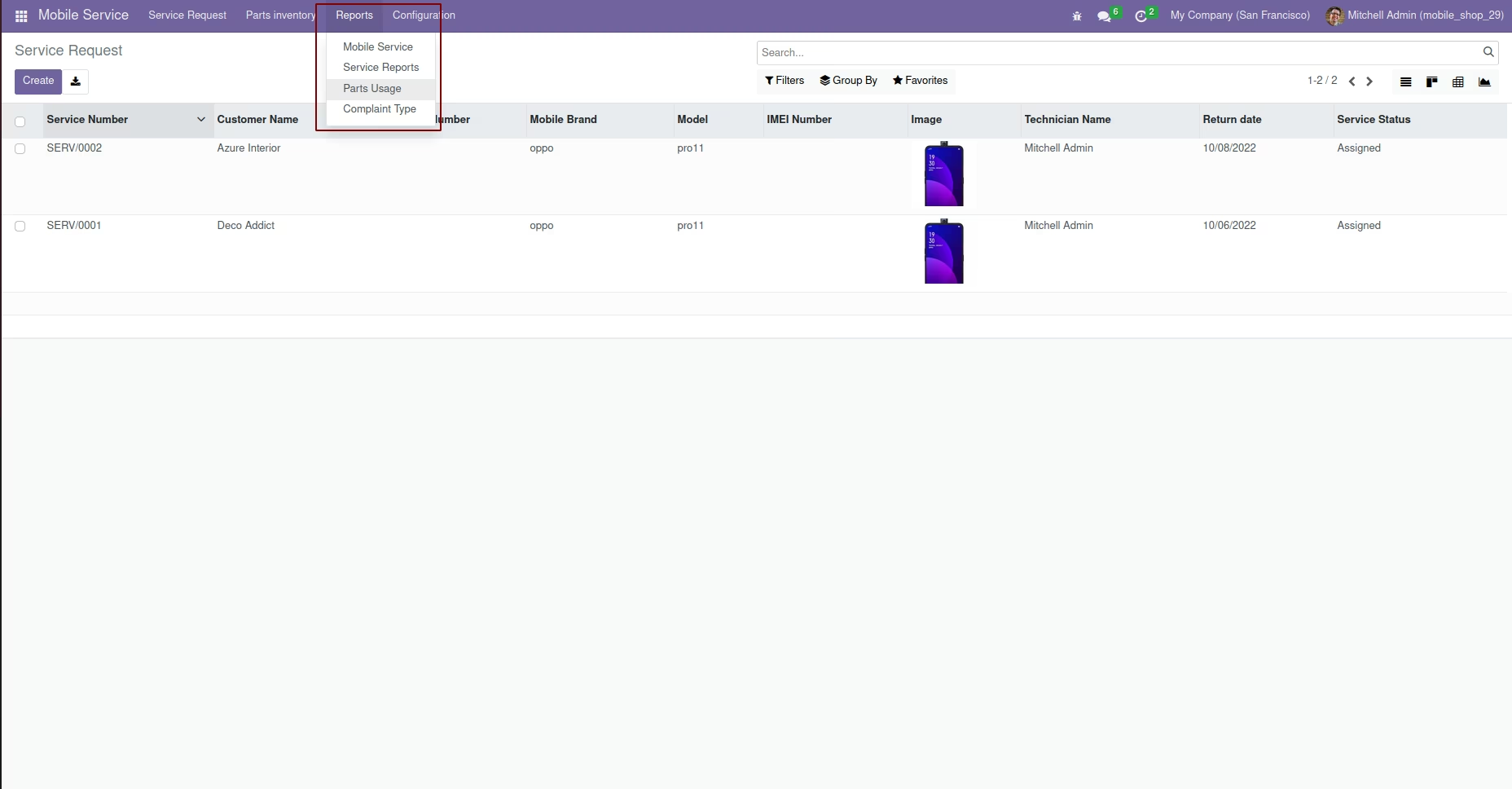
Reports
When you install the module, an extra menu named 'Reports' will be created, from here you can see various reports.
Details
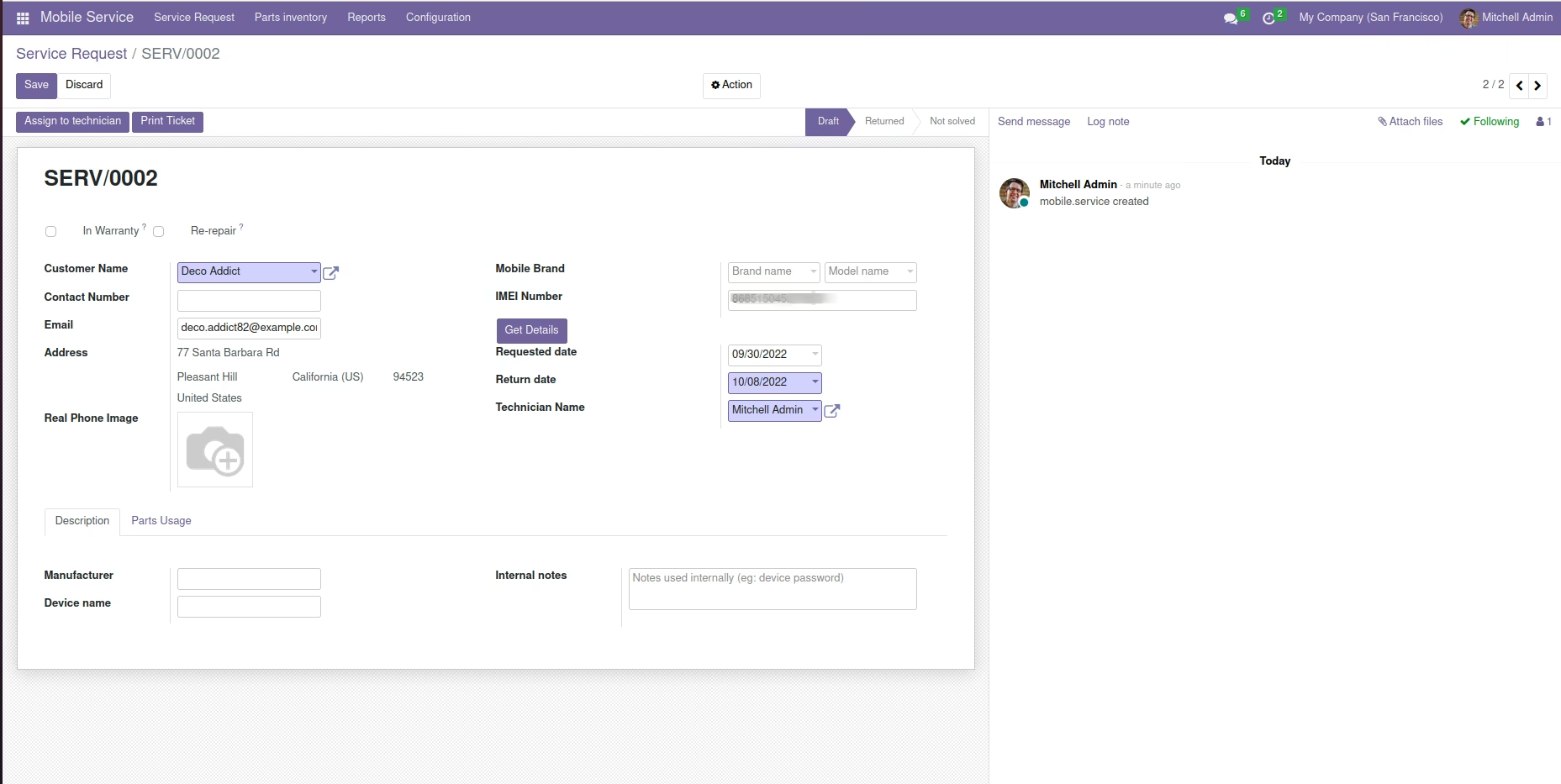
A field with a button named 'Get details' for getting device details from IMEI number will be created in the service request create form. Mobile Service -> Service Request -> Create
Configuration
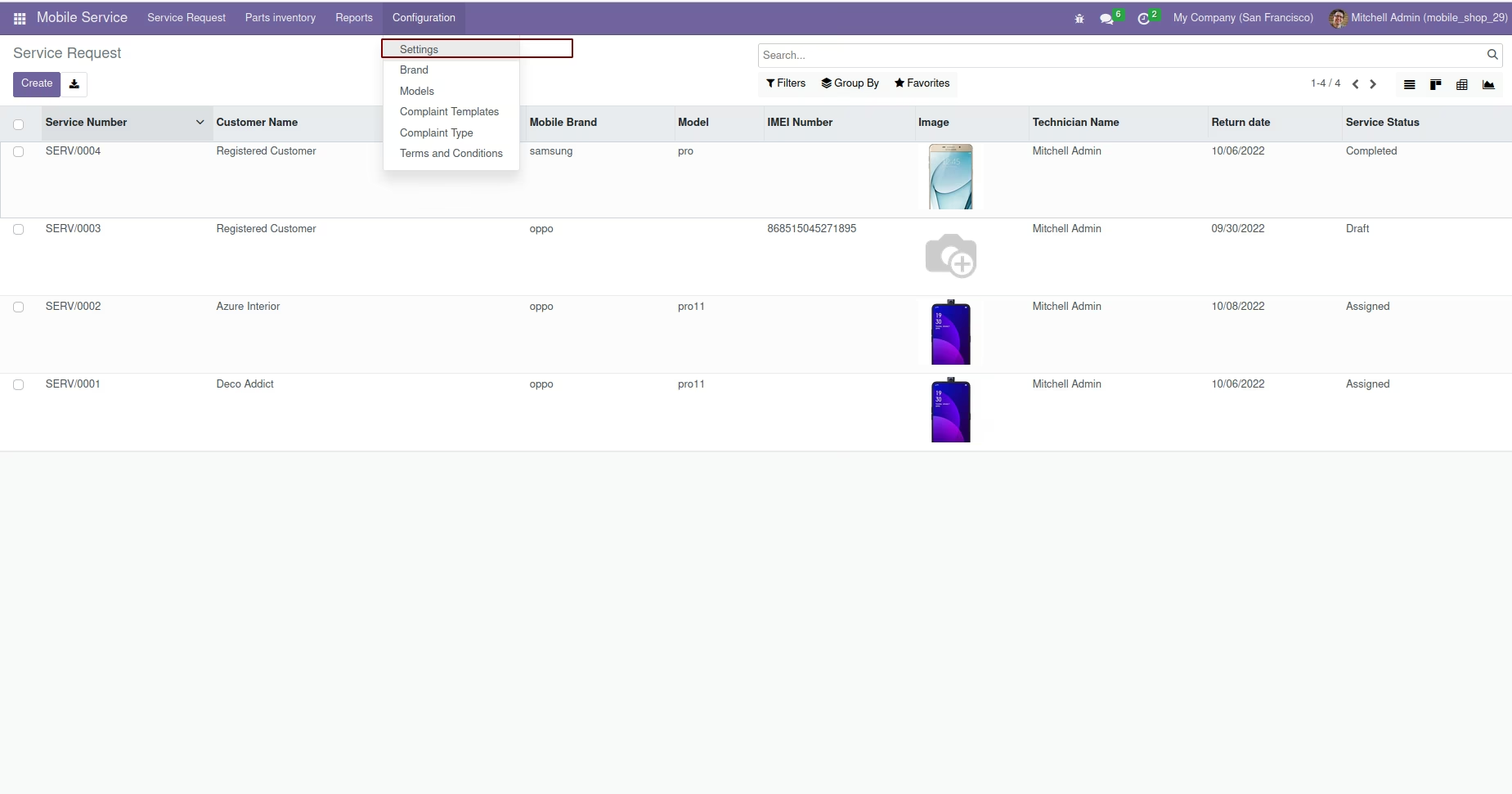
Also settings menu will be created under the configuration menu for configuring the IMEI number device details generation. Mobile Service -> ConfiguratMobile Service -> Configuration -> Settings
Generating device details from IMEI number
From the service request creation form, via using the 'Get details' button, you can get the brand, model and also the manufacturer information about the device from the IMEI number.
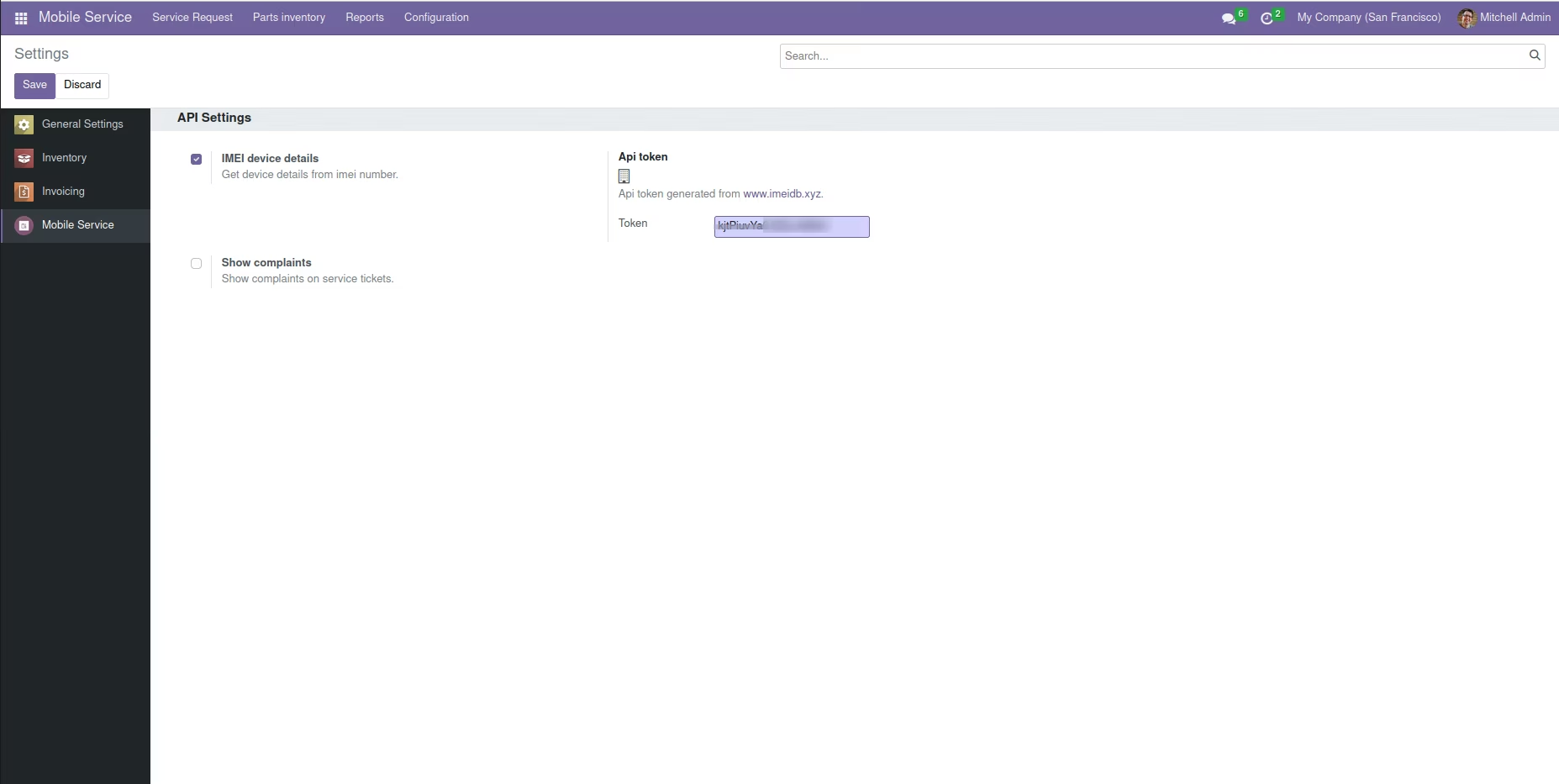
Device Details Configuration
For getting the device details from IMEI number, you have to activate 'IMEI device details' from Mobile Service -> Configuration -> Settings -> IMEI device details.
Note : We are using the Paid API ImeiDB to get the IMEI details
API Token
Also you have to provide an API Token generated. Mobile Service -> Configuration -> Settings -> Api Token.
Note : We are using the Paid API ImeiDB to get the IMEI details
Token
You will get api token(paid) from
https://imeidb.xyz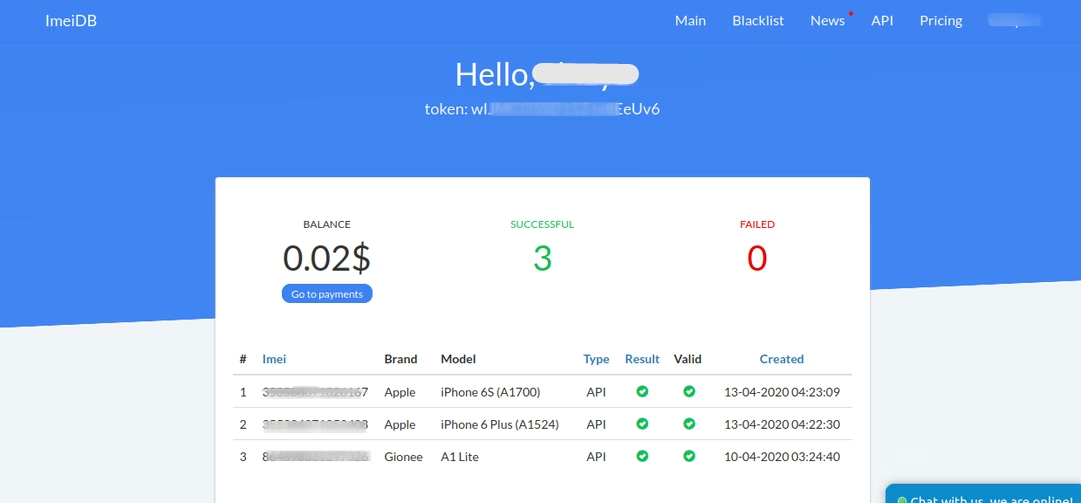
Mobile service reports
You will get different reports in PDF and XLSX formats from, Mobile Service -> Reports -> Mobile Service You can view the graphical reports with different filters.
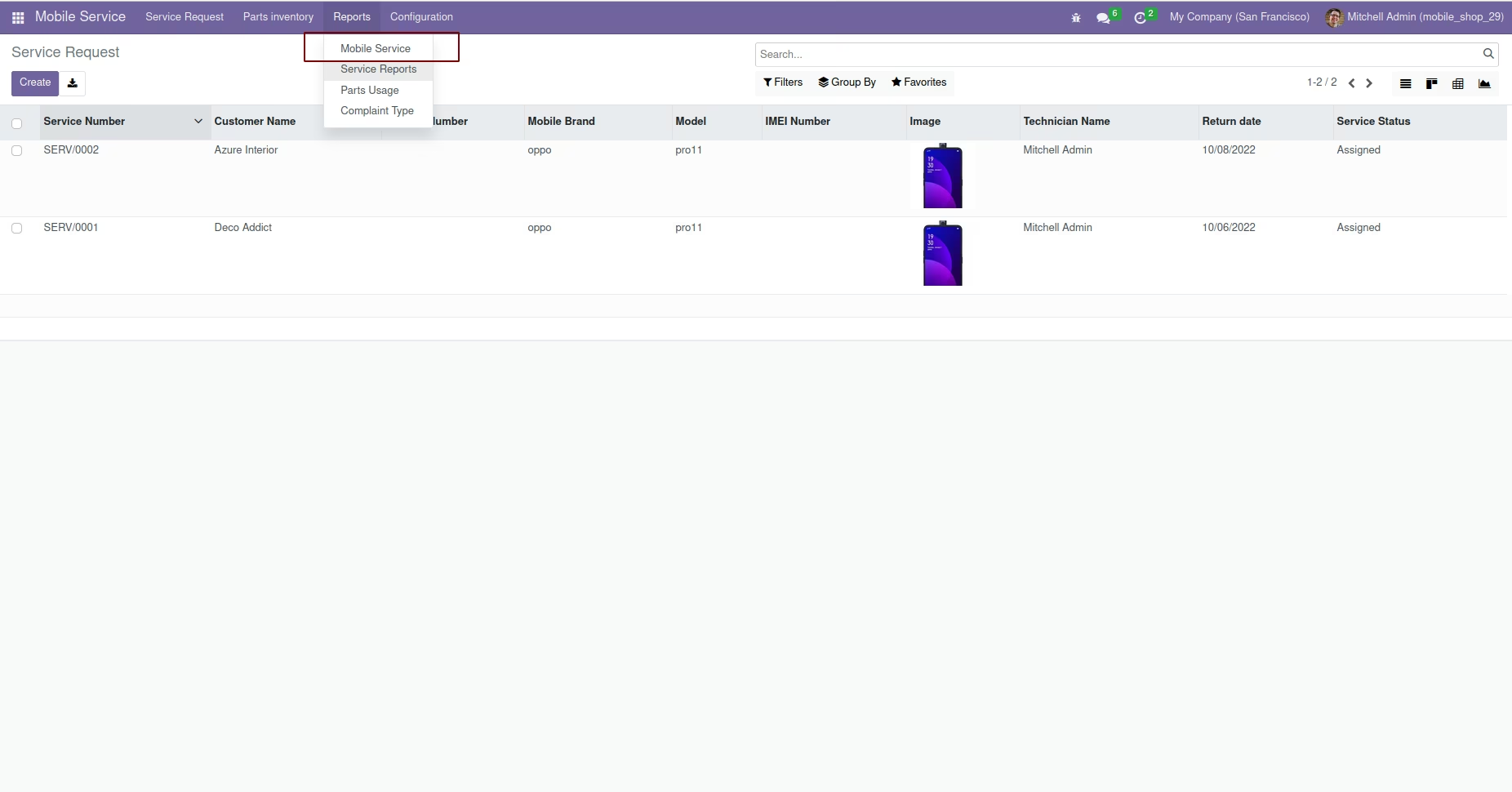
Mobile service Graphical Report
You can view the customized graphical from, Mobile Service -> Reports
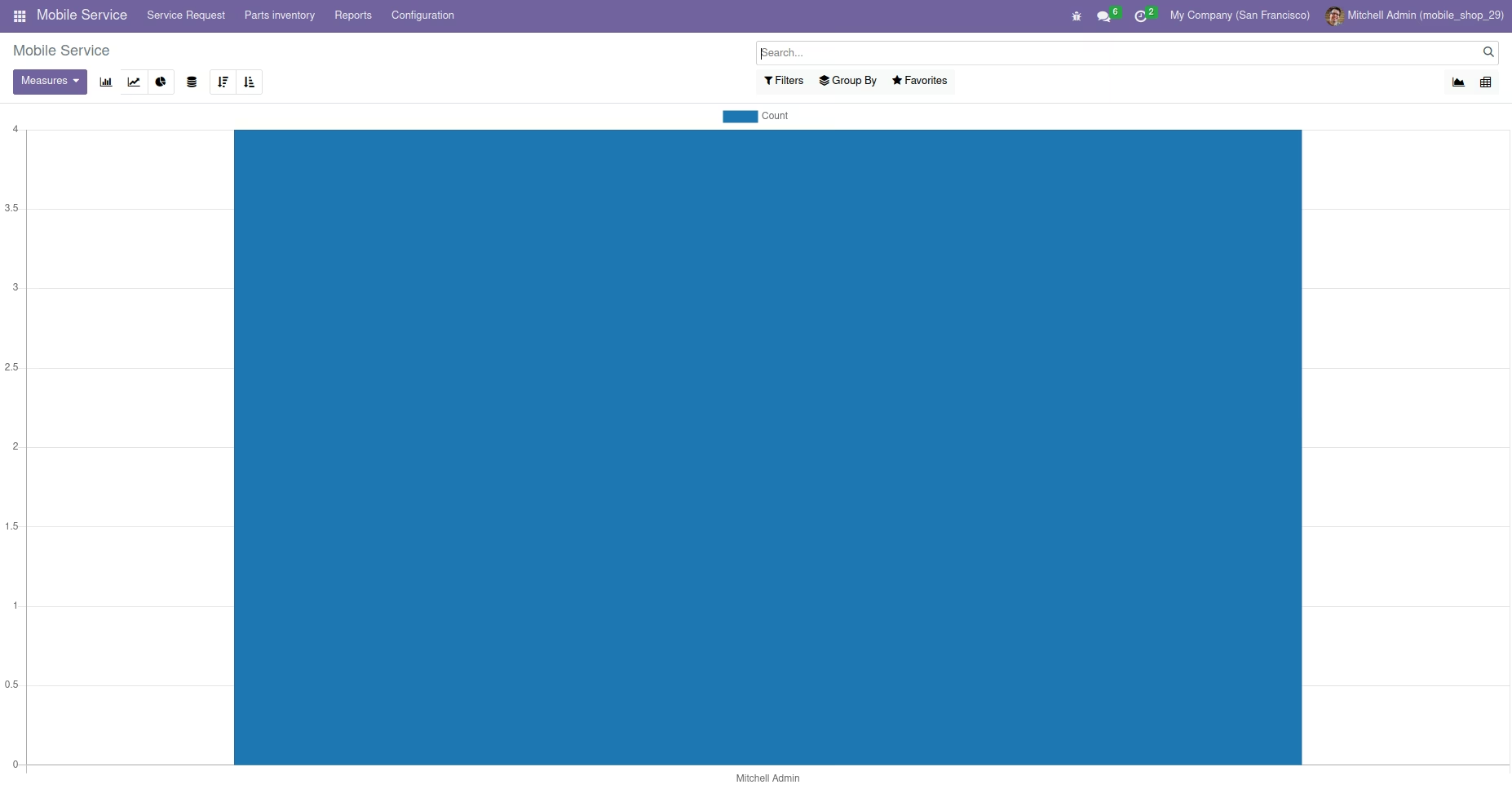
Mobile service Pivot Report
You can view the customized pivot report for mobile service as shown below.
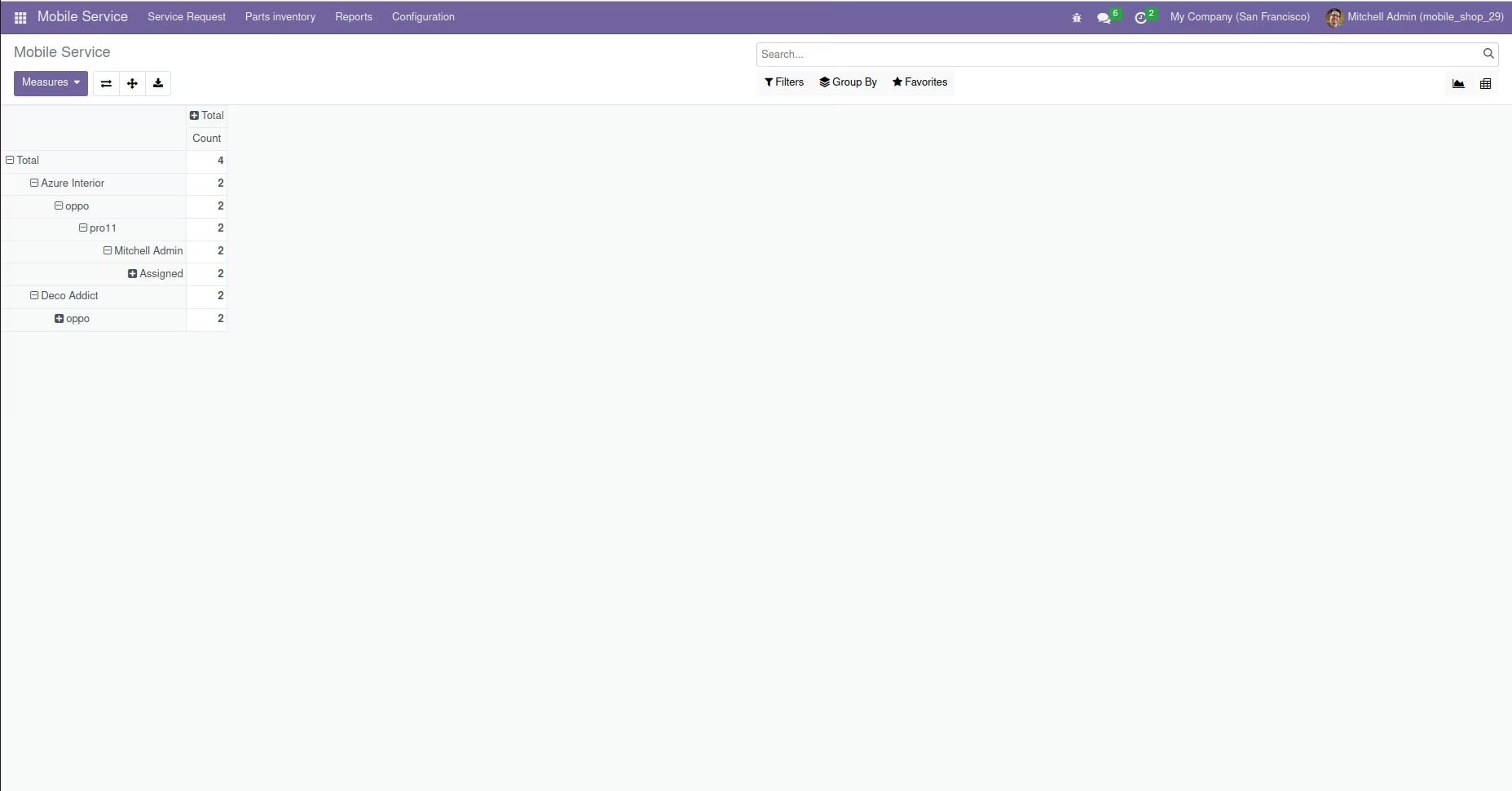
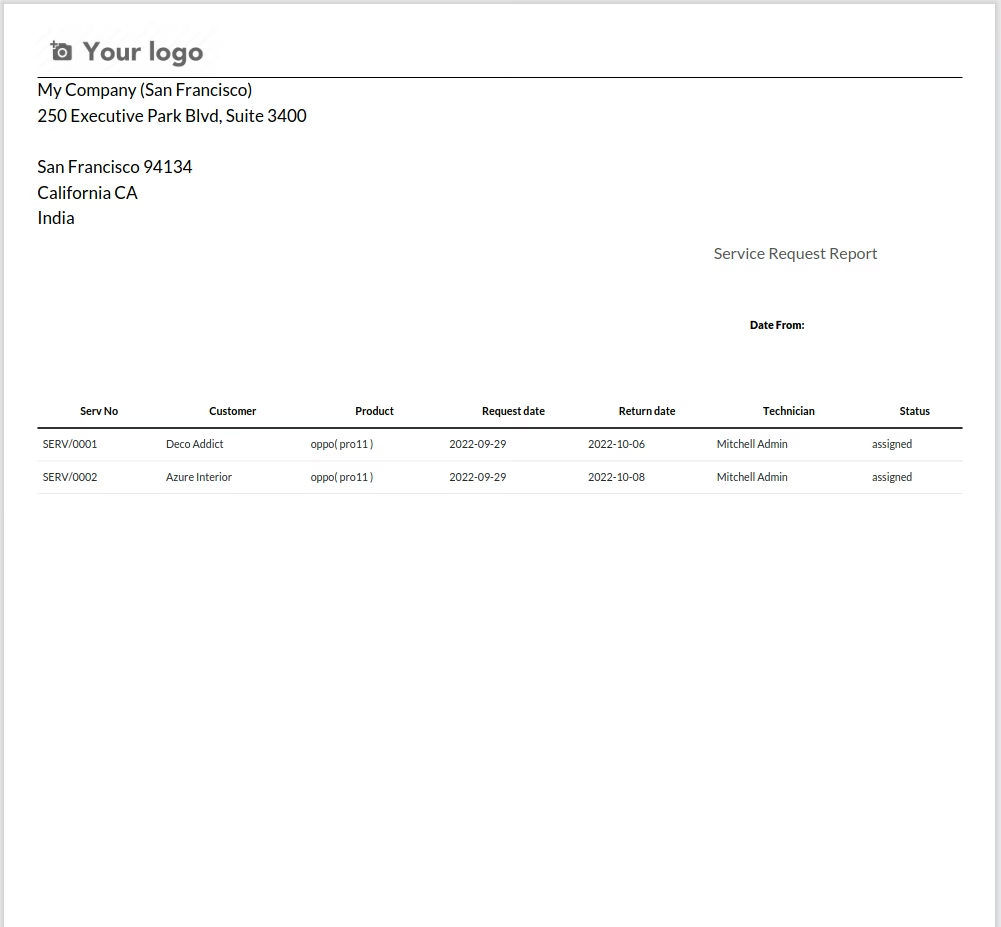
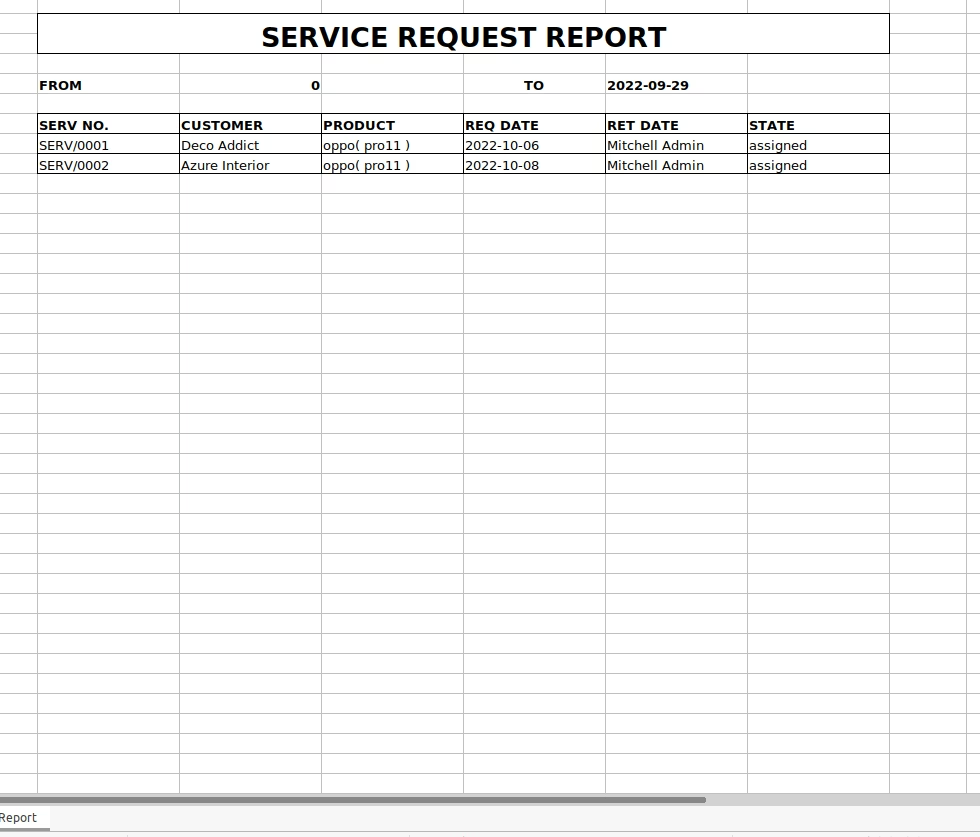
Service Request Report
Here you will get both PDF and XLSX reports of the service requests
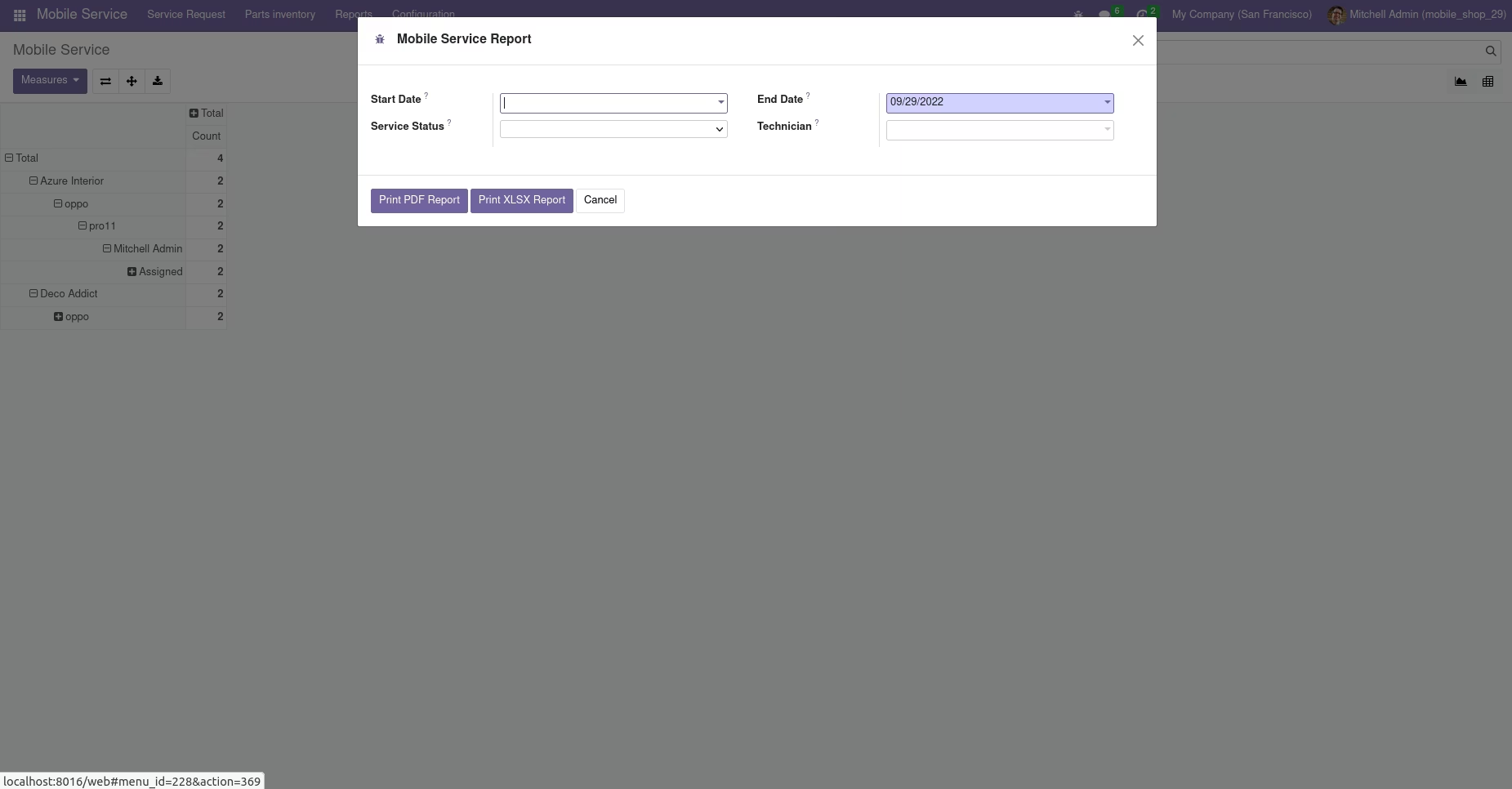
By providing the appropriate details in the 'Service Report' wizard, you will get service report in both PDF and XLSX format.
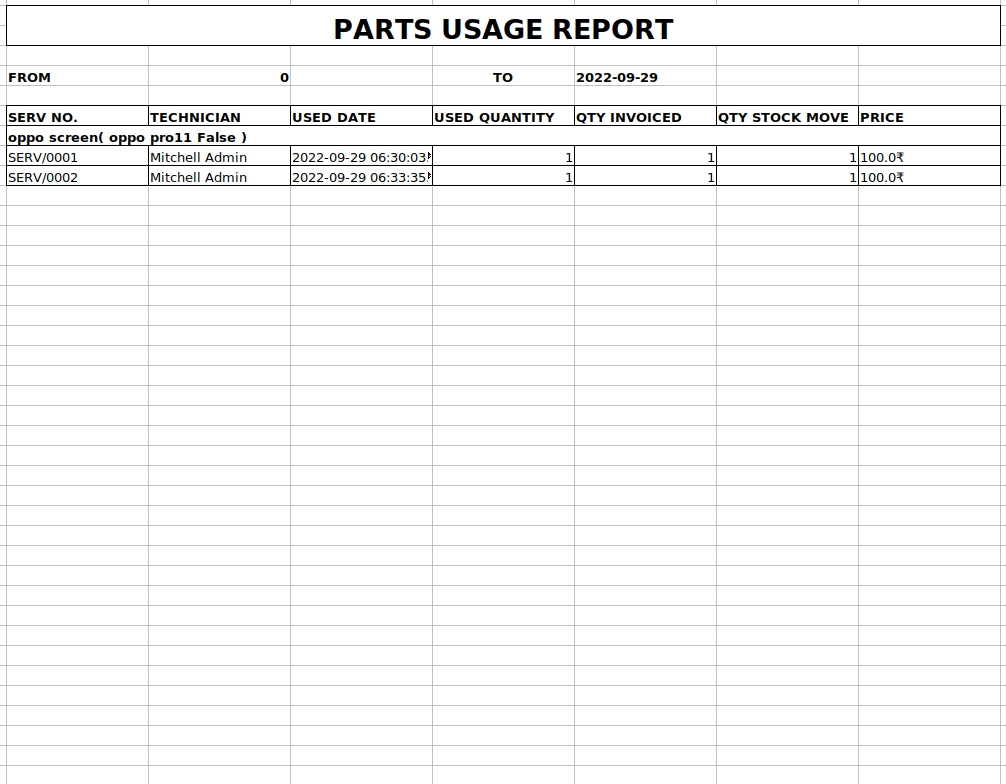
Parts Usage Report
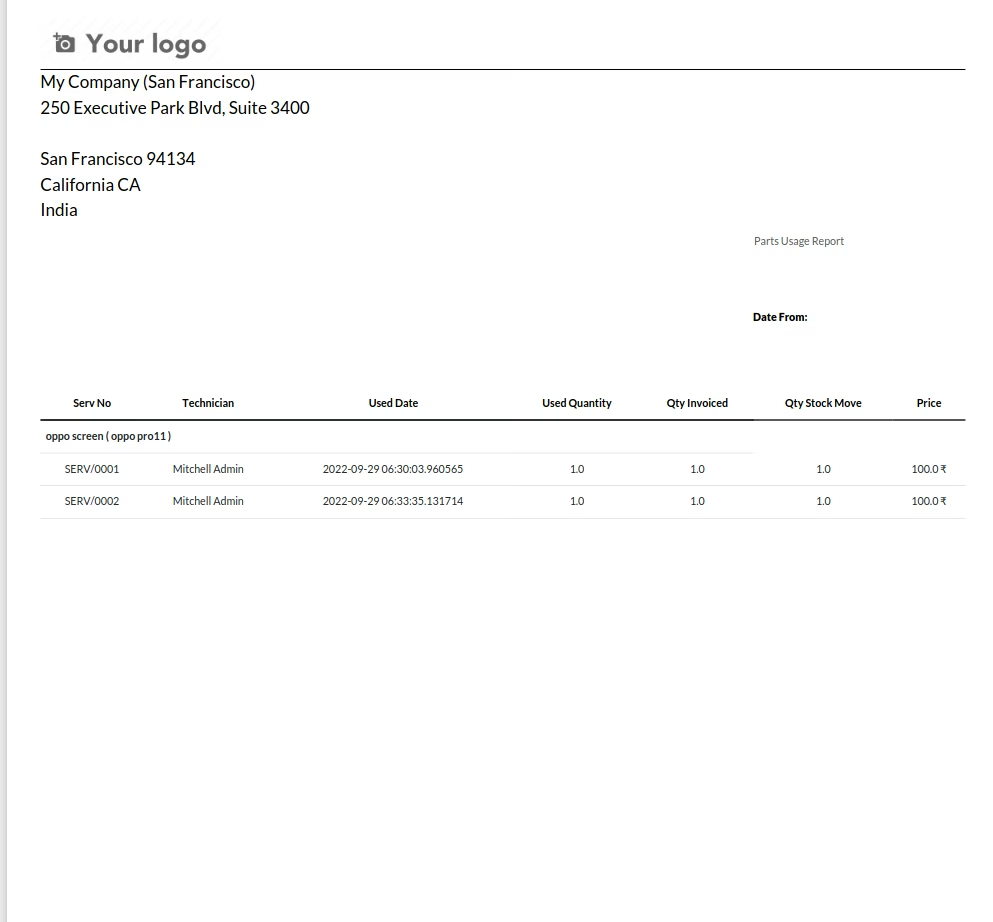
Reports for parts usage during service.Here you will get both PDF and XLSX reports for the parts usage during the service request processing.
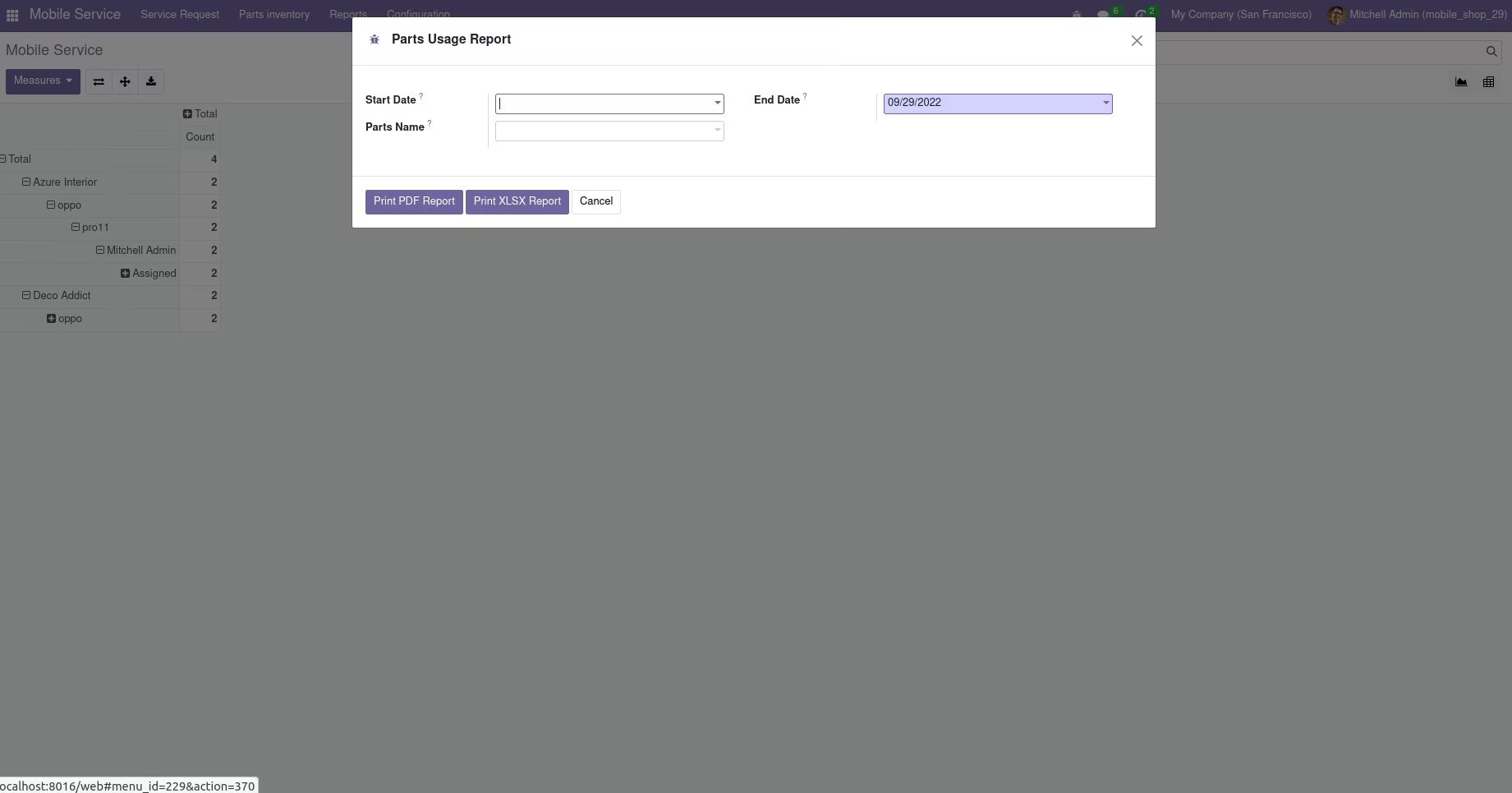
By providing the appropriate details in the 'Parts Usage Report' wizard, you will get parts usage reports in both PDF and XLSX format.
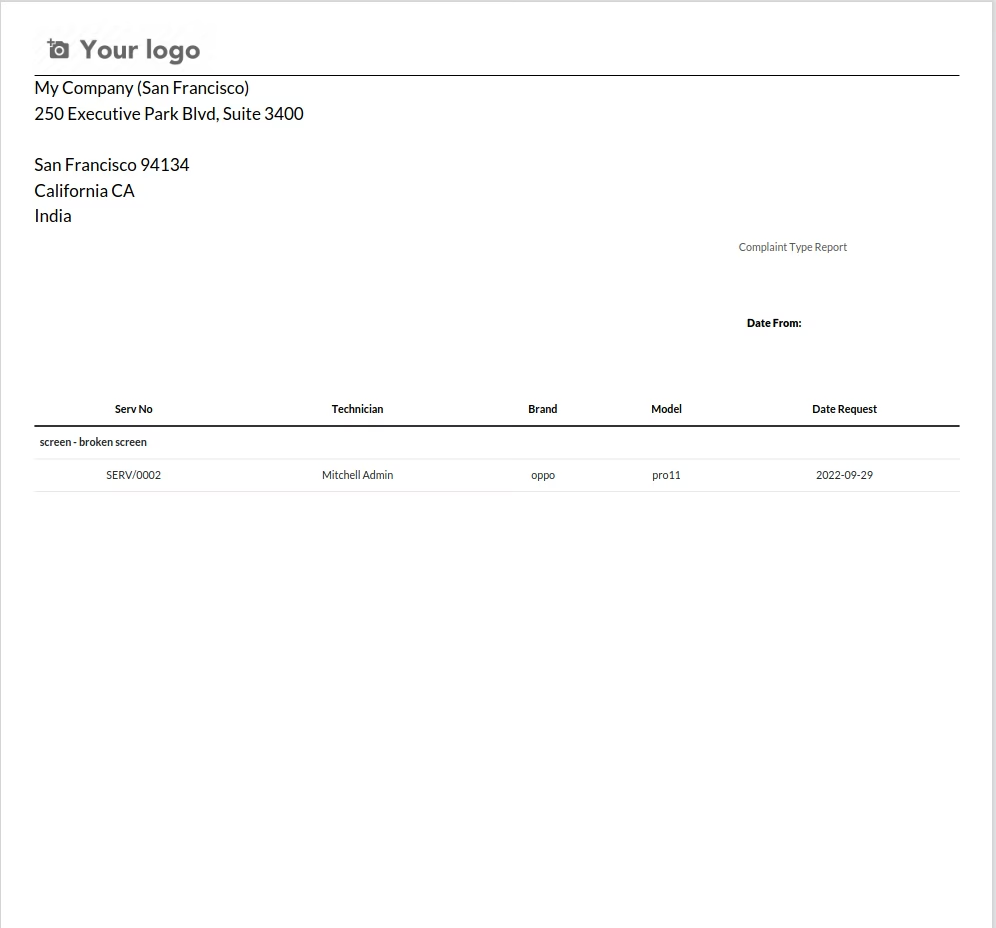
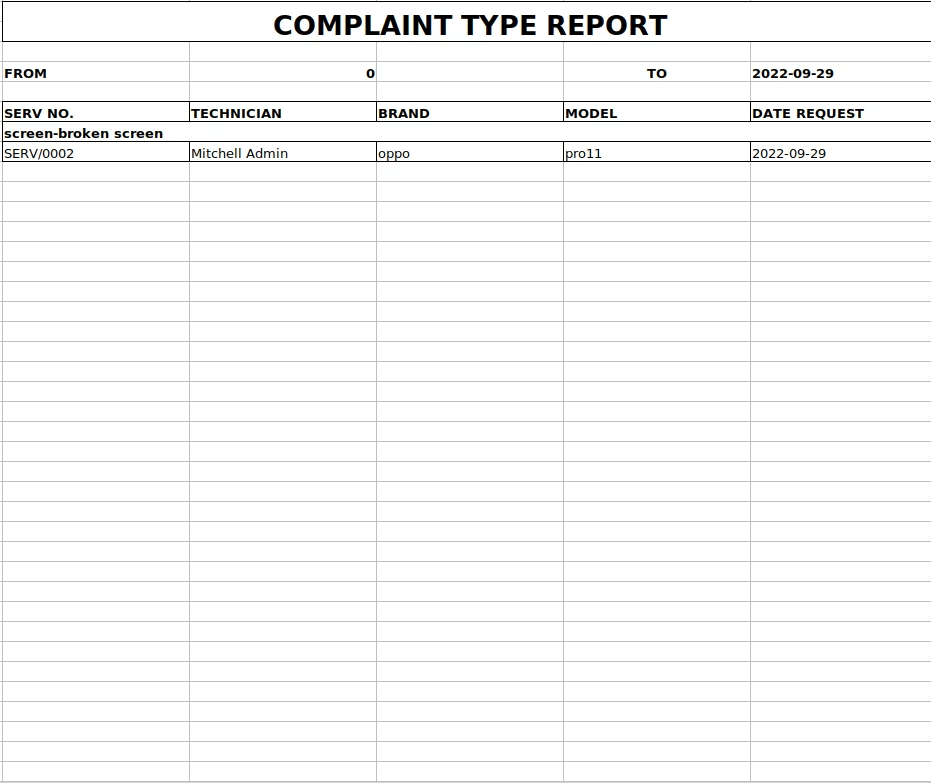
Complaint Type Report
Here you will get both PDF and XLSX reports of complaint types with corresponding brand and model.
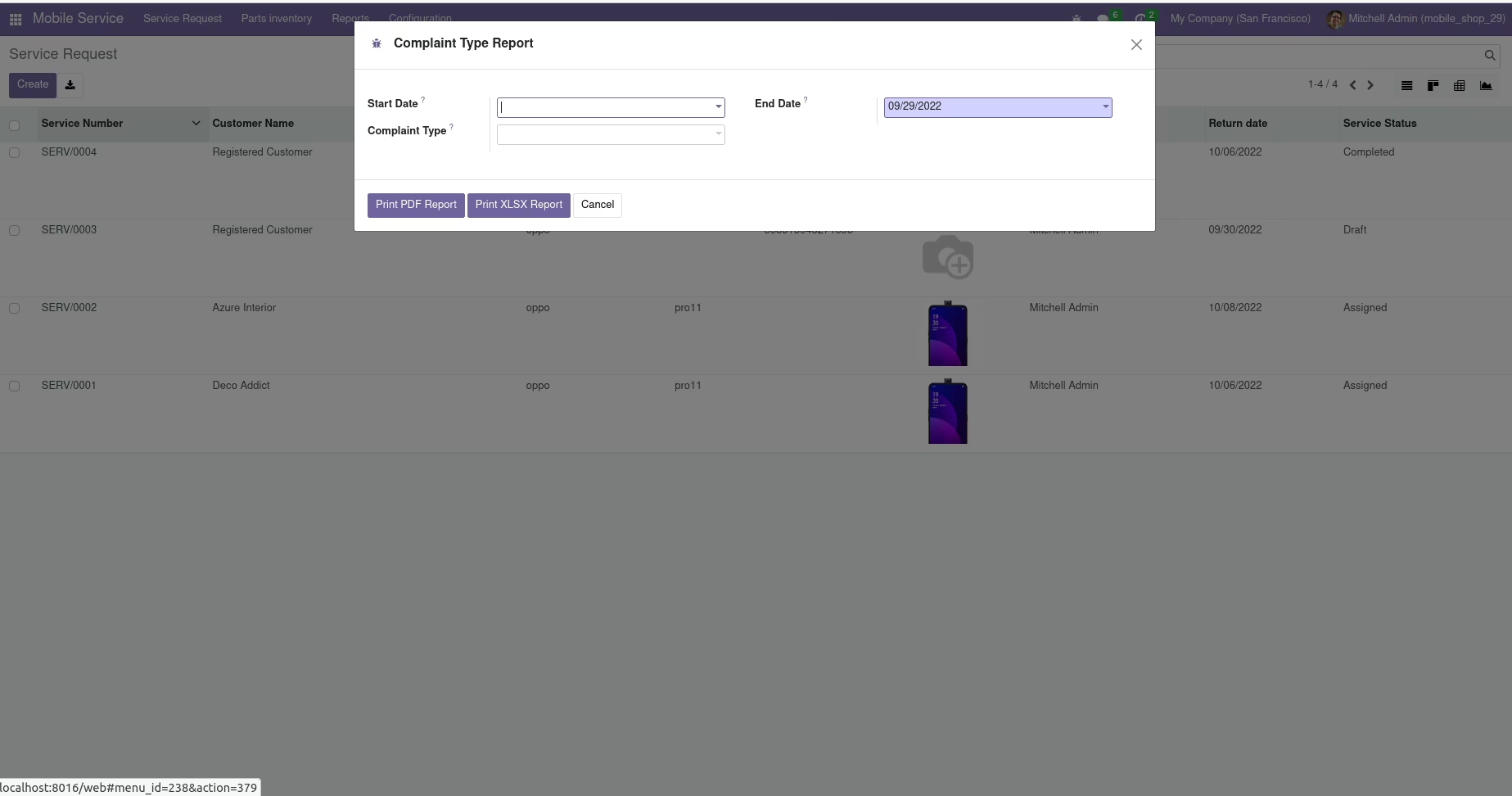
By providing the appropriate details in the 'Complaint Type' wizard you will get complaint type report with brand and model details in both PDF and XLSX format. Which helps in understanding complaints of certain devices.