
This module brings seamless Single Sign-On (SSO) via Microsoft Azure, enabling secure authentication with corporate Microsoft credentials. It removes the burden of multiple passwords, promotes centralized user access, and ensures efficient identity management. Users enjoy faster login experiences, while administrators benefit from streamlined authentication workflows and improved security.
Secure OAuth2-based login using Microsoft Azure credentials.
Automatically create new user accounts in when first logging in with Microsoft Azure.
Map existing users to Microsoft accounts via email matching.
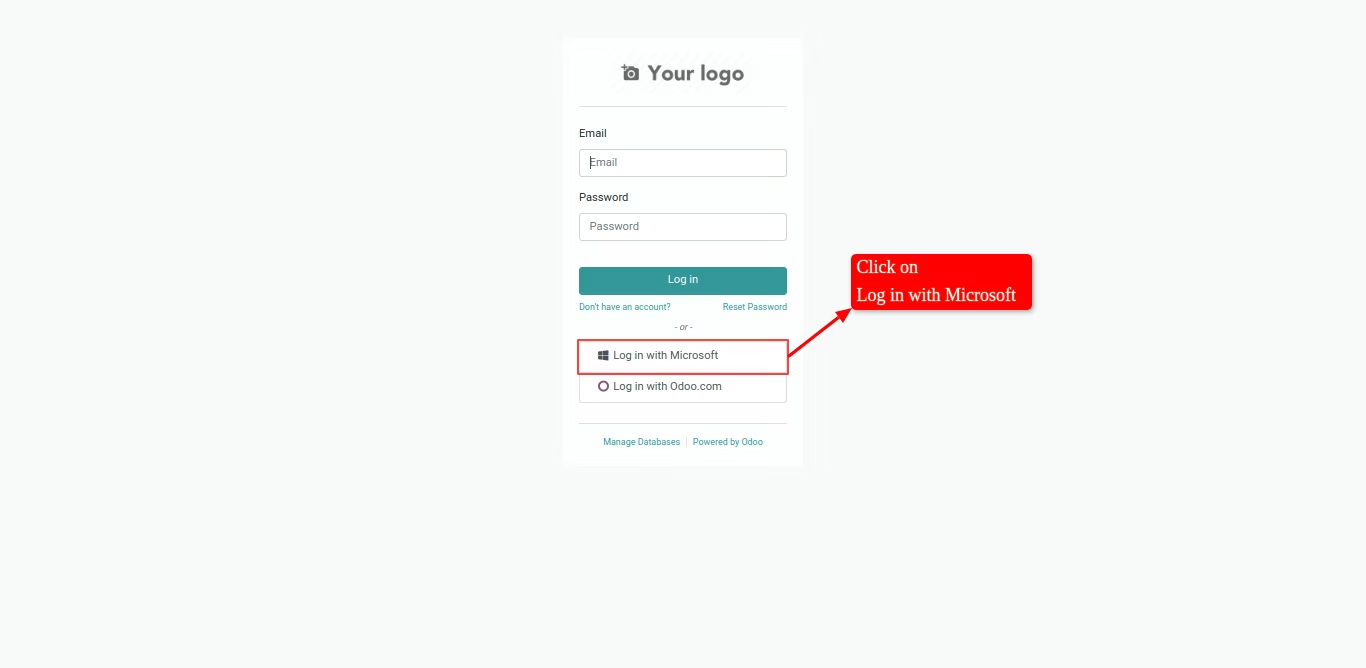
Display customizable “Login with Microsoft” button on the login screen.
Support role-based access and single sign-on consistency across portals and backend access.
Reduces password fatigue by allowing login with existing Microsoft credentials.
Enhances authentication security using robust Azure OAuth2 mechanisms.
Streamlines user onboarding via automatic account creation.
Ensures consistency in user identity management across both internal and portal users.
Accelerates access and setup, reducing user friction and IT overhead.
Microsoft Azure Single Sign-On(SSO)
The Microsoft Azure Single Sign-On(SSO) is an module that provides seamless integration between and Microsoft Azure for Single Sign-On (SSO) functionality. The module allows users to authenticate and login to the platform using their Microsoft credentials, eliminating the need for users to remember multiple login credentials. When a user logs in to the platform for the first time using their Microsoft credentials, a new user account is created automatically in with the user's Microsoft email address as their login name and allows already existing user's to login in to using Microsoft account. This makes it easy for users to access the platform without any additional steps.
- Secure login with Microsoft single sign-on (SSO).
- No need to remember password after login.
 SUPPORT
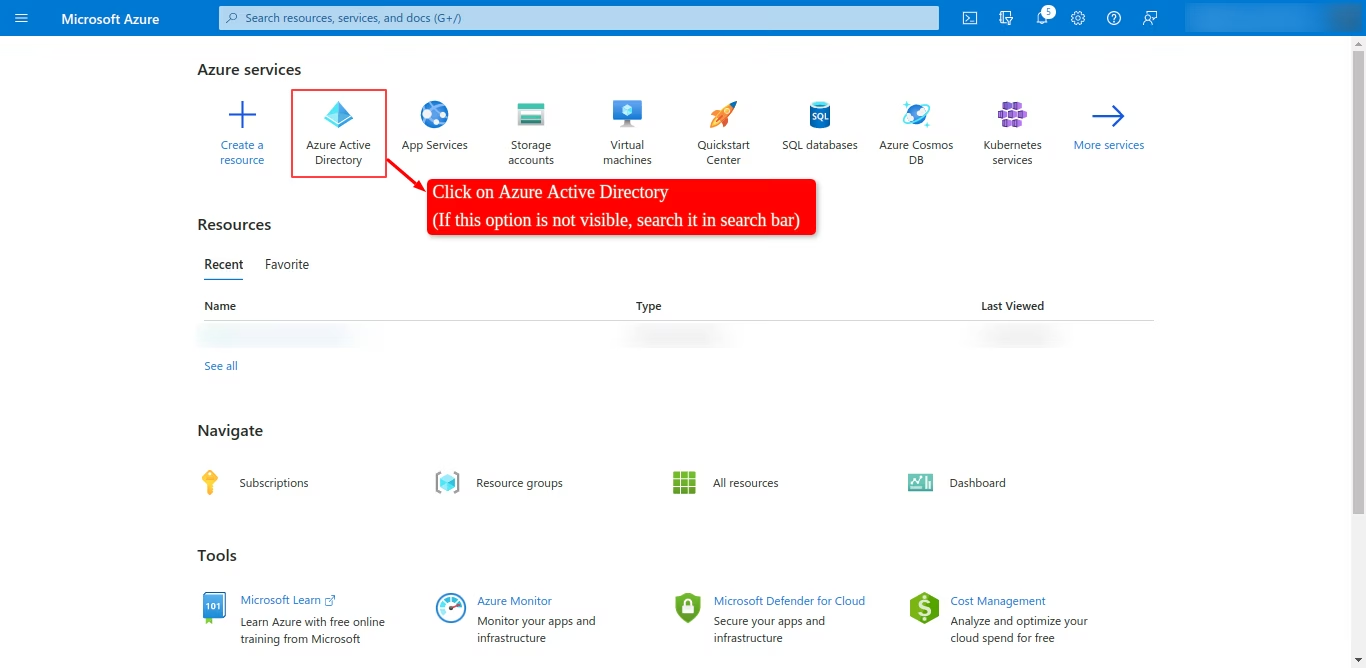
- Login to Azure Portal and click on Azure Active Directory
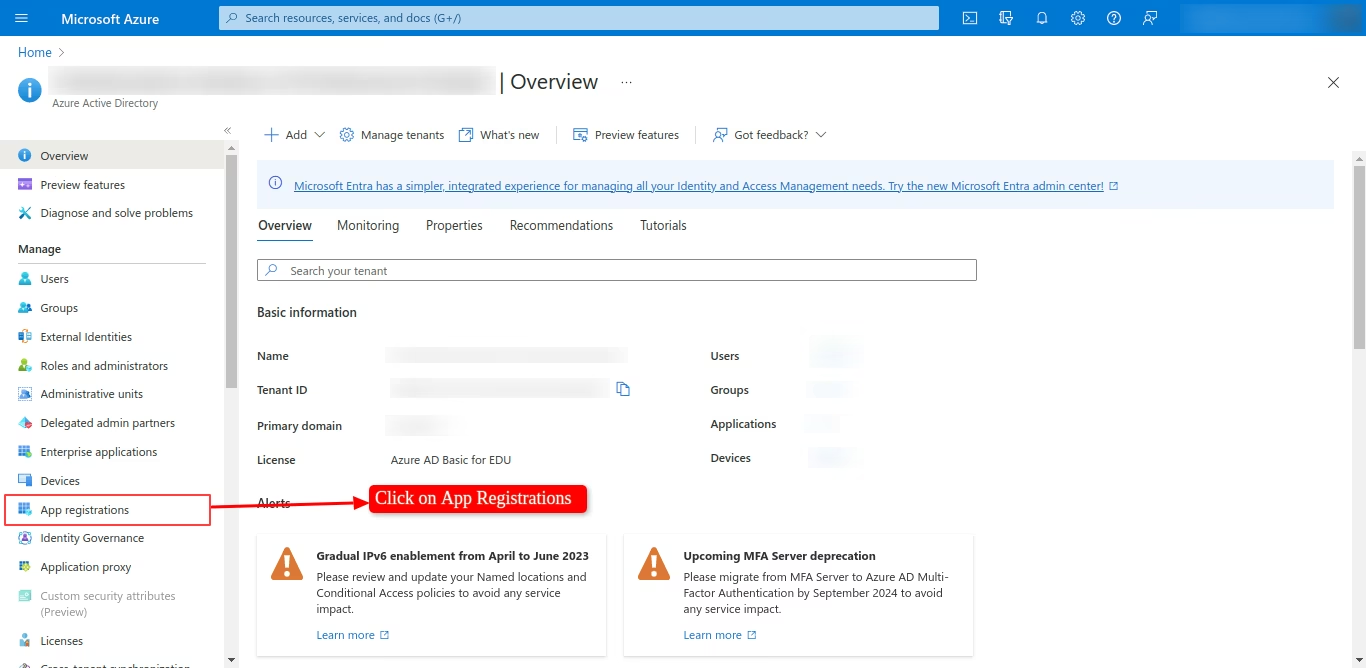
- Click on App Registrations
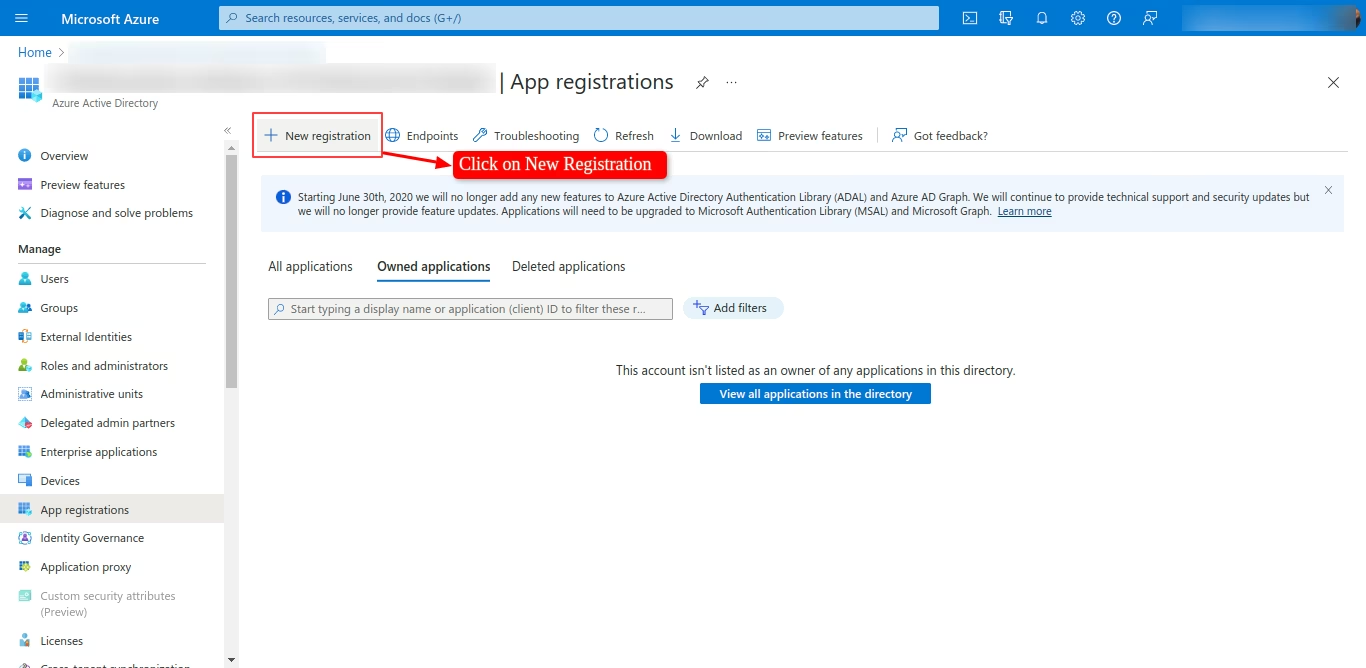
- Click on New Registration
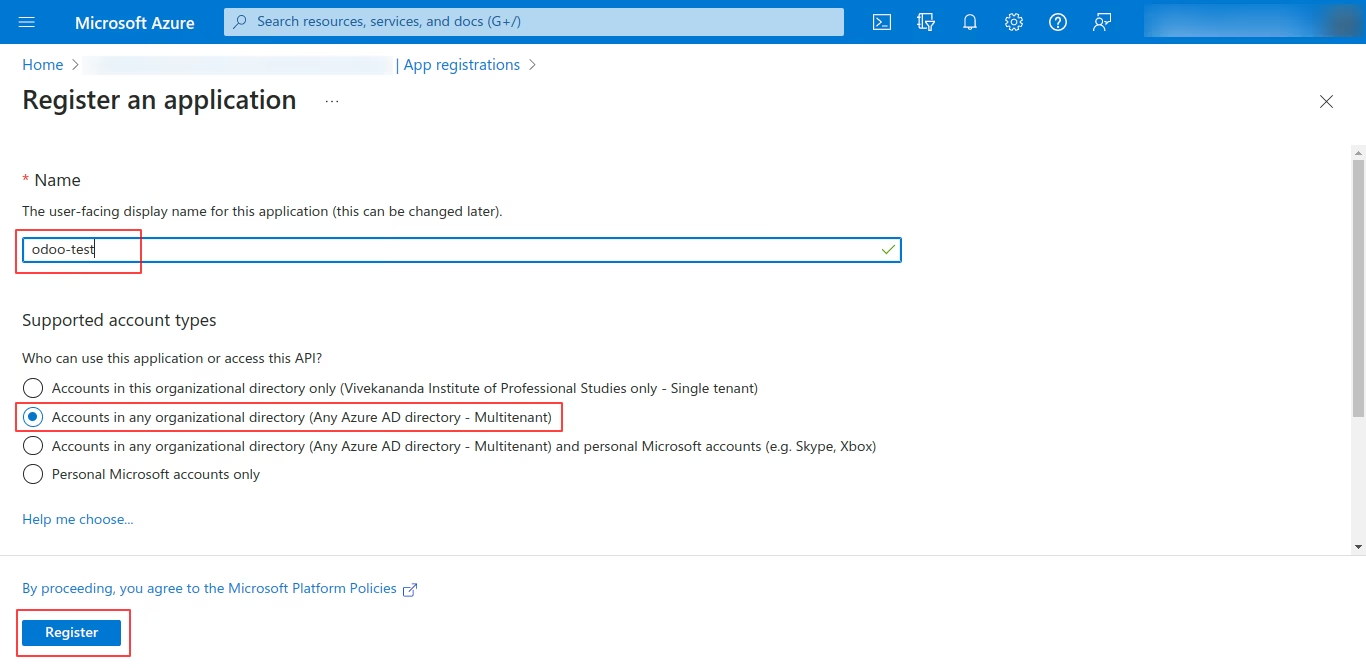
- Give an appropriate name and select multitenant option
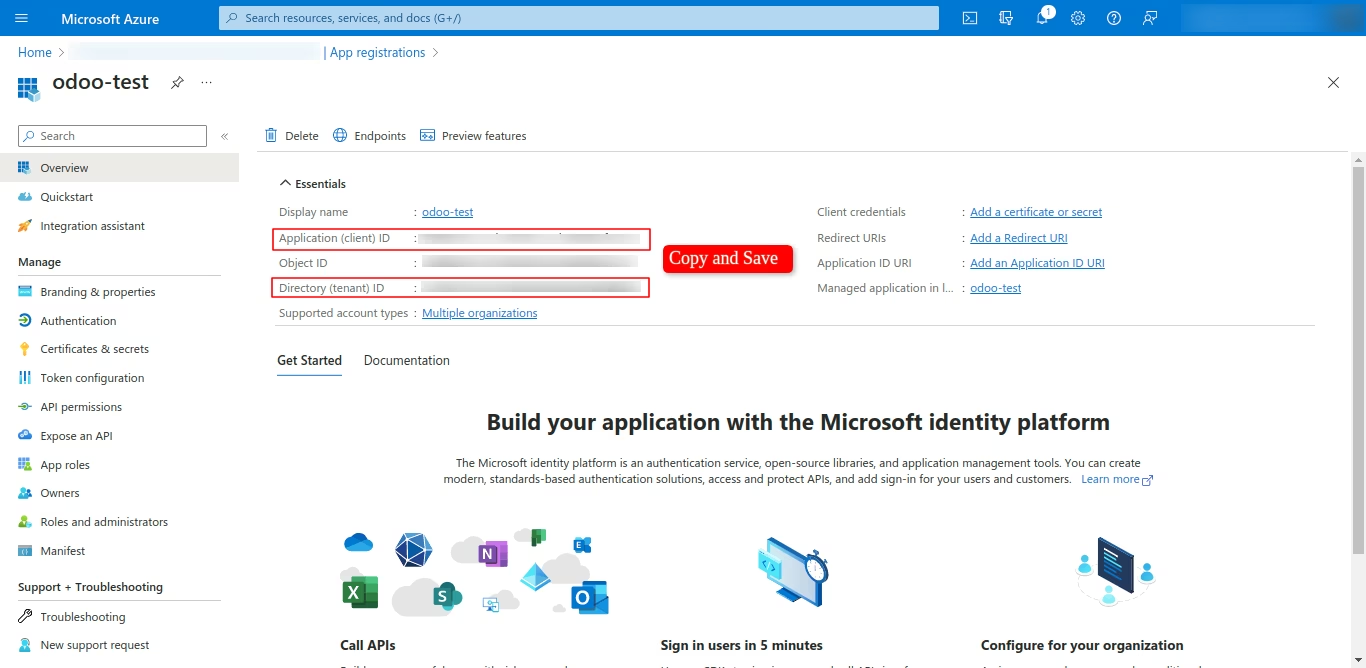
- Copy and save Client ID and Tenant ID
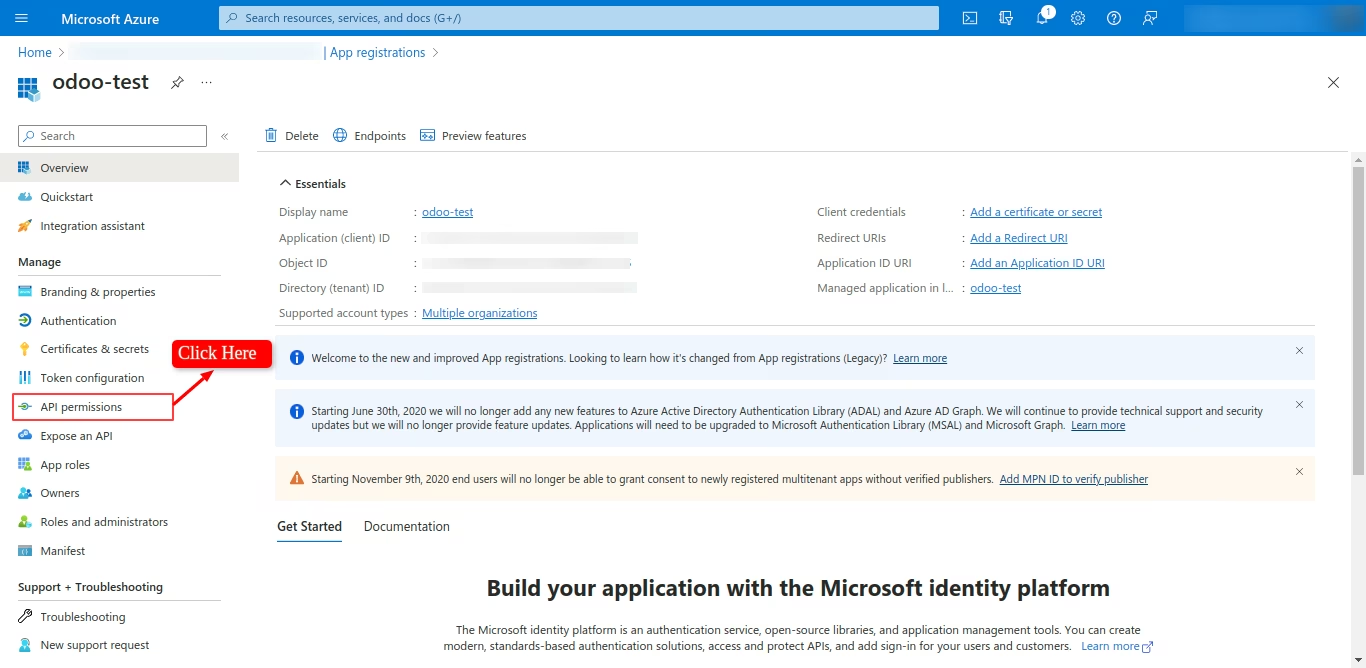
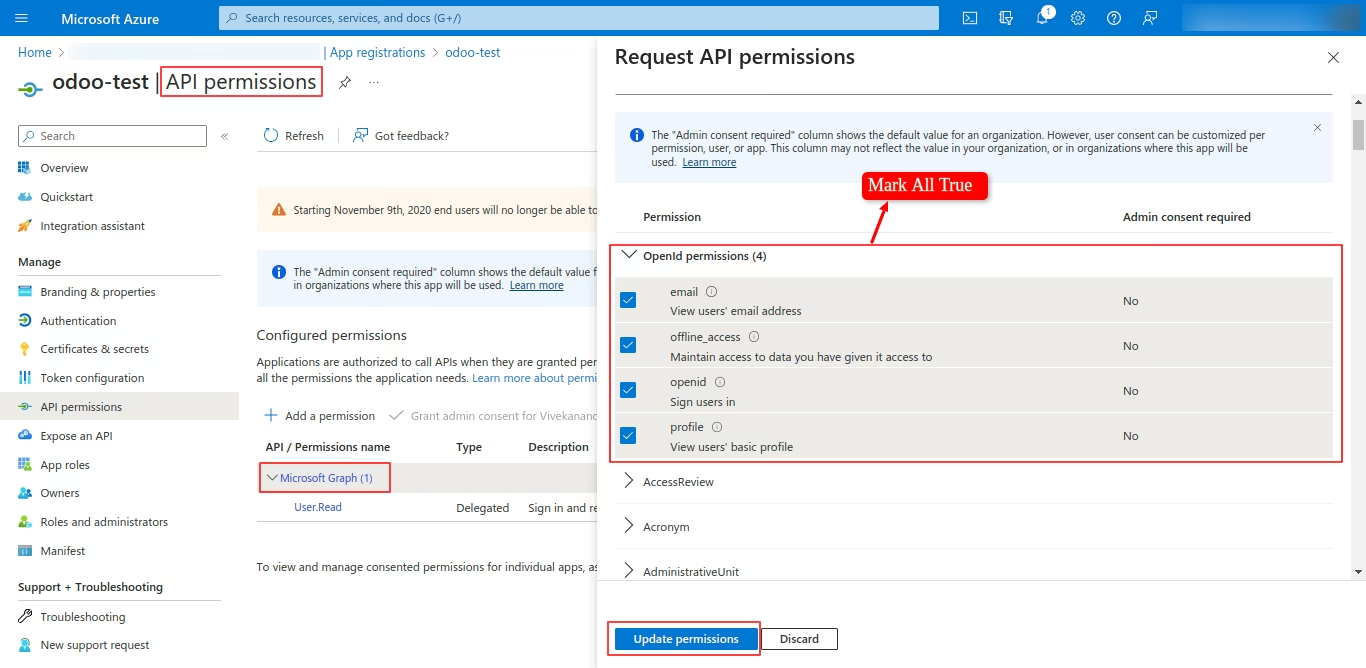
- Allow API Permissions
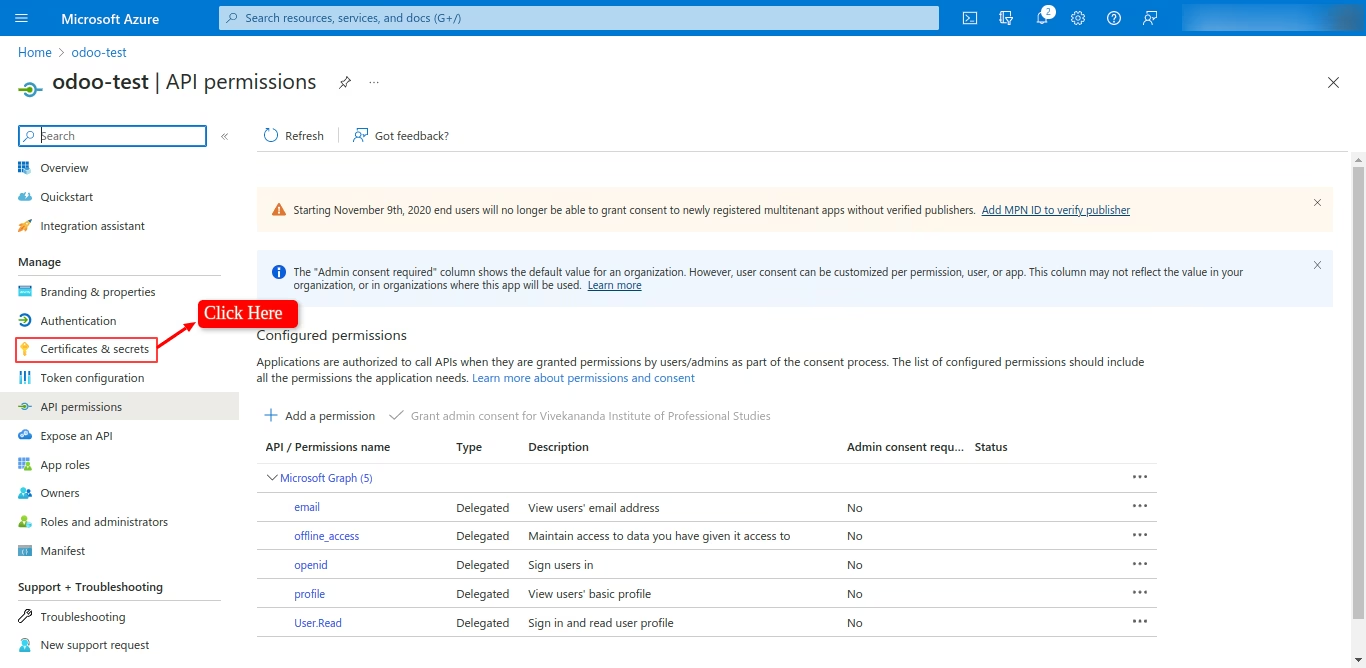
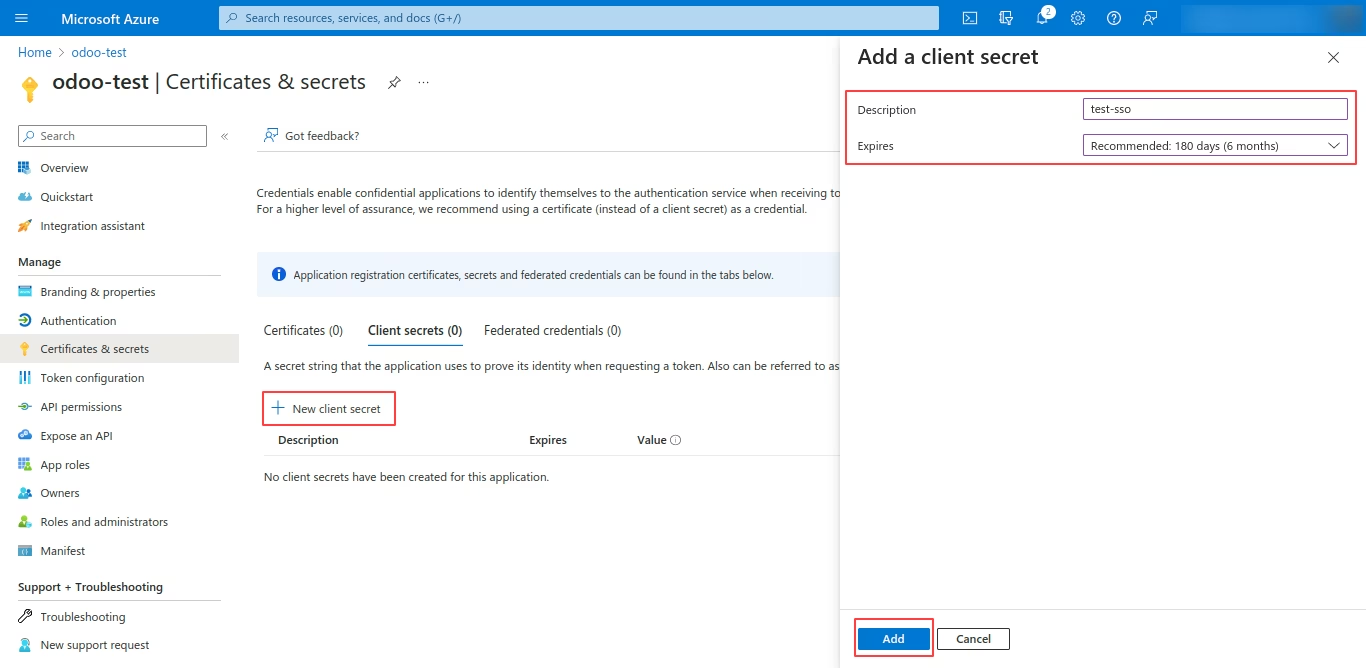
- Generate Secret Key
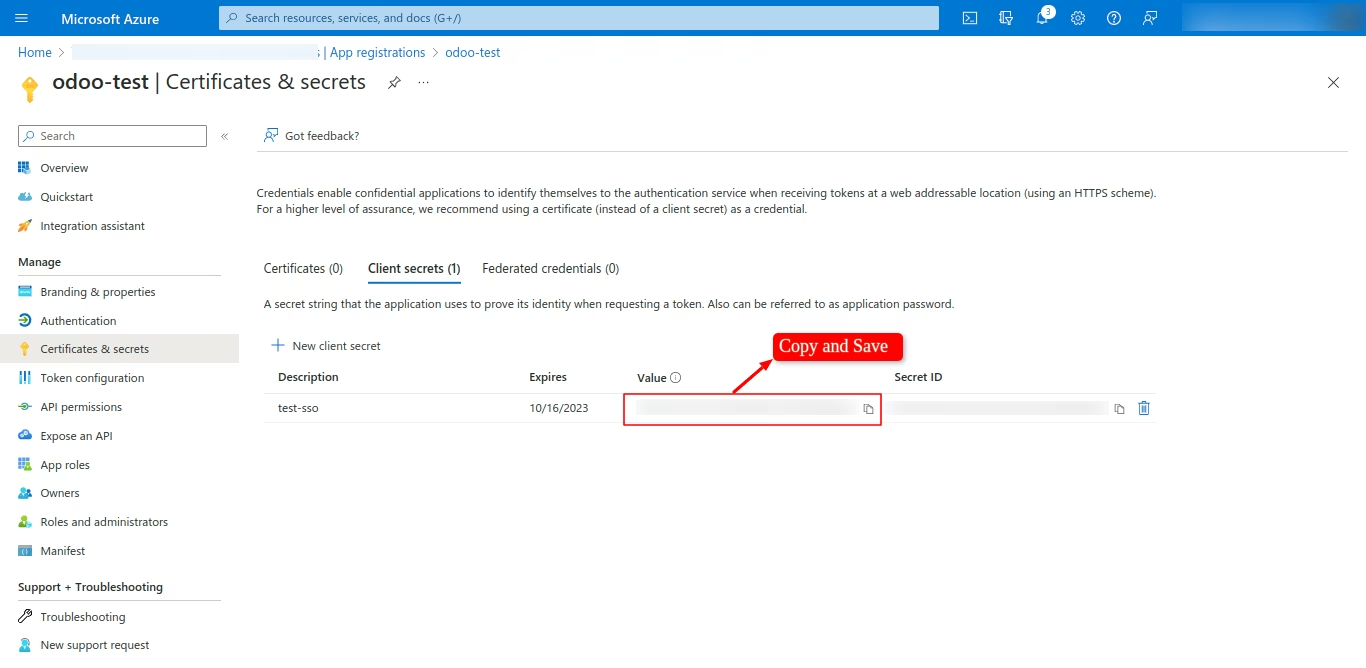
- Copy and Save Secret Key
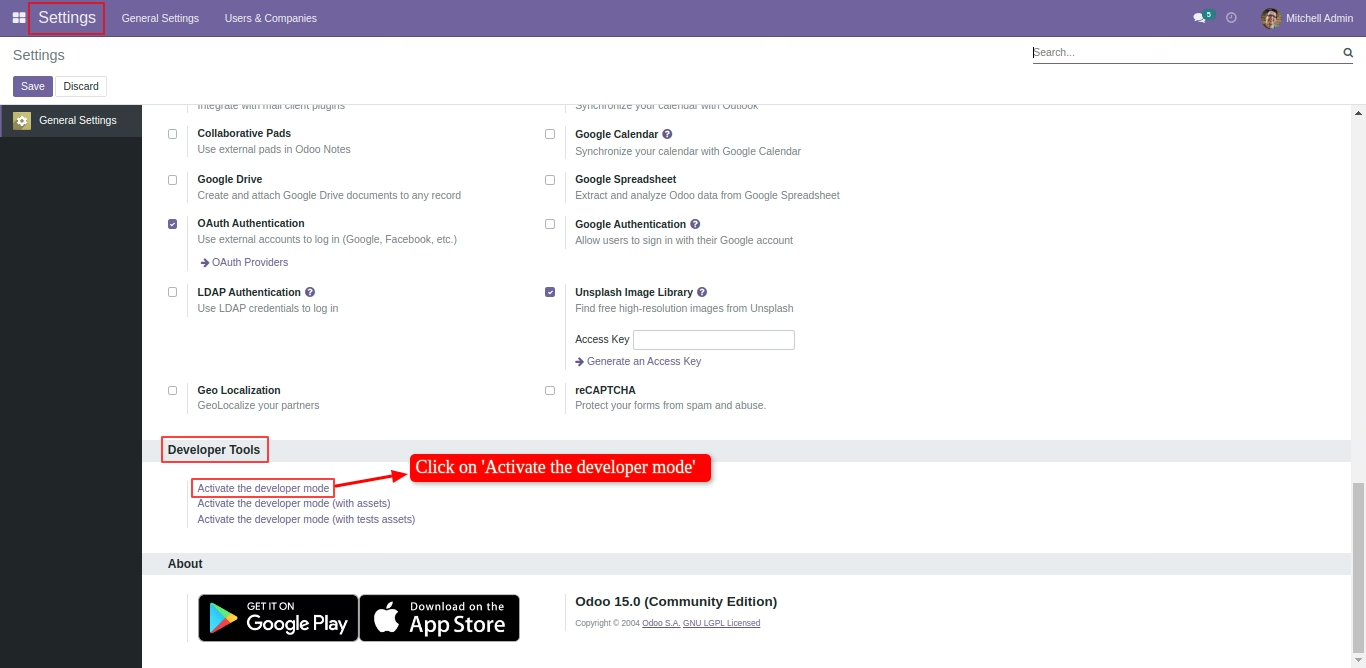
- Navigate to settings and under the Developer Tools, Click on Activate the developer mode.
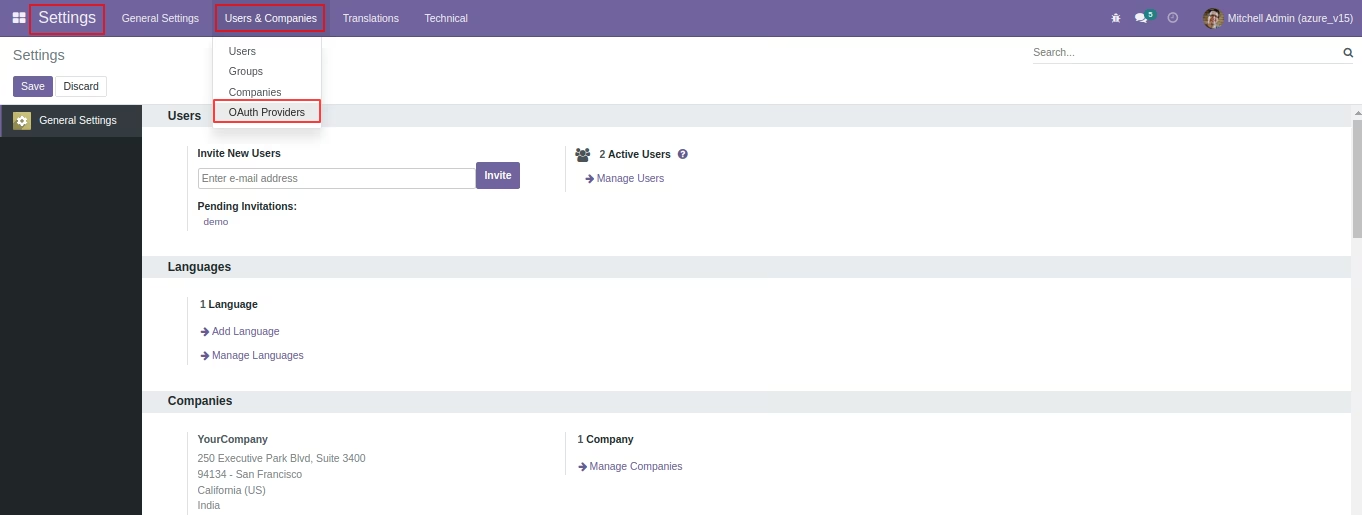
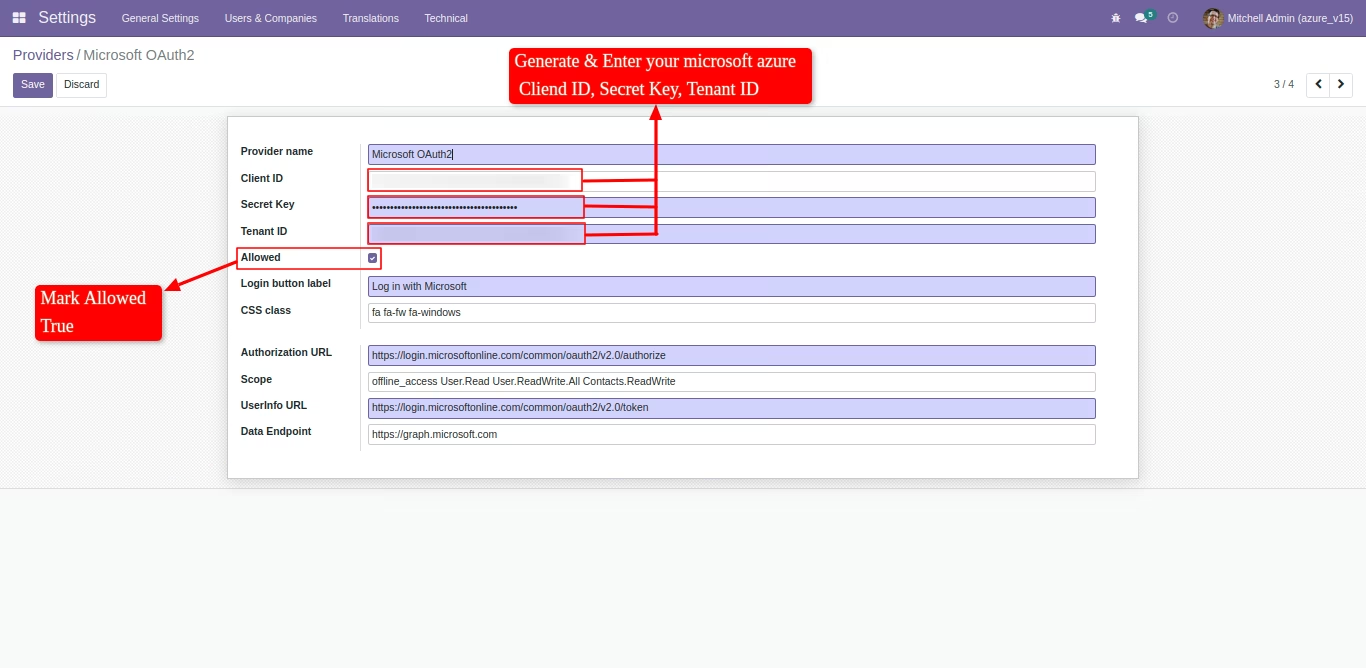
- Navigate to settings > Users & Companies > Click on OAuth Providers
- Click on the Microsoft OAuth2

- Generate and enter your Microsoft Azure credentials (Client ID, Secret Key, Tenant ID) and mark allowed true, Save the changes in Record.
- Click on Login with Microsoft
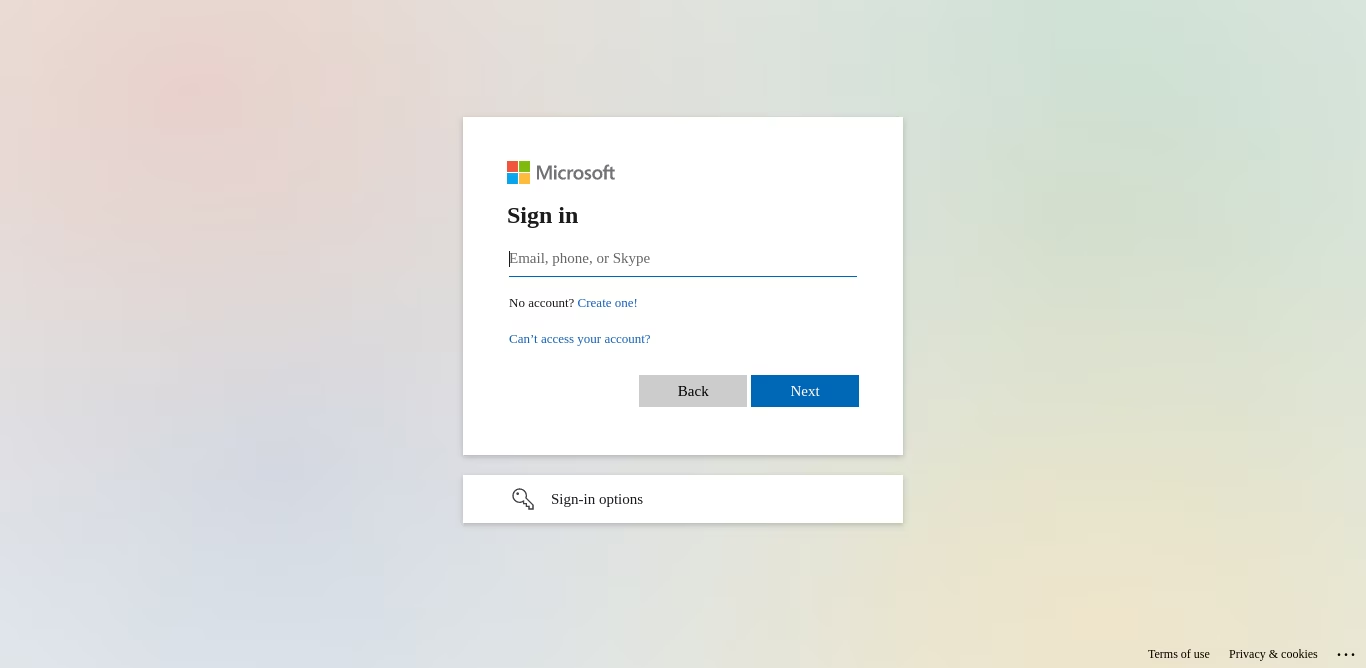
- Enter your Microsoft credentials
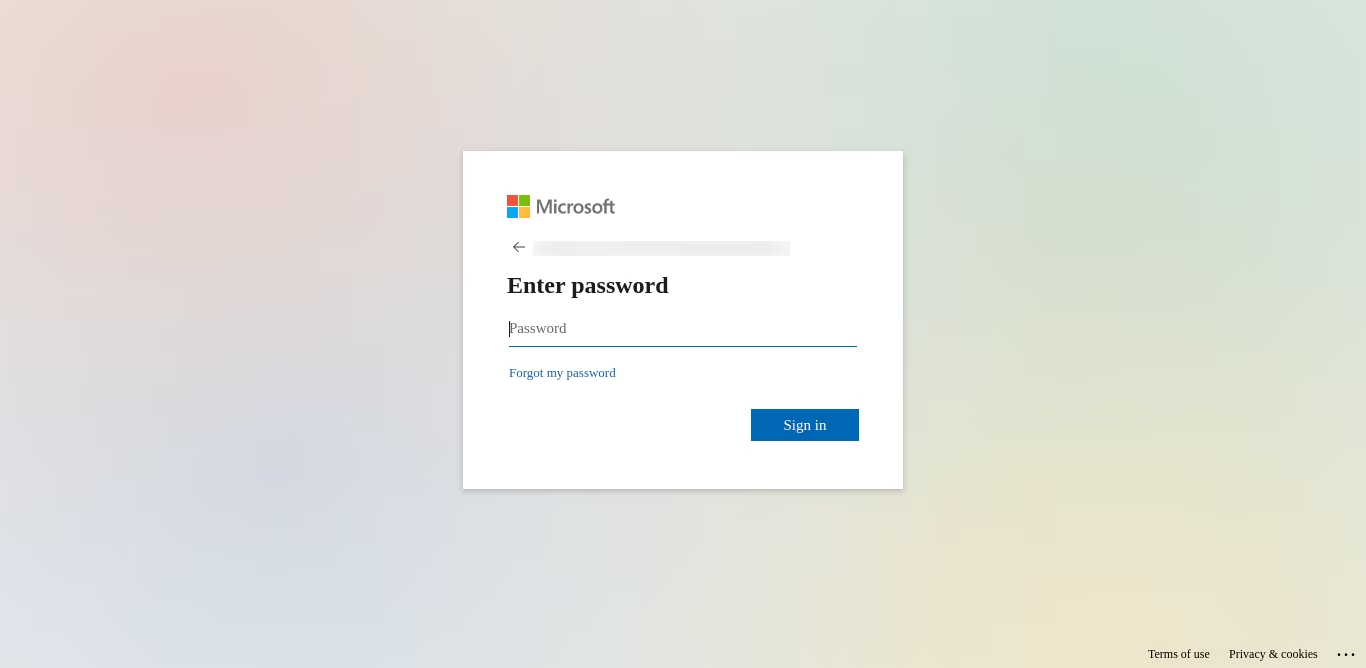
- After authentication, New User will be created for the first time login and later users can login with Microsoft.
- This module provides seamless integration between and Microsoft Azure for Single Sign-On (SSO) functionality. The module allows users to authenticate and login to the platform using their Microsoft credentials, eliminating the need for users to remember multiple login credentials.