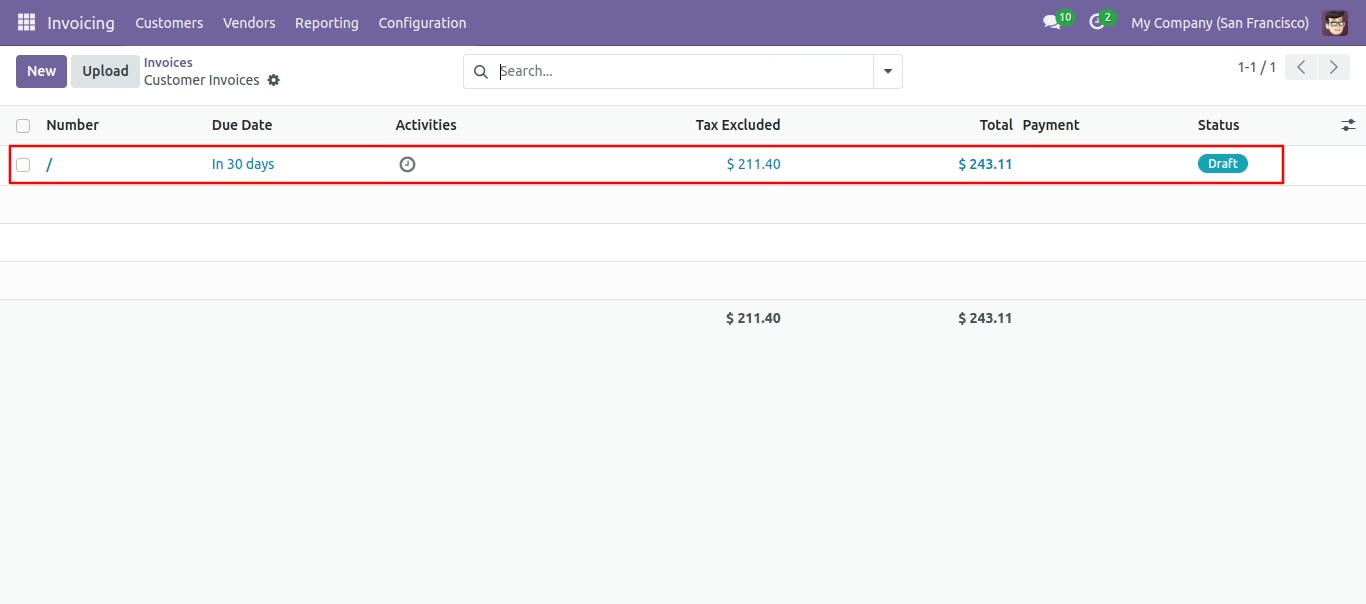
This module provides an efficient way to consolidate multiple sales documents into a single record. Users can merge quotations, sale orders, invoices, credit notes, debit notes, and vendor bills, creating a unified document that remains linked to the original records. By simplifying consolidation, the module enhances clarity, reduces repetitive work, and streamlines order-to-invoice processes.
Merge multiple quotations, sale orders, invoices, credit notes, debit notes, and vendor bills into one consolidated document.
Generate a single merged invoice with direct links to original sale orders.
Maintain clear traceability of merged records for accurate documentation.
Reduce redundancy by eliminating duplicate invoices or orders.
Provide a user-friendly merge option accessible directly within workflows.
Streamlines document management by consolidating related transactions.
Saves time and effort in handling multiple invoices or orders.
Enhances transparency and accountability through traceable records.
Improves billing accuracy with unified consolidated invoices.
Boosts productivity by reducing repetitive administrative work.
This module useful to Merge Sale Orders & Invoices. Some times required to make a single quote from the multi quotation or merge two different invoices/credit note/debit note/vendor bills. This module helps the user to merge quotation/sale order/invoices/credit note/debit note/vendor bills with many more options. When two invoices are merged then a new invoice is created and that invoice will be linked with related sale orders.
- Easy to merge quotation or sale orders.
-
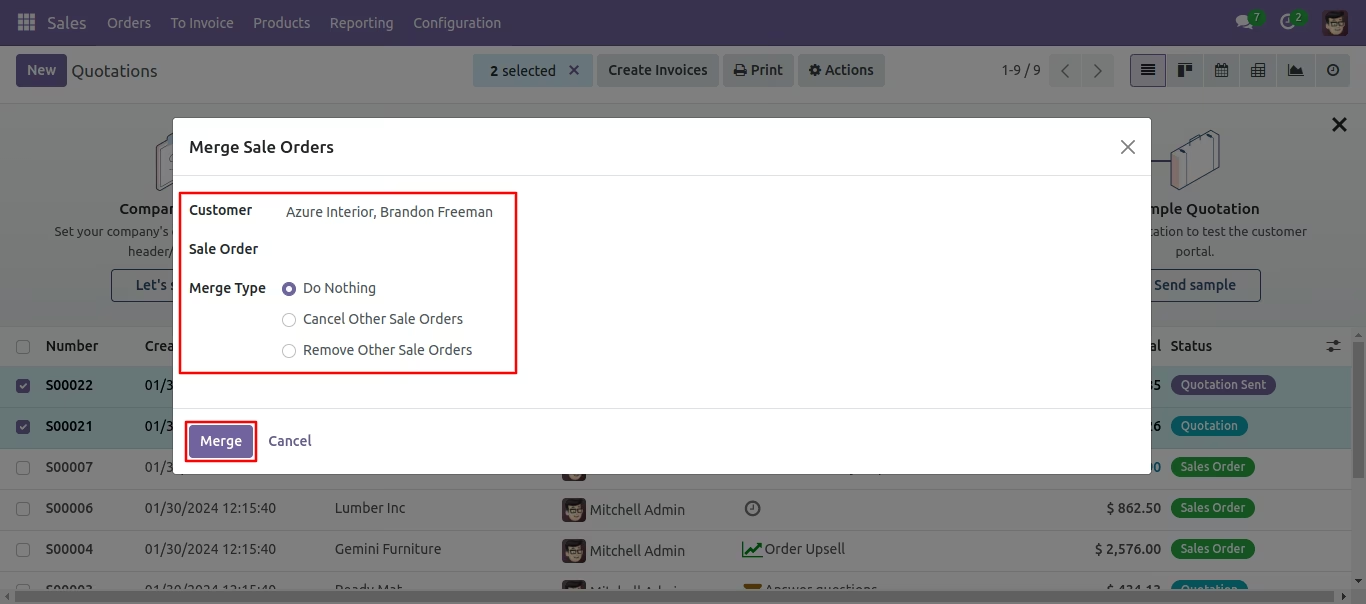
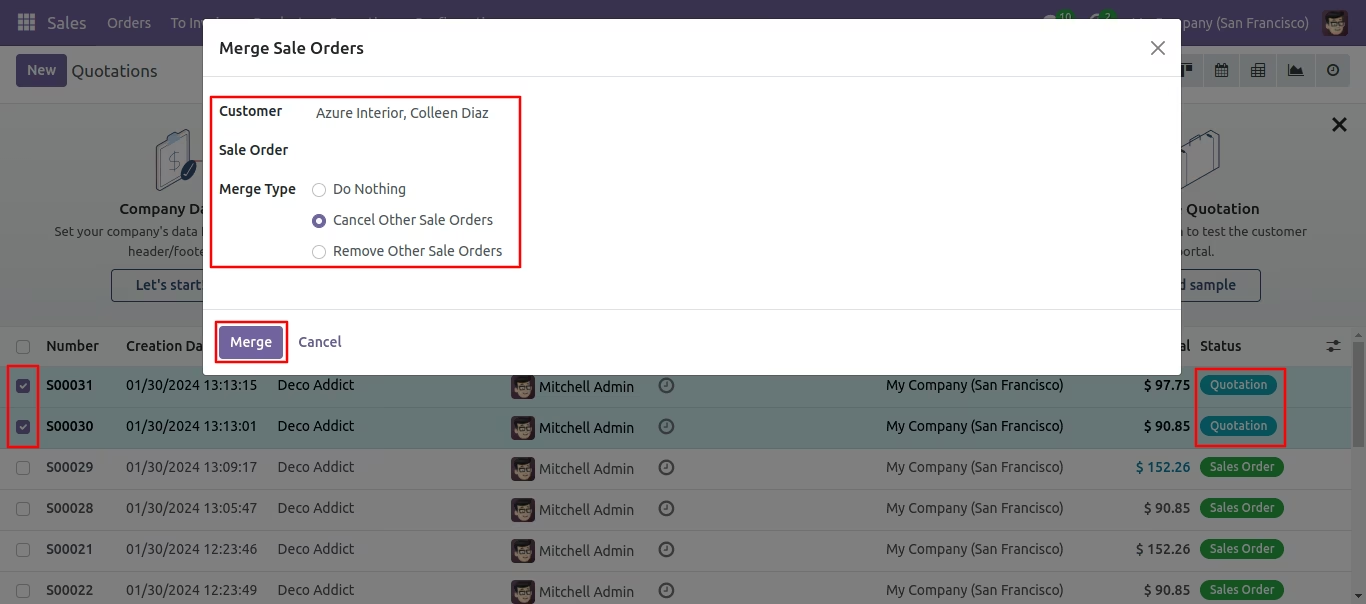
Various options provided in merge order popup.
1) customer (customer option useful if multi customers quotation selected than you can choose in the popup. we have not restricted similar customers in this module. you can select any multi quotations and merge for any single customer.)
2) sale order (sale order option useful if you want to merge selected quotation in any specific quotation than you can choose that sale order also in the wizard. so this feature is very useful if you want to merge multi quotations in any existing quotation. if you leave blank then it will consider as a new quotation).
3) merge type (merge type option useful to give action for selected quotation whether you want to cancel, remove or keep as it is).
Workflow
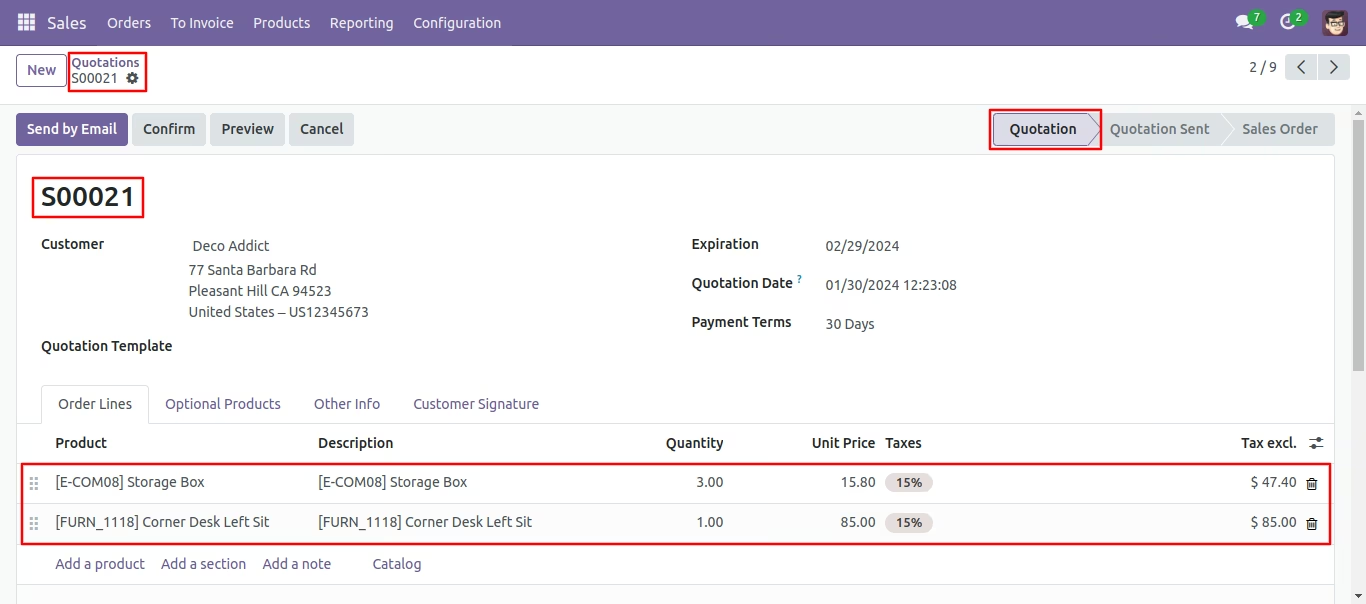
Quotation (SO0021) with one order line.
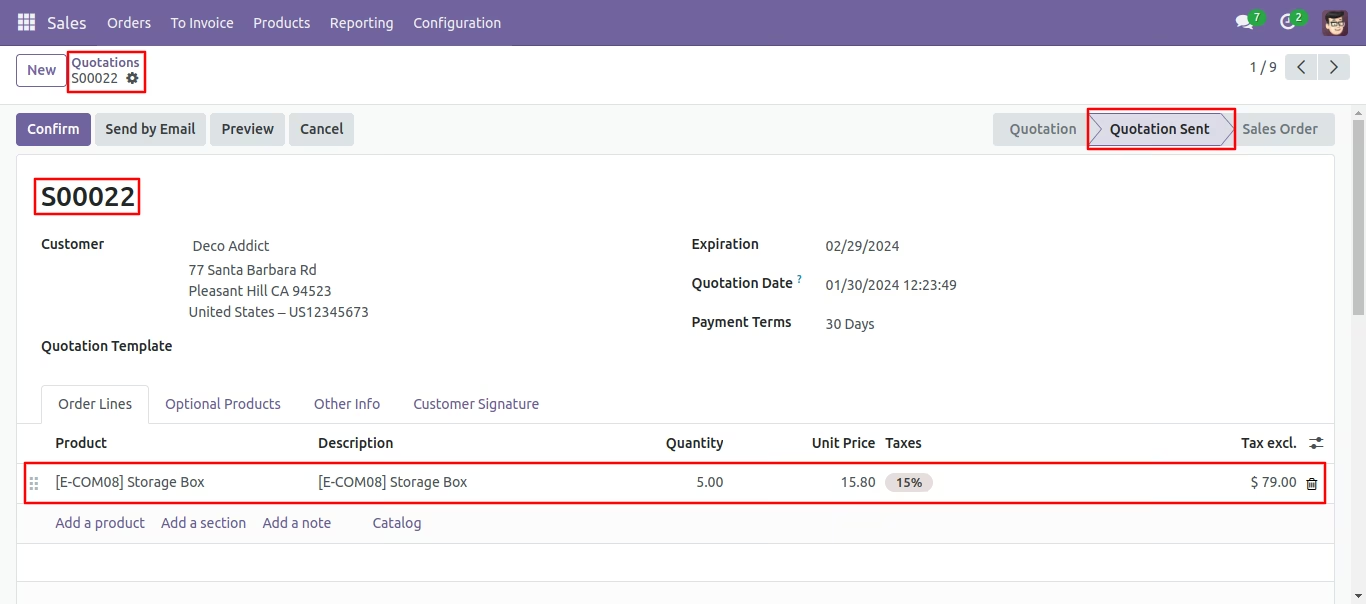
Quotation (SO0022) with one order line.
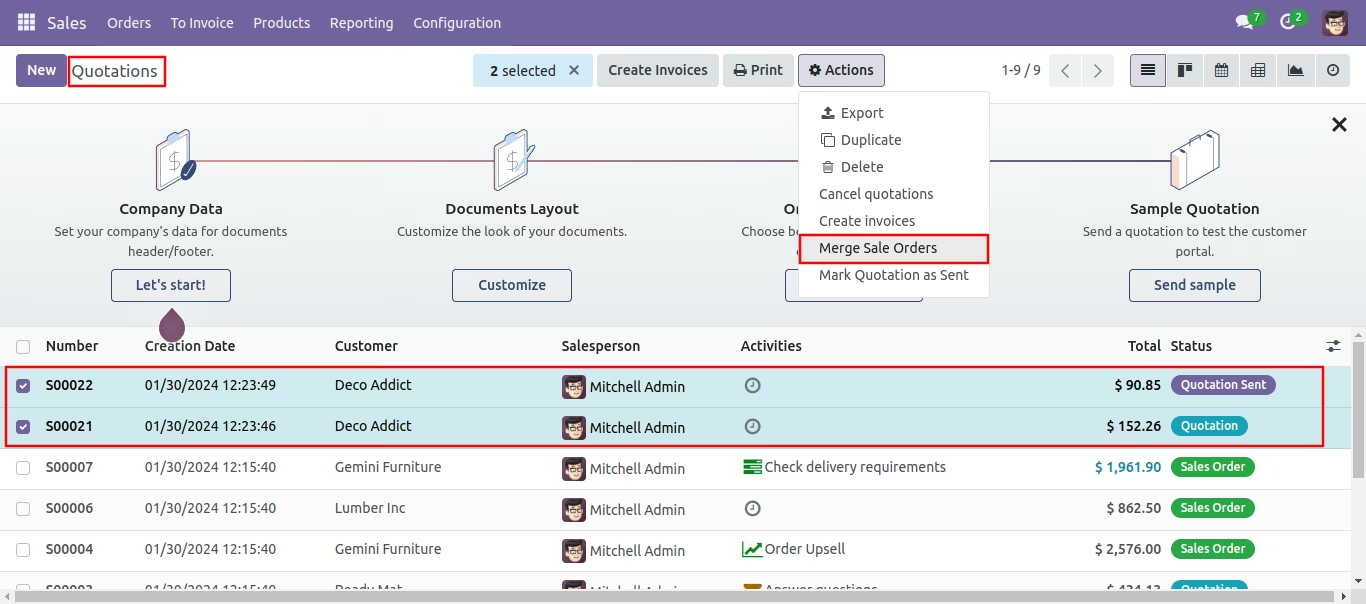
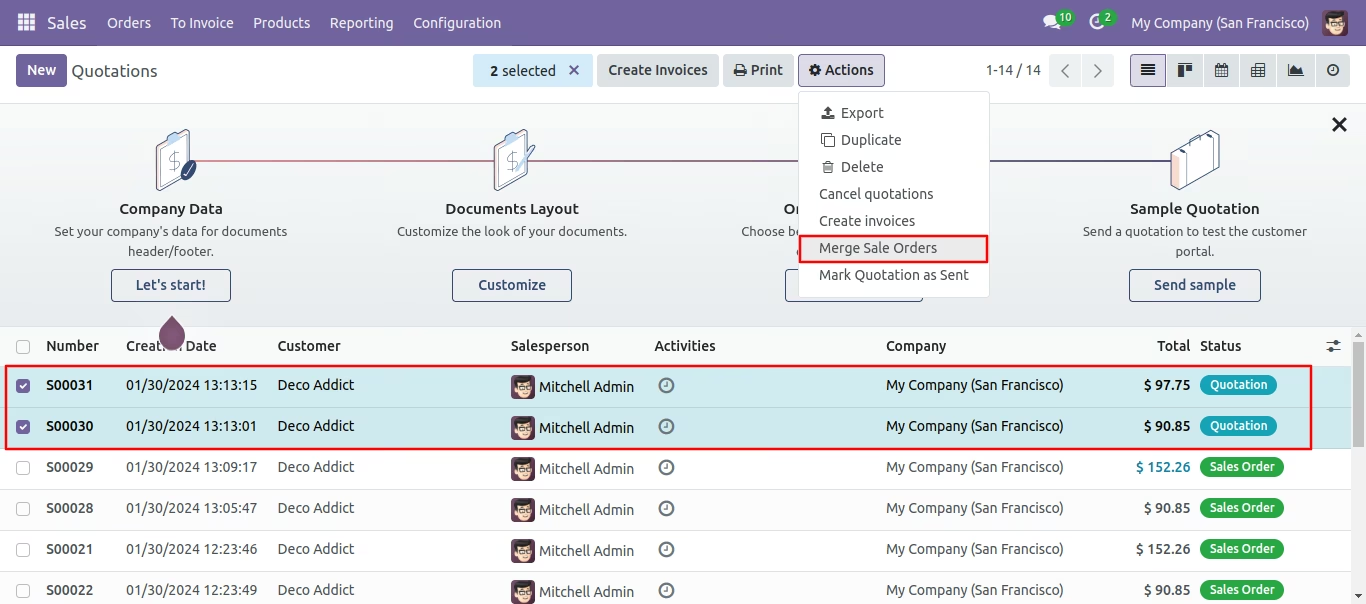
Select Two or More Quotation and click Merge Sale Orders
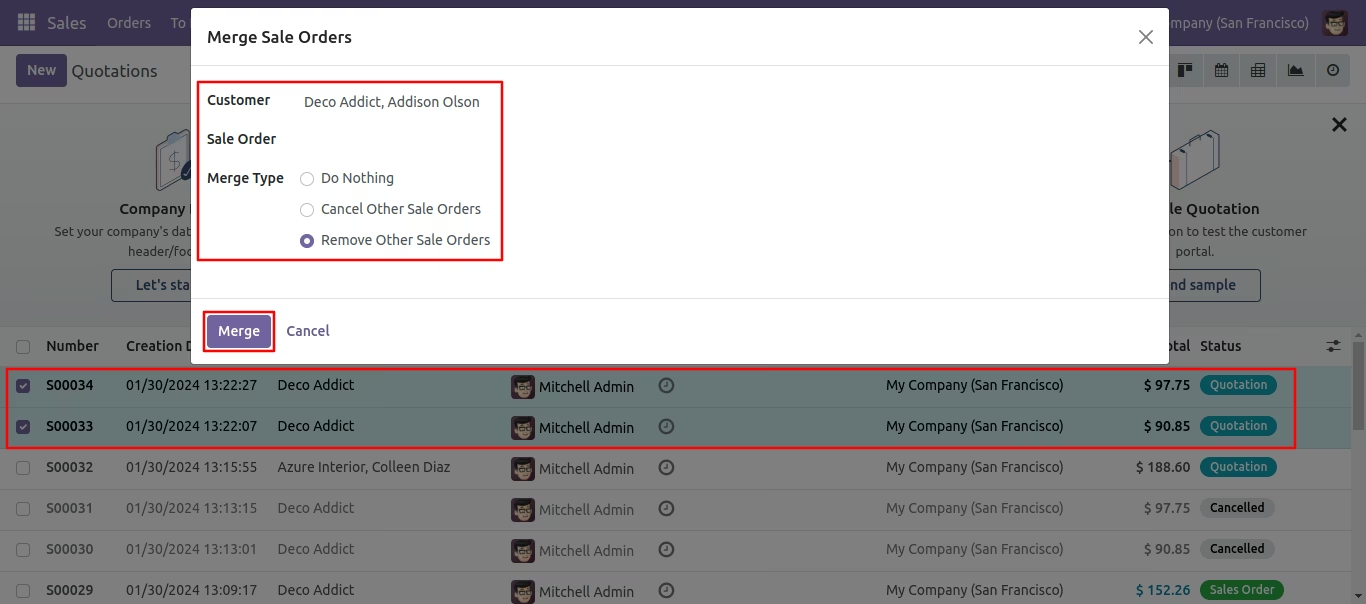
In Merge Sale Orders wizard, Select customer and if you want to create new sale order then don't select sale order. if you want to merge in existing sale order then select sale order. and choose cancel, remove or do nothing options. if you choose cancel then other sale orders cancelled, if you choose remove then other sale orders deleted and if you choose do nothing then other sale orders stay as it is.
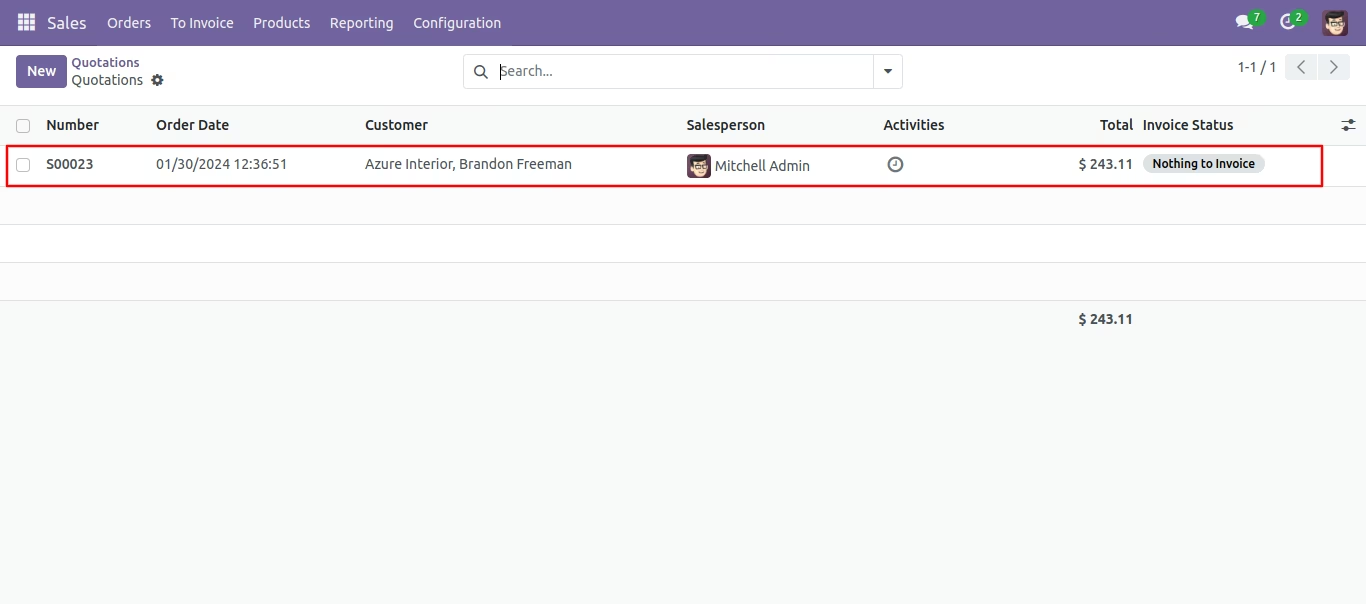
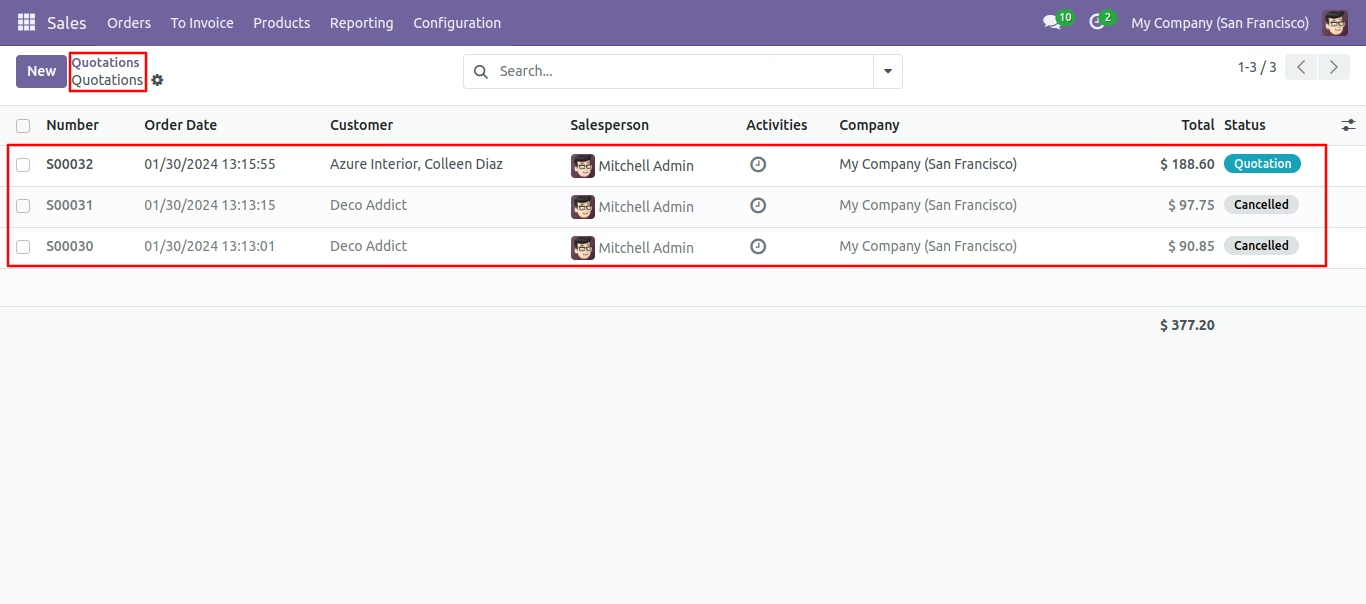
New sale order shown in tree view.
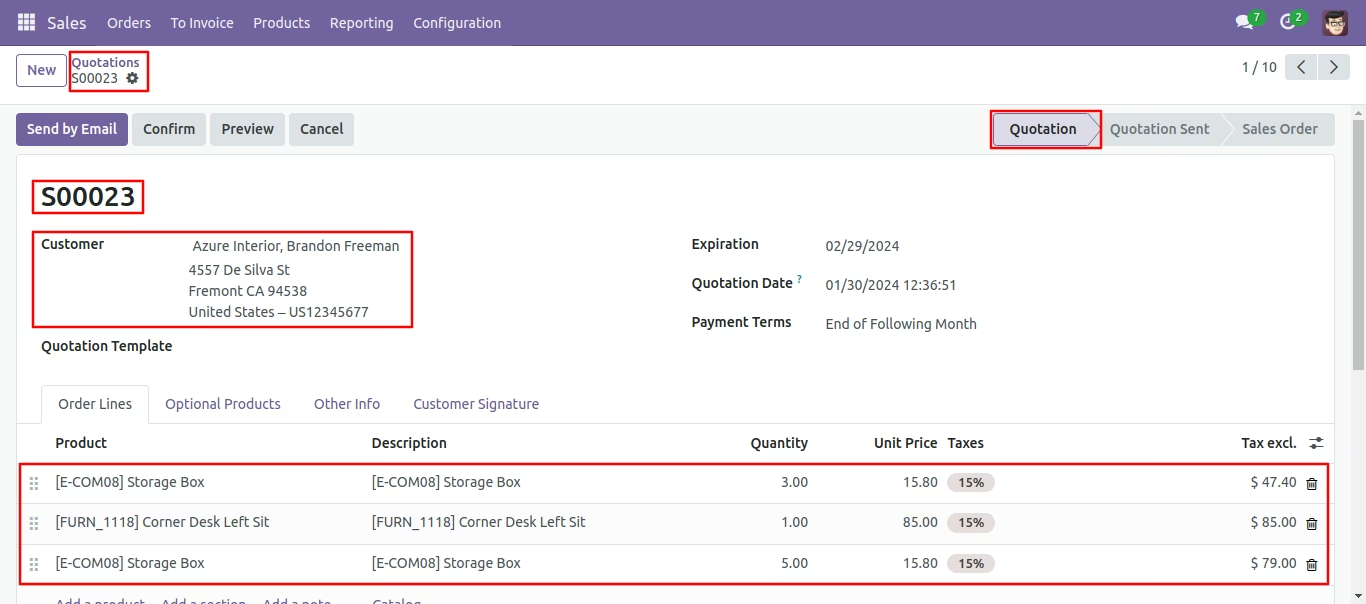
New generated sale order looks like below.
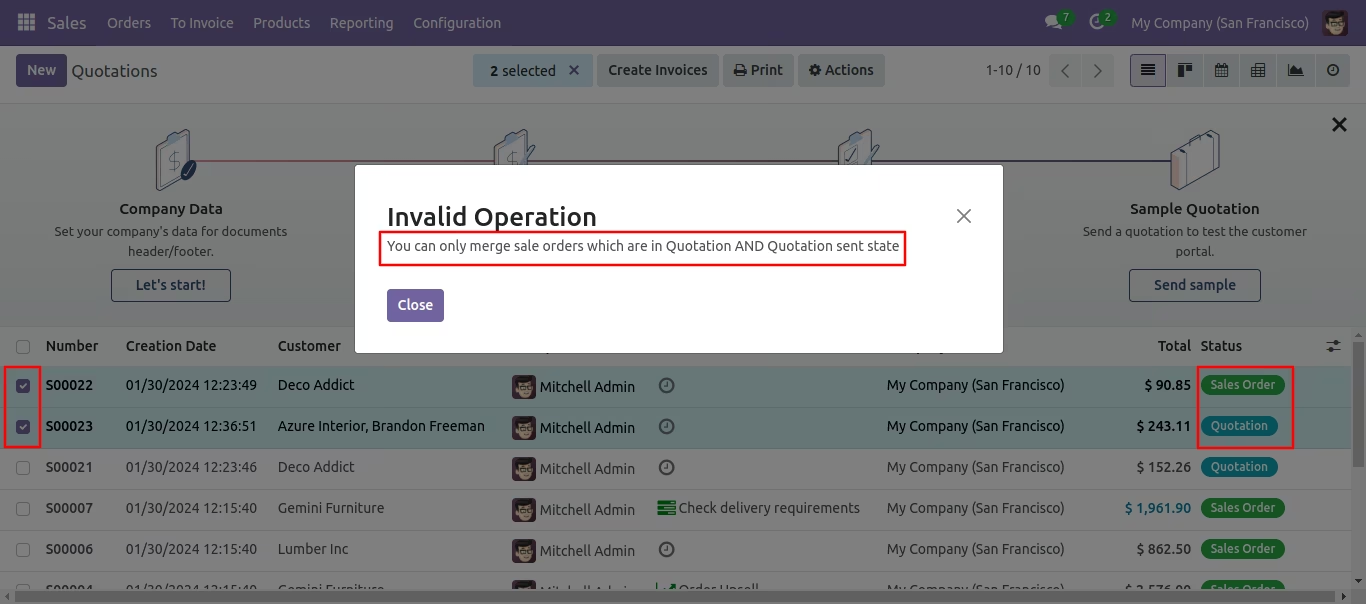
Error Message gived if your select any sale order which are not in Quotation State.
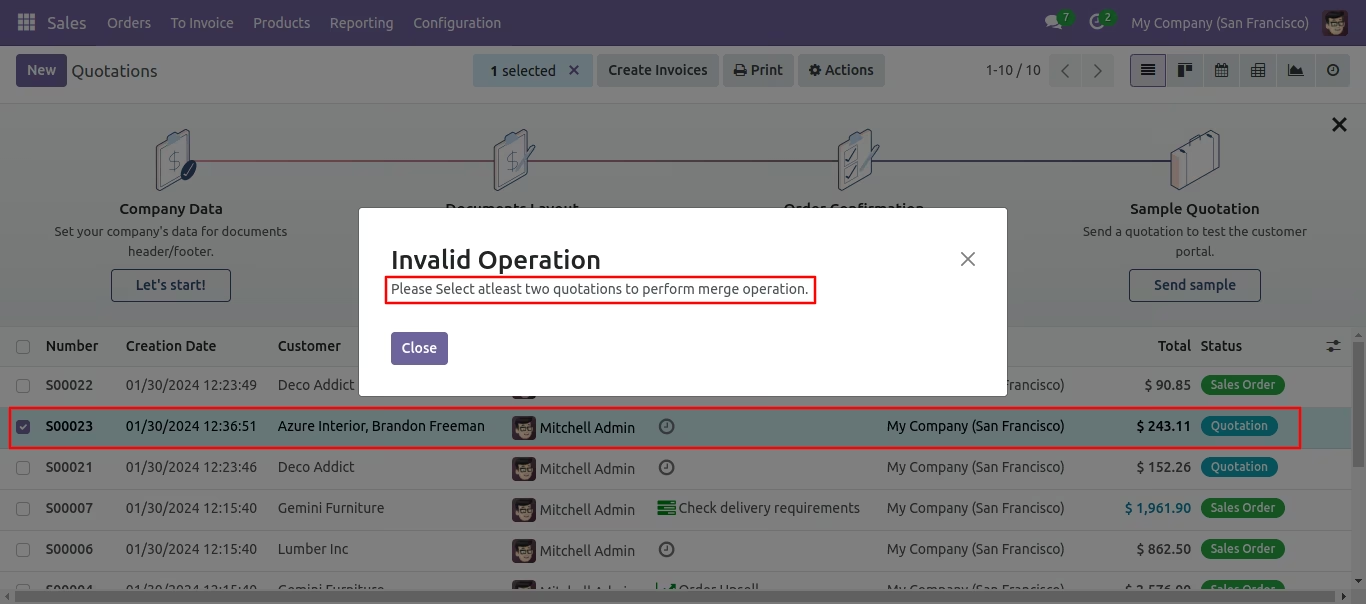
Error Message gived if you select only one Quotation.
Now we merge sale order/quotation that state is the 'Quotation' & 'Quotation Sent' State.
In Merge Sale Orders wizard, Select customer and if you want to create new sale order then don't select sale order. if you want to merge in existing sale order then select sale order. and choose cancel, remove or do nothing options. if you choose cancel then other sale orders cancelled, if you choose remove then other sale orders deleted and if you choose do nothing then other sale orders stay as it is.
Merge sale order with selected option, list view of new and cancelled sale order.
New generated sale order looks like below.
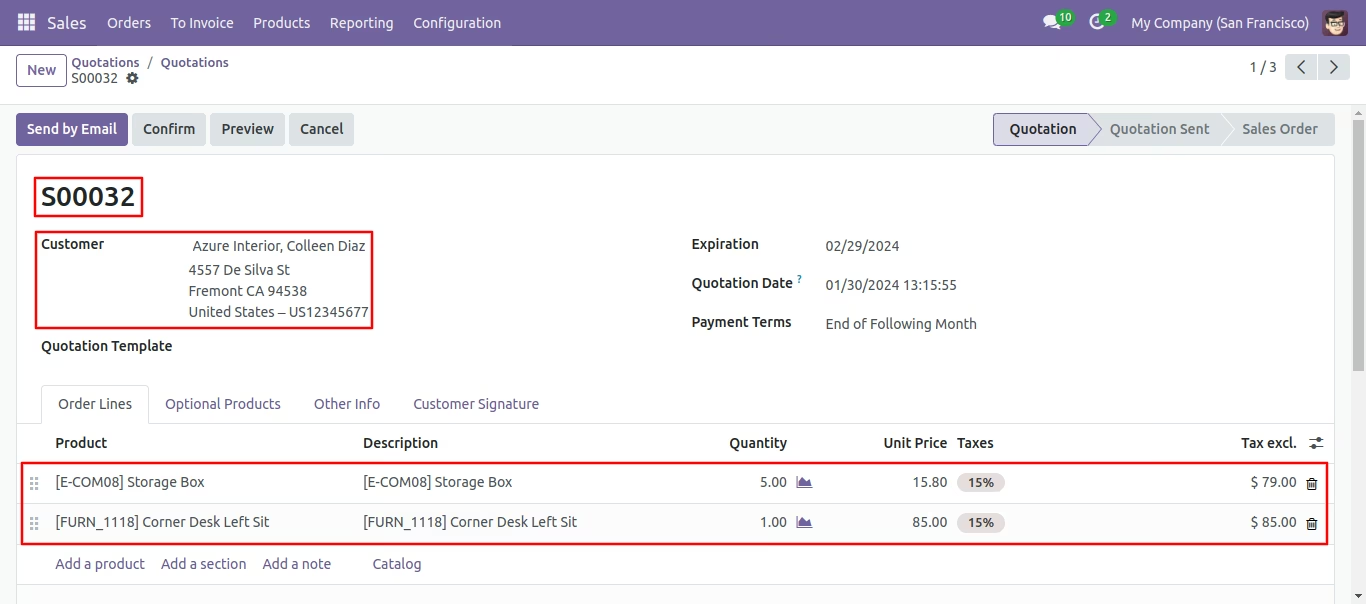
In Merge Sale Orders wizard, Select customer and if you want to create new sale order then don't select sale order. if you want to merge in existing sale order then select sale order. and choose cancel, remove or do nothing options. if you choose cancel then other sale orders cancelled, if you choose remove then other sale orders deleted and if you choose do nothing then other sale orders stay as it is.
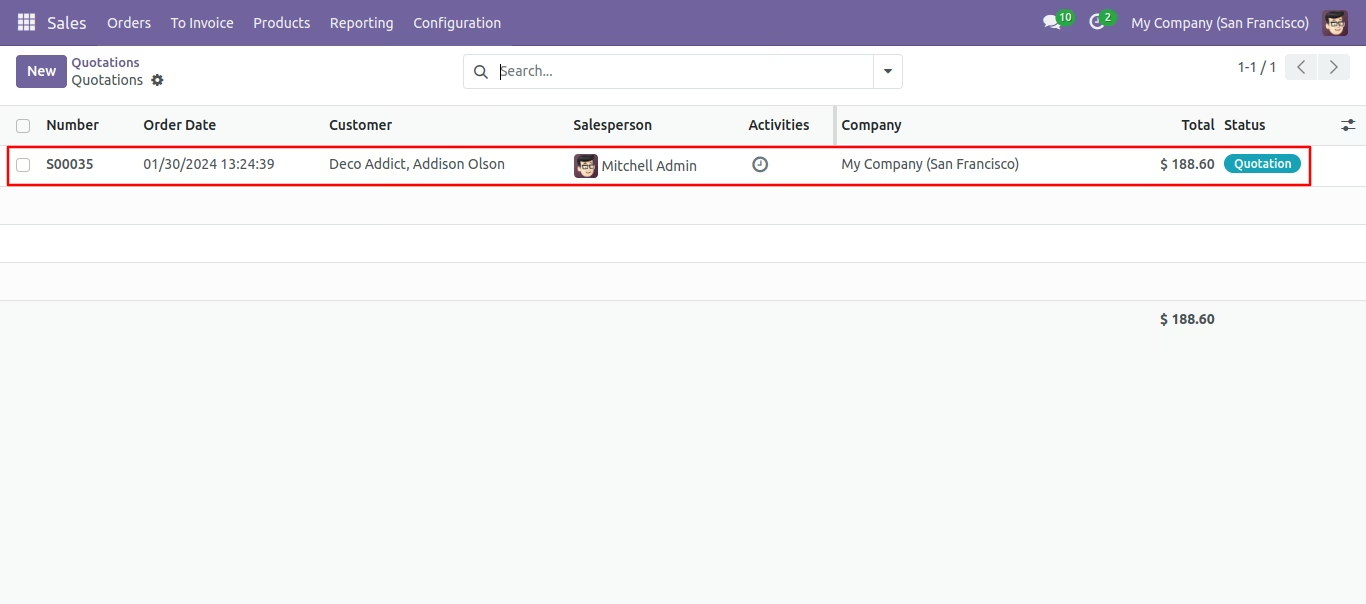
Merge sale order with selected option, list view of new sale order and removed other SO.
- You can merge invoices/bills/credit notes/debit notes with section-wise & notes.
- Easy to merge two invoices/vendor bills/credit note/debit notes.
- Only draft stage invoices will merge.
- Easy to merge two different customer invoices/vendor bills/credit note/debit notes in one other customer.
- Easy to remove or cancel other invoices when you merge the invoice.
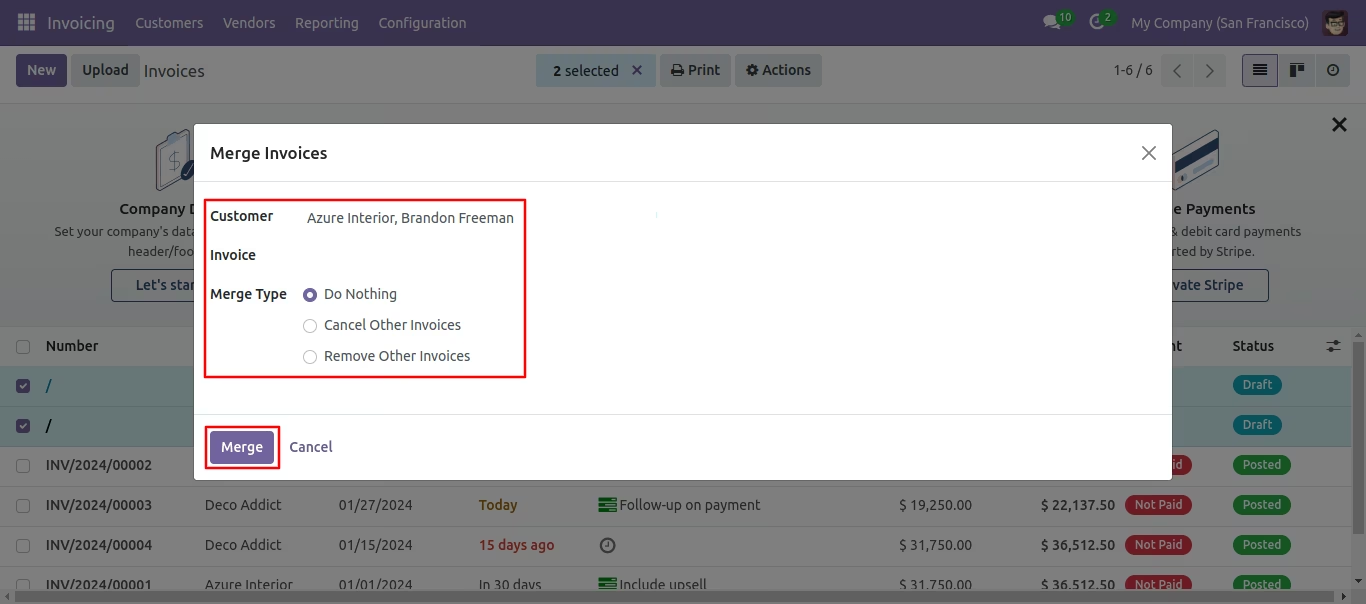
- Customer : Customer: customer option useful when multi customers invoice selected, then you can choose customer in the popup. we have not restricted similar customers in this module. you can select any different customer's invoices and merge invoices for any single customer.
- Invoice: Invoice option useful when you want to merge selected invoices in any specific invoice. This feature is very useful when you want to merge multi invoices in any single existing invoice. If you leave it blank, so it will be considered as a new invoice.
-
There are 3 different merge type
1) Do Nothing: No changes in other invoices after invoices are merged.
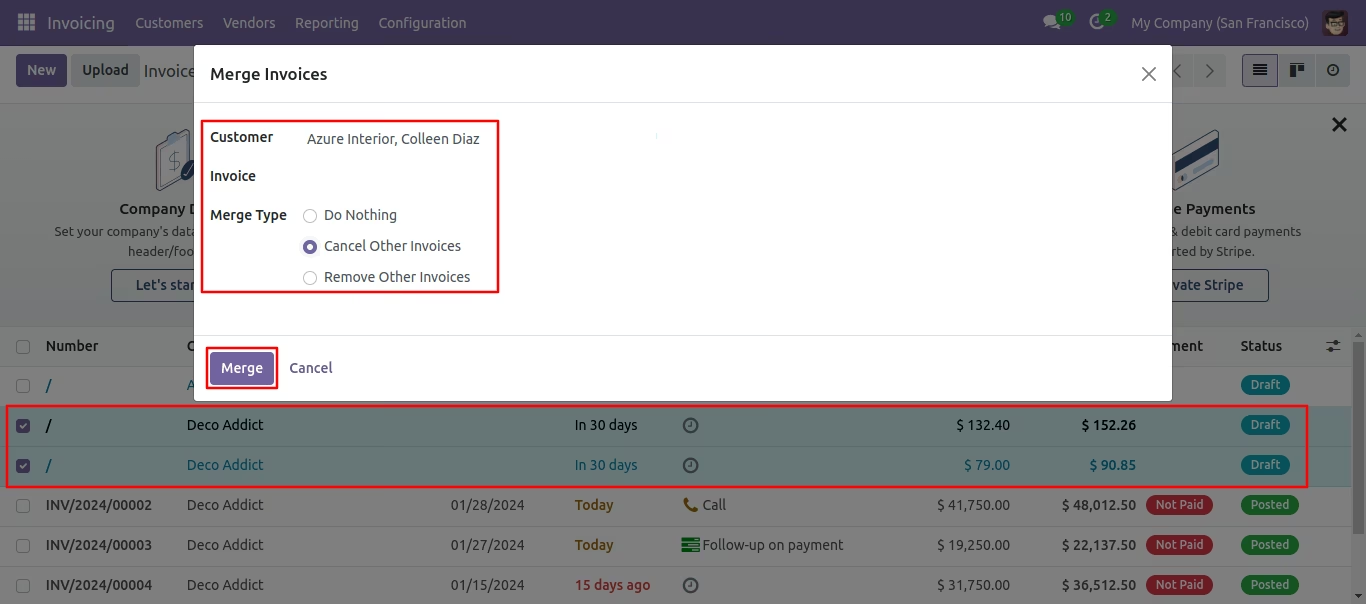
2) Cancel Other Invoices: Cancel other invoices after invoices are merged.
3) Remove Other Invoice: Delete other invoices after invoices are merged.
Workflow
Select Two or More Invoices and click Merge Invoices.
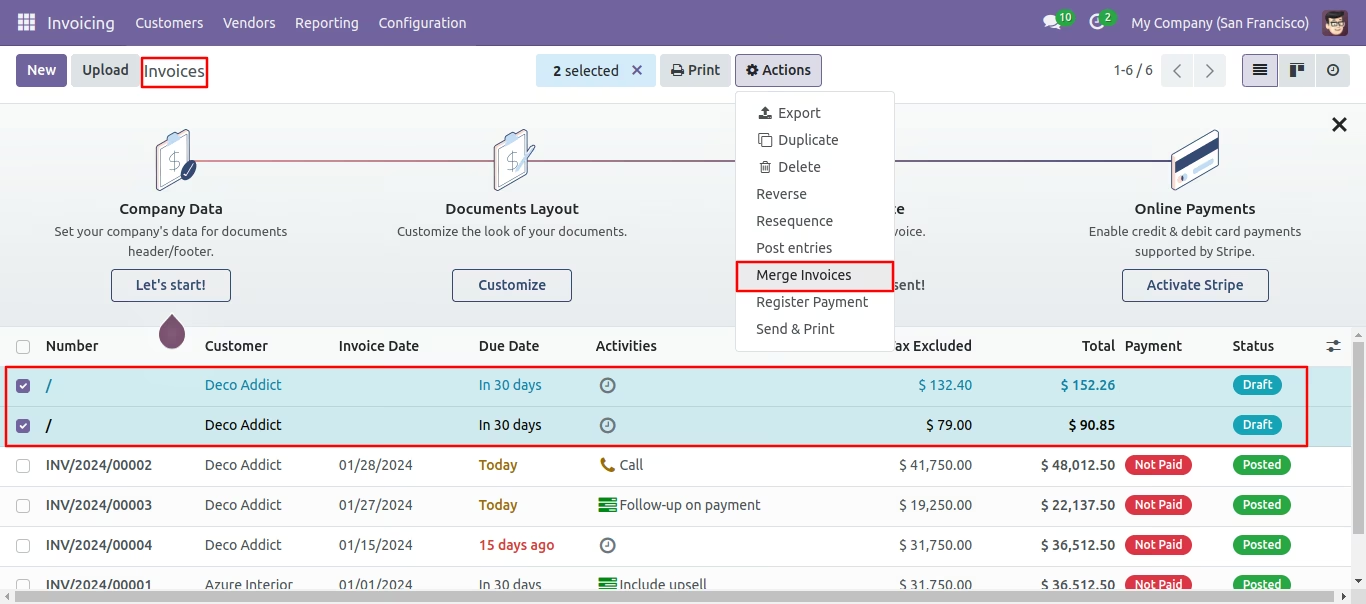
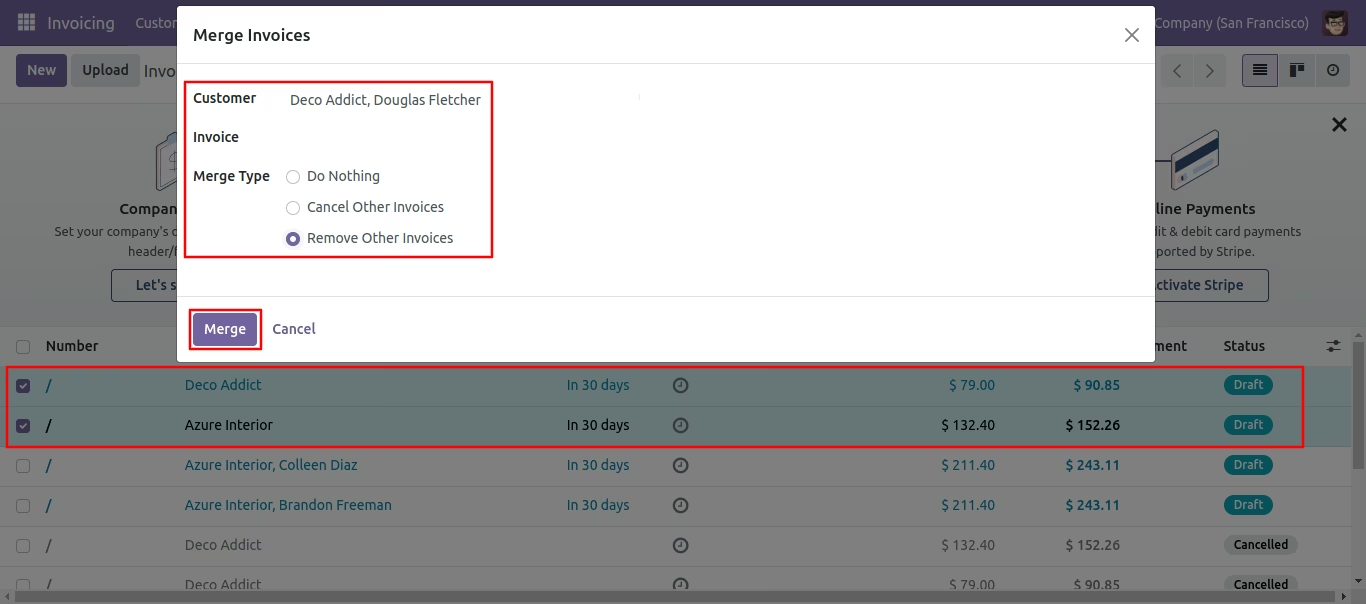
In Merge Invoice wizard, Select customer and if you want to create a new invoice then don't select invoice. if you want to merge in the existing invoice then select the invoice, choose merge type cancel, remove or do nothing options. if you choose to cancel then other invoices canceled, if you choose to remove then other invoices deleted and if you choose to do nothing then other invoices stay as it is.
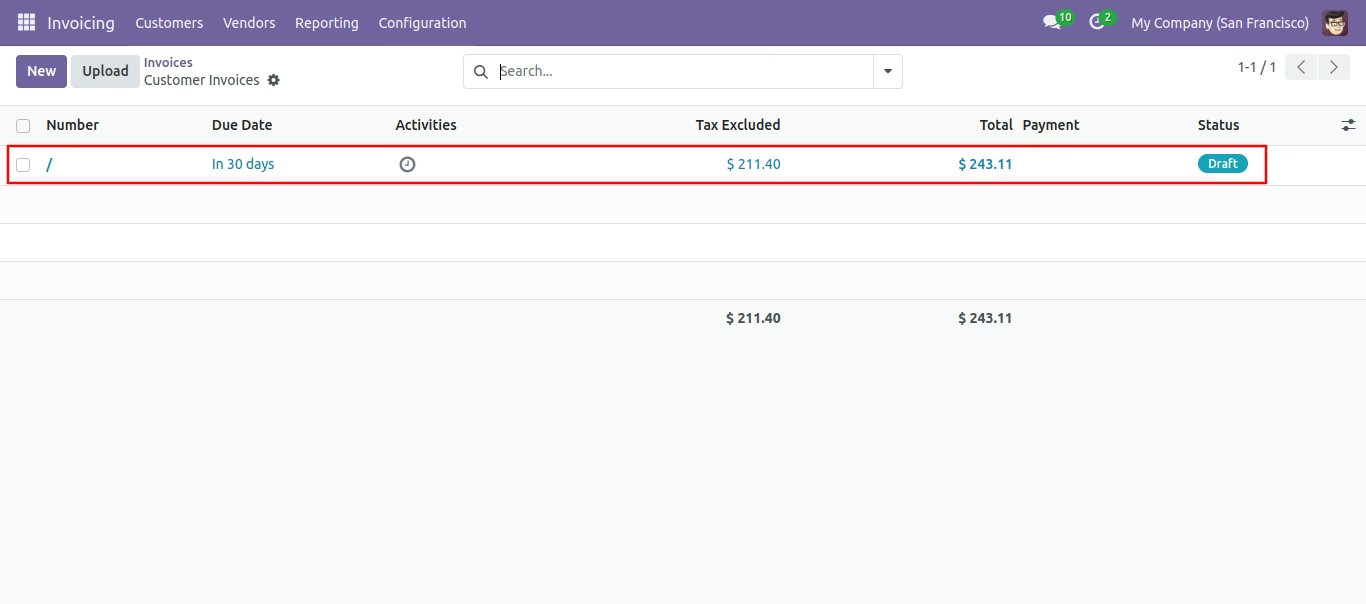
Tree view of the customer invoices.
In Merge Invoice wizard, Select customer and if you want to create a new invoice then don't select invoice. if you want to merge in the existing invoice then select the invoice, choose merge type cancel, remove or do nothing options. if you choose to cancel then other invoices canceled, if you choose to remove then other invoices deleted and if you choose to do nothing then other invoices stay as it is.
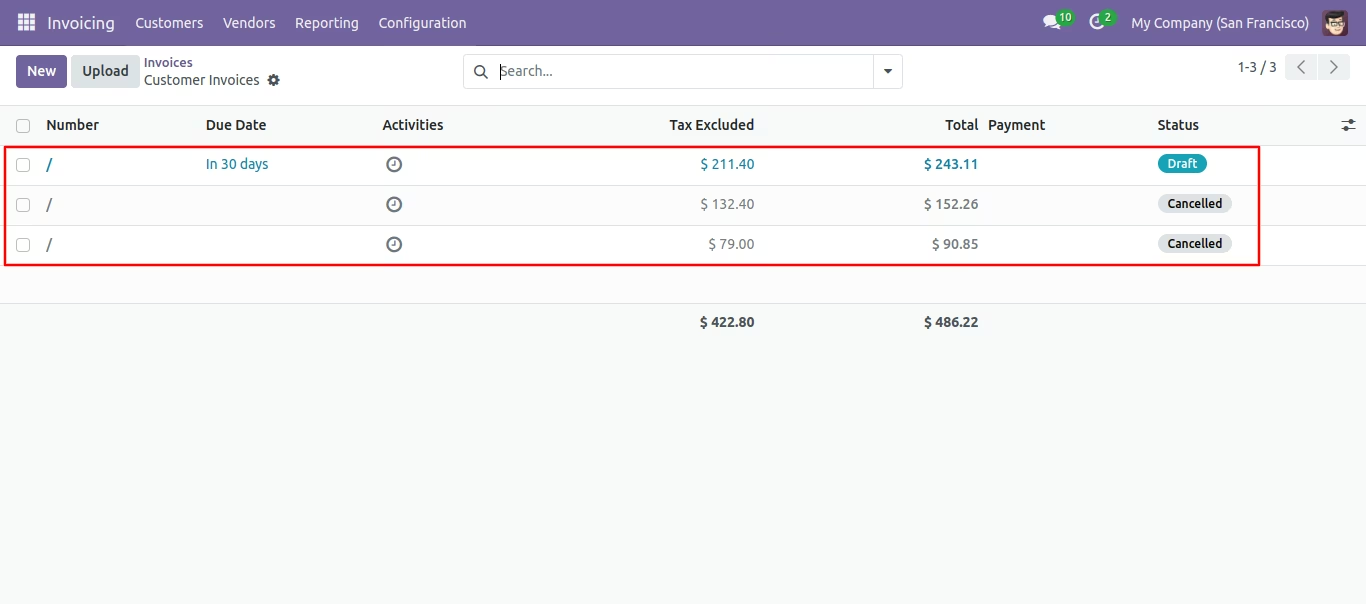
New and cancelled invoices shown in tree view.
In Merge Invoice wizard, Select customer and if you want to create a new invoice then don't select invoice. if you want to merge in the existing invoice then select the invoice, choose merge type cancel, remove or do nothing options. if you choose to cancel then other invoices canceled, if you choose to remove then other invoices deleted and if you choose to do nothing then other invoices stay as it is.
Merge sale order with selected option, list view of new sale order and removed other SO.