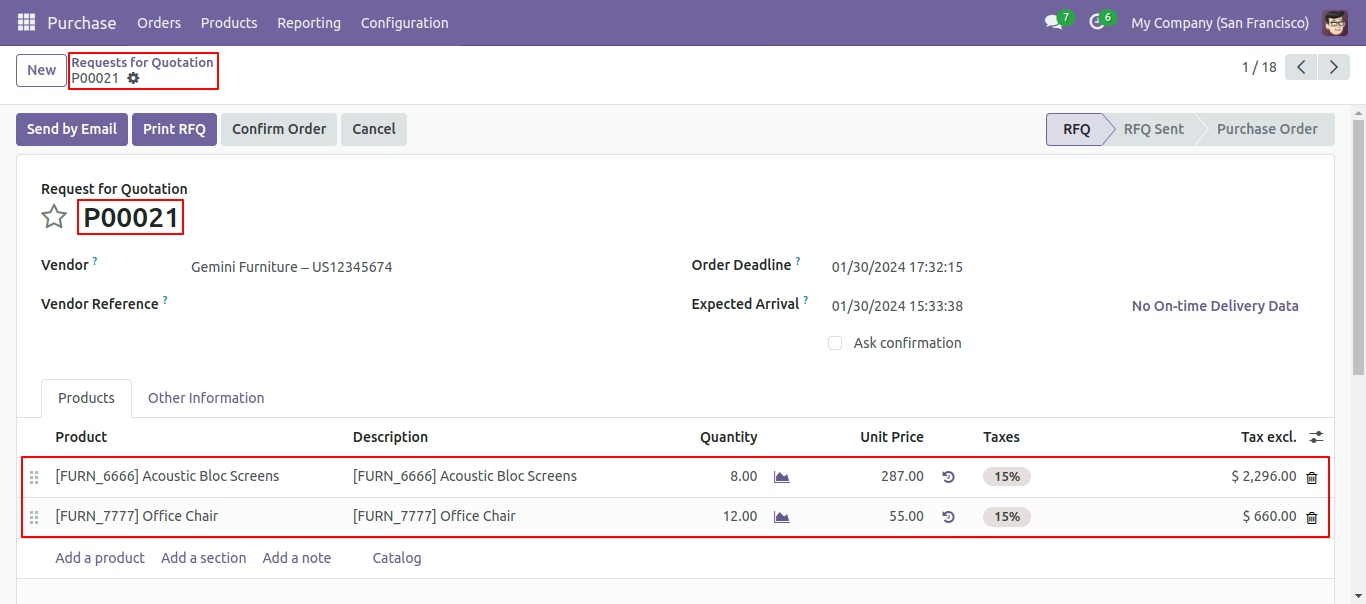
The module for enables businesses to consolidate multiple purchase orders from the same supplier into a single order. This functionality simplifies procurement processes, reduces administrative overhead, and enhances order management efficiency. By streamlining the purchasing workflow, companies can achieve better organization and control over their procurement activities.
Merge multiple purchase orders from the same supplier into a single order.
Create a new consolidated order while canceling the original orders.
Merge selected orders into an existing order, with options to cancel or delete the others.
Maintain clear traceability with source references in the merged order.
Simplify order management by reducing the number of active purchase orders.
Streamlines procurement processes by consolidating multiple orders.
Reduces administrative workload and potential errors in order management.
Enhances clarity and control over purchase orders.
Improves supplier relationship management through organized ordering.
Increases operational efficiency and reduces procurement cycle time.
This module useful to Merge Purchase Orders. Some time required to make a single quote from the multi quotation. This module helps the user to merge quotations as well as many more options. easy and quick solution to make a new quotation or replace the existing quotation.
- It shows on-hand quantity in wizard.
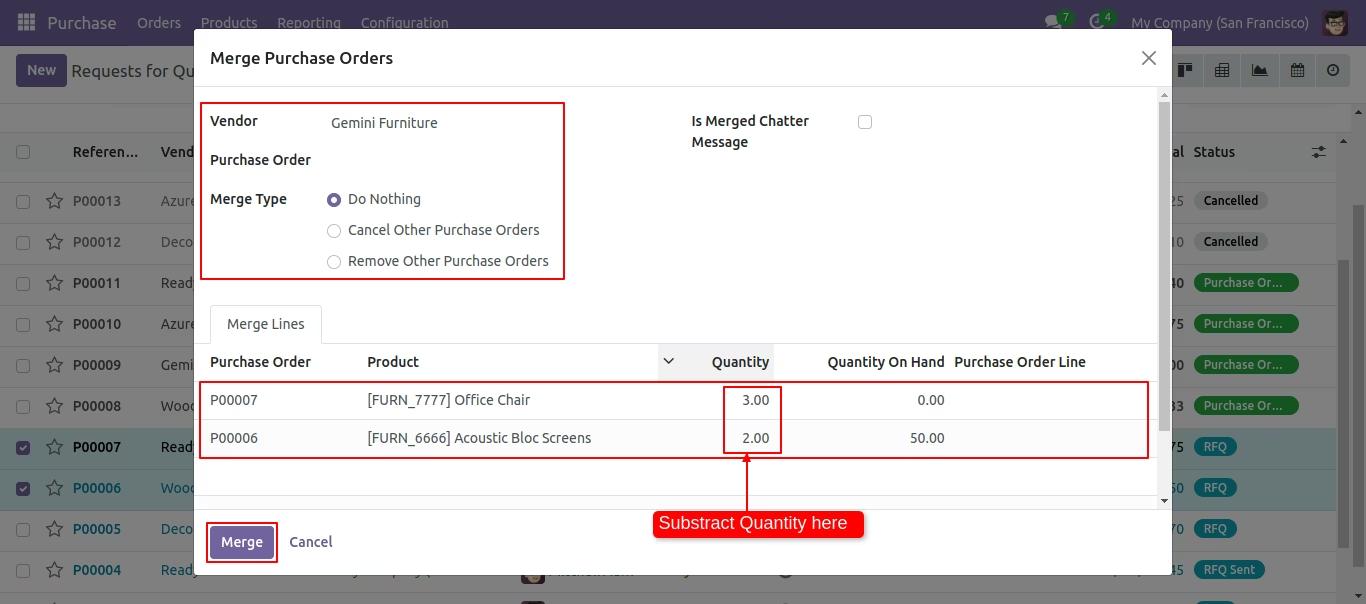
- You can subtract selected record's line quantity in wizard.
- You can merge purchase orders with sections & notes.
- Various options provided in merge order popup.
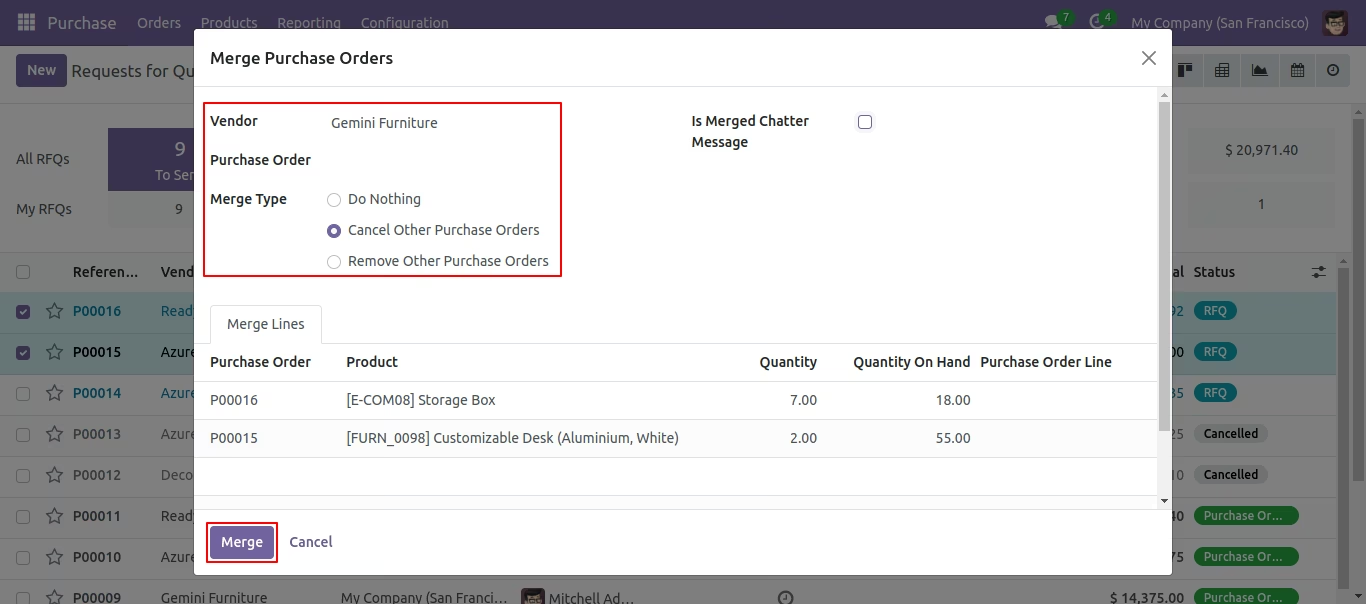
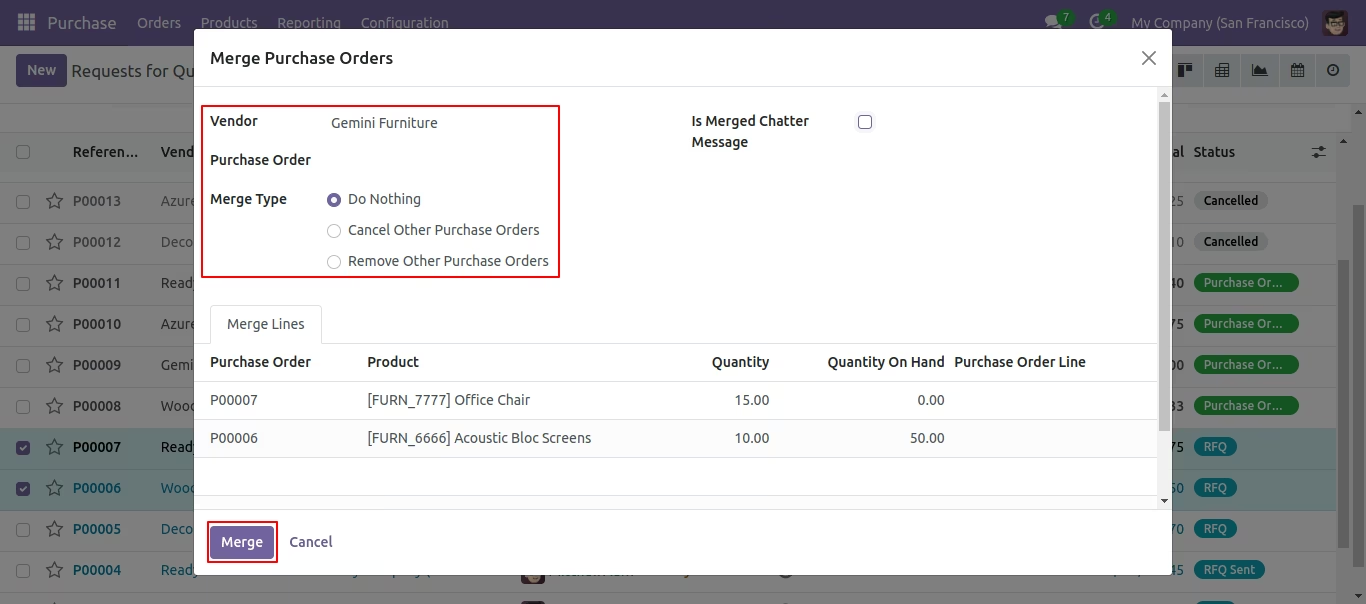
1) vendor (vendor option useful if multi vendors quotation selected than you can choose in the popup. we have not restricted a similar vendor in this module. you can select any multi quotations and merge for any single vendor.)
2) purchase order (purchase order option useful if you want to merge the selected quotation in any specific quotation than you can choose that purchase order also in the wizard. so this feature is very useful if you want to merge multi quotations in any existing quotation. if you leave blank then it will consider as a new quotation)
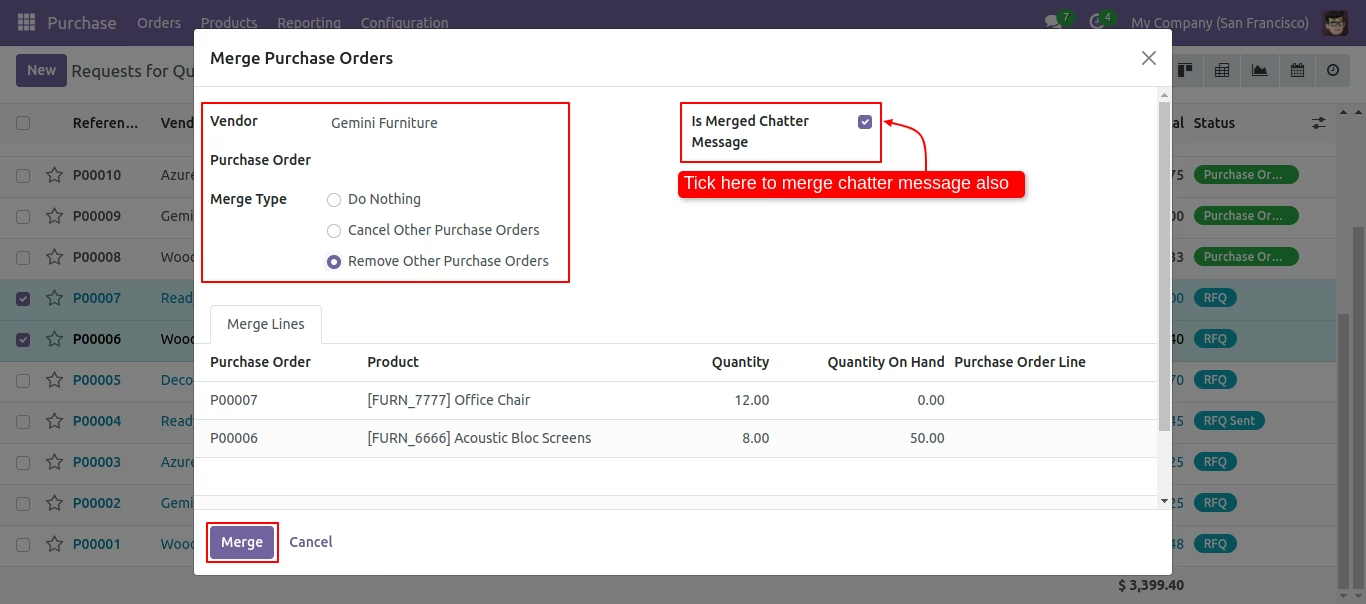
3) merge type (merge type option useful to give action for selected quotation whether you want to cancel, remove or keep as it is.) - When merging purchase orders, you can merge chatter as well.
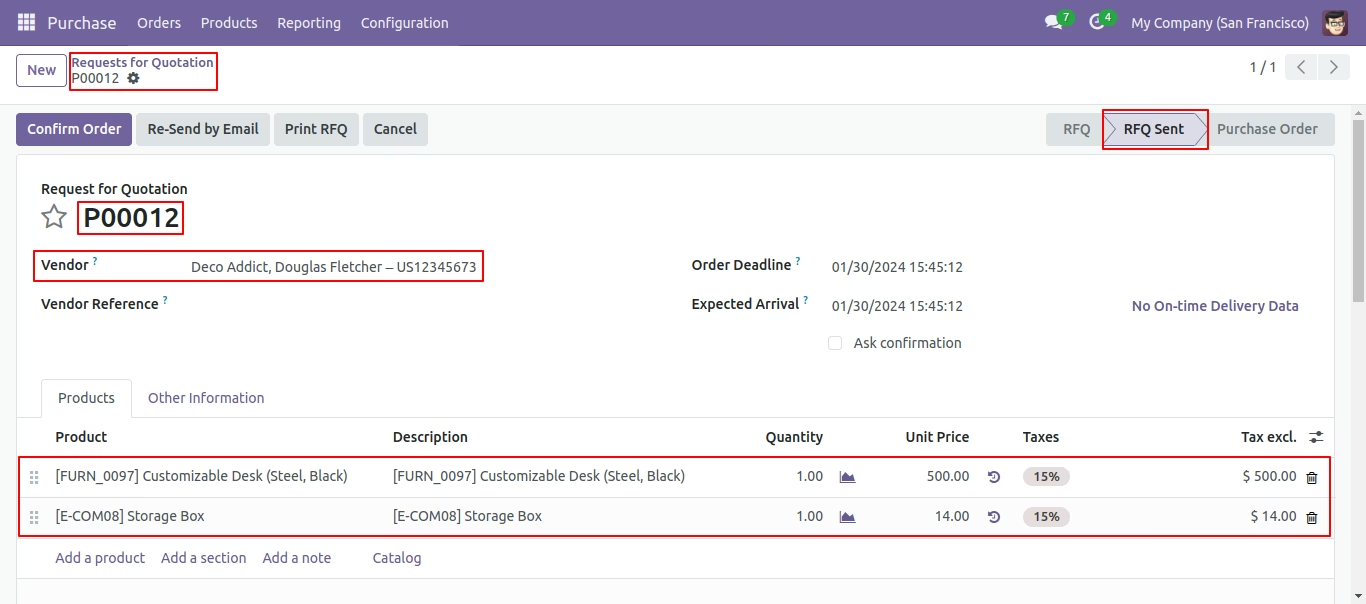
Our PO/RFQ in the 'RFQ Sent' State.
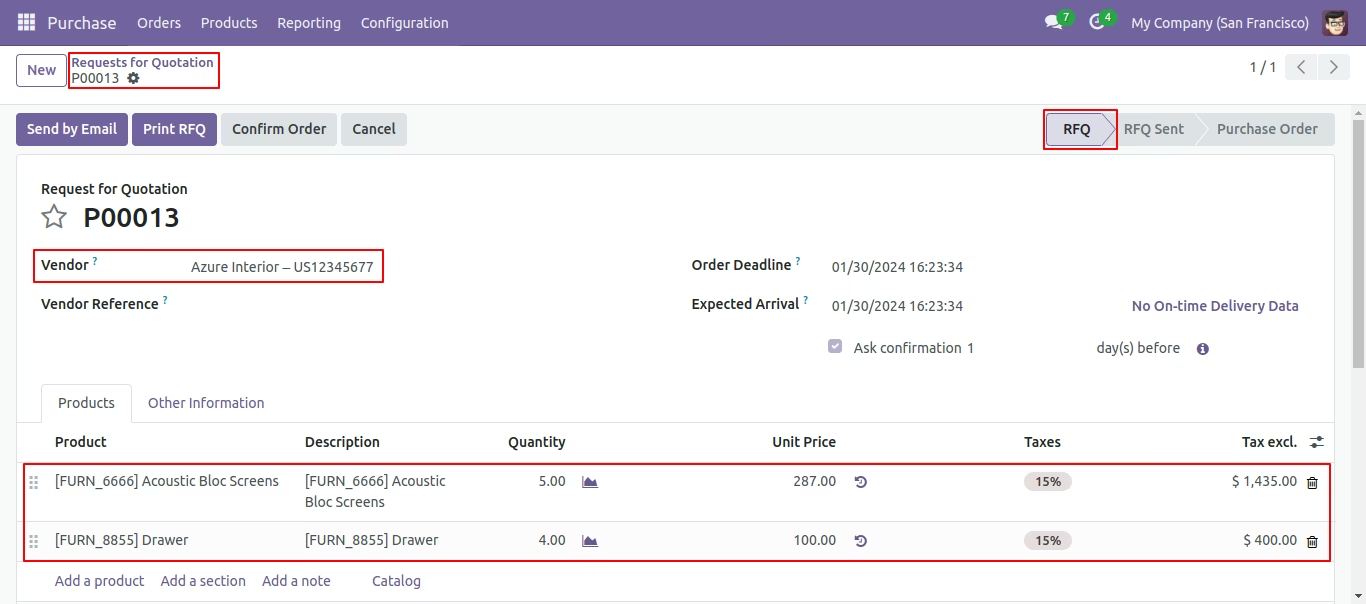
Our other PO/RFQ in the 'RFQ' State.
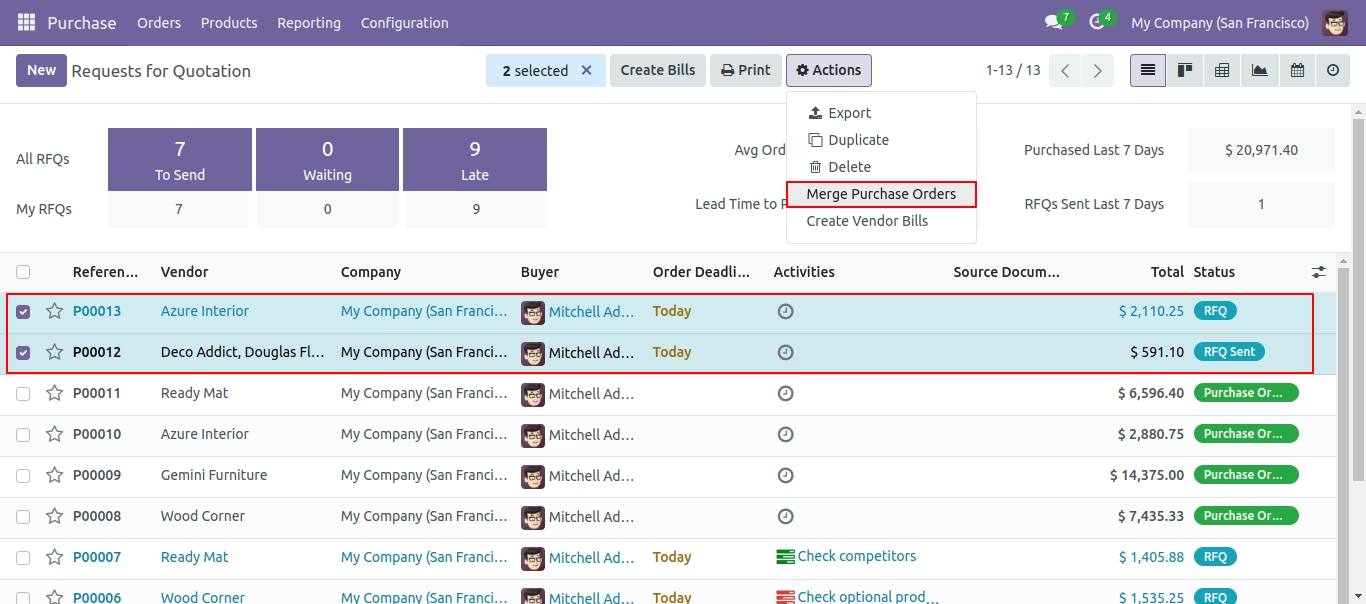
Now we merge PO/RFQ that state is the 'RFQ' & 'RFQ Sent' State.
In Merge purchase Orders wizard, Select vendor and if you want to create new purchase order then don't select purchase order. if you want to merge in existing purchase order then select purchase order. and choose cancel, remove or do nothing options.if you choose cancel then other purchase orders cancelled, if you choose remove then other purchase orders deleted and if you choose do nothing then other purchase orders stay as it is.
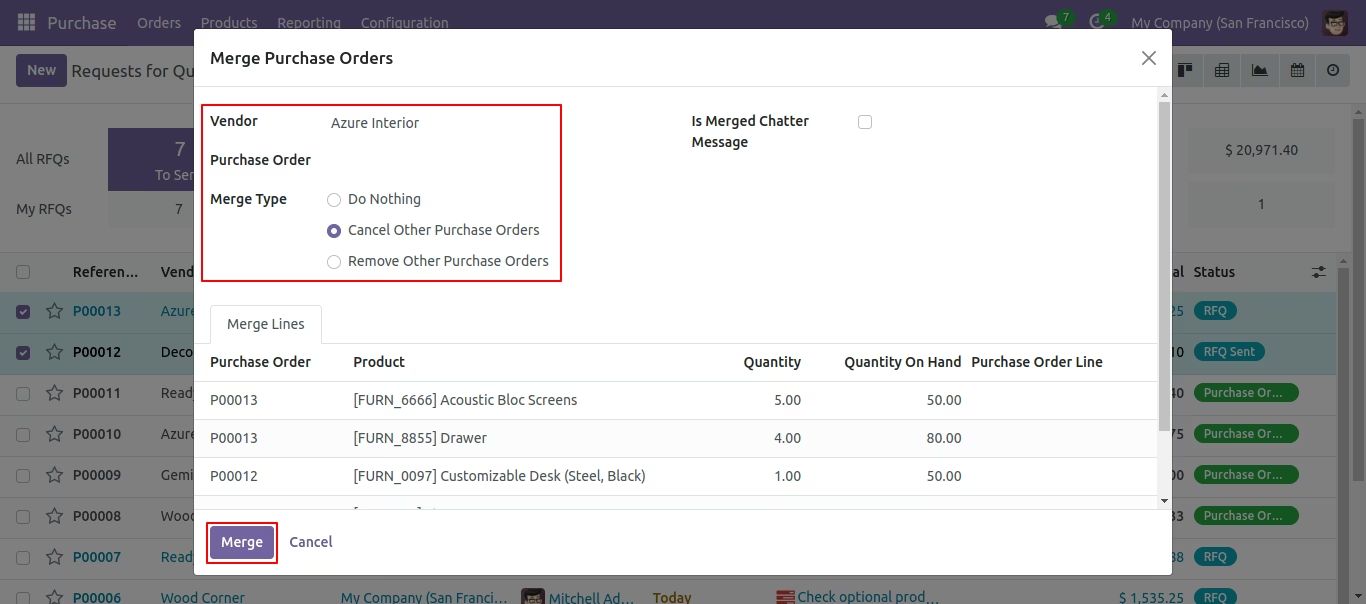
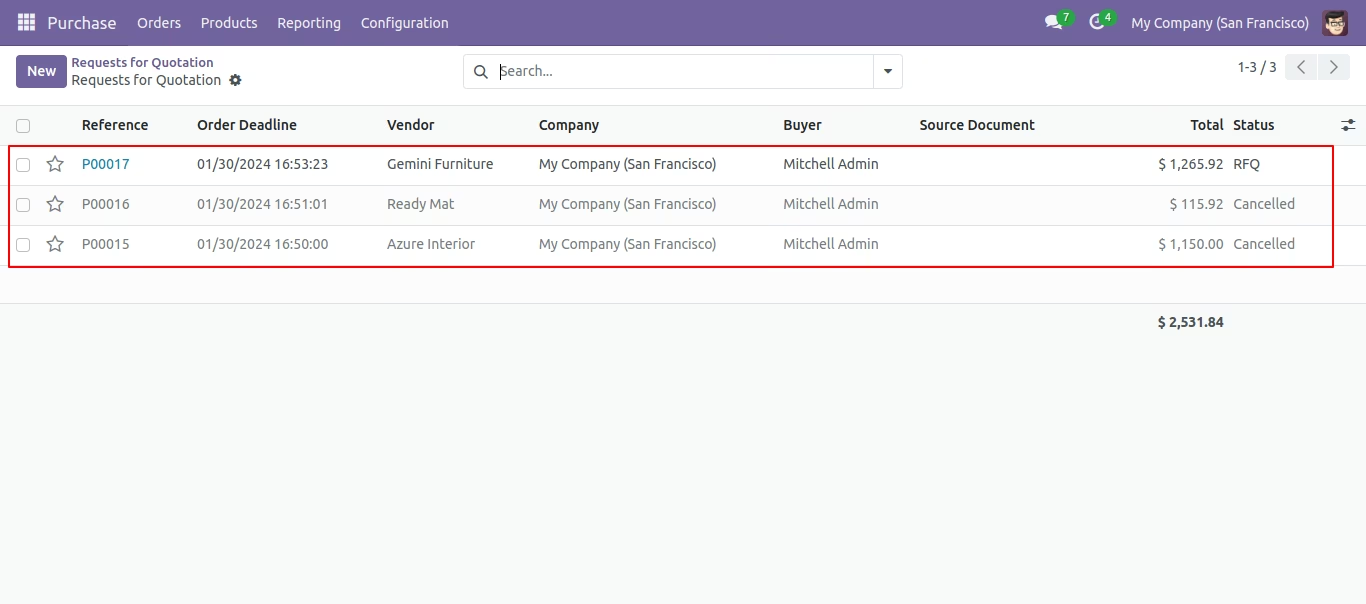
Merge purchase order with selected option, list view of new and cancelled purchase order.
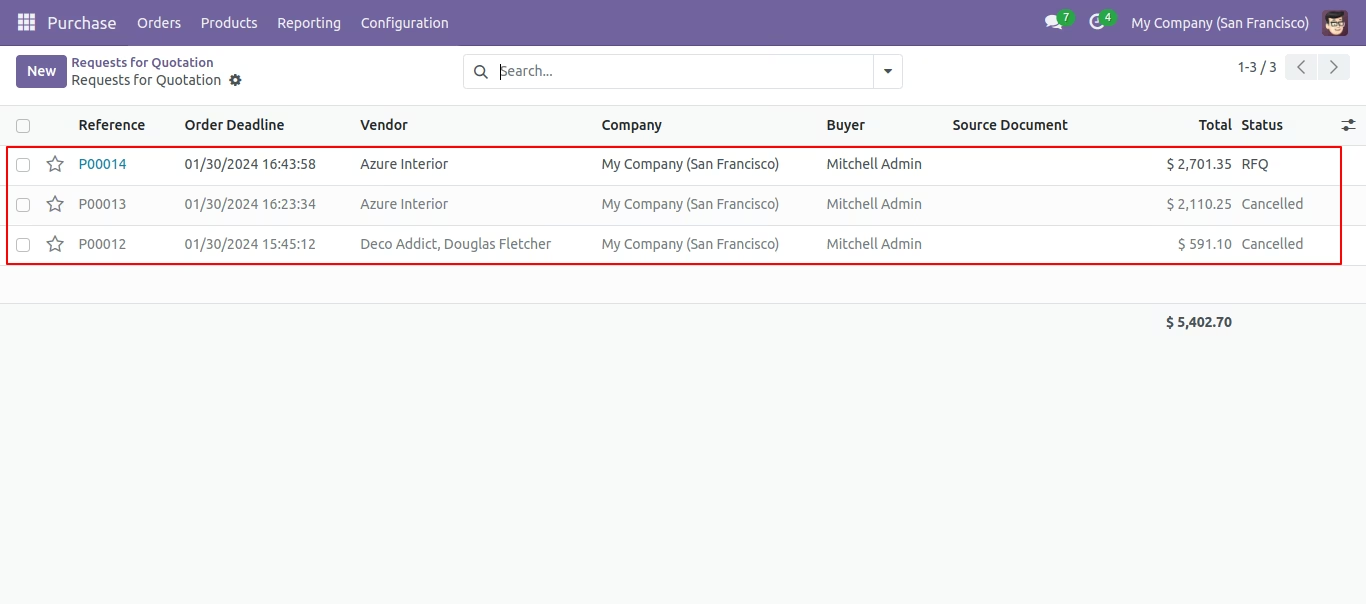
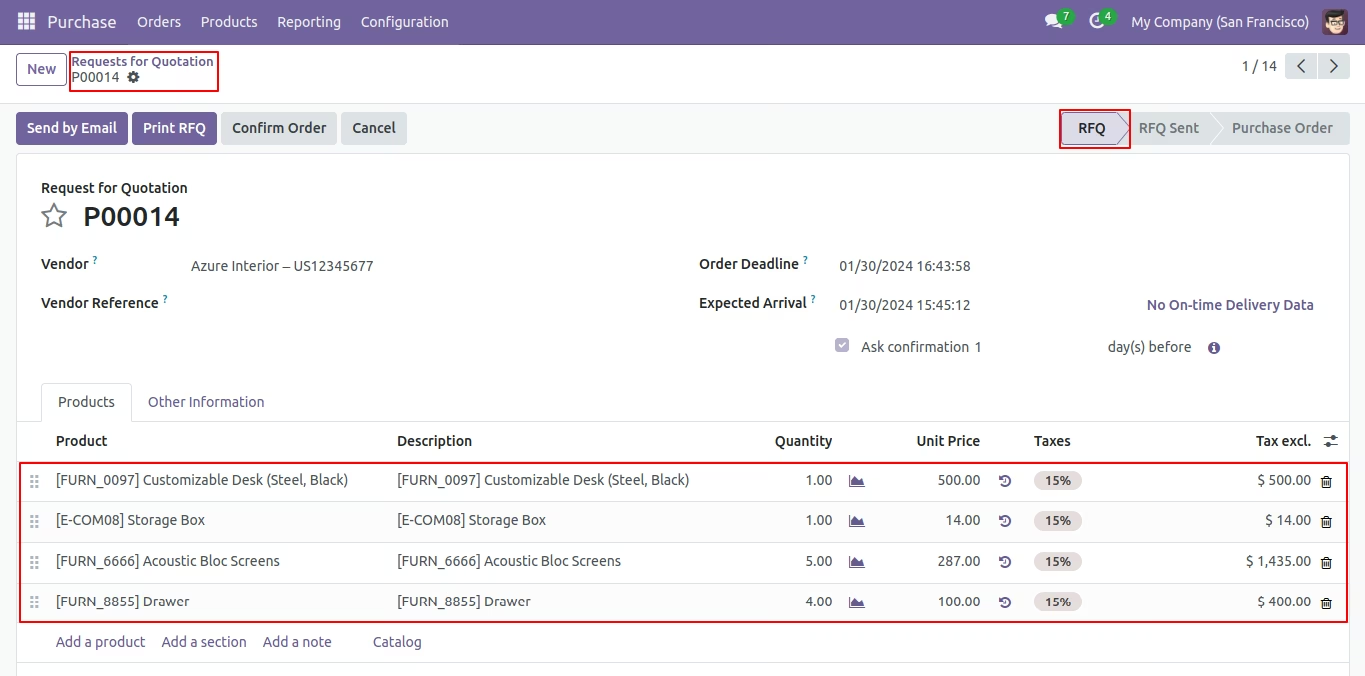
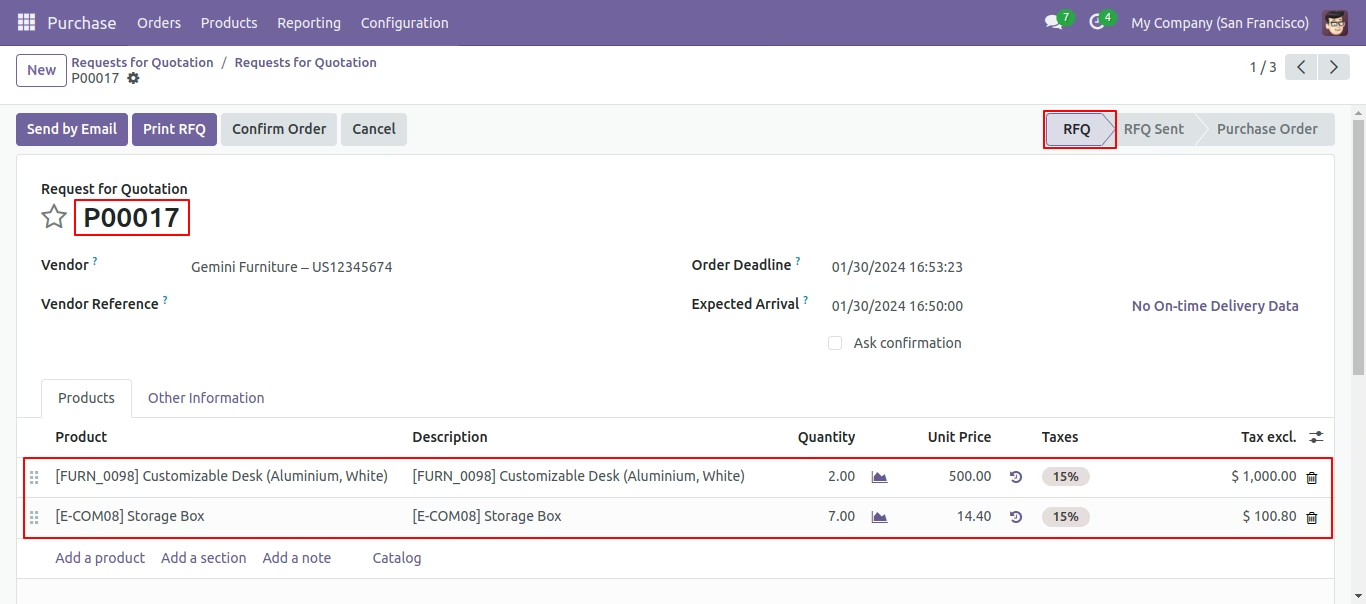
New generated purchase order looks like below.
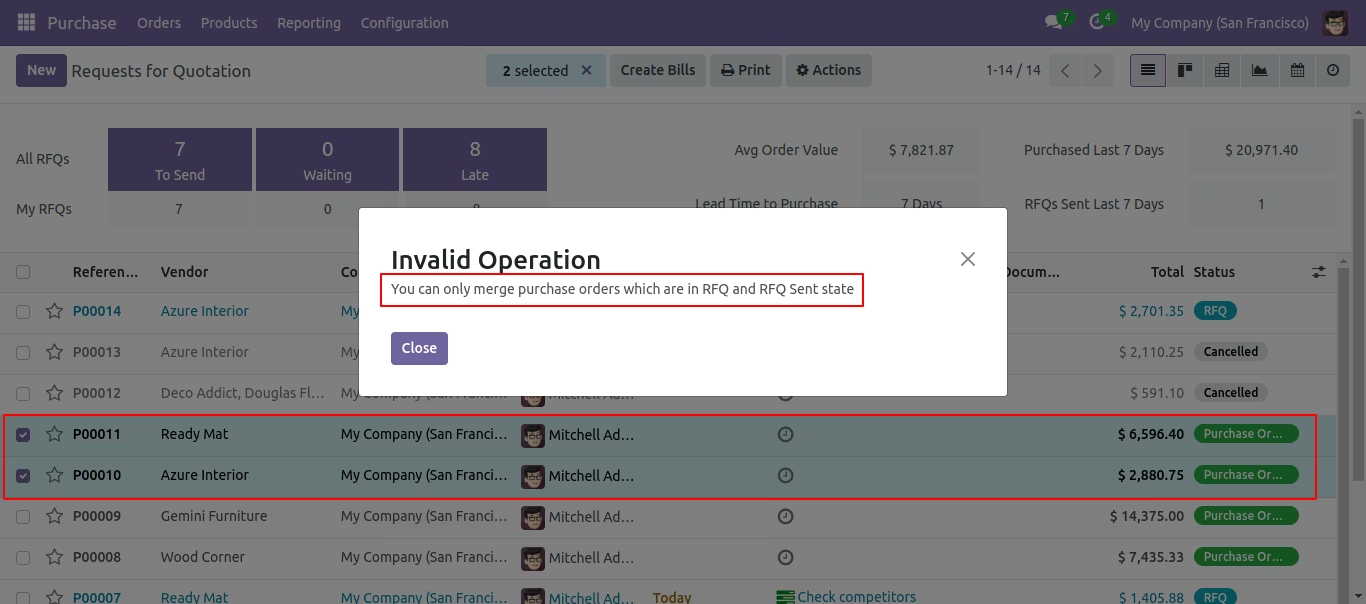
It shows an alert if your selected PO/RFQ that state is not the "RFQ" & "RFQ Sent" State.
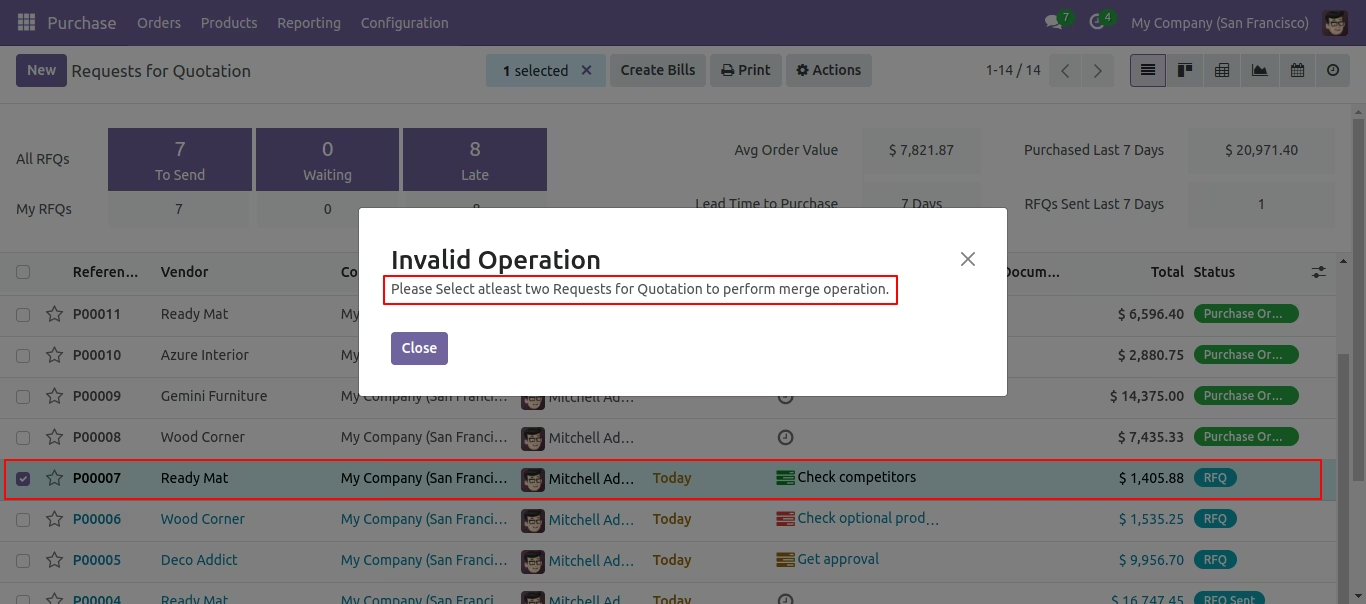
It shows an alert if you try to merge a single PO/RFQ.
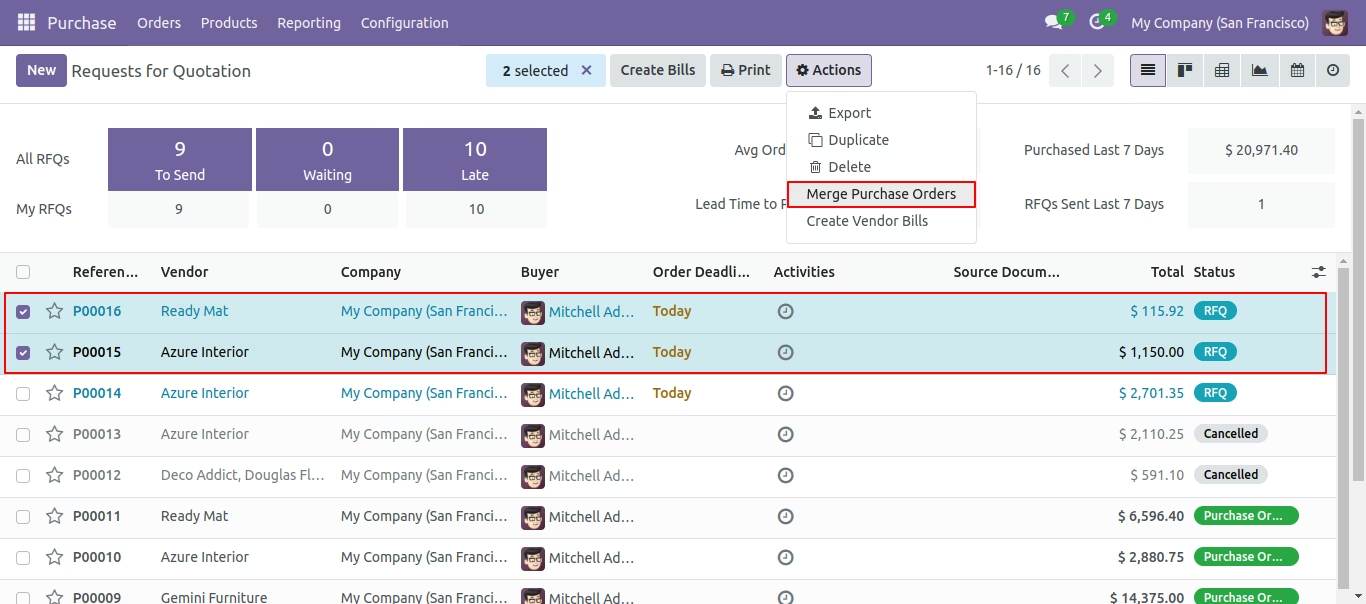
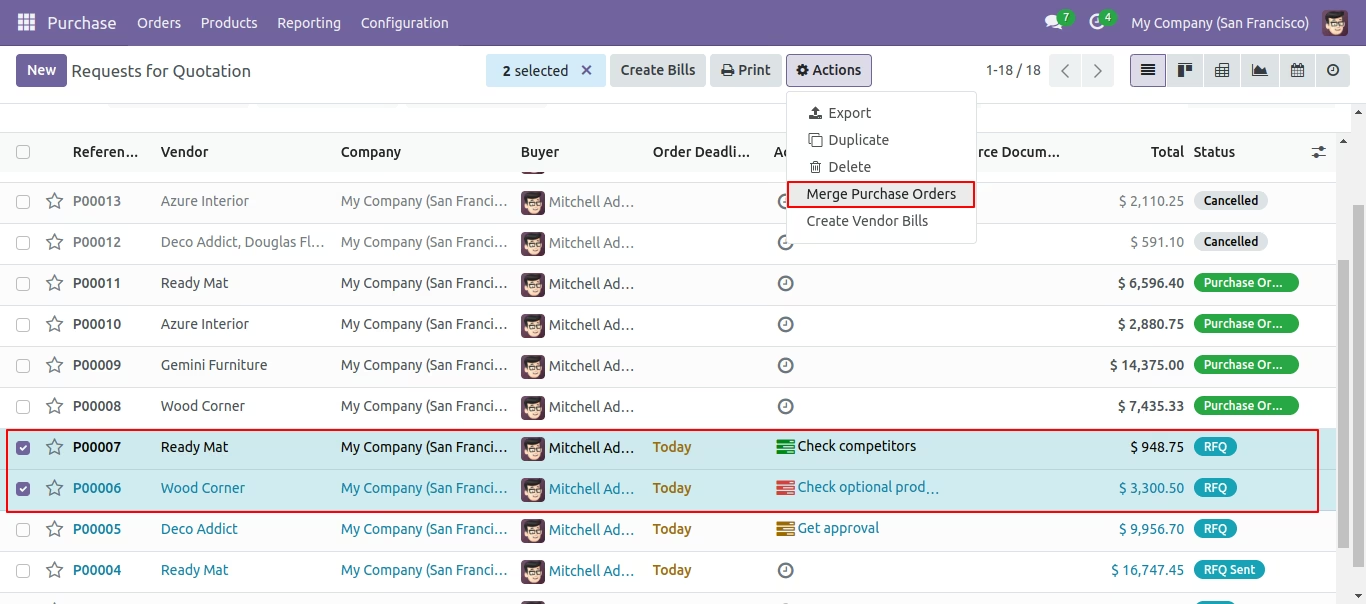
Select Two or More RFQ and click Merge Purchase Orders
In Merge purchase Orders wizard, Select vendor and if you want to create new purchase order then don't select purchase order. if you want to merge in existing purchase order then select purchase order. and choose cancel, remove or do nothing options.if you choose cancel then other purchase orders cancelled, if you choose remove then other purchase orders deleted and if you choose do nothing then other purchase orders stay as it is.
New and cancelled purchase order shown in tree view.
New generated purchase order looks like below.
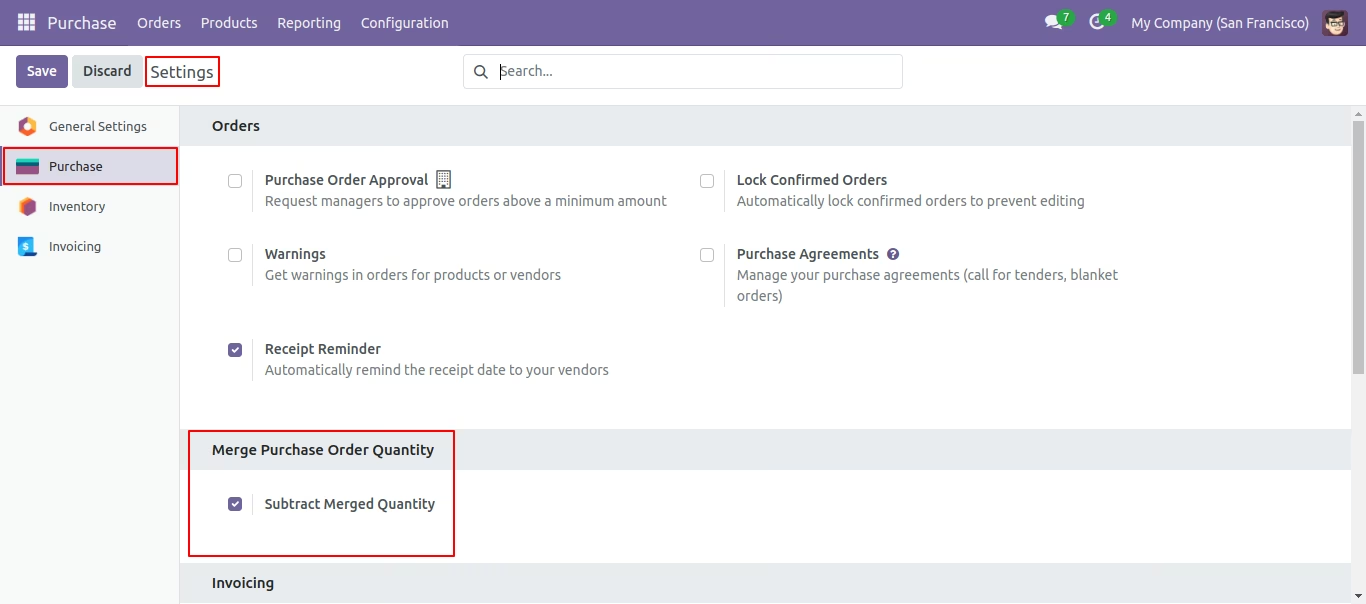
Enable 'Subtract Merged Quantity'.
Select two or more RFQ/PO and click merge purchase orders.
So it opens merge order wizard with all records quantity.
You can subtract qty from this wizard.
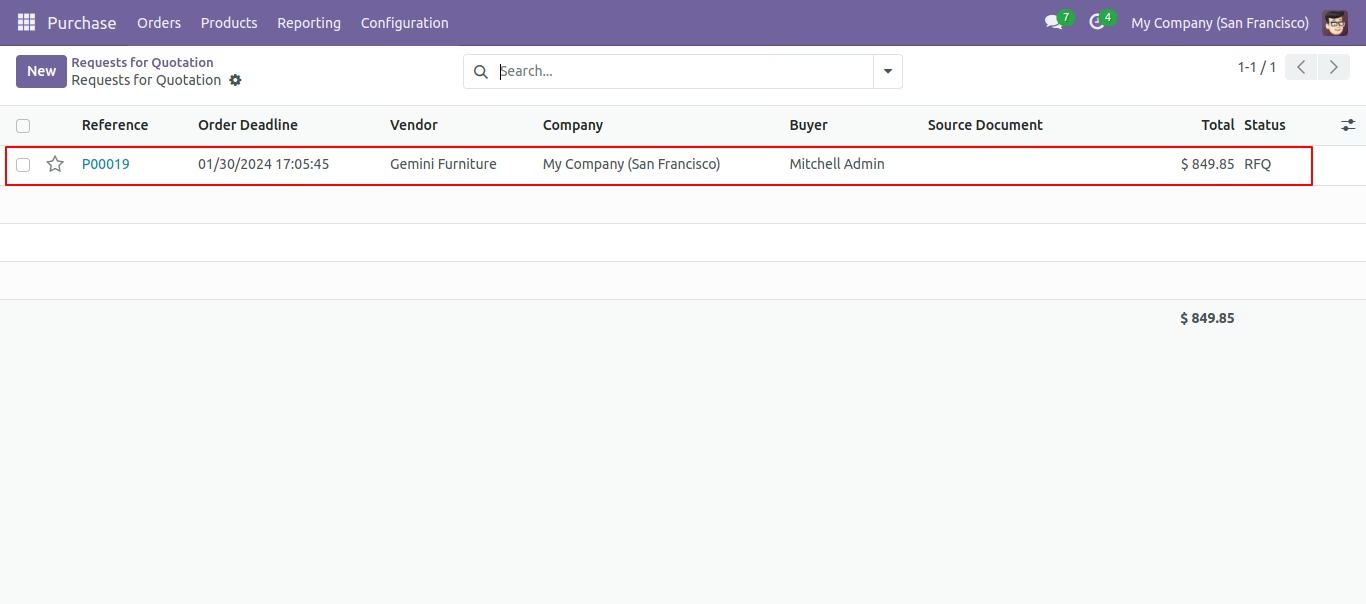
Created order list view.
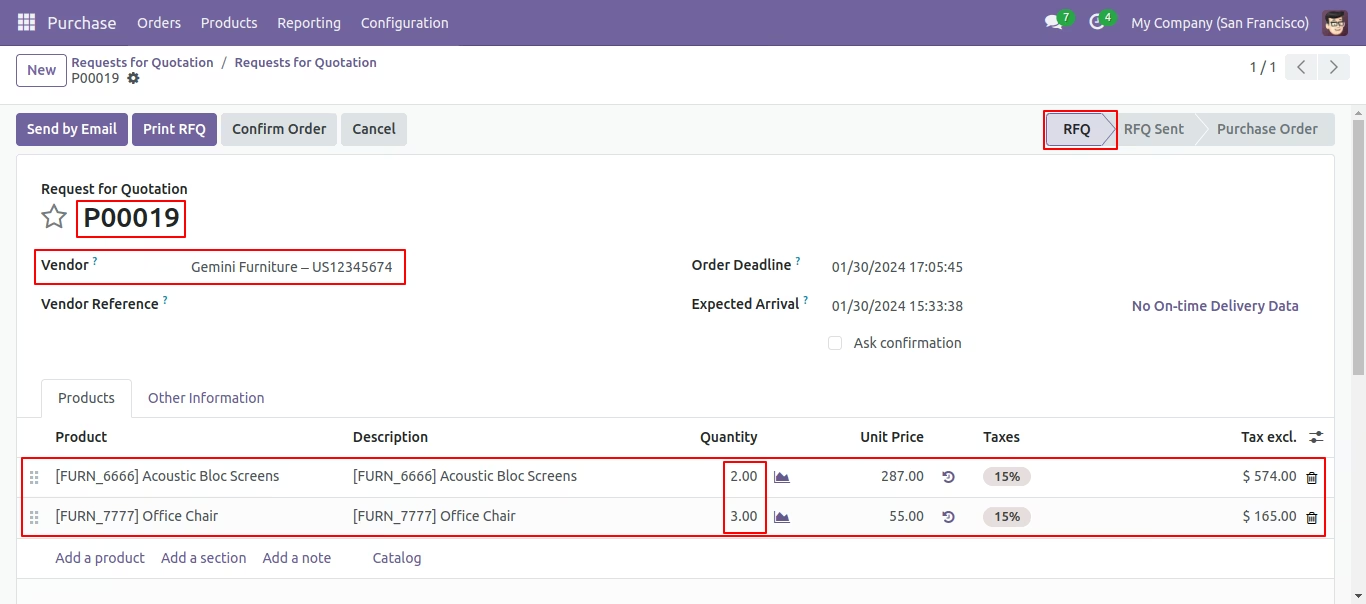
New generated purchase order looks like below.
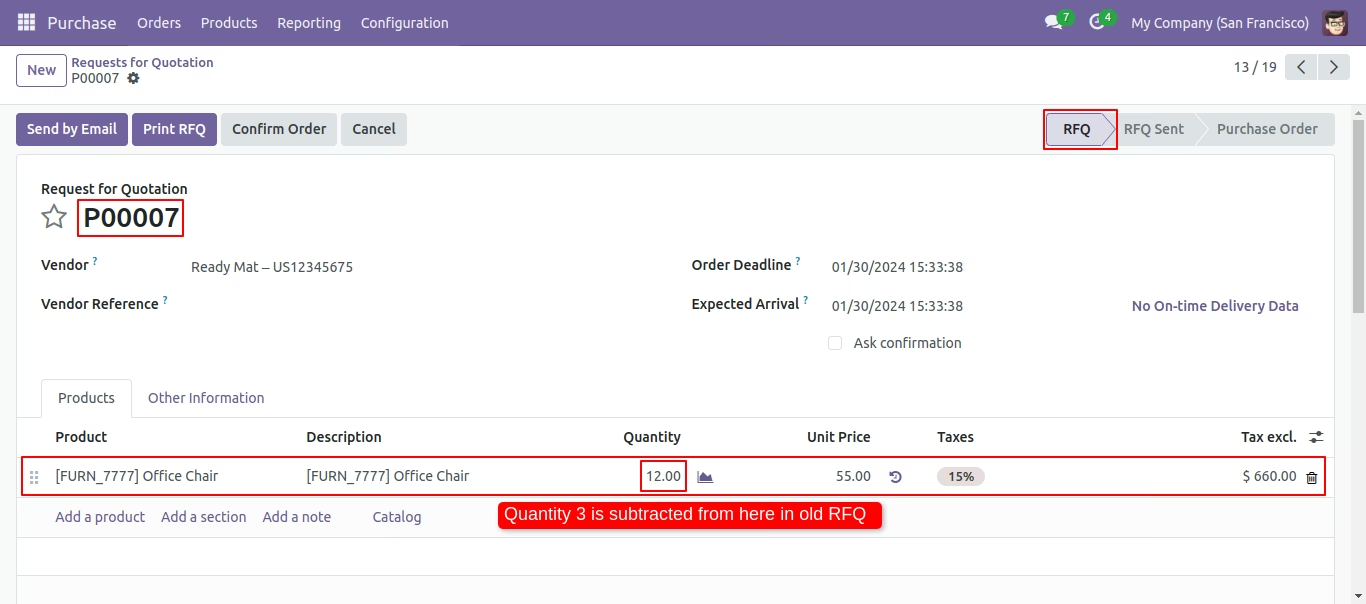
Old RFQ/PO with remaining quantity.
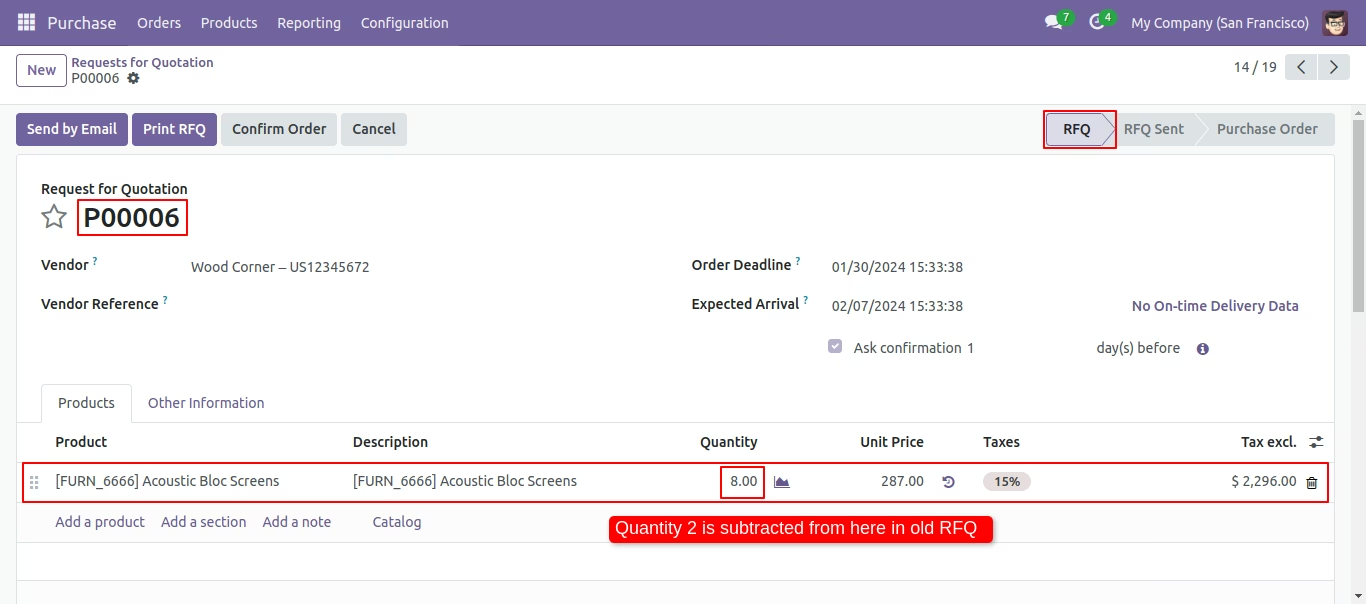
Old RFQ/PO with remaining quantity.
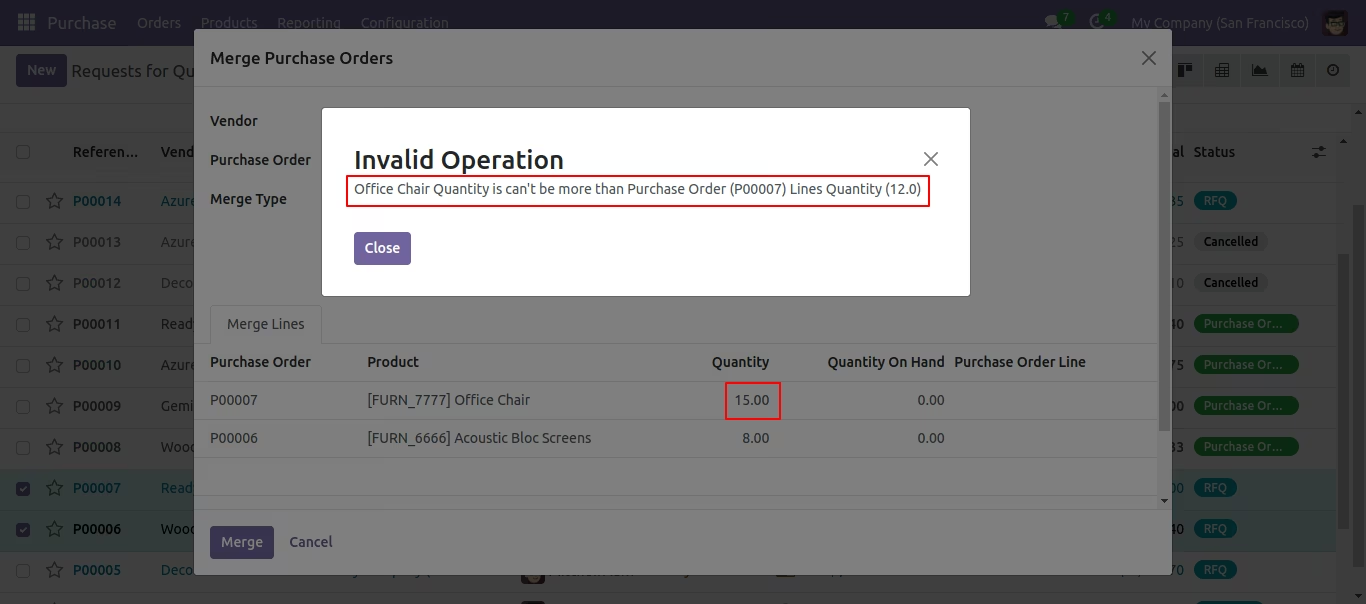
If you try to add qty more than order line qty then alert occurs.
In the 'Merge purchase Orders' wizard enable 'Is Merge Chatter Message' option.
Click on the 'MERGE' button.
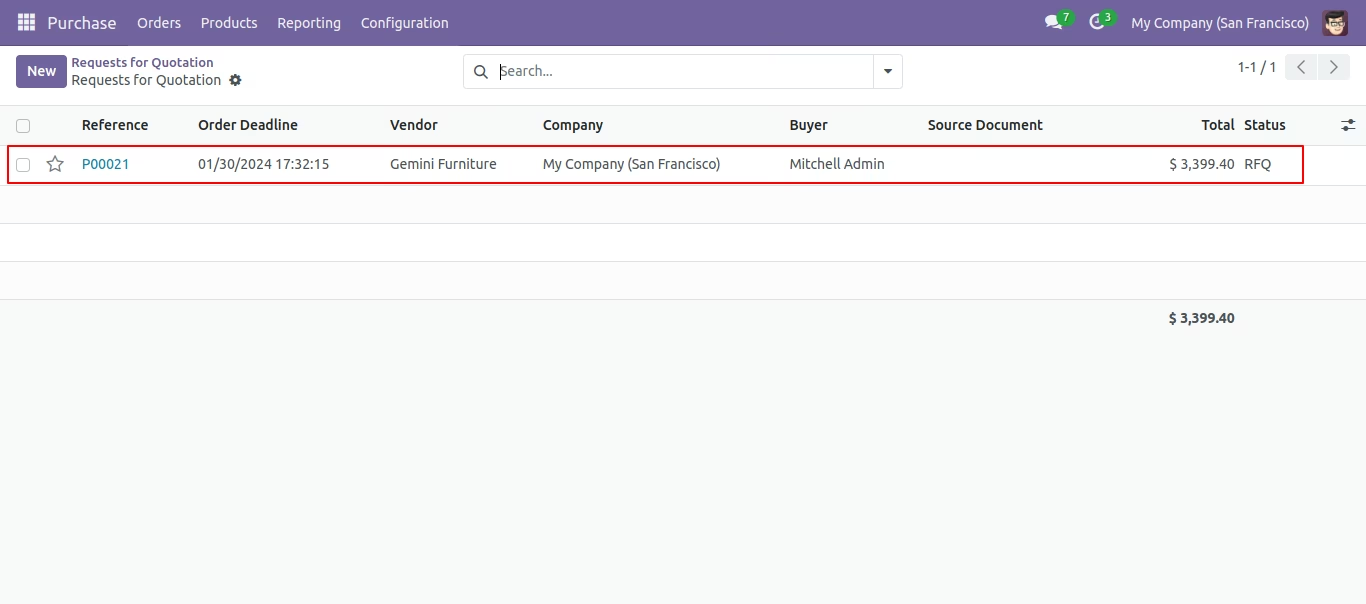
Here, you can see the new Requests for quotation orders shown in tree view.
Click on that Requests for quotation(purchase) order.
Form view of the Requests for quotation orders.