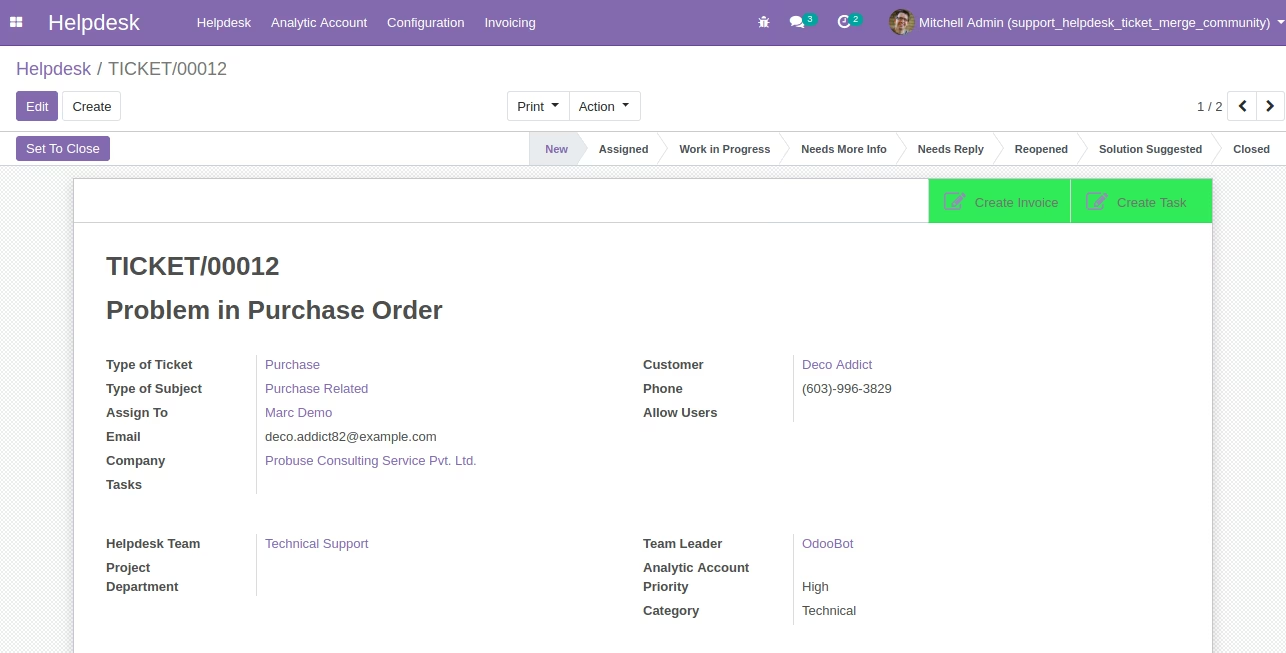
The module for enables support teams to consolidate multiple support tickets into a single ticket. This functionality simplifies ticket management, reduces administrative overhead, and enhances support team efficiency. By merging related tickets, businesses can provide more organized and effective customer support.
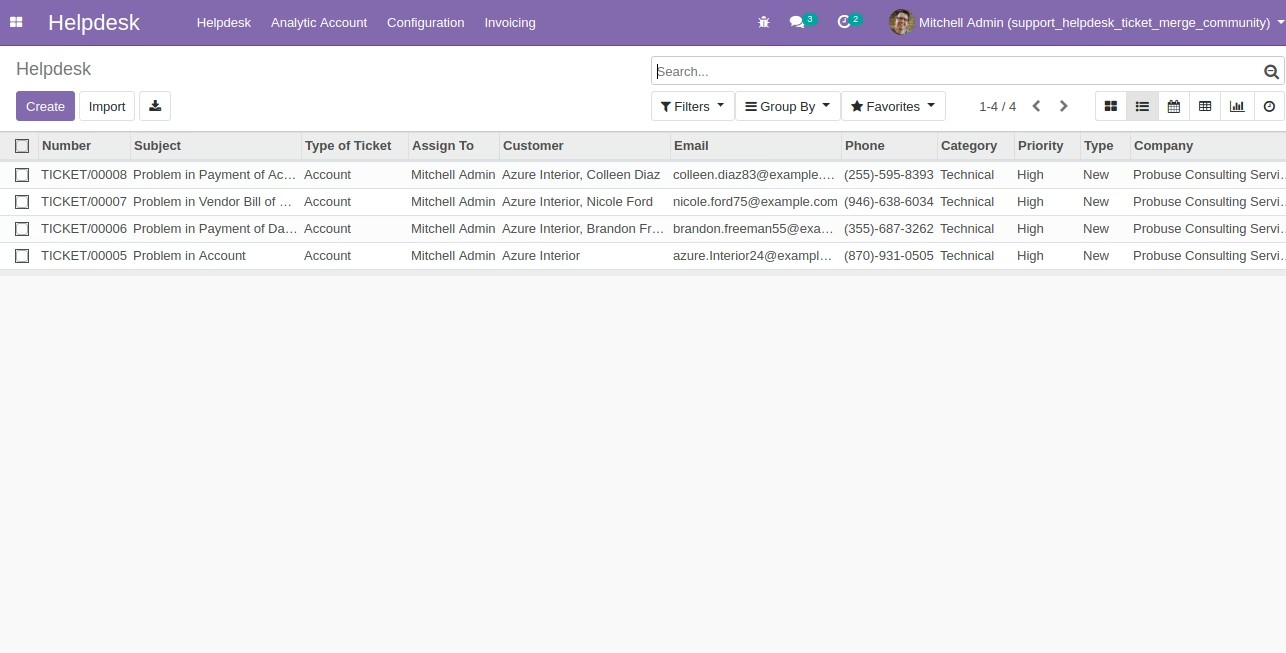
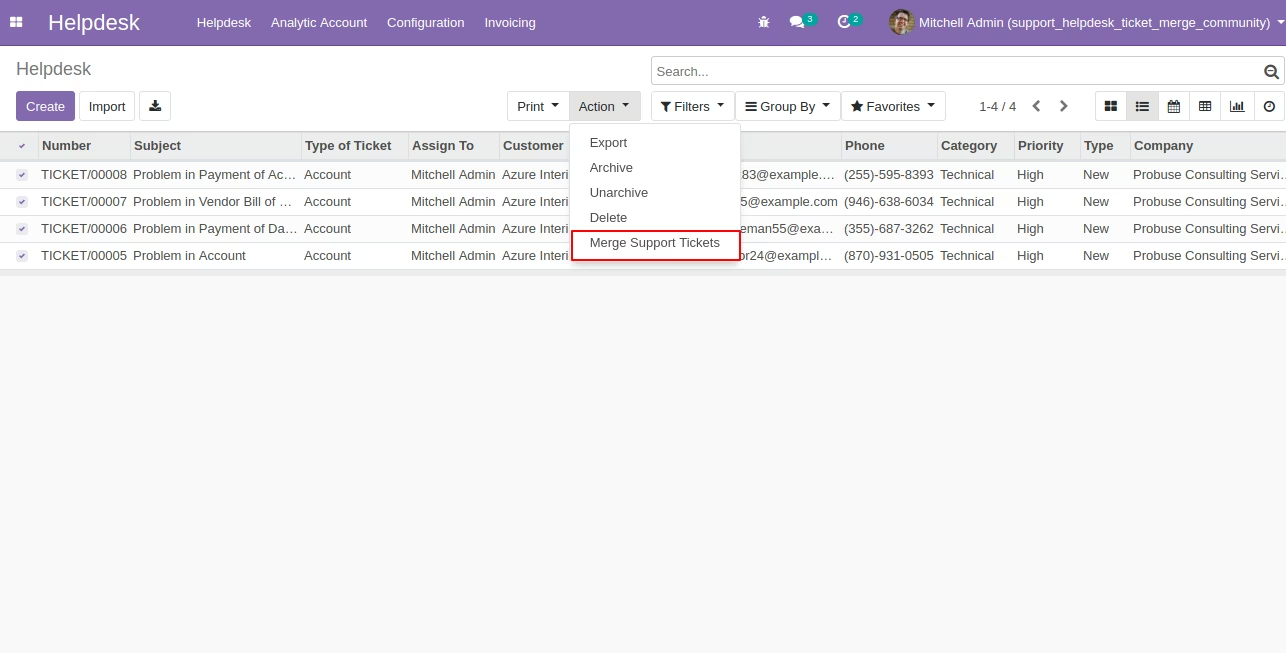
Merge multiple support tickets into one from the list view of tickets.
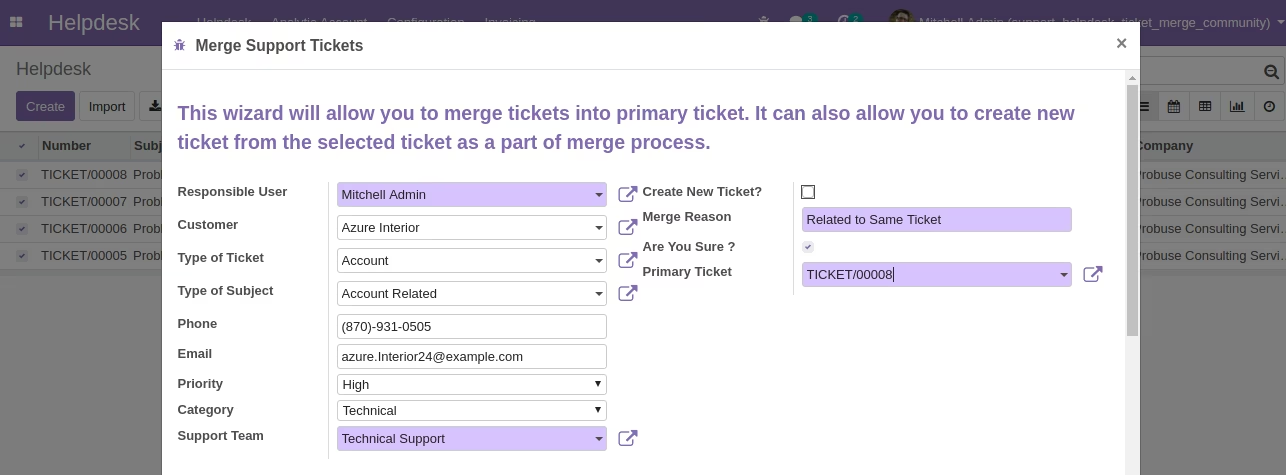
Merge tickets into an existing ticket by designating it as the primary ticket.
Create a new ticket after merging multiple tickets.
Display secondary tickets on the primary ticket form for easy reference.
Archive merged secondary tickets, making them inactive in the list view while retaining the option to reactivate them if needed.
Note: This module does not merge or transfer message history or communication logs to the new or merged tickets.
Streamlines ticket management by consolidating related tickets.
Reduces administrative workload and potential errors in ticket handling.
Enhances clarity and control over support tickets.
Improves customer service by providing organized and efficient ticket resolution.
Increases operational efficiency and reduces response times.
Support Helpdesk Ticket Merge
Support Helpdesk Tickets Merge App
Only Compatible with Community Edition
This app allows you to merge tickets for the help desk support tickets.
Main Features:
-
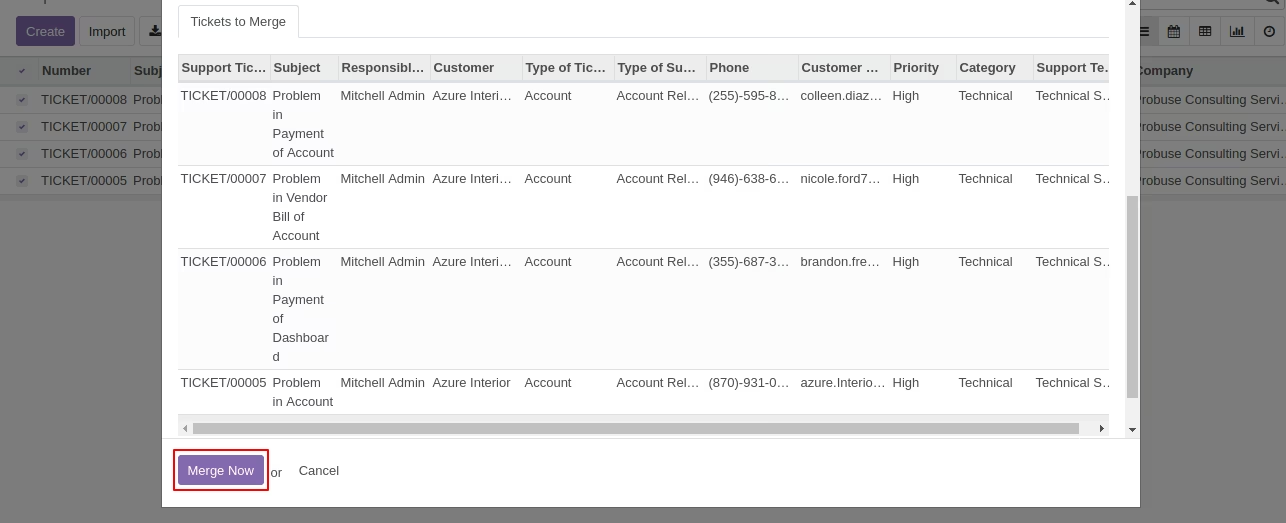
Allow support users to merge multiple tickets into one from list view of tickets.
-
Allow them to merge tickets into one existing ticket by considering it as primary ticket.
-
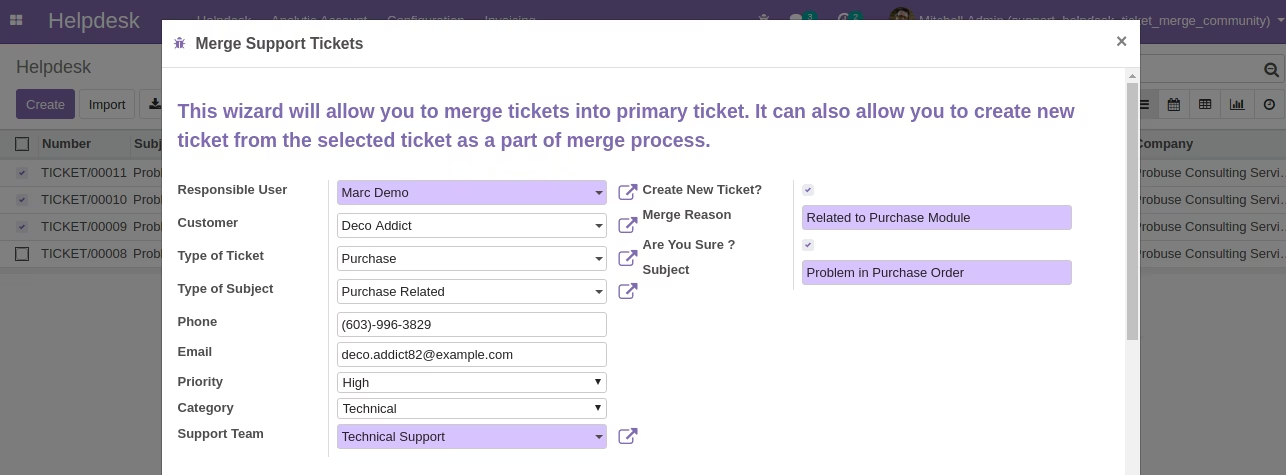
Allow them to create a new ticket also after merging multiple tickets.
-
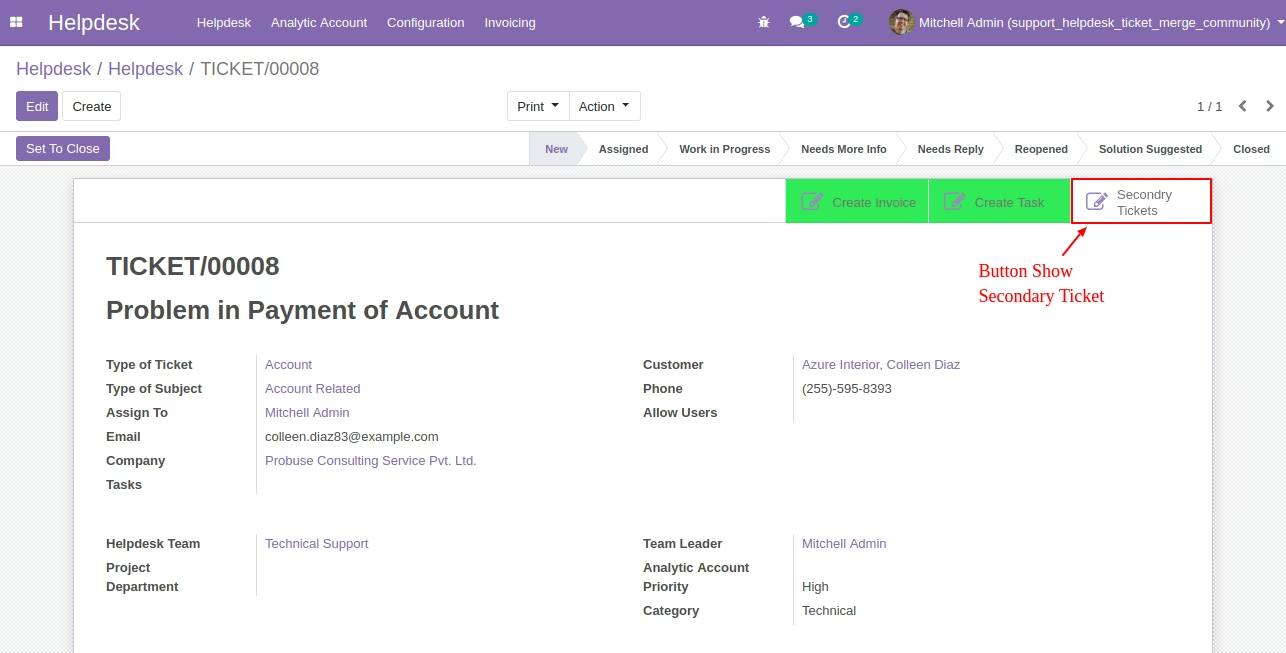
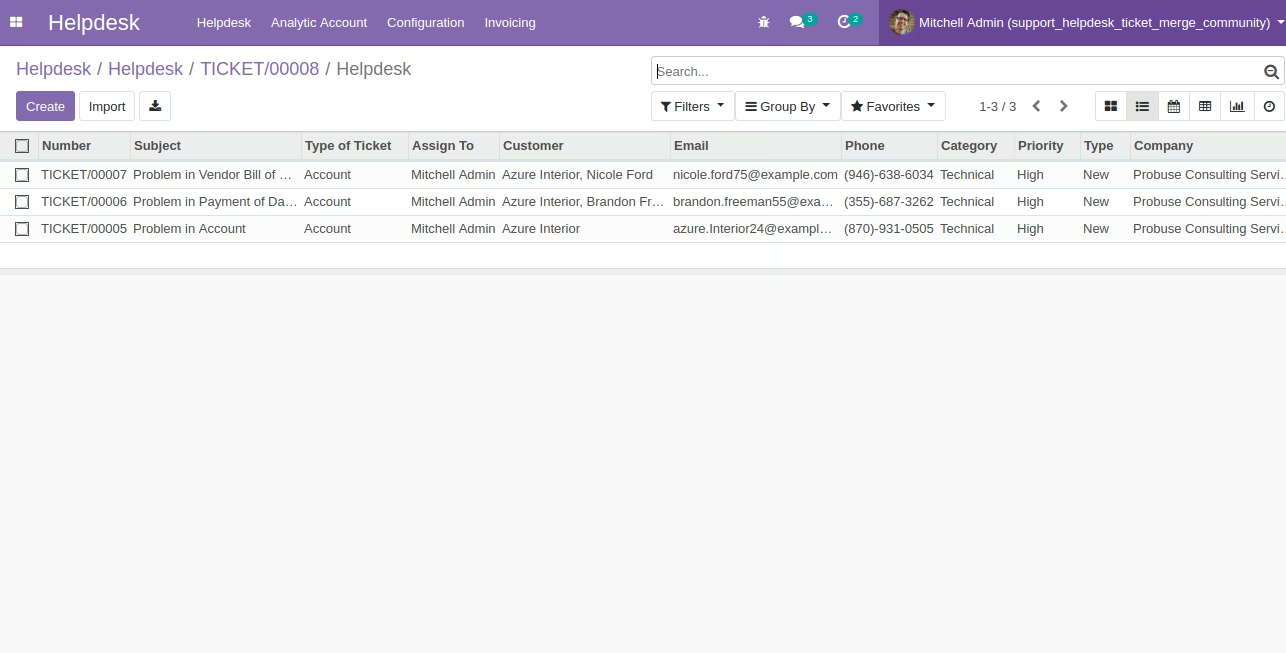
Show Secondary tickets on primary ticket form.
-
After merge all secondary tickets will be archived in the system and will not appear in the list but in future if you want to see you can still make them active again.
-
Note: This does not merge or pass message history communication to new tickets or merged tickets.
-
For more details please check below screenshots and watch the video.
Helpdesk Support Tickets List View
Wizard on Helpdesk Support Ticket Lists View
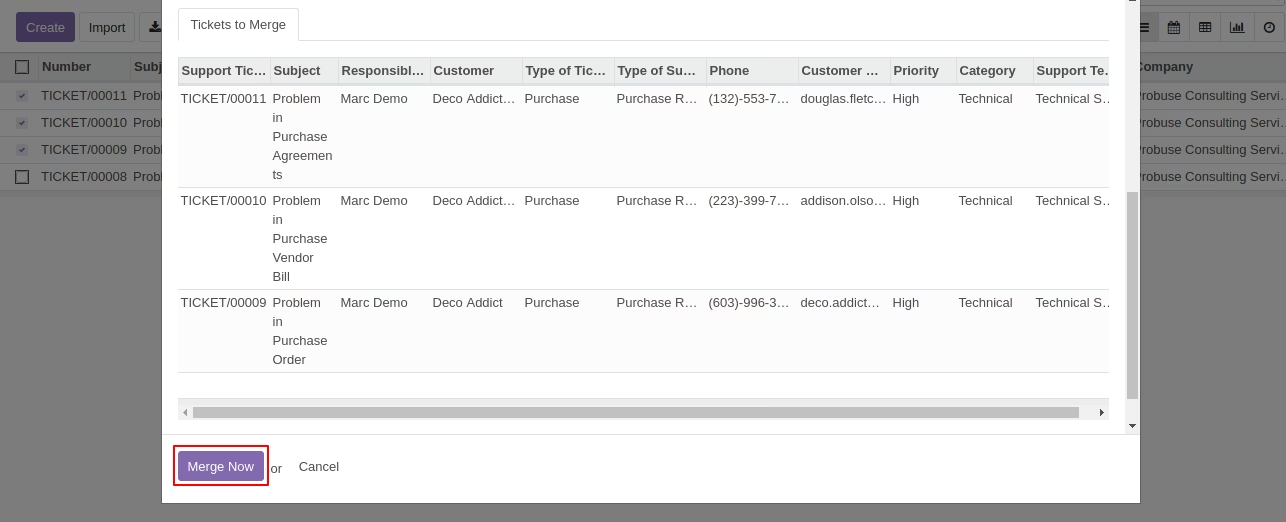
Wizard for Ticket Merge View
Primary Ticket and Secondary Ticket Smart Button to View on Ticket Form
Second Tickets List on Click of Secondary Ticket Smart Button on Primary Ticket
Create New Ticket on Merge Ticket Wizard
New Ticket Created after Selecting Option to Create New Ticket on Wizard