The module is designed to enhance the efficiency of tailoring operations. This module allows tailoring teams to create material requisitions directly from cloth requests and work orders, ensuring that necessary materials are available for each tailoring task.
Material Requisition Creation:
Enables tailoring teams to generate material requisitions from cloth request forms and work orders.
Streamlines the process of requesting materials needed for specific tailoring tasks.
Integrated Workflow:
Seamlessly integrates with existing cloth request and work order forms.
Ensures that material requisitions are linked to the appropriate tailoring tasks.
Automated Data Population:
Automatically populates relevant information in the material requisition forms.
Reduces manual data entry and minimizes errors.
Purchase Requisition Integration:
Facilitates the creation of purchase requisitions from material requests.
Supports the procurement process by linking material needs to purchase orders.
Smart Button Navigation:
Provides easy access to related material requisitions from cloth request and work order forms.
Enhances user experience by simplifying navigation.
Improved Efficiency:
Speeds up the material requisition process by integrating it with existing workflows.
Reduces delays in tailoring operations by ensuring timely availability of materials.
Enhanced Accuracy:
Minimizes errors by automating data population in requisition forms.
Ensures that material needs are accurately recorded and tracked.
Streamlined Procurement:
Links material requisitions to purchase requisitions, facilitating the procurement process.
Improves inventory management by aligning material requests with stock levels.
User-Friendly Interface:
Simplifies the process of creating and managing material requisitions.
Enhances user experience with intuitive navigation and automated features.
Configure the module settings to align with your tailoring operations.
Create Material Requisitions from Tailoring Cloth Request
Material Requisitions for Work Order Request for Tailoring
Material Request from Cloth Request & Work Order Request
This app allows you to create material requisitions from the tailoring of cloth request & tailoring cloth work order request form as shown in below screenshots.
Main Features:
- Allows your cloth & project team to create material requisitions from the tailor cloth request form and work order (Task).
- Using this module your tailoring team can create requests for materials directly from request or from work order they are working. They can request material which will be required to do that job.
- For more details please see the video and check below screenshots.
Create Material Requisition Button on Cloth Request Form
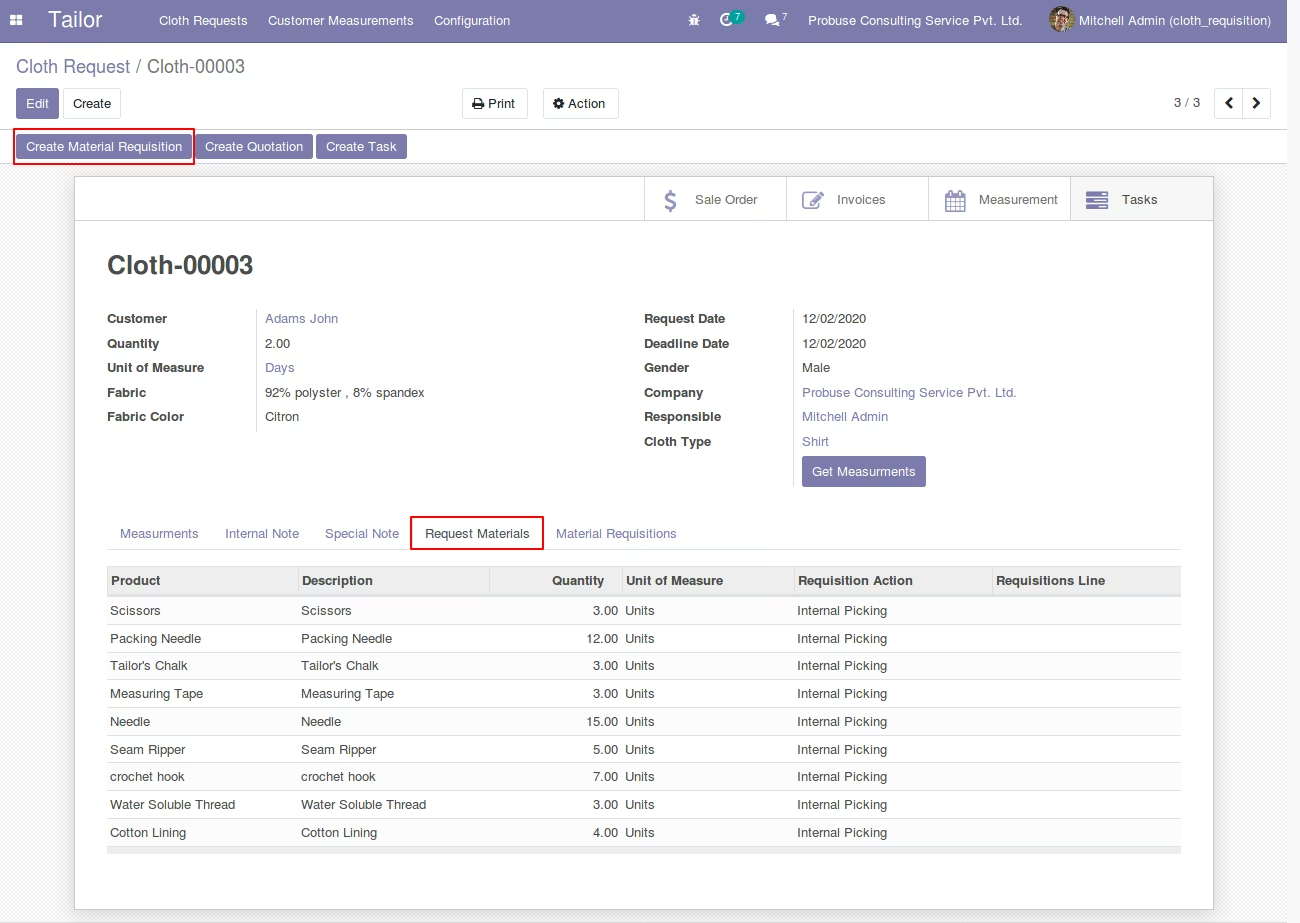
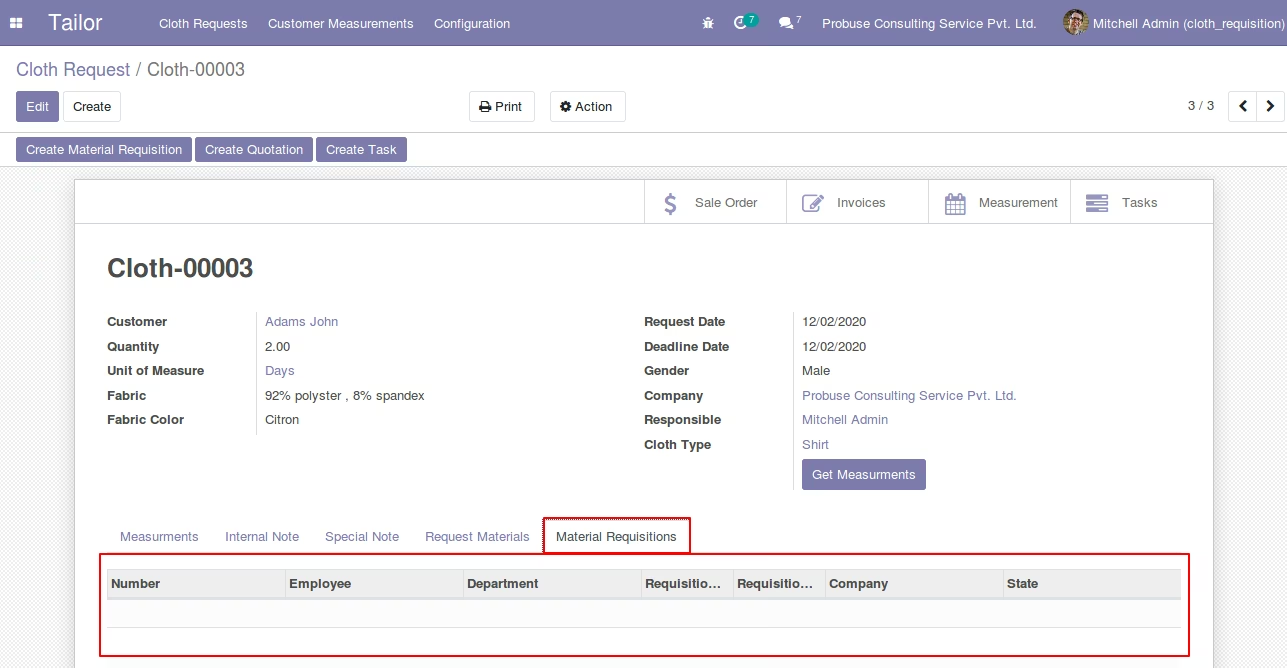
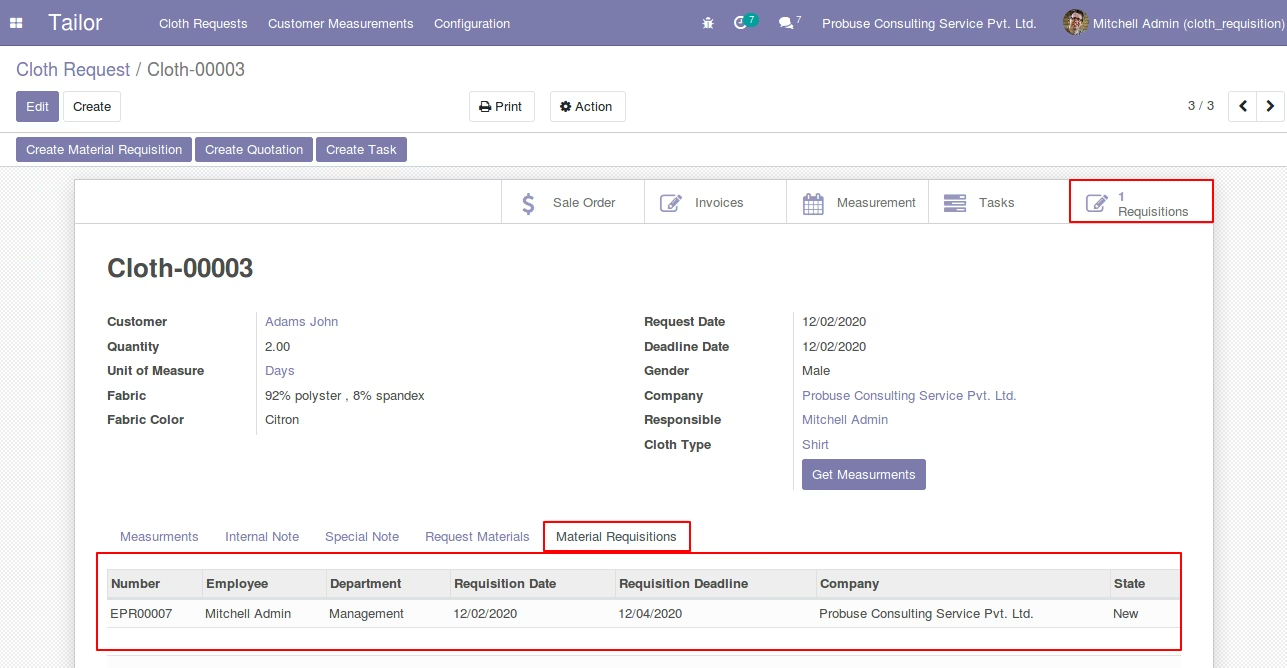
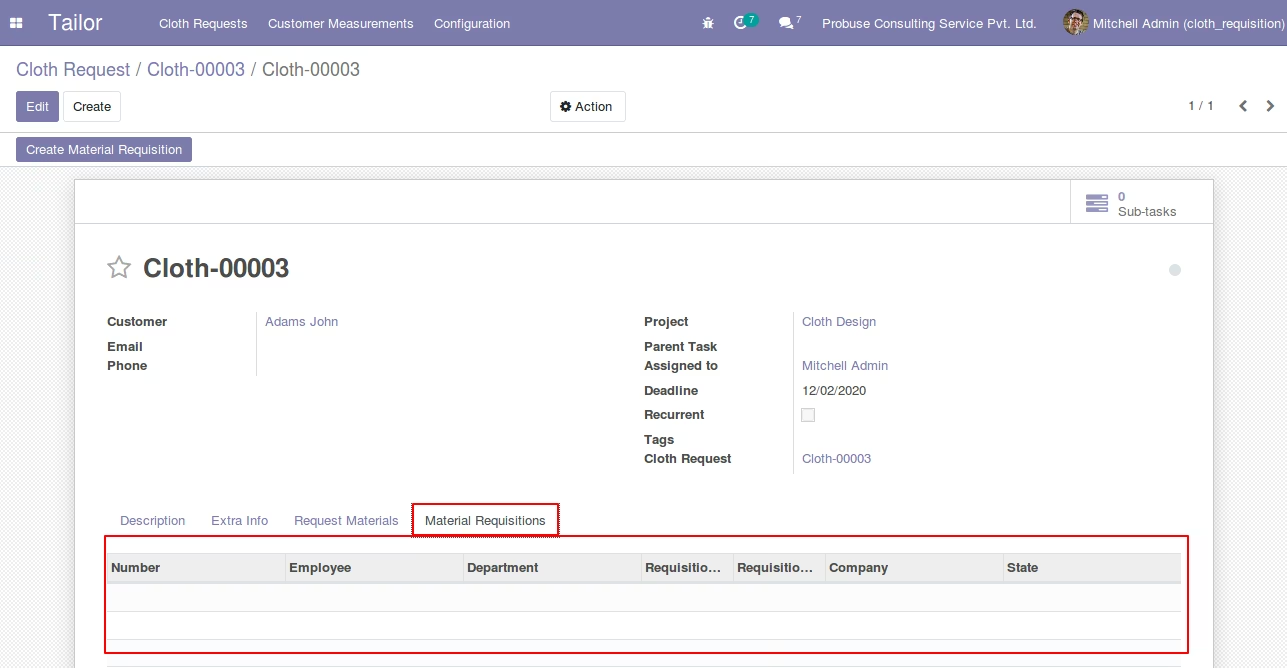
Material Requisitions tab on Cloth Request Form
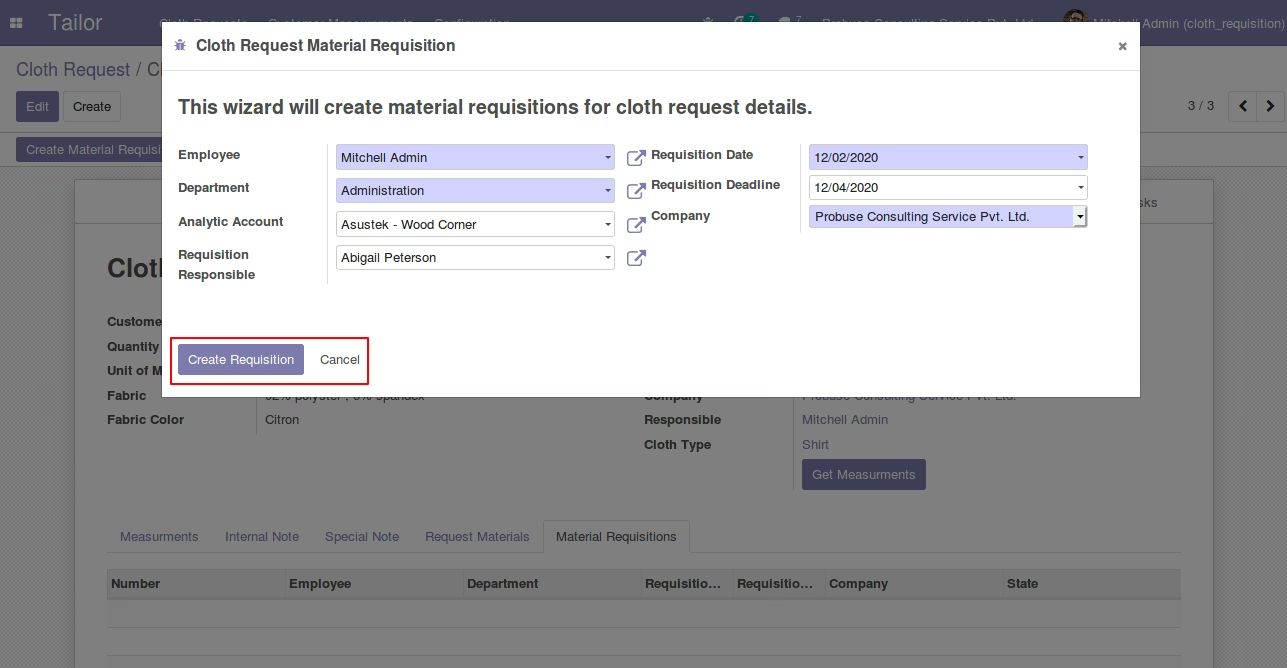
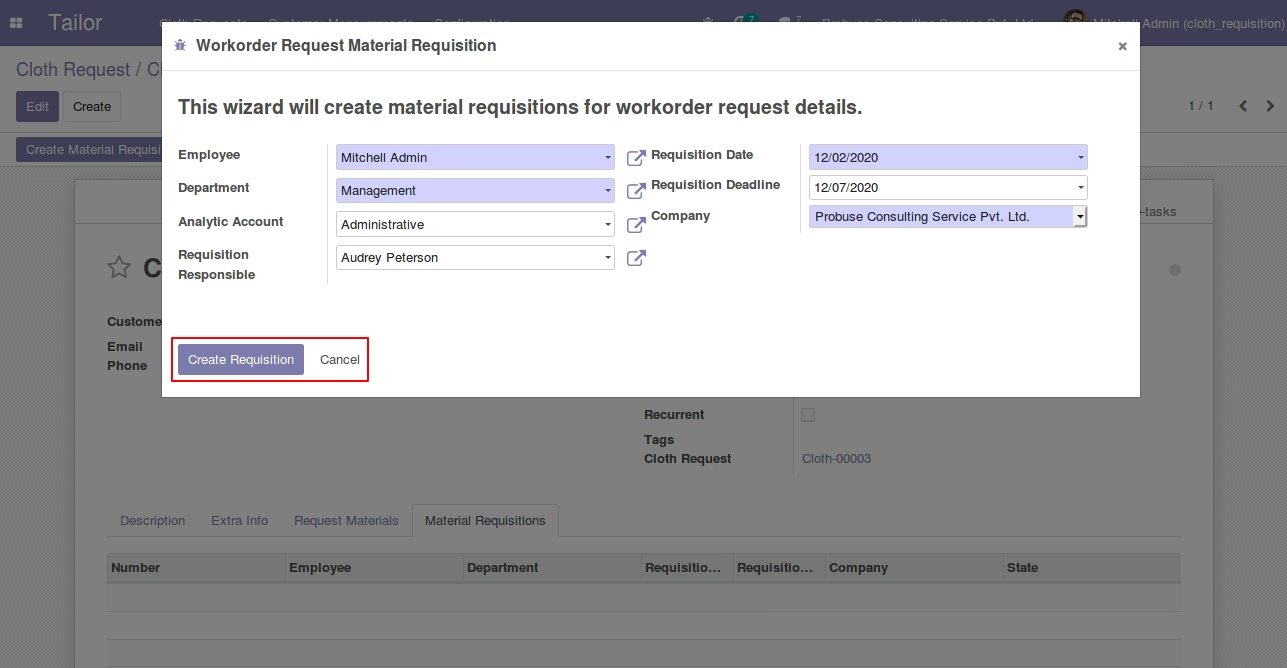
Cloth Request Material Requisition Wizard open from Create Material Requisition Button
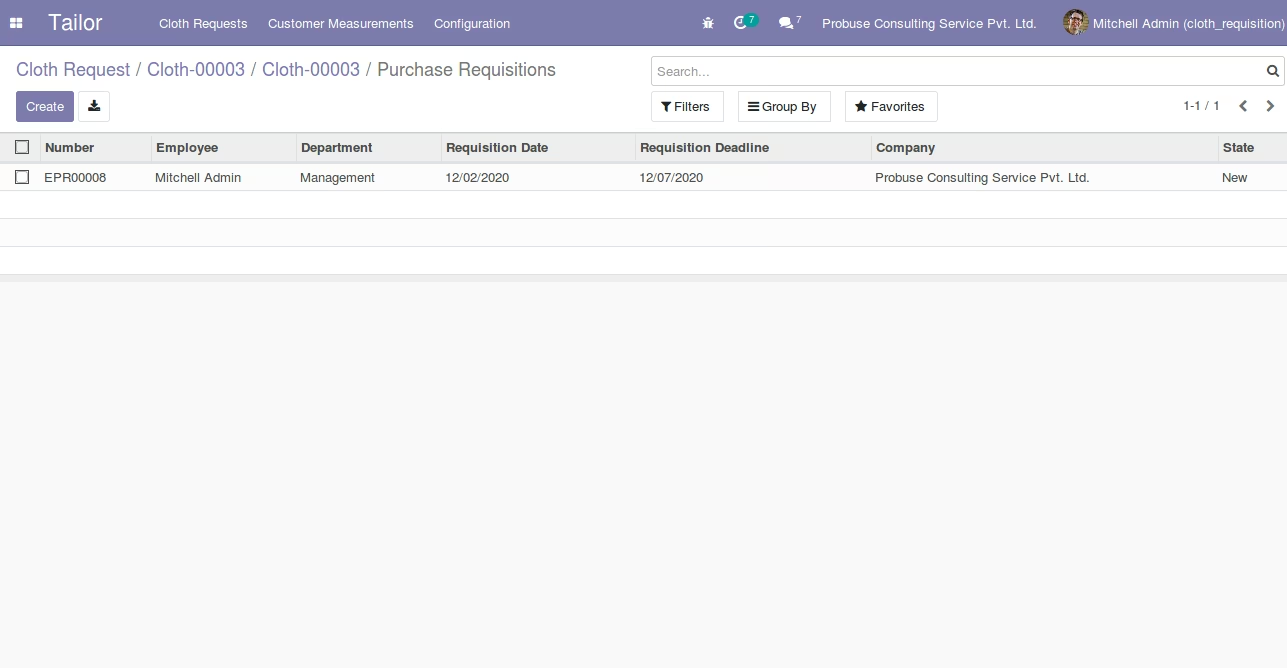
Open Purchase Requisitions Form View after create requisition button click on Wizard
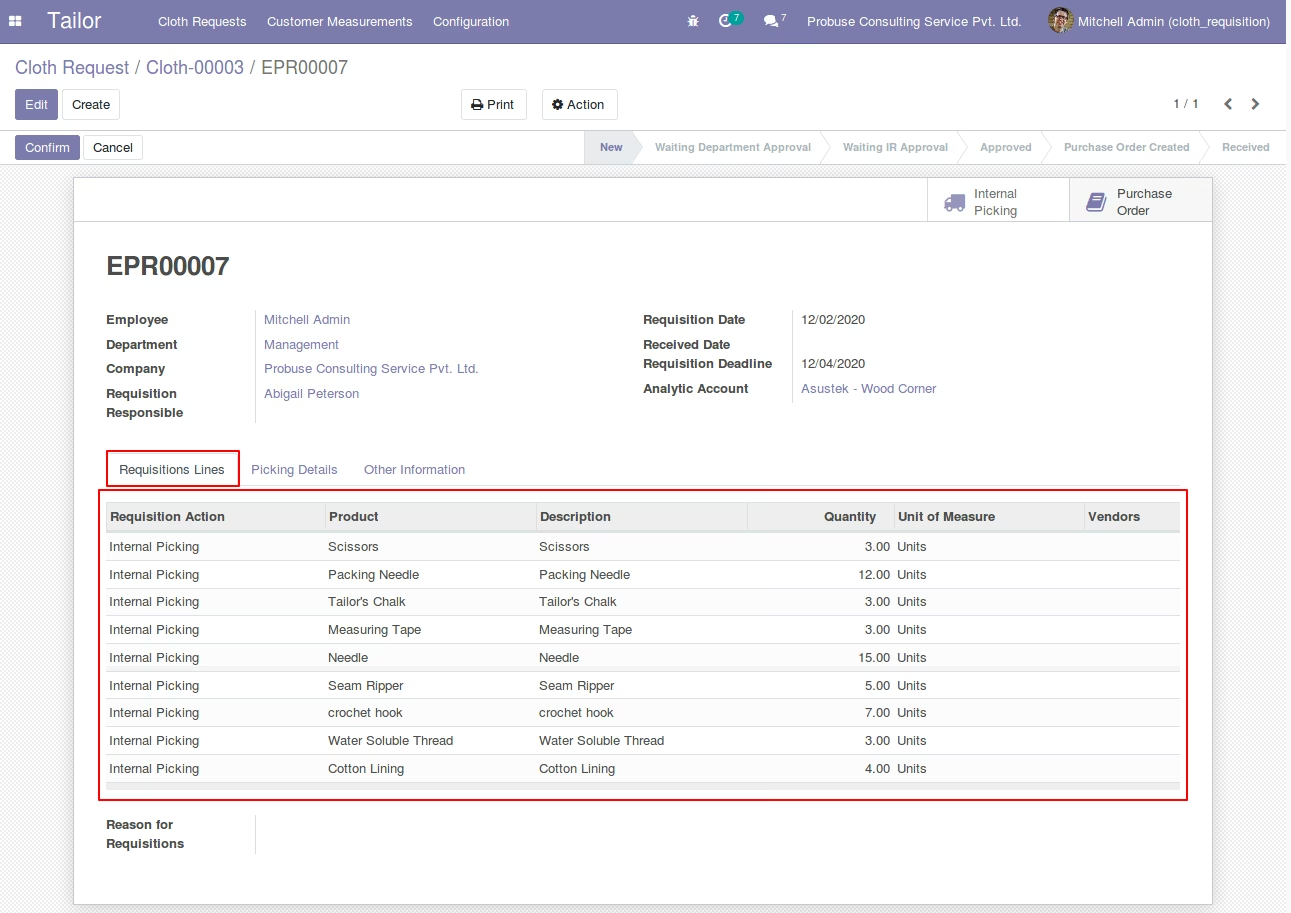
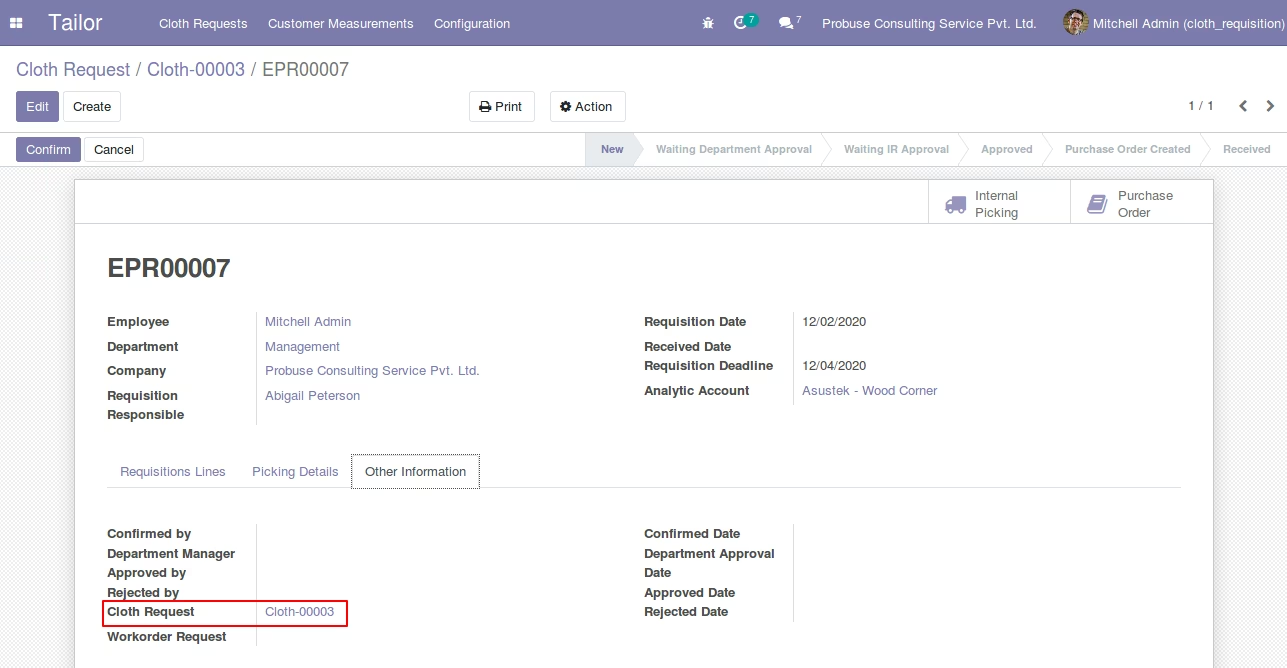
Pass Reference Of Cloth Request on Purchase Requisition Form
Material Requisitions tab automatically fillup after create requisition
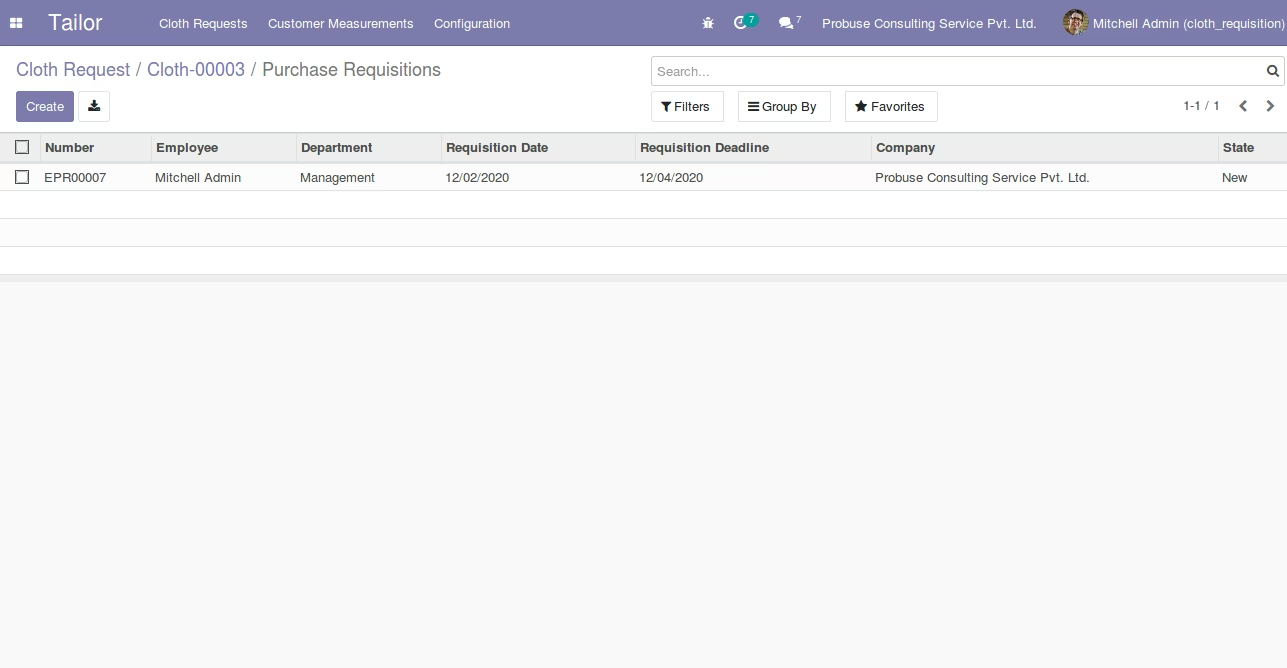
Open List view of Material Requisition from smart button
Create Material Requisition Button on workorder (Tasks) Form
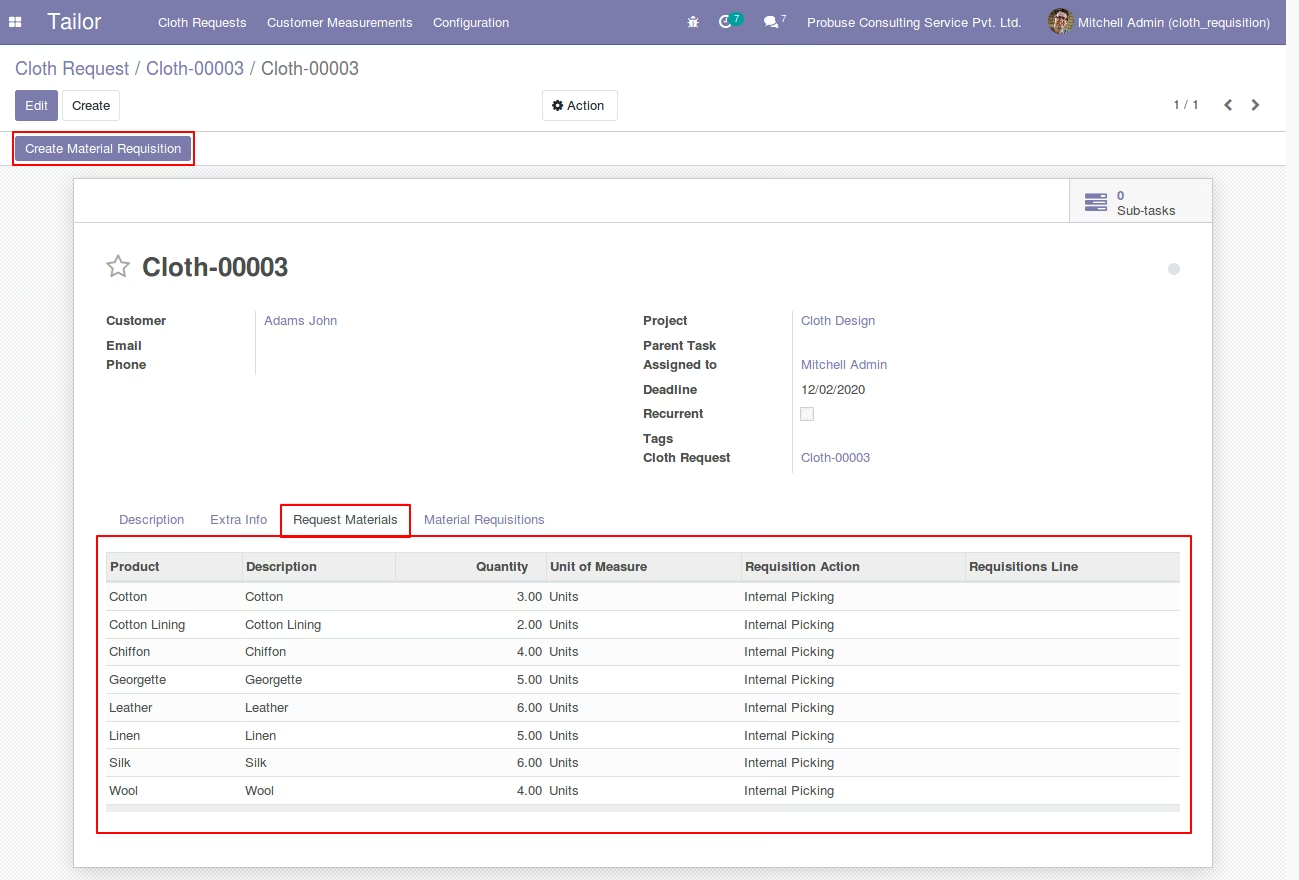
Material Requisitions tab on workorder(Tasks) Form
workorder (Tasks) Request Material Requisition Wizard open from Create Material Requisition Button
Open Purchase Requisitions Form View after create requisition button click on Wizard
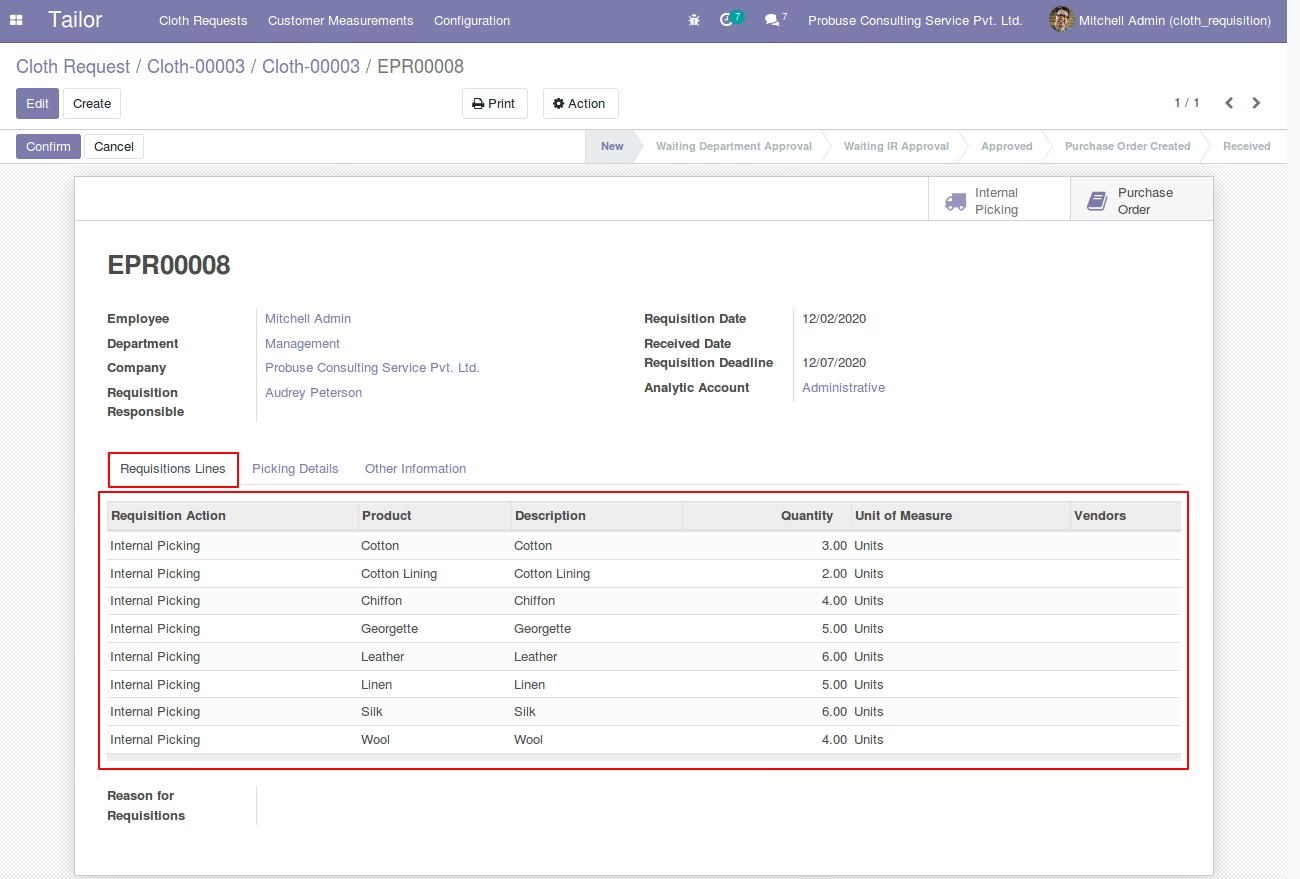
Pass Reference Of Workorder (Tasks) Request on Purchase Requisition Form
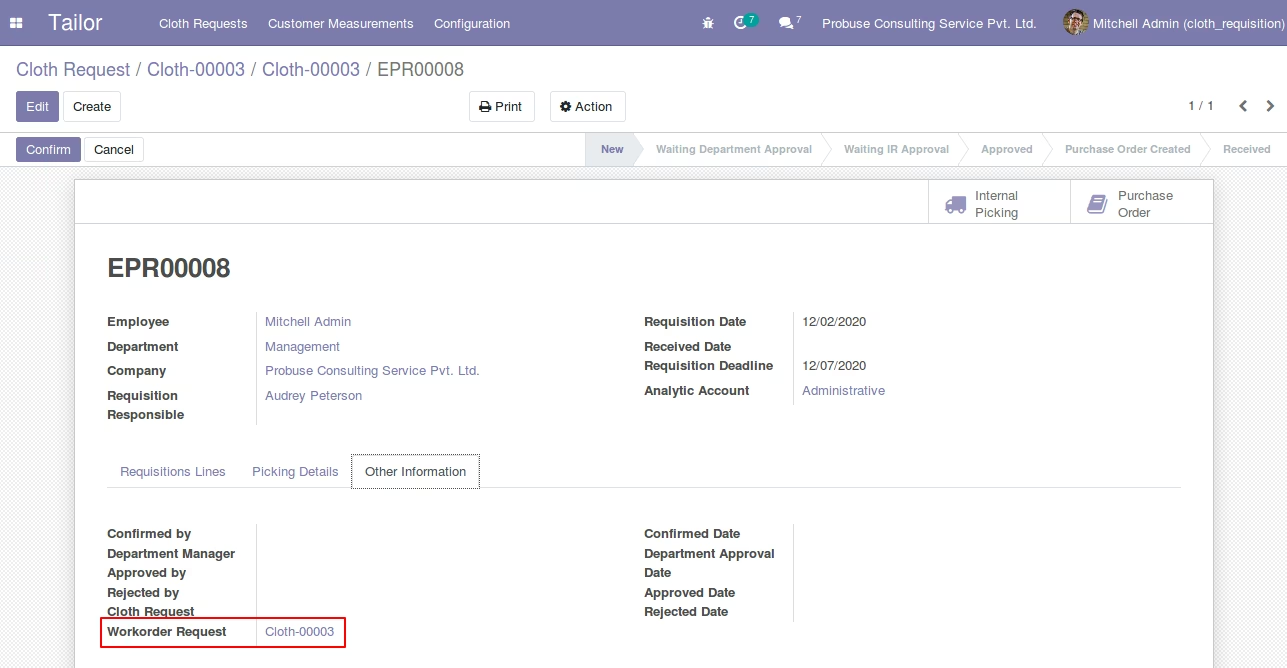
Material Requisitions tab automatically fillup after create requisition
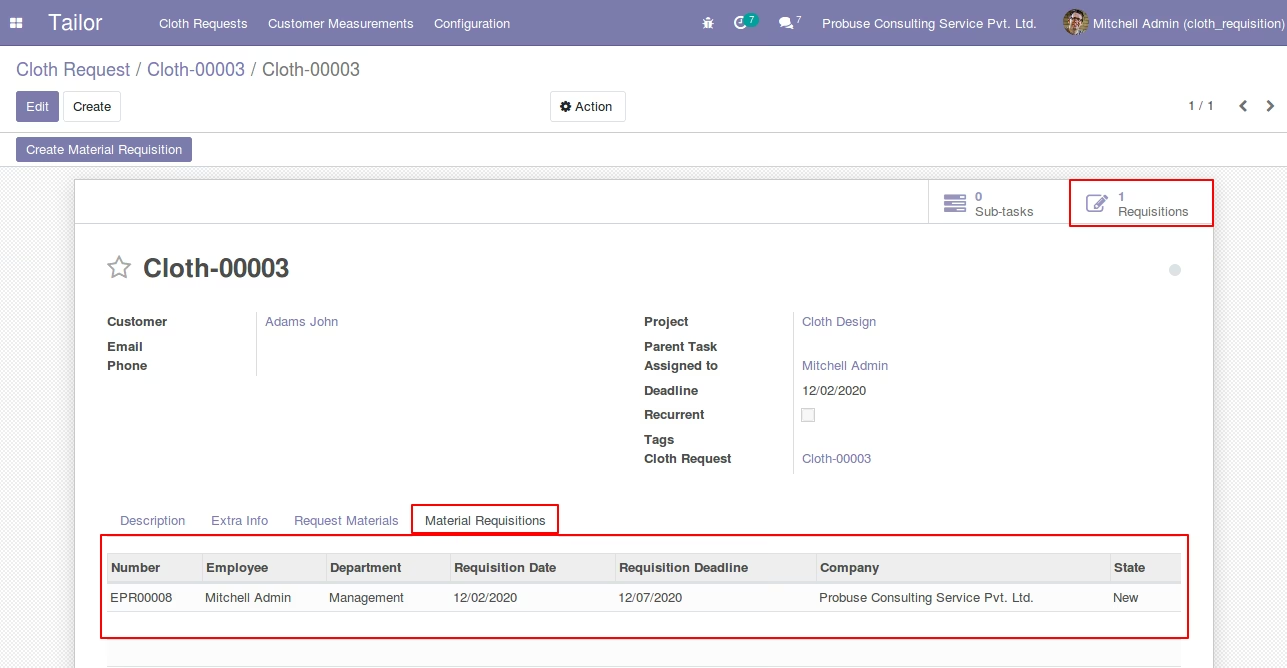
Open List view of Material Requisition from smart button