The module for enhances the efficiency of managing product suppliers by allowing bulk addition and updating of supplier information across multiple products. This tool is particularly beneficial for businesses that need to update or add suppliers to a large number of products simultaneously, saving time and reducing manual errors.
Bulk Supplier Addition:
Enables the addition of a supplier to multiple products at once.
Supports both product templates and product variants.
Preservation of Existing Supplier Data:
Existing supplier information remains intact.
New suppliers are added without deleting or overwriting existing data.
Prioritization of New Suppliers:
Newly added suppliers are placed at the top of the supplier list.
Ensures that the new supplier has the highest priority for procurement.
Customizable Supplier Information:
Allows the specification of delivery times and minimum order quantities for each supplier.
Provides flexibility to tailor supplier details as per business requirements.
User Access Control:
Restricts the mass update functionality to users with appropriate permissions.
Typically, only users with purchase manager roles have access to this feature.
Time Efficiency:
Significantly reduces the time spent on manually adding or updating suppliers for each product.
Streamlines the supplier management process.
Accuracy and Consistency:
Minimizes the risk of errors associated with manual data entry.
Ensures consistent supplier information across products.
Improved Procurement Planning:
Facilitates better planning and coordination with suppliers.
Enhances the procurement process by ensuring accurate supplier data.
Scalability:
Ideal for businesses with large product catalogs.
Supports the efficient management of supplier information as the product range expands.
In most cases, companies work with a few key suppliers. That is why when any is changed or just a new one appears, a lot of products should be updated. But it is not simple and error-prone to open each product and introduce vendor data. This is the tool to cope with the situation. It allows the addition of a supplier to products in batches.
Mass update of supplier info
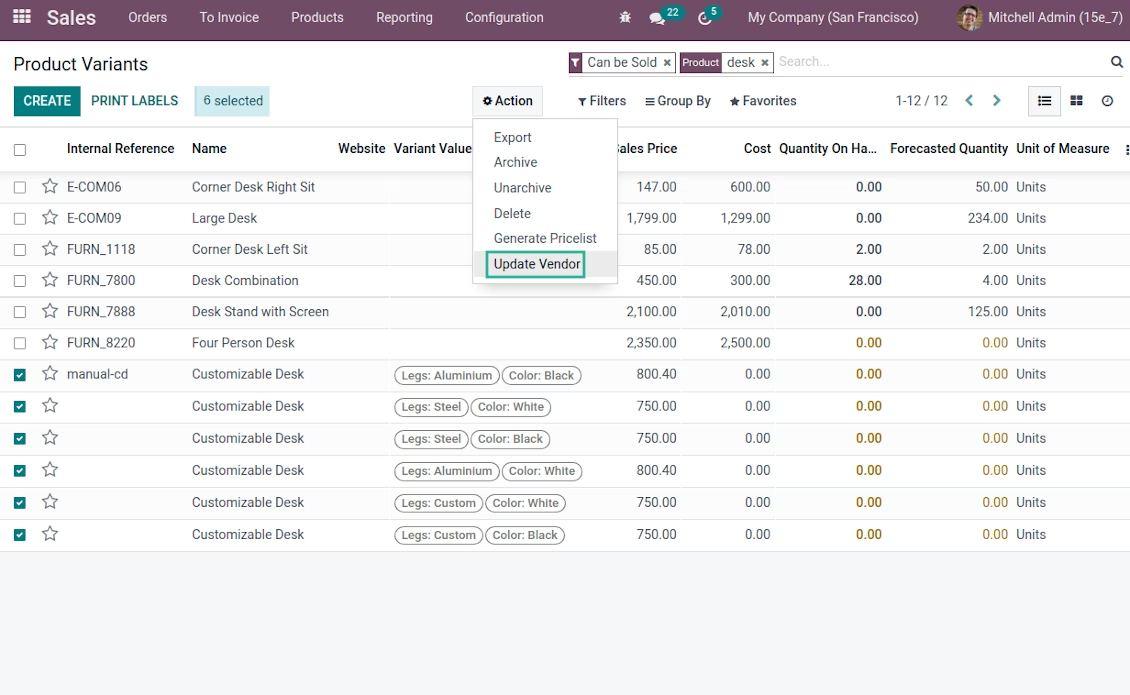
To add a new vendor for products: go to a tree view, search and select required items, push 'Action' and choose the entry 'Update a vendor'
Product templates and variants
The tool lets add vendors for both product templates and product variants
Consistent vendor data
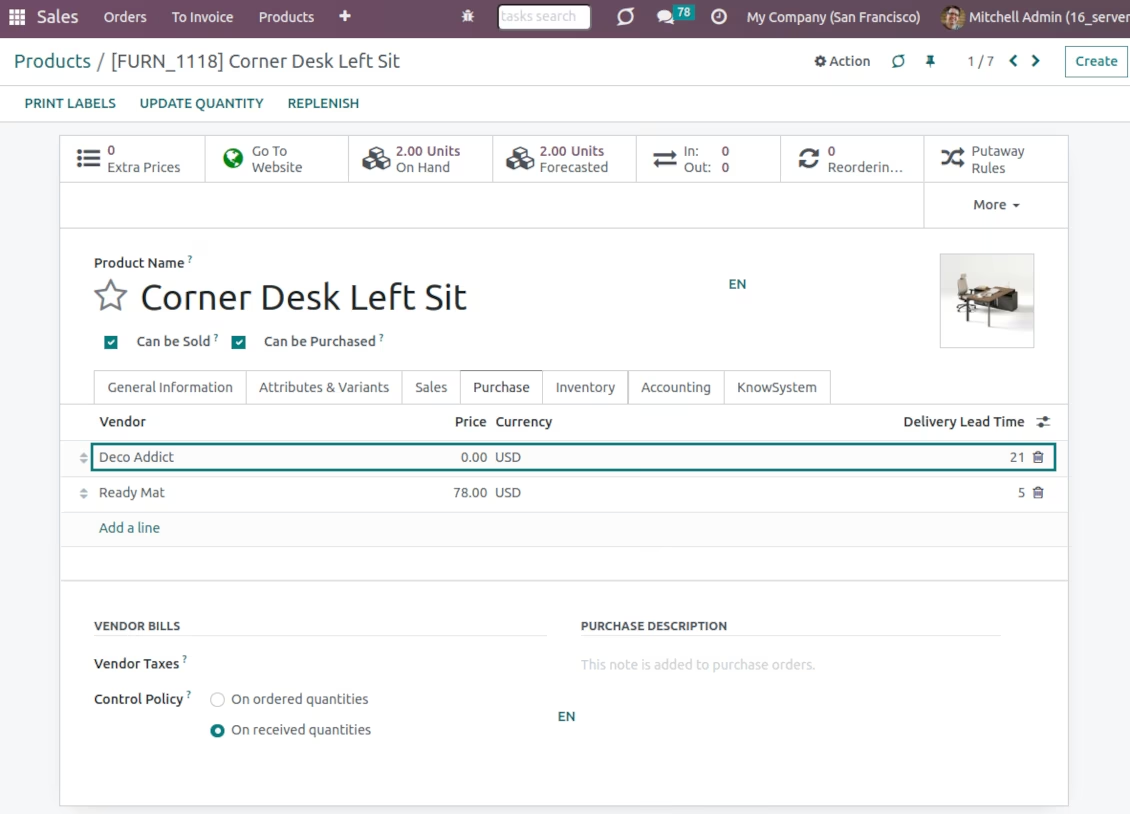
As soon as you push 'Update', a new vendor is added to all products' supplier tables in the first place. Thus, it has the highest priority among all suppliers. Previous vendors are not removed
Comfortable purchase management
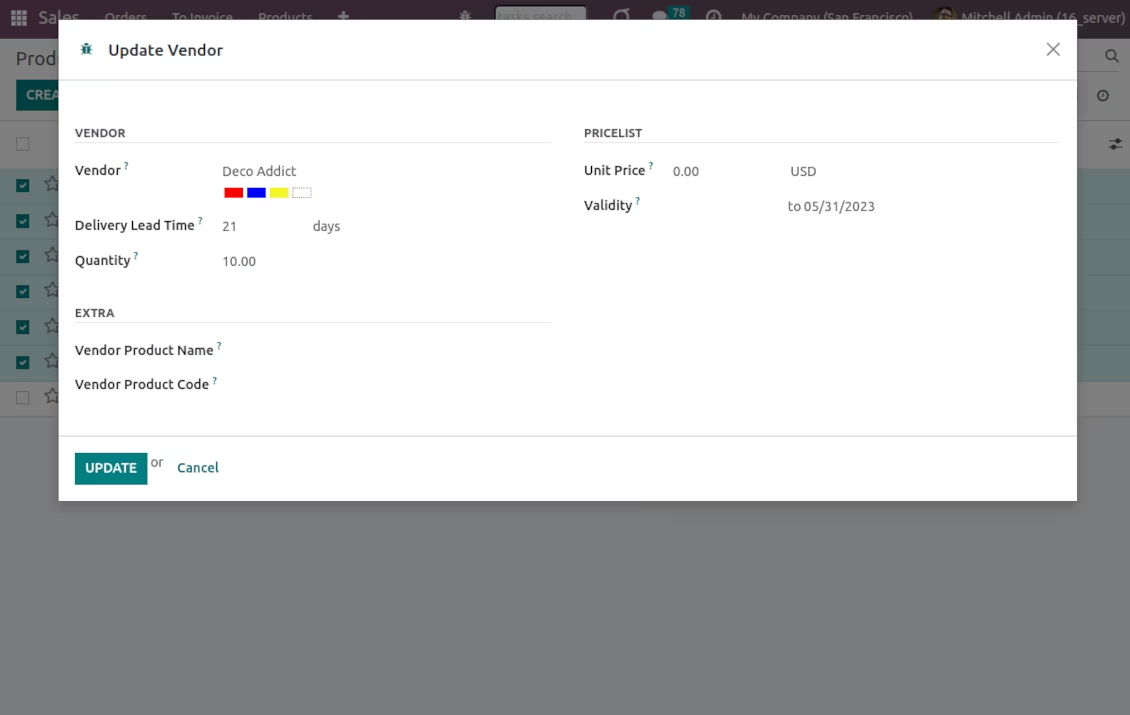
Select not only a vendor company but also delivery time, a minimum lot, and other essential parameters. Only purchase managers have a right to mass products update.
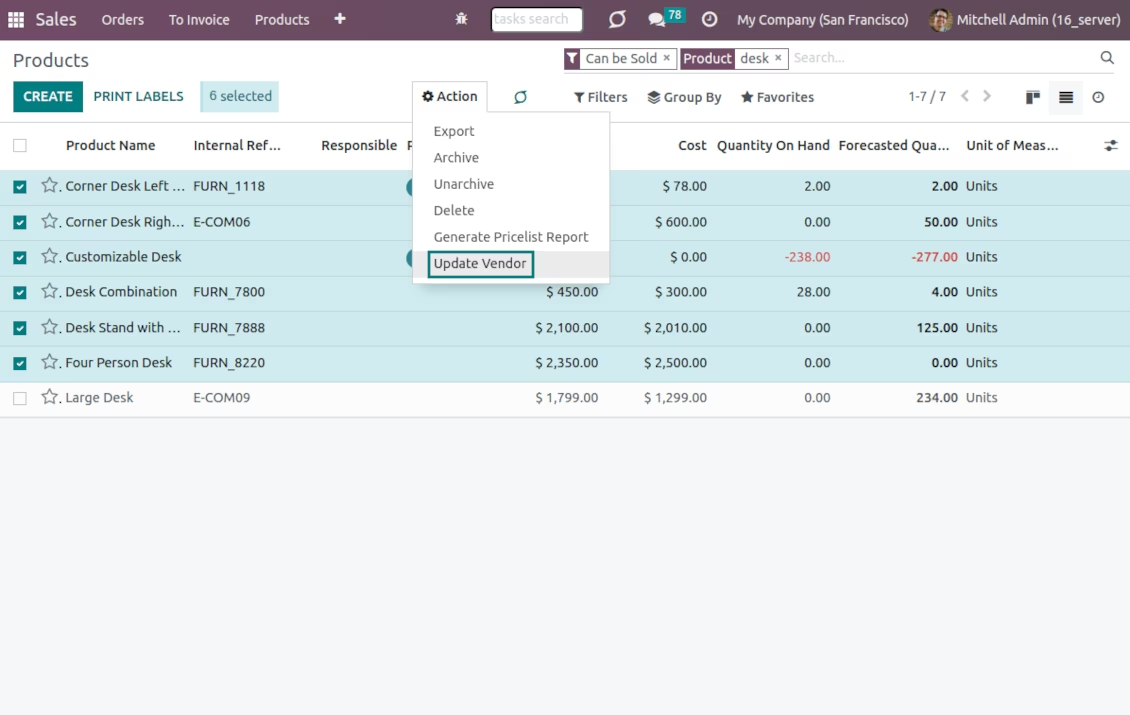
Add a vendor for product templates
Choose a vendor company, delivery time, minimum order quantity, and other parameters.
Vendor info is updated for all chosen products. The new vendor has the highest priority
Update suppliers of product variants