The module for enhances the efficiency of managing sales pipelines by allowing users to update the stages of multiple leads or opportunities simultaneously. This feature is particularly beneficial for sales teams handling a large volume of records, enabling them to maintain an organized and up-to-date pipeline with minimal effort.
Bulk Stage Update:
Allows users to select multiple leads or opportunities and update their stages in one action.
Streamlines the process of moving records through the sales pipeline.
Sales Team Specific Stages:
Displays only the stages relevant to the selected sales team.
Ensures that users can only assign stages that are appropriate for their team.
User-Friendly Interface:
Integrates seamlessly into the CRM list view.
Provides a straightforward wizard for selecting and applying new stages.
Confirmation Prompt:
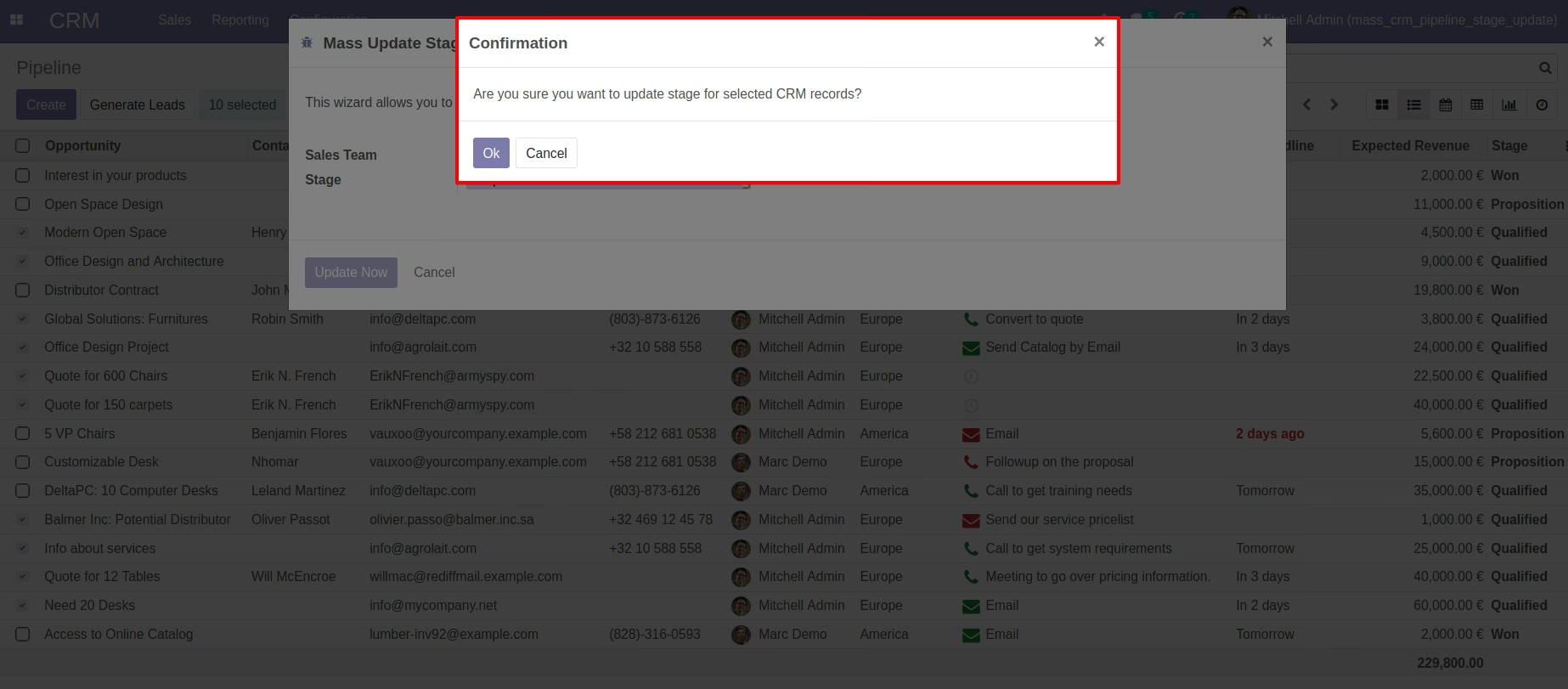
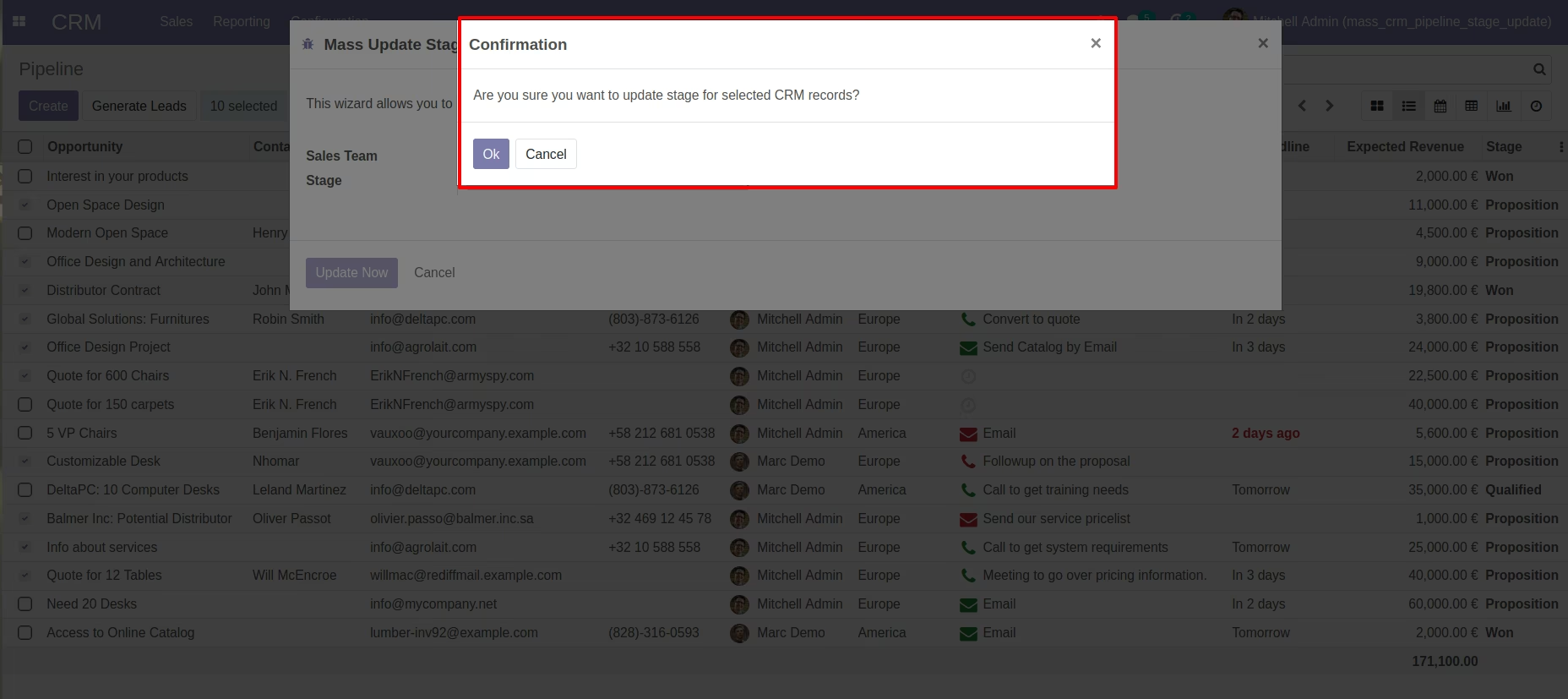
Displays a confirmation message before applying the changes.
Prevents accidental updates and ensures intentional actions.
Team Integrity Check:
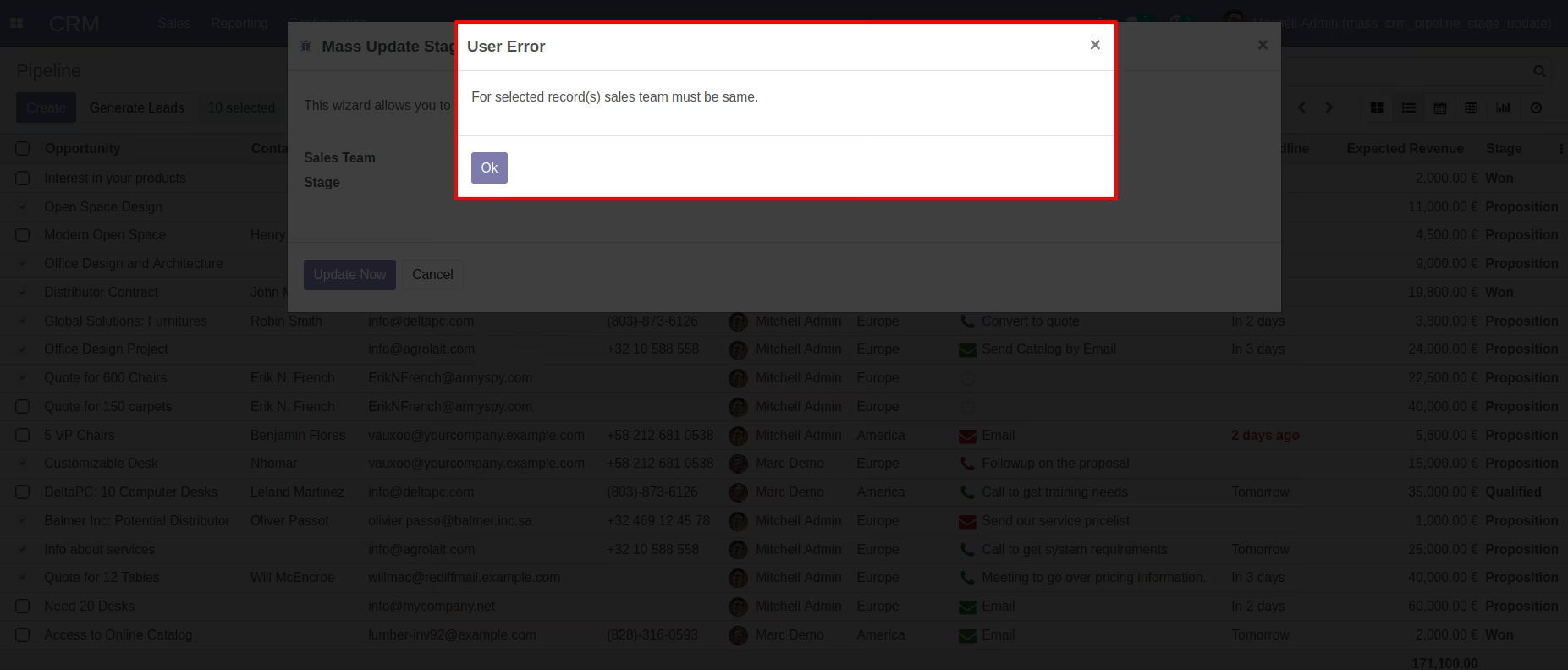
Warns users if records from different sales teams are selected.
Maintains the integrity of team-specific data and processes.
Time Efficiency:
Significantly reduces the time spent on manually updating stages for individual records.
Enhances productivity by enabling bulk actions.
Consistency:
Ensures uniformity in the sales pipeline by applying the same stage to multiple records.
Reduces the risk of errors and discrepancies.
Improved Sales Process Management:
Facilitates better tracking and management of leads and opportunities.
Supports timely progression of records through the sales stages.
Enhanced User Experience:
Offers an intuitive and easy-to-use interface.
Simplifies the process of managing a large number of records.
Update Stage CRM Opportunity / Pipeline in Bulk
Mass Update CRM Records Stage
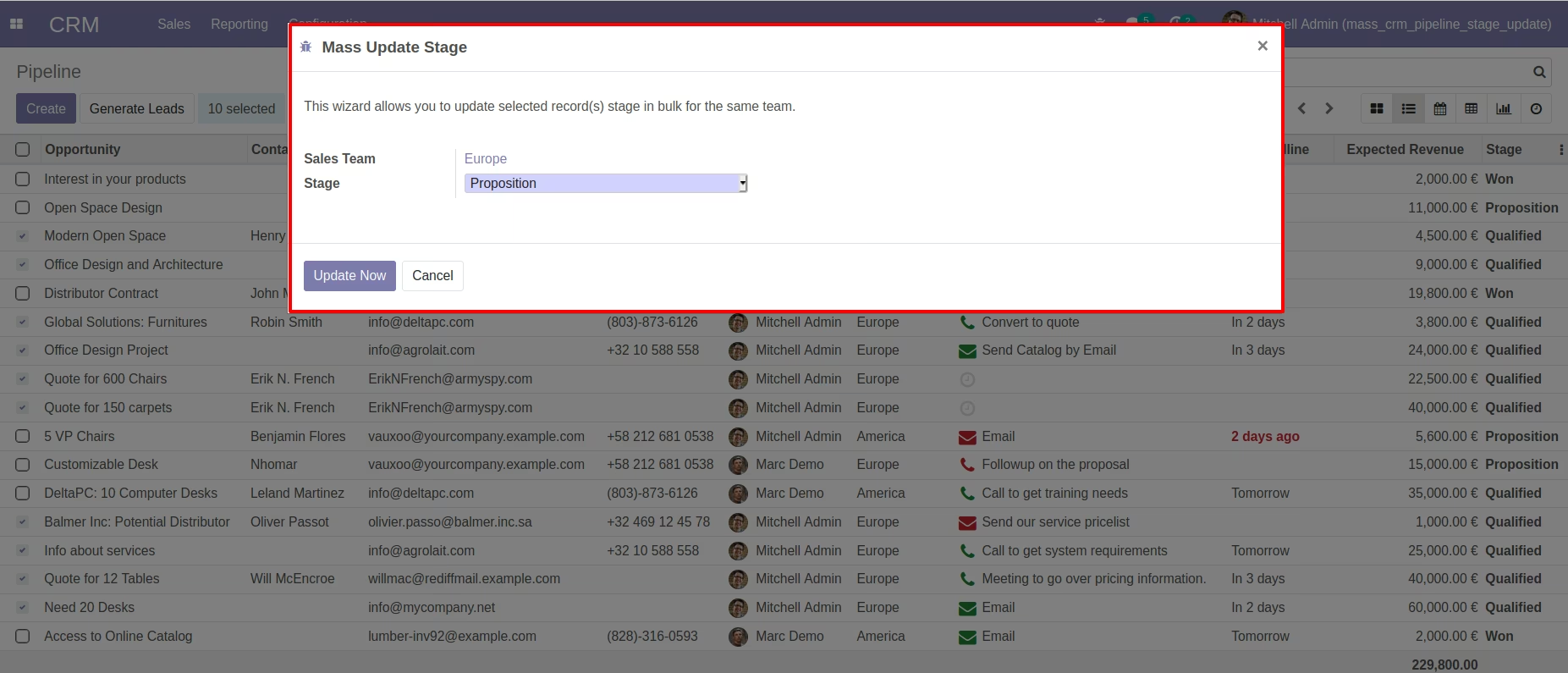
This app will allow your sales team user to update CRM pipelines / leads / opportunity from the list view in bulk for the same team. If the user tries to select record(s) from different sales teams on the list then the system will raise a warning.
Main Features:
- Allow your sales team user to move the CRM pipeline / opportunity / leads stage in bulk from the list view of the CRM records for the same sales team.
- System will only list stages on wizard which belong to that sales team or for stages where the team has not been set.
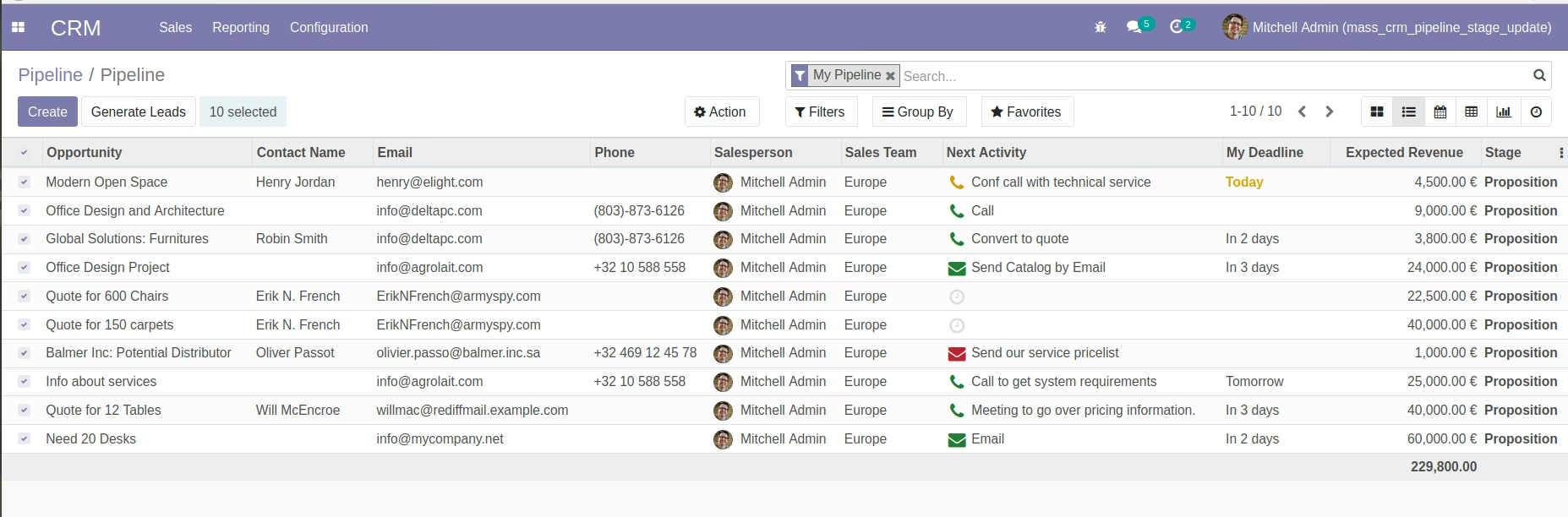
- System will write a stage on selected records on CRM Lead / Opportunity / Pipeline records as shown.
- For more details please see below screenshots and watch the video.
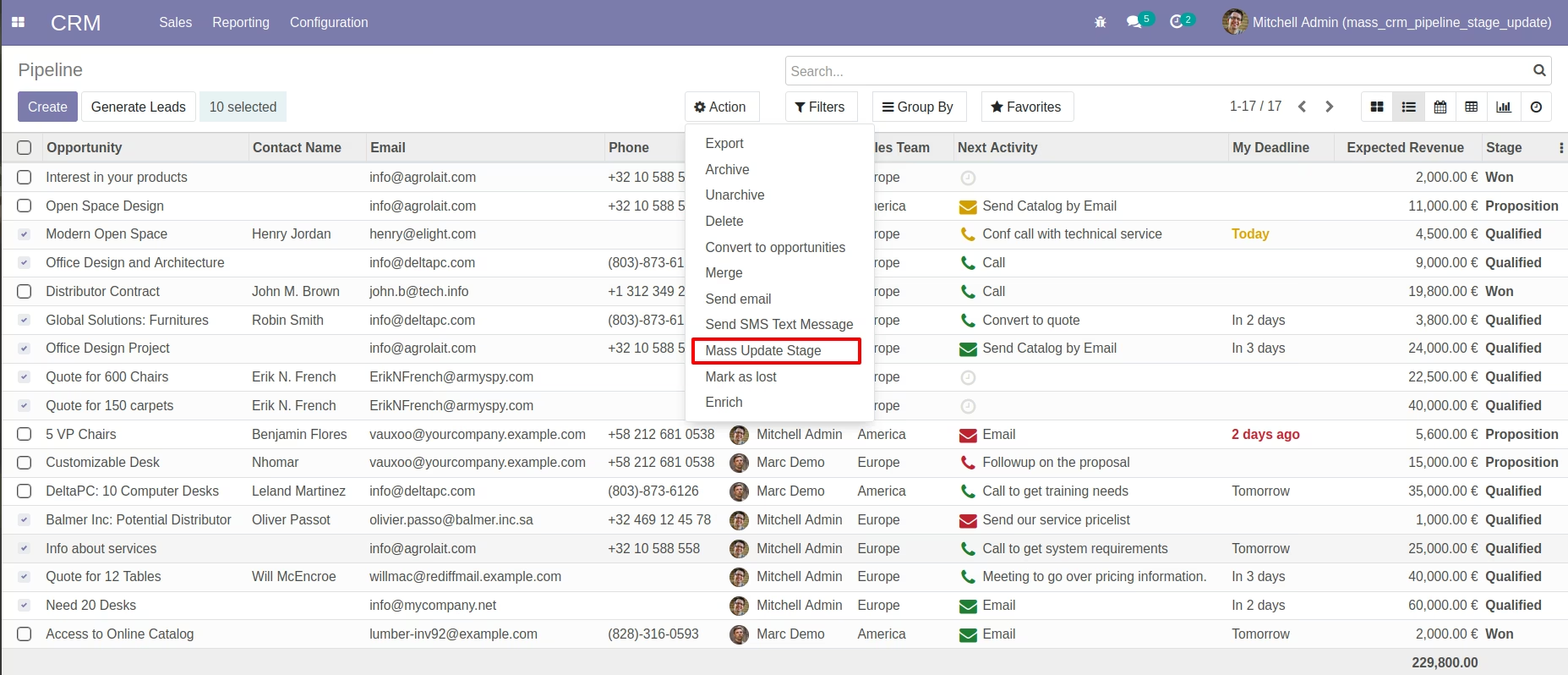
Click on Mass Update Stage Wizard - CRM Pipelines List View.
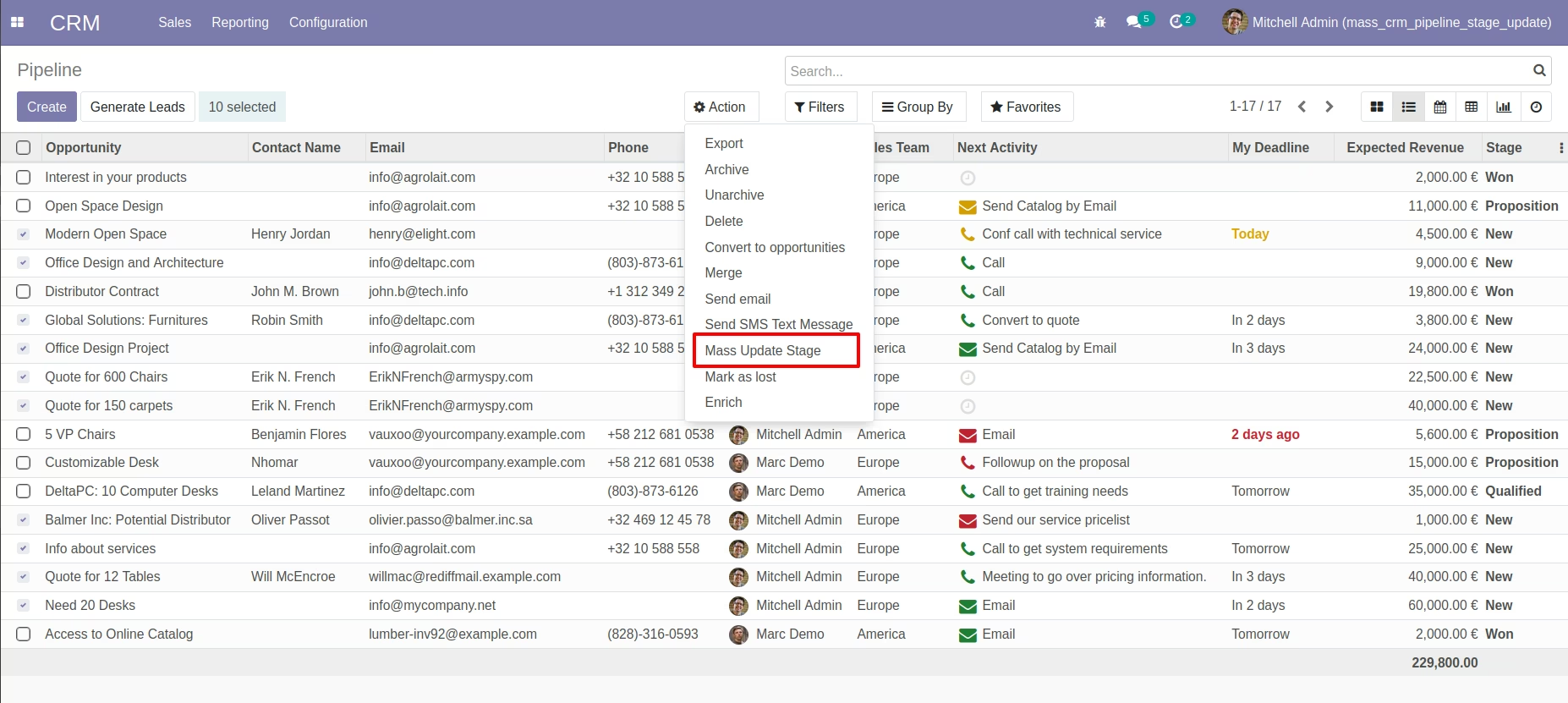
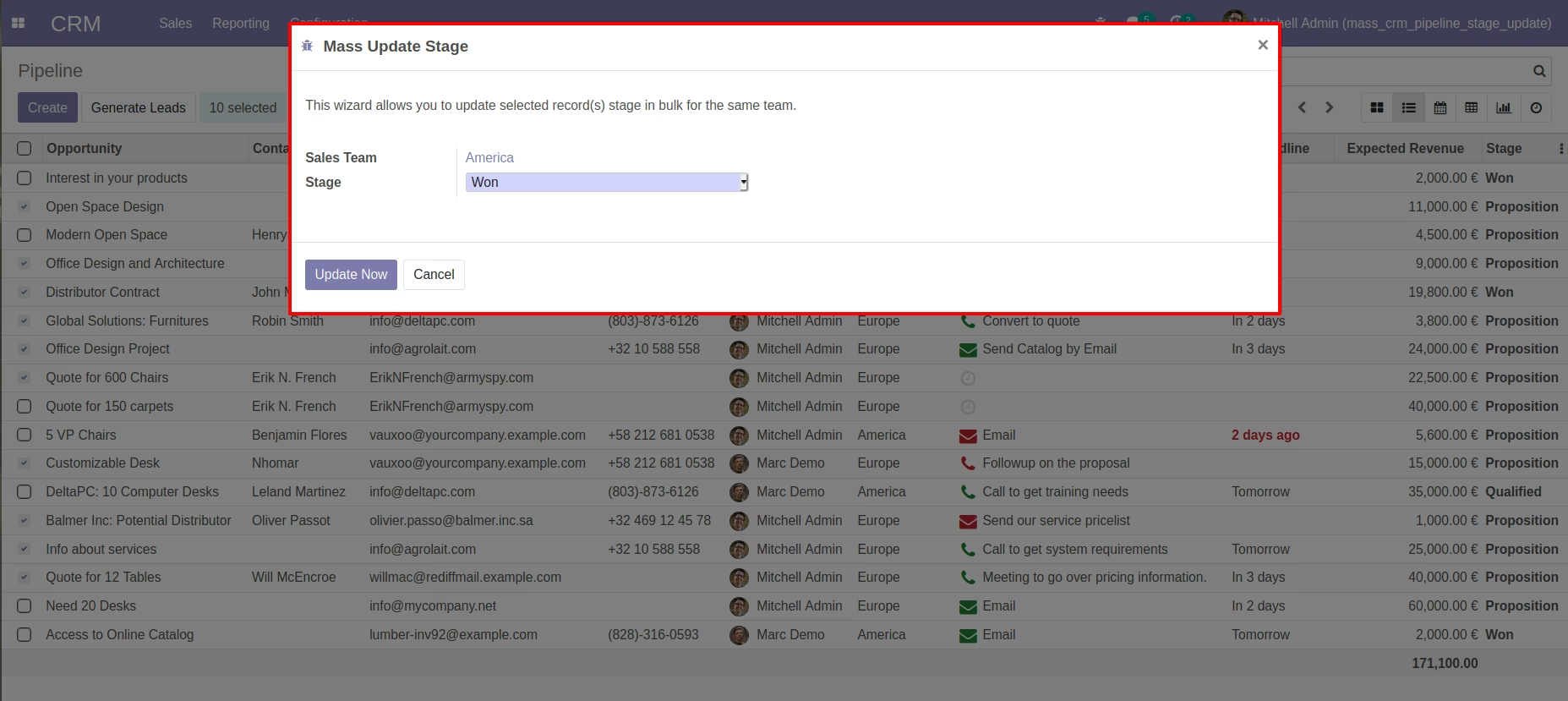
Showing Mass Update Stage Wizard.
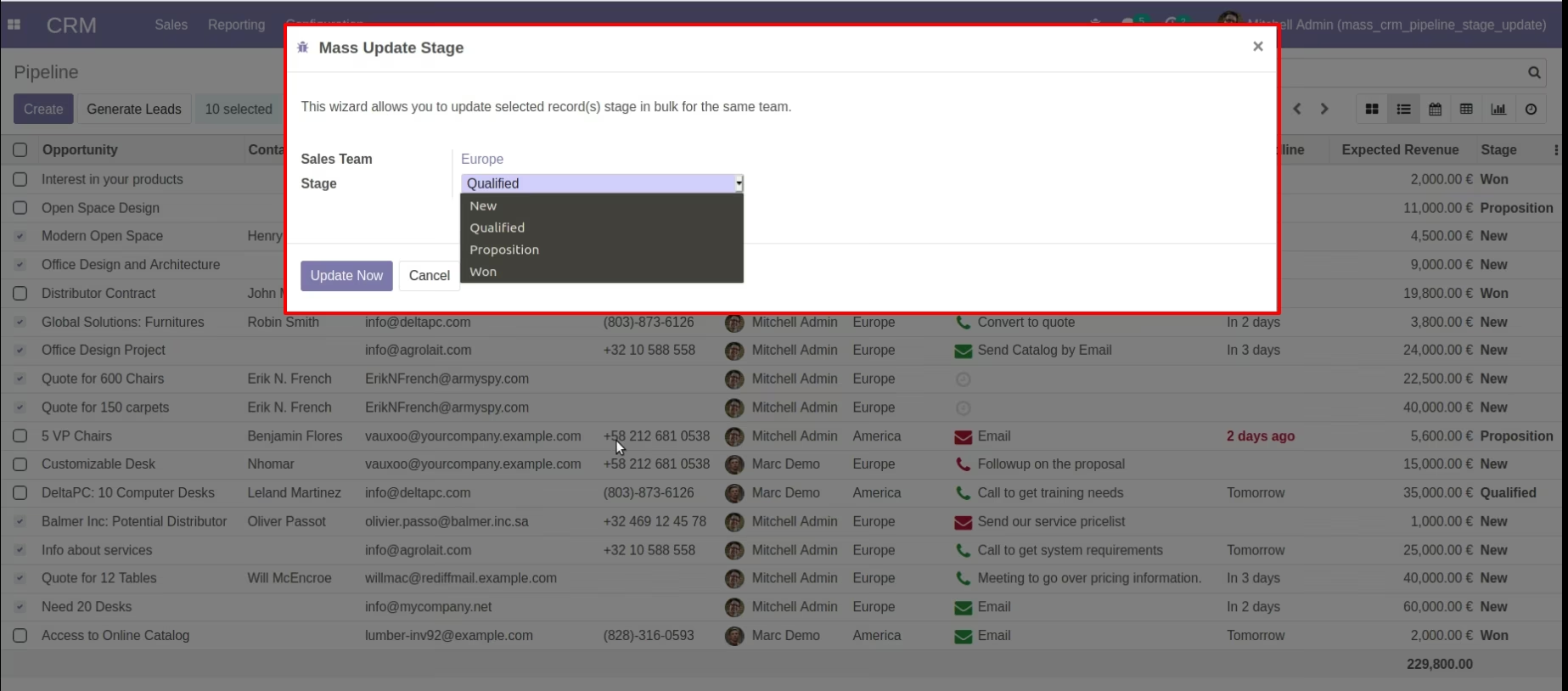
Showing Mass Update Stage with Select Qualified Stage on Wizard.
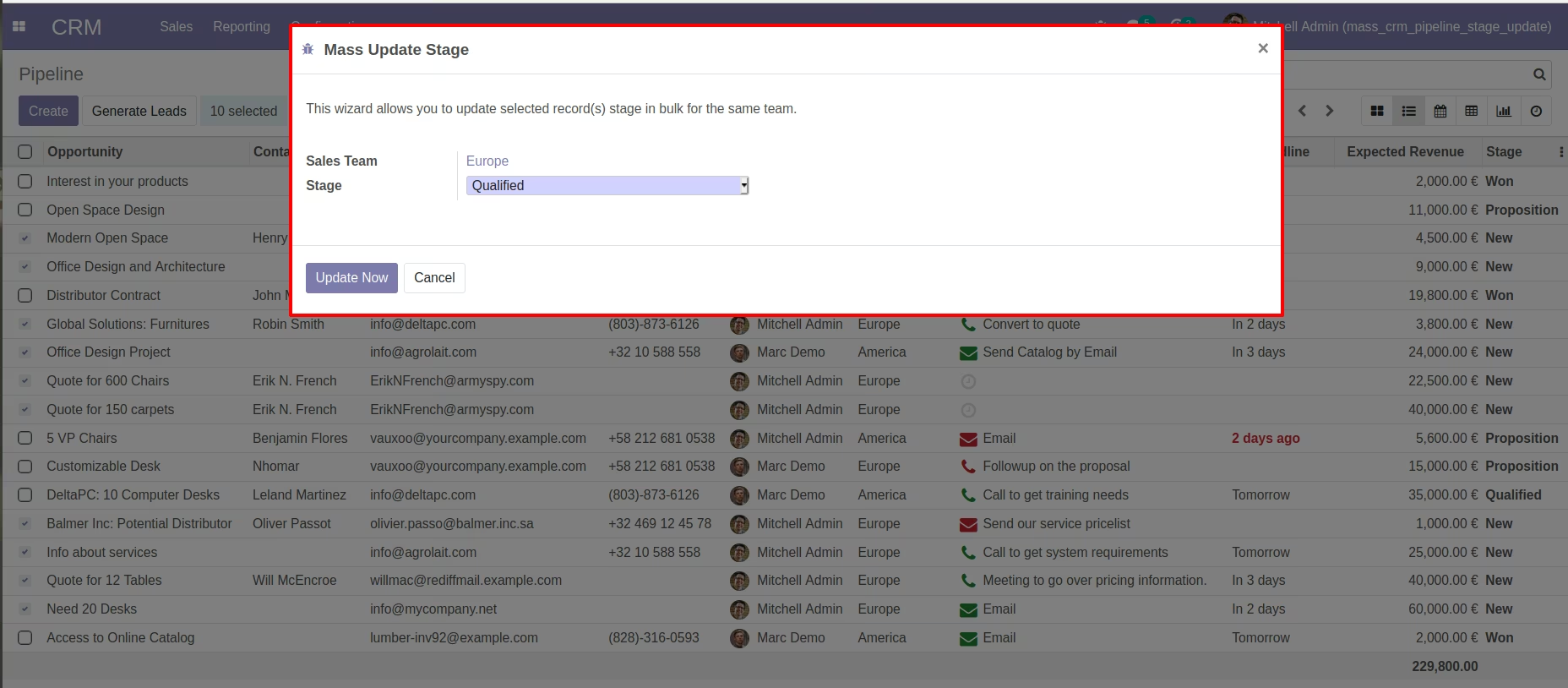
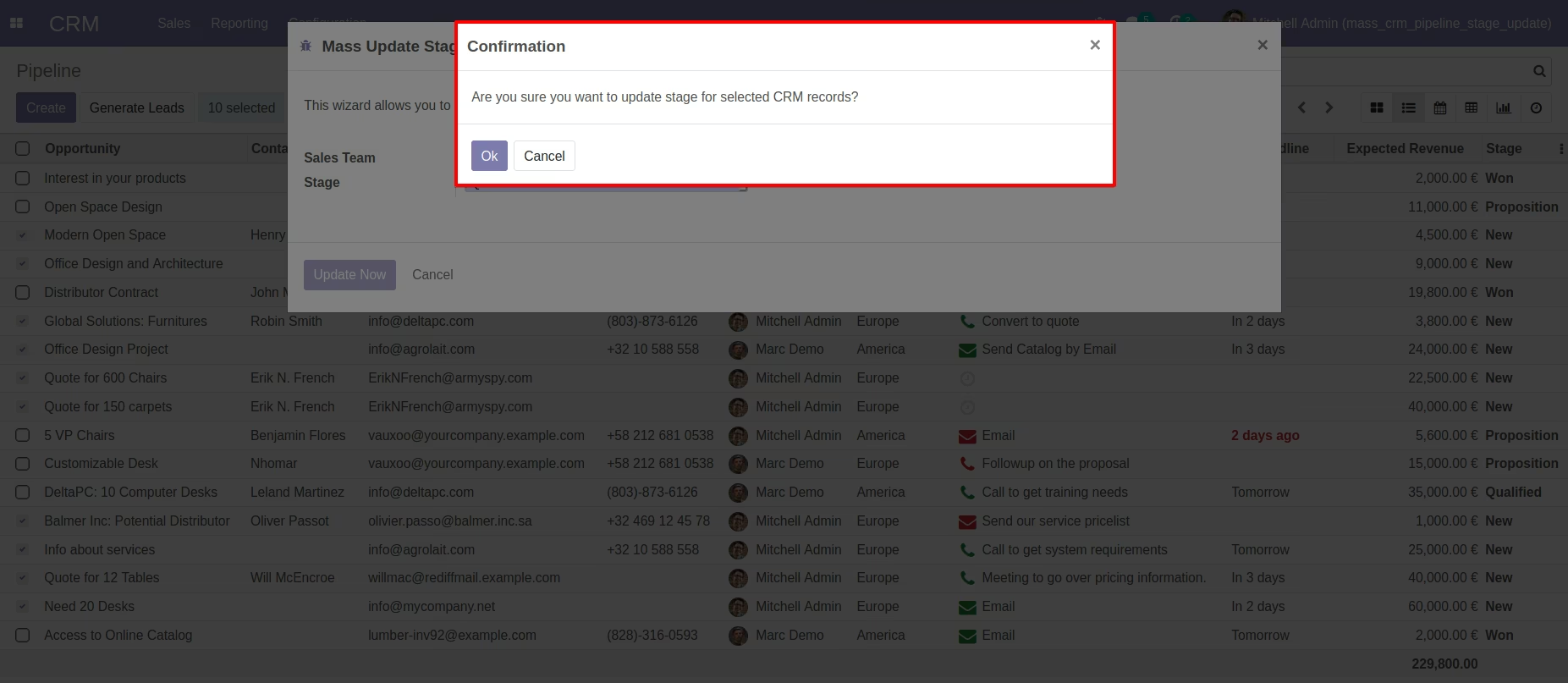
Showing Confirmation Message on Wizard before Proceed.
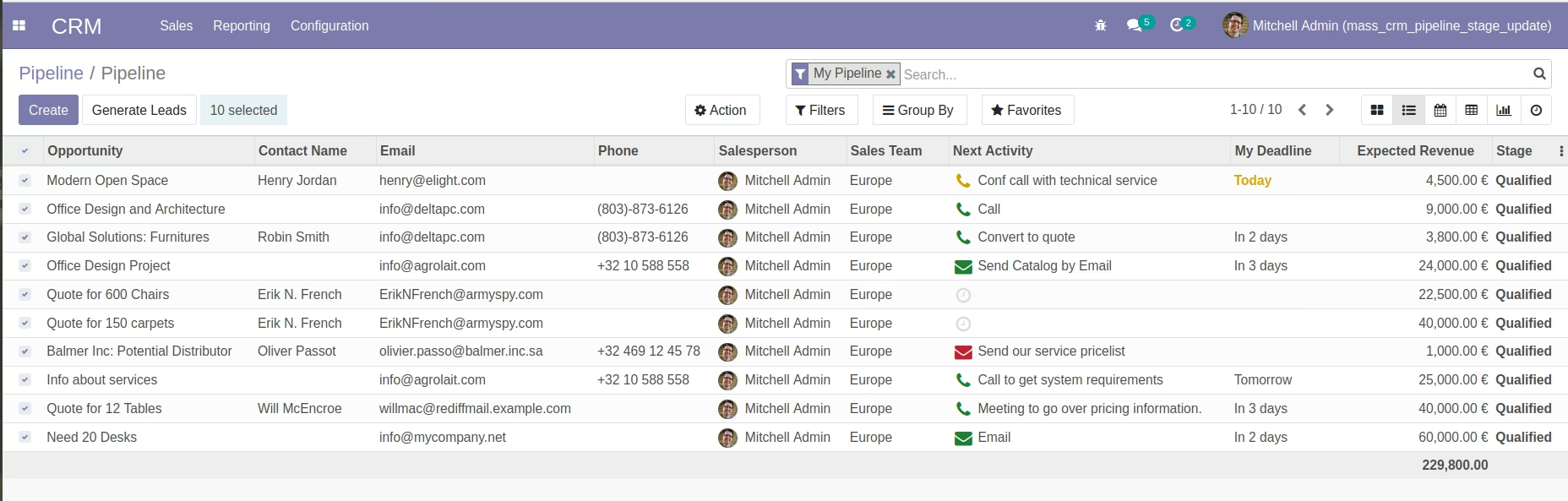
Pipeline List view with Qualified Stage Updated After Running Wizard.
Click on Mass Update Stage Wizard - Pipeline List View.
Showing Mass Update Stage Wizard.
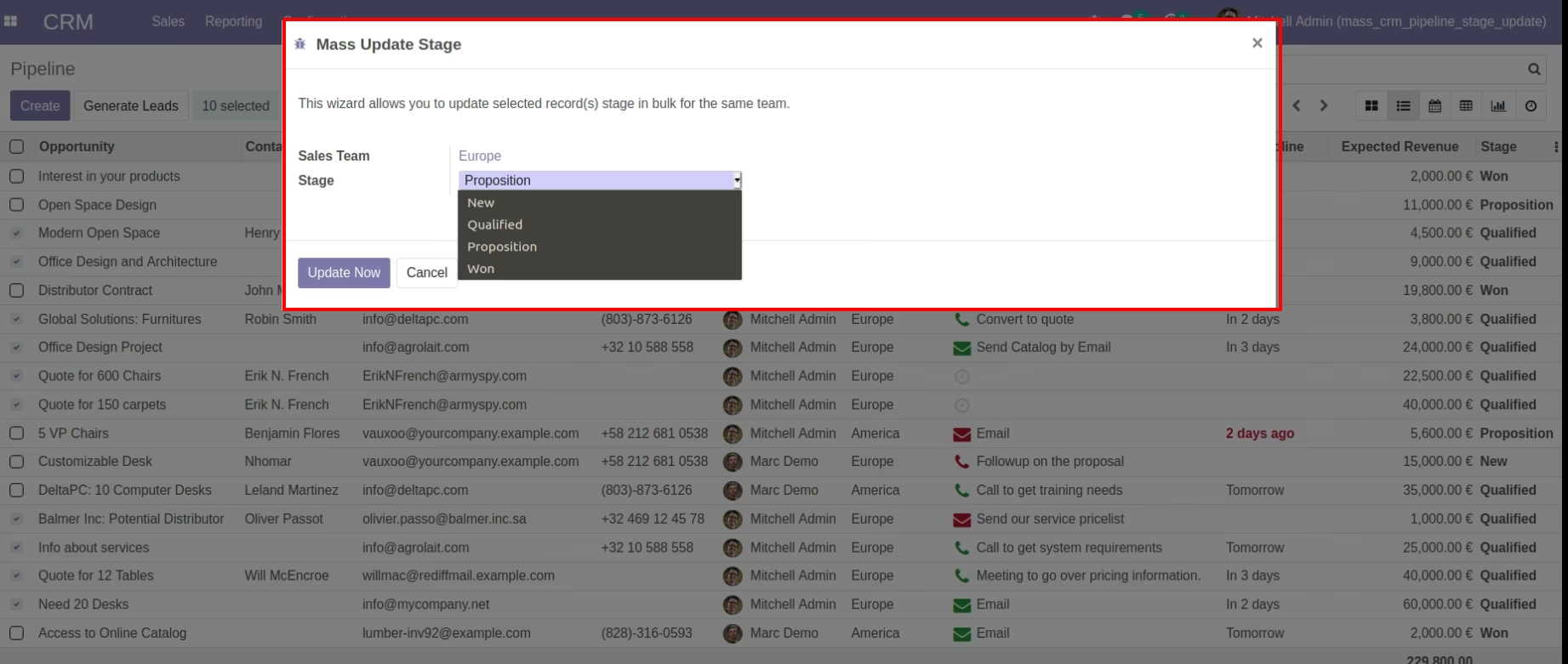
Showing Mass Update Stage with Select Proposition Stage on Wizard.
Showing Confirmation Message on Wizard before Proceed.
Pipeline List View with Proposition Stage Updated After Running Wizard.
Showing Mass Update Stage Wizard by Selecting Records from Different Sales Team.
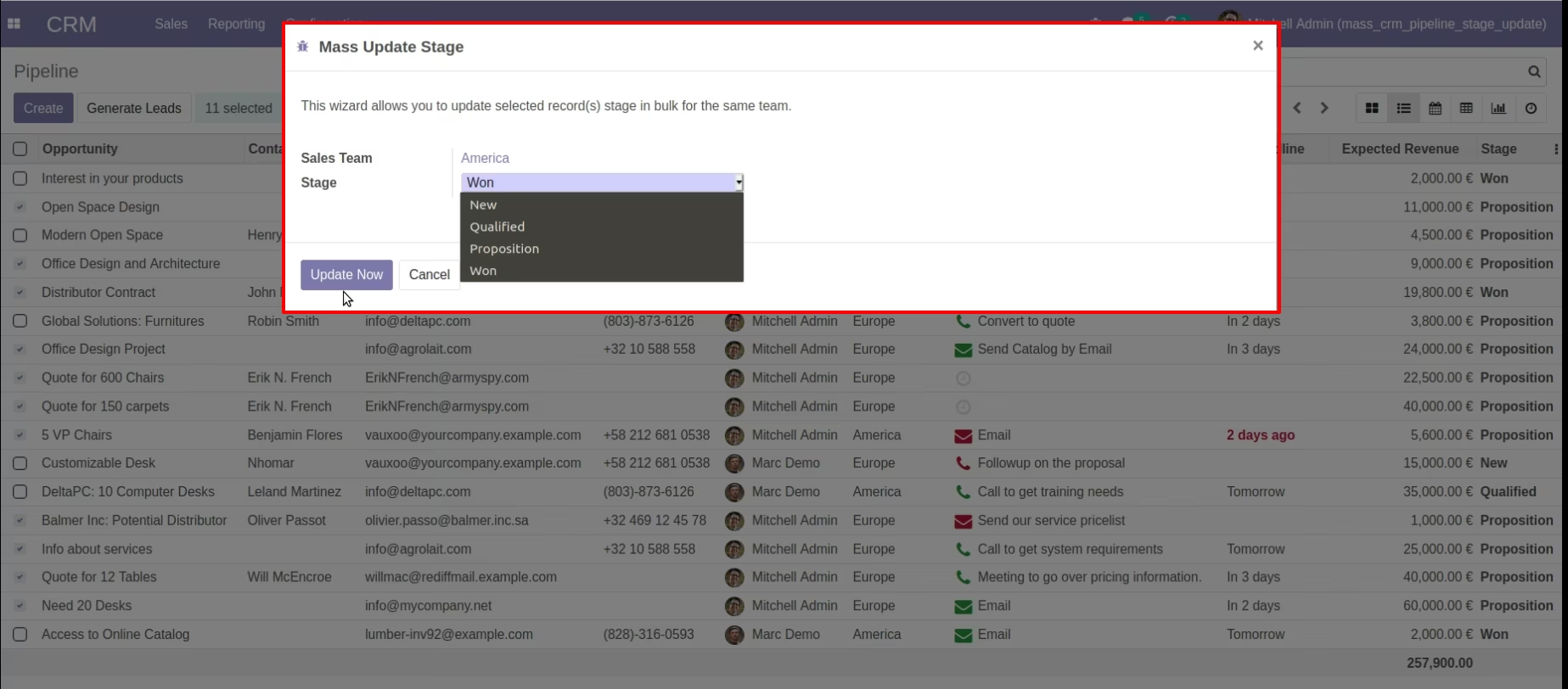
Showing Mass Update Stage Wizard by Selecting Records from Different Sales Team.
Showing Confirmation Message on Wizard before Proceed.
Warning Raise if CRM Records selected having different Team.