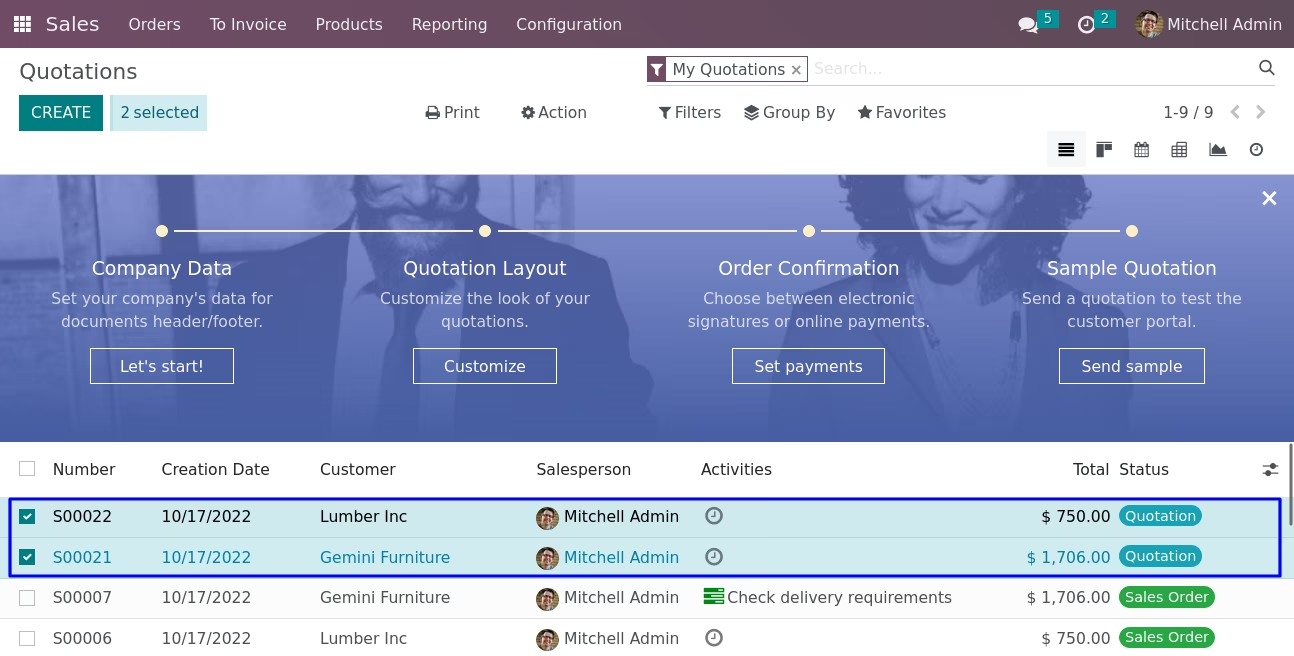
The module for enhances data management by allowing users to duplicate multiple records simultaneously from the list view. This functionality is particularly beneficial for businesses that need to create multiple similar records quickly, such as sales orders, purchase orders, or invoices.
Bulk Duplication:
Enables users to select multiple records from the list view and duplicate them in one action.
Supports various models, including sales, purchases, and invoices.
User-Friendly Interface:
Integrates seamlessly into the list view.
Provides an intuitive "Mass Duplicate" button in the action menu.
Customizable Duplication:
Allows for the duplication of records with or without specific fields.
Provides flexibility to tailor the duplication process as per business requirements.
Confirmation Prompts:
Displays confirmation messages before applying changes.
Prevents accidental duplications and ensures intentional actions.
Duplicated Records List:
Users can view a list of duplicated records for reference.
Facilitates tracking and management of duplicated entries.
Time Efficiency:
Significantly reduces the time spent on manually creating similar records.
Streamlines the data entry process, allowing users to focus on other tasks.
Consistency:
Ensures uniformity in records by duplicating existing entries.
Reduces the risk of errors and discrepancies.
Improved Productivity:
Enhances overall productivity by simplifying the record creation process.
Supports businesses in managing large volumes of data effectively.
Enhanced User Experience:
Offers an intuitive and easy-to-use interface.
Simplifies the process of managing multiple records.
In default only allows to duplicate one record at a time via form view. This apps module helps to duplicate multiple records from list/tree view at a time in any model(object).Its very simple to use, select multiple records from the list view and click "Mass Duplicate" button from menu action and it's very time saving feature to users to duplicate everything in one single click instead of copy each record one by one.
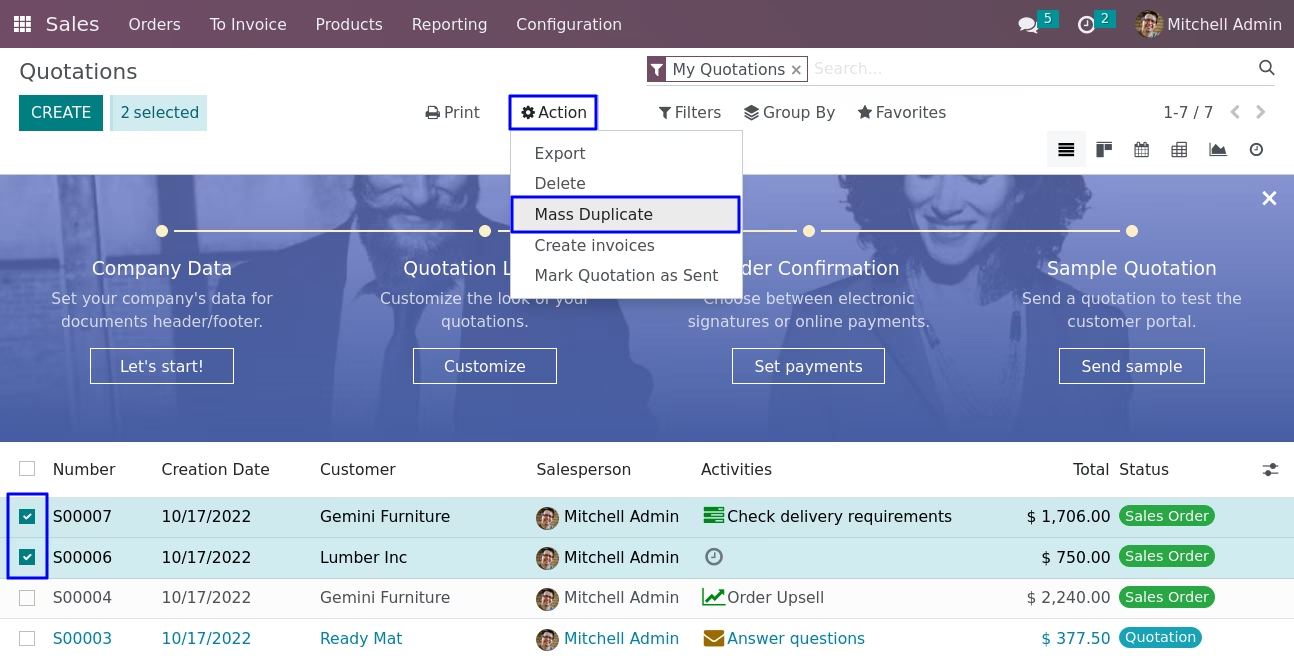
Mass Duplicate Button
Once module is installed you can see a new option 'Mass Duplicate' in a action window which will appear only after selecting any record.
Original Records With Duplicated Records
See the original records with duplicated records in sale order.