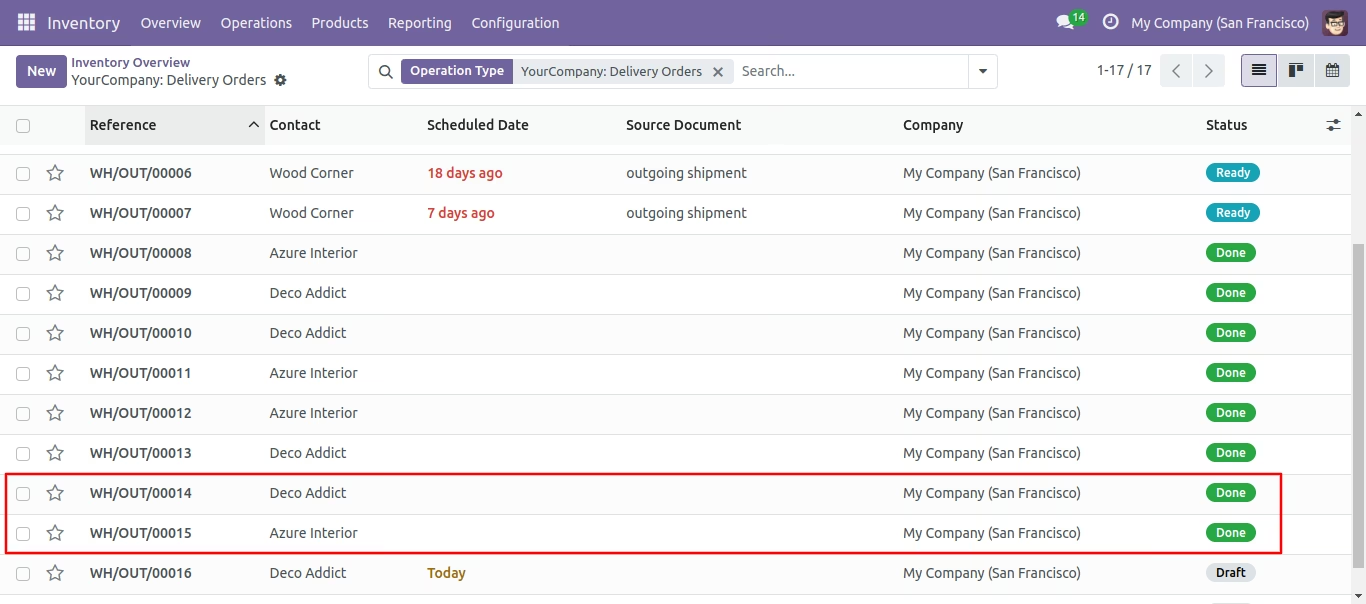
The module for streamlines the process of confirming multiple picking orders simultaneously. Designed for businesses with high-volume inventory operations, this module enhances efficiency by allowing users to validate numerous picking orders in a single action, reducing manual effort and potential errors.
Bulk Picking Confirmation:
Enables users to select multiple picking orders from the list view and confirm them all at once.
Supports various picking types, including delivery orders and internal transfers.
Flexible Validation Options:
Offers multiple validation modes:
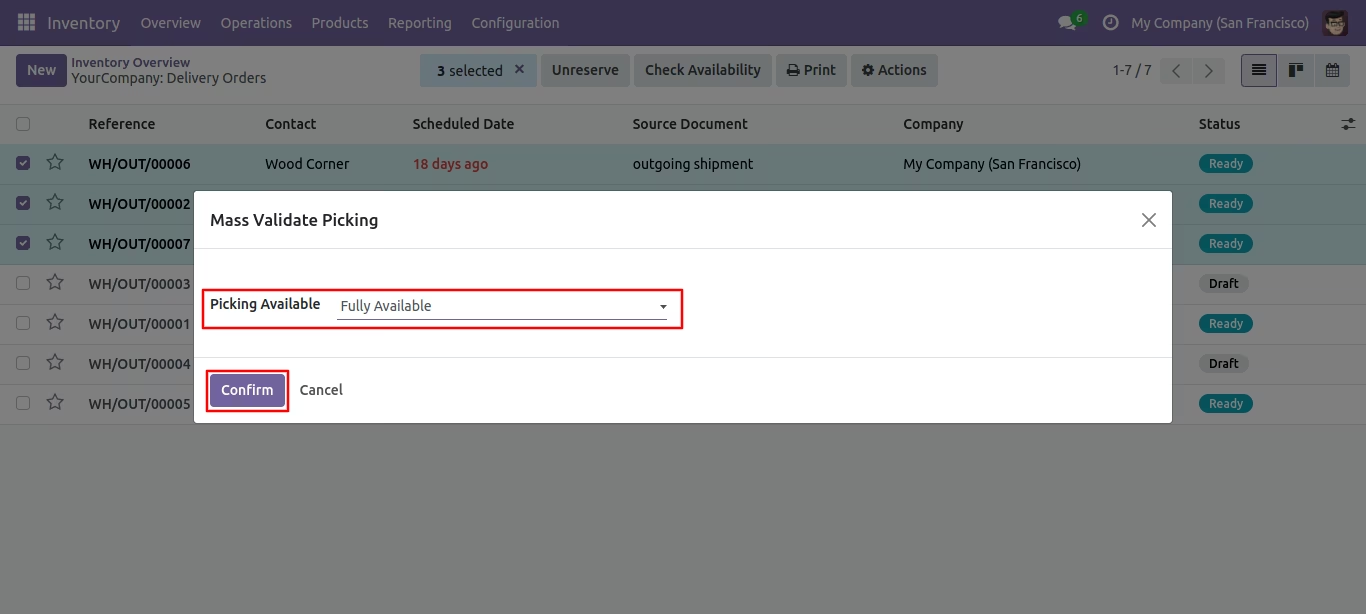
Fully Available: Confirms all selected picking orders if all items are available.
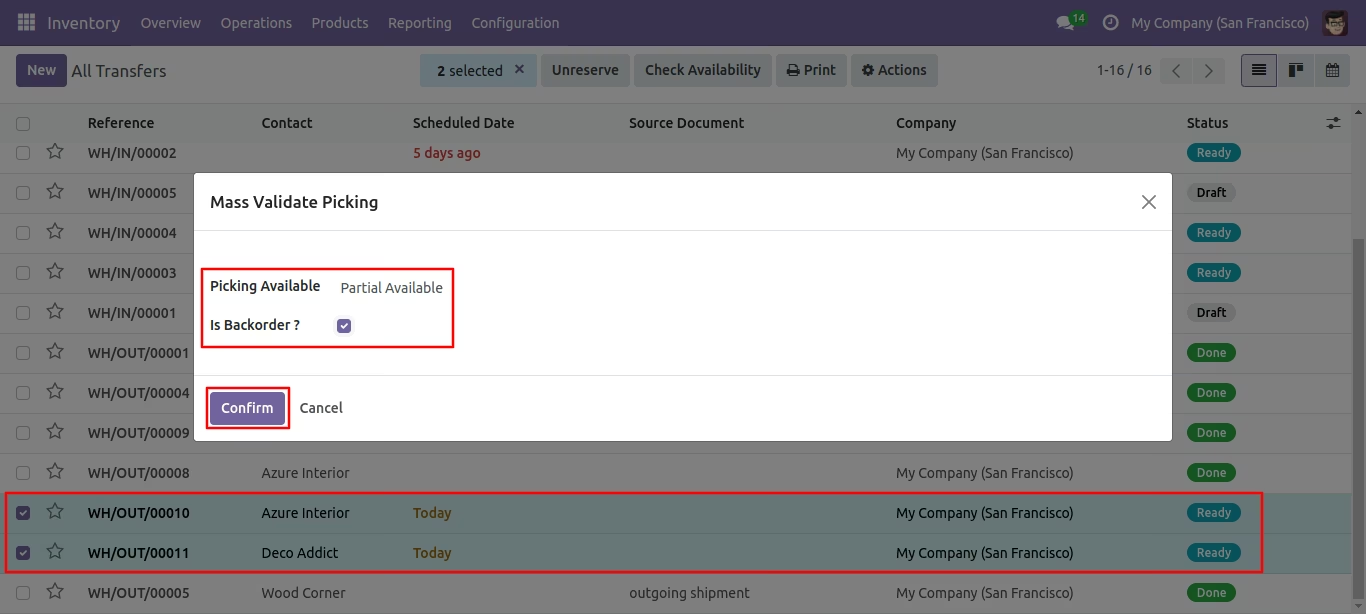
Partially Available: Confirms picking orders with available items, leaving the rest pending.
Force Available: Forces confirmation of picking orders regardless of item availability.
Integrated Workflow:
Seamlessly integrates with existing inventory and sales modules.
Automatically updates the status of related sales or purchase orders upon confirmation.
User-Friendly Interface:
Adds a "Mass Validate Picking" option to the action menu in the list view.
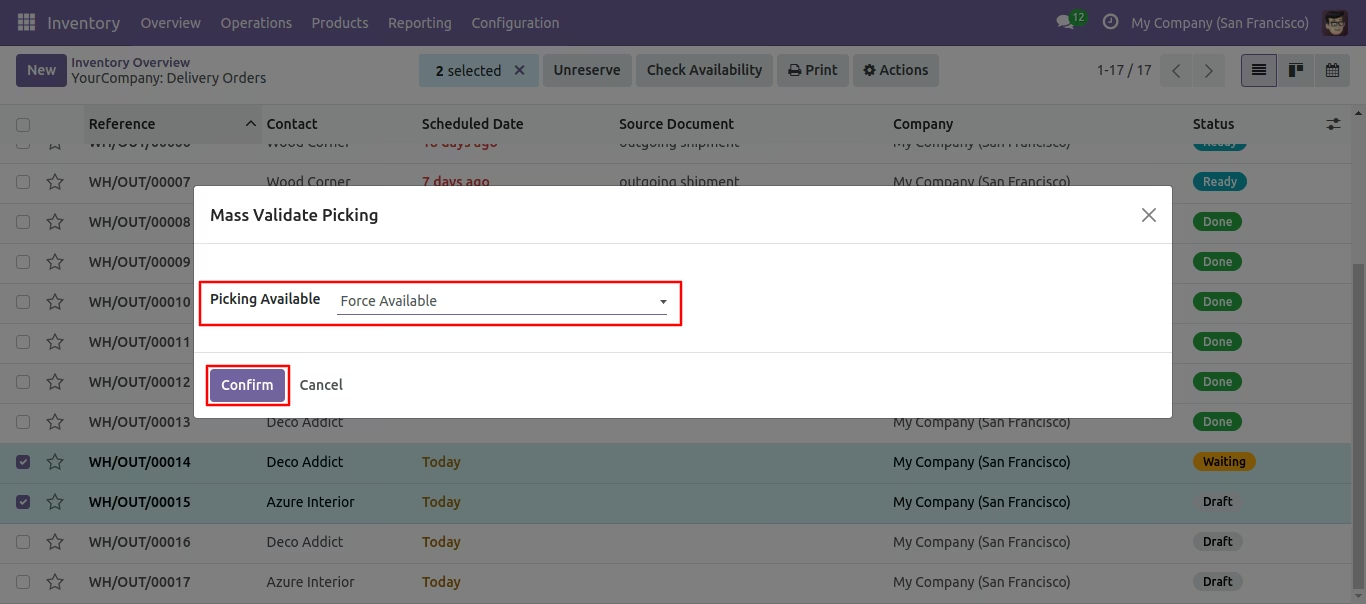
Provides a wizard to select the desired validation mode and confirm the picking orders.
Notifications and Warnings:
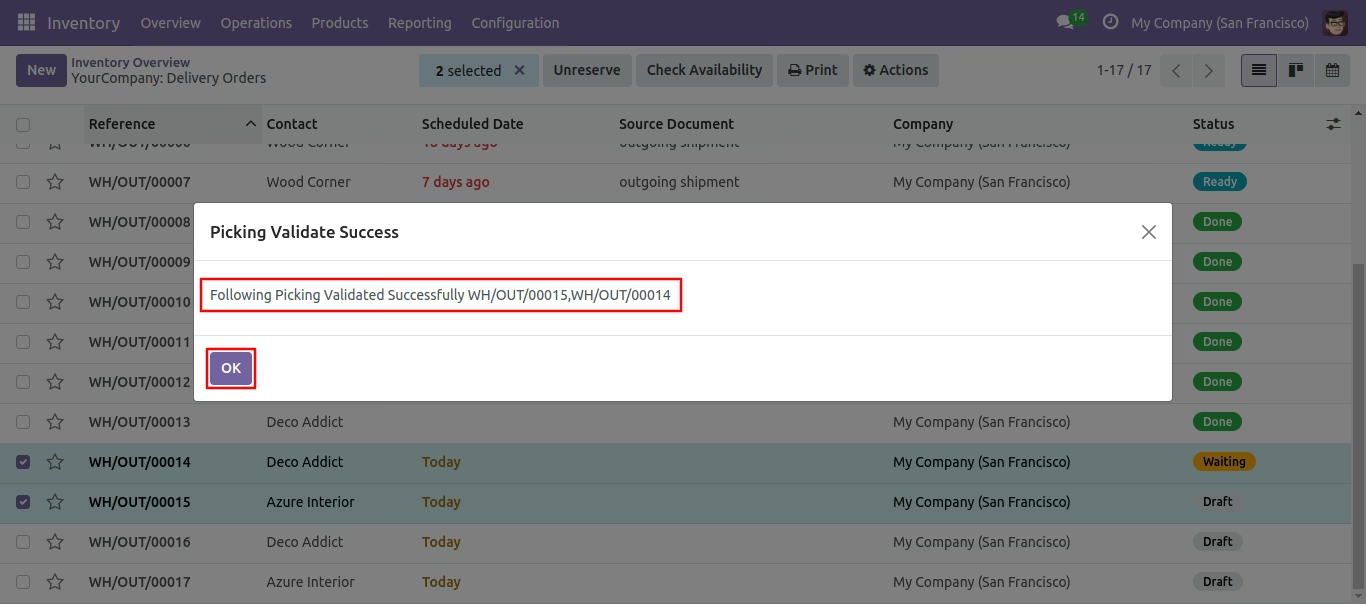
Displays success notifications upon successful confirmation.
Issues warnings if any selected orders are not in a confirmable state.
Time Efficiency:
Significantly reduces the time spent on manually confirming individual picking orders.
Streamlines the inventory management process, allowing staff to focus on other critical tasks.
Improved Accuracy:
Minimizes the risk of errors associated with manual data entry.
Ensures consistent application of validation rules across multiple orders.
Enhanced Workflow:
Facilitates smoother operations by automating repetitive tasks.
Improves coordination between sales, inventory, and accounting departments.
Scalability:
Ideal for businesses experiencing growth or handling large volumes of transactions.
Supports the efficient management of complex inventory workflows.
When you have bulk pickings then it's very difficult to validate every picking one by one. This module provides functionality to validate all pickings from the inventory. The user has to select the pickings from the list view and then validate all pickings. It shows notification in success.
- You can validate mass picking from the list view.
- You have 3 options when you apply "Mass Validate Picking", Fully available, Partial available, Force available.
- You can mass validate picking from the inventory quickly.
- It shows notification in success.
- No special configuration required just install it and cheers!
- This module saves your important time.
- It reduces human efforts.
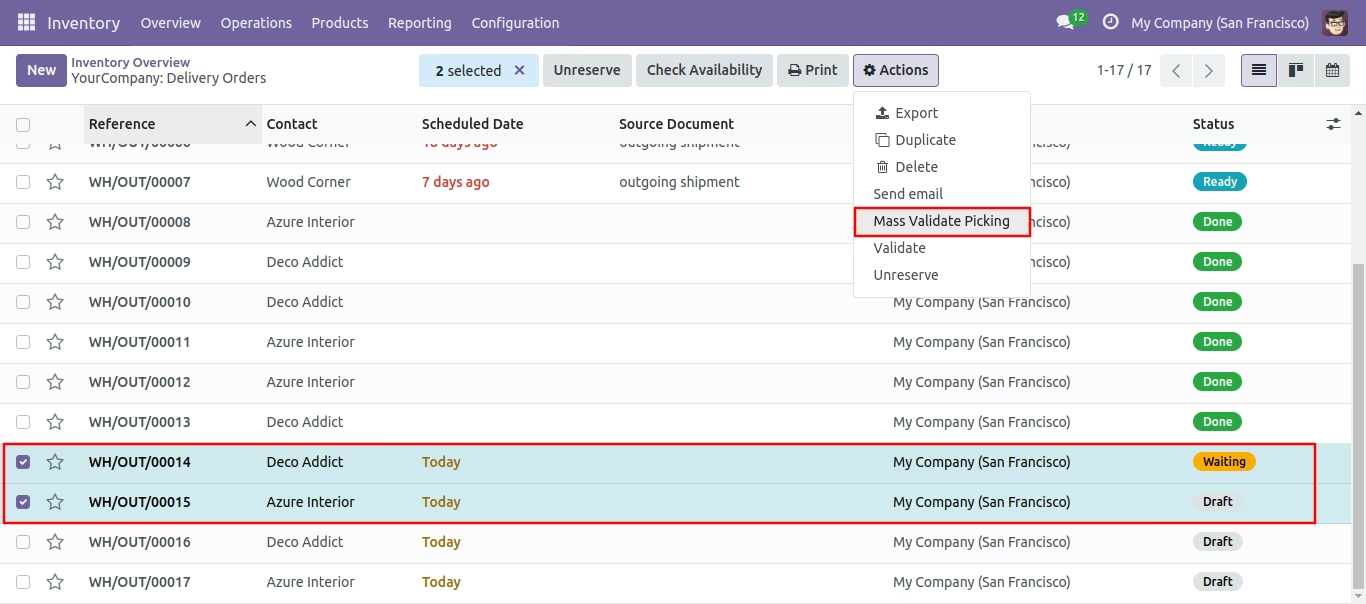
Select the pickings from the list view and then from the "Action" menu select "Mass Validate Picking".
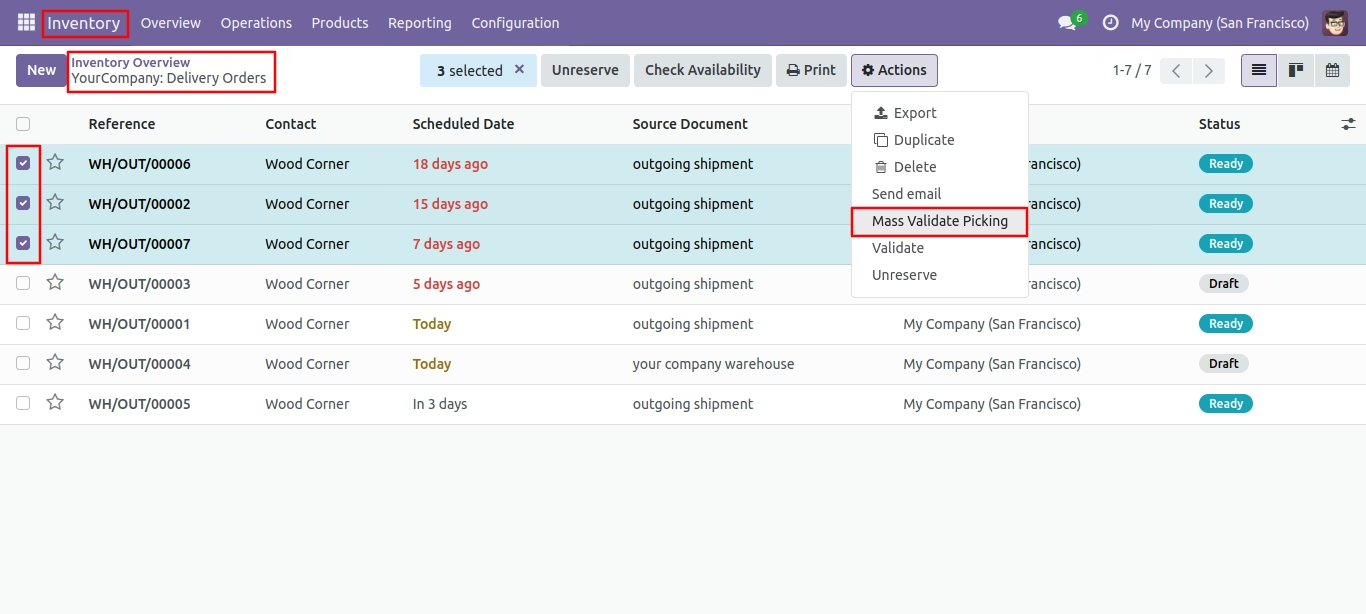
After that one wizard opens, select picking available types,
1) Fully Available.
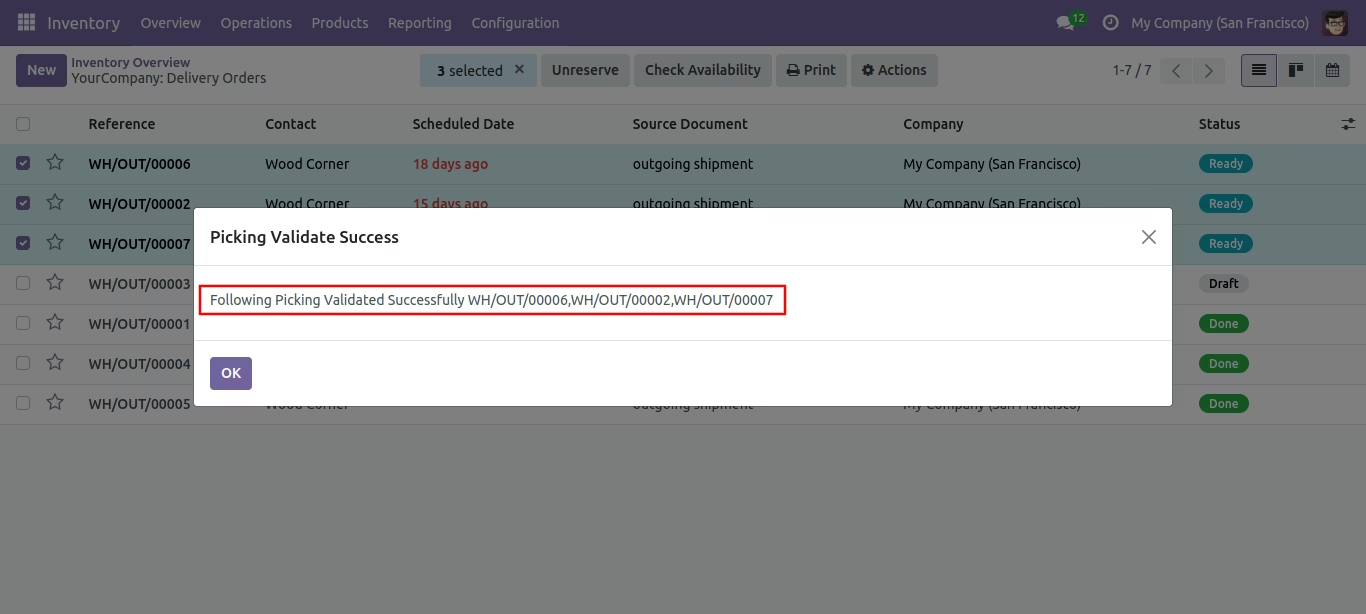
It shows a notification in success.
The picking list view looks like below.
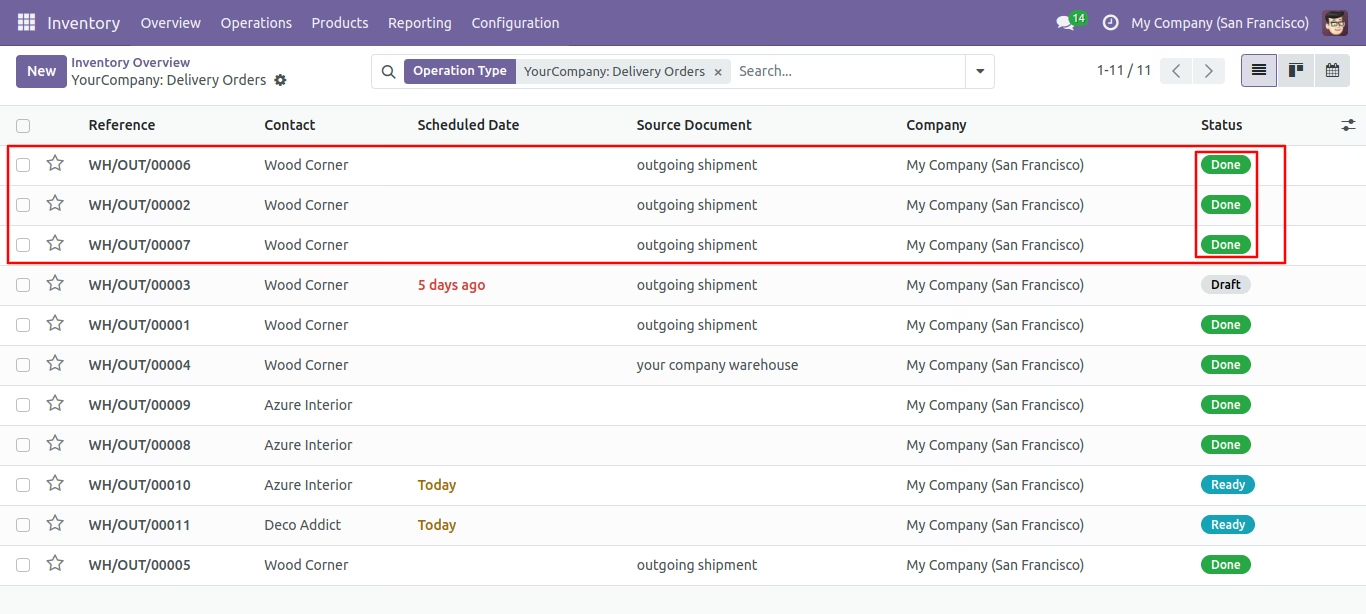
2) Partial Available, tick the tickbox if you want backorder.
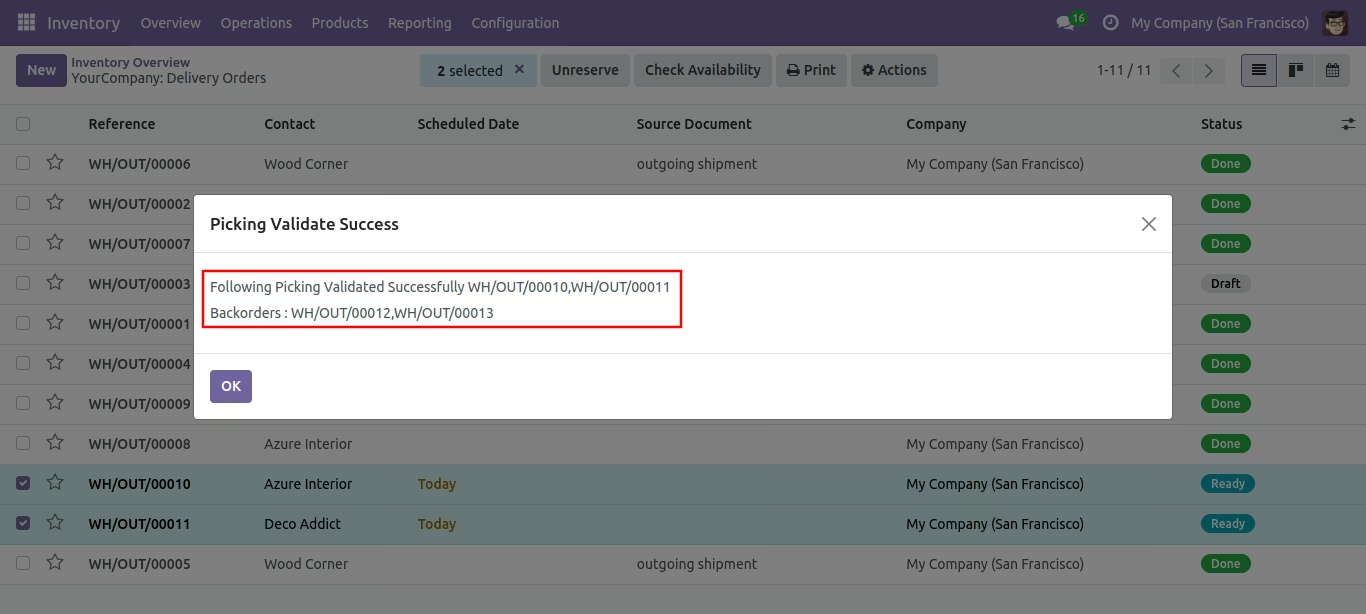
It displays a success notification and includes backorder details.
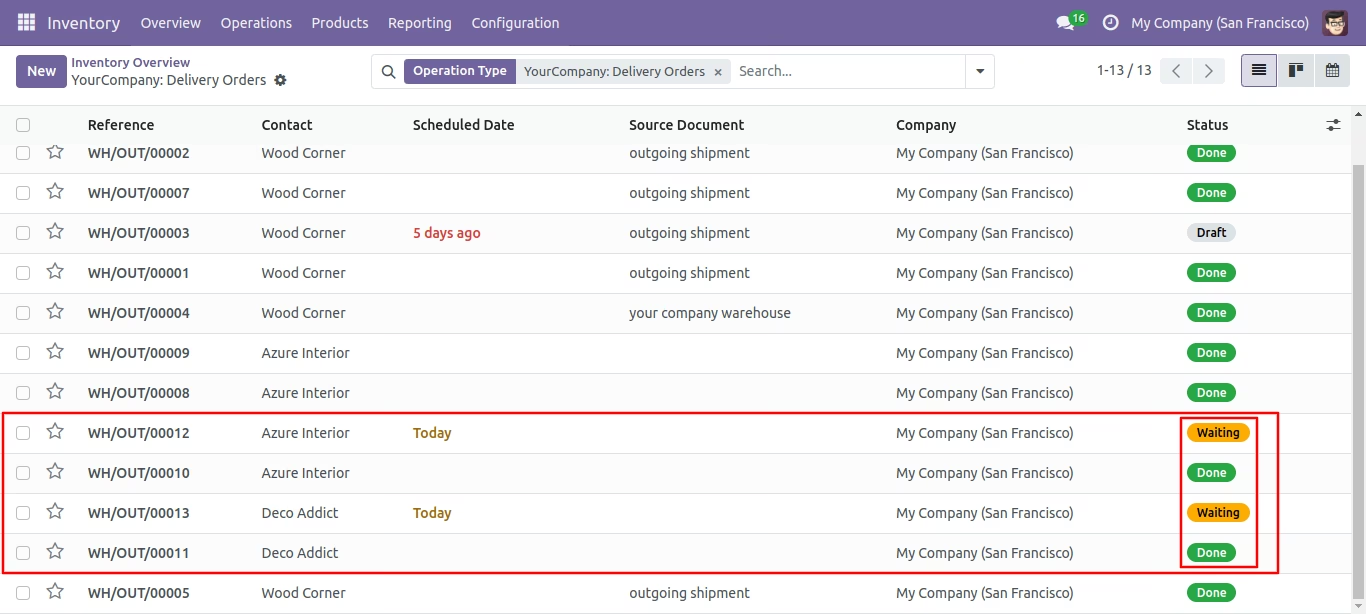
The picking list view looks like below.
Select the pickings from the list view and then from the "Action" menu select "Mass Validate Picking".
3) Force Available.
It shows a notification in success.
The picking list view looks like below.