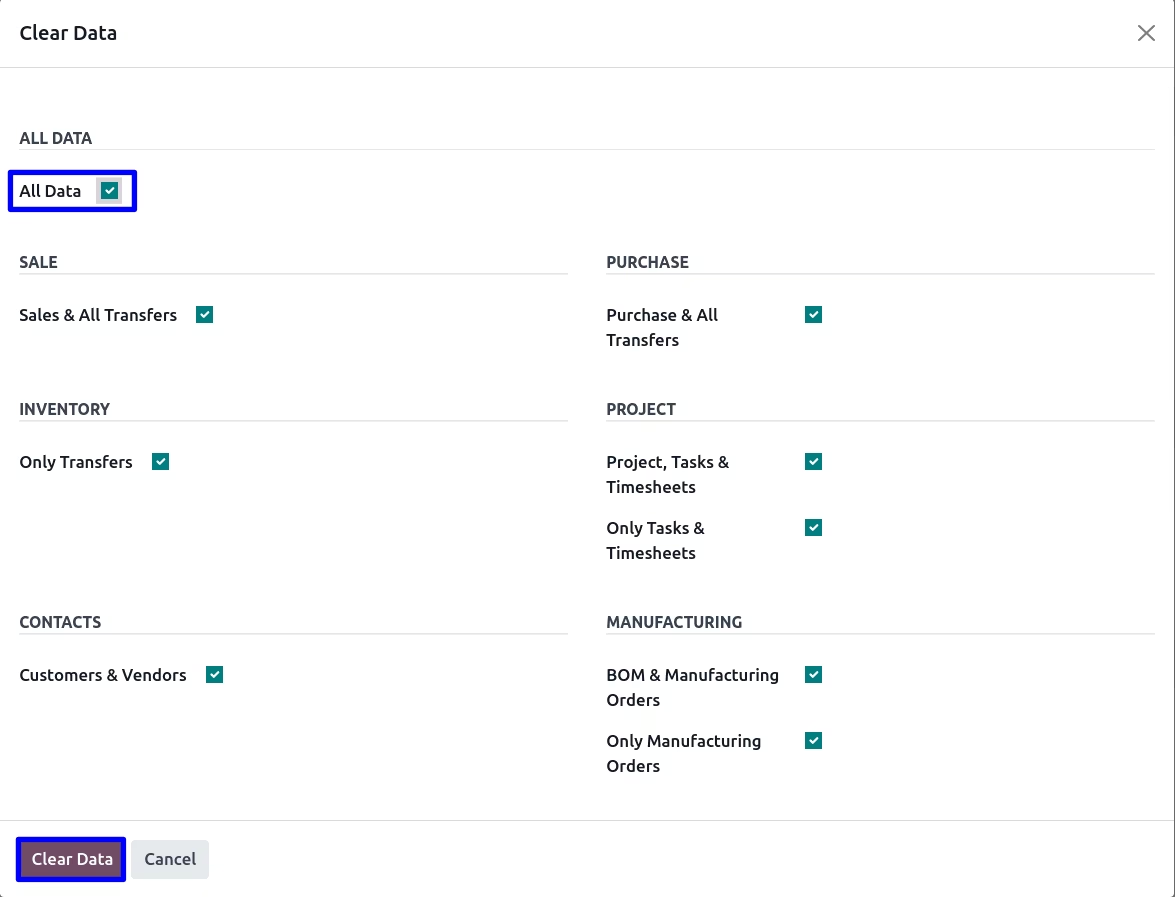
The module for provides a streamlined approach to managing and removing unwanted data from your system. With a user-friendly wizard interface, this module allows administrators to efficiently clear various data records, ensuring a clean and optimized database.
Comprehensive Data Removal Options:
Offers a range of options to delete specific data sets, including:
Sales & All Transfers
Purchase & All Transfers
Only Transfers
Project, Tasks & Timesheets
Only Tasks & Timesheets
Customers & Vendors
BOM & Manufacturing Orders
Only Manufacturing Orders
All Invoicing, Payments & Journal Entries
Only Journal Entries
Chart of Accounts & All Accounting Data
Single-Click Data Deletion:
Provides an "All Data" checkbox to delete all data records in one action.
Simplifies the data cleanup process, saving time and effort.
Developer Mode Access:
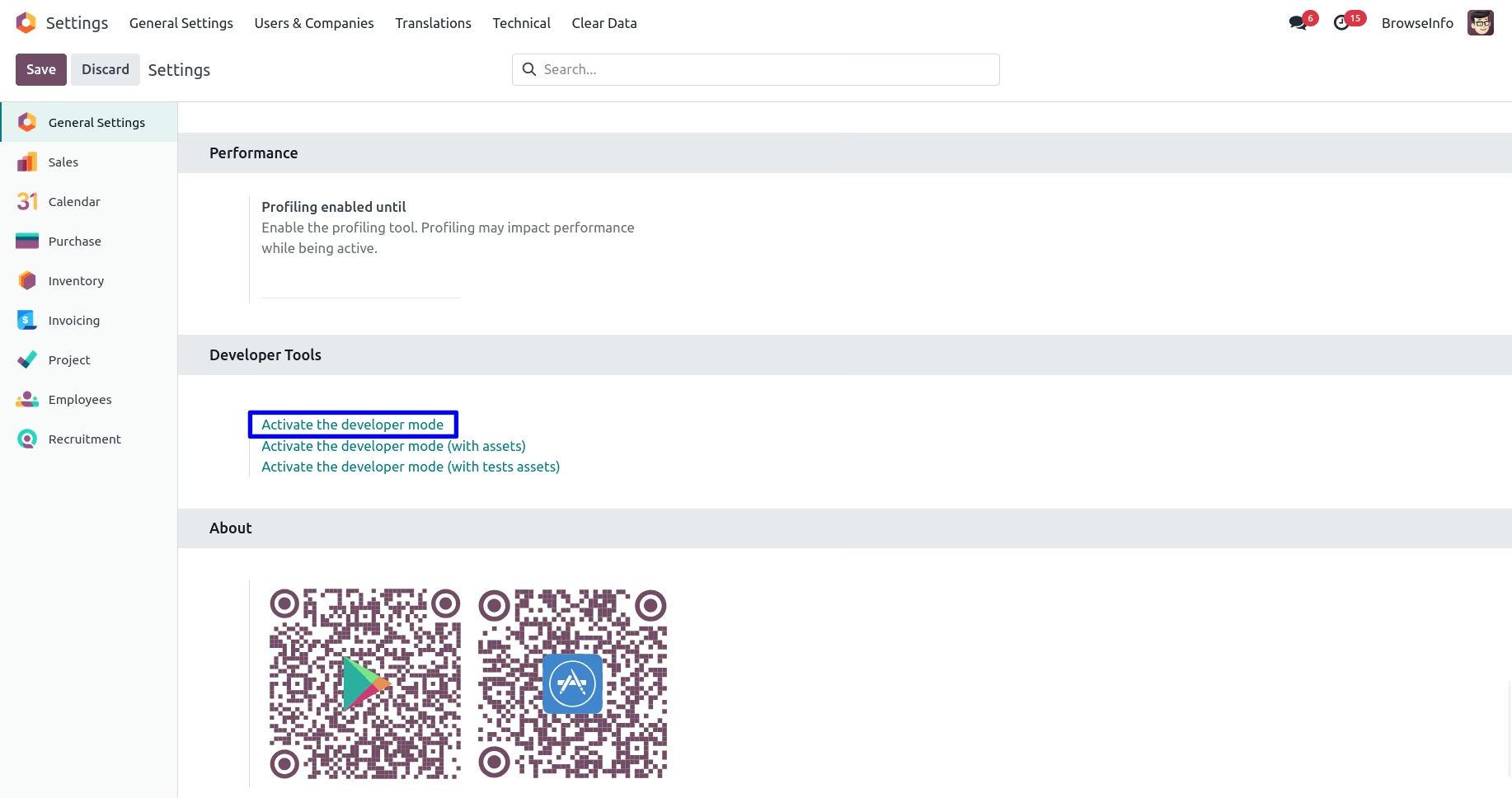
Requires activation of Developer Mode to access the "Clear Data" menu.
Ensures that only authorized users can perform data deletion tasks.
Clear Data Wizard Interface:
Presents a wizard interface to select and delete data records.
Displays available options based on installed modules, ensuring relevant data is targeted.
Efficient Data Management:
Streamlines the process of removing unwanted data, reducing manual effort.
Helps maintain an organized and optimized database.
Time-Saving:
Allows for bulk deletion of data records, saving time compared to manual removal.
Enhances productivity by simplifying data management tasks.
Enhanced System Performance:
Reduces database size by removing unnecessary data.
Improves system performance and responsiveness.
User-Friendly Interface:
Provides an intuitive interface for data deletion tasks.
Minimizes the risk of errors during the data cleanup process.
Duplicate and Junk Remover
Data Management and Cleanup
Mass Remove and Delete Data Apps
Mass Clean Data from Database Apps
Clean Data Records App helps users to clean or delete unwanted data using wizard on single click of button. Users can easily clear data by clicking on checkbox like Sales & All Transfers, Purchase & All Transfers, Only Transfers, Project, Tasks & Timesheets, Only Tasks & Timesheets, Customers & Vendors, BOM & Manufacturing Orders, Only Manufacturing Orders, All Invoicing, Payments & Journal Entries, Only Journal Entries, Chart of Accounts & All Accounting Data. Users can also clean all above objects using a single click by checking the "All Data" checkbox.
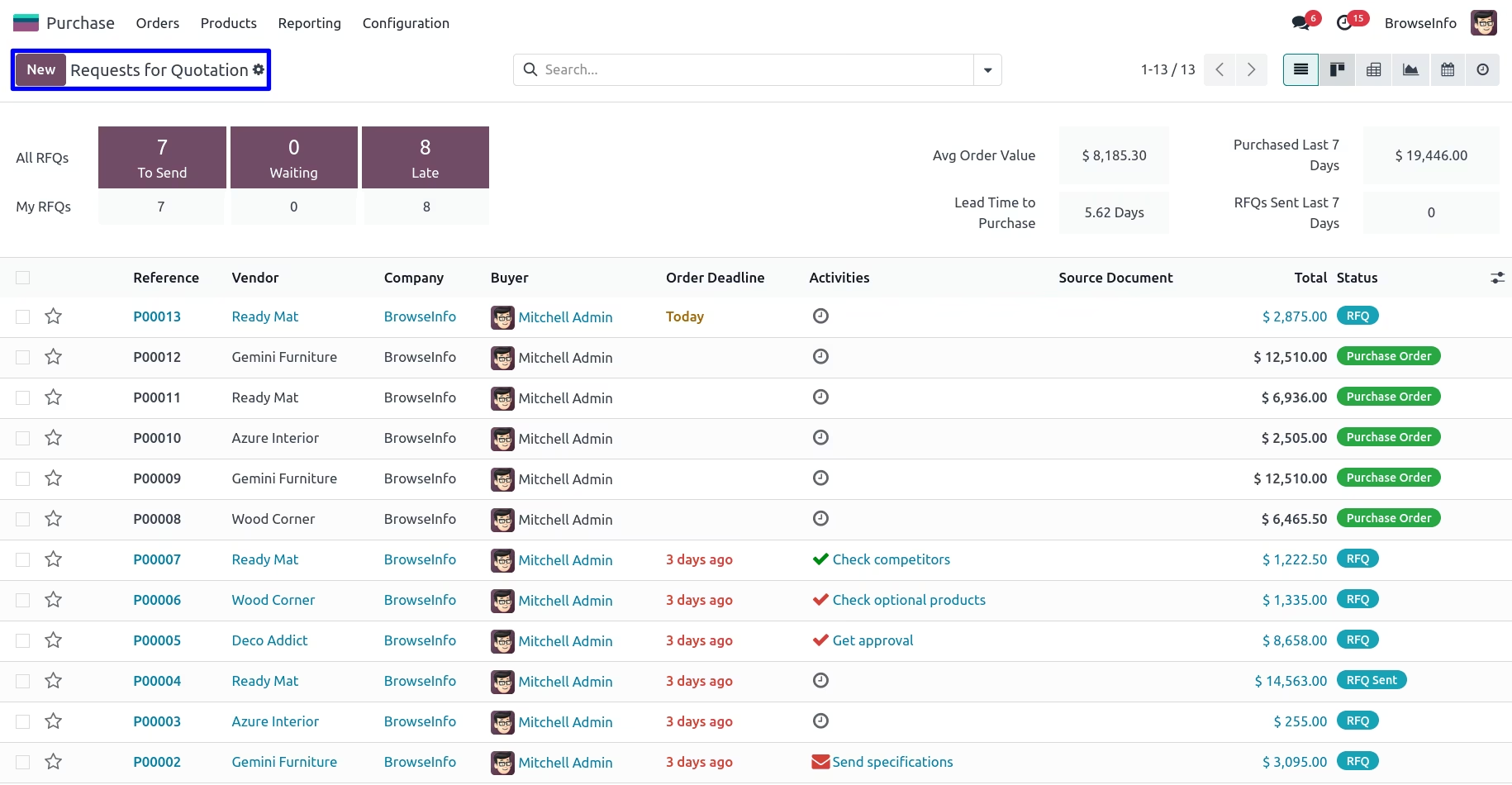
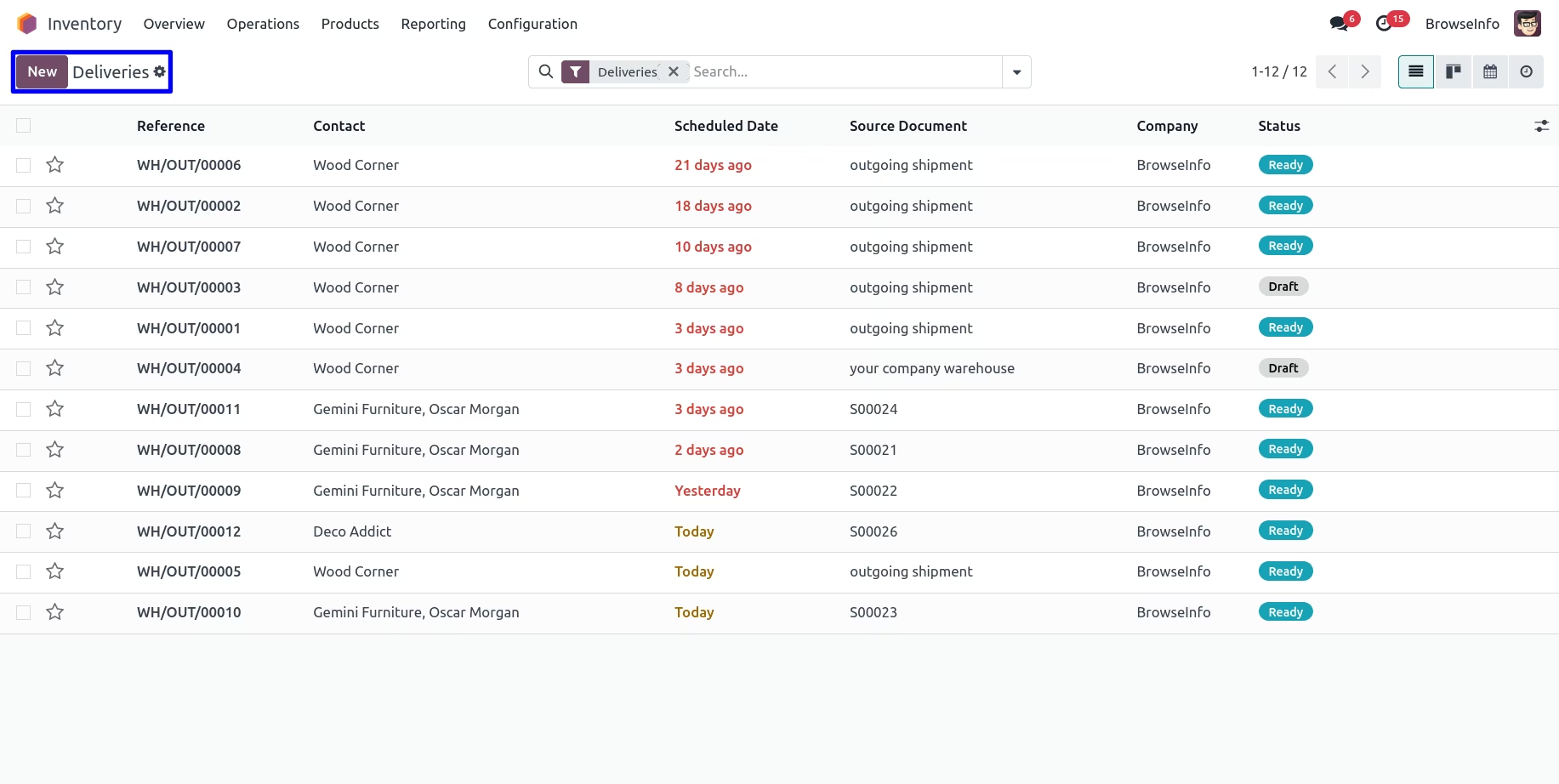
Purchase and Transfers Data Records
Activate the Developer Mode
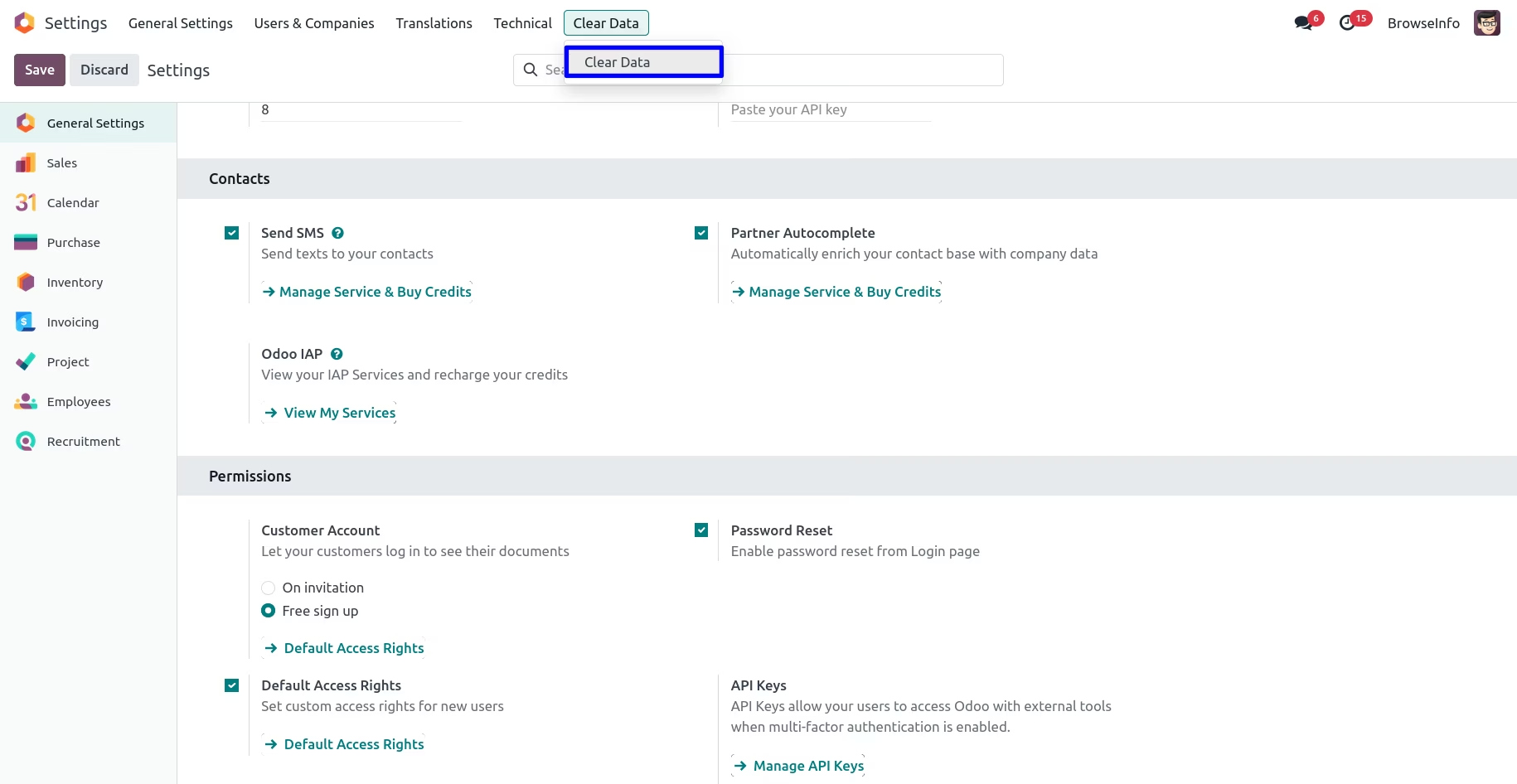
You have to activate the developer mode to access the "Clear Data" Menu.
Clear Data Menu
After activate the developer mode you can see 'Clear Data' menu if you tick on that one wizard will be open.
Clear Data Wizard
You can see available options for clear data in wizard, If you tick on any of the option which module is installed then it's data will be clear or delete.
Following Options are Available for Data Clear in Checkbox.
1.All Data
2.Sales & All Transfers
3.Purchase & All Transfers
4.Only Transfers
5.Project, Tasks & Timesheets
6.Only Tasks & Timesheets
7.Customers & Vendors
8.BOM & Manufacturing Orders
9.Only Manufacturing Orders
10.All Invoicing, Payments & Journal Entries
11.Only Journal Entries
12.Chart of Accounts & All Accounting Data
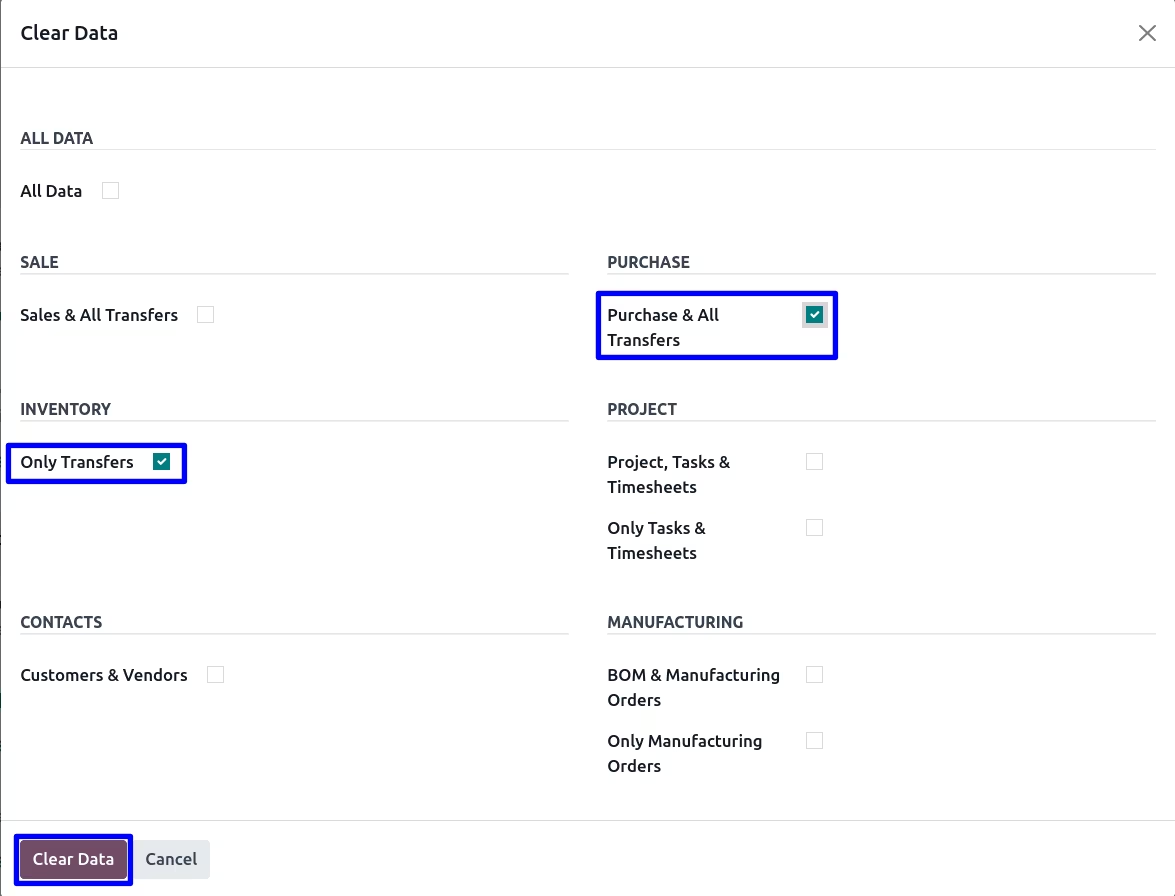
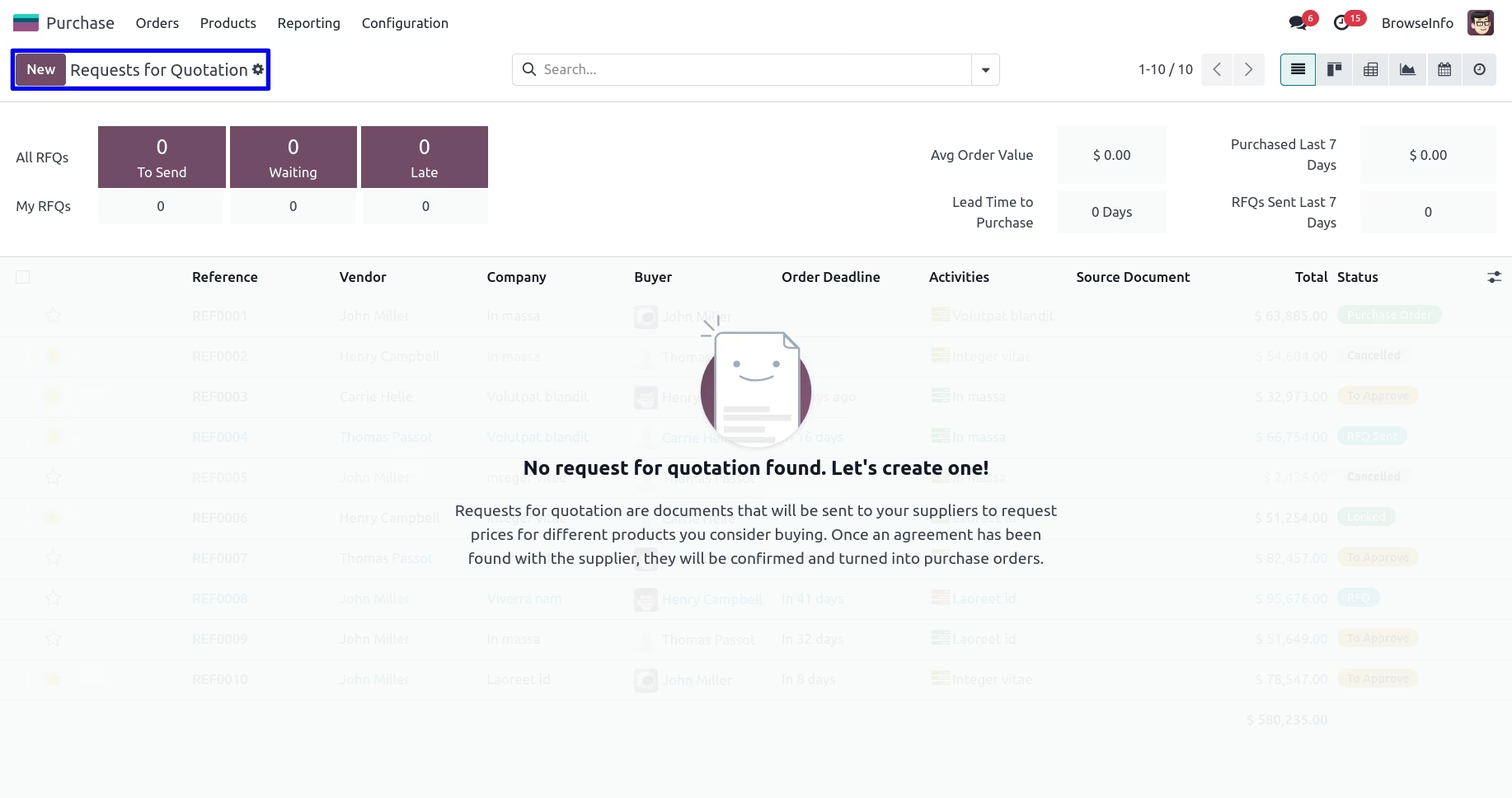
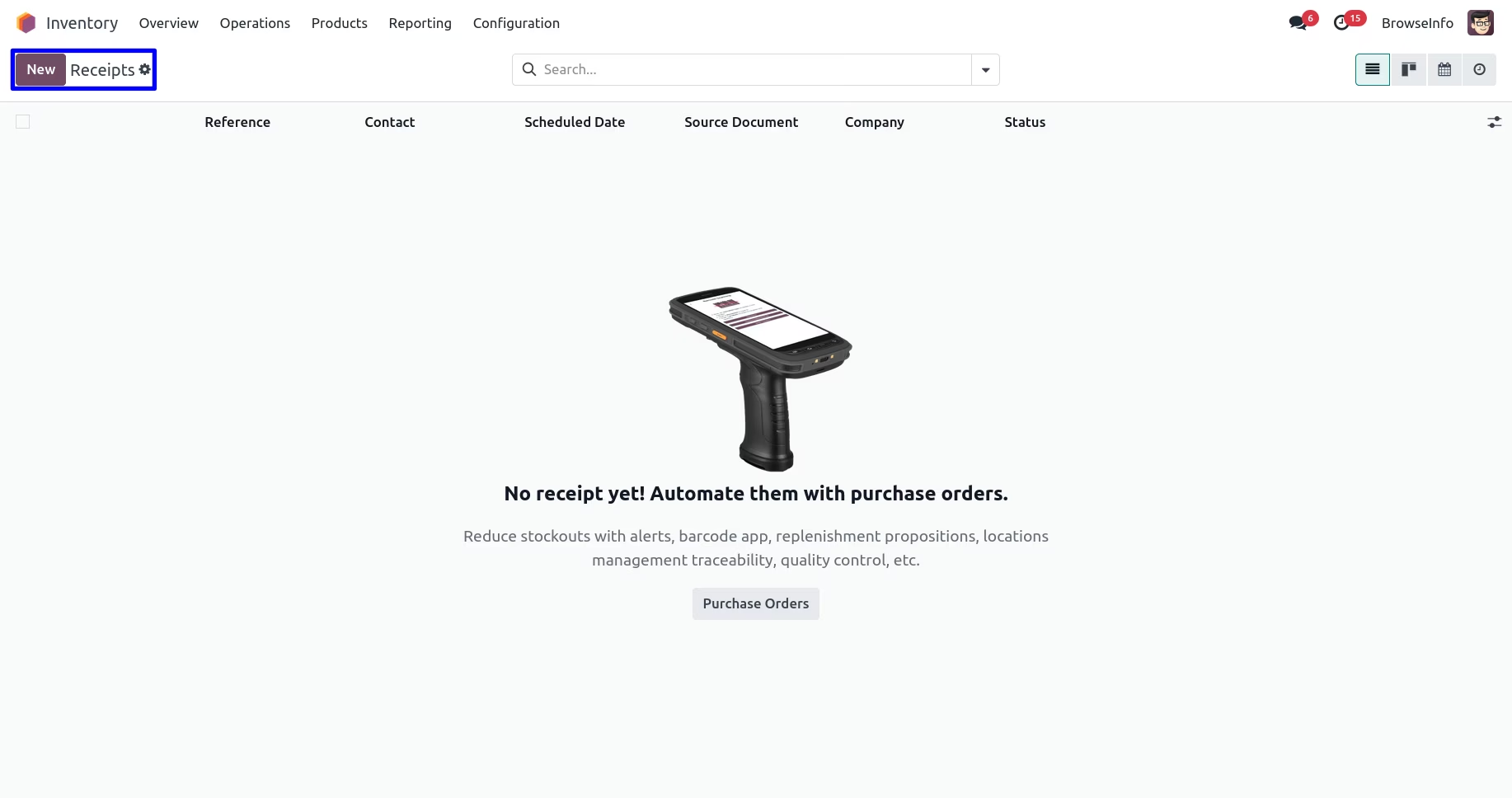
Clear Purchase and Transfers Data Records
You can also clear all object using single click by checking "All Data" checkbox.