
The module for enhances the management of product returns and exchanges within your marketplace. This module streamlines the process for customers, sellers, and administrators, ensuring efficient handling of return requests and maintaining accurate inventory records.
Initiate RMA Requests:
Customers can submit return or exchange requests directly from their website portal.
Each request is assigned a unique RMA number for tracking purposes.
Upload Supporting Documents:
Customers can attach relevant images or documents to their RMA requests to provide evidence of issues.
Track RMA Status:
Customers can monitor the status of their RMA requests in real-time through their portal.
Direct Communication with Sellers:
Facilitates communication between customers and sellers via the chatter system, allowing for efficient resolution of issues.
Manage RMA Requests:
Sellers can view and manage RMA requests related to their products from their dashboard.
Approve or Reject Requests:
Sellers can approve or reject return or exchange requests based on their policies.
Process Refunds:
Sellers can initiate refund requests, which require approval from the marketplace administrator.
Inventory Adjustments:
Automatic updates to inventory levels upon validation of return deliveries.
Centralized RMA Management:
Administrators have a dedicated RMA menu to view and manage all return and exchange requests across the marketplace.
Define RMA Policies:
Set global or seller-specific return policies, including return periods and conditions.
Approve Refund Requests:
Only administrators can approve refund requests, ensuring control over financial transactions.
Monitor Communications:
Administrators can access all messages and attachments related to RMA requests for oversight and auditing purposes.
Generate Reports:
Ability to generate reports on RMA activities for analysis and decision-making.
Enhanced Customer Satisfaction:
Streamlined return and exchange processes improve the overall customer experience.
Efficient Operations:
Automation of inventory updates and RMA tracking reduces manual workload and errors.
Improved Seller Accountability:
Clear policies and communication channels ensure sellers adhere to marketplace standards.
Comprehensive Oversight:
Administrators maintain control over RMA processes, ensuring consistency and compliance.
manage RMA requests through the dedicated RMA menu.
Because returns & exchange are unavoidable!!! Manage refund and exchange on your Marketplace with ease.
Handle Each Refund Request with RMA/ Control Refund Process on the Marketplace
Streamline the Refund process on your Marketplace with Marketplace RMA. Monitor every request from the customers on Dashboard.
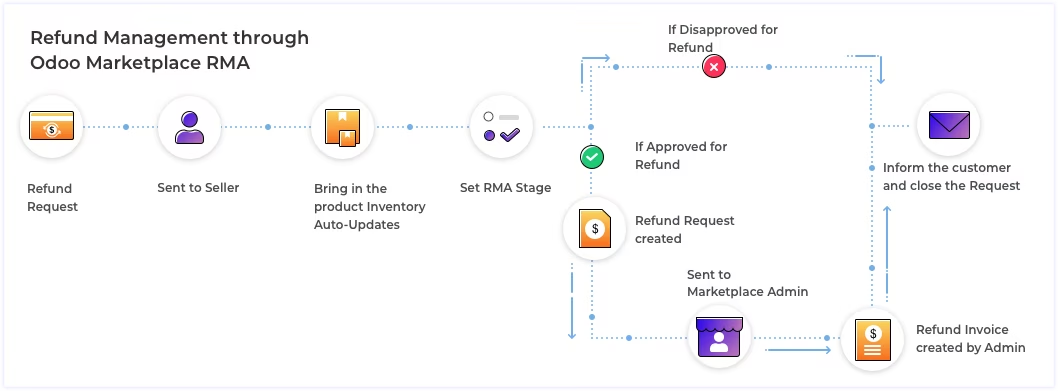
Refunds requests on Marketplace are only approved by the Admin.
Exchanged Products are now Auto-managed in the Inventory of your Marketplace
Exchanges become complicated due to incoming returned products and outgoing exchanged products.
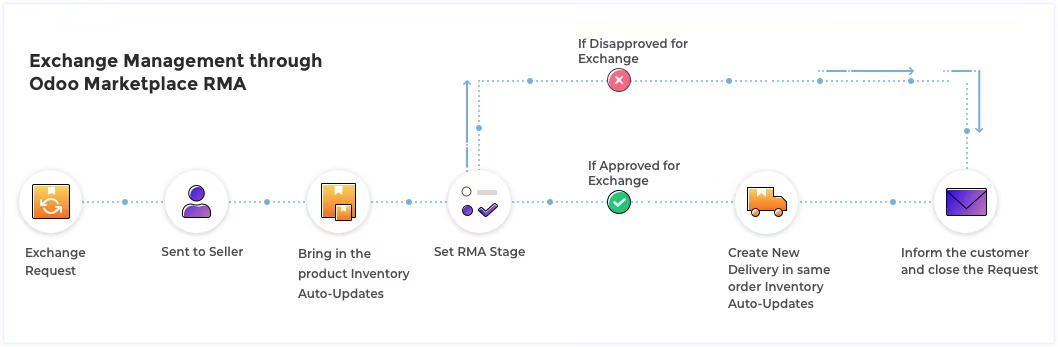
The module manages the inventory of the products with product delivery.
How does Marketplace RMA Works
The customer raises the RMA request for the seller from his/ website account. Or the admin can create a RMA request from backend.
The seller set the status of the request which is reflectde back in the website account for the customers.
Ask the customer for proof or to return the product.
Once the product is received, generate reverse delivery. Inventory gets auto-updated once this delivery is validated.
Check the product for inspection and set the appropriate stage.
Process the exchange request and generate new delivery for shipping the new product. Inventory gets auto-updated after validating the delivery.
Detailed Features List
CUSTOMER'S END
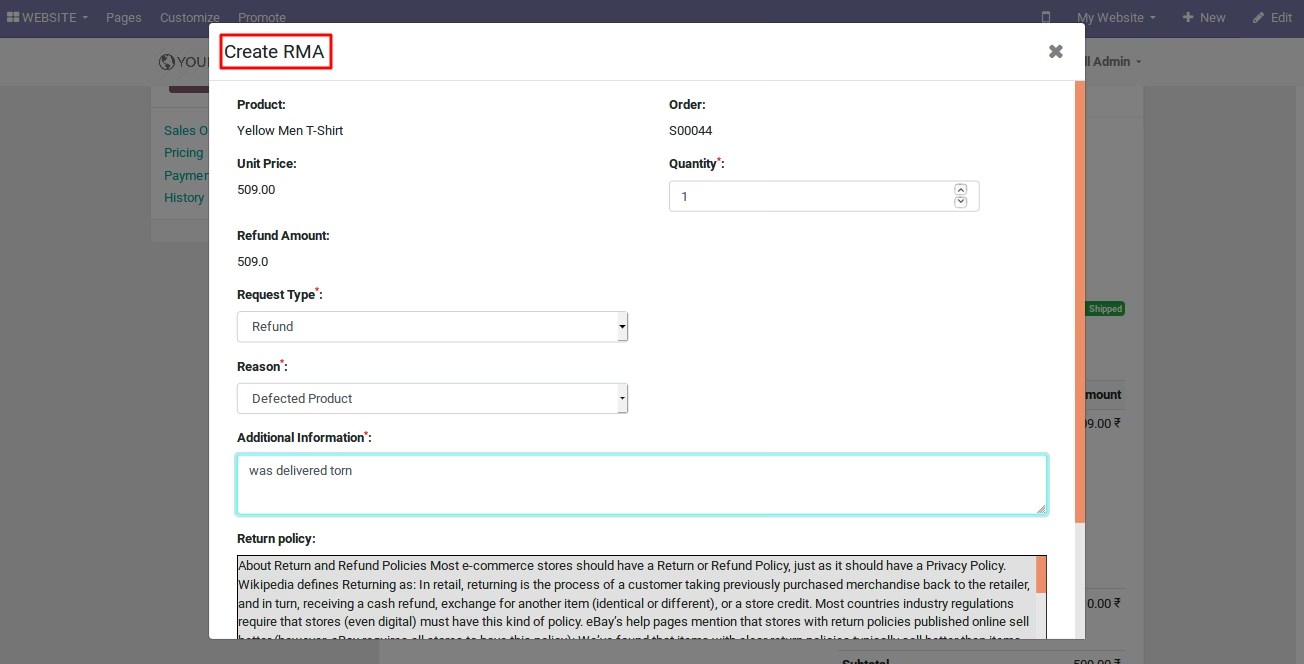
Create RMA requests for sellers from Website Portal
- The customer can create the RMA requests from his/her website portal.
- The request is created directly for the respective product seller.
Simple Legible RMA Form
- Easily legible RMA form is designed for customer's convenience.
- A unique RMA# (number) is assigned to each RMA request.
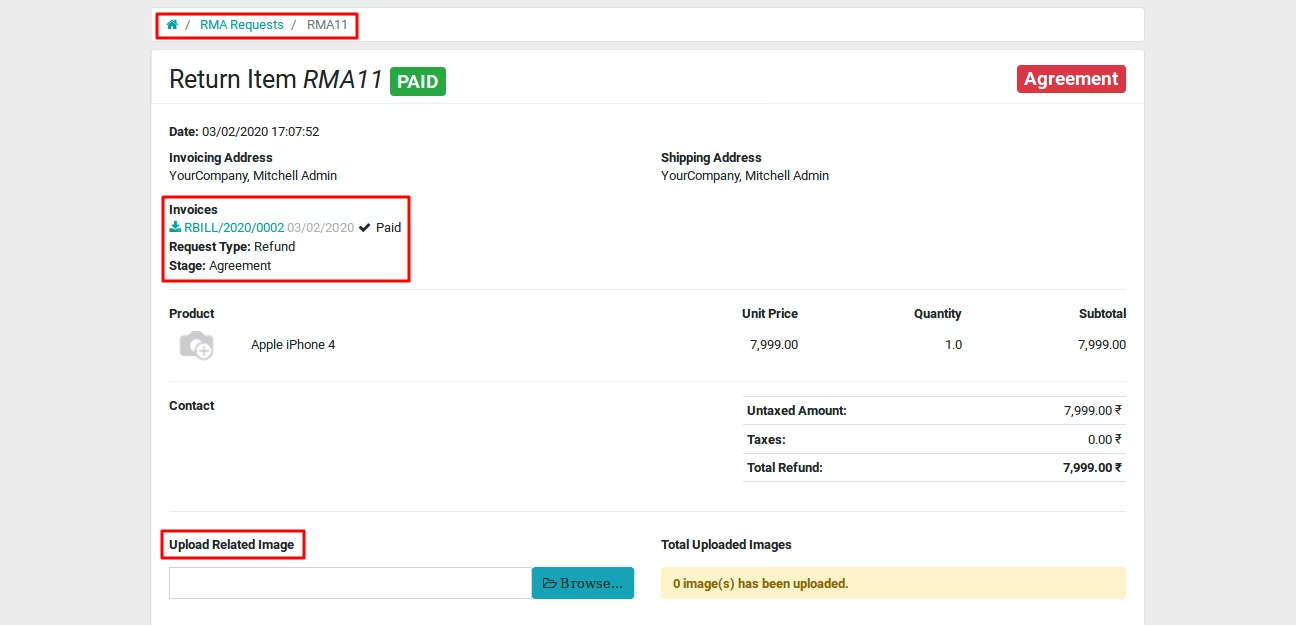
- The RMA stages are visible on the RMA form for the customers.
Upload relevant images
- Send the relevant images of the product with the RMA request to the sellers.
- The customers can upload images directly from the website Portal.
Directly Communicate with the Seller
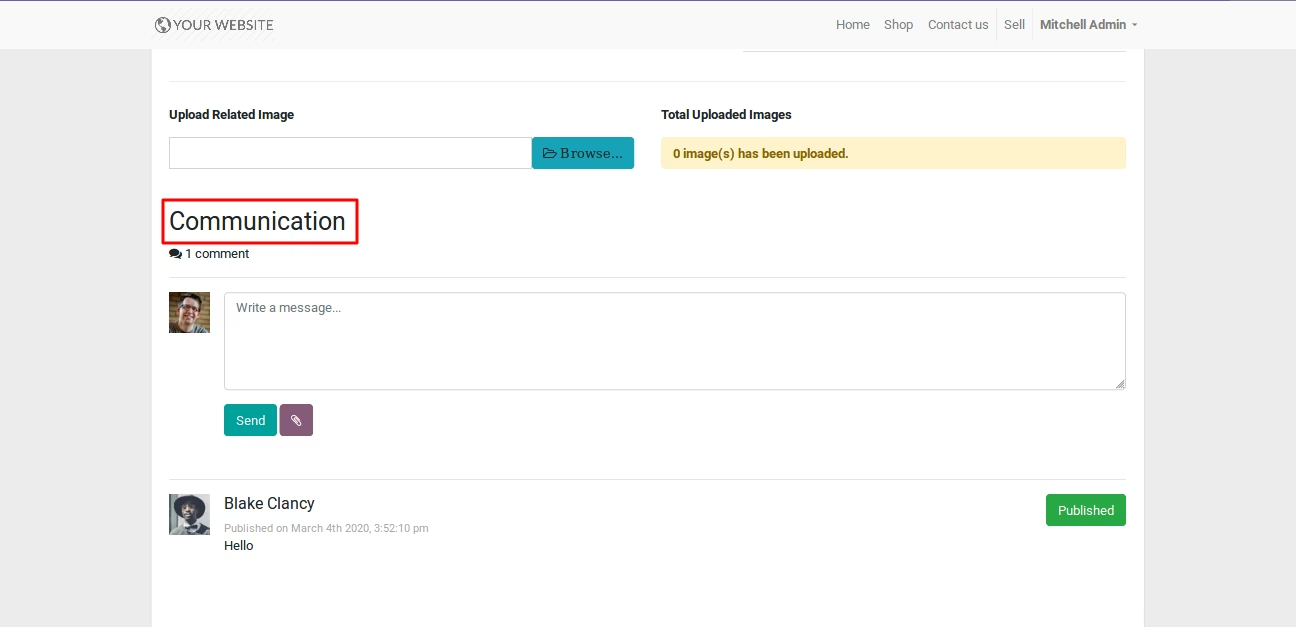
- Communicate directly with the seller for any RMA request through chatter.
- The message is added to the chatter in the RMA request at the backend.
- The seller can reply to the customer with the same chatter.
Check the Status/stage of the raised RMA
- The customer can check the current stage of his/her RMA requests.
- Any change in the Status is instantly reflected in the website portal.
Maintain the record of all RMAs
- The customers can see the list of all the raised RMAs.
- Open any record to see the details of the RMA request.
ADMIN END
Added A Separate RMA Menu
- A separate space for admin to view and manage returns and exchanges.
- The RMA menu is added to keep things organized on your end.
- See all the RMA requests at every sellerâs end.
- Track the status of all the RMAs raised at your Marketplace.
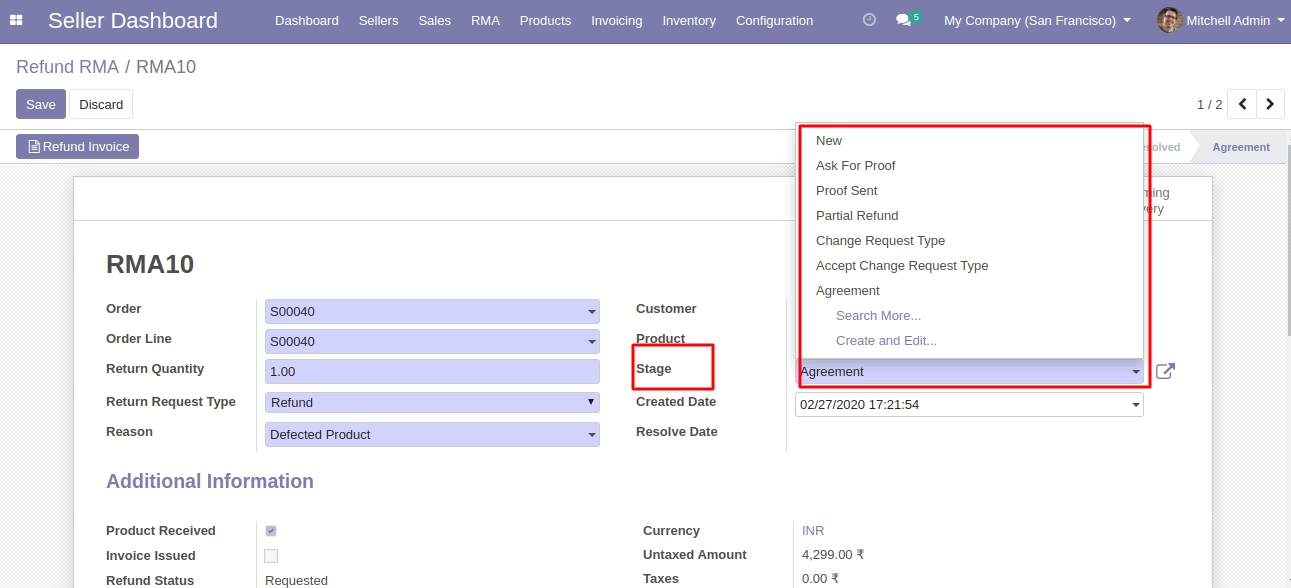
Define RMA Stages
- Manage the progress of RMA process with stages (status).
- Create representative stages for different product inspections in your RMA process.
- Create different stages for Return & Exchange respectively.
Set RMA Reasons list
- Create a variety of RMA reasons for the customer to choose from.
- The RMA reasons are used by customers while filling RMA form on Marketplace.
- Add appropriate reasons to better understand the customerâs issues.
Create A New RMA Request From Backend
- Only Marketplace admin can create new RMA requests from backend.
- The Sellers cannot create the RMA from their Marketplace dashboard.
Track All Marketplace RMA Requests
- The admin can see all the RMA requests raised on his Marketplace.
- Track their current status and other details from Admin Dashboard.
Control Refund Request From Sellers
- Refund requests agreed by the seller are sent to admin for approval.
- Only admin can approve a refund RMA request.
Track/ Check Customer-Seller Communications
- The admin can access the Marketplace RMA records from backend.
- See all the messages & attached images in a RMA request.
- The admin can message the customers in the same thread.
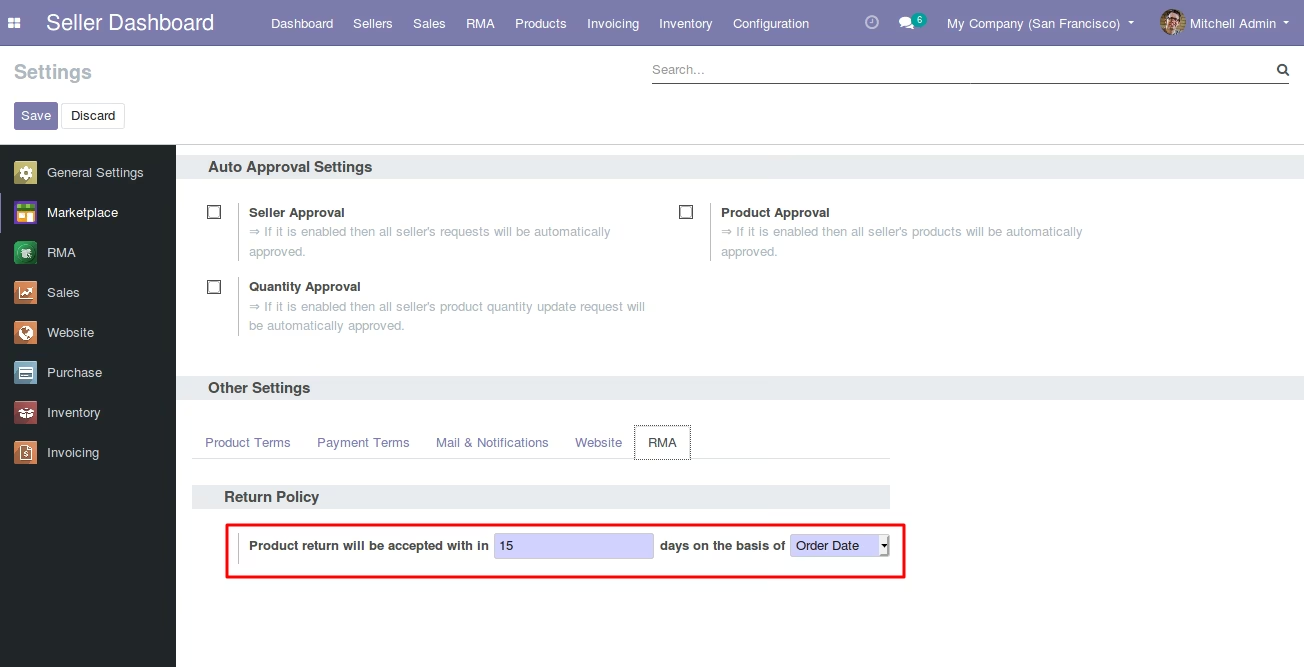
Define your Product Return period
- The admin can define the return policy for his marketplace.
- Set product return window on the basis of order date or delivery date.
- Set default return policy globally for all sellers.
- Or, the admin can set different return policy for each Marketplace seller.
SELLER'S END
Separate RMA Menu For Each Seller
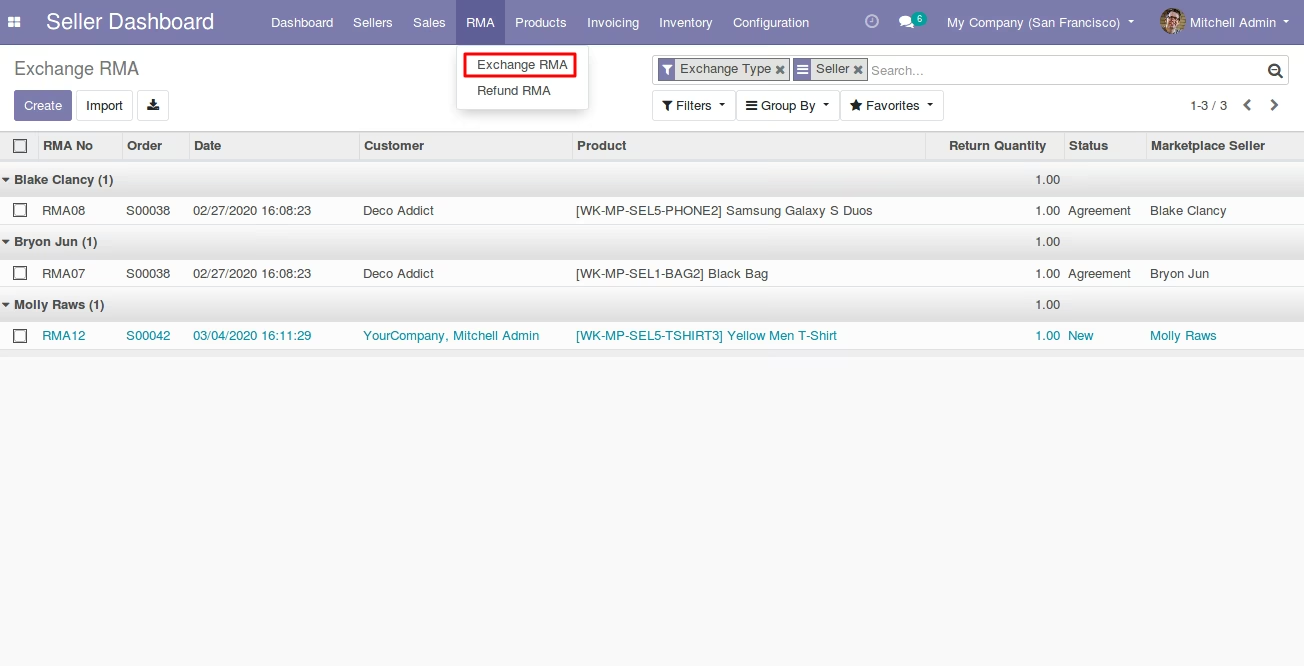
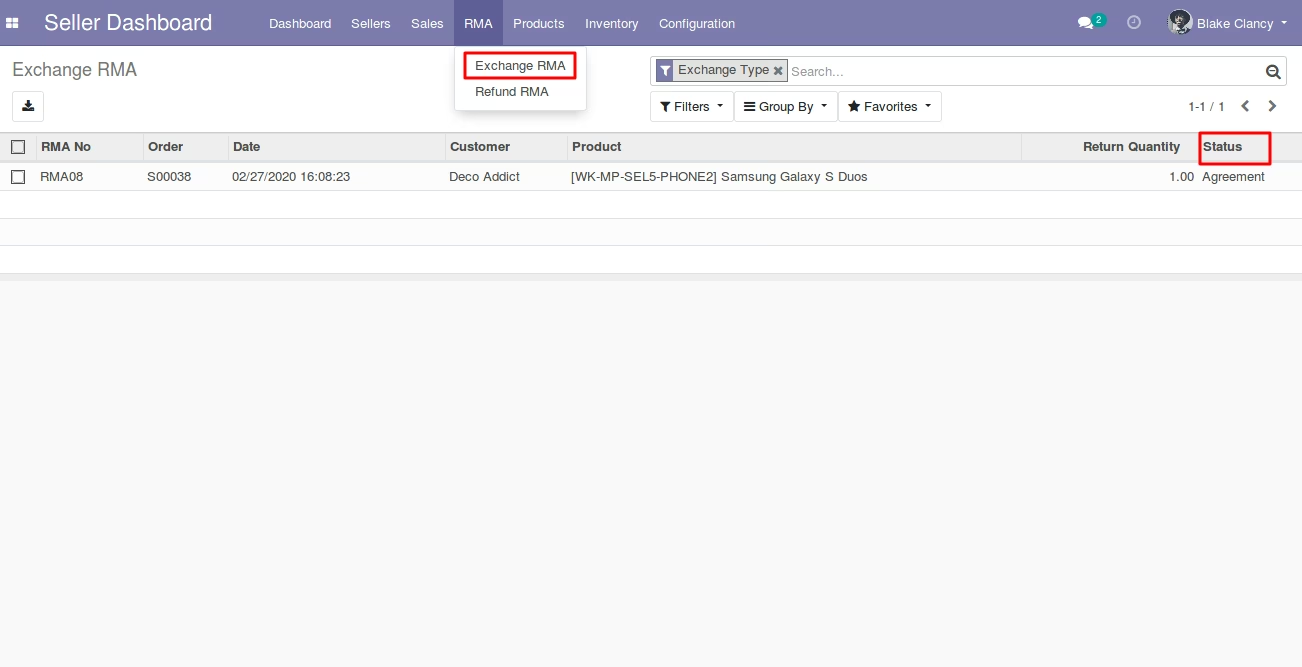
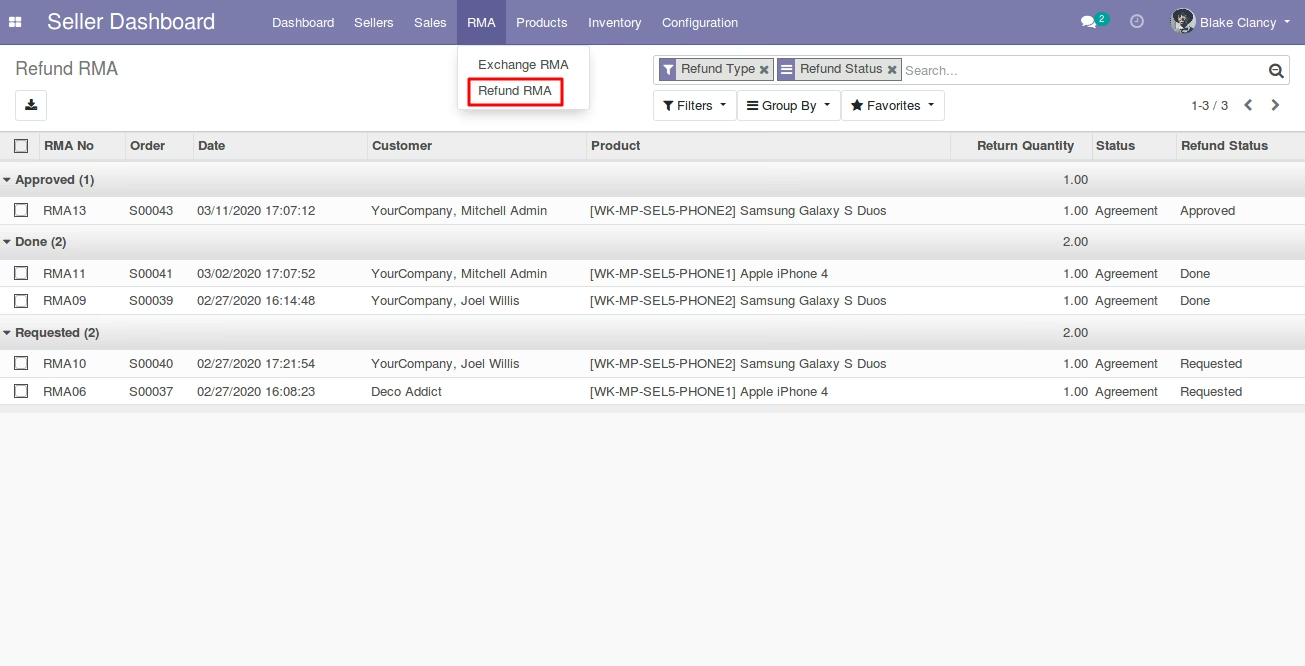
- Each seller can manage his/her RMA requests from the Seller Dashboard.
- Manage return and exchange requests of Marketplace customers.
- Set appropriate status/stage to a RMA request.
Approve/Disapprove Exchange Requests
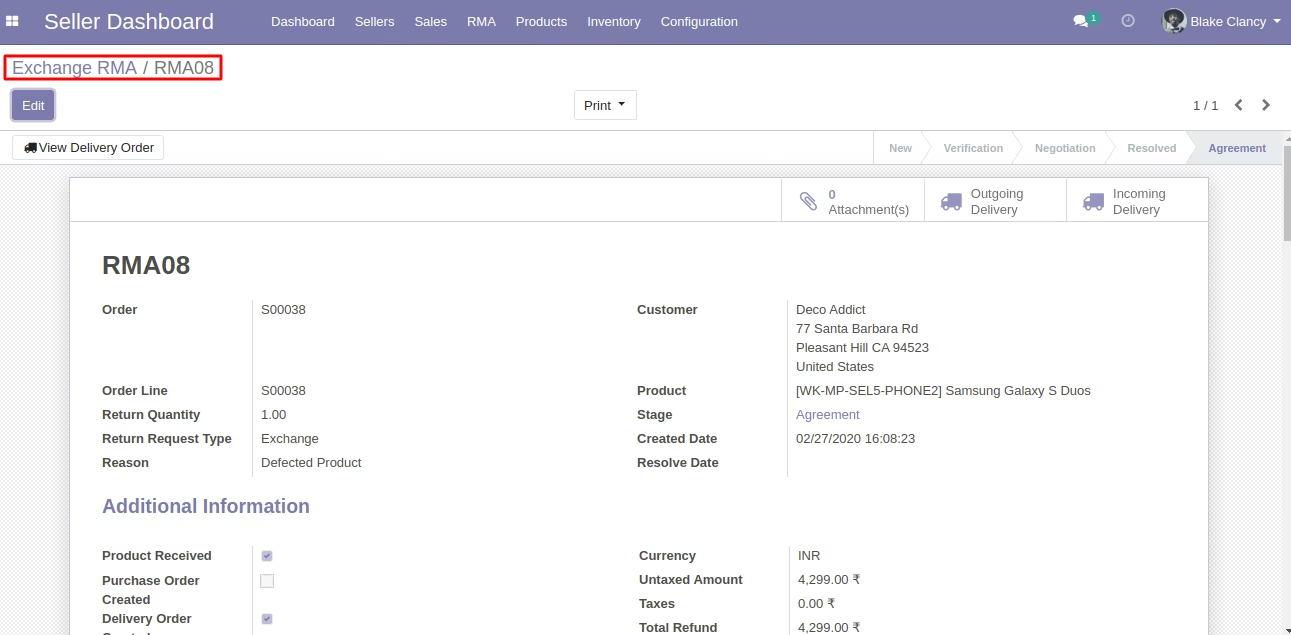
- The seller can approve/disapprove the exchange requests of his products.
- The seller can create a new delivery for an approved exchange request.
Create Refund Approval Requests
- The seller can only create a confirmation request for the refund.
- (Note: The approved refund request can only be confirmed by the admin. See Admin Features)Â
Chat With the Customers through Chatter
- The seller can ask questions to the customers from RMA request via chatter.
- The customer can see the message in their website portal.Â
Track RMA Requests at His/her end
- The seller can see the list of his/her RMA requests.
- Set and update the stages for RMA requests.
- Manage exchanges & returns of his products on Marketplace.
RMA Menu in the Customer's Portal on Marketplace Website.
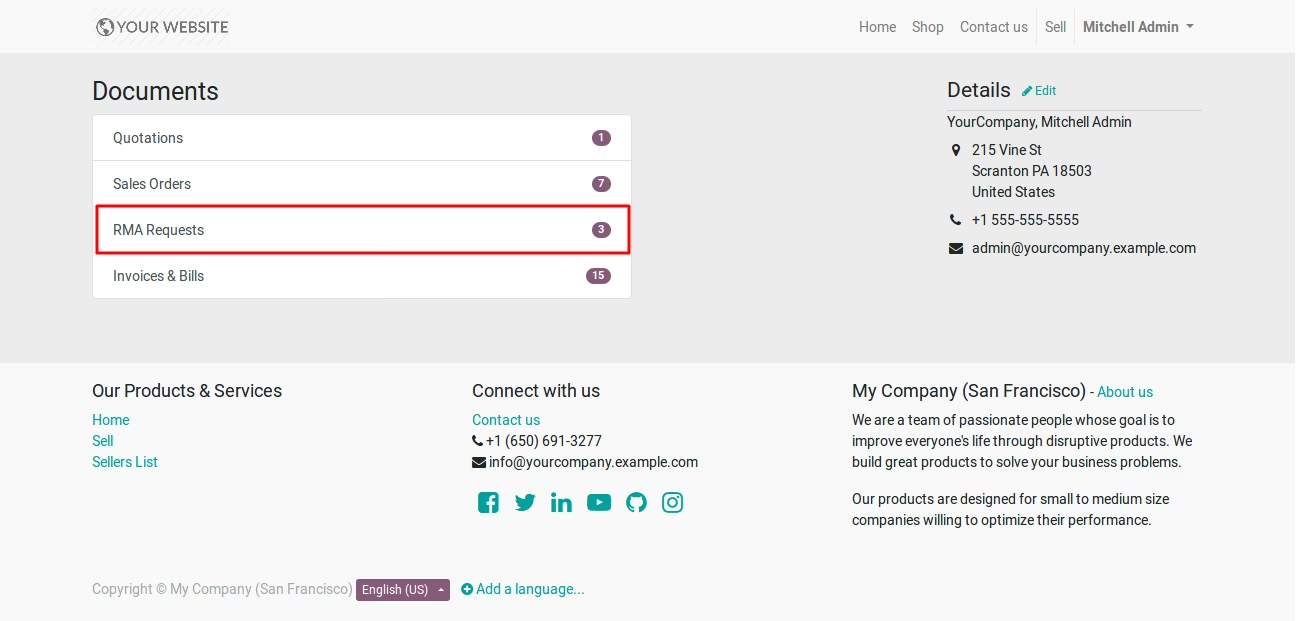
Create RMA requests For Returns and Exchange From Customer's Account.
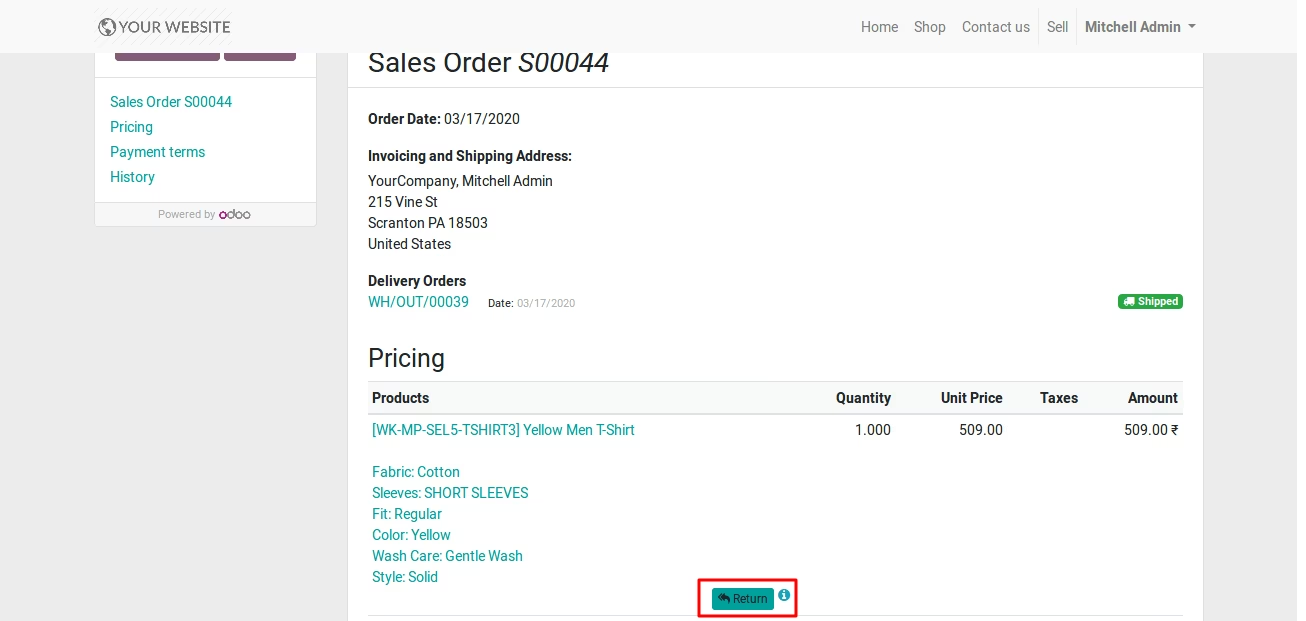
Current RMA Status and Details.
Communicate Directly With Seller Using Chatter.
RMA requests from All Marketplace Customers
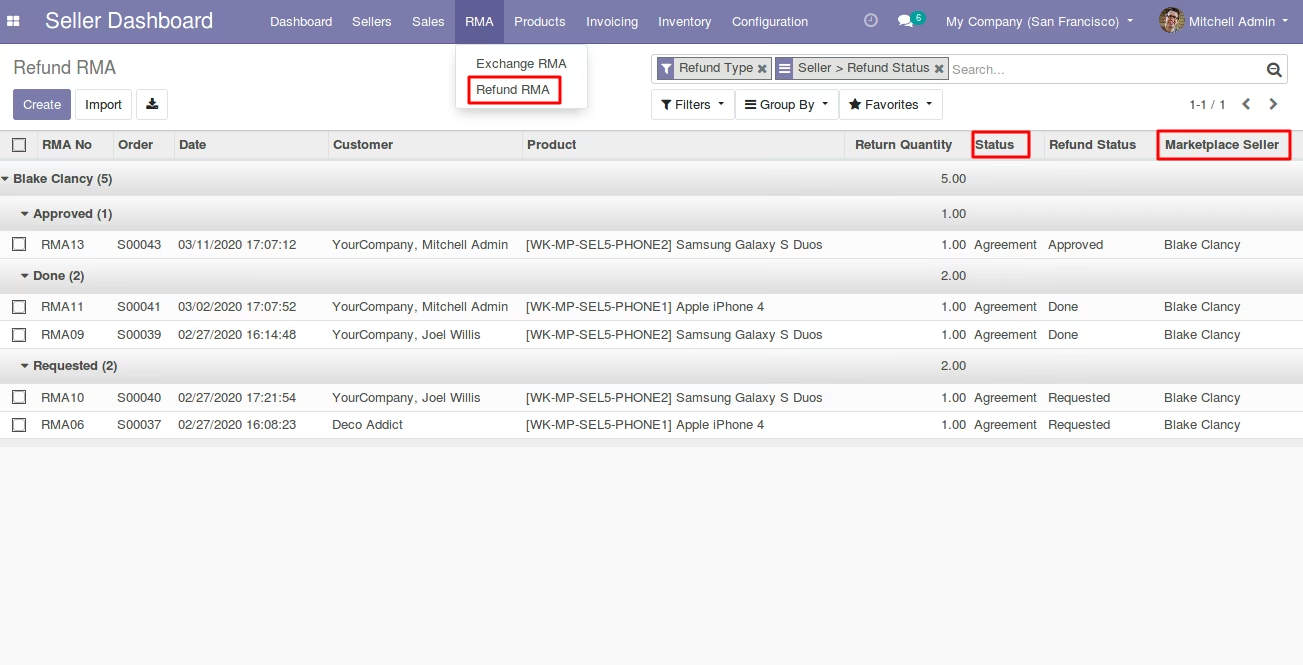
Set Return and Exchange Policy.
- Globally for all sellers.
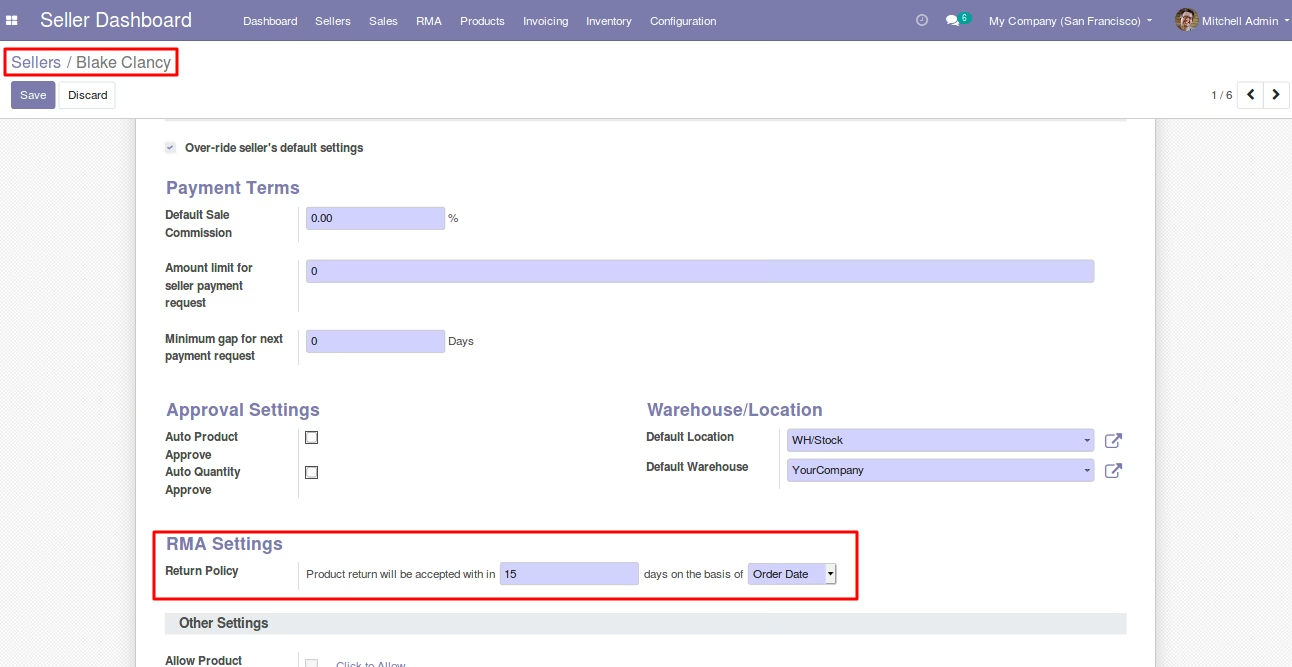
- For each seller separately.
Set RMA Stages For Proper Managememt
Manange Refund requests Direclty
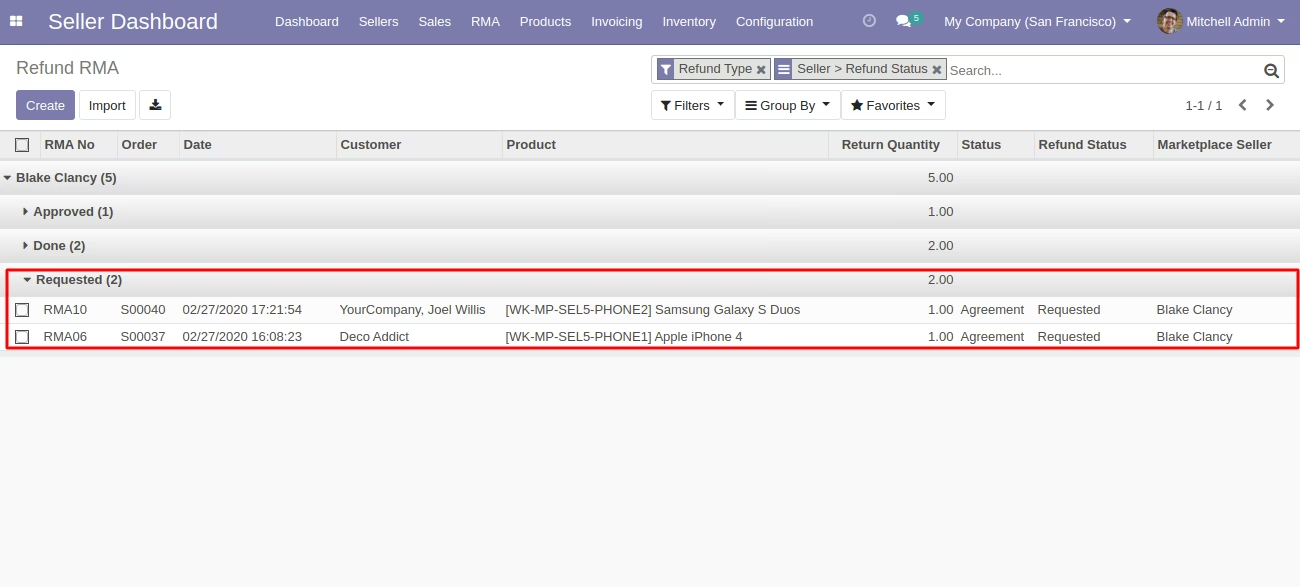
The sellers see only their RMA requests raised by their customers on Marketplace.
 .
.
Product Exchange Management from Seller's End.
 .
.