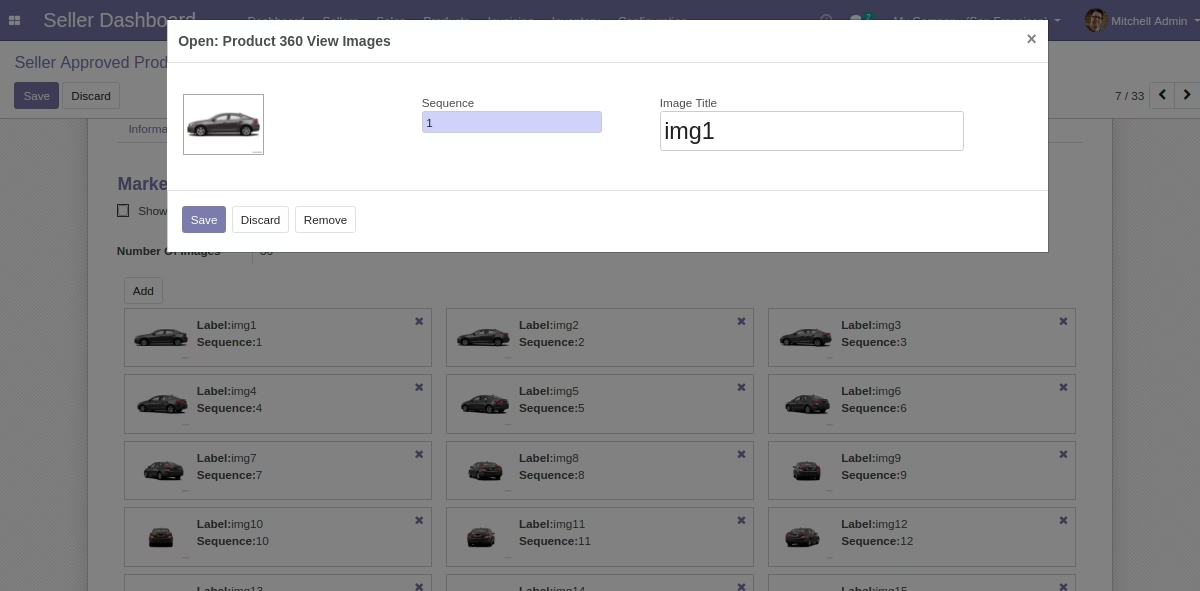
The module for enables marketplace sellers to provide a comprehensive, interactive view of their products by adding sequential images. This feature allows customers to examine products from all angles, enhancing their shopping experience and increasing confidence in their purchase decisions.
Sequential Image Upload:
Sellers can upload a series of images in a specific order to create a seamless 360° product view.
Each image can be titled for better organization and context.
Interactive Viewing Options:
Customers can choose to view the product automatically rotating or manually drag to rotate the image.
Options to pause, start, or stop the rotation provide control over the viewing experience.
Responsive and Mobile-Optimized:
The module is fully responsive, ensuring a smooth viewing experience across all devices, including desktops, tablets, and smartphones.
Supports mouse, keyboard, and touch gestures for navigation.
Seller-Specific Configuration:
Marketplace administrators can enable or disable the 360° view feature for individual sellers.
Sellers have the flexibility to choose whether to utilize the 360° view for their products.
Enhanced Product Visualization:
Provides customers with a comprehensive view of products, reducing uncertainty and increasing satisfaction.
Studies indicate that a significant majority of customers prefer 360° views over static images, leading to higher engagement and reduced return rates.
Improved Customer Engagement:
Interactive 360° views captivate customers, encouraging them to spend more time exploring products.
Enhanced visualization helps customers make informed purchasing decisions.
Increased Conversion Rates:
Detailed product views can lead to higher conversion rates by providing customers with the information they need to complete a purchase.
Reduces the likelihood of returns due to unmet expectations.
Competitive Advantage:
Offering advanced product visualization sets your marketplace apart from competitors, attracting more sellers and buyers.
Demonstrates a commitment to providing a modern and user-friendly shopping experience.
No Angle Left To Show the Product View
This module allows marketplace sellers add sequential images in the products so that the customers can view the products from all angles. Marketplace Product 360° View allows customers to have a better look at the product they wish to buy

Let your Customers View the Products from all Angles
Now, let your sellers add sequential images in the products so that the customers can view the products from all angles. Marketplace Product 360° View allows customers to have a better look at the product they wish to buy.

Show Product 360° View to Increase The Credibility
Visual marketing is an essential piece to building a brand in this digitized world. Showing the product from all angles to the customers increases the credibility.
According to a study by Shopify, only 0.52% want to see a single product photo, a 33.16% prefer to see multiple photos; and the majority of them, exactly a 58.03%, prefer photographs that will enable them to have a 360º vision of the product.

View Product From All Angles Manually/Automatically
It's your customersâ call to see the product view automatically or drag with the cursor in the direction they want to see.

Decreased Product Returns Rate
Showing 360° Product View allows your customers to review the product completely from all angles.Hence, the customer buys the product after getting complete satisfaction of its look which automatically decreases product return rate.
What to expect in Marketplace Product 360° View?

Fully Responsive and Mobile Optimized Module

Auto spins the product View on product page

Sellers can choose to add functionality of 360° view

Enable/Disable the 360 degree view for a Specific sellers

Pause, start and stop Product 360° view anytime

Customer can replay the product spin to view the product from all angles.

Use Mouse, Keyboard and gesture events to move the product image
View the product from all angles in Product Page
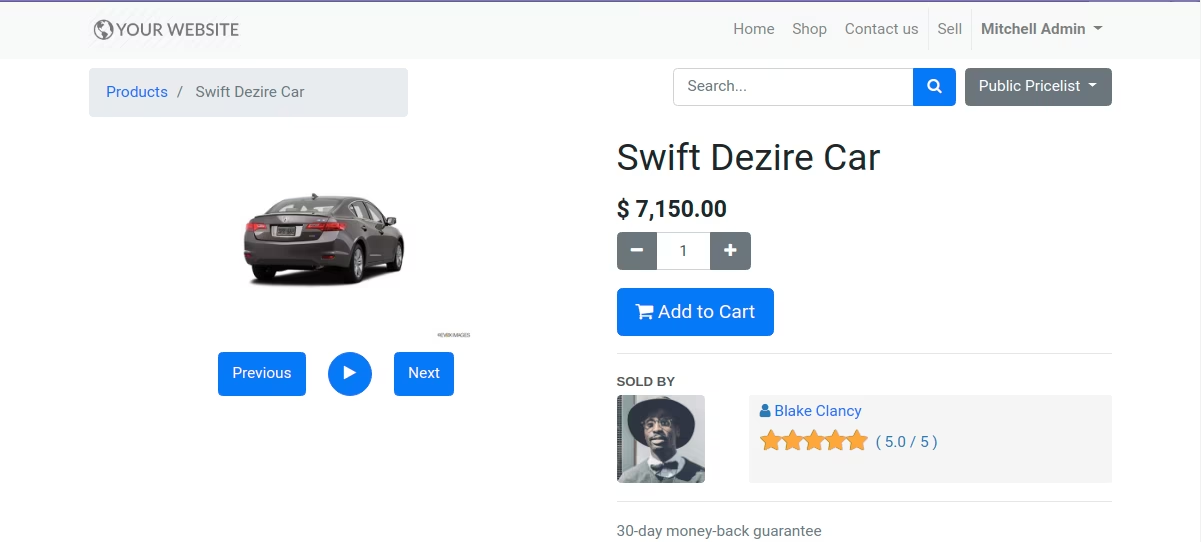
Enable/disable the feature for the configured website globally
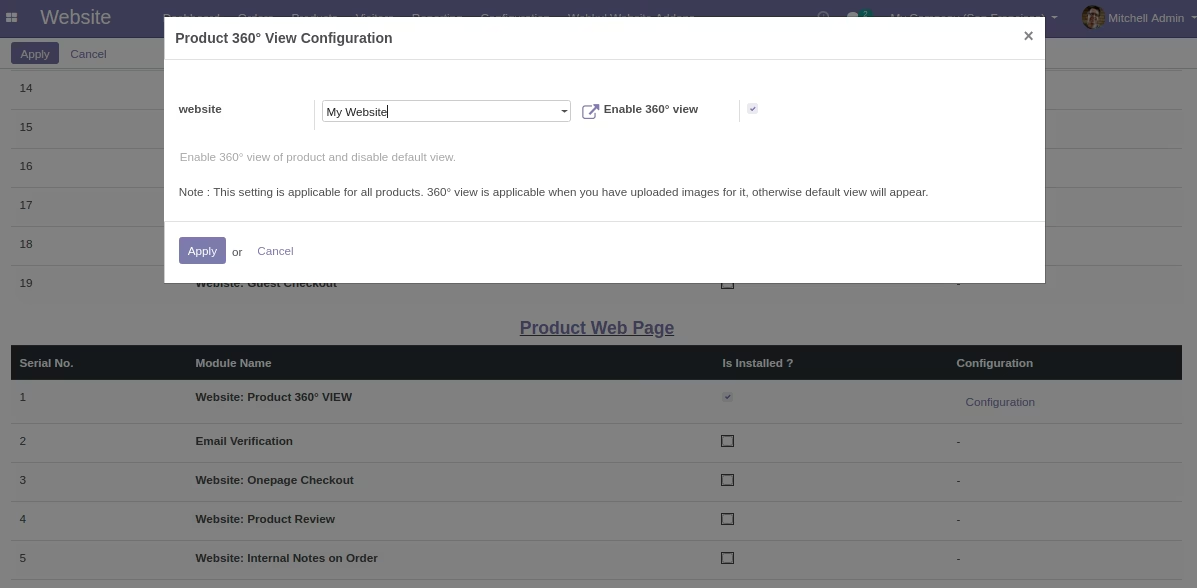
Go to the Seller Dashboard module
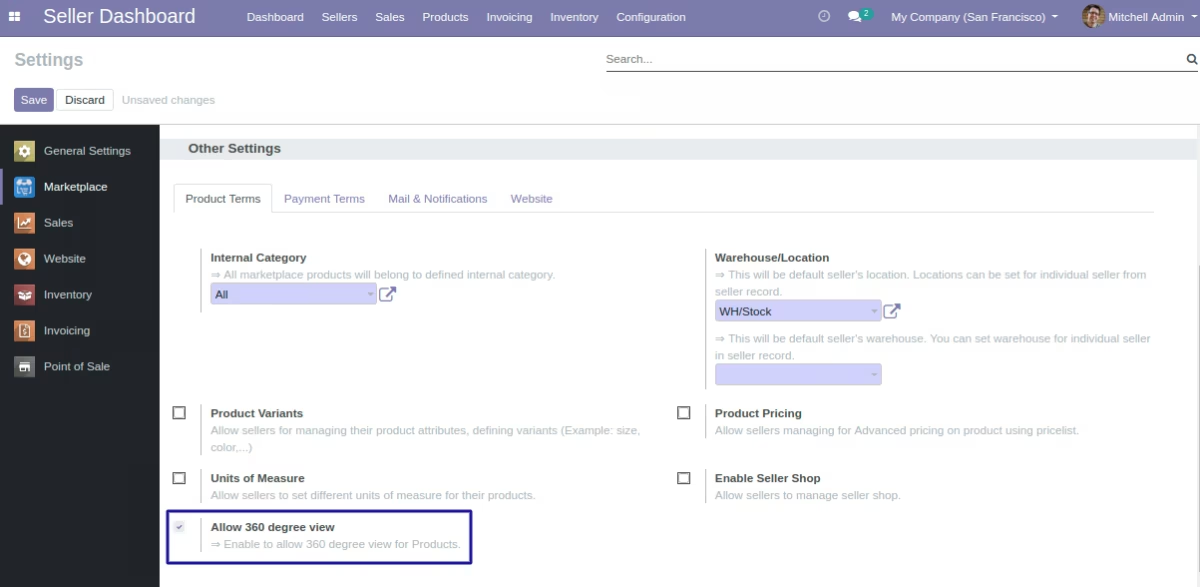
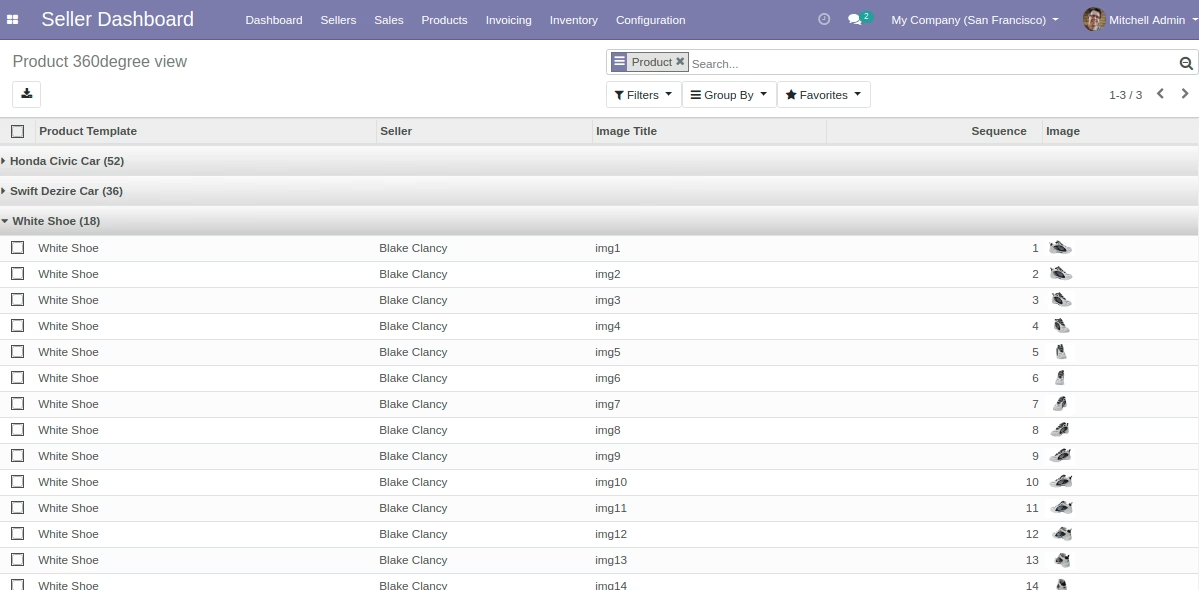
Add sequential images to view Product 360° View
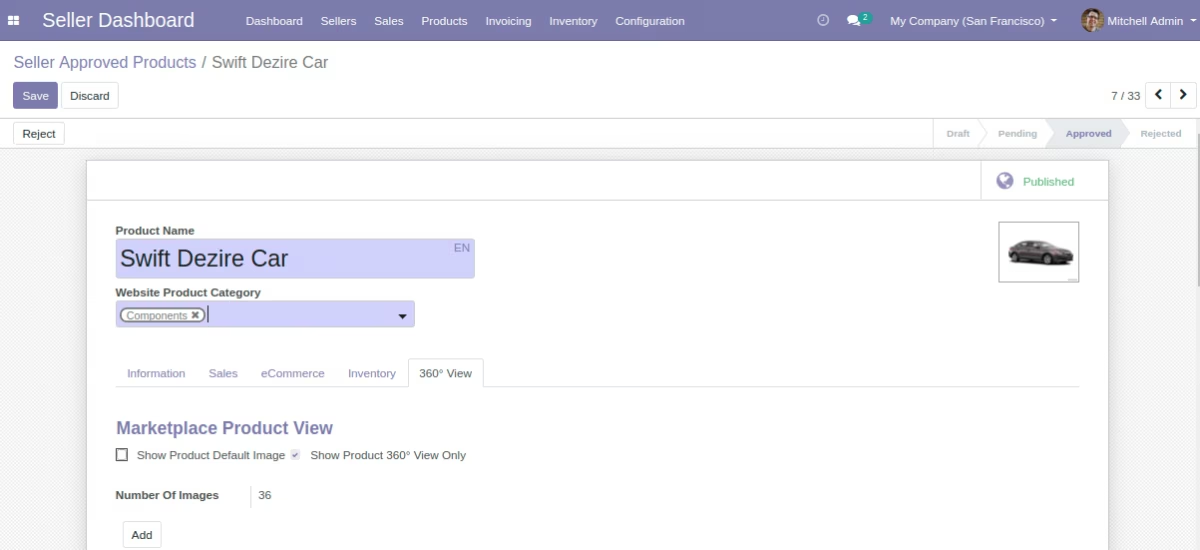
Add image with its sequence number and image title