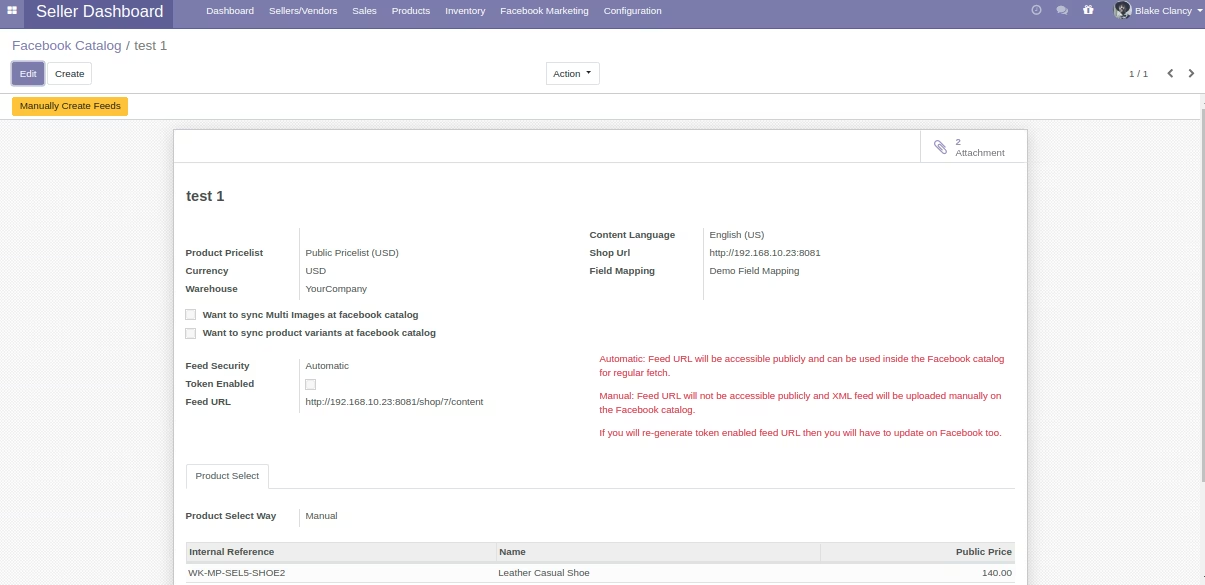
The module for enables marketplace administrators and sellers to seamlessly integrate their product catalogs with Facebook's advertising platform. By automating the creation and synchronization of product data feeds, this module facilitates the promotion of products on Facebook and Instagram, enhancing visibility and driving sales.
Centralized Feed Management:
Admins can oversee and manage product data feeds for all sellers within the marketplace.
Configure global settings for feed generation and synchronization.
Access Control:
Define permissions to allow or restrict sellers' access to feed creation and management.
Ensure data security by controlling who can generate and upload feeds.
Multi-Website Support:
Manage product feeds for multiple websites within a single instance.
Tailor feeds to specific websites, ensuring relevant product information is shared.
Automated Feed Generation:
Automatically generate product data feeds in XML format compatible with Facebook's requirements.
Reduce manual effort and minimize errors in feed creation.
Customizable Feed Settings:
Select specific products or categories to include in the feed.
Configure feed parameters such as language, currency, and pricing.
Scheduled Synchronization:
Set up cron jobs to automatically update product feeds at specified intervals.
Ensure that Facebook's catalog is always up-to-date with the latest product information.
Seamless Catalog Upload:
Upload product data feeds directly to Facebook's Catalog Manager.
Facilitate the creation of dynamic ads based on the uploaded product information.
Enhanced Product Visibility:
Promote products across Facebook and Instagram platforms.
Reach a broader audience through targeted advertising campaigns.
Increased Sales and Traffic:
Leverage Facebook's vast user base to drive traffic to your marketplace.
Enhance product visibility through dynamic and targeted ads.
Time and Effort Savings:
Automate the process of feed generation and synchronization.
Reduce the time spent on manual data entry and updates.
Improved Data Accuracy:
Ensure consistent and accurate product information across platforms.
Minimize discrepancies between your marketplace and Facebook's catalog.
Enhanced Marketing Capabilities:
Utilize Facebook's advertising tools to create effective marketing campaigns.
Analyze ad performance and optimize strategies for better results.
Marketplace Facebook Catalog Integration module allows you and your sellers to upload the product data using product feeds. The module automatically creates XML feed depending upon the conditions you set.

Boost your Marketplace traffic and Revenue with Facebook Ads
Social Media marketing Campaigns Cost Far less than other marketing Channels. They Provide upto 3X online store Traffic and Sales. So Design, Manage And Run your entire Facebook Ads Campaign from a single point - FB Catalog Manager of your products.
Facebook has over 2.5 billion active monthly users; which shows its popularity worldwide. Hence, facebook ads are capable of drawing traffic to your online store. The ads just not boost the revenue of your business but also increase Brand Visibility.

Use FB Catalog Manager to Run Ads for your Marketplace
The Facebook catalog manager holds the information about your products, The information such as product information, prices, availability, etc. is stored in the Facebook Product catalog by the seller
The information is picked by Facebook to show the most relevant ads to users on Facebook, Instagram and Messenger according to your selected Ads campaign.
https://www.facebook.com/business/help/890714097648074?id=725943027795860Marketplace Facebook Catalog Integration module allows integration of Marketplace and Fb catalog manager to upload products. However, you need to set the Ads campaign using Facebook Ads manager yourself to enable FB ads

Ease to sync products from to Facebook Catalog Manager
- Set up and start using the module in a few minutes
- Quickly create Products Data feeds in the form of XML file containing details such as product information, prices, availability, etc
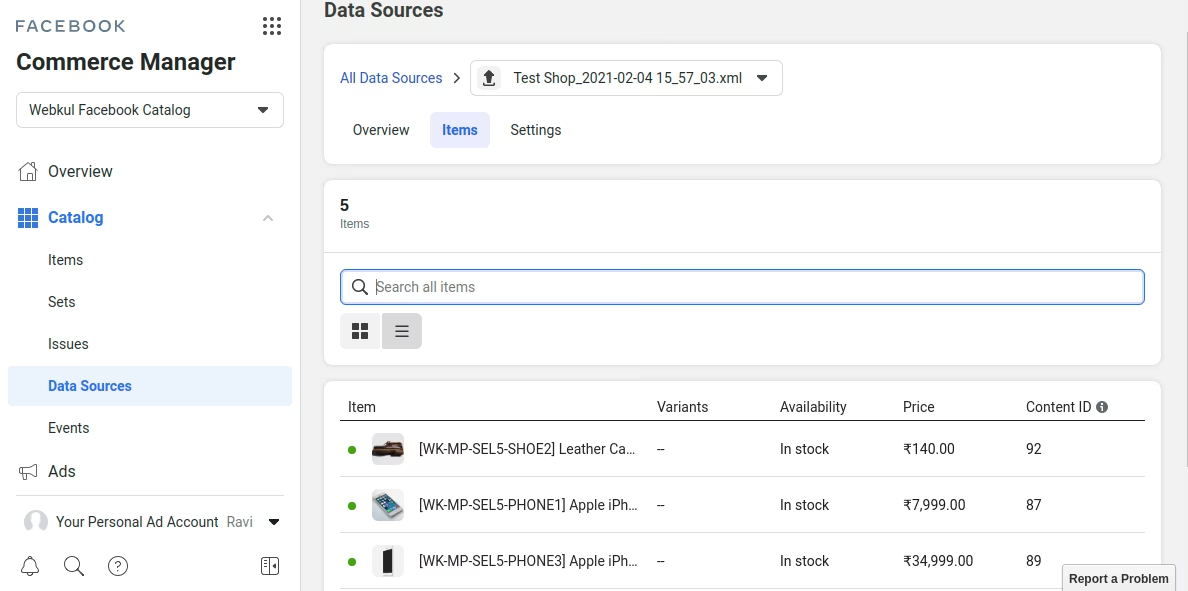
- You can upload these Data Feeds directly to the Facebook Catalog Manager with a click & save your entire product data to the latter
- No need to manually create the XML file of product feeds
- The module automatically renders an XML data feed for the chosen product or products in for the user
- Upload the product data in your chosen language. So you can show products in that language to customers on Facebook and Instagram
- Manage a separate Product Data Feed configuration in for each of your Facebook Shops
Detailed Features List
Here is the detailed list of features for Marketplace Facebook Catalog Manager
Enables & Facebook Catalog Manager Integration
- You and your sellers can store and sync the product data from To Fb Catalog Manager
- As an admin, you can allow selected sellers to Sync the product data from To Fb Catalog Manager
- Use the auto created XML feeds to upload the product to your FB shop Catalog
- Update the FB Shop catalog manually or set for automatically
Added Product Feed Sync Security Control
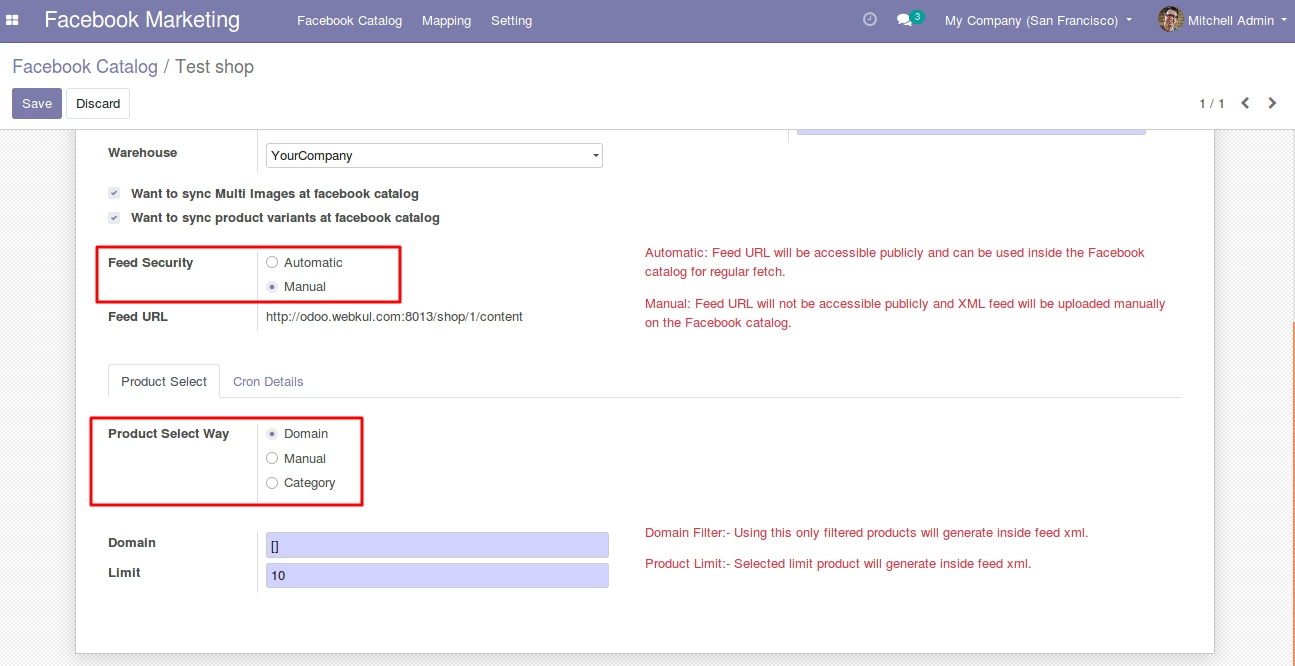
- Choose to update the Product Feed Manually or Automatically to FB Catalog
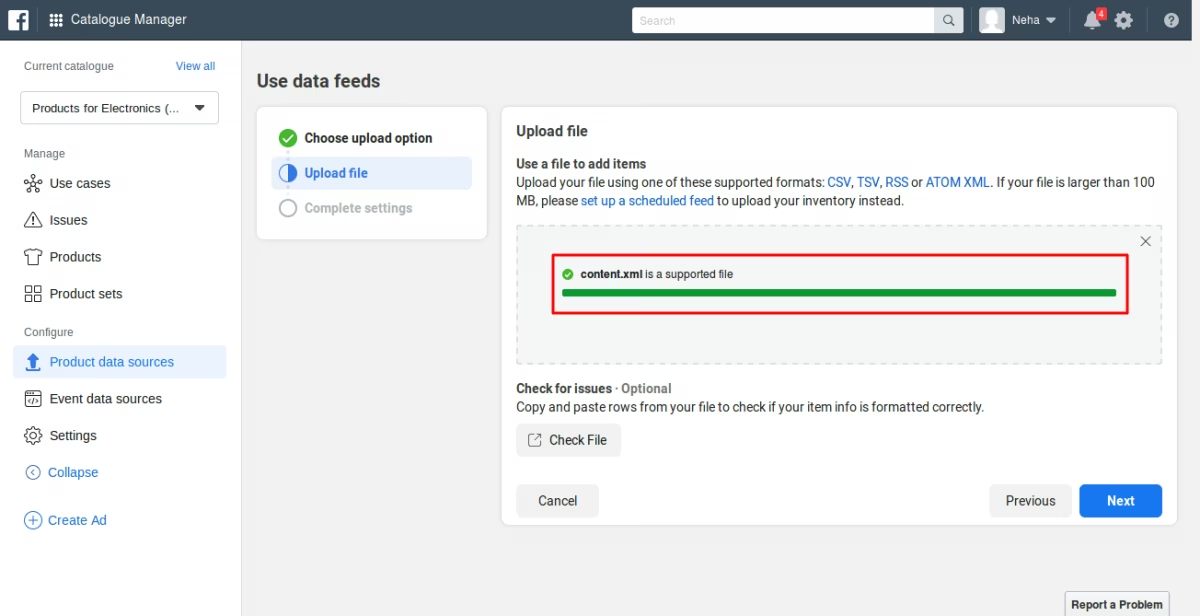
- Manual settings allow feed update using a manual file upload to FB catalog Manager
- Automatic setting allows FB to fetch the data automatically at regular intervals
- The Automatic feed can be accessed by a user only through generated token in
Choose the warehouse to import the product stock to Facebook Catalog
- You can select a warehouse for each Product Catalog configuration in
- The product stock will be sent from this warehouse to the Facebook Catalog manager
- Manage the product feed stock from this chosen warehouse
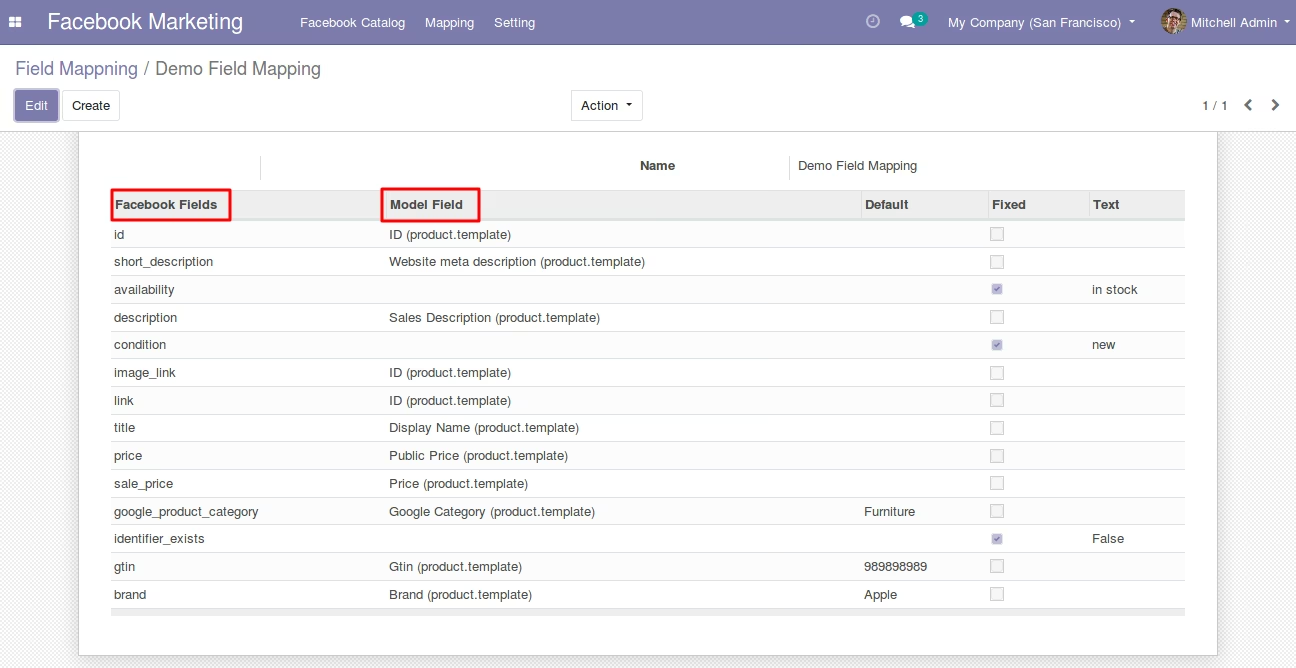
Offers Facebook and product Fields Mappings
- We provide a default saved configuration of field mappings with the module
- You can create additional field mapping configurations in
- These are used to match and FB product Fields to save data correctly in FB
Create Custom Product Feeds
- You can choose which product to include in the Product Feed of a configuration
- Select the product via domain, product categories or select them manually in
Multi-website compatibility
- The module supports multiple websites
- Create different Feed Configuration for each of your Websites
Multi-lingual compatible
- Choose language in which to sync the products feed to fb catalog from
- This is the language in which they will be displayed on fb to customers.
Multiple Product Feed Configurations
- You can create different product feeds for your multiple FB Shop Catalogs
- Each configuration is independent from each other
- The product Feed from each can be updated to a FB Catalog
Google Category Sync with Marketplace Categories
- Assign google categories to products to categorize the product on Facebook.
- Import these to from the static folder in the downloaded zip.(For more info refer the User Guide)
- We provide a list of Google support Categories with the module
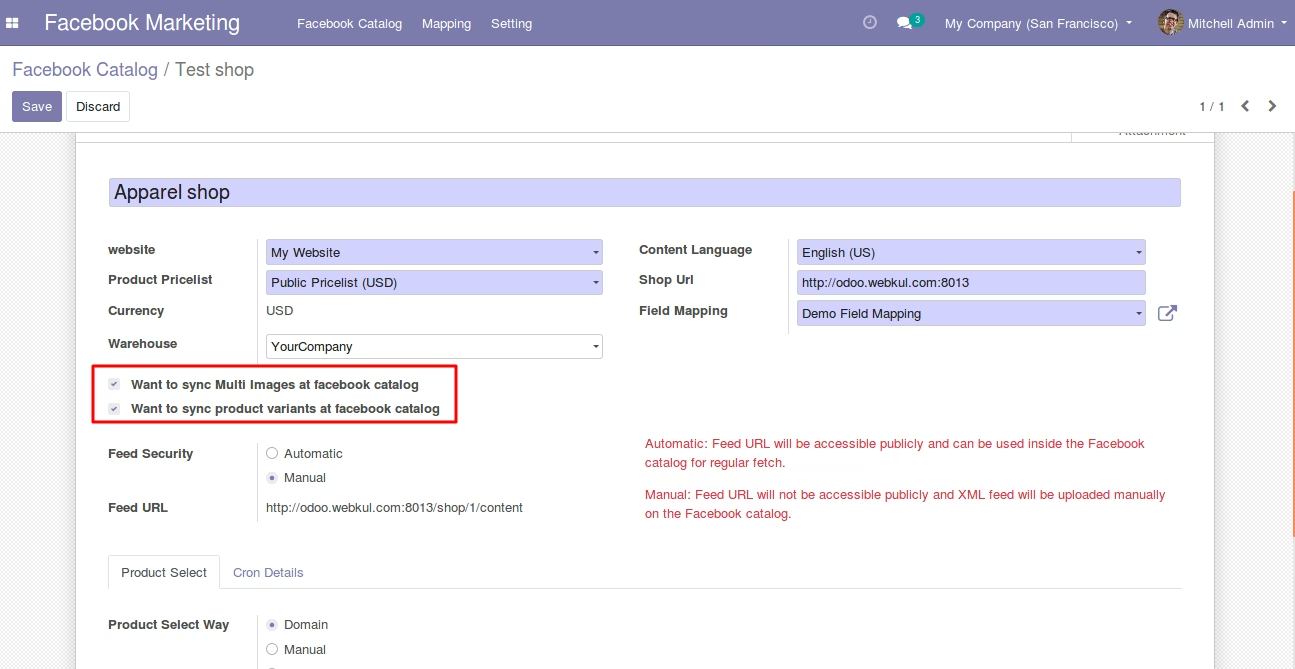
Option to sync Product Multi-Images
- You can now choose to sync multiple images of a product to the FB Shop Catalog
- These will appear as a product multi-Image carousel on the FB shop
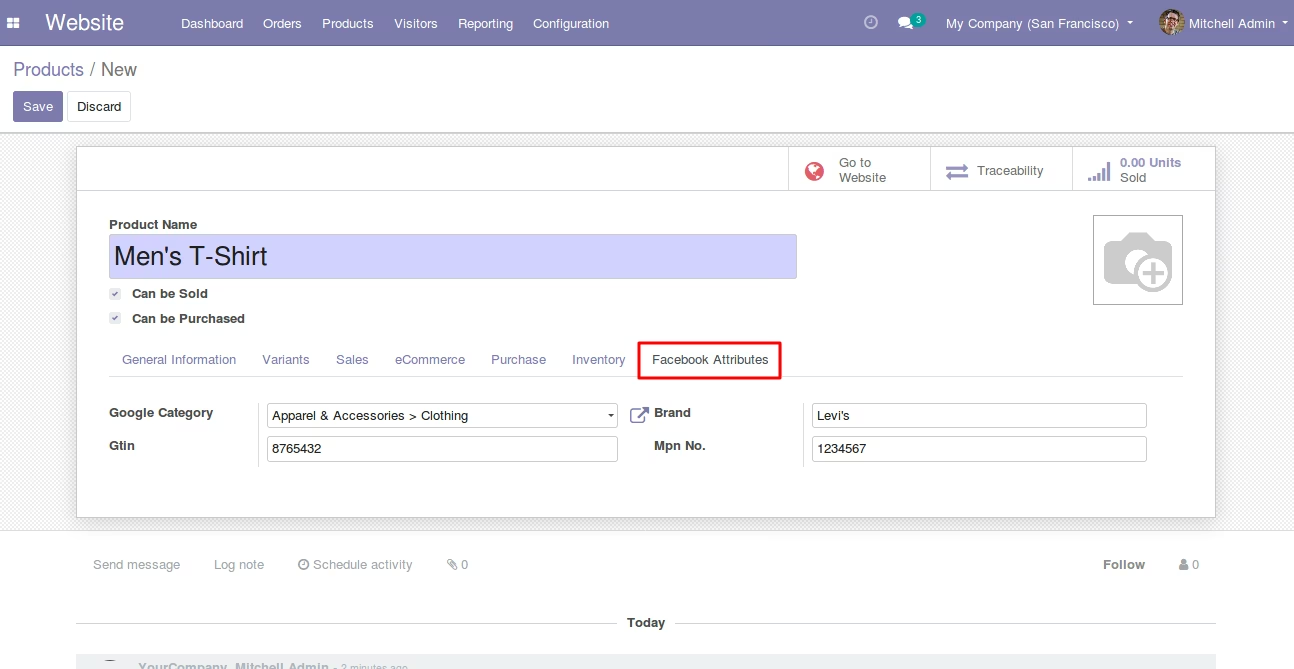
Added important Facebook Attributes at Product Level
- You can now add the Facebook product attributes directly in the product form.
- You can add Google categories, Brand, MPN No. and GTin to the products
Option to Sync Product variants
- Now, sync product variants to the FB catalog Manager
- The variants show in the Product configurator on the respective FB Shop
Product fields recognized by Facebook mapped with Product fields
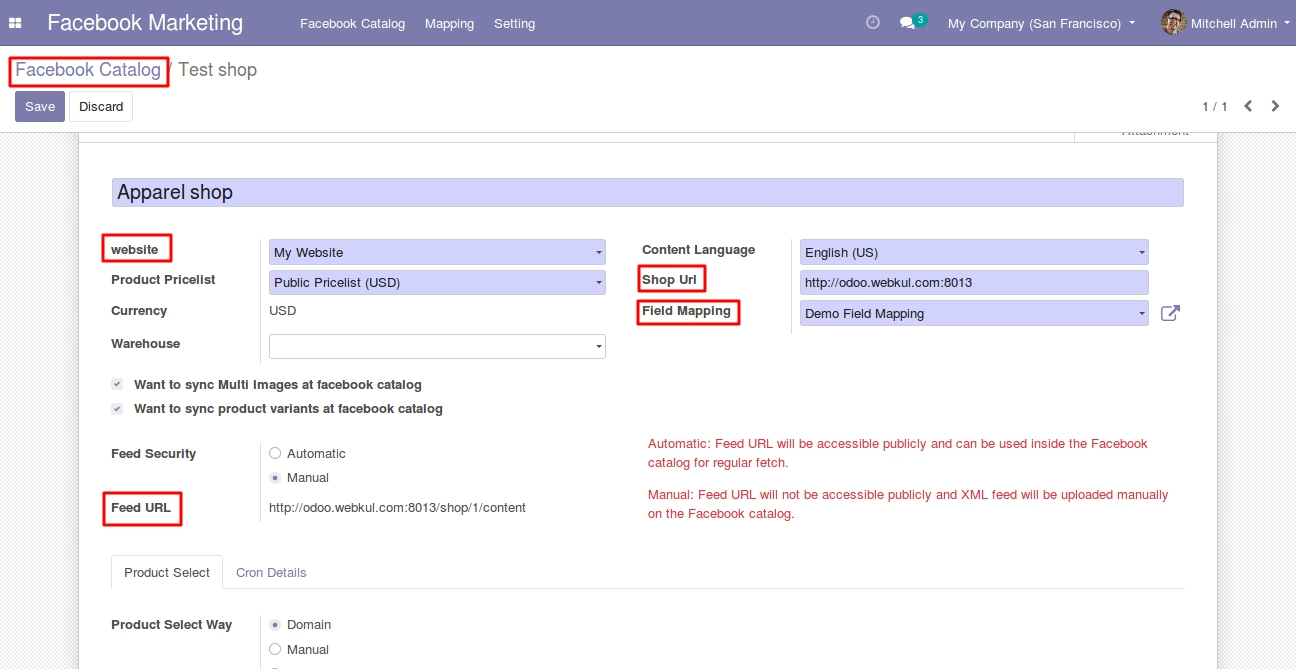
Create feeds for different facebook shops in the to upload the product to the Facebook Catalog
Choose to sync Product multi images and product variants to the Facebook catalog manager from
Choose Feed Security settings for uploading the product data - Manual or Automatic. Also you can choose what product data you wish to upload based on domain, Manual or category
Facebook Attributes fields added at the product level to allow better product management
products to Facebook Shop Catalog
Schedule Feed
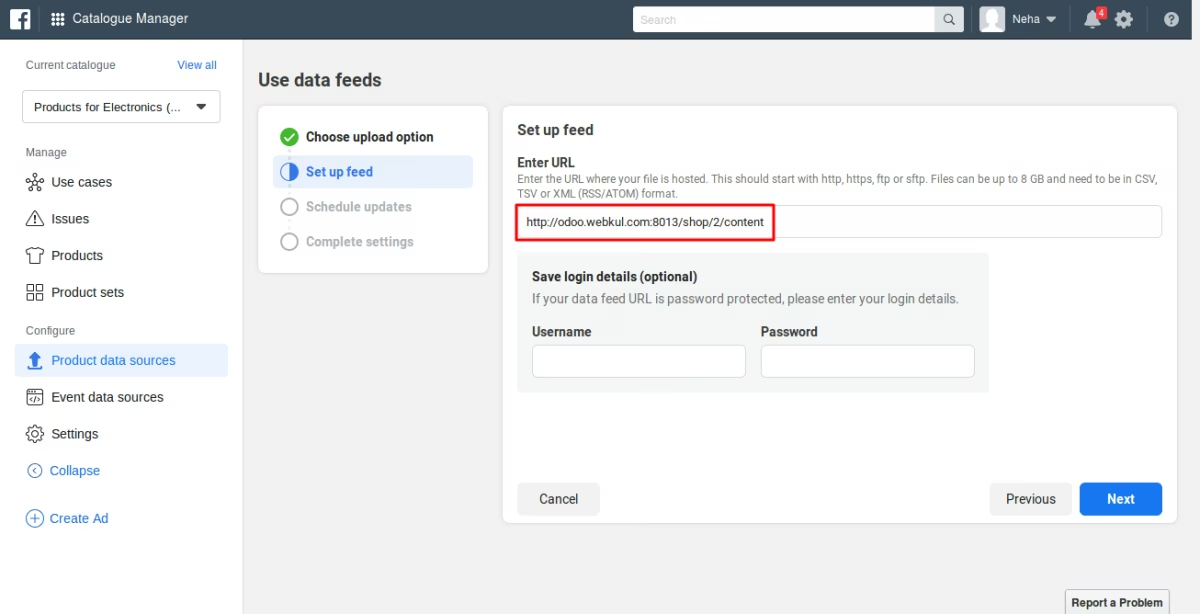
File Upload
Seller can Create feeds for different facebook shops