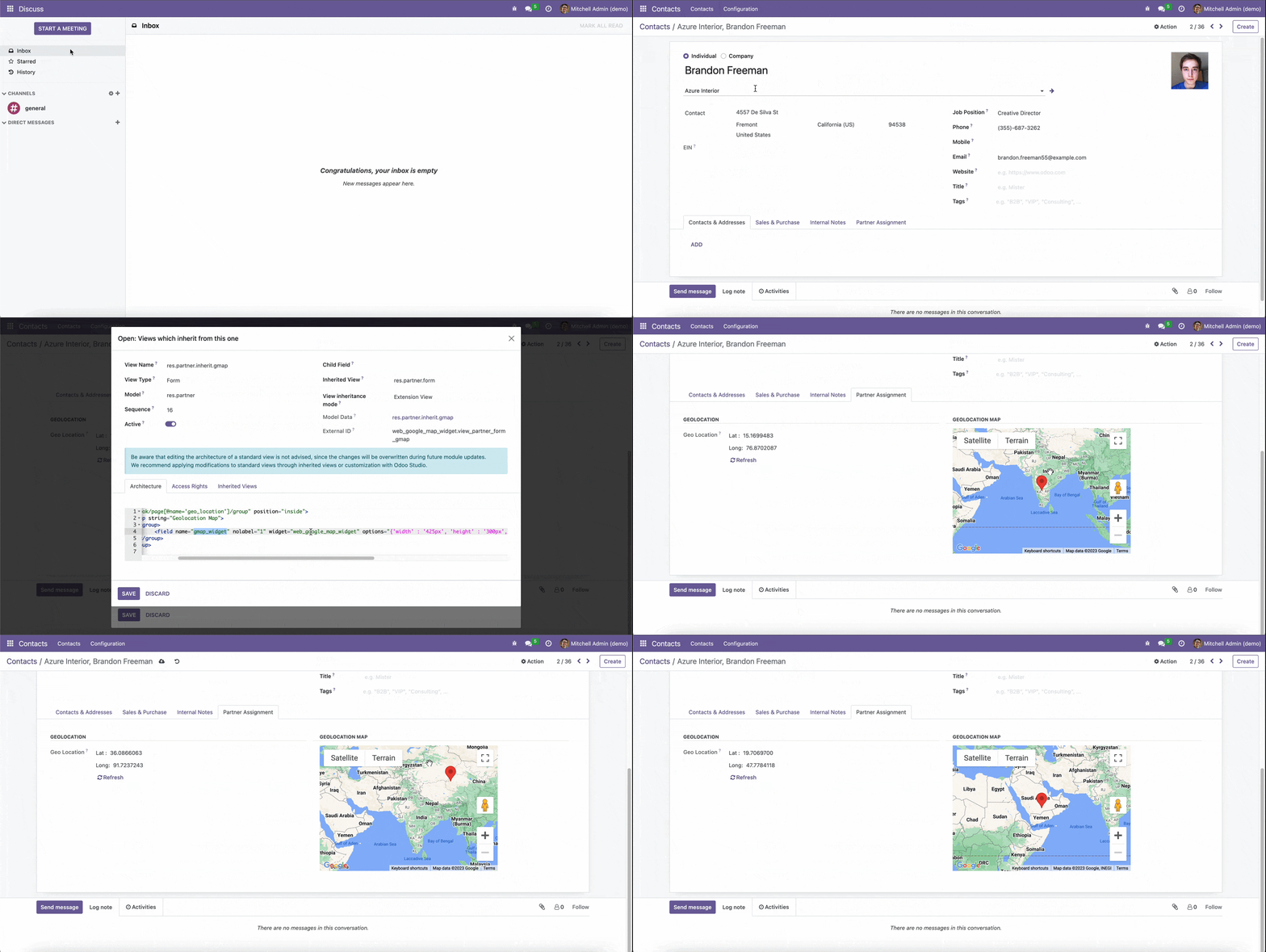
The module for integrates Google Maps into your form views, allowing users to visually select and update geographic locations. By linking latitude and longitude fields to an interactive map, this module enhances user experience, improves data accuracy, and streamlines location-based record management.
Interactive Map Integration
Drag-and-Drop Marker:
Users can click on the map to place a marker or drag an existing marker to update location coordinates.
Simplifies selecting precise locations without manual data entry.
Real-Time Coordinate Updates:
Marker movements automatically update corresponding latitude and longitude fields.
Ensures synchronization between the map view and backend data.
Easy Embedding:
Add the map widget to any form view by specifying latitude and longitude fields.
Compatible with both core and custom models.
User-Friendly Interface:
Provides an intuitive interface for interacting with geographic data.
Enhances usability, especially for non-technical users.
API Key Configuration:
Requires a valid Google Maps API key with Maps JavaScript and Geocoding APIs enabled.
Configure the API key in the module settings to activate the map functionality.
Customizable Map Settings:
Adjust map zoom levels, center points, and other display options.
Focus the map view on relevant geographic areas.
Improved Data Accuracy:
Reduces errors from manual entry of geographic coordinates.
Ensures precise location data for better decision-making.
Enhanced User Experience:
Offers an interactive way for users to select and update locations.
Streamlines workflows involving geographic data, such as delivery planning and service area mapping.
Increased Efficiency:
Speeds up data entry by eliminating the need for manual coordinate input.
Facilitates bulk updates and quick corrections through the map interface.
Map Widget | Google Map Widget
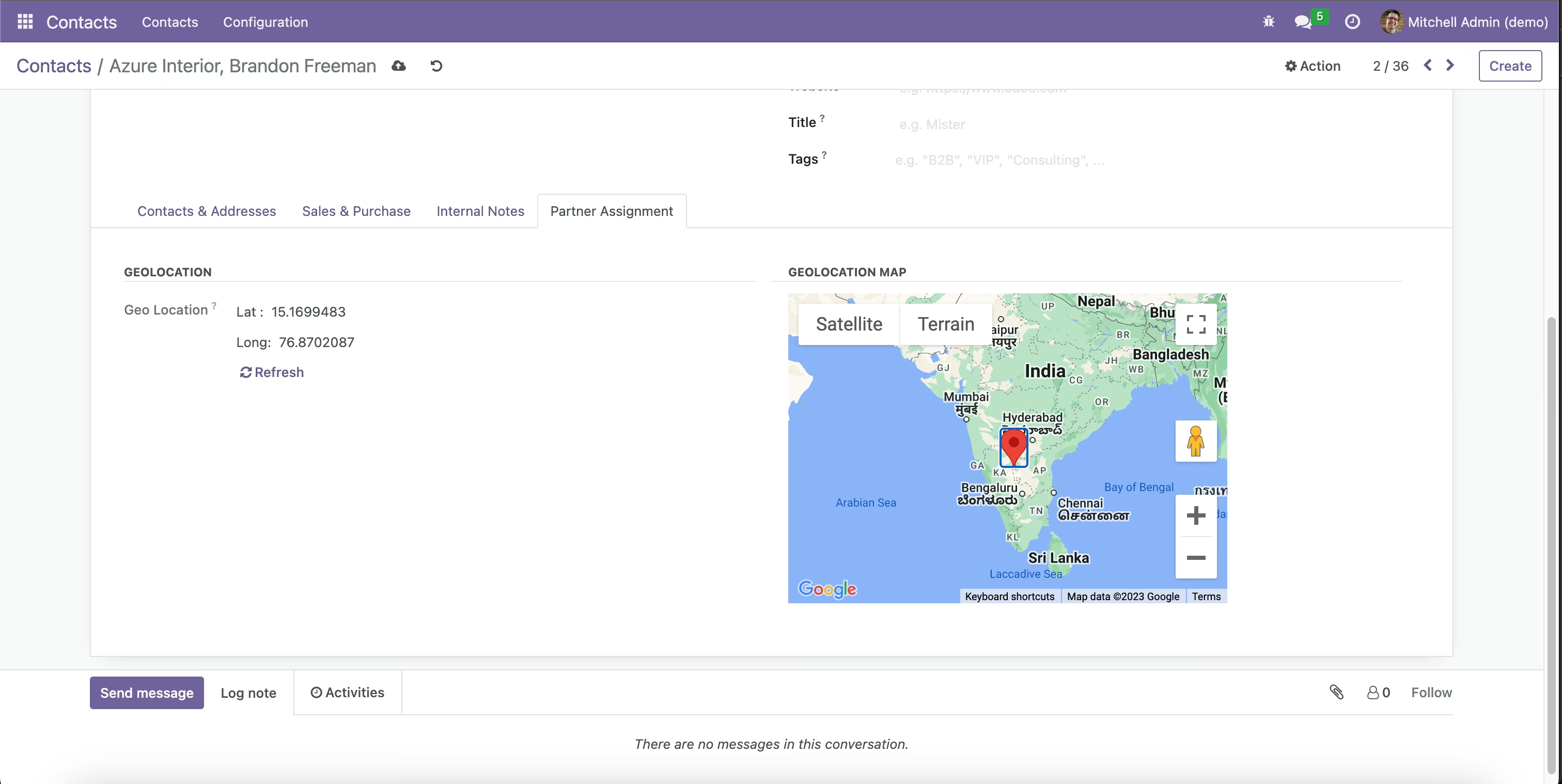
This module helps to add the map widget in any form views using existing latitude and longitude fields. The module allows you to mark the location on the map by dragging the marker.
Installation
- Copy web_google_map_widget module to addons folder
- Install the module normally like other modules
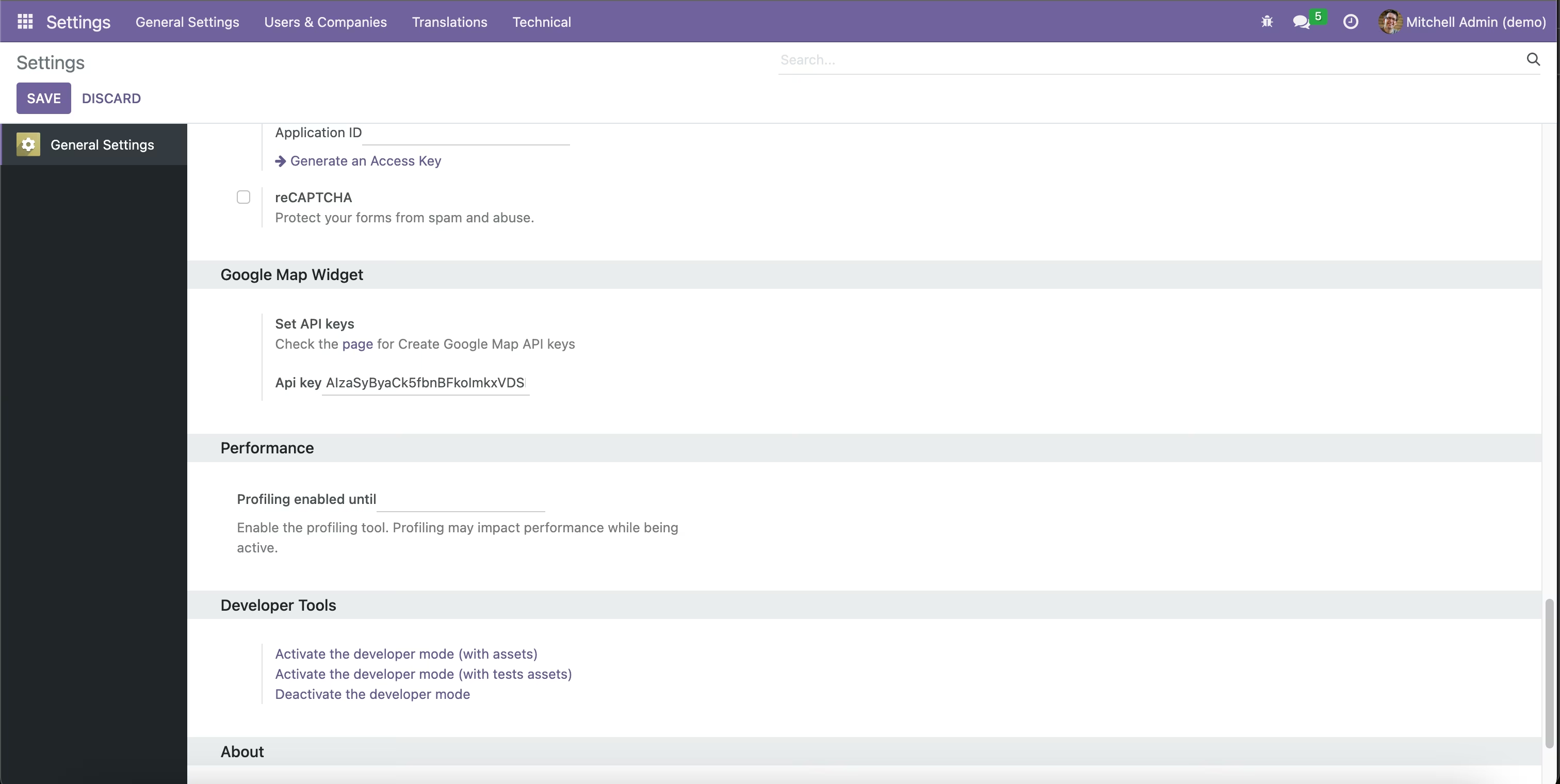
1. Set Google Map API for Widget
Settings -> Google Map Widget -> Set API keys
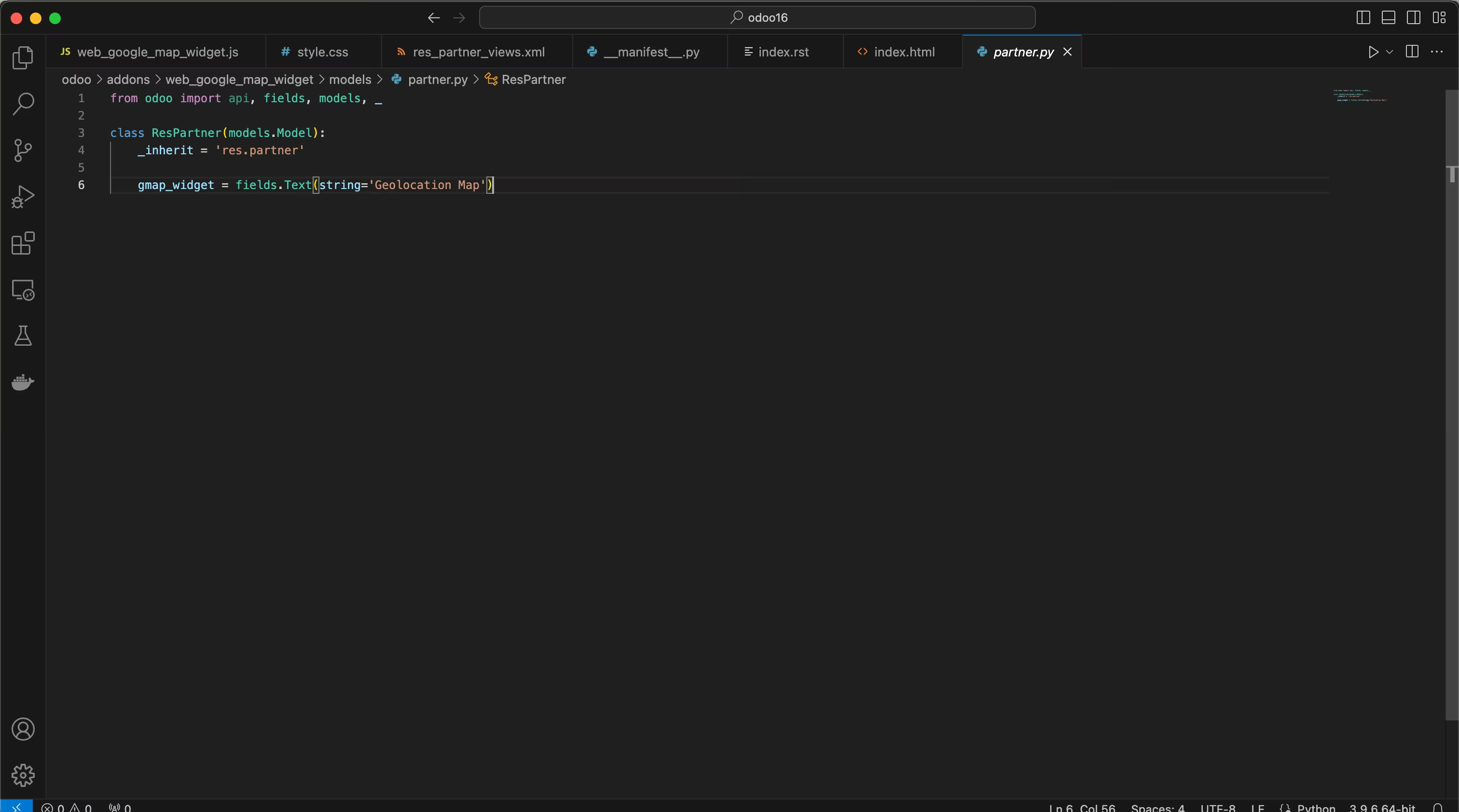
2. Set Widget on Text
XML -> add widget="web_google_map_widget" and set Optins as width, height, latitude_field and longitude_field
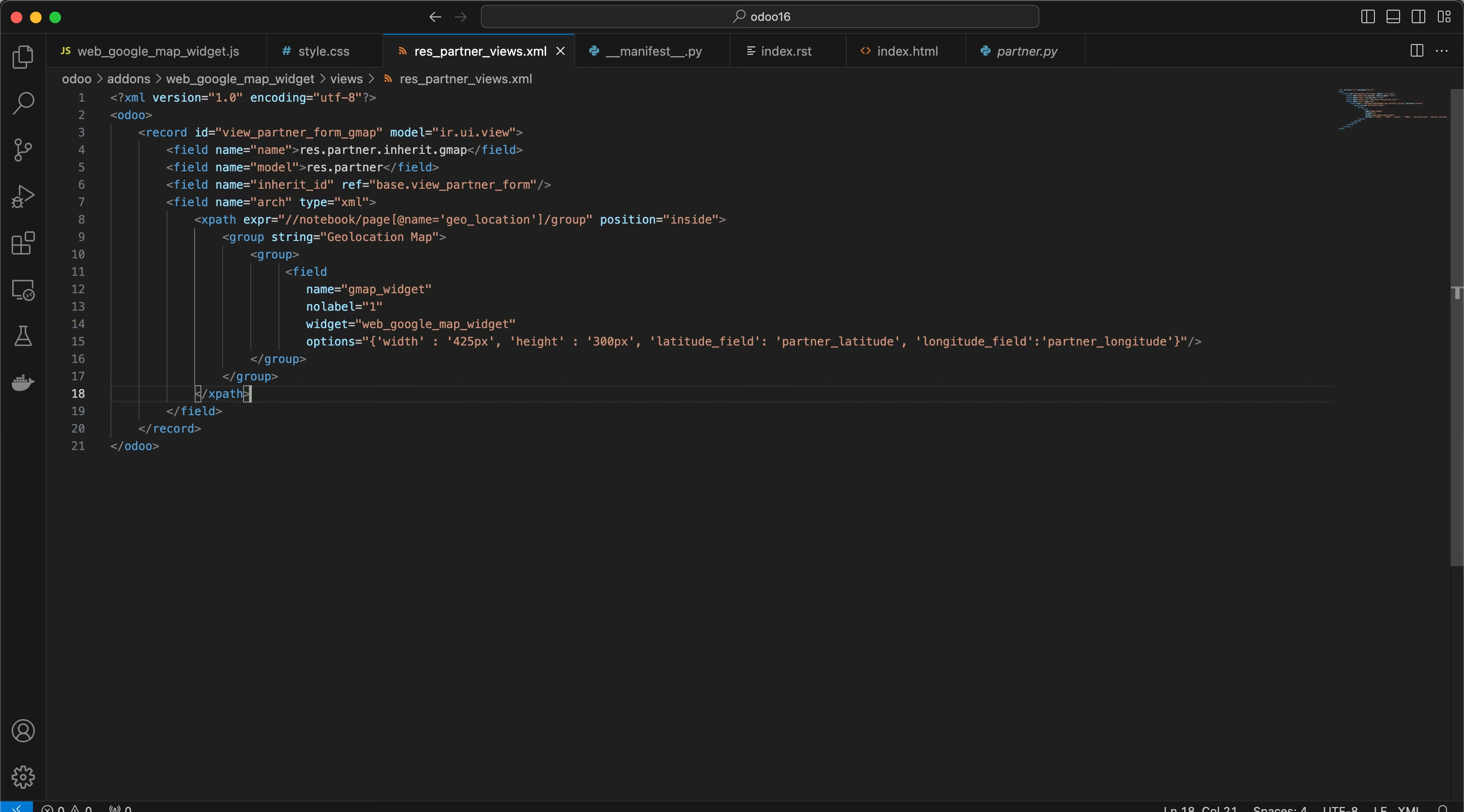
                        <record id="view_partner_form_gmap" model="ir.ui.view">
                            <field name="name">res.partner.inherit.gmap</field>
                            <field name="model">res.partner</field>
                            <field name="inherit_id" ref="base.view_partner_form"/>
                            <field name="arch" type="xml">
                                <xpath expr="//notebook/page[@name='geo_location']/group" position="inside">
                                    <group string="Geolocation Map">
                                        <group>
                                            <field
                                                name="gmap_widget"
                                                nolabel="1"
                                                widget="web_google_map_widget"
                                                options="{'width' : '425px', 'height' : '300px', 'latitude_field': 'partner_latitude', 'longitude_field':'partner_longitude'}"/>
                                        </group>
                                    </group>
                                </xpath>
                            </field>
                        </record>
4. Map Field
You can click on the map to create your location or drag and drop the existing marker to update the coordinates.
Features