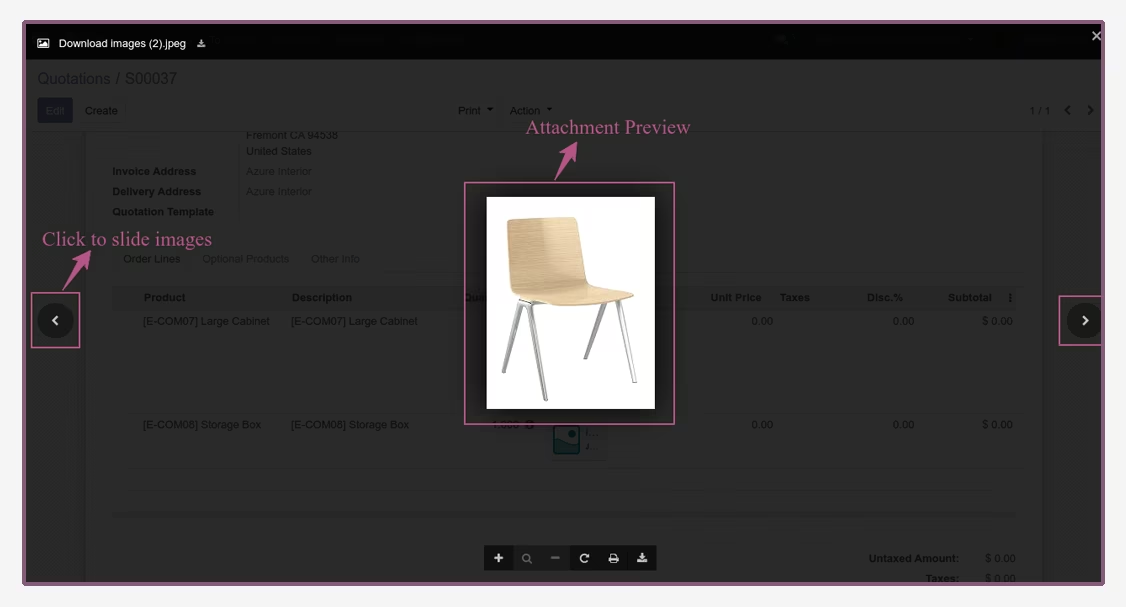
The module for enhances user experience by enabling the preview of attachments directly within many2many fields. This functionality supports various file formats, including PDFs, images, and documents, allowing users to view attachments without downloading them.
Inline Viewing:
View attachments directly within the form view without the need to download them.
Supports multiple file formats, including PDF, images, and documents.
Zoom and Navigation:
Zoom in and out of documents for detailed viewing.
Navigate through multiple attachments seamlessly.
Download and Print Options:
Download attachments directly from the preview.
Print documents without leaving the form view.
Enhanced Many2many Fields:
Integrates with many2many fields to provide a comprehensive attachment management solution.
Supports adding and removing multiple attachments.
Cross-Model Support:
Applicable across various models, enhancing consistency in user experience.
Compatible with both Community and Enterprise editions.
Improved Efficiency:
Streamlines workflows by allowing users to view and manage attachments within the same interface.
Reduces the need to switch between different views or download files.
Enhanced User Experience:
Provides a more intuitive and interactive way to handle attachments.
Increases user satisfaction by simplifying document management tasks.
Consistency Across Models:
Offers a uniform approach to attachment handling across different models.
Ensures a consistent user interface and experience.
Many2many Attachment Preview module can be used to show attachment preview of Many2many field in back-end and it will support pdf preview as well across all the models.
Key Features of Many2many Attachment Preview
Show attachment preview of Many2many field.
Add/Remove multiple attachments.
User can download, print, zoom in/out of the attachment.
Many2many attachment previews are used in all the models.
Many2many Attachment Preview: Simple to use
- Look how it to use.
- If you have many2many field model(.py) like this to use multiple attachments.

- Then you can add .xml file like that.

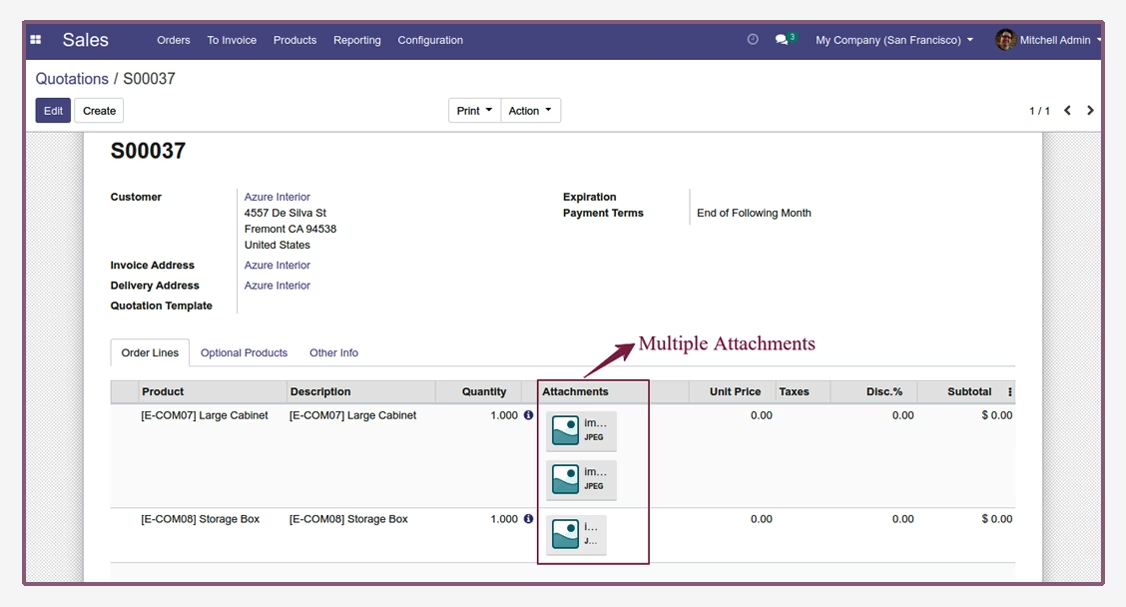
Many2many Attachments
- Navigate to sales and create a quotation.
- Add multiple attachments here.
- Then, click on any attachment to show the attachment preview.
- Here, we have taken the sales module as an example but you can use any model as per user requirements.
Attachment Preview
- Preview will be showing on the screen.