The module for provides businesses with the tools to accurately calculate and track the costs associated with their manufacturing processes. By integrating material, labor, and overhead costs, this module offers a comprehensive view of production expenses, facilitating better financial planning and analysis.
Material Cost Calculation: Automatically calculate material costs based on the components used in the manufacturing process.
Labor Cost Tracking: Track labor costs by assigning labor rates to work centers and recording actual labor hours spent on production.
Overhead Cost Allocation: Allocate overhead costs to manufacturing orders based on predefined criteria, ensuring accurate cost distribution.
Real-Time Costing: Obtain real-time updates on production costs as manufacturing orders and work orders are processed.
Cost Reporting: Generate detailed reports on material, labor, and overhead costs to analyze and optimize production expenses.
Enhanced Cost Visibility: Gain a clear understanding of production costs, enabling informed decision-making.
Improved Financial Planning: Utilize accurate cost data to forecast expenses and set competitive pricing strategies.
Operational Efficiency: Identify cost-saving opportunities and streamline manufacturing processes.
Compliance and Reporting: Ensure compliance with financial reporting standards and regulations.
Real-Time Process Costing for MRP
Process Costing with Material, Labour, Overhead
Manufacturing Costing for Material, Labour, Overhead
Detailed Manufacturing Costing with Overhead Support
Manufacturing Process Costing apps is use to calculate process costing of manufacturing and its workorder process with define labour cost and overhead cost from work center. This apps helps to calculate Material Cost, Labour Cost, Overheads Cost for manufacturing and production orders when MO and workorder finished. Its calculates estimated costing and real costing both , estimated costing calculated on Bill of Material-BOM and real costing calculated on Manufacturing Order based on real-time consumption and actual quantity consumption on production order, So production manager can see difference of estimated costing and real costing to improve the productivity.You can also see the process costing calcualtion on Manufacturing order reports.
Looking for MRP Process Costing with Accounting Entry Apps, please check below module link
Process Costing Configurations
User can select manufacturing process costing method as "Manually" or "Work-Center" under Manufacturing > Configurations menu.
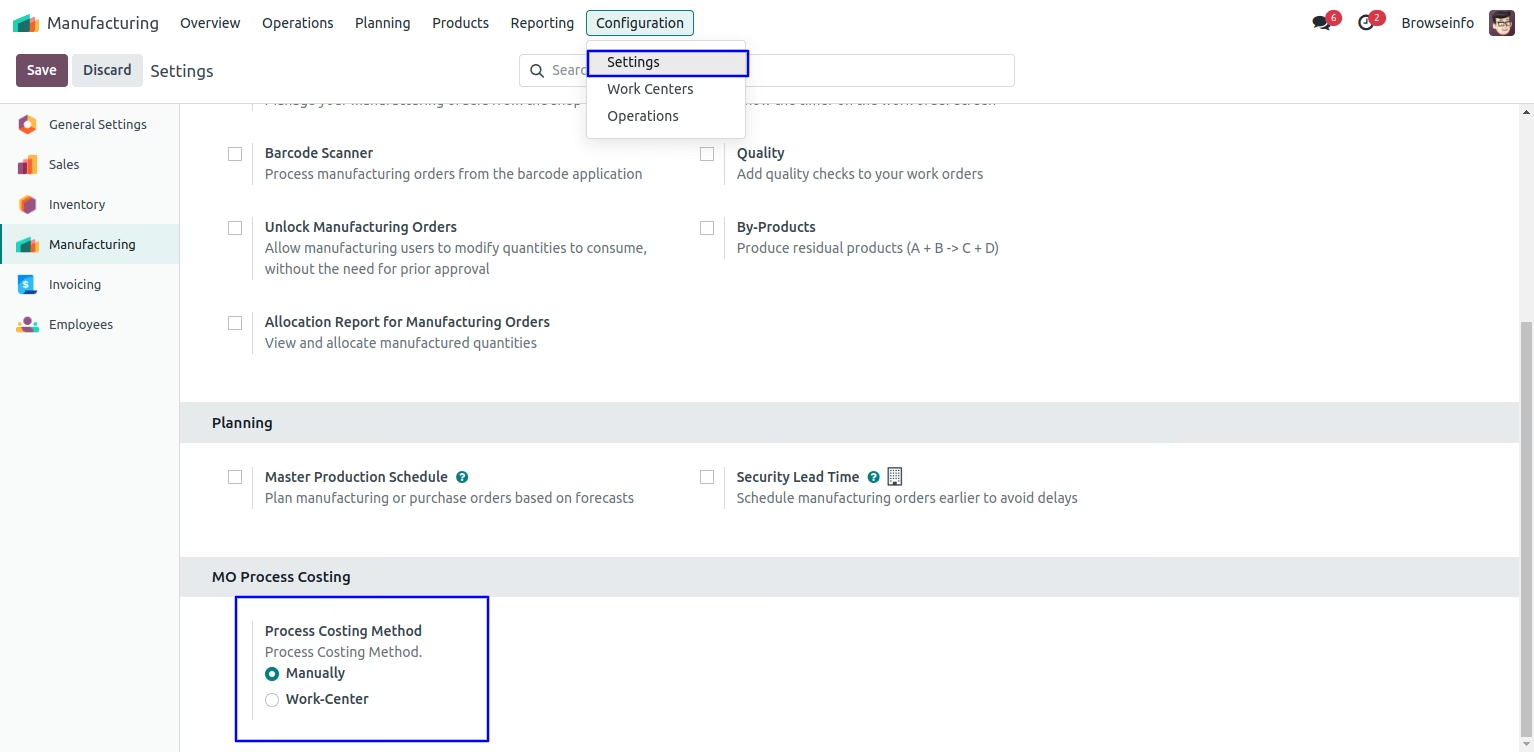
Costing Method 1. Manually Process Costing for BOM and MO
Bill of Materials - Direct Material Cost
If process costing configuration is "Manually" then user have to add all costing data manually, user can see that direct material cost automatically added based on components of the Bill Of Material.
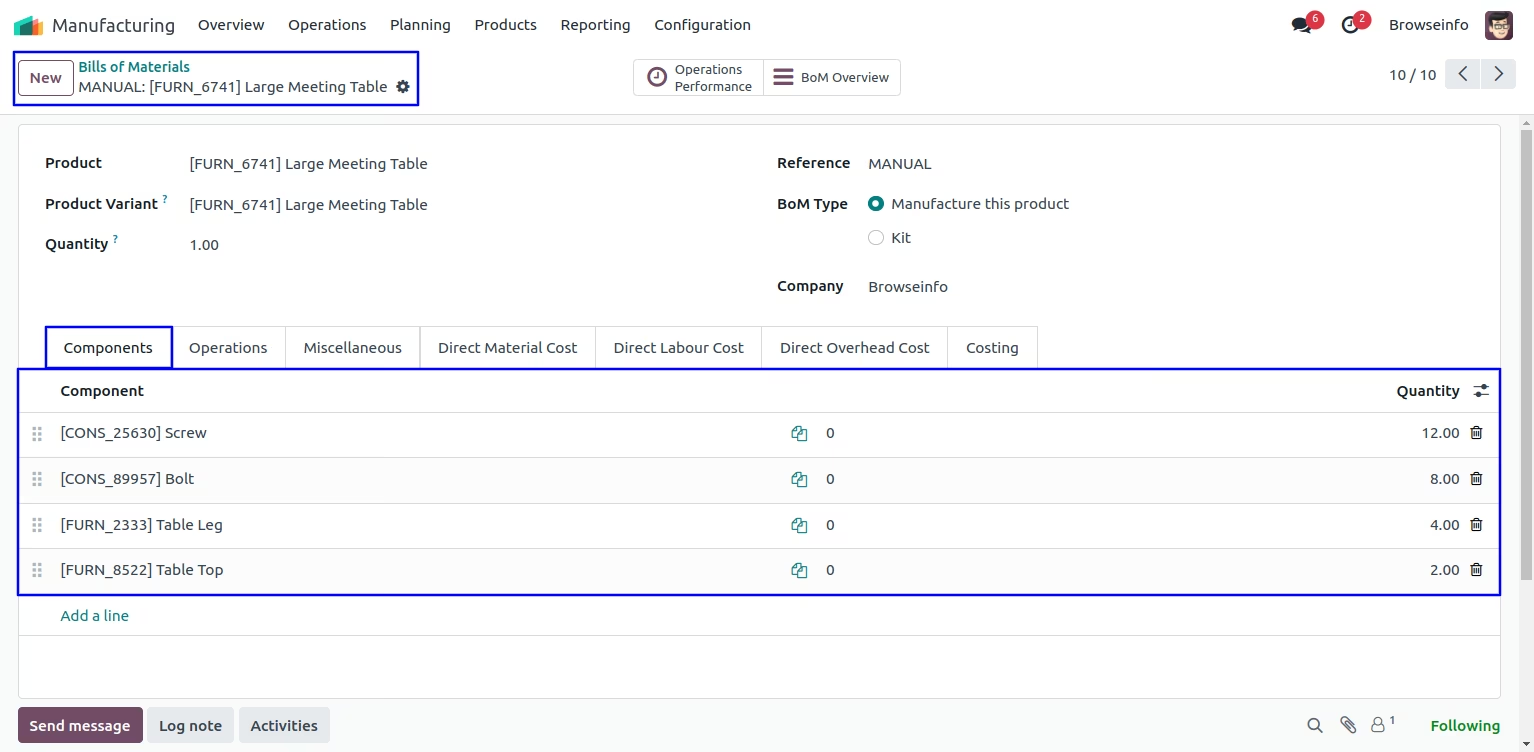
If user want to add direct material cost manually then you can also add.
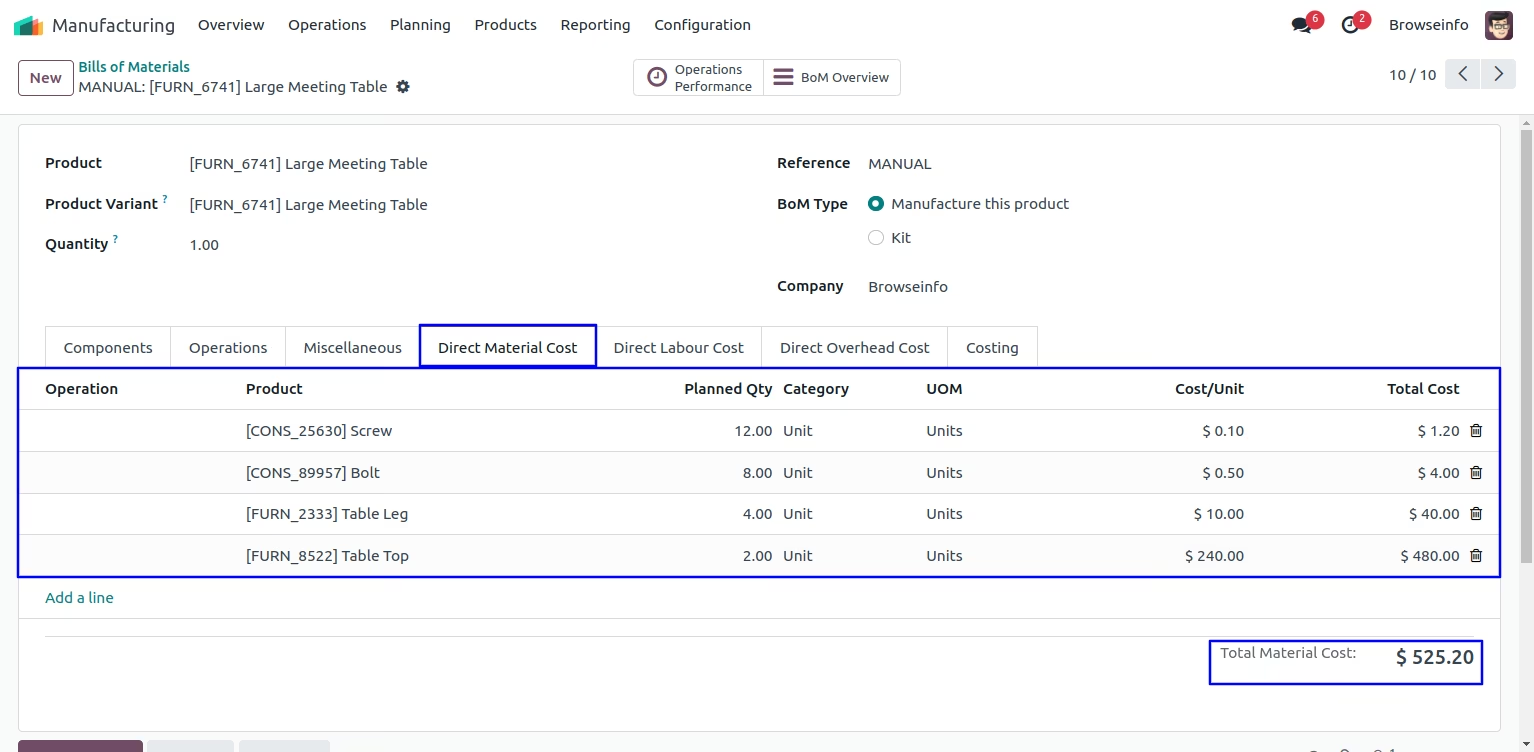
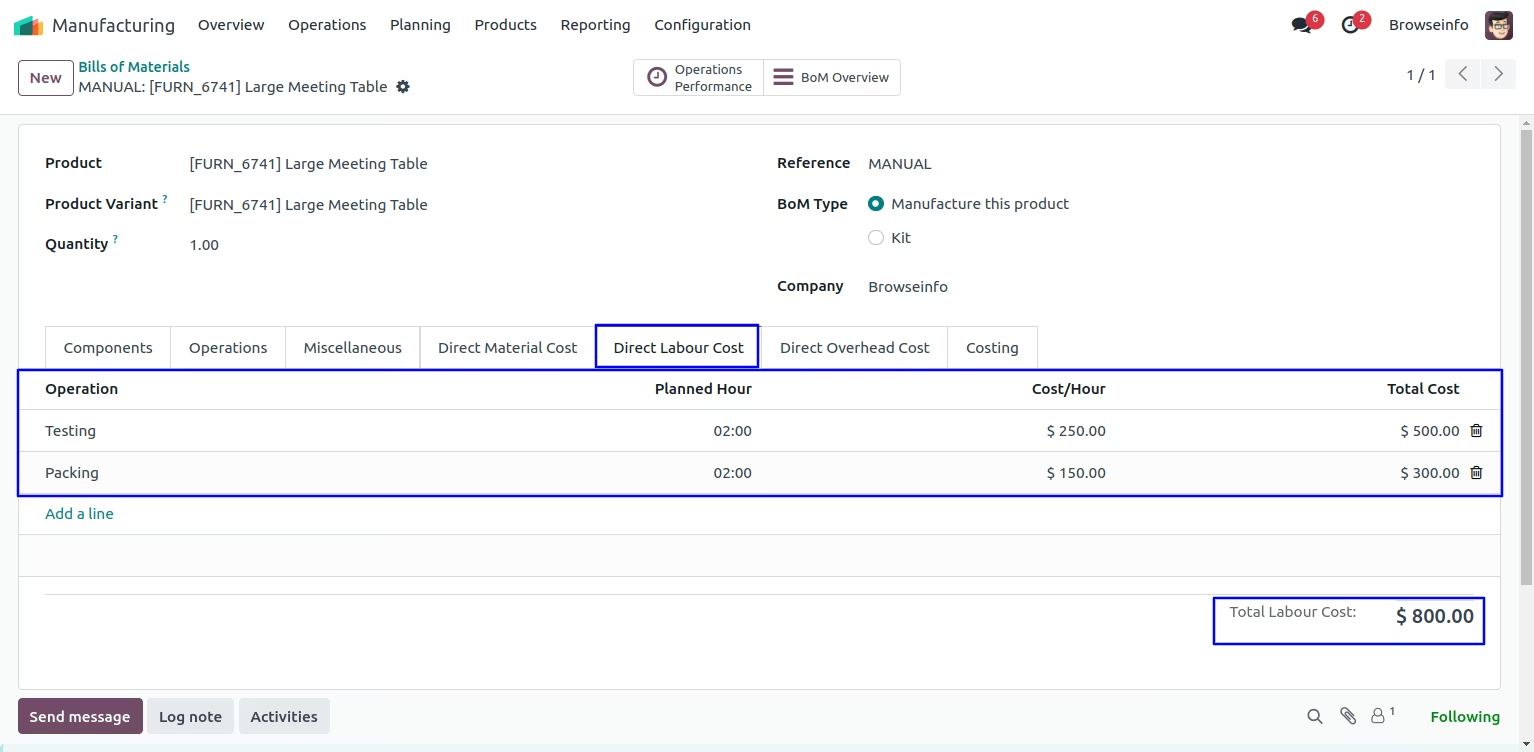
Bill of Materials - Direct Labour Cost
User can manually add Cost/Hour for Direct Labour Cost and Direct Overhead Cost and this costing will pass to MO from BOM.
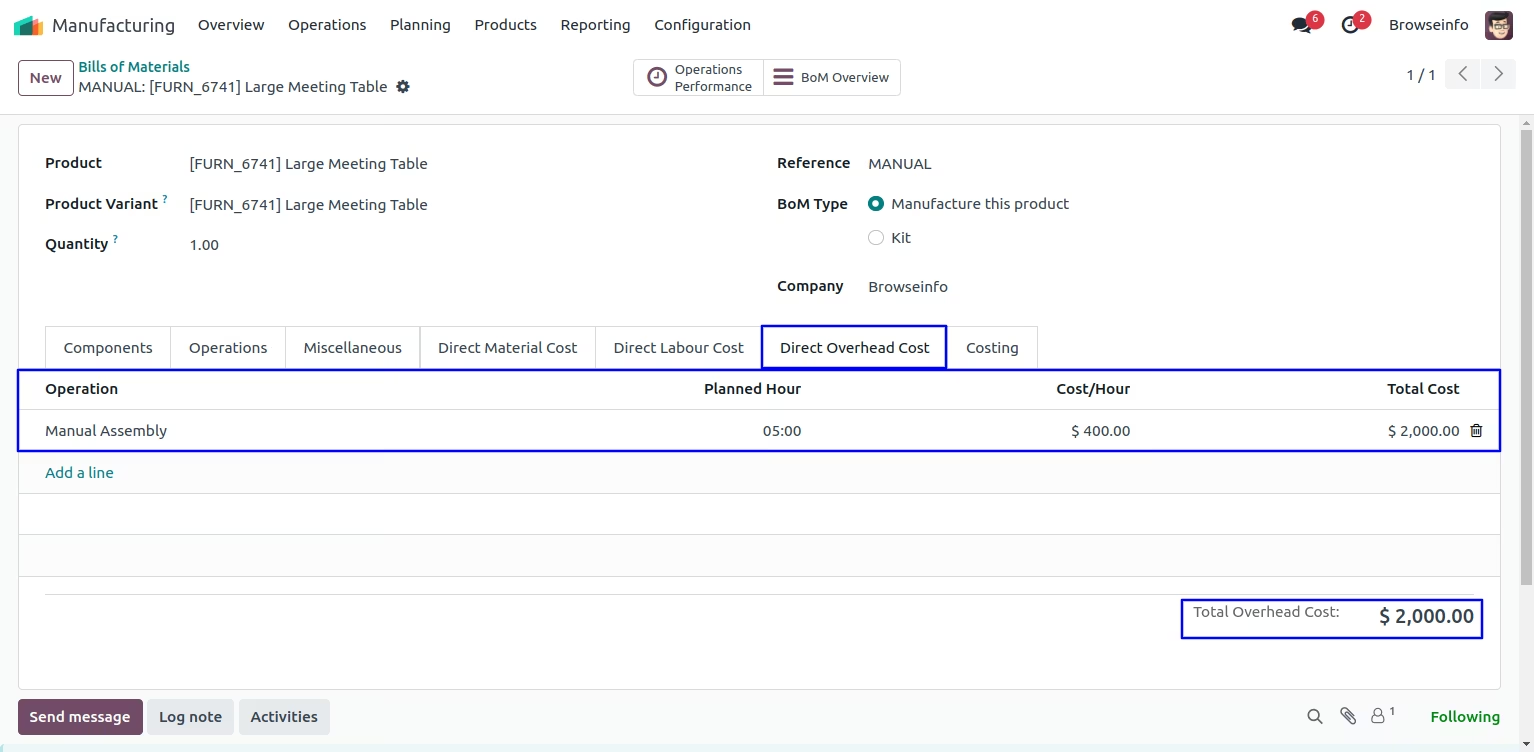
Bill of Materials - Direct Overhead Cost
You can configure Direct Overhead Cost on Bill of Materials.
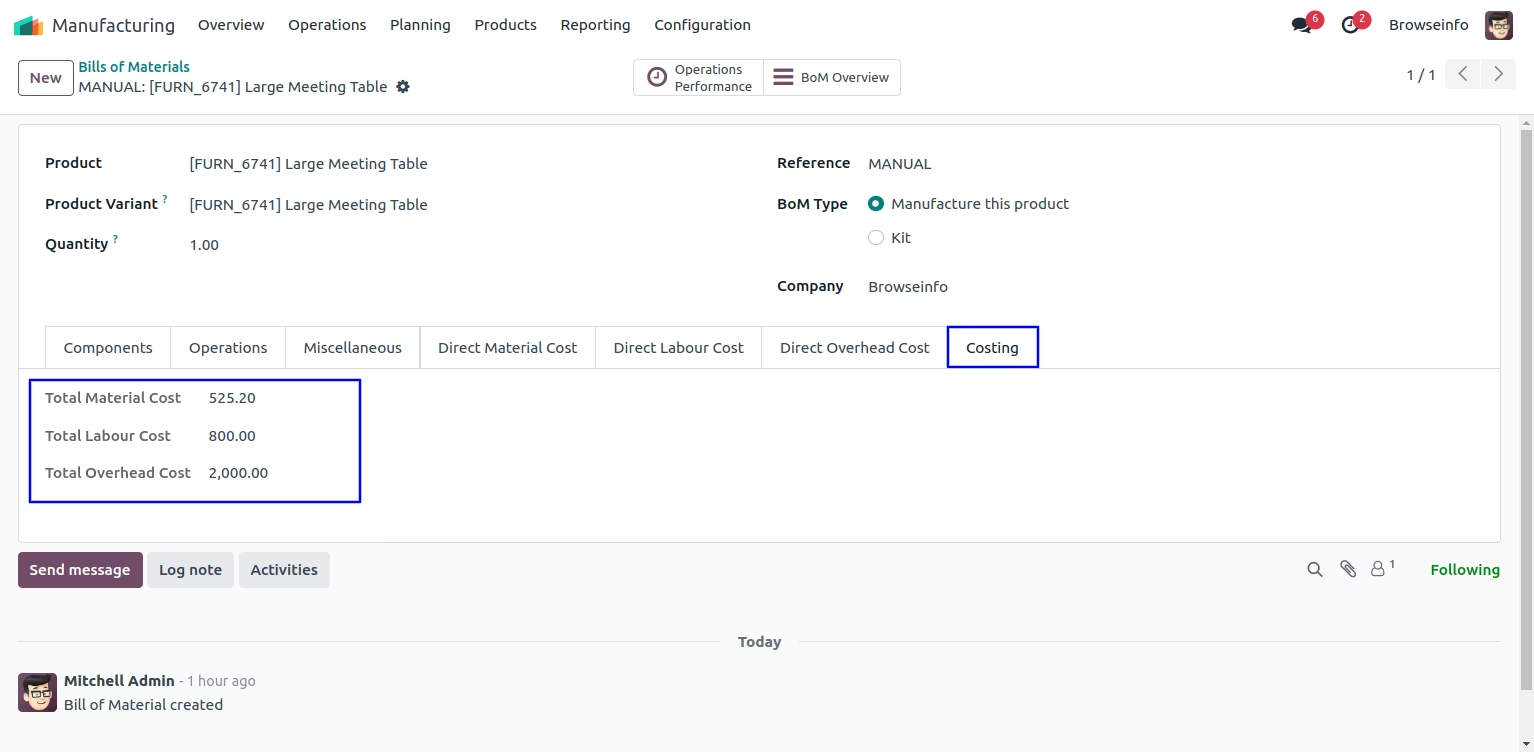
Bill of Materials Costing
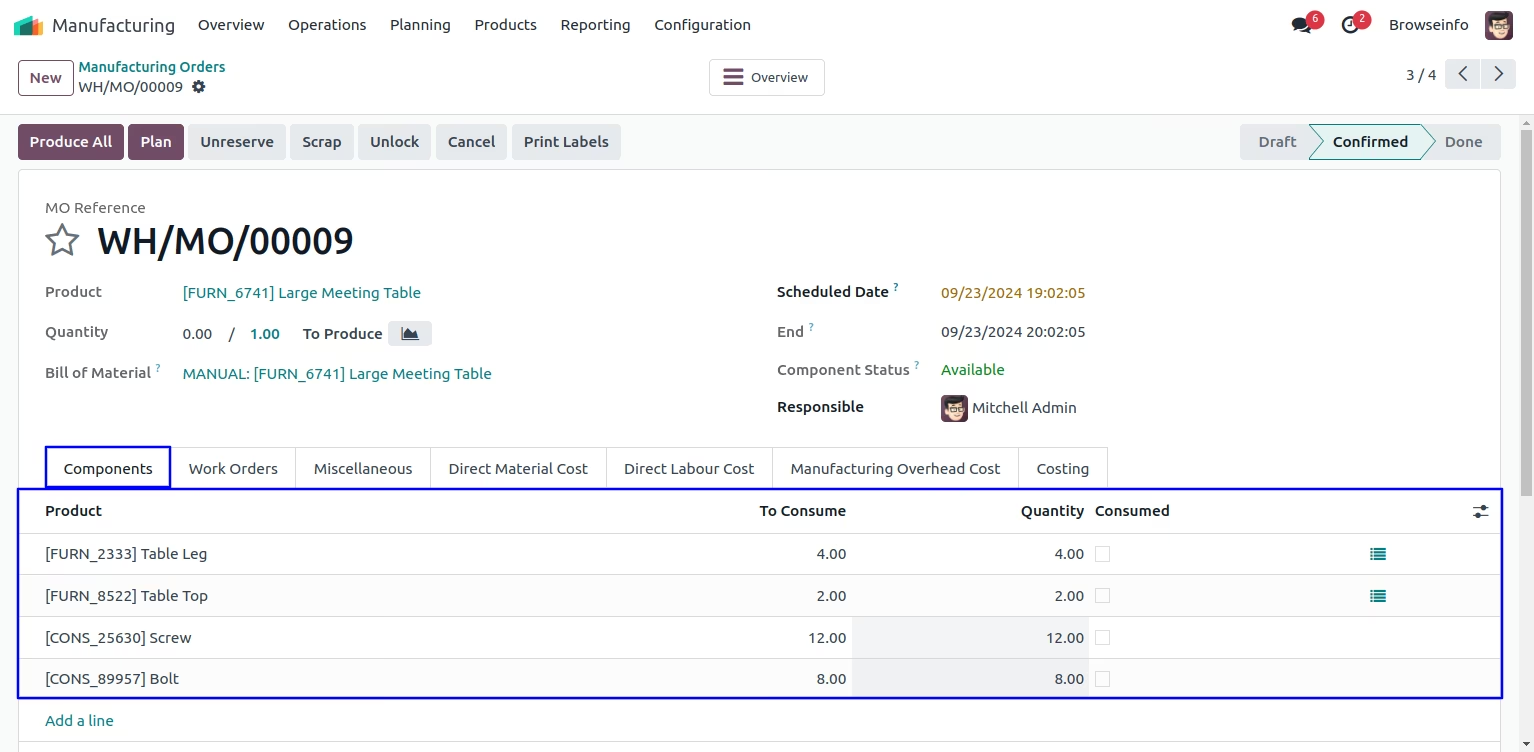
Create Manufacturing Order
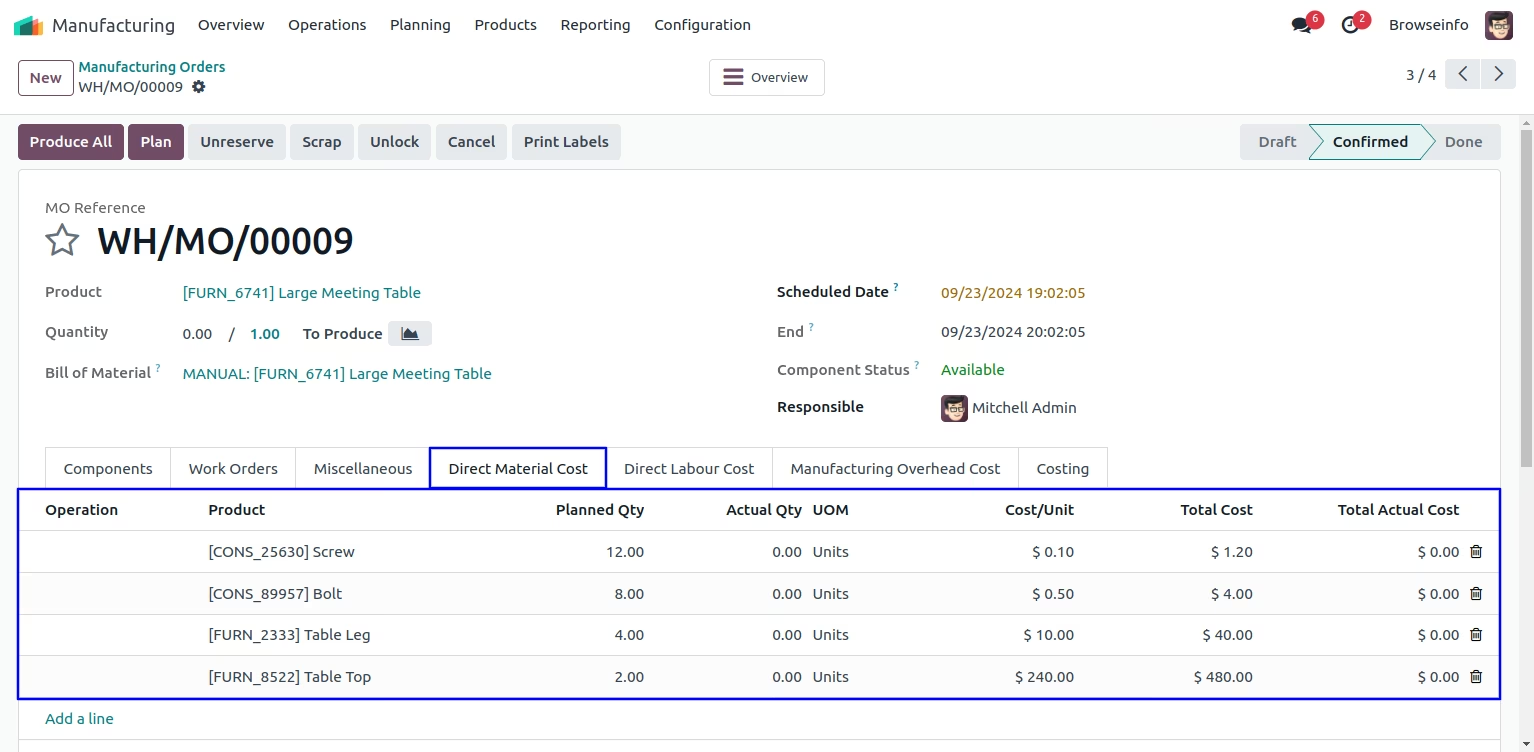
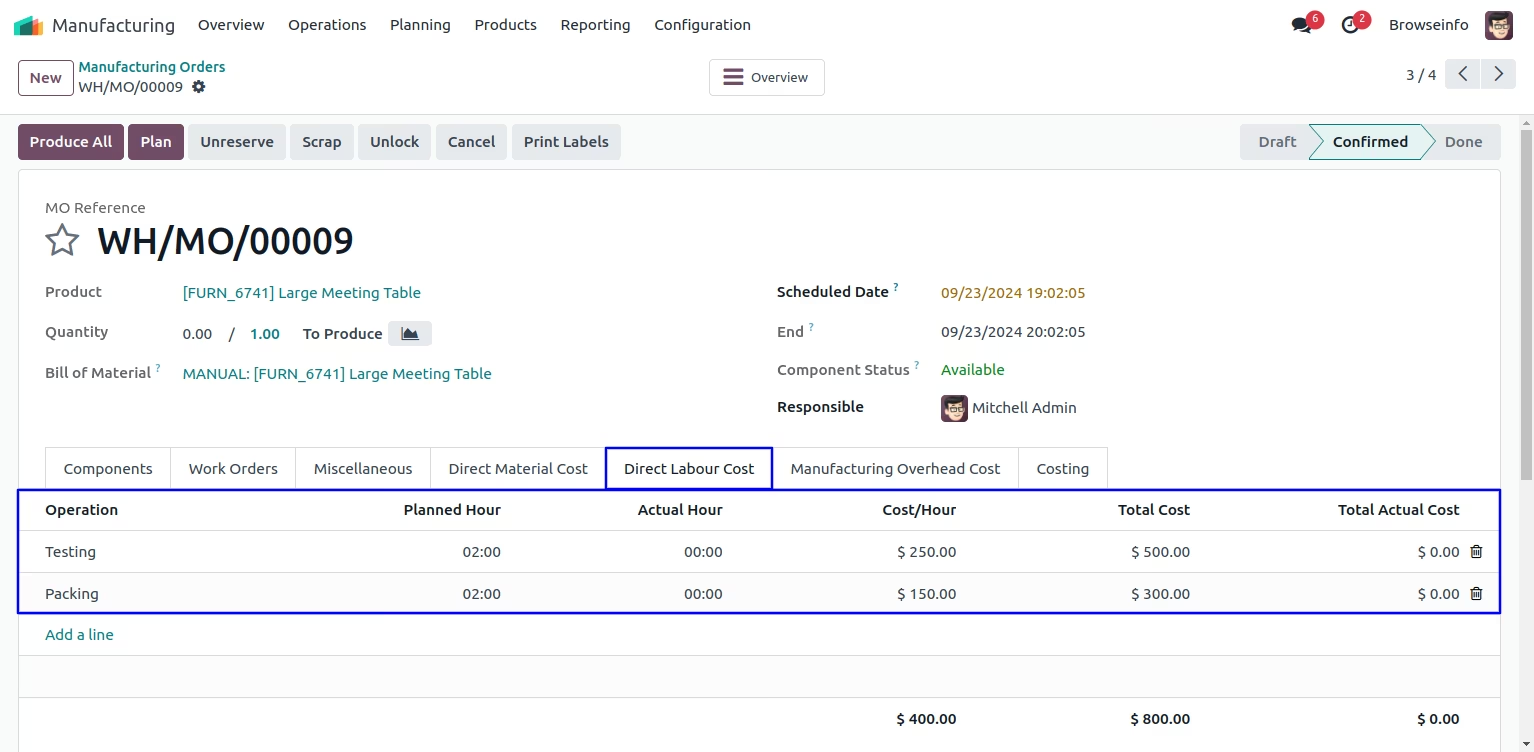
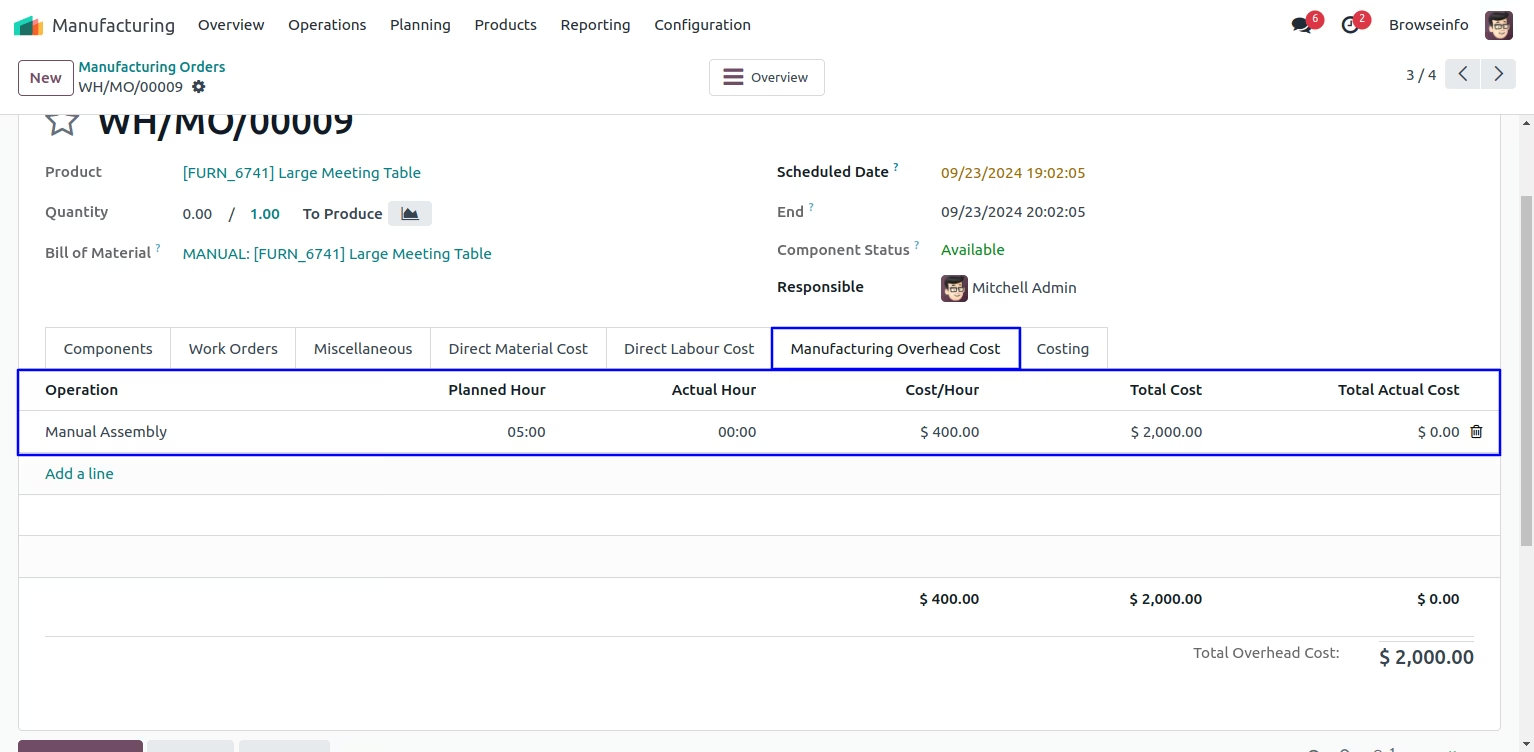
When you create manufacturing orders from BOM then selected BOM's Direct Labour Cost and Direct Overhead Cost will be filled automatically on manufacturing order.
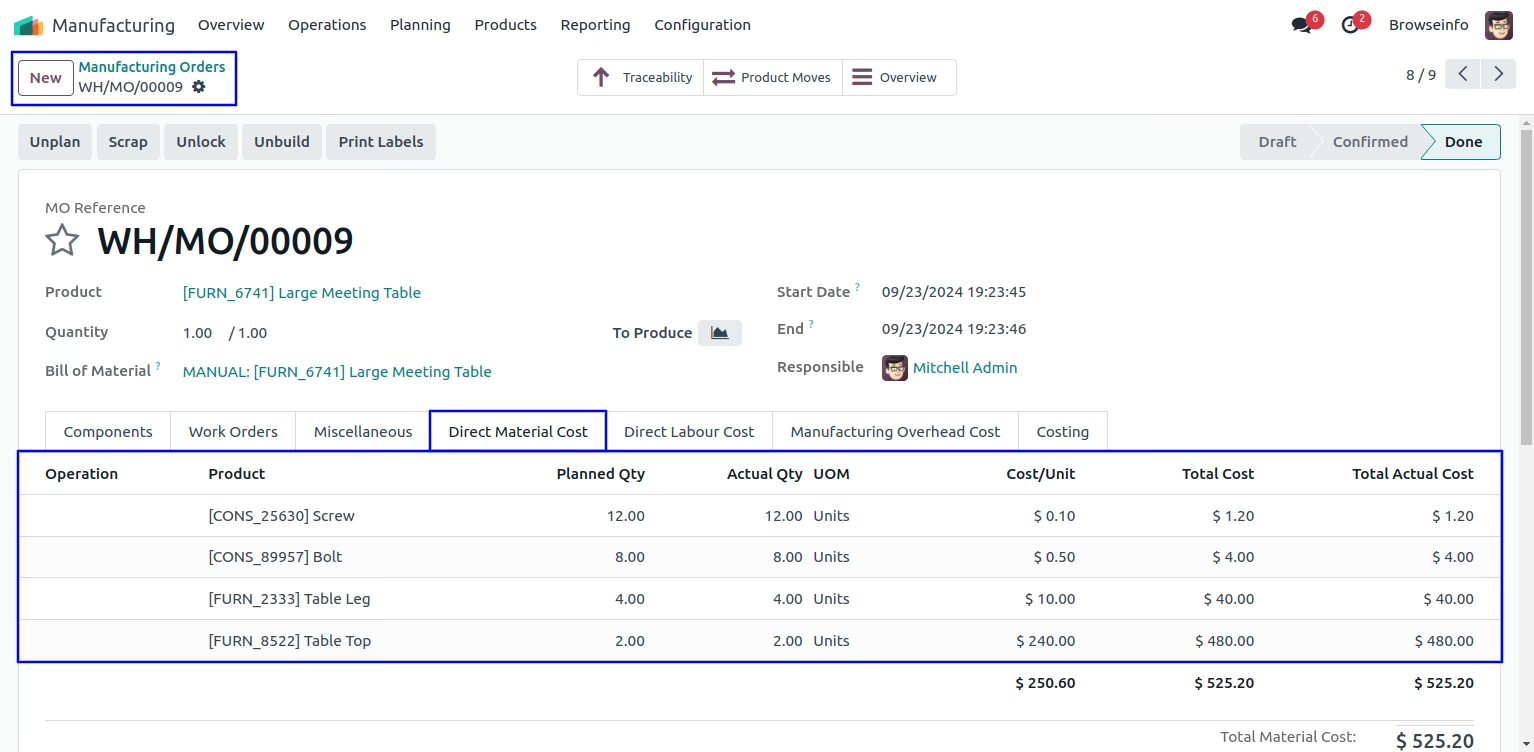
Direct Material Cost
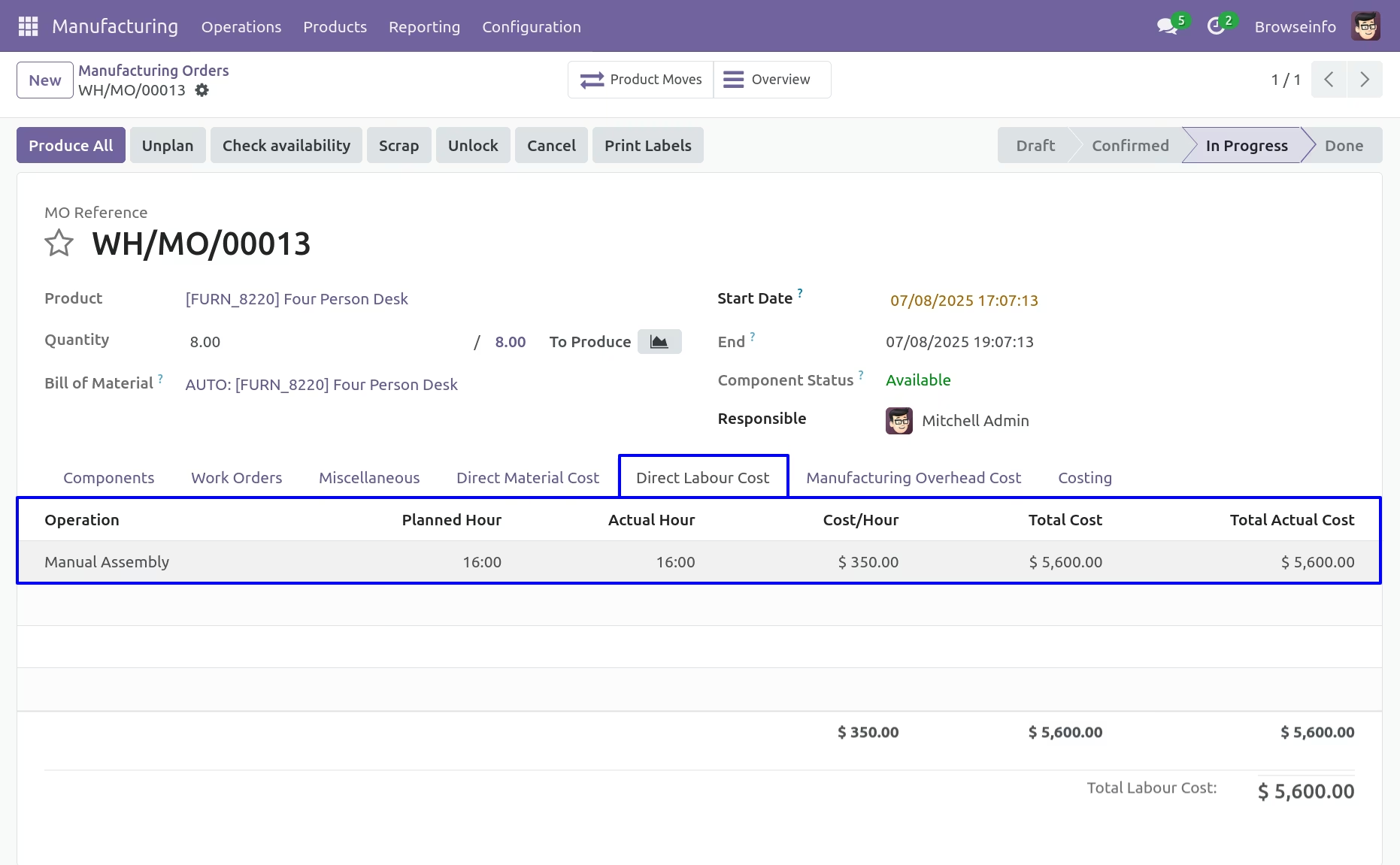
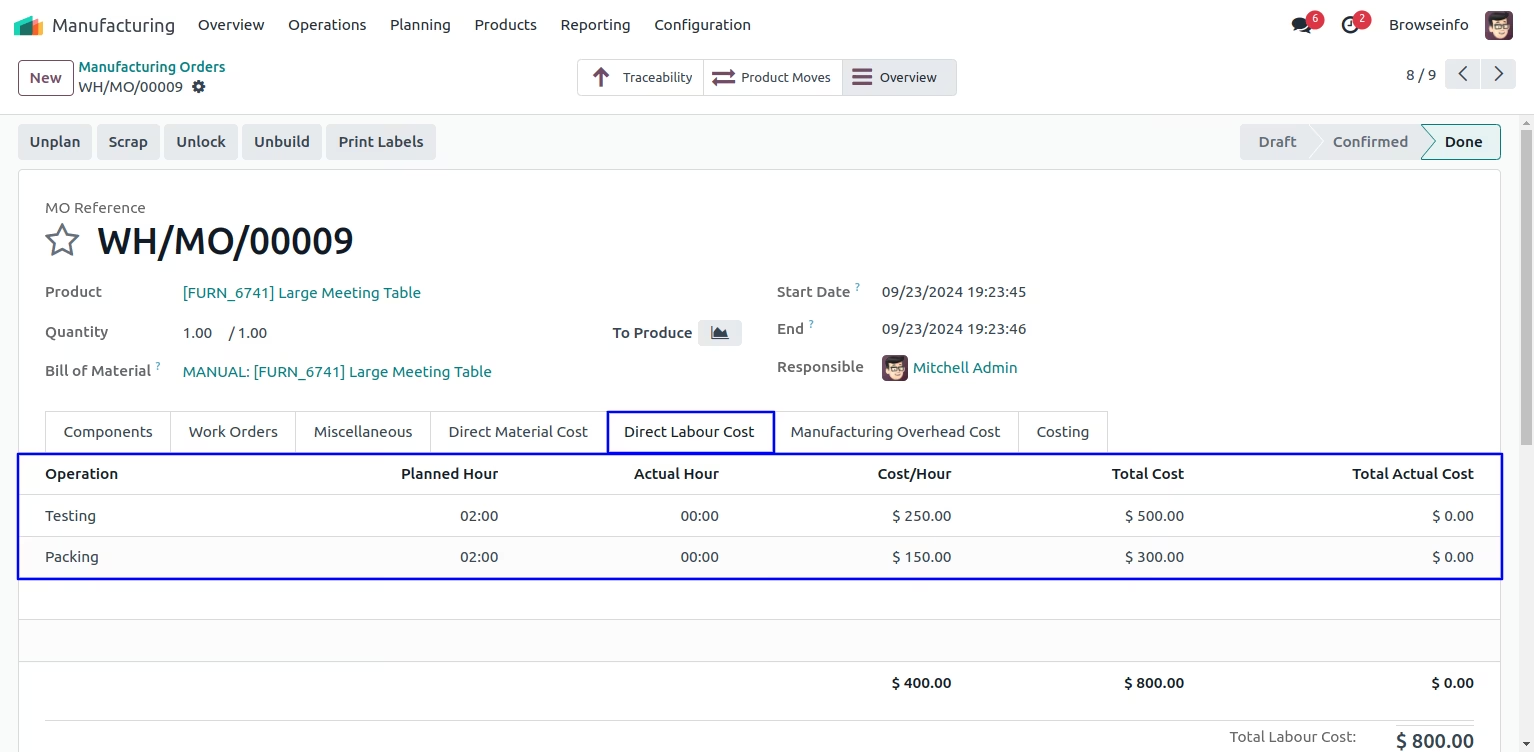
Direct Labour Cost
Manufacturing Overhead Cost
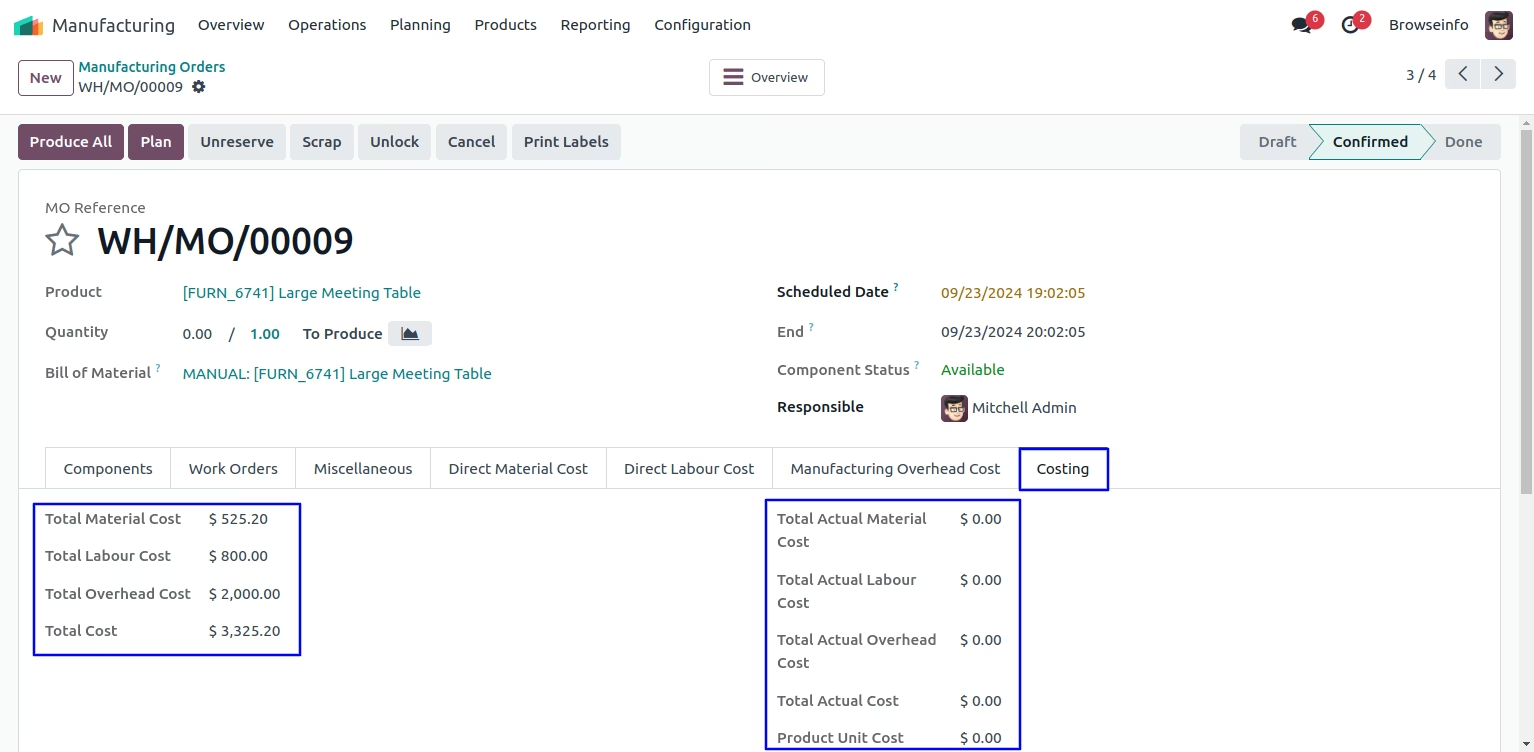
Manufacturing Orders Costing
Here you can see total cost of Material,Labour and Overhead.
Create Manufacturing Workorder
By clicking on Create Work orders button,Work order will be created with Direct Material Cost, Direct Labour Cost and Direct Overhead Cost.
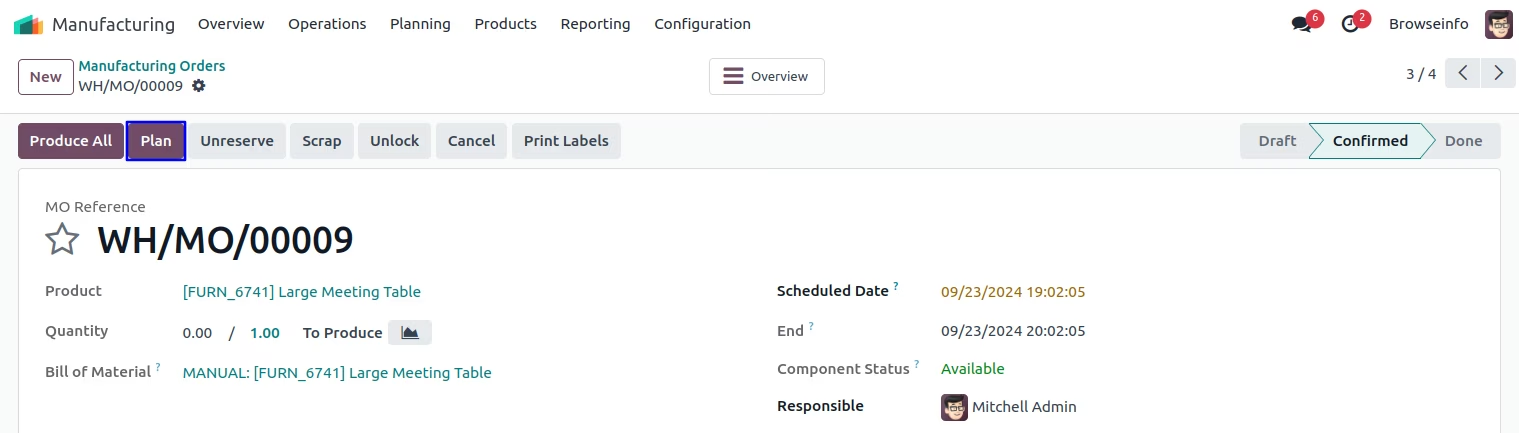
Workorder Form View
User have to enter "Actual Hour" in work order.
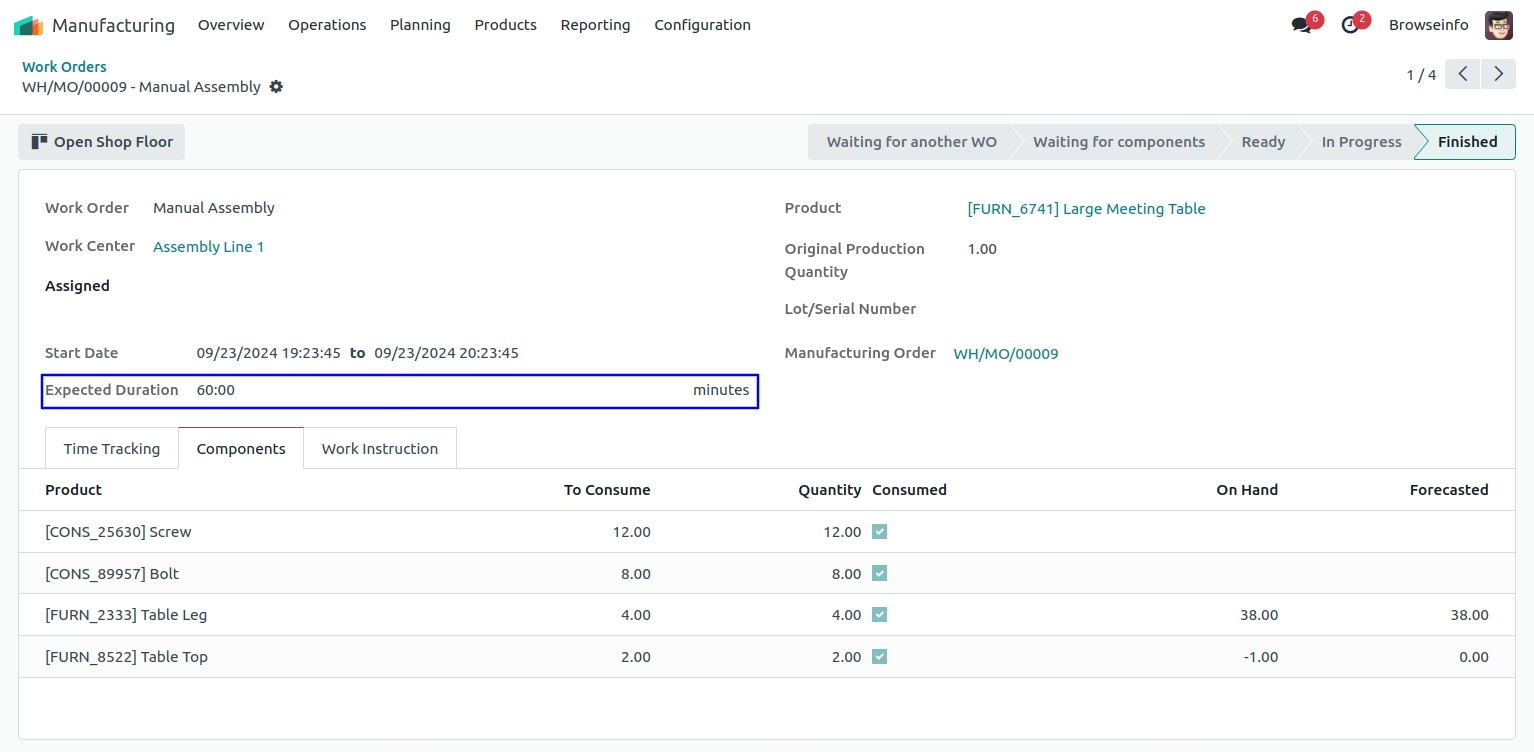
After done work order user can manufacturing order costing.
Direct Labour Cost
Manufacturing Overhead Cost
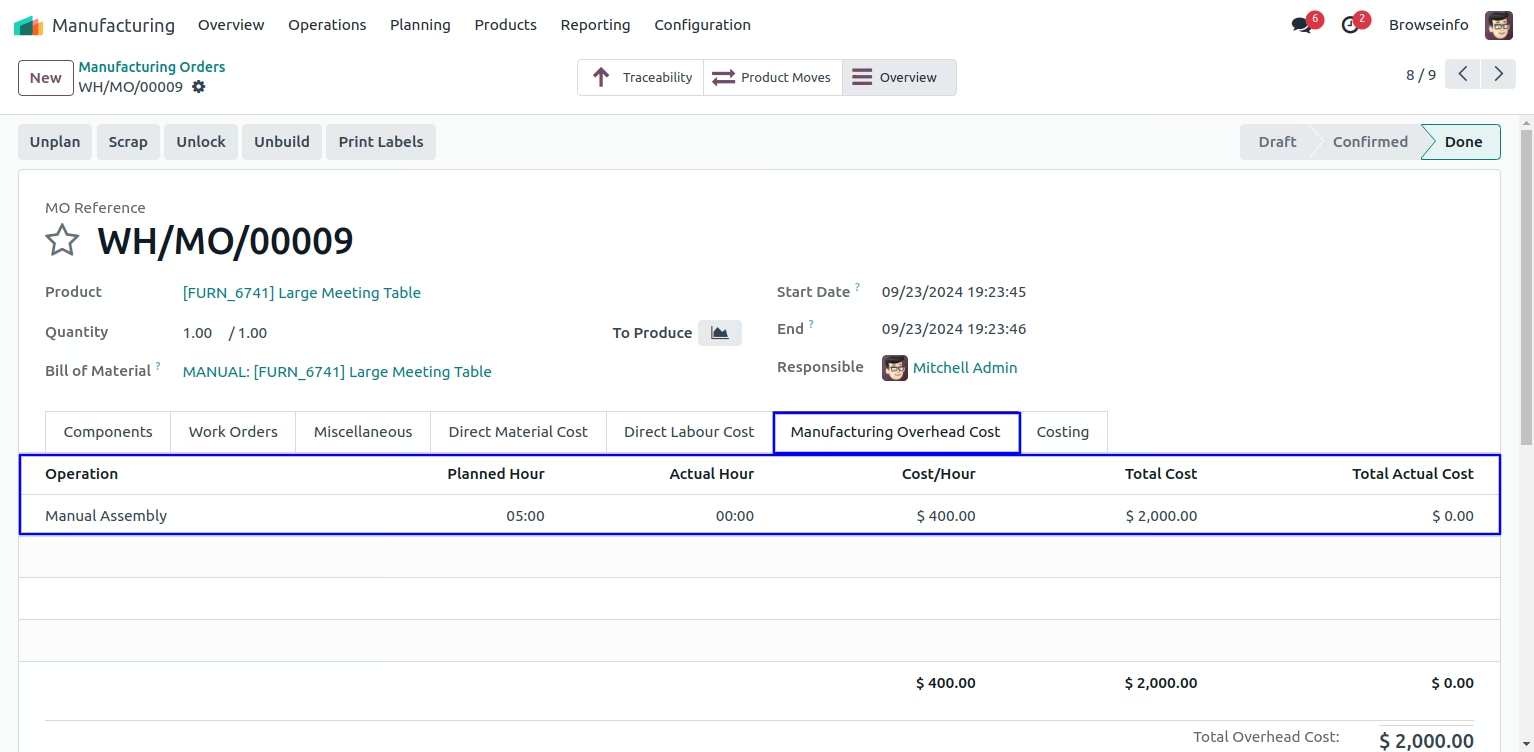
Manufacturing Costing
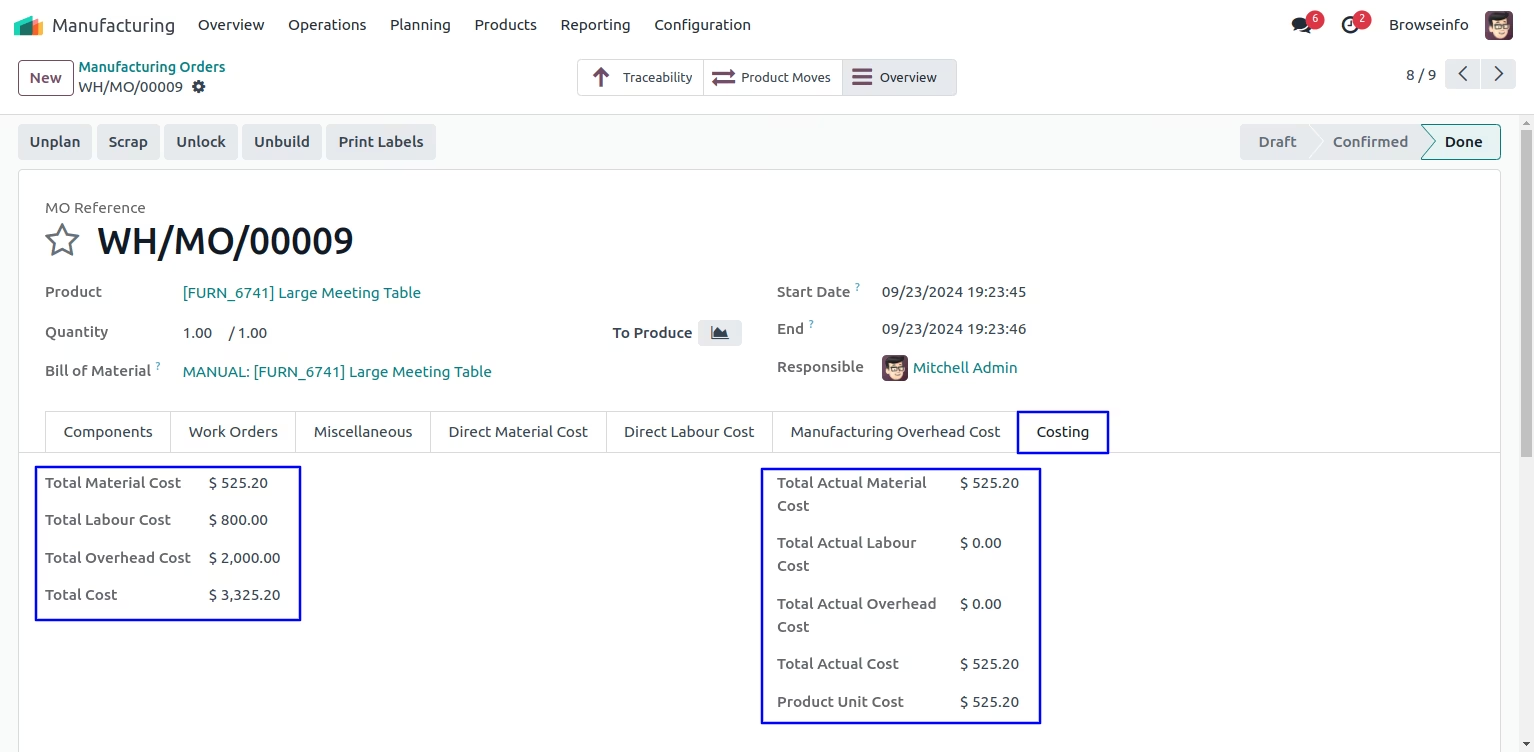
Costing Method 2. Automated Work-Center Process Costing with Real Time
Automated Work-Center Process Costing on Enterprise Edition
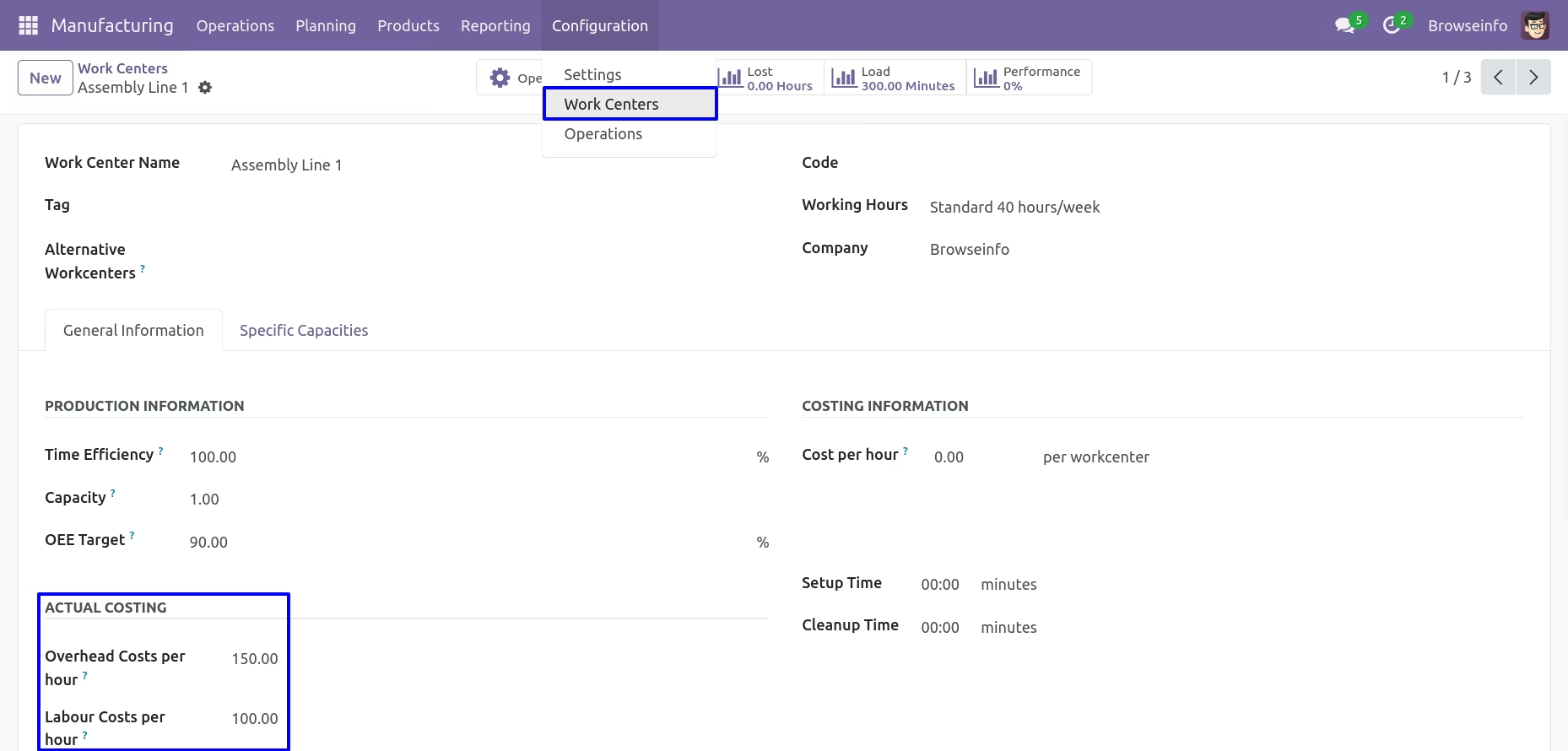
Settings >> work center
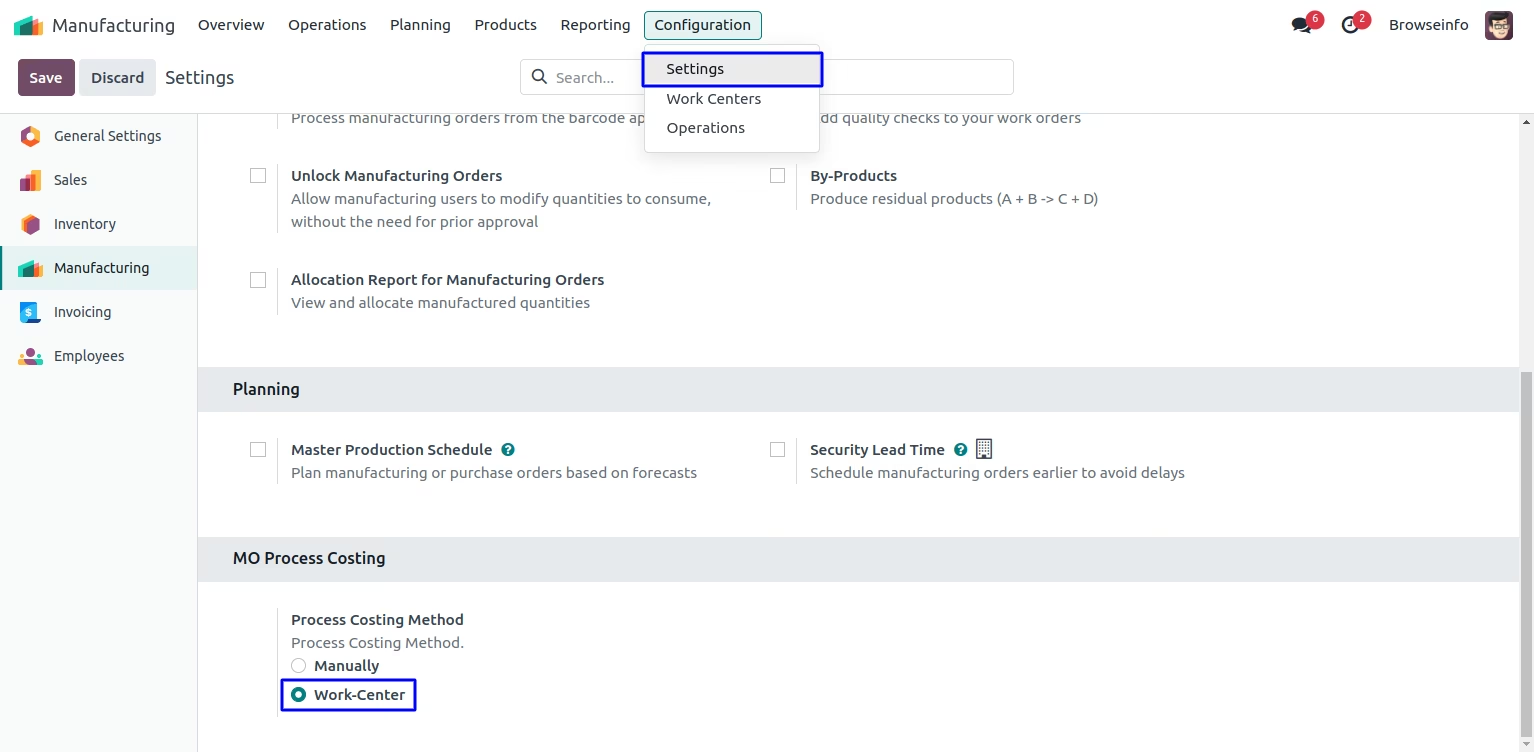
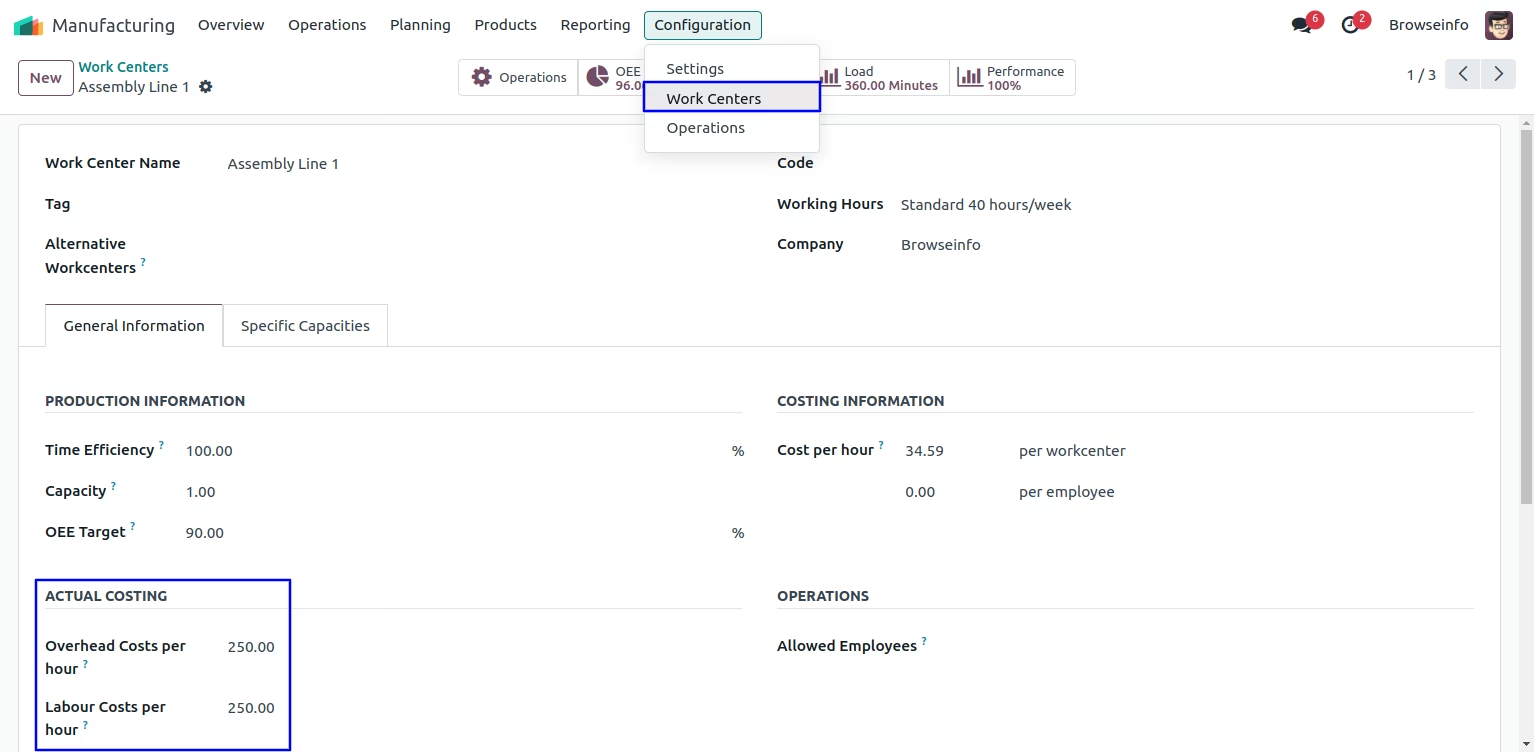
Work Center Configurations
User have to enter "Overhead Costs per hour" and "Labour Costs per hour" in work center, and all the costing lines will be added automatically in bom based on actual costing fields of work center.
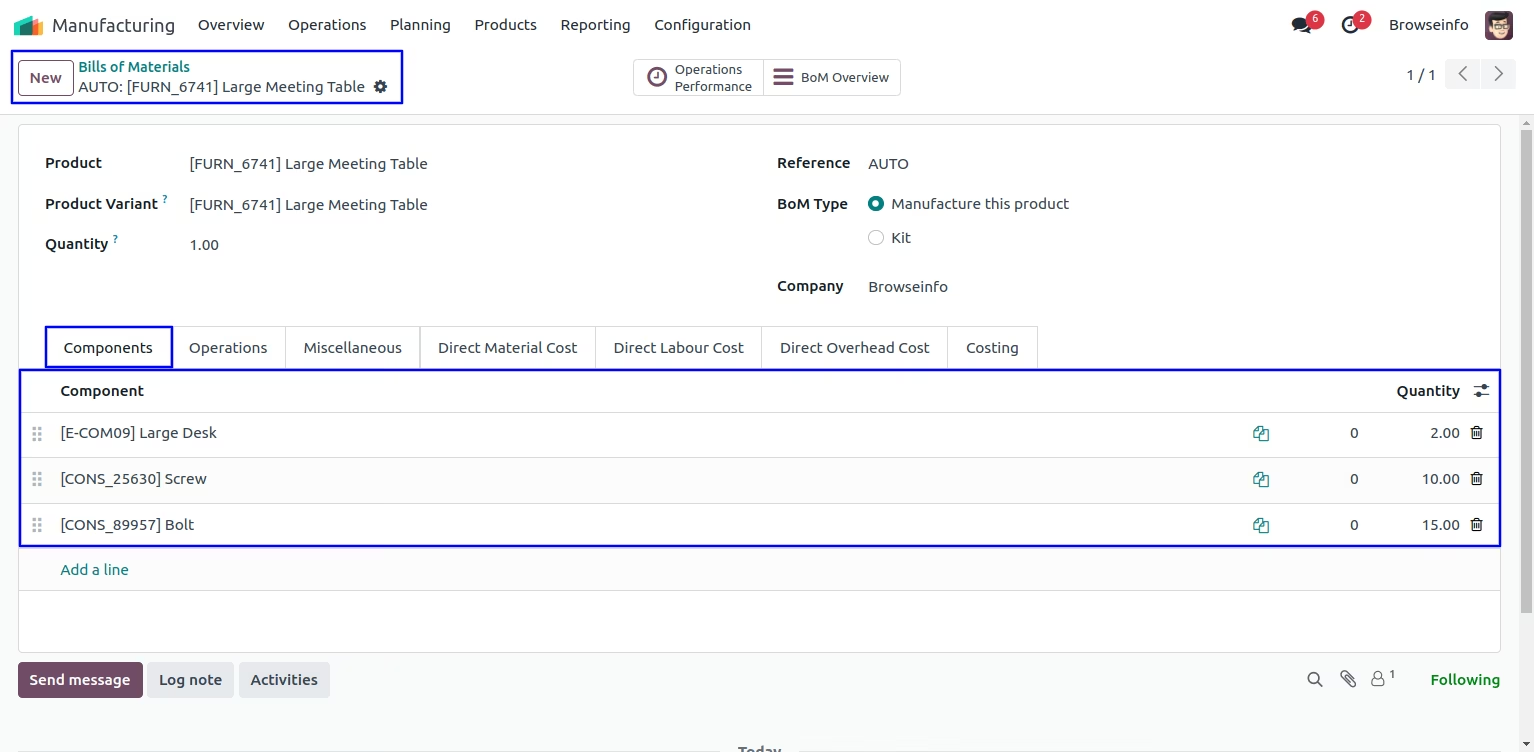
Bill of Materials - Direct Material Cost
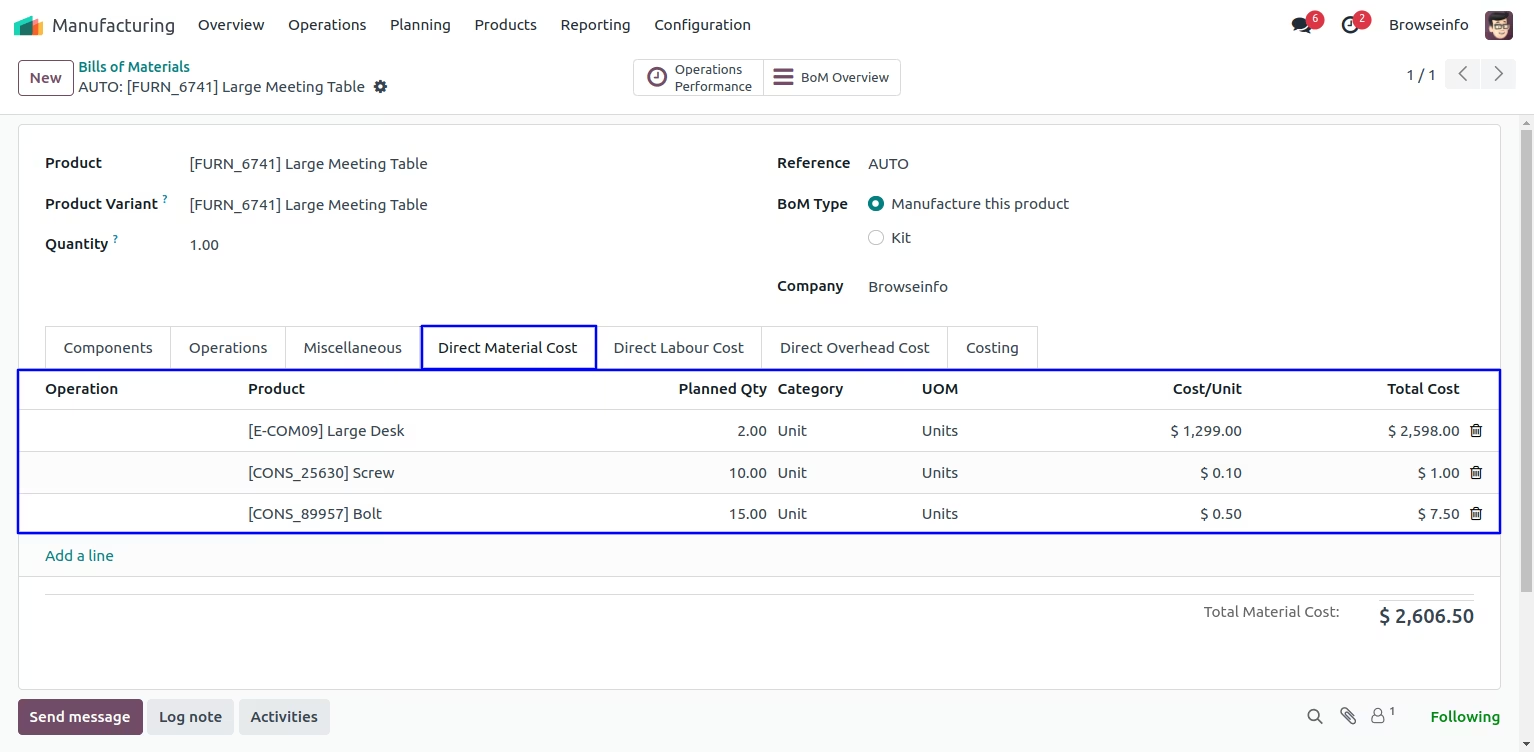
Here you can see that direct material cost automatically added based on components of the Bill Of Material.
If you want to add direct material cost manually then you can also add.
Direct Material Cost
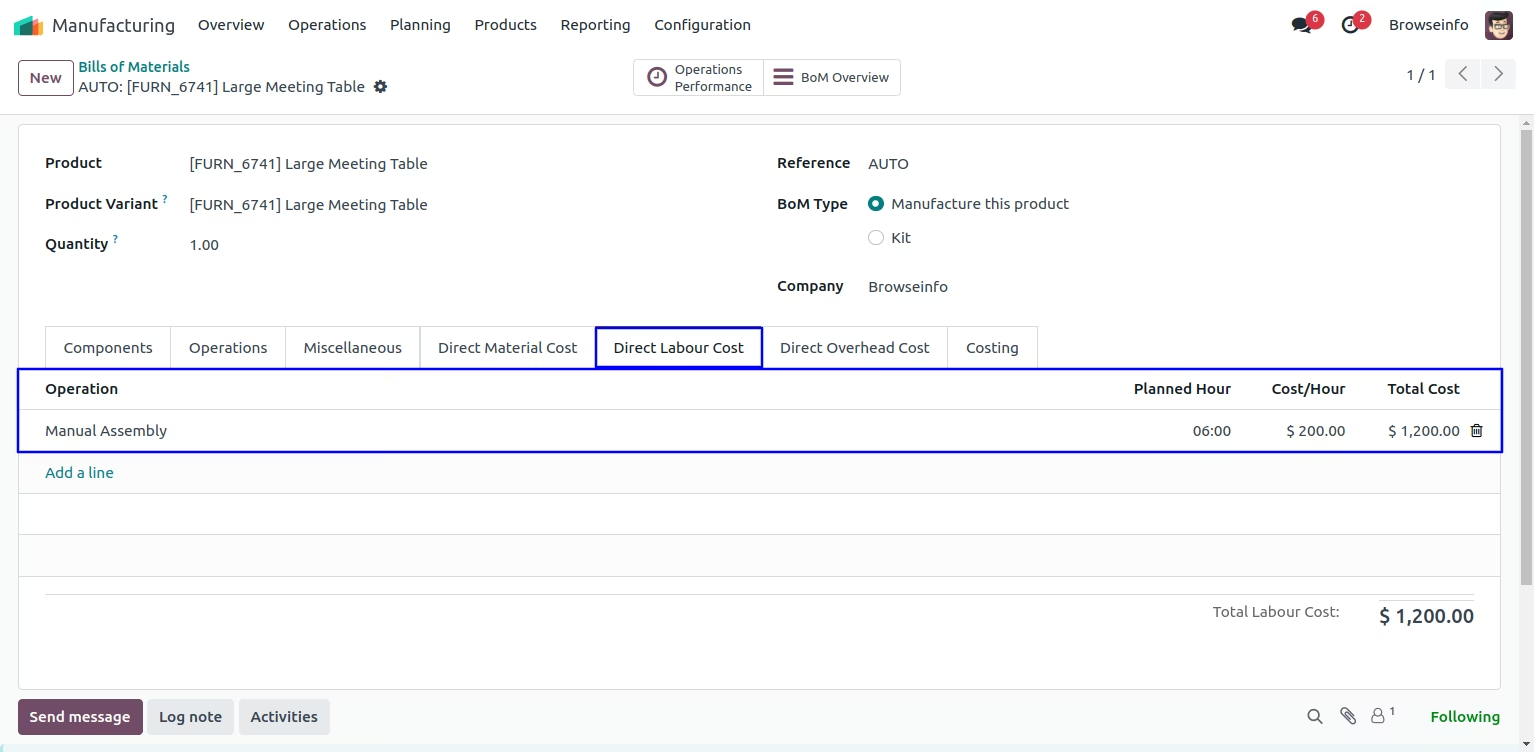
Bill of Materials - Direct Labour Cost
User can see Cost/Hour of Direct Labour Cost and Direct Overhead Cost will be automatically taken from the Cost/Hour define on work center.
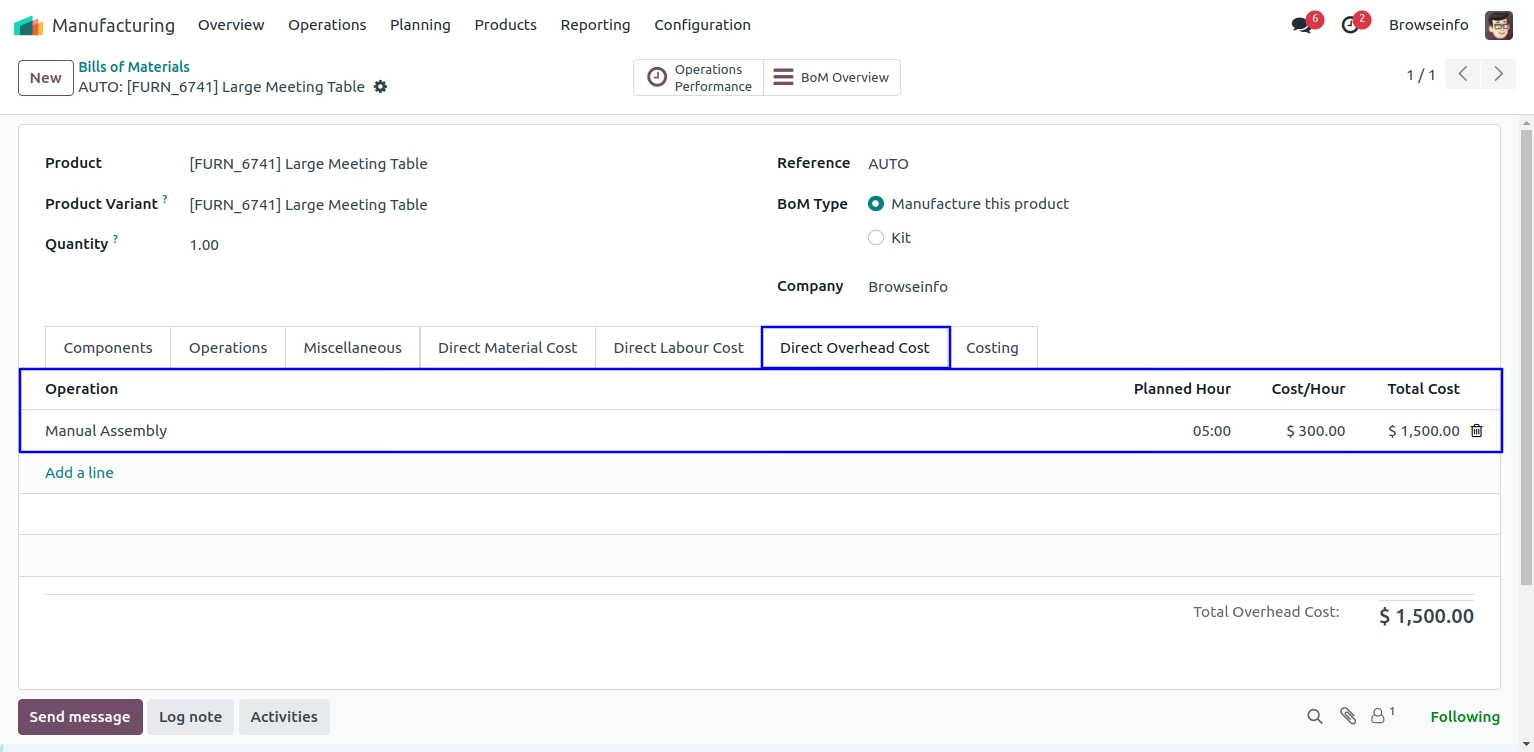
Bill of Materials - Direct Overhead Cost
You can configure Direct Overhead Cost on Bill of Materials.
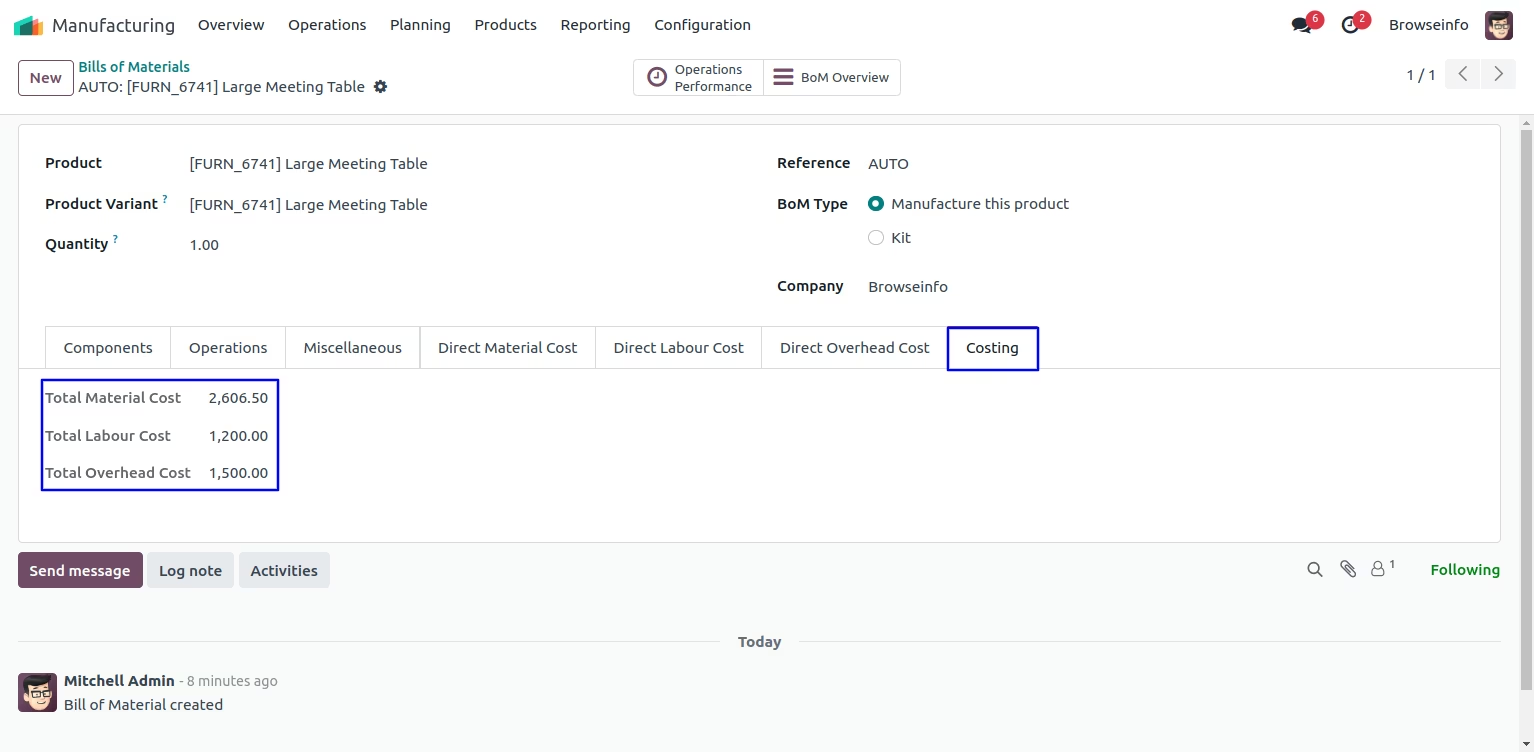
Bill of Materials Costing
Here you can see total cost of Material,Labour and Overhead.
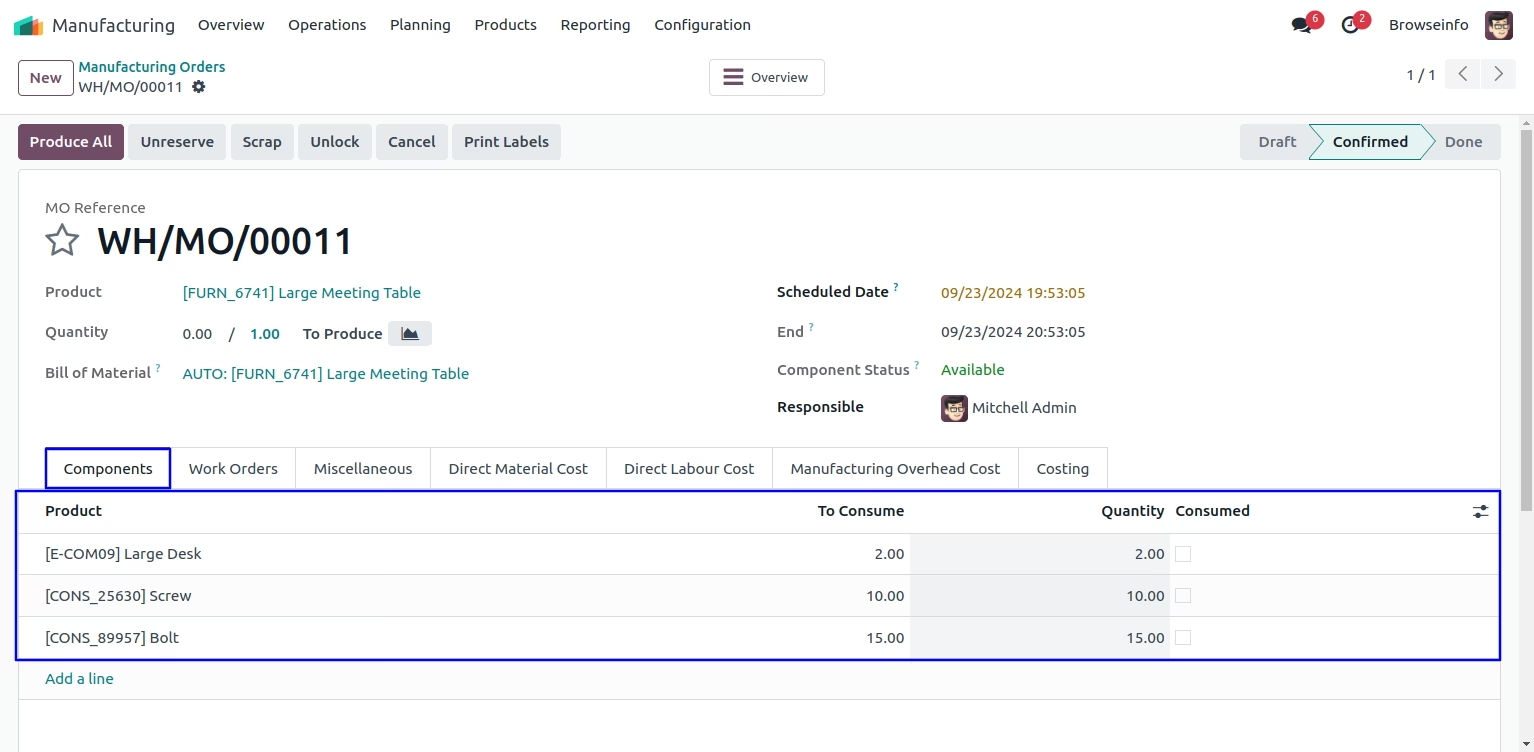
Create Manufacturing Orders
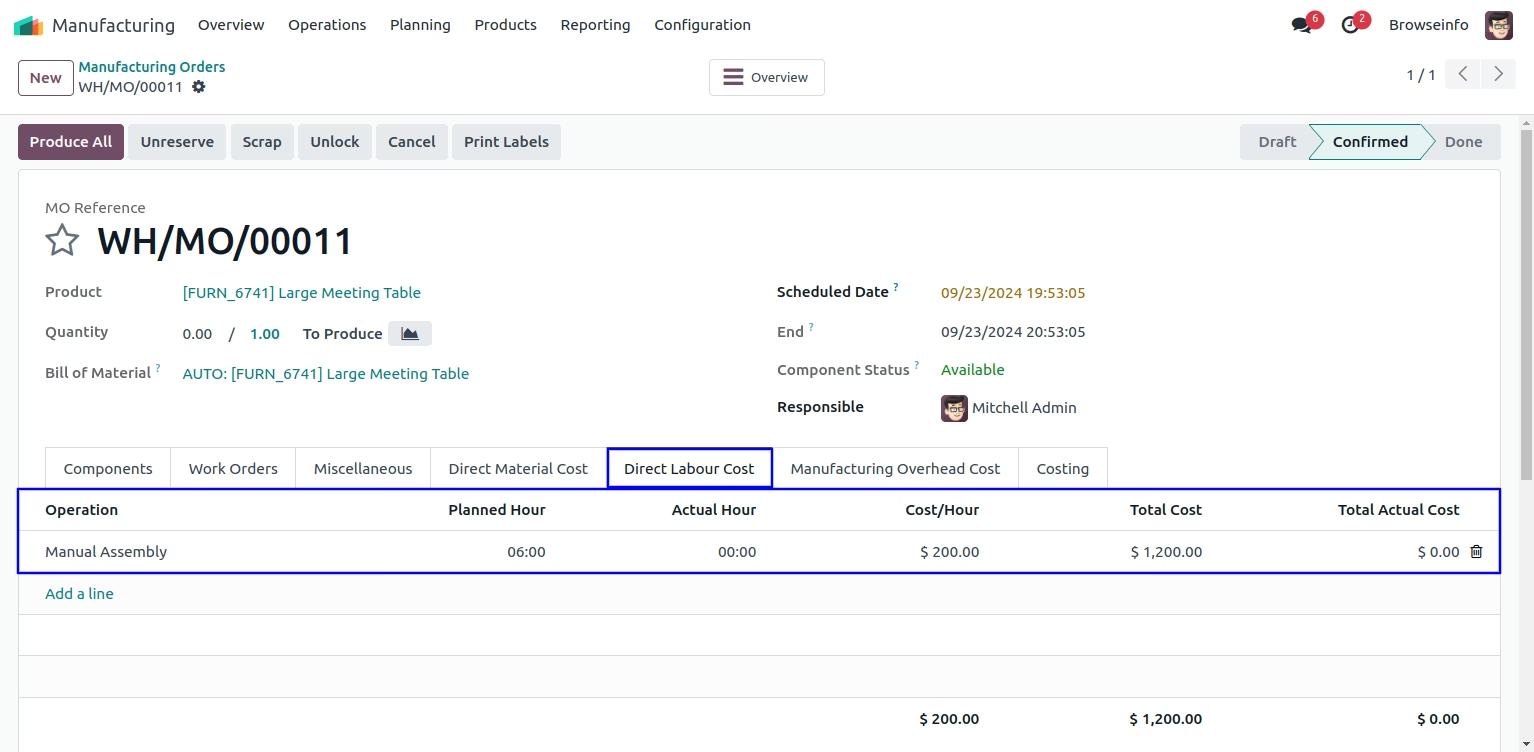
When you create manufacturing orders from BOM then selected BOM's Direct Labour Cost and Direct Overhead Cost will be filled automatically on manufacturing order.
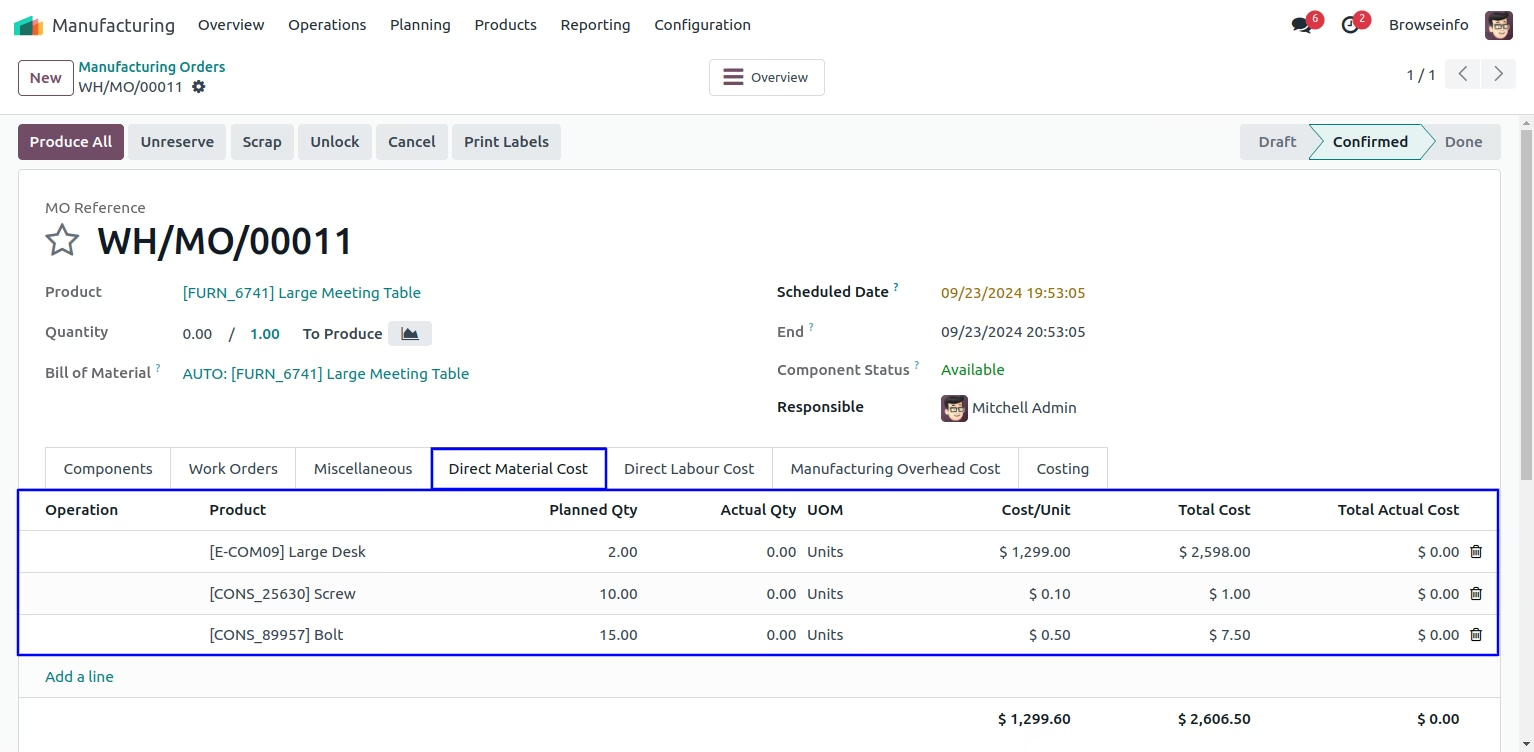
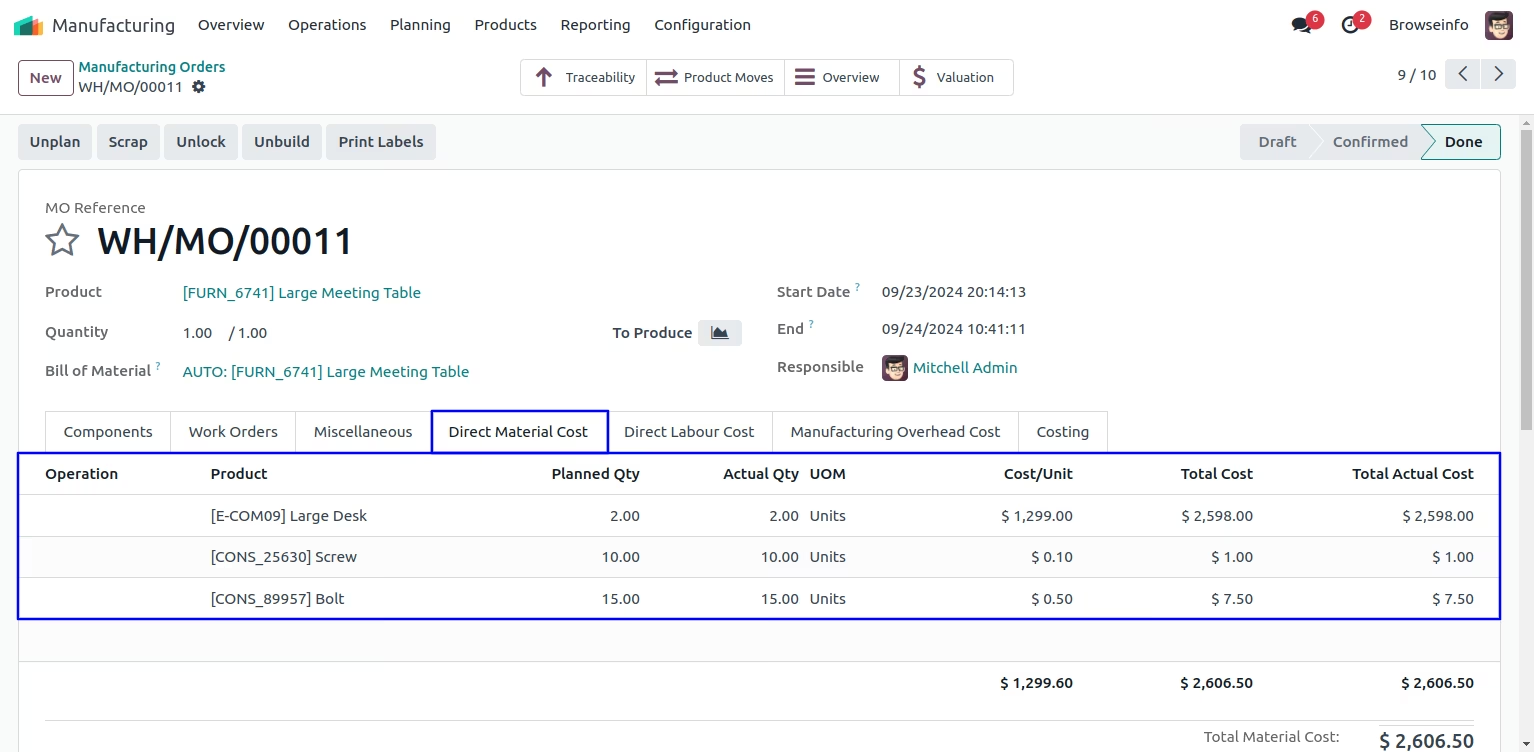
Direct Material Cost will be filled automatically based on Consumed Materials of manufacturing order.
If you want to add direct material cost manually then you can also add.
Direct Material Cost
Direct Labour Cost
Manufacturing Overhead Cost
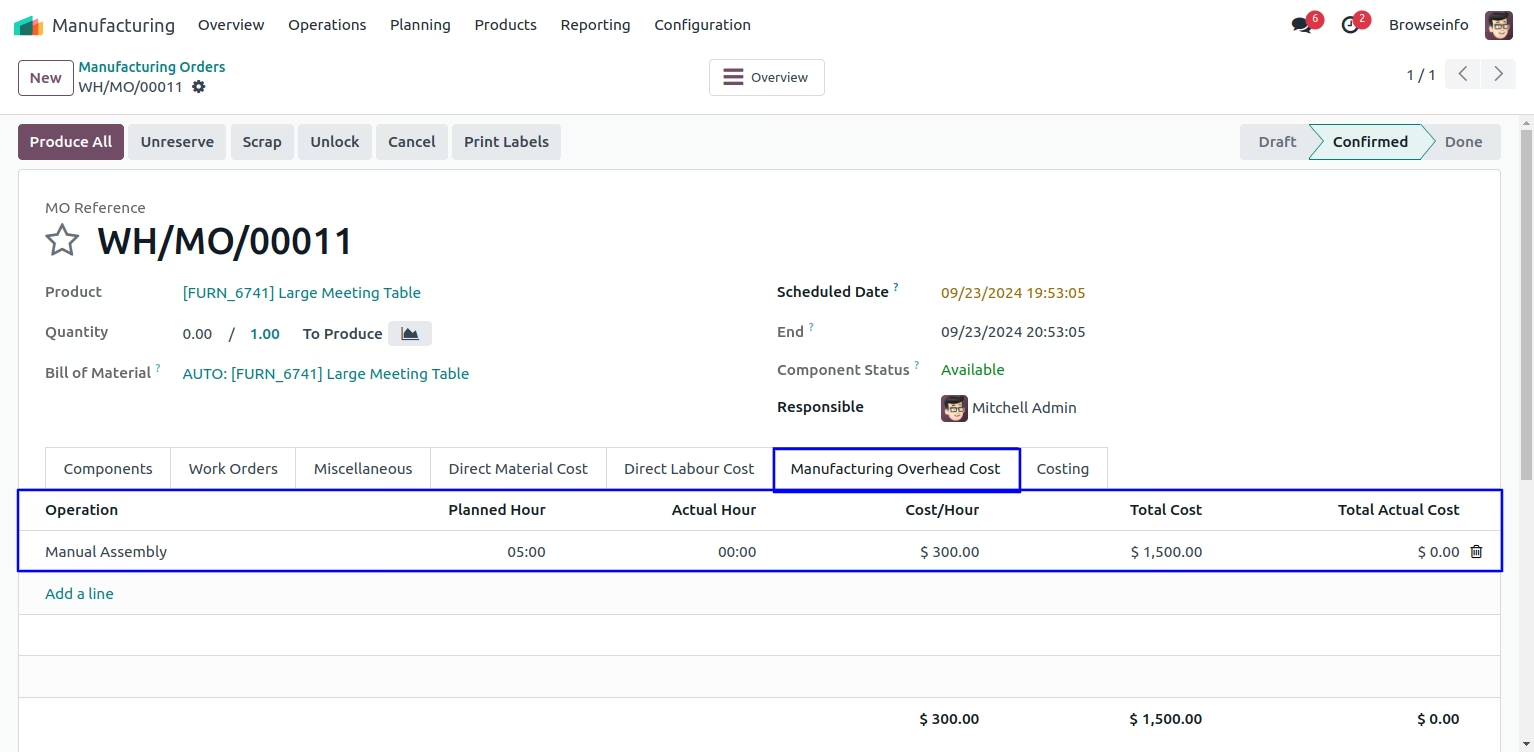
Manufacturing Orders Costing
Here you can see total cost of Material,Labour and Overhead.
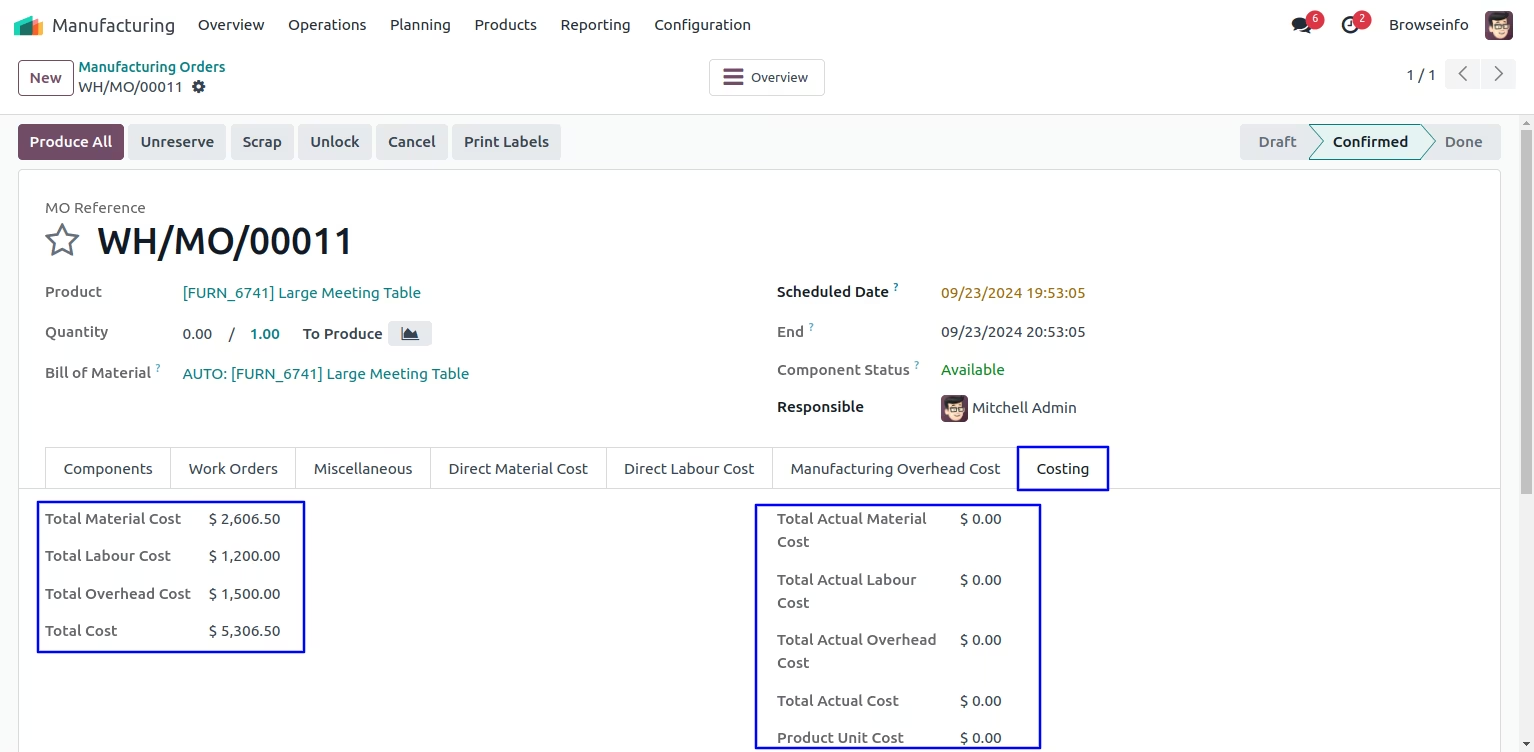
Create Manufacturing Work order
By clicking on Create Work orders button,Work order will be created with Direct Material Cost, Direct Labour Cost and Direct Overhead Cost.
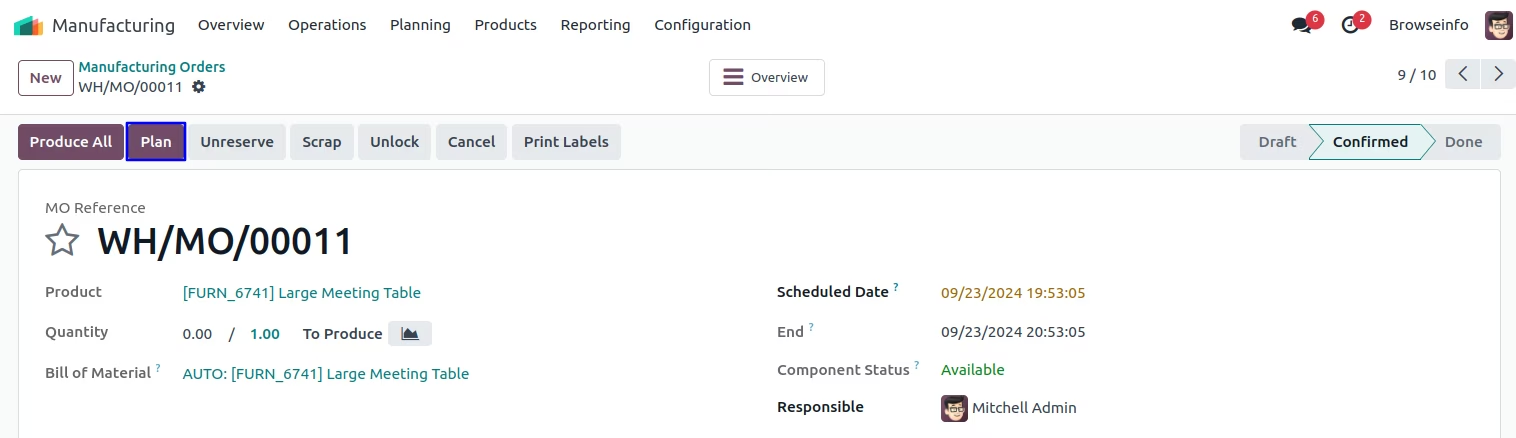
Work Order Line
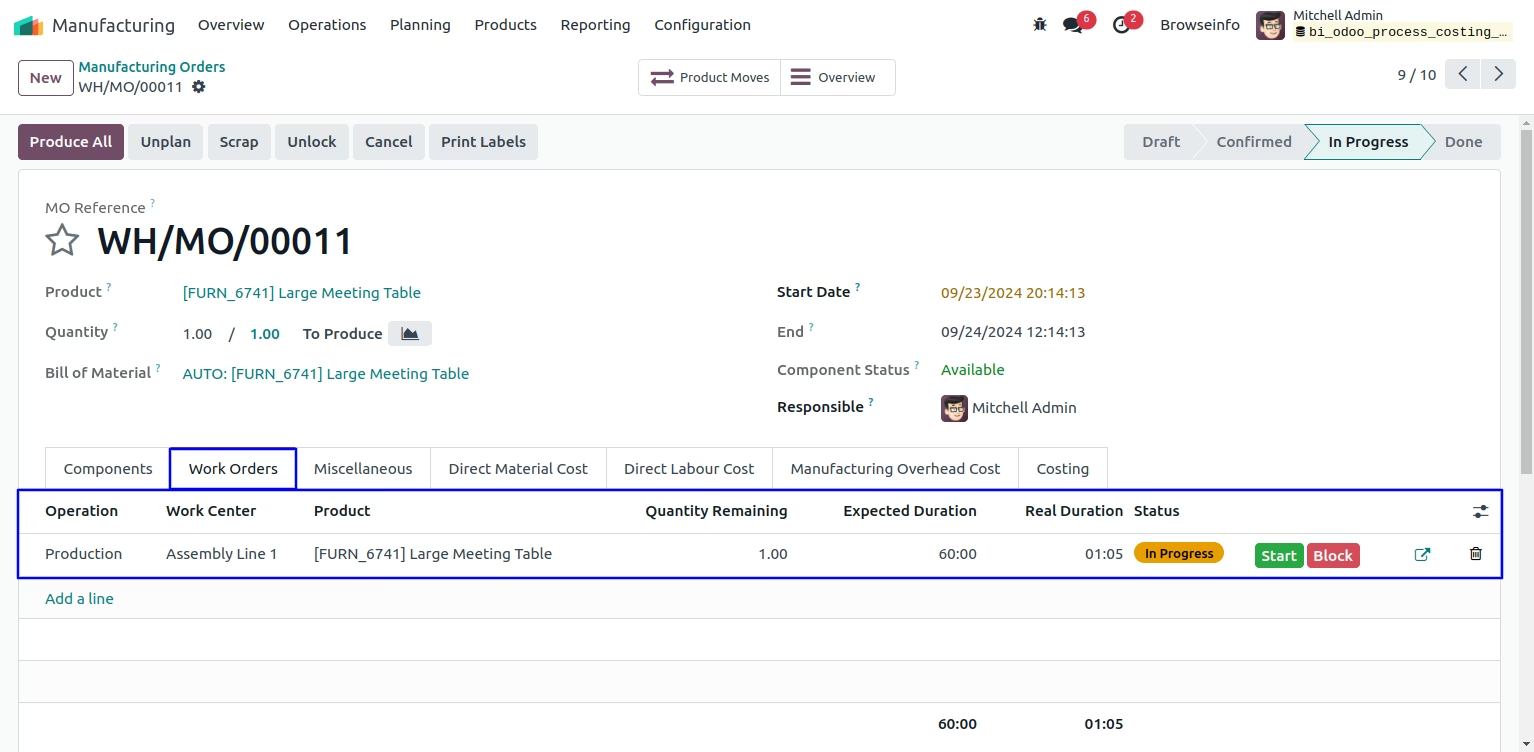
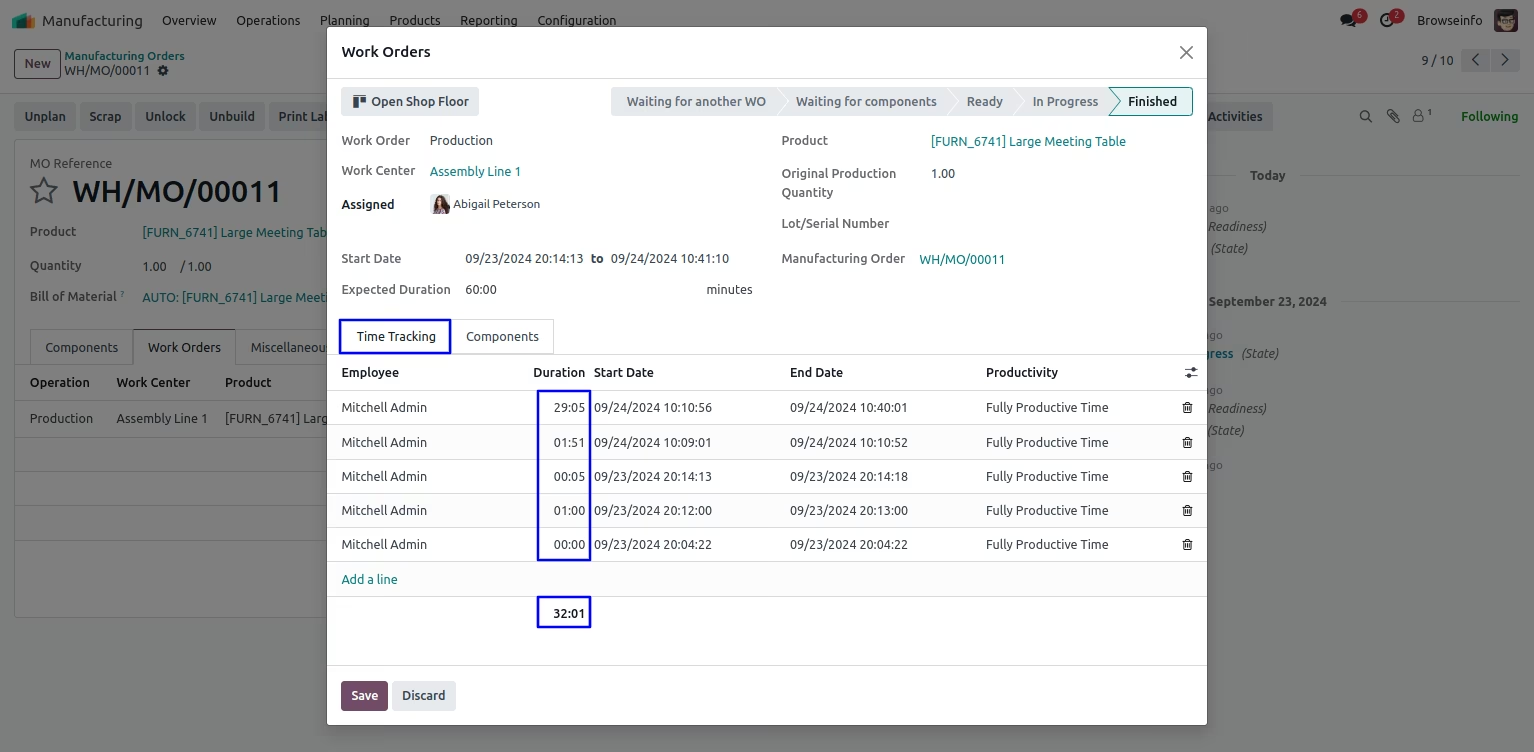
User can see on click of "MARK AS DONE" button, workorder is finished and can see "Real Duration" of work order.
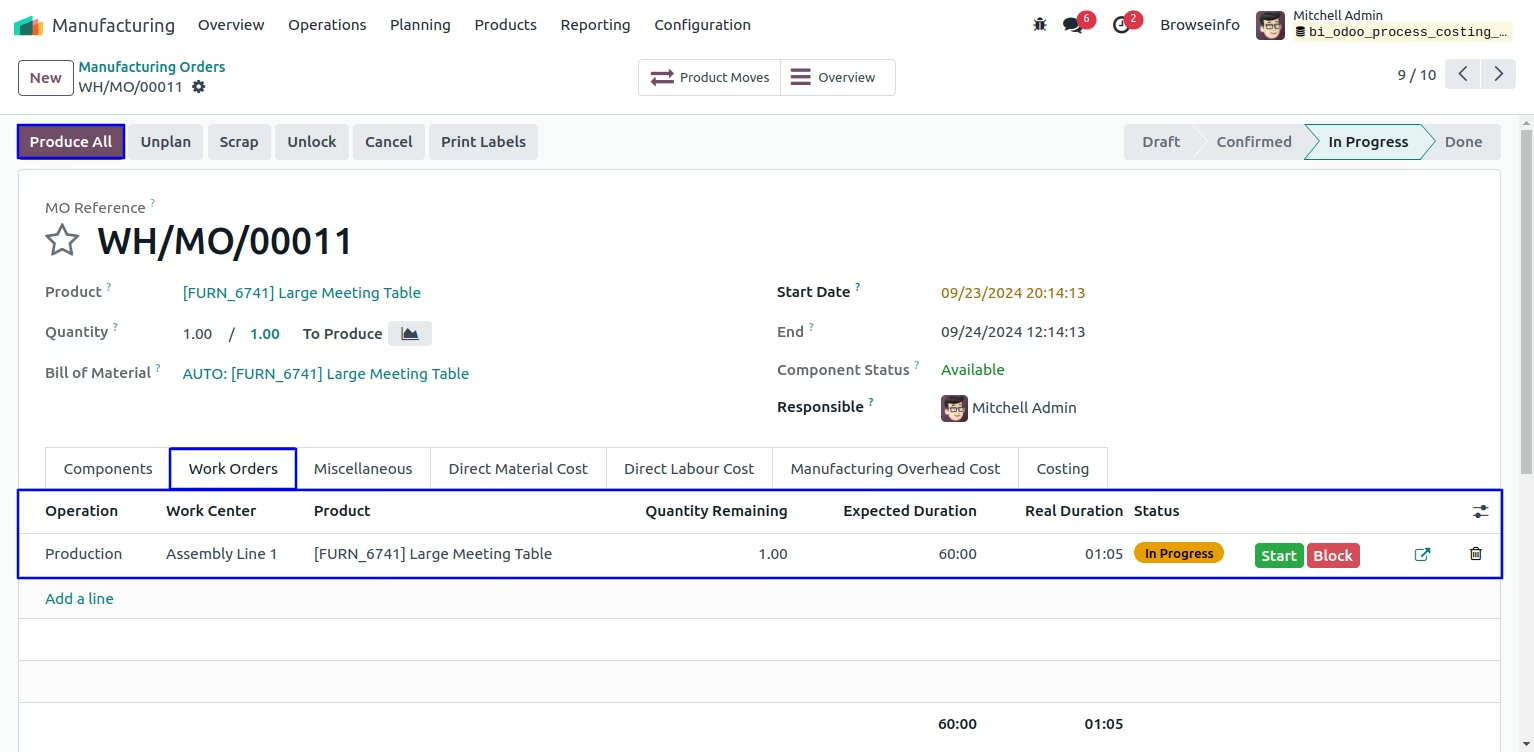
Work Order Time Duration
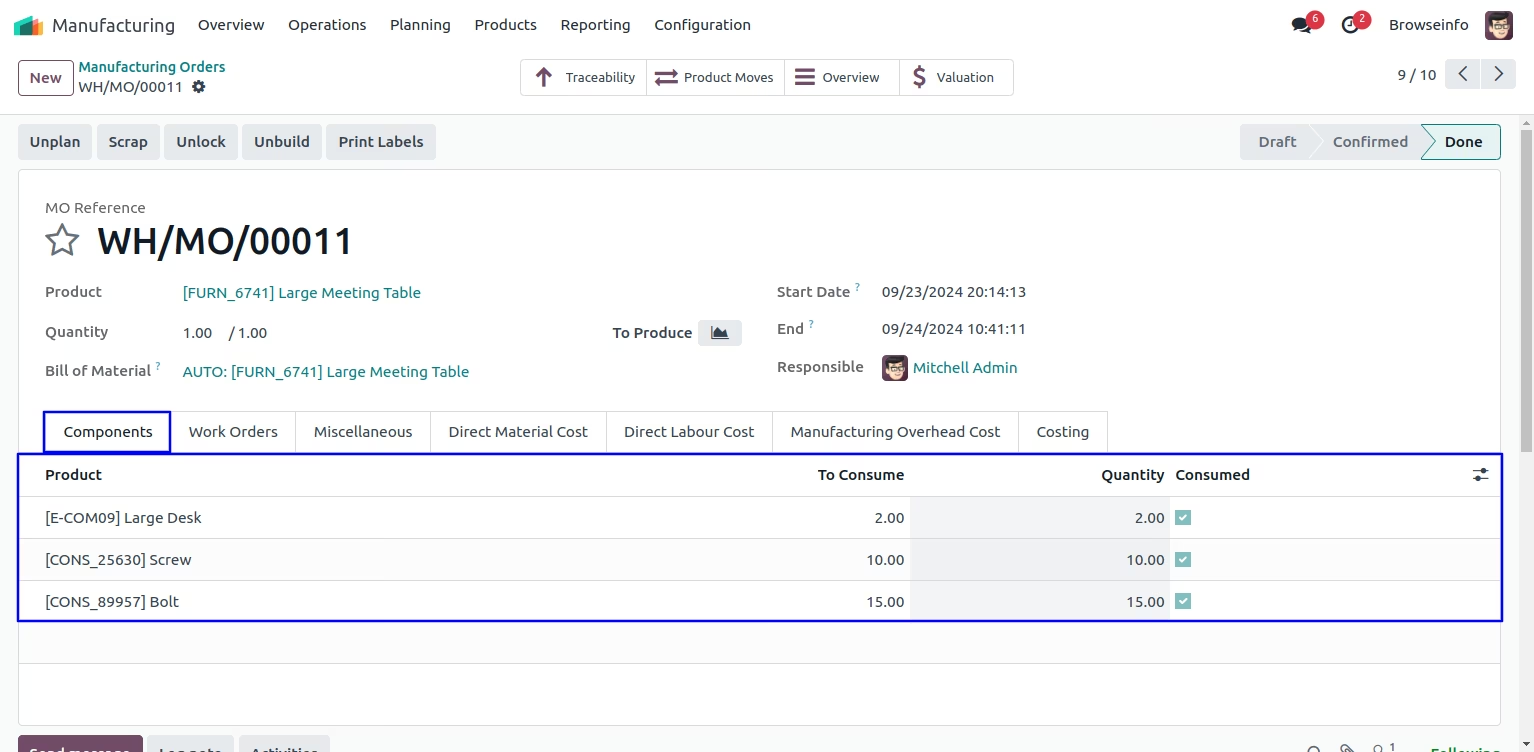
Create Manufacturing order
User can see actual quantity of direct material cost.
Direct Labour Cost
User can see actual hour of direct labour cost and manufacturing overhead cost.
User can see Actual Hours will be consider as real time processing hours.
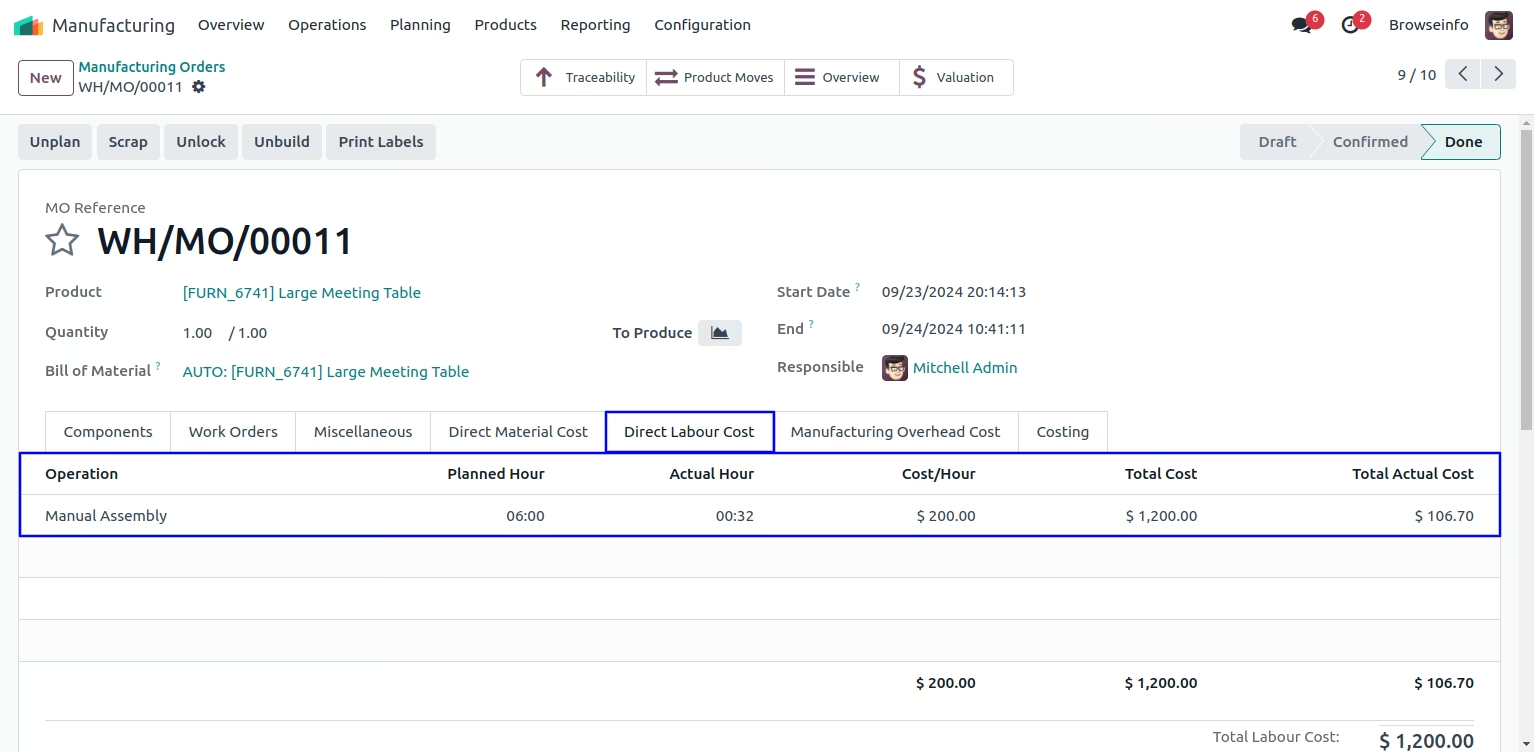
Manufacturing Overhead Cost
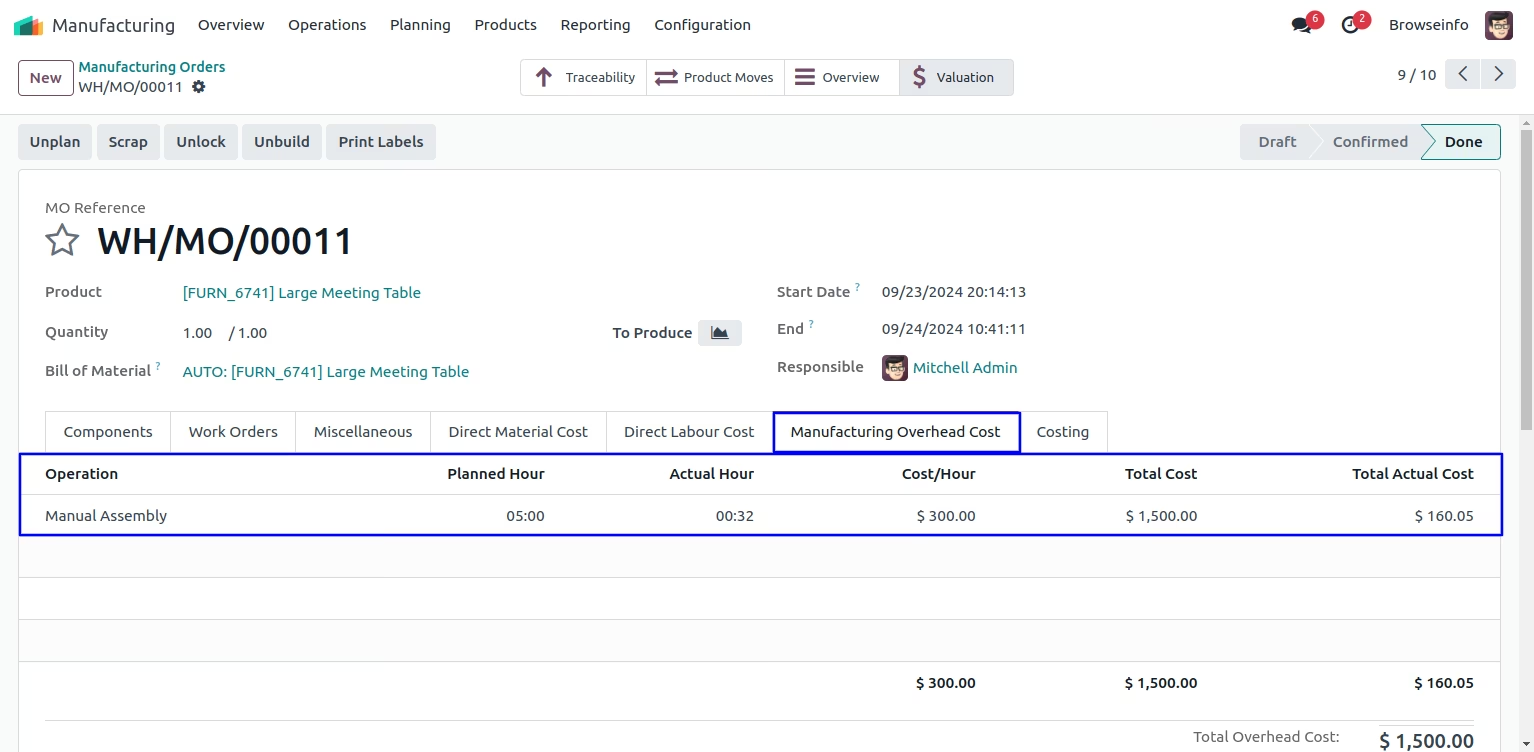
Manufacturing Costing
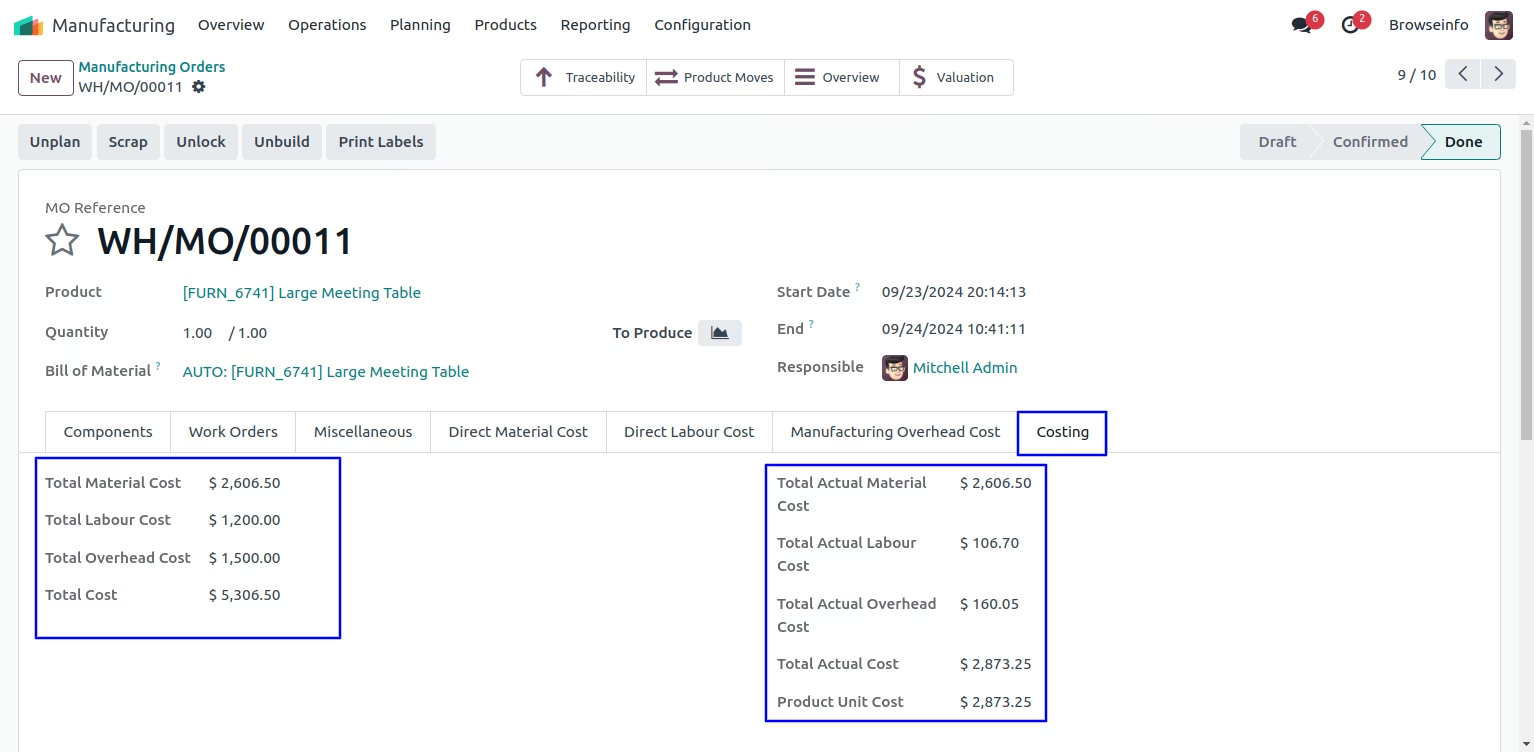
Automated Work-Center Process Costing on Community Edition
Work Center Configurations
User have to enter "Overhead Costs per hour" and "Labour Costs per hour" in work center, and all the costing lines will be added automatically in bom based on actual costing fields of work center.
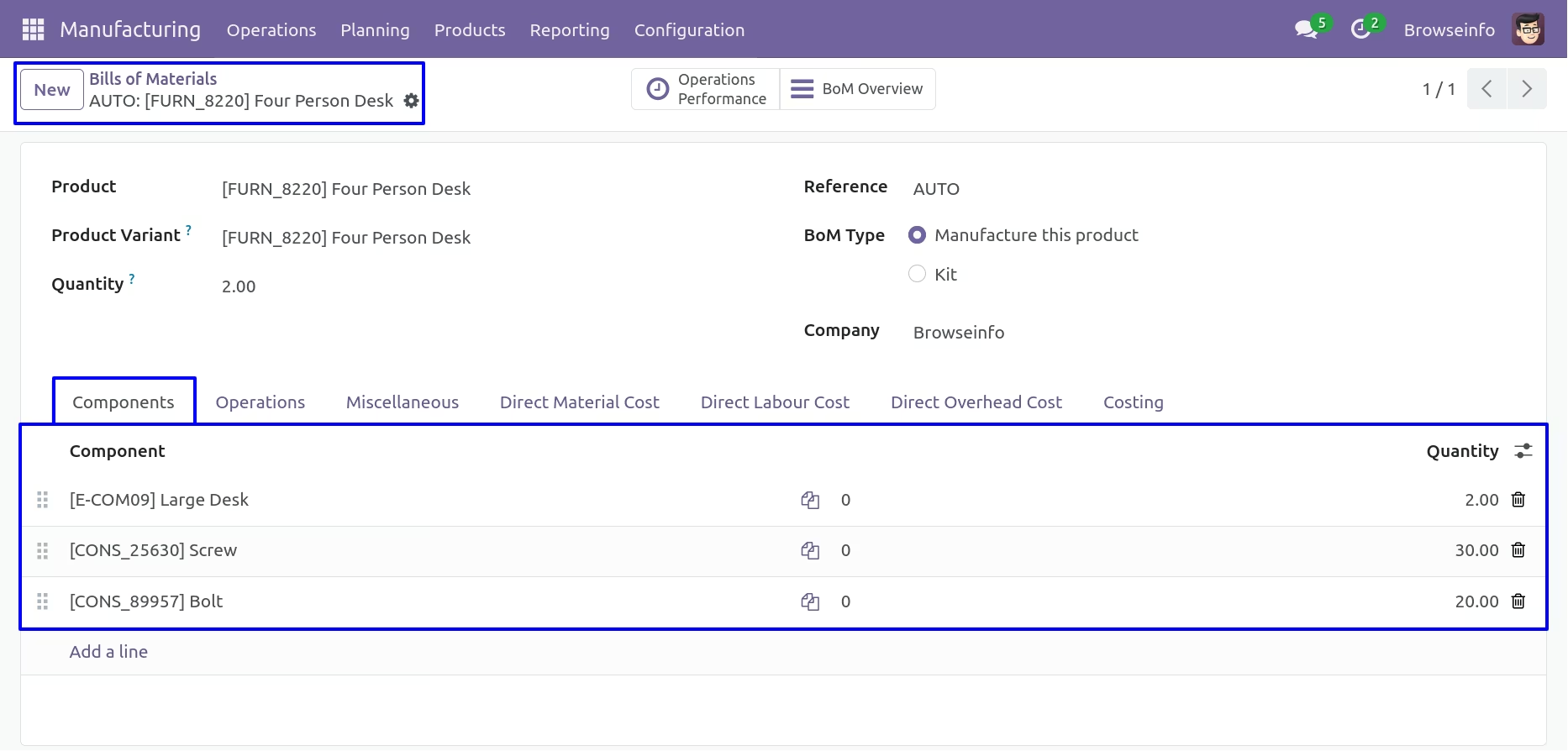
Bill of Materials - Components
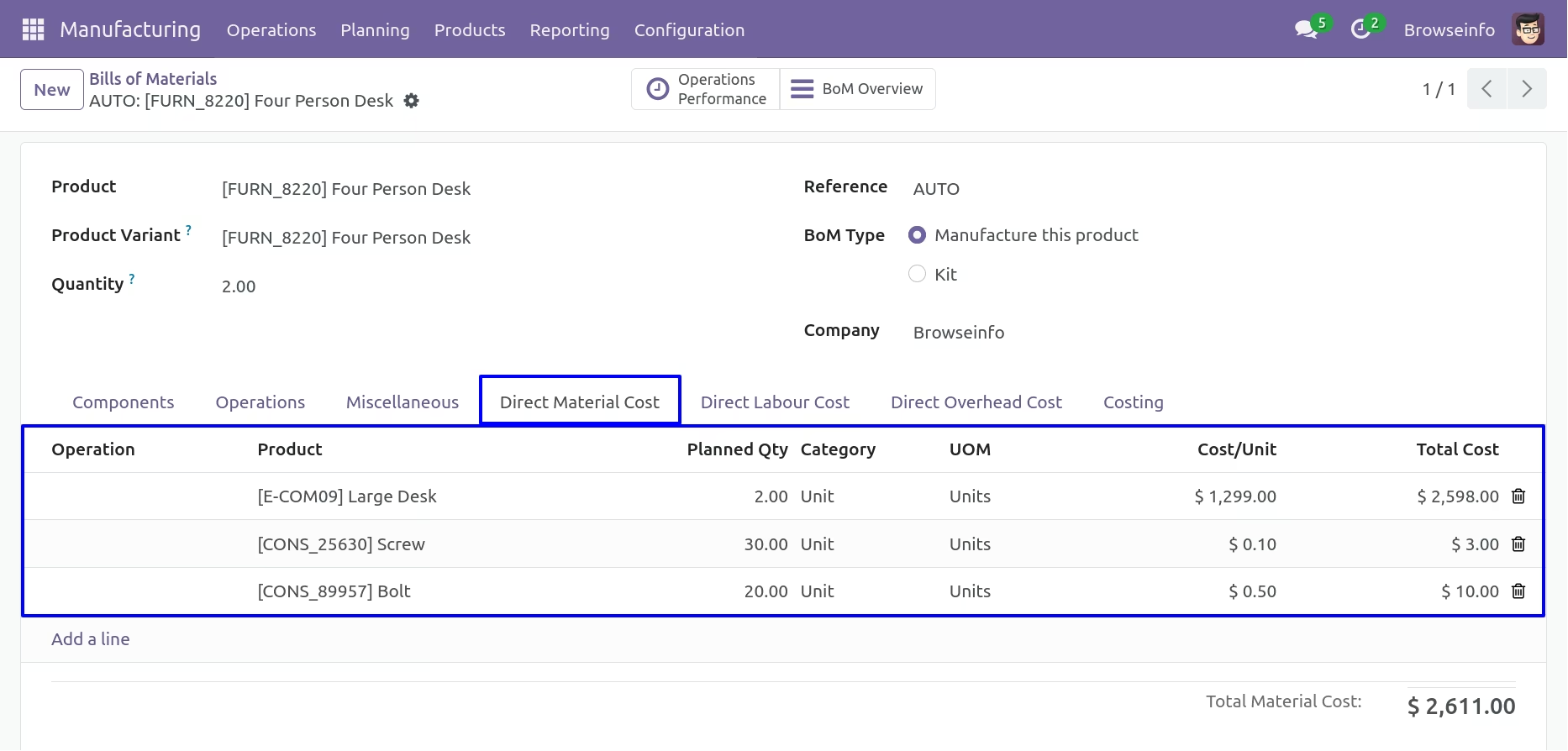
Direct Material Cost
Here user can see that direct material cost automatically added based on components of the Bill Of Material.
If user want to add direct material cost manually.
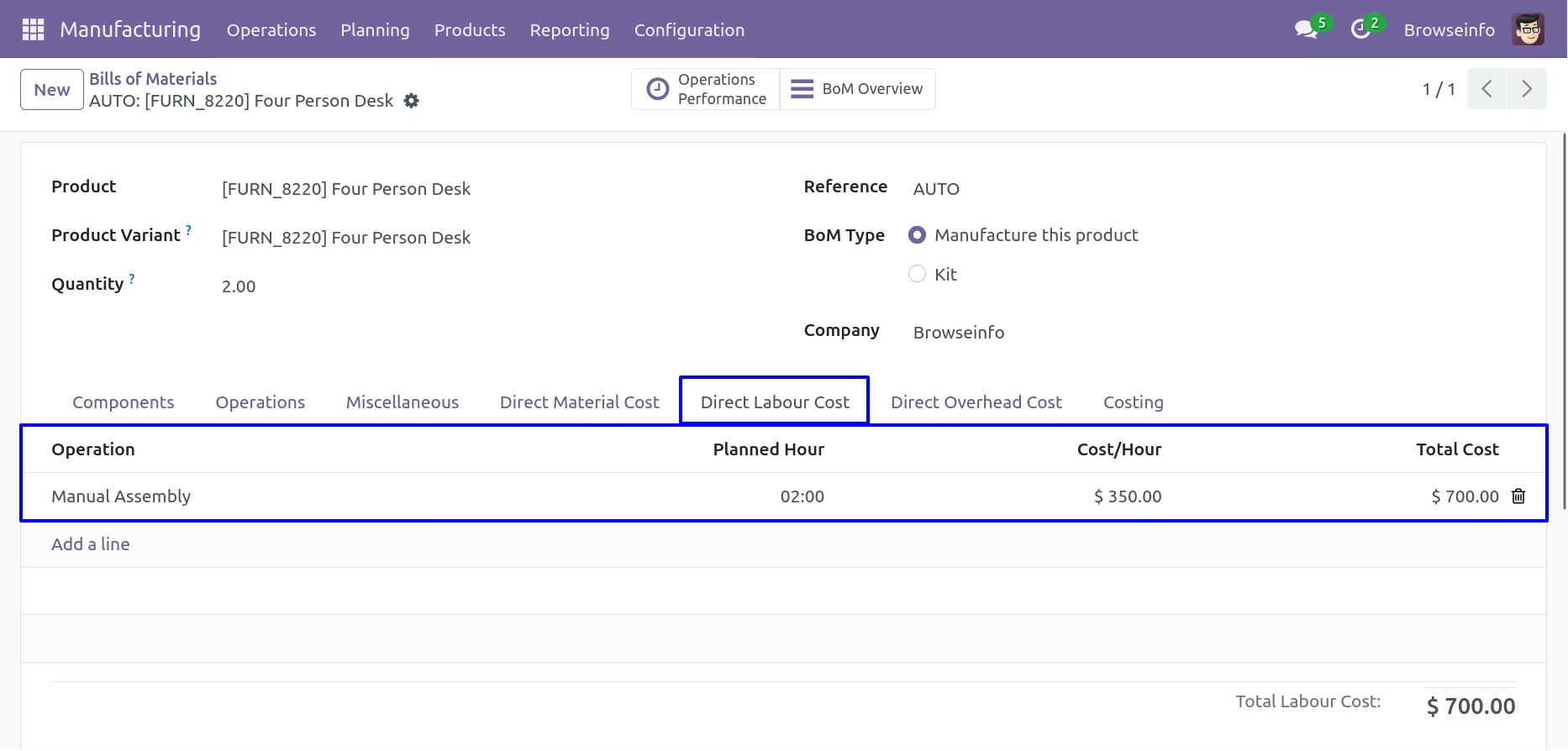
Bill of Materials - Direct Labour Cost
You can configure Direct Labour Cost on Bill of Materials.
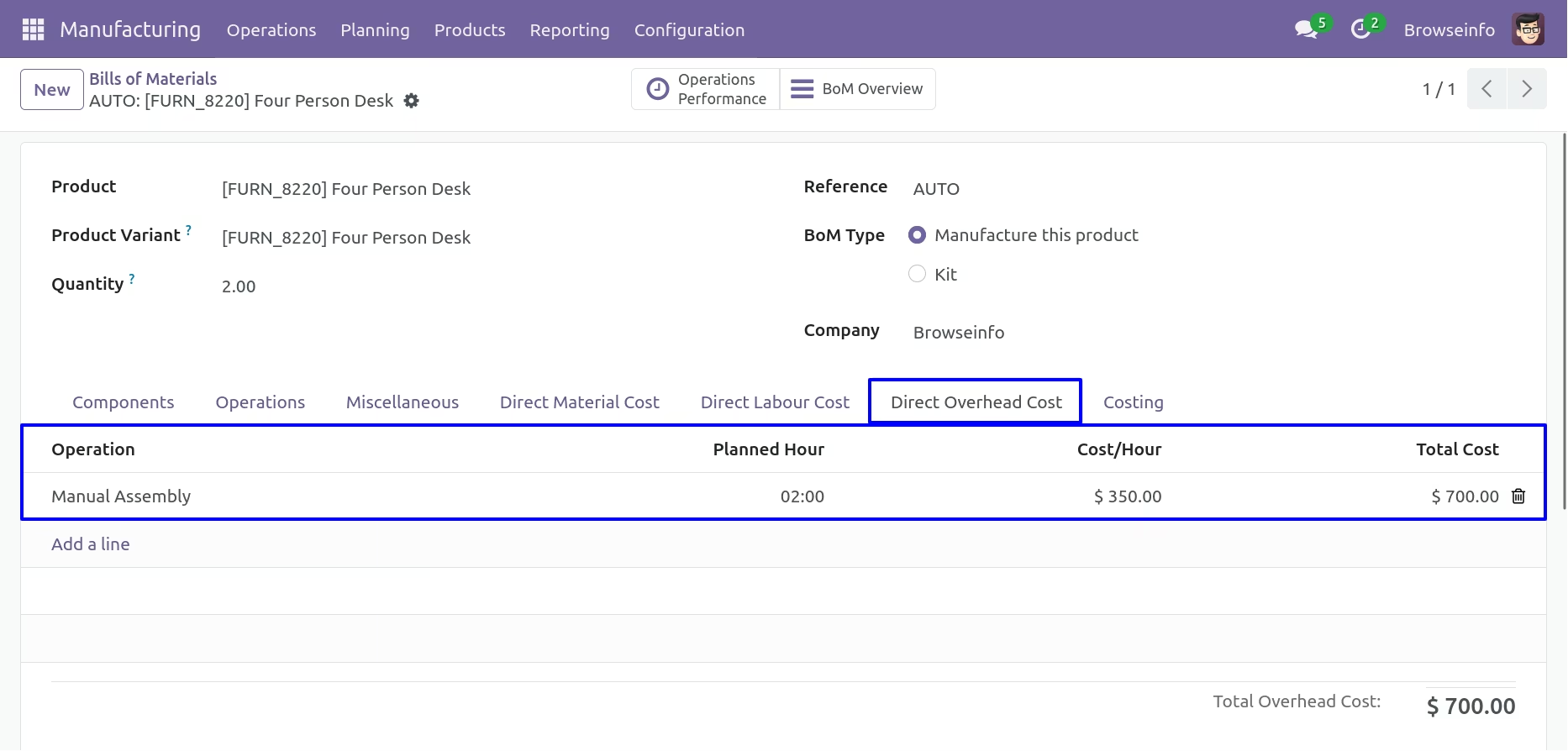
Bill of Materials - Direct Overhead Cost
You can configure Direct Overhead Cost on Bill of Materials.
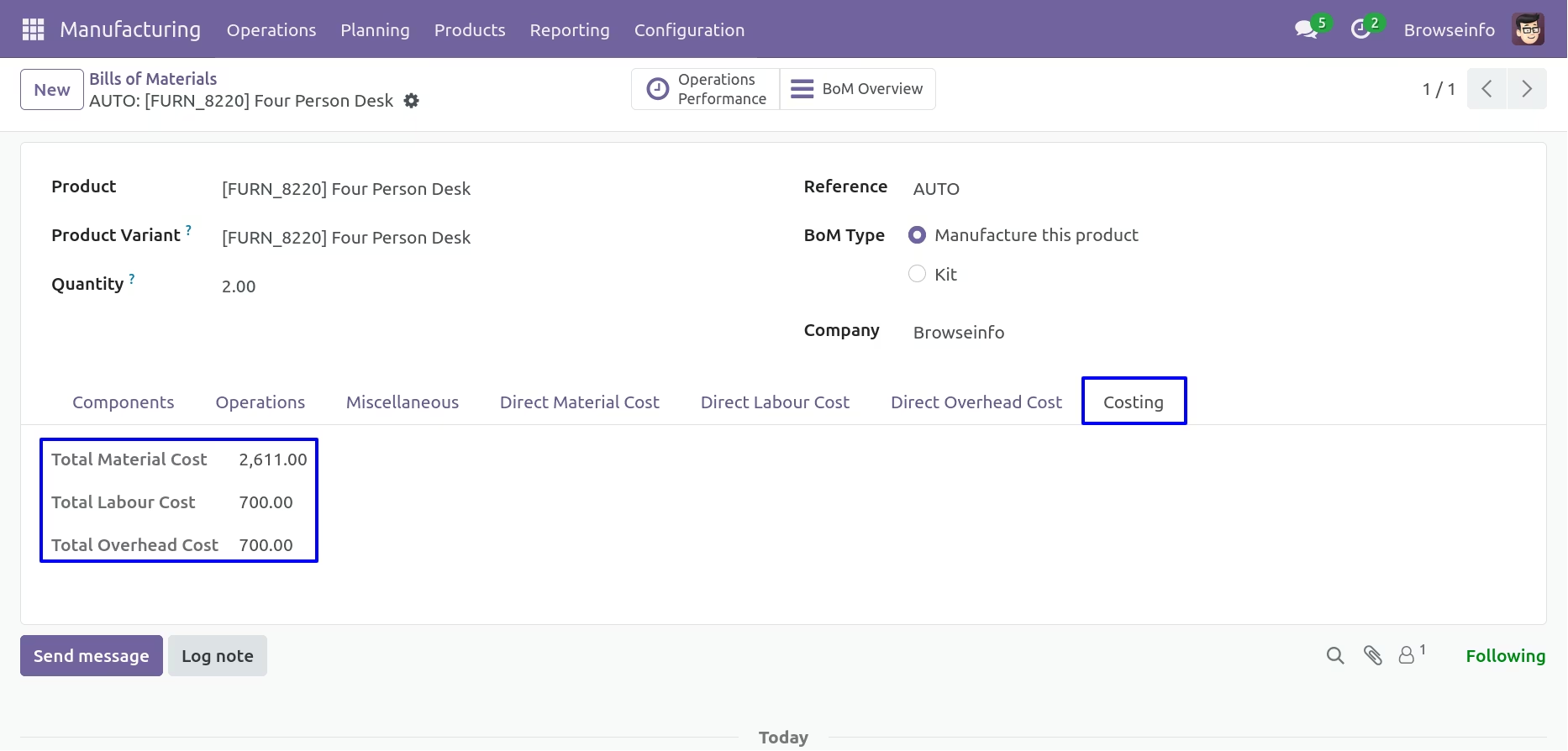
Bill of Materials Costing
Here you can see total cost of Material,Labour and Overhead.
Create Manufacturing Orders
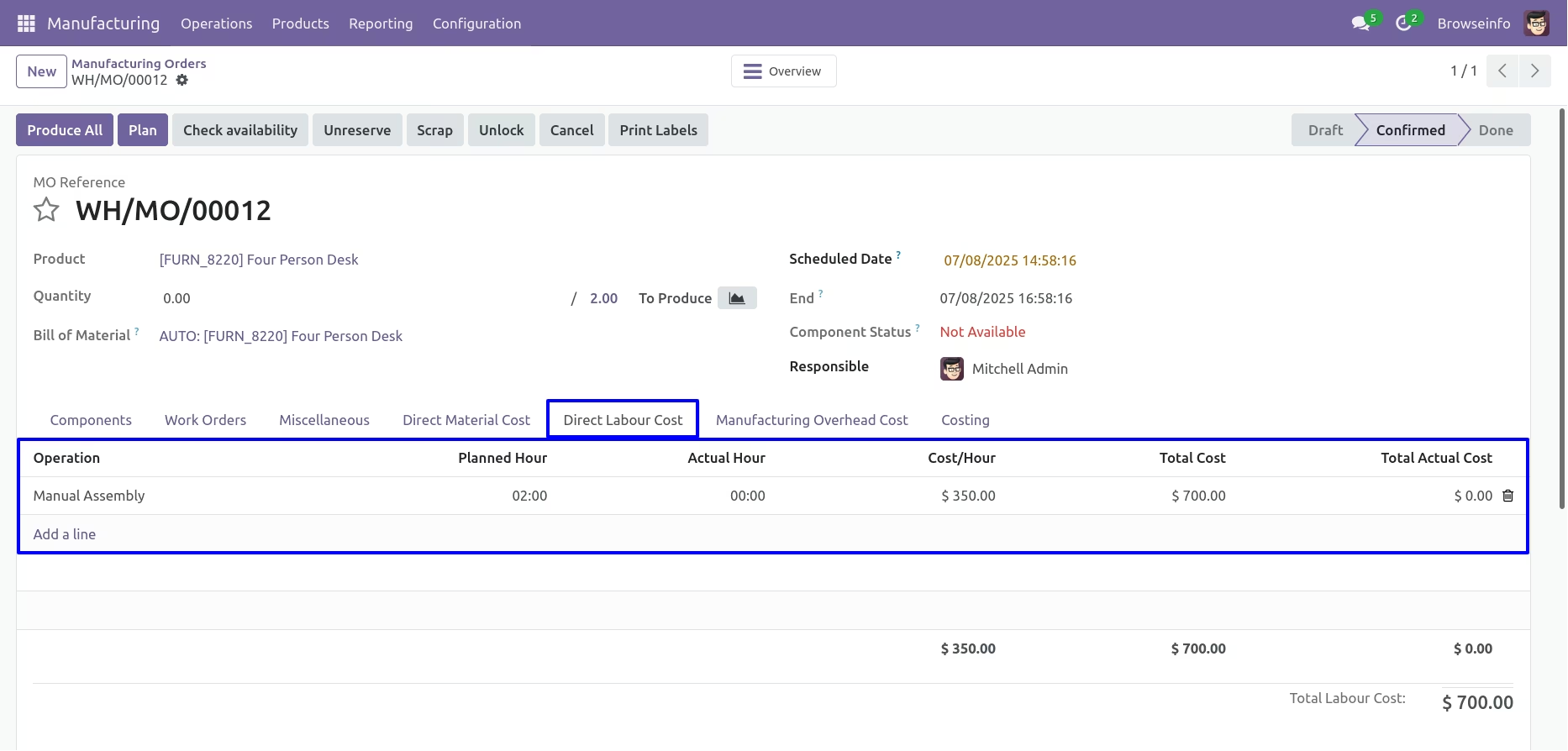
When you create manufacturing orders from BOM then selected BOM's Direct Labour Cost and Direct Overhead Cost will be filled automatically on manufacturing order.
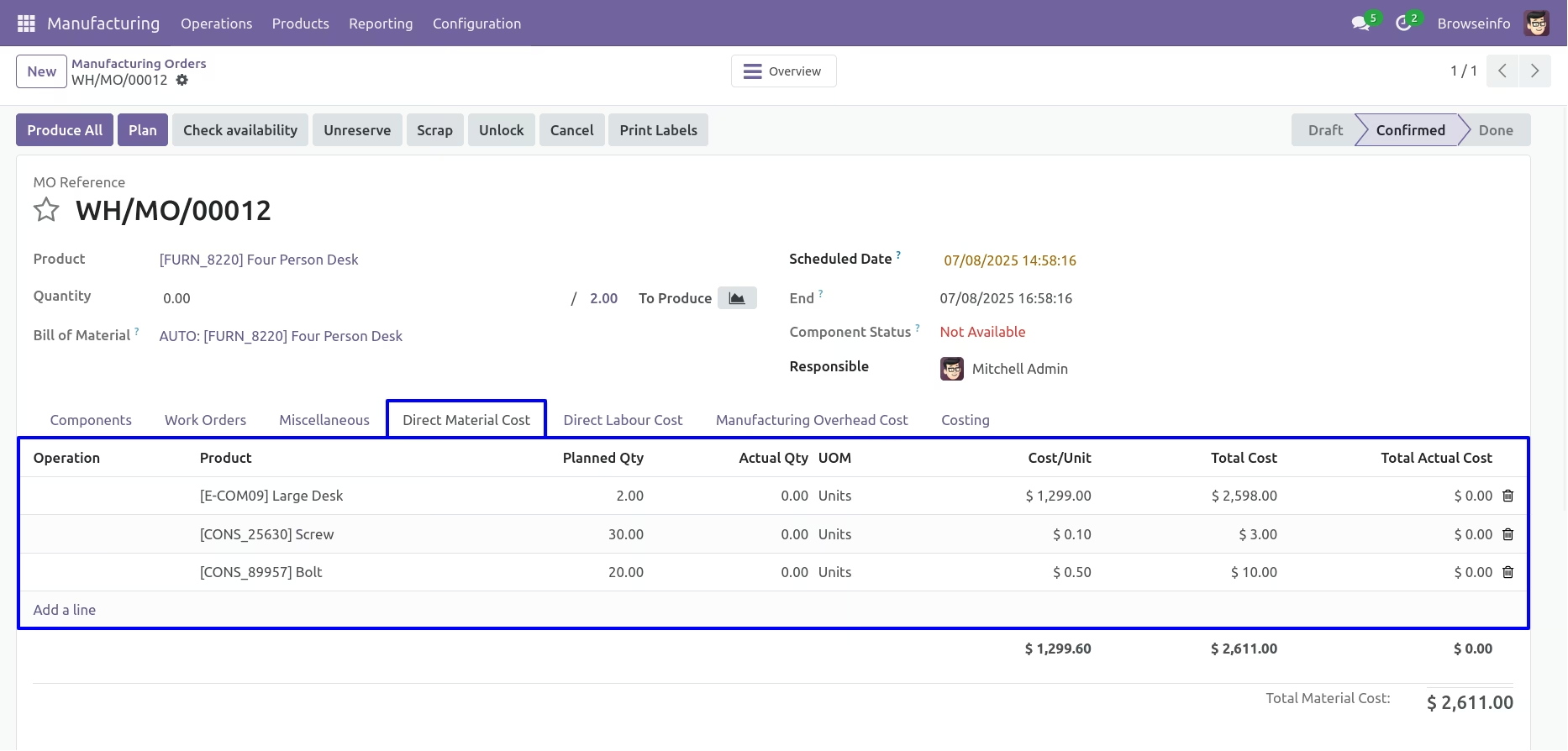
Direct Material Cost will be filled automatically based on Consumed Materials of manufacturing order.
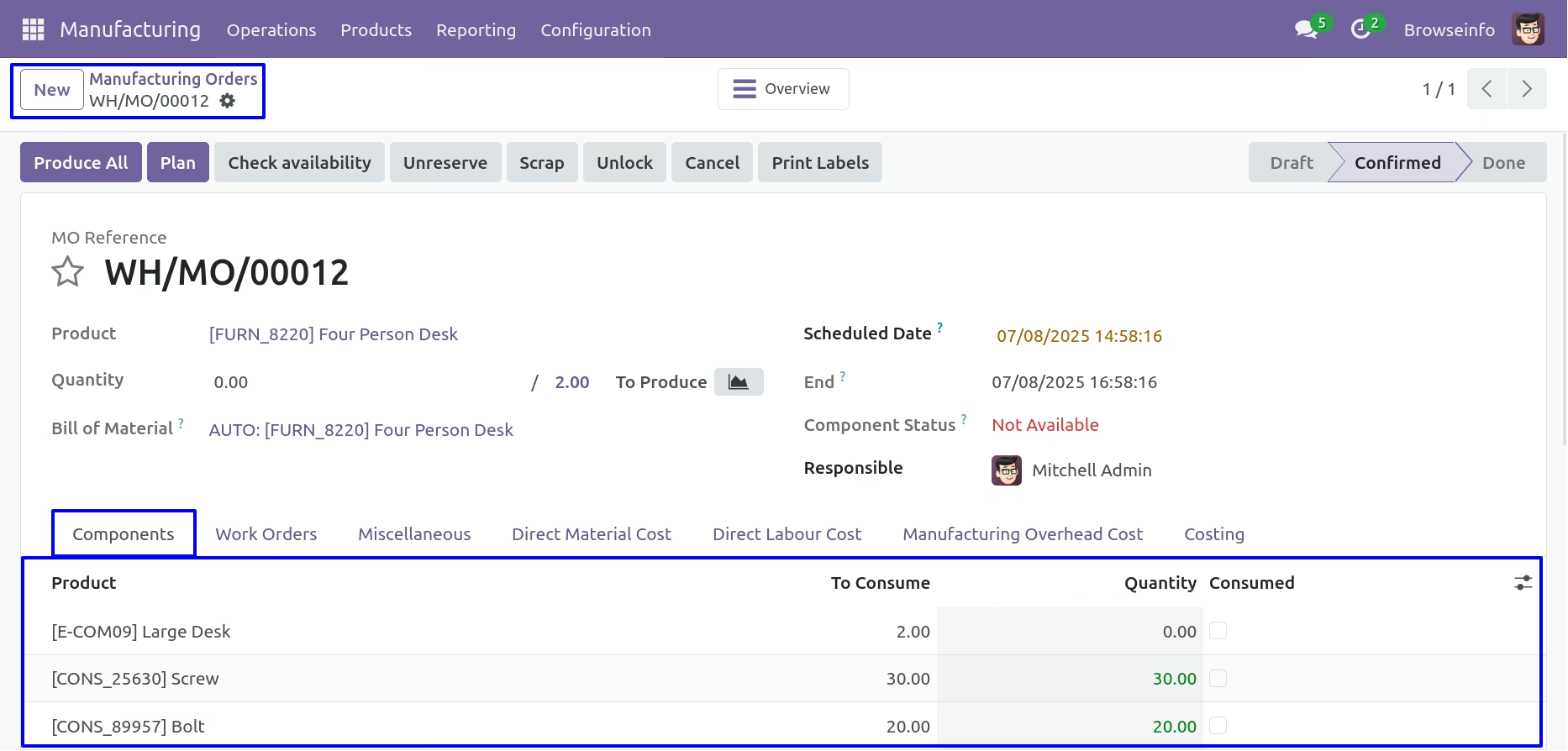
Direct Material Cost
If you want to add direct material cost manually then you can also add.
Direct Labour cost
Manufacturing Overhead Cost
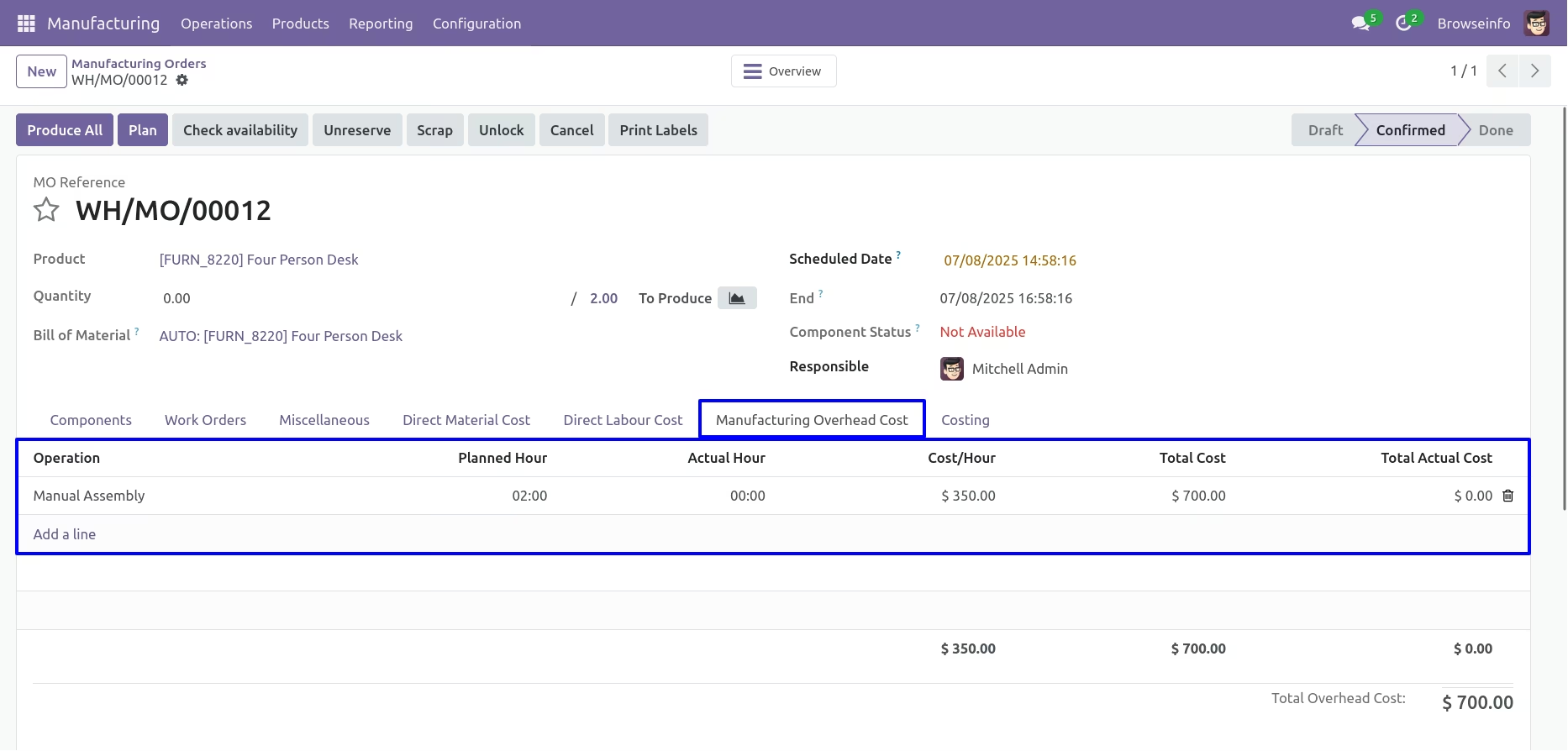
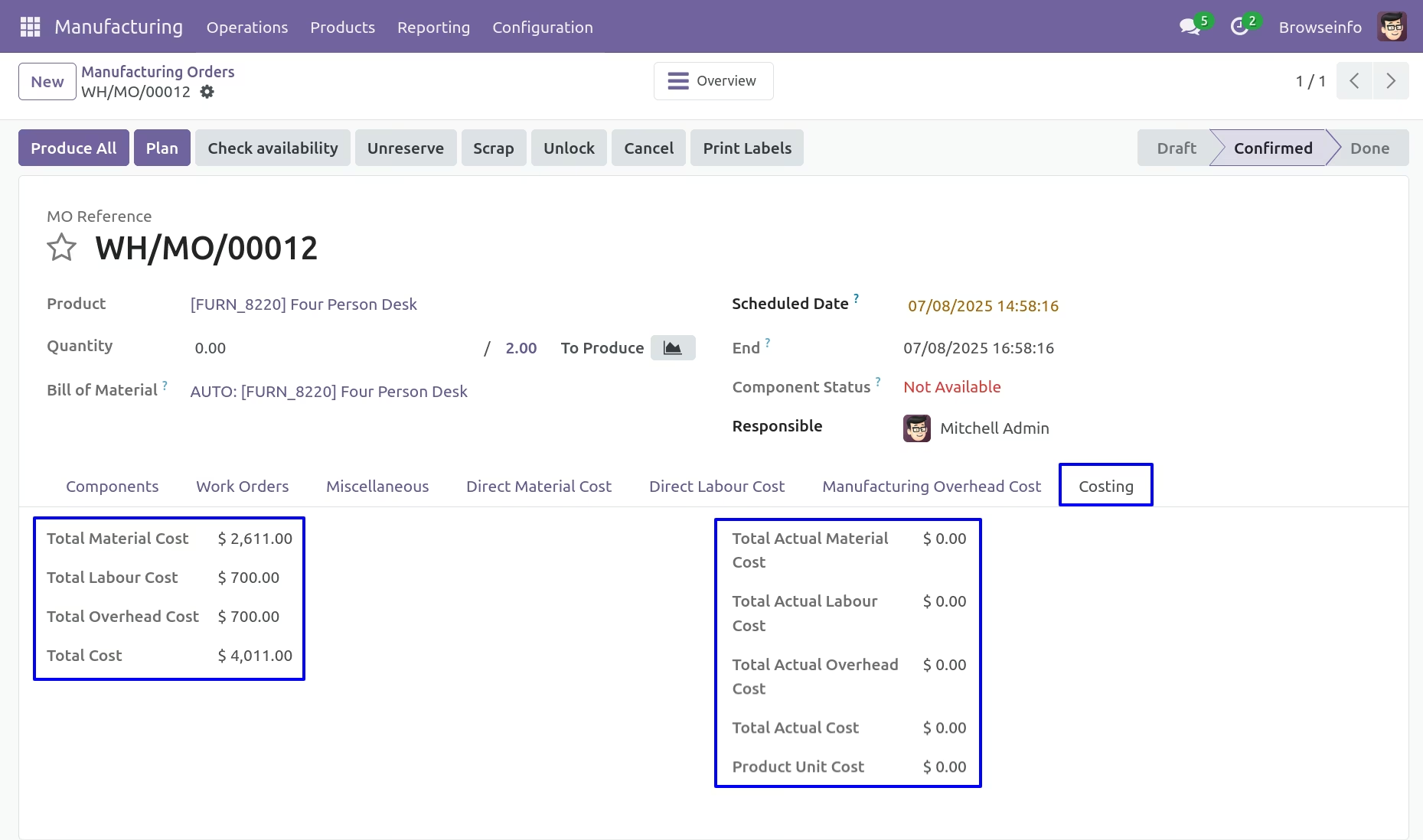
Manufacturing Orders Costing
Here you can see total cost of Material,Labour and Overhead.
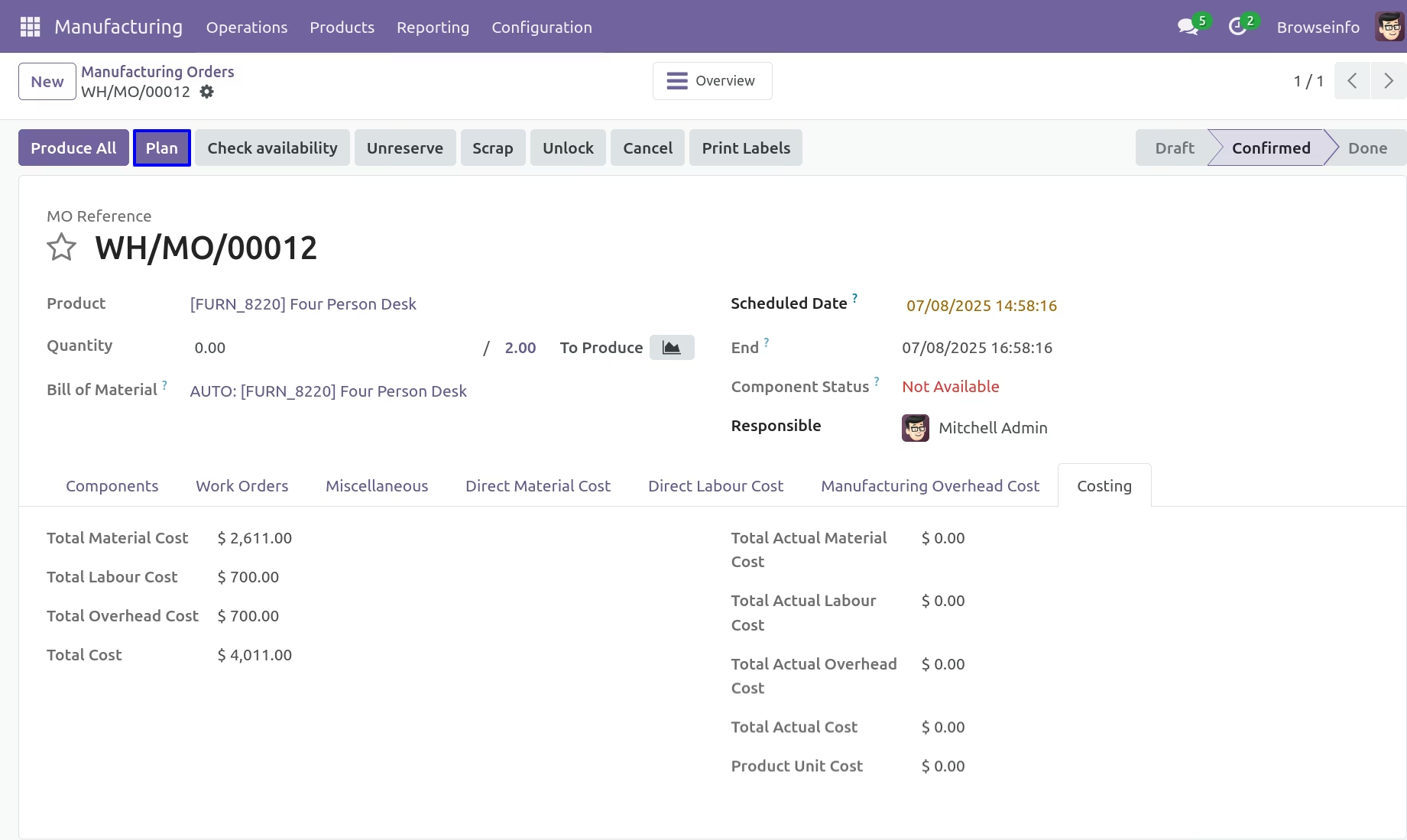
Create Manufacturing Work order
By clicking on Create Work orders button,Work order will be created with Direct Material Cost, Direct Labour Cost and Direct Overhead Cost.
Work Order Line
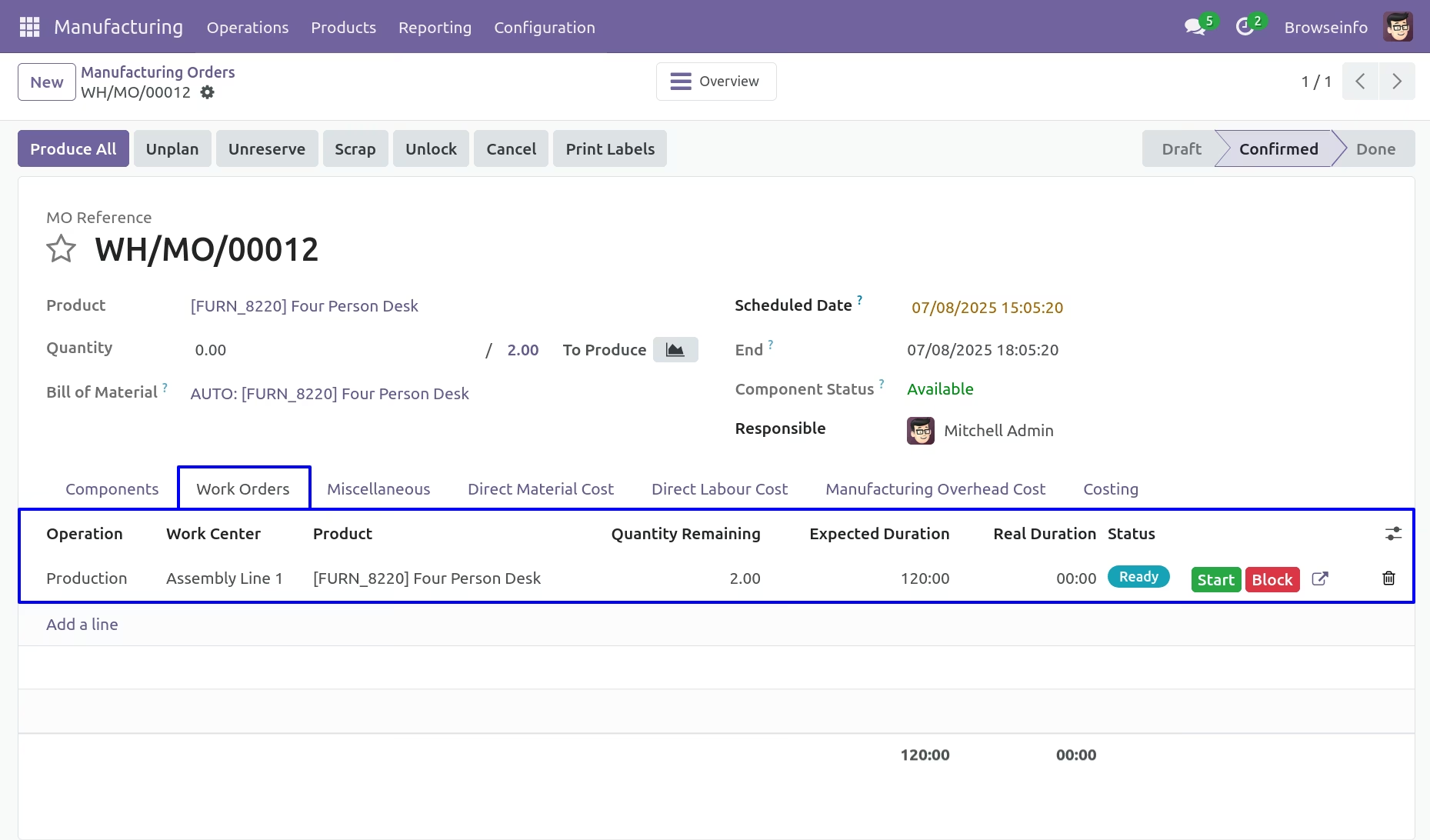
Manufacturing Actual Costing - Time Tracking
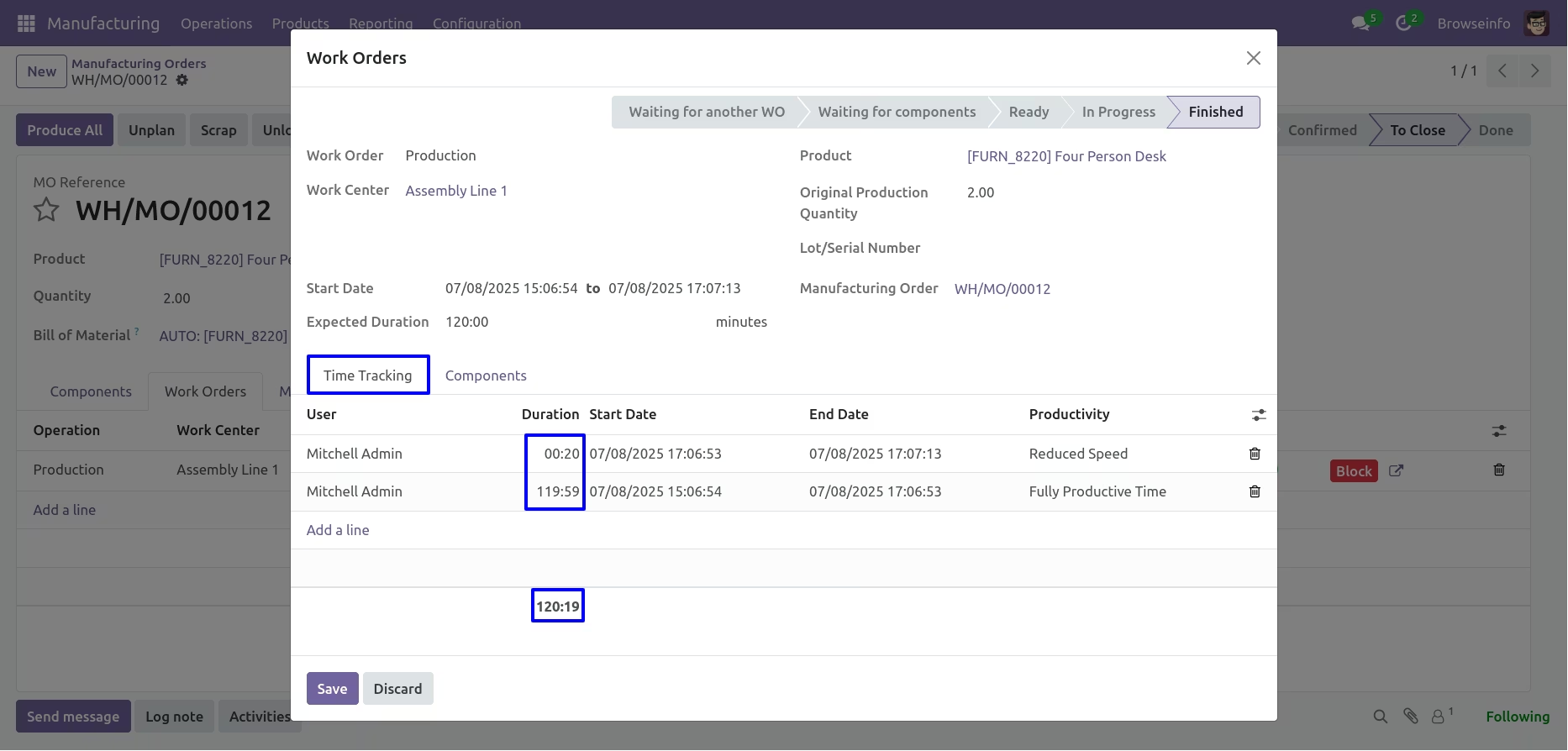
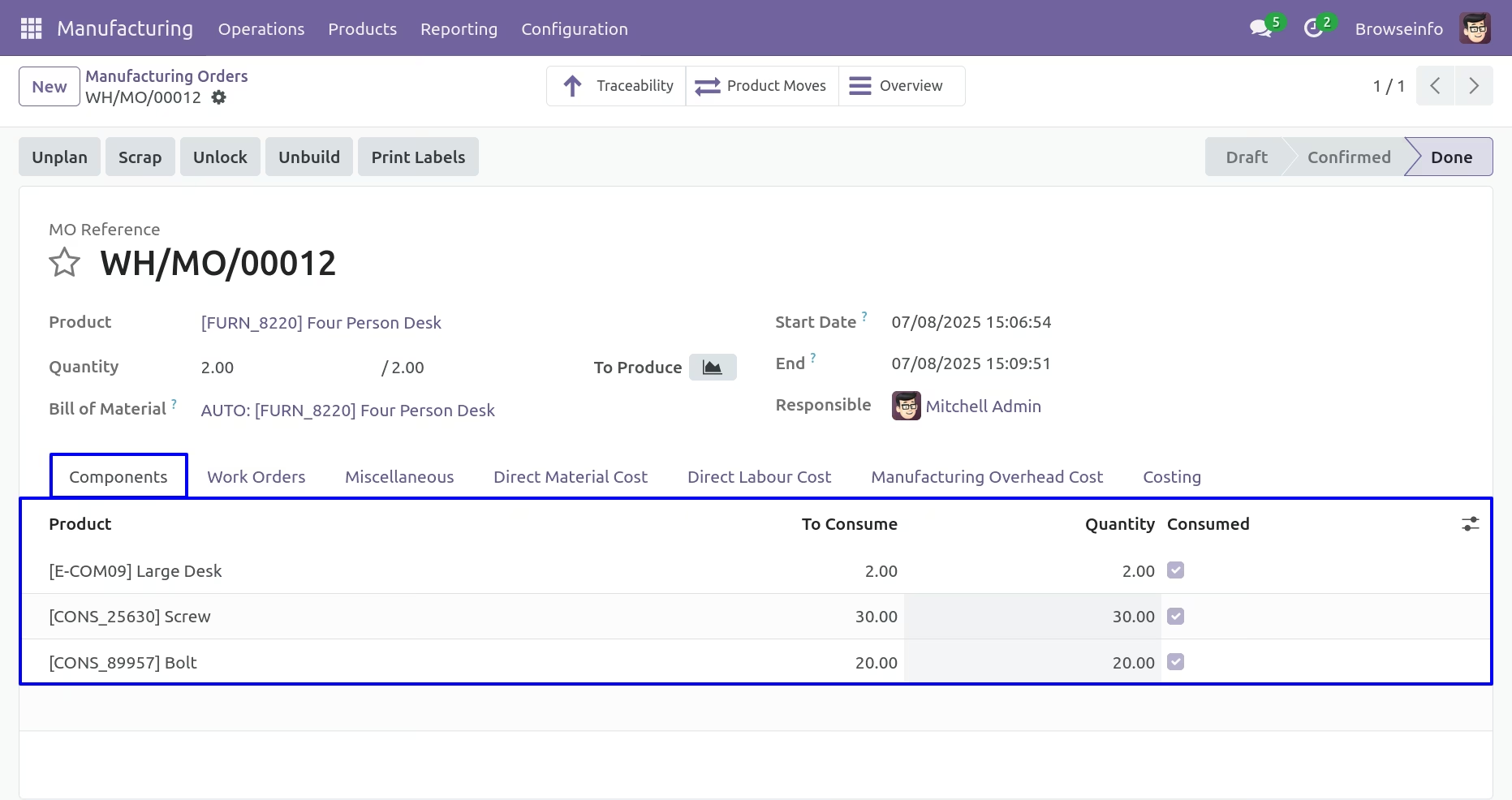
Manufacturing Order - Components
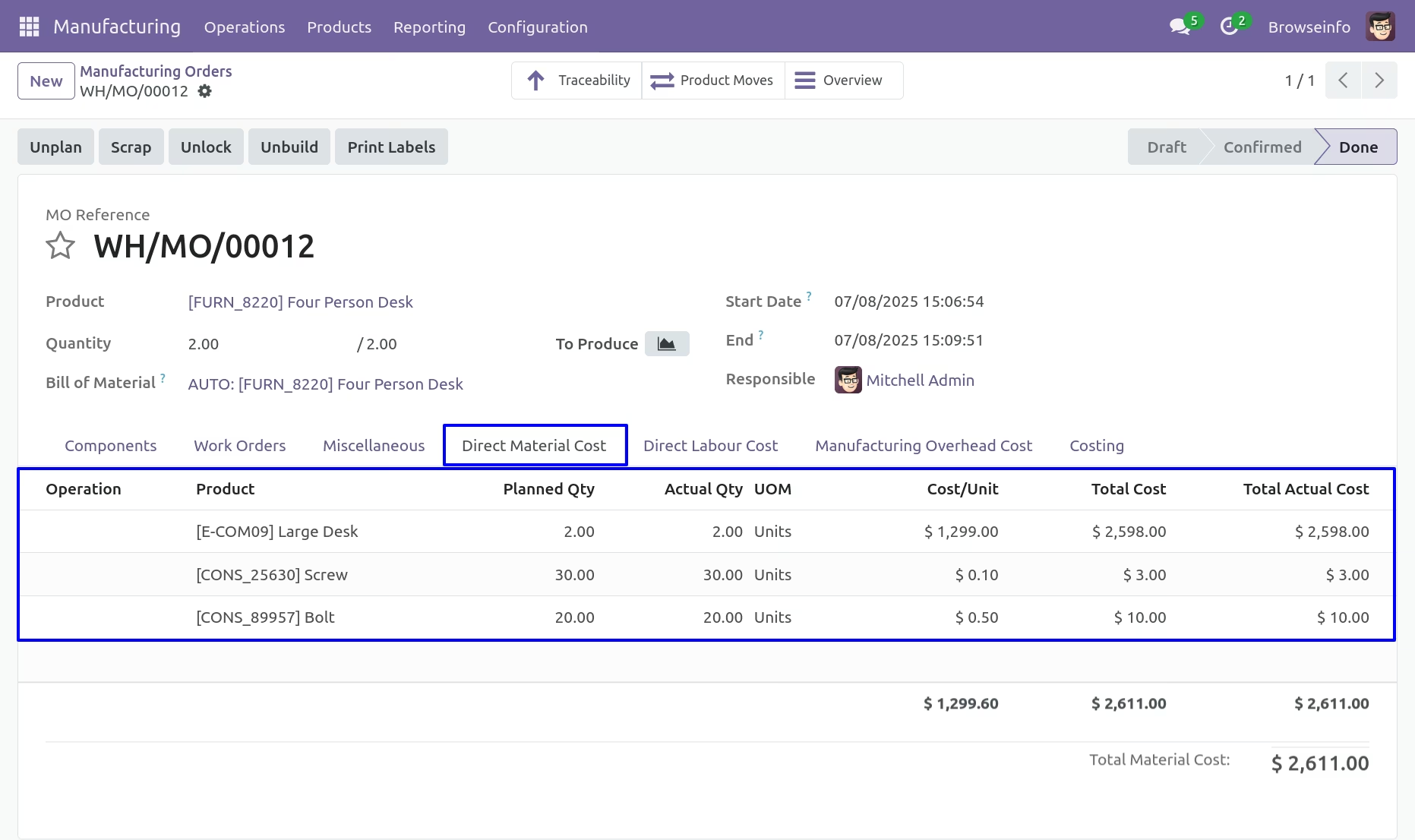
Direct Material cost
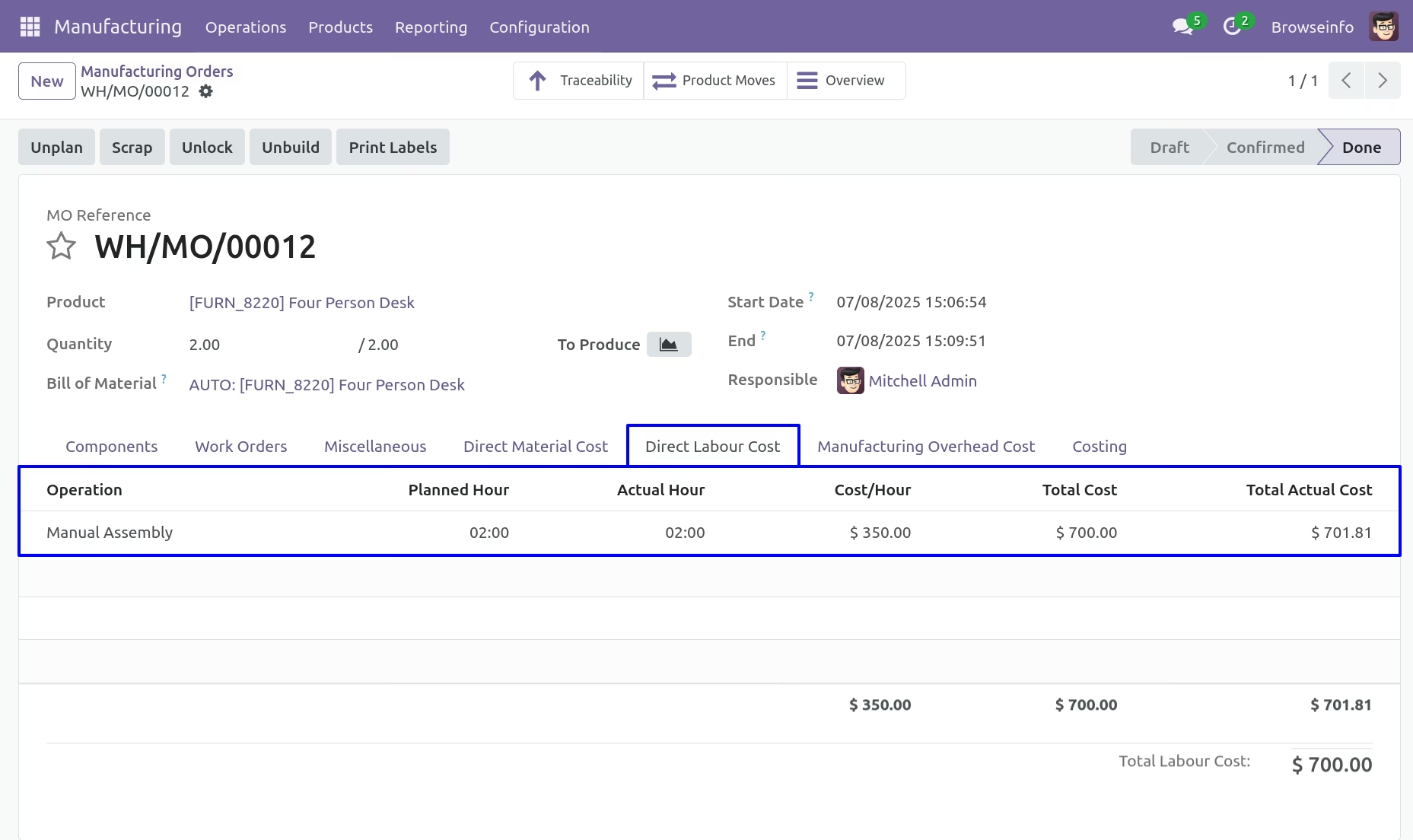
Direct labour cost
Manufacturing Overhead Cost
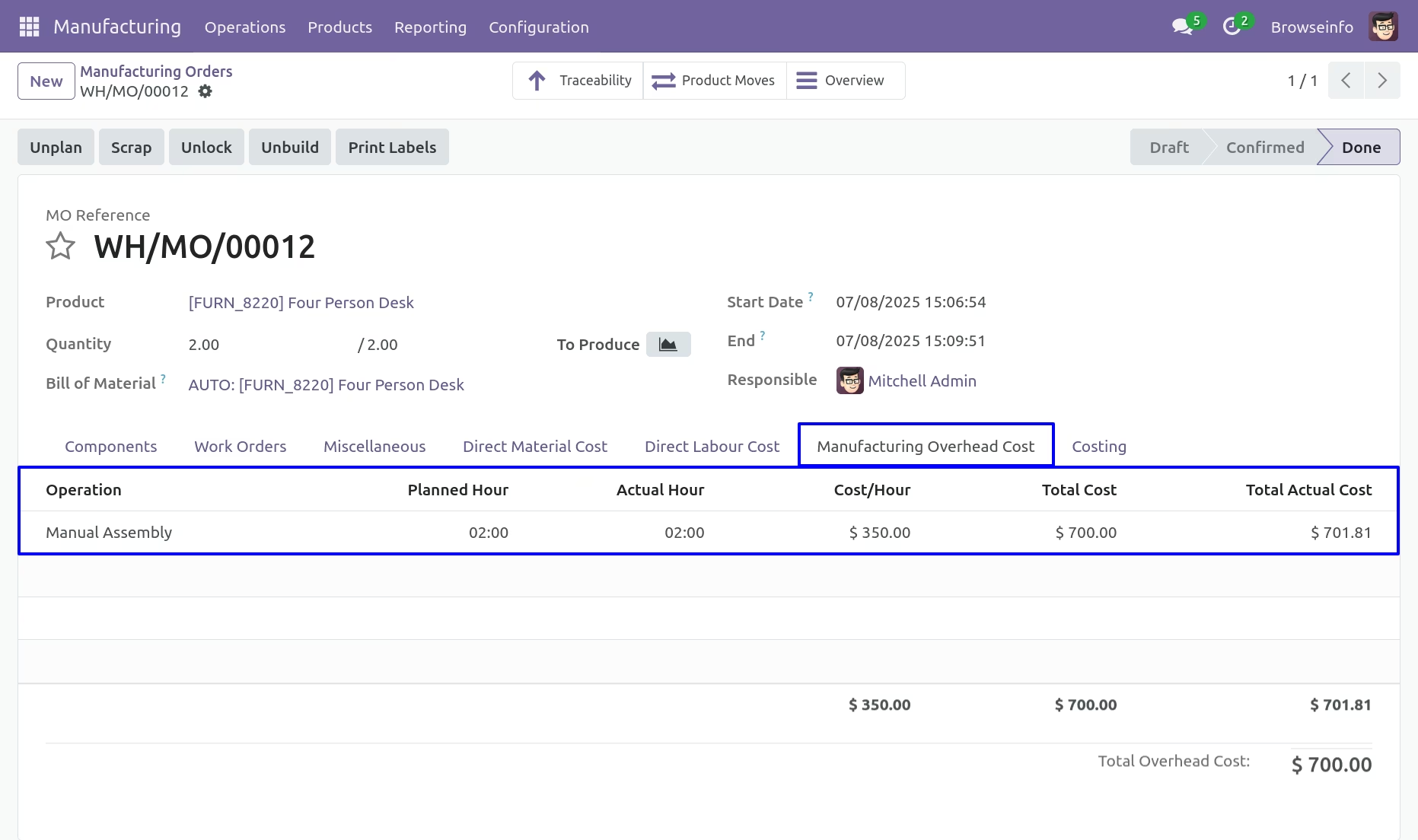
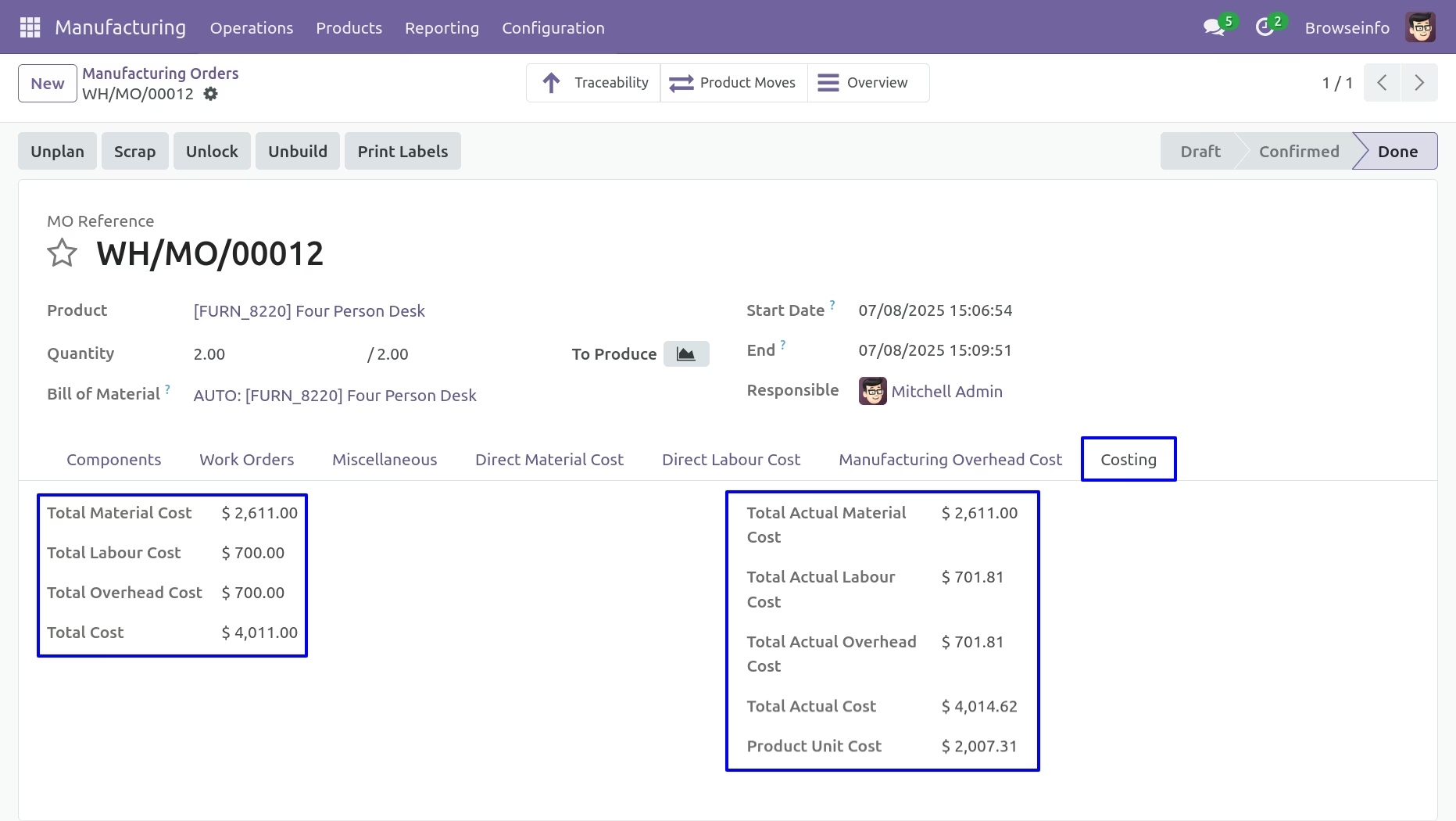
Manufacturing Costing
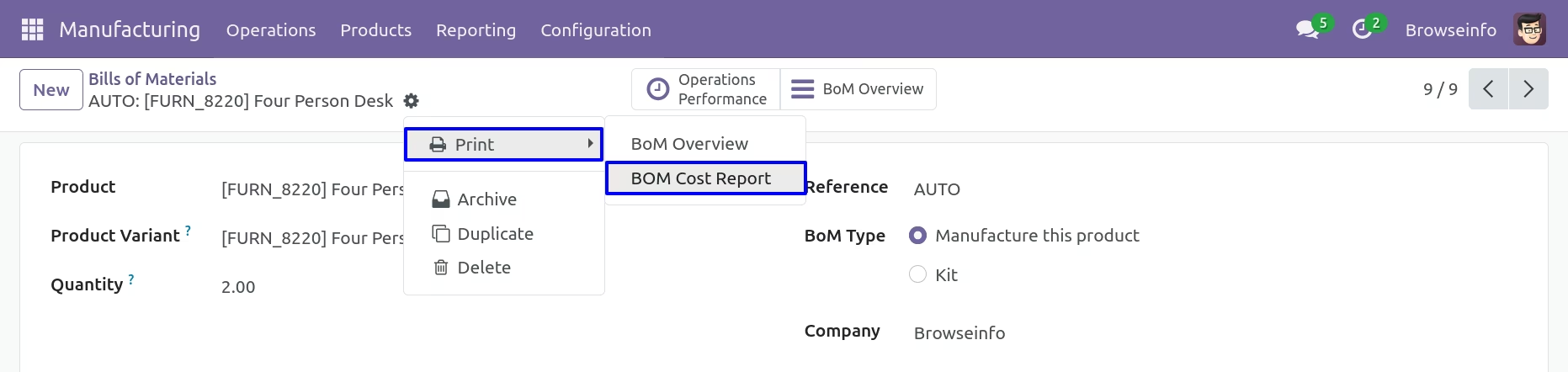
Bill of Materials Report
Here you can print report for Bill of Materials.
BOM Report View
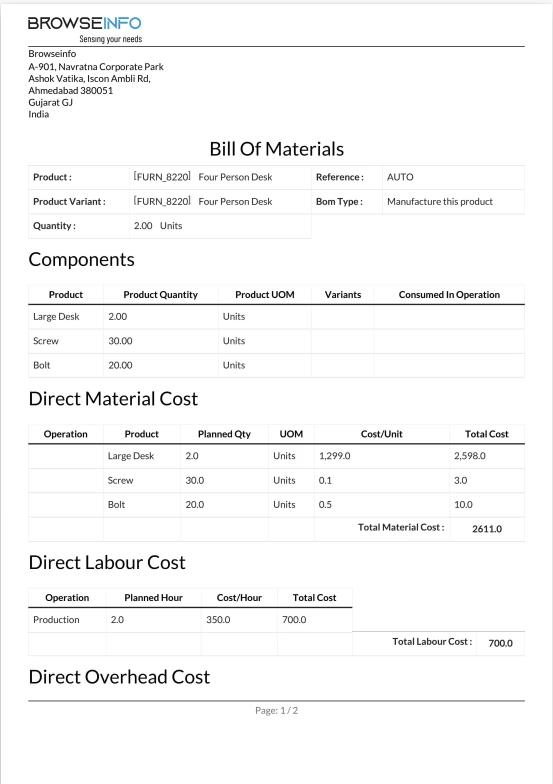
BOM Report View
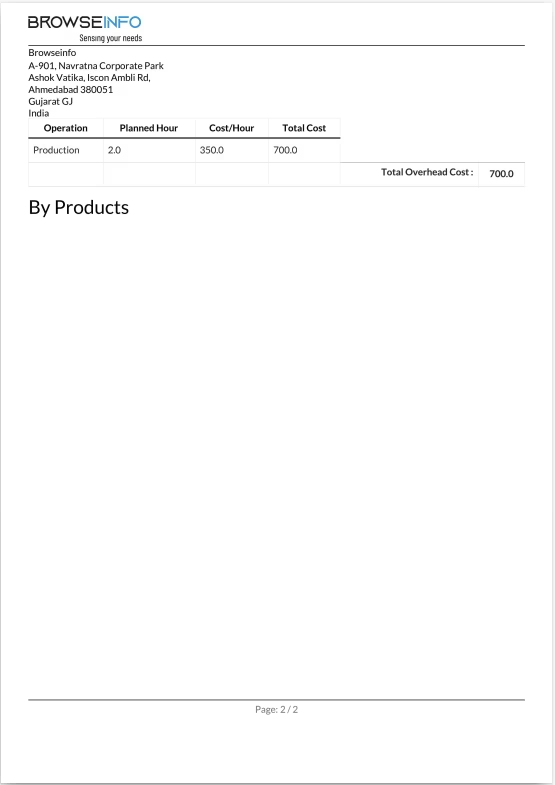
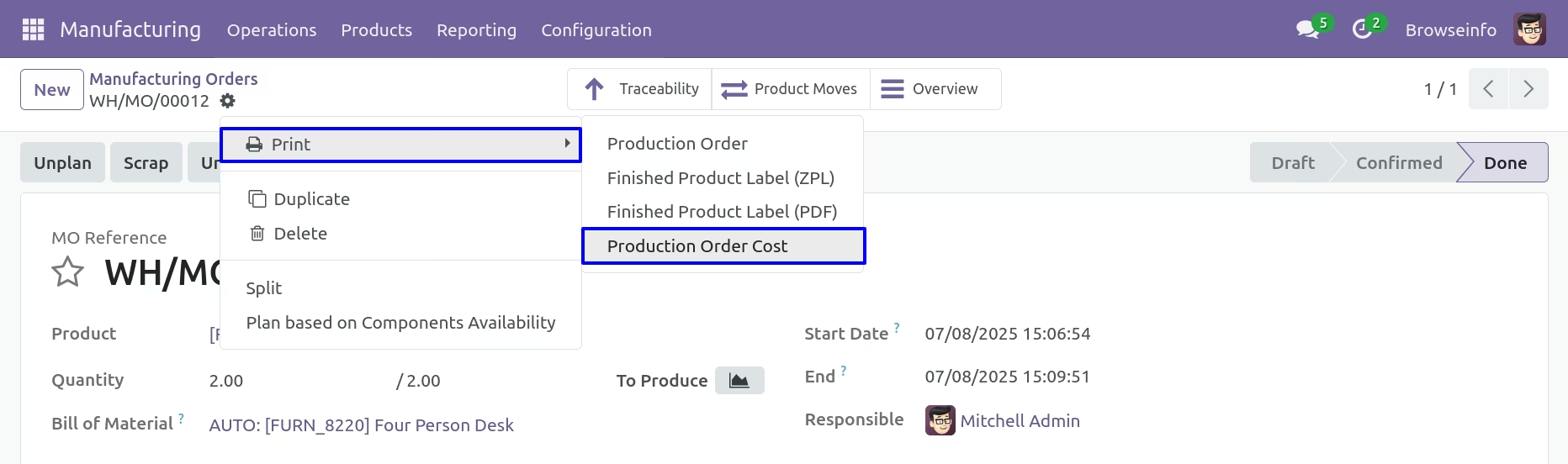
Manufacturing Orders Report
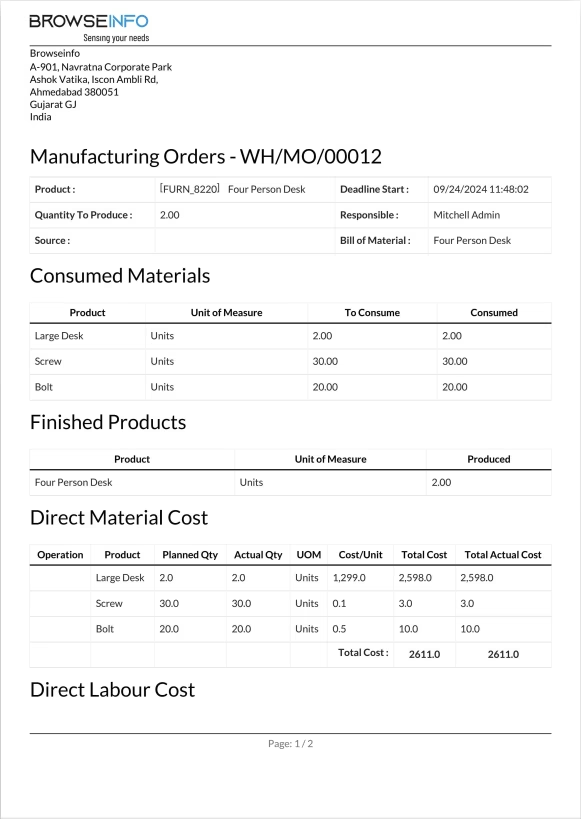
Here you can print report for Manufacturing Orders.
Manufacturing Report View
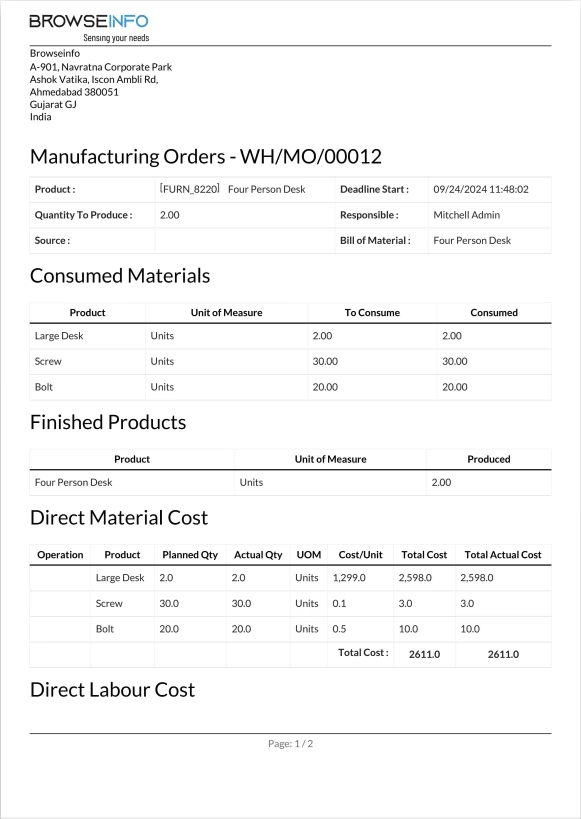
Manufacturing Report View
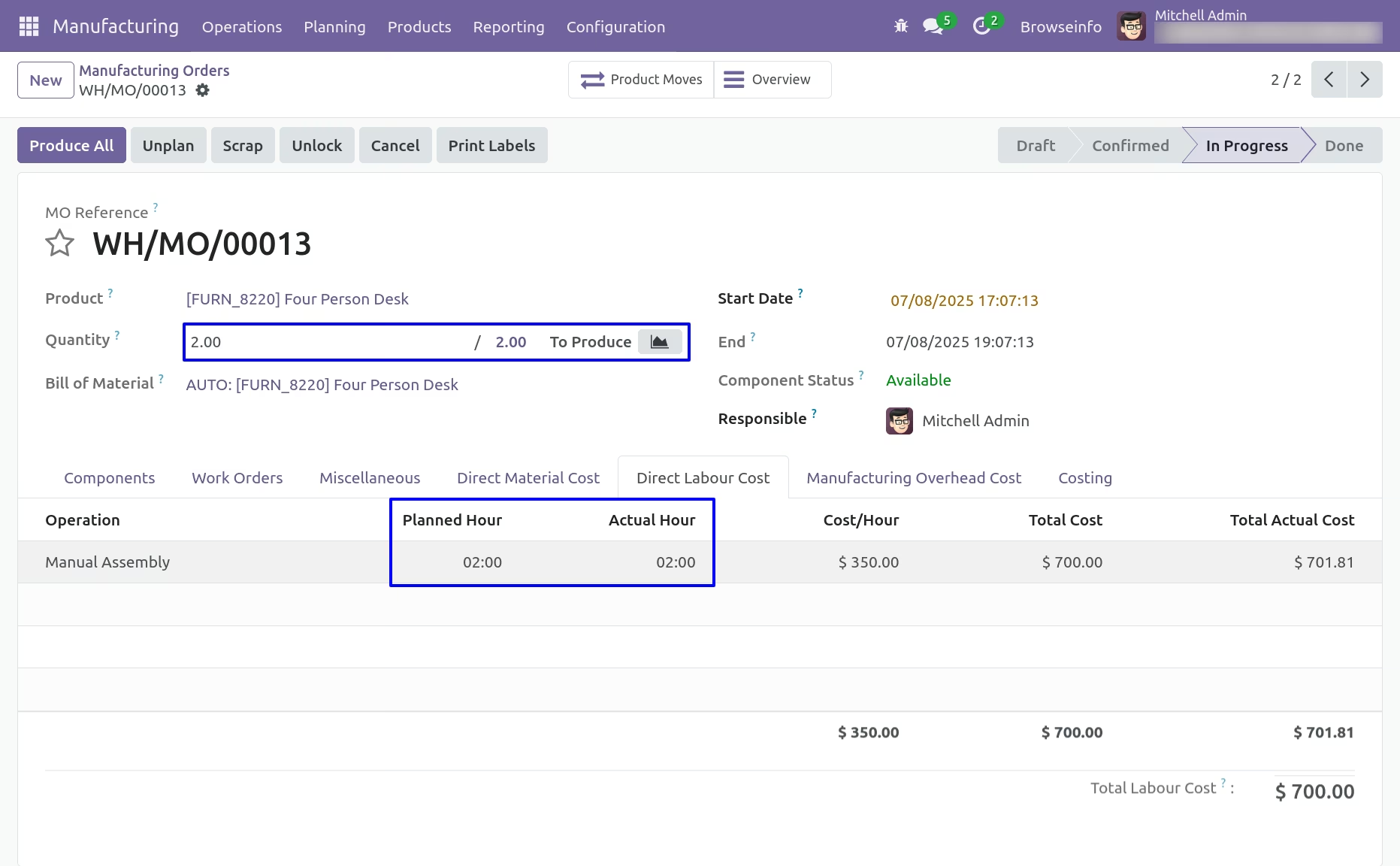
Update Product Quantity
Click on Update button to update quantity on Manufacturing order.
Update Product Quantity Wizard
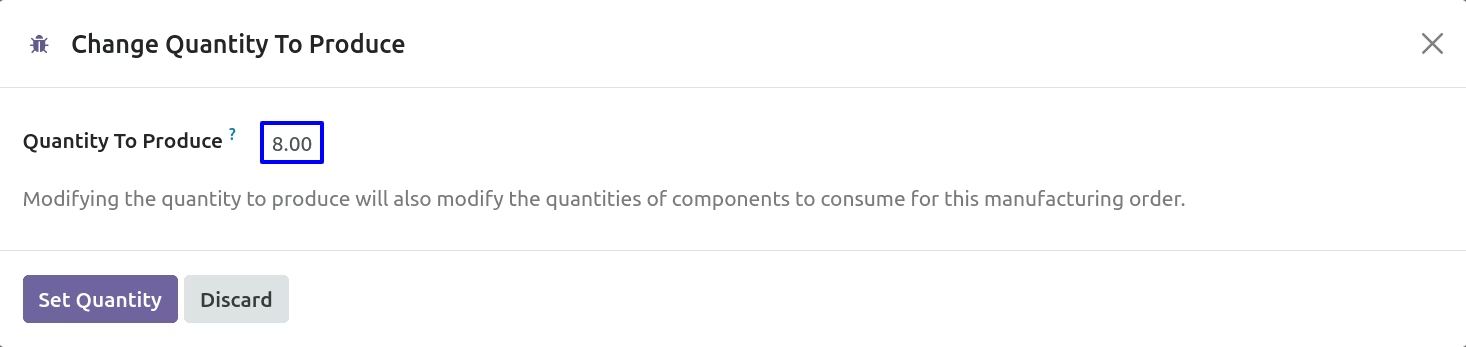
Update Product Quantity
When you update qty on Manufacturing order it will auto update all cost lines based on that.