The module enhances data confidentiality by enabling you to control visibility of cost prices in Bill of Materials. It allows organizations to hide product and BOM cost prices from unauthorized users, ensuring only designated users such as cost managers can view sensitive cost information. This adds a layer of control to manufacturing workflows and supports confidentiality in cost reporting.
Hide product cost price and BOM cost price on the Bill of Materials cost and structure report
Remove cost price display in the BOM PDF report
Restrict visibility through a dedicated user access group (e.g. cost price manager)
Cost price remains hidden unless the user belongs to the authorized access group
Strengthen confidentiality by limiting cost data visibility to authorized personnel
Reduce risk of exposing sensitive cost information across teams
Maintain clean BOM reports for operational use while protecting financial insights
Improve compliance with internal cost control and audit policies
BOM Product Cost Price Hide / Show
Bill of Material Cost Price Hide and Show Odoo App
Cost Price Hide for BOM
This app adds features to hide a product cost price and BOM cost price on the Bill of Material lines as shown in the below screenshots.
Main Features:- Hide a product cost price and BOM cost price on the Bill of Material cost and structure report.
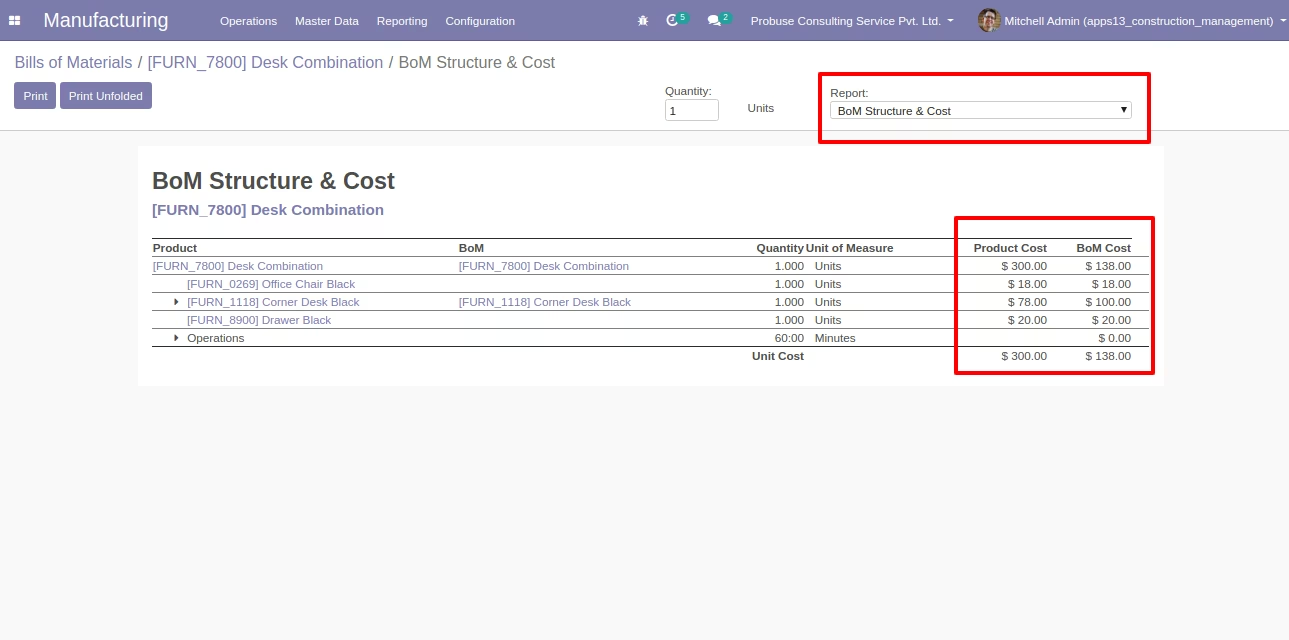
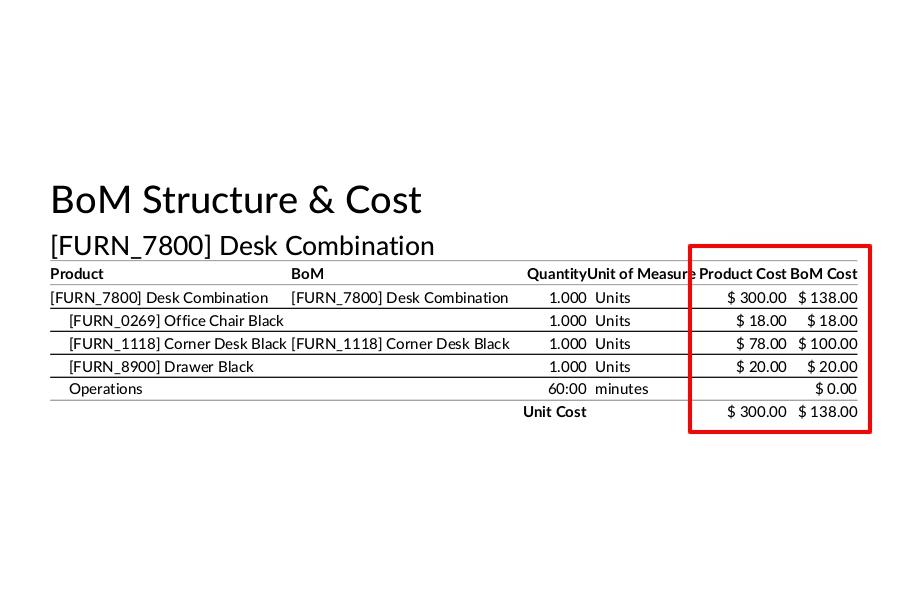
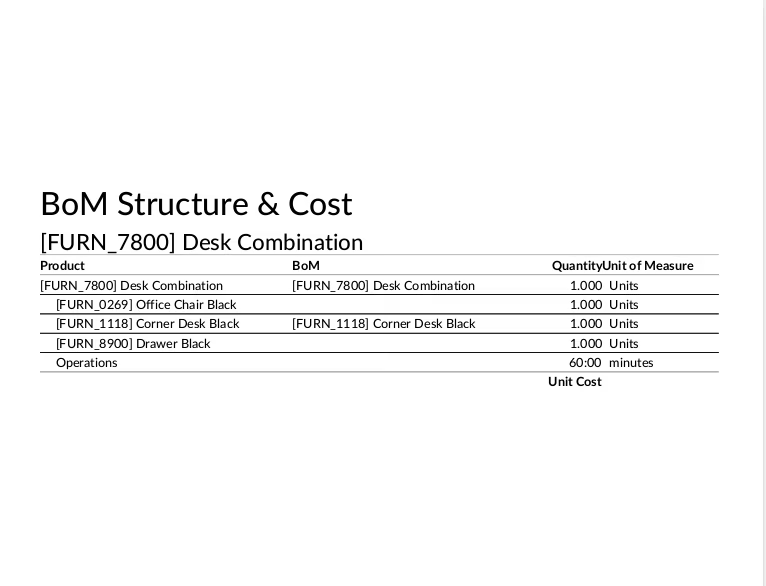
- Hide a product cost price and BOM cost on the BOM PDF report of Odoo standard as shown below.
- Only the cost price manager will access the cost price on the BOM report. If the cost price manager group is not set on the user's form then he/she does not see the cost price on the Bill of Material report.
- This app hides cost price from the "BOM structure & Cost" Report and PDF report of BOM only so make sure before buying that it will only hide cost price on the BOM report only.
- For more details please see the below screenshots and watch the video.
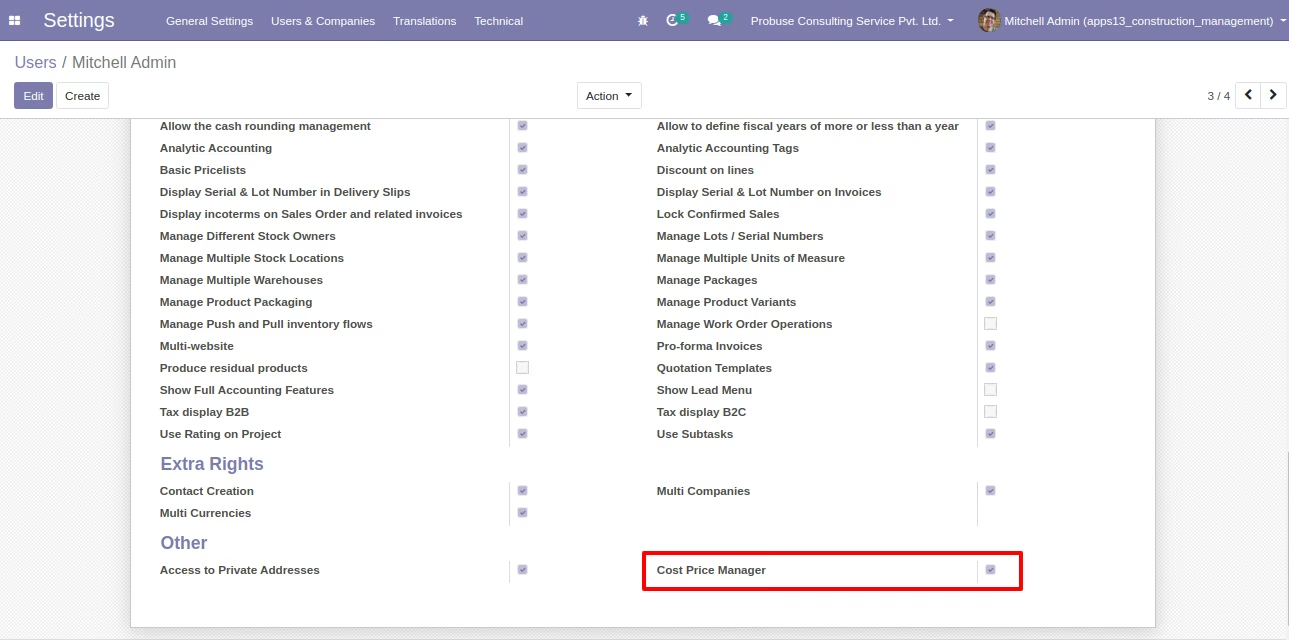
Cost Price Manager Group on User Form
Only the cost price manager will access cost price fields. If the cost price manager group is not set on the user's form then they can not see the cost price field.
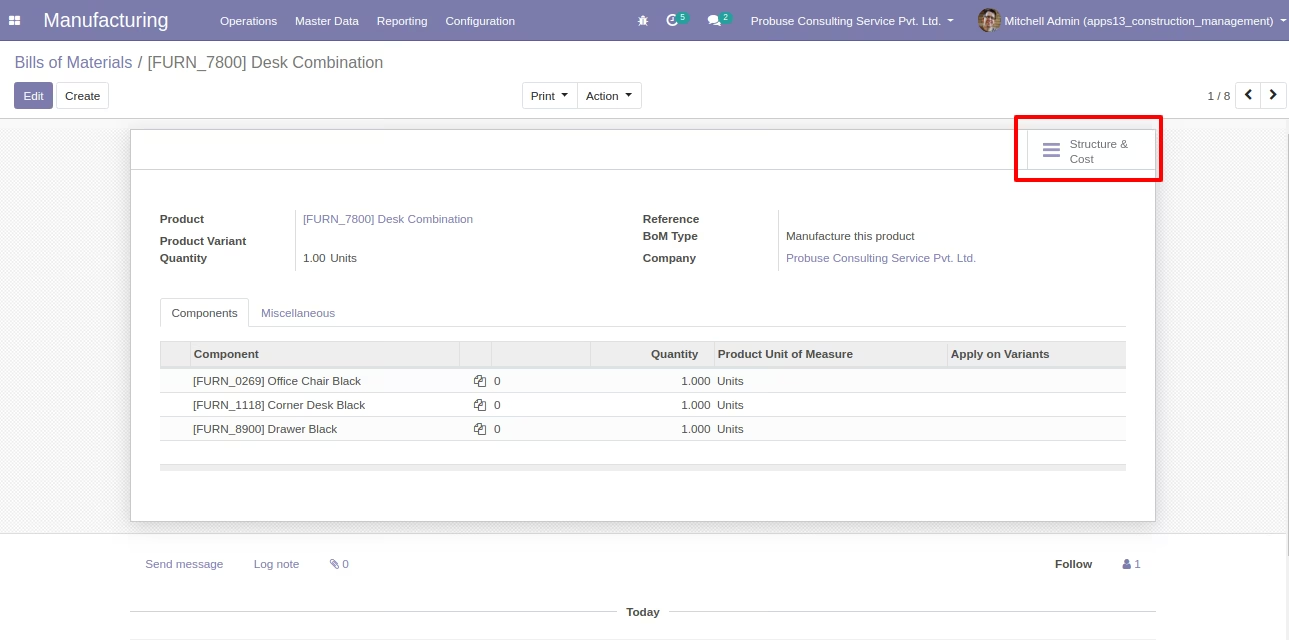
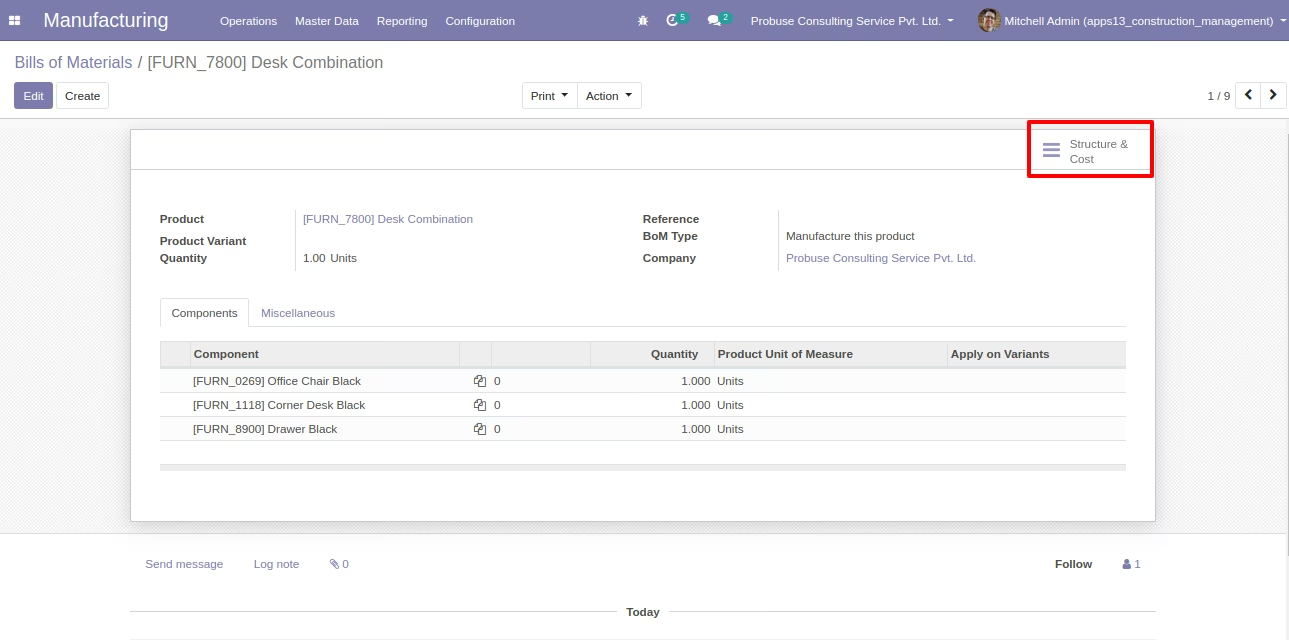
Bill of Material - Structure and Cost Smart Button (Odoo Standard)
When Cost Price Manager Group is Set on User Form
Bill of Material - Product Cost and BOM Cost - When Cost Price Manager Group set on User Form
PDF Report - BOM Structure Report - When Cost Price Manager Group set on User Form
Bill Of Material - Structure and Cost Smart Button
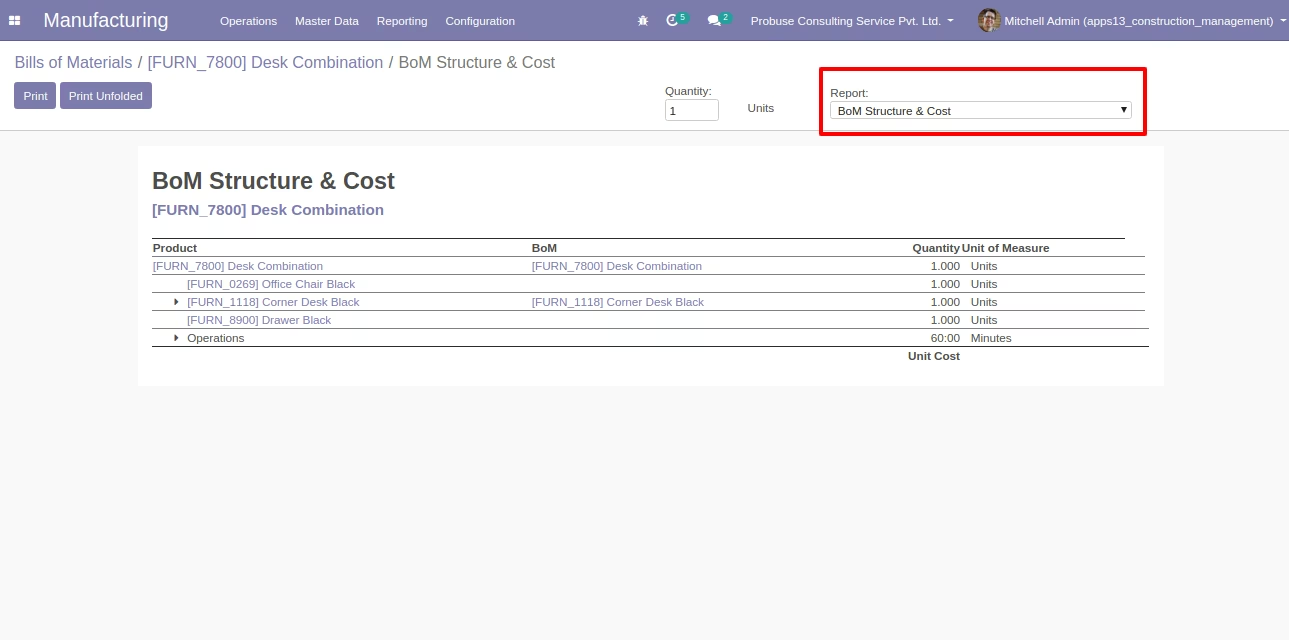
When Cost Price Manager Group is NOT set on User Form
Bill of Material - Product Cost and BOM Cost - When Cost Price Manager Group is NOT set on User Form
PDF Report - BOM Structure Report - When Cost Price Manager Group NOT set on User Form
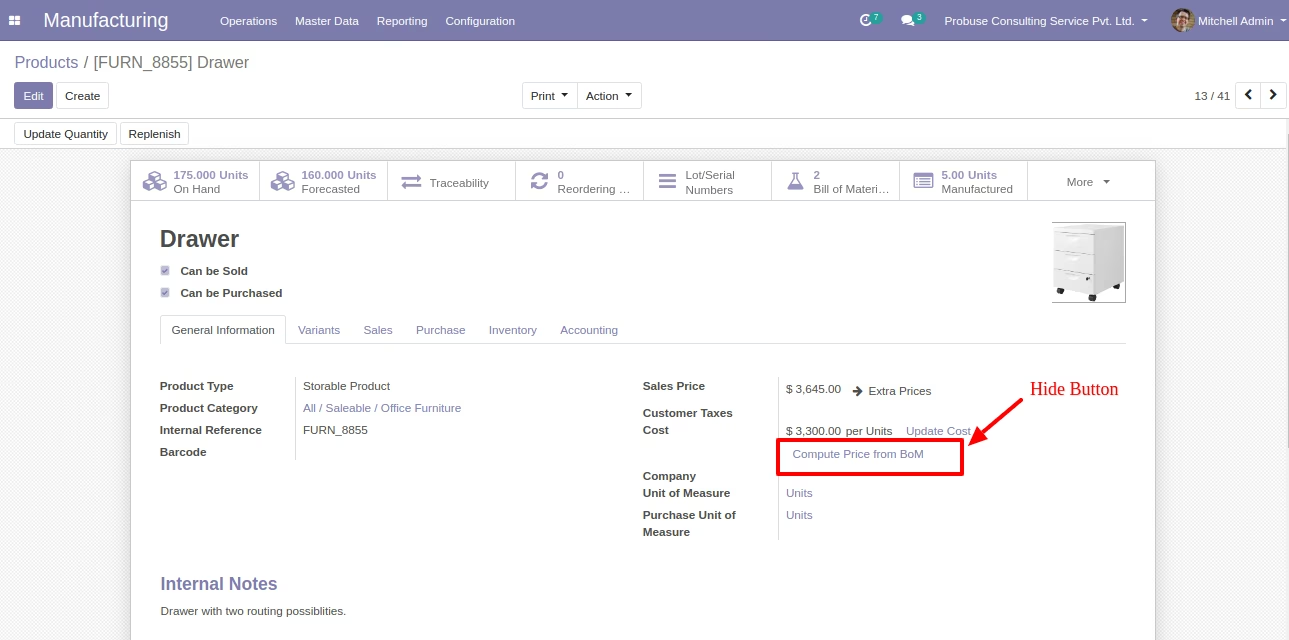
On the Product, form System will Hide Below Button (Compute Price from BOM) of Odoo Standard