The module for allows businesses to manually set currency exchange rates for sales orders, purchase orders, customer invoices, vendor bills, and payments. This ensures accurate financial reporting and compliance with specific exchange rate requirements.
Manual Exchange Rates: Set custom exchange rates for each transaction individually.
Multi-Currency Support: Manage transactions in multiple currencies seamlessly.
Flexible Configuration: Apply different exchange rates for sales, purchases, invoices, and payments.
Real-Time Updates: Update exchange rates as needed to reflect current market conditions.
Comprehensive Coverage: Works with sales orders, purchase orders, invoices, vendor bills, and payments.
Accurate Financial Reporting: Ensure precise financial records by applying correct exchange rates.
Compliance: Maintain compliance with local and international financial regulations.
Operational Efficiency: Streamline the management of multi-currency transactions.
Flexibility: Adapt to changing exchange rates quickly and easily.

Set Manual Currency Rates on Transactions
Convert Prices Using Custom Currency Rates
Apply Manual Exchange Rate on Sales, Purchase, Invoice, Expense and Payment Apps
Custom Currency Exchange Rate for Sales, Purchase, Invoice, Expense and Payment Apps
Default takes exchange rate from the currency configuration/menu and change currency rate daily process is very hard that change currency rate everyday from currency menu for each currency. With help of this apps you will have option to set Currency Exchange Rates manually/directly on customer invoices, vendor bills, sales order, purchase order and account payment on each record and its cover whole workflow of ERP with apply manual currency exchange rates. After installing this module you will extra field to apply manual exchange rate on all documents(SO, PO, Invoices, Expense, Payments) after apply manual exchange rate everything converted with this applied manual exchange rate i.e product price change on order lines and invoice line, accounting entries generated with this assigned exchange rate.
This apps provide unique feature for Currency Exchange Rate Update manually for different currency such as Dollar, Euro or almost all directly from the transaction records i.e sales purchase, invoice, expense and payment. if you are using multi-currency working to provide invoices, sale order, expense, purchase order to customers from different countries along with currency rates according to their country? For This module is designed to provide currency rate exchange in real time can be really useful Currency Exchange Rates.
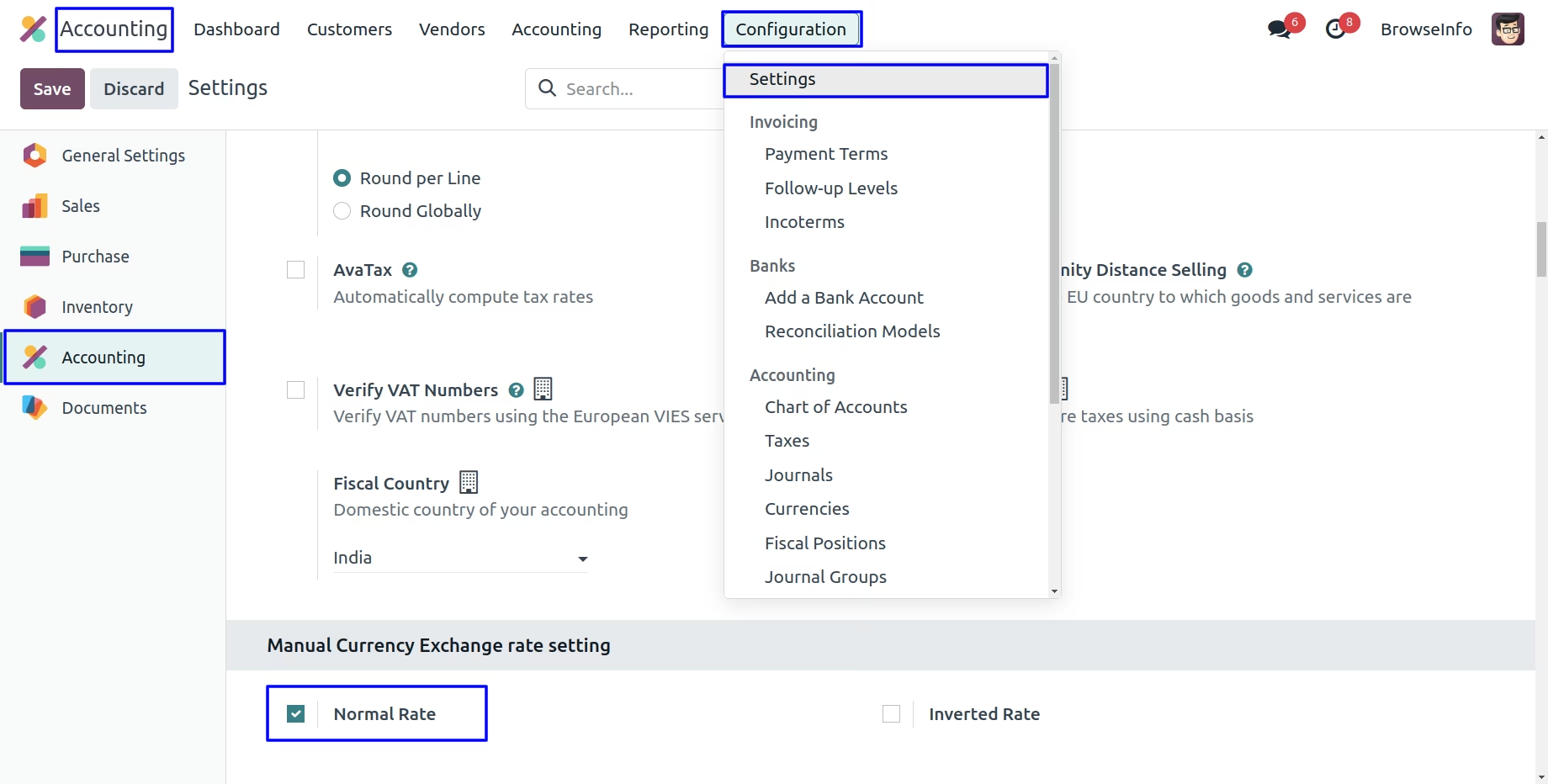
Normal Rate Configuration
Under Accounting > Configuration >Settings menu user have to enable "Normal Rate".
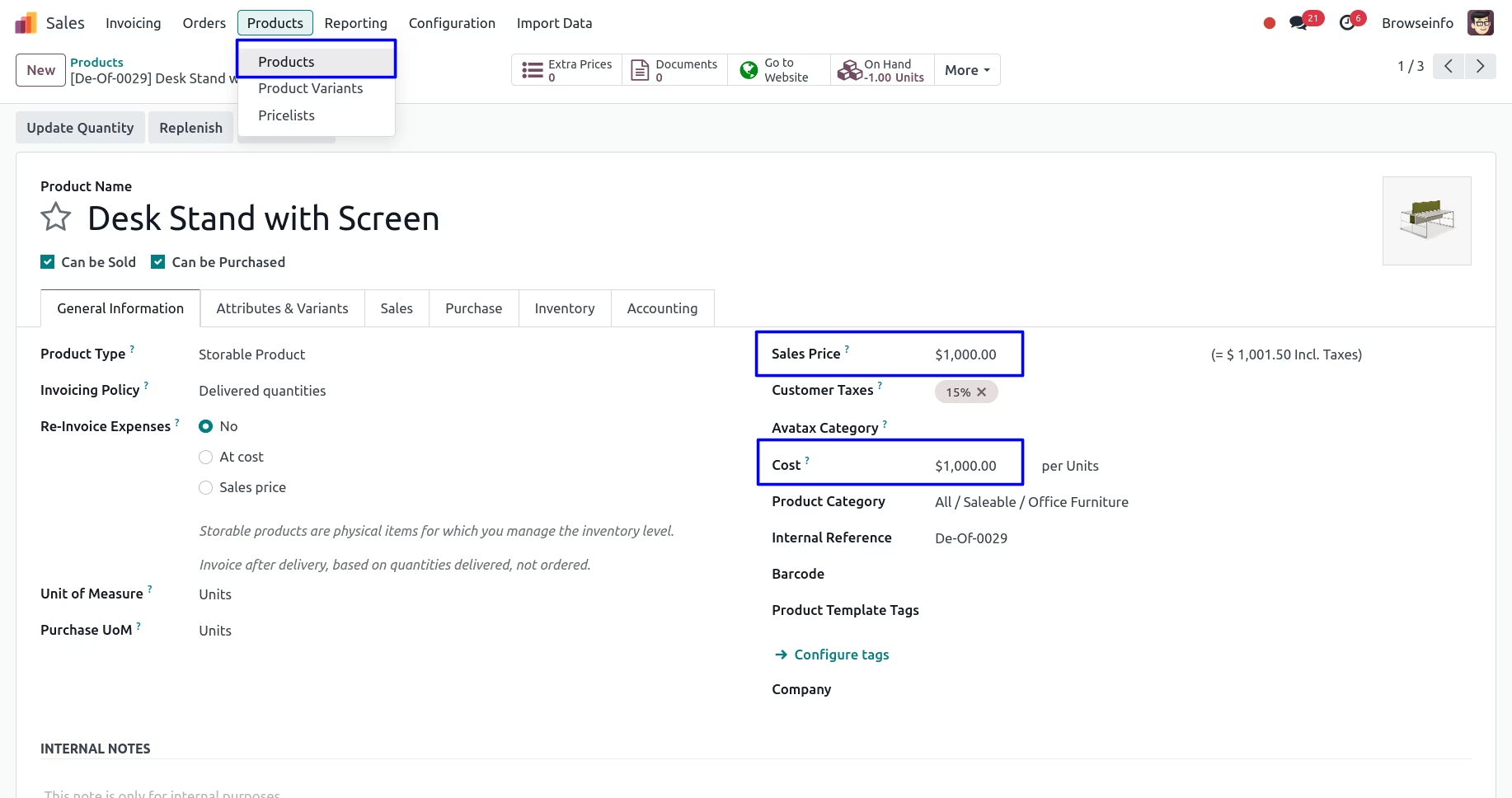
Product Price
User can see sale price and cost price in currency for product.
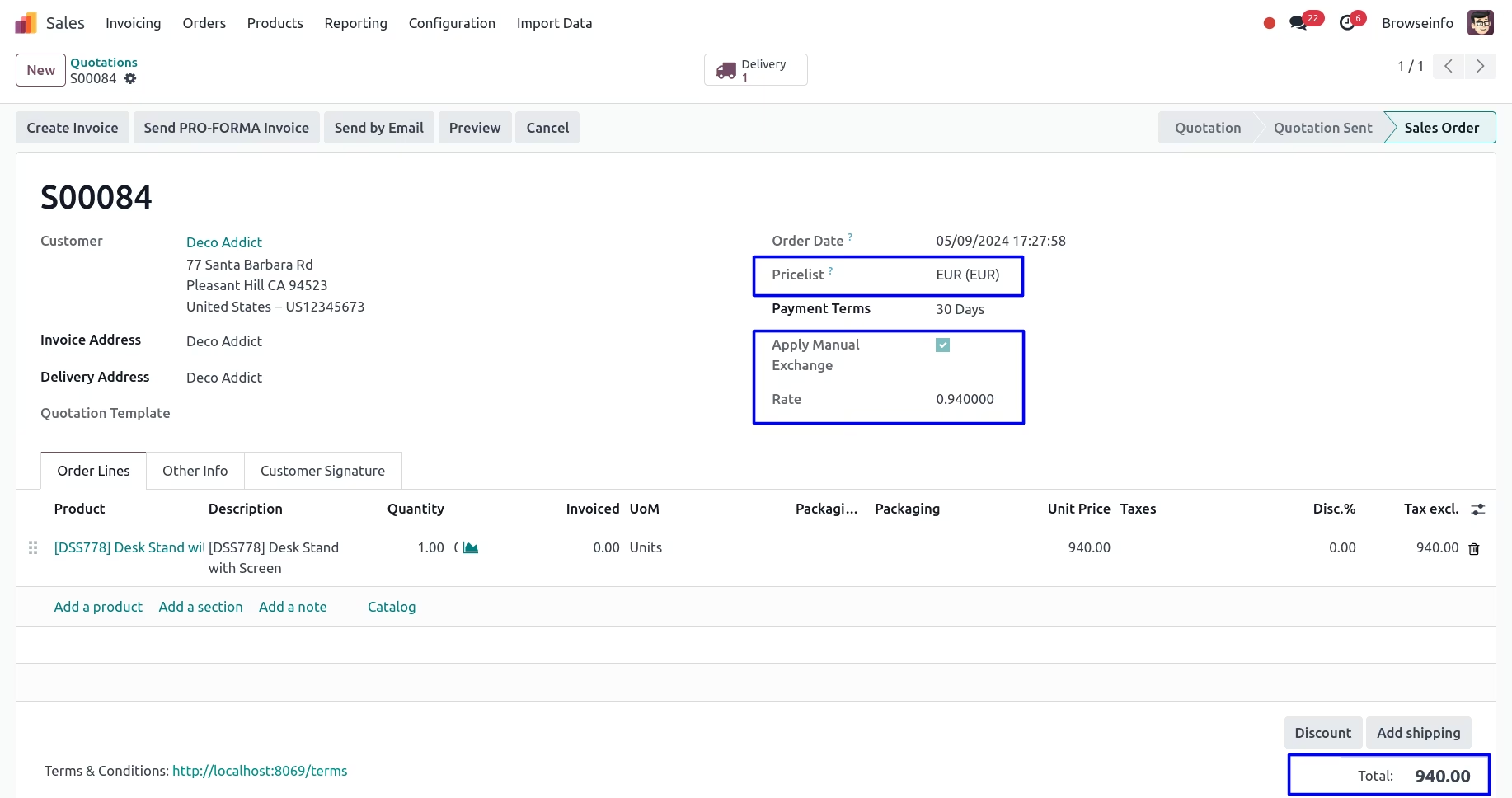
Currency Exchange Rate in Sale Order
While creating sales orders, User can select the pricelist to exchange the currency then enable "Apply Manual Exchange" option and enter "Rate" and this manual currency rate applied to the products price.
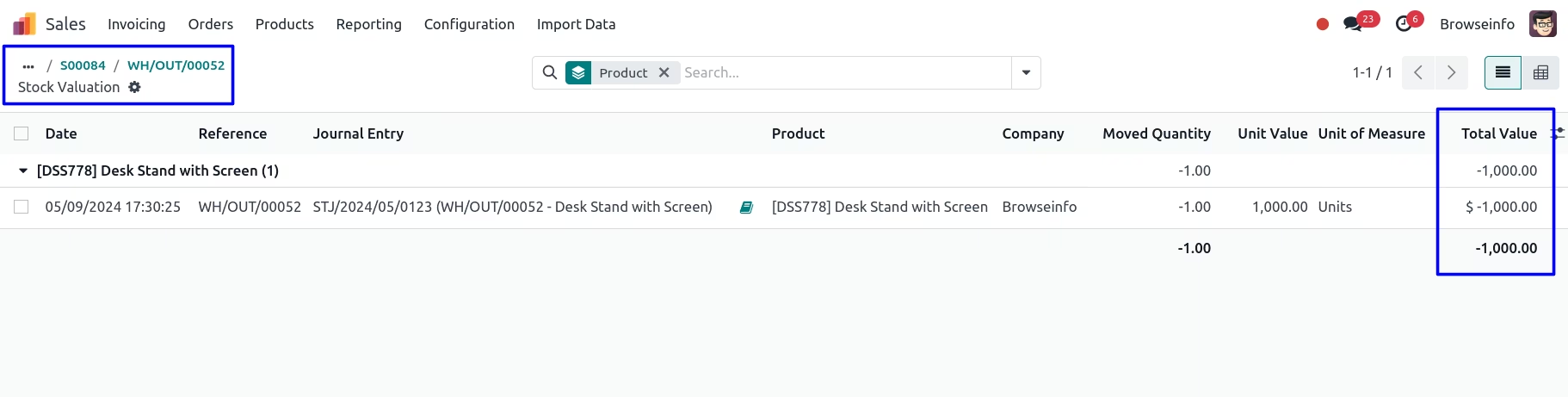
Currency Exchange Rate on Stock Valuation
User can see currency exchange rate on stock valuation for delivery order.
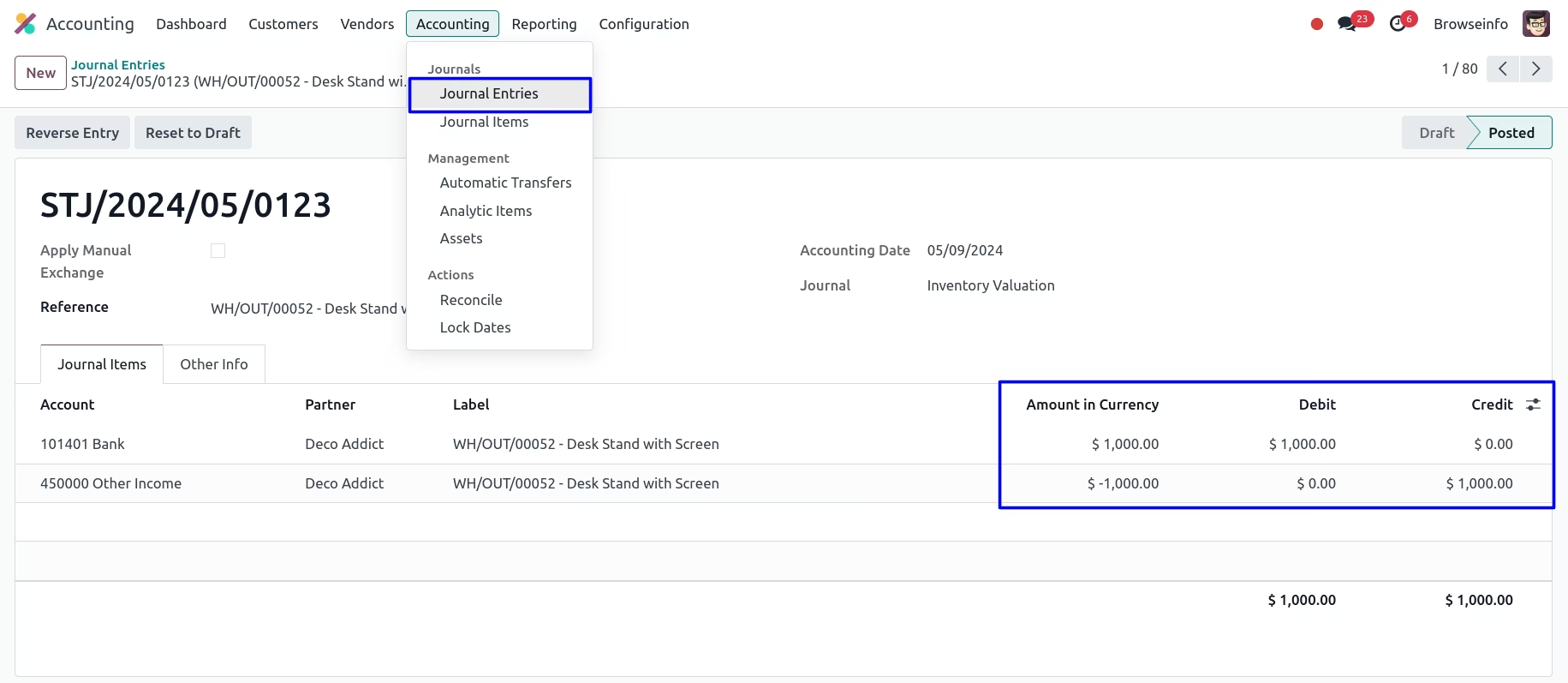
Currency Exchange Rate on Stock Journal Entry
User can see currency exchange rate on stock journal entry for delivery order.
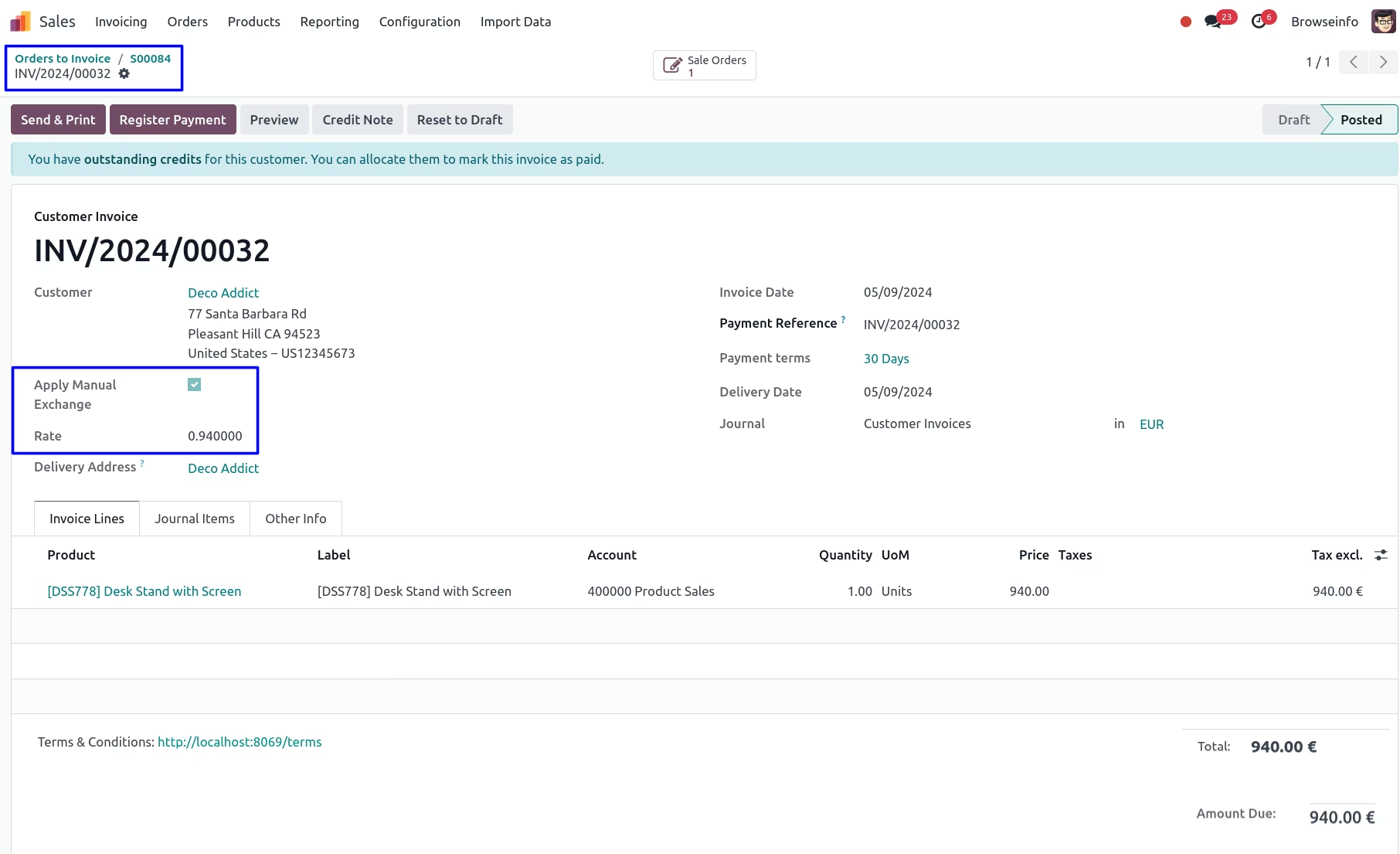
Currency Exchange Rate on Customer Invoice
While creating customer invoices, User can enable "Apply Manual Exchange" option and enter "Rate" and this manual currency rate applied to the products. If user selected this option on sales order before then selected rate automatically applied, but user can also change it manually later.
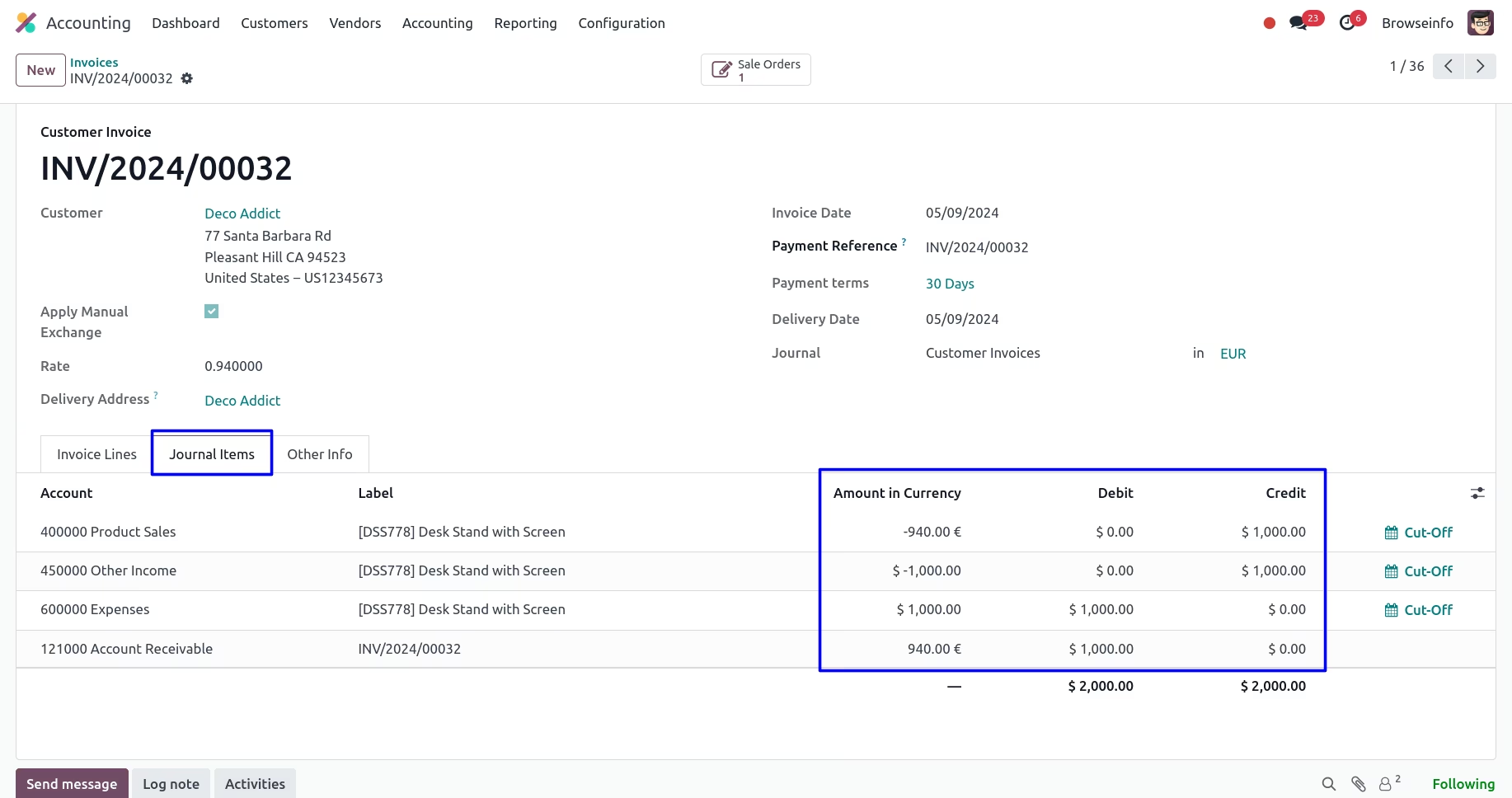
Currency Exchange Rate on Journal Items
User can see the applied manual currency rate shown in amount in currency and actual price and currency shown in debit and credit journal.
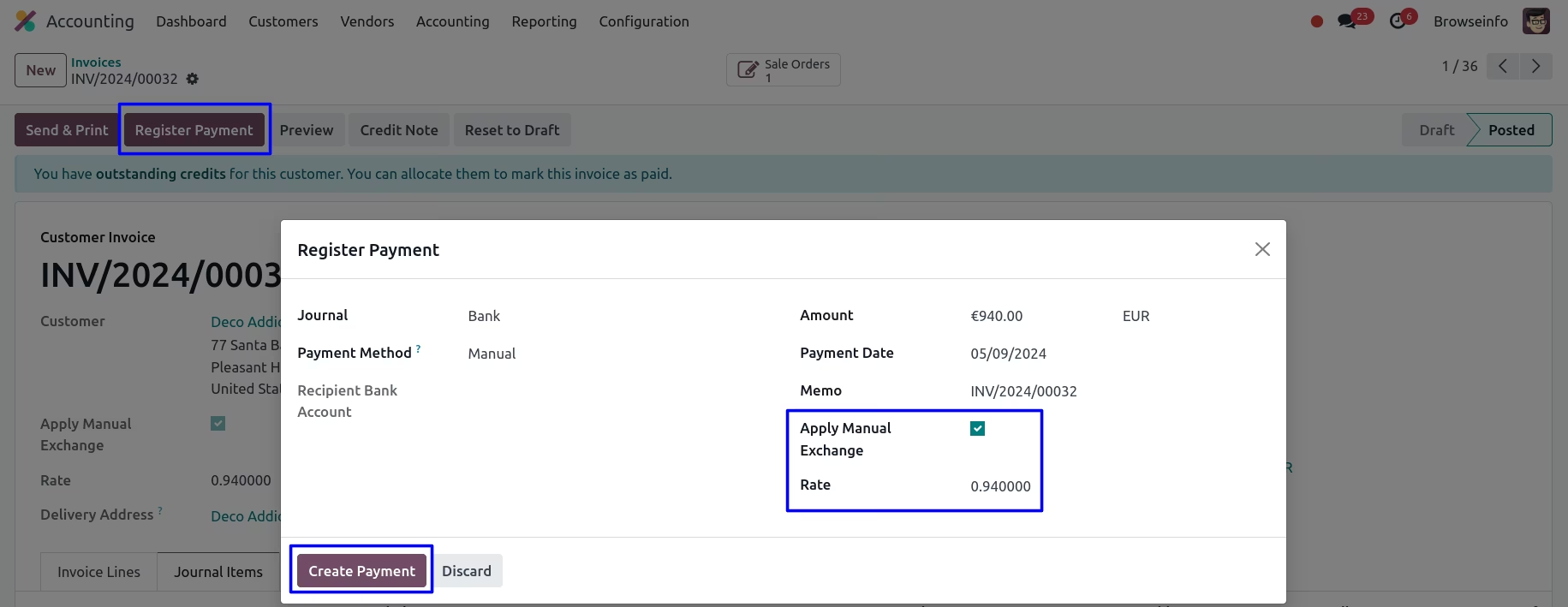
Currency Exchange Rate on Register Payment
User can see the applied manual currency rate shown in register payment.
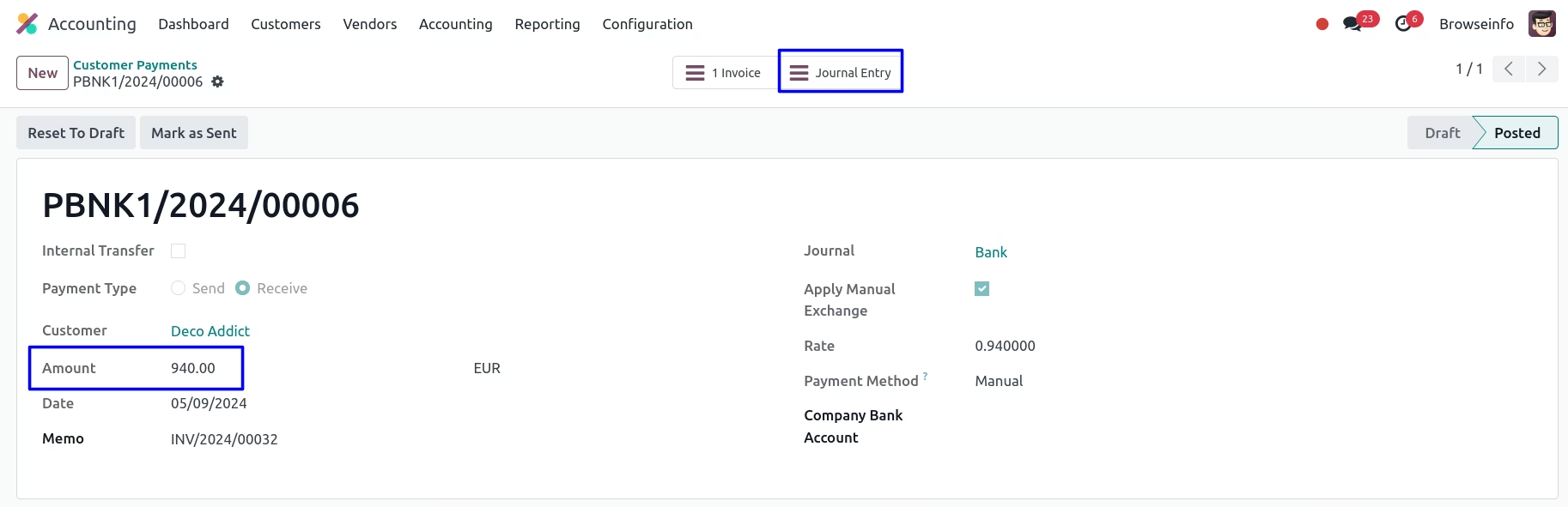
Currency Exchange Rate on Customer Payment
User can see the customer payment with manual currency rate.
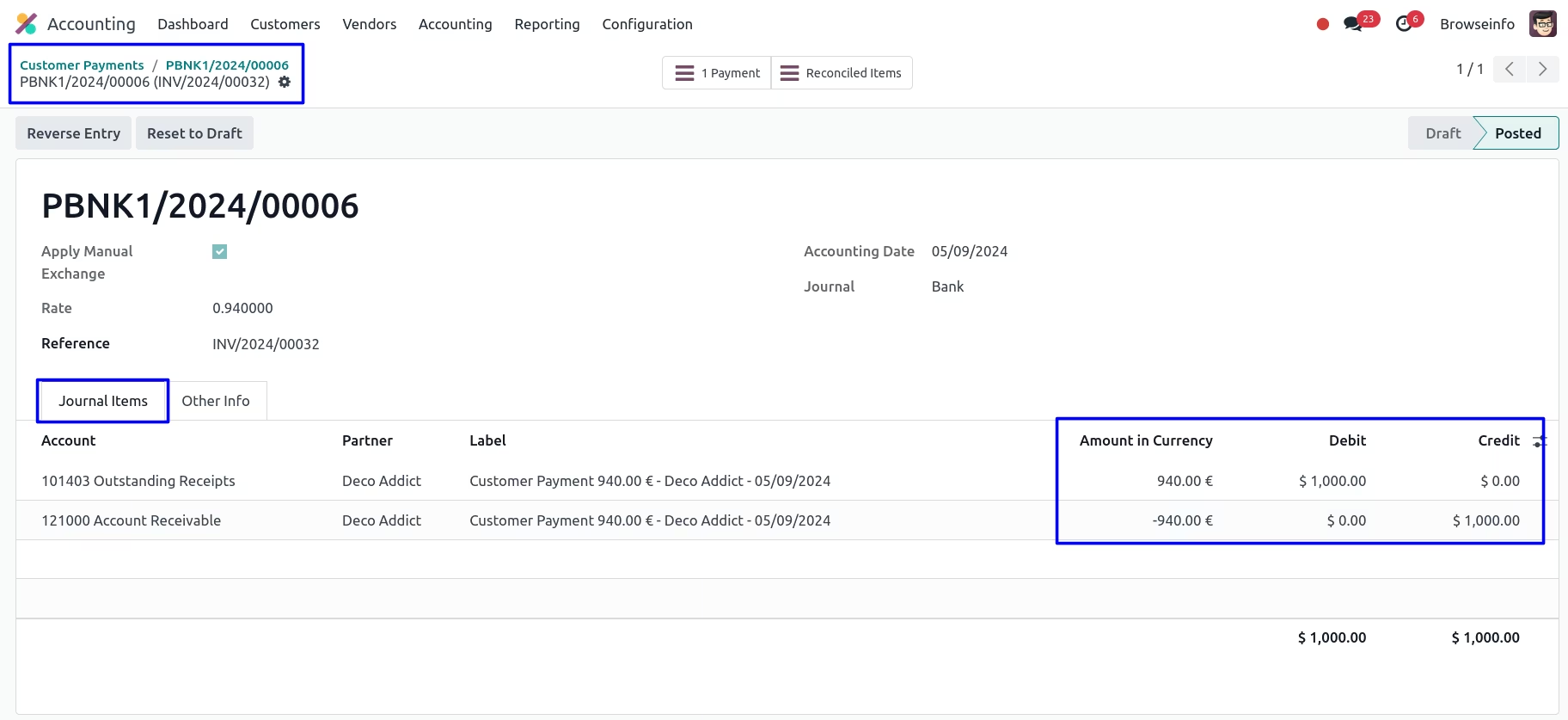
Currency Exchange Rate on Bank Entry
User can see the applied manual currency rate shown in amount in currency and actual price and currency shown in debit and credit journal.
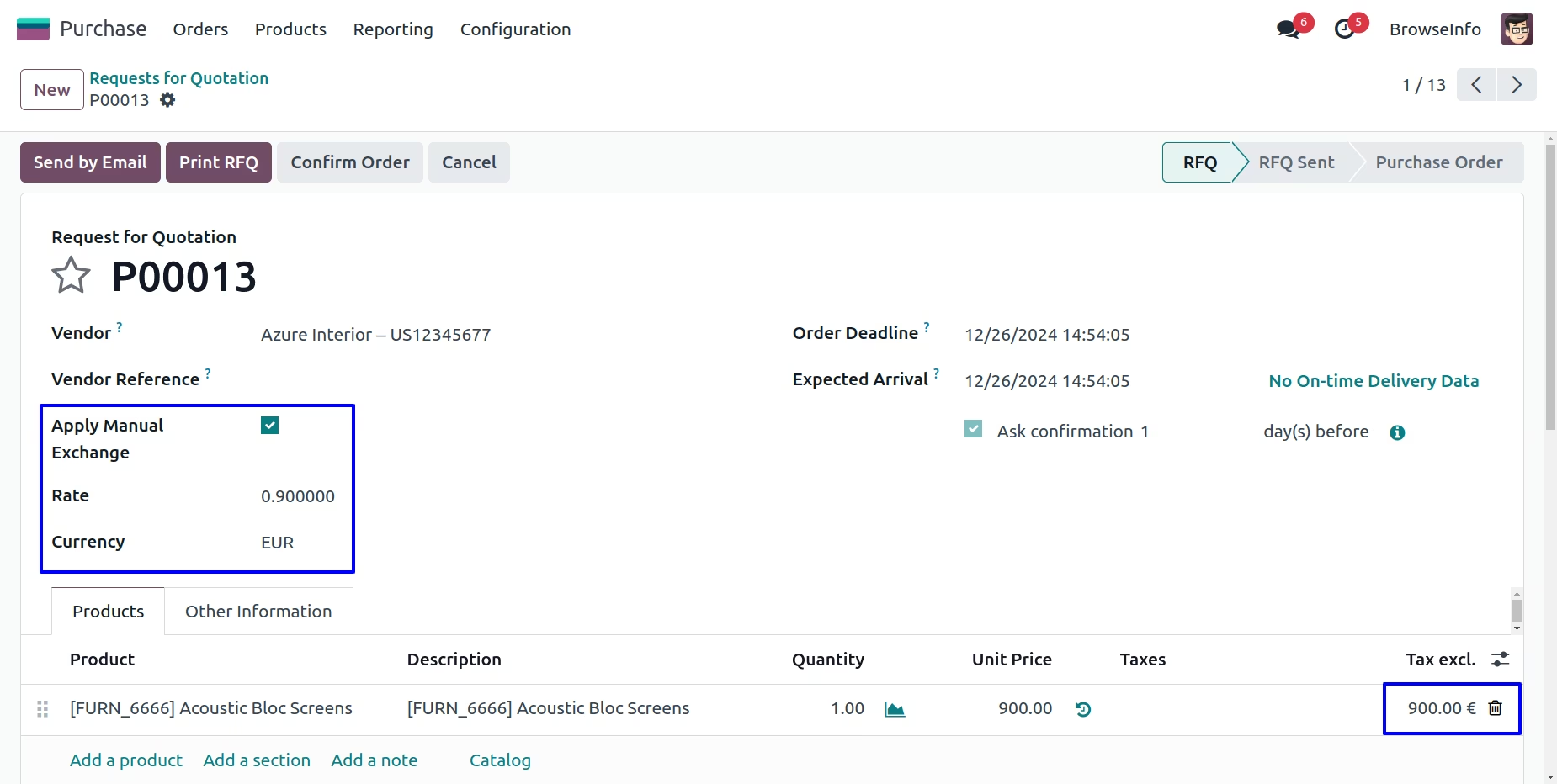
Currency Exchange Rate in Purchase Order
While creating purchase orders, User can select the exchange currency then enable "Apply Manual Exchange" option and enter "Rate" and this manual currency rate applied to the products.
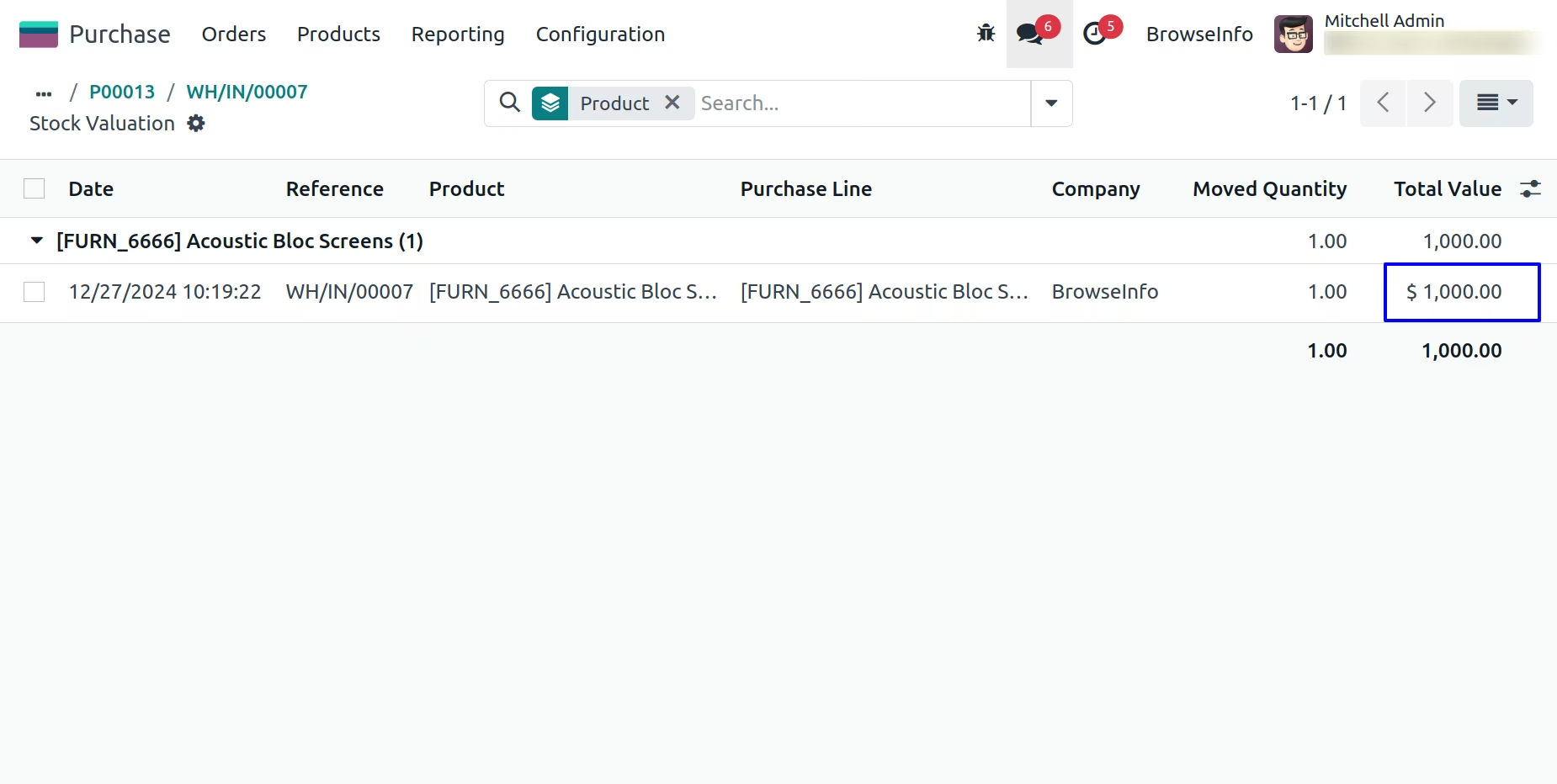
Currency Exchange Rate on Stock Valuation
User can see currency exchange rate on stock valuation for picking order.
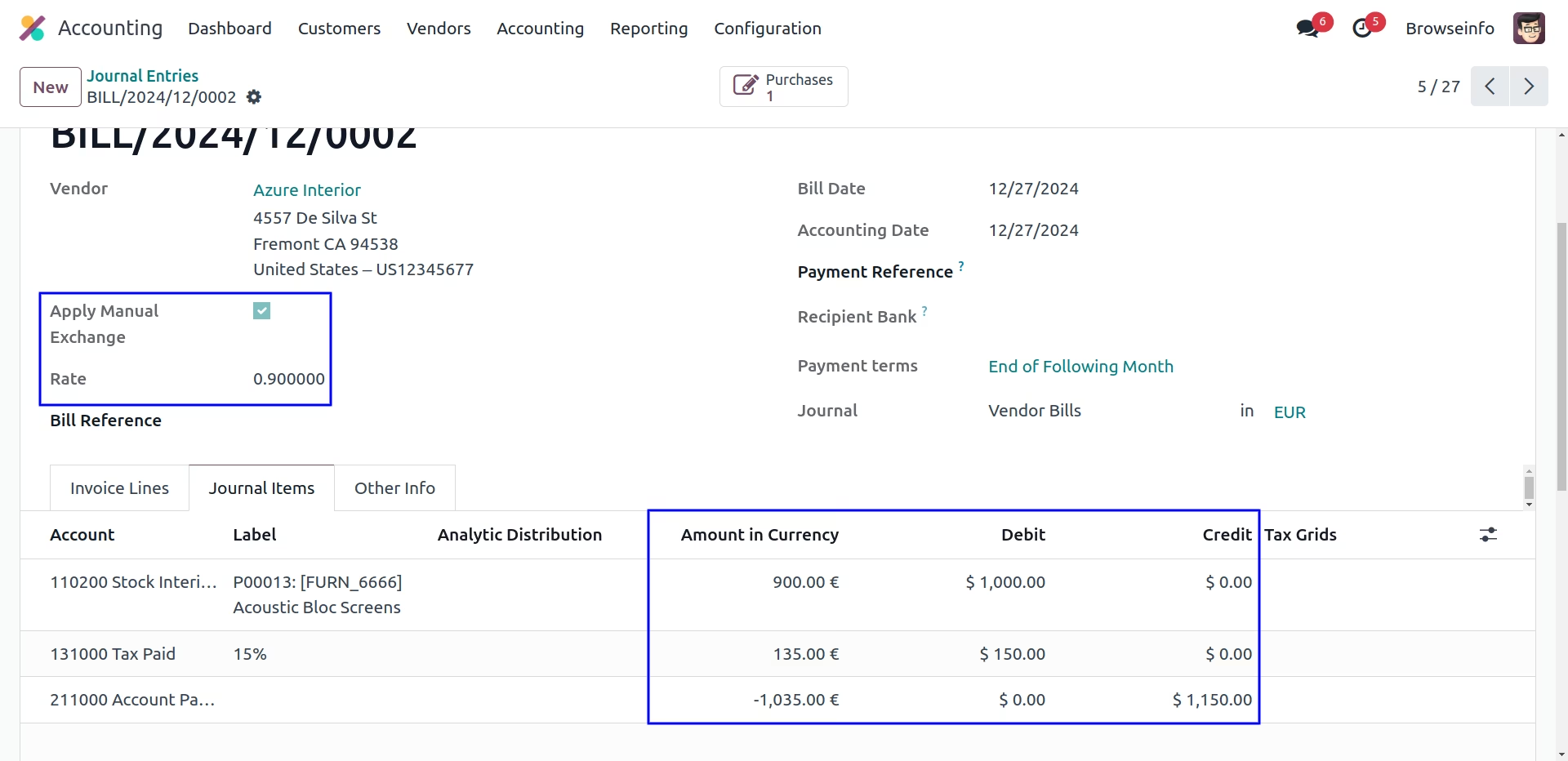
Currency Exchange Rate on Stock Journal Entry
User can see currency exchange rate on stock journal entry for picking order.
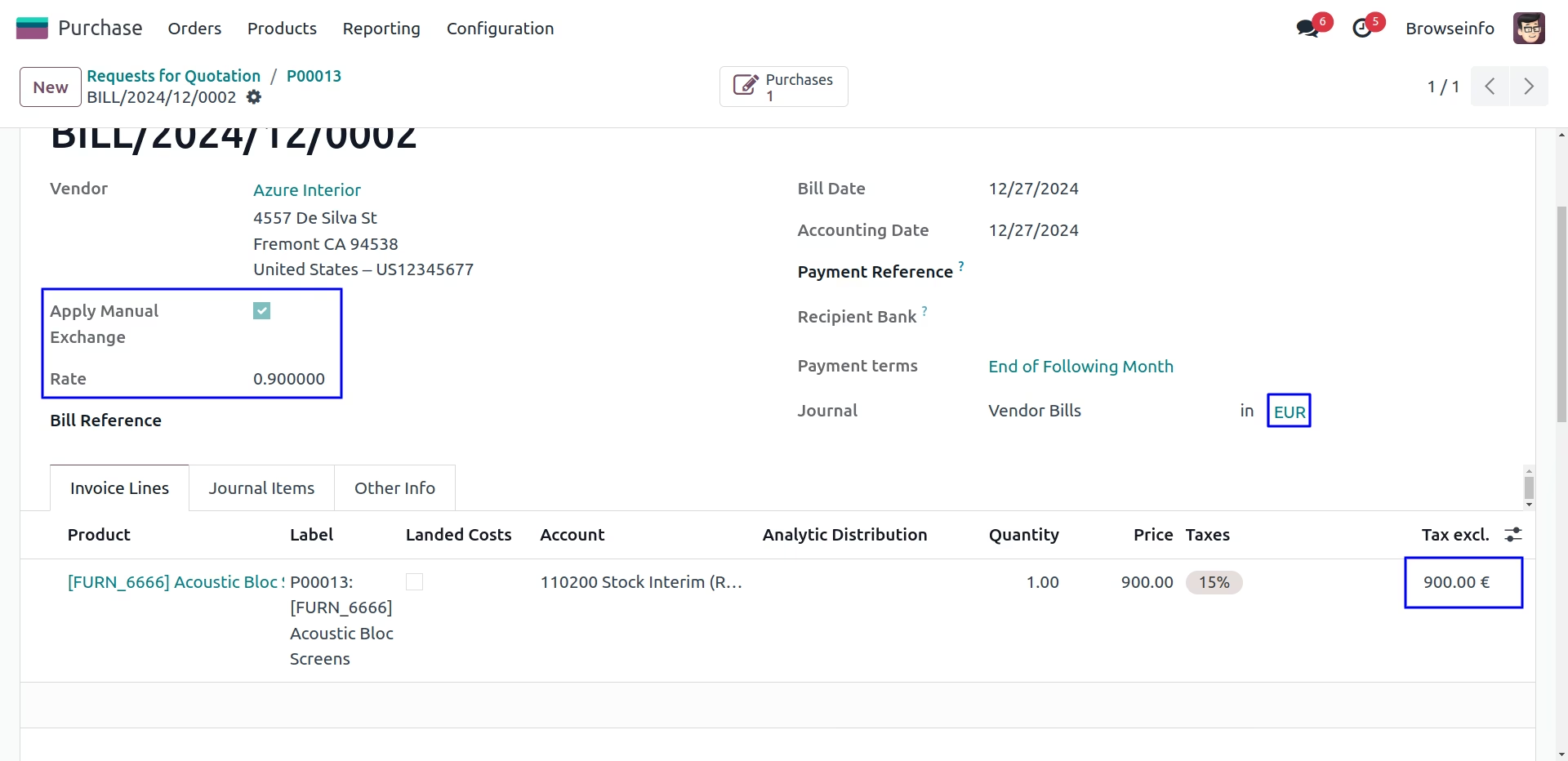
Currency Exchange Rate on Vendor Bill
While creating vendor bills, User can enable "Apply Manual Exchange" option and enter "Rate" and this manual currency rate applied to the products. If user selected this option on sales order before then selected rate automatically applied, but user can also change it manually later.
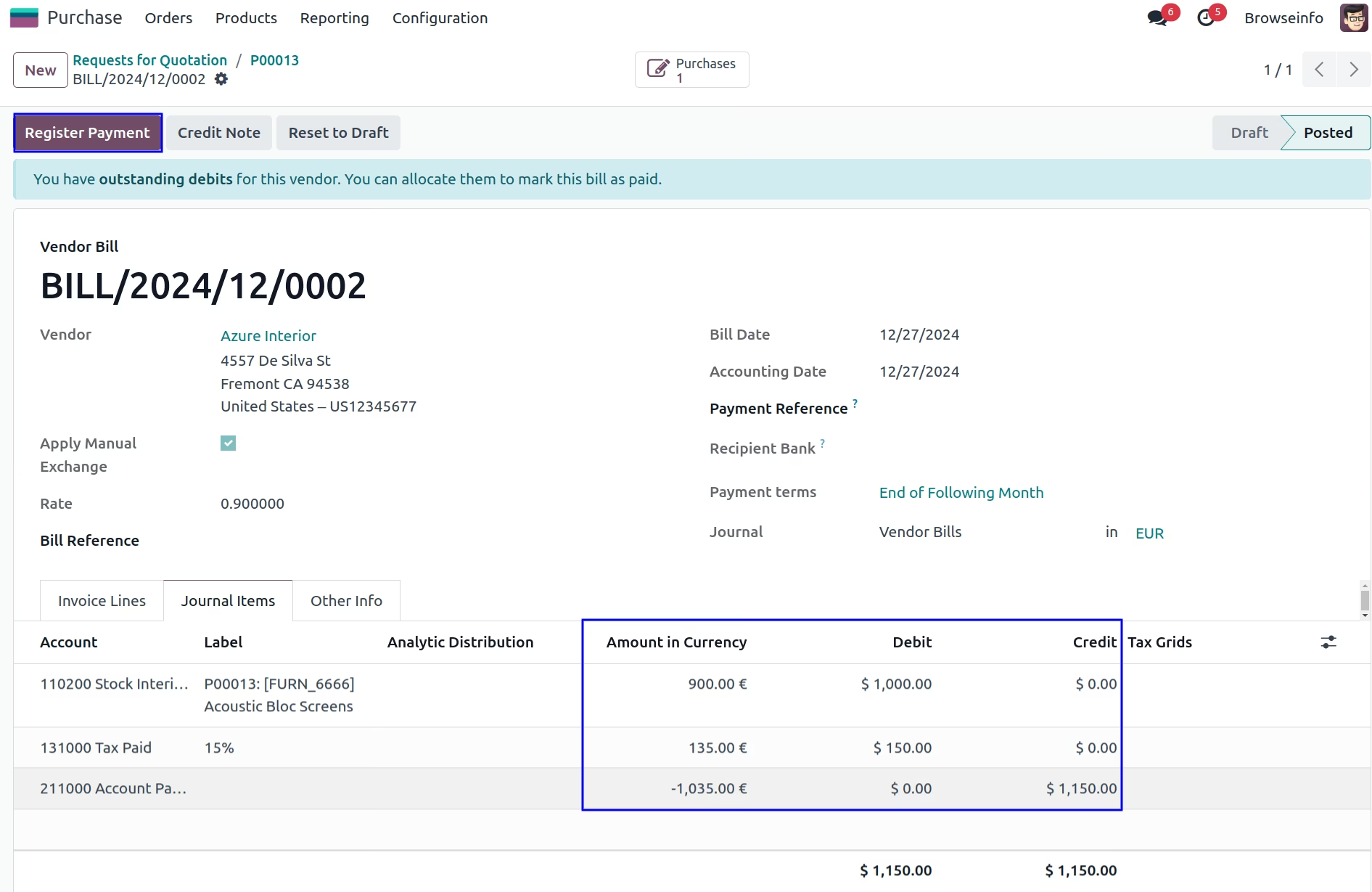
Currency Exchange Rate on Journal Items
User can see the applied manual currency rate shown in amount in currency and actual price and currency shown in debit and credit journal.
Currency Exchange Rate on Register Payment
User can see the applied manual currency rate shown in register payment.
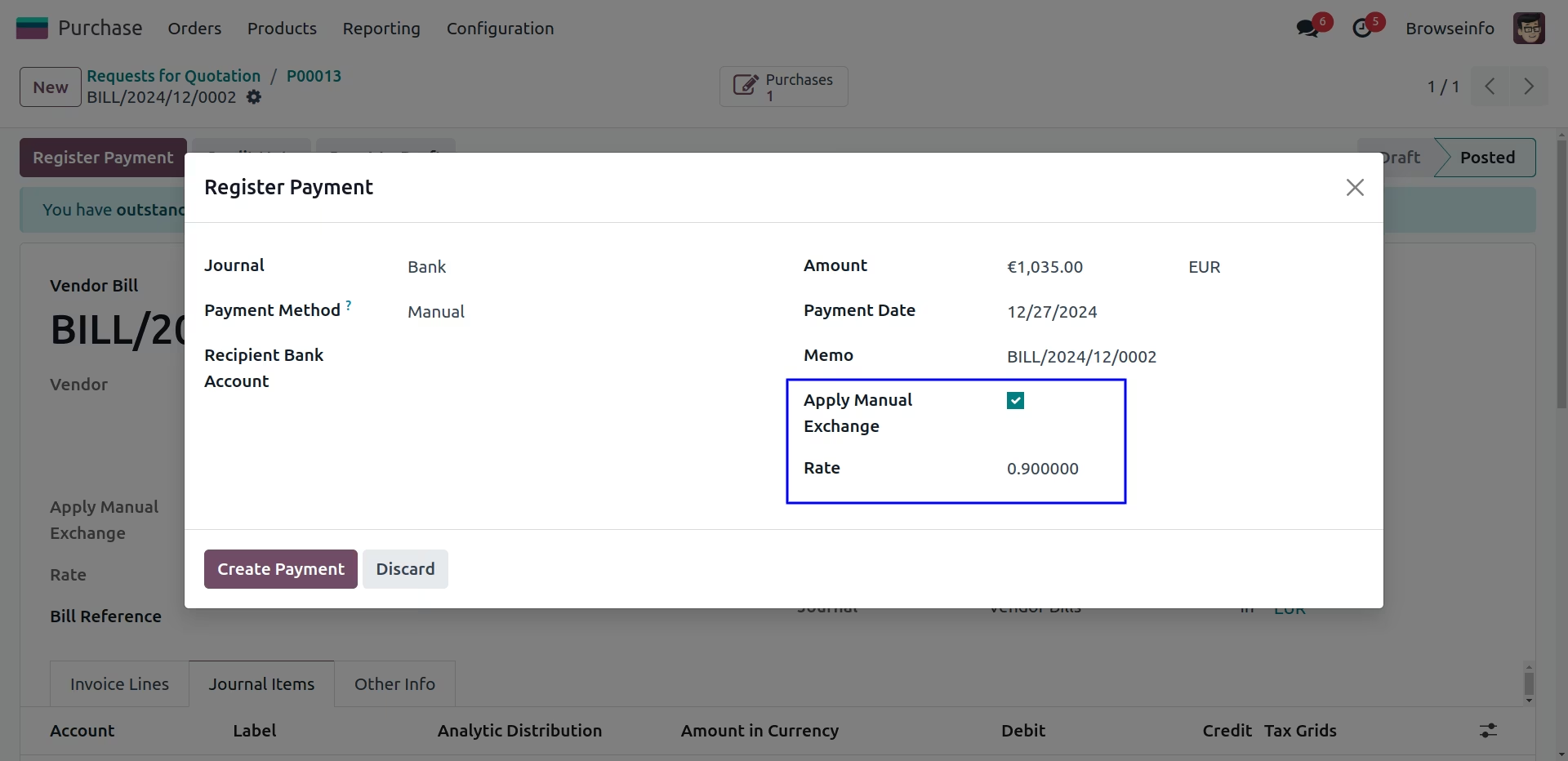
Currency Exchange Rate on Vendor Payment
User can see the vendor payment with manual currency rate.
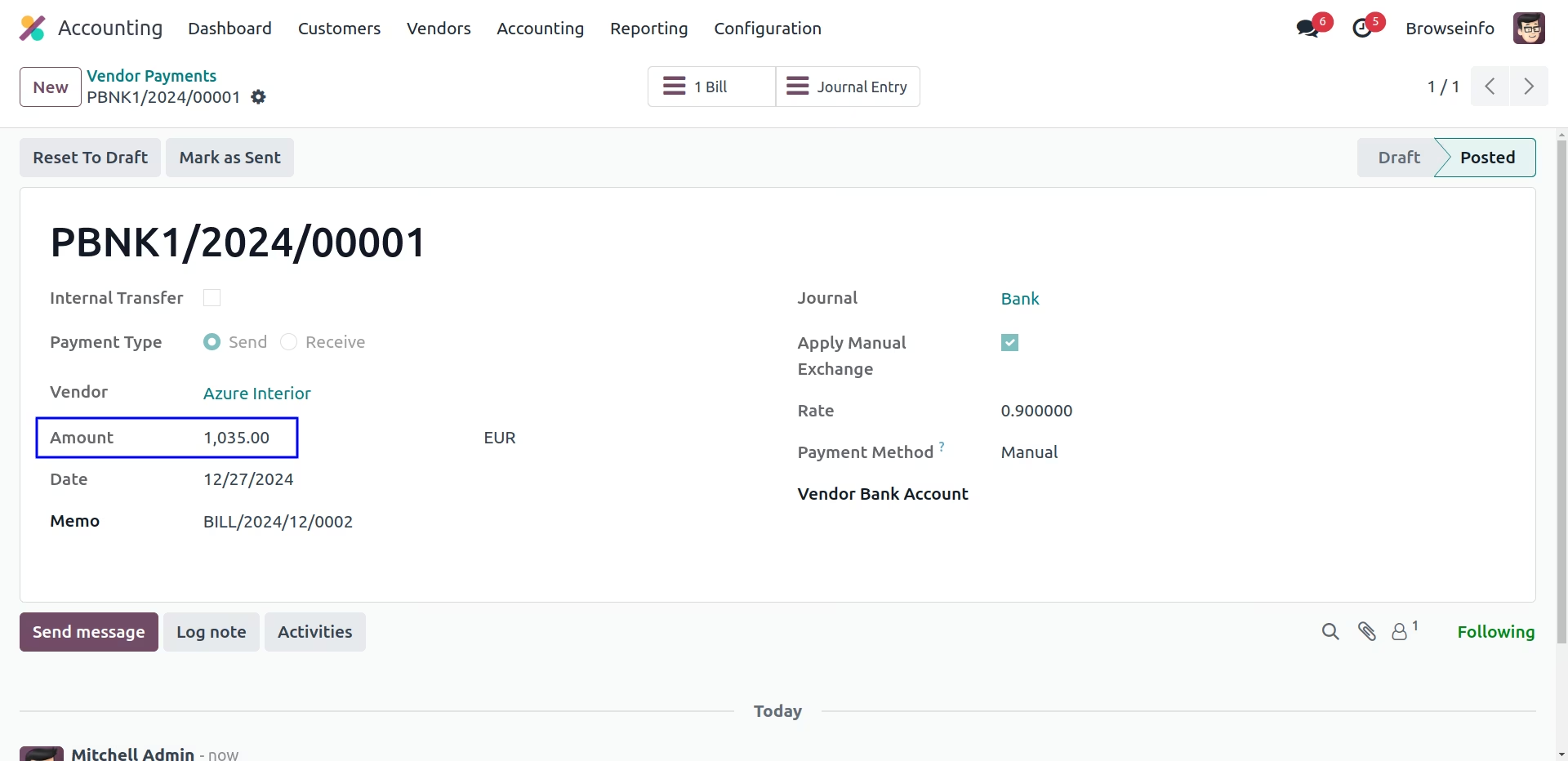
Currency Exchange Rate on Journal Entry
User can see the applied manual currency rate shown in amount in currency and actual price and currency shown in debit and credit journal.
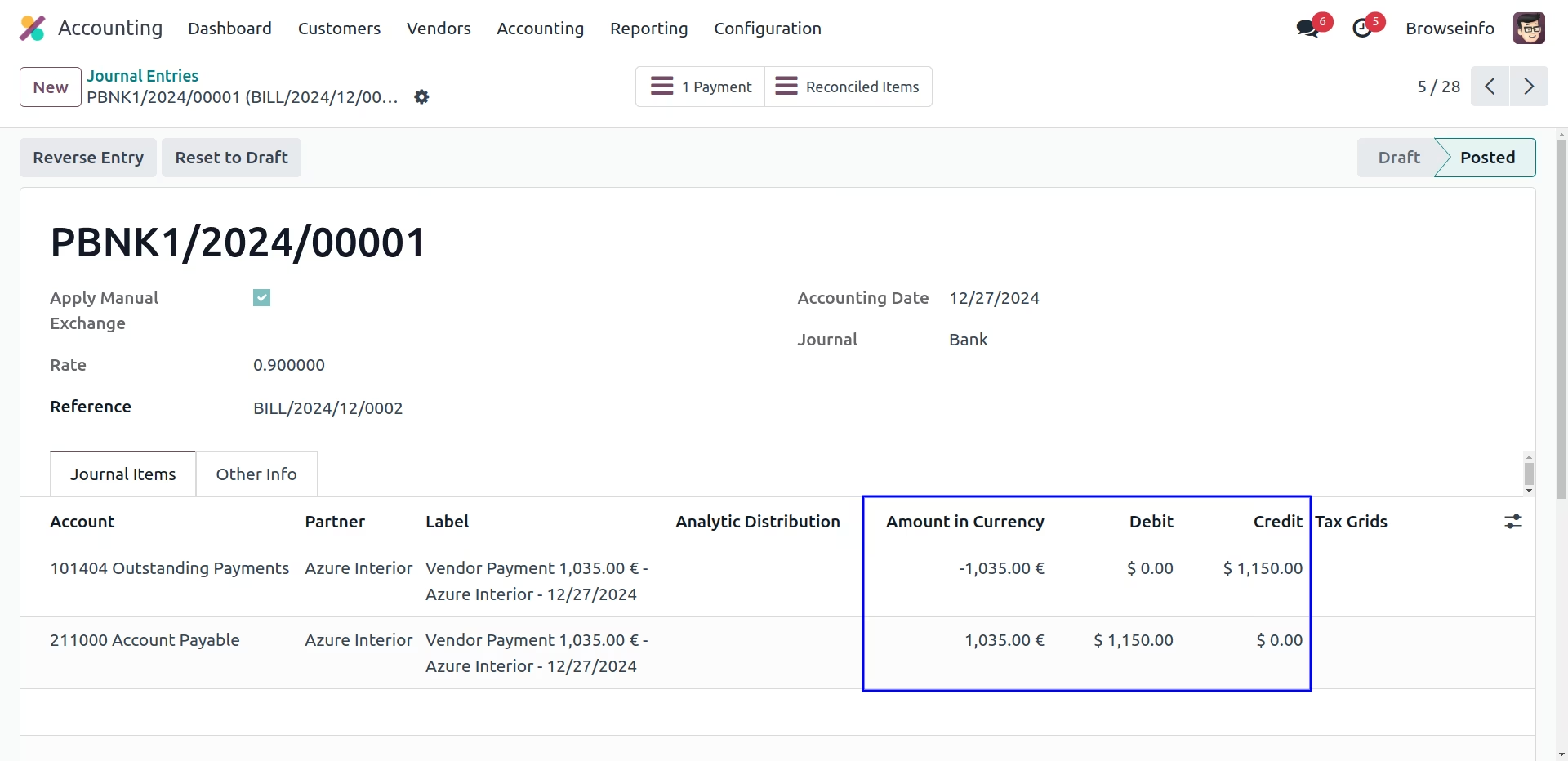
My Expenses Form View
User have to set the total and pricelist in my expenses view and click on to create report button.
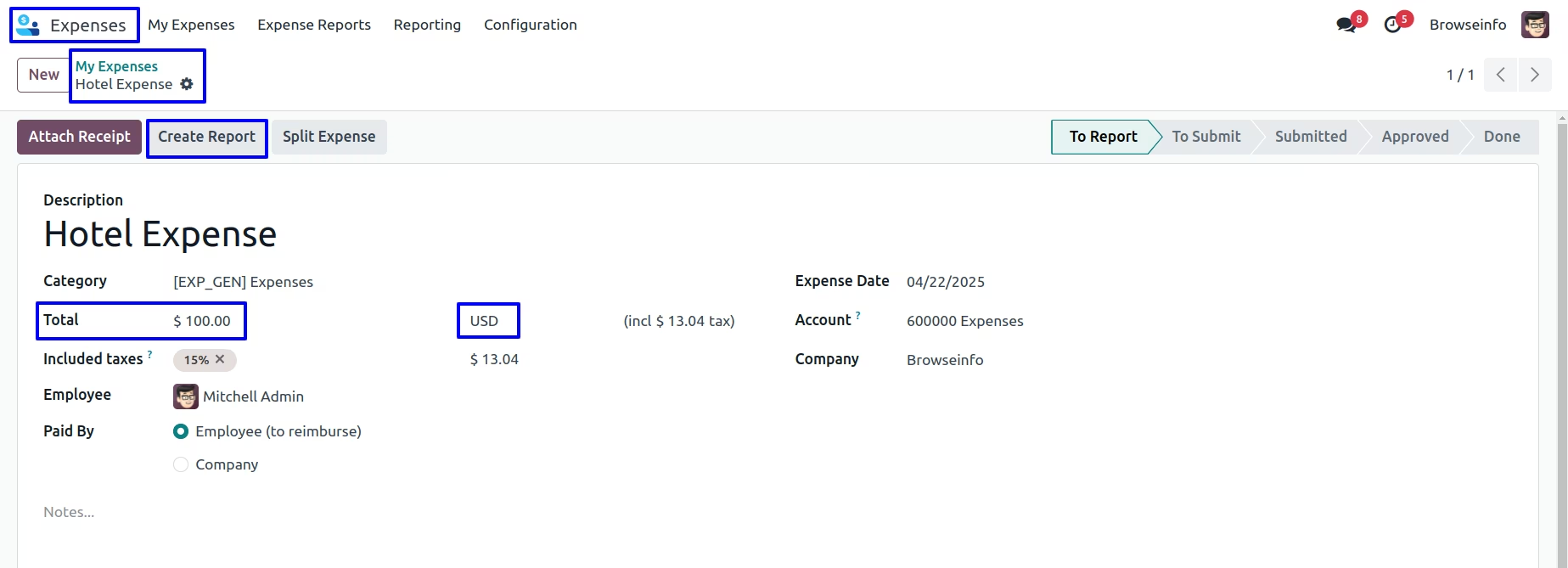
Currency Exchange Rate in My Expenses
User can apply manual currency rate and click on submit to manager button.
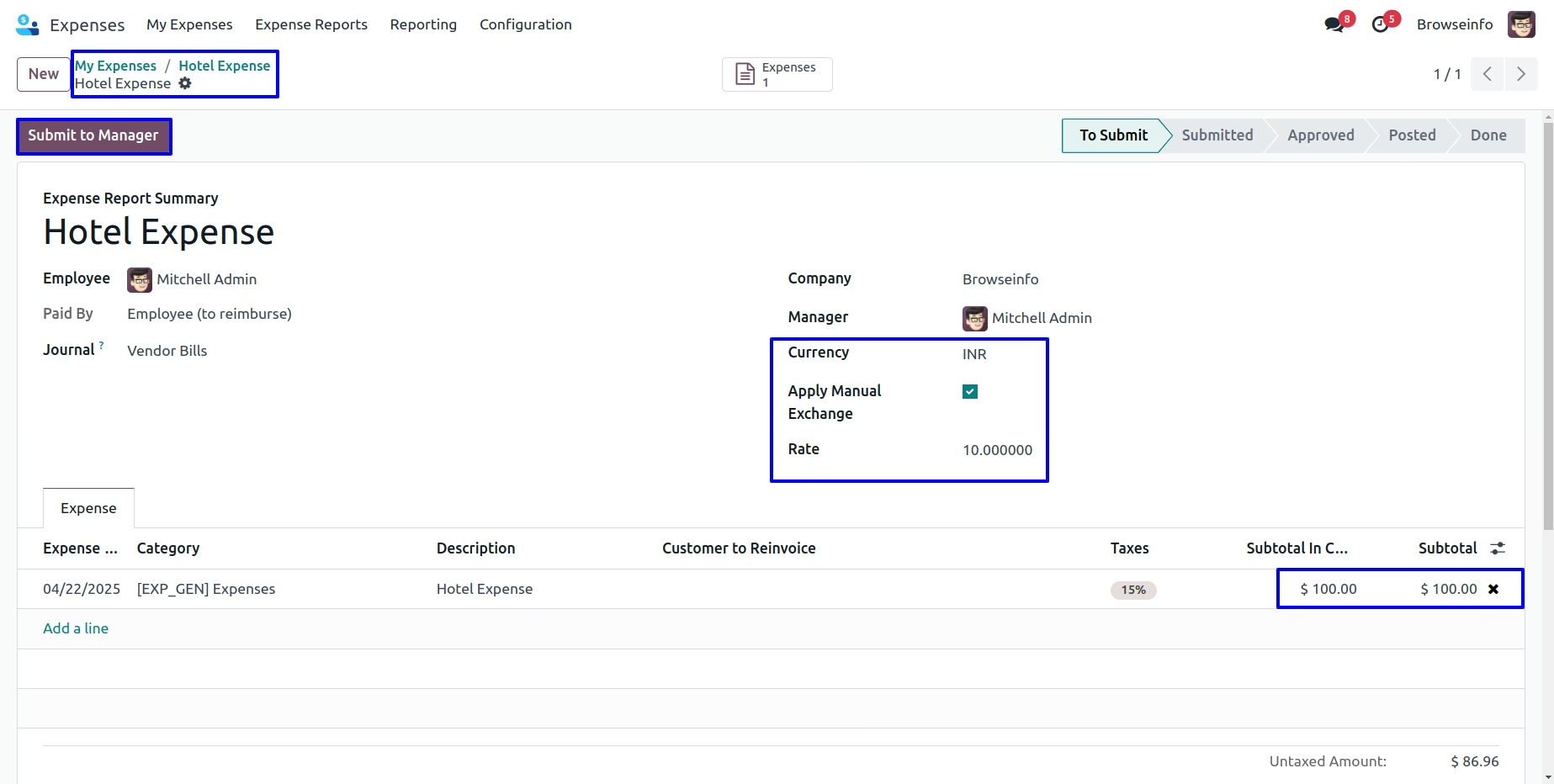
User can see the applied manual currency rate shown in subtotal in currency and subtotal and click on approve button.
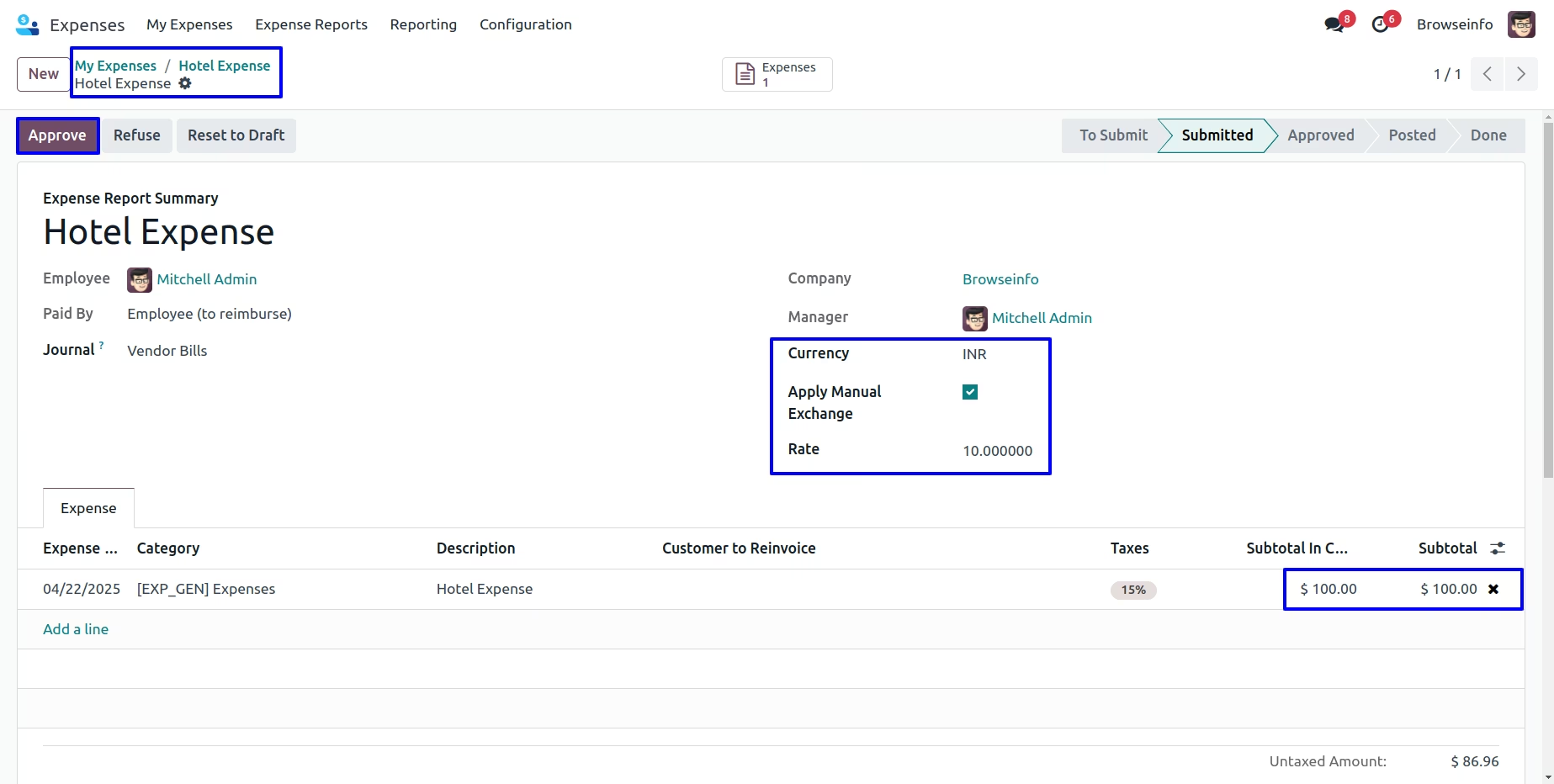
User can see the applied manual currency rate shown in subtotal in currency and subtotal and click on post journal entries button.
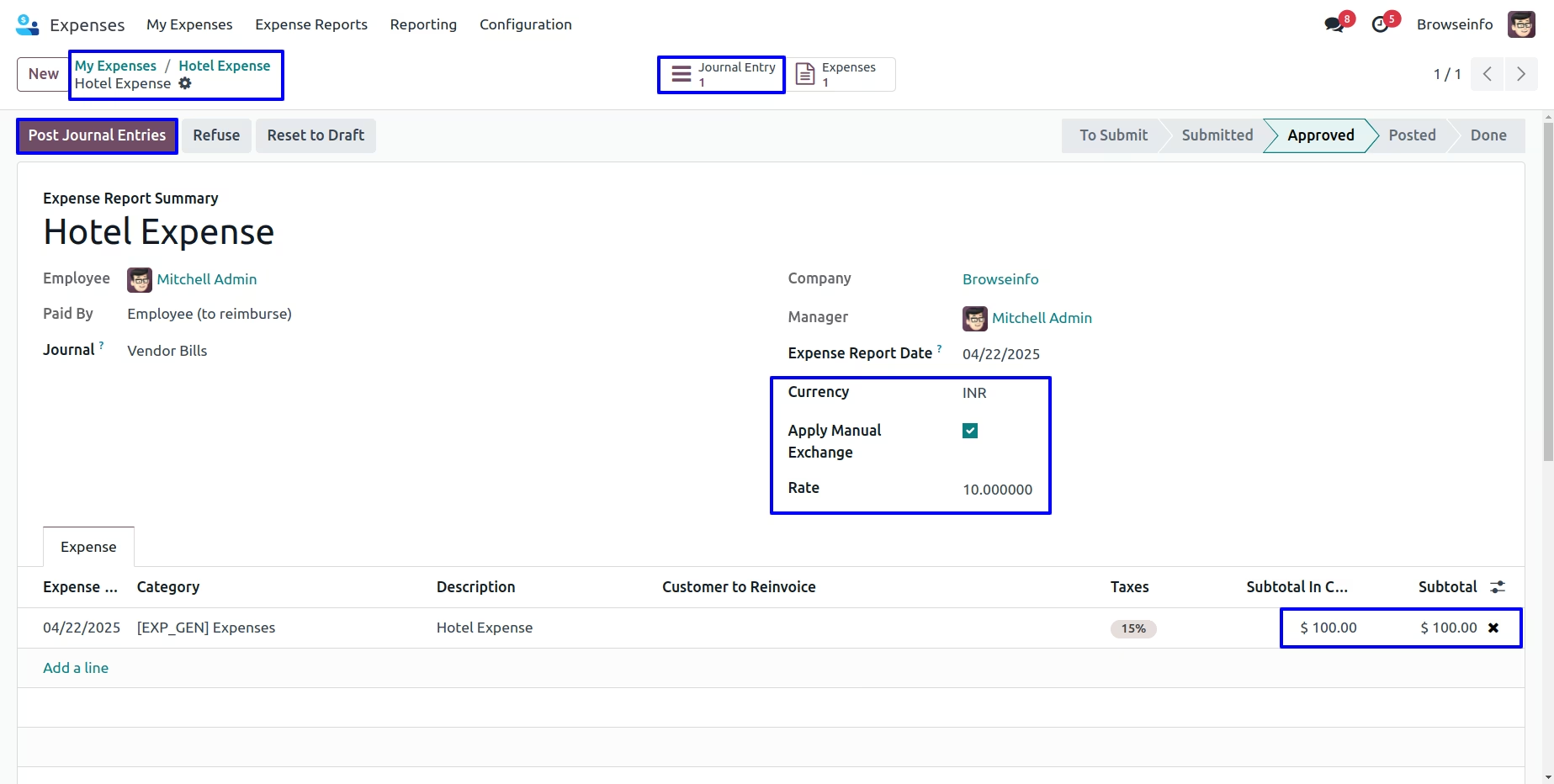
Currency Exchange Rate on Journal entry for My Expenses
User can see the applied manual currency rate shown in price and amount for my expenses.
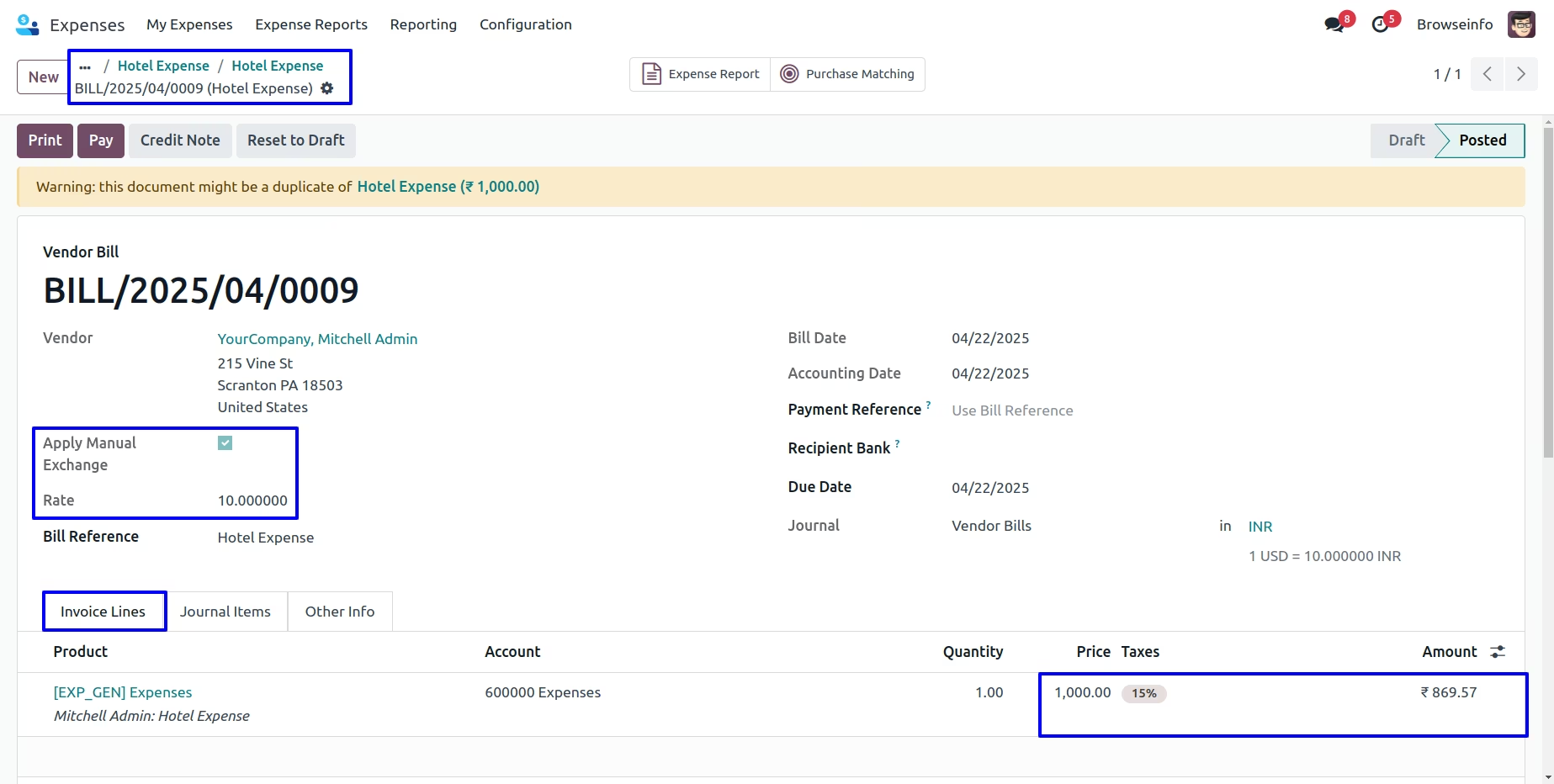
User can see the applied manual currency rate shown in amount in currency and actual price and currency shown in debit and credit journal and click on pay button.
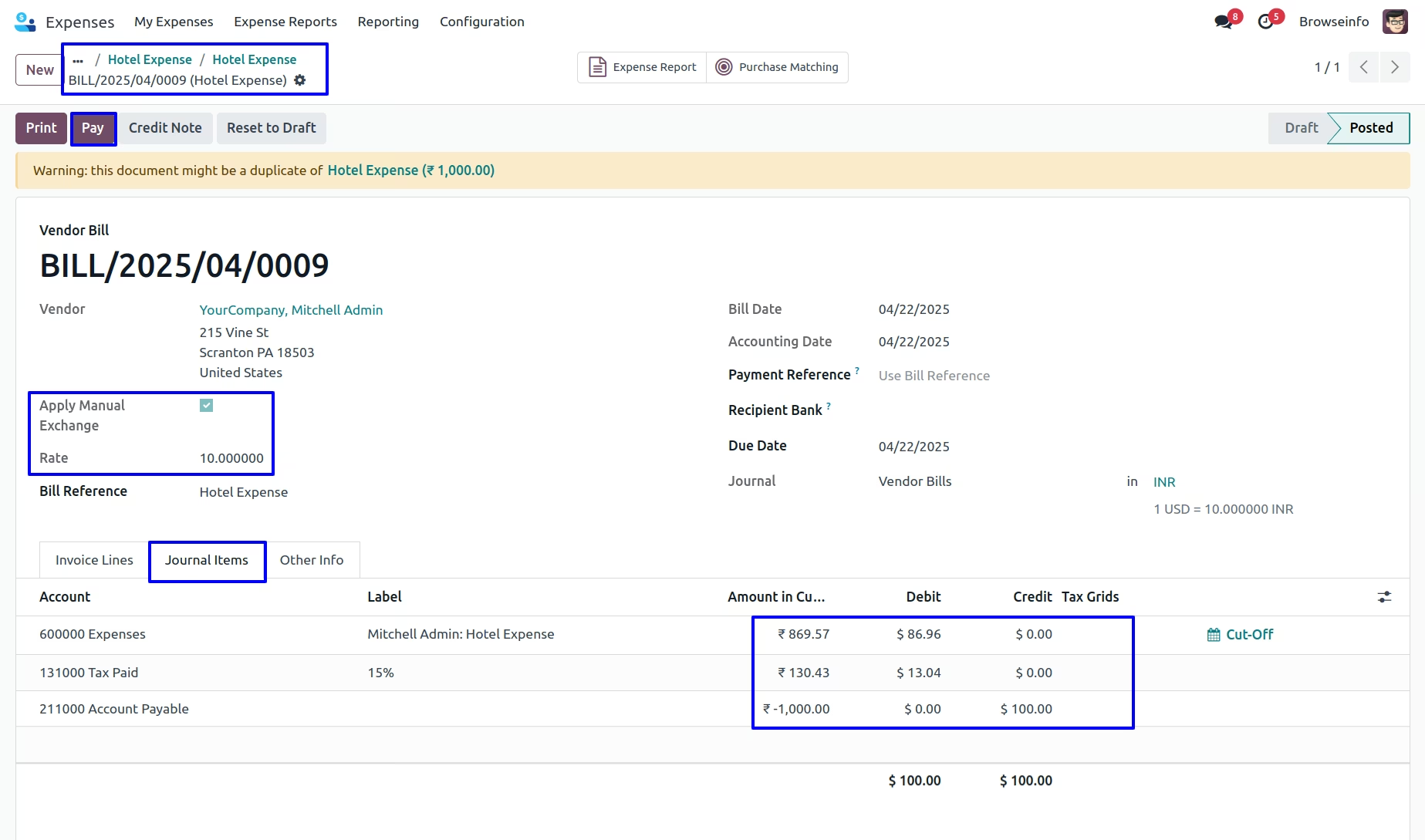
Currency Exchange Rate
User can see the applied manual currency rate.
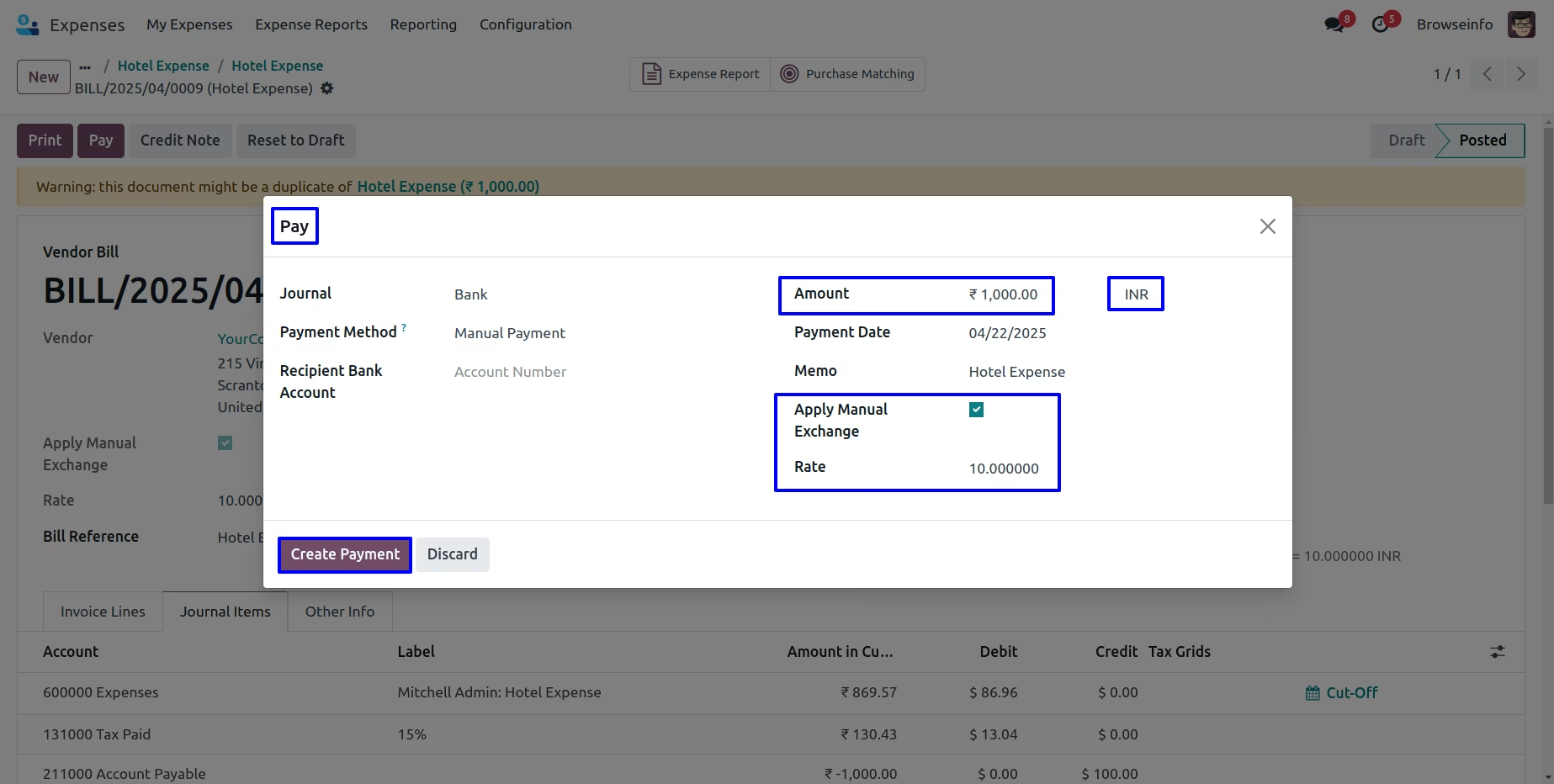
Currency Exchange Rate on Payment
User can see the customer payment with manual currency rate and click on journal entry.
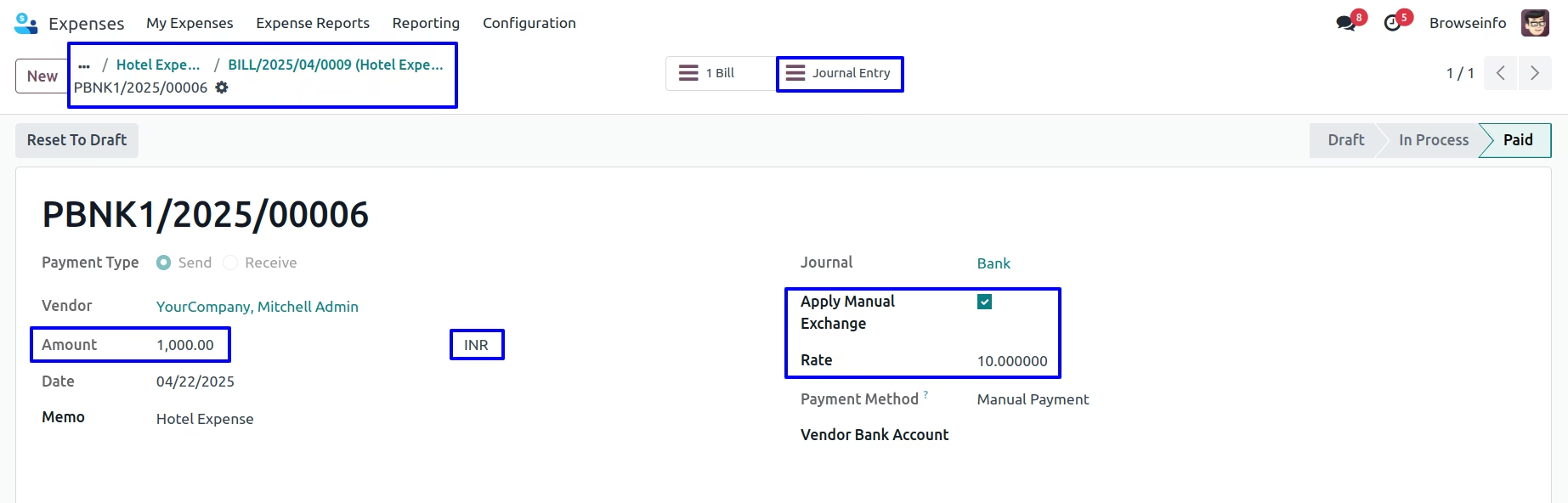
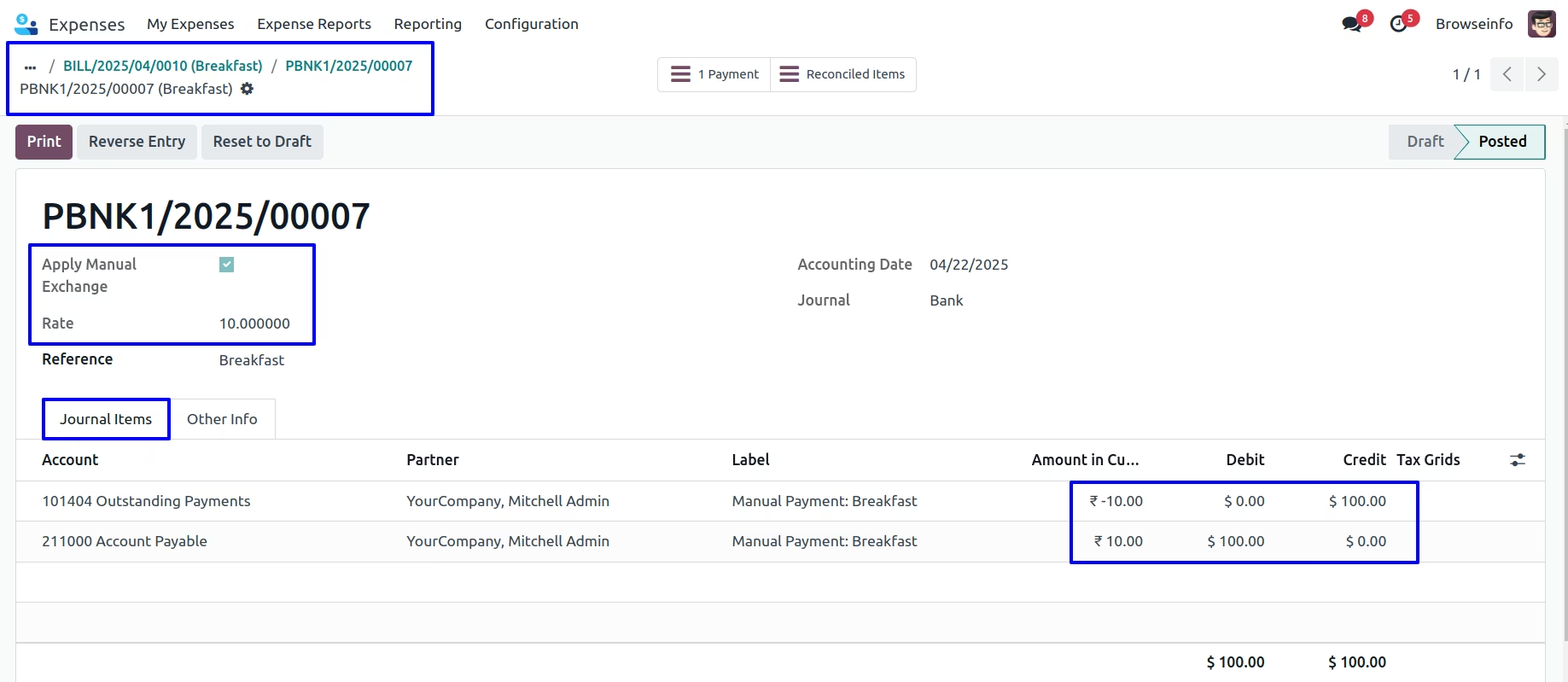
Currency Exchange Rate on Bank Entry
User can see the applied manual currency rate shown in amount in currency and actual price and currency shown in debit and credit journal.
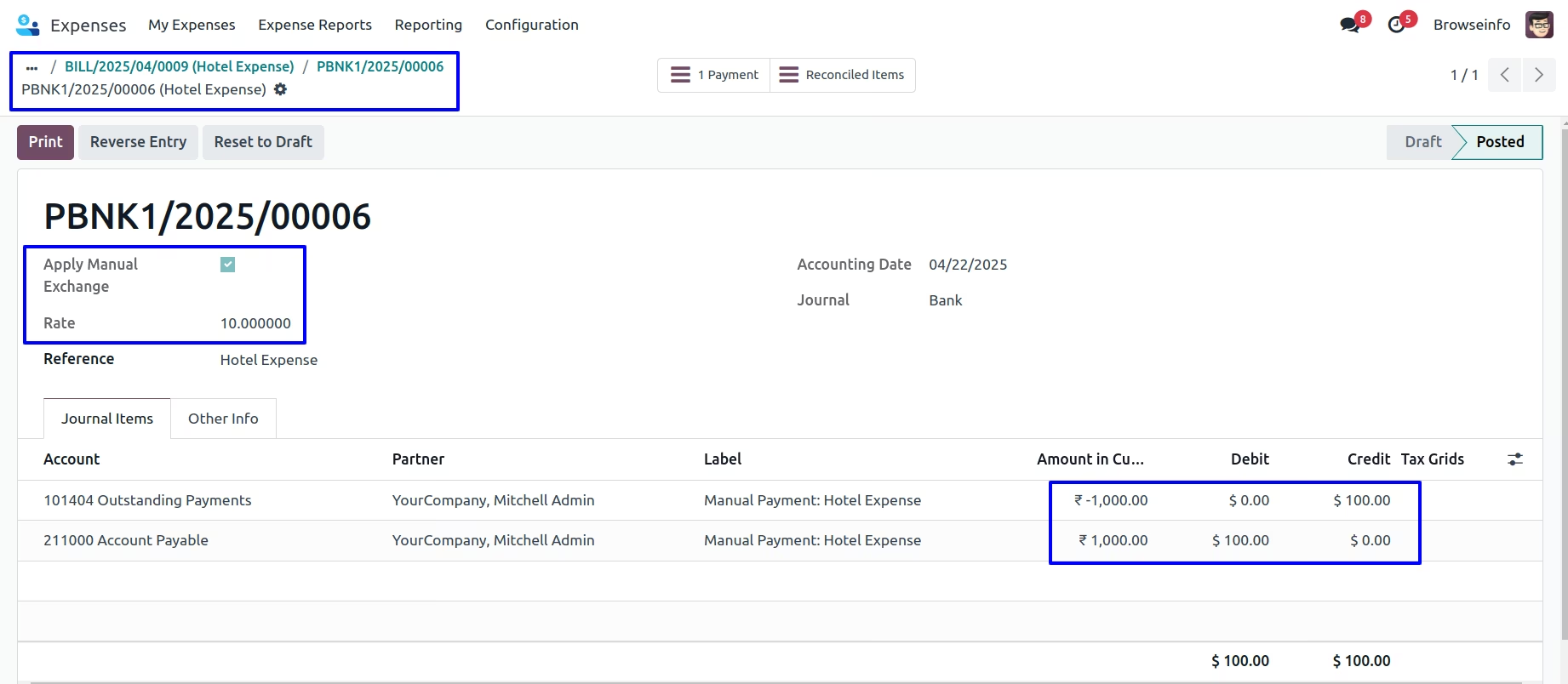
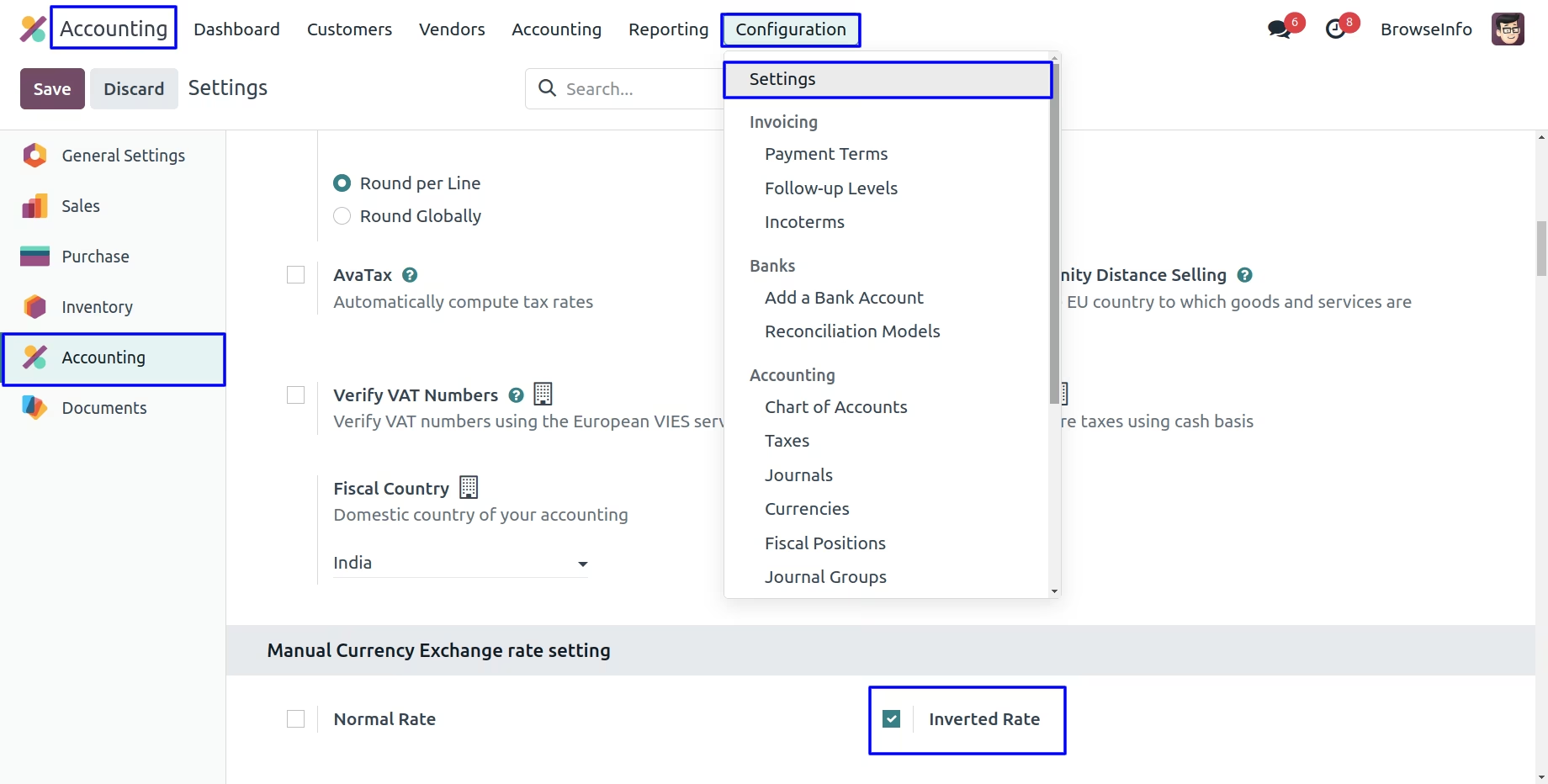
Inverted Rate Configuration
Under Accounting > Configuration >Settings menu user have to enable "Inverted Rate".
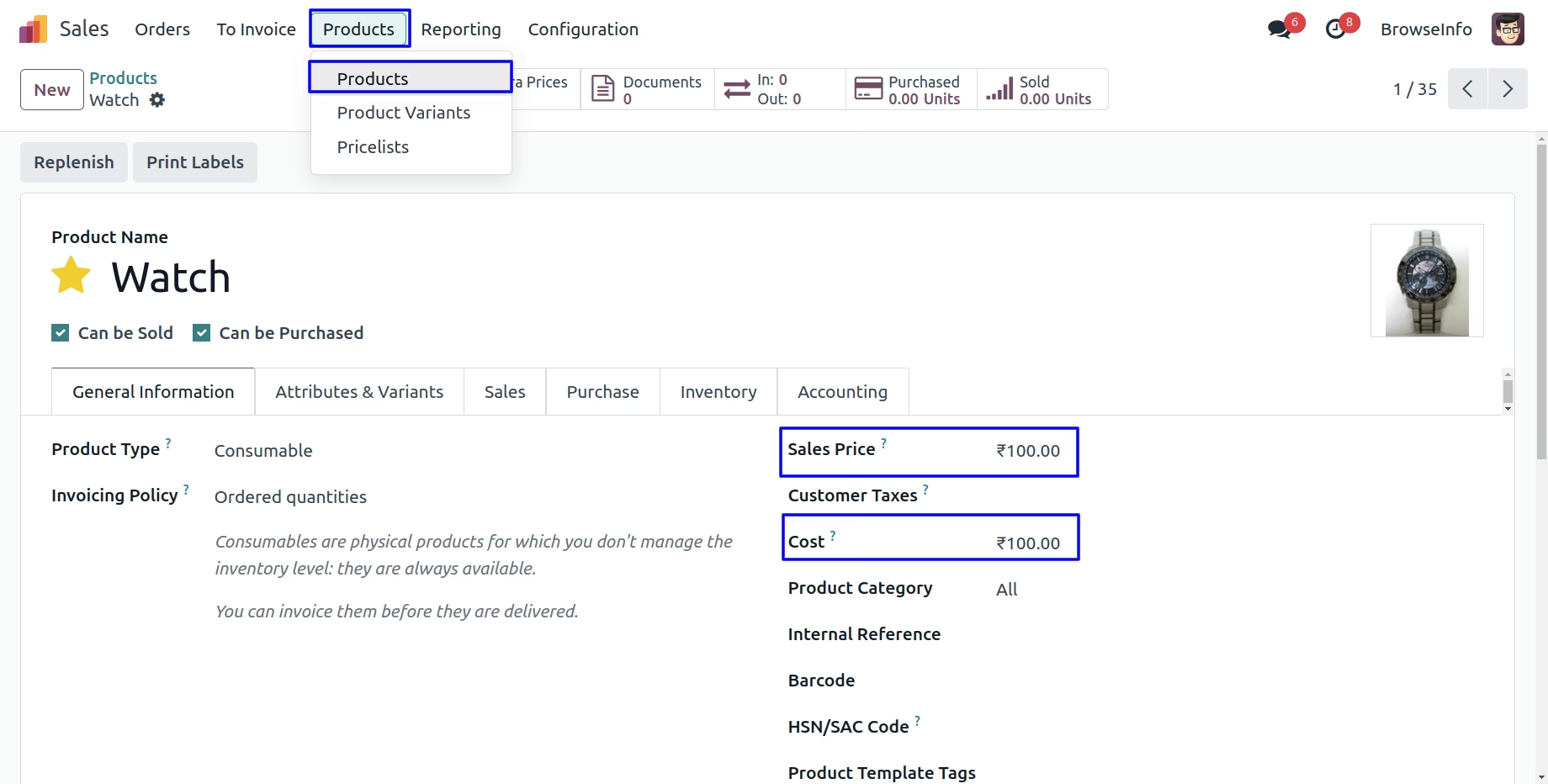
Product Price
User can see sale price and cost price in currency for product.
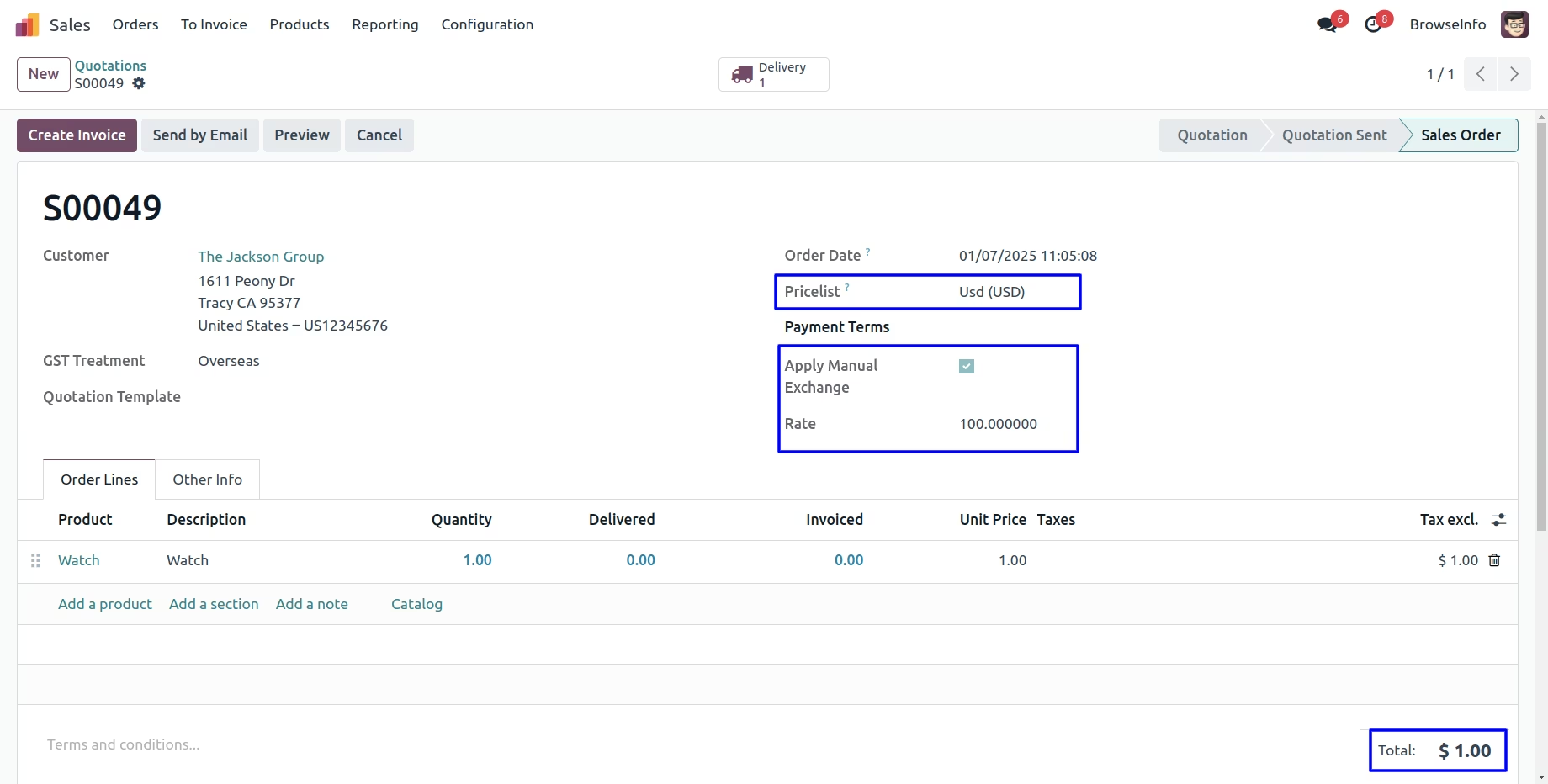
Currency Exchange Rate in Sale Order
While creating sales orders, User can select the pricelist to exchange the currency then enable "Apply Manual Exchange" option and enter "Rate" and this manual currency rate applied to the products price.
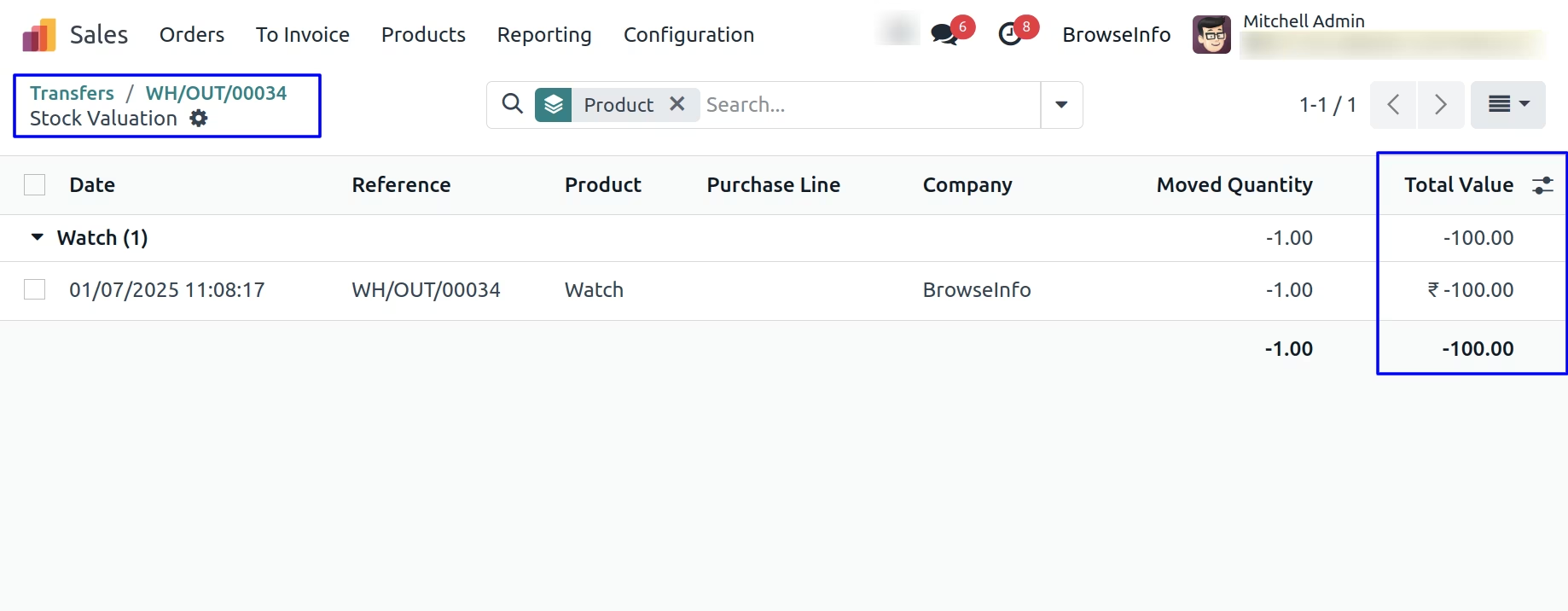
Currency Exchange Rate on Stock Valuation
User can see currency exchange rate on stock valuation for delivery order.
Currency Exchange Rate on Stock Journal Entry
User can see currency exchange rate on stock journal entry for delivery order.
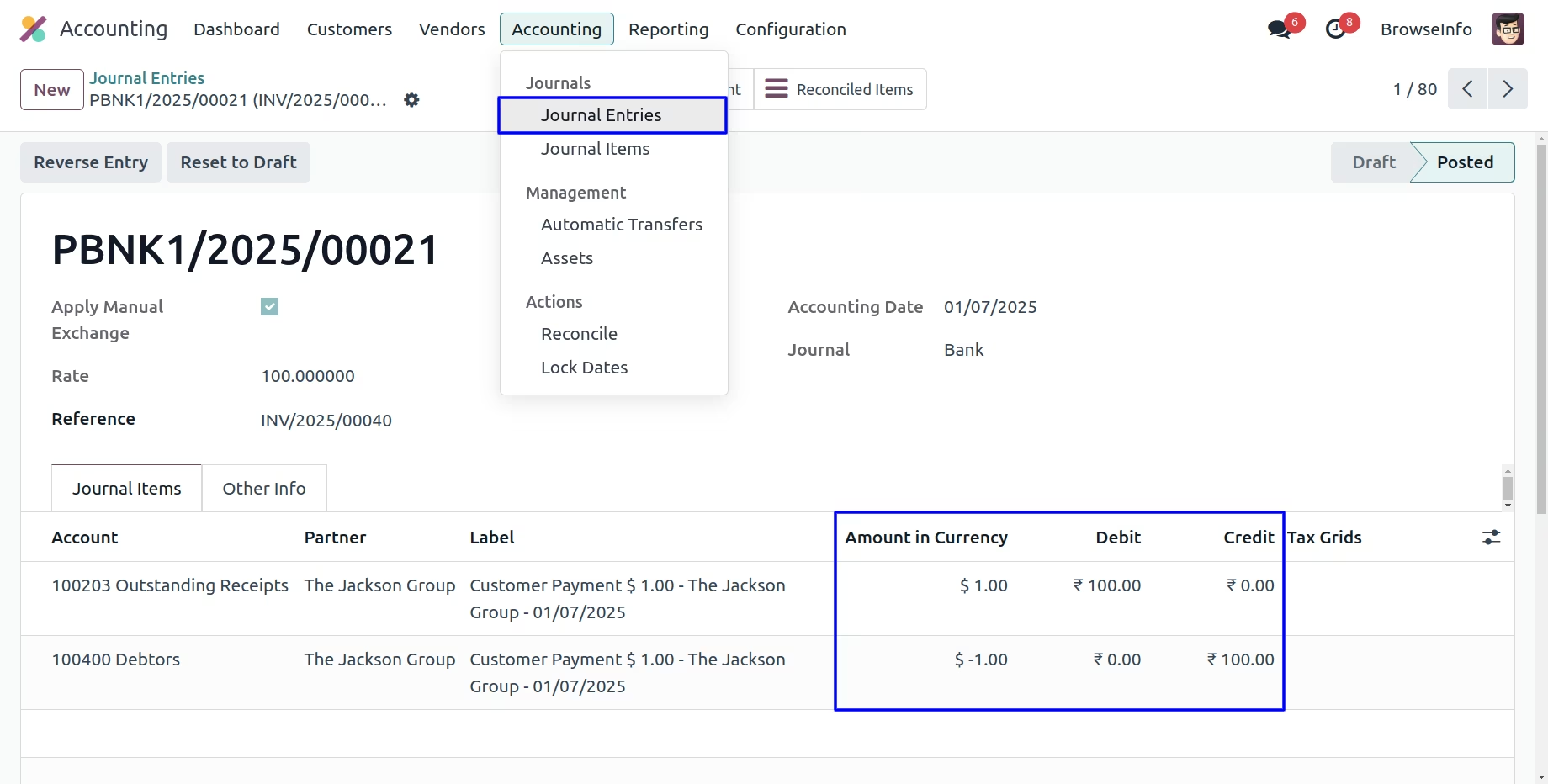
Currency Exchange Rate on Customer Invoice
While creating customer invoices, User can enable "Apply Manual Exchange" option and enter "Rate" and this manual currency rate applied to the products. If user selected this option on sales order before then selected rate automatically applied, but user can also change it manually later.
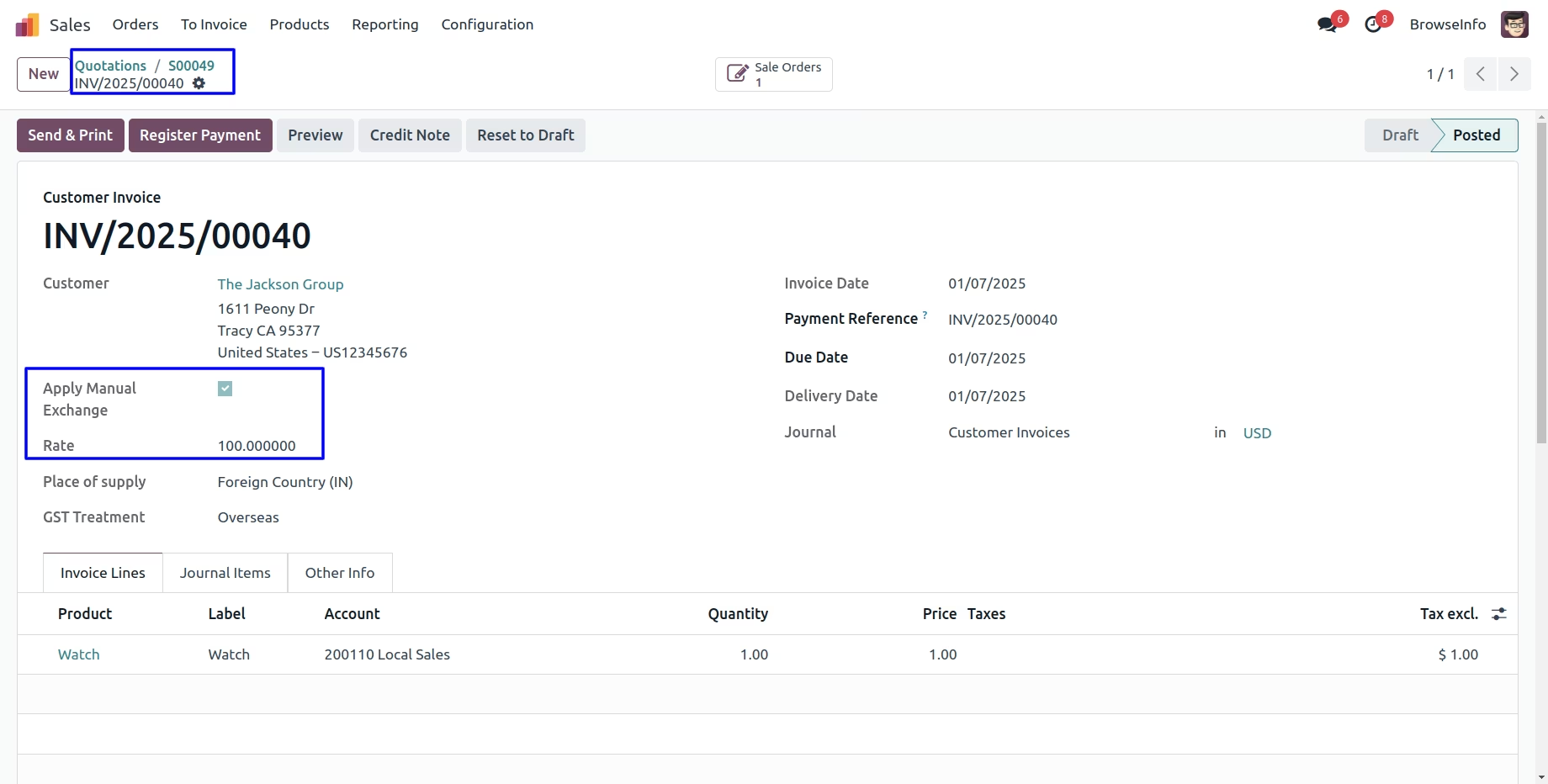
Currency Exchange Rate on Journal Items
User can see the applied manual currency rate shown in amount in currency and actual price and currency shown in debit and credit journal.
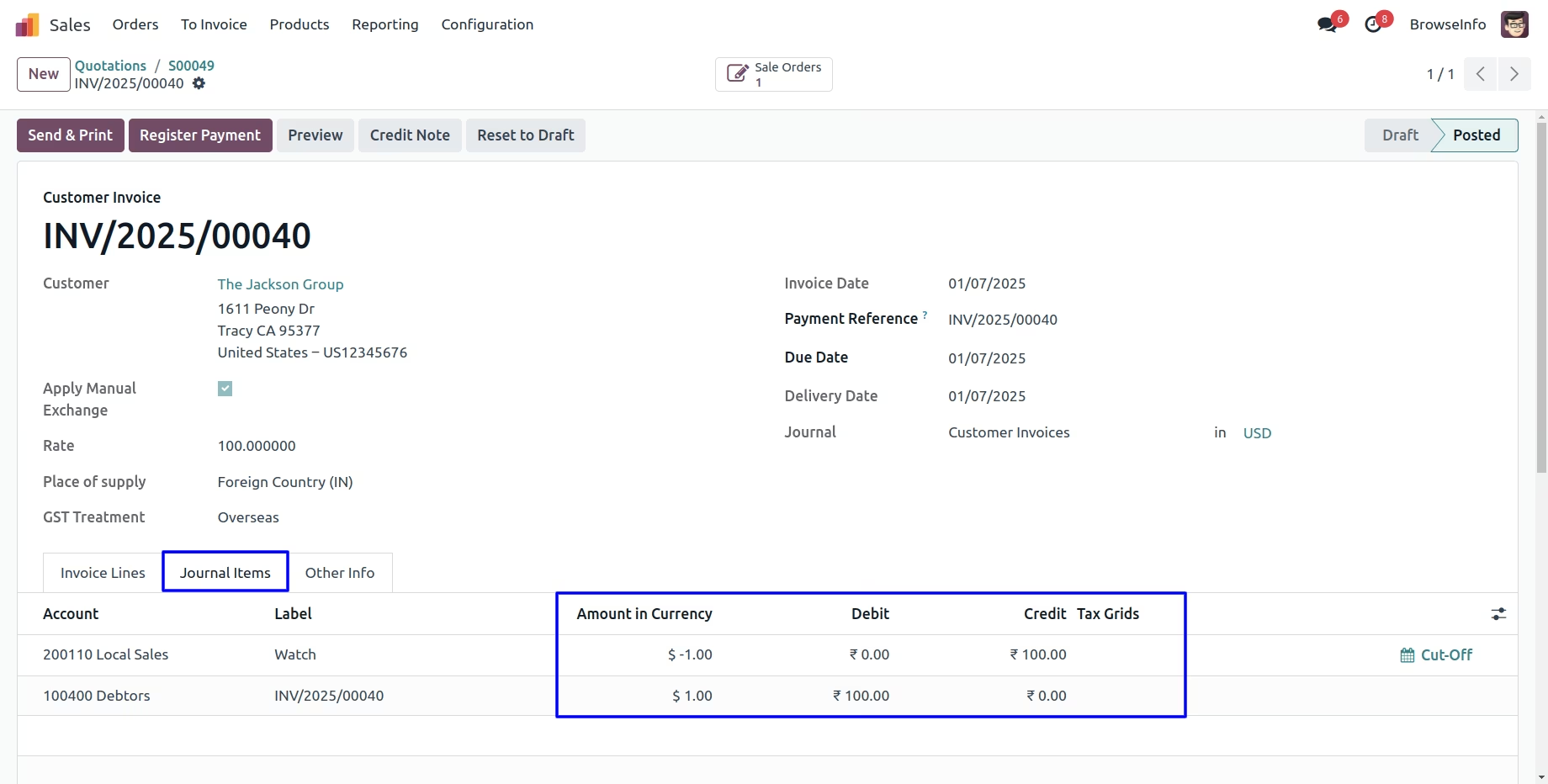
Currency Exchange Rate on Register Payment
User can see the applied manual currency rate shown in register payment.
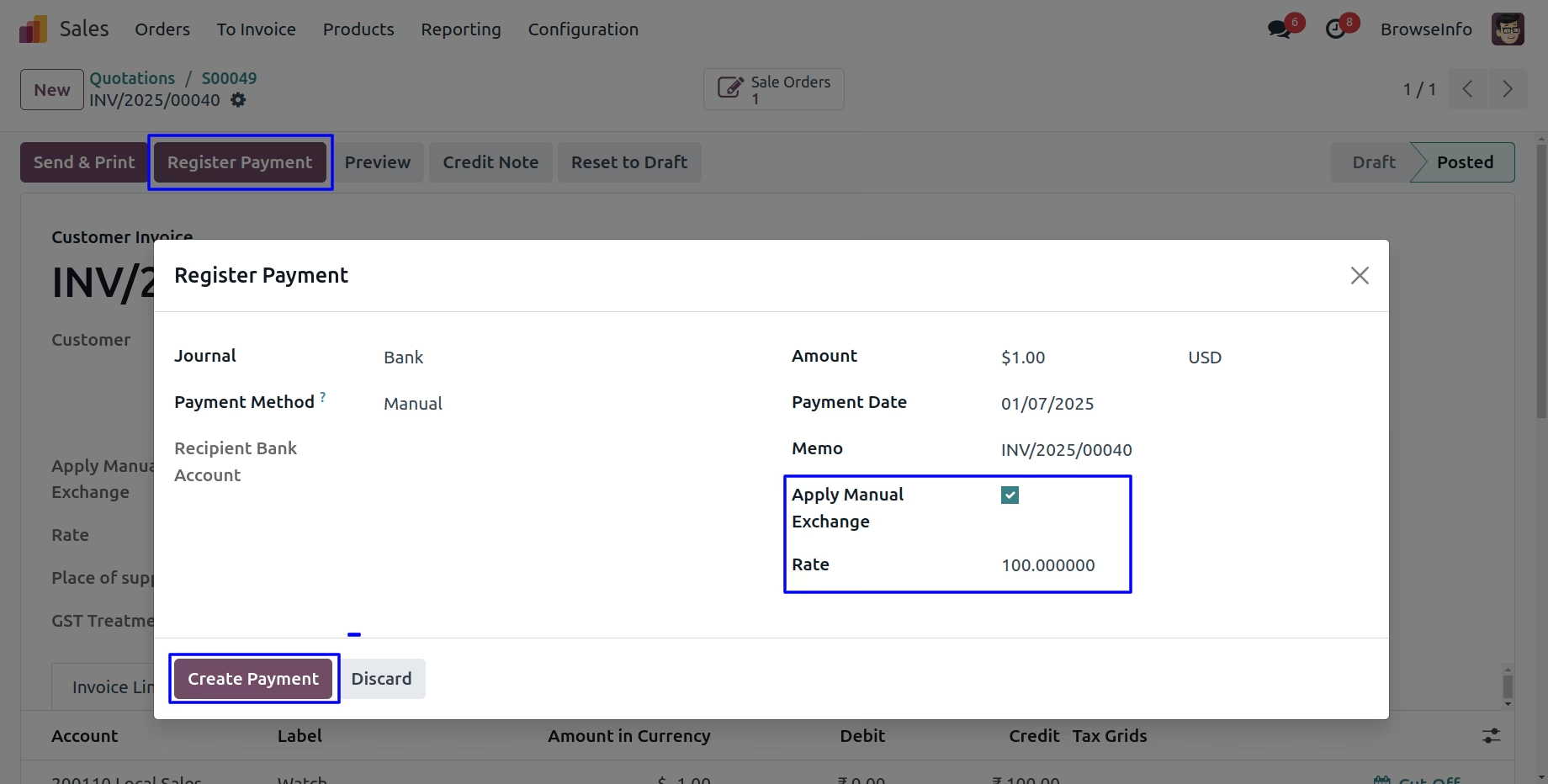
Currency Exchange Rate on Customer Payment
User can see the customer payment with manual currency rate.
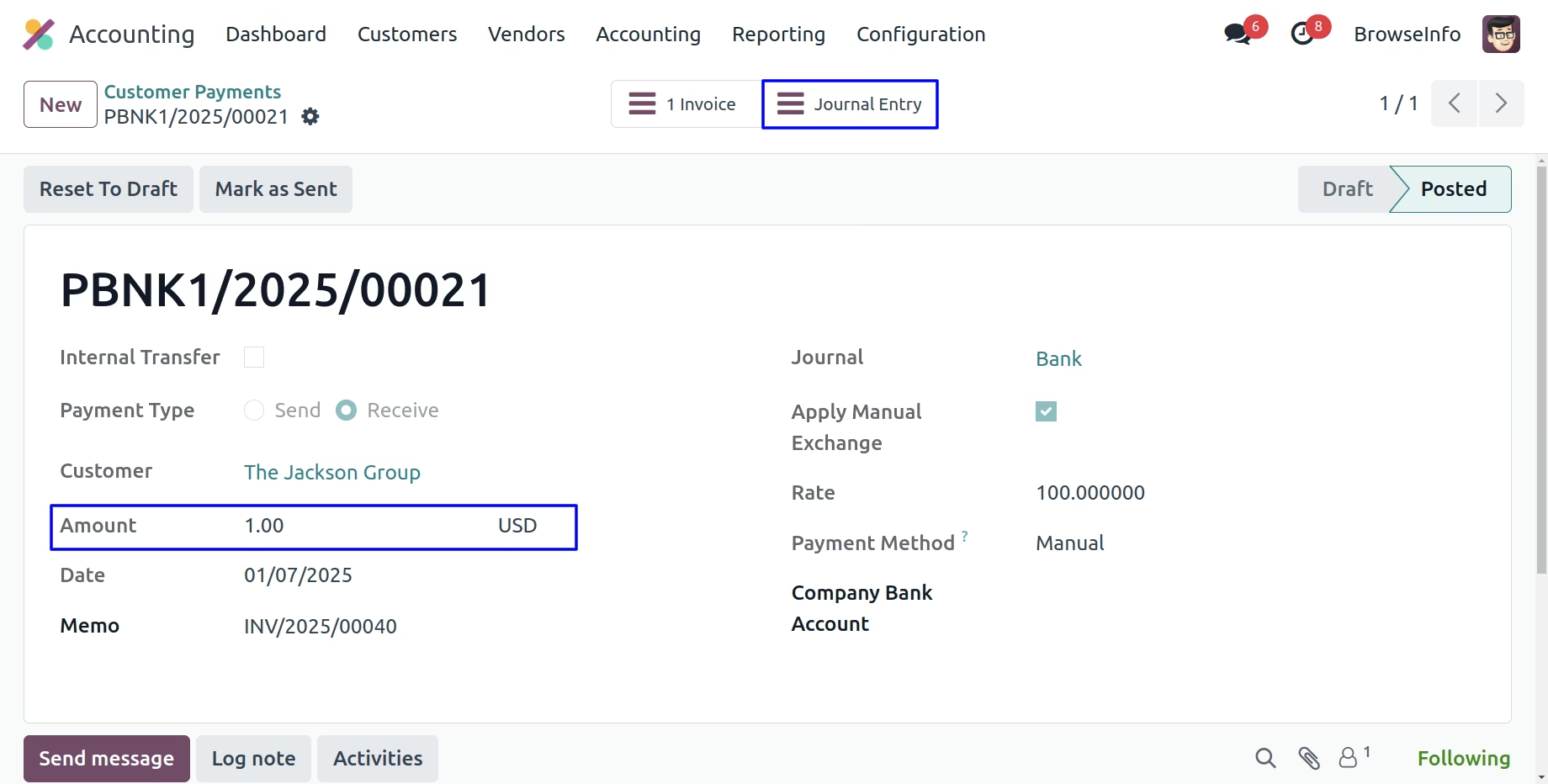
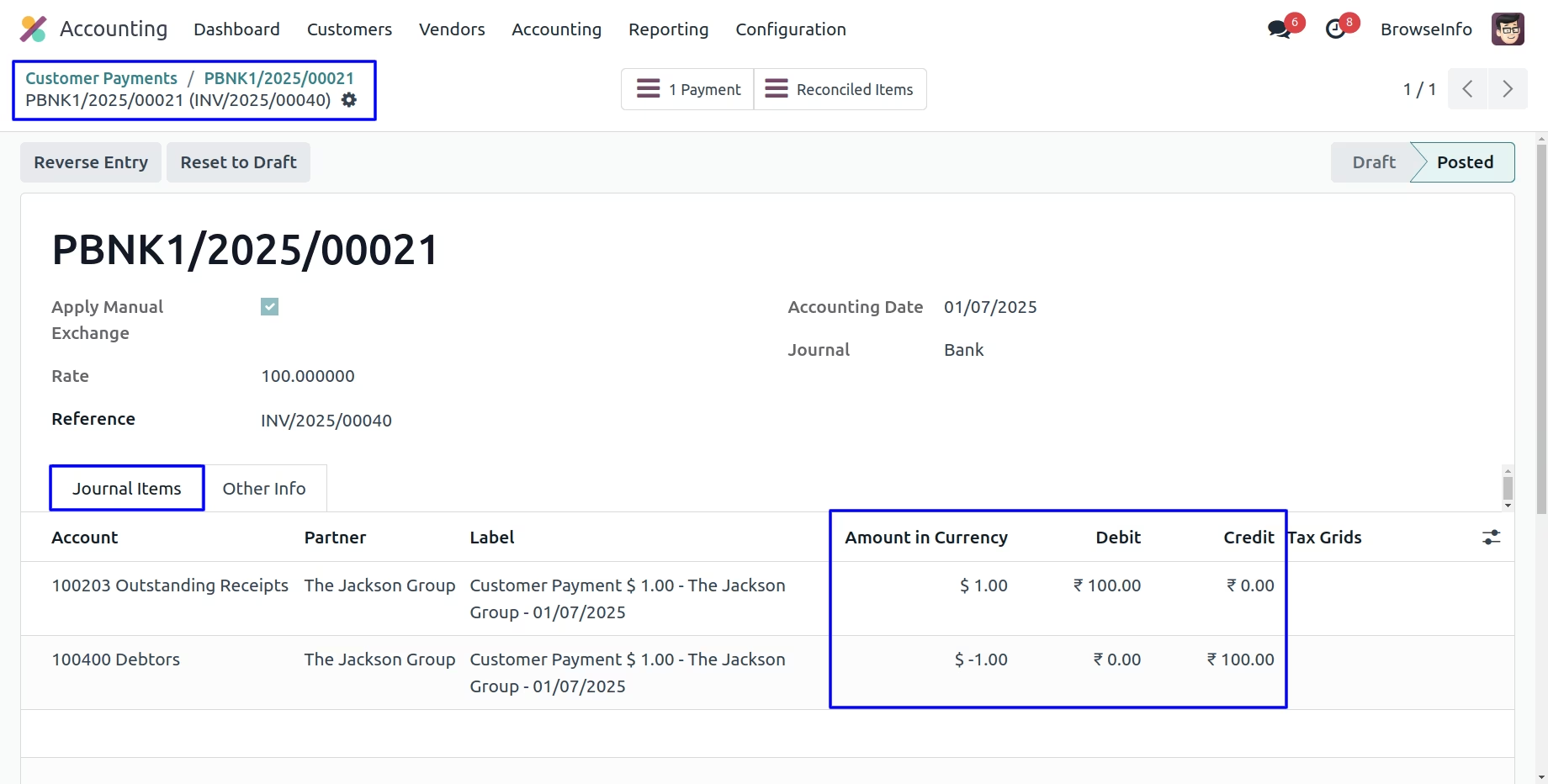
Currency Exchange Rate on Bank Entry
User can see the applied manual currency rate shown in amount in currency and actual price and currency shown in debit and credit journal.
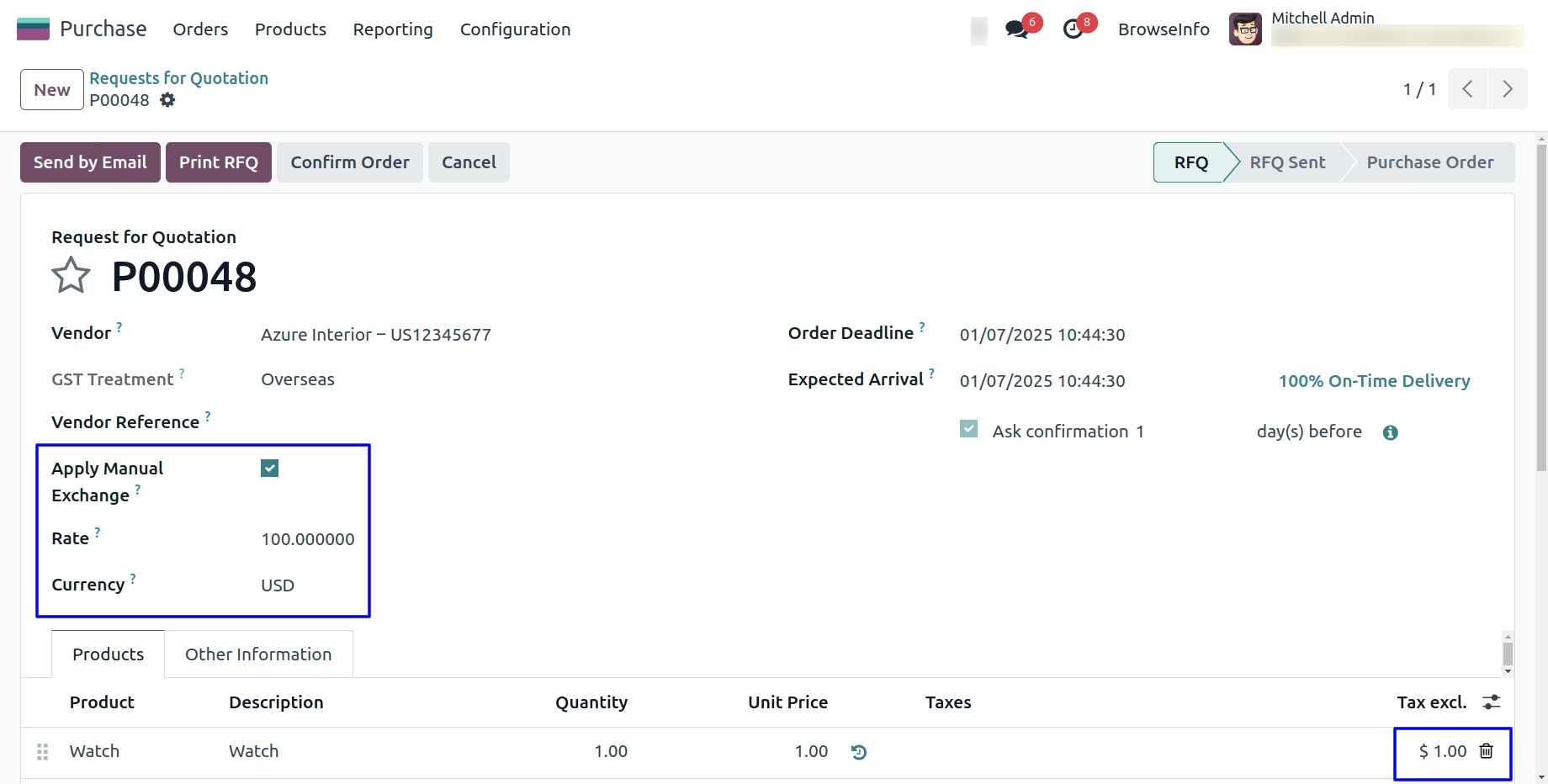
Currency Exchange Rate in Purchase Order
While creating purchase orders, User can select the exchange currency then enable "Apply Manual Exchange" option and enter "Rate" and this manual currency rate applied to the products.
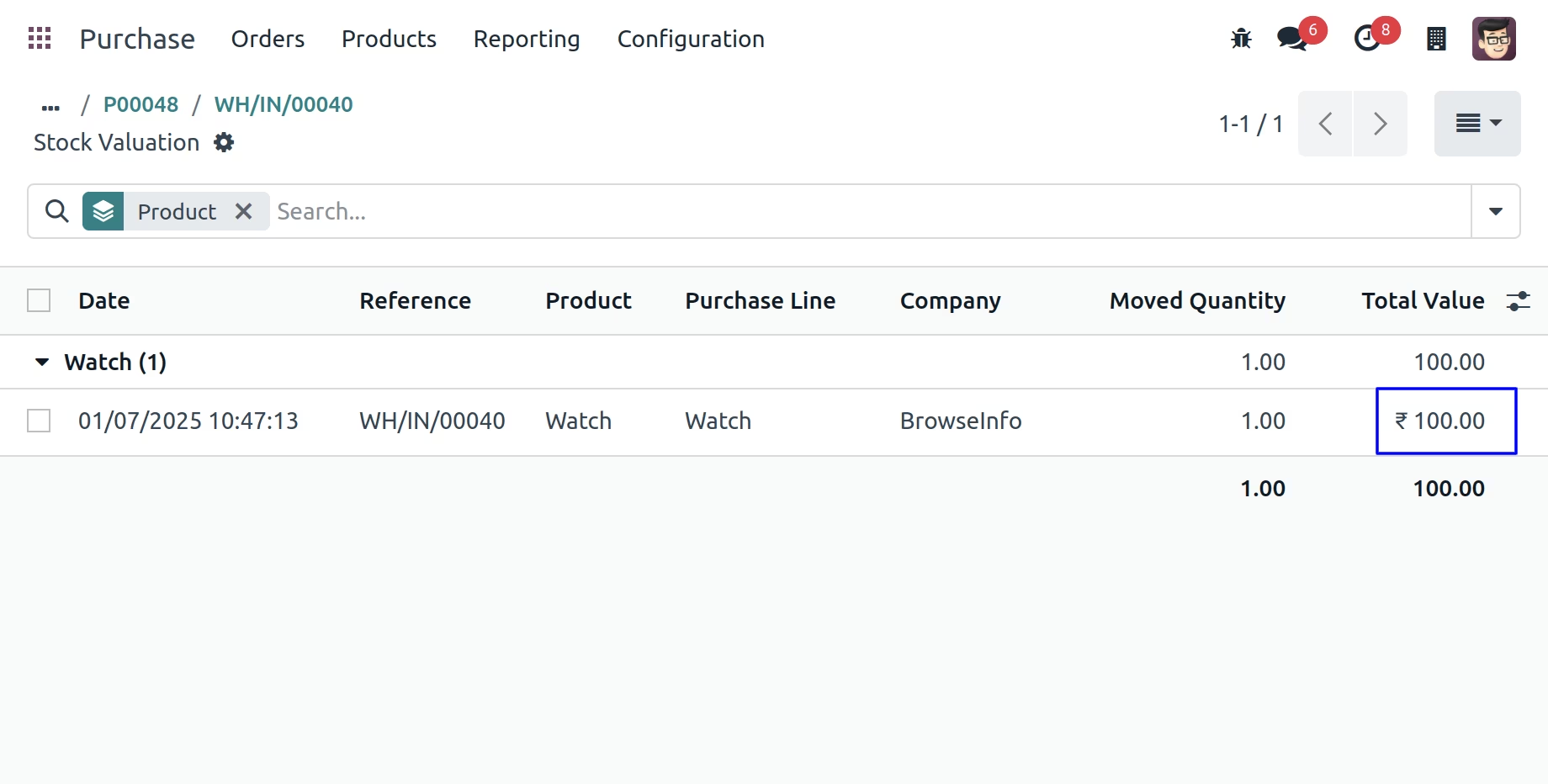
Currency Exchange Rate on Stock Valuation
User can see currency exchange rate on stock valuation for picking order.
Currency Exchange Rate on Stock Journal Entry
User can see currency exchange rate on stock journal entry for picking order.
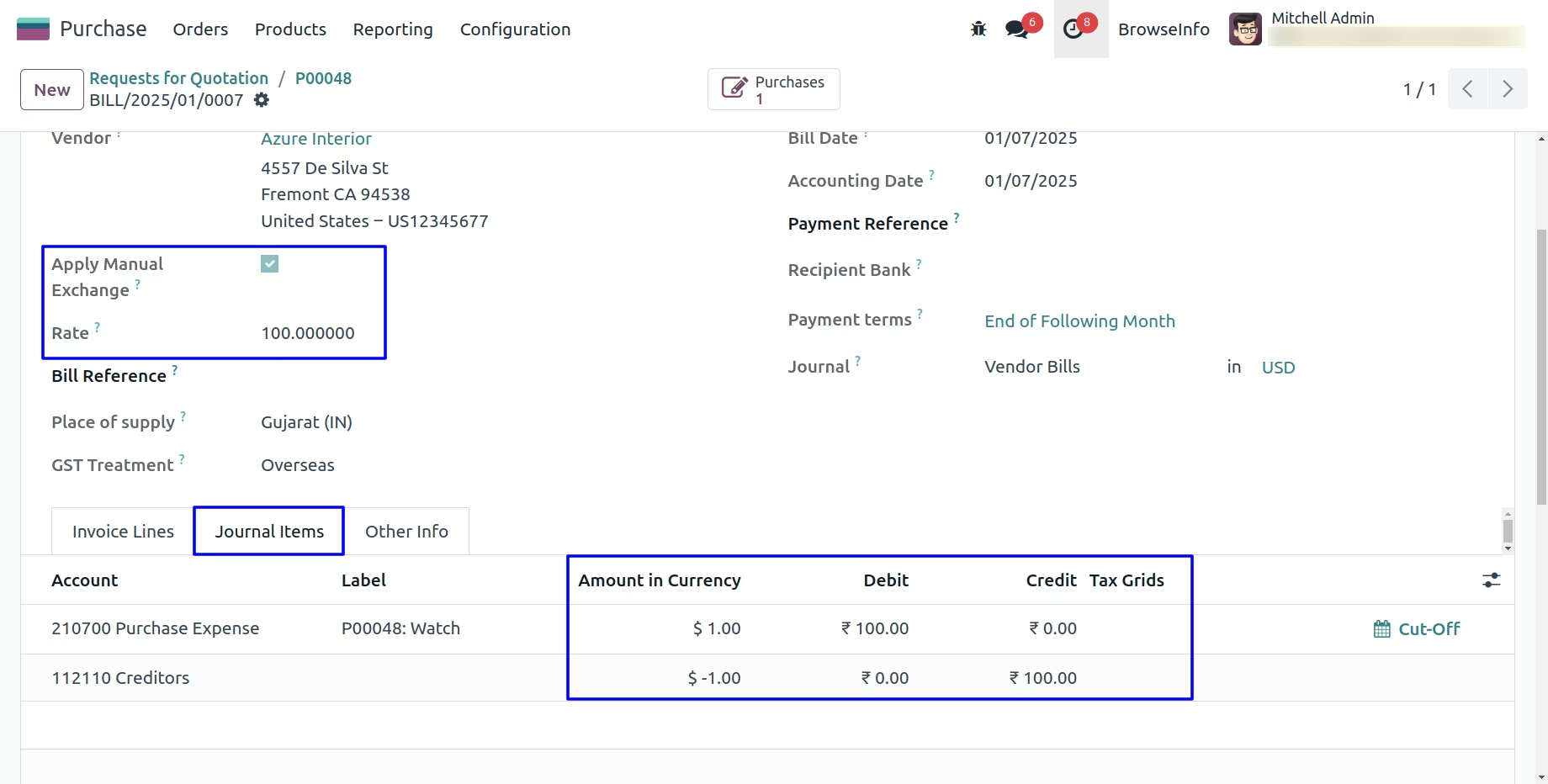
Currency Exchange Rate on Vendor Bill
While creating vendor bills, User can enable "Apply Manual Exchange" option and enter "Rate" and this manual currency rate applied to the products. If user selected this option on sales order before then selected rate automatically applied, but user can also change it manually later.
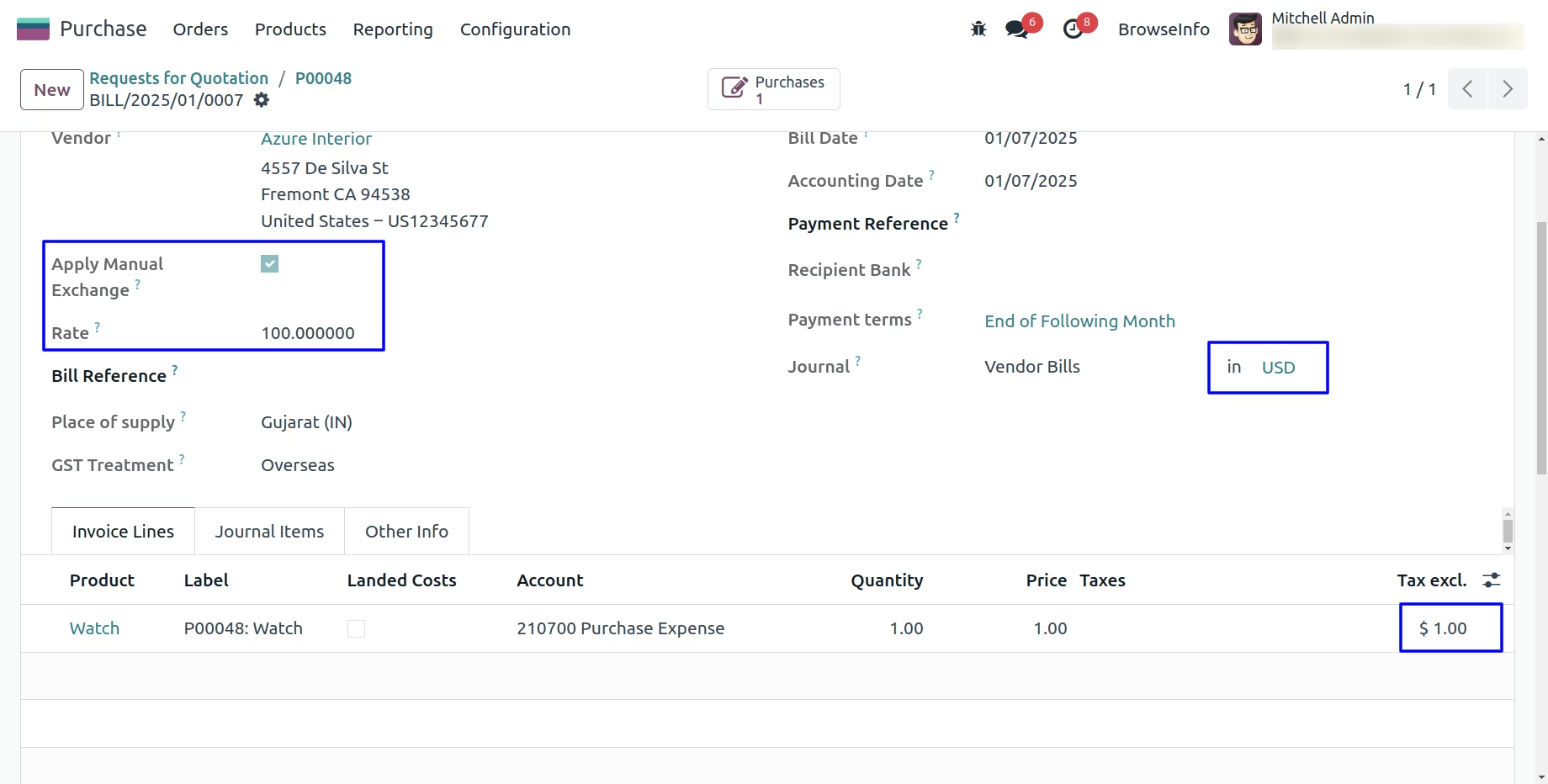
Currency Exchange Rate on Journal Items
User can see the applied manual currency rate shown in amount in currency and actual price and currency shown in debit and credit journal.
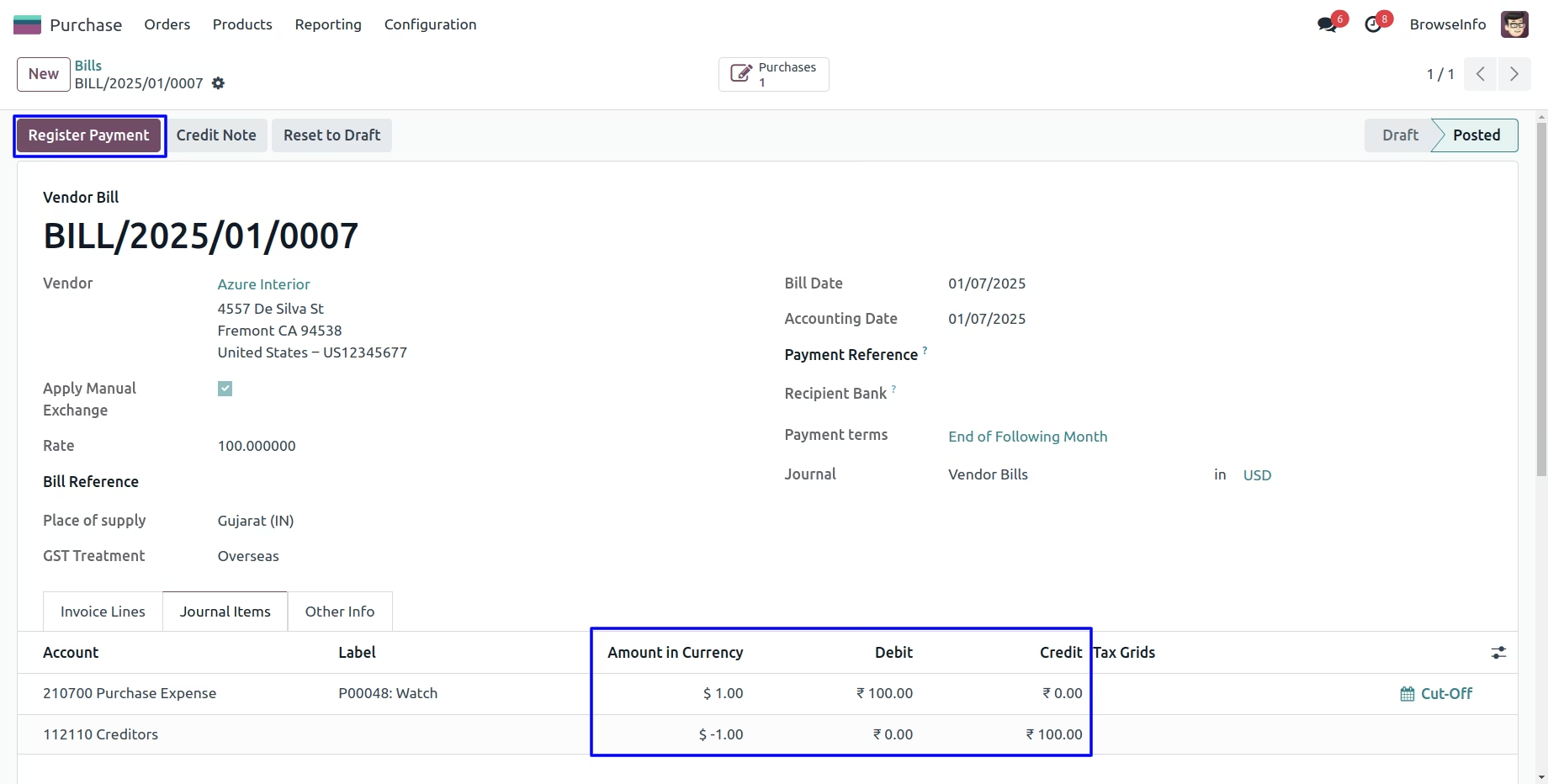
Currency Exchange Rate on Register Payment
User can see the applied manual currency rate shown in register payment.
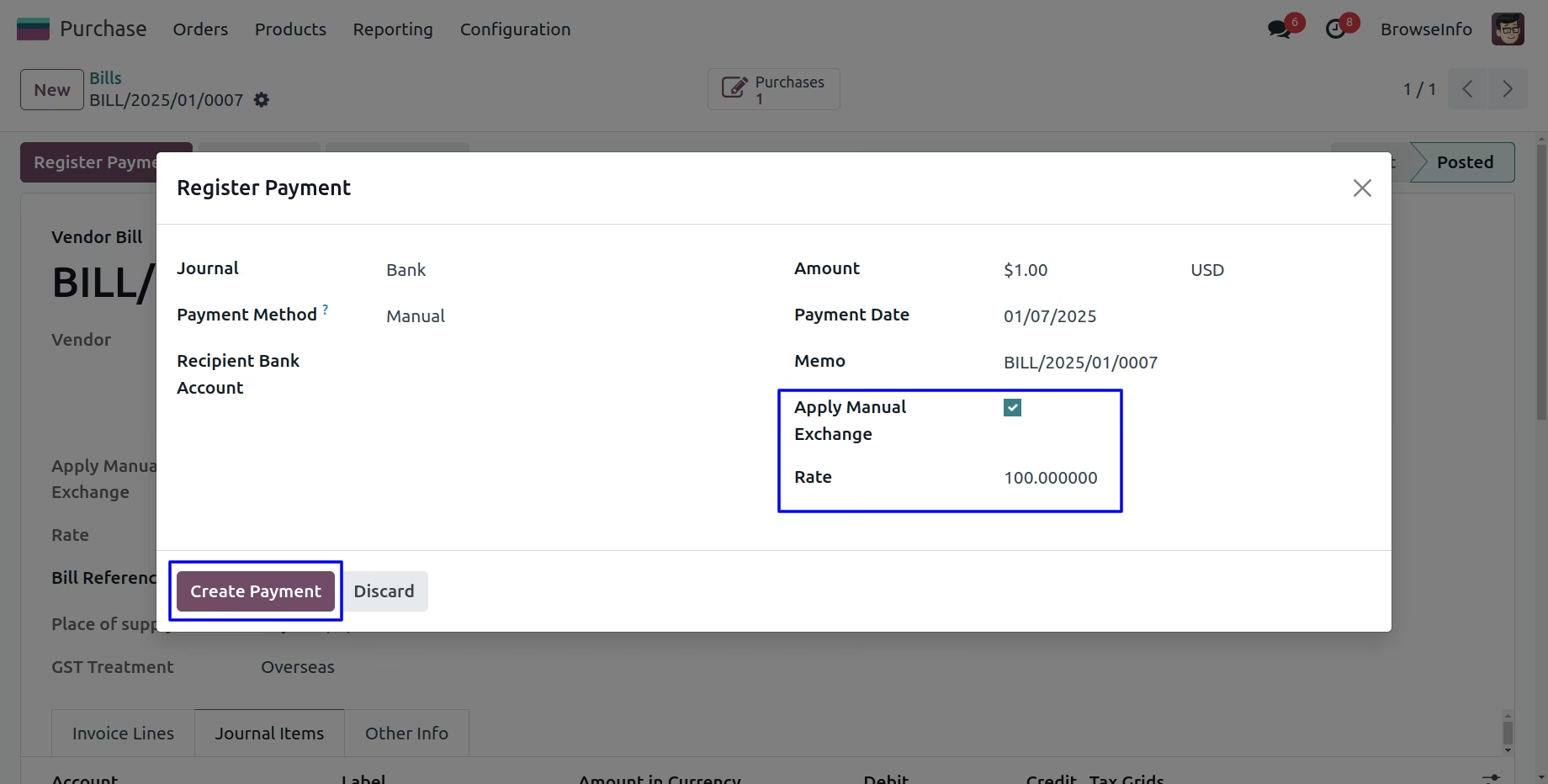
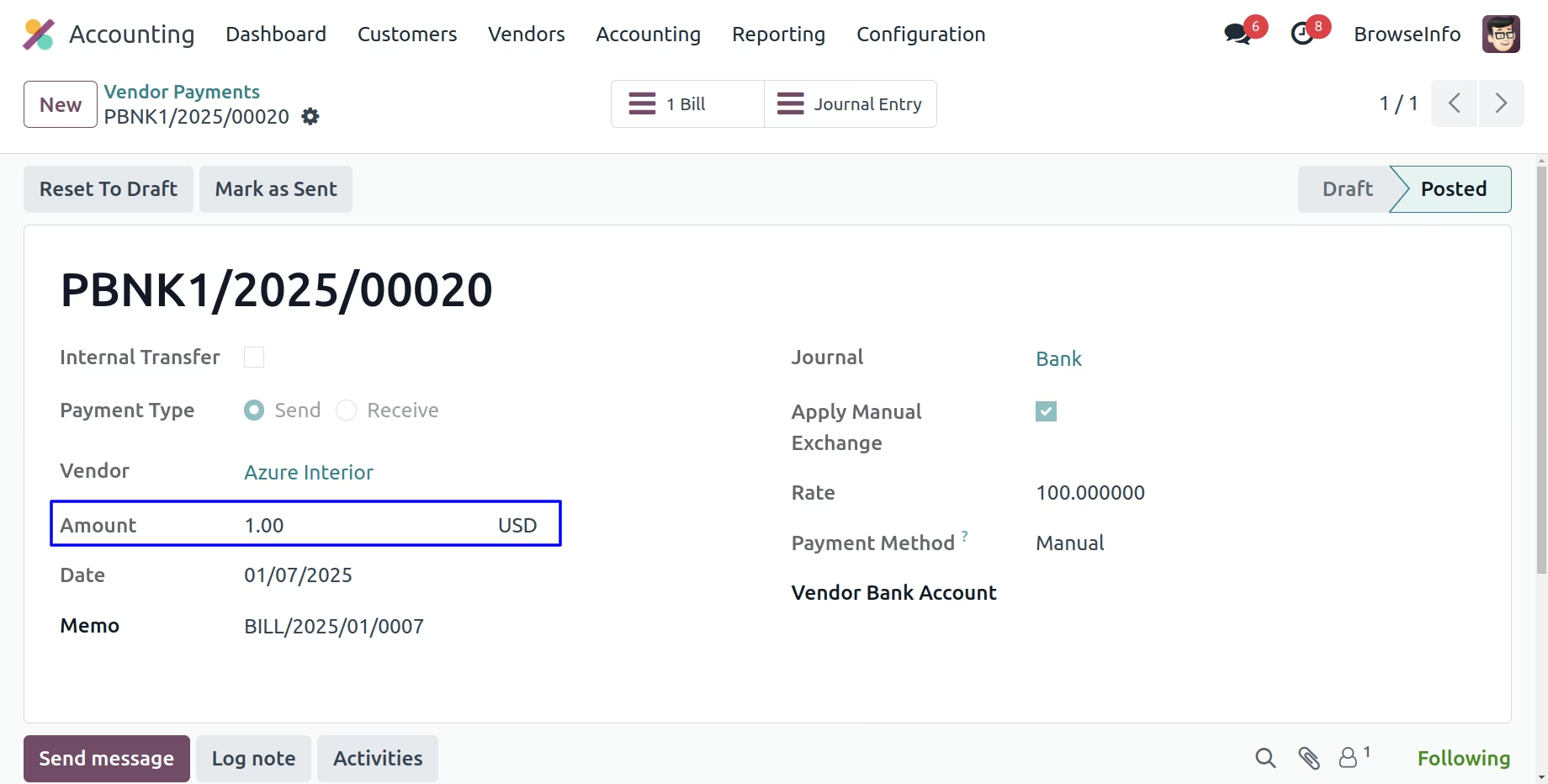
Currency Exchange Rate on Vendor Payment
User can see the vendor payment with manual currency rate.
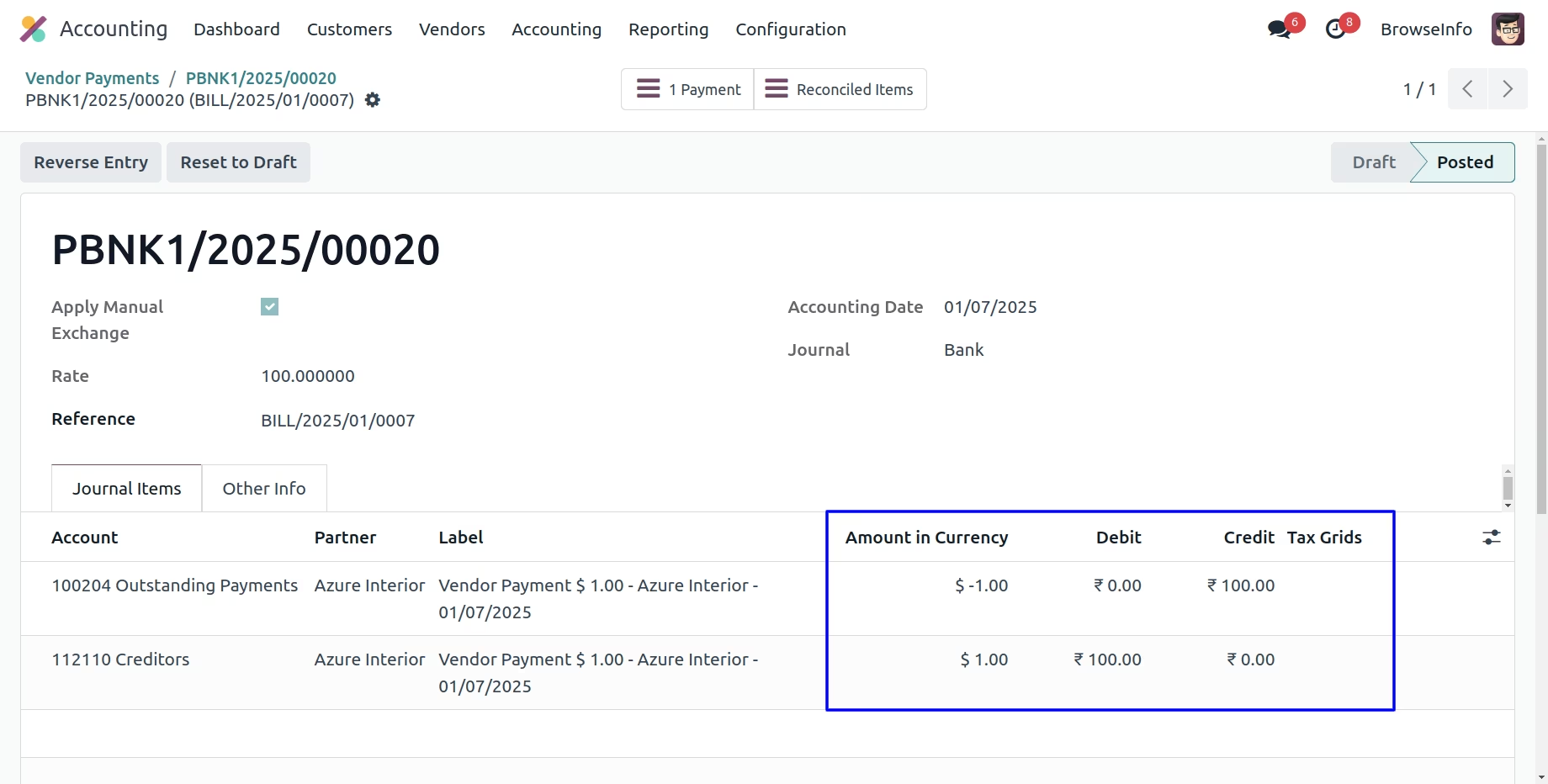
Currency Exchange Rate on Journal Entry
User can see the applied manual currency rate shown in amount in currency and actual price and currency shown in debit and credit journal.
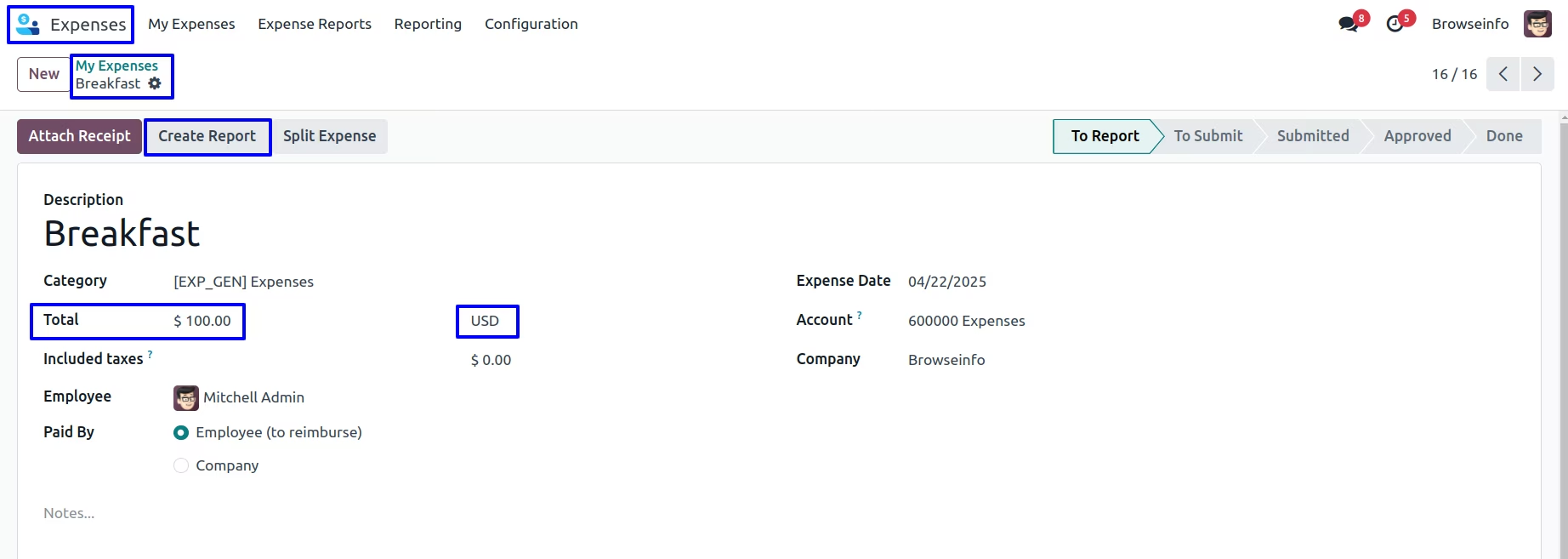
My Expenses Form View
User have to set the total and pricelist in my expenses view and click on to create report button.
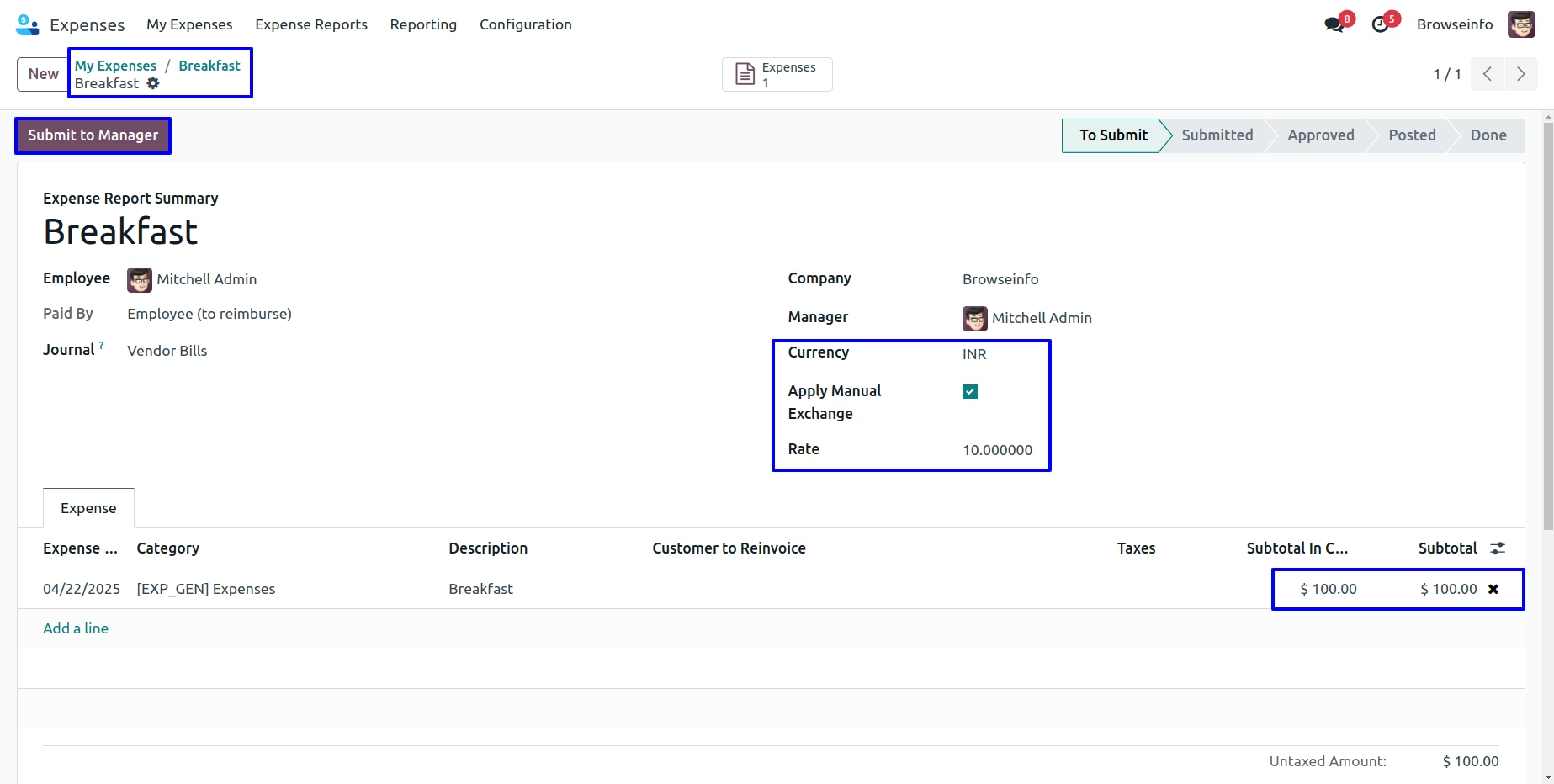
Currency Exchange Rate in My Expenses
User can apply manual currency rate and click on submit to manager button.
User can see the applied manual currency rate shown in subtotal in and subtotal and click on approve button.
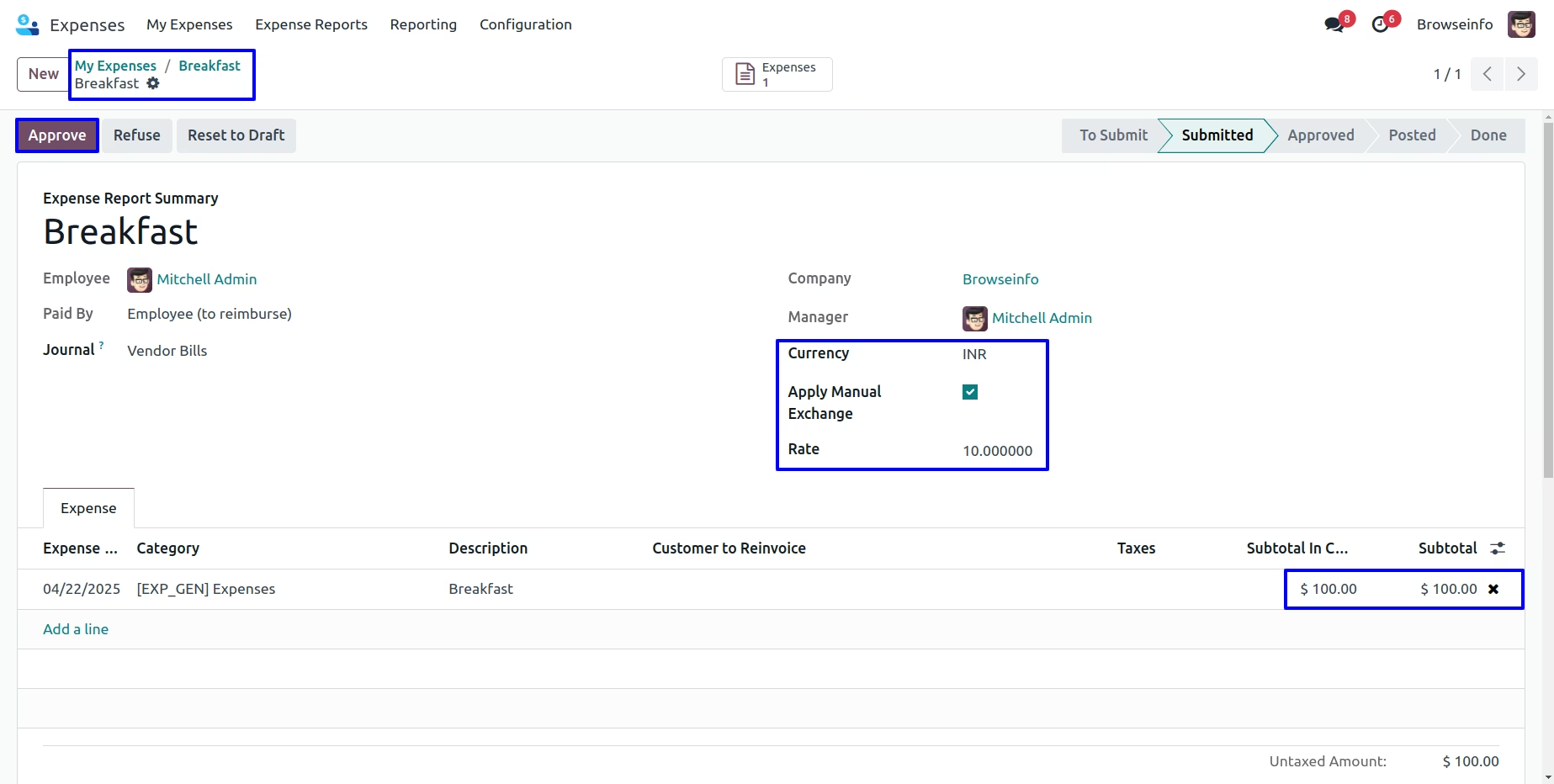
User can see the applied manual currency rate shown in subtotal in currency and subtotal and click on post journal entries button.
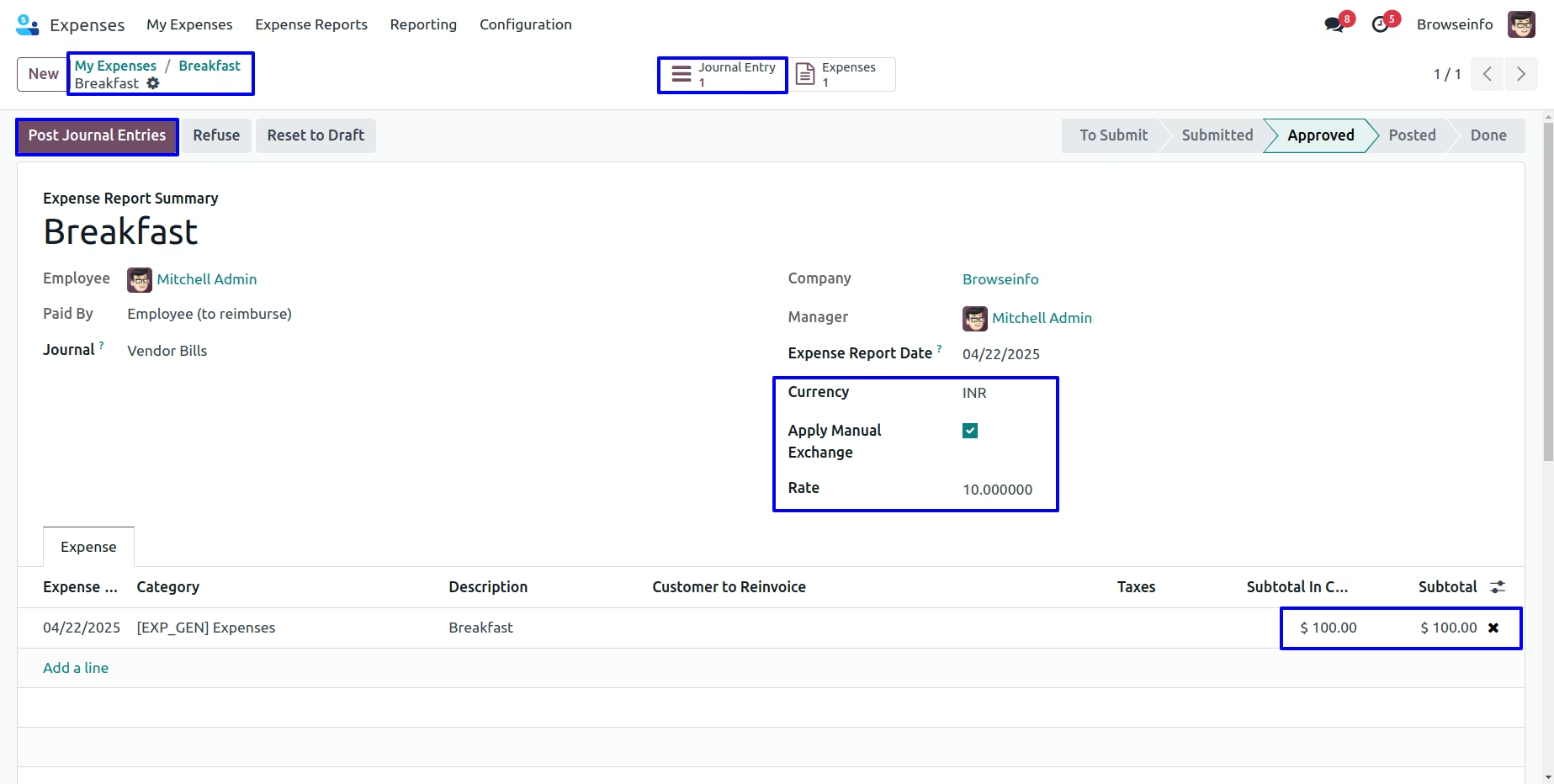
User can see the applied manual currency rate shown in price and amount for my expenses.
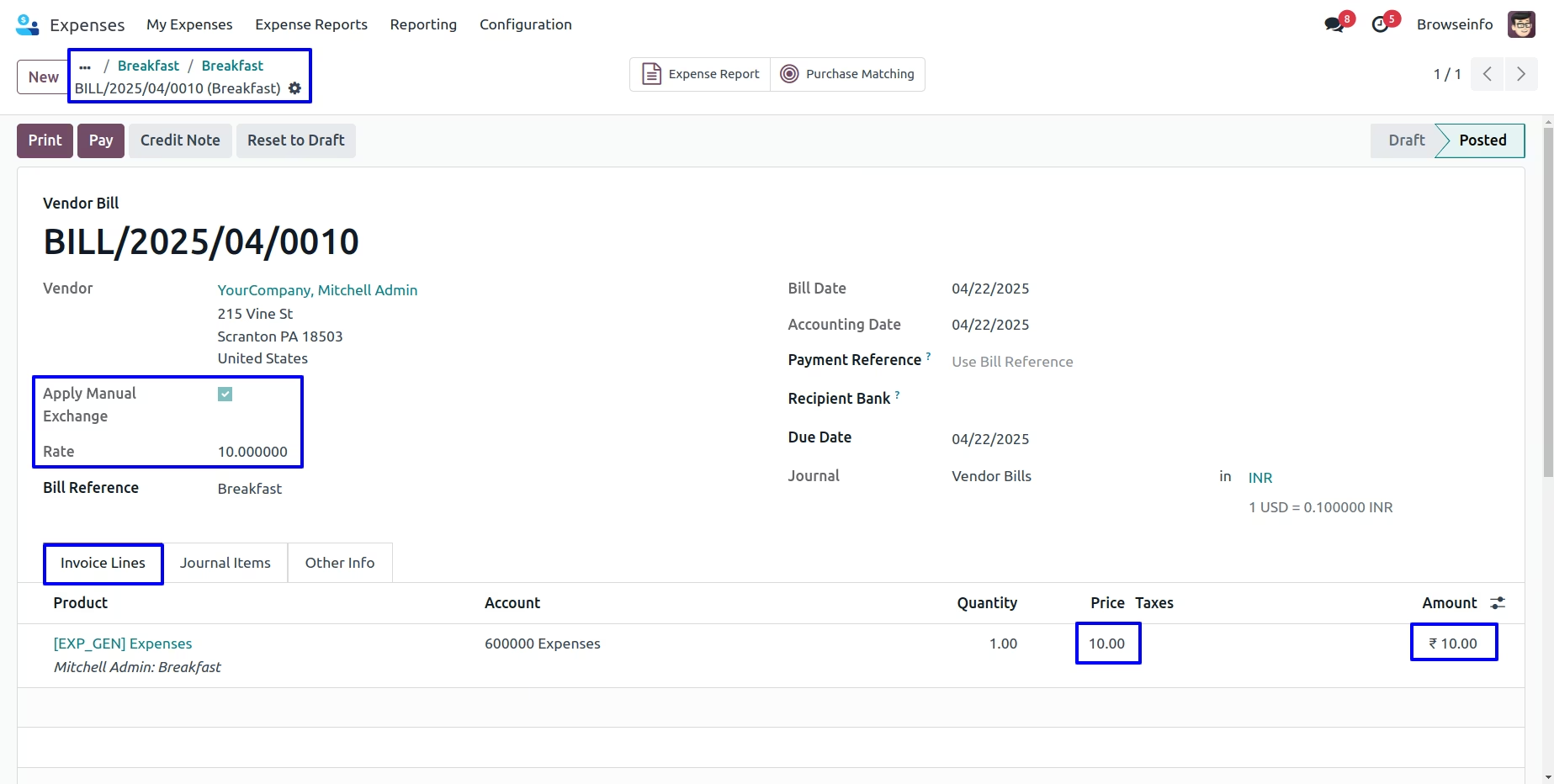
User can see the applied manual currency rate shown in amount in currency and actual price and currency shown in debit and credit journal and click on pay button.
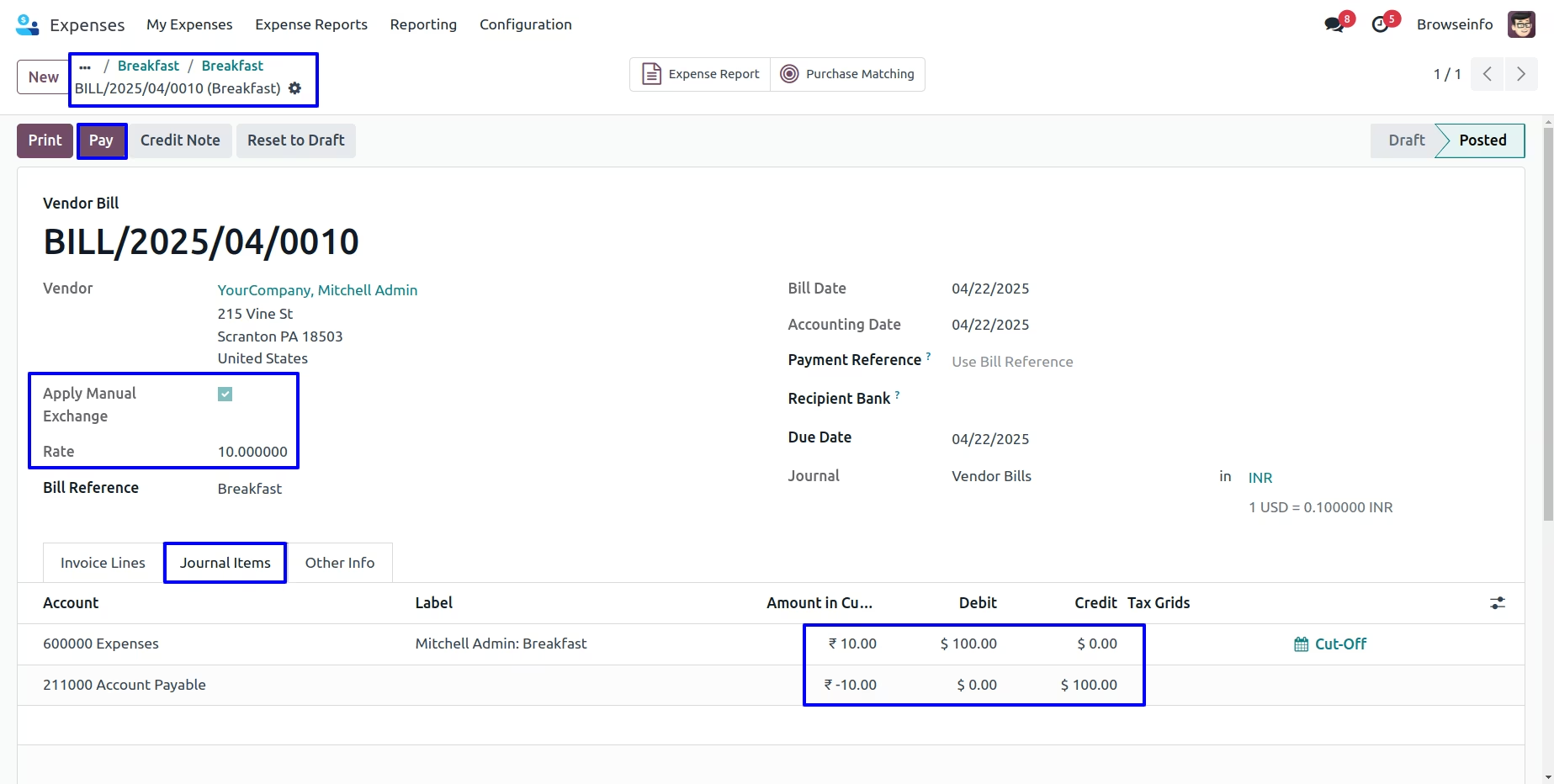
Currency Exchange Rate
User can see the applied manual currency rate.
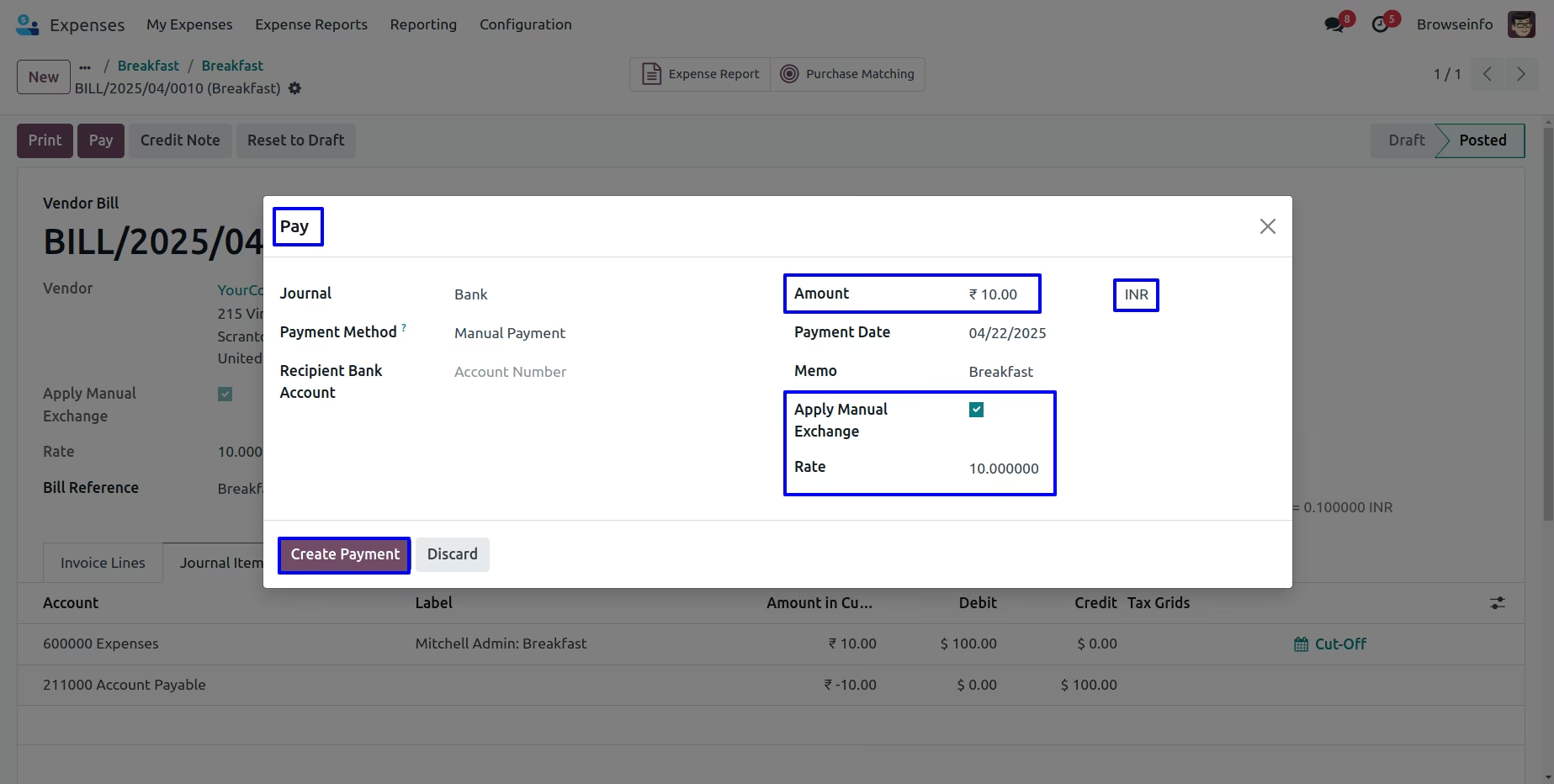
Currency Exchange Rate on Payment
User can see the customer payment with manual currency rate and click on journal entry.
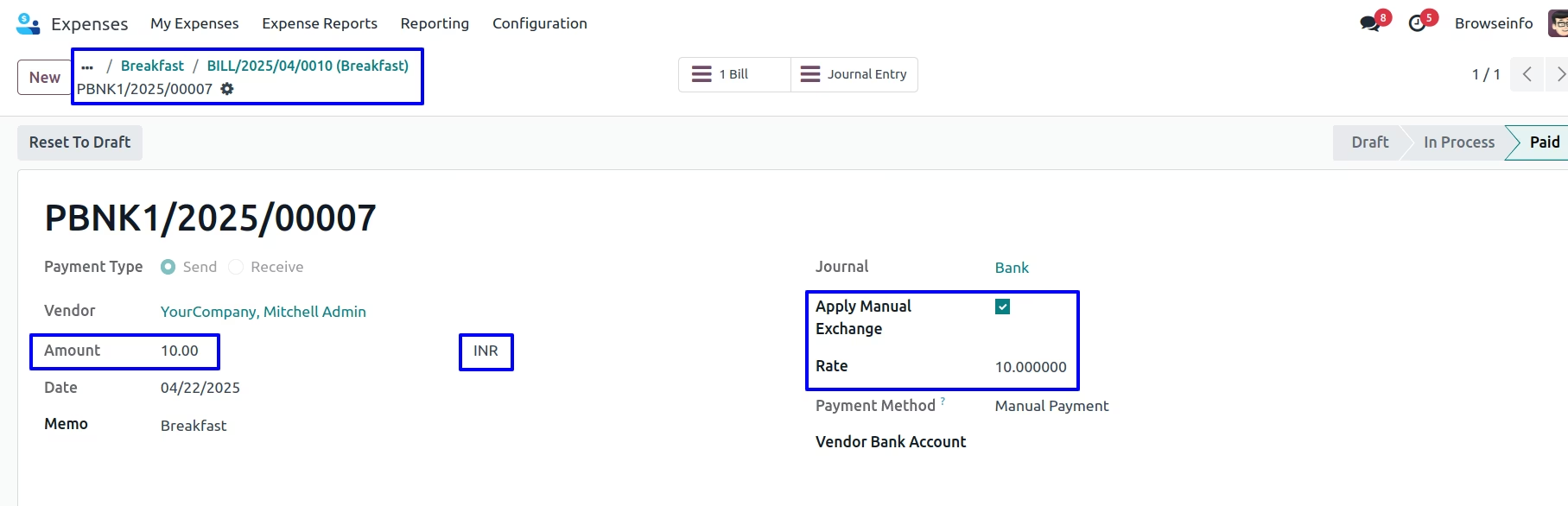
Currency Exchange Rate on Bank Entry
User can see the applied manual currency rate shown in amount in currency and actual price and currency shown in debit and credit journal.