Skip to Content

Mailbox (Inbox)

132.00 165.00

The module provides a comprehensive and intuitive email management system. It enhances the default email interface by adding features like starred and snoozed messages, email CC/BCC support, and customizable themes, allowing users to manage their emails more efficiently and effectively.

  • Starred Messages: Mark important emails as starred for quick access.

  • Snoozed Messages: Temporarily hide emails and have them reappear at a later time.

  • Email CC/BCC Support: Send emails with CC and BCC recipients.

  • Customizable Themes: Choose from multiple themes to personalize your inbox interface.

  • Pane View: View emails in a vertical or horizontal pane layout for better navigation.

  • Tags and Folders: Organize emails using tags and folders.

  • Compose Message: Compose messages with email CC/BCC and document modal and record.

  • Improved Email Organization: Easily manage and categorize emails with tags and folders.

  • Enhanced Productivity: Quickly access important emails using starred and snoozed features.

  • Personalized Interface: Customize the inbox appearance to suit your preferences.

  • Efficient Email Composition: Compose emails with advanced features like CC/BCC and document attachments.

Inbox

Most Powerful Inbox Inbox Super Flexible Best Quality Most Complete

Inbox

Inbox is Powerful Mailbox UI with more features like Starred Message, Snoozed Messages, Beautiful Message Compose window, Email cc/bcc, Pane View for better user traversal, Themes, Tags, Folders Management, Label on Messages & much more... It is more than a mailbox, it is a suit of Powerful Mailbox Tools.


Key Features of Inbox

Experience the new Message Design.

Inbox Message Tools:

The tools are used to display messages beautifully & are very easy to use like they are in any mailbox like Outlook, Gmail etc...
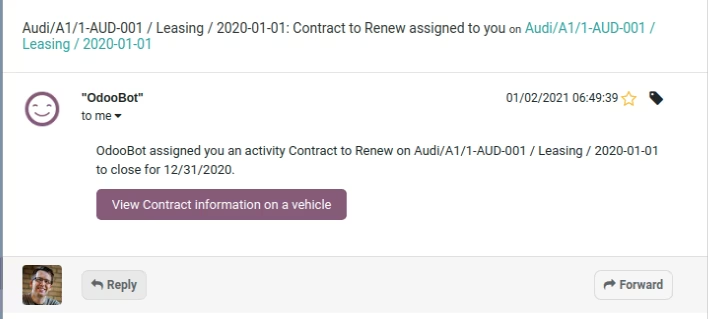
Inbox Messages
Display Messages beautifully with emphasis on small details like title, description, timestamp & Recipient.
See it in action

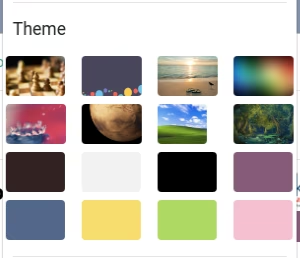
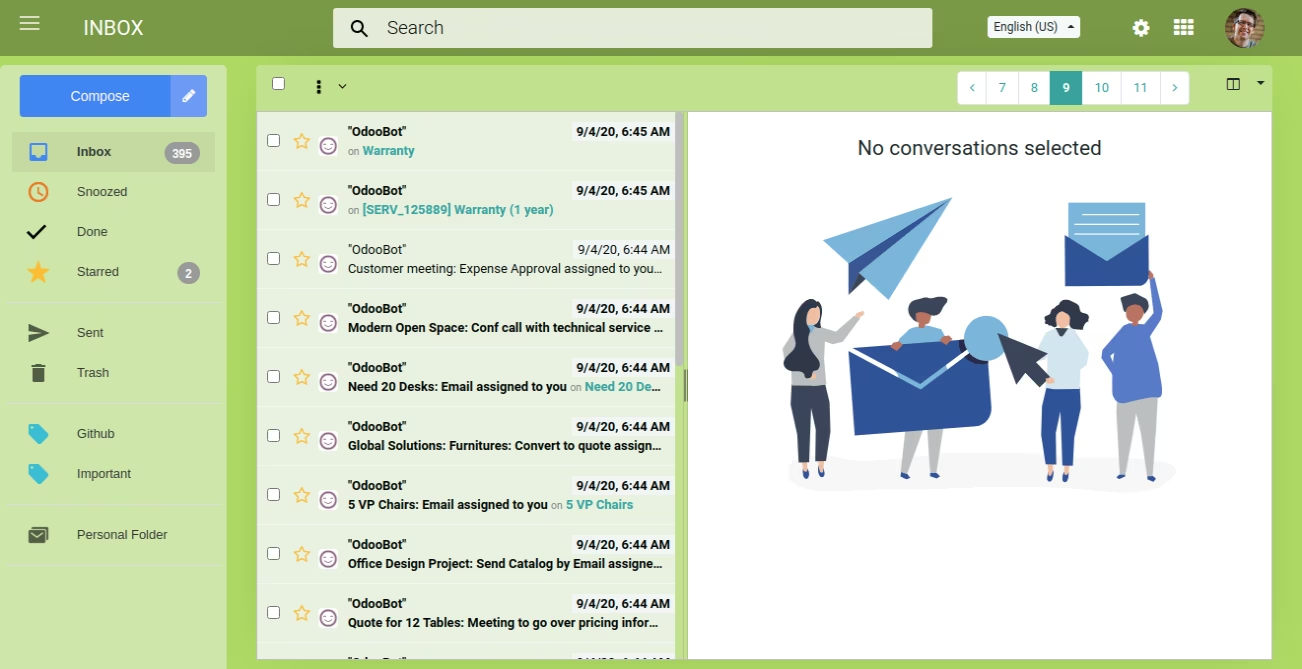
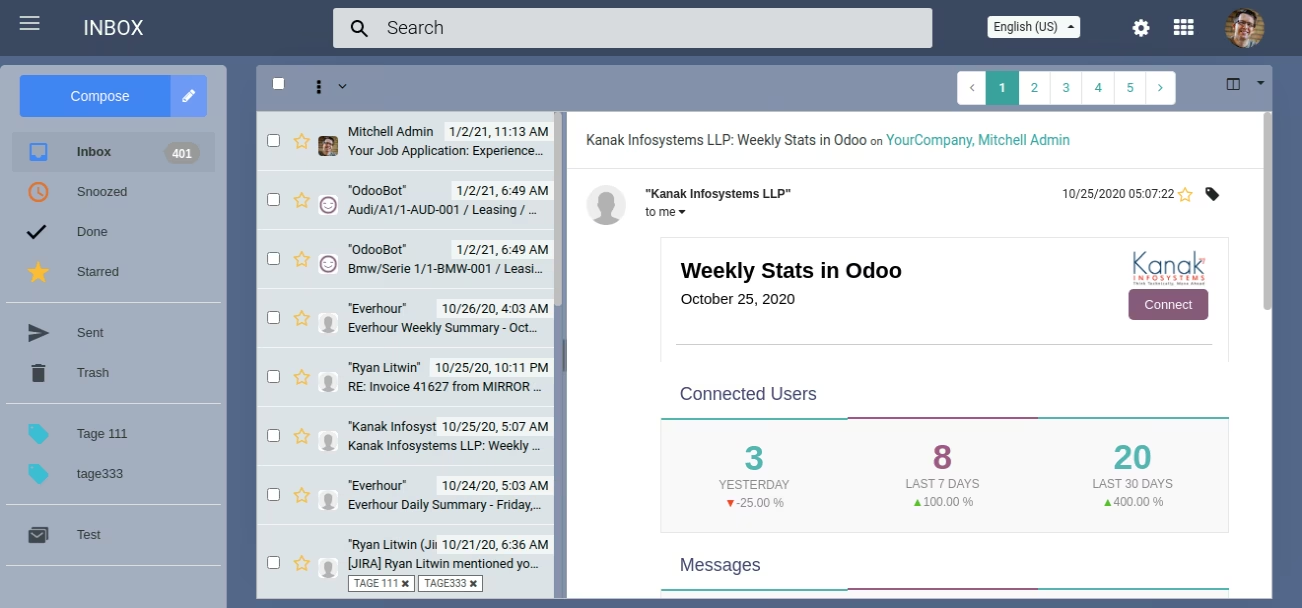
Inbox Theme Configuration Options

Apply different theme designs & make it look all the more nicer and dynamic.

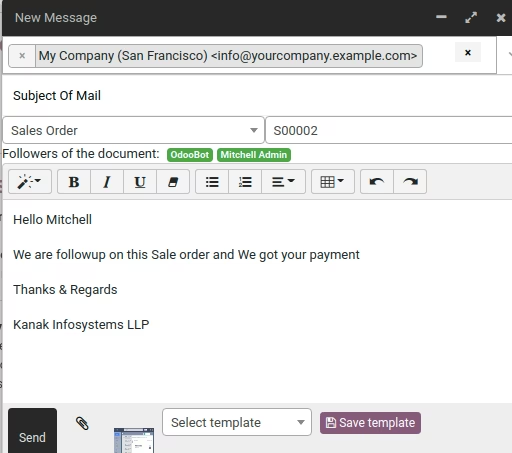
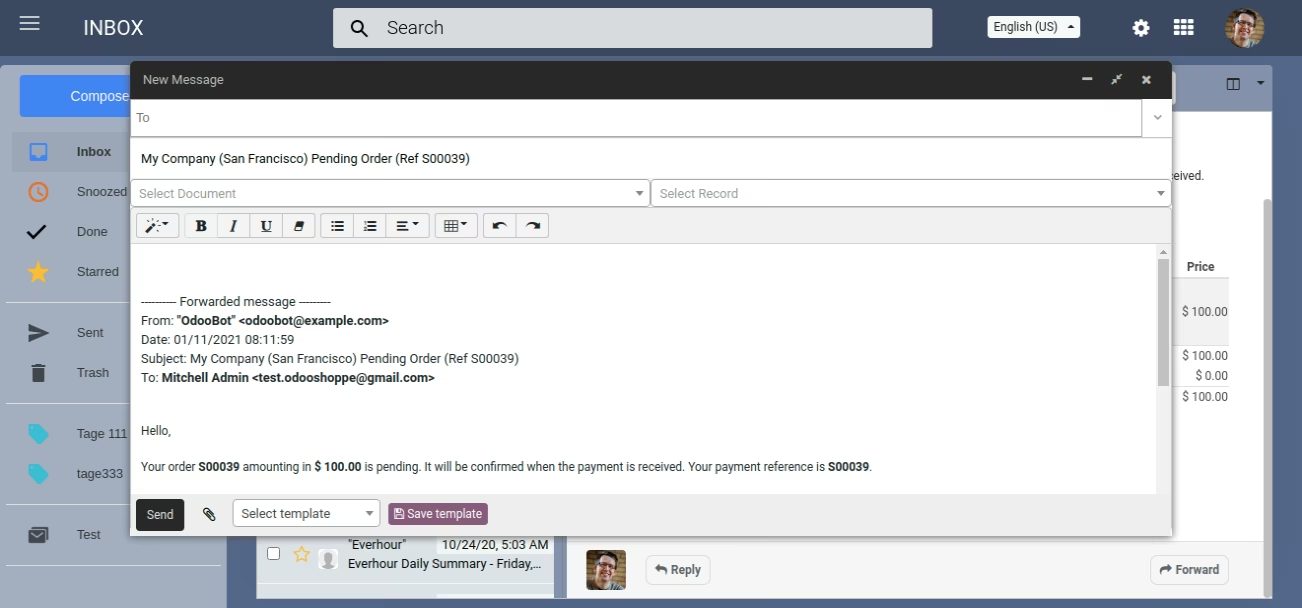
Inbox Compose Message

The compose message window provides varied options like of using a template, select the subject as related to a particular document which can be a lead, sales order or an invoice.

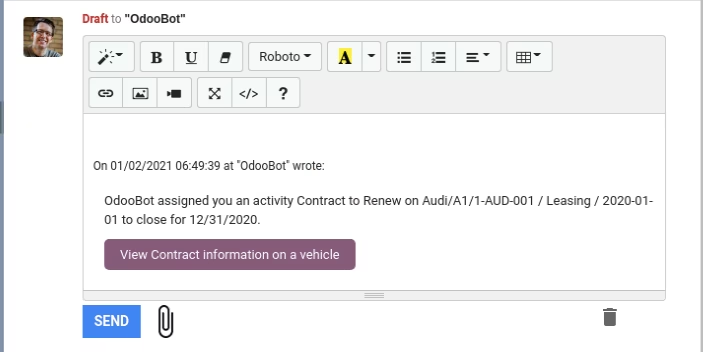
Reply and Forward Message

Reply & Forward at the same time which makes communication kind of easy not only to revert but also if a new recipient is to be added.

Reply Message

Message/Thread can be replied to based on the messages, documents which make linking up of records & correlation very easy. At the same time makes traceability easy.

Forward Message

Easily forward messages with the forward button on every message linked to a document, thread, or any other model.
Search Message
The Inbox Search message user will Search by Title, Search by Email, Search by Recipients.

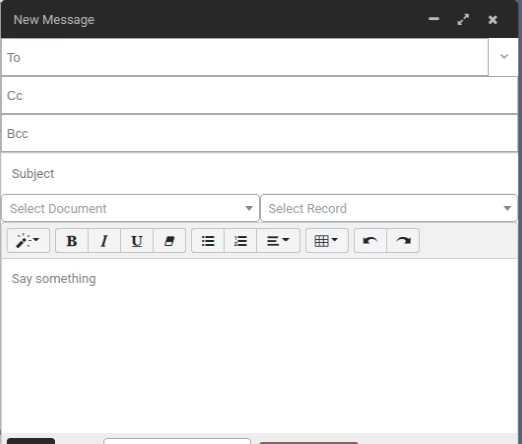
Email CC/ BCC

In-built option to send emails to cc/bcc.

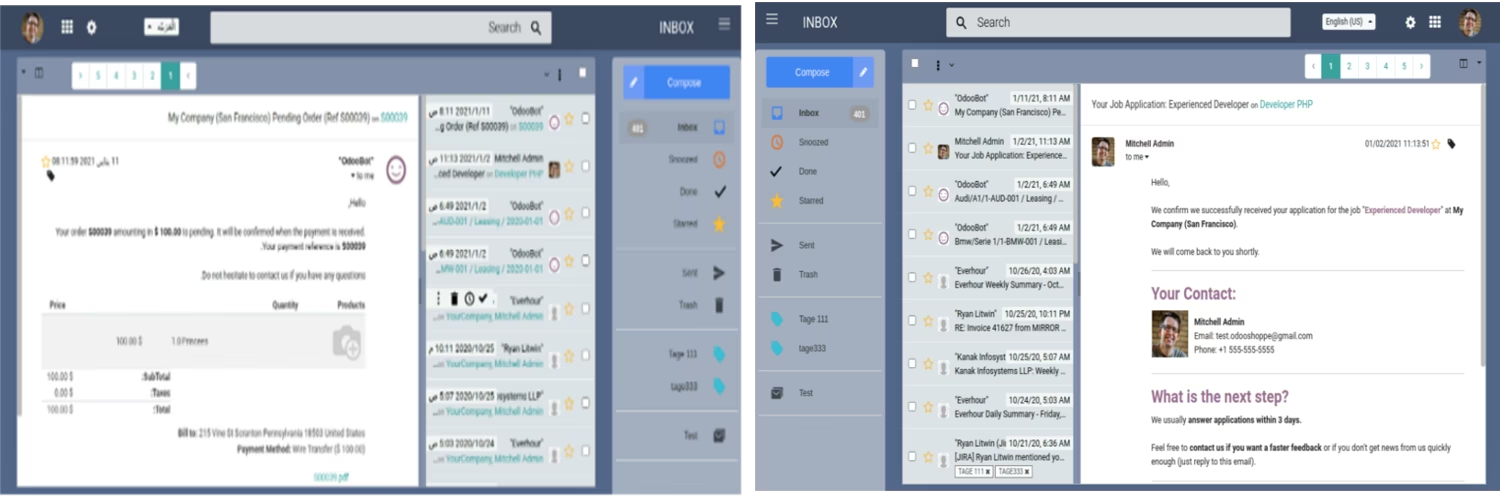
Multi-Language and RTL Support

Supports Multi-Languages with a provision to use it RTL wise as well.

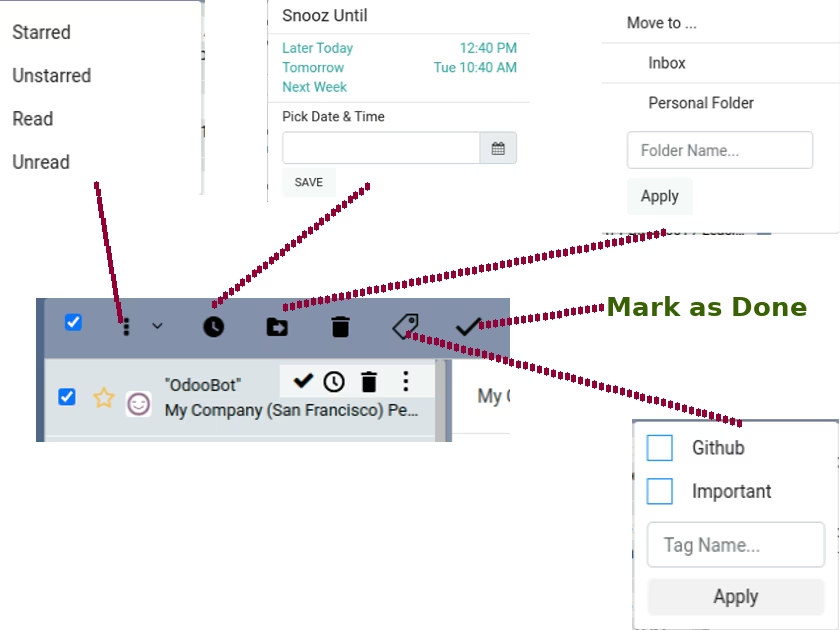
Messages Tools

Message can be marked as Done, Snoozed, starred etc.. with features like Move to a folder, tagging makes categorization, message managing fast & easy.

Folders And Tags Editable and Deletable
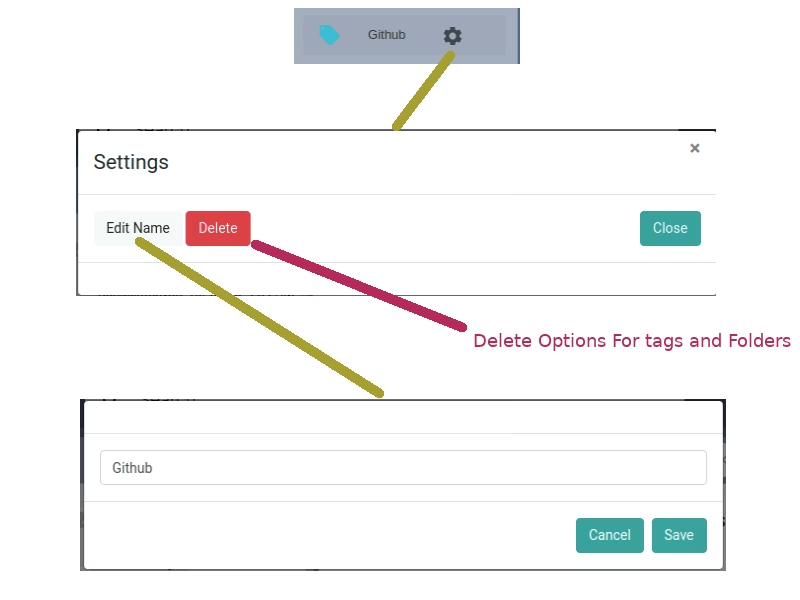
Easily Manage Tags, Folders and be able to organize messages in folders or group them with tags.

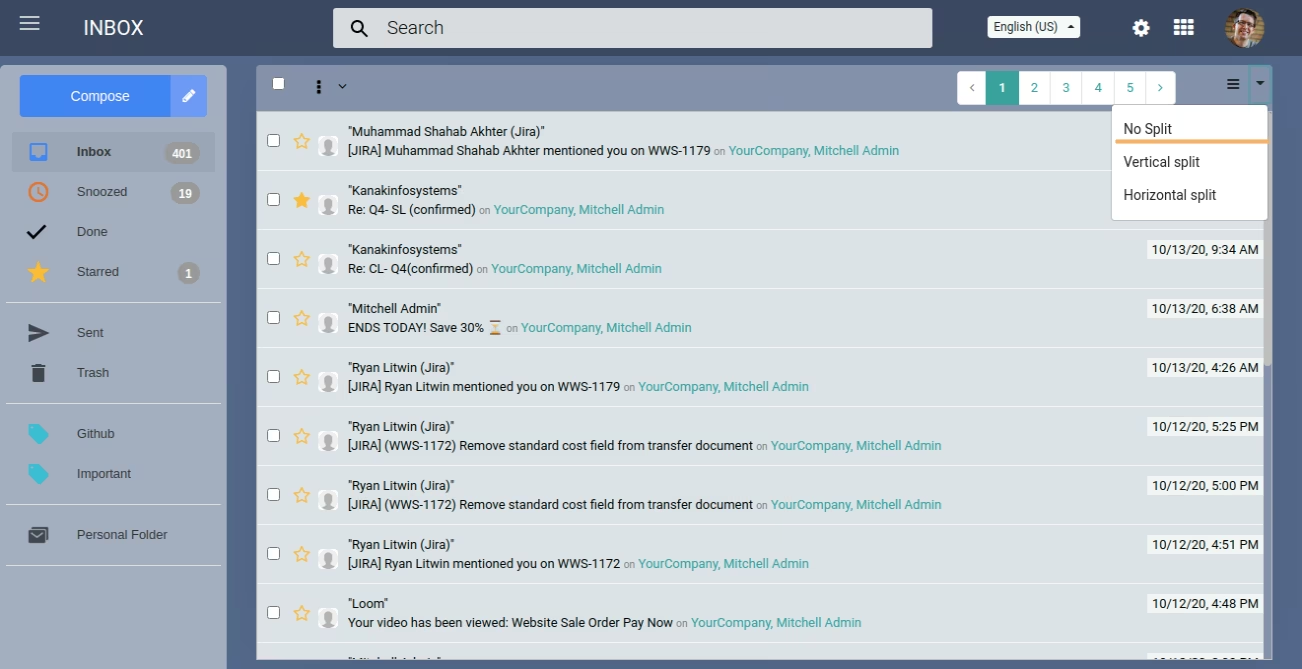
Pane View No Split

As its name suggests, lets you read the message in full with no splits.

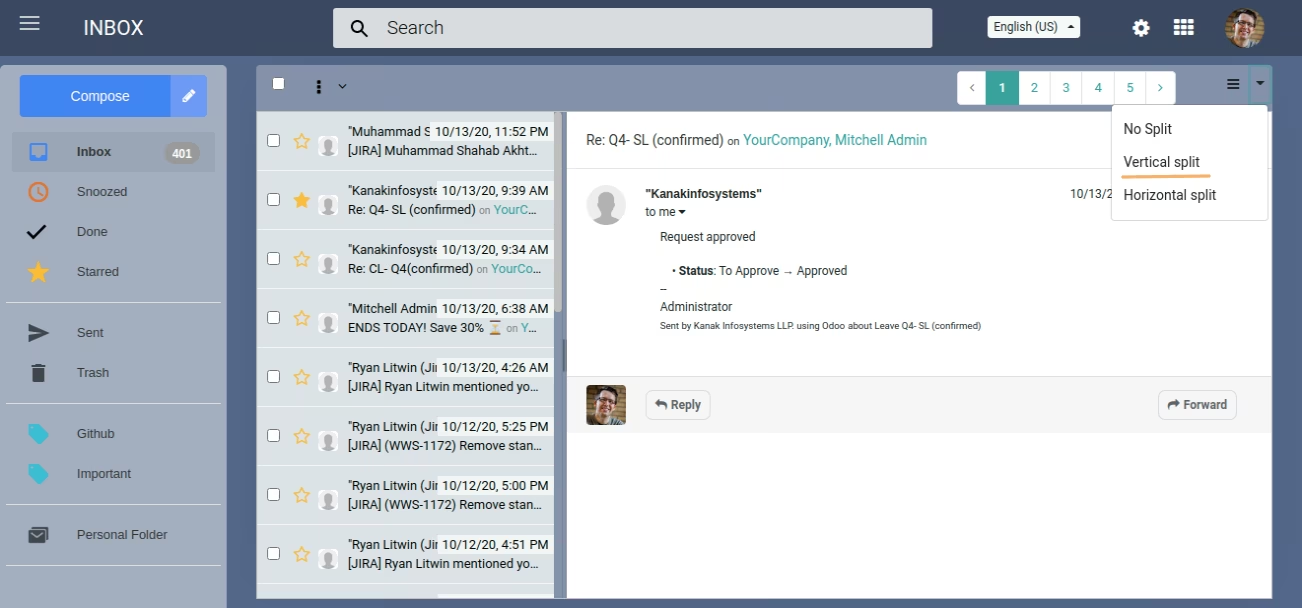
Vertical Pane View

Vertical split allows you to control the division between the message list and see the message window in a pane view side by side.

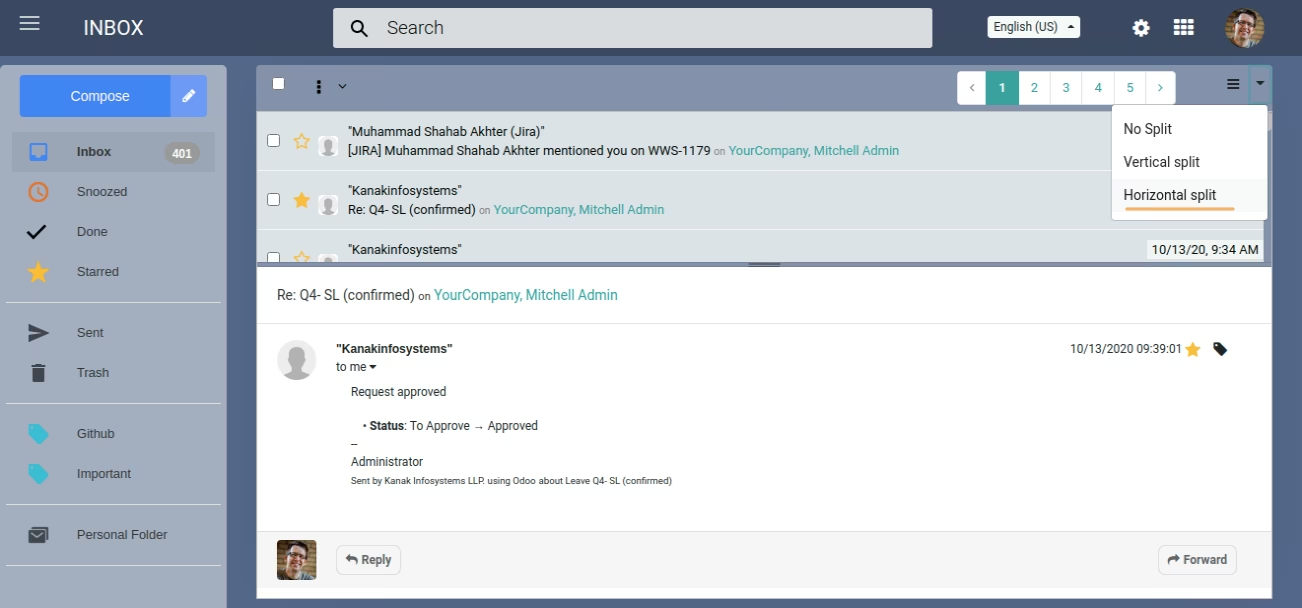
Horizontal Pane View

It also allows you to see the list of messages, click on the message and see the details but horizontally.

Message Details View when No Split on Pane View
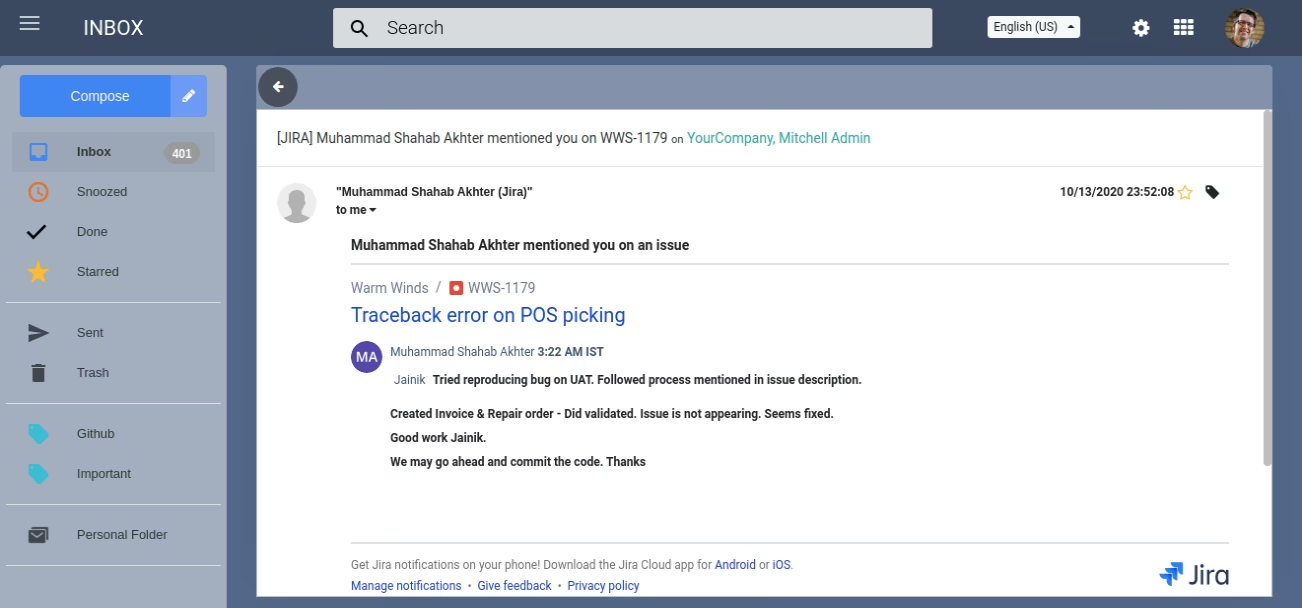
Message Detail view is shown when No Split option is used and it displays the message in full screen.

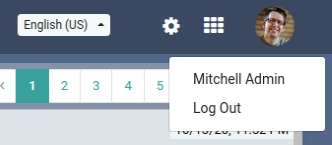
My Profile Link

My Profile allows you to edit your profile, change the picture or add/edit any details on your profile section.

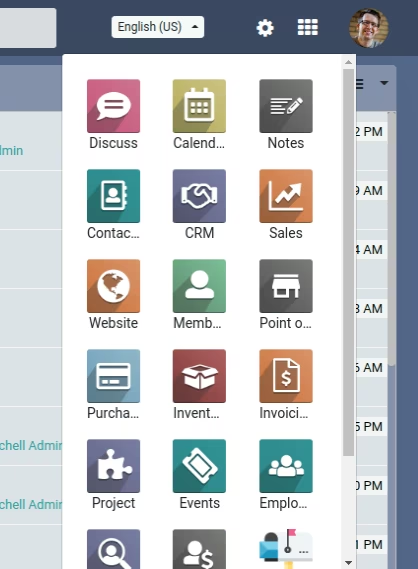
Menu

There is a Menu link which allows you to move out of the Inbox to any of the other modules like sales, purchase or any other.
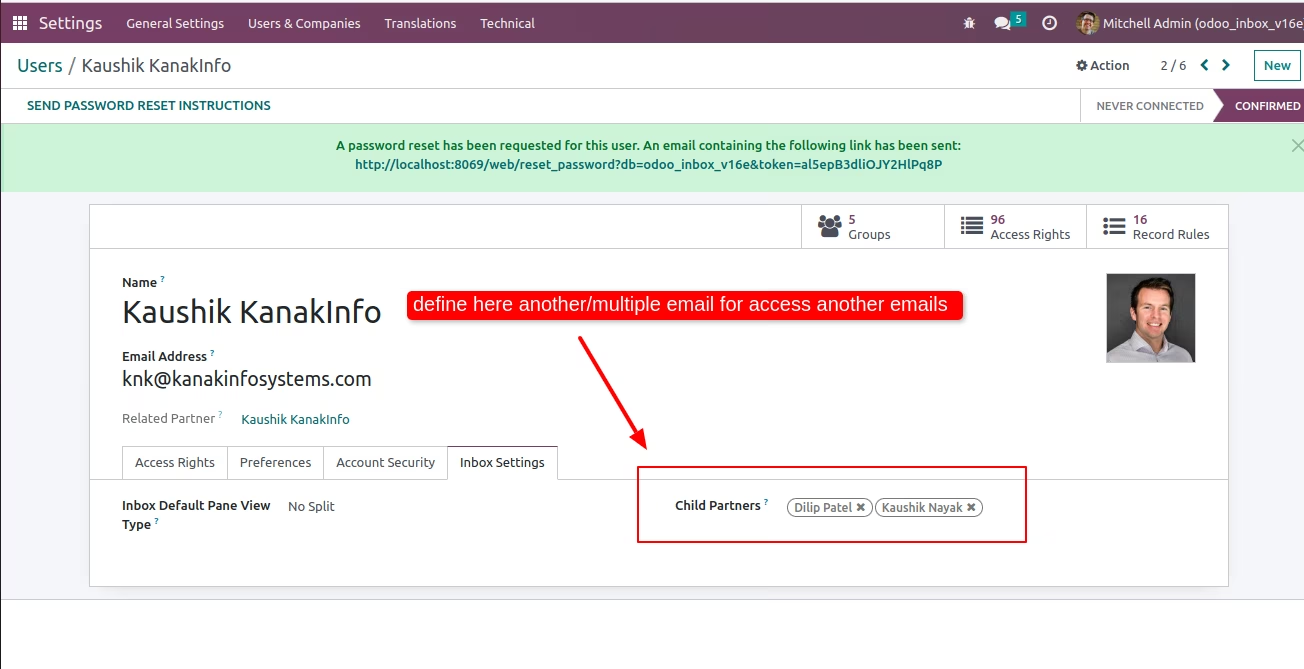
Define multiple emails in users
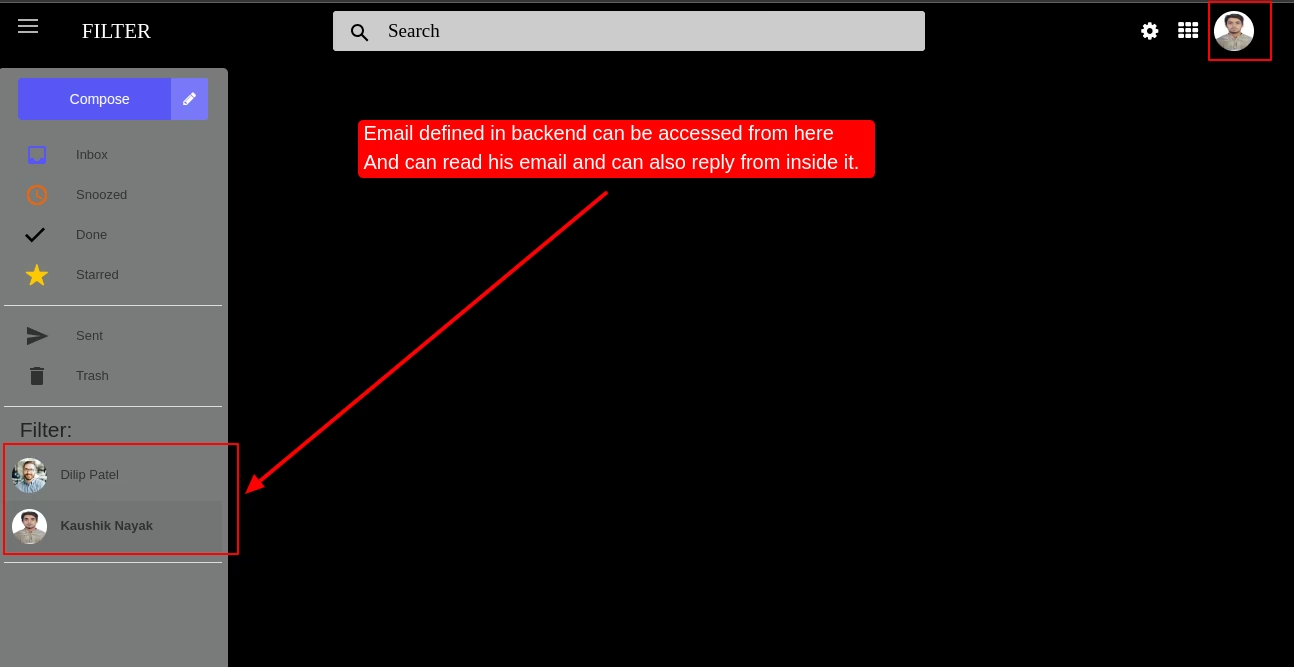
Show another/multiple email
Email defined in backend can be accessed from here and can read his email and can also reply from inside it.
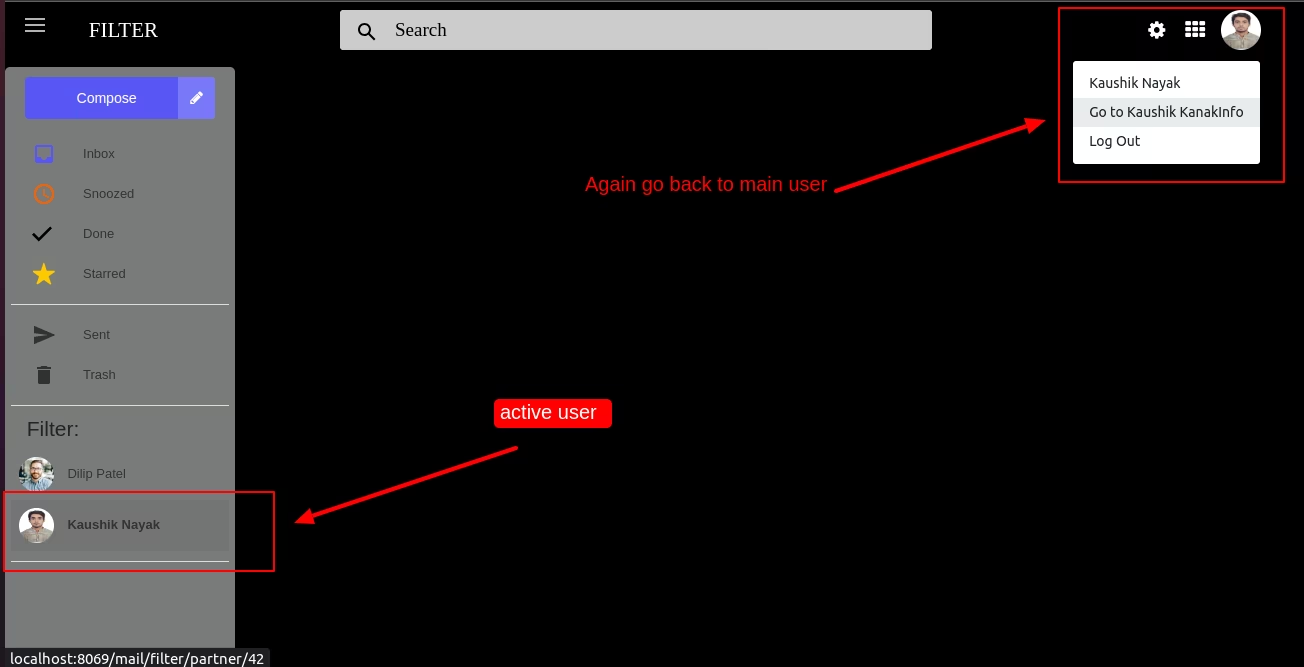
Go back to main user
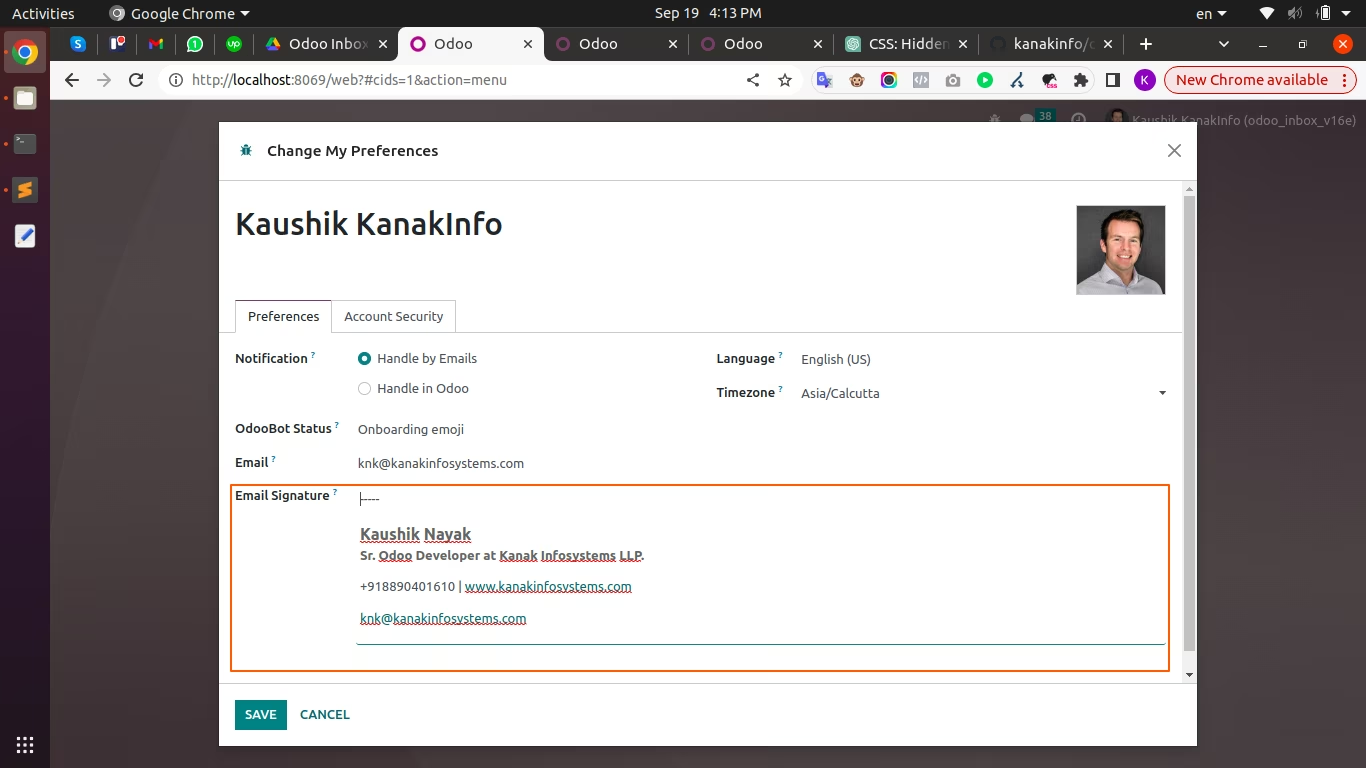
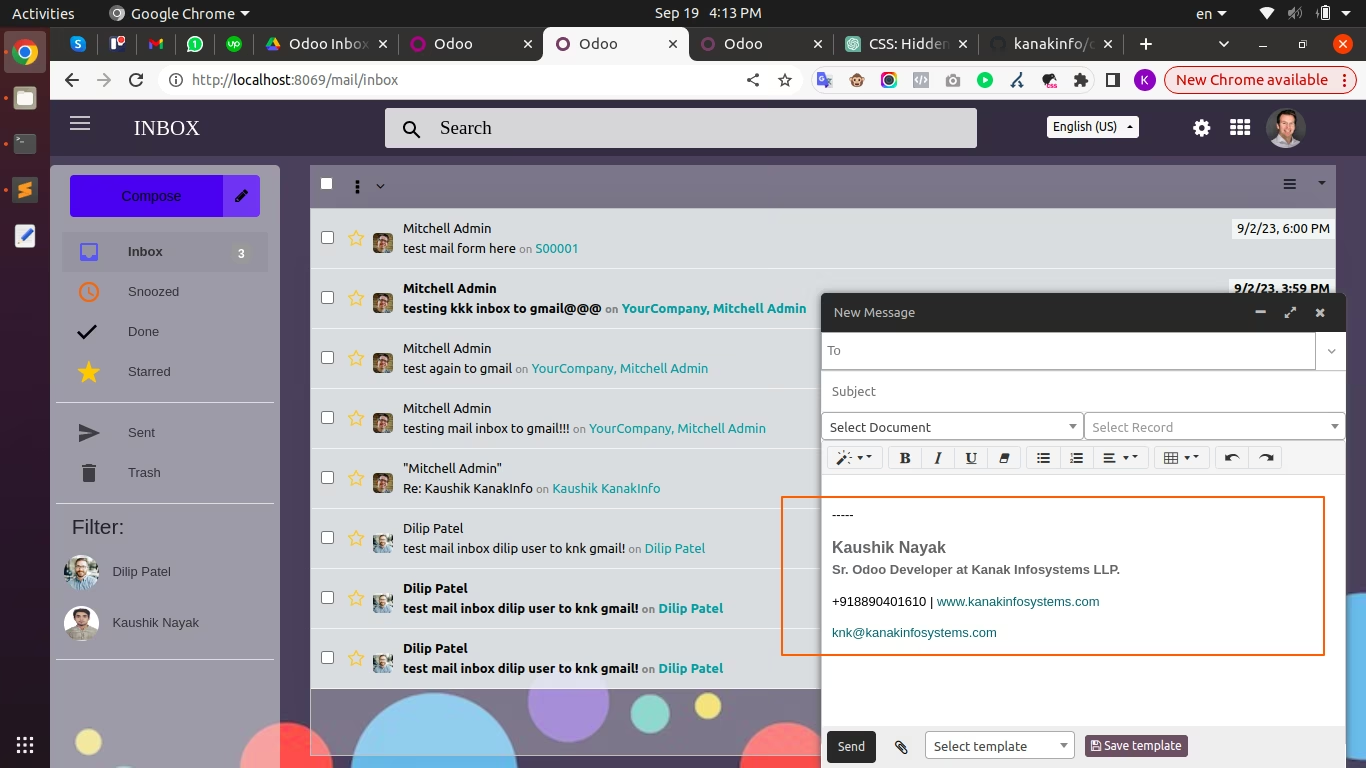
Add Email Signature in user Preferences
Show Email Signature in new compose message

Compose message(s)

Compose Message with Email CC/BCC and Document Modal and Record.

Inbox message(s)

Inbox message display beautify with All the Small Details like Message Title, Short Description, Time, Recipient of Message.

Snooze message(s)

If user want a reminder of that message then it was easily snooze the message and get the reminder mail on that snoozed time.

Starred message(s).

Important Message will be starred message flag will apply on messages.

Sent message(s).

Easy to Compose message and Send to Recipients

Trash message

Use the message trash option to delete the unwanted messages.

Search message.

Allow to Search by title, Search by email, Search by Recipients name.

Create folder, Move to folder message(s)

Easy to move in Folder User want Group by Folder and move some message in Folder.

Create tag, Applying tags into message(s).

Easy to Create and Apply tags on message so Easy to Identify which message have personal, important etc..

Reply message(s).

Easy to Reply on message every message have "Reply" Option to Reply that message particular document or message.

Forward message(s)

Easily forward messages with the forward button on every message linked to a document, thread, or any other model.

Read message(s).

Easy to Read just click on message and you will get Details Message for read.

Unread message(s).

Showing Unread message Counter and Also Unread message is Bold and Dark Black Display.

Done message(s)

Easy Done Message(s) just click on Right Sign on message it will done and move in to Done Messages.

Pane View

Pane view will provide to Read Message with split windows so easy to Swicth on another message.

Compose Message with any document

If you want to Send message to Particulate Sale , CRM, Purchase or Any Other Document or Application which Supported Message then easy Compose message and Select Document and just send it.

Multi Language RTL Support

Multi language Support and also Support RTL.

Themes

Apply theme and looks beautify Inbox.

Super Fast load message

Loading Speed Super fast too many message will load in a Seconds and Easy to use

Email CC/BCC

Compose message have Email CC and BCC so easy to Send Copy of the message.

Labels on Messages

Labels on Message so easy to identify with labels.