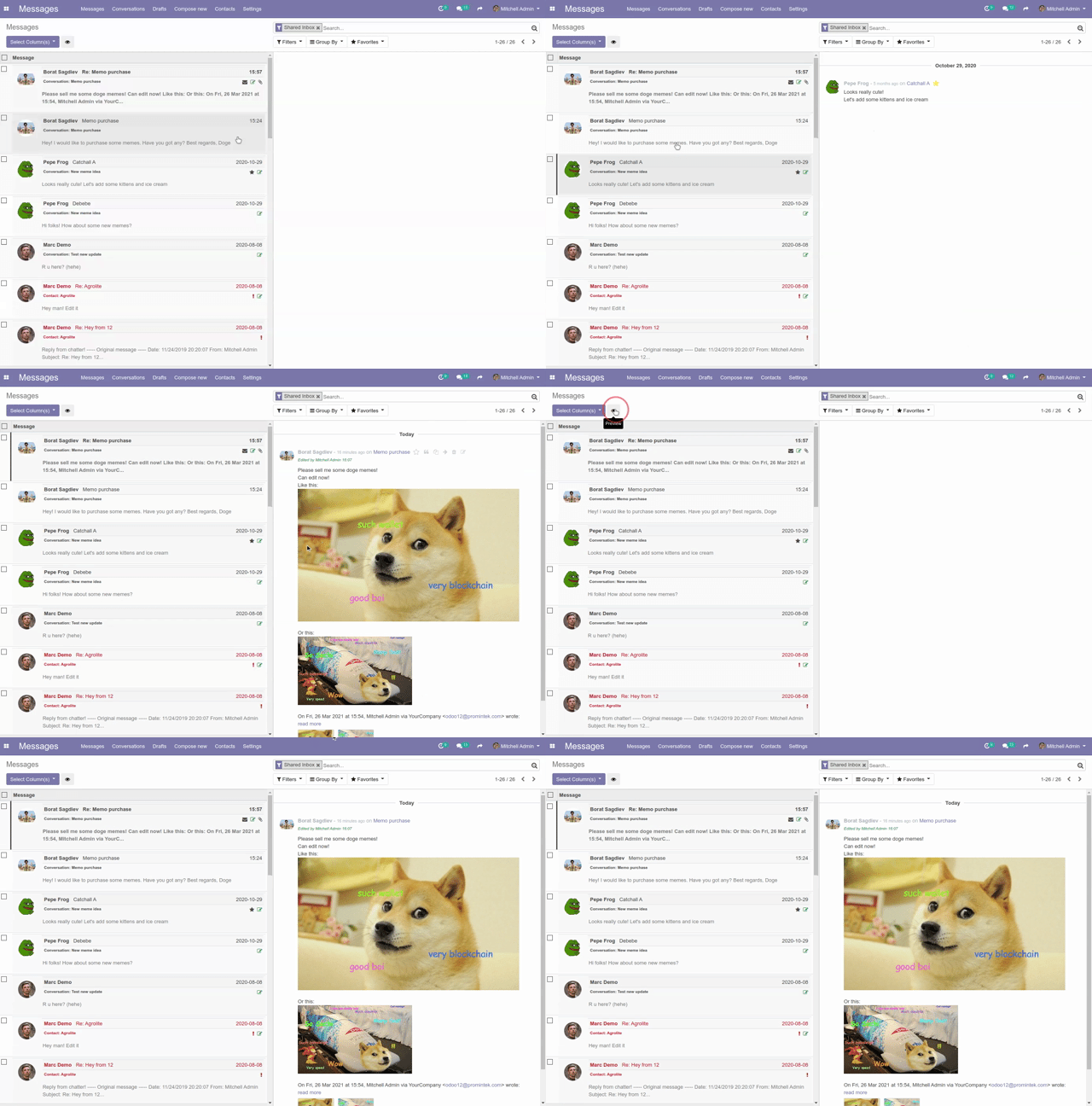
Mail Messages Easy Pro in refines the messaging interface by transforming the chat thread into email-like usability. This module provides a sophisticated message preview pane, direct reply and forwarding capabilities, and powerful message organization tools. It even allows administrators to recover and relocate unassigned or “lost” messages ensuring no communication is ever missed. Designed for teams prioritizing clarity and efficiency in collaboration, it elevates communication experience to new heights.
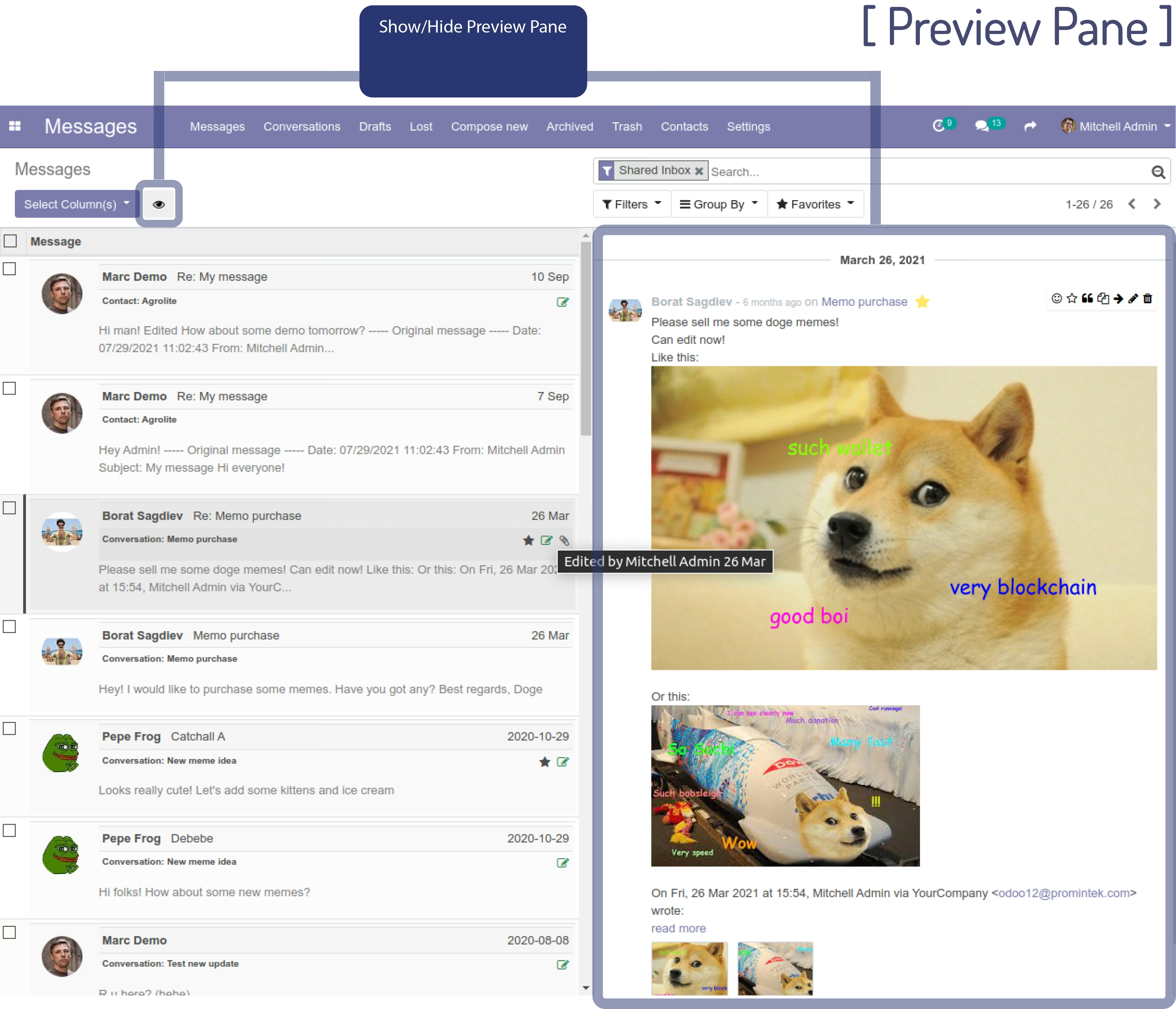
Display a message preview pane within the chatter, offering quick visual access to message content
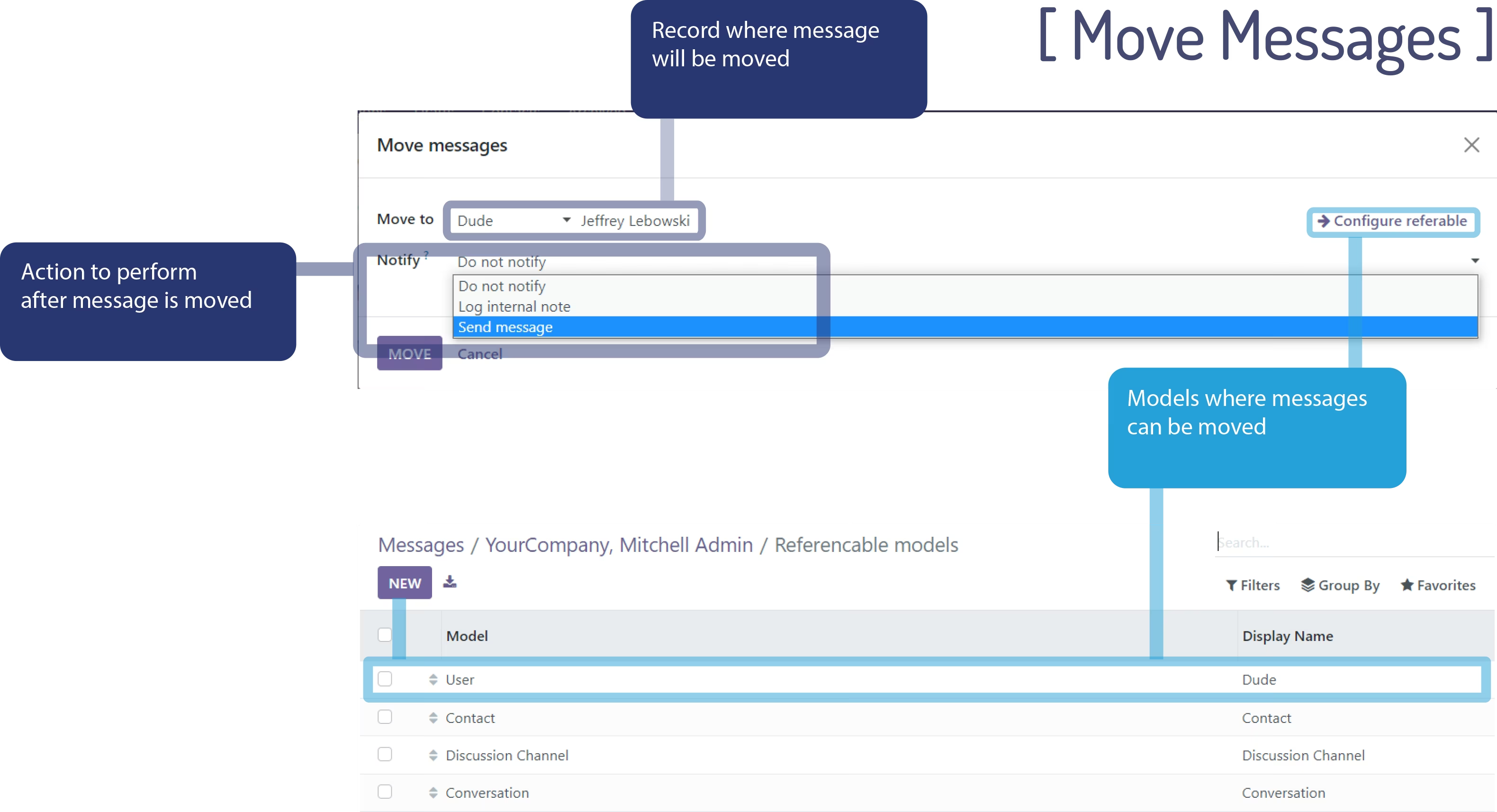
Enable actions like reply, forward, and move messages directly from Chatter threads
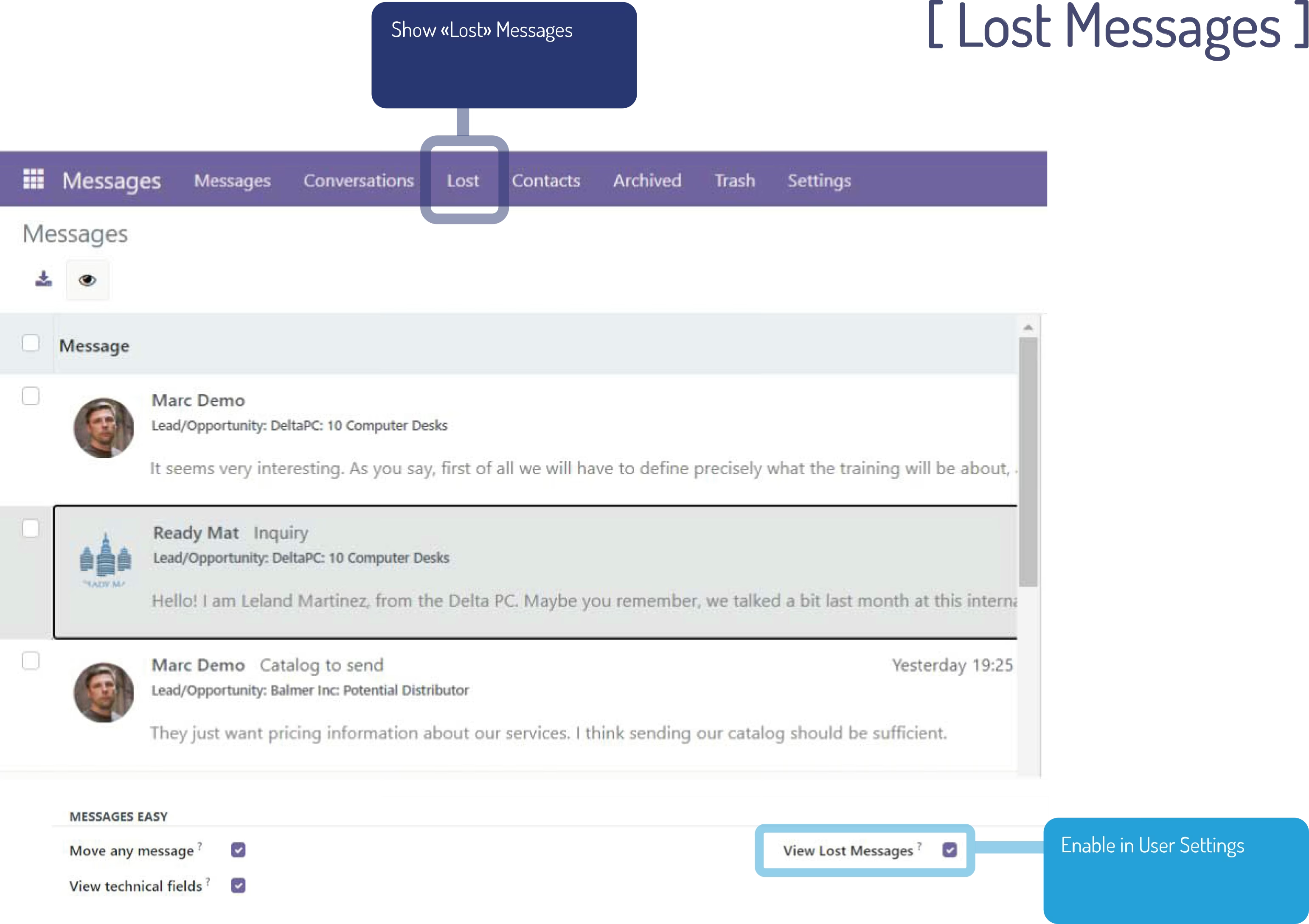
Reveal and recover “Lost Messages”, allowing users to relocate unassigned mail to the correct records
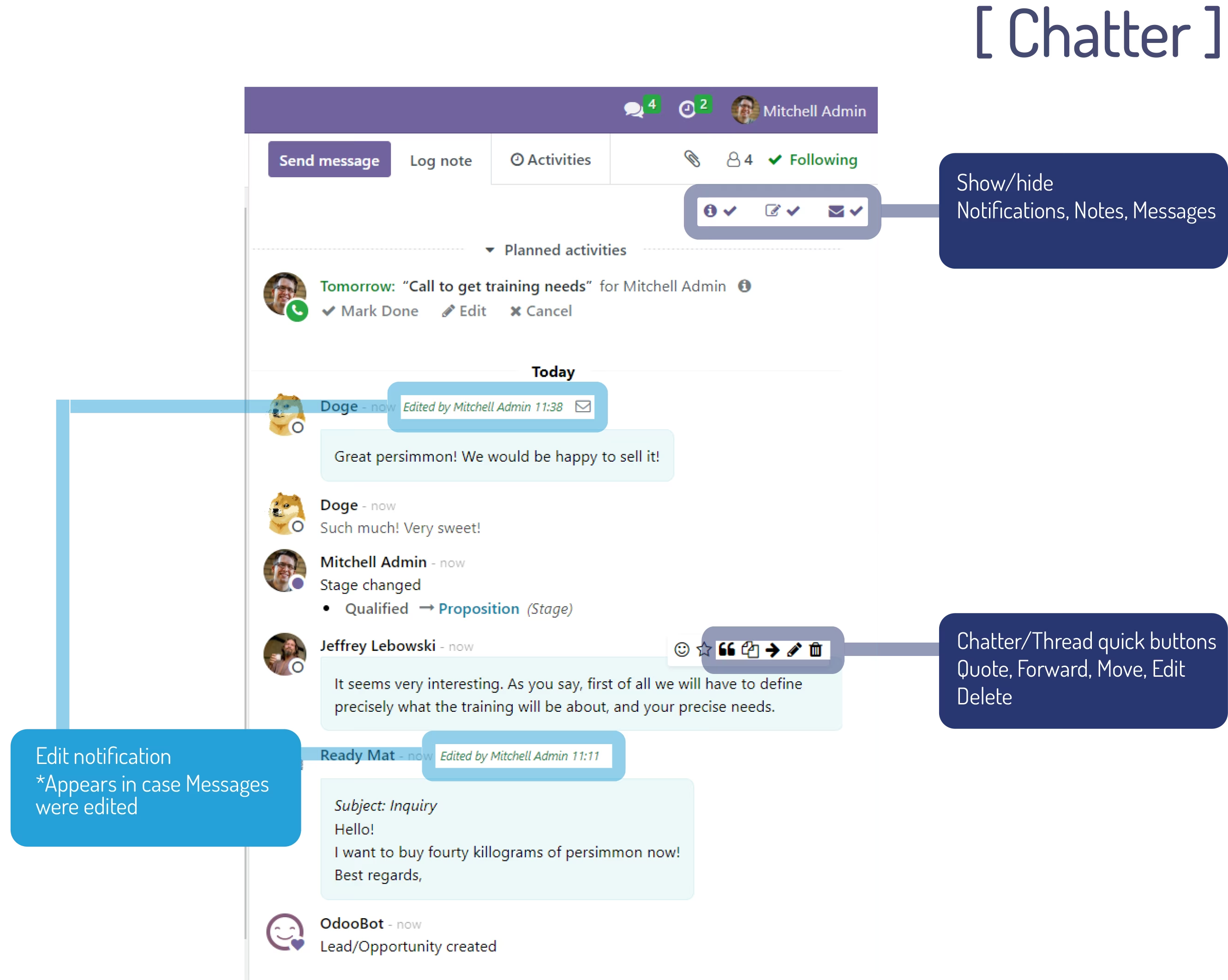
Hide or show notifications, internal notes, and messages in chatter for customizable visibility
Assign proper message authorship when not detected automatically—preserving communication context
Extend Mail Messages Easy with advanced Pro-level features for comprehensive messaging control
Boosts message clarity by enabling inline previews and familiar email options
Speeds up communication workflows with in-place reply, forwarding, and repositioning tools
Enhances message recovery through a dedicated ‘Lost Messages’ interface for unassigned threads
Improves compliance and organization by providing flexible visibility controls in chatter
Supports accurate recordkeeping by ensuring correct authorship and contextual messaging across records
[ MAIL MESSAGE EASY ] 
View and manage all messages just like with a regular email client
This is an extension of [ Mail Message Easy ]
Click on image to enlarge

[ PRO FEATURES ]
- Message preview pane
-
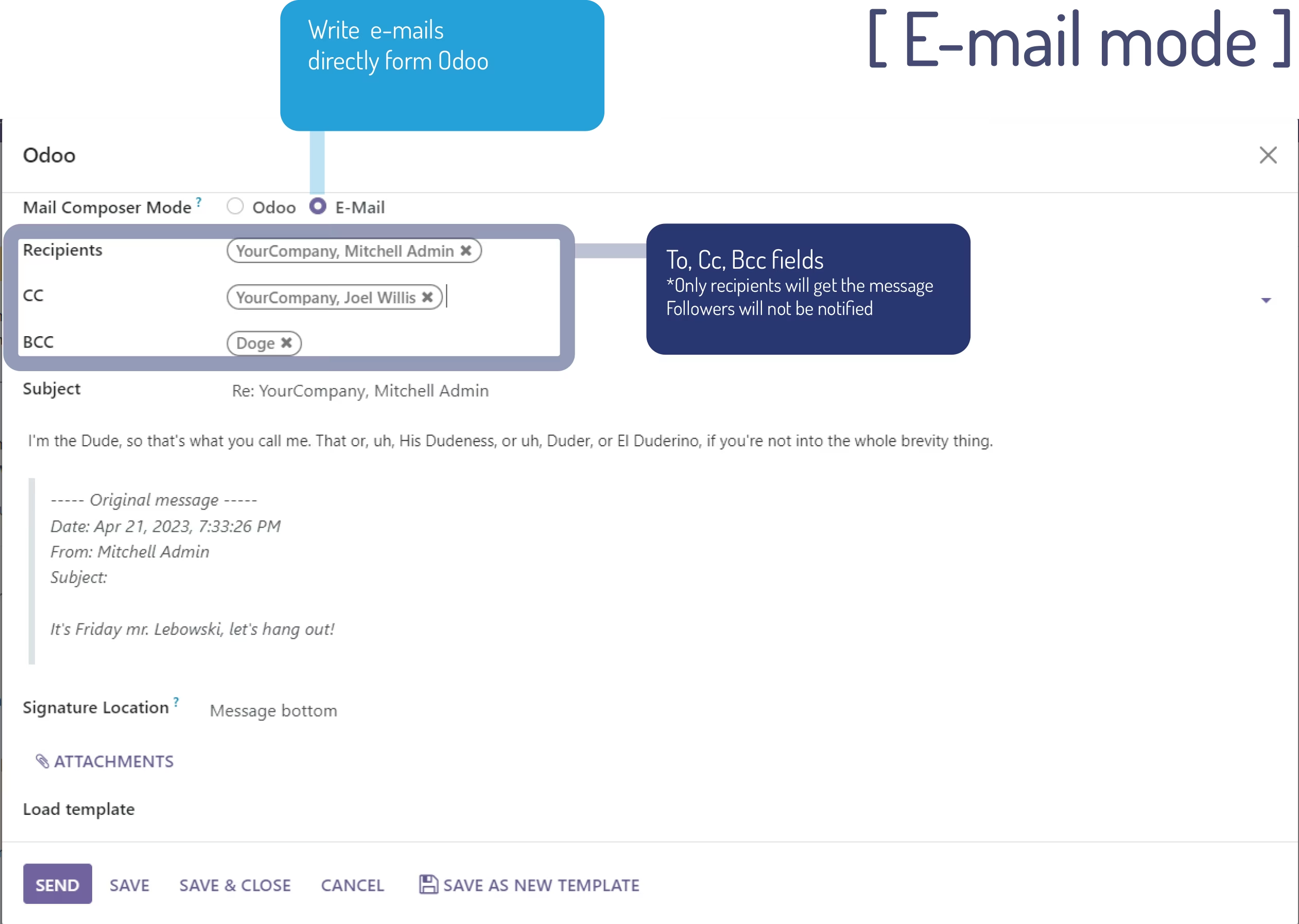
Send messages in e-mail mode using To, CC, BCC fields.
Other followers will not be notified -
Manage messages and notes directly in Chatter or Discuss threads:
Edit or Delete Reply , Forward - Move messages to other thread/record
- Flexible Chatter: Show/hide Messages, Notes, Notifications!
- Assign message author if author was not detected automatically
- Delete CRM Leads/Opportunities if no messages left except for notifications
-
Show lost messages
Sometimes Odoo cannot determine target model/record for the message and such messages remain unassigned so users cannot see them.
Meanwhile these messages can contain important information!
Go to "Lost" menu in "Messages" where you can read all of them and move to proper record manually!
Hint: Add user to group "Messages: View Lost Messages" to access lost messages. Go to "Settings->Users", open User's profile and set checkbox on this setting.