Achieve complete visibility and control over your inventory for machine repair operations with the Machine Repair Stock Inventory module. This essential tool integrates your machine repair requests and job orders directly with your stock inventory, enabling precise tracking of all related stock movements and pickings. By linking inventory transactions to specific repair tasks, businesses can ensure accurate stock levels, streamline the process of allocating parts for repairs, and generate detailed reports on material usage. This module is perfect for organizations that need to maintain a clear and accurate record of inventory consumed during maintenance and repair activities.
Integrates machine repair requests and job orders with stock moves and pickings.
Allows users to select machine repair requests and job orders on stock picking forms.
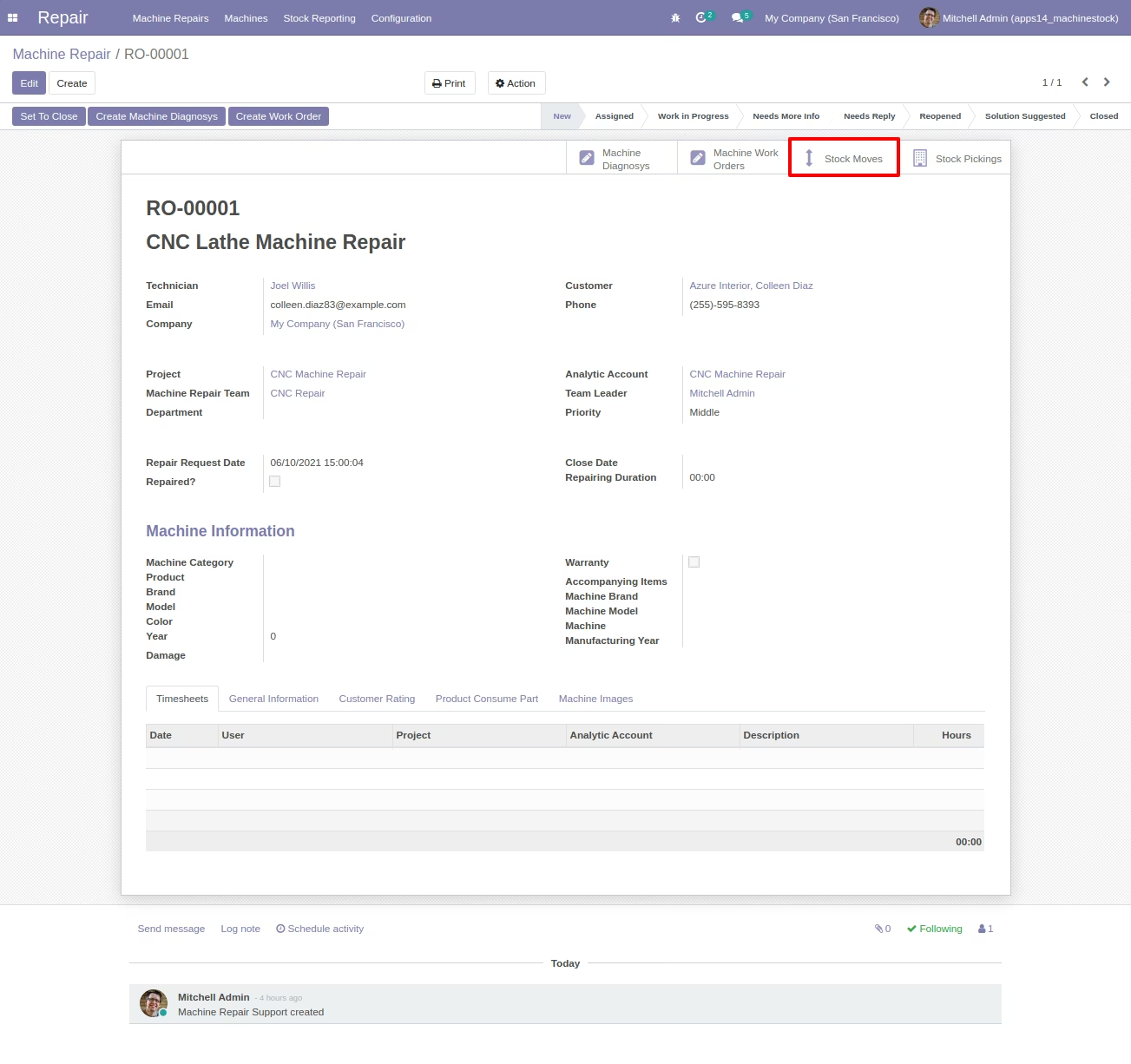
Provides smart buttons on machine repair and job order forms to view related stock moves and pickings.
Tracks all inventory movements associated with specific repair tasks.
Supports incoming, outgoing, and internal stock transfers for repair parts.
Includes dedicated reports for stock moves by machine repair request and by job order.
Enhances inventory accuracy and provides a clear audit trail for repair materials.
Improves inventory control by linking stock movements to specific repair jobs.
Ensures accurate tracking of parts and materials used in maintenance activities.
Streamlines the process of managing and allocating inventory for repairs.
Provides valuable insights into material consumption through detailed reporting.
Reduces the risk of stock discrepancies and inventory-related errors.
Enhances the efficiency of both the repair and inventory management teams.
Offers a complete and integrated solution for managing the entire repair lifecycle.
Machine Repair App Integration with Stock Inventory / Pickings
Machine Repair and Machine Repair Job Orders Integration with Stock Inventory - App
This app allows your machine repair team and inventory team to integrate Stock Moves and Stock Pickings of Machine Repair Requests and Machine Related Job Orders / Work Orders.
Main Features:
- Integrate Machine Repair Request with Stock Moves of Stock Picking by allowing your user to select a machine repair request on stock move on stock picking form.
- Integrate Job Orders with Stock Moves and Stock Pickings by allowing them to select a machine related job order / work order on stock move of stock picking.
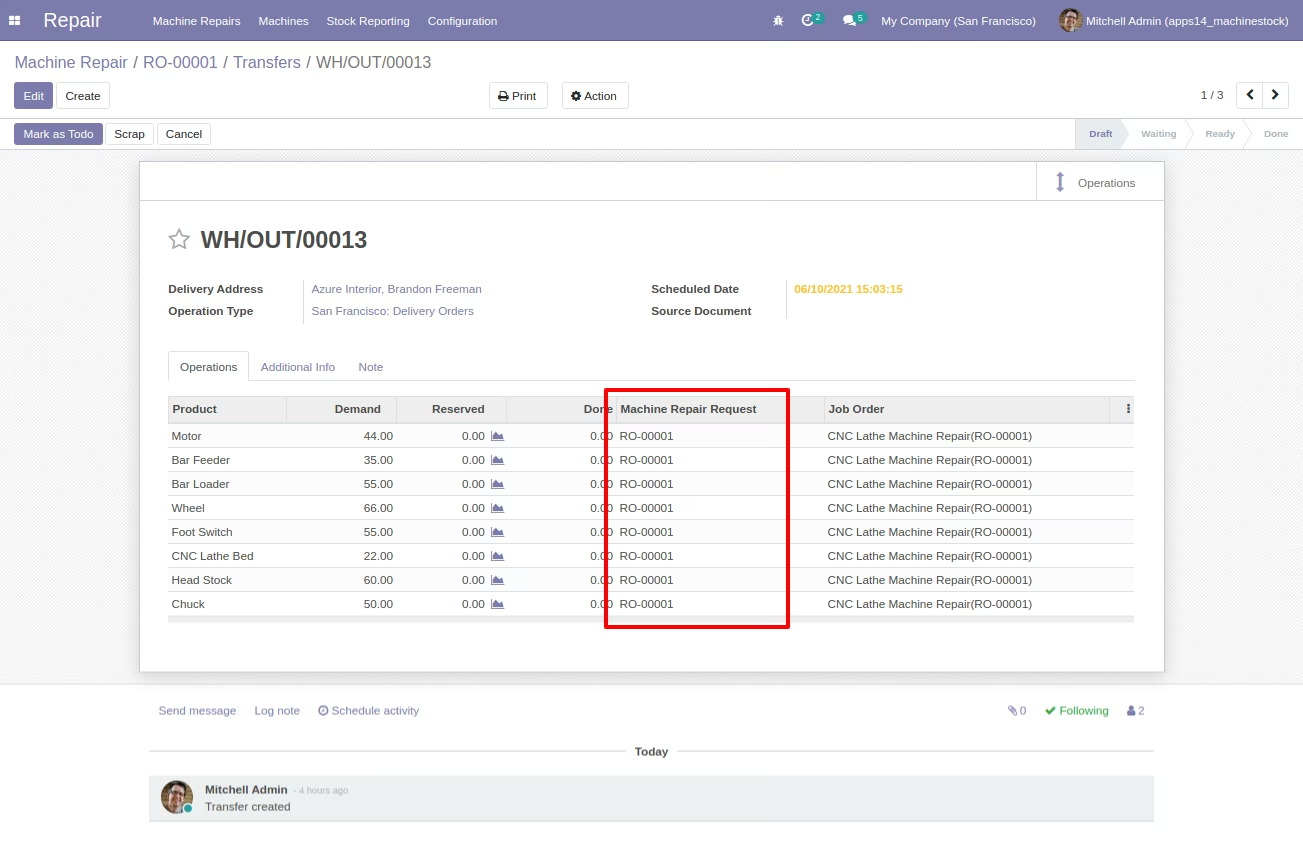
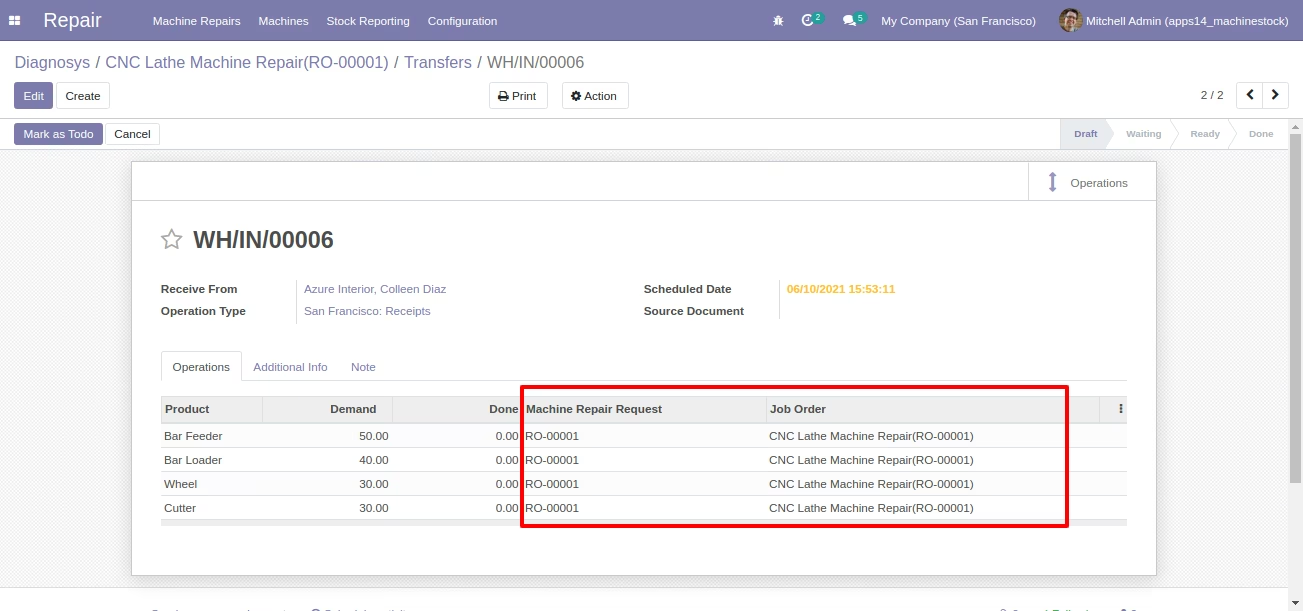
- Inventory User(s) can select a Machine Repair Request and a Job Order on Stock Pickings Form as shown.
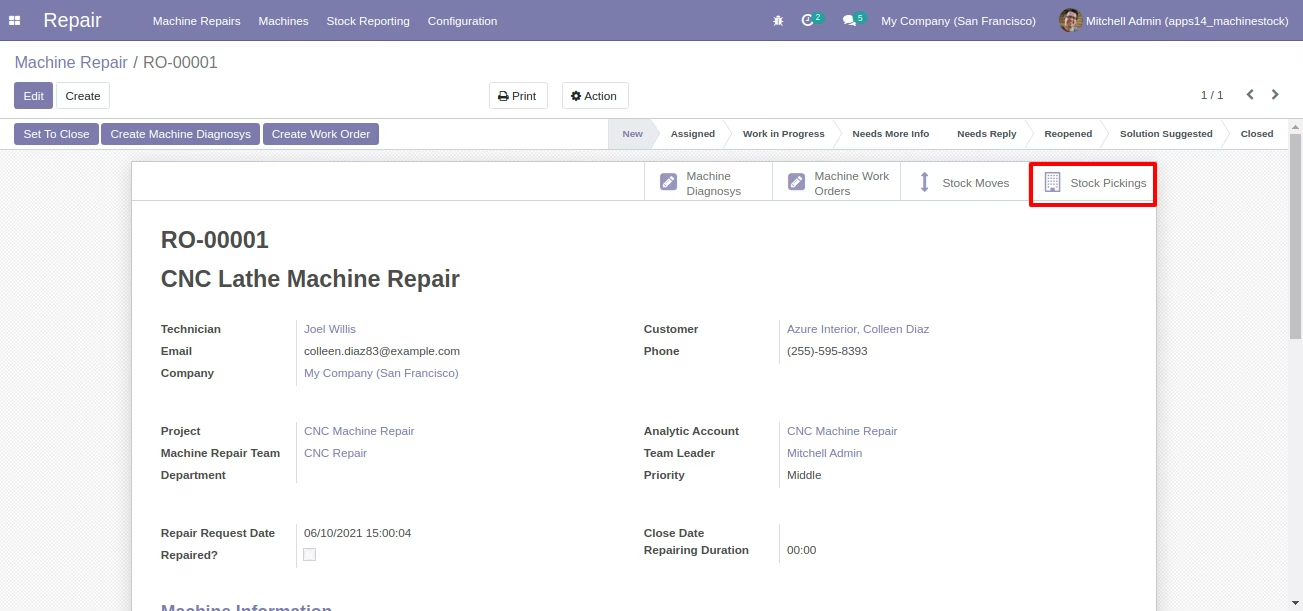
- Machine Repair Request Form View with Stock Moves and Stock Pickings Smart Buttons as shown screenshot.
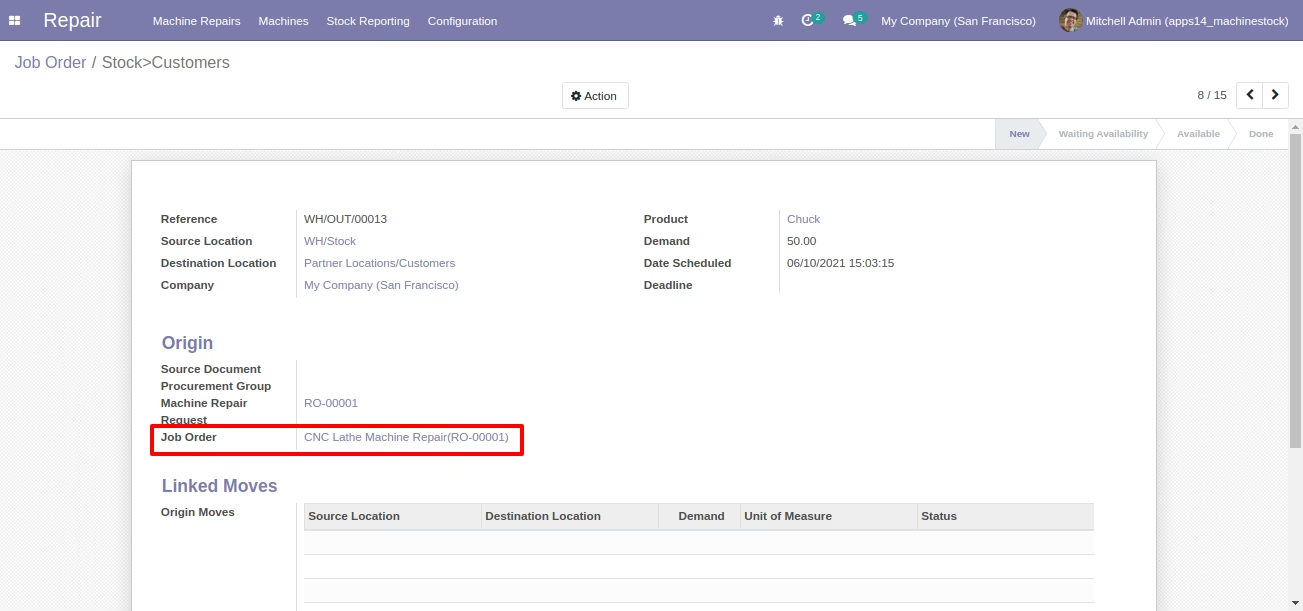
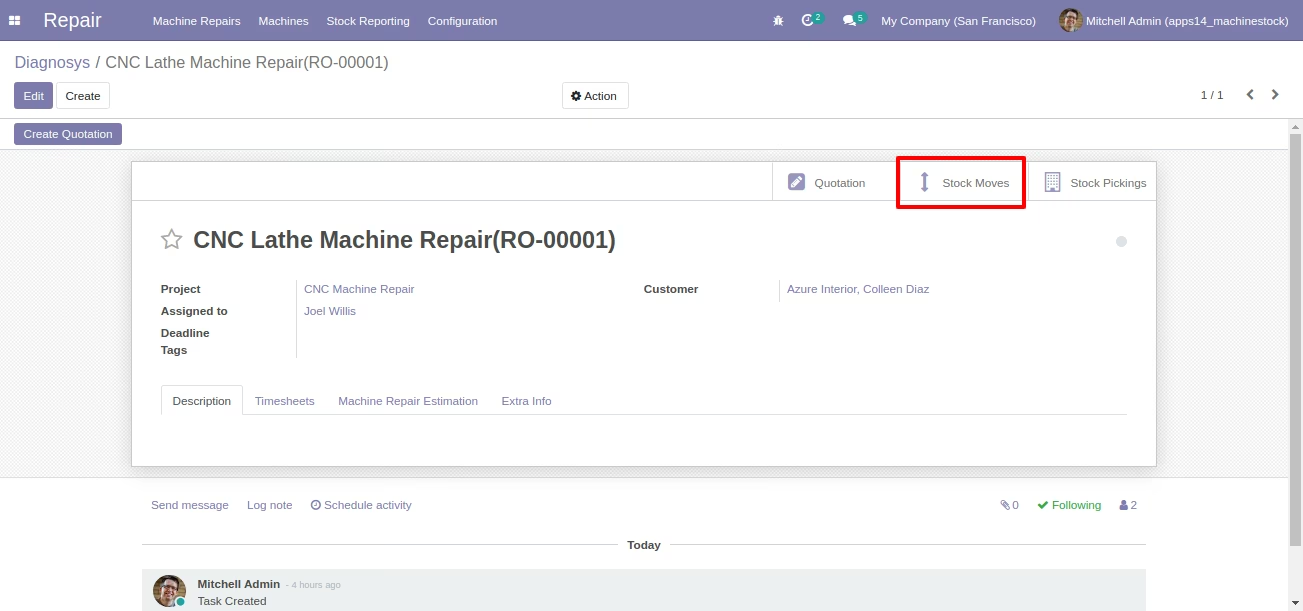
- Job Order | Work Order Form View with Stock Moves and Stock Pickings smart buttons.
- Your inventory team can choose machine repair requests and job order on stock picking form during incoming, outgoing, internal transfer. And based on this selection stock will be shown and integrated with machine repair requests and job orders of machine repairs.
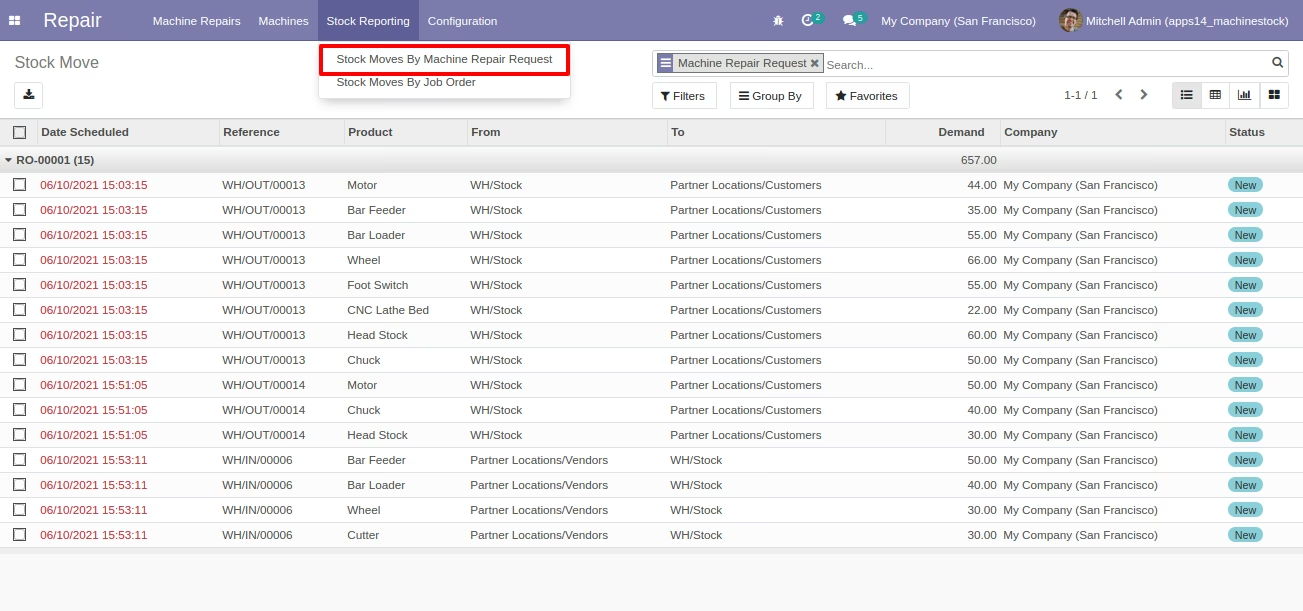
- User(s) can see Stock Moves by Machine Repair Requests Report under Stock Reporting Menu.
- User(s) can see Stock Moves by Job Order Report under Stock Reporting Menu.
- For more details please see below screenshots and watch video.
Menus Available for Reporting:
- Repair
- Stock Reporting
- Stock Moves By Machine Repair Request
- Stock Moves By Job Order
Machine Repair Request Form with Stock Moves Smart Button
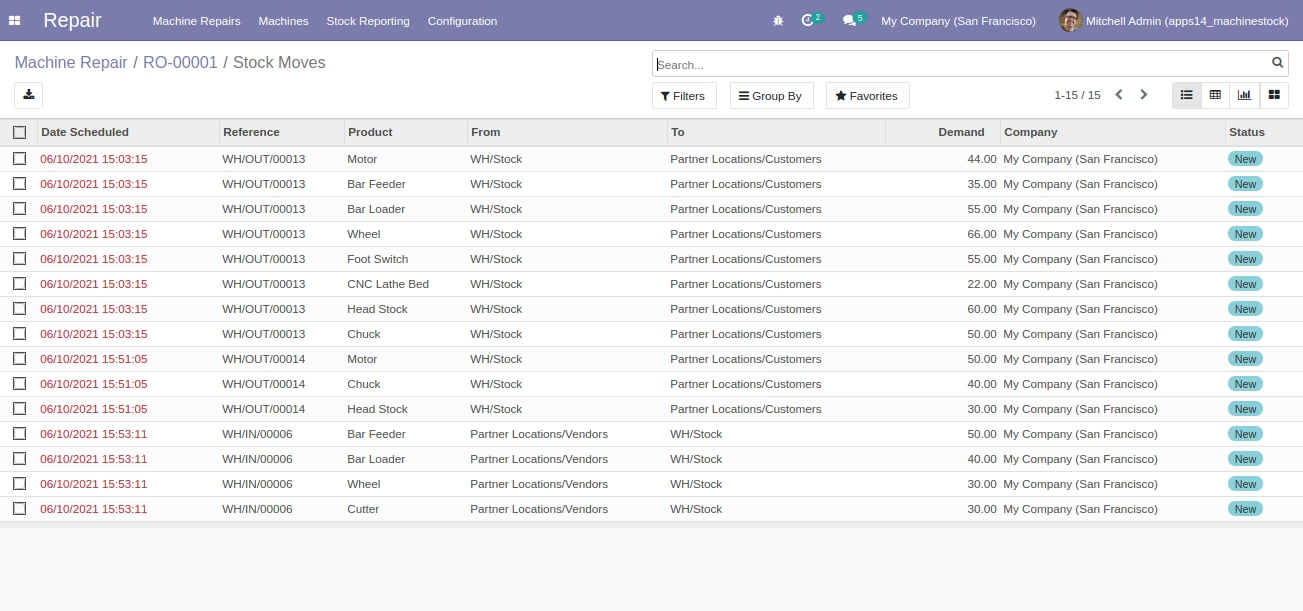
Stock Moves List View after Click
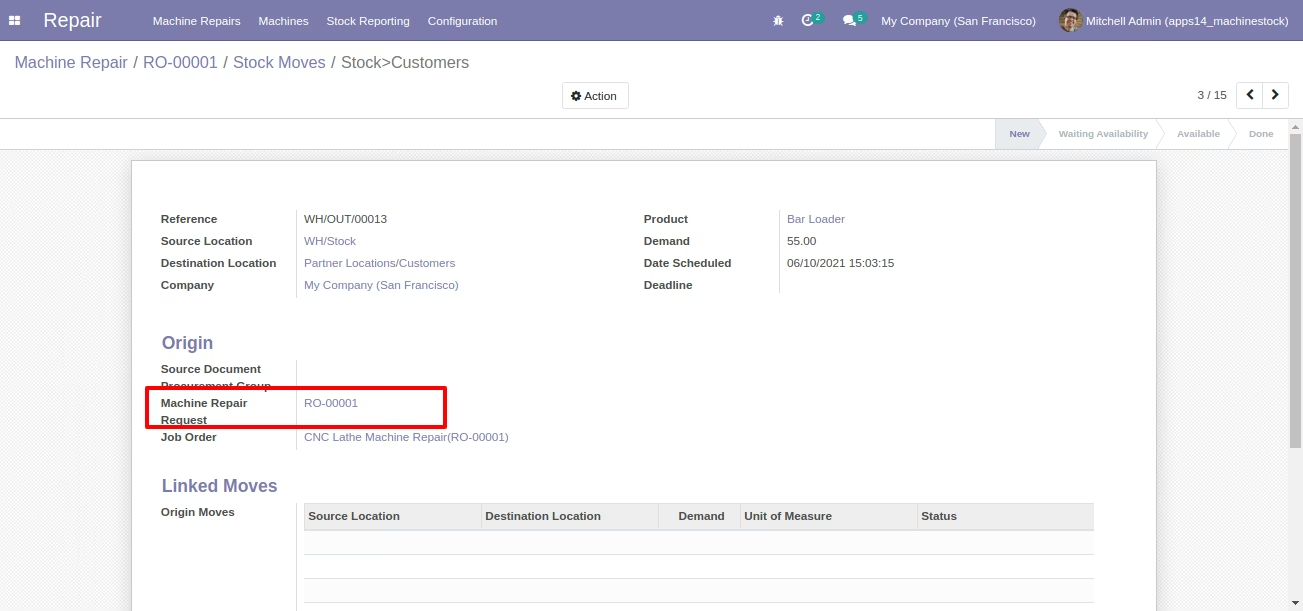
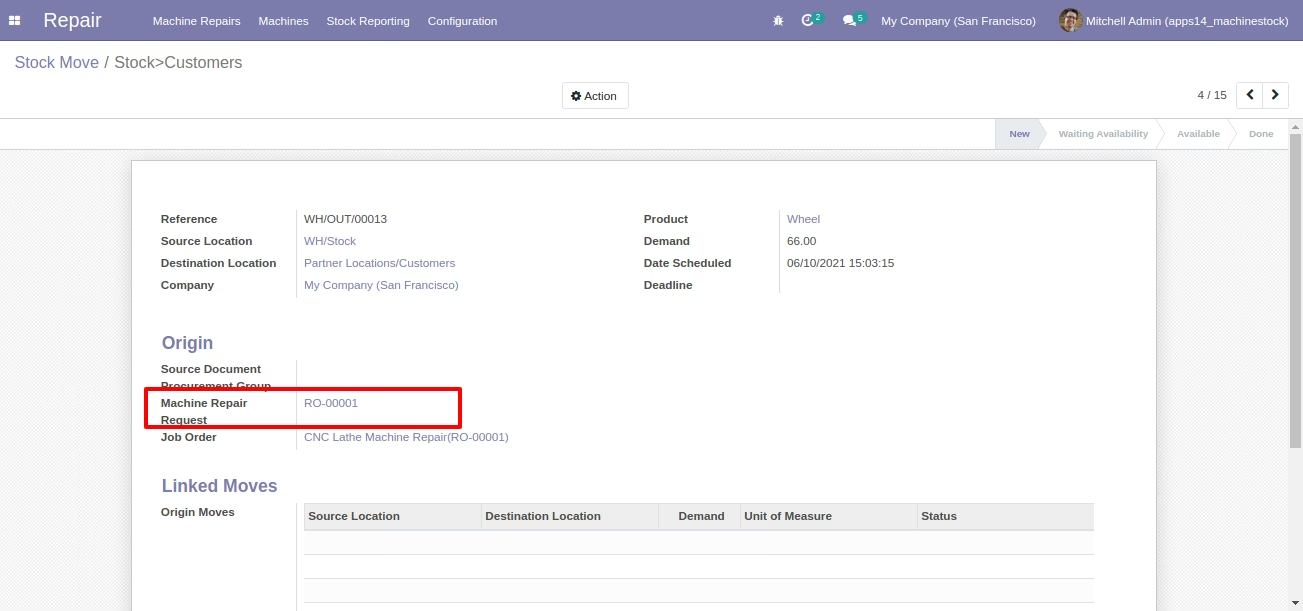
Stock Move (Standard) Form View with Machine Repair Request field
Machine Repair Form with Stock Pickings Smart Button
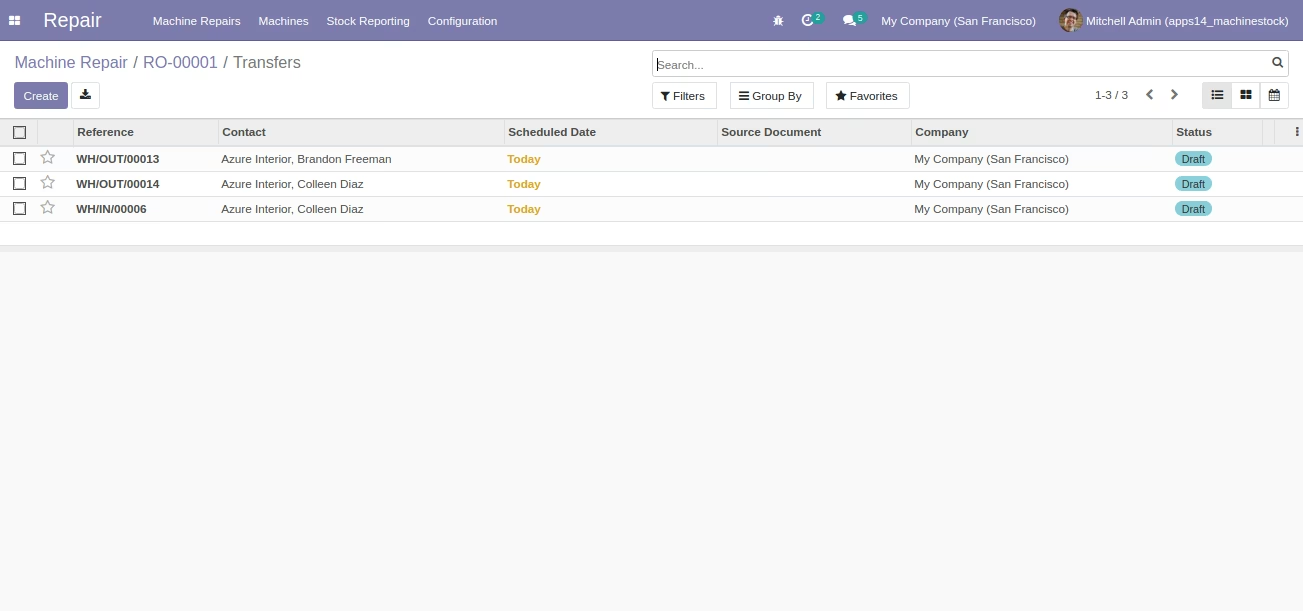
Stock Pickings List View after Click
Stock Pickings [Standard] Form View with Machine Repair and Job Order Selection
Job Order Form View With Stock Moves Smart Button
Stock Moves List View after Click
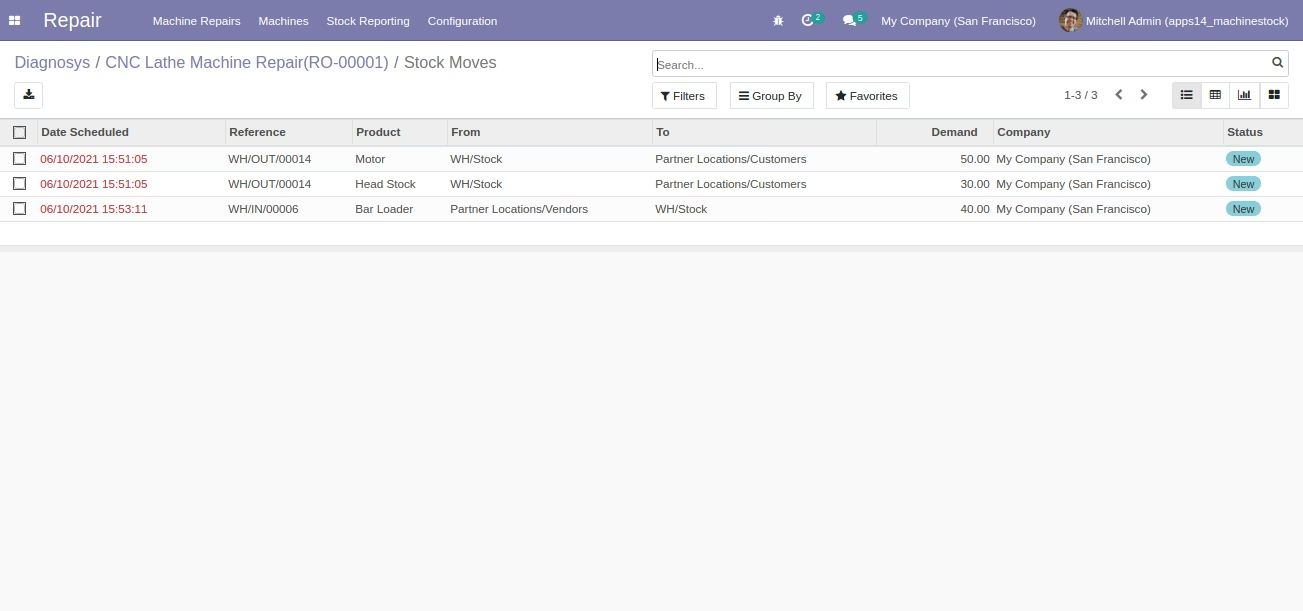
Stock Move (Standard) View With Job Order
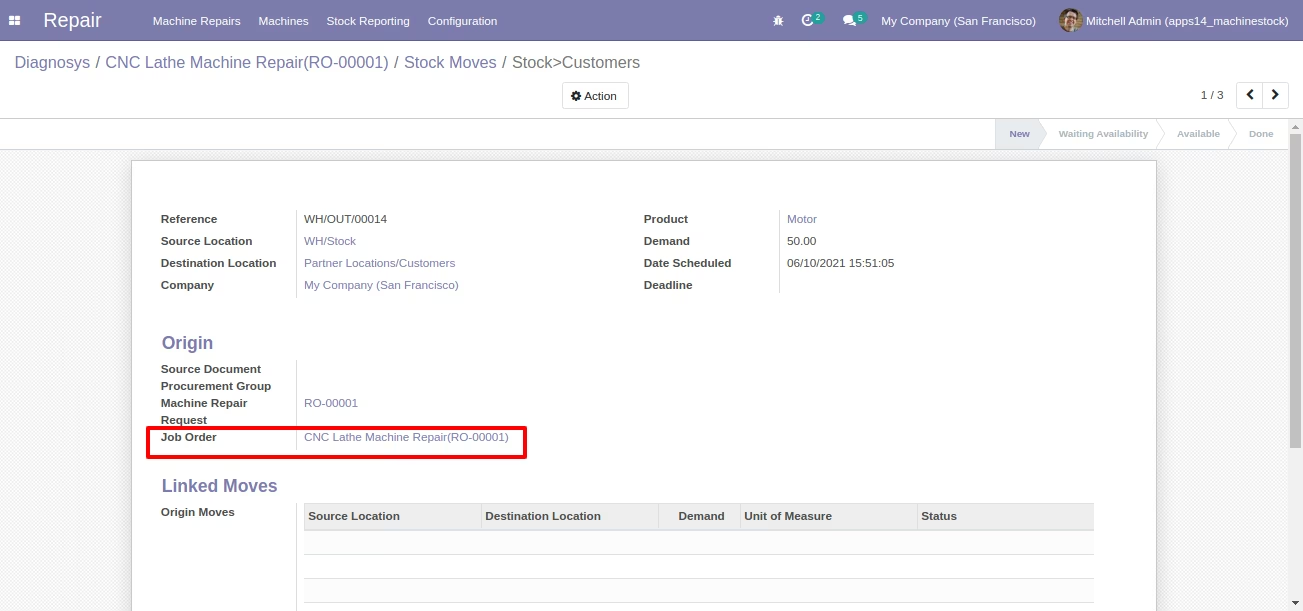
Job Order Form With Stock Pickings Smart Button
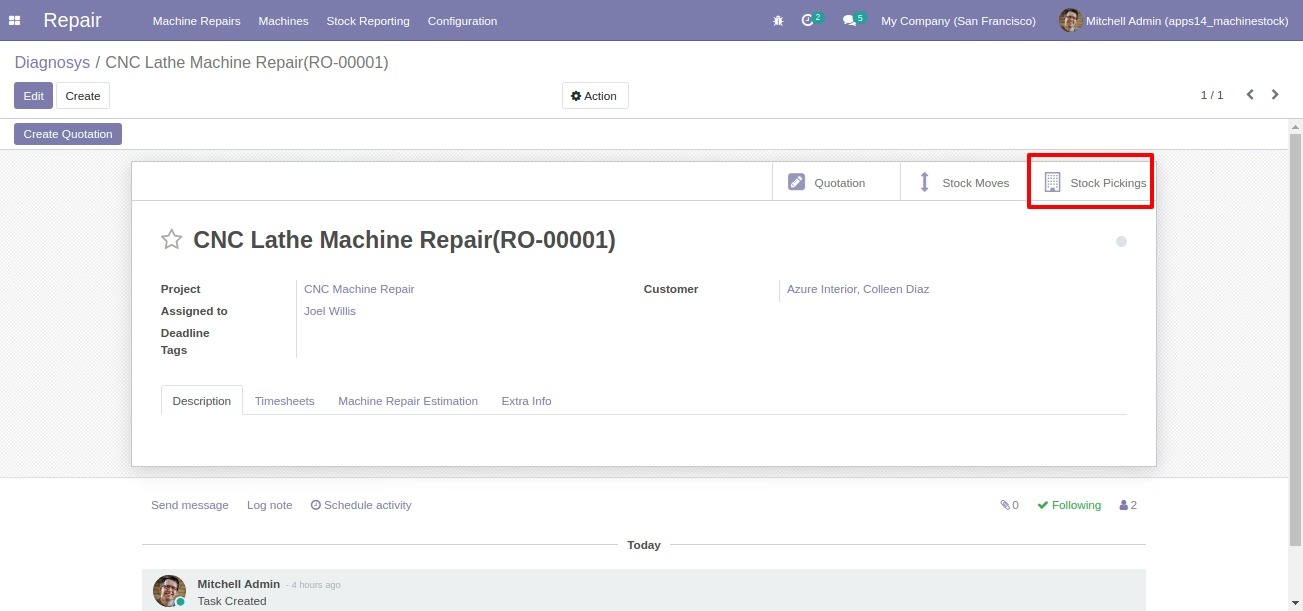
Stock Pickings List View after Click
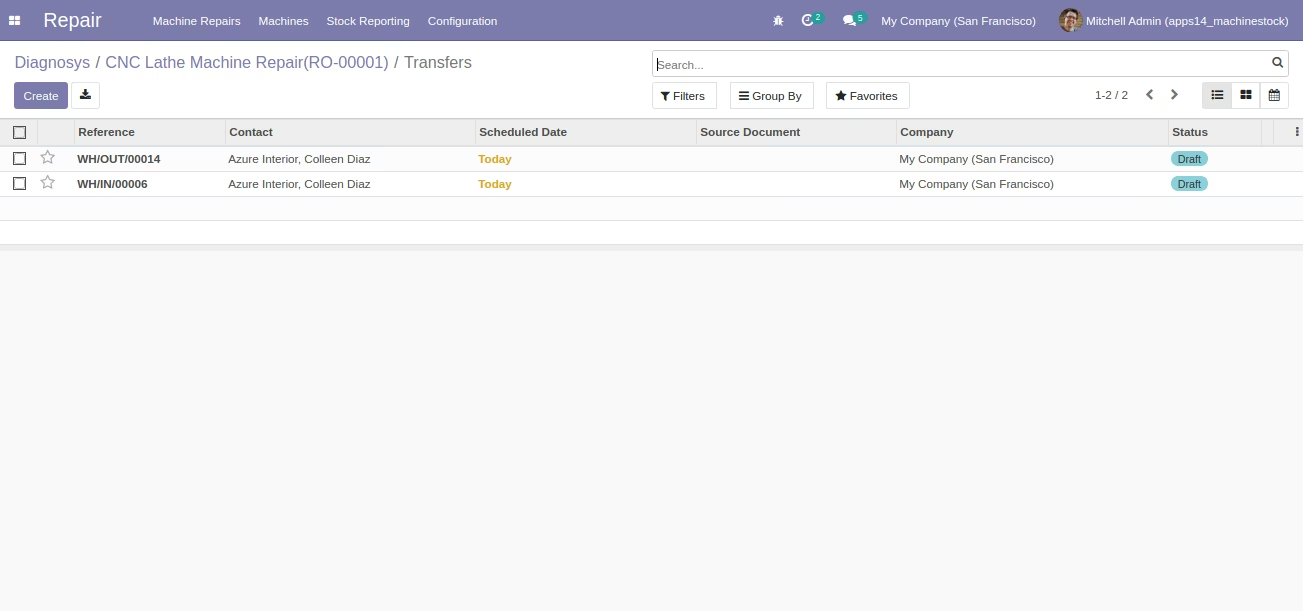
Select Job Orders on Stock Move [Standard] on Picking
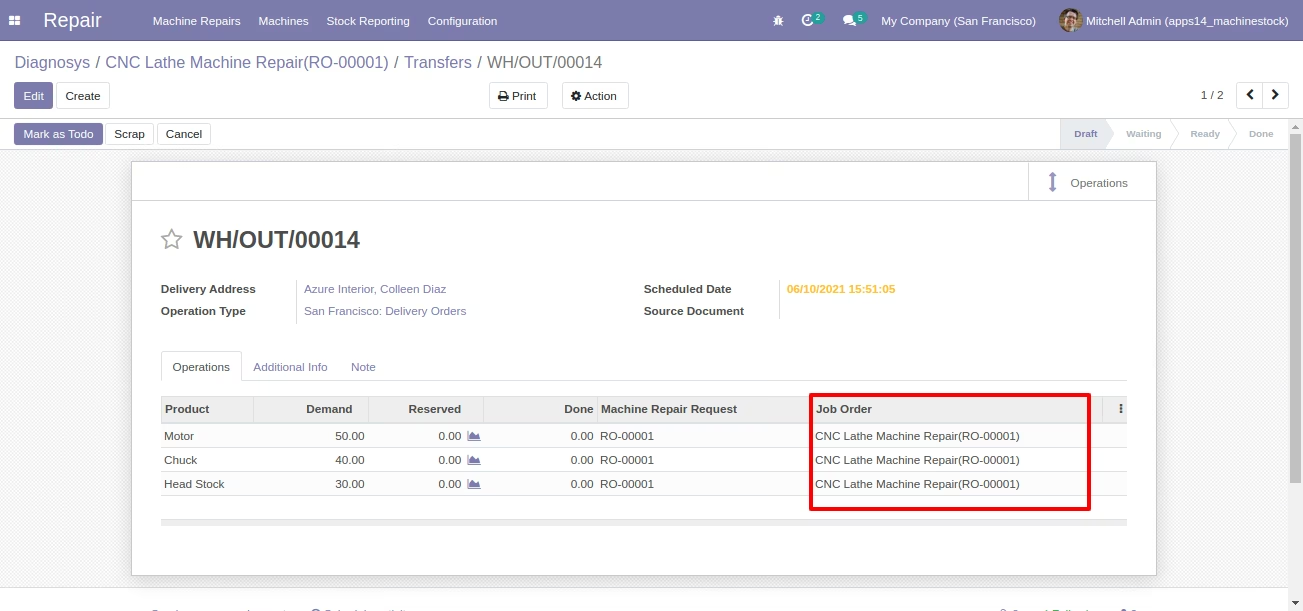
Stock Pickings [Standard] Form view
Stock Moves By Machine Repair Request
Stock Moves By Machine Repair Request Form view
Stock Moves By Job Order
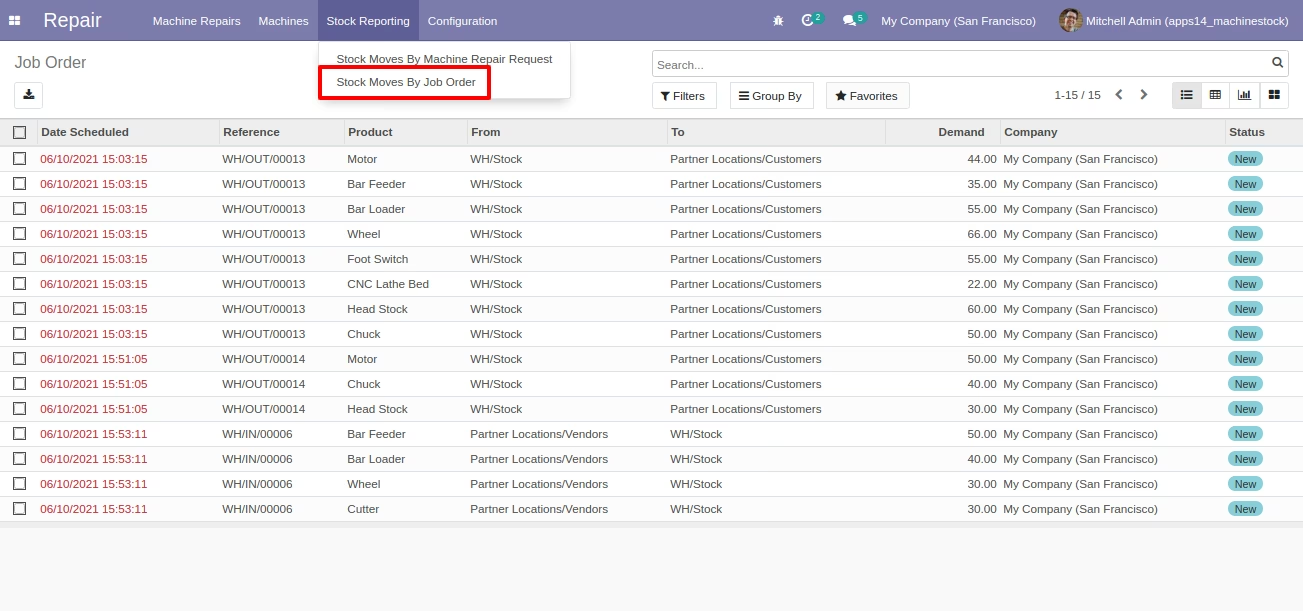
Stock Moves By Job Order Form view