Eliminate the time-consuming and error-prone process of manually entering serial and lot numbers with the Auto Serial & Lot Barcode Scanner. This powerful module automates the scanning process, allowing you to add serial or lot numbers to your inventory operations with a single scan. By streamlining the handling of tracked products in your purchase receipts, delivery orders, and internal transfers, this tool significantly increases the speed and accuracy of your warehouse team. Say goodbye to tedious, one-by-one entries and embrace a faster, more efficient way to manage your serialized and lot-tracked inventory.
Automatically adds serial or lot numbers by scanning barcodes.
Works seamlessly with purchase receipts, delivery orders, and internal transfers.
Supports both new and existing serial/lot numbers.
Increases the quantity automatically when the same lot number is scanned repeatedly.
Prevents duplicate entries for unique serial numbers.
Provides alerts for incorrect product scans or unavailable serial numbers in stock.
Requires no complex configuration for immediate use.
Drastically reduces the time spent on processing serialized and lot-tracked products.
Minimizes human errors associated with manual data entry.
Improves the overall efficiency of your inventory and warehouse operations.
Simplifies the workflow for warehouse staff, increasing productivity.
Ensures accurate tracking of products from receipt to delivery.
Saves valuable time and reduces operational costs.
Are you still add Serial numbers/Lot numbers manually? then it is a time-consuming process. By default, In user has to add barcode of Serial numbers/Lot numbers one by one. so it is a boring process. Here we made this process automated. It helps to manage the product Serial numbers/Lot numbers in the purchase(Incoming Order) process and sale(Delivery Order) process & internal transfer easily, so you can easily scan the barcode of Serial numbers/Lot numbers in Picking (Shipment/Delivery) & Internal transfer. scan it and you do! So be very quick in inventory operation of and cheers!
- You can manage products with Serial numbers/Lot numbers in the internal transfer.
- You can scan existing or new Serial numbers/Lot numbers.
- It will help you to scan Serial numbers/Lot numbers barcode and add it automatically.
- Easy to manage product with Serial numbers/Lot numbers in purchase(Incoming Order) process and sale(Delivery Order) process.
- Scan and add barcode of Serial numbers/Lot numbers in Picking (Shipment/Delivery) in a single scan.
- Barcodes eliminate the possibility of human error.
- No special configuration required, install it, use it.
- This module saves your important time.
- It reduces human efforts.
Go to the 'Configuration' => 'Operation Types'.
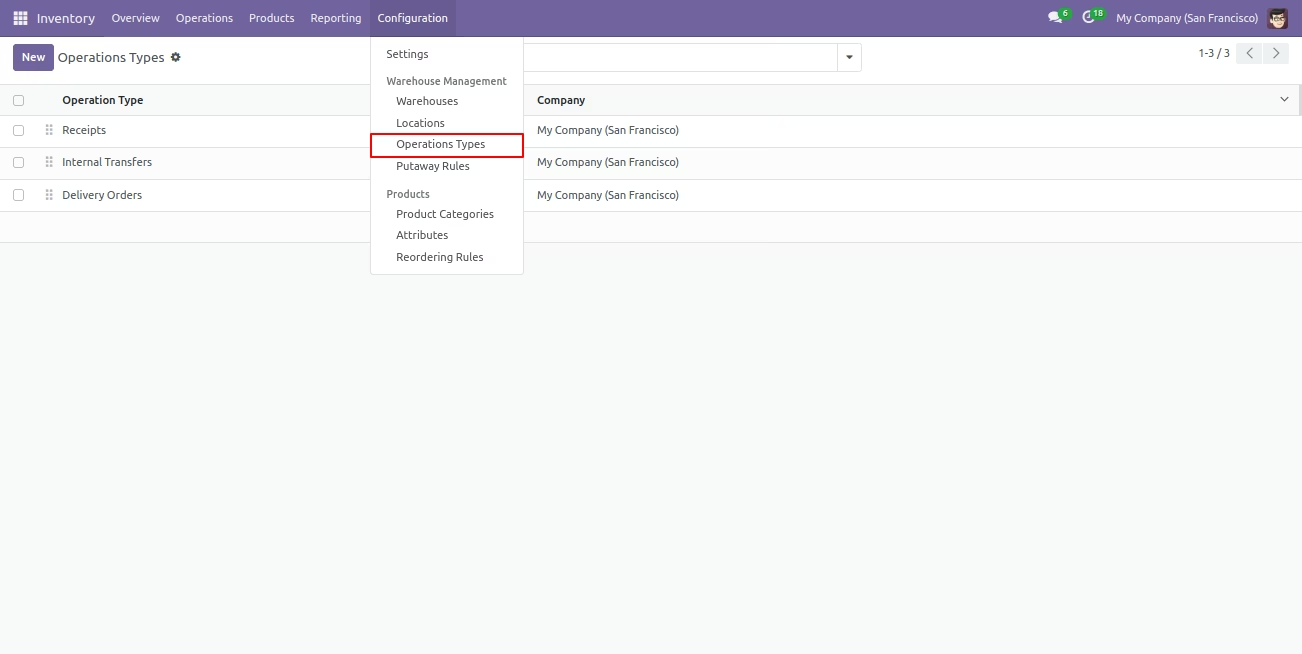
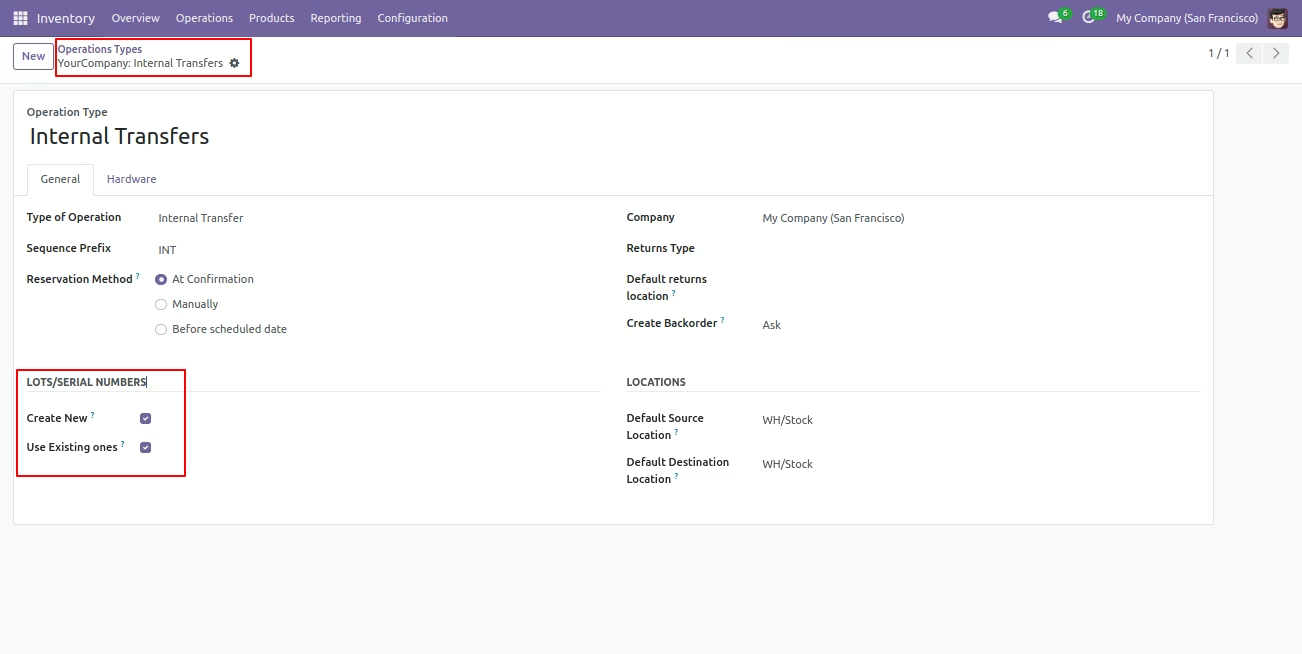
Select product lot/serial numbers(Create new, use existing ones).
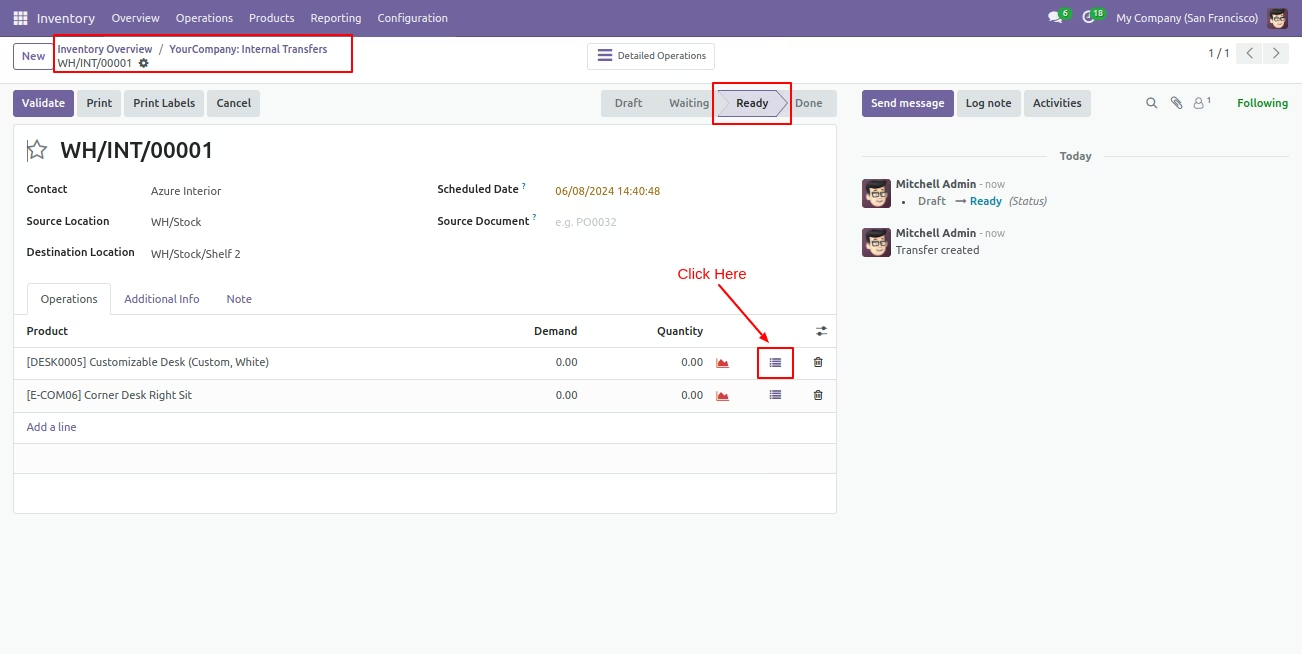
You can see the product with Lot/Serial Number in the internal transfer. Here if you click on that button "Detailed Operations" wizard open, Here you can scan your barcode.
That barcode will be added inside 'Lot Numbers' if the same barcode scanned again than done quantity will be increased by one. If another barcode is scanned than will be another entry for new Lot Numbers in the next line.
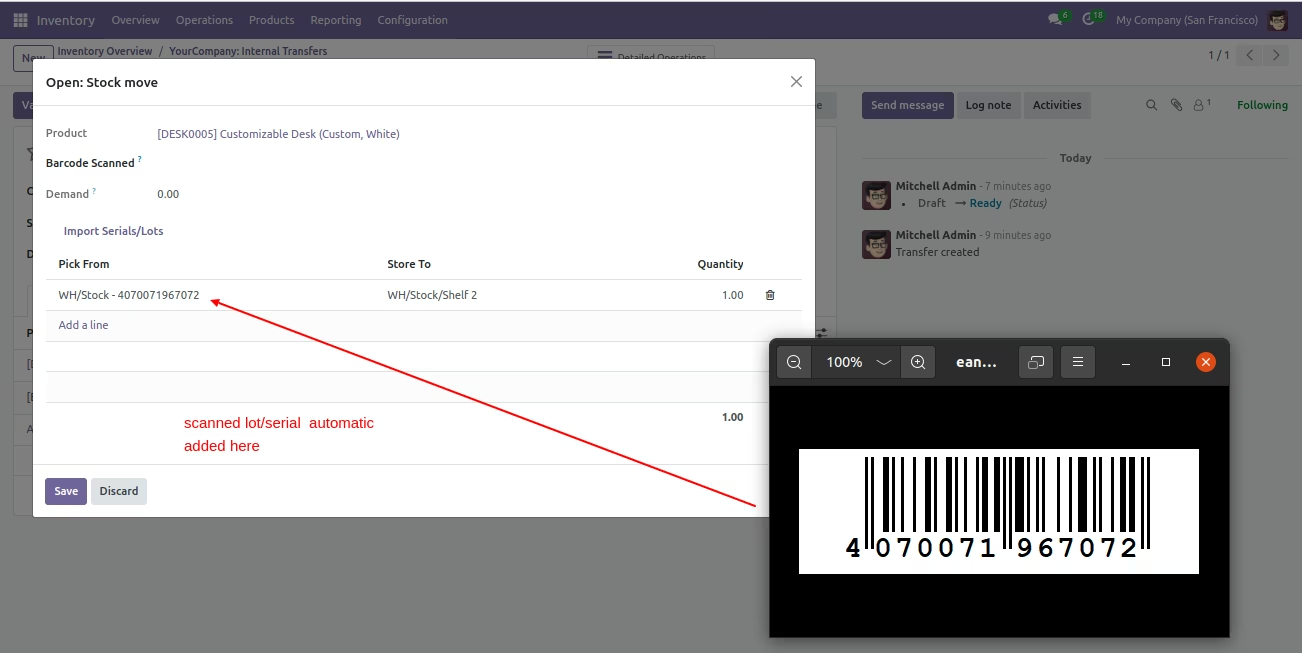
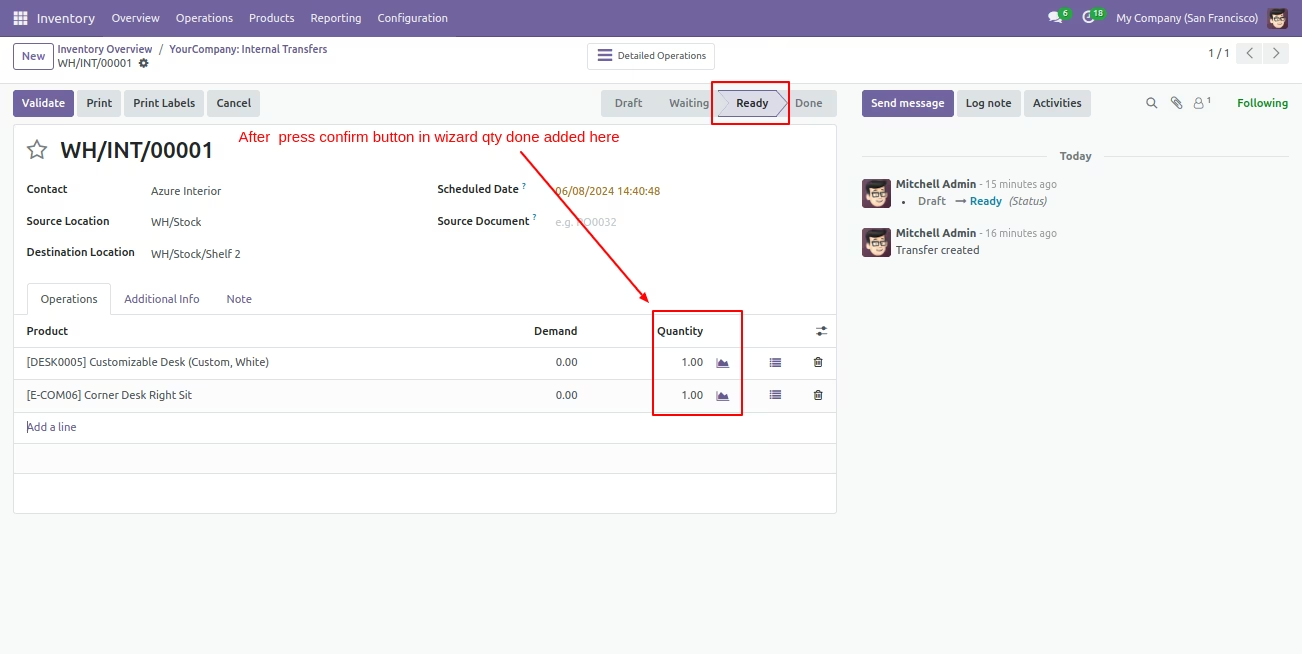
After that done qty added here.
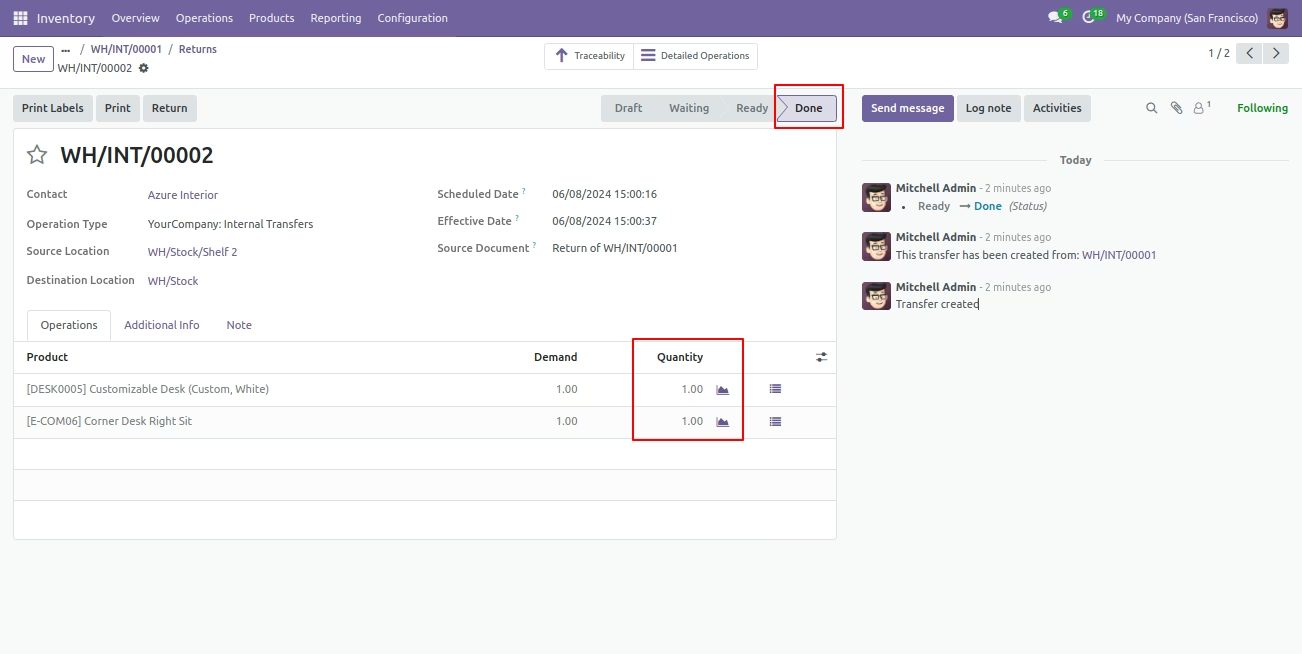
Now click the 'Validate' button and now the stage is 'Done'.
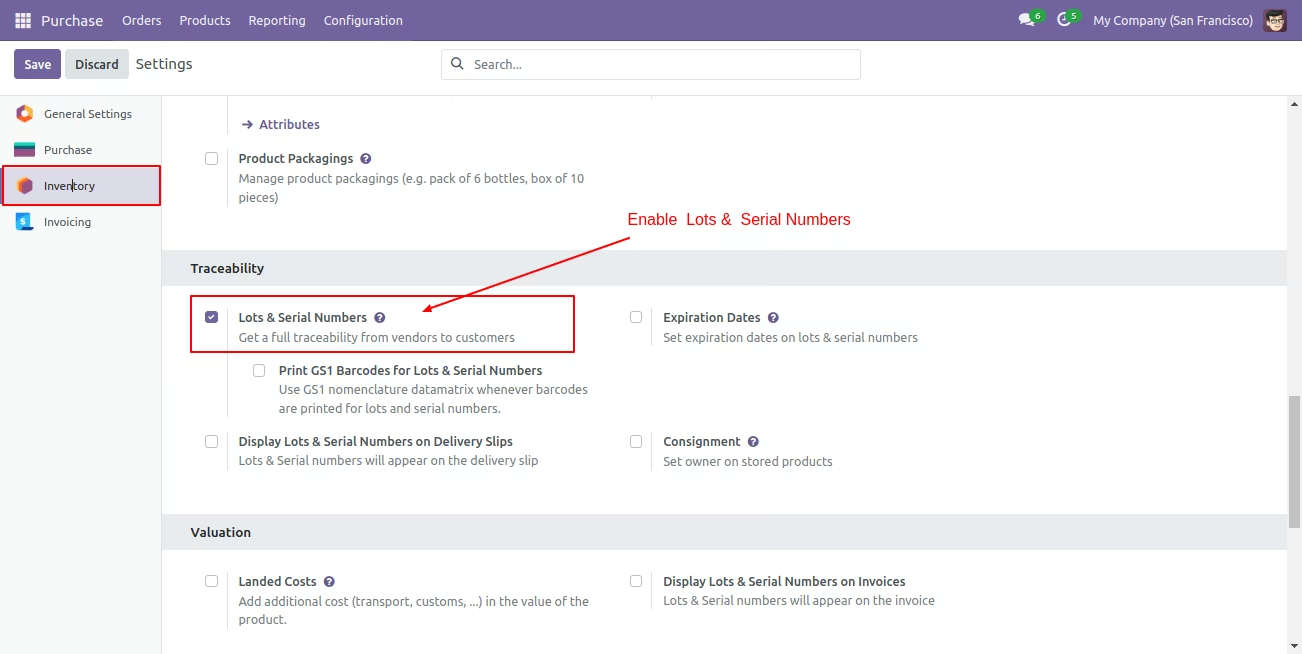
User Setting: Enable 'Lot Numbers & Serial Numbers'.
Select product traceability 'By Unique Serial Number' if you want to track the product by its unique serial number.
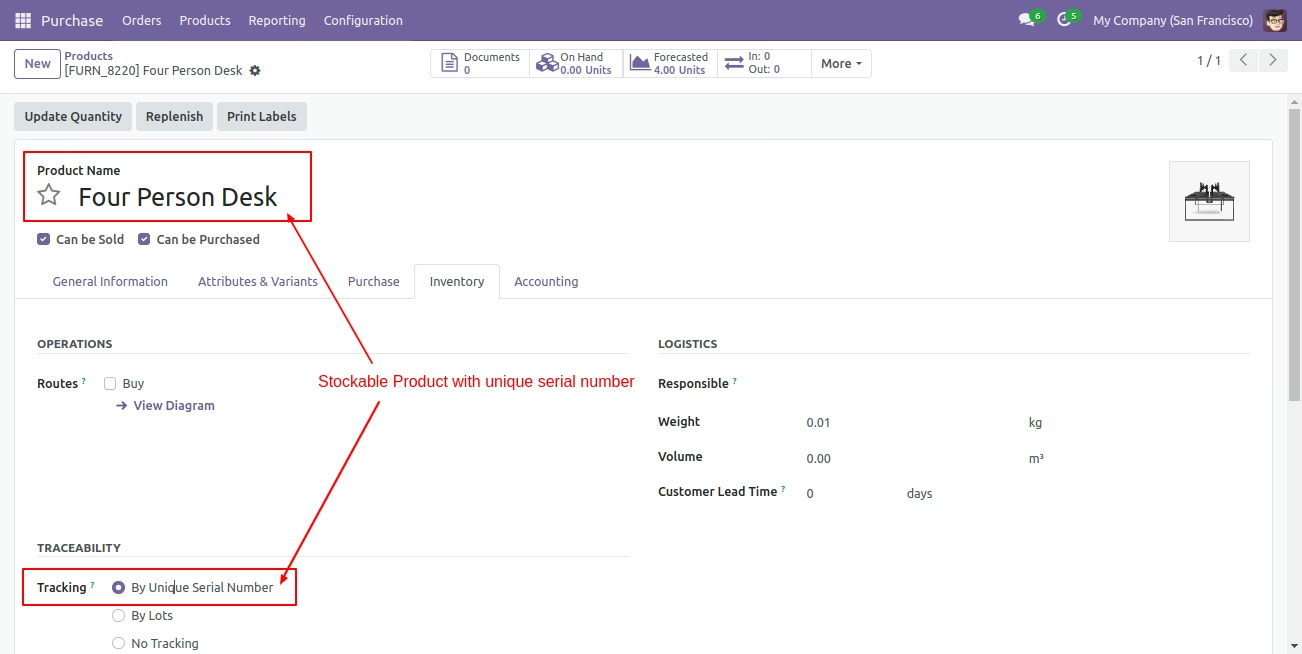
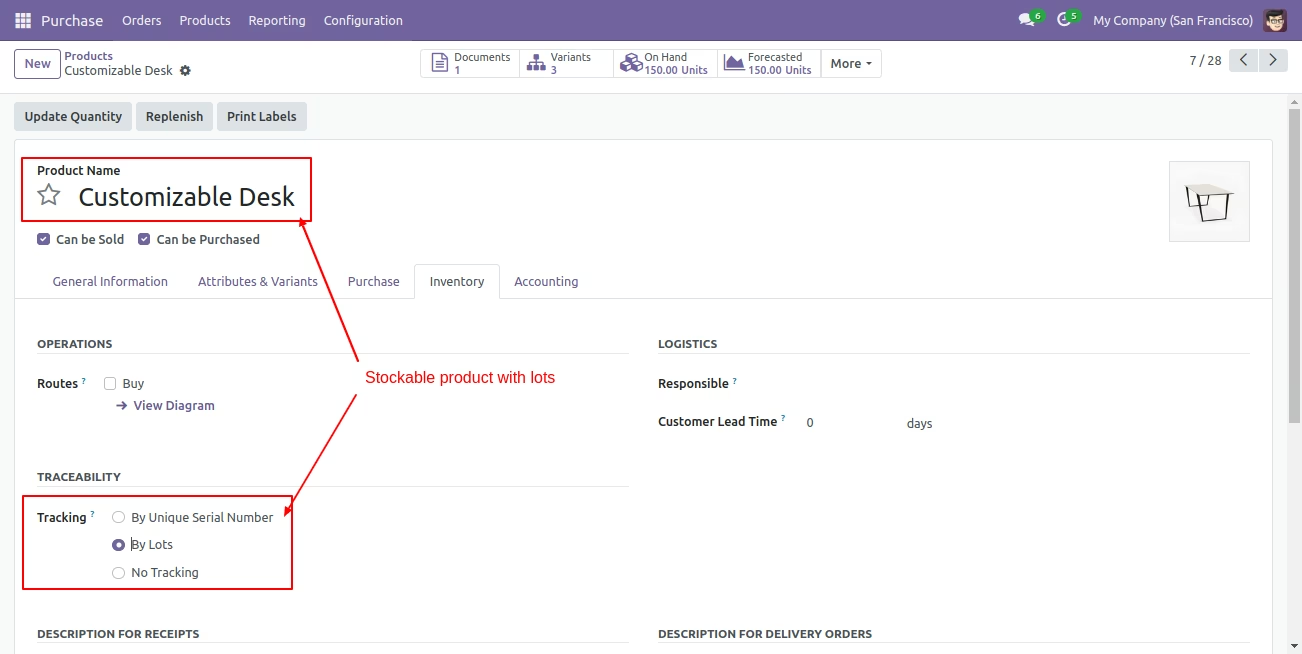
Select product traceability 'By Lot Numbers' if you want to track product in Lot.
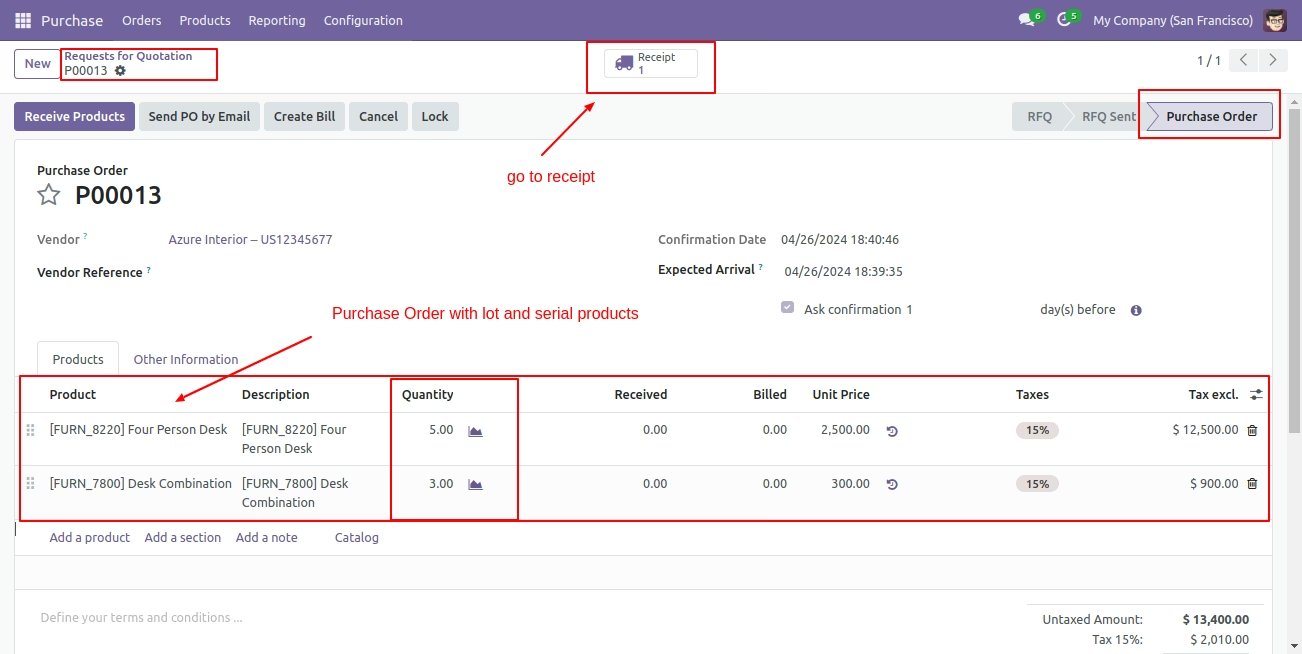
Purchase (Incoming Order) Process
Create a purchase order with the tracking and enter a quantity of that, After confirm order go to receipt.
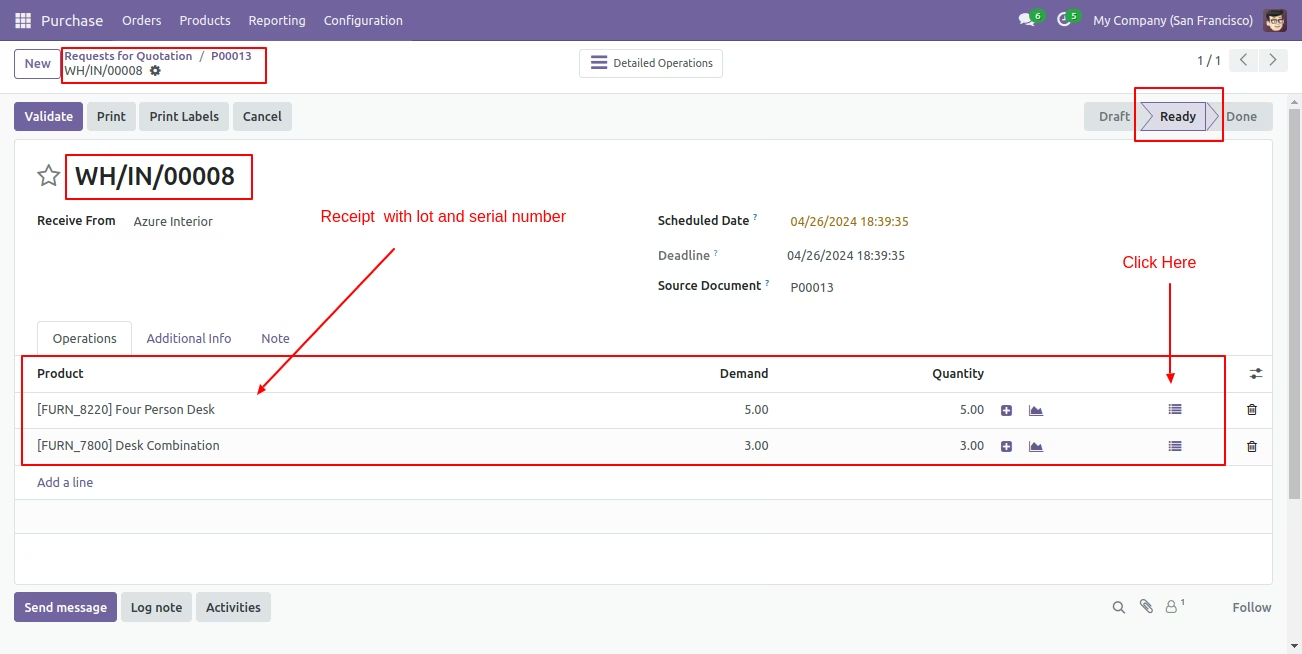
You can see product with Lot/Serial Number in receipt. Here if you click on that button "Detailed Operations" wizard open, Now our purchase order stage is "Ready".
Lot Numbers workflow
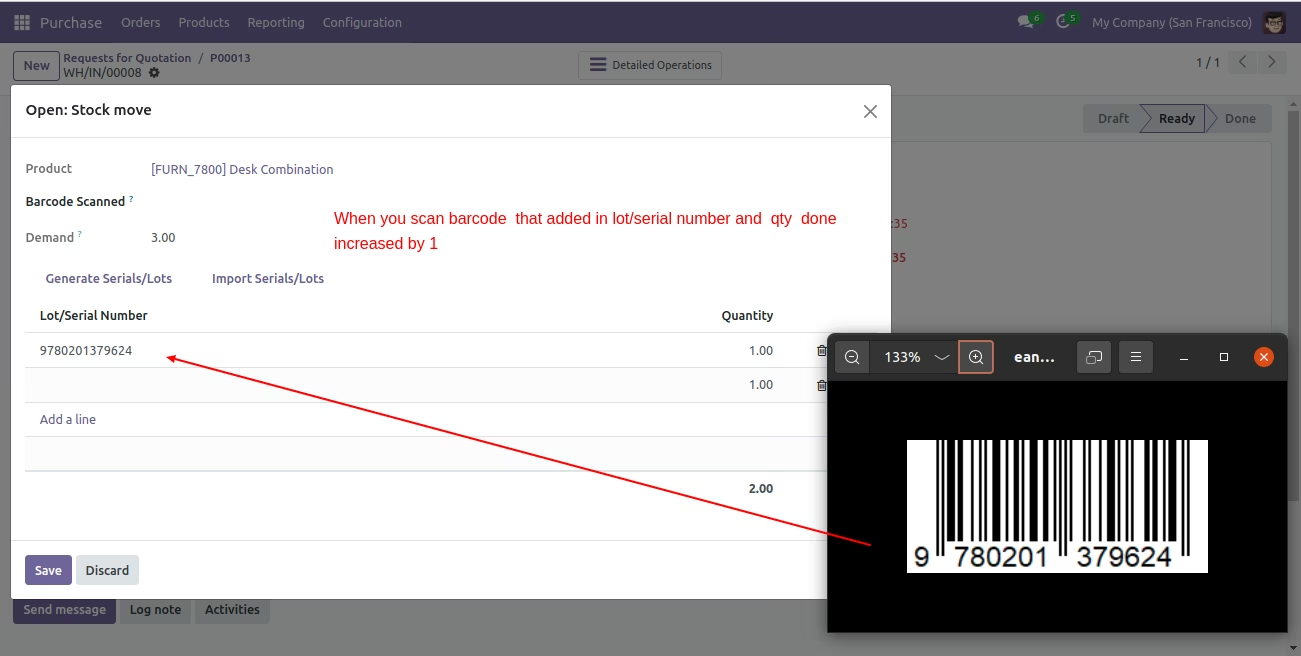
Here you can scan your barcode. That barcode will be added inside 'Lot Numbers' if the same barcode scanned again than done quantity will be increased by one. If another barcode is scanned than will be another entry for new Lot Numbers in the next line.
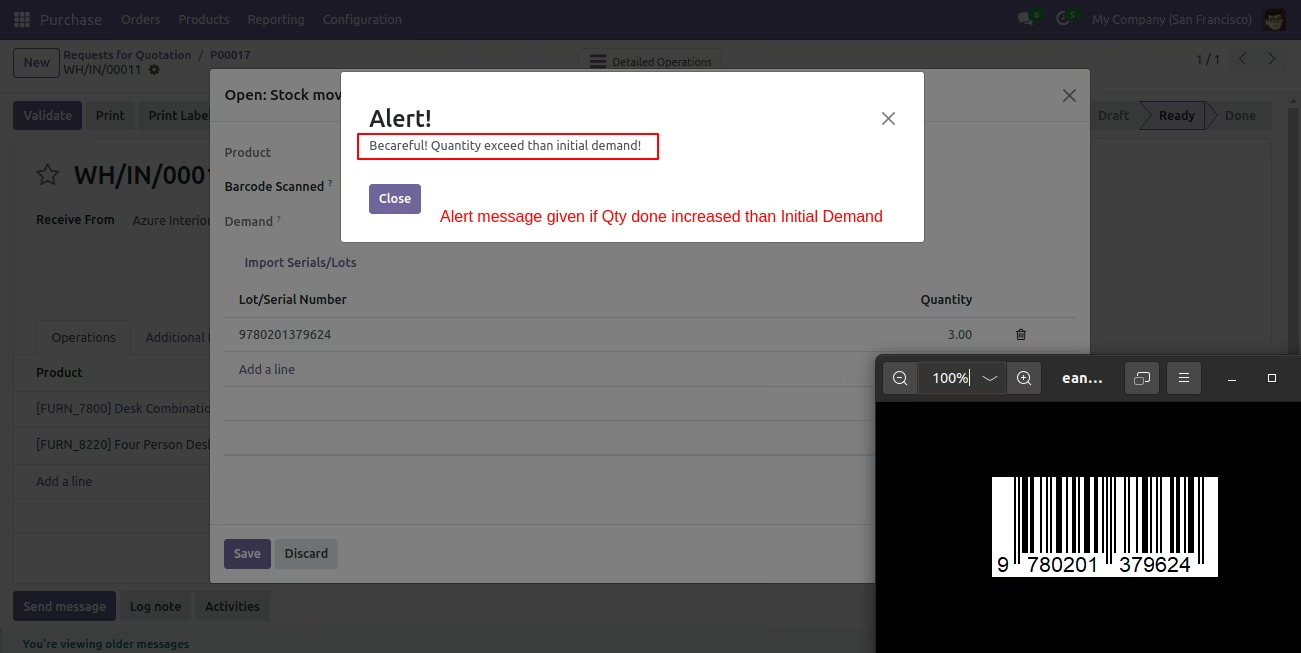
It shows alert message if our entered quantity is increase then stock.
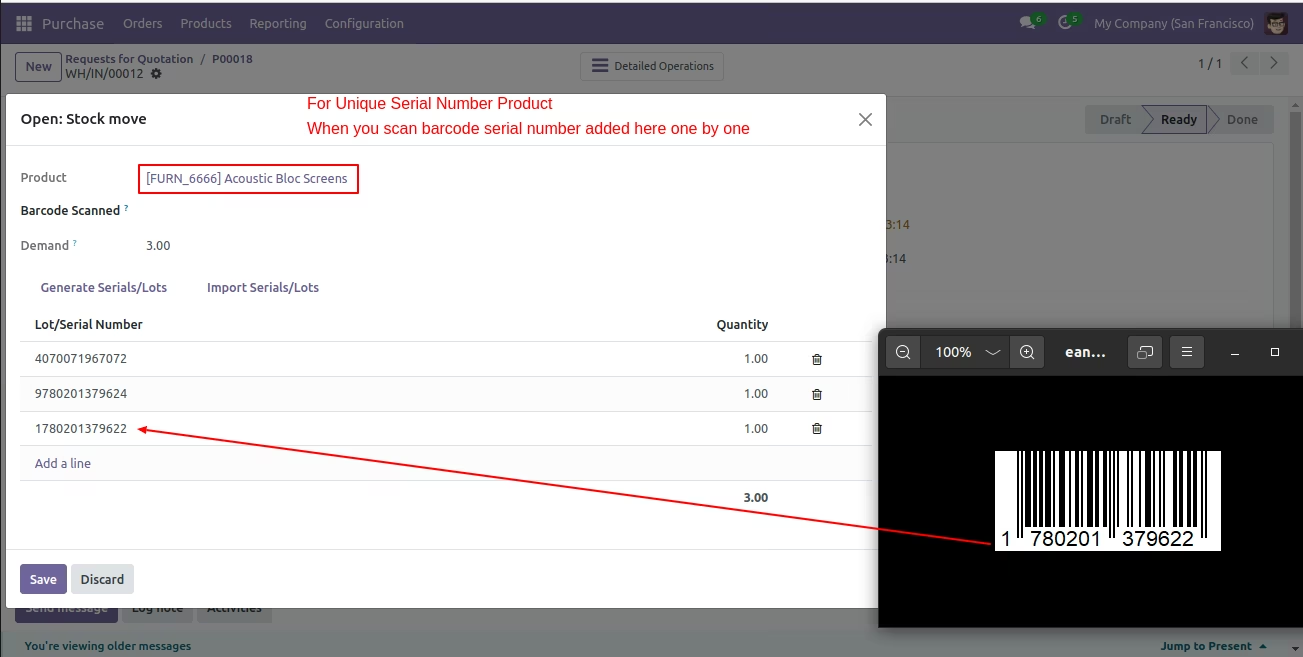
Serial Number workflow
Here you can scan your barcode. That barcode will be added inside 'Serial Number' If another barcode is scanned than will be another entry for Serial Number in the next line.
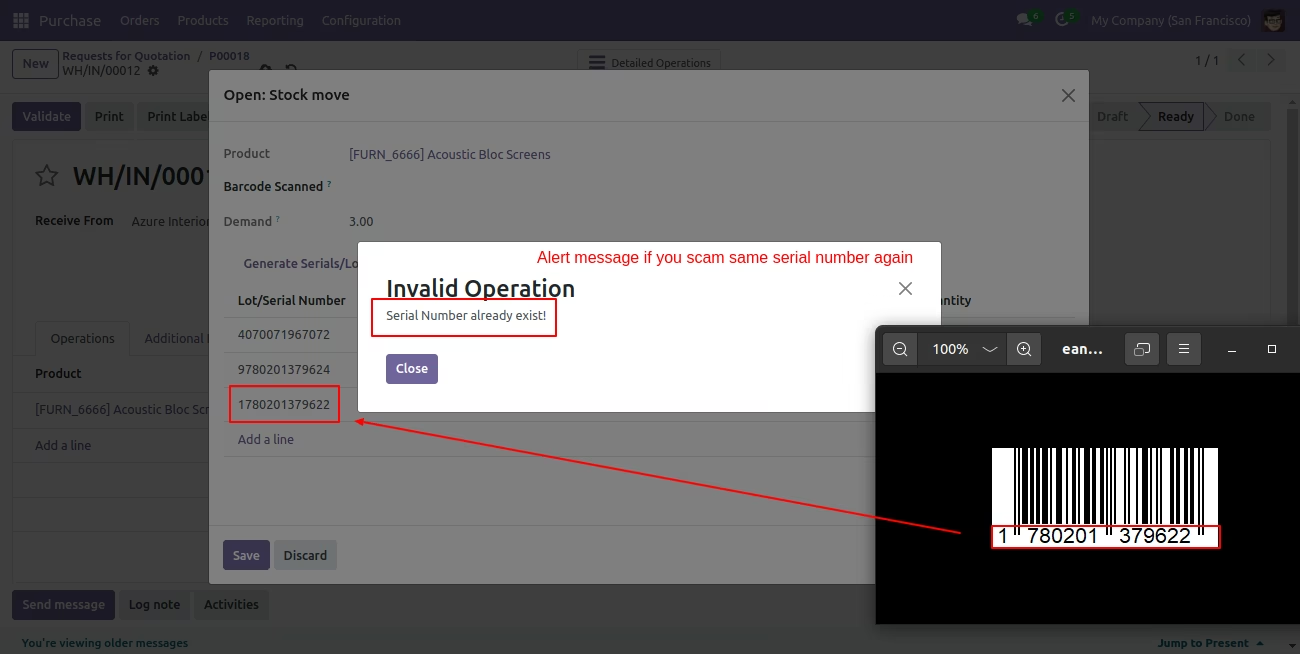
It shows alert message if same barcode scan again.
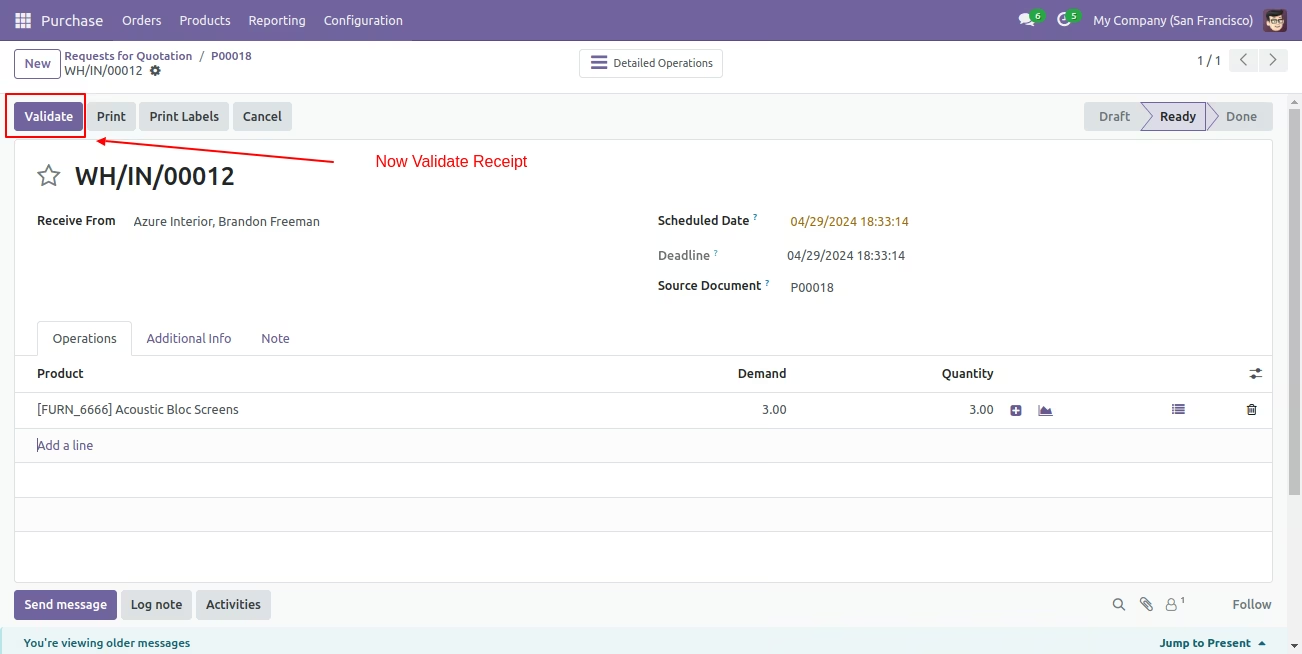
Now click 'Validate' button, for validate receipt.
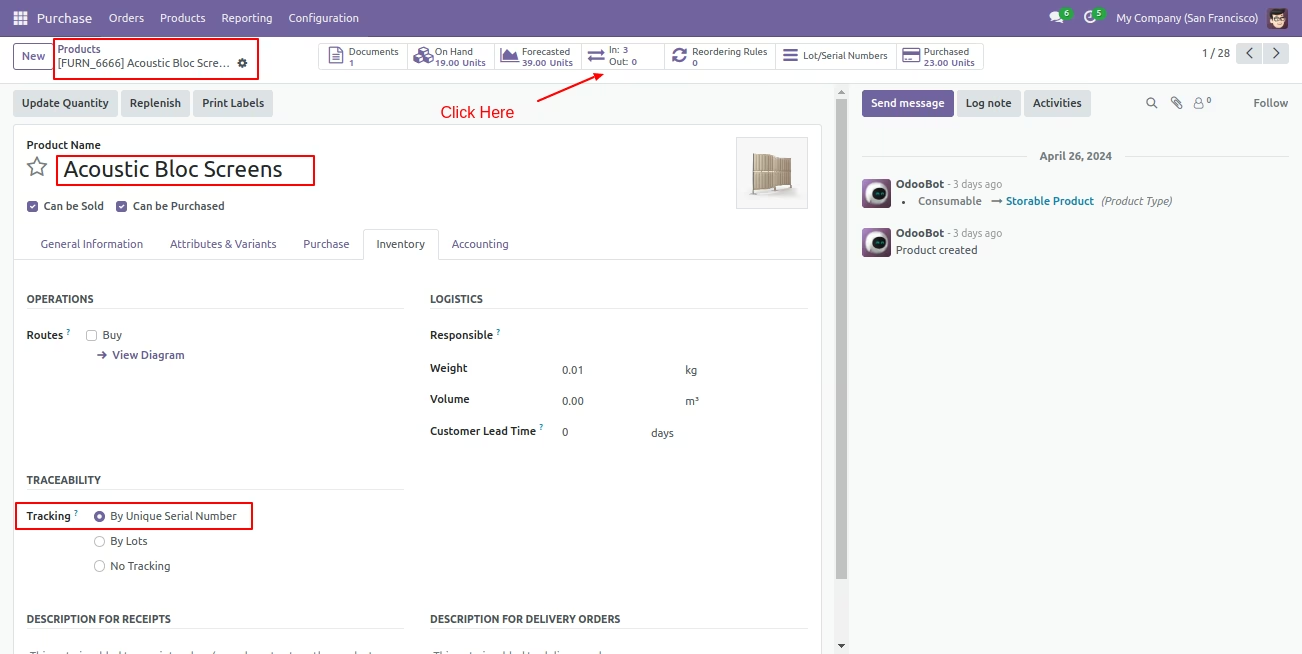
Select product with traceability 'By Unique Serial Numbers and you can see product in-out quantity.
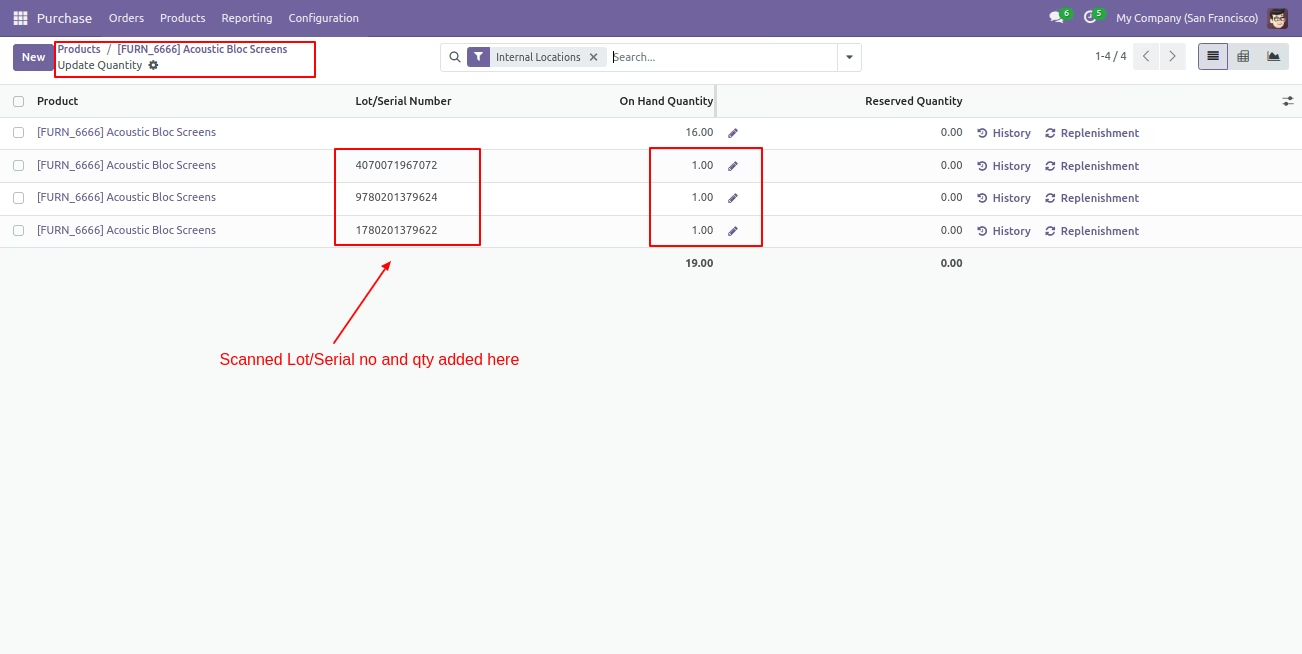
After that, it shows Lot/Serial number will be added in Update quantity.
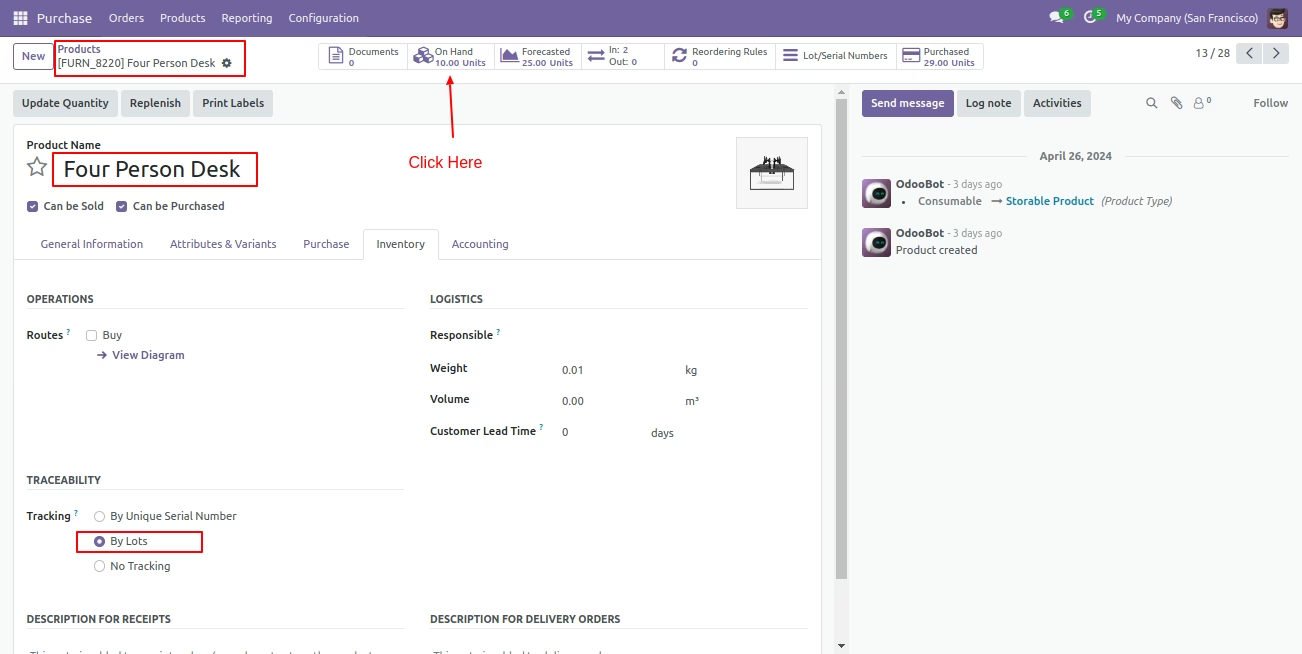
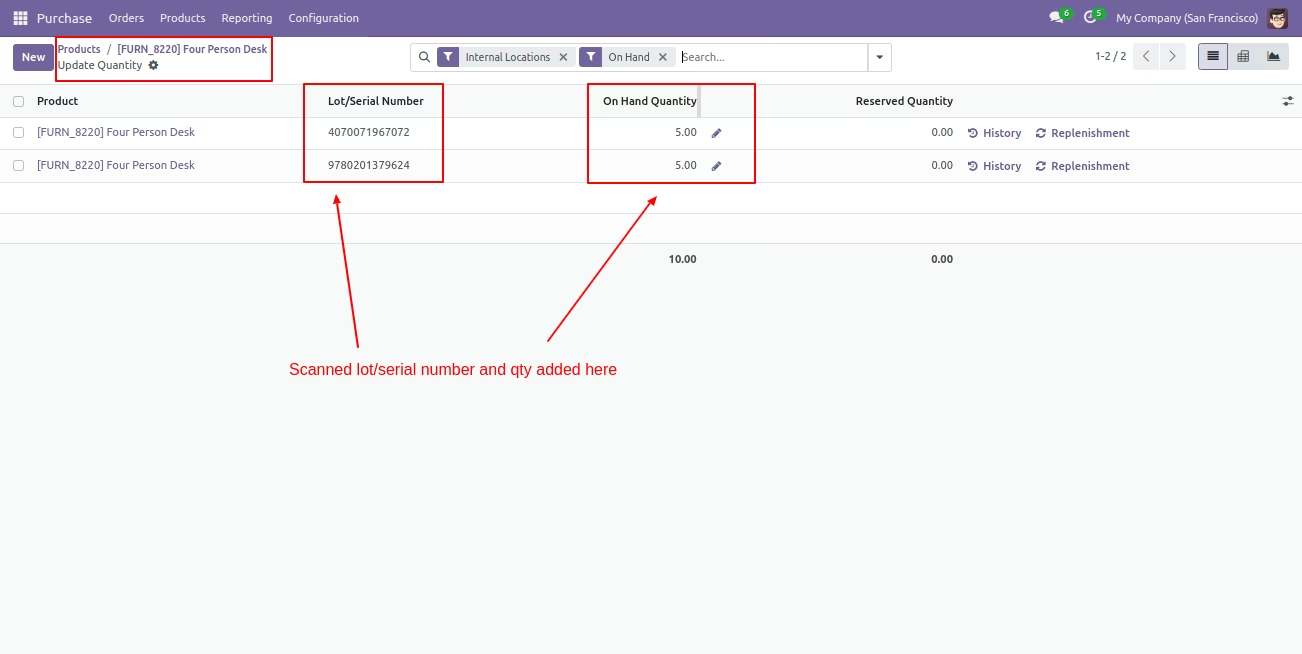
Select product with traceability 'By Lot Numbers' and you can see product on hand quantity.
After that, it shows Lot/Serial number will be added in "On Hand" quantity.
Sale (Delivery Order) Process
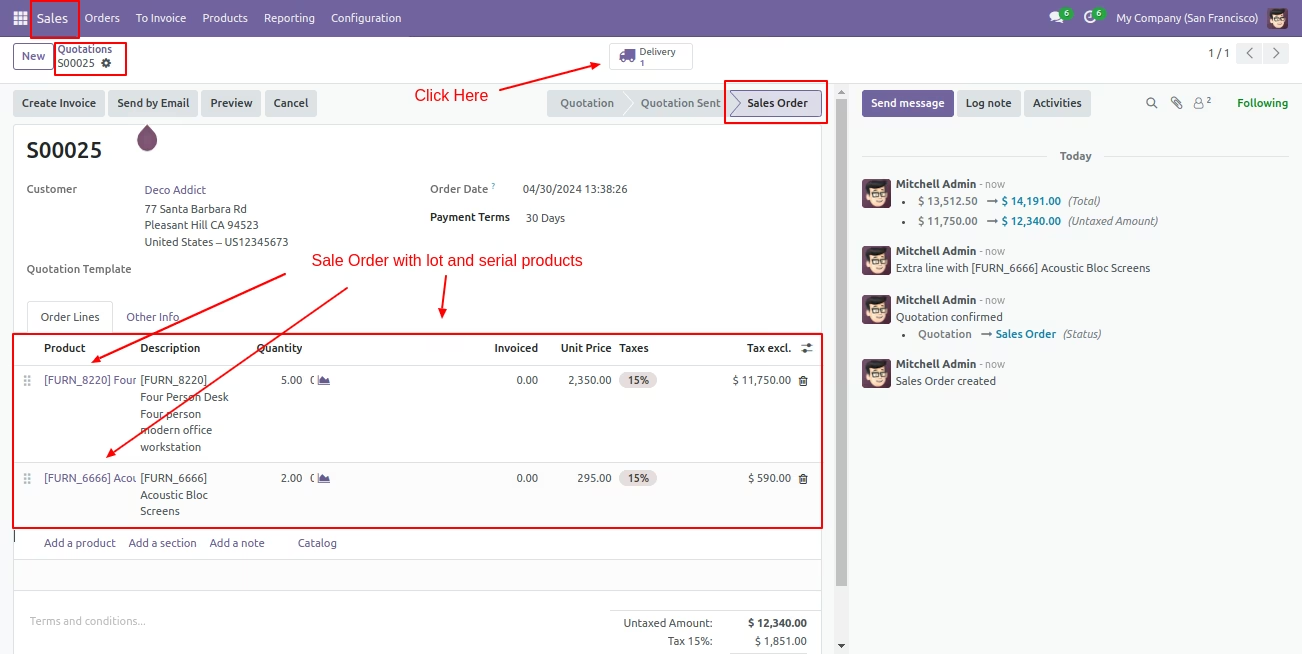
Create a sale order with a product by lot or serial number after it confirms that order goes to Delivery.
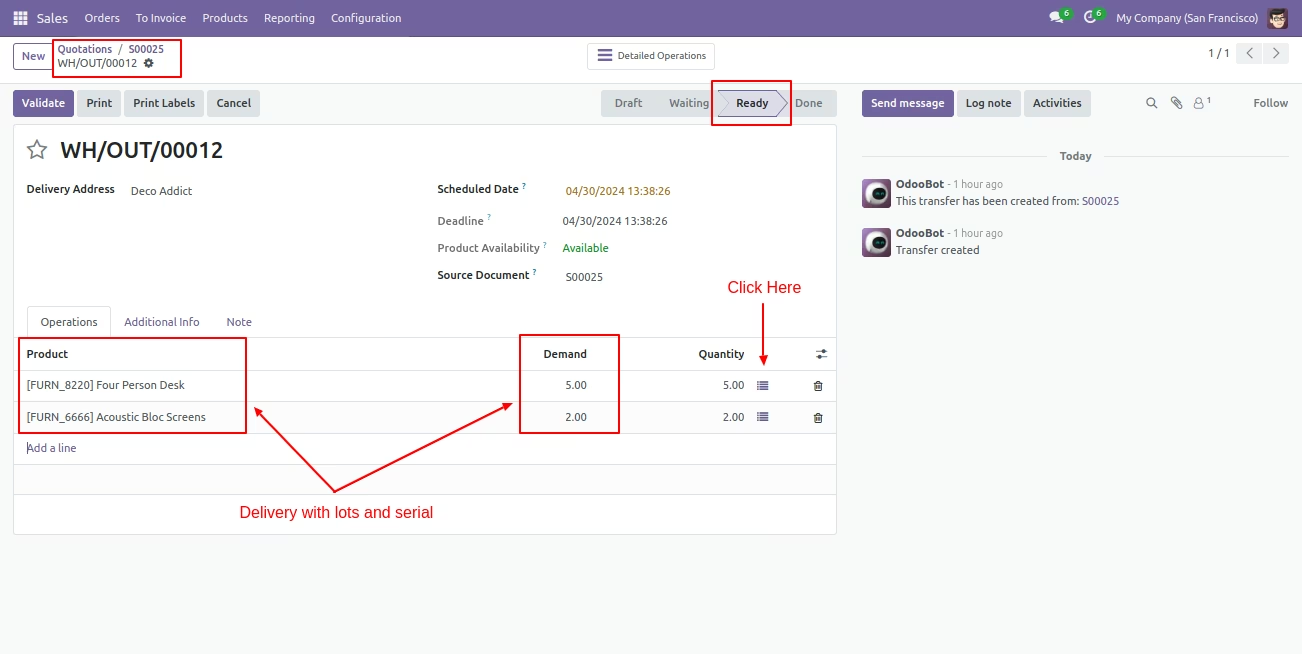
You can see product with Lot/Serial Number in delivery. Here if you click on that button 'Detailed Operations' wizard open, Now our sale order stage is "Ready".
Serial Number workflow
Here you can scan your barcode. That barcode will be added inside 'Serial Number' if the same barcode scanned again than done quantity will not be increased by one. If another barcode is scanned than will be another entry for new Serial Number in the next line.
It shows alert message if you add more than 1 quantity in same serial number.
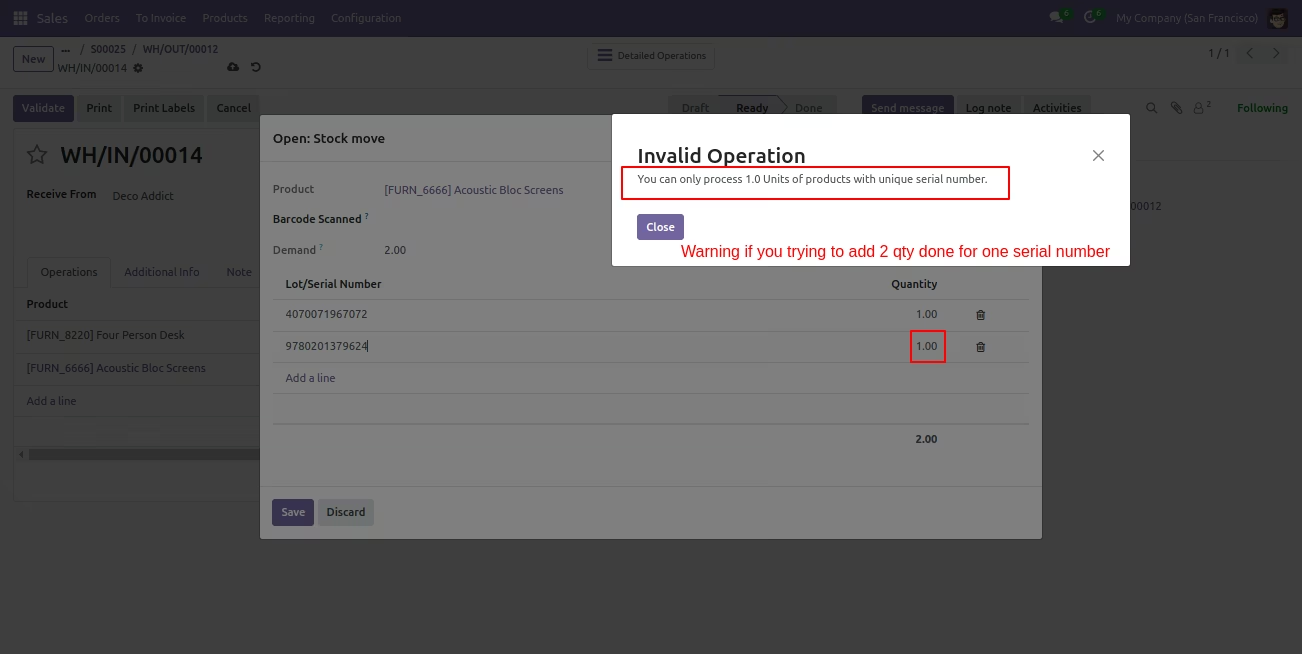
It shows alert message if your entered serial number is not available in stock.
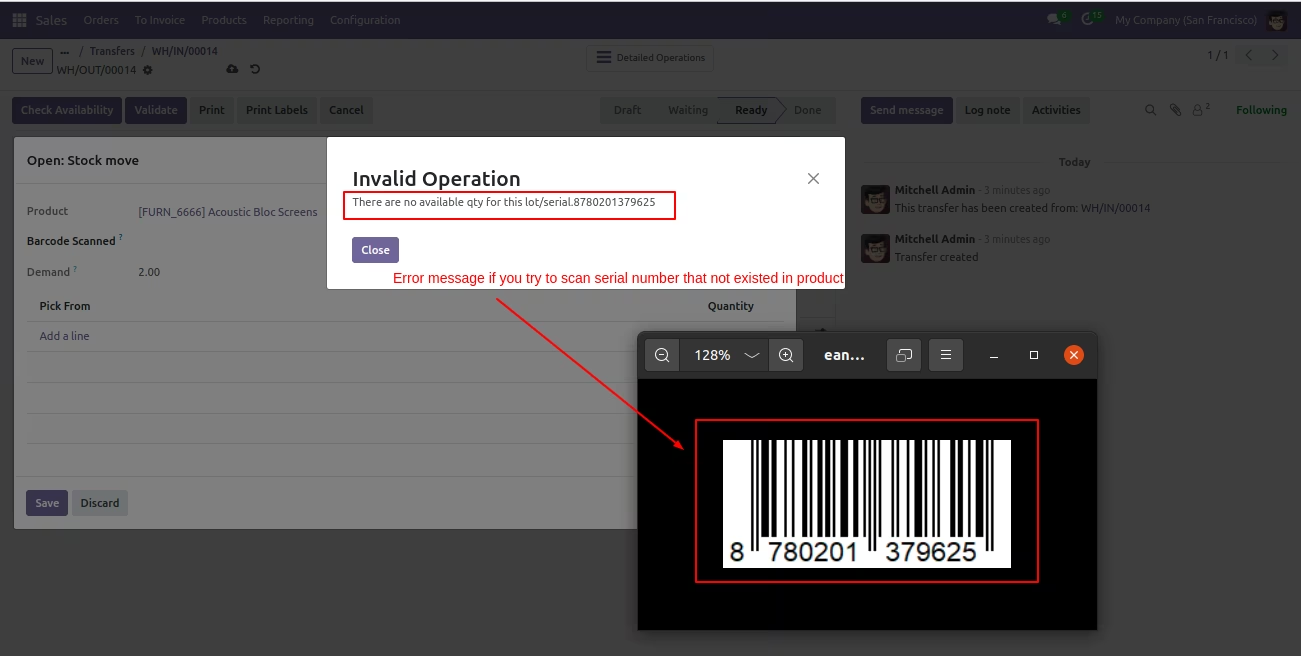
Lot Numbers workflow
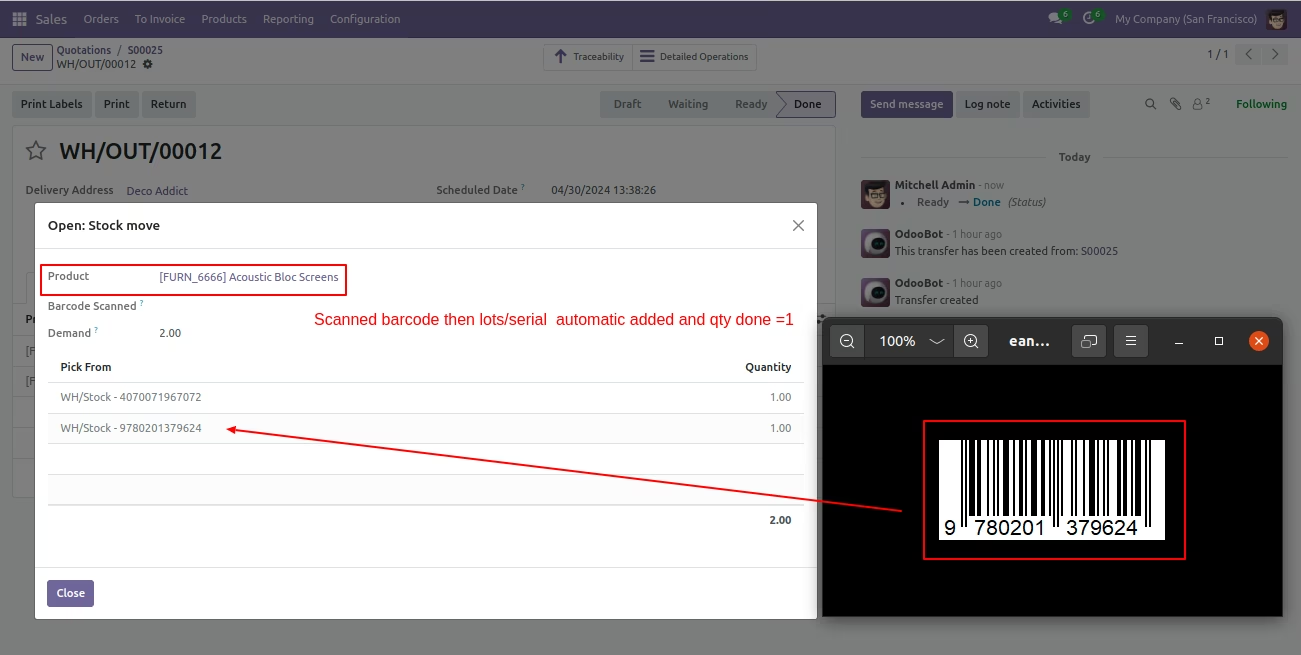
Here you can scan your barcode. That barcode will be added inside 'Lot Numbers' if the same barcode scanned again than done quantity will be increased by one. If another barcode is scanned than will be another entry for new Lot Numbers in the next line.
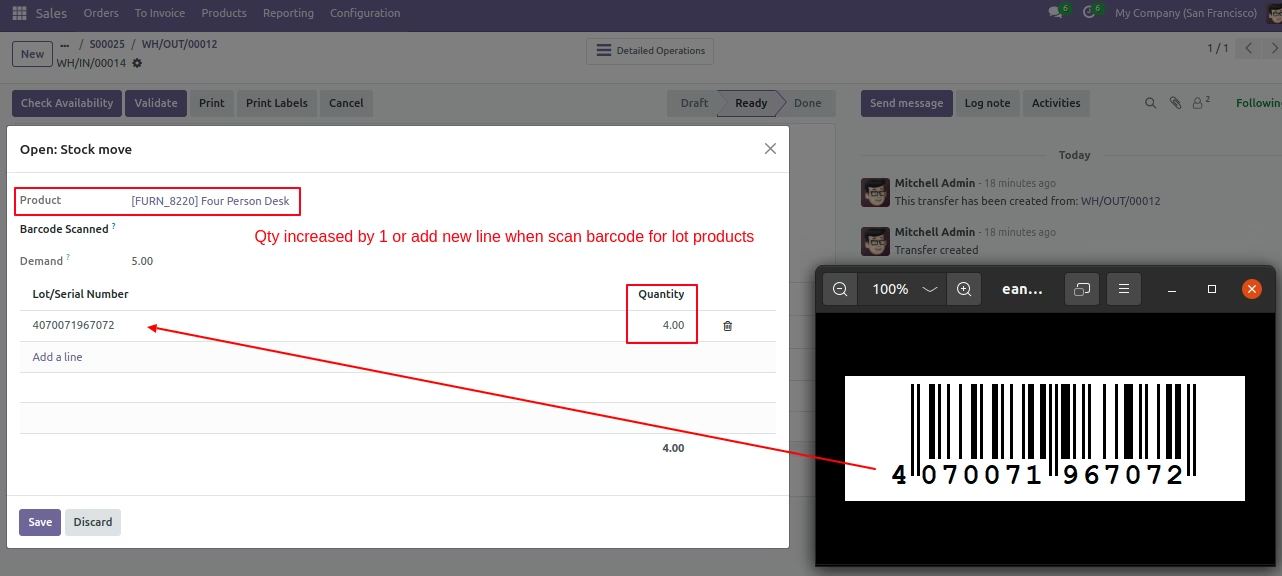
It's shows alert message if your entered Lot number is not available in stock.
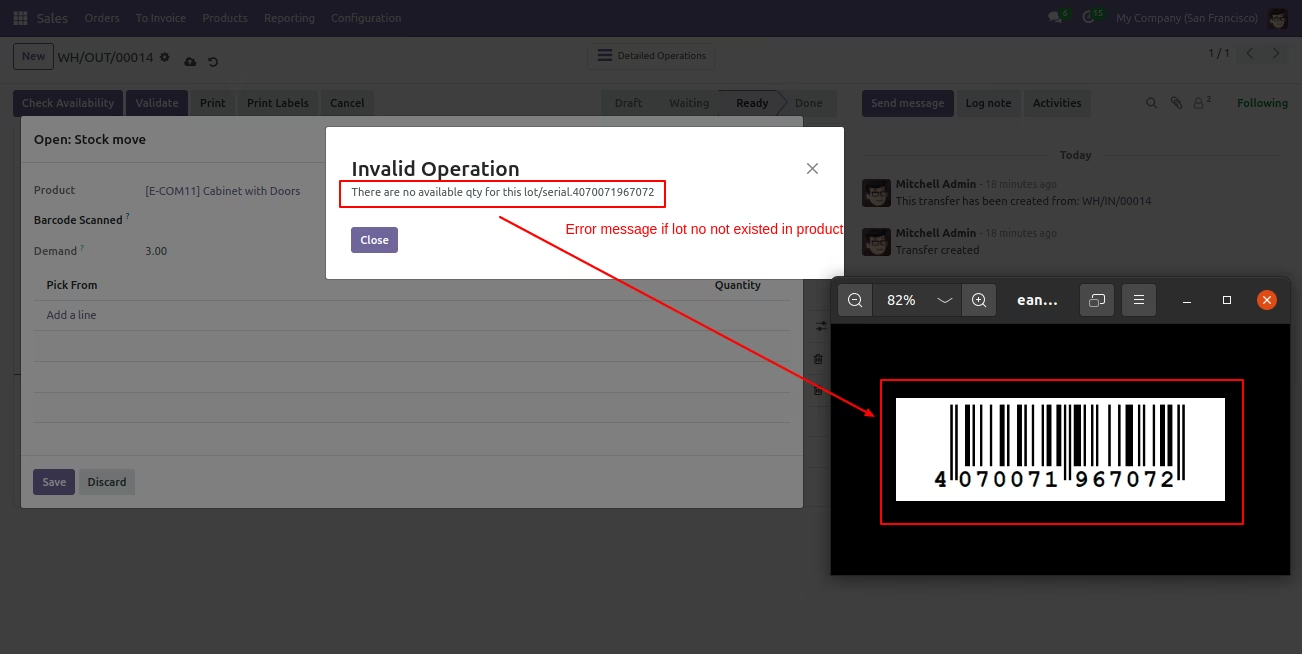
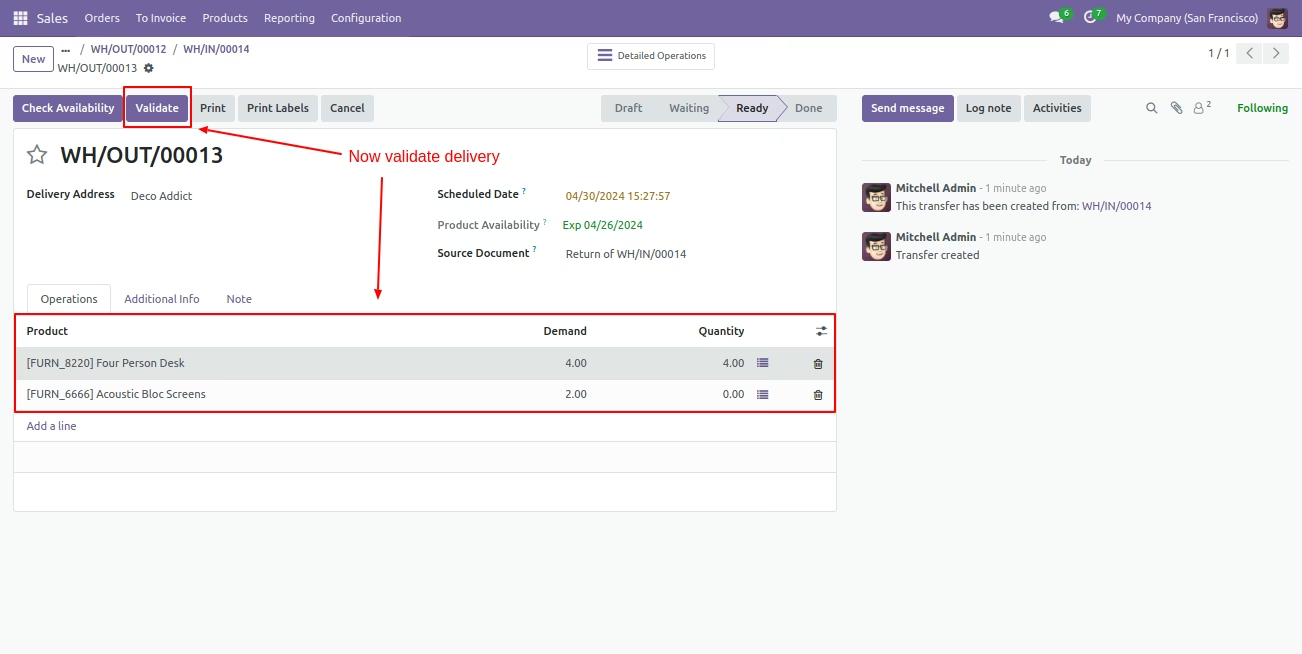
Now click 'Validate' button, for validate delivery.
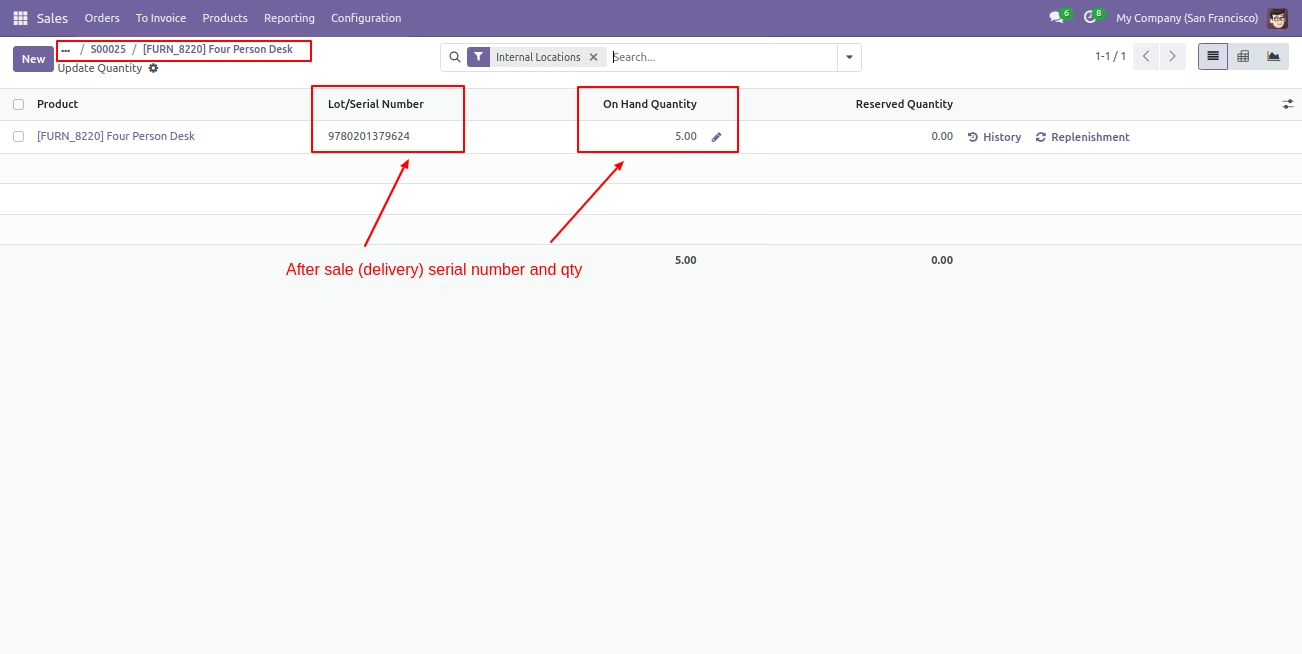
Select product and you can see product on hand quantity.
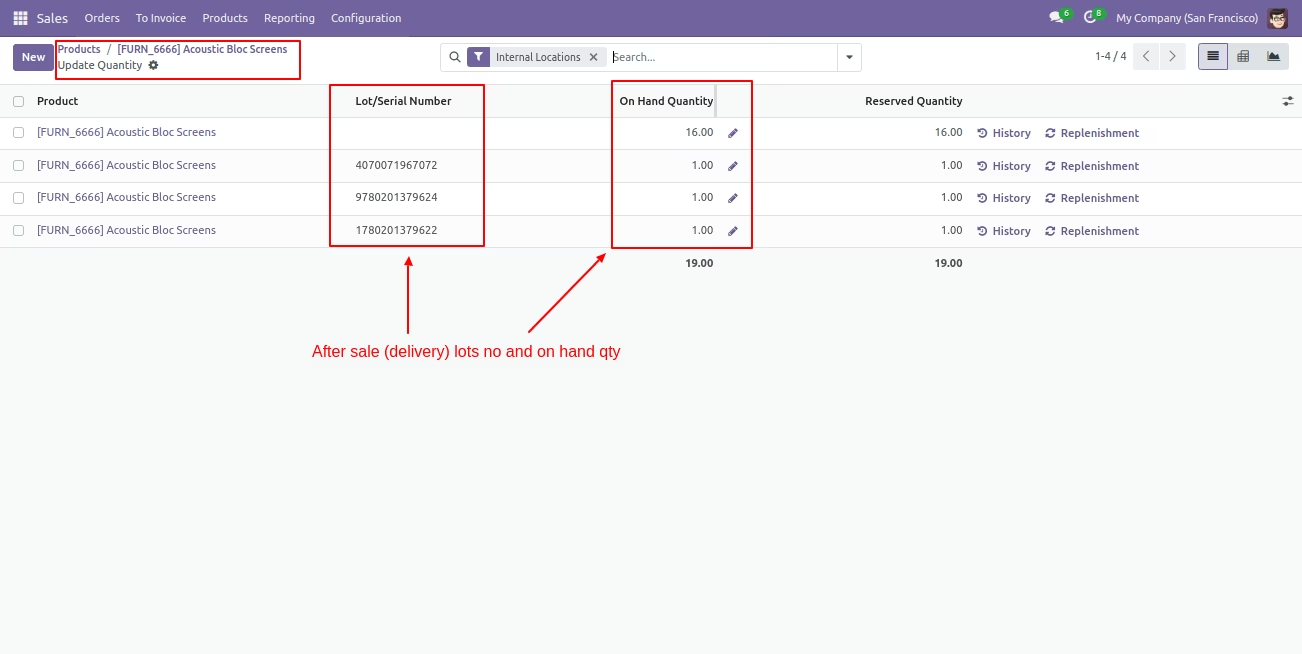
After that, it shows Serial number and on hand quantity of sold product.