Lost Messages Routing empowers your environment with enhanced email management by offering full control over incoming messages that fail to attach automatically. This module addresses scenarios where emails such as replies to catchall addresses are lost due to missing references or automated mismatches. It provides a polished, human-centric interface to review and manually assign those messages to the correct document threads. Optimize your communication workflow and ensure that every email finds its rightful place within your system, improving responsiveness and message tracking.
Maintains a dedicated menu for tracking all unattached or lost emails
Enables manual routing of messages through a convenient wizard interface
Allows selection of document types and target records for proper message assignment
Supports routing of any message not just lost ones via a consistent manual workflow
Provides optional notification on each lost message to stay informed in real time
Ensures no incoming emails get lost, safeguarding customer communications
Enhances efficiency by allowing users to quickly attach emails to appropriate records
Improves message traceability by integrating communications into relevant document threads
Boosts user confidence and accountability in email handling workflows
Offers transparency through optional alerts, aiding proactive communication management
Sometimes does not manage to address incoming messages. For example, it happens when your customer doesn't reply to a message but sends a direct email to your catchall address. In that case, such an email is completely lost, and clients become more and more irritated. This tool solves the issue. With this app, you get full control over all lost messages and you can attach any message to a proper document thread.
No messages are lost
The app improves message routing. If any email can't be attached, it will be marked as 'lost' and will be added to the special view
All unattached messages in a single list
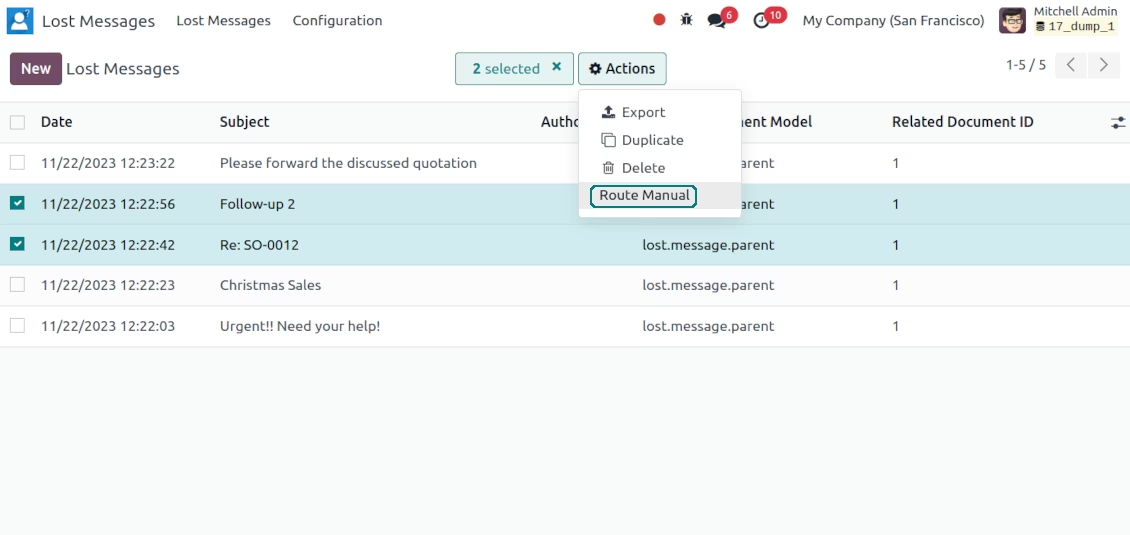
All messages which has not managed to route are kept under the special top entry menu 'Lost messages'
Simple addressing of lost messages
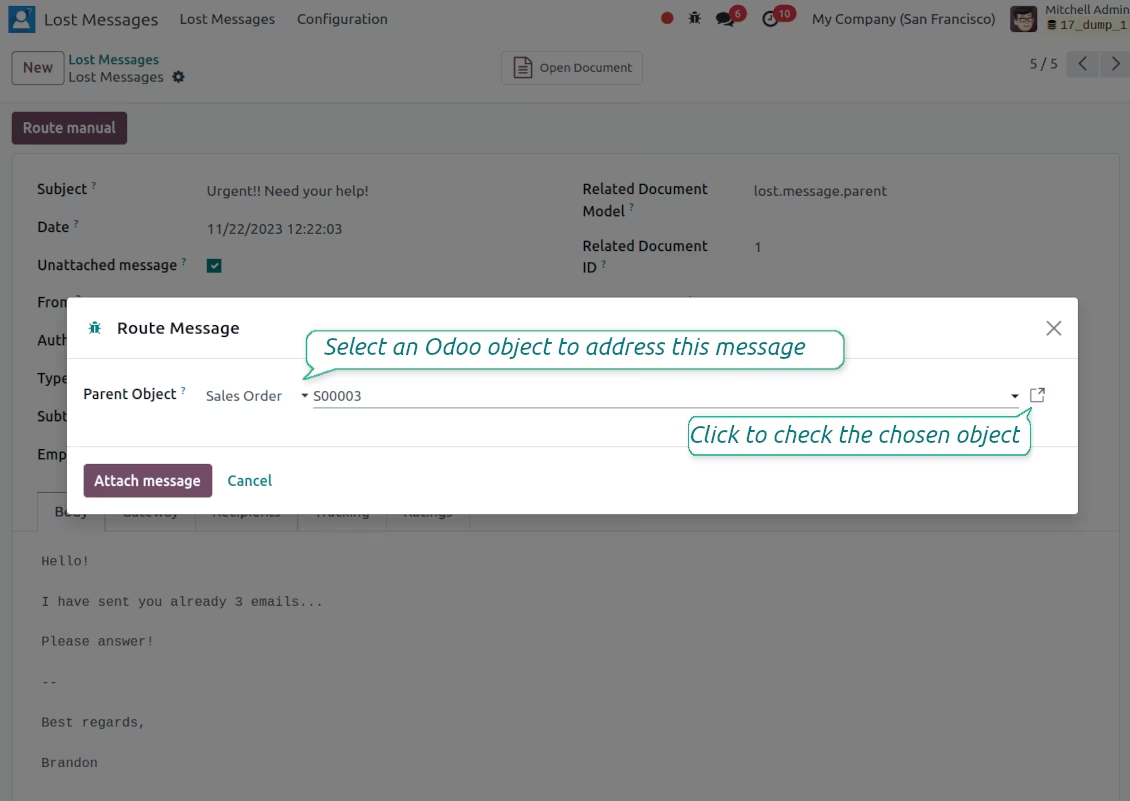
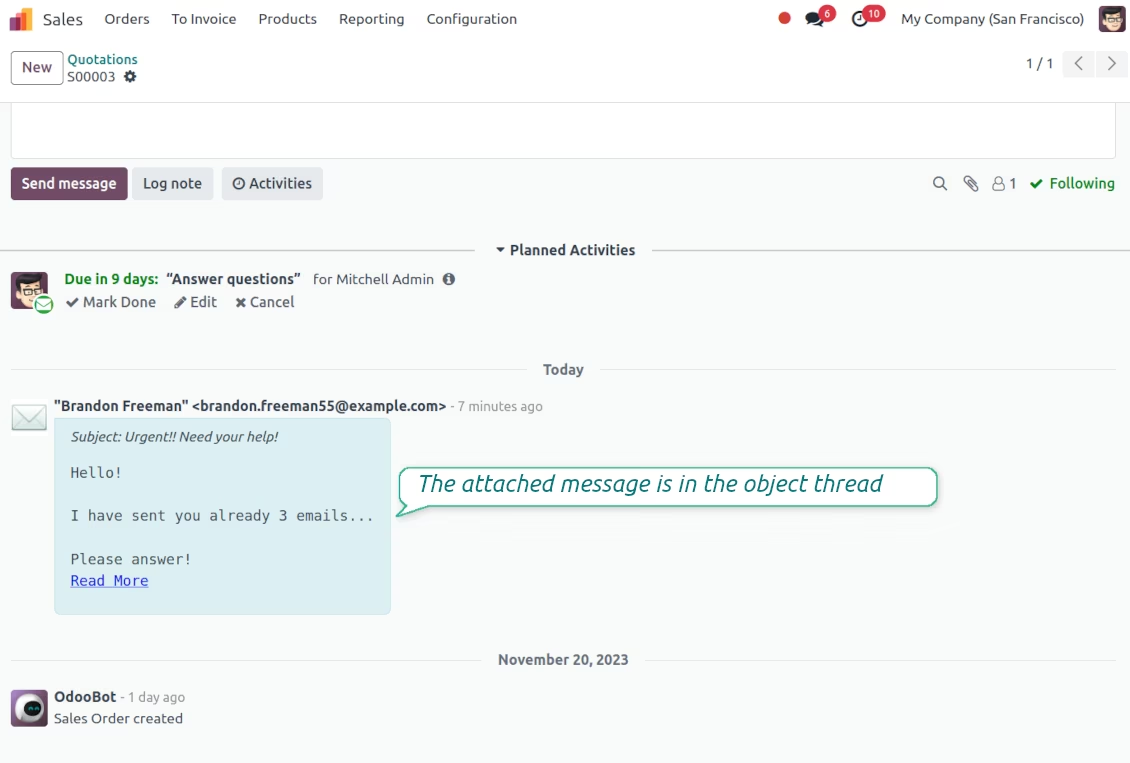
To route a lost message push the button 'Route manual' and select a target document (for example Contact > Agrolait). As the wizard is saved, a message would be instantly added to that object.
Mass processing
The app allows batch addressing through the tree mass action. In such a way, a few messages might be added to the same document
objects
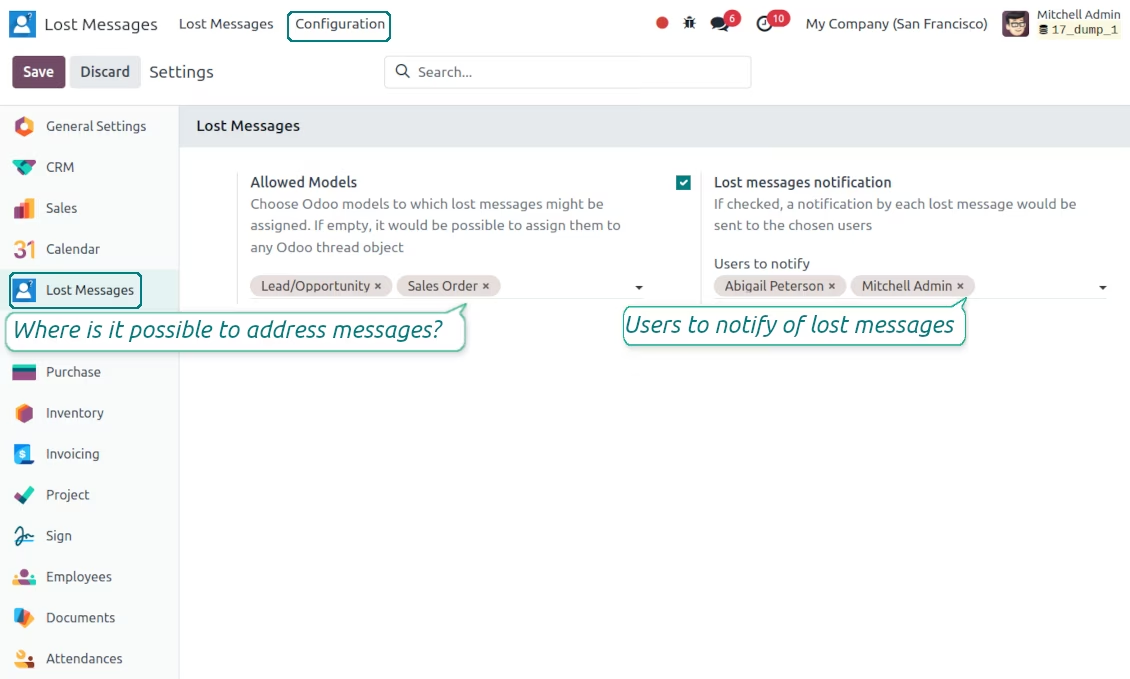
Restrict models to which messages might be routed: Lost Messages > Settings > the section 'Lost messages allowed models' (for example, to orders and opportunities only). If not selected, it would be possible to address a message to any object
Notification of unattached emails
Configure to send notifications by lost messages. Go to the general settings > Email Section and check the box 'Lost messages notification'. Then, choose users who should be warned
Secured administration
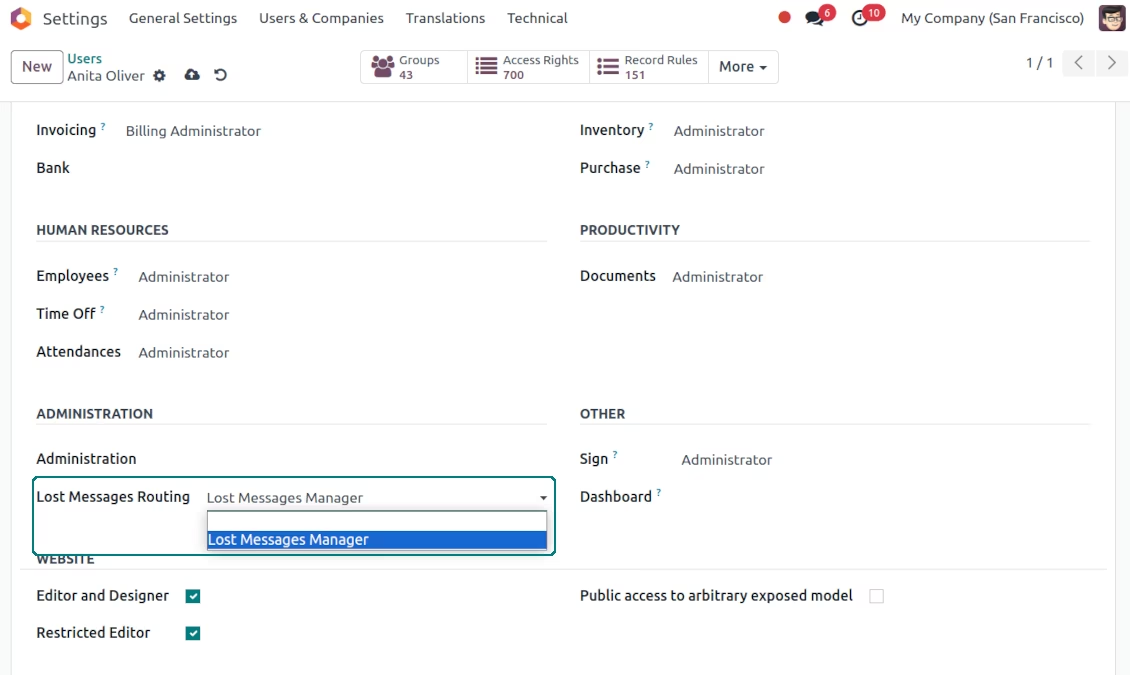
The features are available for users with the special right "Lost Messages Manager". Take into account: the module makes all unattached messages available for that group
Not only lost messages
The tool works also with normal messages. Via the same button 'Route manual', admins might re-attach messages to another object.
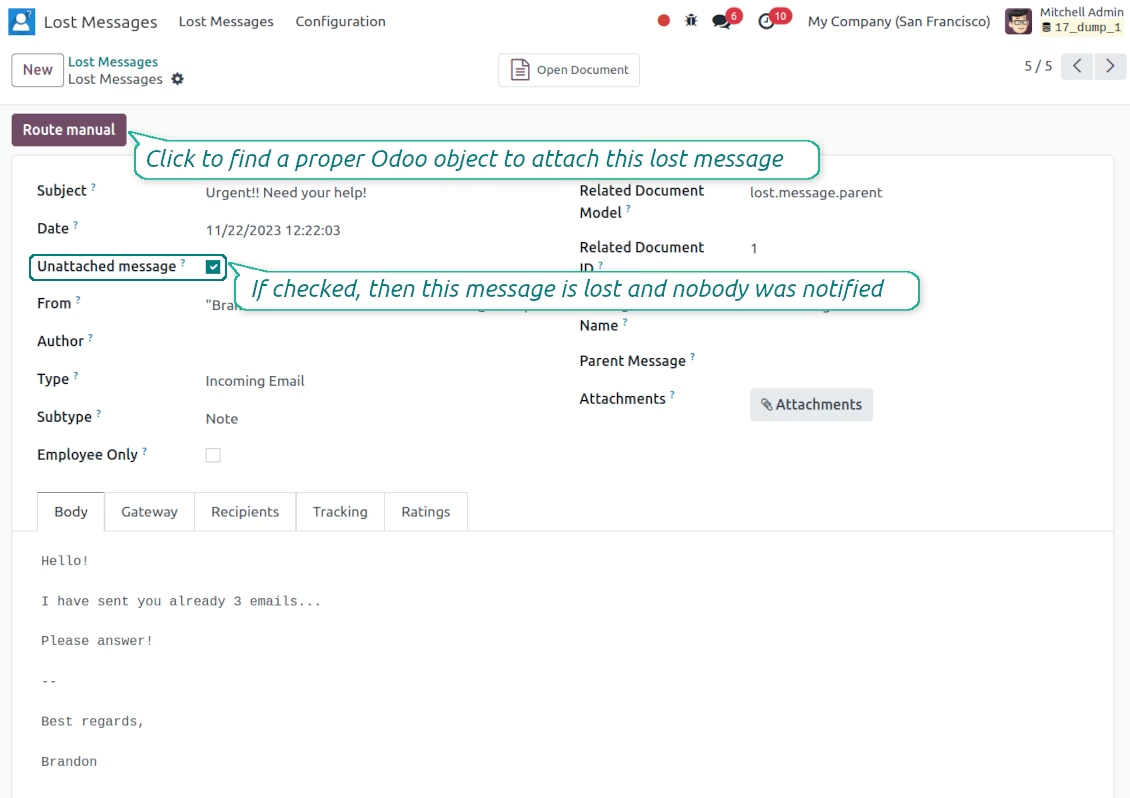
Lost messages are distinguishable and easy to address
Routing a message is fast and simple
The addressed message is correctly attached
Lost messages list / Address lost messages in batch
Configure users to notify of new lost messages
The right to manage lost messages