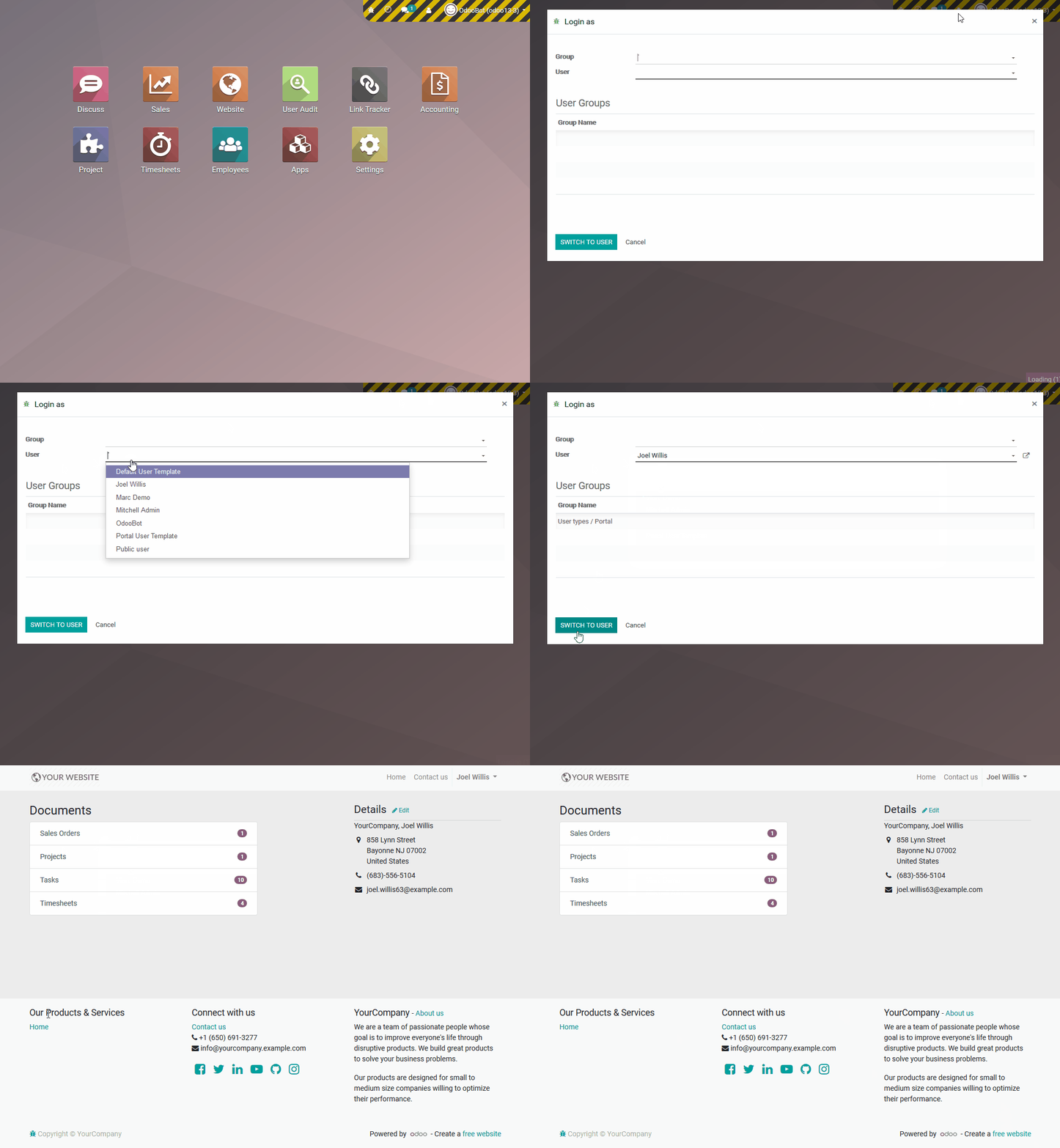
The module is an essential tool for system administrators and IT support teams. It provides a secure and efficient way to log in as any user within the system, allowing for streamlined administration and faster problem resolution. This module empowers administrators to verify user permissions, troubleshoot configuration issues, and provide superior support by directly experiencing the user's interface and settings. It is a key solution for ensuring smooth operations and maintaining data integrity while offering a polished, professional user management experience.
Securely log in as another user to handle various administrative tasks.
Easily switch between user accounts without needing to know their passwords.
Check and verify user access rights and security permissions effectively.
Troubleshoot user-specific issues directly from their account view.
Two flexible options for login: as a specific user or on behalf of a user from a selected access group.
Improves administrative efficiency by allowing quick access to user accounts.
Enhances support capabilities, leading to faster issue resolution.
Ensures accuracy in user permission settings and data management.
Provides a professional and discreet way to handle user-related issues.
Saves time and effort by eliminating the need for password resets and complex workarounds.
As a system administrator, you usually need to log in as another user to do things like setting up profiles, ensuring permissions are set correctly, and completing other configuration tasks.
“Log In as Another User” allows administrators to have easy access to the system as a specific user and thus solve problems or provide better and faster support. This module enables the admins to log in as a particular user and handle any situation without wasting any time at all. This is a valuable solution for testing and verifying user access rights.
Also, this feature offers two options for logging in:
→ As a specific user.
→ On behalf of a user who belongs to a particular access group.
Menus
-
Login as
Key Features
-
Great discretion in the logging operation.
-
High flexibility in user selection and relevant access.
-
Easy switching between users.
-
Both single-user or access group login options.
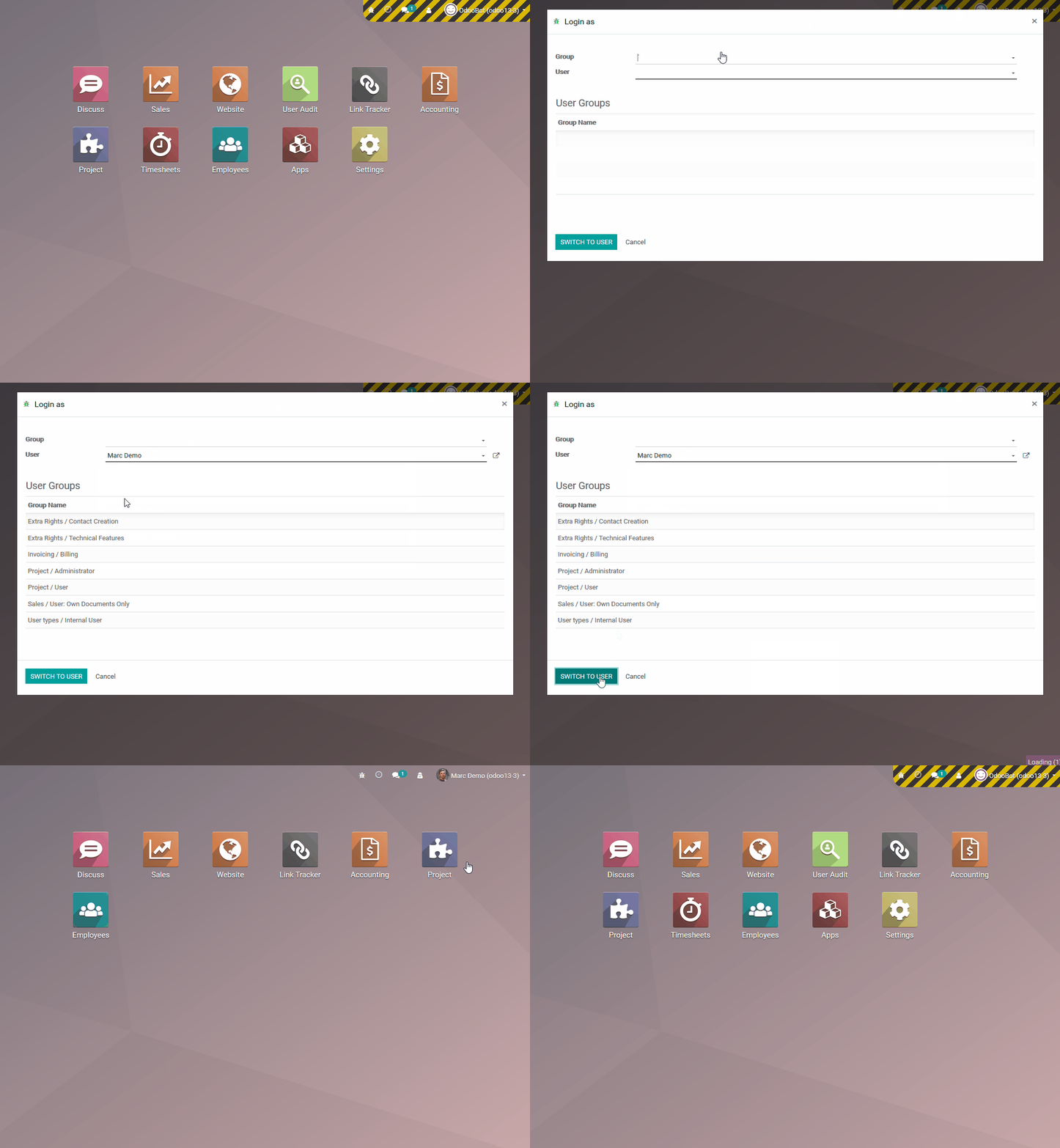
Login as a normal user
☞ Administrators need to switch to developer mode ☜
Login as portal user