The module is a comprehensive solution designed to simplify and automate the process of managing loans for both customers and suppliers. This powerful tool provides a structured workflow for creating, approving, and disbursing loan requests. It helps businesses maintain accurate records, track repayment schedules, and generate essential financial reports, ensuring a transparent and efficient loan management process. This module is ideal for any business that needs to handle internal or external loans with ease and precision, improving financial control and operational efficiency.
Create and manage loan requests from both customers and suppliers.
Define multiple loan types and required documents for each type.
Automate the loan approval and disbursement process with a clear workflow.
Track loan installments and payments with a detailed summary.
Generate comprehensive reports, including loan summaries, installment reports, and interest certificates.
Send automated notifications for due installments to borrowers.
Improves financial oversight and control over all loan transactions.
Enhances operational efficiency by automating the loan application and management process.
Ensures accuracy in tracking payments and generating financial reports.
Reduces manual effort and potential for human error in loan administration.
Provides a clear, auditable trail of all loan-related activities.
Loan Management System in is a complete solution for efficiently managing loans for customers and suppliers. It supports streamlined processing of loan applications, approvals, disbursements, and repayments, ensuring a smooth workflow for financial operations. The app allows the creation of customizable loan categories, borrower profiles, and eligibility criteria, enabling businesses to cater to diverse needs. Users can upload and validate loan verification documents, generate loan-specific accounts, and set installment reminders for timely repayments.
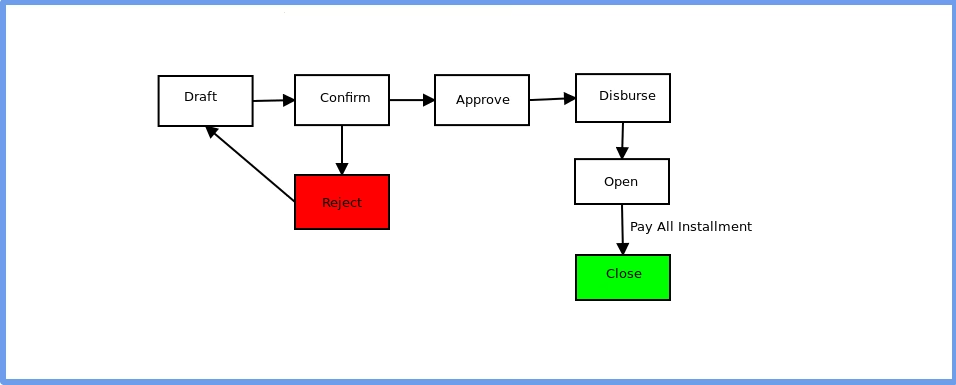
This system integrates seamlessly with accounting module, offering real-time financial insights, including detailed journal entries for each loan installment. Managers can approve loan requests, disburse funds, and monitor repayment statuses using structured workflows that include states like draft, confirm, approve, disburse, open, and close. Automated notifications keep managers and borrowers informed about upcoming installments and overdue payments.
The app also provides robust reporting features, such as installment summaries, loan account summaries, and loan collection reports, available in both PDF and on-screen formats. Borrowers can access loan details, notices, agreements, and outstanding reports through the portal, which includes digital signature capabilities for agreements and notices.
With features like interest certificate generation, loan agreement and notice templates, processing fee invoicing, and borrower-specific loan summaries, the system is a comprehensive tool for managing loan operations effectively. Whether it’s a home loan inquiry or a business loan application, the app ensures accurate documentation, seamless communication, and efficient loan lifecycle management.
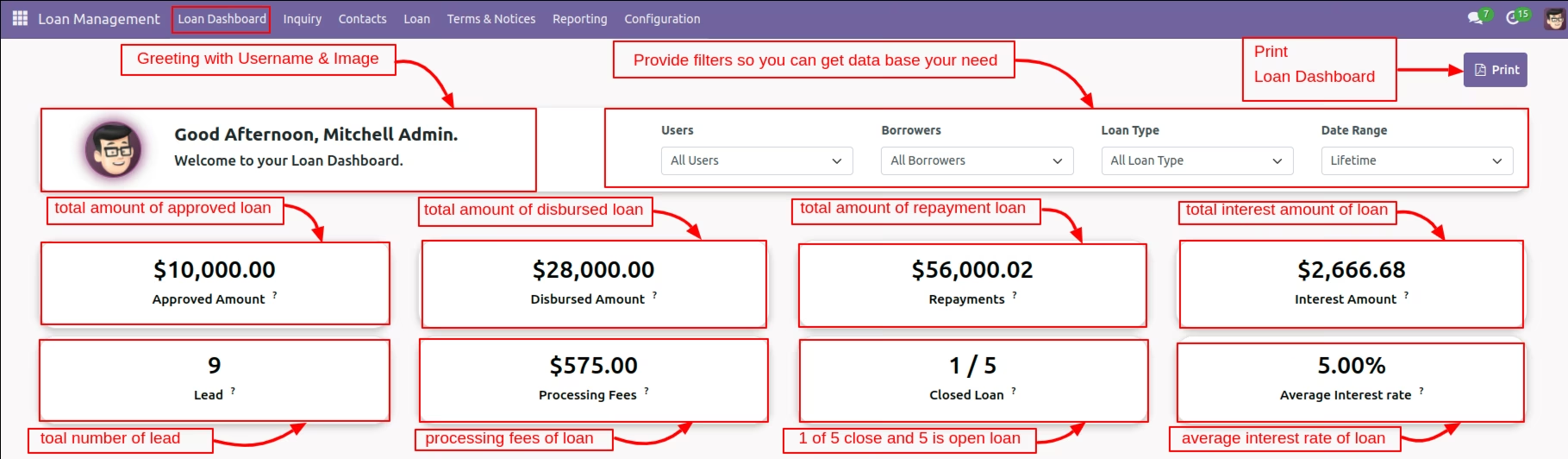
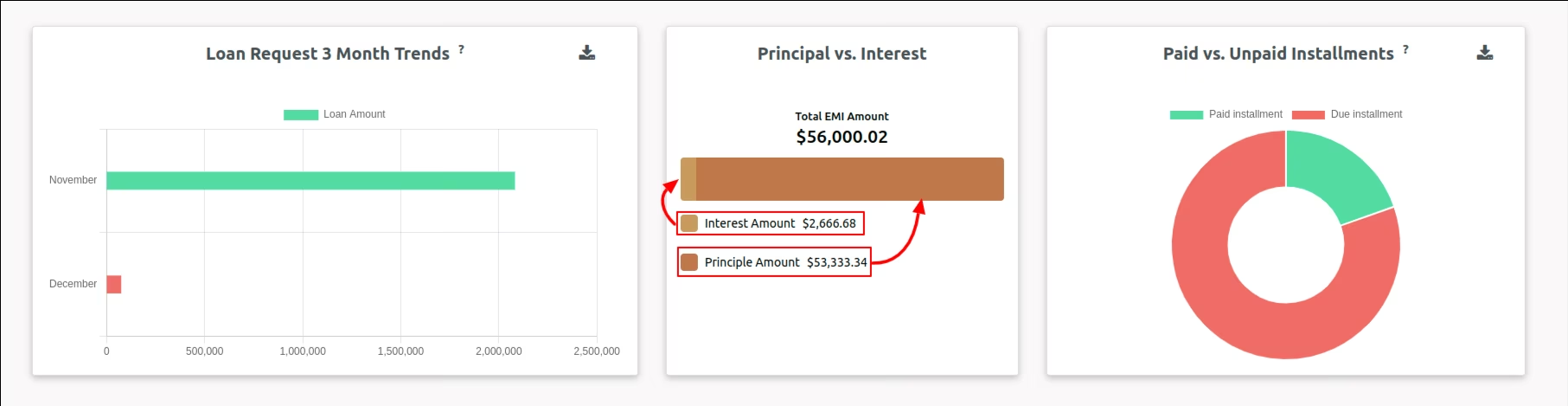
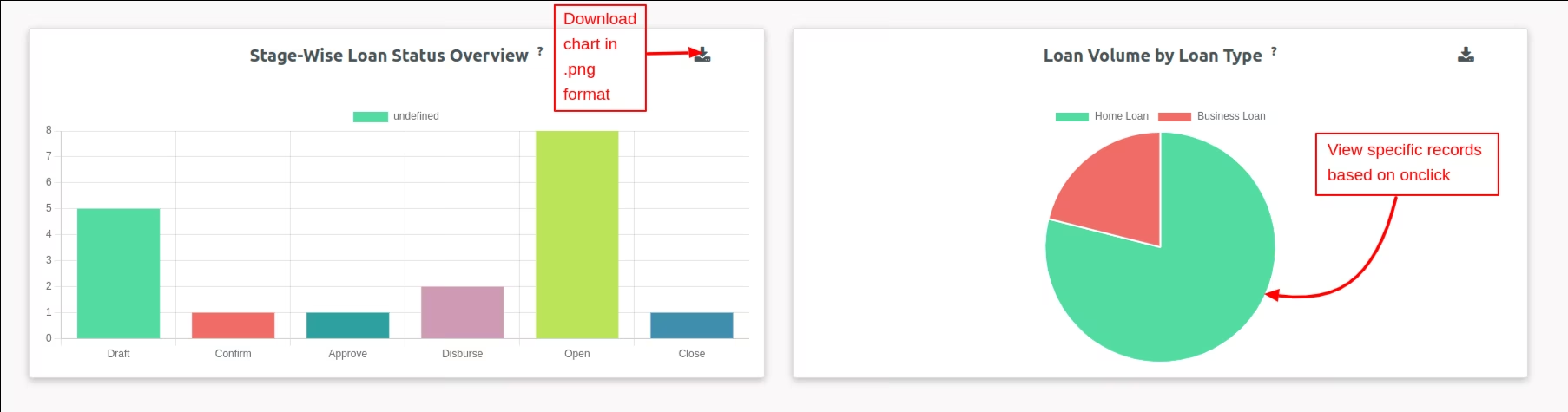
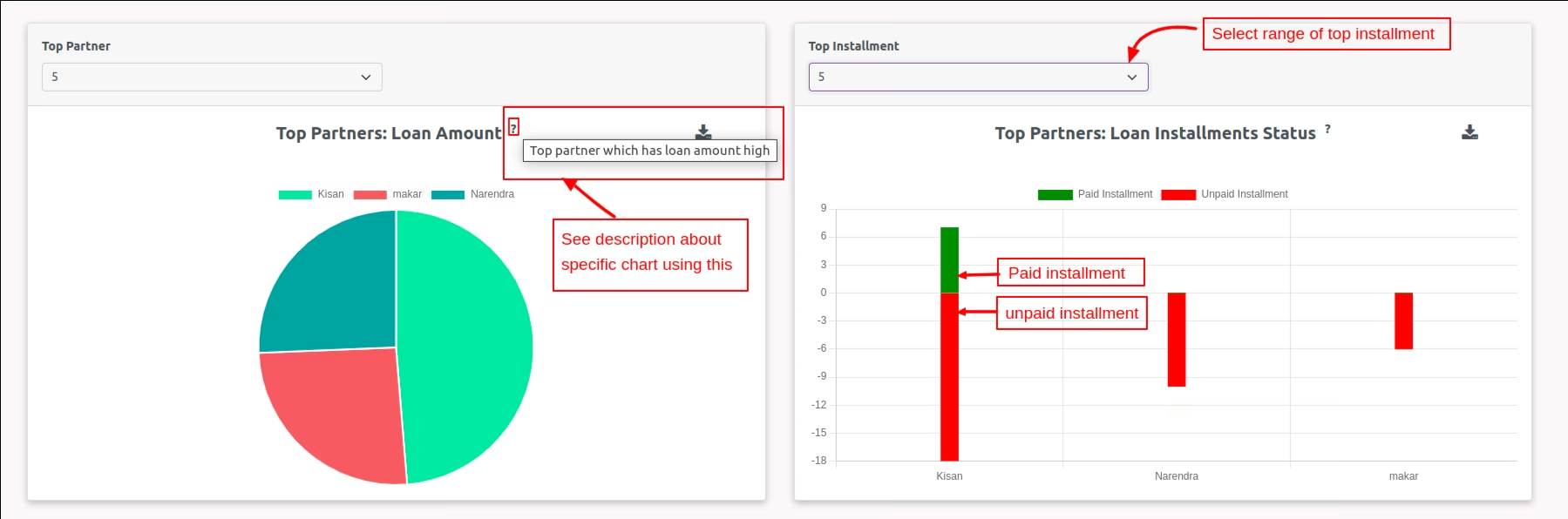
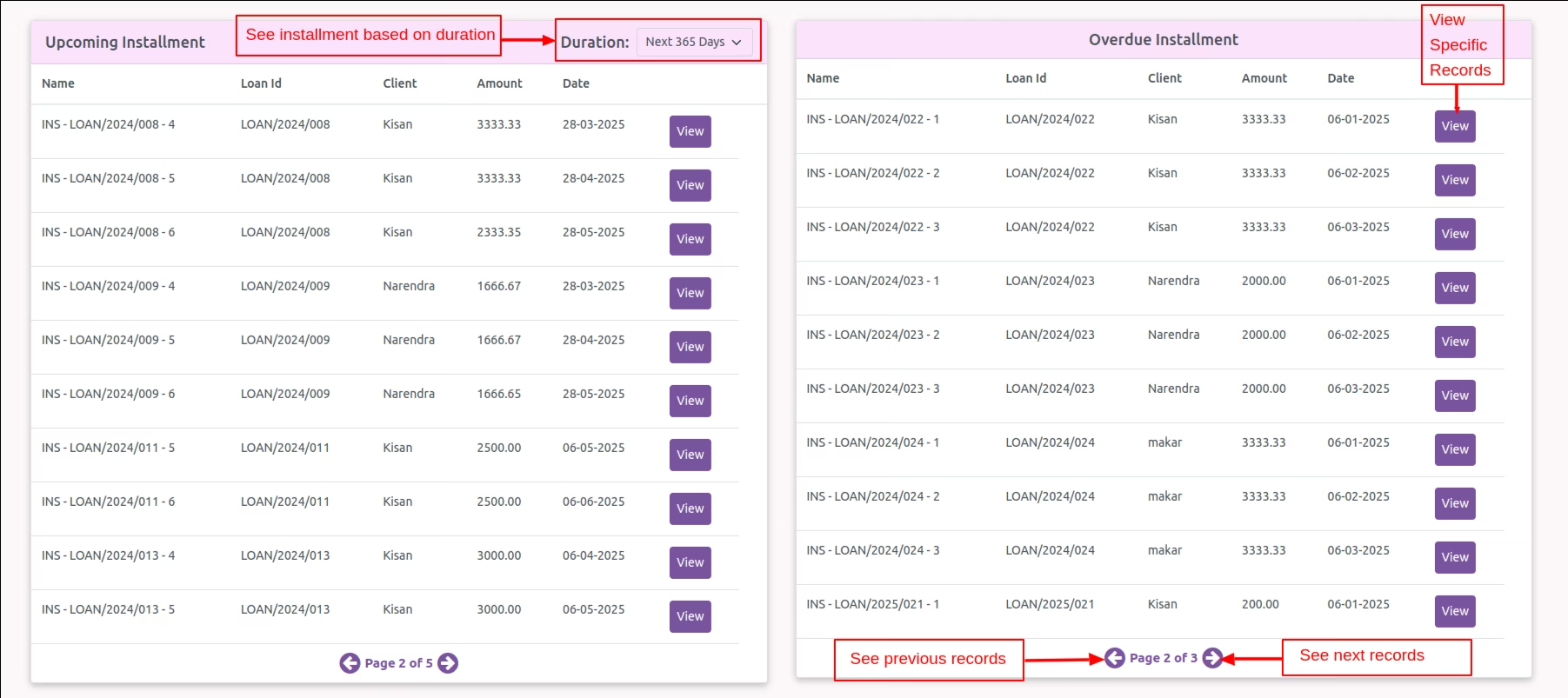
The app includes an advanced dashboard designed for loan analysis, empowering users with data-driven decision-making capabilities. The dashboard allows users to refine data using filters such as user, customer, loan type, and date range, ensuring precise insights tailored to specific needs. It provides comprehensive statistics, including key metrics like approved loan amounts, disbursed loan amounts, repayment totals, interest amounts, new leads, processing fees, closed loans, and average interest rates. For visual representation, the dashboard features charts showcasing trends such as loan requests over the last three months, principal versus interest analysis, paid versus unpaid installments, stage-wise loan status overview, loan volume categorized by loan type, top partners based on loan amounts, and installment statuses. Additionally, the dashboard includes data tables for detailed views of upcoming installments and overdue payments, making it a powerful tool for monitoring and optimizing loan operations effectively.
-
Loan Management
Streamlined process for handling loan applications, approvals, disbursements, and repayments.
-

Lead Management
Ensures secure login and access for verified delivery personnel only. Ensures secure login and access for verified delivery personnel only.
-

Loan Categories
Create tailored loan types to meet specific business or customer needs.
-

Borrower Profiles
Maintain detailed borrower information, including eligibility criteria and loan verification documents.
-

Installment Management
Set up reminders for loan installments and track repayments efficiently.
-
Seamless Integration with Accounting
Generate real-time journal entries for each loan installment and sync financial data effortlessly.
-

Interest Certificate Generation
Create PDF certificates for interest details.
-

Loan Agreement and Notice Templates
Predefined templates for quick and consistent documentation.
-
Structured Workflow
Manage loans through defined stages: draft, confirm, approve, disburse, open, and close.
-

Automated Notifications
Send alerts to managers and borrowers for upcoming installments and overdue payments.
-

Advanced Dashboard
Includes filters, counters, charts, and data tables for enhanced loan analysis.
-

Robust Reporting
Generate reports like installment summaries, collection reports, and interest certificates in PDF format.
-

Digital Signature Support
Borrowers can digitally sign agreements and notices directly through the portal.
-

Portal Access for Borrowers
Borrowers can view their loan details, agreements, notices, and installment schedules in a secure online environment.
-

Processing Fee Invoicing
Automate the generation of invoices for processing fees.
-
Data-Driven Decision-Making
Utilize dashboards and reports for comprehensive insights into loan performance.
Loan Management WorkFlow
Loan Management Dashboard
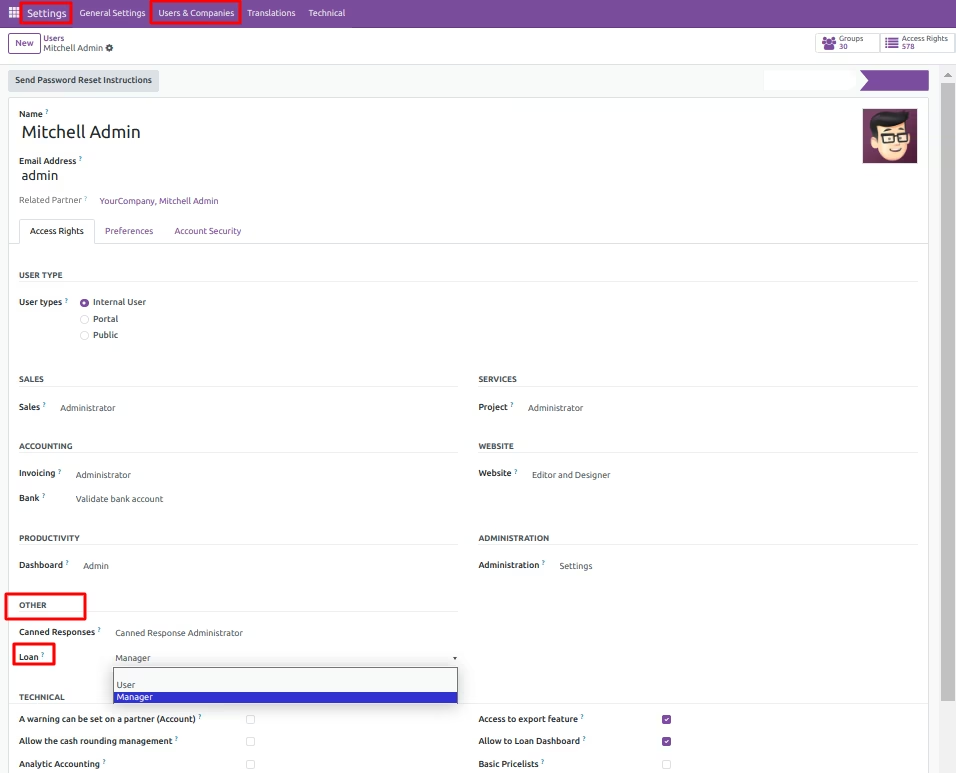
Navigate to Settings >> Users & Companies >> Users & open user there under Access Rights >> Other, Loan App access rights with Banker & Manager dropdown.
Create Loan Request
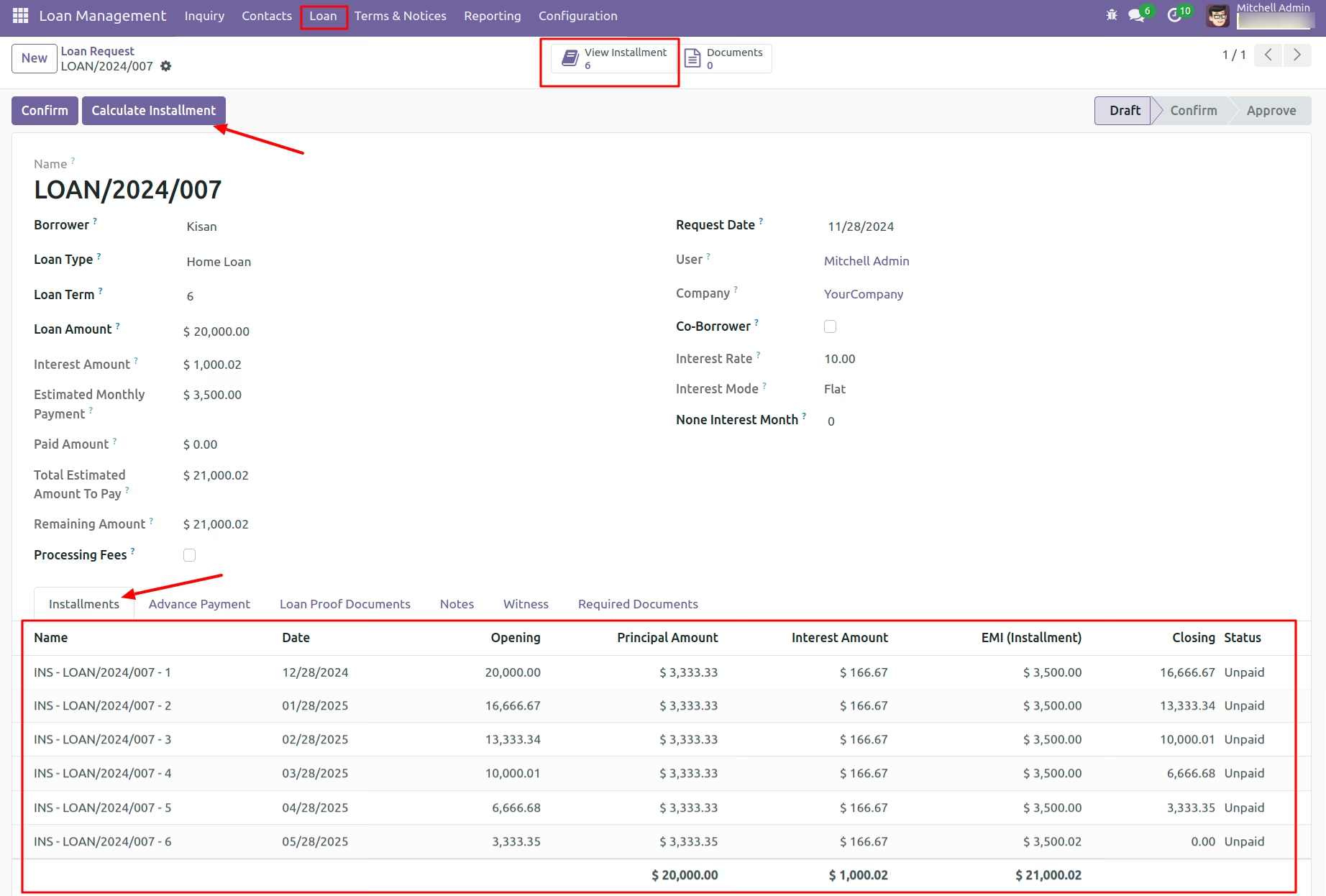
Select Loan Type And Click on 'Calculate Installment'
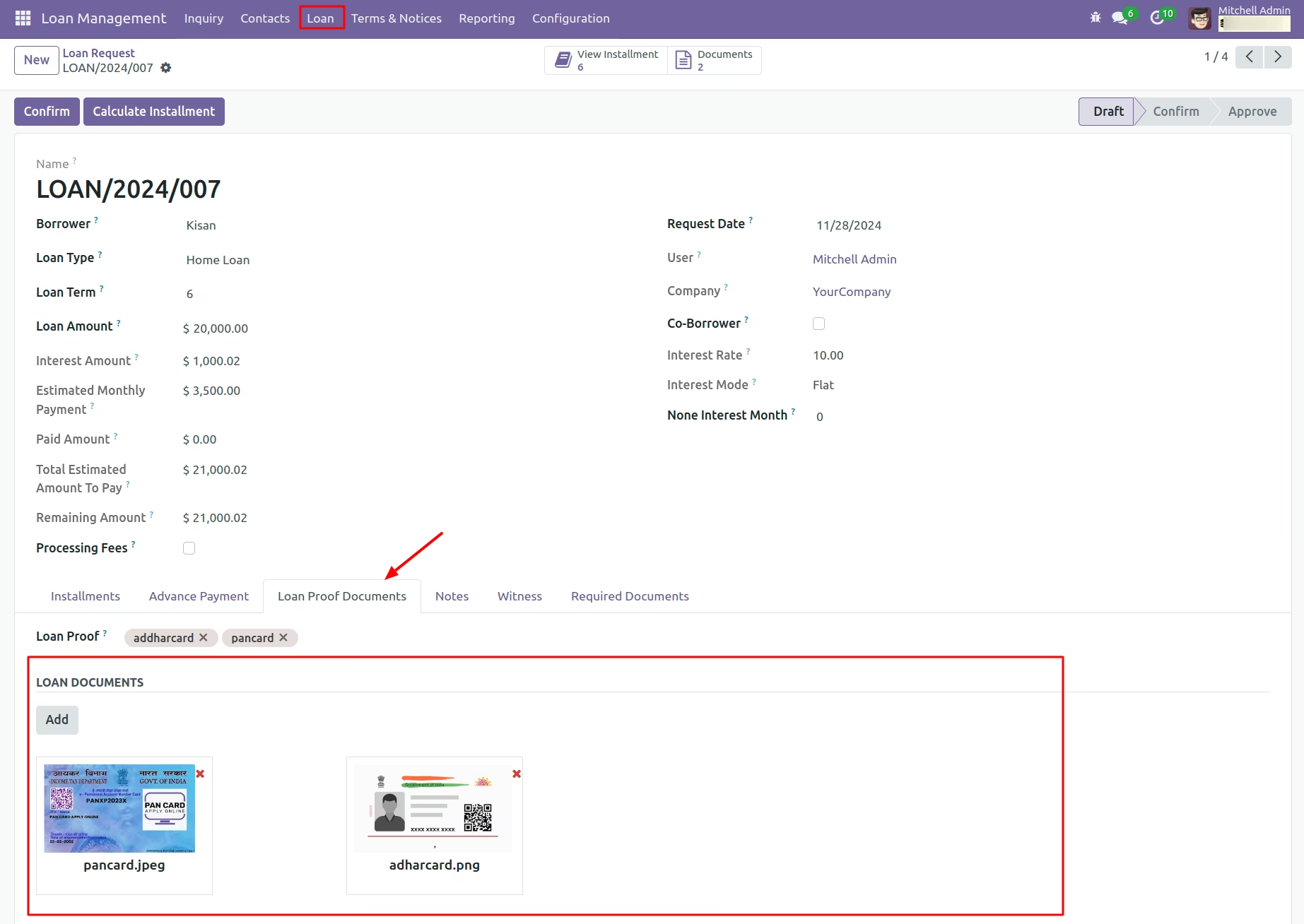
Add Document Proof
Users Can Upload Document Proofs for Verification if Needed
Add required checklist template
Automatic Loading of Checklist Content When a Template is Selected.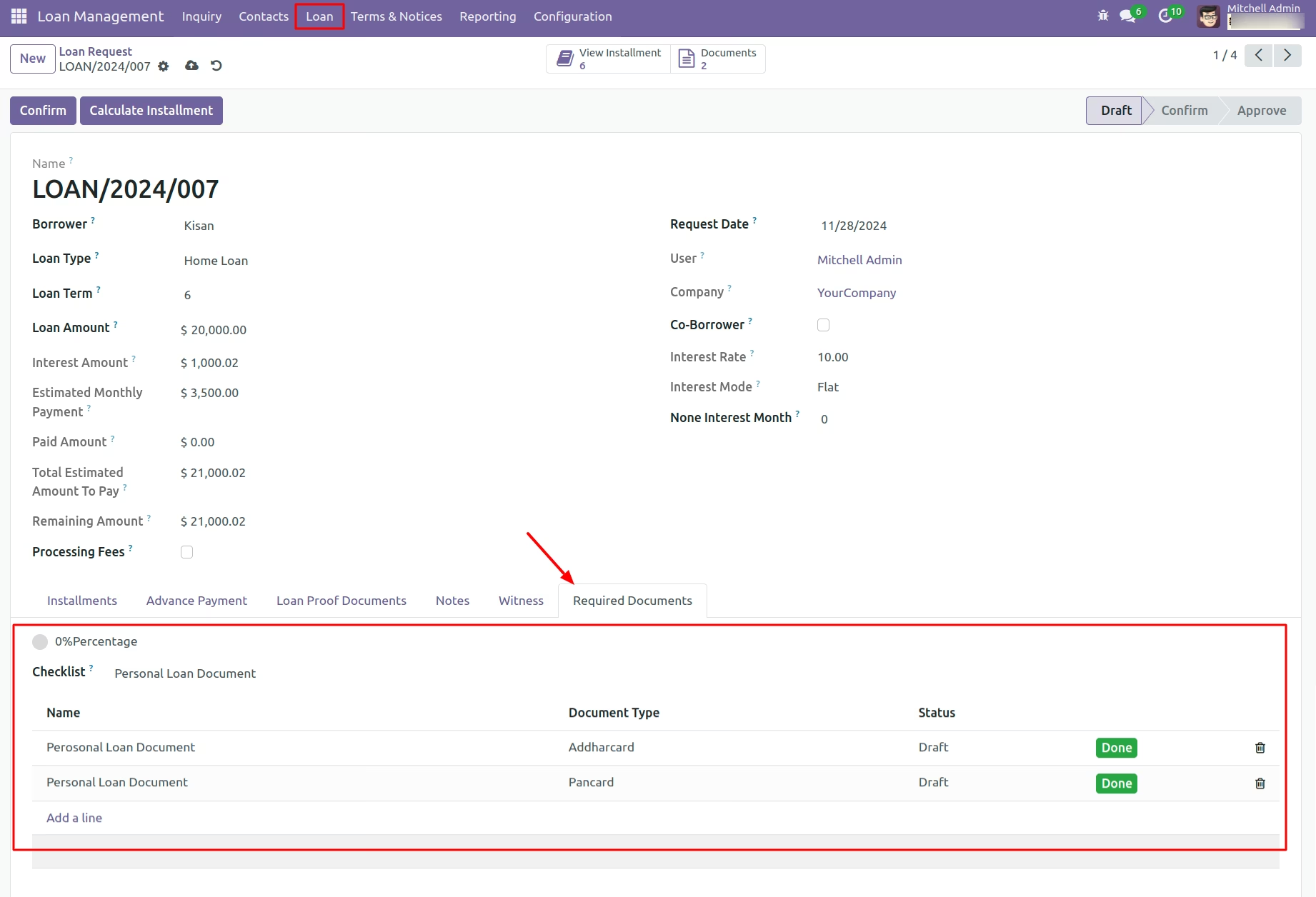
Click On 'Confirm' Button
Display Warning Messages for Document Submission Failures.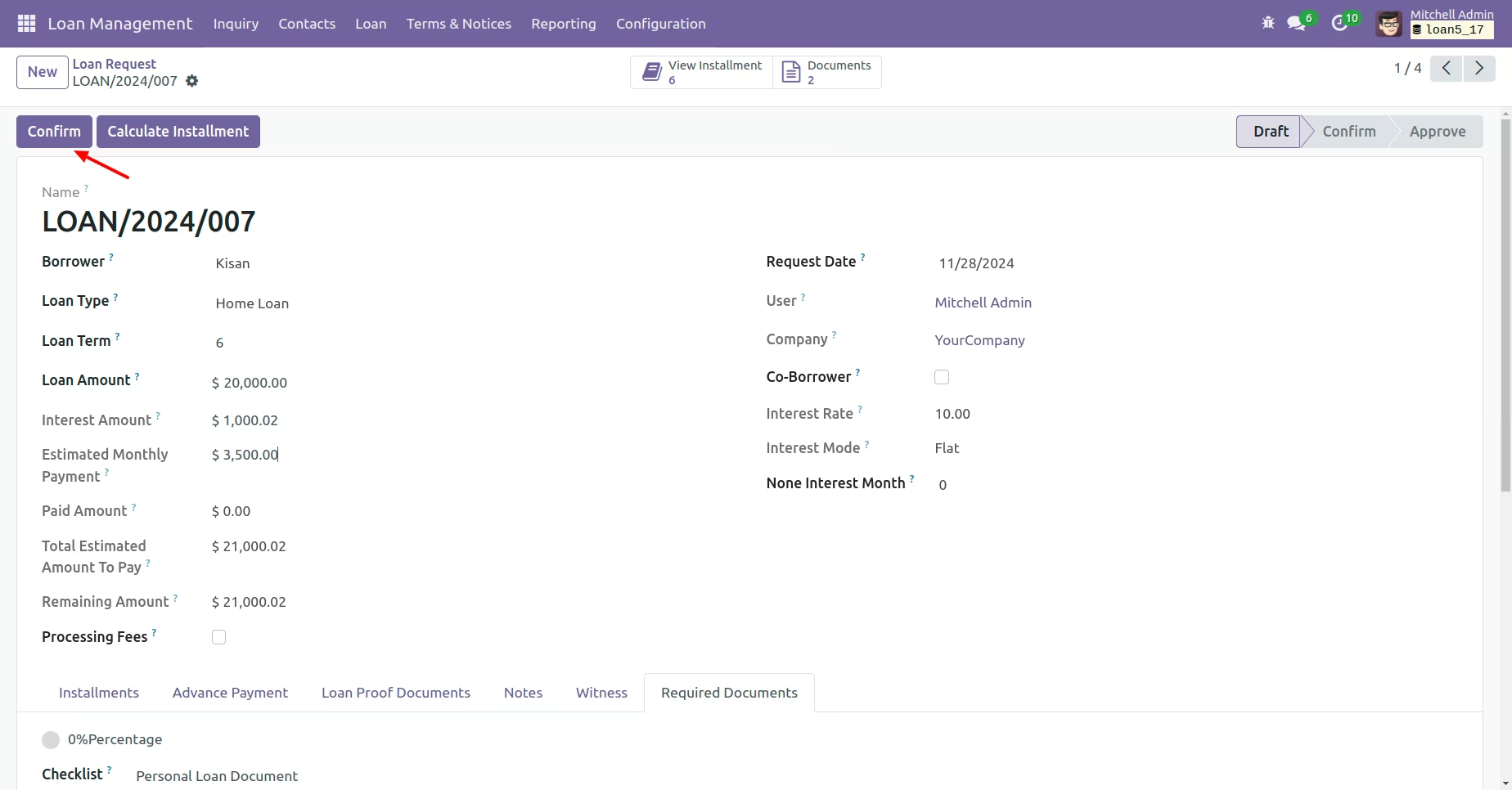
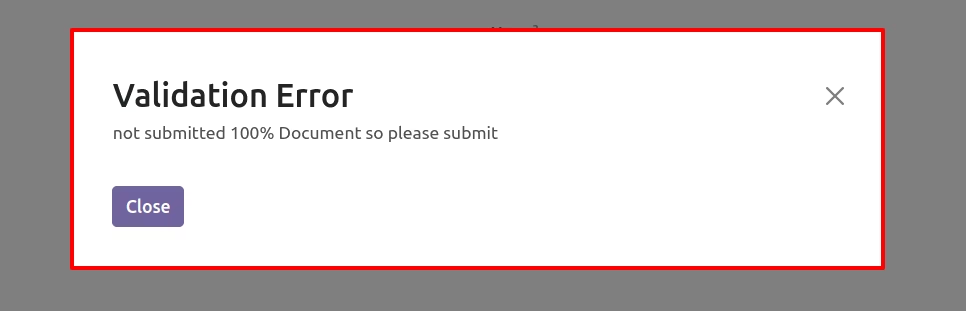
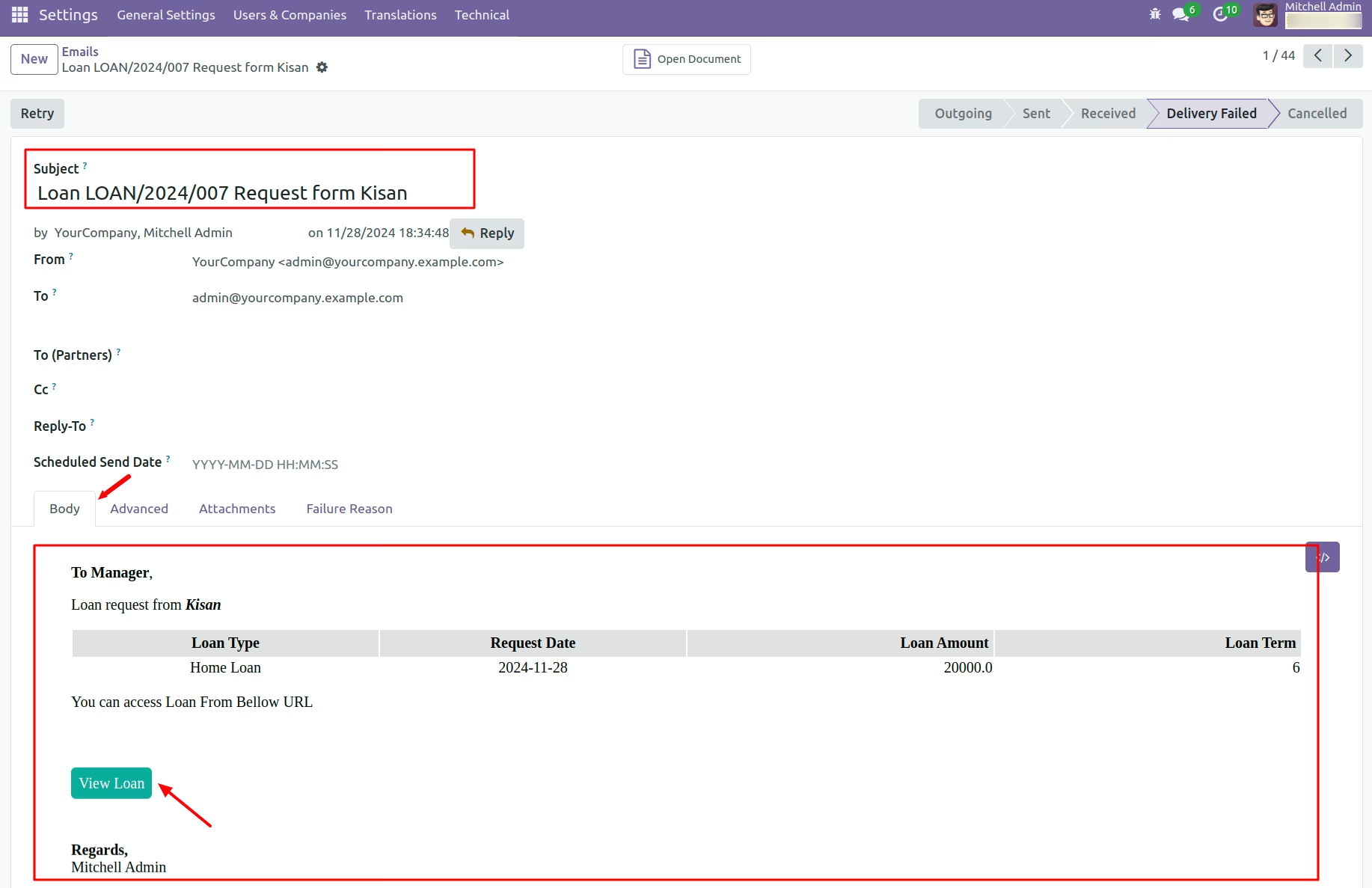
Send Email Notifications to Manager for Loan Approval Requests.
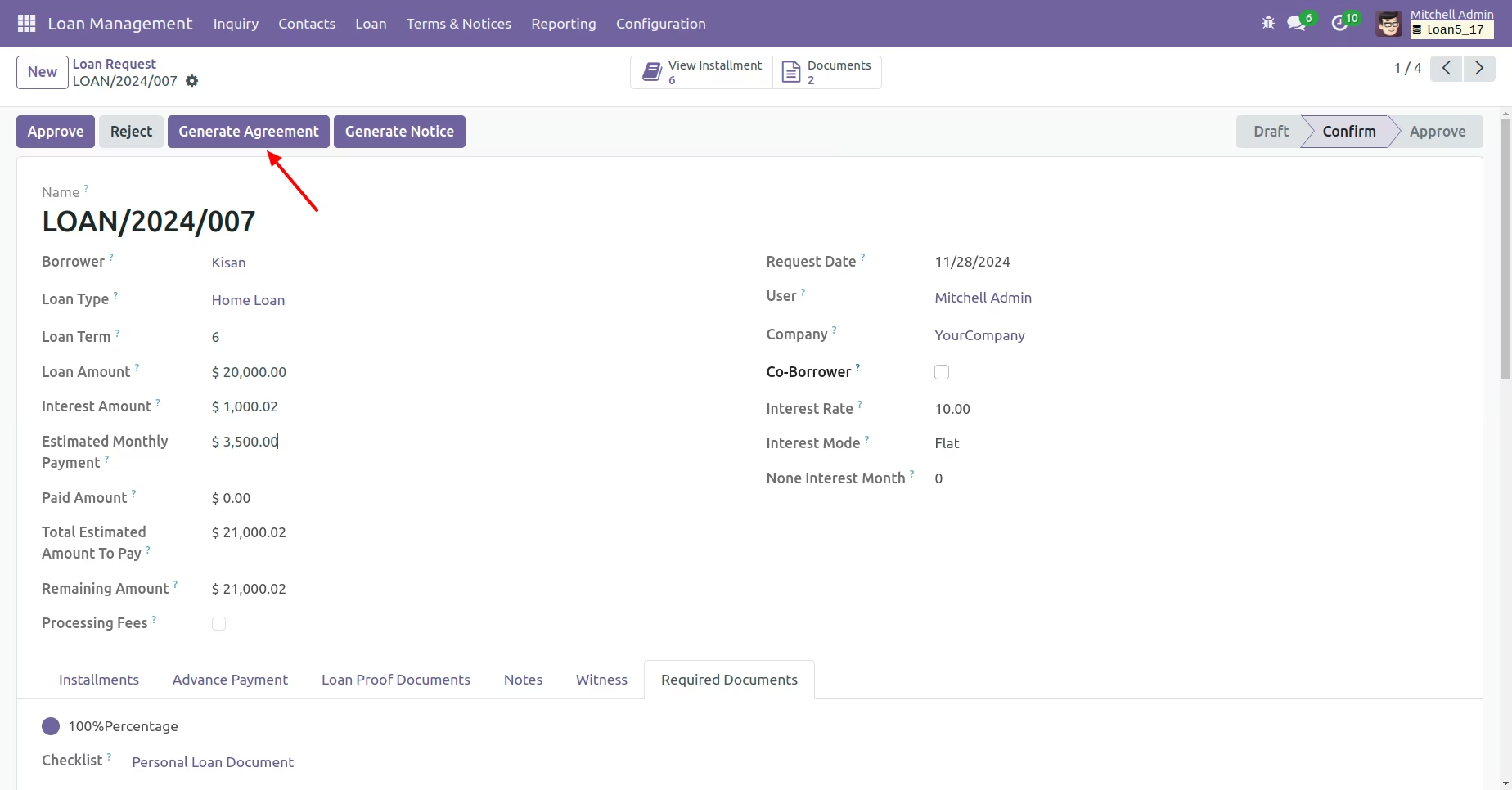
Click 'Genearete Agreement' Button
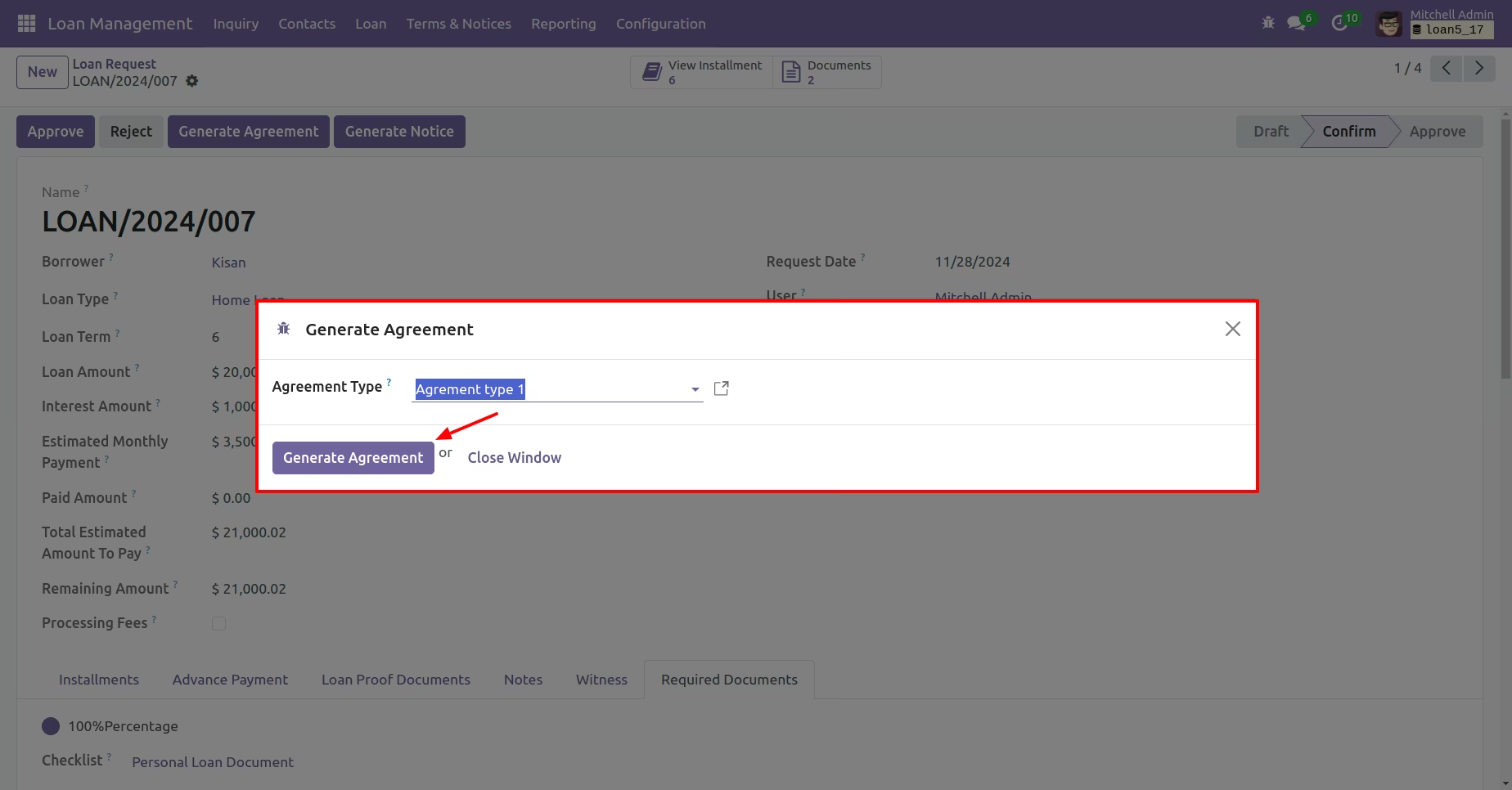
Select Agreement type
Here, Show Agreement
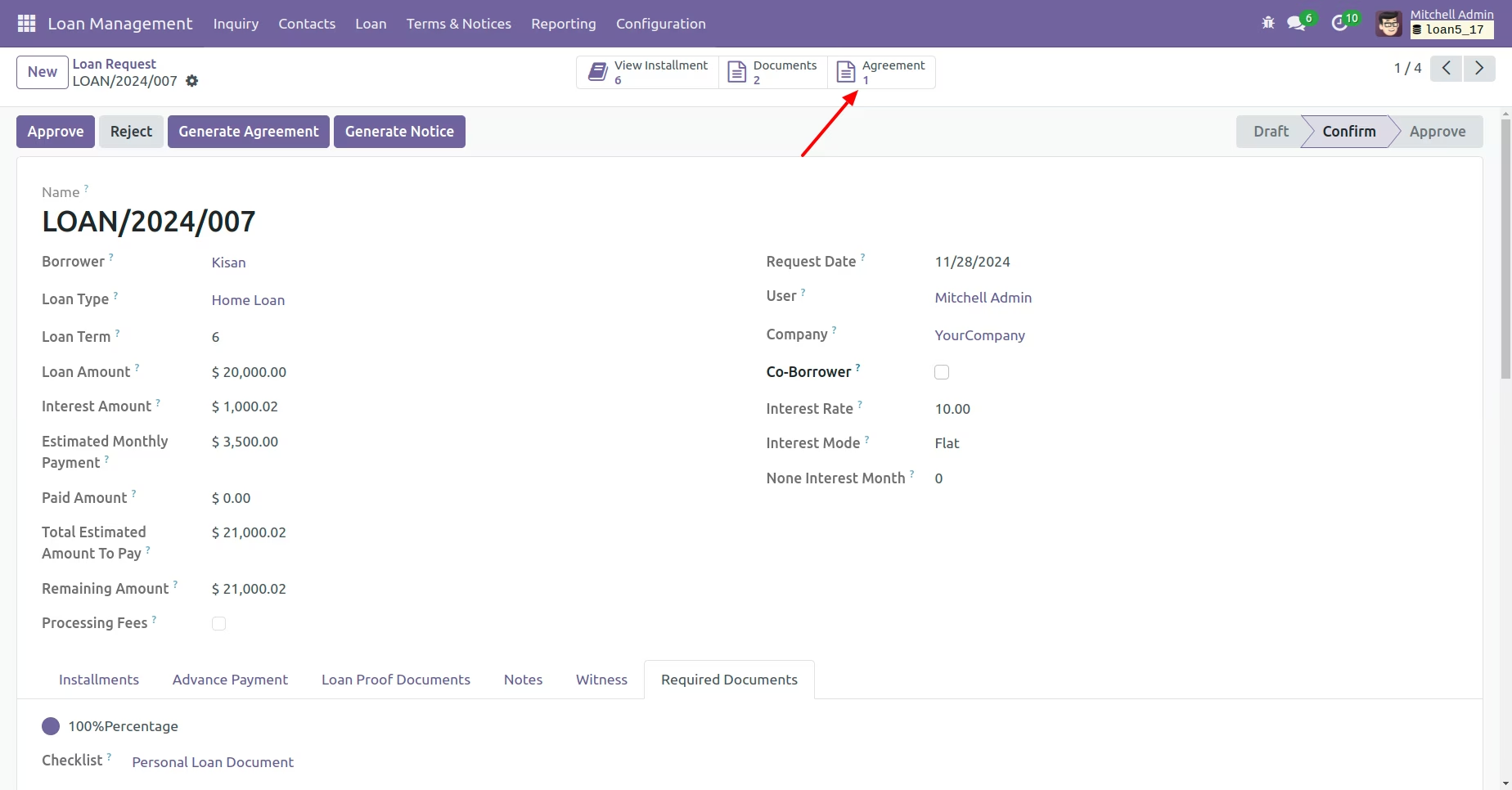
In Agreement click on 'Send mail' Button
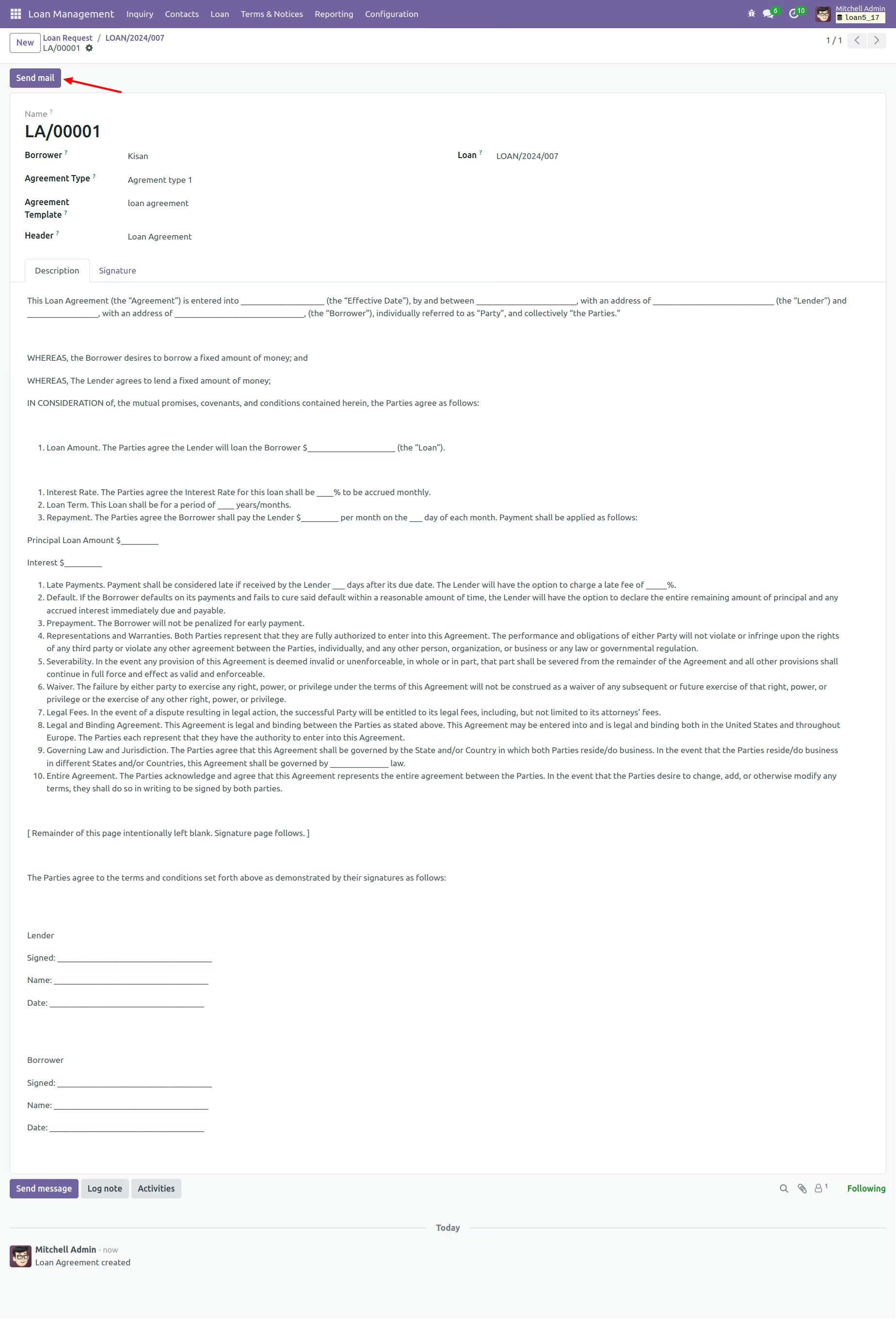
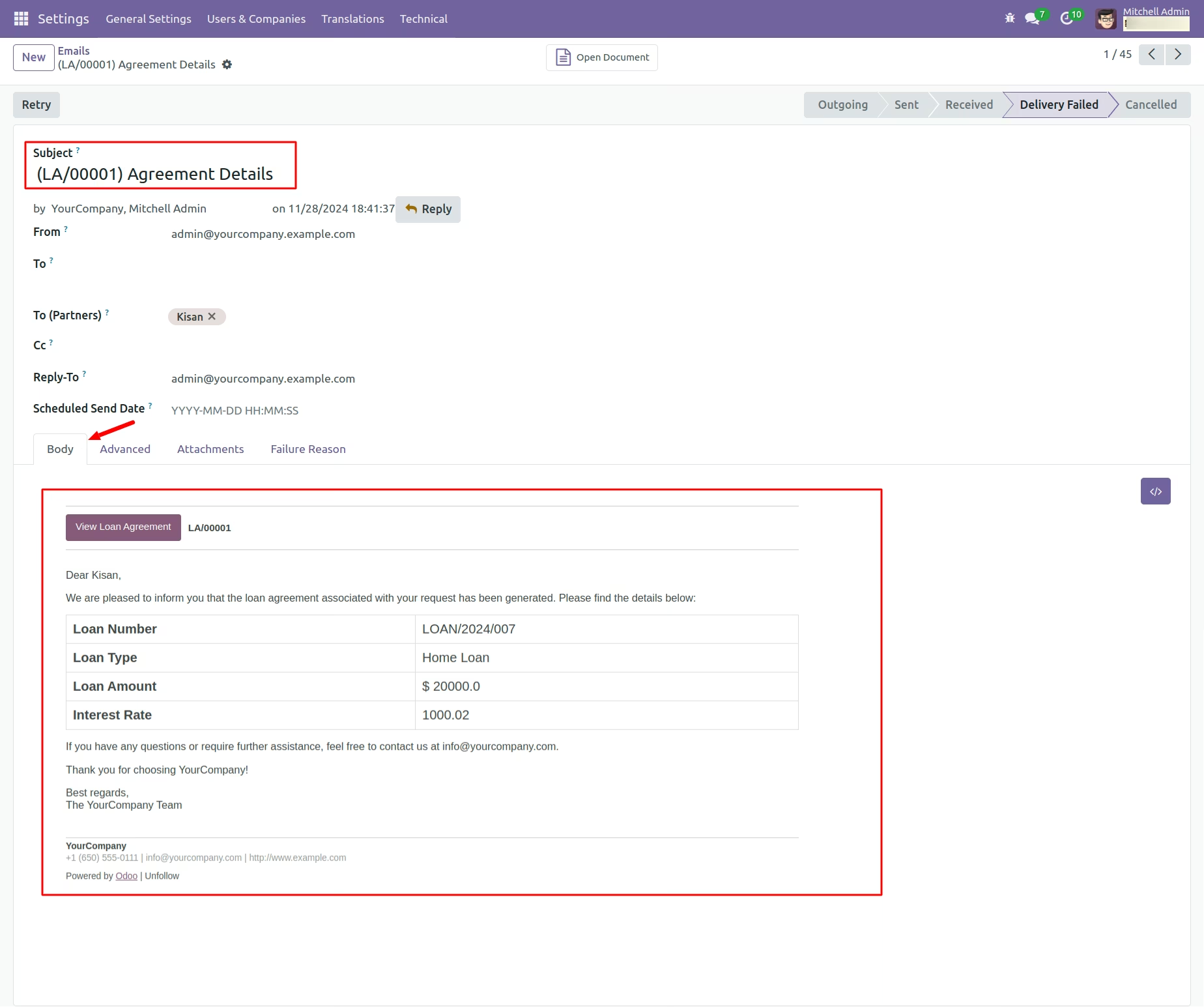
Send Email Notifications to Borrower
Click on 'Generate Notice' Button
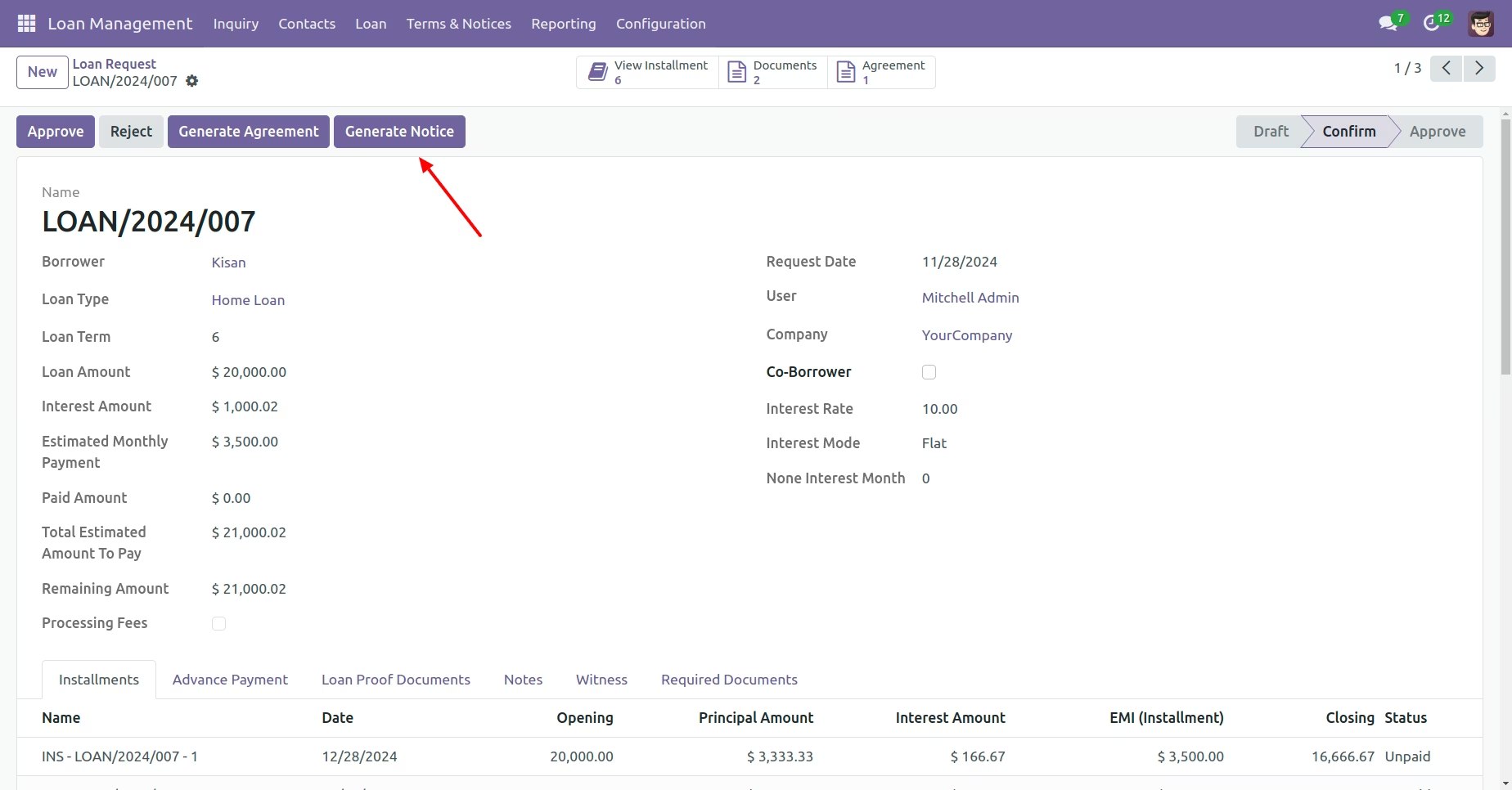
Link Notice here
Manager can Approve loan request
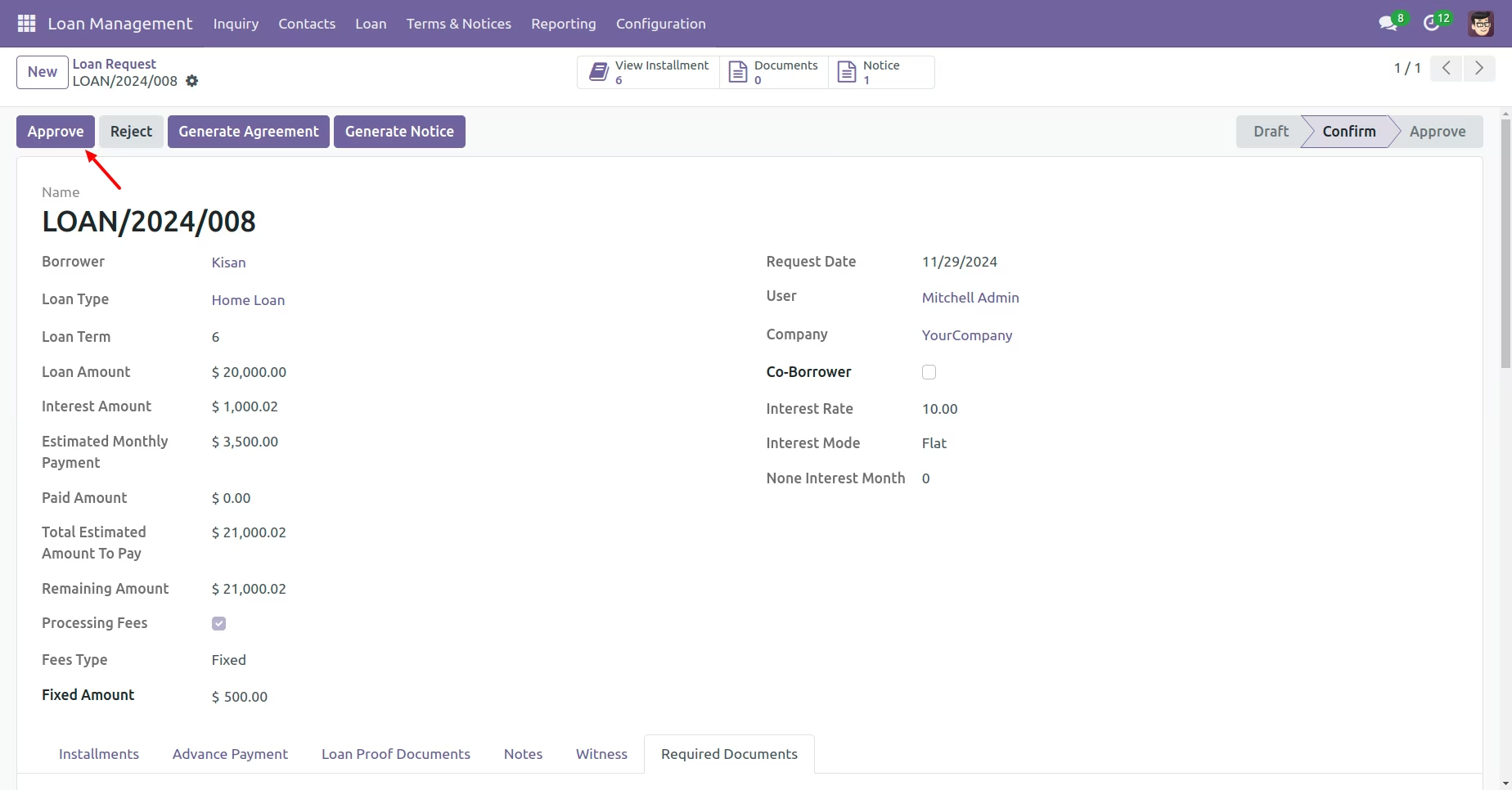
Click On 'Create Processing fees Invoice' button
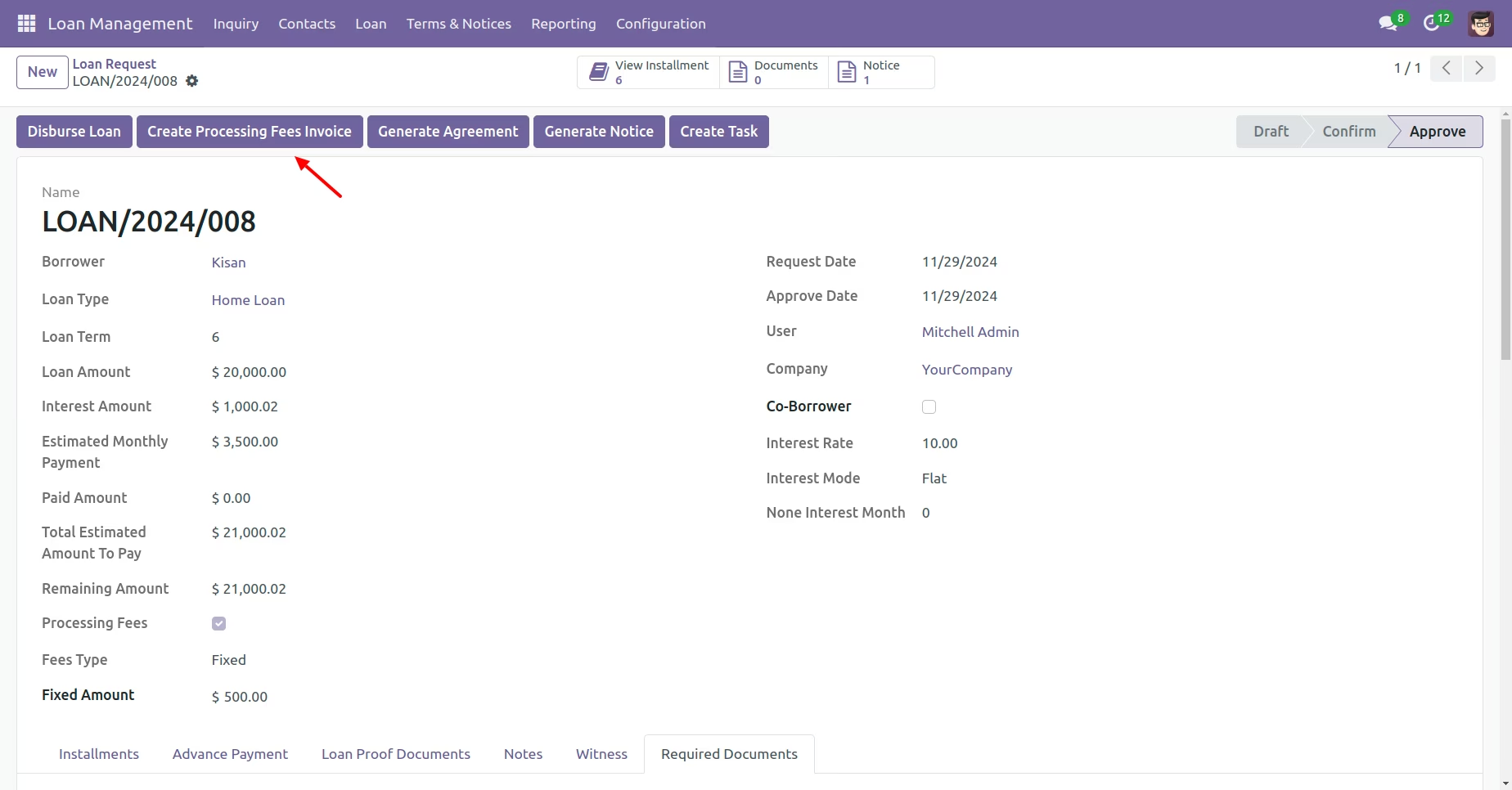
Invoice Generated from the Processing Fees
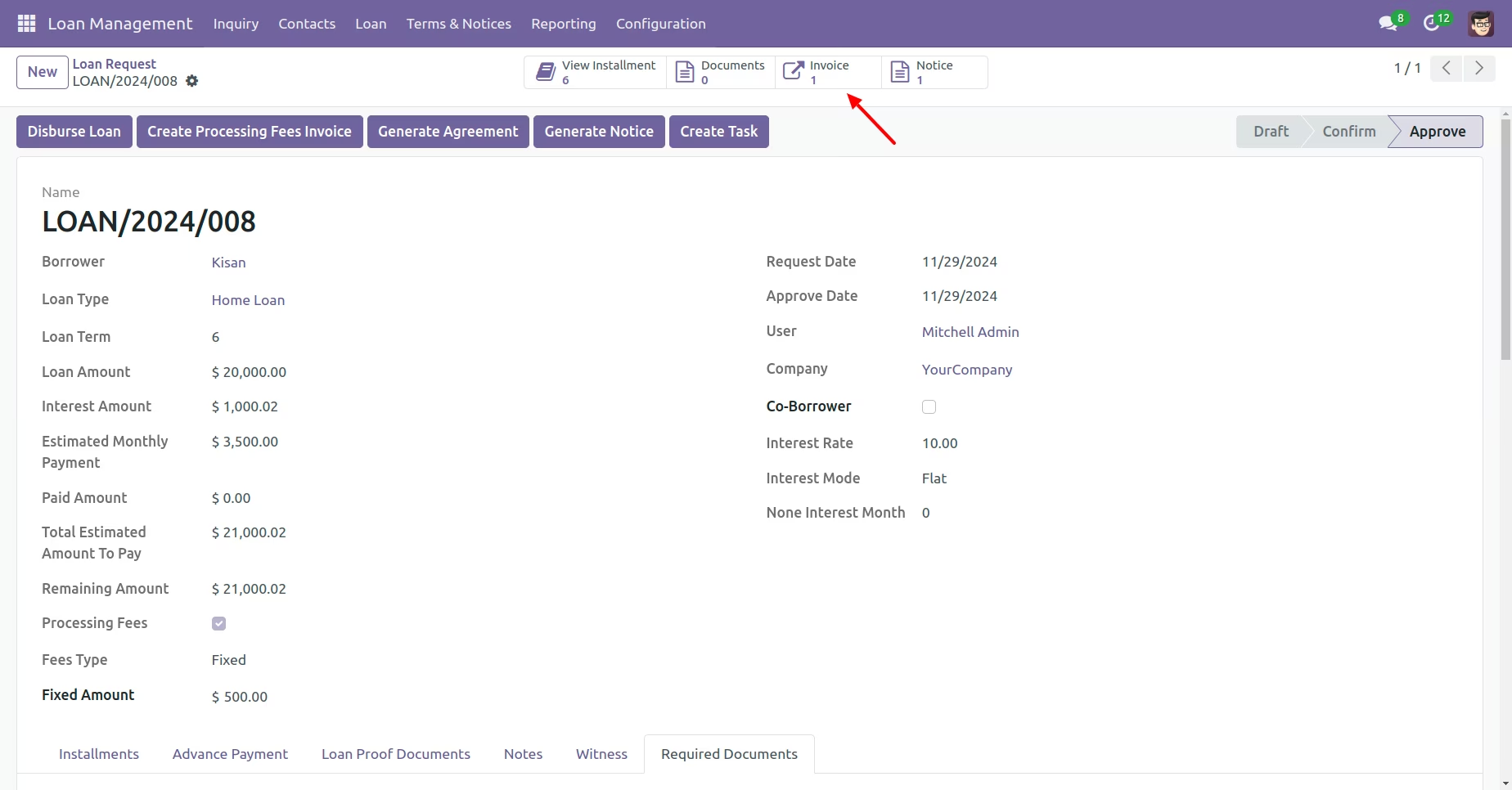
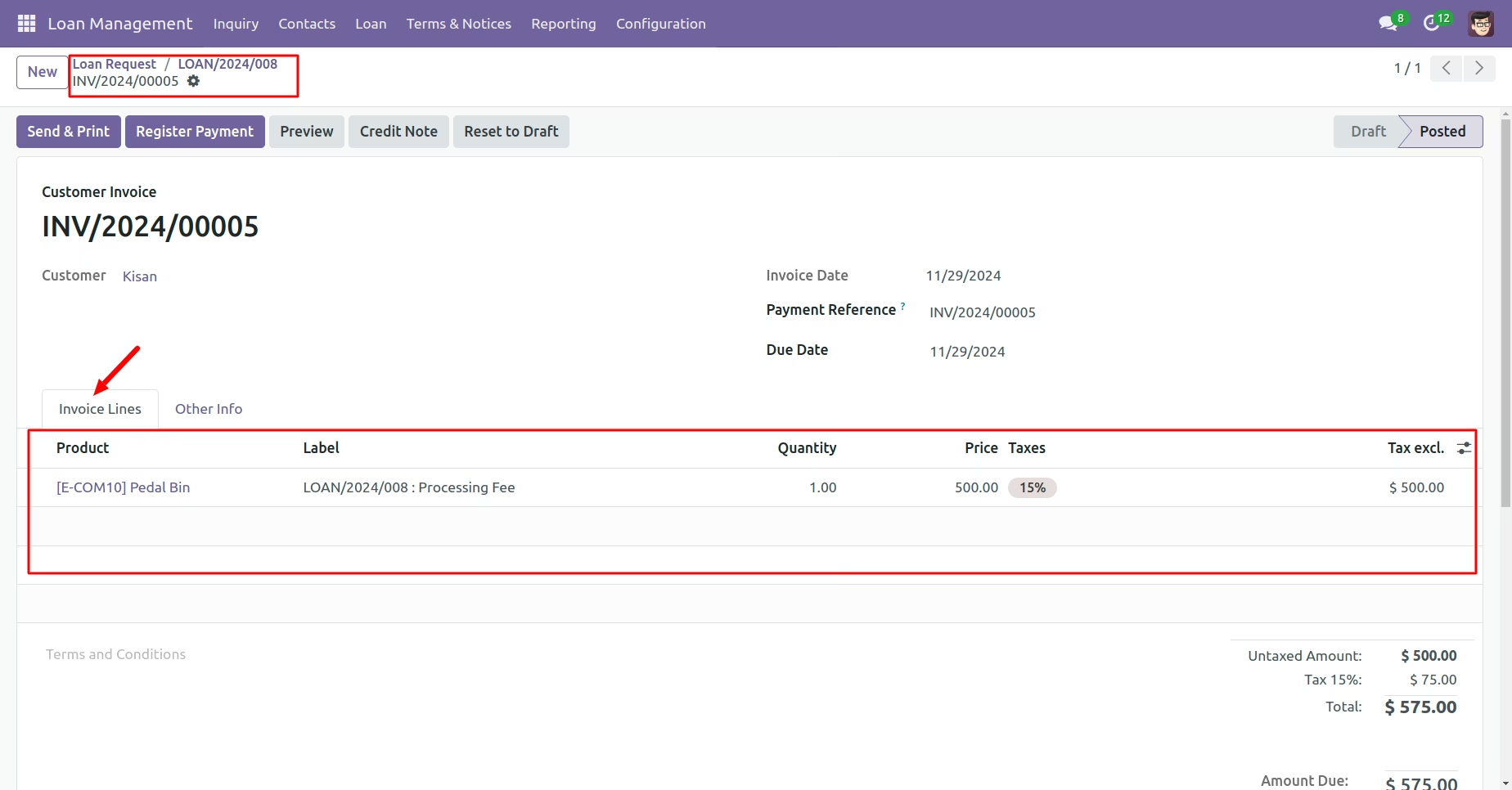
Show Invoice For Processing Fees
Click On Disburse Loan Button
The lender will disburse the loan amount to the borrower.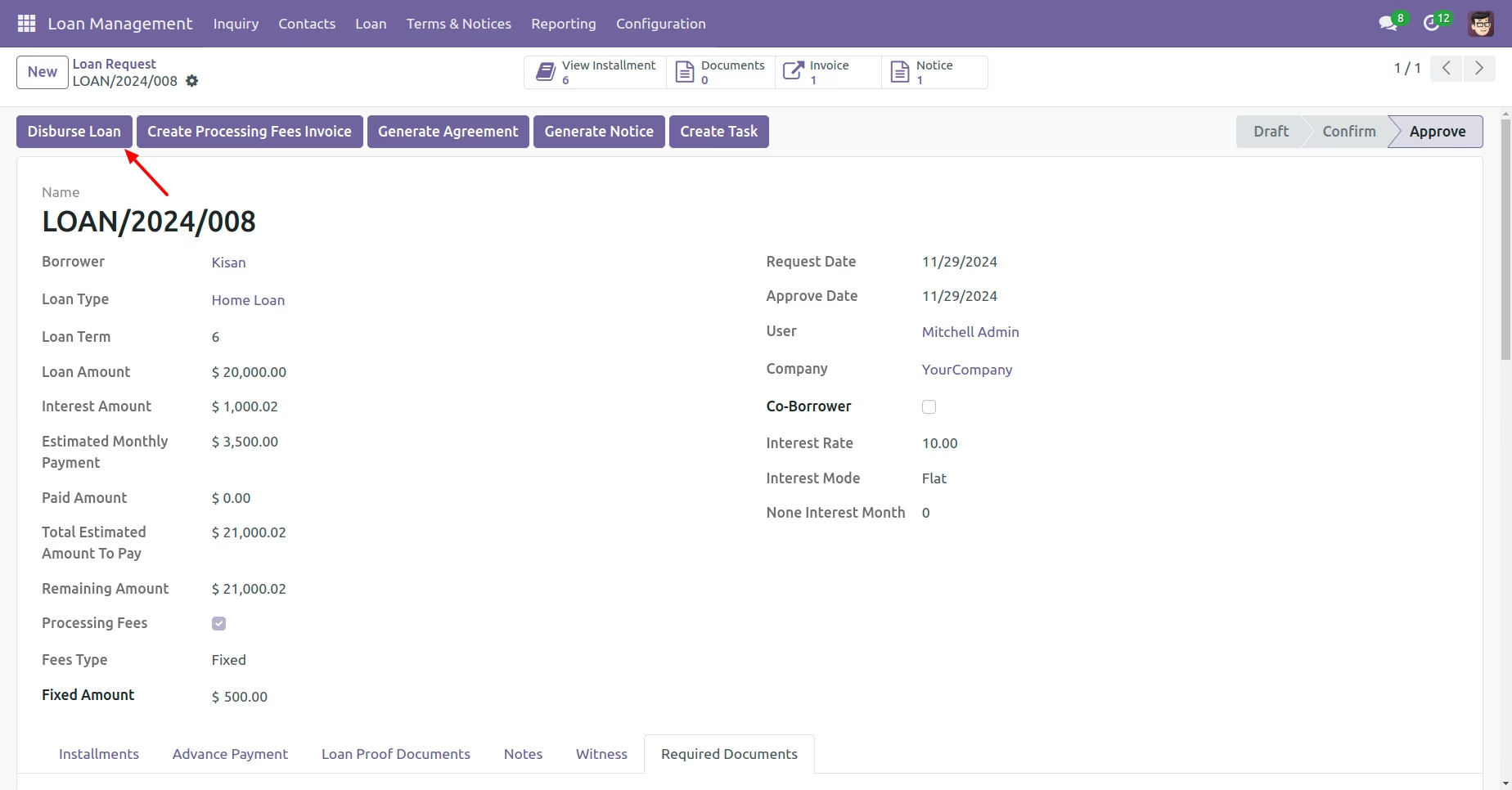
Click on the 'Open Loan' button to proceed.
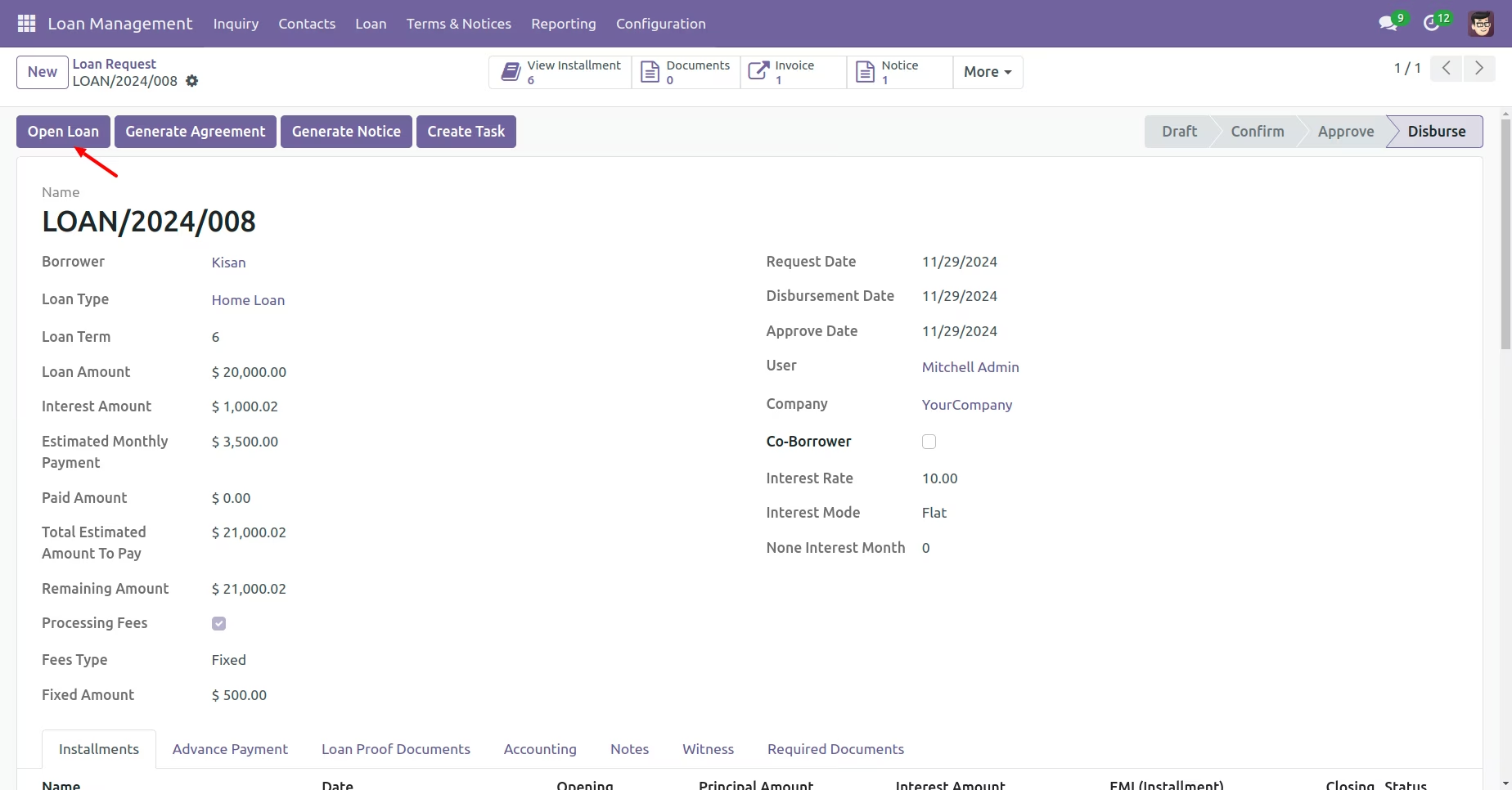
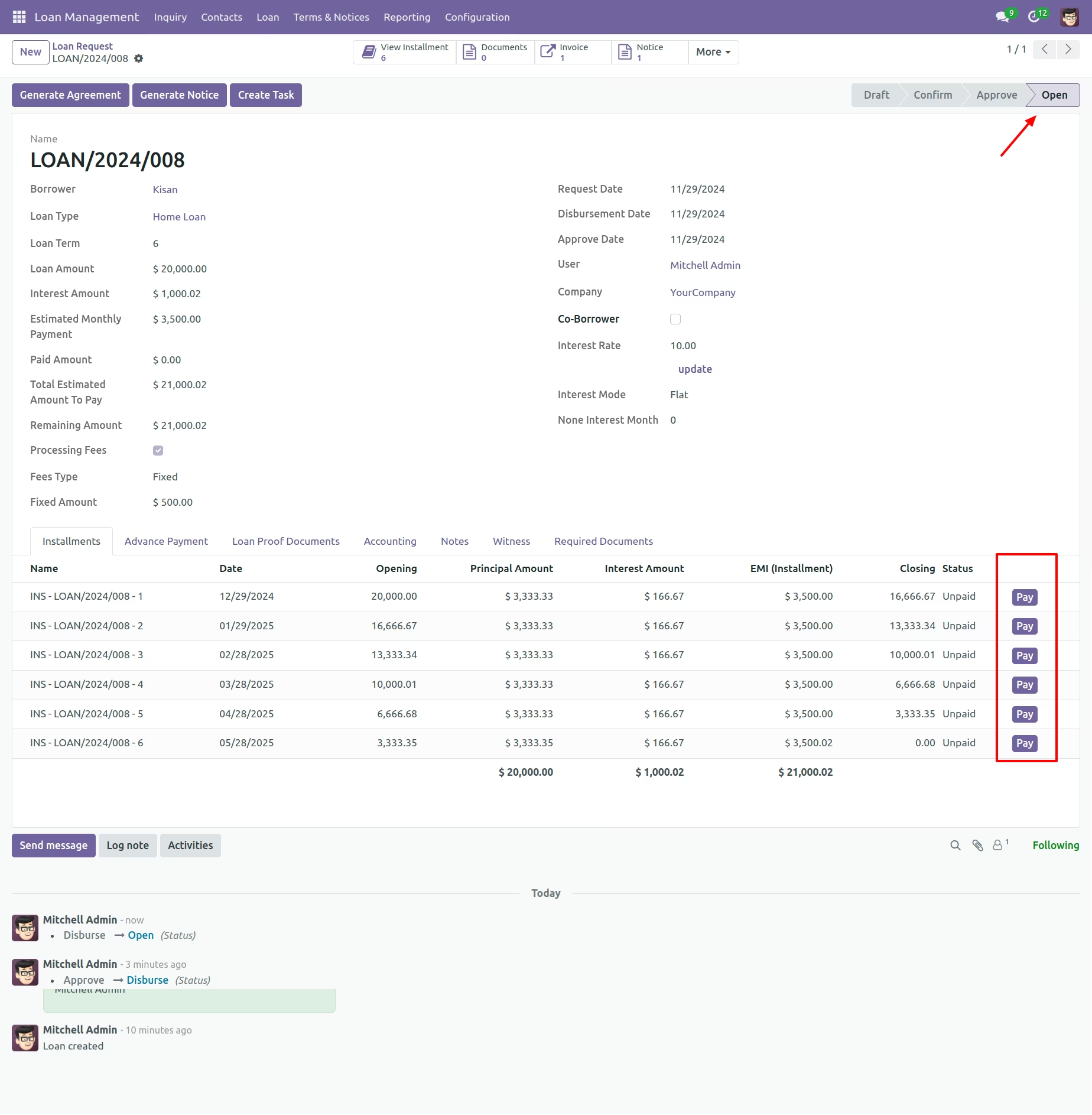
Move loan to the 'Open' state, to display the 'Pay' Installment option.
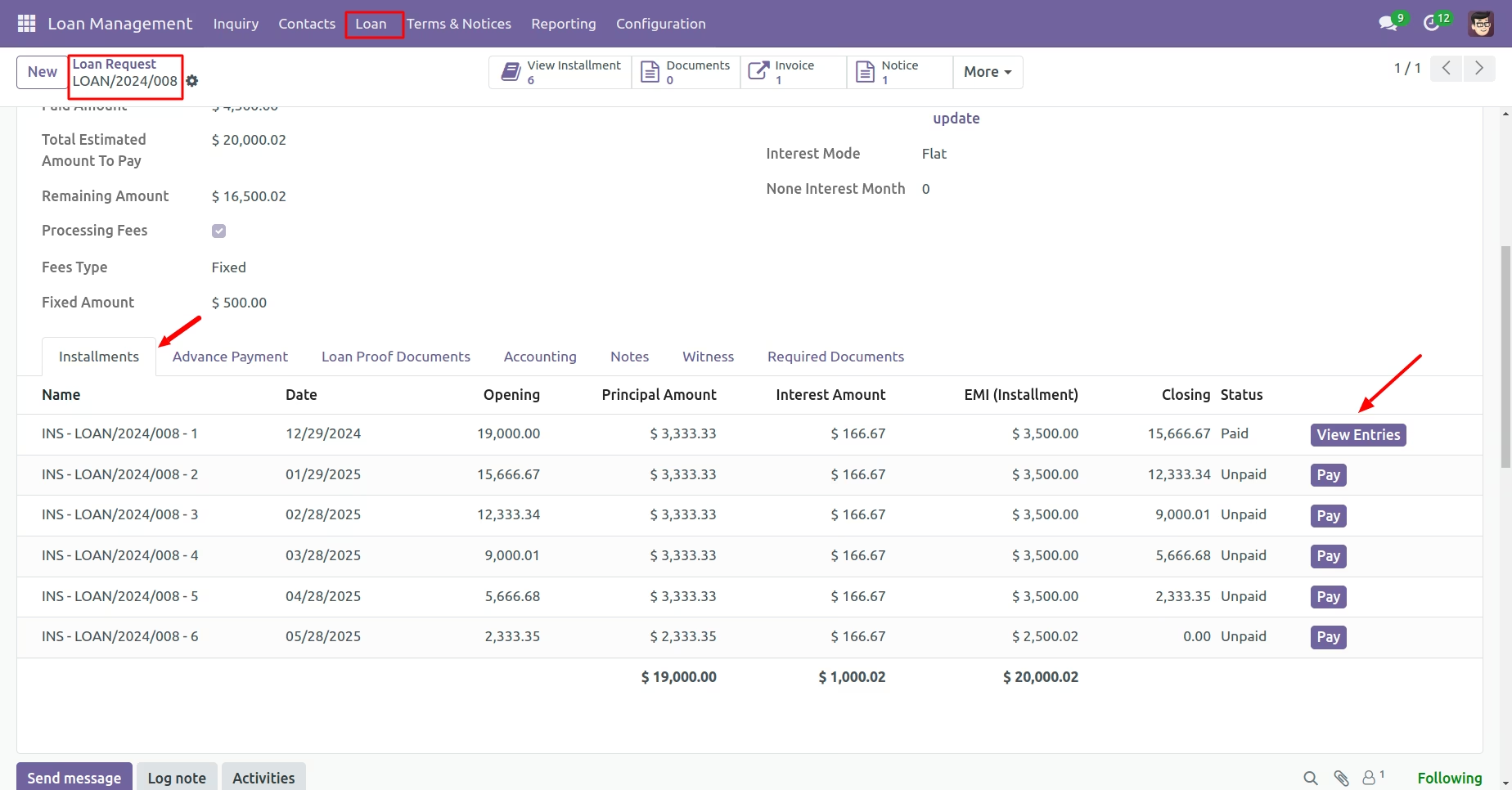
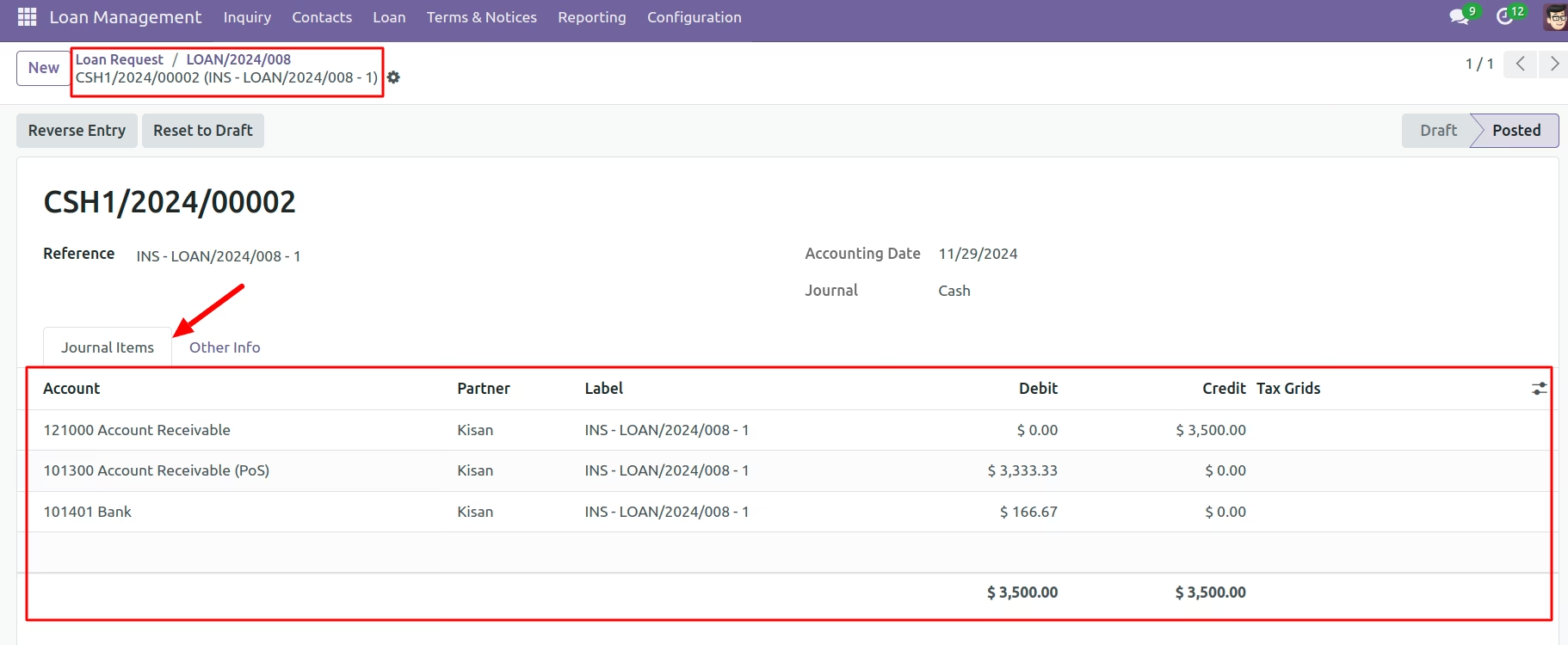
Once the Payment Process is Complete, a Journal Entry is Generated. Click the 'View Entries' Button to Review the Details.
Display a journal entry for the paid installment
Make an Advance Payment
"Advance Payment" Refers to a Payment Made Ahead of the Scheduled Due Date, Either Partially or in Full. Once Completed, It is Marked as Paid.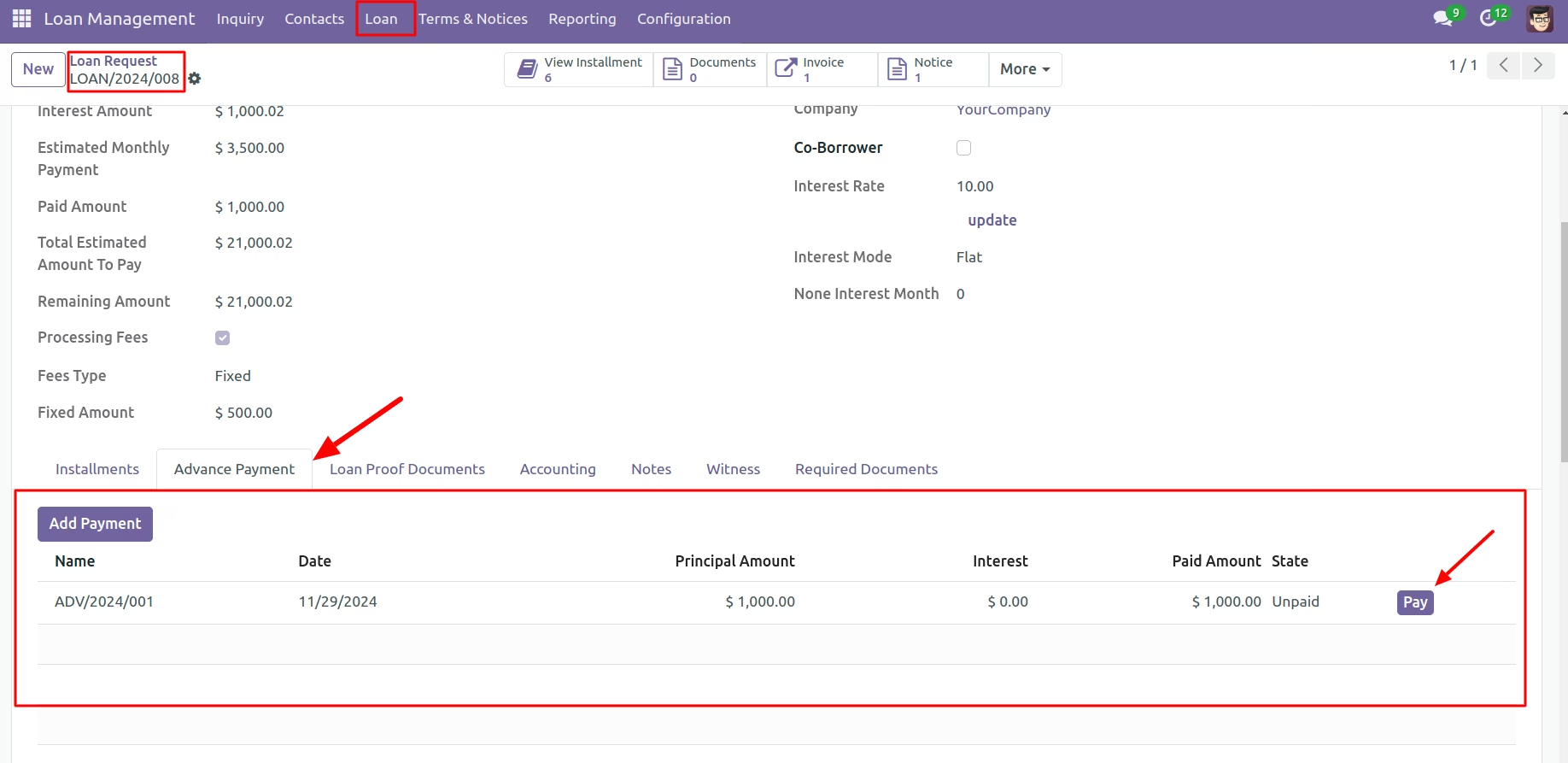
Print Loan report as pdf
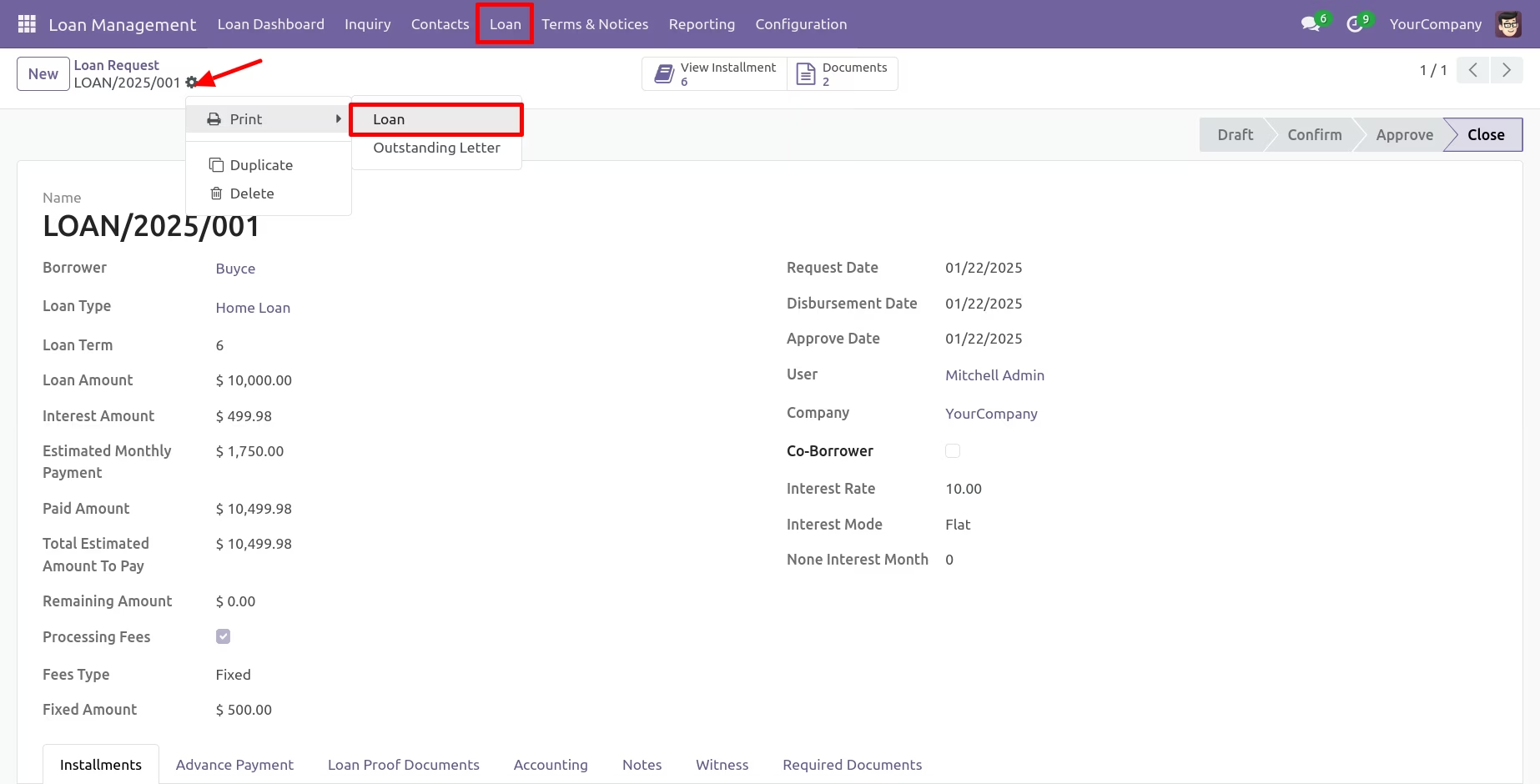
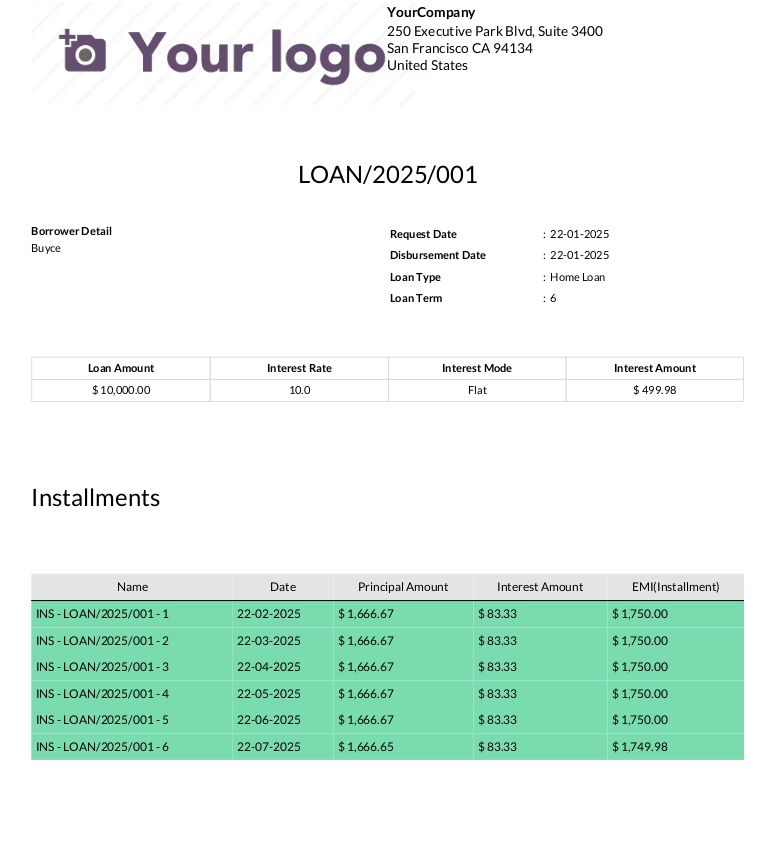
Outstanding Letter Print
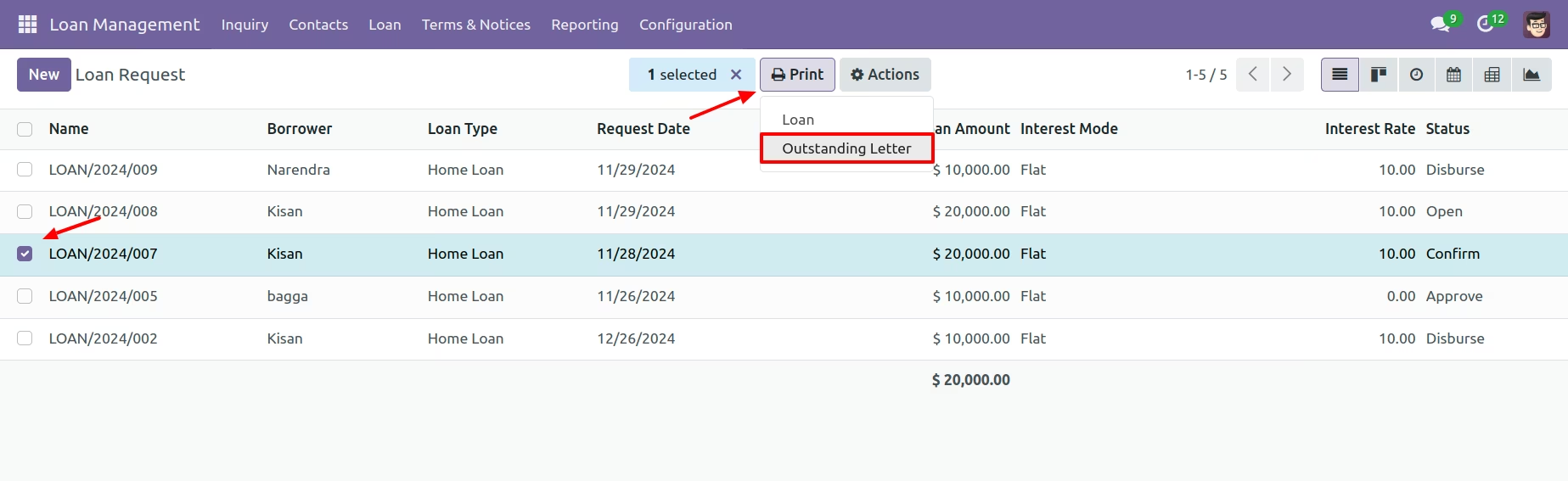
Outstanding report
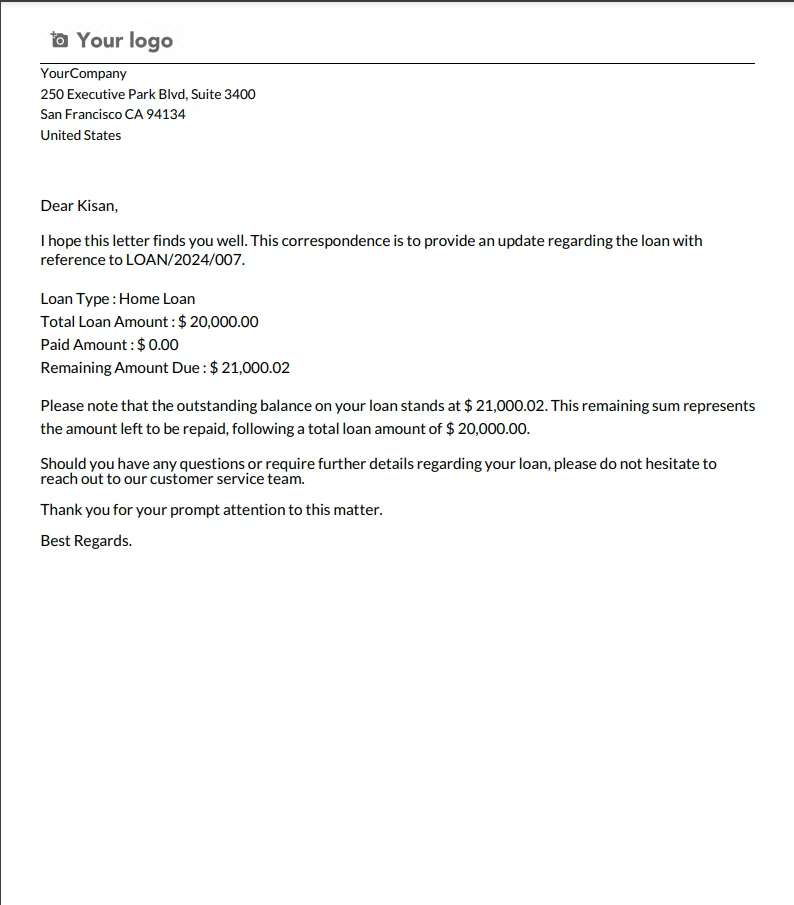
Show All Approve Request on Loan Approve Menu
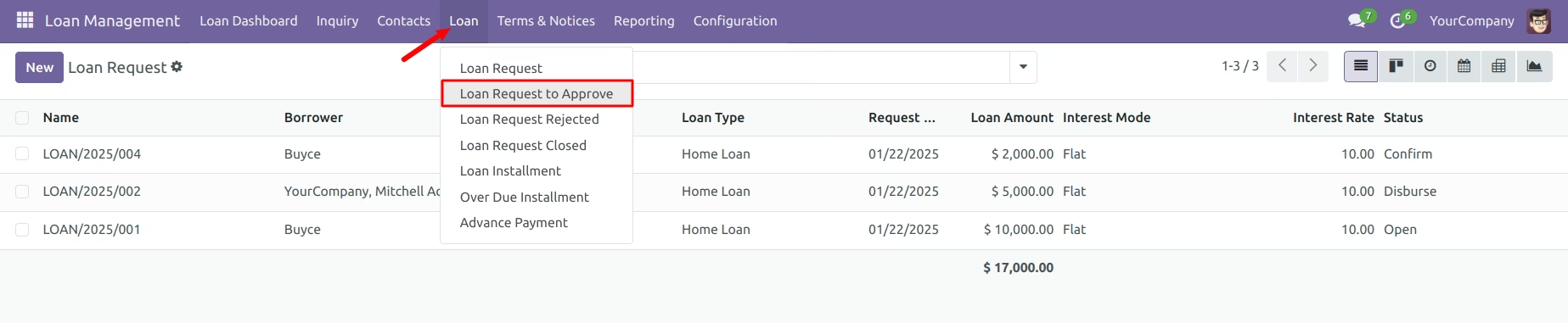
Show All Rejected Request on Loan Request Menu
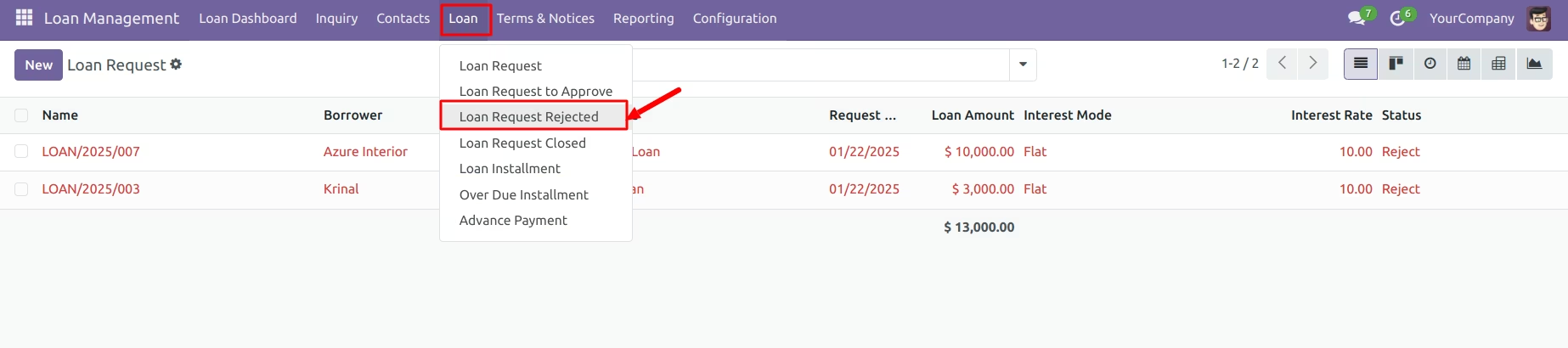
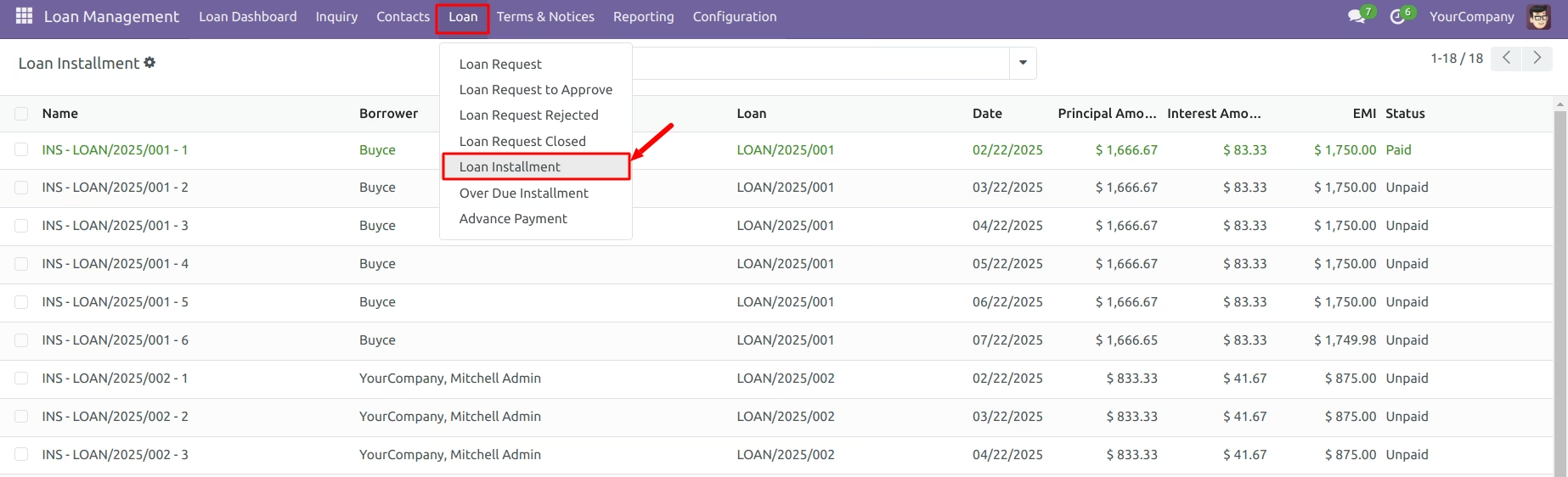
Show All Installment on Loan Installment Menu
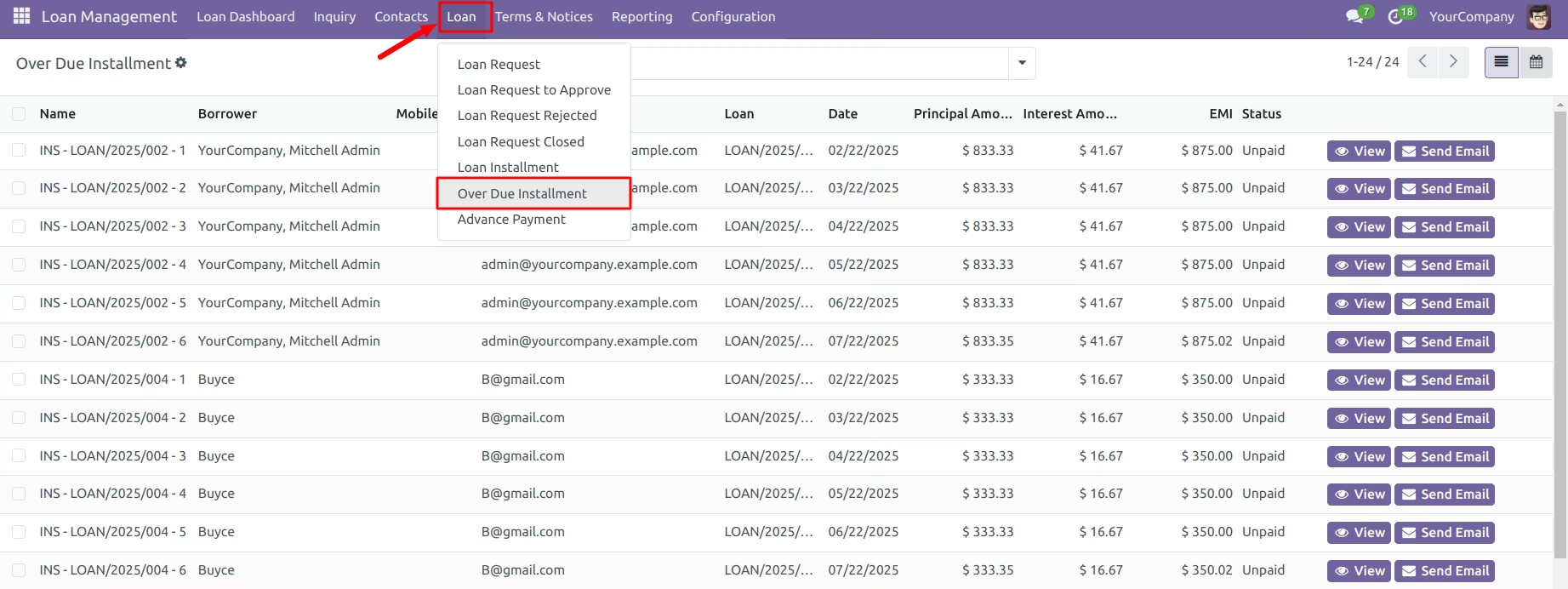
Show All Overdue Installment on Overdue Installment Menu
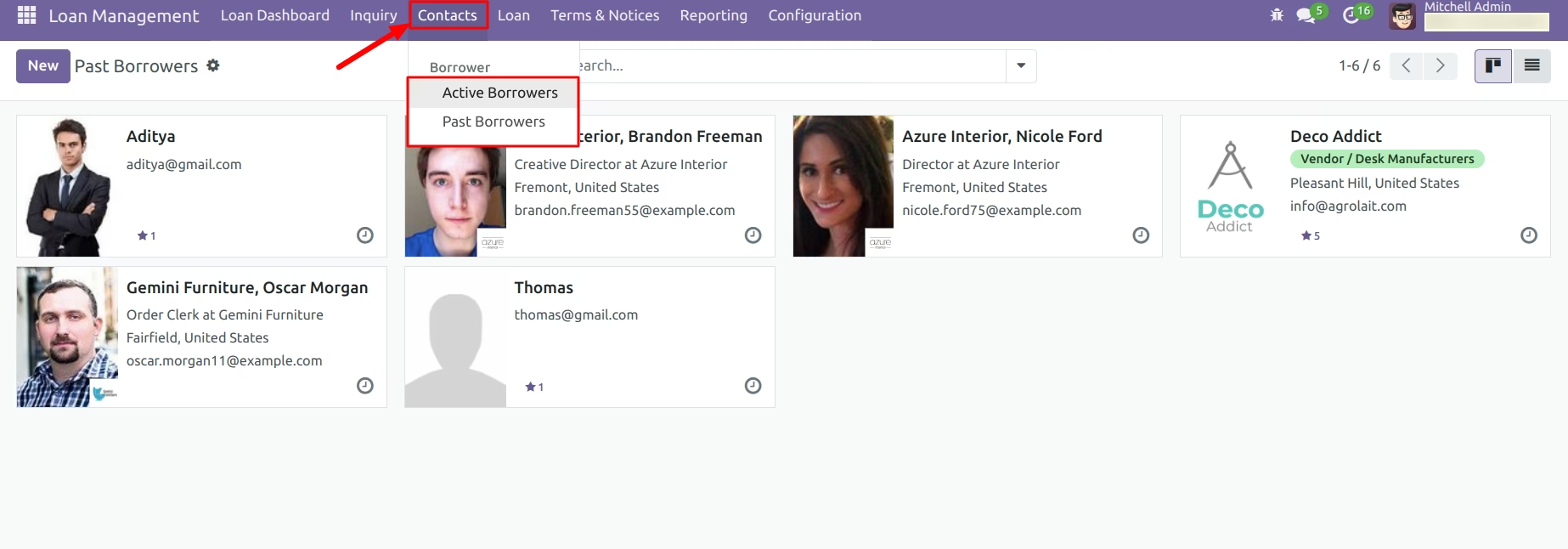
Show All Borrower on Contacts Menu
Borrowers with Closed or Rejected Loans appear in the Past Borrower Menu, while those with Confirmed, Open, or Approved Loans appear in the Active Borrower Menu
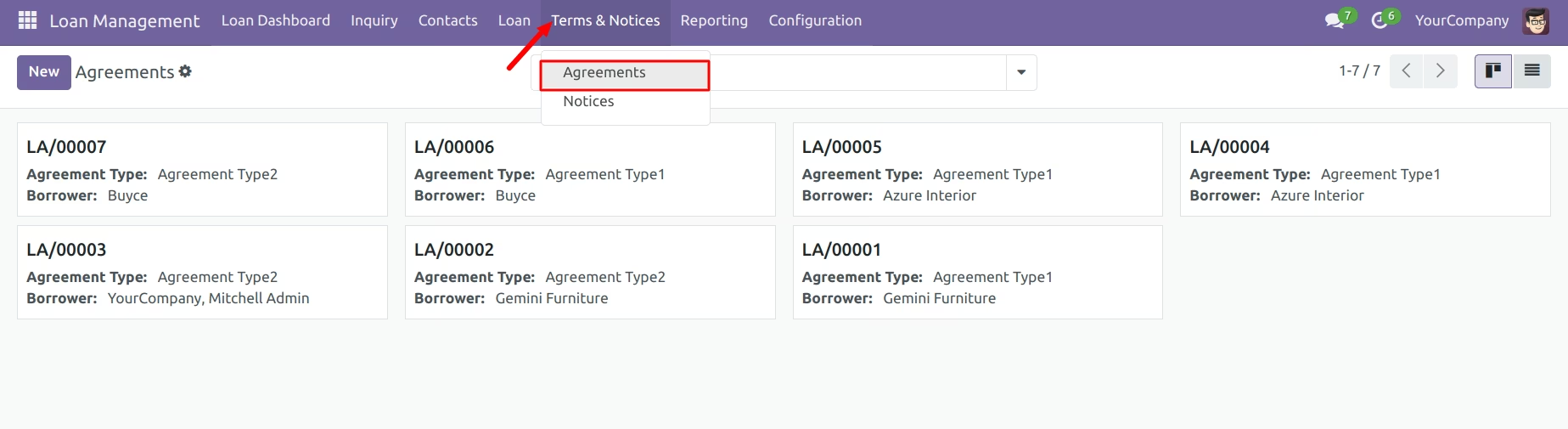
Show All Loan Agreement on Agreements Menu
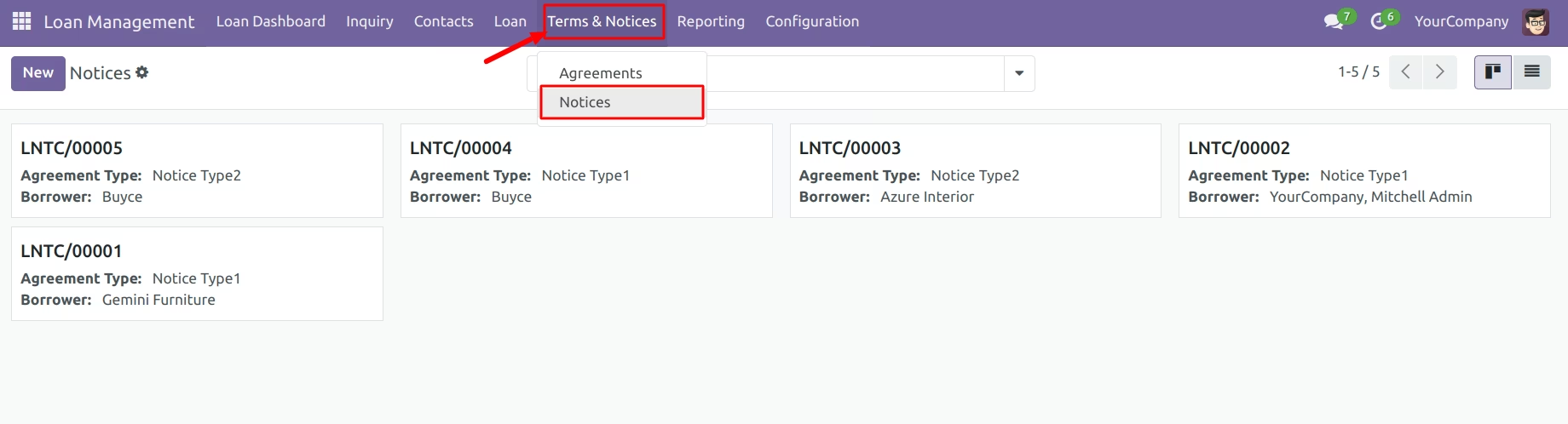
Show All Loan Notices on Notices Menu
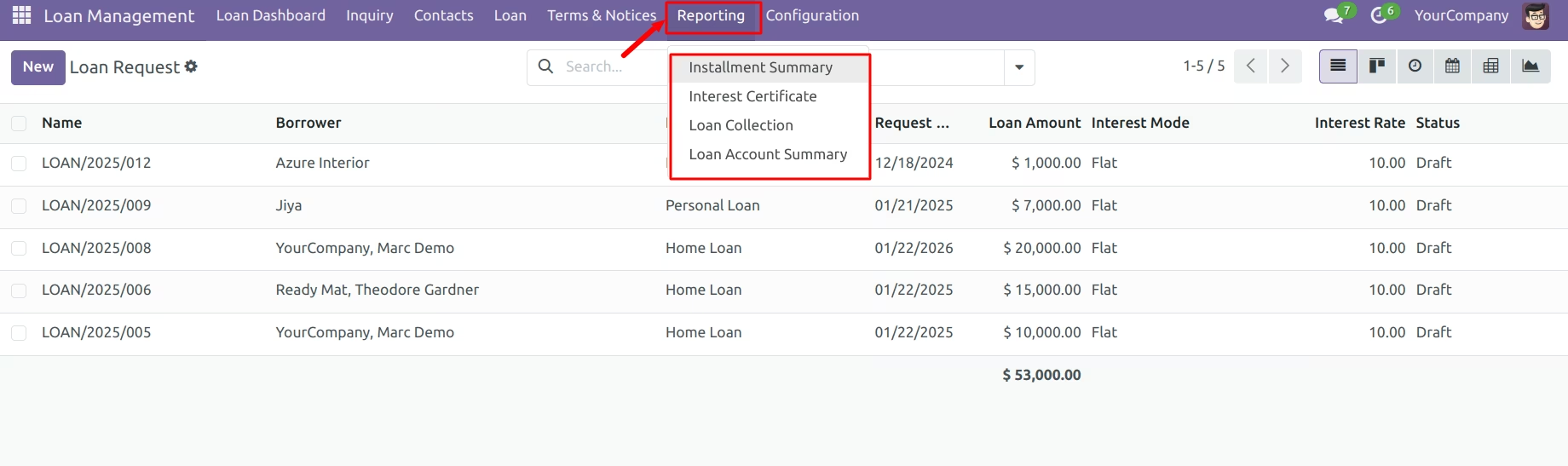
You can print various reports from the Reporting menu.
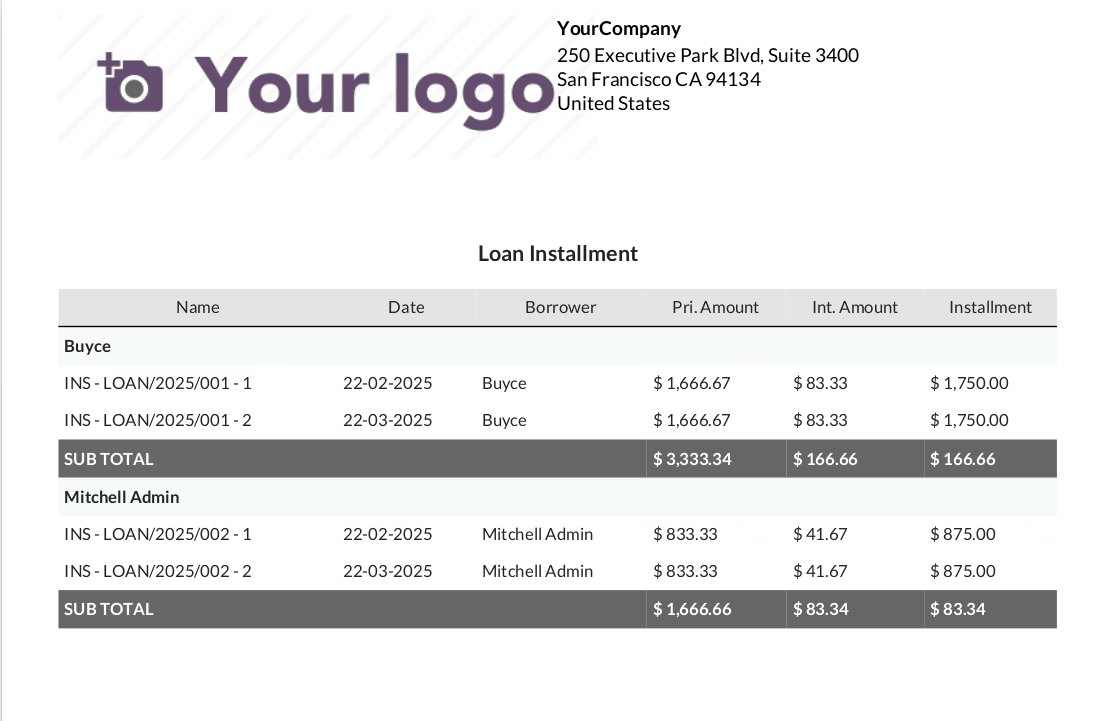
Installment Summary as PDF Report
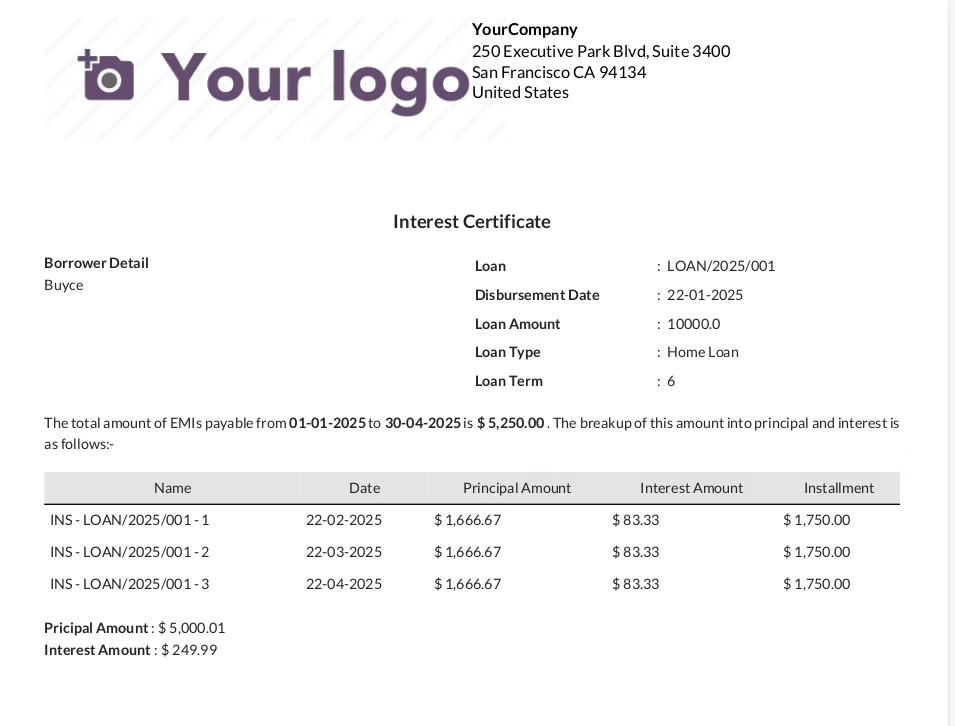
Interest Certificate as PDF Report
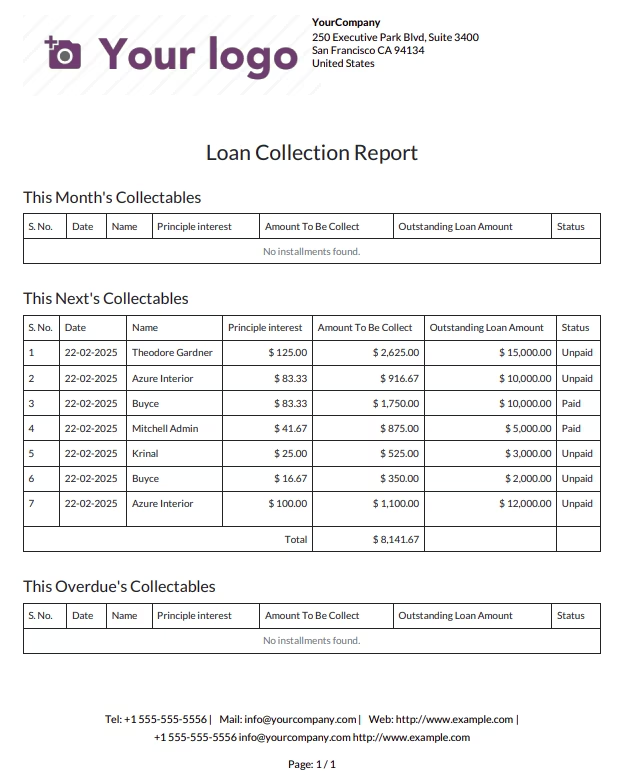
Loan Collection as PDF Report
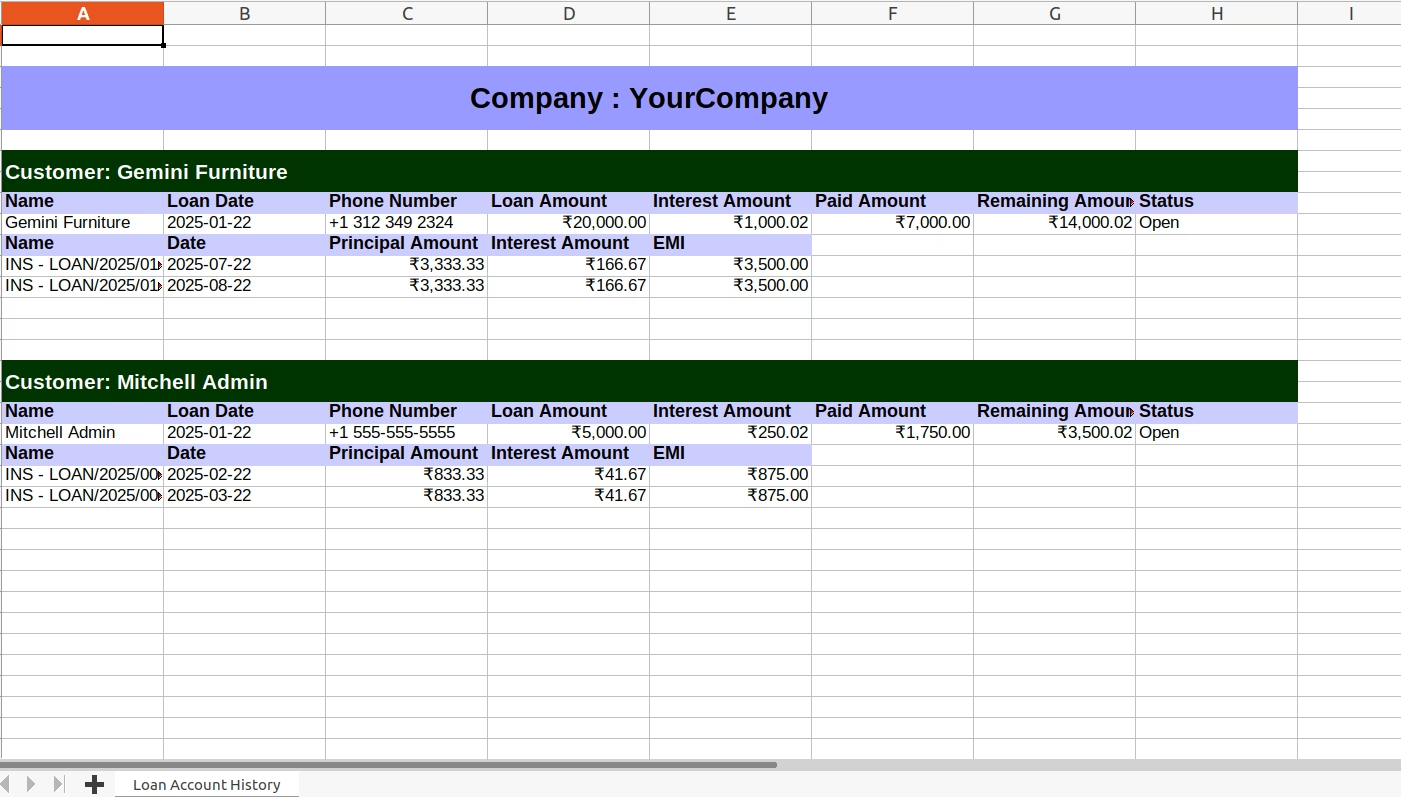
Loan Account Summary as Excel Report
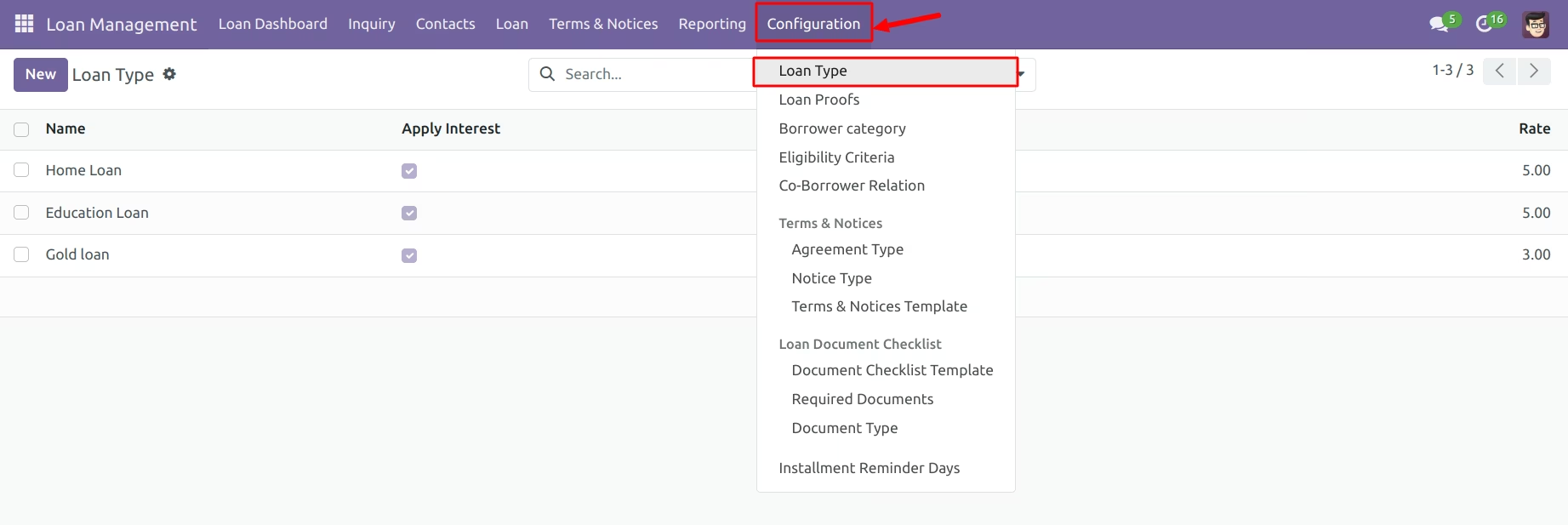
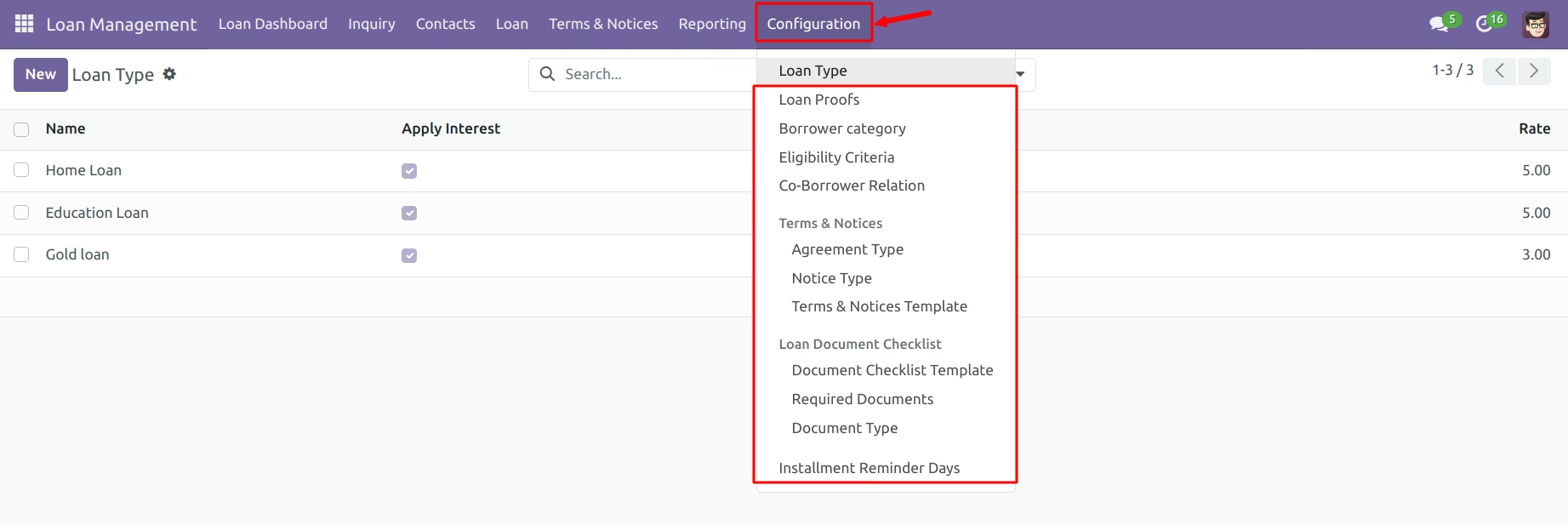
Configure Loan Type
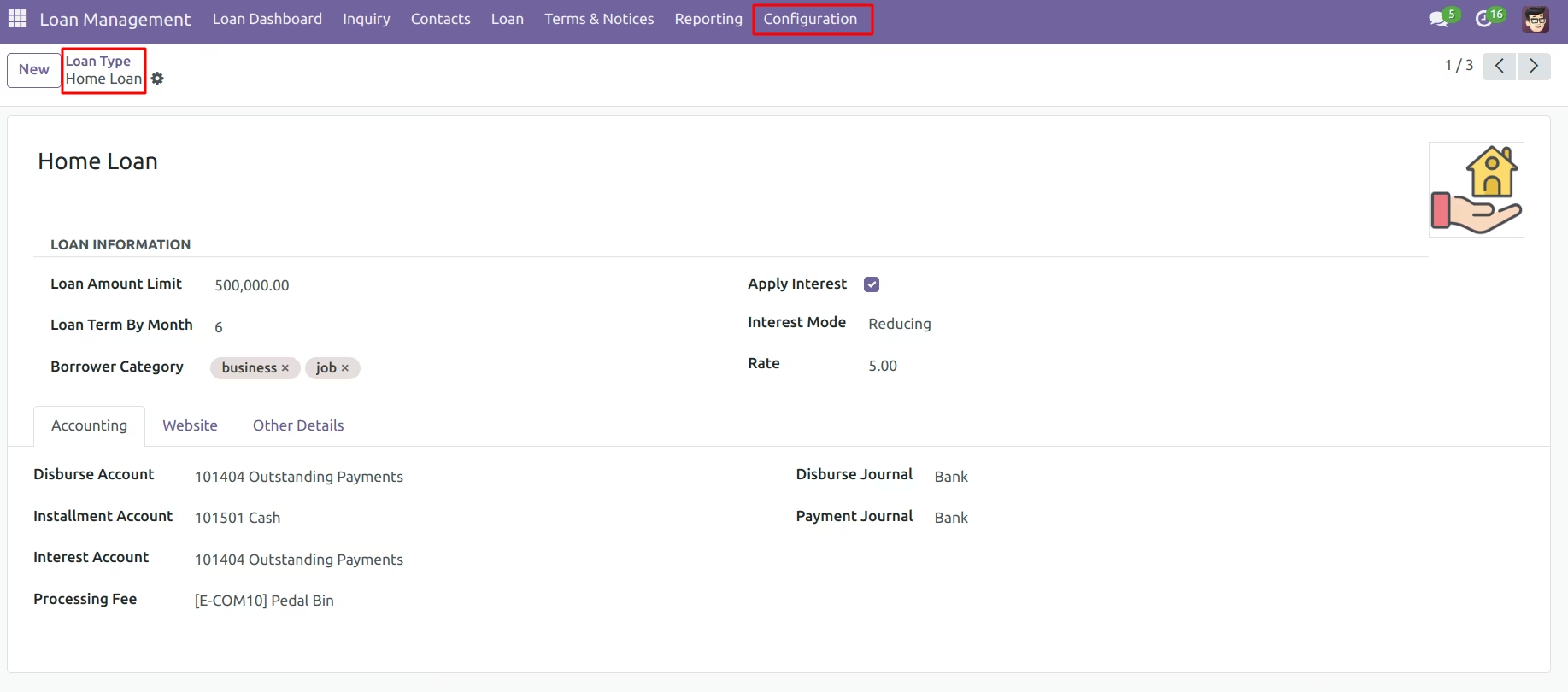
Configure Additional Settings Here
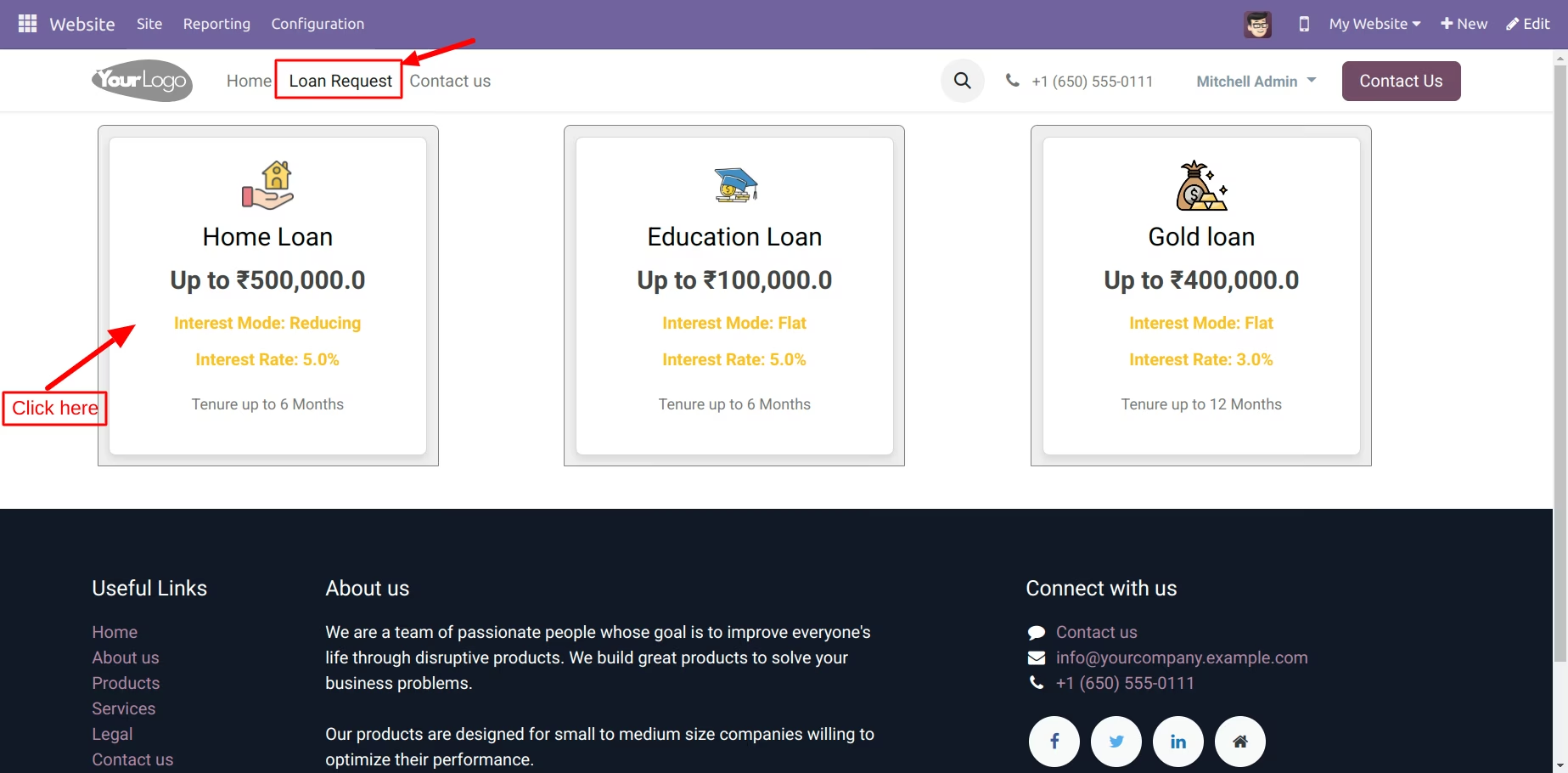
View Loans in the Loan Request Menu
Click on Home Loan
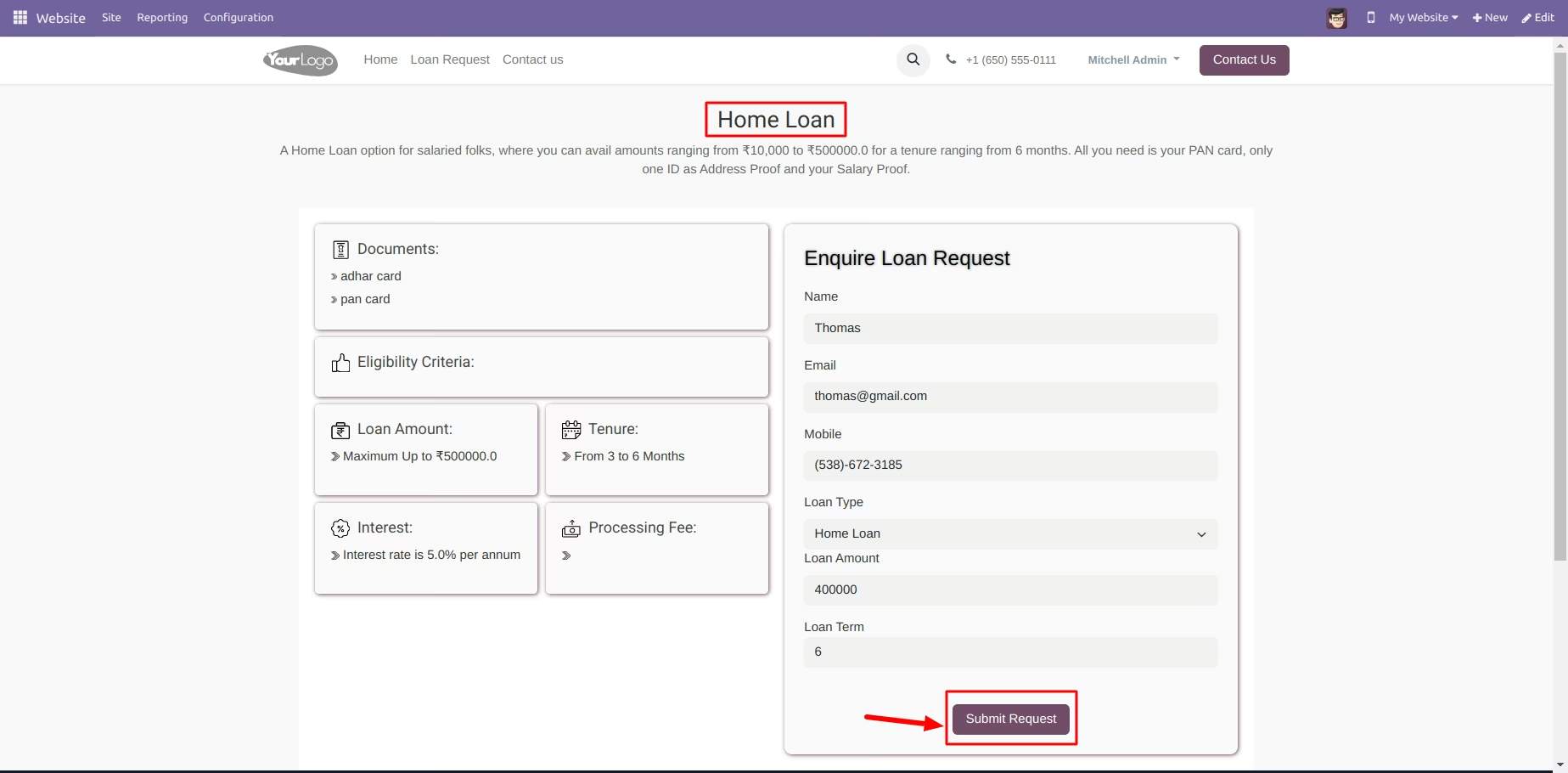
Show Loan Detail And you can send Enquiry request
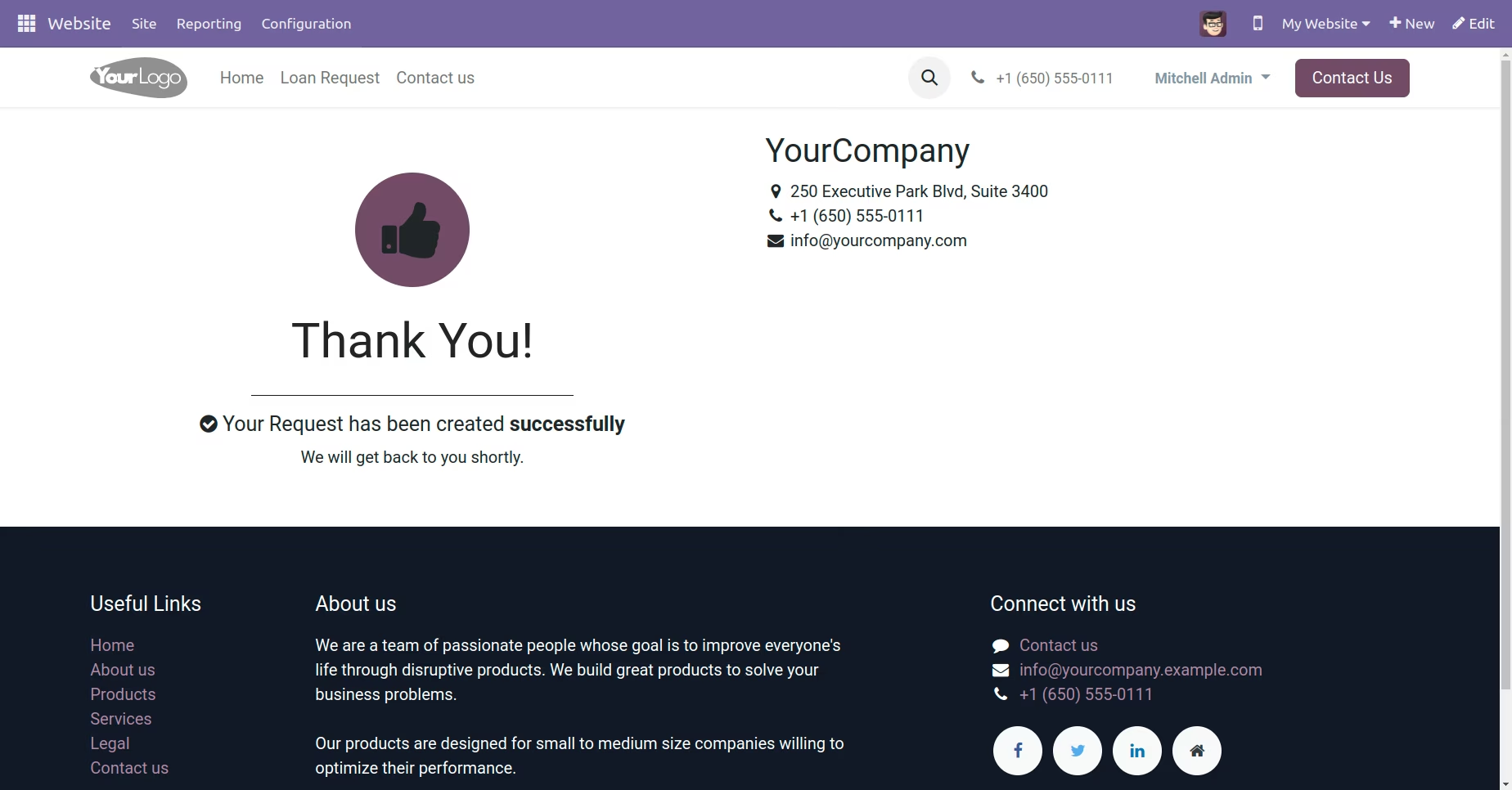
Show Request Created Successfully
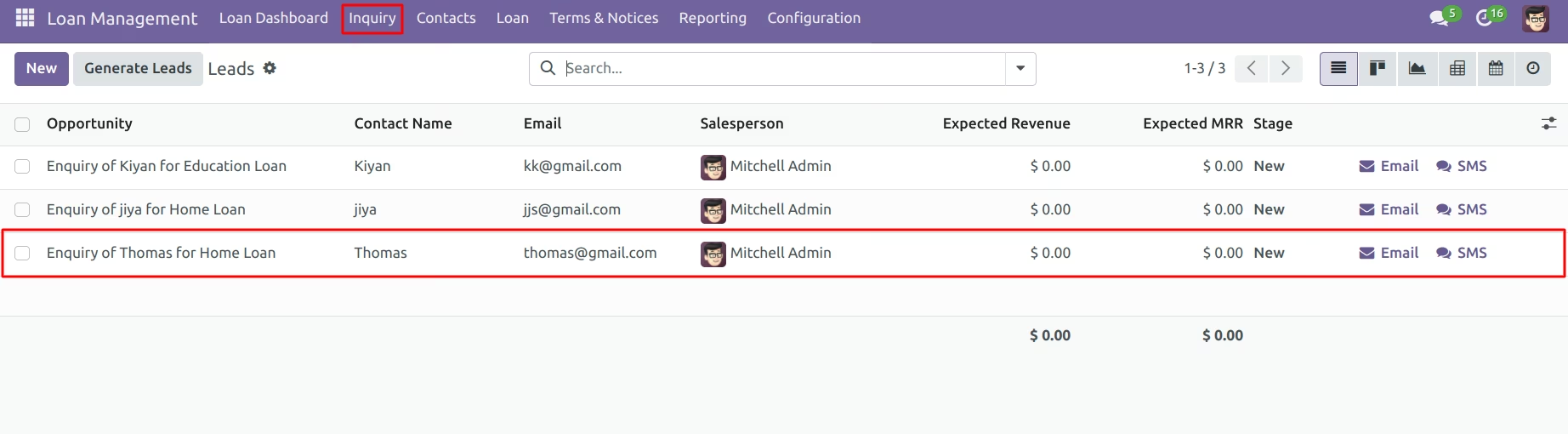
Here Show Request in Inquirey Menu
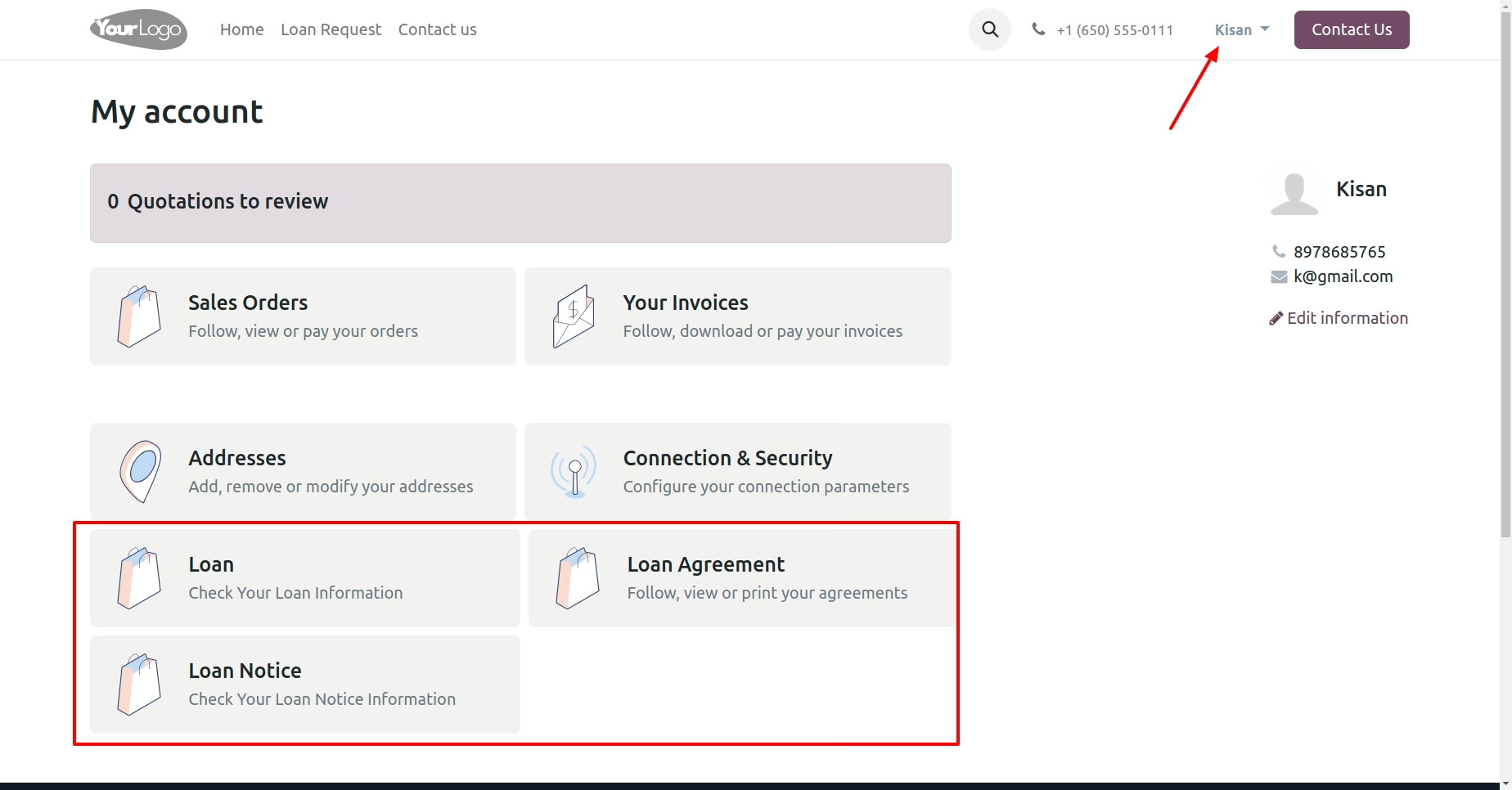
View all the Loan , Loan Notice, Loan Agreement from here
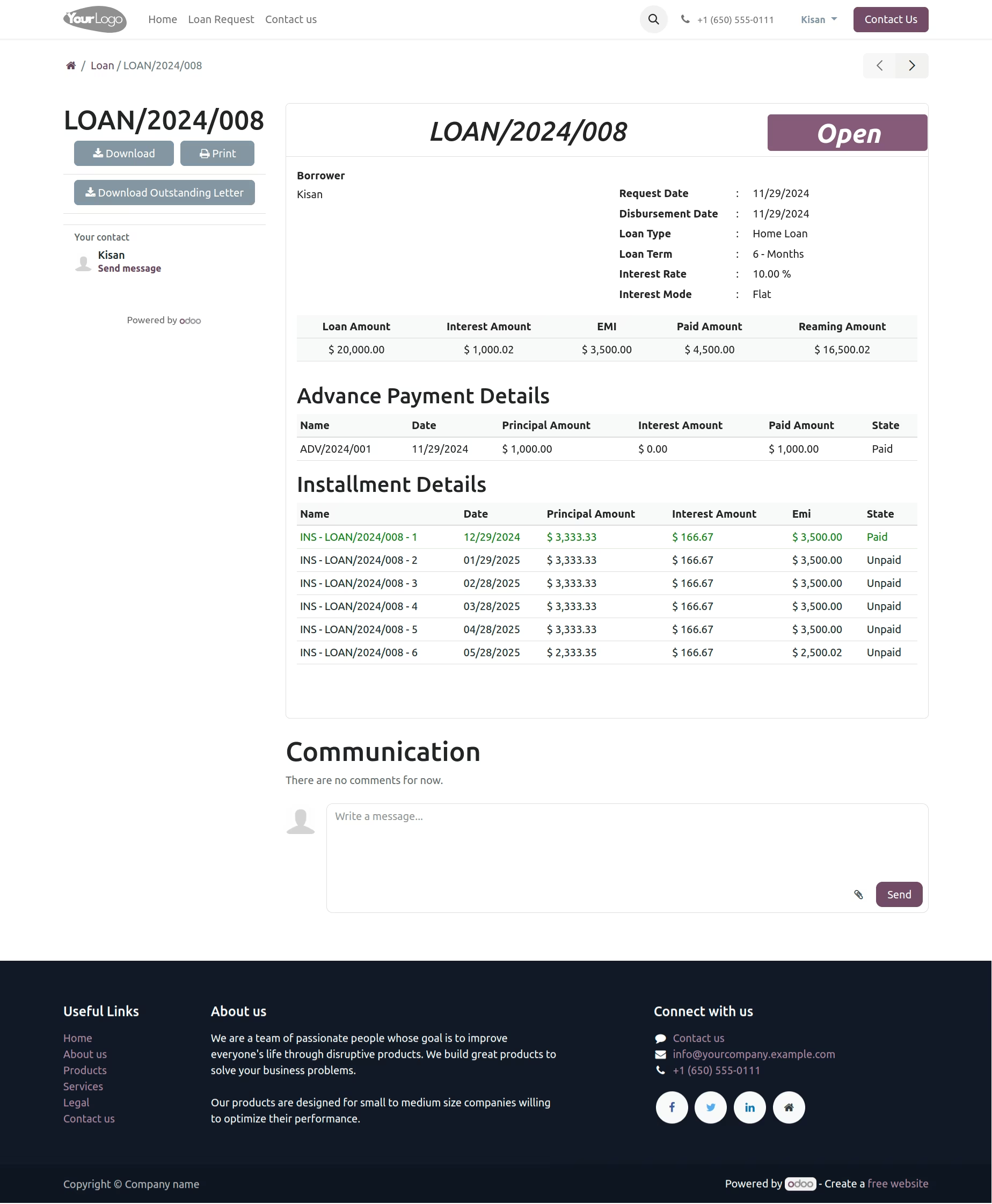
Detailed information about the Loan, Print/Download Loan and Outstanding Letter as PDF
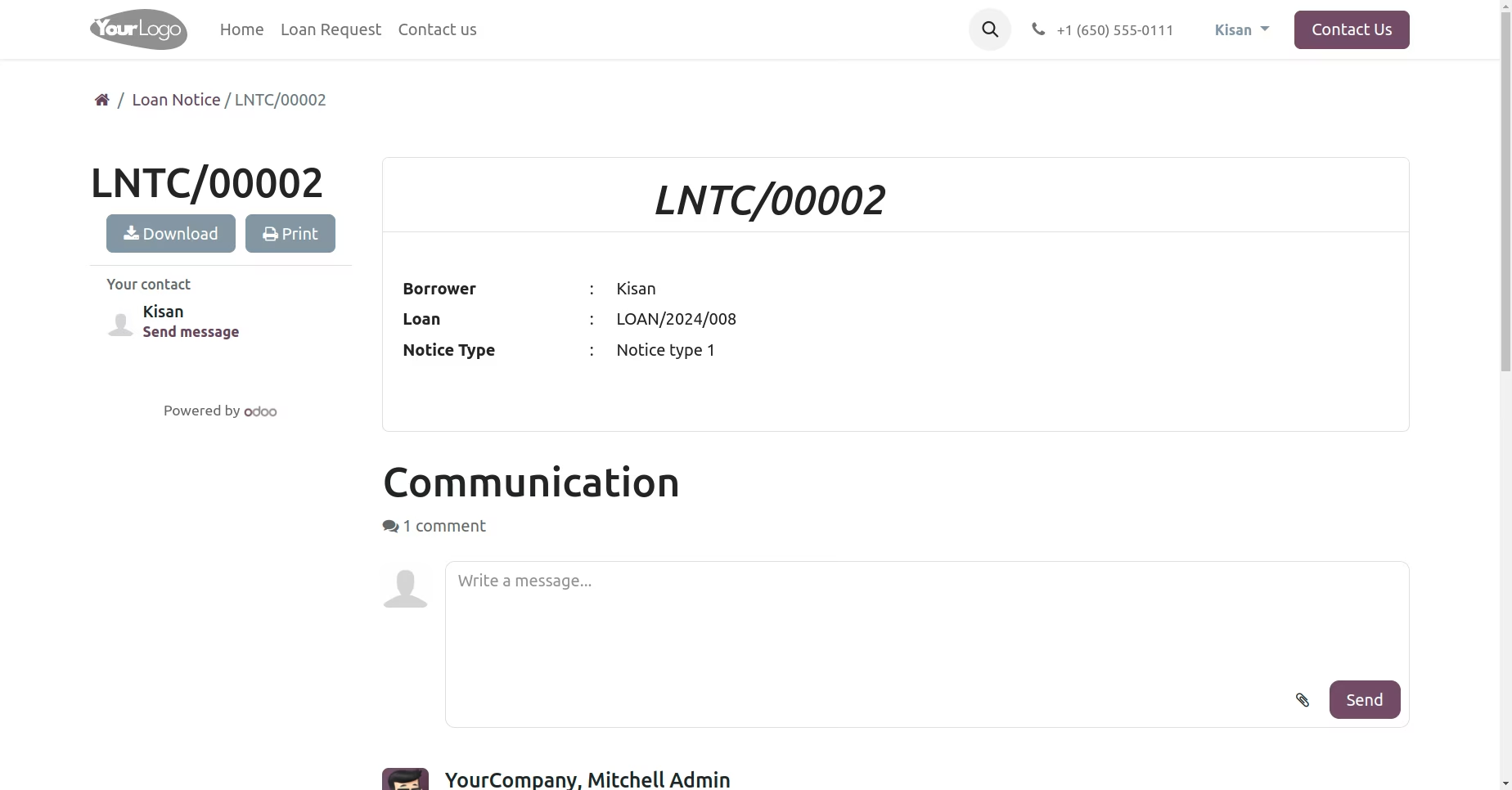
Borrower Notice View
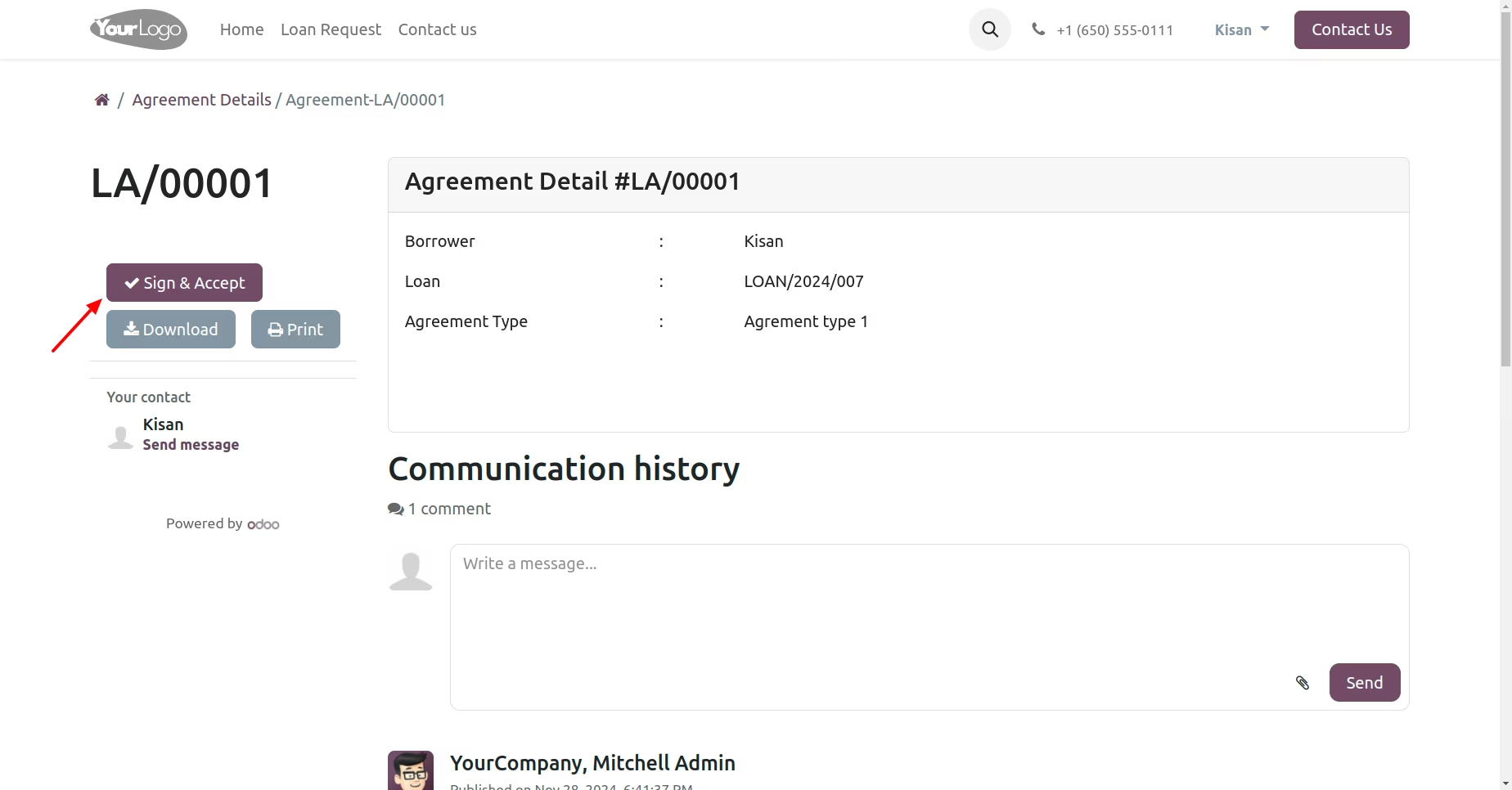
Borrower Loan Agreement View | Click on Sign & Accept Button
Add Signature and click on 'Accept & Sign'
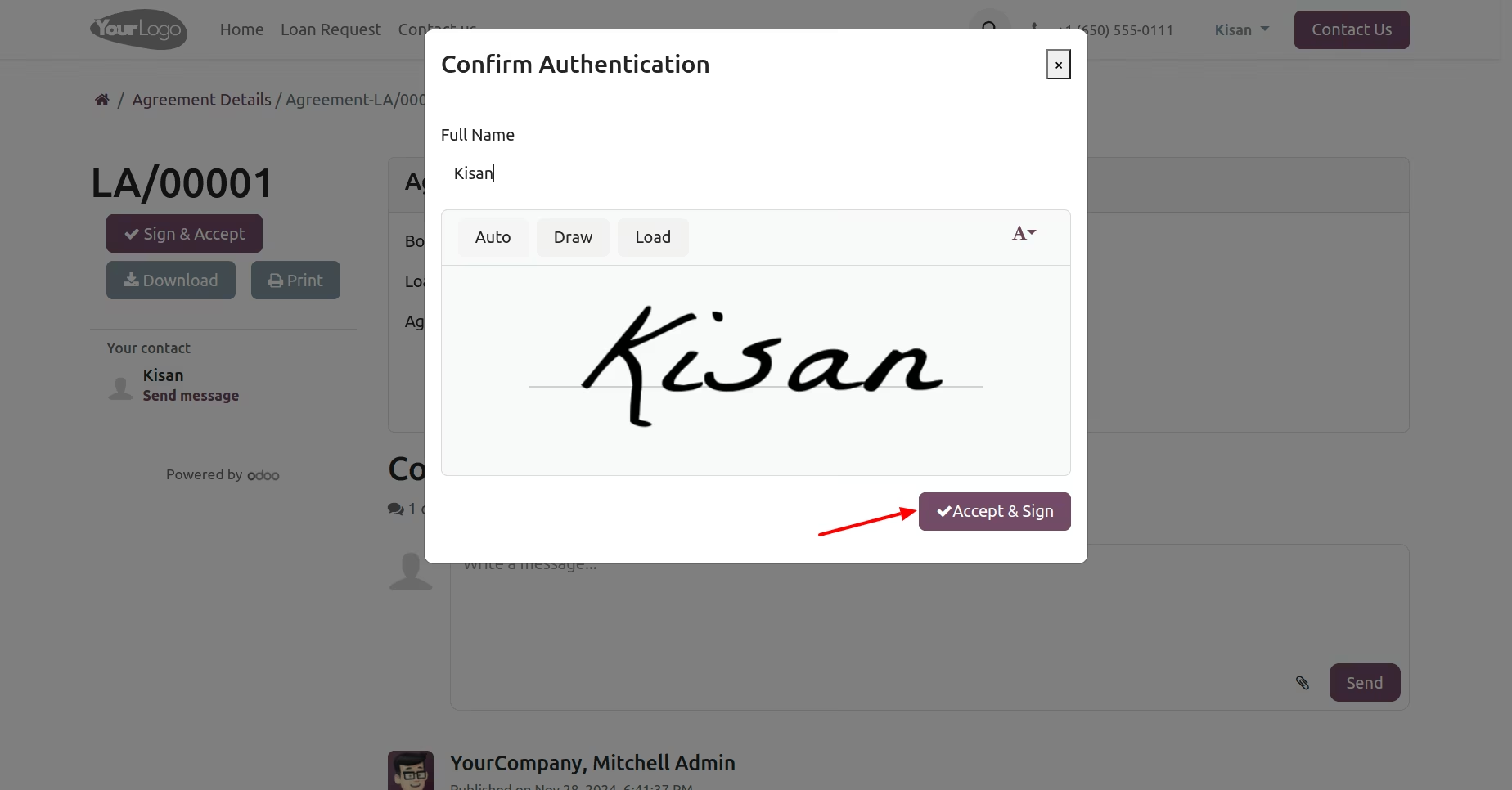
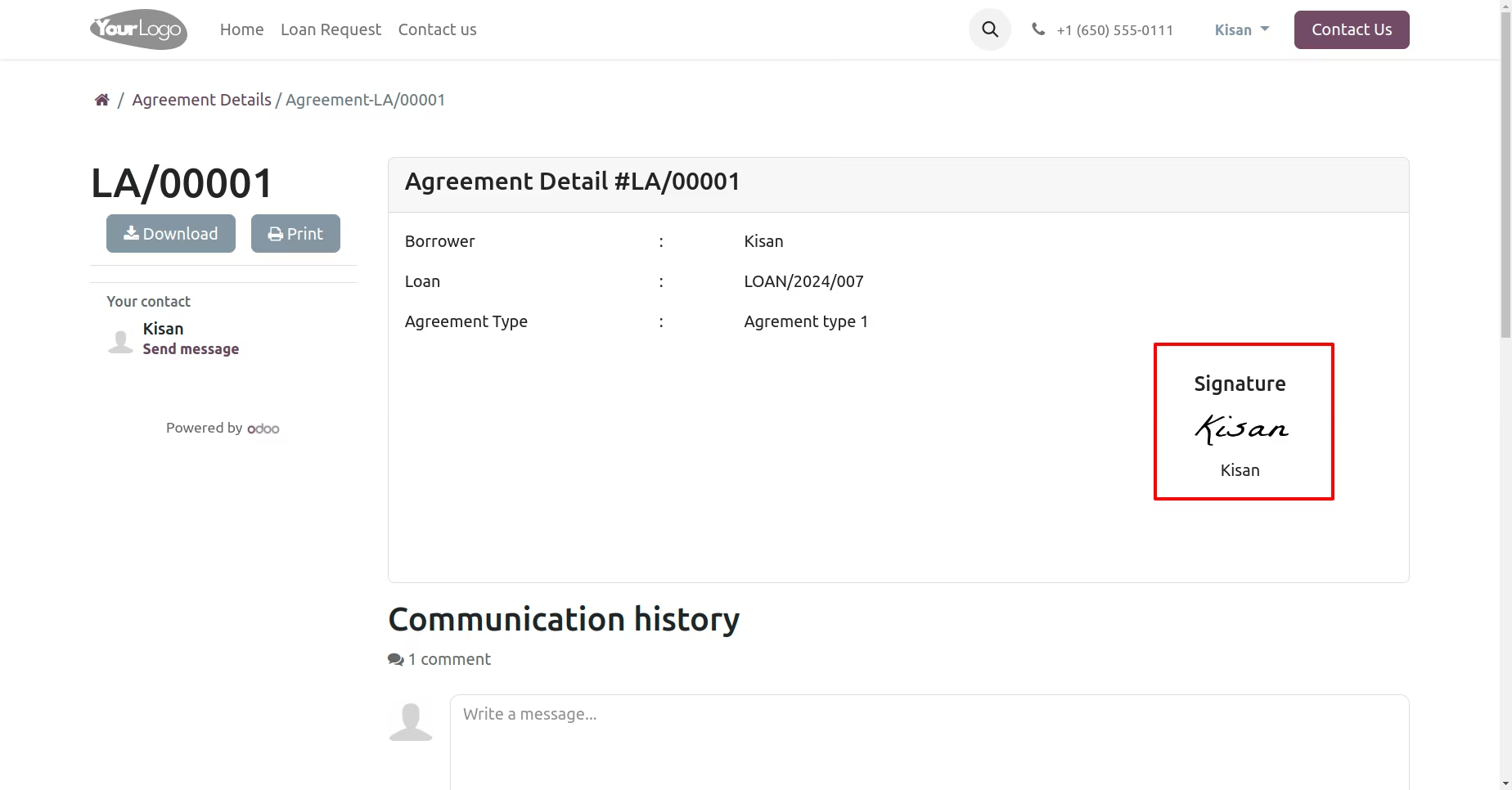
Display Agreement Details with Borrower’s Signature.