The module is a robust financial solution designed to streamline the entire loan process. It provides a comprehensive framework for businesses to manage loan applications from both customers and suppliers. This powerful tool automates the workflow from request to disbursement, enabling administrators to set loan policies, track installment payments, and generate vital reports. This module ensures a transparent, controlled, and efficient system for all loan-related activities, improving financial management and operational clarity.
Manage loan requests submitted by both customers and suppliers.
Define and configure various loan types with specific requirements and proofs.
Set and apply custom loan policies, including maximum loan amounts and qualifying periods.
Automate the loan workflow from draft to approval and final disbursement.
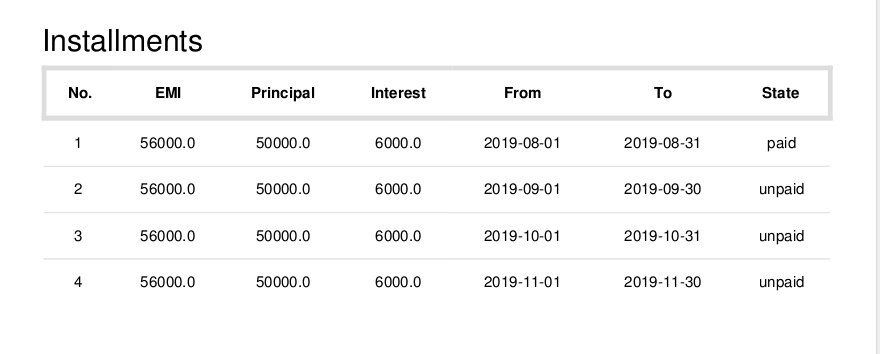
Track and manage individual loan installments and payments.
Generate detailed reports for loans, policies, and installment summaries.
Receive and send automated notifications for loan requests and due installments.
Improves financial control and oversight by centralizing all loan information.
Enhances operational efficiency through an automated and structured workflow.
Reduces administrative burden and minimizes human error in loan processing.
Ensures accuracy in payment tracking and financial reporting.
Provides a clear and comprehensive record of all loan transactions.
Customer and supplier loan management is designed to assign loans to the customer. customer and supplier can create request for loans which can be approved by the manager. journal entries can be created with installment and loan request.

Add Loan Proofs/Required Documents List
Manager can add loan proofs/required documents list for loan.

Add Loan Policies
Manager can add loan policies for loan.

Add Loan Type
Manager can add loan type for loan.

Manager can Approve Loan Request
Allows manager to approve loan request.

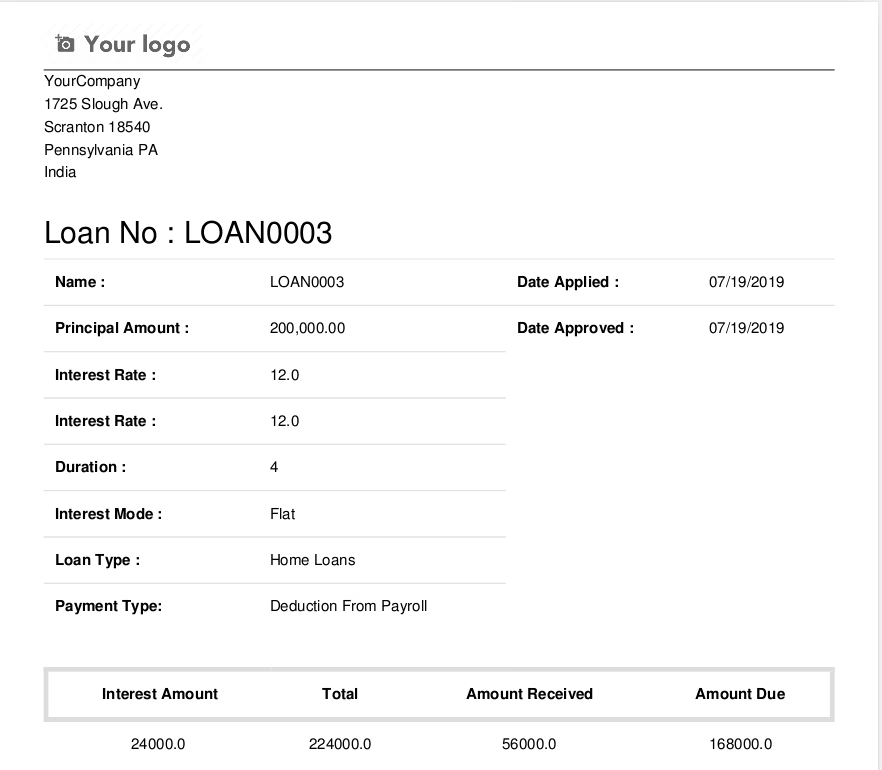
Prints Report of Loans
Allows manager to print a report of the loans, policies and installments.

Installment Amount Journal Entries
Allows user to print installment amount.
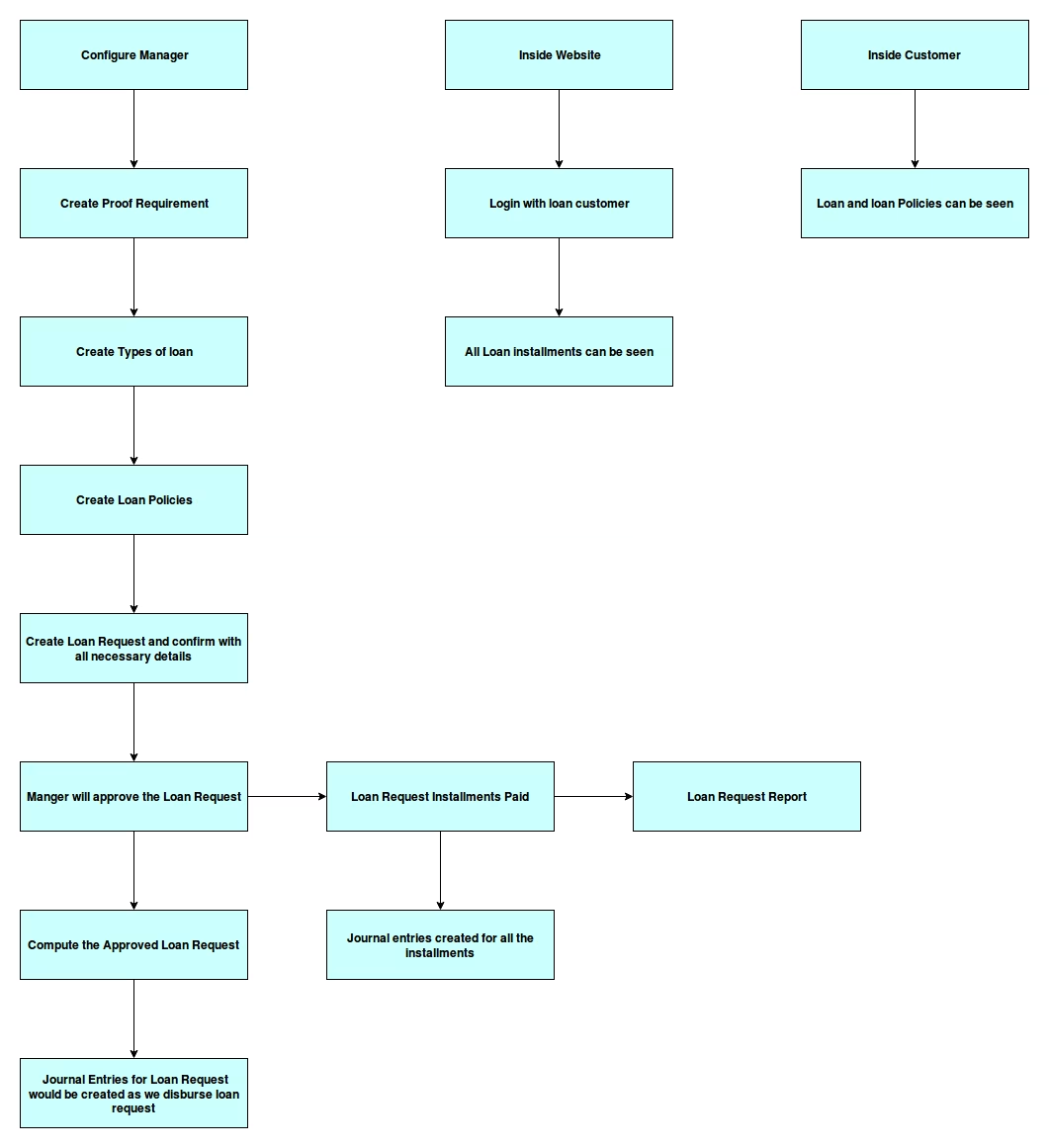
Module Working Flow
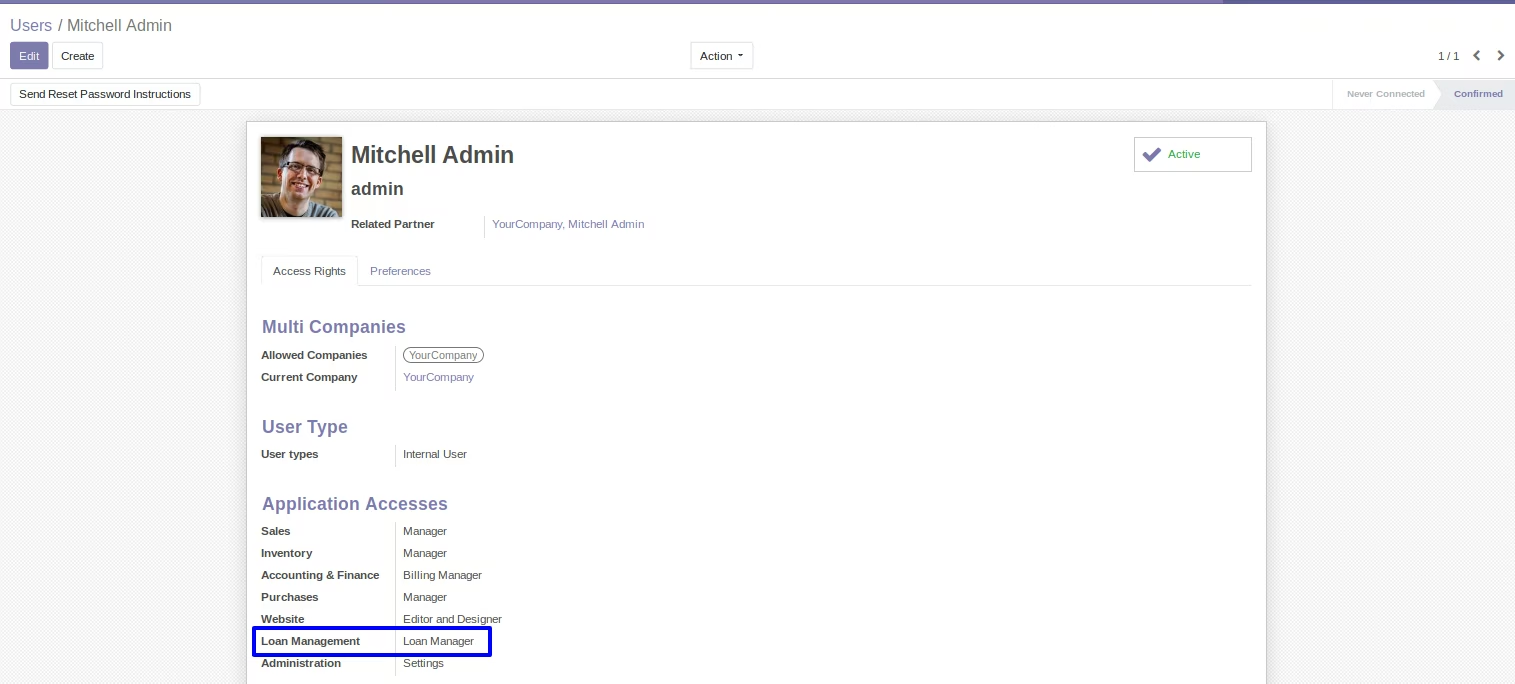
User Access Groups for Loans
Give the required access to the user for loan.
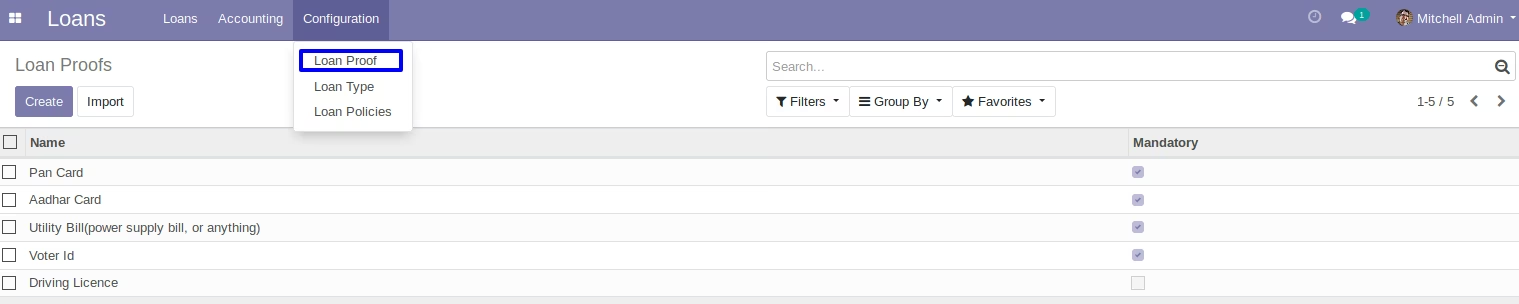
Loan Proofs
With this loan proof manager can create loan proofs that will be required to approve loan. these loan proofs will be selected on loan types and then it will be visible on loan request form.
Loan Types
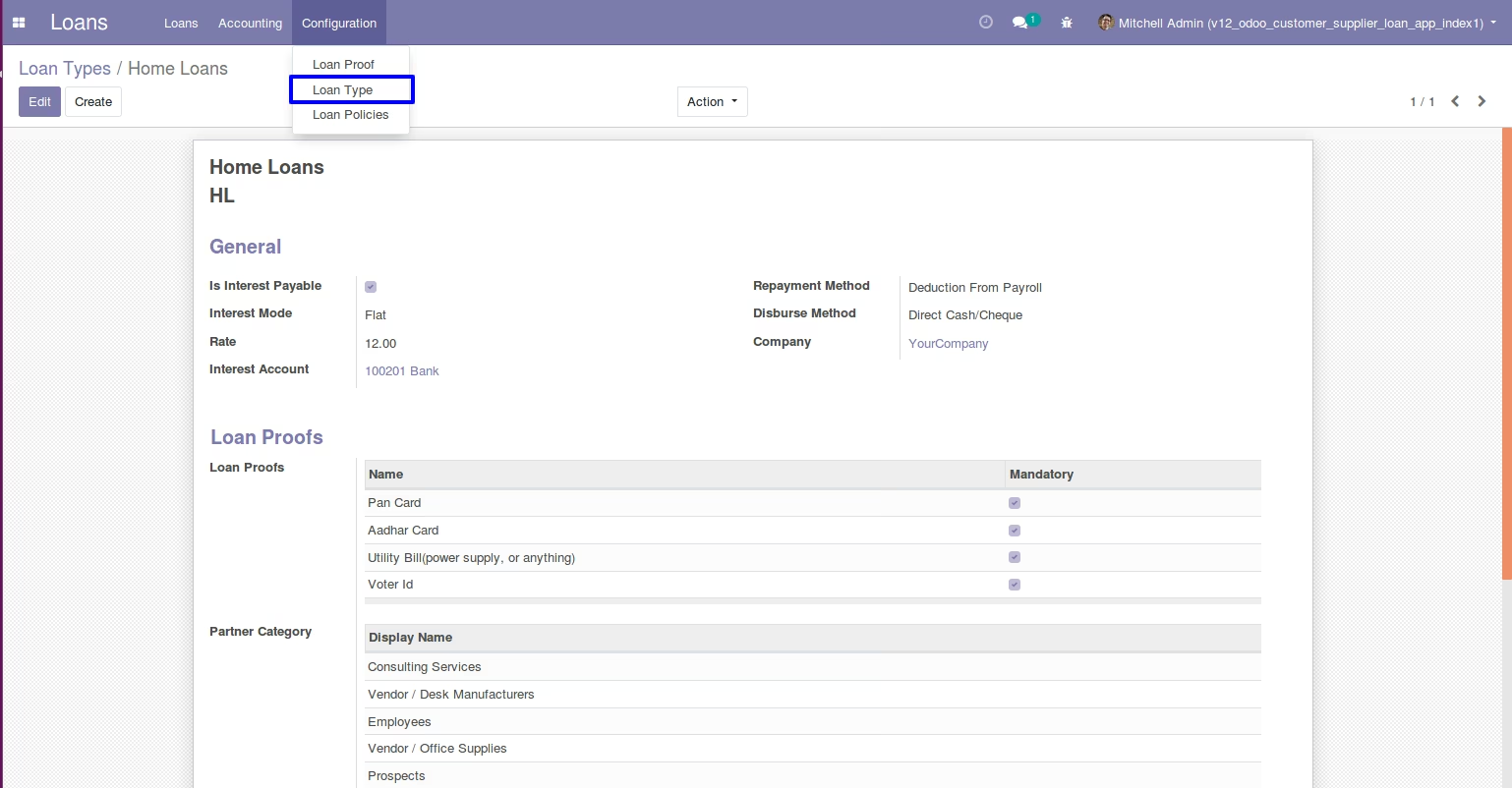
Manager can create differnt loan types for the customers.
Option for interest mode : flat or reducing.
Option for repayment method : deduction from payroll or direct cash/cheque.
Option for disburse method : through payroll or direct cash/cheque.
Loan Policies
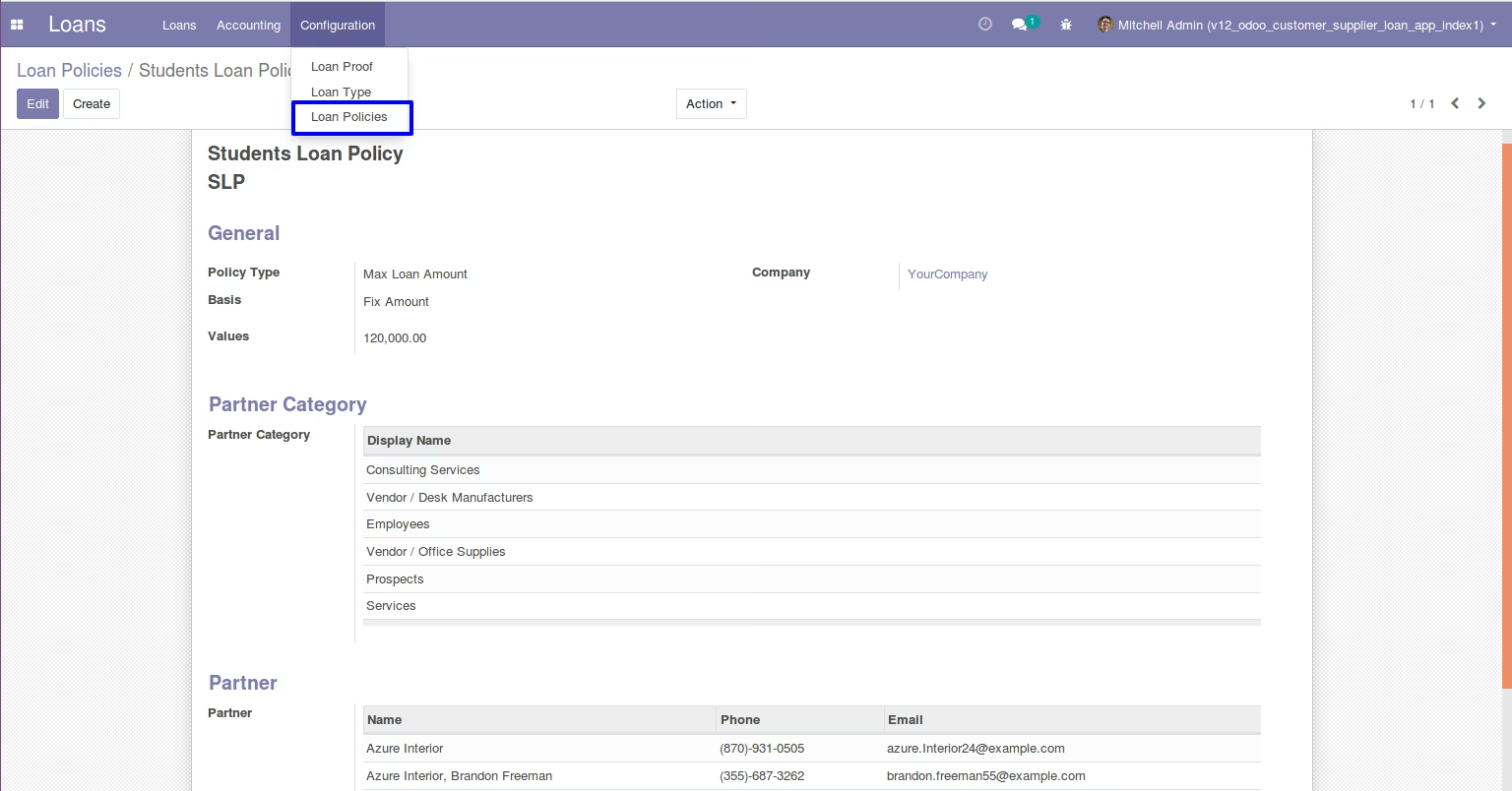
Loan policies can be created by the manager. here you get 3 types of policies.
1. Max loan amount : you can set maximum amount to apply for loan if this policy is applied to customer/supplier loan.
2. Gap between two loans : you can set gap duration in months for time gap bettwen the loans of the customer/supplier.
3. Qualifying period : you can set qualifying period in days, if this policy is applied to loan then customer/supplier can apply for loan but loan can only get approved after the qualifying period.
Loan Request
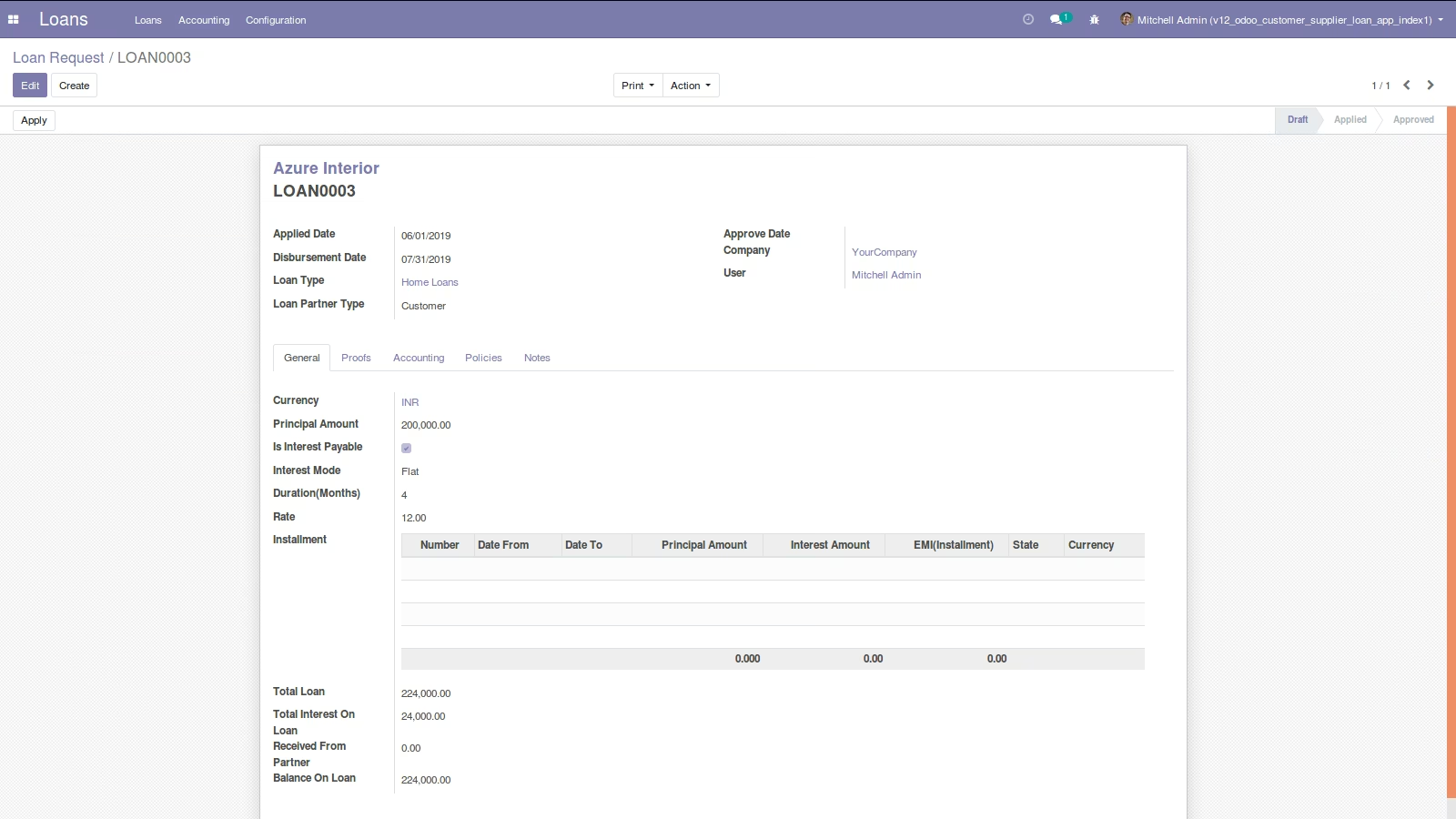
User can create a loan request with necessary details.
Click on apply button to approve loan request.
Approved loan request can be seen by manager for further process.
Compute Loan
Click on compute button to compute loan request.
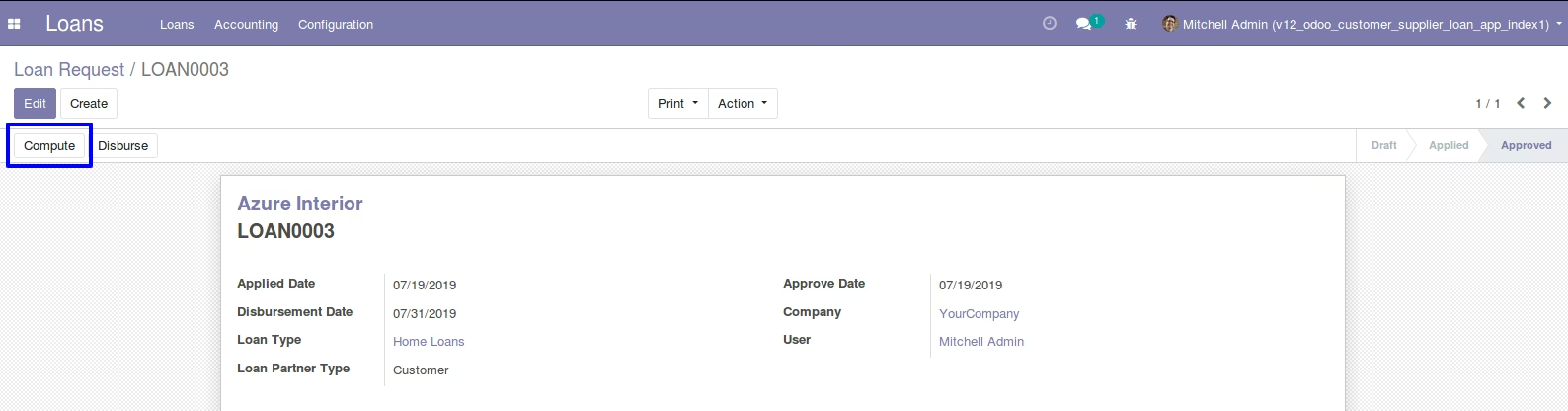
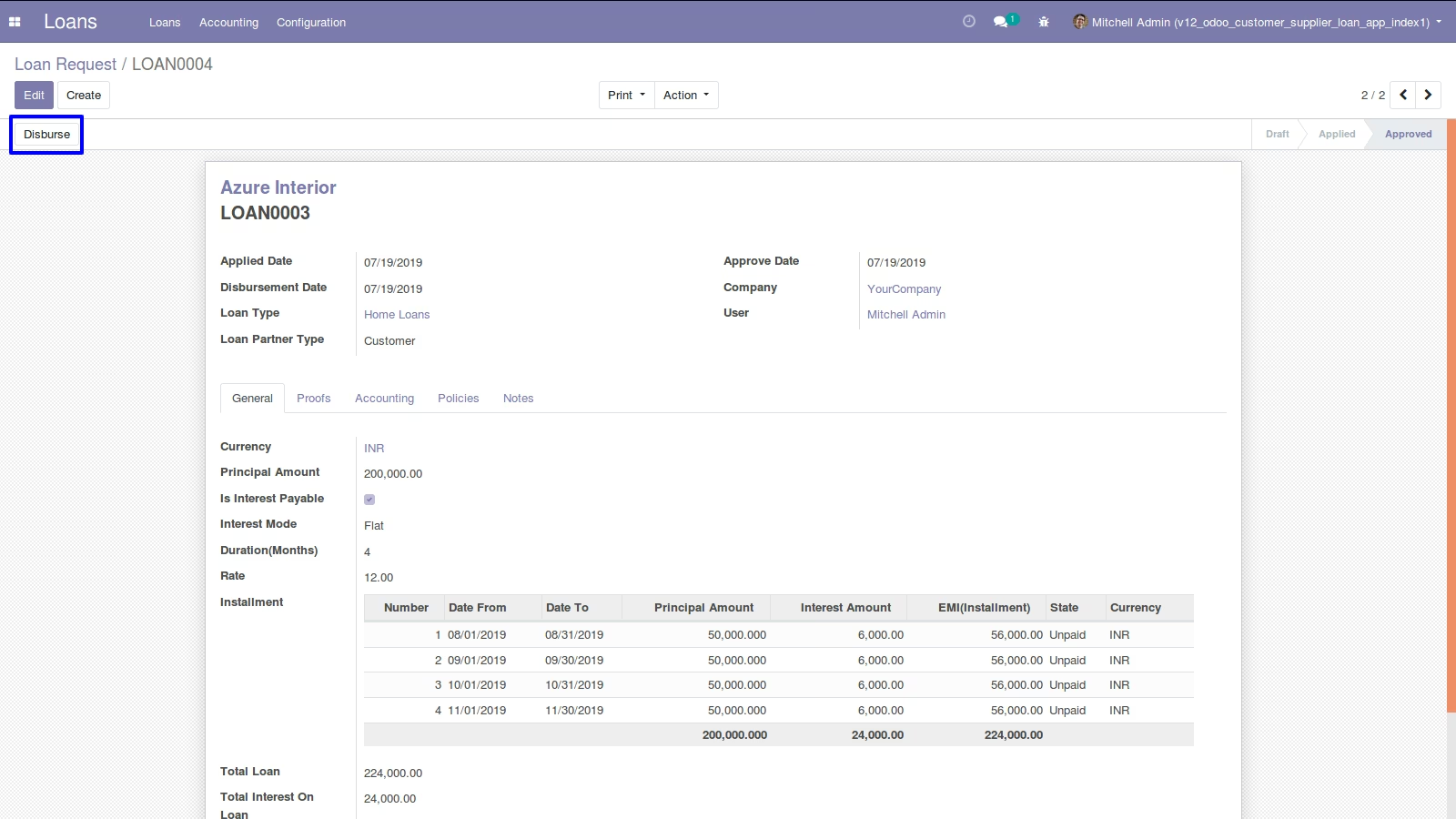
Computed Loan
Click on disburse button to create loan disburse. manager can create a loan disburse by giving necessary details of account to the loans.
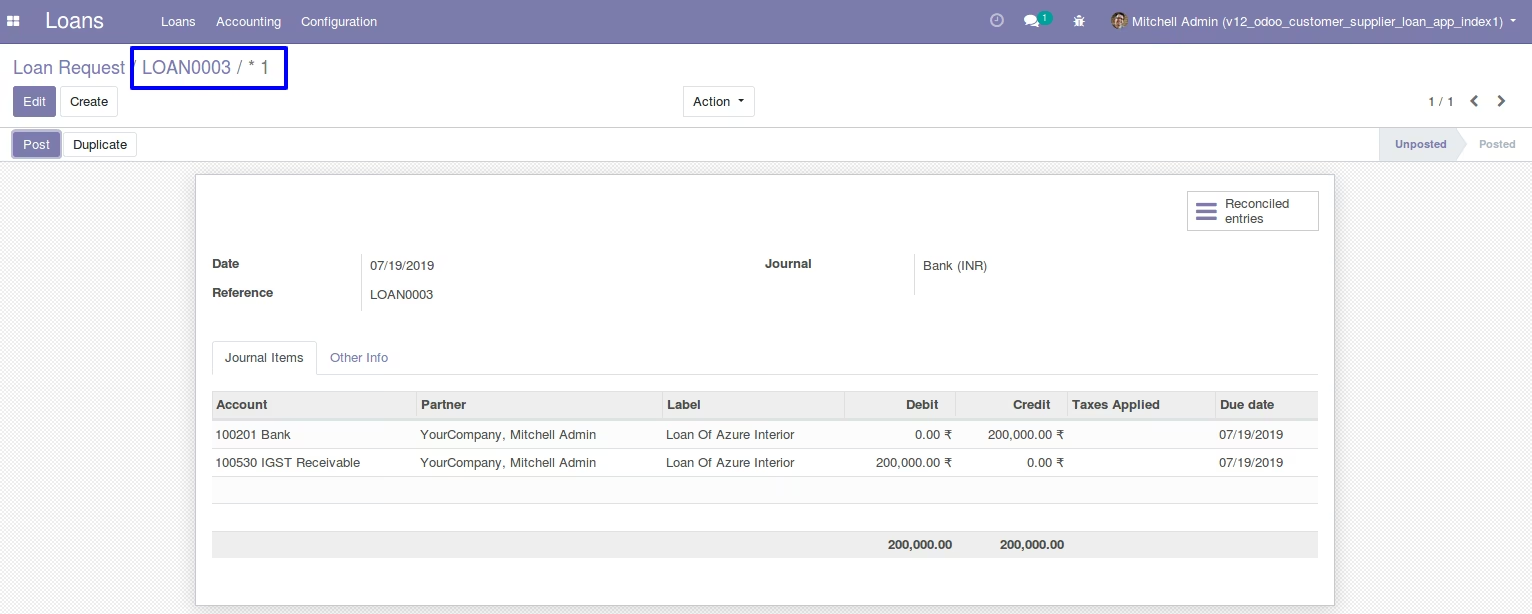
Created Loan Disburse Journal Entry
Created loan disburse journal entry details.
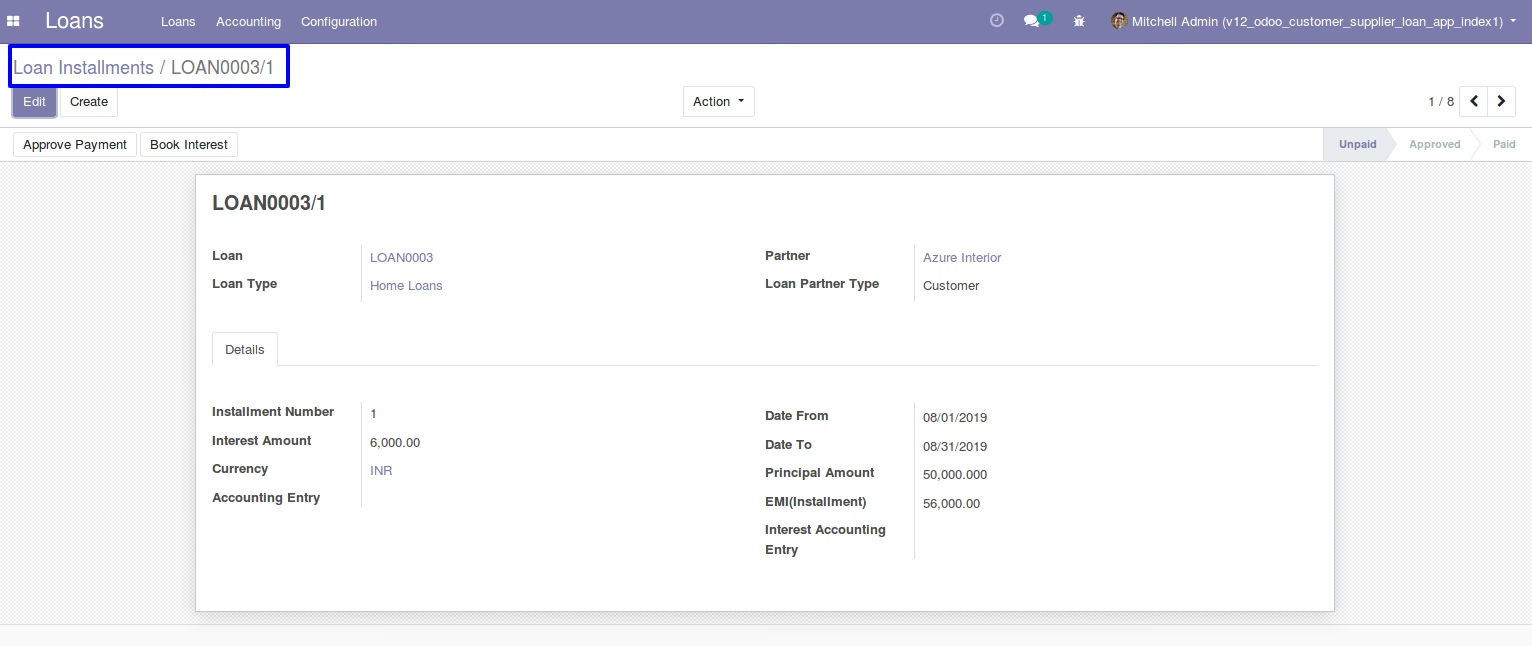
Loan Installment
Customers can pay multiple installments of loan. create a loan installment and give amount and then click on pay.
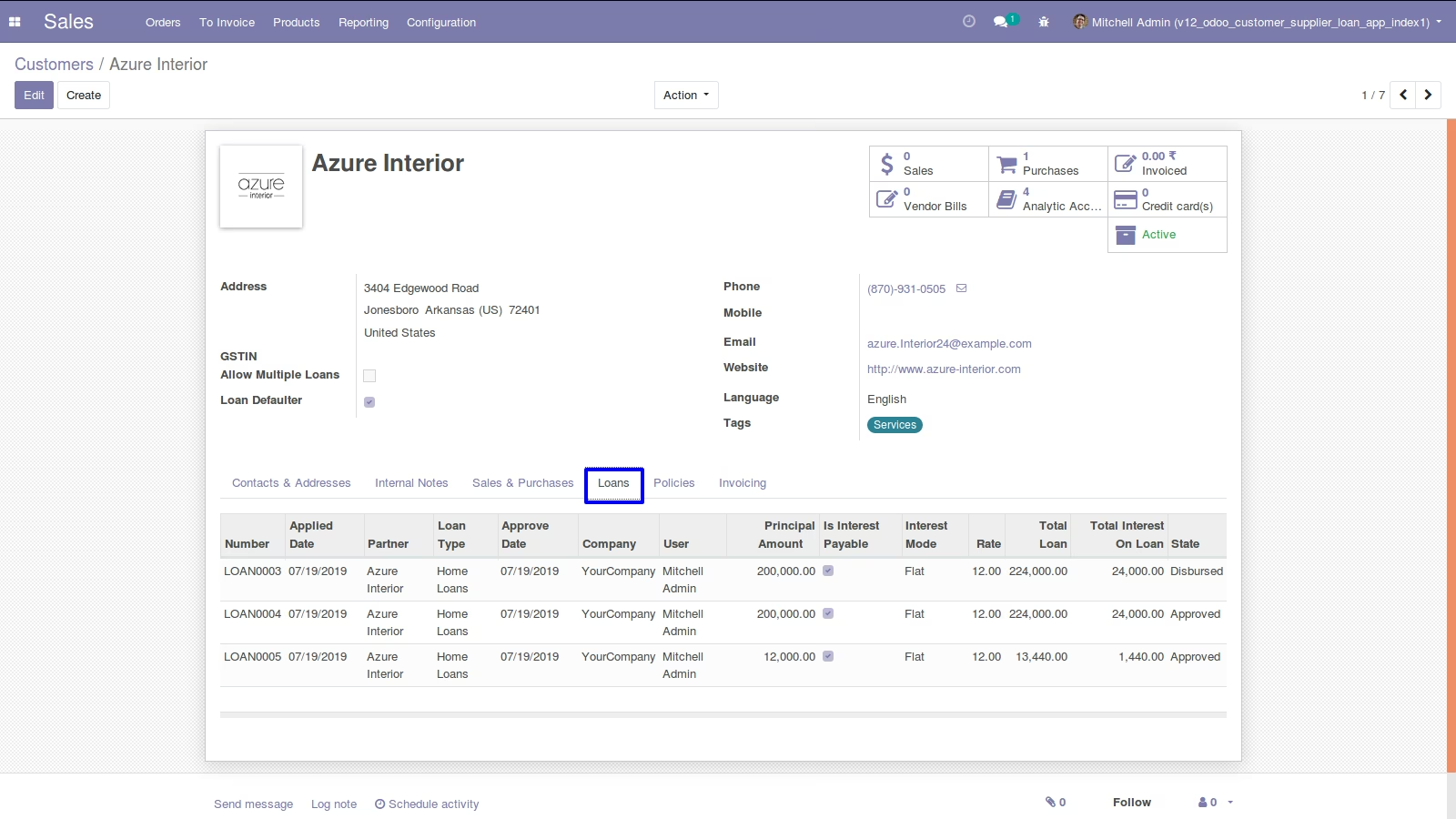
Customers Loans
Details of loan will automatically appear on customers.
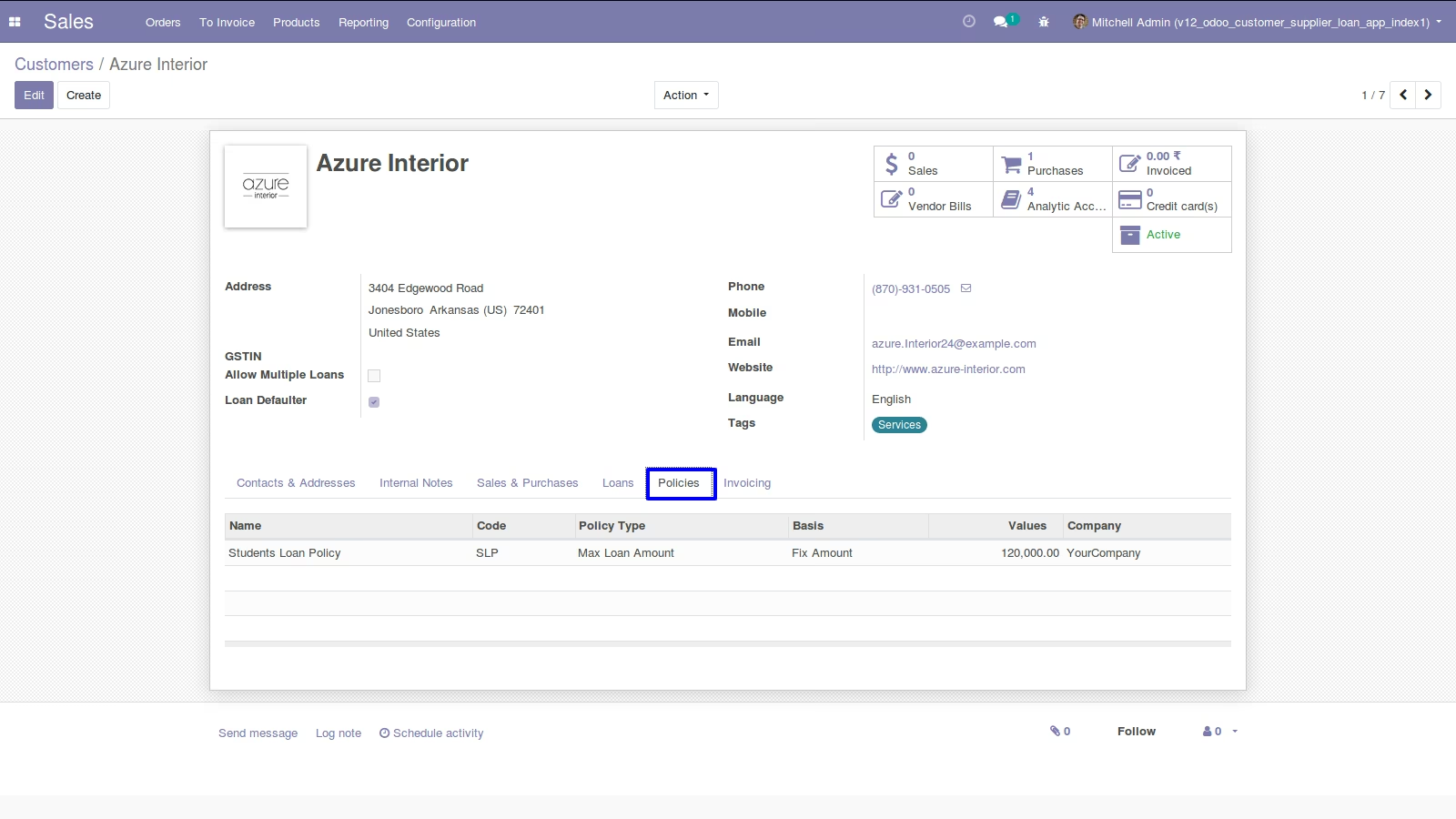
Customers Loan Policies
Loan policies are also mentioned in customer for better record.
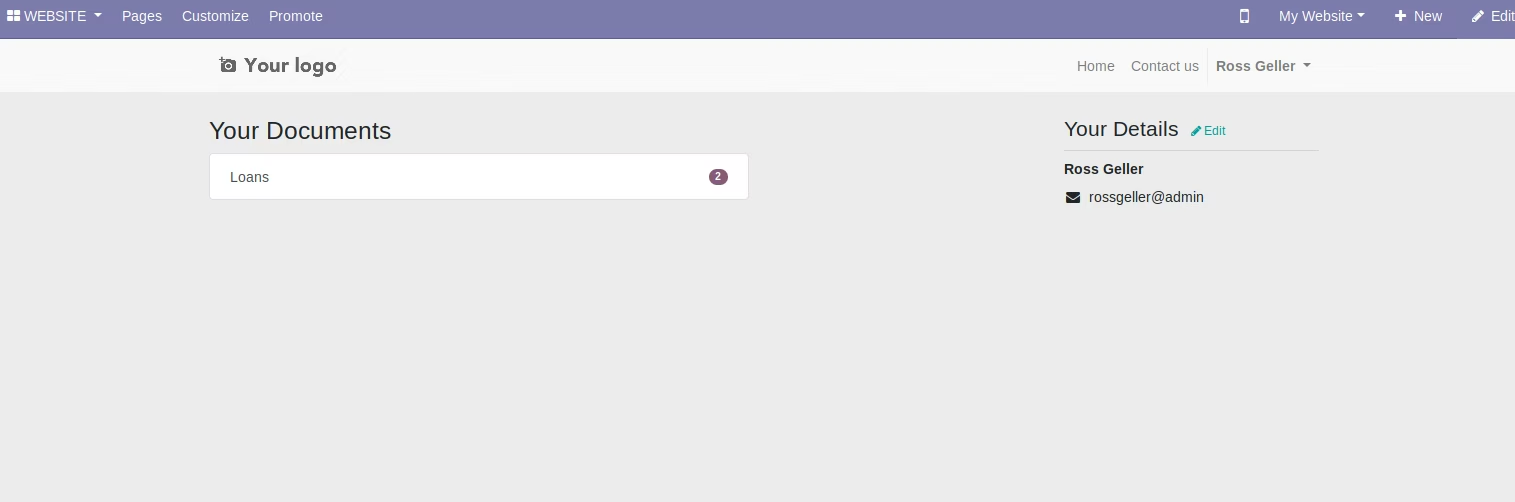
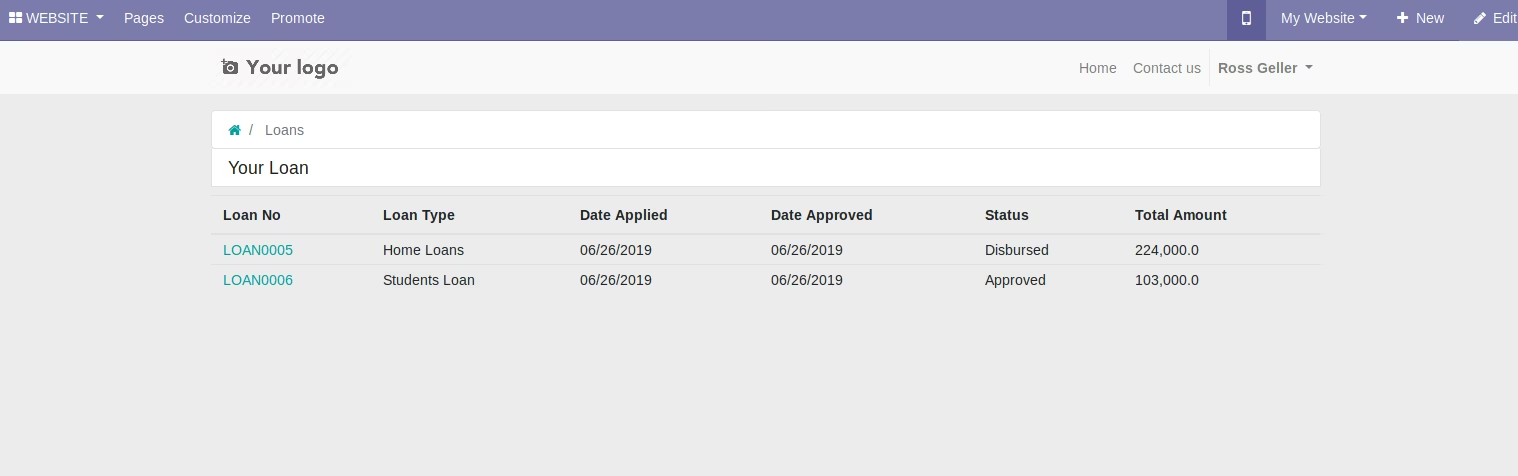
Loan Information in Website
Loan information also seen in website.
Loan Request Report
Customers can print loan report which will show full information about the loan.