The module is an essential productivity tool for every user, designed to provide a quick and effortless way to manage data within list views. This powerful app solves common usability issues by offering robust features that enhance the standard interface. It allows users to personalize their data views, perform advanced searches, and manage records with a single click. By providing flexible customization and powerful searching capabilities, this module ensures a more efficient, user-friendly experience, making it a valuable addition for any business.
Hide, show, and reorder columns with a simple drag-and-drop interface.
Perform advanced searches with an input box above each field.
Easily duplicate multiple records directly from the list view.
Toggle between read-only and edit mode for quick data modifications.
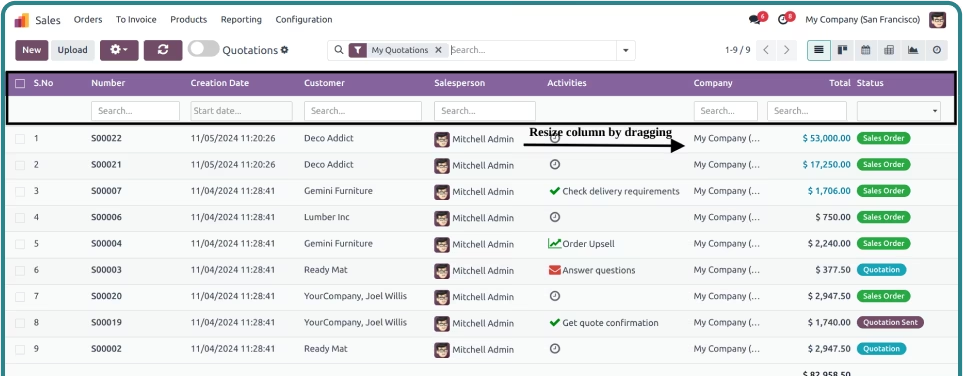
Resize columns and highlight records on hover for improved data focus.
Automatically save personalized list view settings for each user.
Copy field values directly from the list view without opening the record.
Significantly improves user productivity and data management efficiency.
Enhances the user experience with a personalized and dynamic interface.
Streamlines administrative tasks and reduces the time spent on data manipulation.
Facilitates quick troubleshooting and data analysis with powerful search functions.
Provides a more intuitive and flexible way to interact with core data.


Management

List View Manager
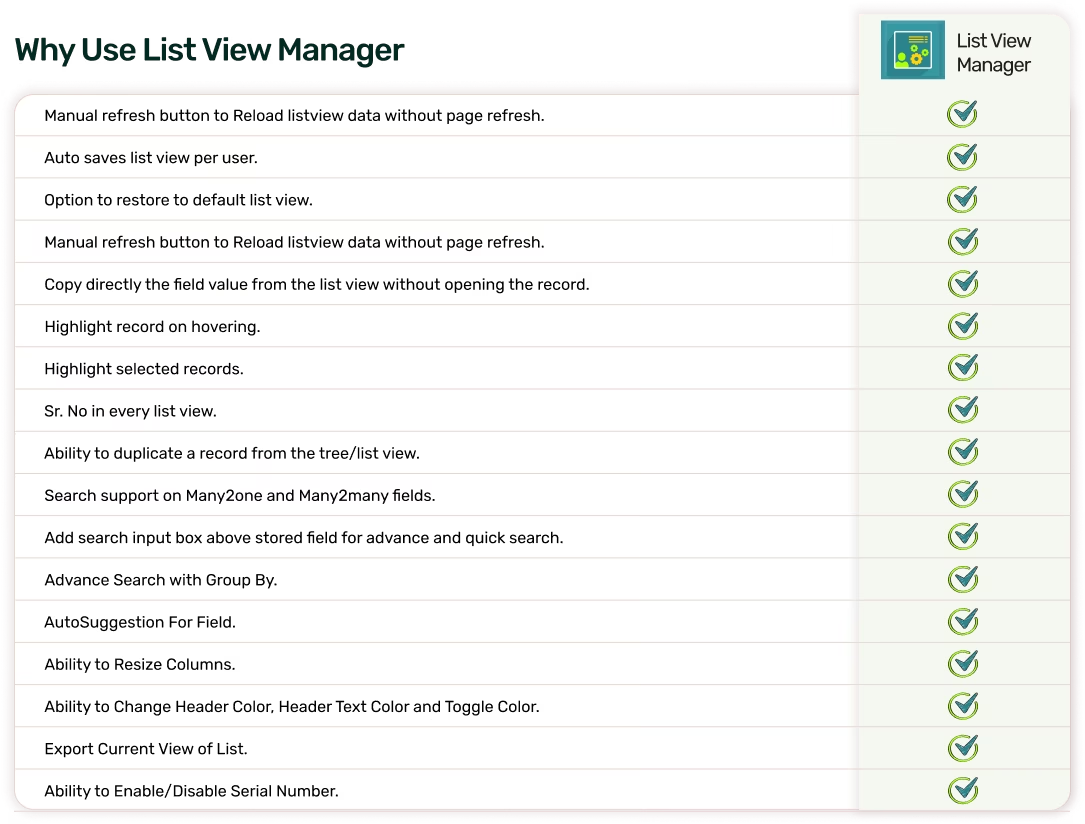
Manage and organize your List Views on the fly with List View Manager! Designed to locate
and access the desired records with just a click, List View Manager saves you from time-consuming
data searches. With a smart, intuitive search function for each column, you can find what you need
in seconds, streamlining your workflow and boosting productivity.



list view

Columns

on hovering

Easily enable/disable
inline editing

View of List.

Color, Serial Number

record from the
tree/list view

Many2one
and Many2many fields

Rename, Restore columns user
wise in any list view

input box above stored field for
advance and quick search

the list view without opening the
record
Unlock Efficiency with Smarter Data Management
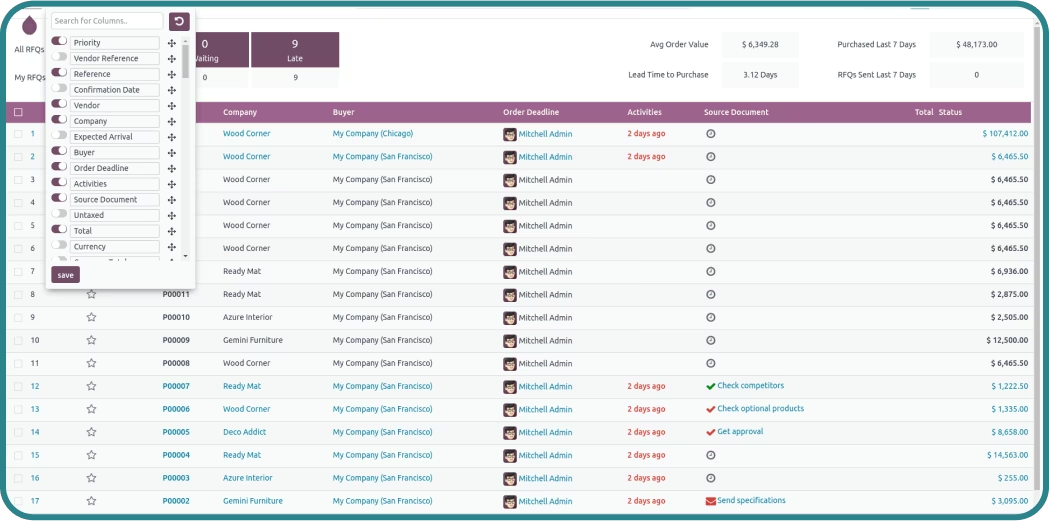
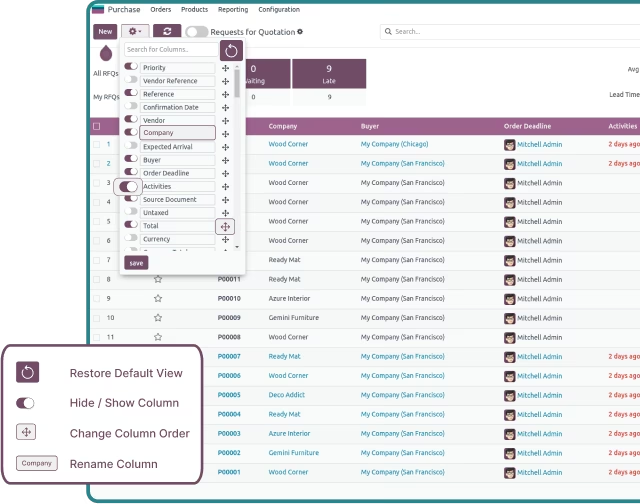
Effortlessly organize your list view with Dynamic List features available in the dropdown of control panel settings. Customize your view by selecting which columns to highlight, renaming column names, and reordering column positions. Take complete control of your data presentation.
-
 Hide/Show columns on any listview
-
Reorder columns order using Drag and Drop
-
Rename columns
-
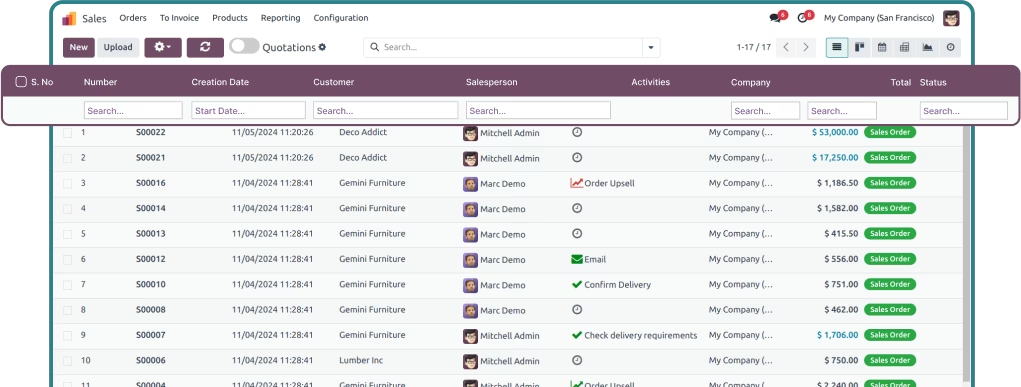
Search columns easily
-
Restore to default list view
-
Settings will be auto saved per user
Effortlessly organize your list view with Dynamic List features available in the dropdown of control panel settings. Customize your view by selecting which columns to highlight, renaming column names, and reordering column positions. Take complete control of your data presentation.
-
Hide/Show columns on any listview
-
Reorder columns order using Drag and Drop
-
Rename columns
-
Search columns easily
-
Restore to default list view
-
Settings will be auto saved per user
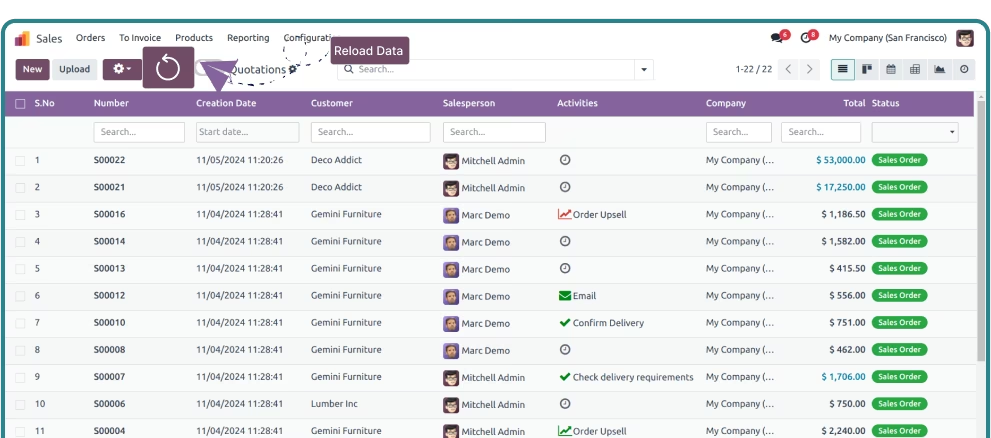
The app automatically assigns a serial number to all records in every list view, providing easy identification and tracking for all entries. The built-in numbering system streamlines data management and enhances navigation for large datasets.
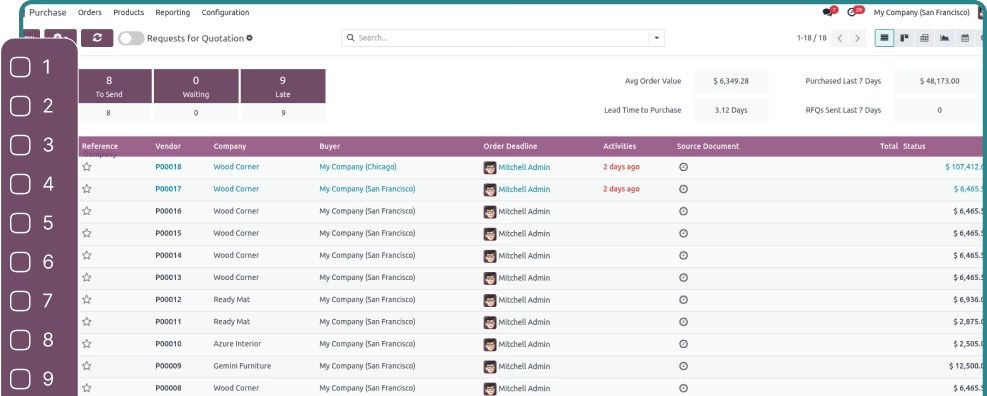
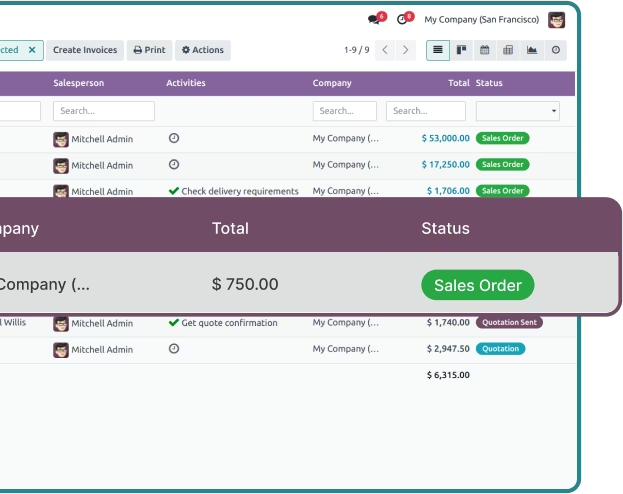
Hover over any records in your list view, and this app will highlight them to offer enhanced visibility for better data management. Easily track and manage your records and stay focused on what truly matters.
-
Enhanced data visibility
-
Improved navigation
-
Streamlined user experience
Hover over any records in your list view, and this app will highlight them to offer enhanced visibility for better data management. Easily track and manage your records and stay focused on what truly matters.
-
Enhanced data visibility
-
Improved navigation
-
Streamlined user experience
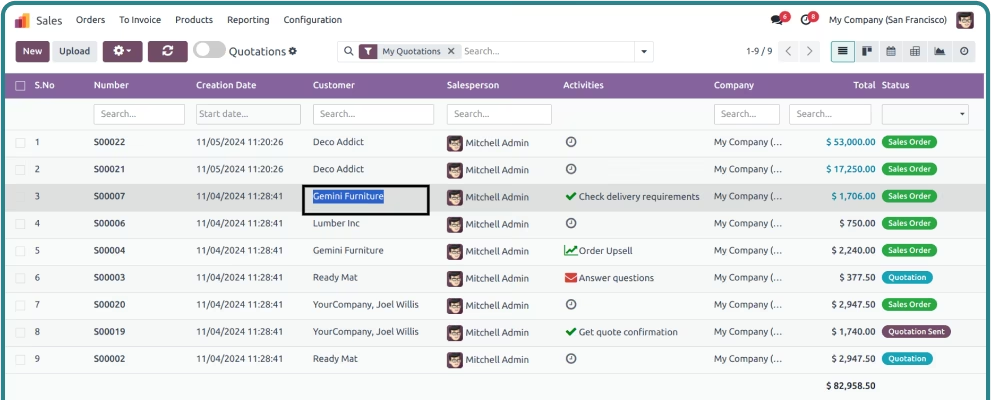
Copy the field value from any column without the need to open the record. Save time and streamline your workflow by quickly extracting data from any column with a click.
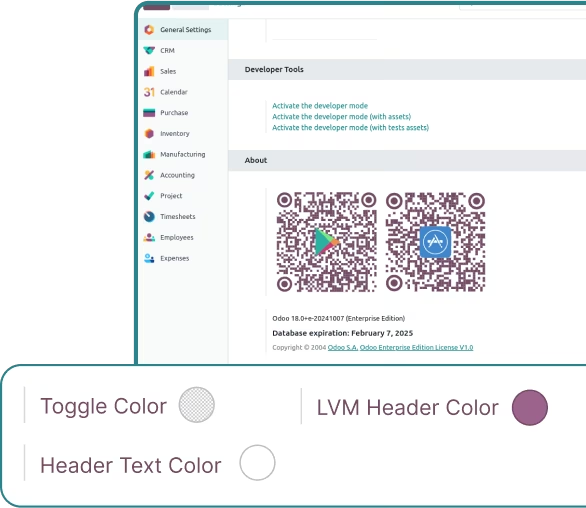
Change the color of the toggle switch (intended to hide/show columns), the header of List View Manager, and the header text as per your choice. Mark the checkbox to enable the serial number for all records in the list view.
-
Improved visual clarity
-
Personalized customization
Change the color of the toggle switch (intended to hide/show columns), the header of List View Manager, and the header text as per your choice. Mark the checkbox to enable the serial number for all records in the list view.
-
Improved visual clarity
-
Personalized customization
Easily duplicate multiple records from the tree/list view simultaneously with just a single click; no need to open the record and duplicate it, eliminating multiple clicks & selections.
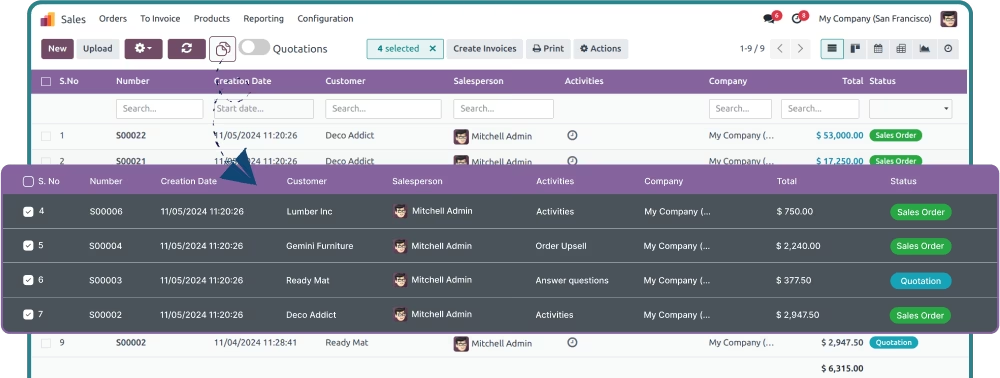
and Many2many fields
With the powerful search functionality on Many2one and Many2many column values, quickly filter and access related records for quick analysis, reducing searching time.
-
Efficient data search
-
Streamlined navigation
With the powerful search functionality on Many2one and Many2many column values, quickly filter and access related records for quick analysis, reducing searching time.
-
Efficient data search
-
Streamlined navigation
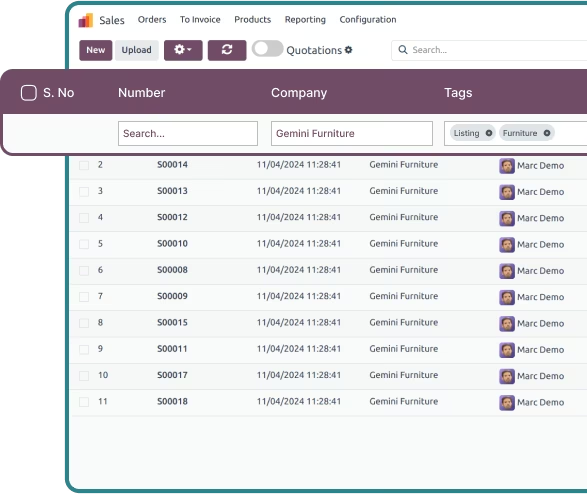
Seamlessly search for specific values within any column and get instant results with Advanced Search. Filter data quickly and accurately, making it easier to find exactly what you're looking for without unnecessary delays.
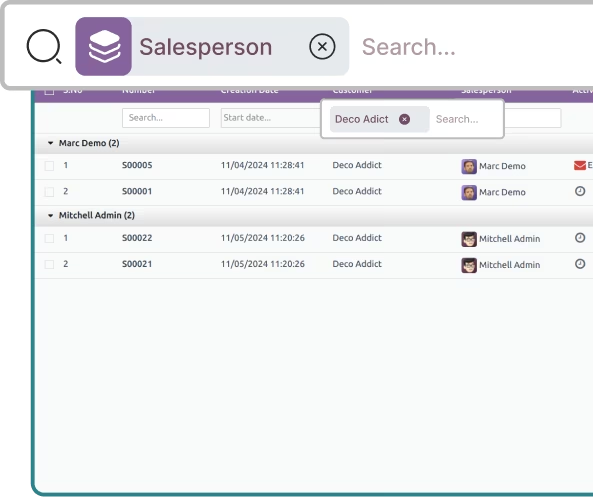
By Group
Combine the power of default search function with List View Manager’s column-specific search to refine your results by group. Effortlessly filter and find relevant records within large datasets based on specific groups.
-
Group-based filtering
-
Faster data retrieval
with Group By
Combine the power of default search function with List View Manager’s column-specific search to refine your results by group. Effortlessly filter and find relevant records within large datasets based on specific groups.
-
Group-based filtering
-
Faster data retrieval
Easily resize columns within the list view to suit your needs, and retain those settings even after reopening the view – unlike default list view, which resets to the original settings.
Reload your data with a simple click of the refresh button from the top menu – without the need to refresh the entire page.