The is a robust tool designed to revolutionize lead generation and data management. This module provides a streamlined solution for sales teams and business developers by automating the process of capturing valuable contact information from LinkedIn profiles. It eliminates manual data entry, reduces errors, and ensures that your CRM is always populated with accurate and up-to-date lead data. By integrating directly with LinkedIn, this application empowers your team to work more efficiently, allowing them to focus on closing deals rather than on tedious data entry tasks.
Extract essential contact details such as name, email, phone, and company from LinkedIn profiles.
Automatically create new leads in your CRM with a single click.
Collect additional lead information, including website, address, city, and country.
Streamline the lead generation process and reduce manual data input.
Securely manages API access tokens for a seamless and protected connection.
Significantly saves time and effort by automating lead data extraction.
Improves data accuracy and integrity by reducing manual data entry errors.
Accelerates the sales pipeline by quickly populating the CRM with qualified leads.
Enhances the productivity of sales and marketing teams.
Provides a secure and efficient way to gather business-critical information.
- Generate lead from LinkedIn profile contact information with single click using Chrome extension
- Note: Please download our Chrome extension "Create leads from LinkedIn" from Chrome Web Store (https://chromewebstore.google.com/detail/create-odoo-leads-from-li/jcgholhpbpcnglbilaflciokdnhjlfgl).
How it Works
- Install "Create leads from LinkedIn" Chrome extension. Verify installation via the icon.

- Open required LinkedIn profile and click "Contact Info".
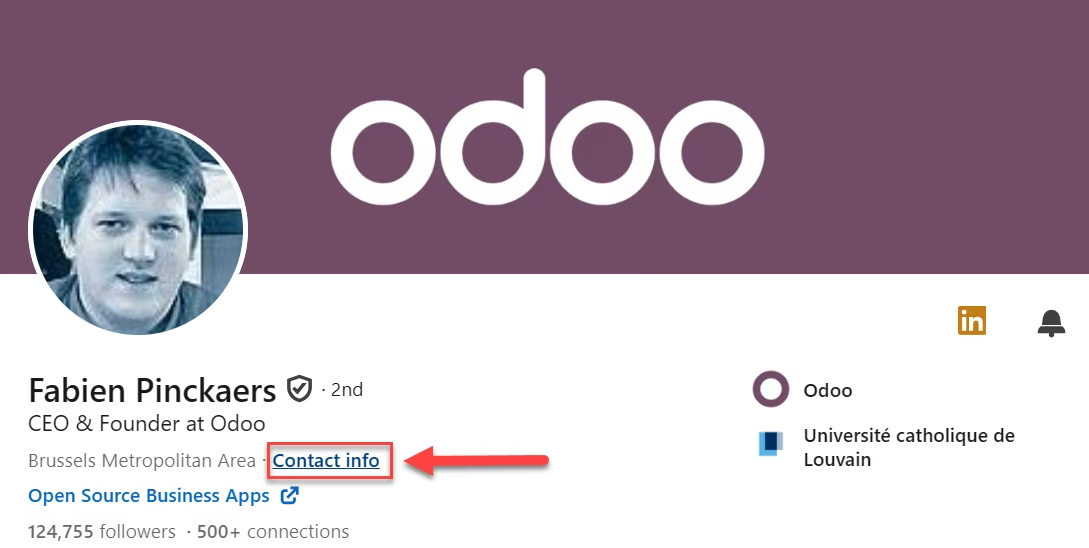
- A new button "Generate Lead" appears at top right.
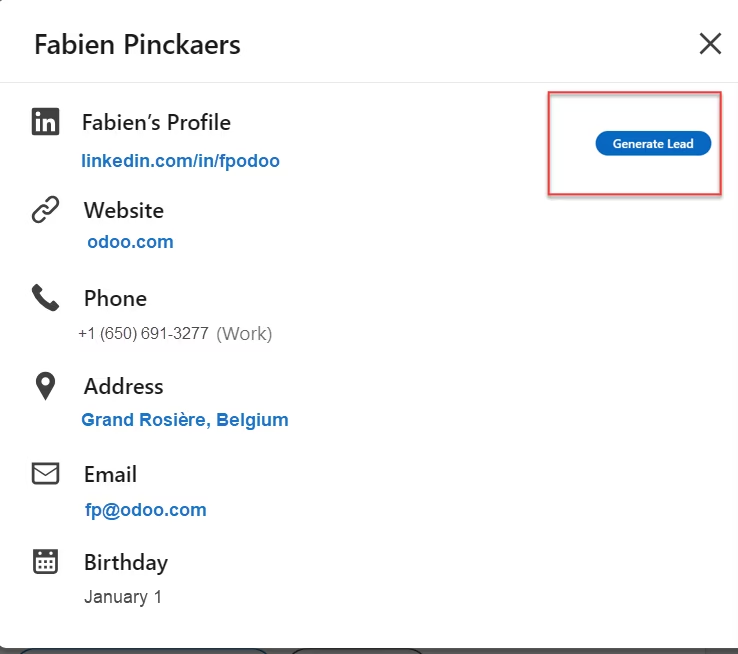
- Click "Generate Lead" to open login dialog.
- If login succeeds, lead is created and won't ask again until session expires.
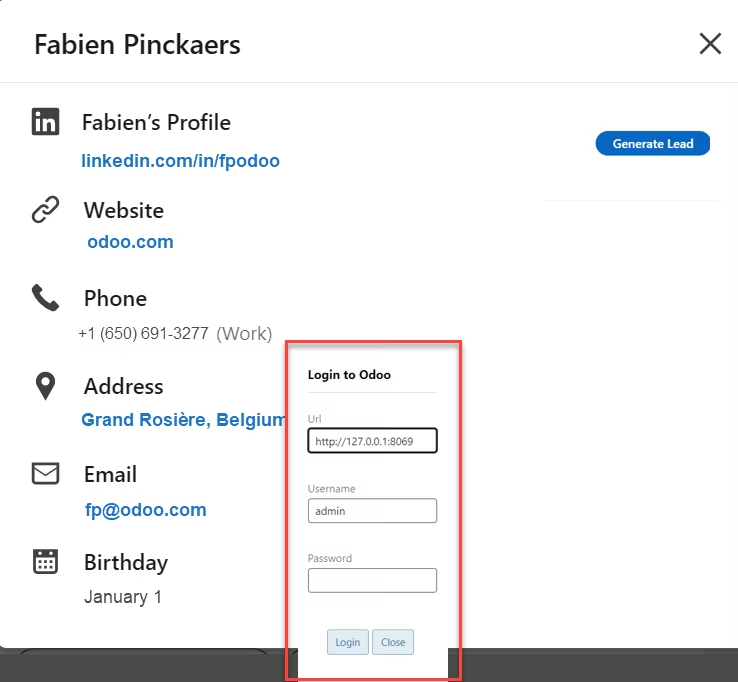
- Fill login fields and press OK; extension connects, generates token, and creates lead.
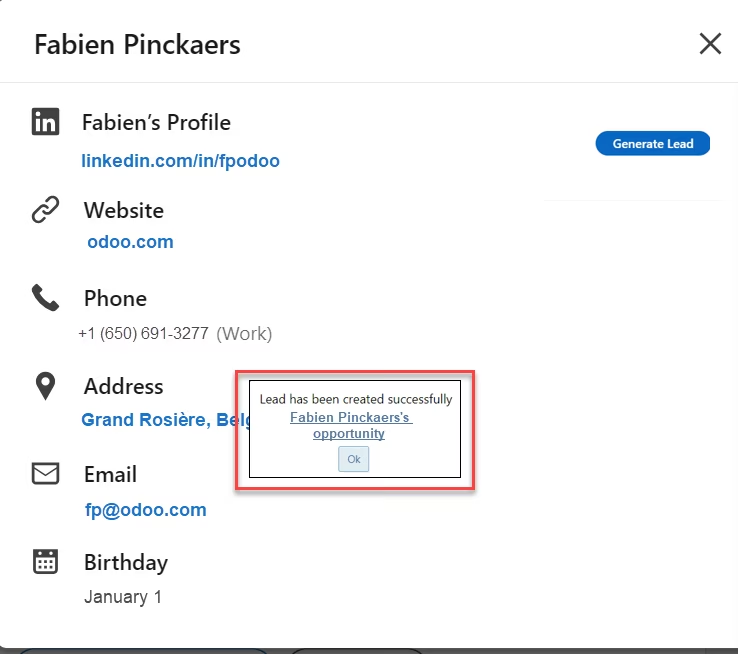
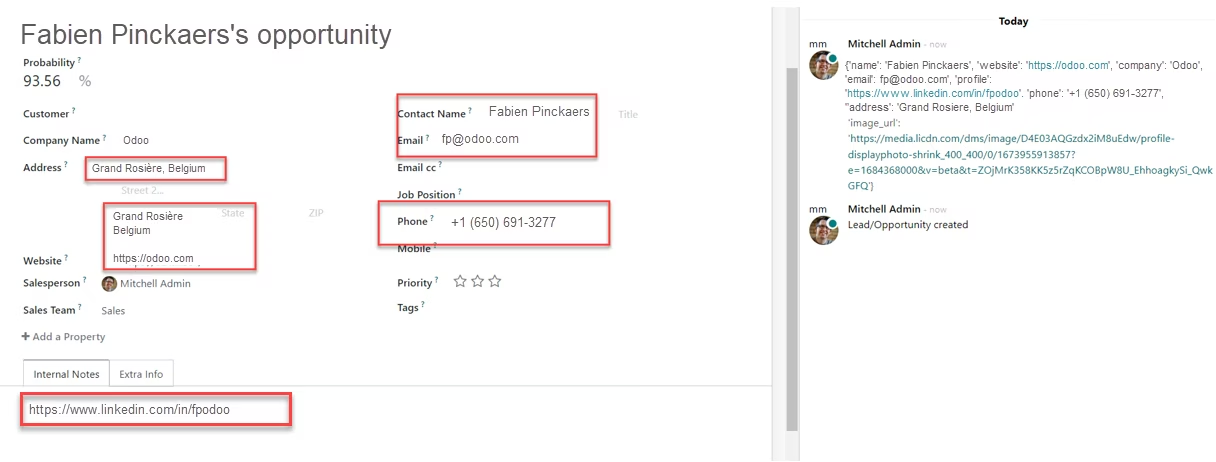
- Click lead link to open it. Extension collects:
- Name
- Phone
- Company
- Website
- Address
- City
- Country
- Profile Link
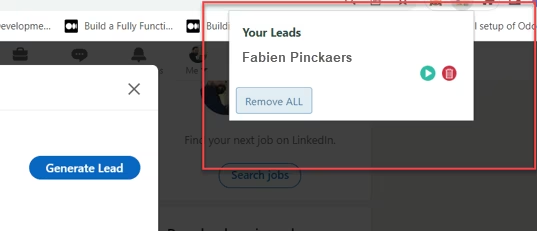
- View all leads by clicking the extension icon.
- Go to Settings > Technical > Security > Chrome API Access Tokens to view tokens.
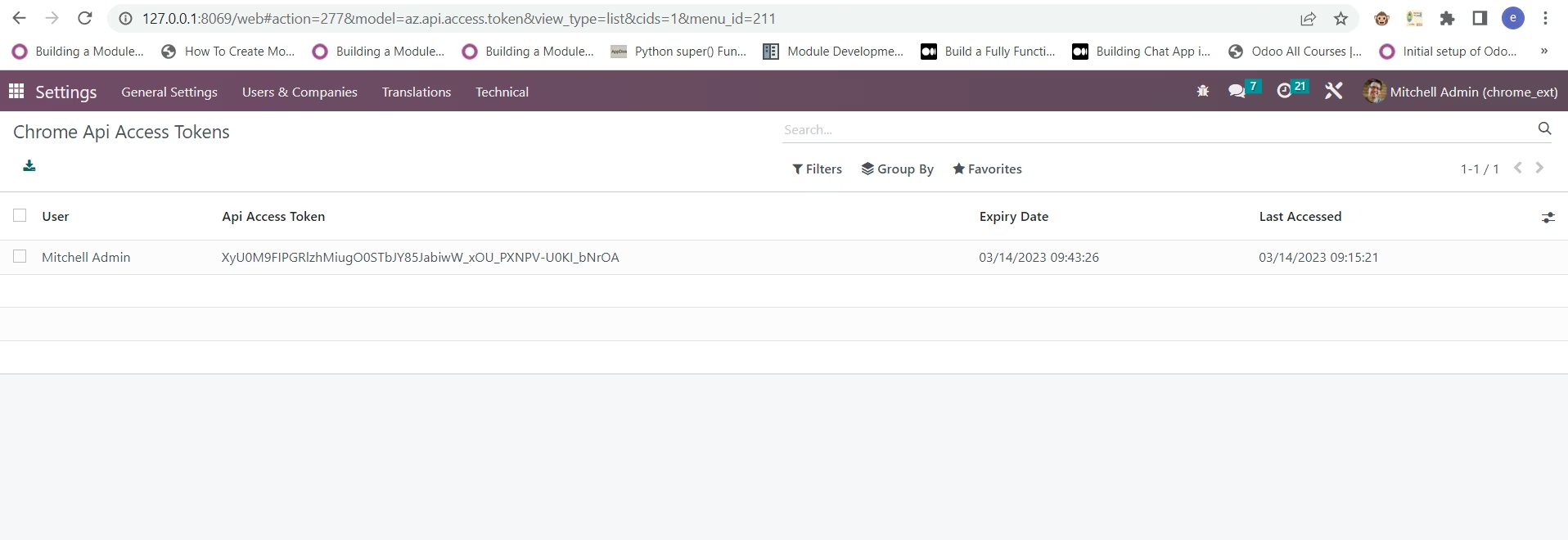
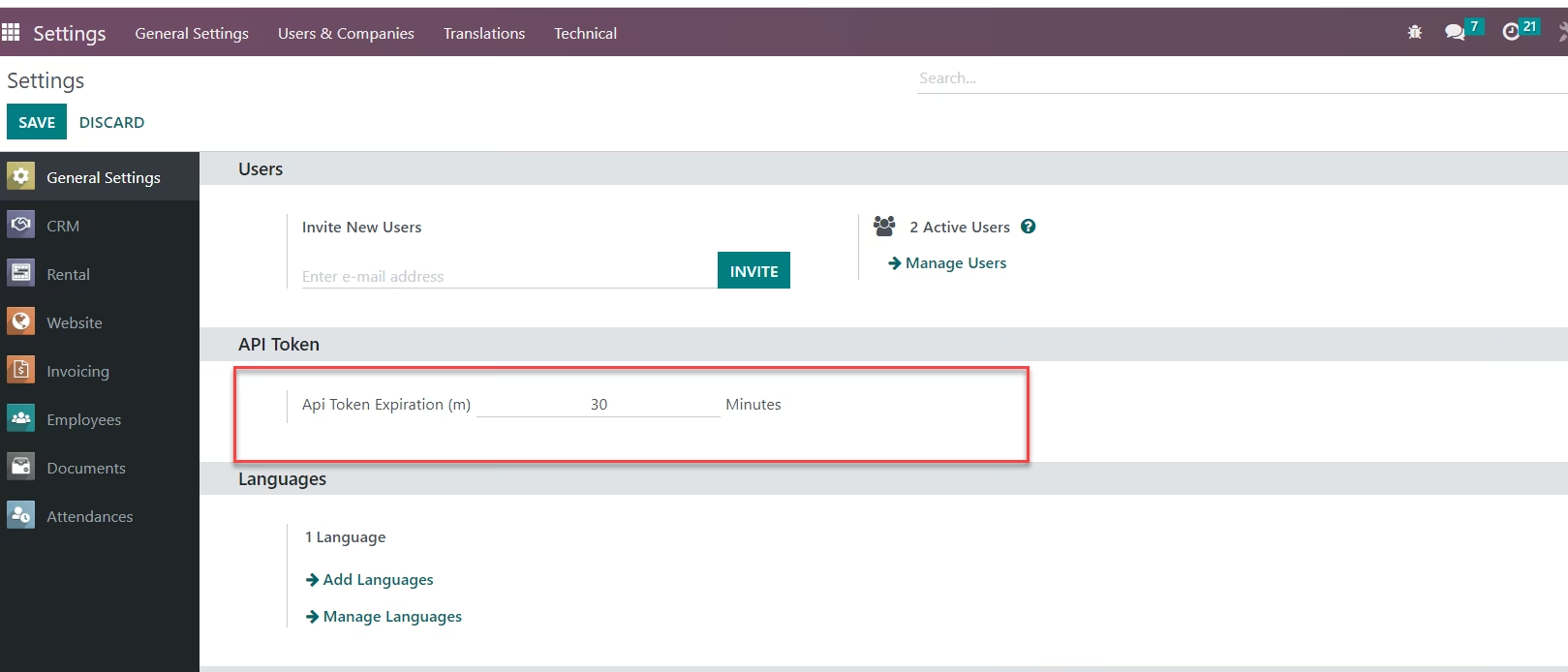
- Control token lifetime from Settings.