The module is an essential tool for legal practices and advocates who need to meticulously track and manage the costs associated with their cases. Integrated with project management system, this application allows you to create detailed job cost sheets for each legal case. You can plan and track costs for materials, labor, and overheads, providing a transparent view of project finances. This module is vital for ensuring accurate billing, monitoring profitability, and maintaining financial control over all legal matters.
Create and manage job cost sheets for each legal case.
Define and track costs for materials, labor, and overheads.
Get a clear overview of planned costs versus actual costs for each project.
Add or append new cost lines to an existing job cost sheet.
Generate and view detailed cost sheets directly from the case form.
Provides precise financial oversight for every legal case.
Ensures accurate billing and prevents financial miscalculations.
Helps in better resource allocation and cost planning.
Improves project profitability by comparing planned and actual expenditures.
Streamlines the administrative process of cost tracking for legal professionals.
Job Cost Sheet for Law Firms Advocate Project / Cases
Costing for Material / Labour / Overheads for Law Firms Project
Project Law Firms Cases Integrate with Job Cost Sheet
Legal Practice Management with Job Costing of Project
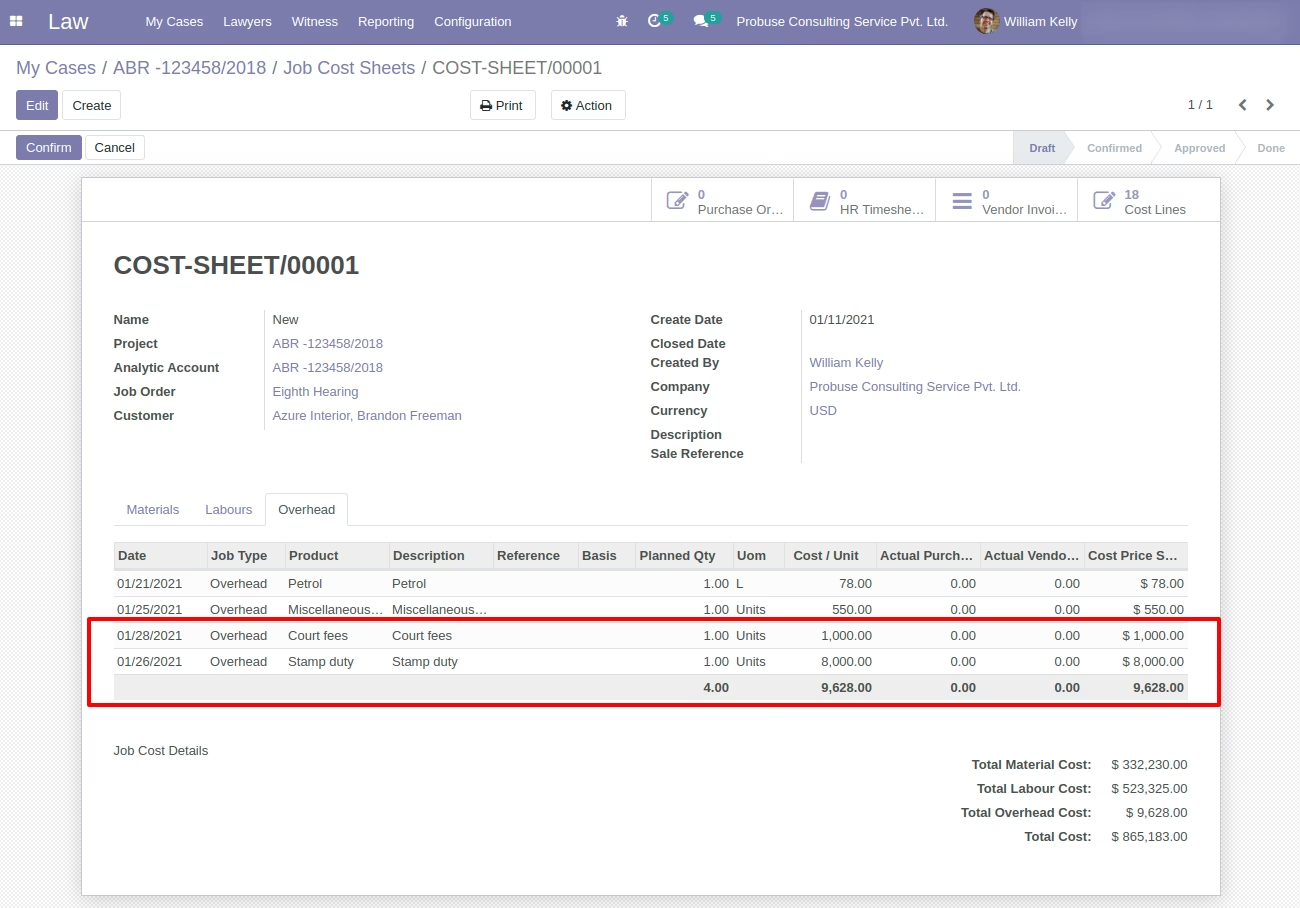
This app allows you to create or edit a job cost sheet for a Law Firms Advocate Projects / Cases. Please note that on the Cases form that means on project form we are allowed to create and edit job cost sheets. So your project team can first set material, labour and overhead cost on project/case form and then create.edit job cost sheet based on it.
Main Features:
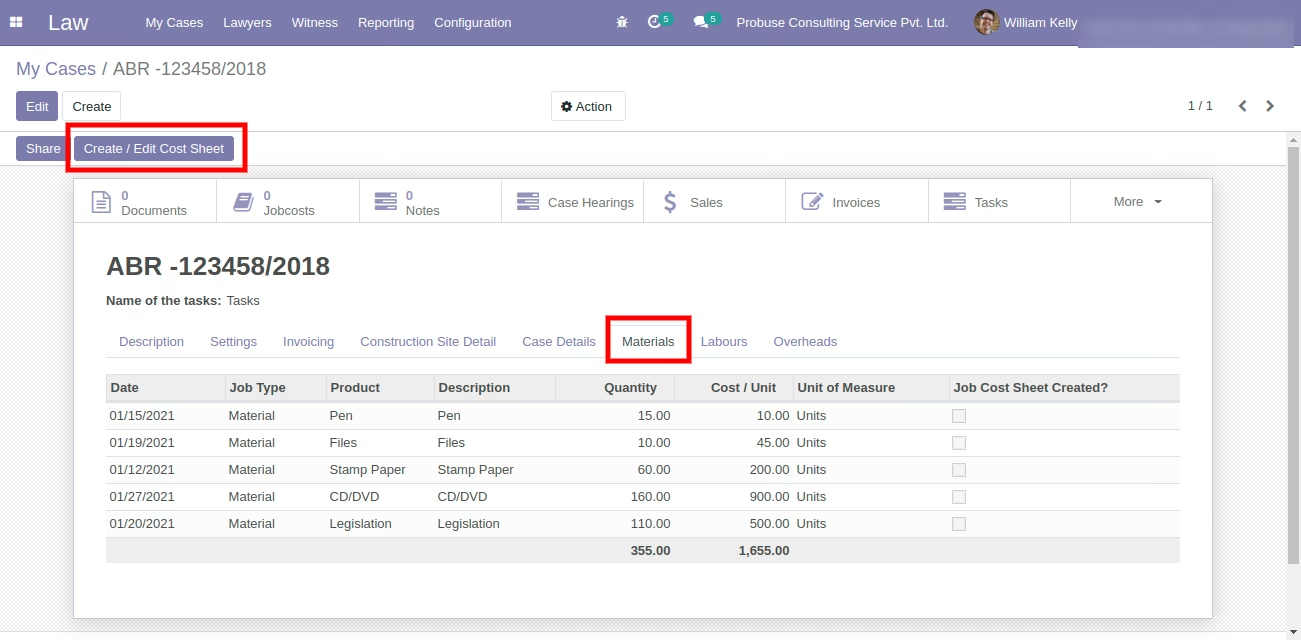
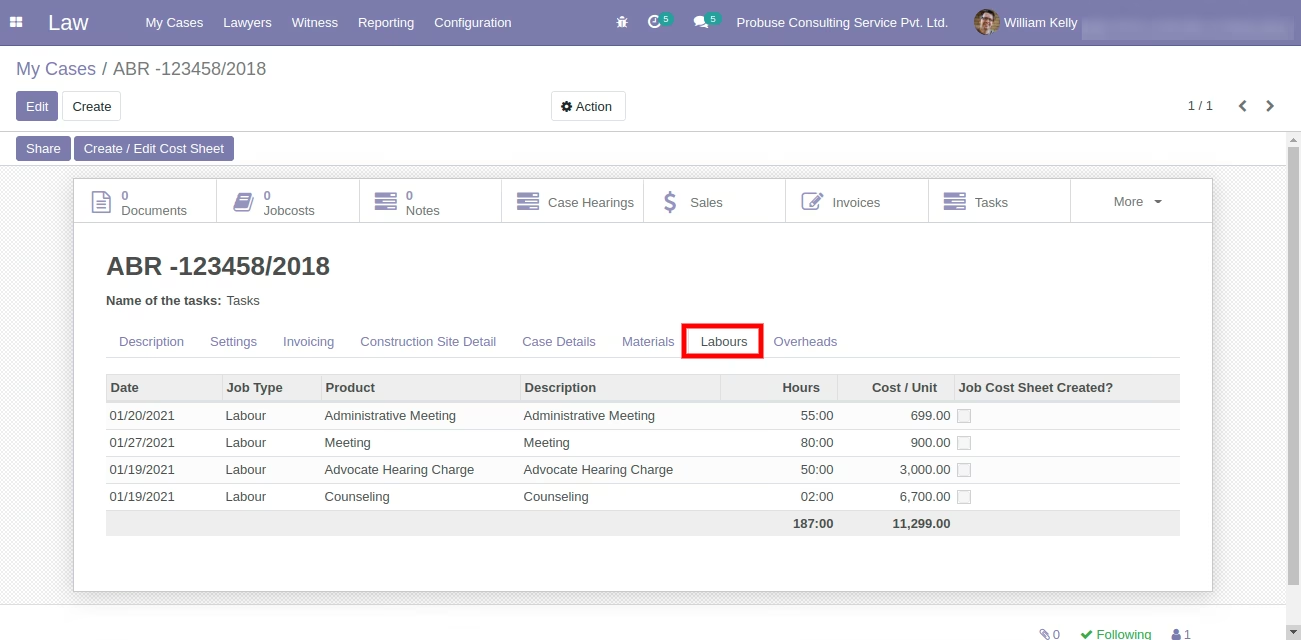
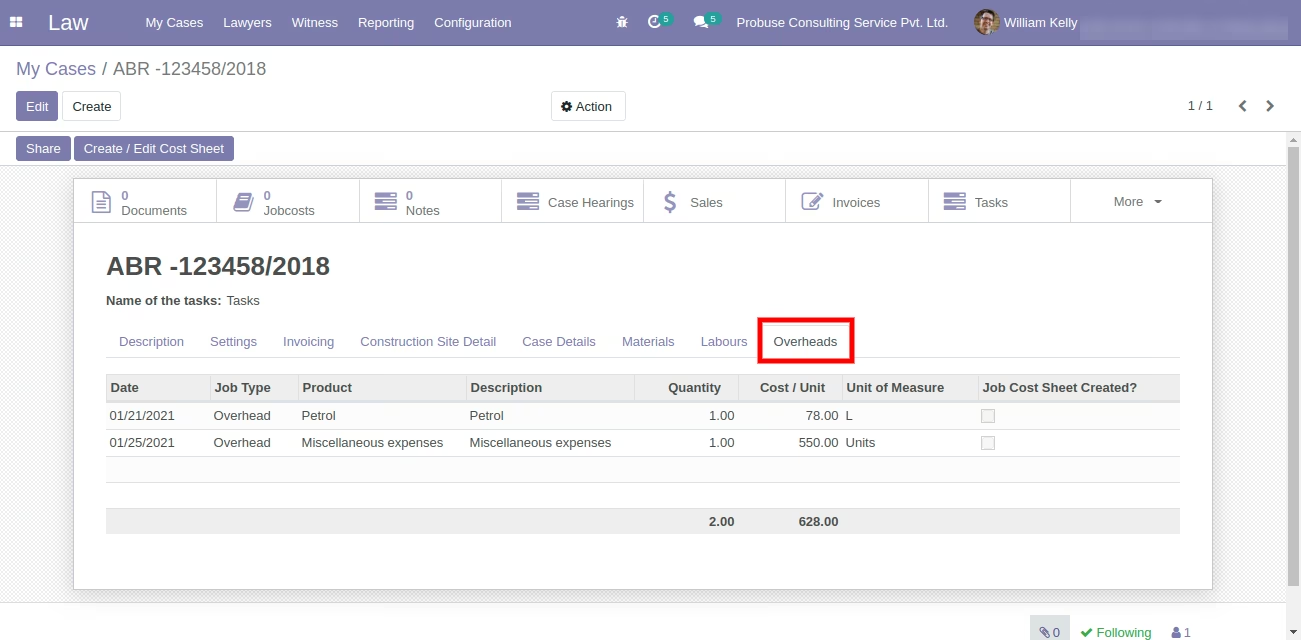
- Allow you to set material, labour and overheads items with quantity on Project / Case form and using it allow you to create a new job cost sheet or edit existing job cost sheet for that project.
- You can specify materials which are going to be consumed for that Project / Case, labour going to work on that request and overheads going to occur for that Law Firms Advocate Project.
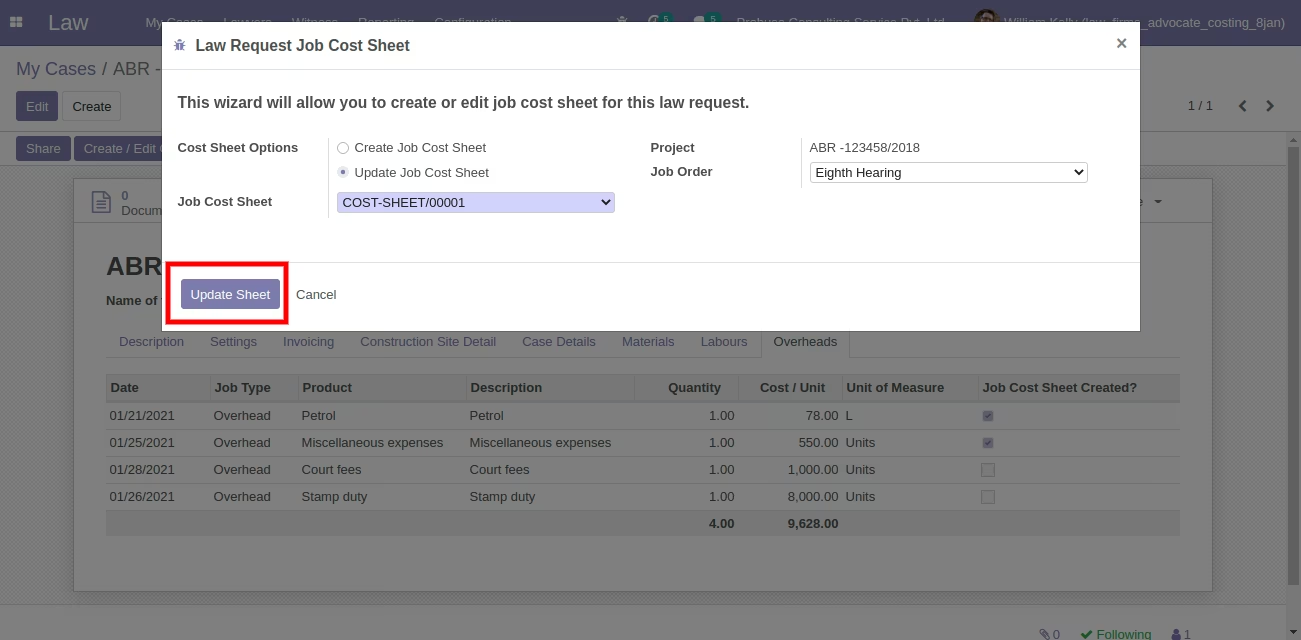
- System will allow you to choose whether you want to create a new cost sheet or you want to append lines in an existing job cost sheet.
- Using this app you can plan your costing for a project of cases. And you will get an idea about plan cost and you can see actual cost on the job cost sheet form.
- For more details please see the video and check below screenshots.
My Cases Request Form
My Cases Request with Materials Tab & Create/Edit Cost Sheet button
My Cases Request with Labours Tab
My Cases Request with Overheads Tab
After click on Create/Edit Cost Sheet button open wizard
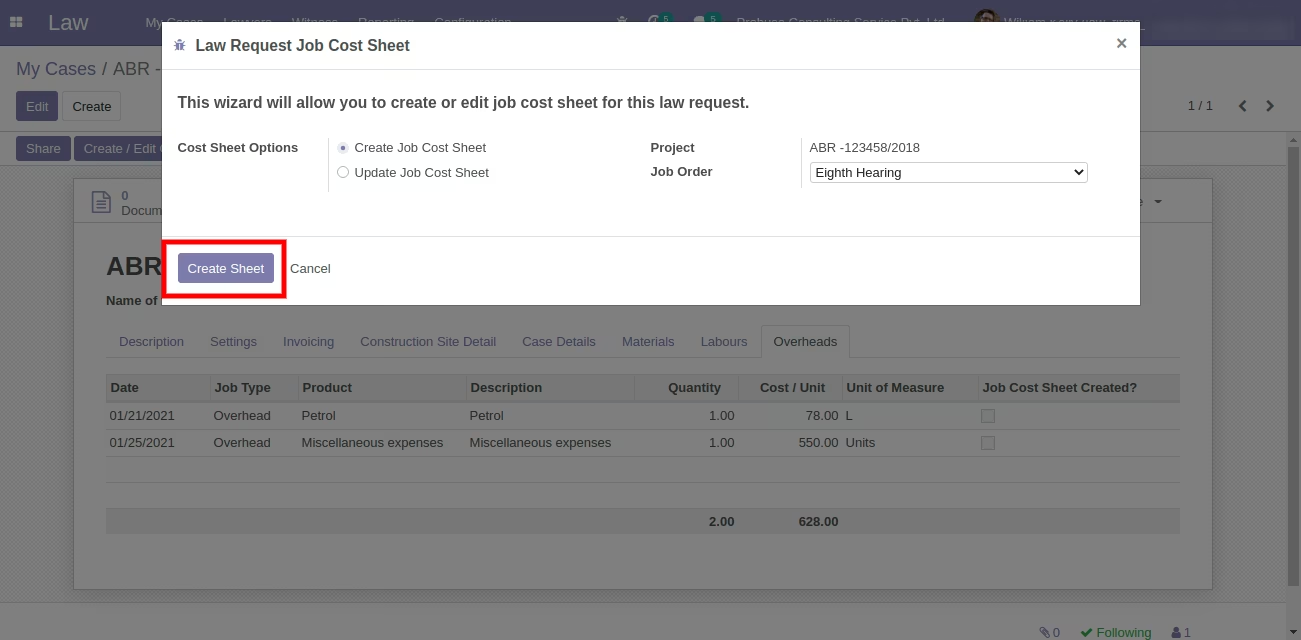
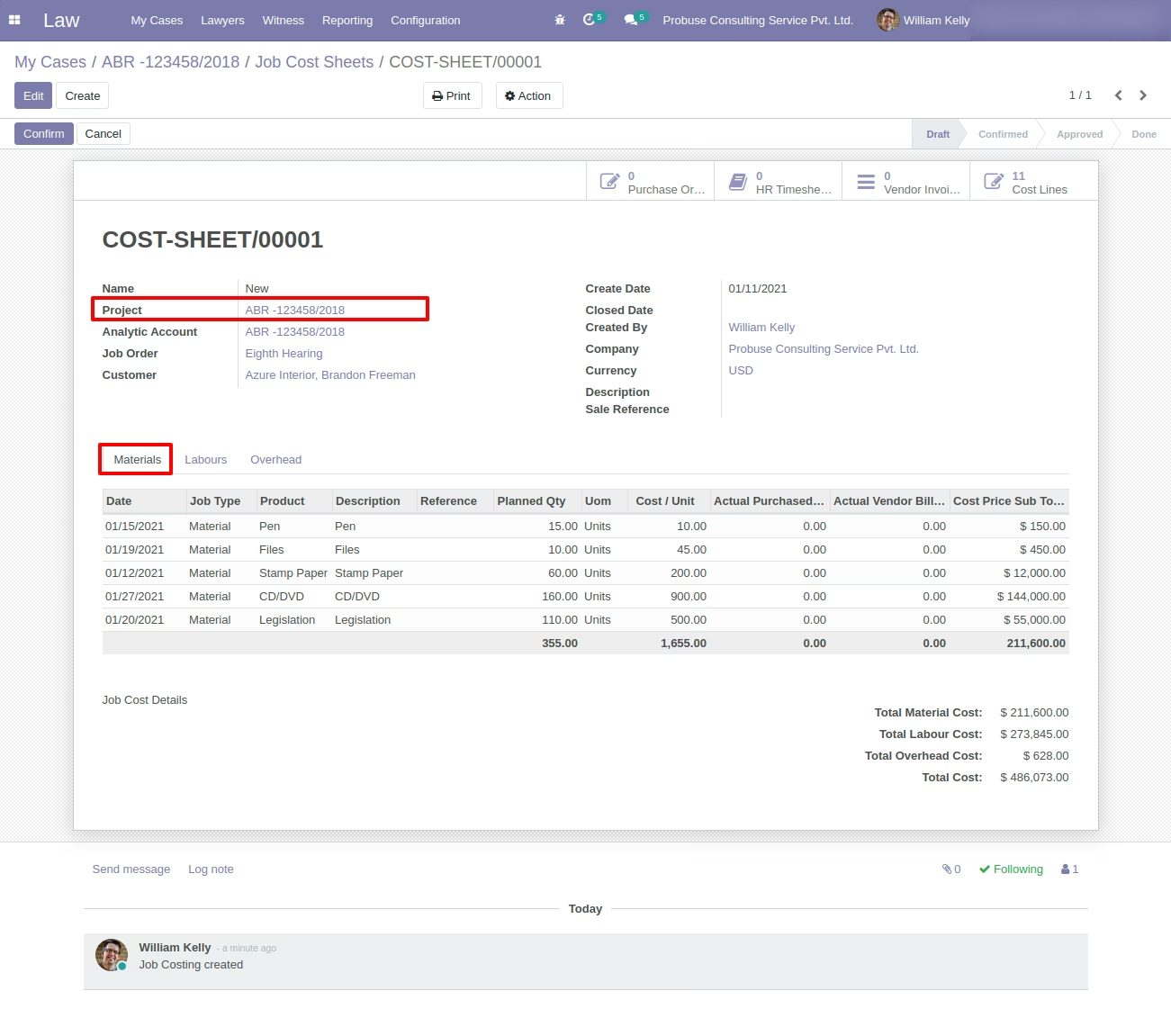
Created Job Cost Sheet Form
Created Job Cost Sheet Form with Materials Tab
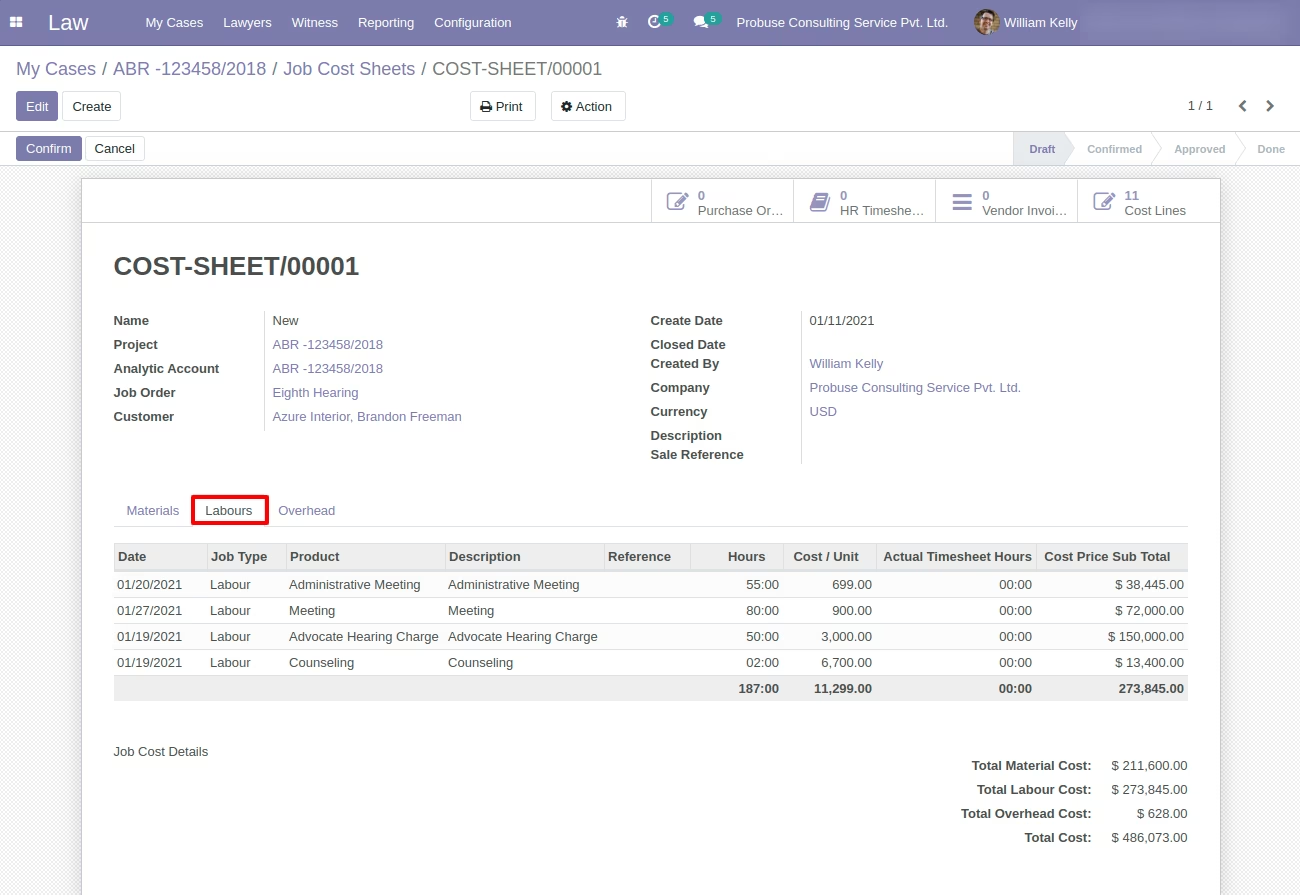
Created Job Cost Sheet Form with Labours Tab
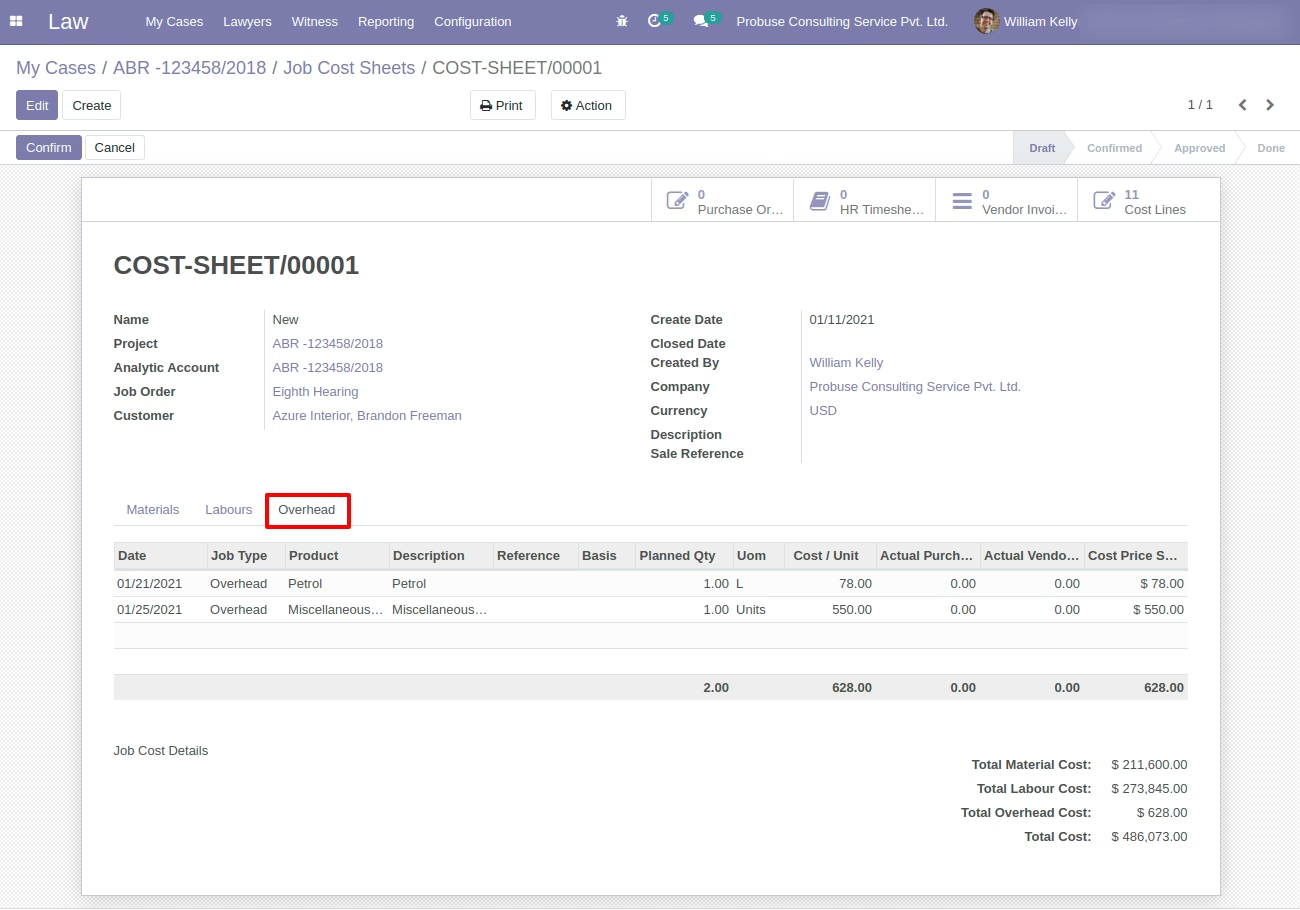
Created Job Cost Sheet Form with Overheads Tab
Cost Sheet Smart button on My Cases Request Form
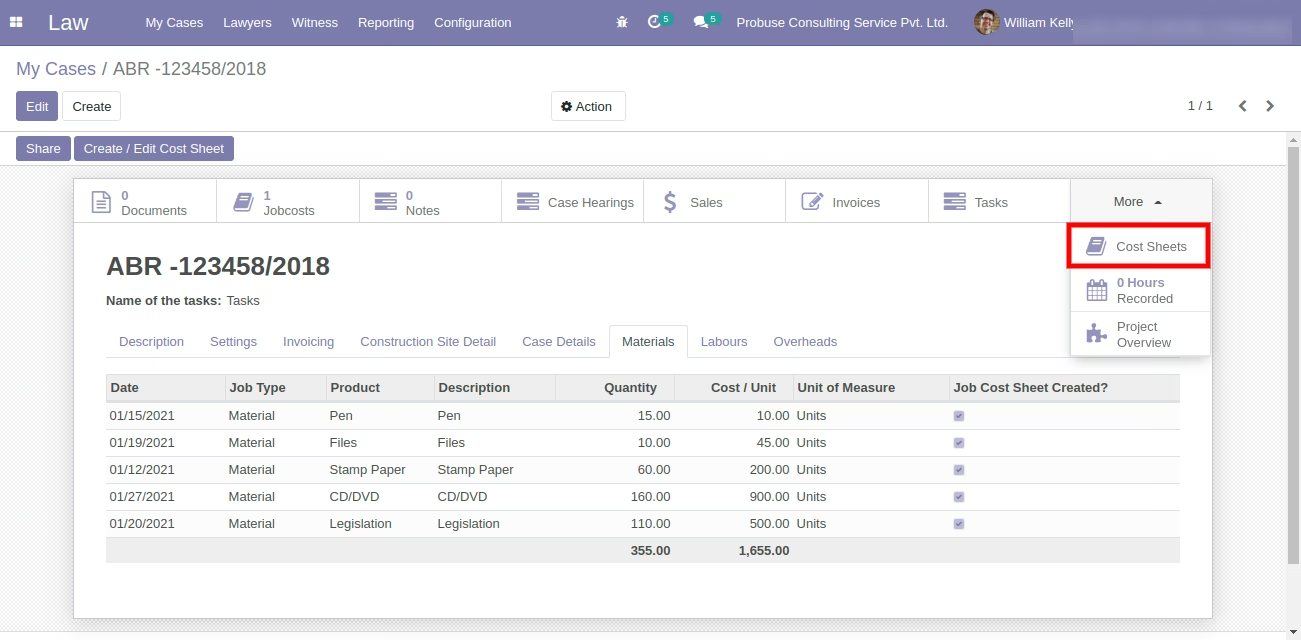
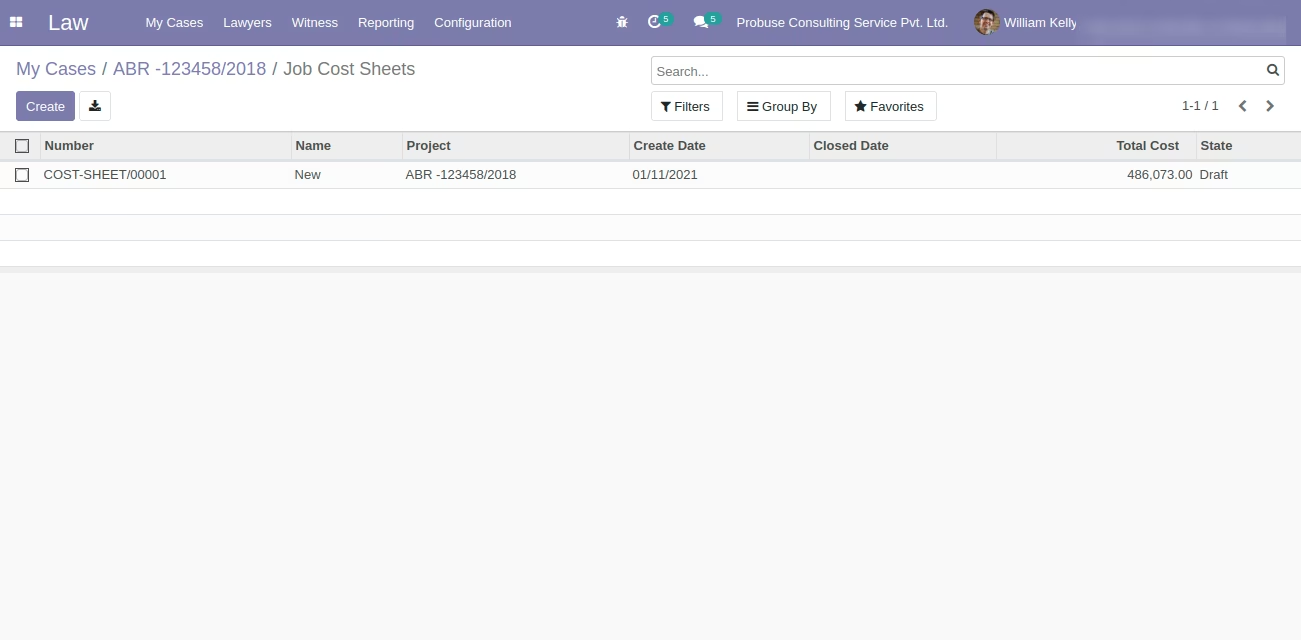
open list view of Job Cost Sheet from smart button
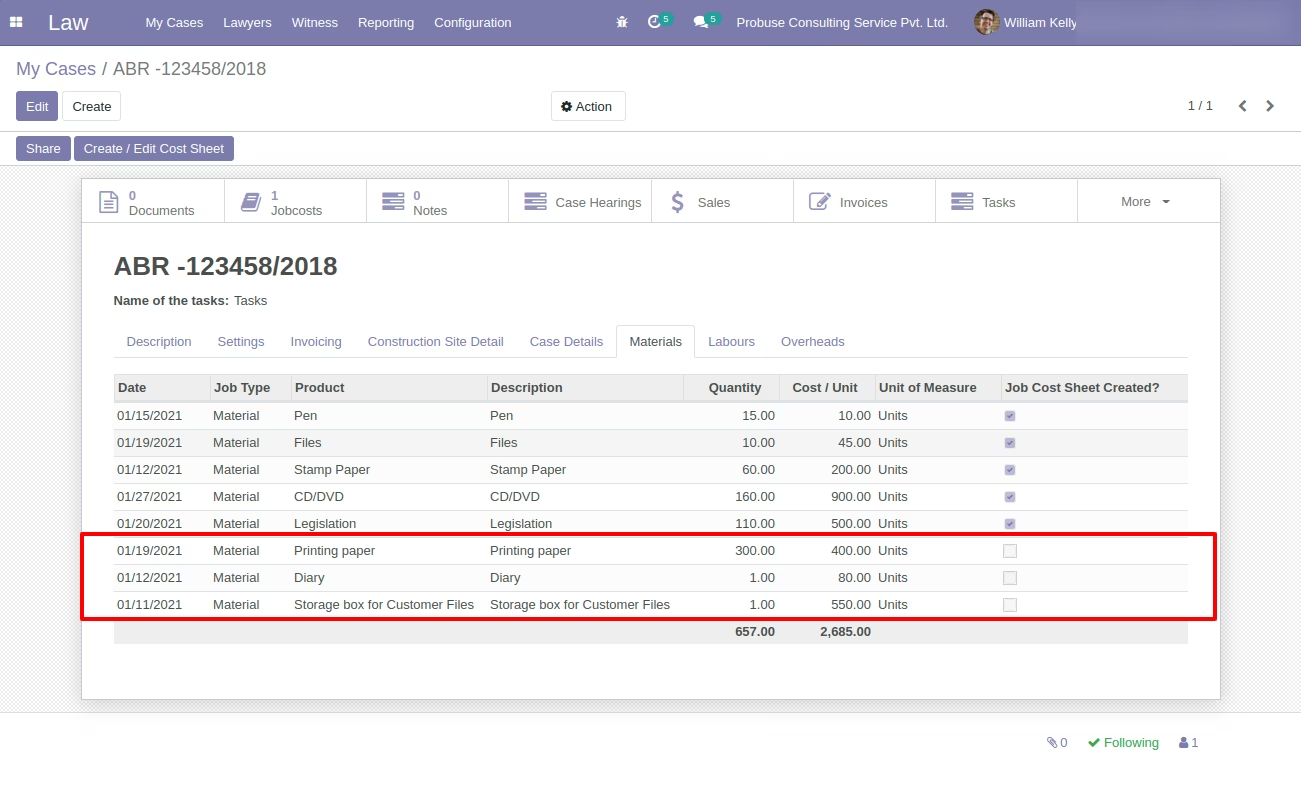
Added Materials, Labours and OVerheads on My Cases Request Form
Materials added in Materials Tab
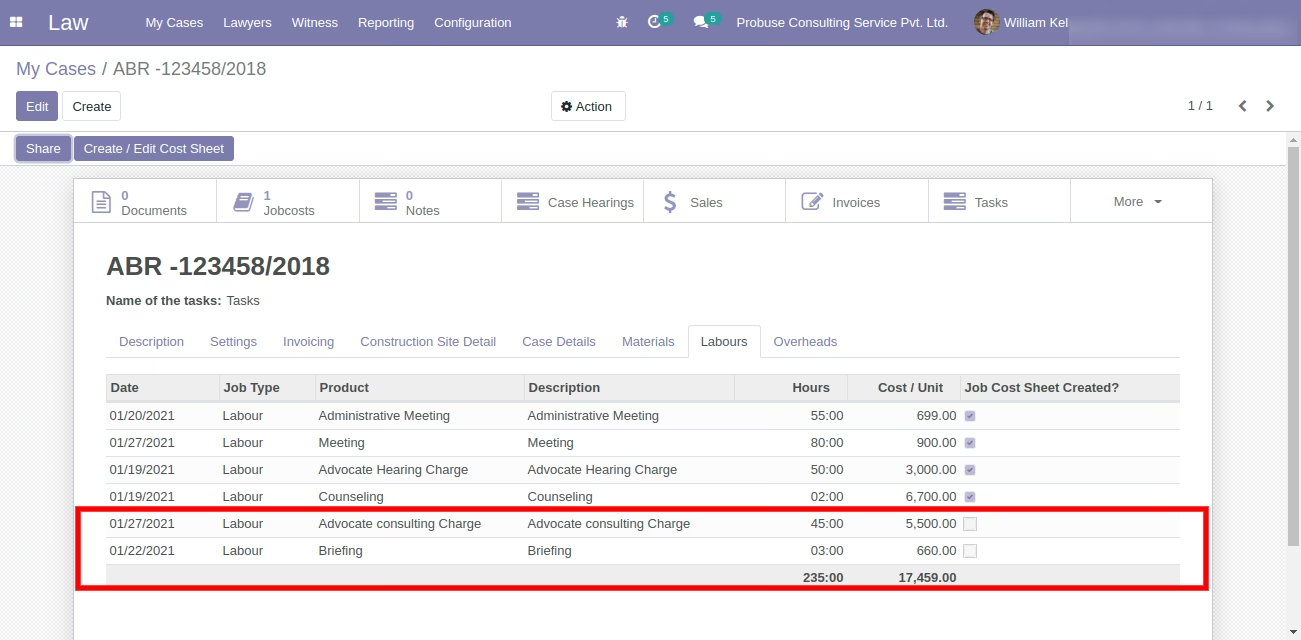
Labours adeed in Labours Tab
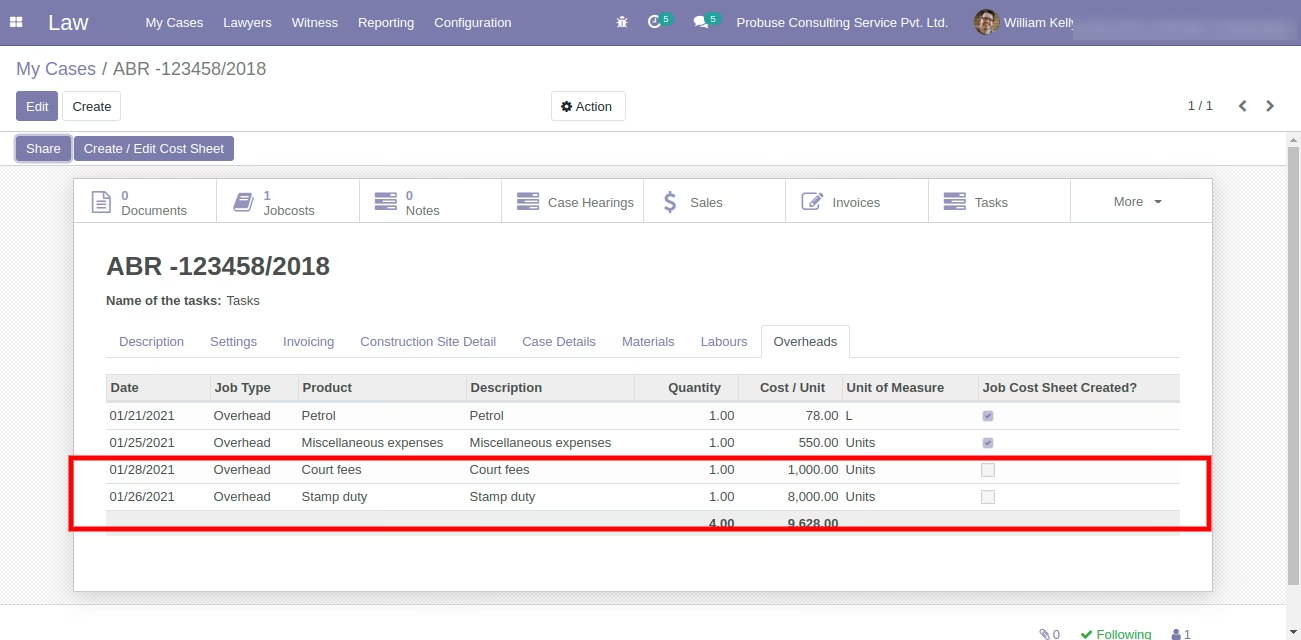
Overheads added in Overheads Tab
Update Cost Sheet
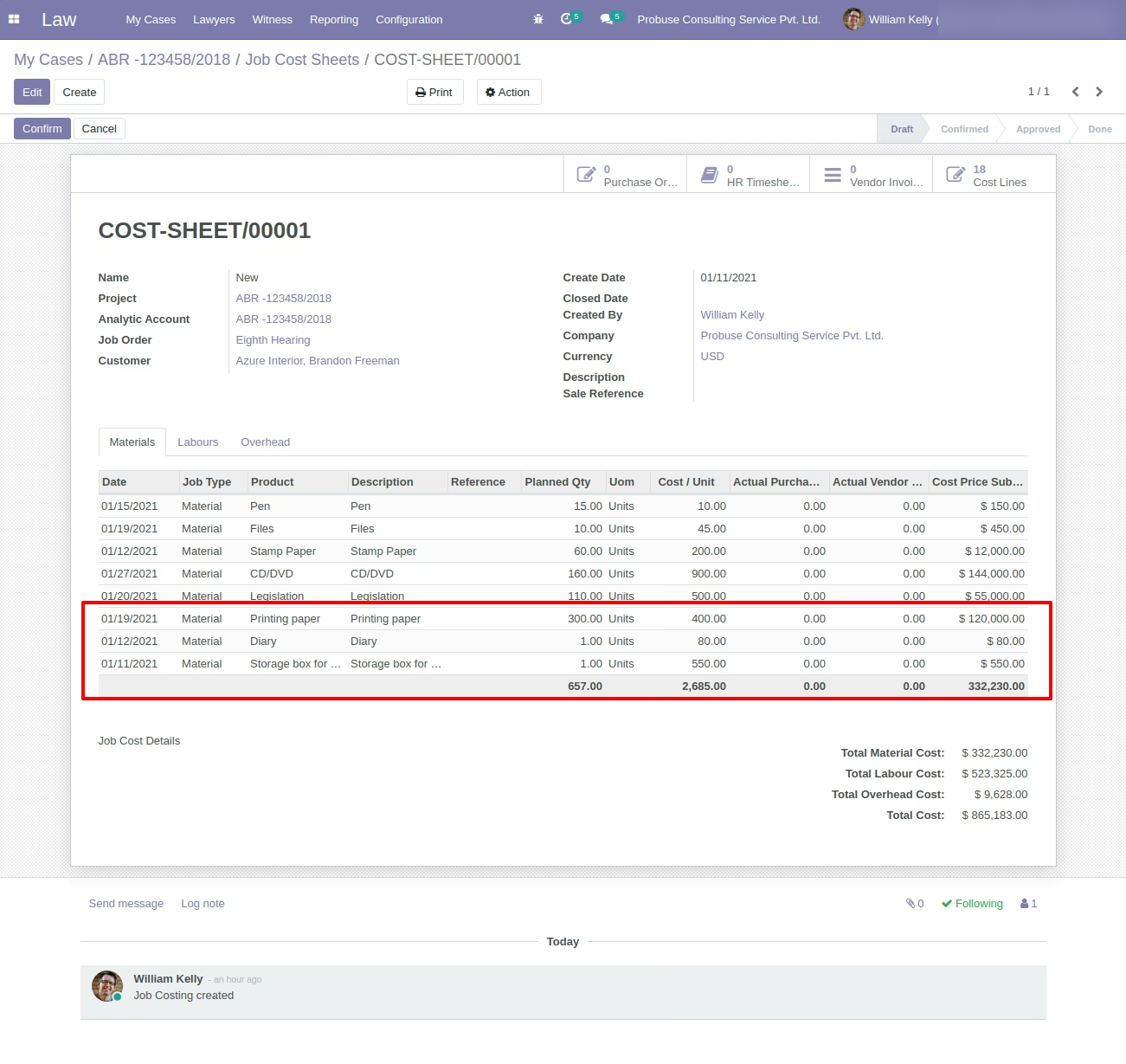
updated Materials, Labours and OVerheads on Job Cost Sheet form
updated Materials in Materials Tab
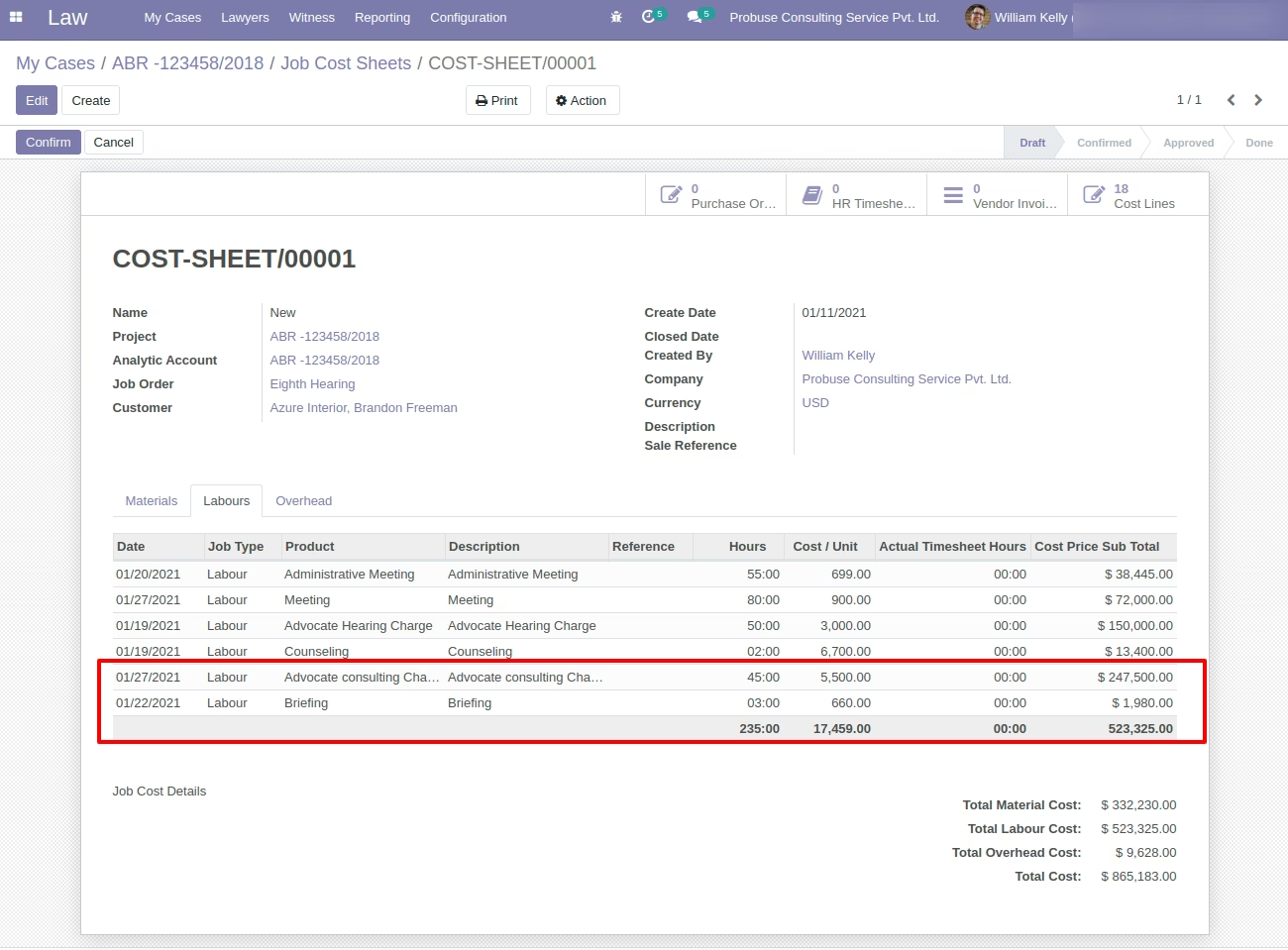
updated Labours in Labours Tab
updated Overheads in Overheads Tab