
The module is a powerful extension for native Knowledge Base, designed to make your valuable information accessible to a wider audience. This application allows you to publish articles, documents, and FAQs directly from your Knowledge Base to a dedicated section on your website. It provides a secure and organized way to share information with a public audience, specific user groups, or your internal team, serving as a comprehensive resource for customer support, product documentation, or employee training.
Public & Private Portals: Publish Knowledge Base articles to a public website portal for anyone to view. You can also restrict access to specific user groups.
Website Search Integration: The website portal includes a search bar, allowing users to quickly find relevant articles.
Featured Articles & FAQs: Highlight featured articles and organize a FAQ section for quick answers to common questions.
User-Friendly Interface: The module provides an easy-to-navigate interface for visitors to browse categories and read content.
Customizable Access Rights: Control who can view and access specific Knowledge Base content from the website.
Improved Information Accessibility: Makes your internal knowledge base an external resource for customers and partners.
Reduced Support Inquiries: Provides a self-service option for customers to find answers, reducing the load on your support team.
Enhanced Transparency: Offers a public-facing portal for sharing product documentation, company policies, or any other relevant information.
Streamlined Content Management: Manage all your content from a single source, with seamless publishing to the website.
Knowledge in the portal
-
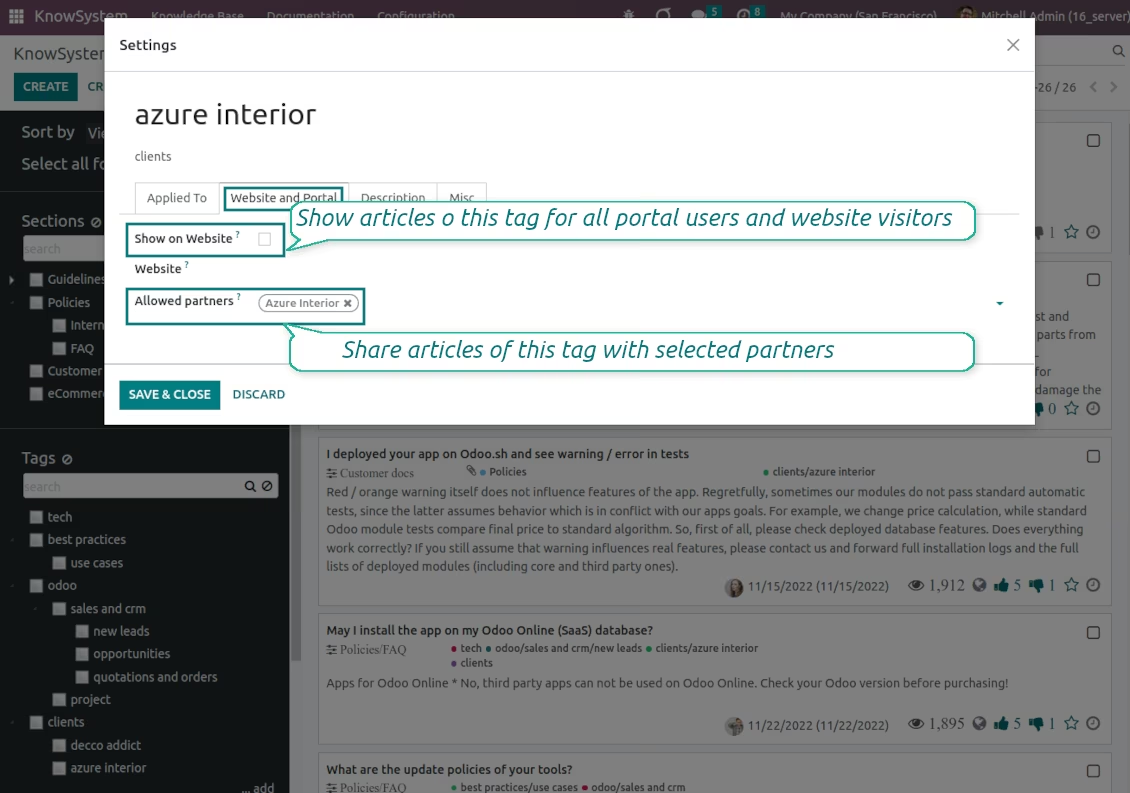
KnowSystem lets organize a web portal personally for each partner by selecting articles to be shared. To that end turn on the option 'Portal KnowSystem'
-
Design an article specifically for a definite company, or use the same knowledge experience among multiple clients
-
Knowledge articles are available for portal users if: (a) these articles are published; (b) these articles have user-related tags
-
To assign a KnowSystem tag for a partner do one of the following: (a) go to a partner form and enter the field 'KnowSystem tags'; (b) on a tag form define 'Allowed partners'
-
Optionally allow partners to print knowledge pieces, like, or share articles.
Public KMS
-
To make self-service possible: make your knowledge base available also for unauthenticated users. To that goal, turn on the option 'Public KnowSystem'
-
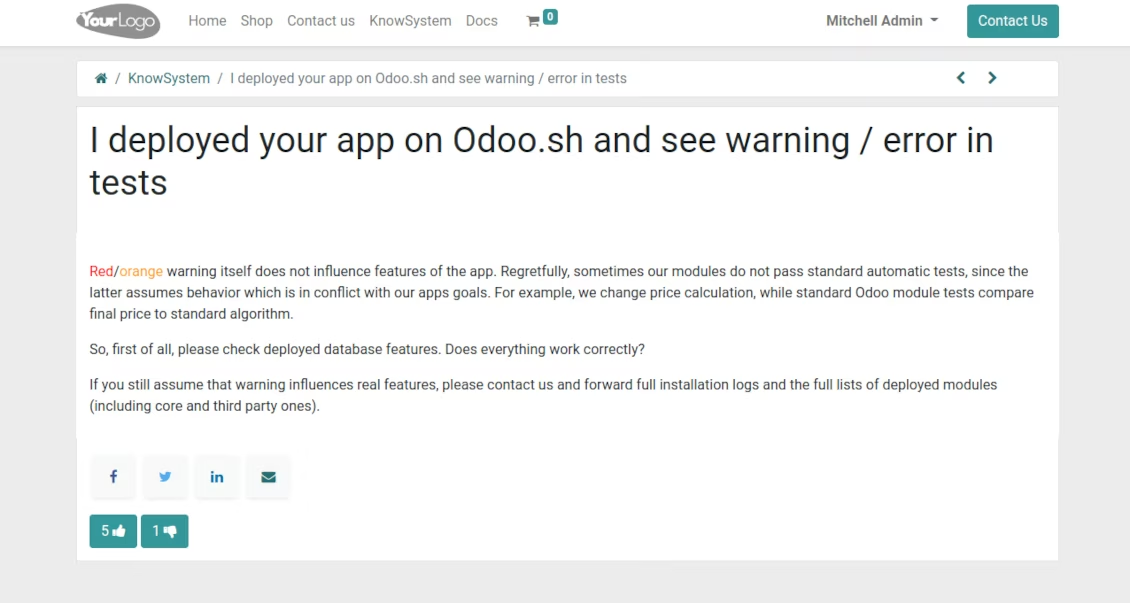
Only articles which are published will be available for website visitors
-
To publish specific knowledge parts: apply the mass action 'Publish' or push the button 'Actions > Publish on website' on an article form
-
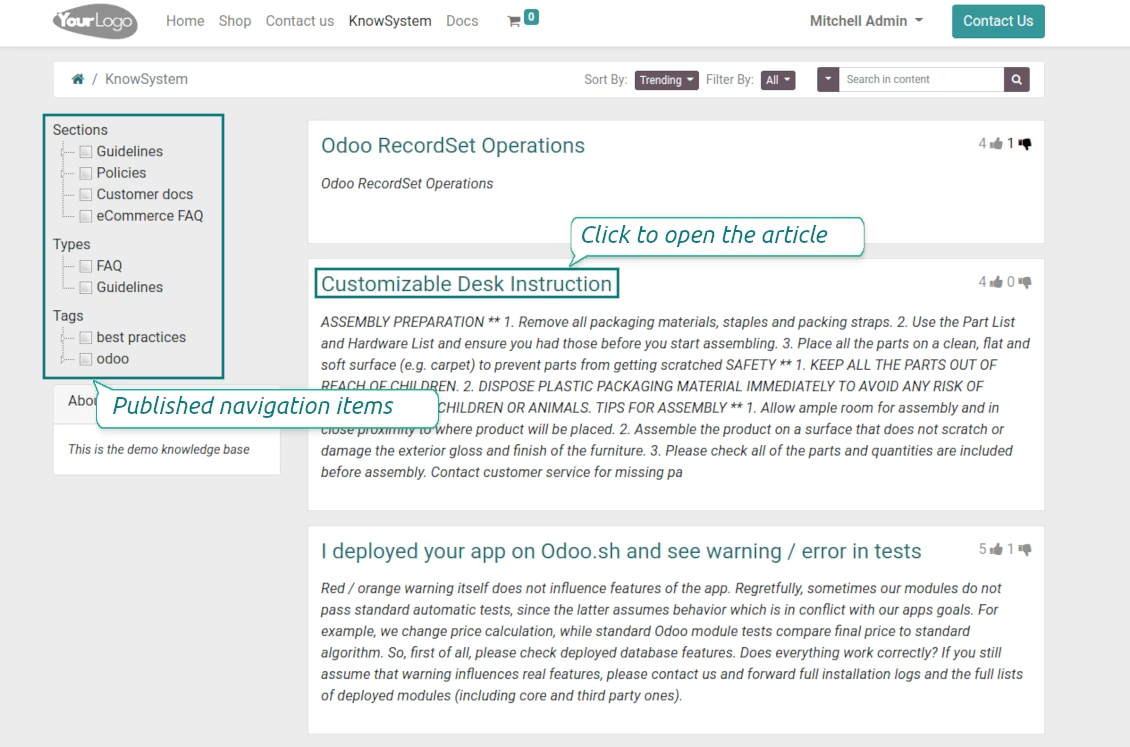
To show tags and article types in the portal and website do not forget to publish them. Knowledge sections will be shown only if they have articles for observation
-
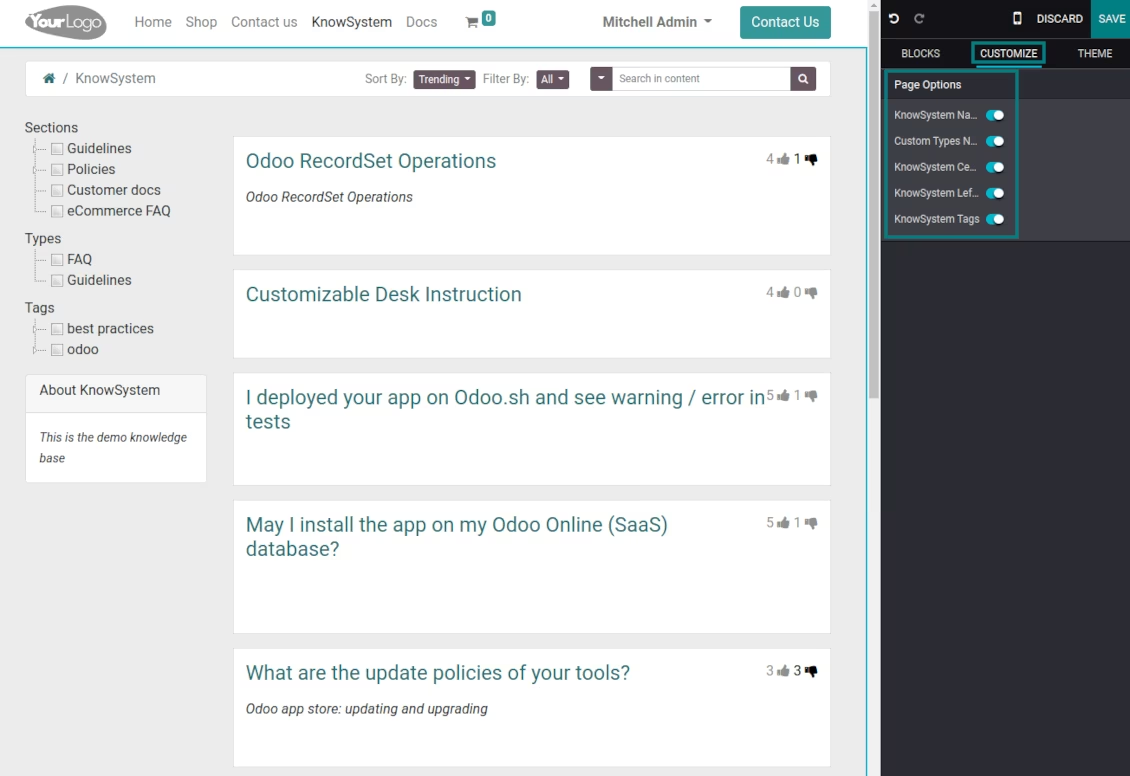
Customize the knowledge portal: hide/show the navigation by tags and types or the whole navigation, prepare introduction or navigation hints, and add section tooltips.
knowledge base: portal and website
Share knowledge with the portal and public users
Customize knowledge portal appearance
Configurable portal access