
The module designed to serve as a central hub for accumulating, curating, and sharing organizational knowledge. This powerful tool provides an efficient way to manage documentation, instructions, and FAQs, making them easily accessible to employees, partners, and public users. The module is built to feel like a native application, offering a fast, polished, and intuitive interface that integrates seamlessly with your existing workflow.
Advanced Editor: Create professional-looking articles using a safe, drag-and-drop backend editor or a raw HTML code editor.
Wiki-like Revisions: The module automatically keeps a history of article revisions, allowing you to restore previous versions with a few clicks.
Single-View Interface: Navigate, filter, and search for articles efficiently through a single, innovative interface organized by sections, tags, and types.
Robust Access Control: Define user groups to restrict access to internal employees, and use tags to share specific articles with portal or public users.
Cross-Module Integration: Access the knowledge base from any screen and reference articles in messages, activities, and learning tours.
Article Statistics: Track article performance with statistics on views, likes, dislikes, and how often they are used in messaging.
Multi-Language Support: The module allows for translating articles into different languages installed, making it a valuable tool for global teams (requires the knowsystem_multilang add-on).
Centralized Knowledge Hub: Creates a single source of truth for all company-related information.
Improved Efficiency: Reduces the time employees spend searching for information and helps streamline training processes.
Enhanced Collaboration: Facilitates teamwork with features like article discussions and version history.
Better Self-Service Support: Allows you to publish public-facing documentation and FAQs for customers, reducing support inquiries.
This is a full-featured knowledge management tool to be used in any industry and by any firm. The app serves to accumulate, curate, utilize, and share organizational knowledge within your company and outside it.
- a core of knowledge management. It might be used stand-alone as a complete internal knowledge base system. Its price is 398 .
- an optional module, which lets you publish articles to the website, share them with portal users, and use the website builder to update articles. The features assumed by this add-on are marked by the icon . Its price is 40 .
- an optional extension to KnowSystem: Website and Portal to design website documentation pages based on knowledge base articles. The features assumed by this add-on are marked by the icon . Read the full description on the related page. Its price is 60 .
- an optional module, which lets you add and show custom fields for articles (backend). The features assumed by this add-on are marked by the icon . Its price is 48 .
- an optional free module, which shows custom fields on website and portal pages (frontend). The features assumed by this add-on are also marked by the icon .
- an optional extension to KnowSystem: Website and Portal to prepare FAQ/documentation for eCommerce product pages. The features assumed by this add-on are marked by the icon . Read the full description on the related page. Its price is 28 .
- an optional module, which lets you translate articles, sections, and tags to installed in languages. The features assumed by this add-on are marked by the icon . Its price is 10 .
Record and keep knowledge
Drag and drop building blocks of the backend or website editors to construct professional-looking articles. Use simple text or HTML editors. Switch to the raw code when needed. Create and use knowledge templates.
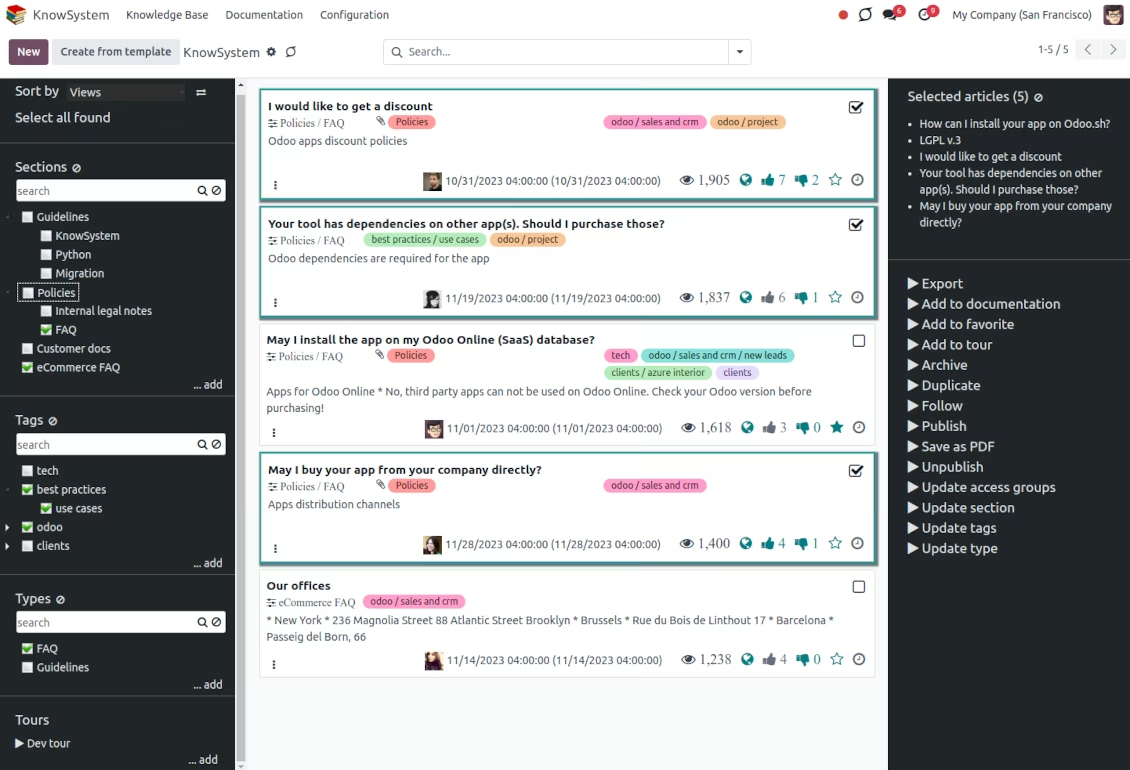
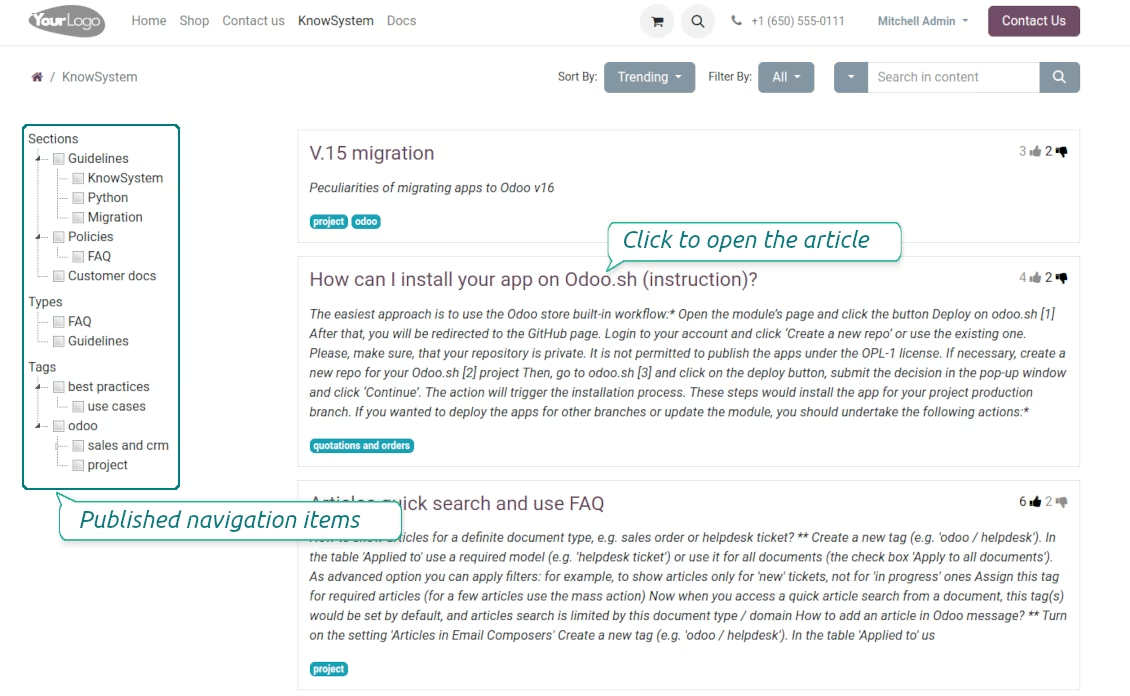
Single view KMS navigation
Filter articles by the hierarchy of sections, by the tree of tags, or by knowledge types. Select articles step by step and proceed with mass actions. Sort and search in seconds
Get benefit of knowledge
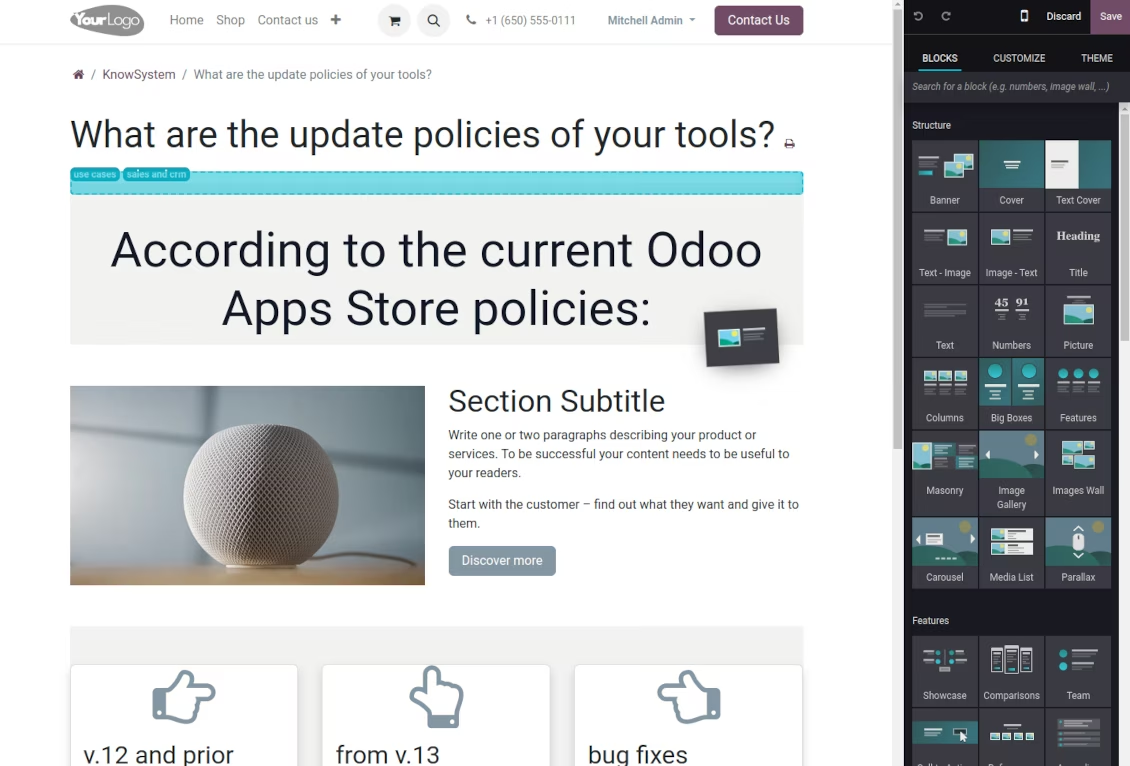
Instantly access the knowledge base from any documents. Reference articles in messages and activities. Organize learning tours. Prepare instructions, guidelines, or eCommerce FAQs. Print or share knowledge
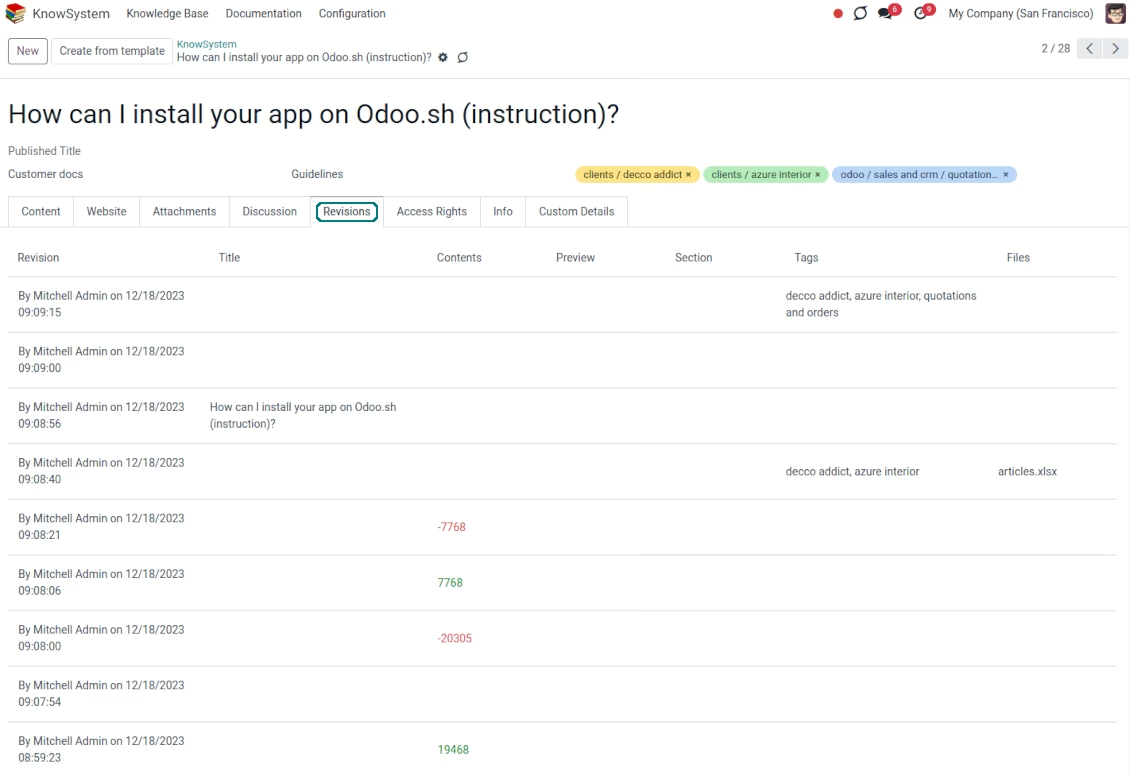
Wiki-like revisions
Restore any article version at any moment: the app keeps the history of knowledge updates. Breaking becomes harder than restoring
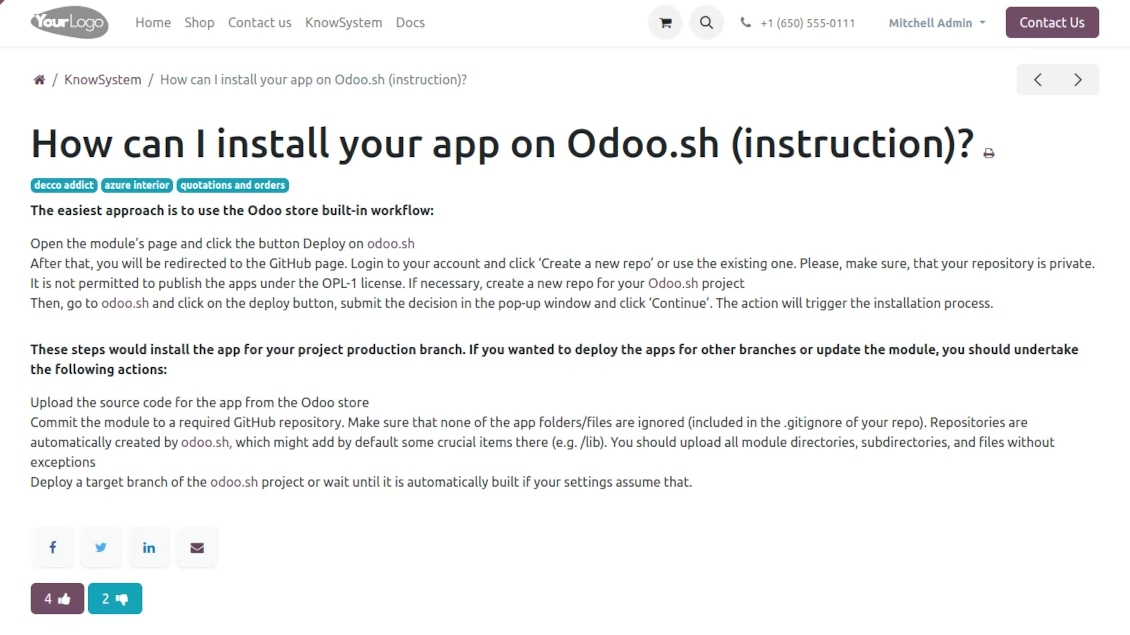
Portal or public knowledge base
Share articles with your partners or publish knowledge for any website visitor
Website documentation builder
Combine organizational knowledge into advanced documentation with comfortable navigation and search
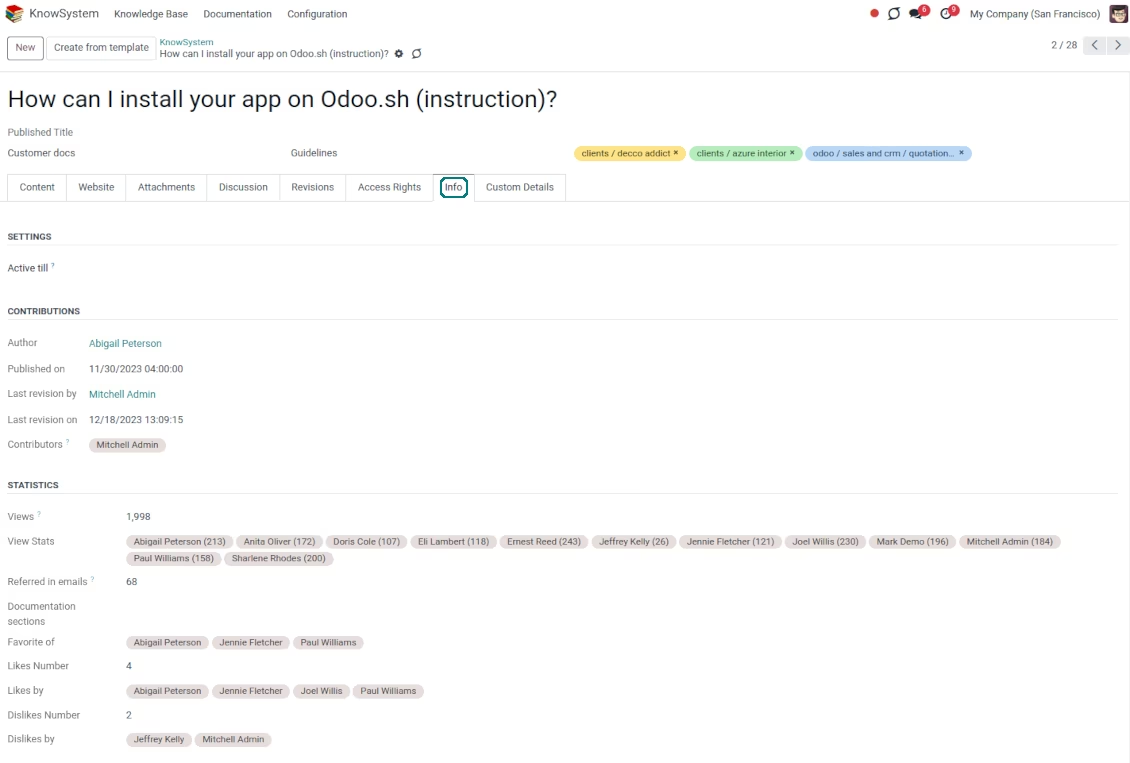
Knowledge system statistics
Control views of articles, likes, dislikes, and contributions. Motivate discussions
Applied in any functional area
Use the app for any knowledge management business goal and for any set of apps.
Single-view knowledge navigation
-
Prepare the hierarchy of knowledge sections to instantly switch between knowledge areas
-
Define the tree of tags for quick navigation and deeper knowledge structuring
-
Introduce knowledge base typology to distinguish kinds of articles in a single click
-
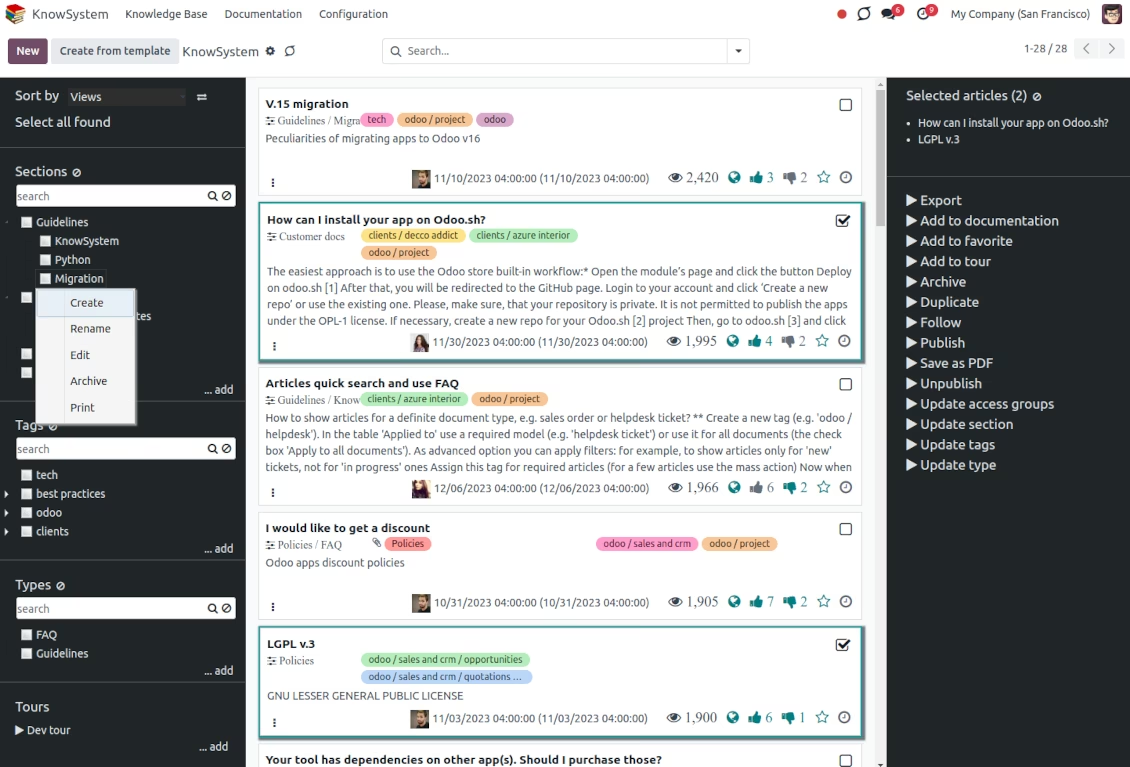
Create, update, and reorder tags, sections, or types right from the KnowSystem interface. Print all articles related to a certain tag or a section
-
Instantly search KMS sections and tags right on the navigation panel
-
Manage and launch learning tours
-
Sort knowledge articles by views, a score of likes, title, author, section, and create and write dates
-
Pick articles up step by step: the selection is not cleared with a new search or when you opened a record. Proceed mass action(s) for all chosen items
-
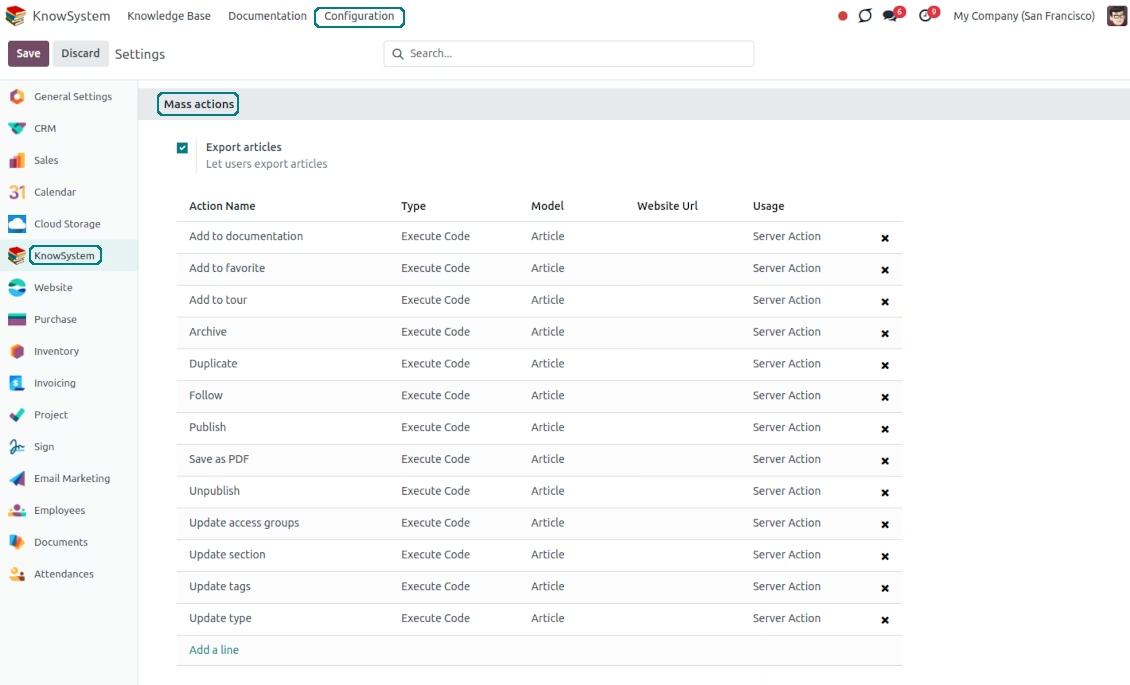
Update knowledge in batch: assign new section (incl. dropping articles to the left navigation panel), change or remove tags, print multiple articles as a single PDF, follow/unfollow discussions, publish/unpublish articles, export articles to an Excel table, archive or restore items, add articles to learning tours and documentations, mark knowledge records as favorite, duplicate articles.
Fast, comfortable, and professional knowledge recording
Safe backend editor
-
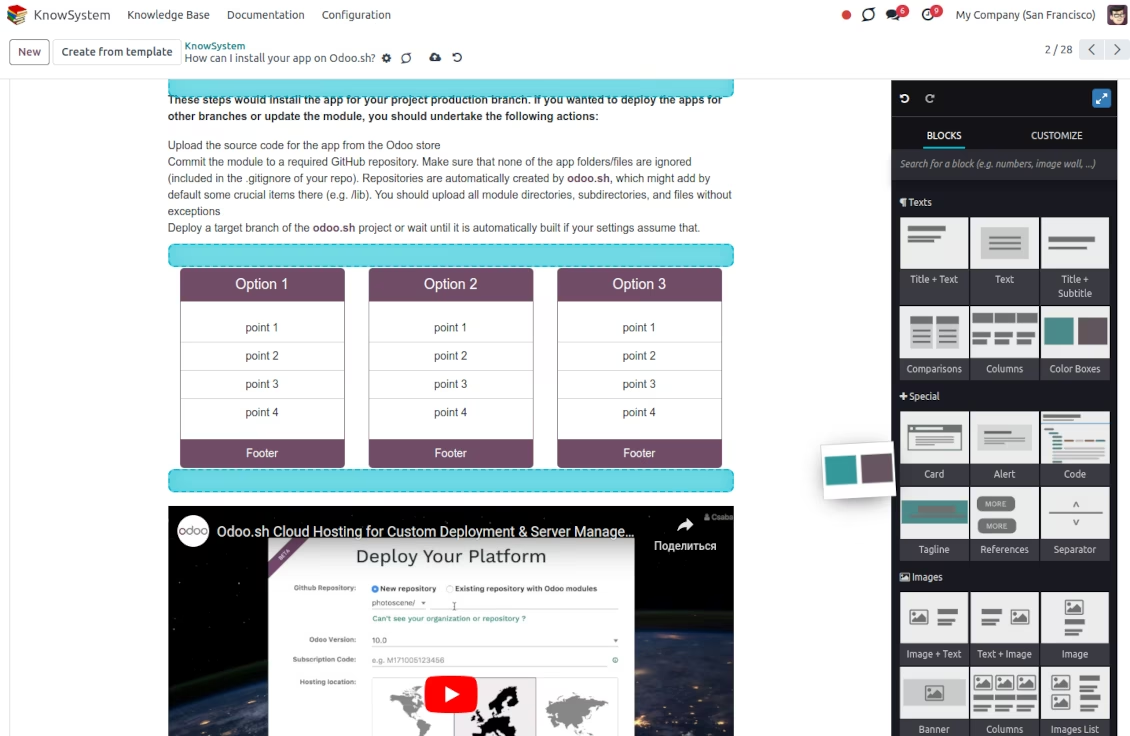
Drag and drop building blocks to write a new article right in the backend interface. The process is simple while the result is professional looking
-
Edit blocks styles, re-order Knowledge elements, change the width and height of items
-
KnowSystem editor relies upon strict HTML structures which are in most cases compatible with printing and messaging layouts
Advanced website builder
-
Apply advanced styles and complex widgets by using built-in website editor
-
Exploit website know-how: numerous snippets and animations, style templates, and options
-
Rely upon the website editor to prepare nice-looking portal knowledge pages. Avoid using that for internal or printing purposes: advanced styles often contradict printing and composer layouts
Simple text articles
-
Make certain articles as simple texts with unlimited compatibility with printings and emails
-
Copy knowledge texts to a clipboard for quick sharing
Standard HTML editor
-
Use the familiar HTML editor to prepare inline knowledge pieces
-
Get the benefit of the editor's built-in commands
Raw HTML interface
-
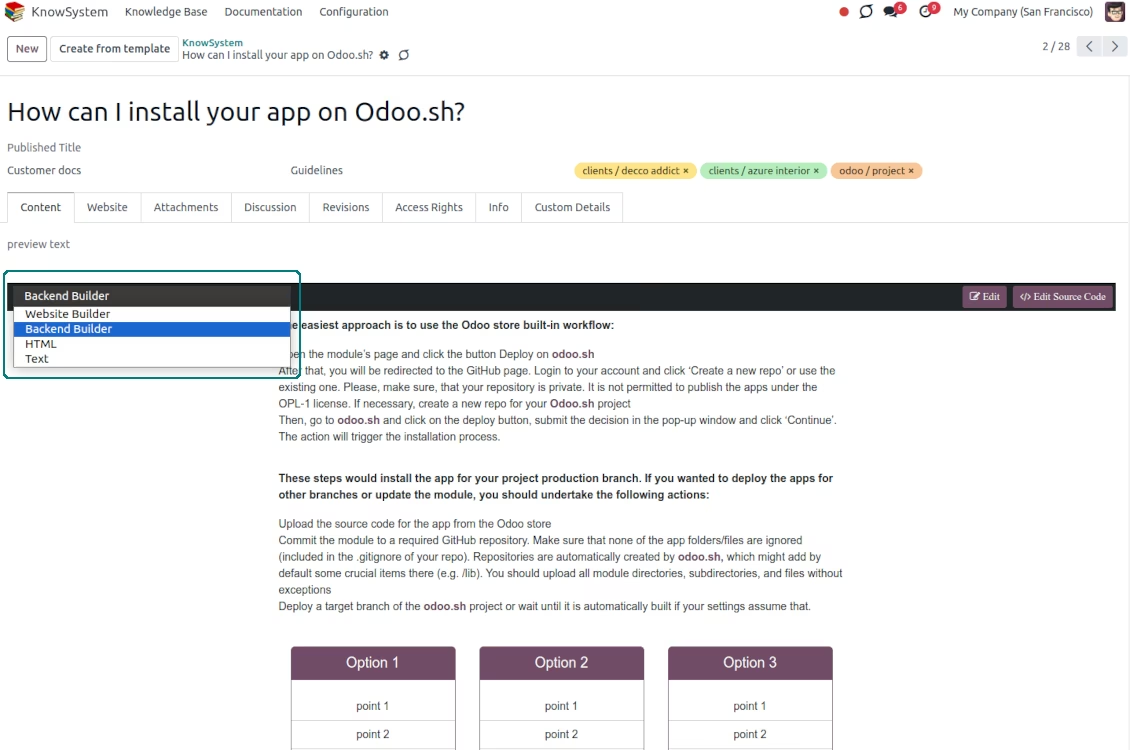
At any moment switch to the raw code editor to update the articles' HTML
-
Introduce any HTML tags and styles, including Bootstrap-ready elements and iframes
Knowledge templates
-
Prepare new knowledge templates or save any existing article as a template
-
Use templates to create new articles to save time or keep uniform styles.
Get benefit from your knowledge
Knowledge system for any document
-
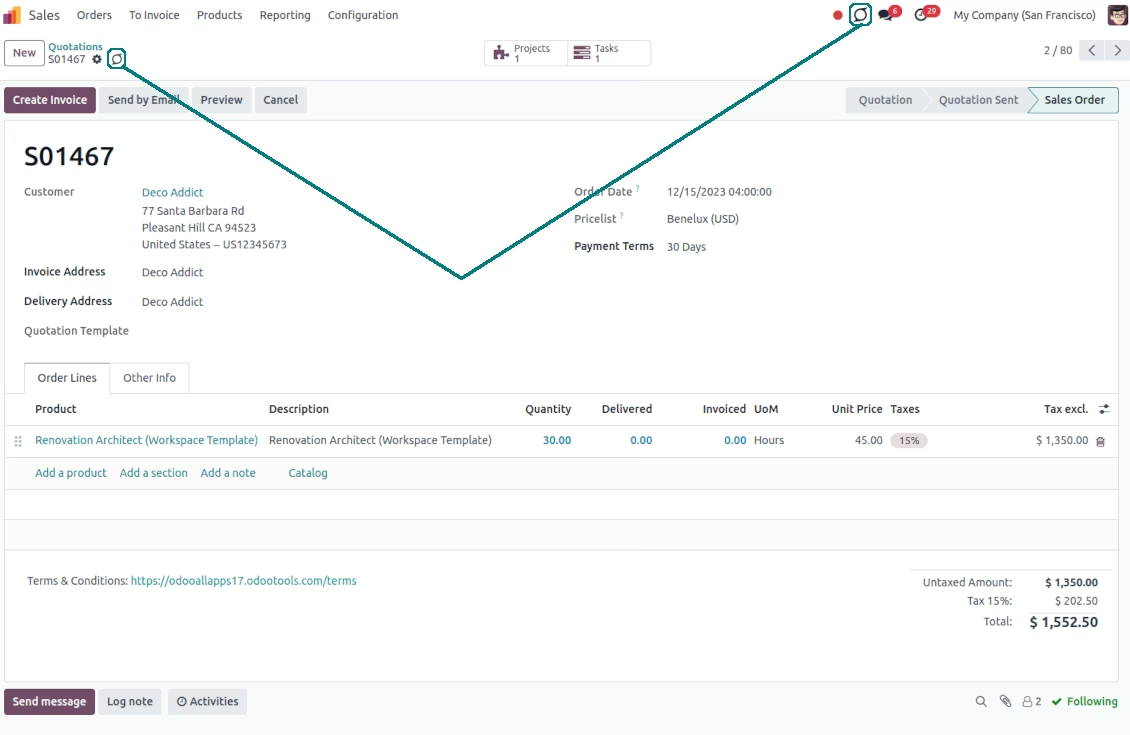
Turn on the setting 'Articles by Documents' to add a quick entry for the Knowledge base from any form view
-
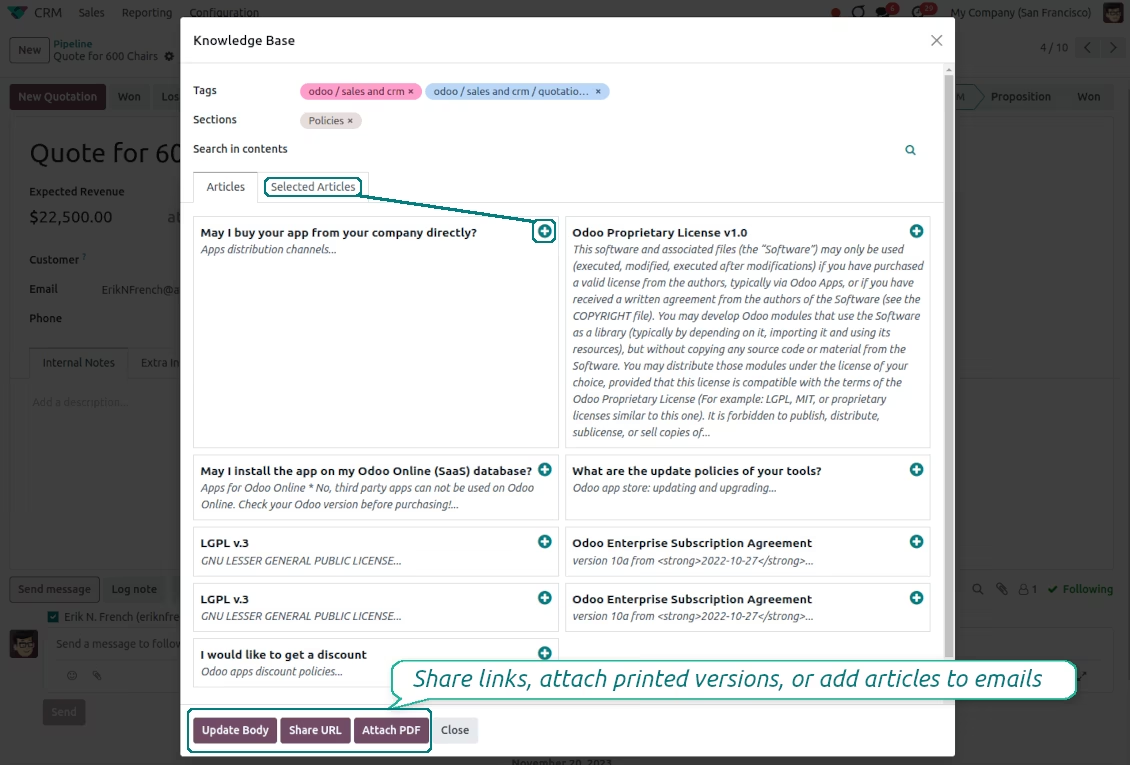
Search articles by tags, section, or content in a few clicks for a quick overview
-
Link knowledge tags with document types to simplify the search of articles. For example, assign helpdesk tickets to the tag 'helpdesk': the latter would be entered by default for support requests objects
-
Observe article content right from any object: there is no need to always switch to the KnowSystem advanced interface
-
Turn on also the option 'KnowSystem in systray' to access knowledge from the systray disregarding the active interface
Apply knowledge in communication
-
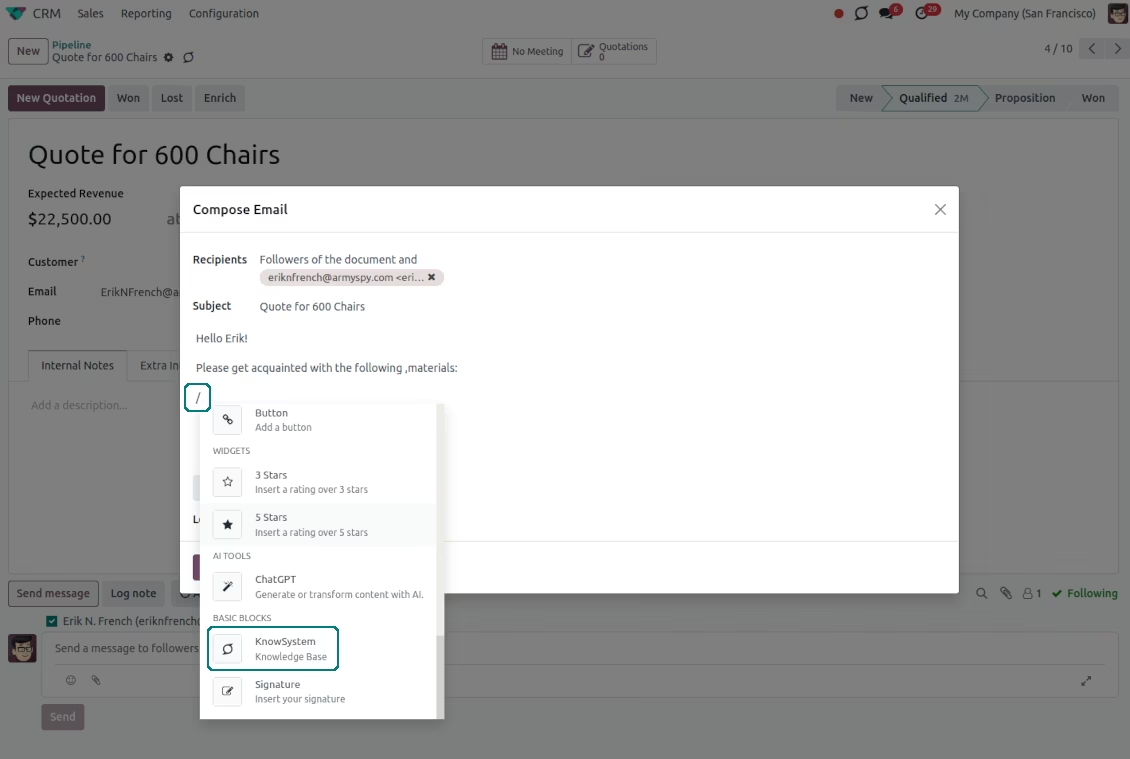
Turn on the option 'Articles in Email Composers' to let users reference or cite Knowledge records in messages
-
Quickly observe articles related to a current document discussion. Instantly reference those by applying the editor command '/' > KnowSystem
-
Update message body with knowledge content (it would be added to the end of a current message)
-
Attach a PDF version of referenced article or articles
-
Share knowledge links with your colleagues or partners. Configure the app to send backend, website/portal, or tokenized portal URLs
-
Turn on the setting 'Articles in Activities' to insert articles or their links also to activities
Organize learning tours
-
Turn on the option 'Tours' to be able to combine articles in a sequence of learning steps
-
Add any knowledge to a tour in any order
-
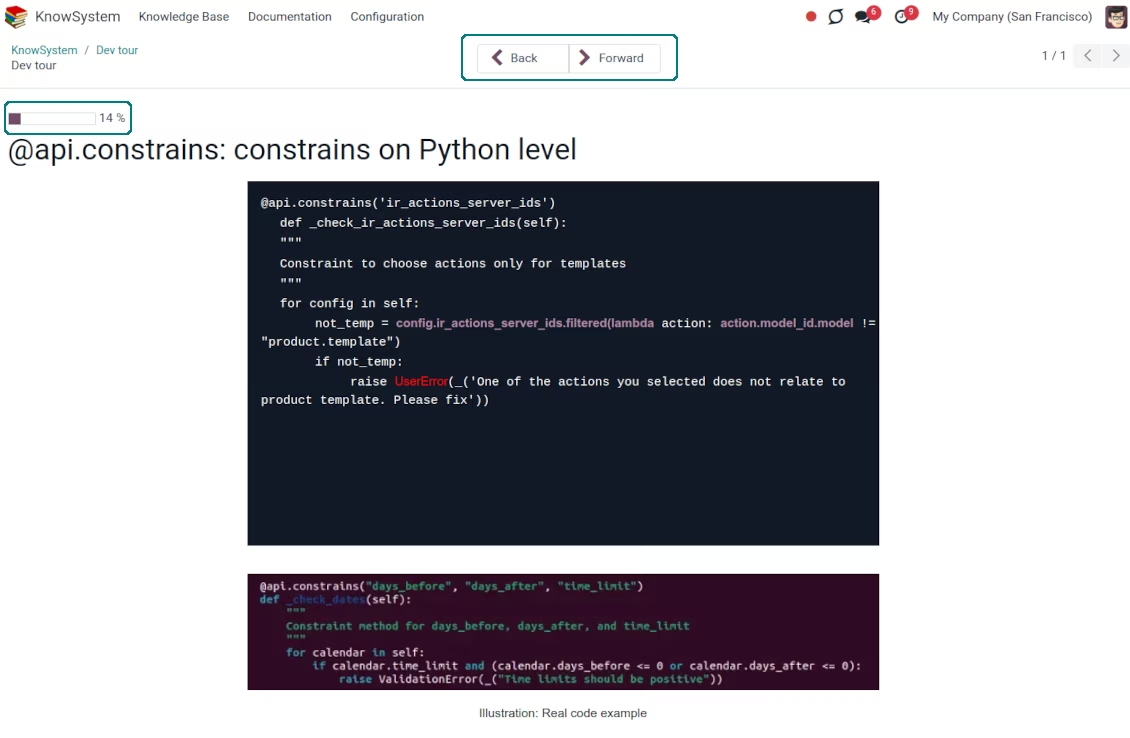
Launch a tour to follow certain steps of study one by one in the special interface
-
Share learning tours with everybody or specific user groups. Control employees' progress in getting familiar with instructions and guidelines
Share and publish knowledge
-
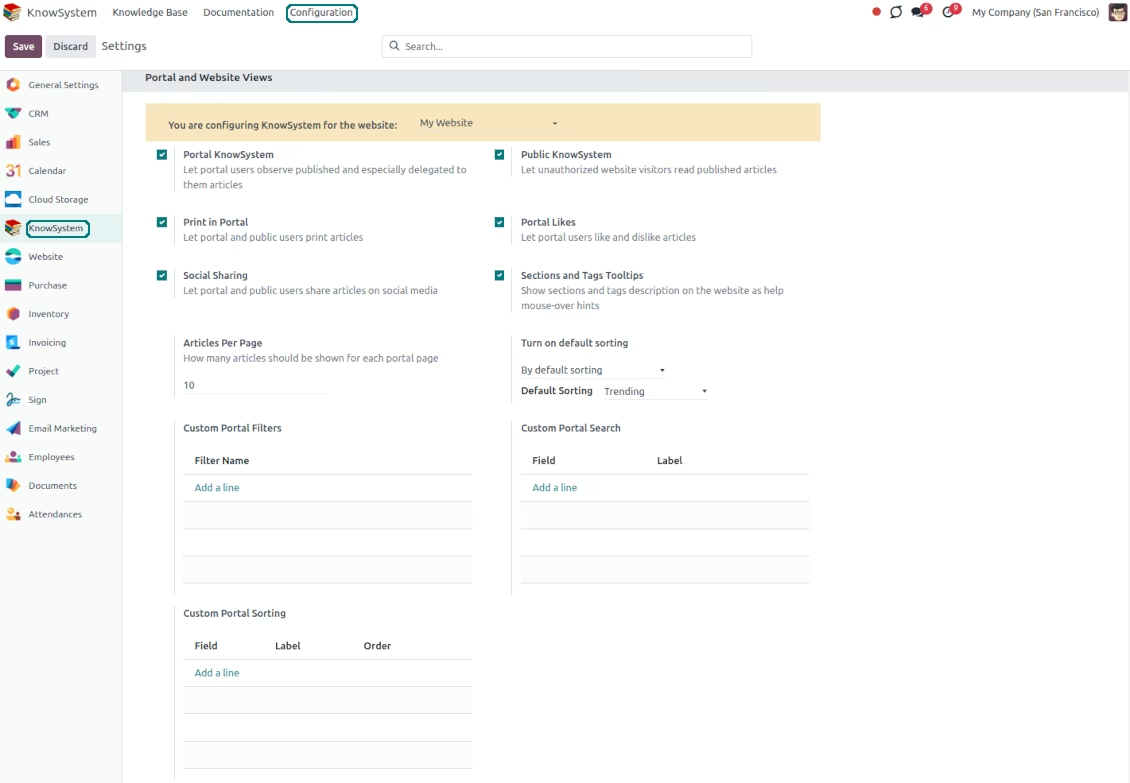
Turn on the setting 'Portal KnowSystem' to give KnowSystem access to external partners, and 'Public KnowSystem' - to website visitors
-
Configure KnowSystem tags or publish articles to share knowledge content
-
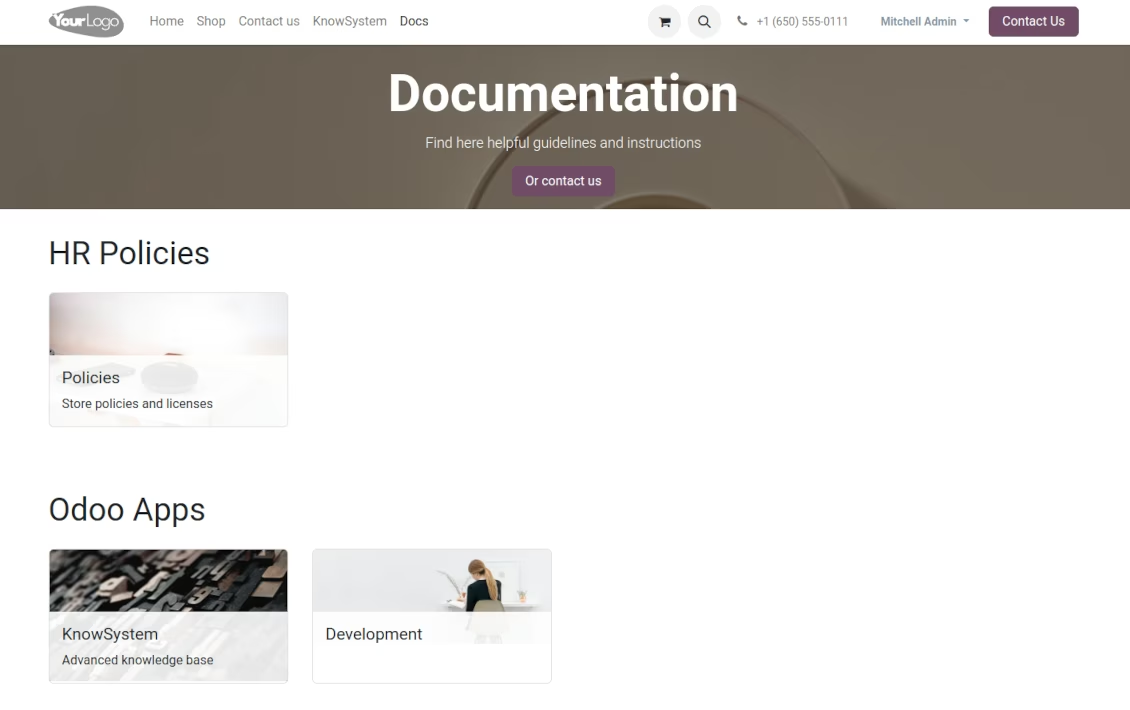
Combine articles in advanced documentation to cover a certain aspect of organizational or functional knowledge
-
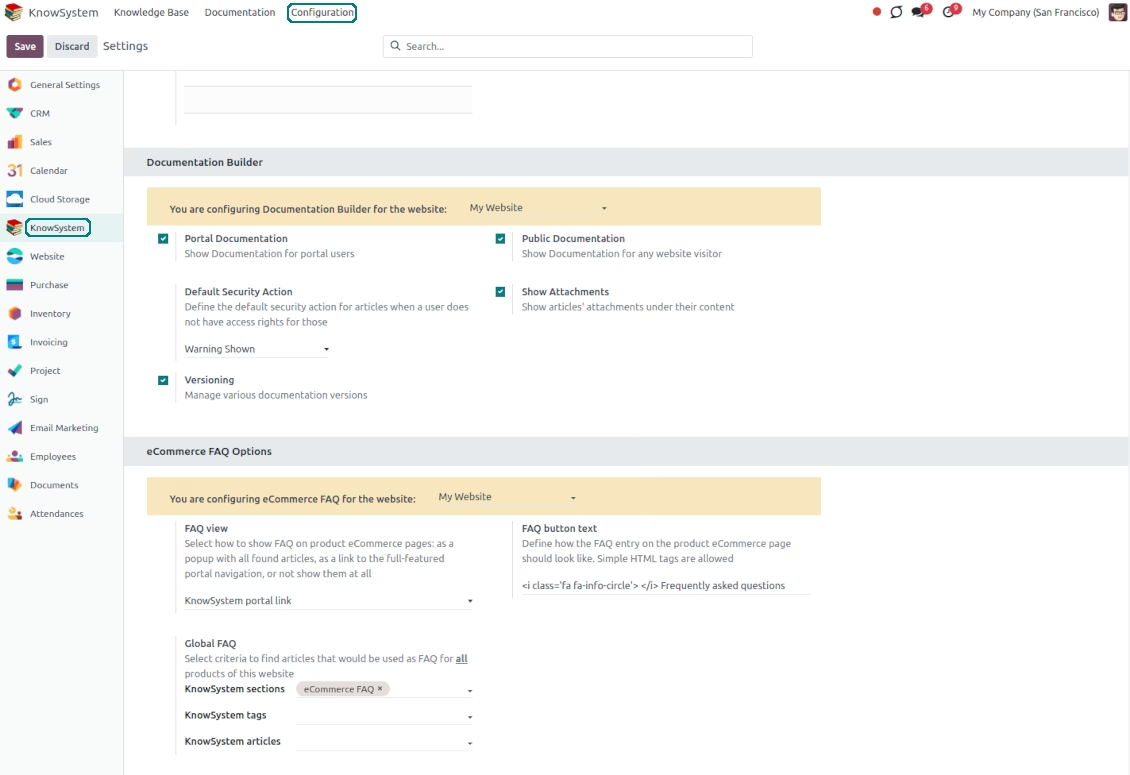
Turn on the option 'Portal Documentation' and 'Public Documentation' to make that documentation available for portal and public users respectively.
Website documentation builder
-
Combine articles into advanced documentation sections to cover a certain business, organizational, or functional aspect
-
To create a new documentation section just select and order KnowSystem articles. The app would generate a website page automatically
-
Each KMS article might be used several times for different documentation sections
-
The tool allows preparing an unlimited number of documentation pages structured by categories
-
Flexibly customize documentation pages: show or hide introductions and footers, turn on/off the search bar and table of contents, add or remove preview images and texts
-
The app lets flexibly share documentation categories and sections. Publish required documents to make them available for everybody, assign KnowSystem tags - to grant access to chosen partners
-
Depending on user rights documentation might look different. Define what to do if a documentation user does not have access to included articles: to neglect restrictions, not show that knowledge pieces, or show a security warning
-
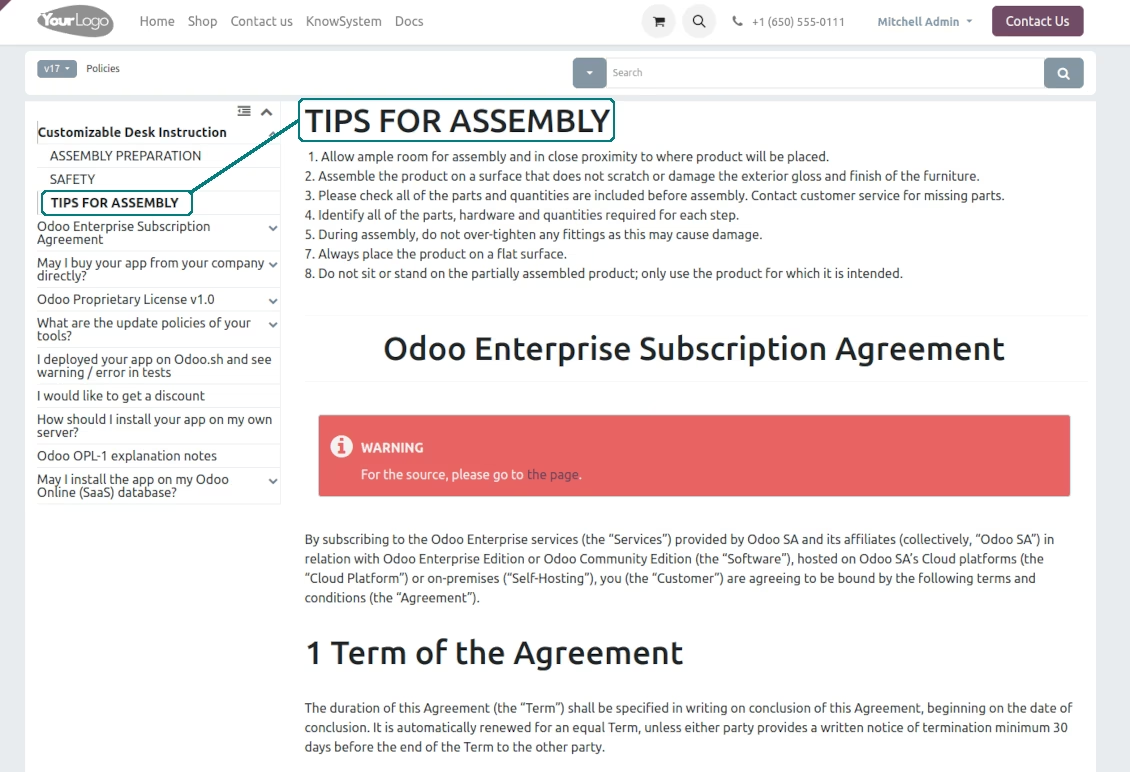
Optionally show a table of contents for comfortable and quick navigation. The table of contents is constructed automatically according to the headers of included articles
-
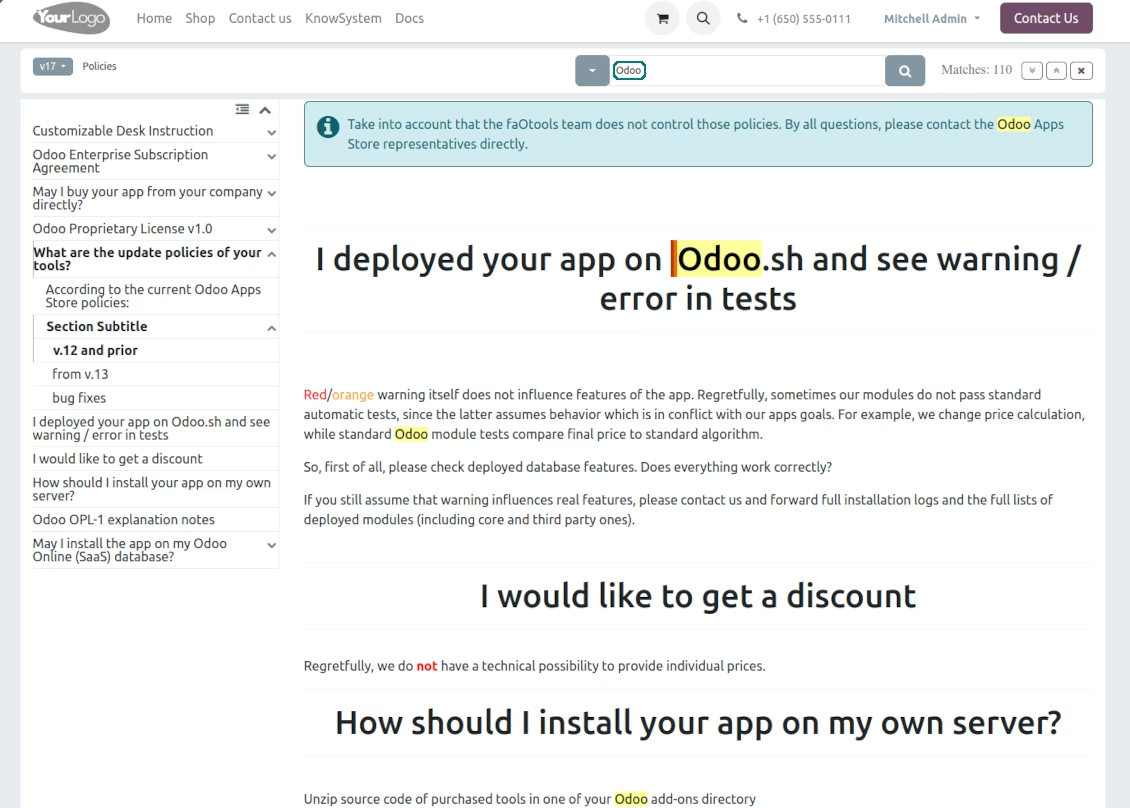
Turn on the search bar for documentation. It is possible to find matches in a whole text or only in headers, to make keywords case-sensitive or insensitive
-
Apply versioning for documentation to avoid double work in preparing specifications, user manuals, or software guidelines.
Partner knowledge base portal and public knowledge system
Knowledge in the portal
-
KnowSystem lets organize a web portal personally for each partner by selecting articles to be shared. To that end turn on the option 'Portal KnowSystem'
-
Design an article specially for a definite company, or use the same knowledge experience among multiple clients
-
Knowledge articles are available for portal users if: (a) those articles are published; (b) those articles have user-related tags
-
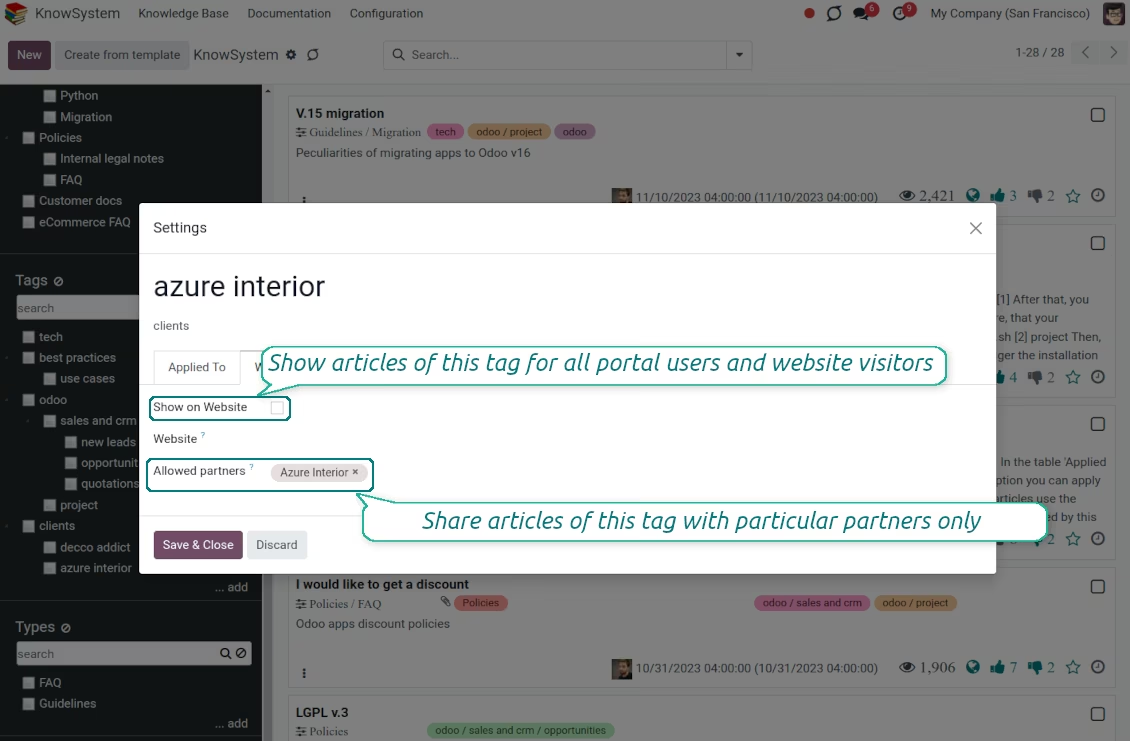
To assign a KnowSystem tag for a partner do one of the following: (a) go to a partner form and enter the field 'KnowSystem tags'; (b) on a tag form define 'Allowed partners'
-
Optionally allow partners to print knowledge pieces, like, and share articles
Public KMS
-
To make self-service possible: make your knowledge base available also for unauthenticated users. To that goal, turn on the option 'Public KnowSystem'
-
Only articles which are published will be available for website visitors
-
To publish specific knowledge parts: apply the mass action 'Publish' or tick the checkbox 'Visible on current website' on an article form
-
To show tags and article types in the portal and website do not forget to publish them. Knowledge sections will be shown only if they have articles for observation
-
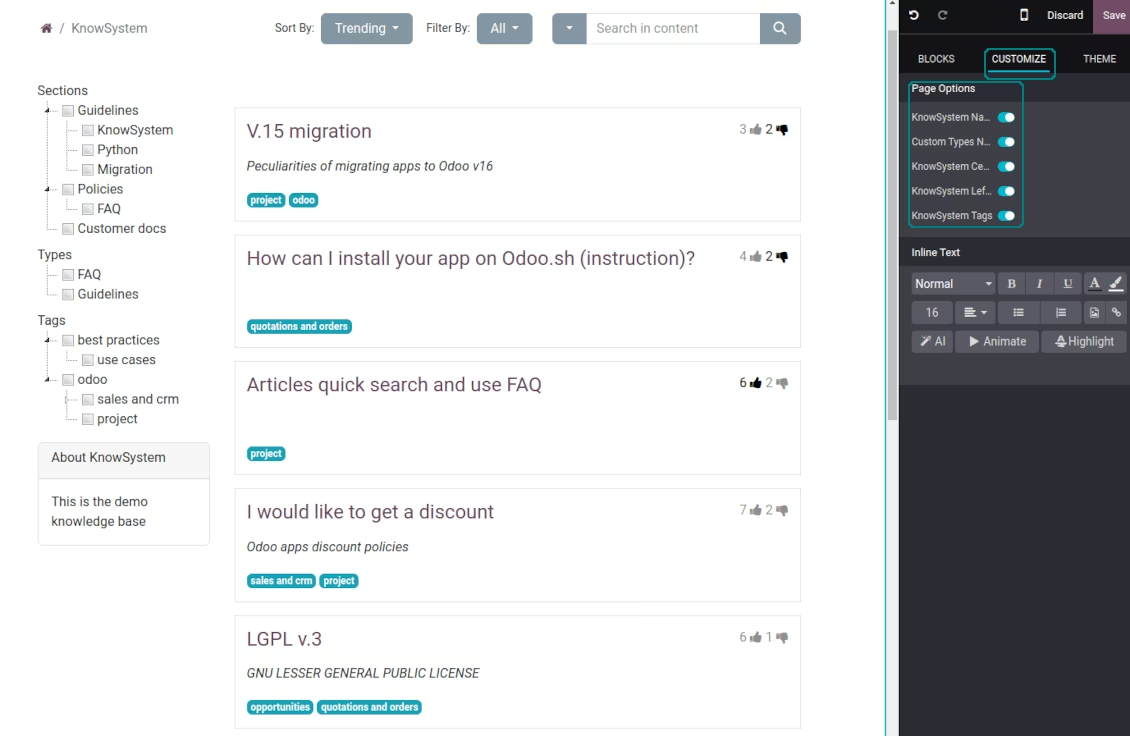
Customize the knowledge portal: hide/show the navigation by tags and types or the whole navigation, prepare introduction or navigation hints, and add section tooltips.
Interactive and evolving knowledge base
Teamwork and use
-
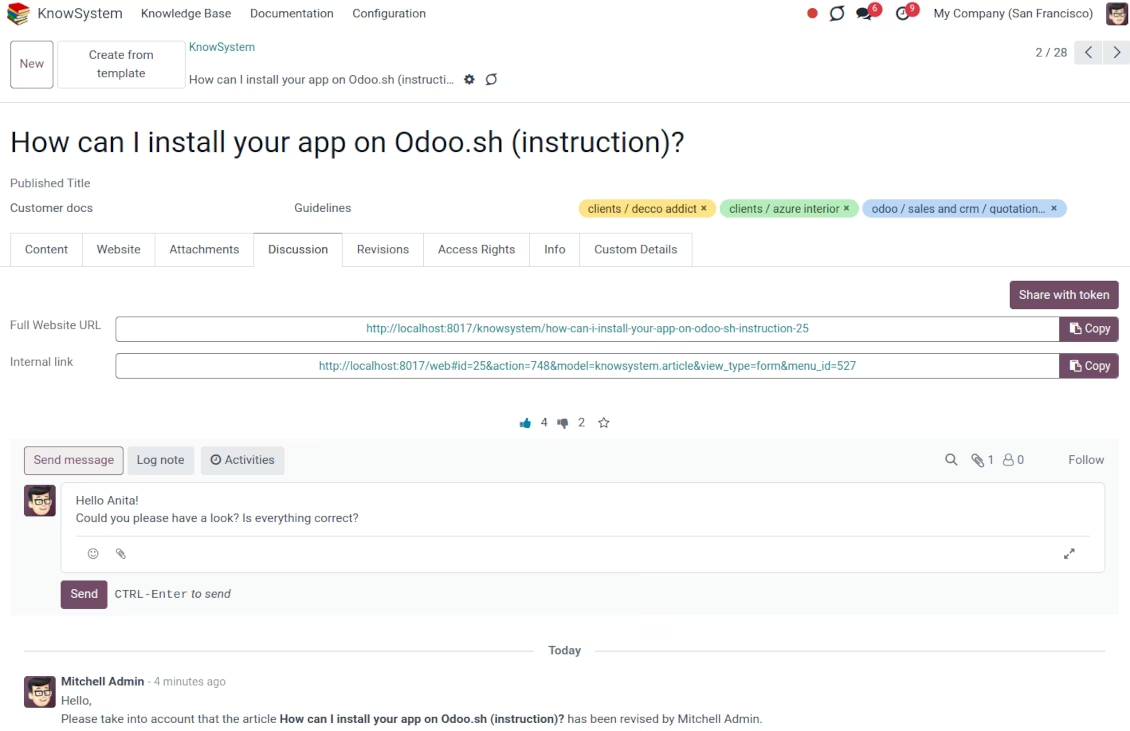
The history of article revisions is kept in in a similar way it's done in Wikipedia. If one of the users breaks something, it takes 2 clicks to recover a proper knowledge version
-
Users might take part in article discussions and subscribe to updates
-
Share tokenized articles with any contacts
-
Control statistics by articles: contributors, number of views, likes, and dislikes, how frequently they are used in messaging, who marks them as favorite
-
Set activities to improve the knowledge base. Configure articles to be auto-archived after a particular date
Multi-lingual knowledge
-
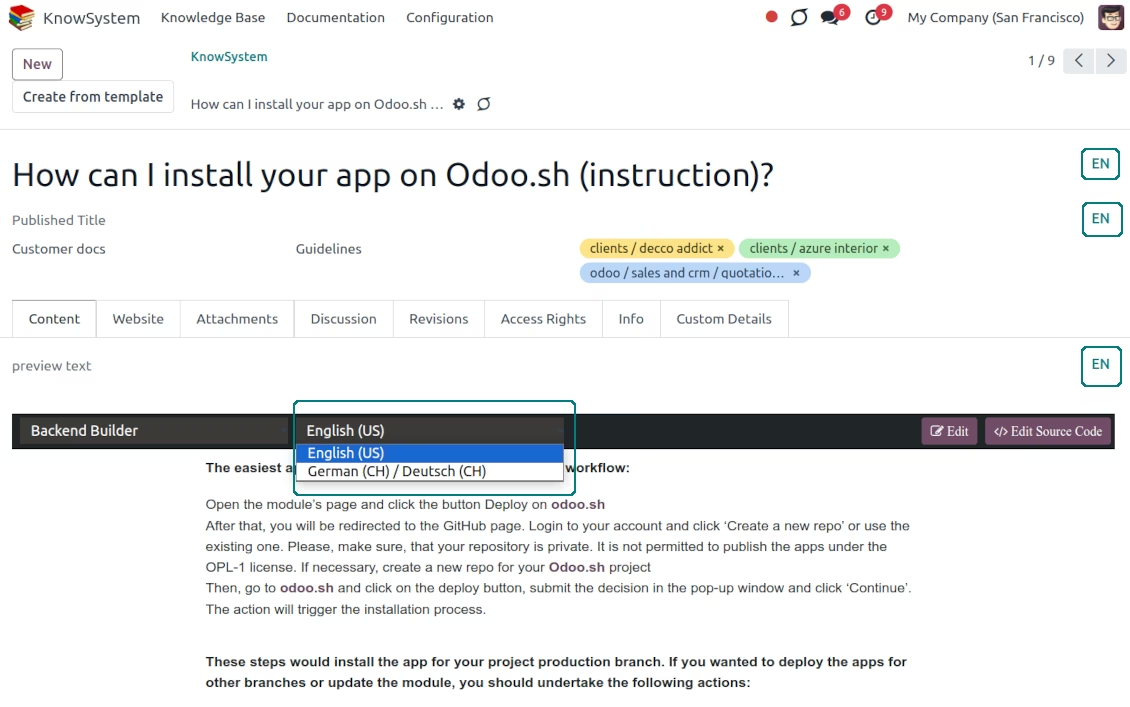
KnowSystem lets you translate articles in the languages installed. In this way, users might read and edit articles in a language of their preferences
-
To avoid double work, article content might be copied from another language (the button 'Copy from another translation' under the article content). Simultaneously, make sure you actually require a multi-lingual regime: all articles should be anyway kept updated in all languages
-
To observe or update knowledge translation, you may switch the language right in the backend editor.
Design eCommerce FAQ or documentation
-
The tools allow adding the product knowledge entry to all eCommerce product pages
-
Optionally hide that for specific templates (the setting 'Do not show eCommerce FAQ') or for the whole eShop on a particular website (the configuration option 'FAQ view' - 'Do not show')
-
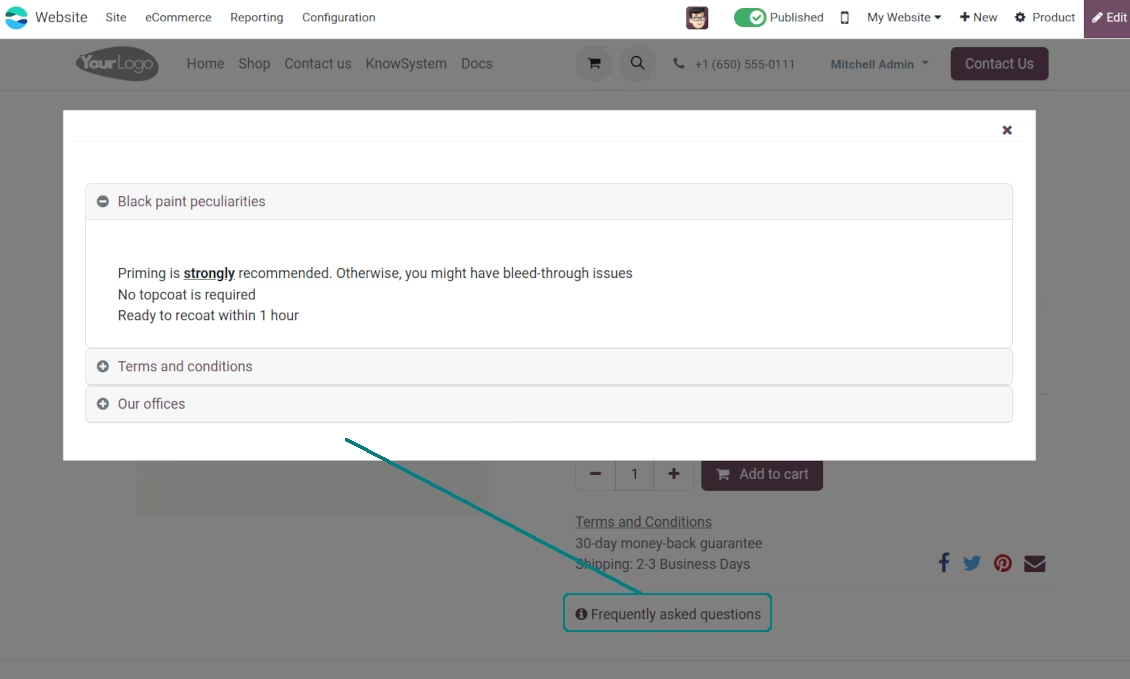
Introduce your own title for the button (the website setting 'FAQ button text'). By default, it is ' Frequently asked questions'. But you can change that to any, e.g. 'Product docs' or 'Instructions'. Simple HTML tags are allowed for that goal
-
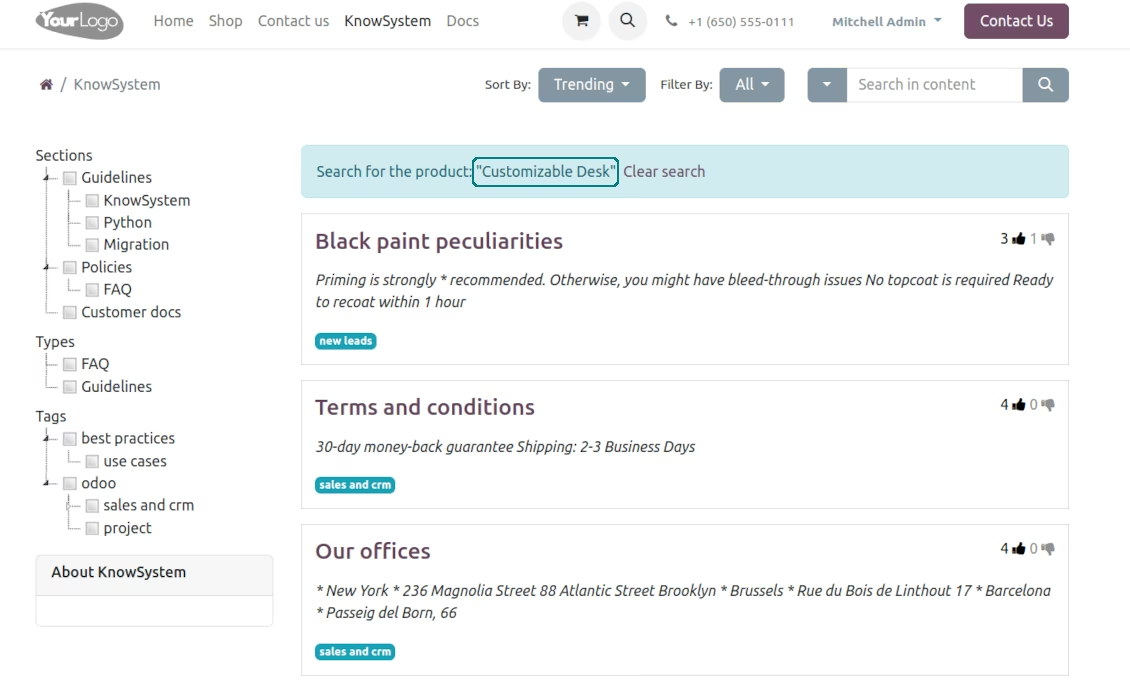
Show product knowledge as a link to the main knowledge portal interface (choose 'KnowSystem portal link' for the option 'FAQ view'). In this way, when clicked users are redirected to the full KnowSystem navigation but are restricted by articles linked to the current product
-
Alternatively, the tool allows triggering a popup with all found articles accordion (choose 'Popup accordion' for the option 'FAQ view'). Thus, users are able to check articles without leaving a product e-Shop page
-
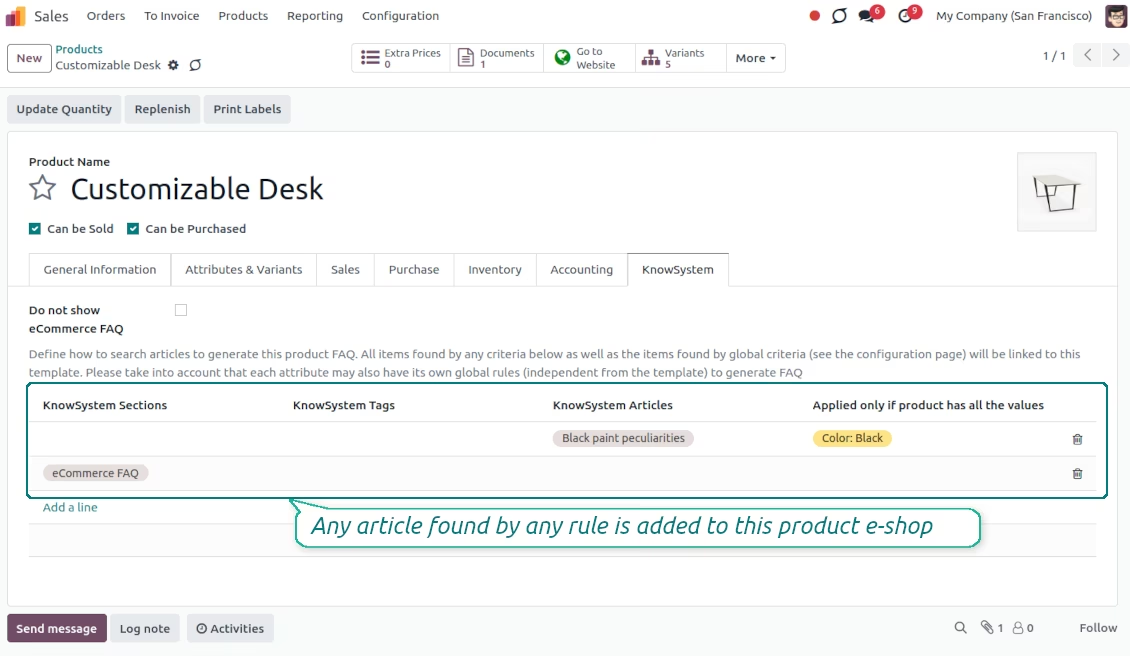
Establish links between product templates and KnowSystem to cumulate eShop knowledge. Show articles for specific sets of attribute values and hide them for others. For example, to have different FAQs for steel and aluminum tables
-
Define its own knowledge for attributes or attribute values disregarding actual products. For instance, complementary documentation for all variants that have 'legs' or 'custom legs'
-
Apply global settings of how to find articles for all eCommerce product pages. In this way, the app lets have the same FAQs basis for all sold items on a particular website
-
It is possible to define KnowSystem sections, tags, or specific articles on each layer. A knowledge piece would be selected if it satisfies any of the criteria. For sections and tags, child nodes would be also taken into account
-
Articles are shown on product pages only if a user can access those articles. Thus, website visitors would see only published ones.
Any business and functional area
KnowSystem is a universal knowledge management tool that might be configured to any business goal and any set of apps: helpdesk, marketing, IT, HR, project management, and so on and so on. Typical use cases are:
-
Helpdesk - once faced a challenge, its solution might be recorded in KnowSystem for repeated usage by co-workers and for self-service by clients
-
Sales and CRM - salesperson helper to find information about products and offers, frequently asked customer questions
-
Project management - to keep and easily retrieve knowledge of existing solutions, tools, hints, and experiments
-
HR - to prepare instructions, guidelines, learning tours and training, and any codified knowledge of routine in your company
-
Marketing - to organize online library of product use cases, expert knowledge, and well-structured documentation
-
Legal issues - systematize your policies, contract/approval management, keep the full classifier of trademarks, licenses
-
Informational technologies - share easy-reached manuals and configuration guidelines.
Custom knowledge system attributes
-
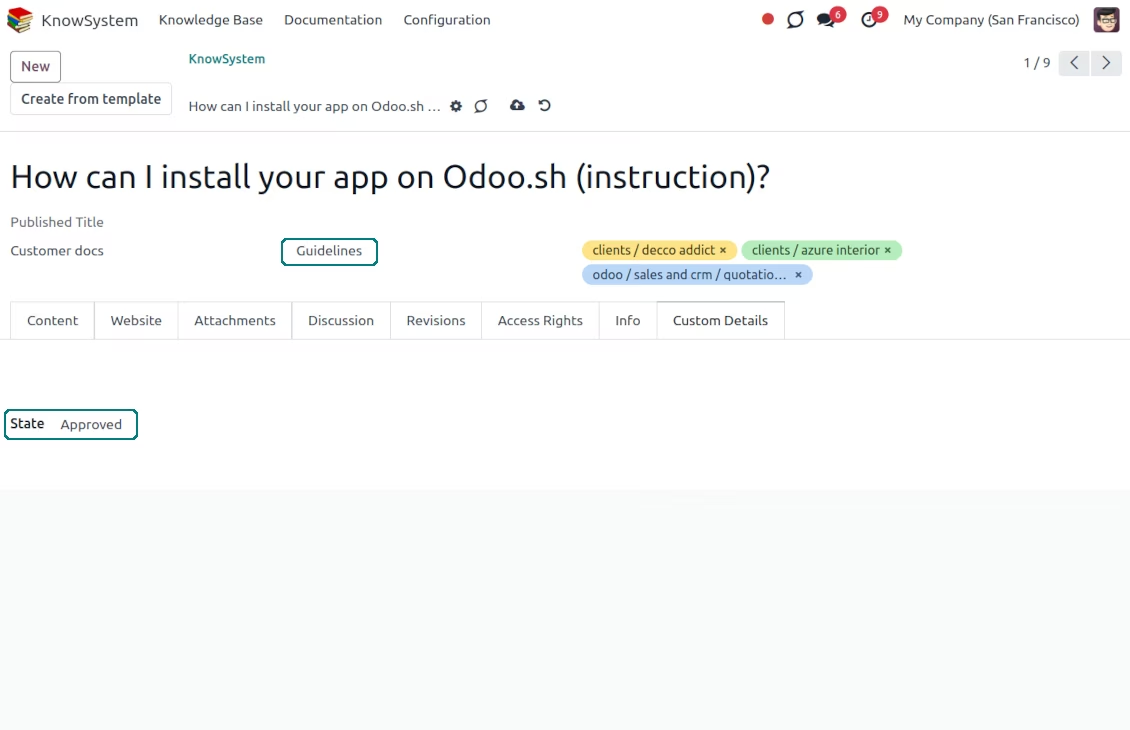
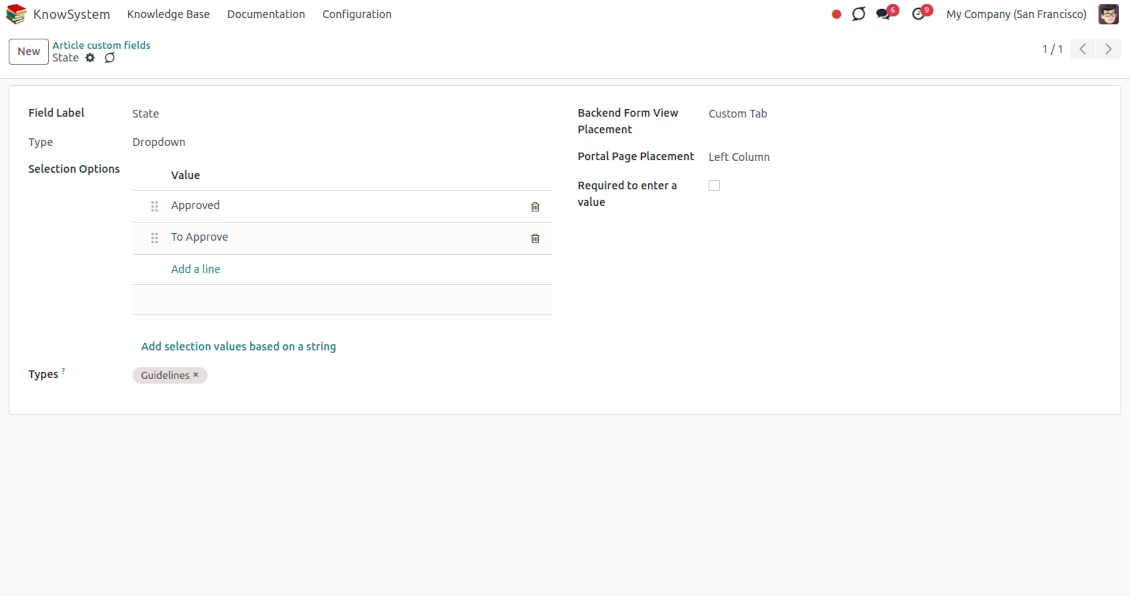
Custom attributes creation does not require any technical knowledge. In order to show a new property for knowledge base articles, just add a new field and enter details
-
It is possible to add custom fields of the following types: single-line text (char), simple text without formatting (text), rich text (HTML-formatted text), integer or float numbers, drop-down choice with your own options (selection), checkbox (boolean), date or date and time, binary (a file to upload), reference to another document (e.g. for sale order, contact; many2one)
-
The tool lets you comfortably select an interface position of a custom field from a closed list of options
-
Distinguish knowledge articles by type in order to show properties only for suitable ones. Thus, the set of attributes for 'user guidelines' and 'technical specifications' might be different
-
Mark a custom field required to force users to enter values
-
The app might work for both the KnowSystem backend and the knowledge share portal
-
Custom knowledge system fields might be imported and exported
-
The rights to create custom fields belong only to KnowSystem administrators.
Secured and shared knowledge
-
Security for internal and for portal/public users differs
-
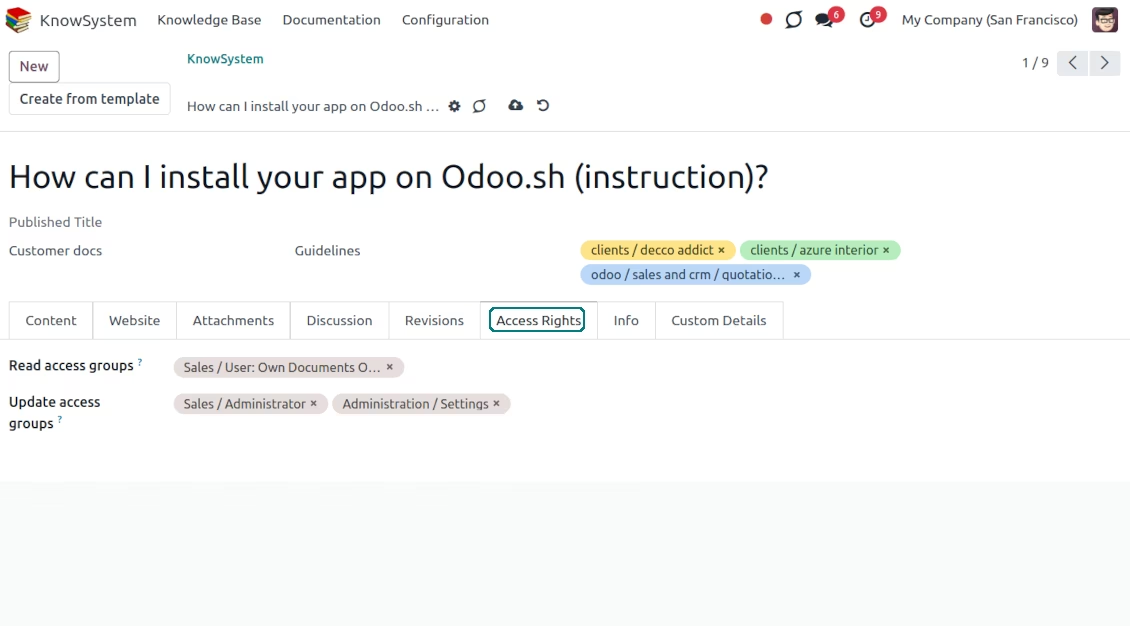
For the company employees: KnowSystem considers user groups which are defined per articles, sections, and tours. Look at the tab 'Restrict to' on forms of those objects. If that field is not defined, a document is considered 'global' and each internal user may read it
-
For portal / public users: KnowSystem takes into account tags and whether an article is website-published. A knowledge tag has a field 'Allowed partners', which may grant access to portal users for articles with this tag. Website-published pages are available for any external visitor
-
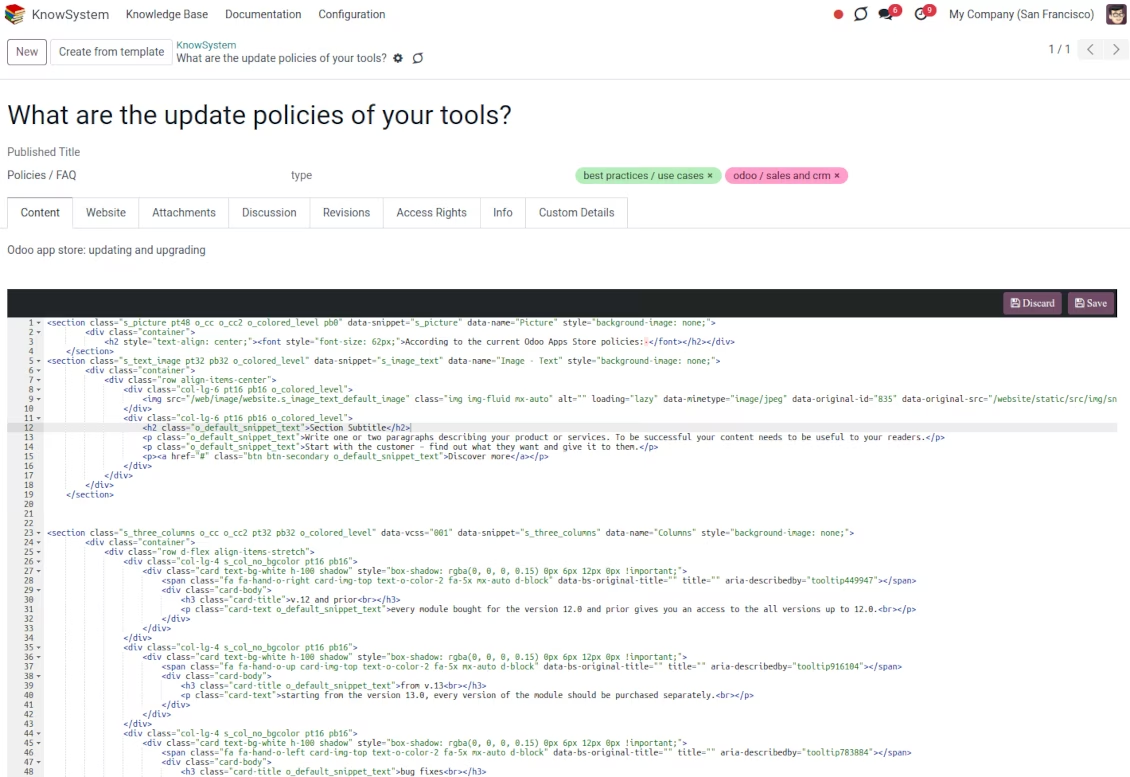
Rights to administrate the knowledge management system belongs to 2 user roles: KnowSystem Editor and KnowSystem Administrator. If you want a user to create and edit articles, a user should belong to one of those groups
-
users always may access an article if he/she is an author of that article disregarding further restrictions
-
Rights for a knowledge section are defined not only according to this section but also according to all its parents. For example, if a user can't access 'sales', he/she would not be able to access 'sales/crm' disregarding whether 'crm' is available for his/her user group.
|
|
user |
KnowSystem Editor |
KnowSystem Admin |
Portal user |
Public user |
| Articles | read related to his/her user groups and sections | read, create, edit, archive related to his/her user groups and sections | read, create, edit, delete any | read published articles and articles related to partner-related tags | read published articles |
| Sections | read related to his/her user groups | read, create, edit, archive related to his/her user groups and sections | read, create, edit, delete any | read published ones | read published ones |
| Tags | read any | read, create, edit, archive any | read, create, edit, delete any | read published ones | read published ones |
| Article Types | read any | read any | read, create, edit, delete any | read published ones | read published ones |
| Tours | read related to his/her user groups | read, create, edit, delete related to his/her user groups | read, create, edit, delete any | no access | no access |
| Misc | may like/dislike, add to favorites, print, take part in discussions | may configure options | may like/dislike an article |
|
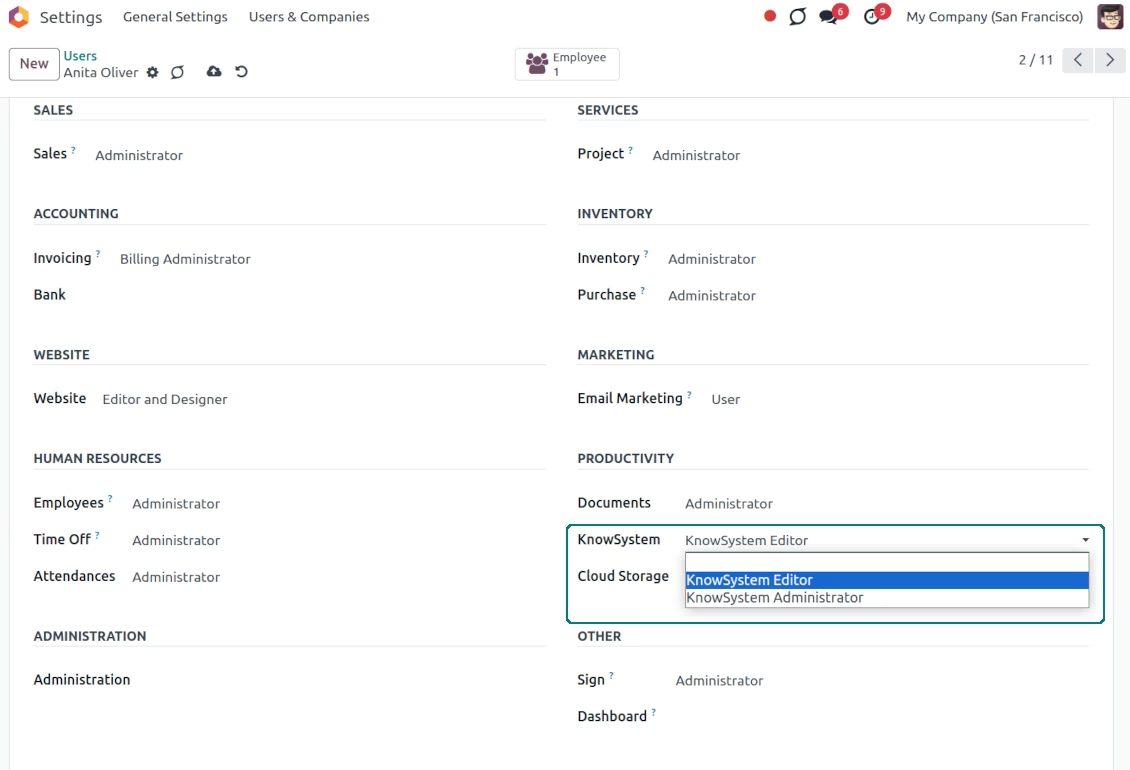
KMS: single entry for navigation and actions
Knowledge base: smart selection and mass actions
Knowledge base system interface
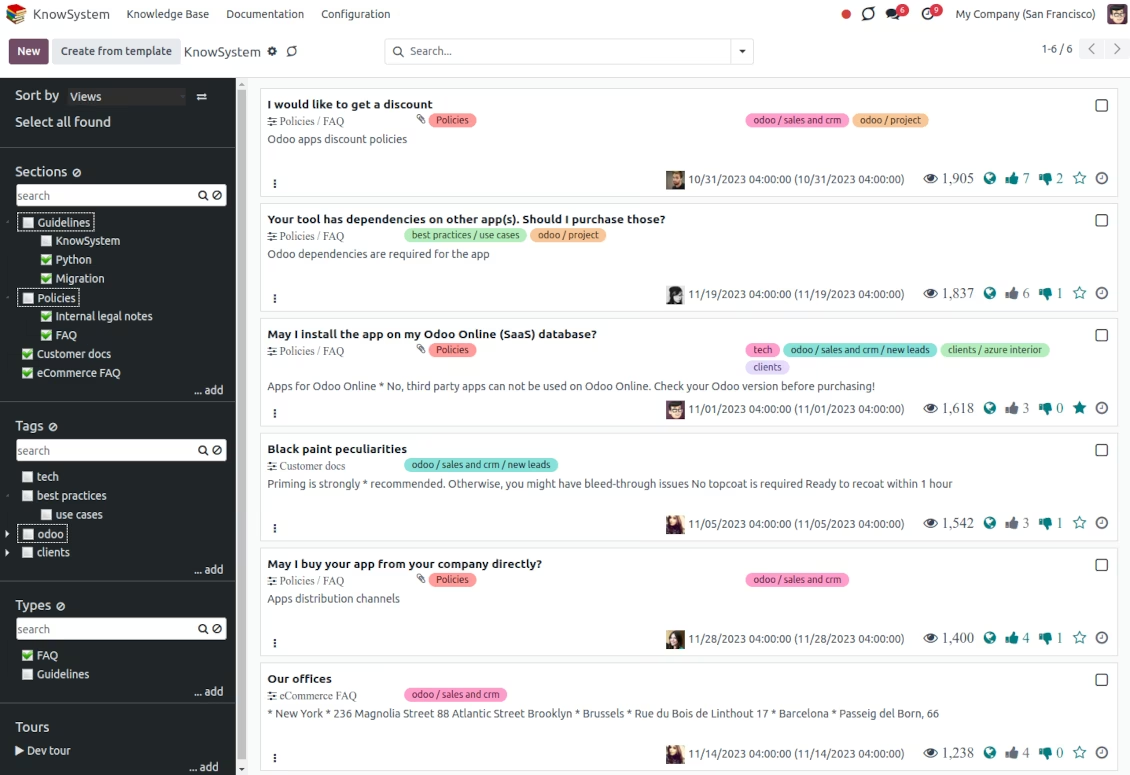
Knowledge backend editor: drag & drop building blocks
Knowledge: various editor options
website builder for knowledge creation
KMS: raw HTML editor for advanced editing
Reference articles in discussions
Use a knowledge base for communication
Instant access to the knowledge base
knowledge: quick KMS search
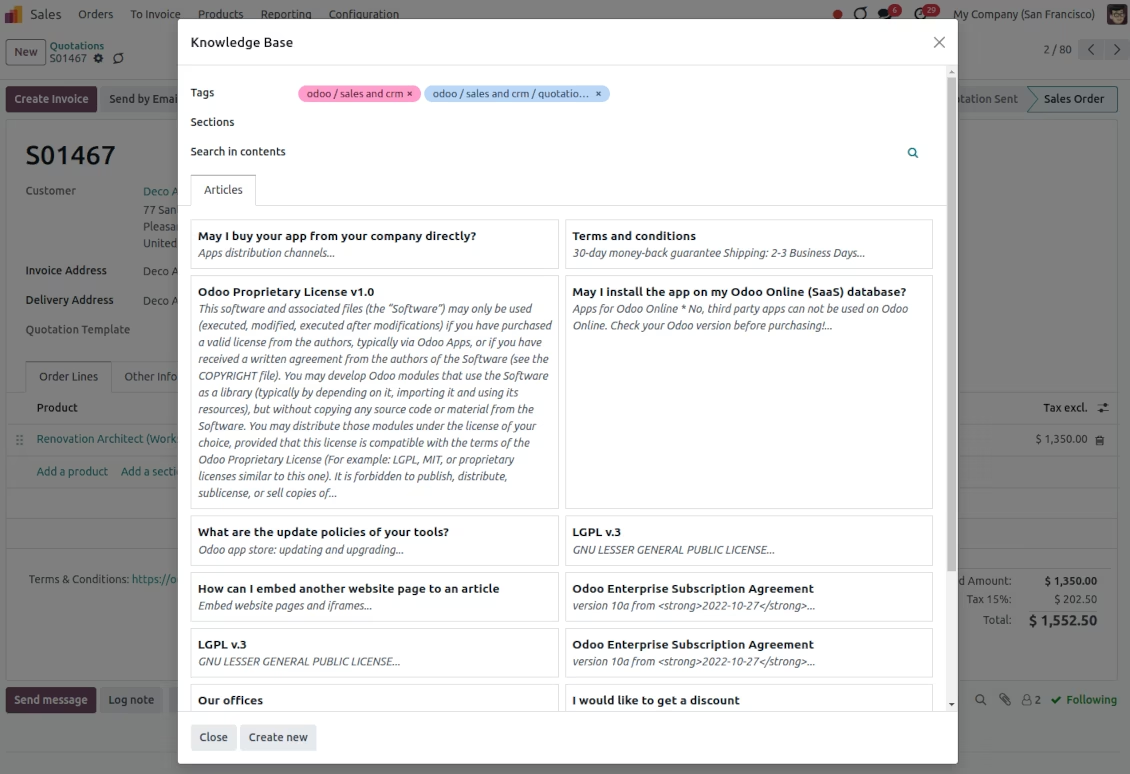
Link objects (e.g. sales orders, opportunities, or tickets) with KMS articles
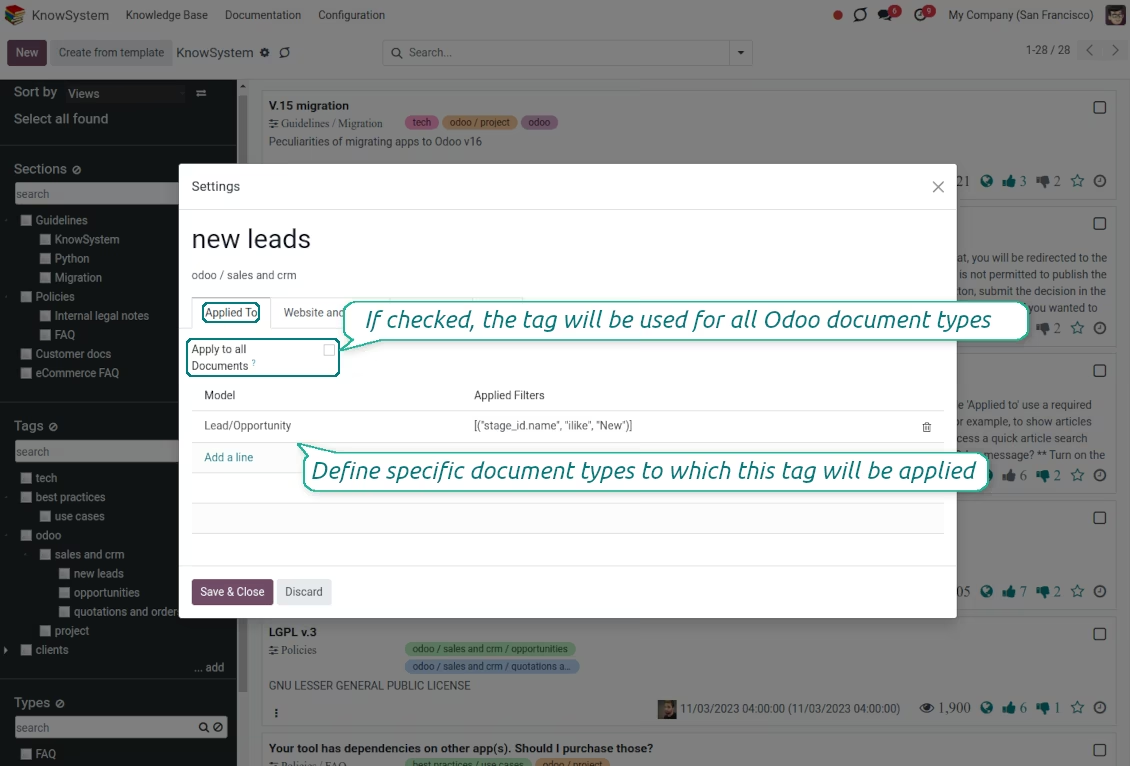
Wiki-like revisions history
Restoring knowledge is simpler than breaking it
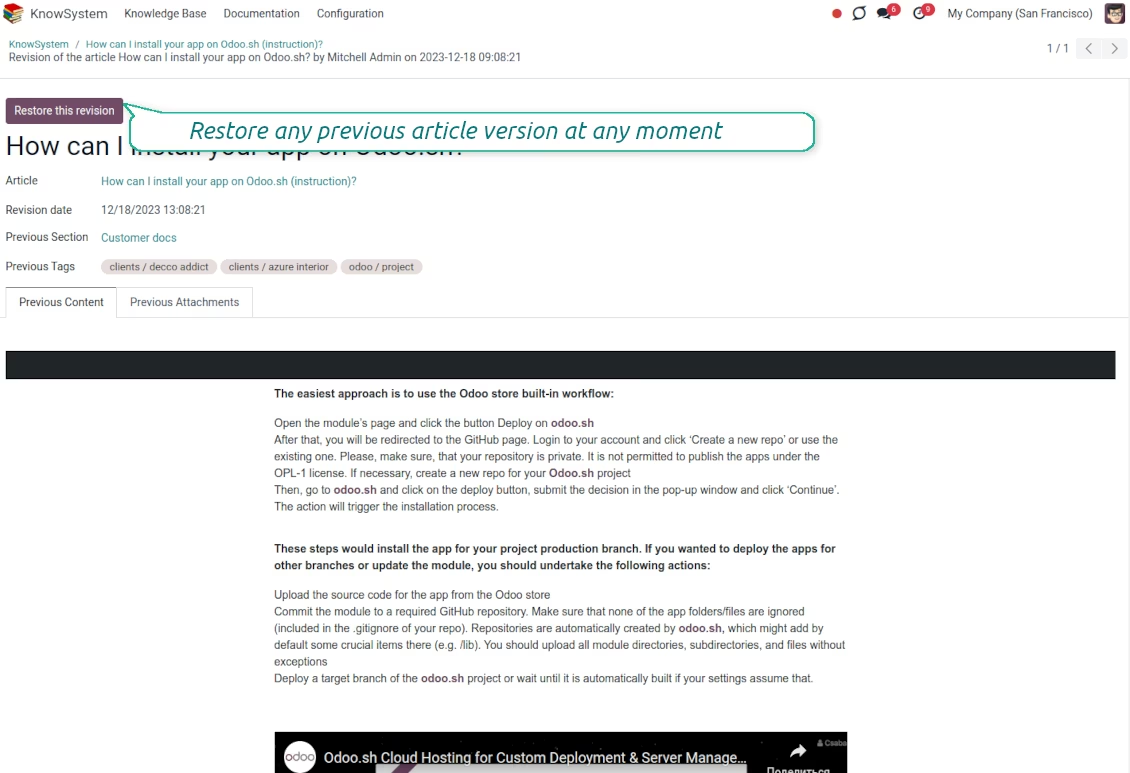
KMS statistics and details
Discuss and share articles
Multi-lingual regime
Print articles as PDF(s)
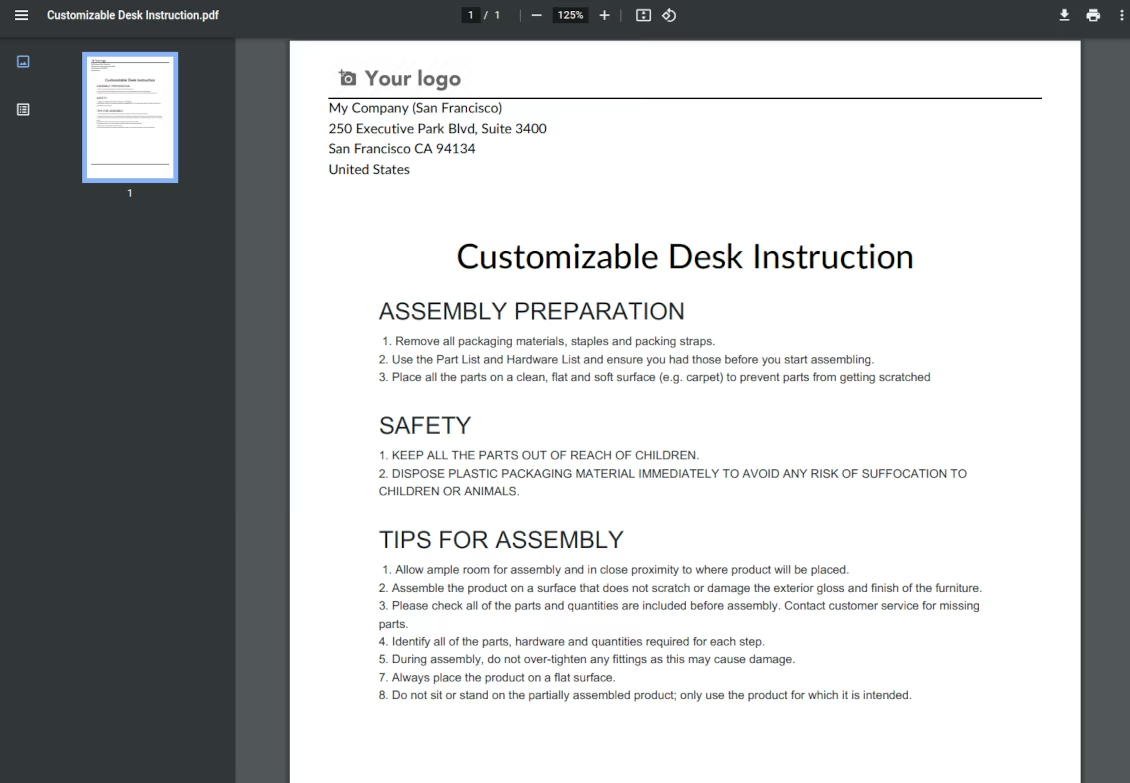
Mass update of KnowSystem articles
Knowledge in learning tours
Combine articles into learning tours
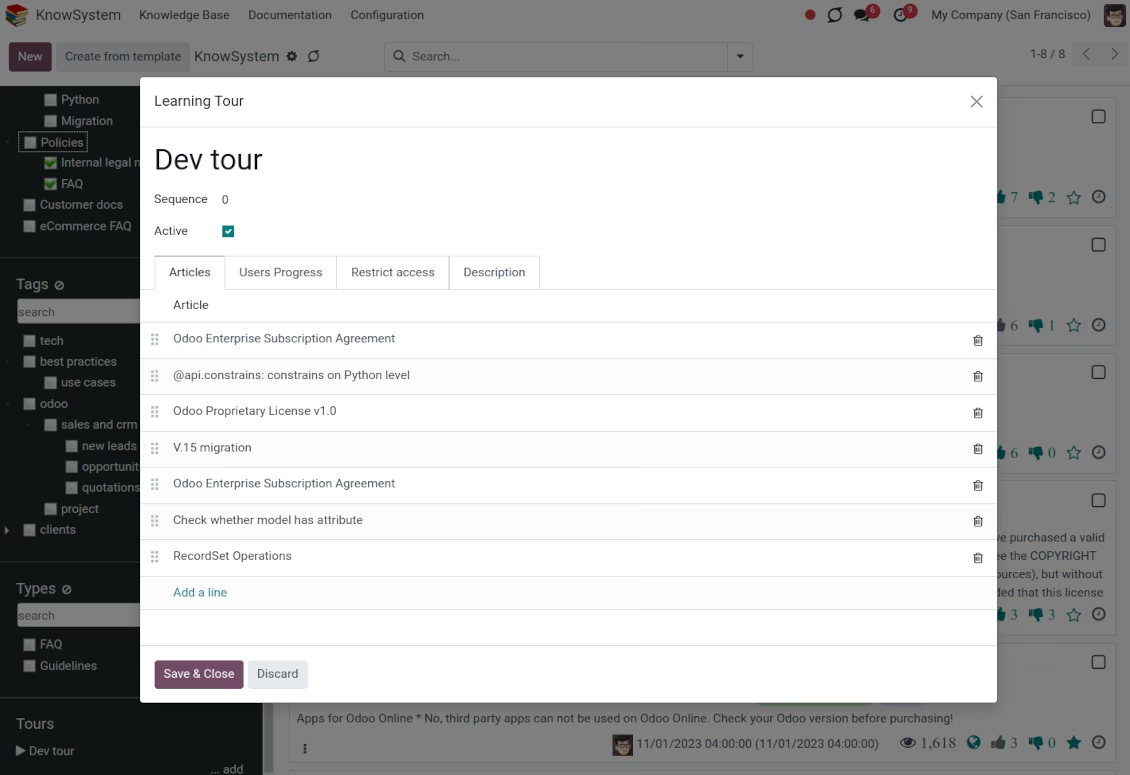
documentation overview
documentation builder
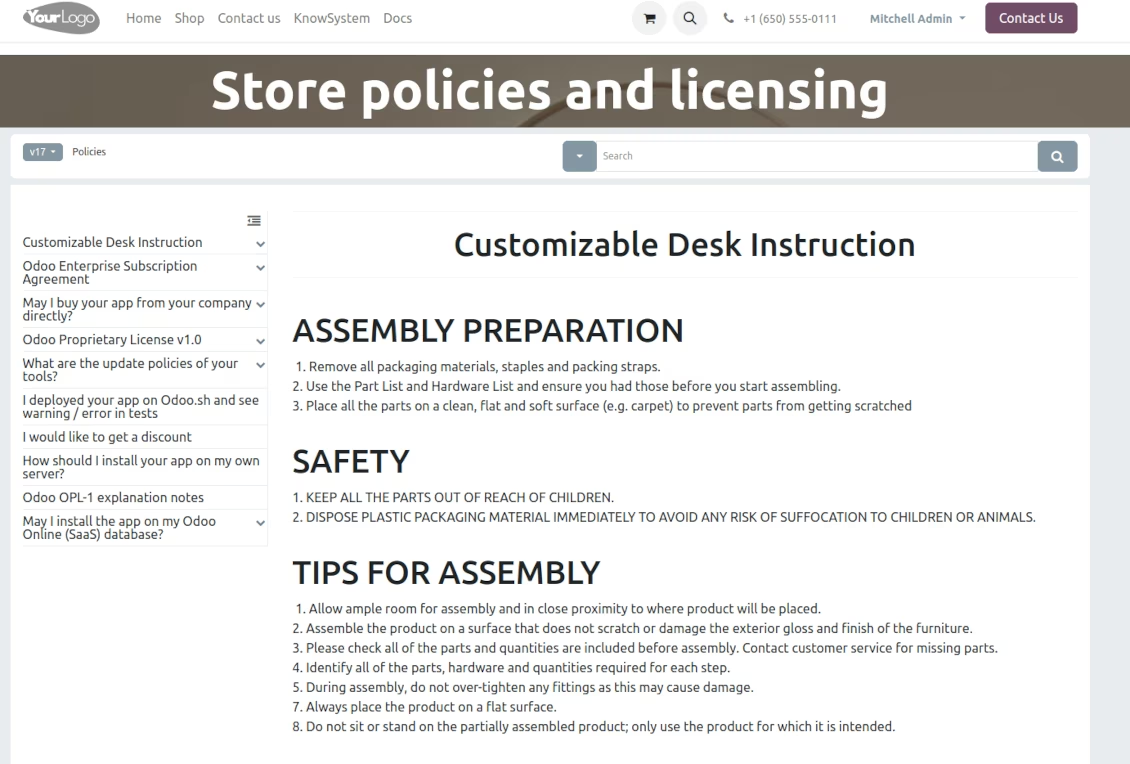
Comfortable navigation over the documentation
An instant search over documentation
Combine knowledge articles into documentation
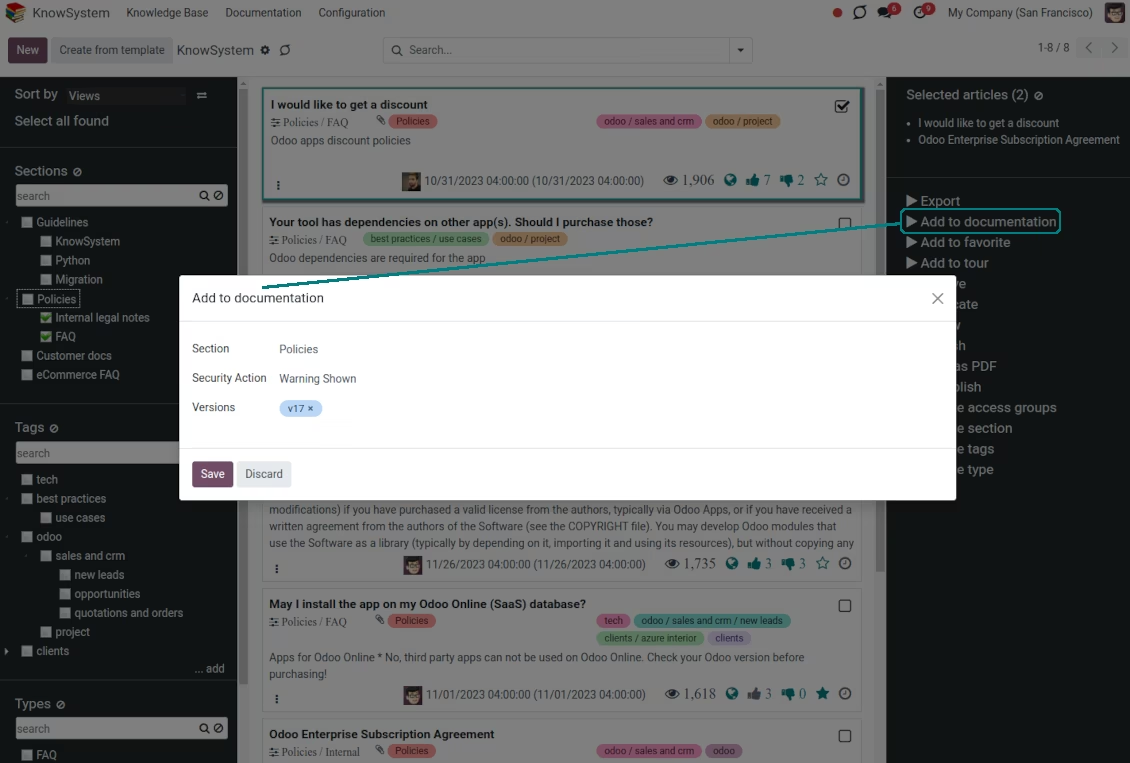
Customizable documentation view
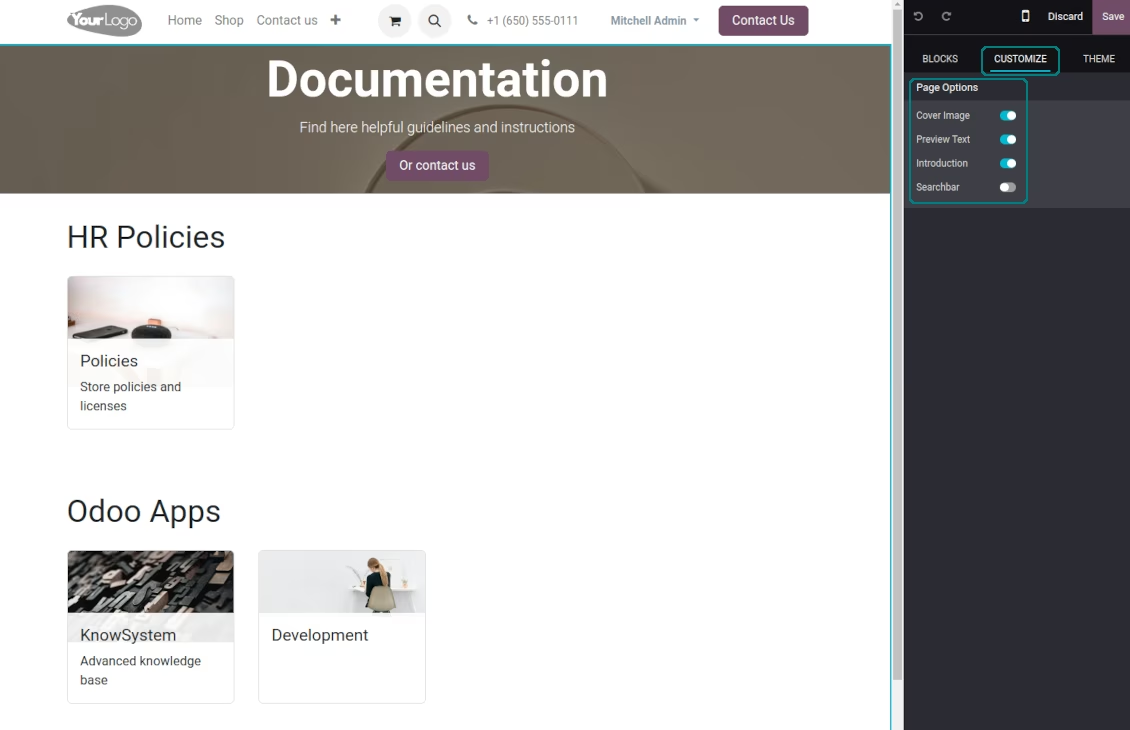
Custom options for documentation
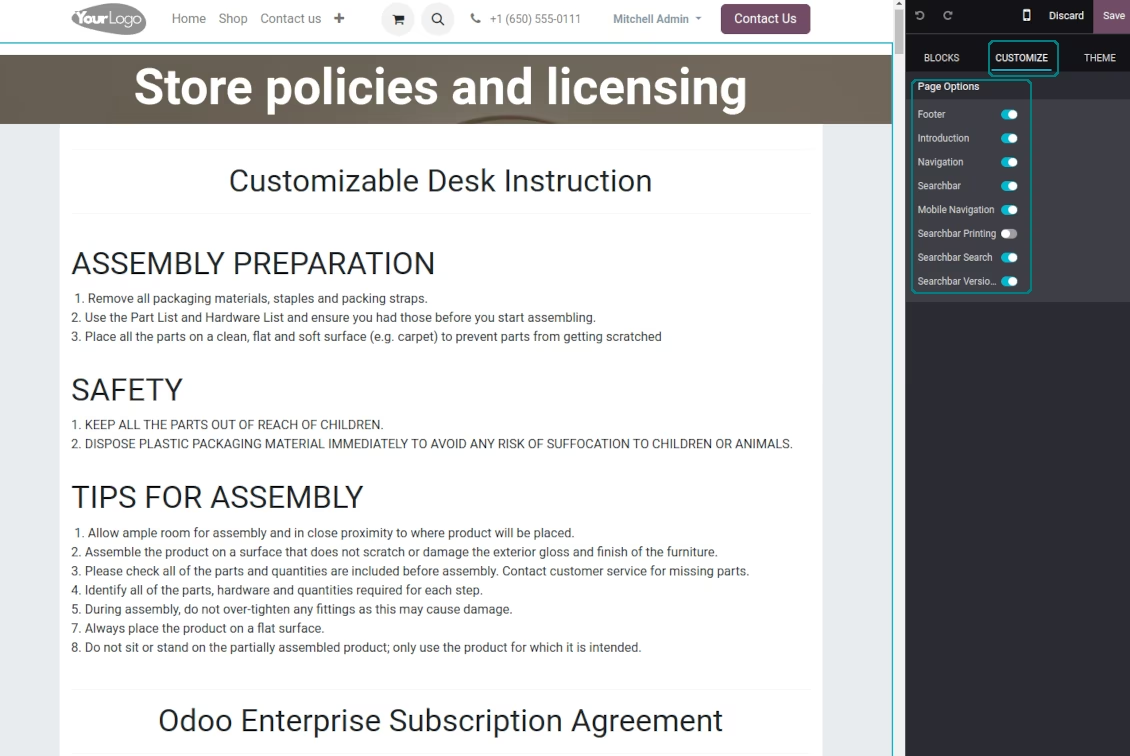
Set up documentation
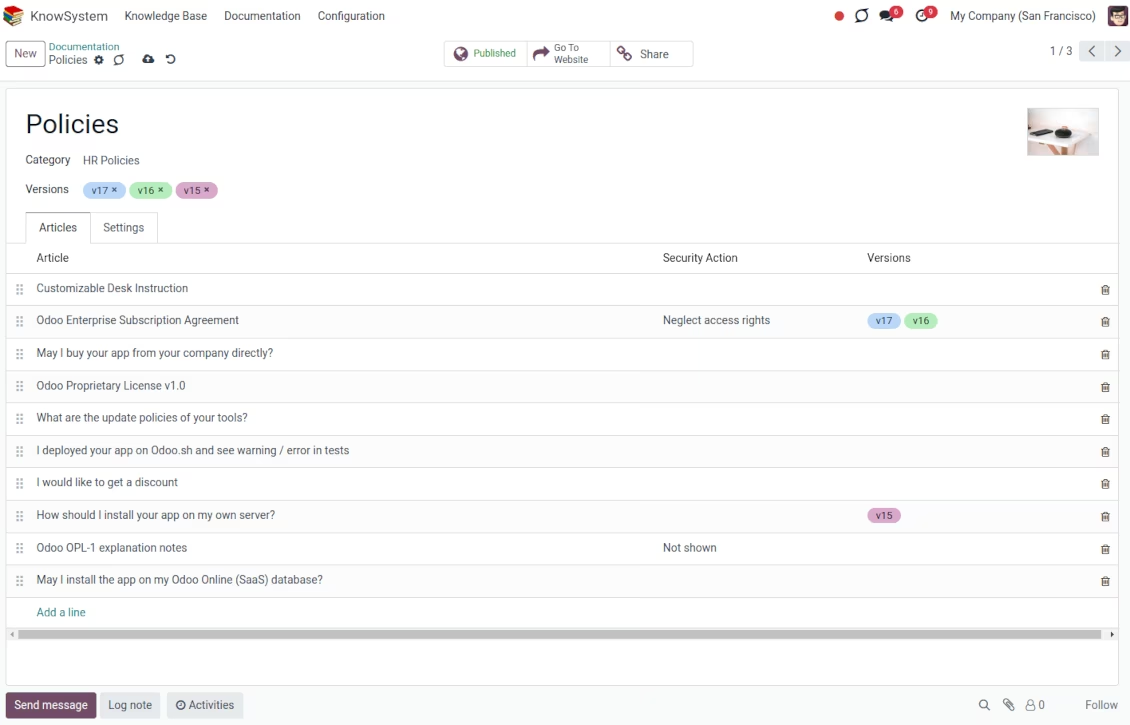
Documentation is structured by categories (backend)
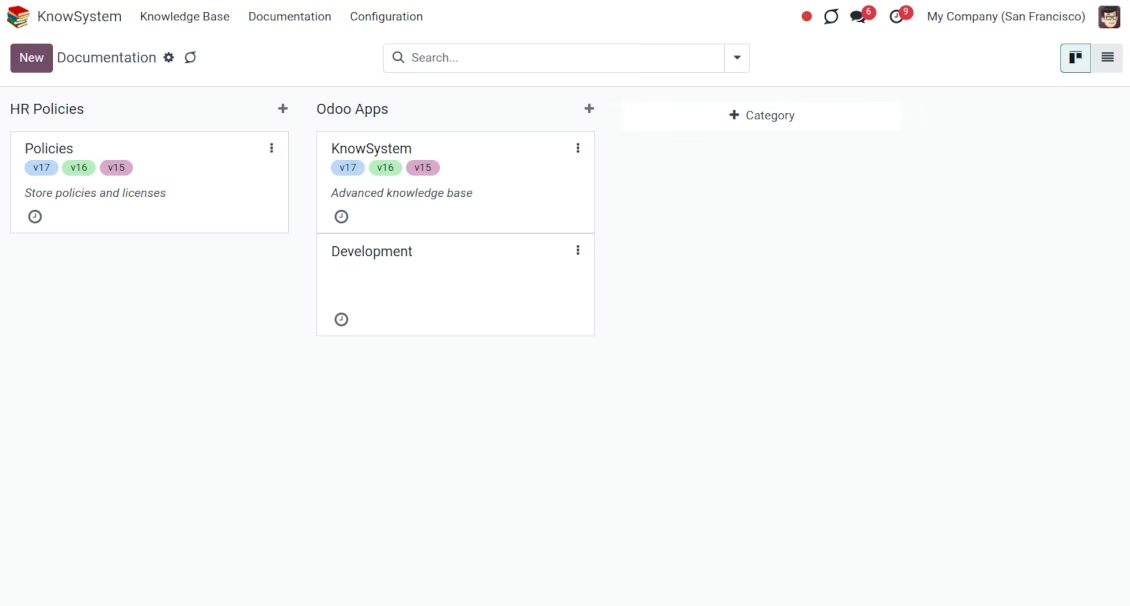
knowledge base: portal and website
Share knowledge with the portal and public users
Customize knowledge portal appearance
Knowledge base section and user rights
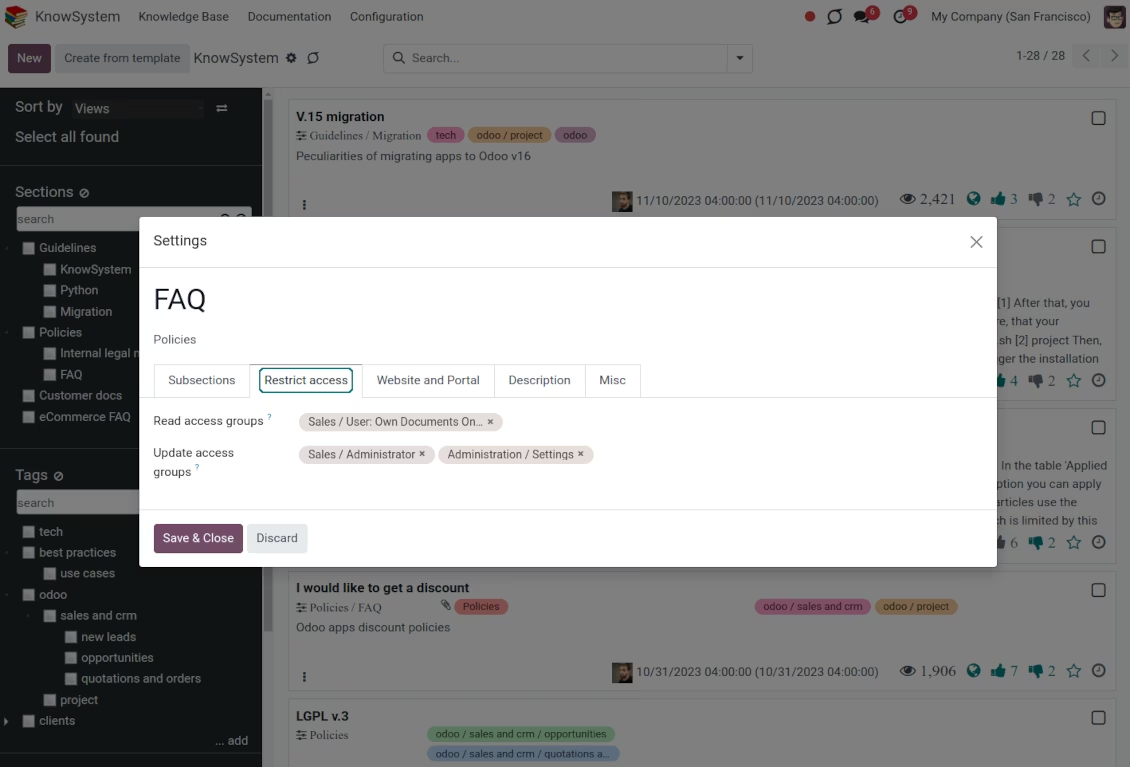
KMS tags to navigate and set up security
FAQ popup for the eCommerce
KMS navigation for eCommerce products
Link products and KnowSystem
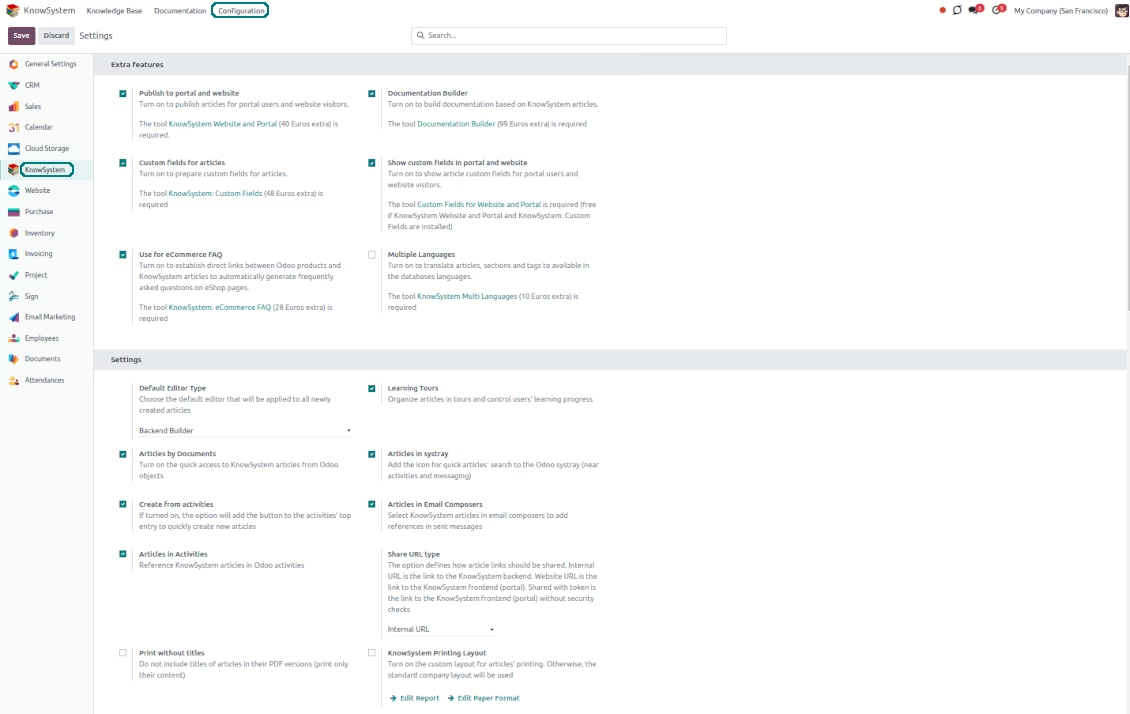
KnowSystem: configuration and optional features
Configurable mass actions
KMS: website and portal settings
Documentation and eCommerce FAQ settings
KnowSystem articles: custom fields
Custom knowledge attributes
Restrict access to a particular article
Knowledge base: secured and shared