
The module is a specialized add-on for the core Knowledge Base, designed to bridge your internal knowledge system with your online store. This module allows you to create and manage product-specific FAQs and instructions directly within your Knowledge Base and then display them on your e-commerce product pages. It offers flexible rules for associating knowledge articles with products, product attributes, or even specific attribute values, providing a targeted and effective self-service support solution for your customers.
Product-Specific FAQs: Create dedicated knowledge articles for each product in your e-commerce store.
Flexible Linking Rules: Link knowledge articles to product templates, attributes, or specific attribute values, allowing for highly customized documentation (e.g., different FAQs for products made from different materials).
Global FAQ Settings: Apply a consistent set of FAQs across all products in your e-shop with global settings.
Website Display Options: Choose to display FAQs either as a pop-up accordion on the product page or as a link that redirects users to a filtered view of the main Knowledge Base portal.
User-Based Access Control: Ensures that website visitors only see published articles they have permission to view.
Customizable Button Text: Change the default "Frequently asked questions" button text to something more suitable, like "Product docs" or "Instructions."
Improved Customer Experience: Customers can quickly find answers to their questions without leaving the product page.
Reduced Support Load: Provides a self-service option, decreasing the number of support inquiries your team has to handle.
Centralized Content Management: Manage all e-commerce documentation from a single source within your Knowledge Base.
Enhanced Product Pages: Adds value to your product pages by providing immediate, relevant information.
eCommerce knowledge entry
-
The app allows adding the product FAQ or documentation entry to all eCommerce product pages
-
Optionally hide that for specific products (find 'Do not show eCommerce FAQ' on template forms) or for a particular website (choose the website option 'FAQ view' - 'Do not show')
-
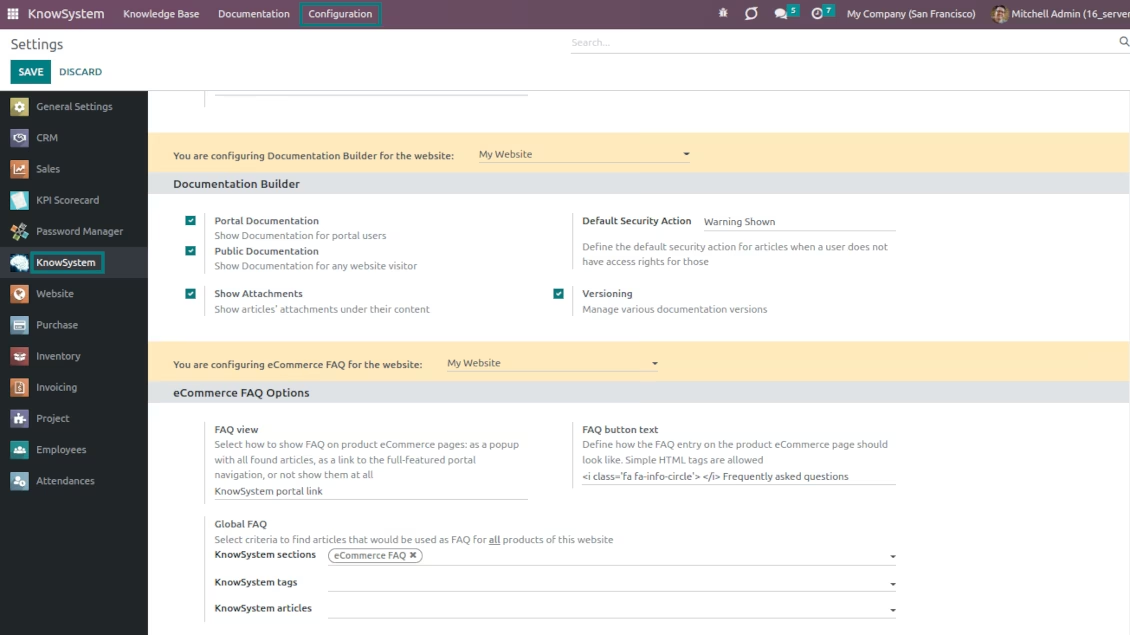
Introduce your own text for the button (enter the site setting 'FAQ button text'). By default, it is ' Frequently asked questions'. You can change it in any way, including applying HTML tags. For example, 'Product docs' or 'Instructions'
-
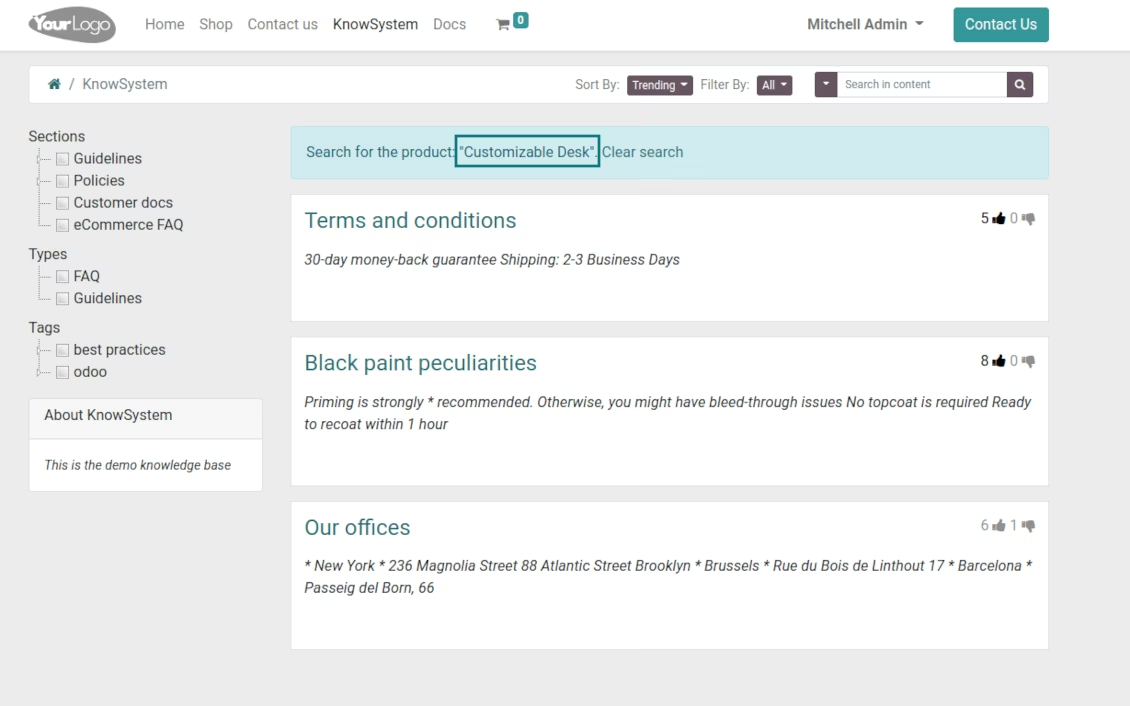
Show product knowledge as a link to the main KMS portal interface (choose the website option 'FAQ view' - 'KnowSystem portal link'). In this way, when clicked users are redirected to the full KnowSystem navigation but are restricted by articles linked to the current product. They can apply any further search, filtering, or sorting
-
Alternatively, the tool allows showing FAQs as a popup with all found articles accordion (choose the website option 'FAQ view' - 'Popup accordion'). Then, users are able to check articles without leaving a product e-Shop page
Flexible rules to generate product FAQs or instructions
-
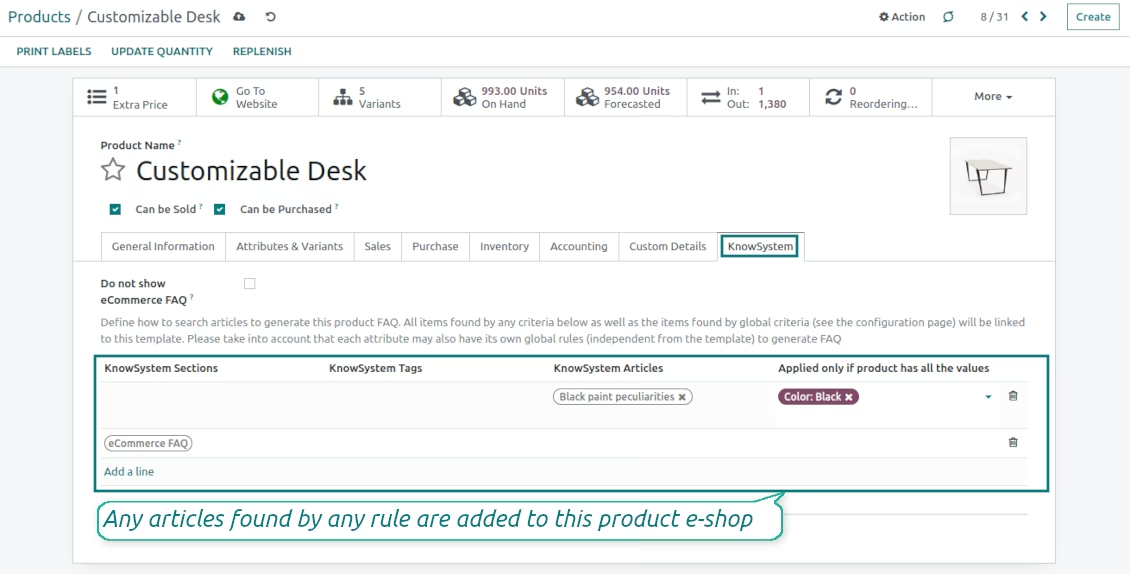
Establish links between product templates and KnowSystem to cumulate eCommerce knowledge. Show articles for specific sets of attribute values and hide them for others. For example, to have different FAQs for steel and aluminum tables
-
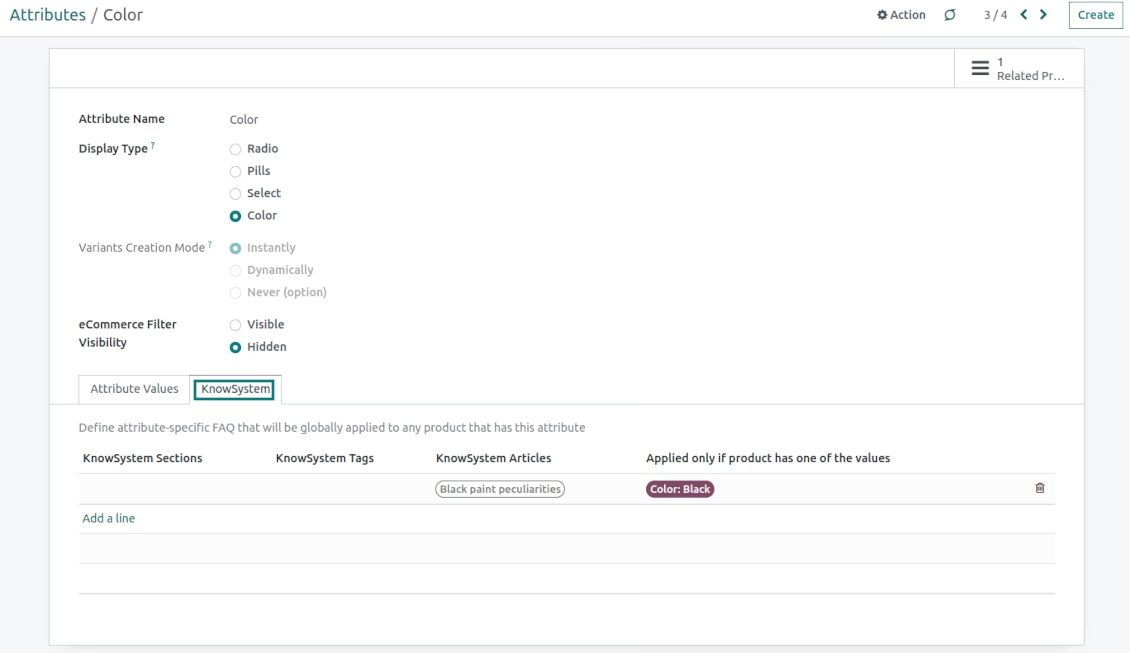
Define its own knowledge for attributes or attribute values disregarding selected products. For instance, introduce additional documentation for all variants that have 'legs' or 'custom legs'
-
Apply global website settings of how to select articles for all product pages. In this way, the app lets have the same FAQs basis for all sold items in a particular e-shop
-
The app lets define KnowSystem sections, tags, or specific articles on each layer. A knowledge piece would be selected if it satisfies any of the criteria. For sections and tags, child nodes are also taken into account
-
Articles are shown on product pages only if a user can access those articles. Thus, website visitors would see only published ones.
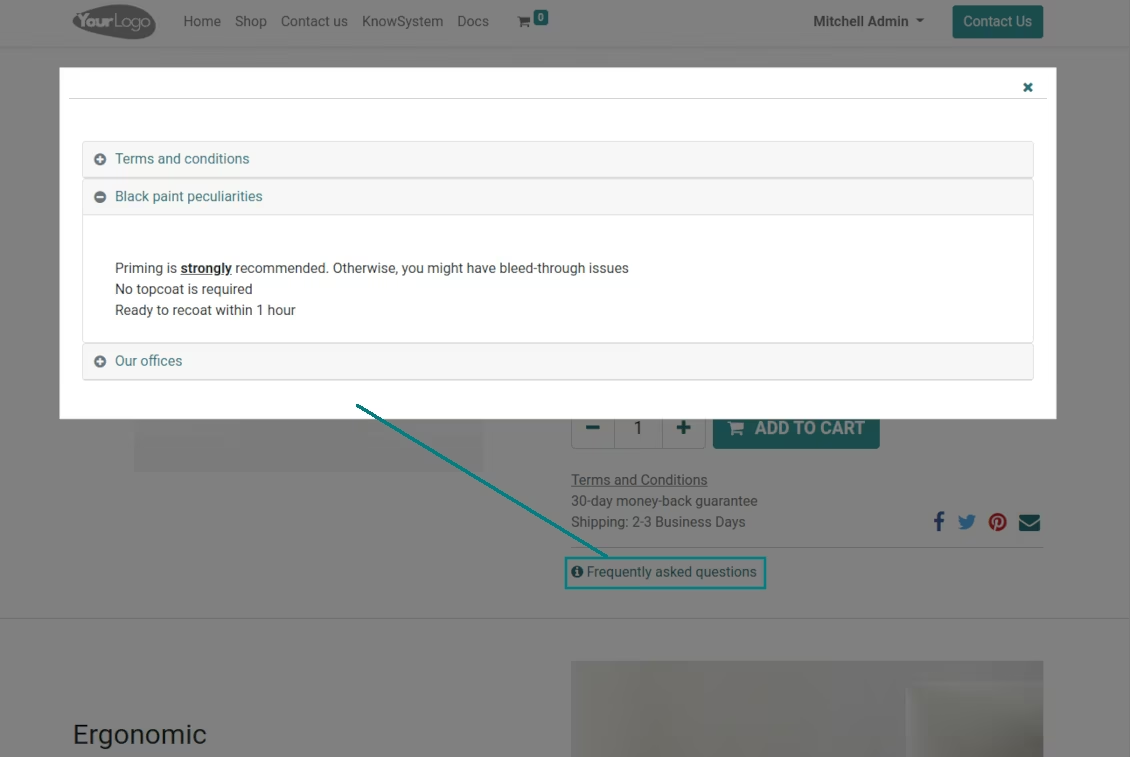
FAQ popup for the e-shop
eCommerce product: portal KMS navigation
eCommerce: global FAQ settings
Link products and KnowSystem
Product attributes smart FAQs.